
Linker scripts
Introduction

Linker script is written in the linker command language.

Every link is controlled by a linker script.

The main purpose of the linker script is to describe how
the sections in the input files should be mapped into the
output file.

Also used to control the memory layout of the output file.

The linker will use a default script that is compiled into the
linker executable.

We may supply our own linker script by using the `-T'
command line option.
ld -o prog -T my_script.lds main.o
Keywords used in linker scripts

ENTRY

OUTPUT_FORMAT

STARTUP

SEARCH_DIR

INPUT

OUTPUT

MEMORY

SECTIONS
ENTRY

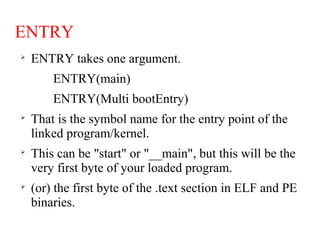
ENTRY takes one argument.
ENTRY(main)
ENTRY(Multi bootEntry)

That is the symbol name for the entry point of the
linked program/kernel.

This can be "start" or "__main", but this will be the
very first byte of your loaded program.

(or) the first byte of the .text section in ELF and PE
binaries.
OUTPUT_FORMAT

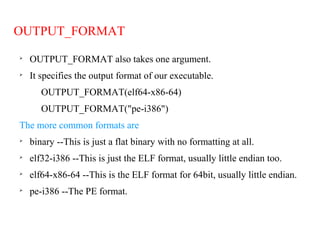
OUTPUT_FORMAT also takes one argument.

It specifies the output format of our executable.
OUTPUT_FORMAT(elf64-x86-64)
OUTPUT_FORMAT("pe-i386")
The more common formats are

binary --This is just a flat binary with no formatting at all.

elf32-i386 --This is just the ELF format, usually little endian too.

elf64-x86-64 --This is the ELF format for 64bit, usually little endian.

pe-i386 --The PE format.
STARTUP

STARTUP takes one argument.
STARTUP(Boot.o)
STARTUP(crt0.o)

i.e. which file you want to be linked to the beginning of the
executable.
SEARCH_DIR
 It treats linker script specified search directories as standard
directories.
 This will add a path to your library search directory.
SEARCH_DIR(Directory)
INPUT

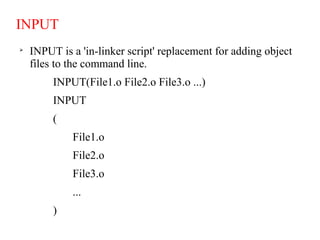
INPUT is a 'in-linker script' replacement for adding object
files to the command line.
INPUT(File1.o File2.o File3.o ...)
INPUT
(
File1.o
File2.o
File3.o
...
)
OUTPUT

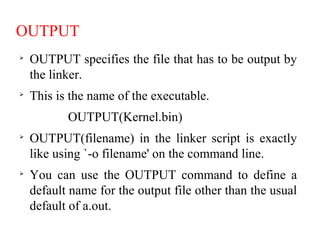
OUTPUT specifies the file that has to be output by
the linker.

This is the name of the executable.
OUTPUT(Kernel.bin)

OUTPUT(filename) in the linker script is exactly
like using `-o filename' on the command line.

You can use the OUTPUT command to define a
default name for the output file other than the usual
default of a.out.
MEMORY

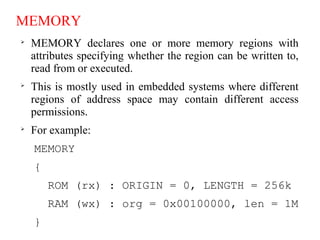
MEMORY declares one or more memory regions with
attributes specifying whether the region can be written to,
read from or executed.

This is mostly used in embedded systems where different
regions of address space may contain different access
permissions.

For example:
MEMORY
{
ROM (rx) : ORIGIN = 0, LENGTH = 256k
RAM (wx) : org = 0x00100000, len = 1M
}
This script tells the linker that there are two
memory regions.
"ROM" starts at address 0x00000000, is 256kB in
length, can be read and executed.
"RAM" starts at address 0x00100000, is 1MB in
length, can be written, read and executed.
SECTIONS

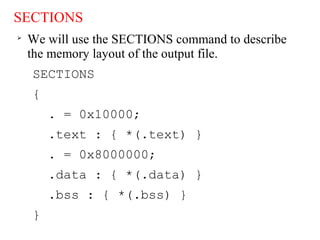
We will use the SECTIONS command to describe
the memory layout of the output file.
SECTIONS
{
. = 0x10000;
.text : { *(.text) }
. = 0x8000000;
.data : { *(.data) }
.bss : { *(.bss) }
}

We will write the SECTIONS command as the keyword
SECTIONS, followed by a series of symbol assignments and output
section descriptions enclosed in curly braces.

code will be loaded at address 0x10000, and data will start at address
0x8000000.

Dot(.) is the location counter.

If we do not specify the address of an output section, the address is
set from the current value of the location counter.

The location counter is then incremented by the size of the output
section.

At the start of the SECTIONS command, the location counter has
the value 0.

The * is a wildcard which matches any file name.

The expression *(.text) means all .text input sections in all input
files.

After the linker places the .data output section, the value of the
location counter will be 0x8000000 plus the size of the .data output
section.

The linker will place the .bss output section immediately after the
.data output section in memory.
Linker scripts

Linker scripts

  • 1.
  • 2.
    Introduction  Linker script iswritten in the linker command language.  Every link is controlled by a linker script.  The main purpose of the linker script is to describe how the sections in the input files should be mapped into the output file.  Also used to control the memory layout of the output file.  The linker will use a default script that is compiled into the linker executable.  We may supply our own linker script by using the `-T' command line option. ld -o prog -T my_script.lds main.o
  • 3.
    Keywords used inlinker scripts  ENTRY  OUTPUT_FORMAT  STARTUP  SEARCH_DIR  INPUT  OUTPUT  MEMORY  SECTIONS
  • 4.
    ENTRY  ENTRY takes oneargument. ENTRY(main) ENTRY(Multi bootEntry)  That is the symbol name for the entry point of the linked program/kernel.  This can be "start" or "__main", but this will be the very first byte of your loaded program.  (or) the first byte of the .text section in ELF and PE binaries.
  • 5.
    OUTPUT_FORMAT  OUTPUT_FORMAT also takesone argument.  It specifies the output format of our executable. OUTPUT_FORMAT(elf64-x86-64) OUTPUT_FORMAT("pe-i386") The more common formats are  binary --This is just a flat binary with no formatting at all.  elf32-i386 --This is just the ELF format, usually little endian too.  elf64-x86-64 --This is the ELF format for 64bit, usually little endian.  pe-i386 --The PE format.
  • 6.
    STARTUP  STARTUP takes oneargument. STARTUP(Boot.o) STARTUP(crt0.o)  i.e. which file you want to be linked to the beginning of the executable. SEARCH_DIR  It treats linker script specified search directories as standard directories.  This will add a path to your library search directory. SEARCH_DIR(Directory)
  • 7.
    INPUT  INPUT is a'in-linker script' replacement for adding object files to the command line. INPUT(File1.o File2.o File3.o ...) INPUT ( File1.o File2.o File3.o ... )
  • 8.
    OUTPUT  OUTPUT specifies thefile that has to be output by the linker.  This is the name of the executable. OUTPUT(Kernel.bin)  OUTPUT(filename) in the linker script is exactly like using `-o filename' on the command line.  You can use the OUTPUT command to define a default name for the output file other than the usual default of a.out.
  • 9.
    MEMORY  MEMORY declares oneor more memory regions with attributes specifying whether the region can be written to, read from or executed.  This is mostly used in embedded systems where different regions of address space may contain different access permissions.  For example: MEMORY { ROM (rx) : ORIGIN = 0, LENGTH = 256k RAM (wx) : org = 0x00100000, len = 1M }
  • 10.
    This script tellsthe linker that there are two memory regions. "ROM" starts at address 0x00000000, is 256kB in length, can be read and executed. "RAM" starts at address 0x00100000, is 1MB in length, can be written, read and executed.
  • 11.
    SECTIONS  We will usethe SECTIONS command to describe the memory layout of the output file. SECTIONS { . = 0x10000; .text : { *(.text) } . = 0x8000000; .data : { *(.data) } .bss : { *(.bss) } }
  • 12.
     We will writethe SECTIONS command as the keyword SECTIONS, followed by a series of symbol assignments and output section descriptions enclosed in curly braces.  code will be loaded at address 0x10000, and data will start at address 0x8000000.  Dot(.) is the location counter.  If we do not specify the address of an output section, the address is set from the current value of the location counter.  The location counter is then incremented by the size of the output section.
  • 13.
     At the startof the SECTIONS command, the location counter has the value 0.  The * is a wildcard which matches any file name.  The expression *(.text) means all .text input sections in all input files.  After the linker places the .data output section, the value of the location counter will be 0x8000000 plus the size of the .data output section.  The linker will place the .bss output section immediately after the .data output section in memory.