Web 2.0 and Libraries: Best Practices for Social Software  By Sarah, Darby, Beth, and Andrew November 19, 2009
What is Web 2.0 for? Communication Personal connections Creating community Expanding services cheaply
What is Web 2.0? It’s the stuff you find yourself doing when you’re supposed to be writing a paper. - Flickr -Blogs - Wikis and Wikipedia - RSS
Web 2.0 is all about… Openness Ease of Use Innovation Creation Sharing Social Interaction Participation Decentralization But everybody knows that…
“ Libraries have historically been places to receive information but with some exception, less places to contribute information.” - Jessamyn West, Librarian.net
Web 2.0 + Libraries = Library 2.0 Use what’s out there to help you do what you’re already doing Get a step ahead  Bring in the outside world Take it seriously
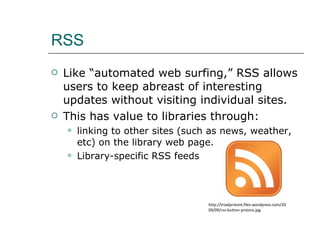
RSS Like “automated web surfing,” RSS allows users to keep abreast of interesting updates without visiting individual sites. This has value to libraries through: linking to other sites (such as news, weather, etc) on the library web page. Library-specific RSS feeds http://triadprstore.files.wordpress.com/2009/09/rss-button-prstore.jpg
Creating library-specific RSS feeds Check out the following aggregators:  BlogPluse ( www.blogpulse.com ) PubSub ( http://www.pubsub.com ) Techorati ( http://technorati.com ) Feedster ( http:// www.feedster.com )
Instant Messaging Instant Messaging, a real time synchronous conversation between two people via the internet, is becoming increasingly useful to libraries.  IM can be a powerful tool for reference. Some users may be embarrassed to  ask questions, and prefer the anonymity of IM Be sure to Train staff; after all, it’s still a reference interview. Check out Meebo through RUL Promote, Promote, Promote! Give your IM service a web presence Put chat names on business cards, and the library web page For more info check out:  http:// www.libsuccess.org/index.php?title = Online_Reference
Blogs and Libraries
Purposes of Library Blogs Blogs used by libraries fall mostly into two broad categories: Blogs that serve  the public  by promoting library services, collections, and events Blogs that serve  library staff  by facilitating communication (like an intranet or email list).
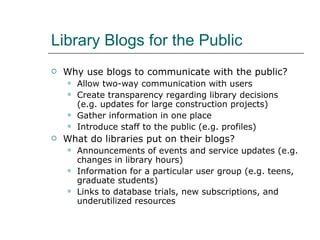
Library Blogs for the Public Why use blogs to communicate with the public? Allow two-way communication with users Create transparency regarding library decisions (e.g. updates for large construction projects) Gather information in one place Introduce staff to the public (e.g. profiles) What do libraries put on their blogs? Announcements of events and service updates (e.g. changes in library hours) Information for a particular user group (e.g. teens, graduate students)  Links to database trials, new subscriptions, and underutilized resources
Example of a successful library blog for the public Ann Arbor Public Library http://www.aadl.org/
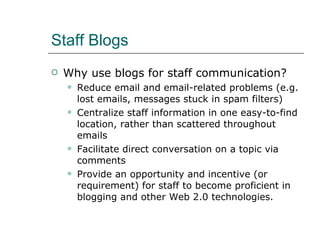
Staff Blogs Why use blogs for staff communication? R educe email and email-related problems (e.g. lost emails, messages stuck in spam filters) Centralize staff information in one easy-to-find location, rather than scattered throughout emails Facilitate direct conversation on a topic via comments Provide an opportunity and incentive (or requirement) for staff to become proficient in blogging and other Web 2.0 technologies.
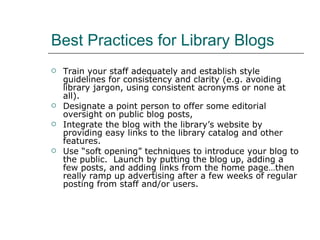
Best Practices for Library Blogs Train your staff adequately and establish style guidelines for consistency and clarity (e.g. avoiding library jargon, using consistent acronyms or none at all). Designate a point person to offer some editorial oversight on public blog posts, Integrate the blog with the library’s website by providing easy links to the library catalog and other features. Use “soft opening” techniques to introduce your blog to the public.  Launch by putting the blog up, adding a few posts, and adding links from the home page…then really ramp up advertising after a few weeks of regular posting from staff and/or users.
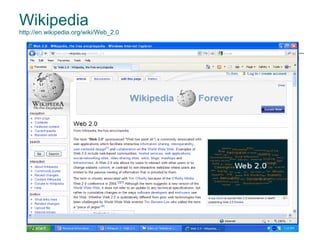
Wikipedia http://en.wikipedia.org/wiki/Web_2.0
Wikis Features: Article Page-editing mode Talk or discussion pages History page(s) Edit or view source option Search function Wiki Types: Single-user wiki Lab book Collaborative writing Knowledge base
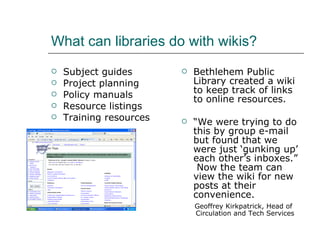
What can libraries do with wikis? Subject guides Project planning Policy manuals Resource listings Training resources Bethlehem Public Library created a wiki to keep track of links to online resources. “ We were trying to do this by group e-mail but found that we were just ‘gunking up’ each other’s inboxes.”  Now the team can view the wiki for new posts at their convenience. Geoffrey Kirkpatrick, Head of  Circulation and Tech Services
Implementing Wikis Choose software & determine a hosting option Server installation Software for hosting online Google Sites,  http://sites.google.com/   Pbwiki,  http://pbwiki.com Seedwiki,  www.seedwiki.com Open-source options Mediawiki,  www.mediawiki.org
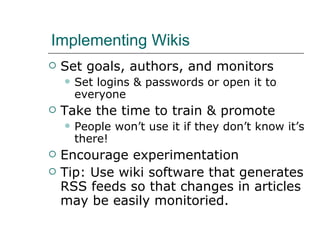
Implementing Wikis Set goals, authors, and monitors Set logins & passwords or open it to everyone Take the time to train & promote People won’t use it if they don’t know it’s there! Encourage experimentation Tip: Use wiki software that generates RSS feeds so that changes in articles may be easily monitoried.
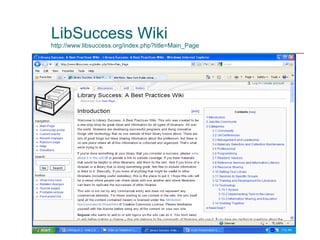
LibSuccess Wiki http://www.libsuccess.org/index.php?title=Main_Page
Flickr An image-hosting online community Began as an online game but is now a way for people to upload and share photos “ What was once the digital equivalence of a shoebox became a vibrant community built around photos and a vast collaborative effort to produce an infinite scrapbook.” Registered users can comment on photos, create image “pools” around a central theme, and select favorite pictures. - Levy, S. & Stone, B. (April 3, 2006).  The new wisdom of the web . Newsweek.  www.msnbc.msn.com . As cited in LTR report.
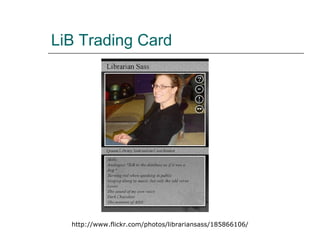
Benefits & Fun Features of Flickr Easy to place images in blogs and websites with Flickr’s code generator Increase the odds of being found by tagging photos with library’s name and location Set privacy levels & access Select other Flickr users as contacts & subscribe to their feeds Upload to Flickr from e-mail, computer, or cell phone Group images into sets to tell the story of an event Add notes to images Create promotional materials – posters, billboards, magazine covers, trading cards, etc.
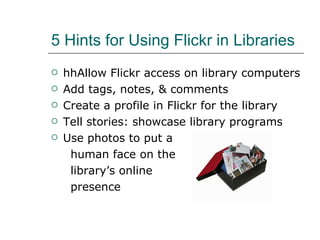
5 Hints for Using Flickr in Libraries hhAllow Flickr access on library computers Add tags, notes, & comments Create a profile in Flickr for the library Tell stories: showcase library programs Use photos to put a  human face on the  library’s online  presence
LiB Trading Card http://www.flickr.com/photos/librariansass/185866106/
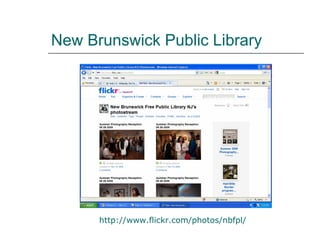
New Brunswick Public Library http:// www.flickr.com/photos/nbfpl /
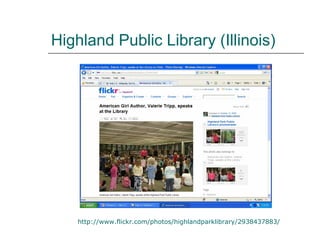
Highland Public Library (Illinois) http://www.flickr.com/photos/highlandparklibrary/2938437883/
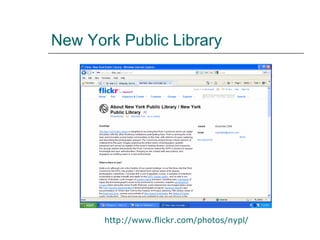
New York Public Library http://www.flickr.com/photos/nypl/
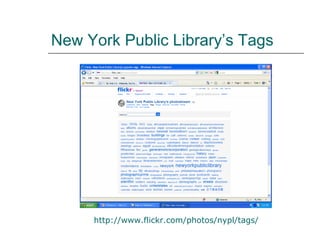
New York Public Library’s Tags http:// www.flickr.com/photos/nypl/tags /
 
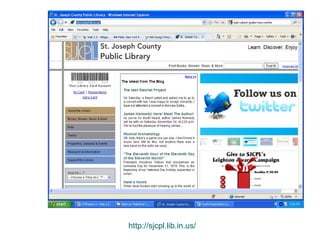
http://sjcpl.lib.in.us/
How to get staff on board Listen! Involve! Tell! Share! Report! Research! Manage! Meet! Play! Celebrate!

Library 2.0 Presentation: SC&I 550 Fall 2009

  • 1.
    Web 2.0 andLibraries: Best Practices for Social Software By Sarah, Darby, Beth, and Andrew November 19, 2009
  • 2.
    What is Web2.0 for? Communication Personal connections Creating community Expanding services cheaply
  • 3.
    What is Web2.0? It’s the stuff you find yourself doing when you’re supposed to be writing a paper. - Flickr -Blogs - Wikis and Wikipedia - RSS
  • 4.
    Web 2.0 isall about… Openness Ease of Use Innovation Creation Sharing Social Interaction Participation Decentralization But everybody knows that…
  • 5.
    “ Libraries havehistorically been places to receive information but with some exception, less places to contribute information.” - Jessamyn West, Librarian.net
  • 6.
    Web 2.0 +Libraries = Library 2.0 Use what’s out there to help you do what you’re already doing Get a step ahead Bring in the outside world Take it seriously
  • 7.
    RSS Like “automatedweb surfing,” RSS allows users to keep abreast of interesting updates without visiting individual sites. This has value to libraries through: linking to other sites (such as news, weather, etc) on the library web page. Library-specific RSS feeds http://triadprstore.files.wordpress.com/2009/09/rss-button-prstore.jpg
  • 8.
    Creating library-specific RSSfeeds Check out the following aggregators: BlogPluse ( www.blogpulse.com ) PubSub ( http://www.pubsub.com ) Techorati ( http://technorati.com ) Feedster ( http:// www.feedster.com )
  • 9.
    Instant Messaging InstantMessaging, a real time synchronous conversation between two people via the internet, is becoming increasingly useful to libraries. IM can be a powerful tool for reference. Some users may be embarrassed to ask questions, and prefer the anonymity of IM Be sure to Train staff; after all, it’s still a reference interview. Check out Meebo through RUL Promote, Promote, Promote! Give your IM service a web presence Put chat names on business cards, and the library web page For more info check out: http:// www.libsuccess.org/index.php?title = Online_Reference
  • 10.
  • 11.
    Purposes of LibraryBlogs Blogs used by libraries fall mostly into two broad categories: Blogs that serve the public by promoting library services, collections, and events Blogs that serve library staff by facilitating communication (like an intranet or email list).
  • 12.
    Library Blogs forthe Public Why use blogs to communicate with the public? Allow two-way communication with users Create transparency regarding library decisions (e.g. updates for large construction projects) Gather information in one place Introduce staff to the public (e.g. profiles) What do libraries put on their blogs? Announcements of events and service updates (e.g. changes in library hours) Information for a particular user group (e.g. teens, graduate students)  Links to database trials, new subscriptions, and underutilized resources
  • 13.
    Example of asuccessful library blog for the public Ann Arbor Public Library http://www.aadl.org/
  • 14.
    Staff Blogs Whyuse blogs for staff communication? R educe email and email-related problems (e.g. lost emails, messages stuck in spam filters) Centralize staff information in one easy-to-find location, rather than scattered throughout emails Facilitate direct conversation on a topic via comments Provide an opportunity and incentive (or requirement) for staff to become proficient in blogging and other Web 2.0 technologies.
  • 15.
    Best Practices forLibrary Blogs Train your staff adequately and establish style guidelines for consistency and clarity (e.g. avoiding library jargon, using consistent acronyms or none at all). Designate a point person to offer some editorial oversight on public blog posts, Integrate the blog with the library’s website by providing easy links to the library catalog and other features. Use “soft opening” techniques to introduce your blog to the public. Launch by putting the blog up, adding a few posts, and adding links from the home page…then really ramp up advertising after a few weeks of regular posting from staff and/or users.
  • 16.
  • 17.
    Wikis Features: ArticlePage-editing mode Talk or discussion pages History page(s) Edit or view source option Search function Wiki Types: Single-user wiki Lab book Collaborative writing Knowledge base
  • 18.
    What can librariesdo with wikis? Subject guides Project planning Policy manuals Resource listings Training resources Bethlehem Public Library created a wiki to keep track of links to online resources. “ We were trying to do this by group e-mail but found that we were just ‘gunking up’ each other’s inboxes.” Now the team can view the wiki for new posts at their convenience. Geoffrey Kirkpatrick, Head of Circulation and Tech Services
  • 19.
    Implementing Wikis Choosesoftware & determine a hosting option Server installation Software for hosting online Google Sites, http://sites.google.com/ Pbwiki, http://pbwiki.com Seedwiki, www.seedwiki.com Open-source options Mediawiki, www.mediawiki.org
  • 20.
    Implementing Wikis Setgoals, authors, and monitors Set logins & passwords or open it to everyone Take the time to train & promote People won’t use it if they don’t know it’s there! Encourage experimentation Tip: Use wiki software that generates RSS feeds so that changes in articles may be easily monitoried.
  • 21.
  • 22.
    Flickr An image-hostingonline community Began as an online game but is now a way for people to upload and share photos “ What was once the digital equivalence of a shoebox became a vibrant community built around photos and a vast collaborative effort to produce an infinite scrapbook.” Registered users can comment on photos, create image “pools” around a central theme, and select favorite pictures. - Levy, S. & Stone, B. (April 3, 2006). The new wisdom of the web . Newsweek. www.msnbc.msn.com . As cited in LTR report.
  • 23.
    Benefits & FunFeatures of Flickr Easy to place images in blogs and websites with Flickr’s code generator Increase the odds of being found by tagging photos with library’s name and location Set privacy levels & access Select other Flickr users as contacts & subscribe to their feeds Upload to Flickr from e-mail, computer, or cell phone Group images into sets to tell the story of an event Add notes to images Create promotional materials – posters, billboards, magazine covers, trading cards, etc.
  • 24.
    5 Hints forUsing Flickr in Libraries hhAllow Flickr access on library computers Add tags, notes, & comments Create a profile in Flickr for the library Tell stories: showcase library programs Use photos to put a human face on the library’s online presence
  • 25.
    LiB Trading Cardhttp://www.flickr.com/photos/librariansass/185866106/
  • 26.
    New Brunswick PublicLibrary http:// www.flickr.com/photos/nbfpl /
  • 27.
    Highland Public Library(Illinois) http://www.flickr.com/photos/highlandparklibrary/2938437883/
  • 28.
    New York PublicLibrary http://www.flickr.com/photos/nypl/
  • 29.
    New York PublicLibrary’s Tags http:// www.flickr.com/photos/nypl/tags /
  • 30.
  • 31.
  • 32.
    How to getstaff on board Listen! Involve! Tell! Share! Report! Research! Manage! Meet! Play! Celebrate!