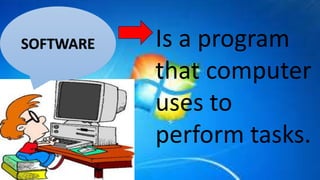
Is a program
that computer
uses to
perform tasks.
SOFTWARE
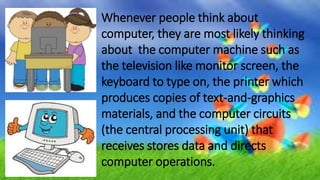
Whenever people think about
computer, they are most likely thinking
about the computer machine such as
the television like monitor screen, the
keyboard to type on, the printer which
produces copies of text-and-graphics
materials, and the computer circuits
(the central processing unit) that
receives stores data and directs
computer operations.
TWO KINDS OF SOFTWARE:
• The systems software-this is the operating
system that is found or bundled inside all
computer machines.
• The application software- this contains the
system that commands the particular task
or solves a particular problem.
The application software may be:
• A Custom Software- that is made for
specific tasks often by large corporations, or
•
• A Commercial Software-packaged for
personal computers that helps with a
variety of tasks such as writing papers,
calculating numbers, drawing graphs,
playing games, and so much more.
Computer Software
company.
Any of several microcomputer
operating systems or environments
featuring a graphic user interface.
MICROSOFT WINDOWS
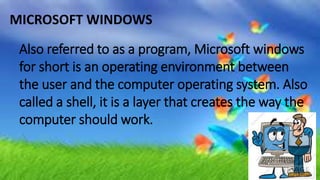
Also referred to as a program, Microsoft windows
for short is an operating environment between
the user and the computer operating system. Also
called a shell, it is a layer that creates the way the
computer should work.
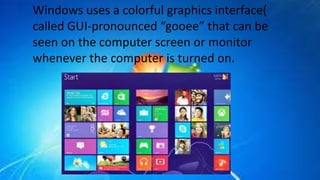
Windows uses a colorful graphics interface(
called GUI-pronounced “gooee” that can be
seen on the computer screen or monitor
whenever the computer is turned on.
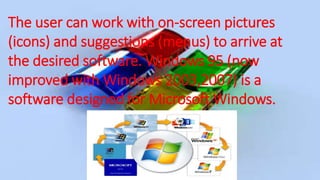
The user can work with on-screen pictures
(icons) and suggestions (menus) to arrive at
the desired software. Windows 95 (now
improved with Windows 2003,2007) is a
software designed for Microsoft Windows.
Windows is in itself a self-contained operating system which
provides:
• User convenience- just click a file name to retrieve data or click
from program to program as easy as changing channels in your TV
screen.
• A new look- fancy border, smooth and streamlined text fonts.
• Information center- windows puts all communication activities(e-
mail, download etc. in a single screen icon);adapts/configures the
computer for the internet.
• Plug and play- configures the computer with added components,
such as for sound and video.
Can be visited on the internet or should be
bought from software shops or dealers. The
teacher through his school should decide on the
best computer-based instructional(CBIs) materials
for the school resource collection
But beware since CBIs need much improvement,
while web-based educational resources are either
extremely good or what is complete garbage is evaluating
computer-based educational materials, the following can
serve as guidelines:
Bulacan State
University
College of
Education
BSED 3-I
Group 6
Angel, Lyssa
Bulalayao ,Jenette
Baesa, Aivy
Caudilla, Mark Jerome
Pineda, Mary Rizaline
Solis, John Patrick
Tubig, Regina

Lesson 14: The Software as an Educational Resource

  • 2.
    Is a program thatcomputer uses to perform tasks. SOFTWARE
  • 3.
    Whenever people thinkabout computer, they are most likely thinking about the computer machine such as the television like monitor screen, the keyboard to type on, the printer which produces copies of text-and-graphics materials, and the computer circuits (the central processing unit) that receives stores data and directs computer operations.
  • 4.
    TWO KINDS OFSOFTWARE: • The systems software-this is the operating system that is found or bundled inside all computer machines. • The application software- this contains the system that commands the particular task or solves a particular problem.
  • 5.
    The application softwaremay be: • A Custom Software- that is made for specific tasks often by large corporations, or • • A Commercial Software-packaged for personal computers that helps with a variety of tasks such as writing papers, calculating numbers, drawing graphs, playing games, and so much more.
  • 7.
  • 8.
    Any of severalmicrocomputer operating systems or environments featuring a graphic user interface.
  • 9.
    MICROSOFT WINDOWS Also referredto as a program, Microsoft windows for short is an operating environment between the user and the computer operating system. Also called a shell, it is a layer that creates the way the computer should work.
  • 10.
    Windows uses acolorful graphics interface( called GUI-pronounced “gooee” that can be seen on the computer screen or monitor whenever the computer is turned on.
  • 11.
    The user canwork with on-screen pictures (icons) and suggestions (menus) to arrive at the desired software. Windows 95 (now improved with Windows 2003,2007) is a software designed for Microsoft Windows.
  • 13.
    Windows is initself a self-contained operating system which provides: • User convenience- just click a file name to retrieve data or click from program to program as easy as changing channels in your TV screen. • A new look- fancy border, smooth and streamlined text fonts. • Information center- windows puts all communication activities(e- mail, download etc. in a single screen icon);adapts/configures the computer for the internet. • Plug and play- configures the computer with added components, such as for sound and video.
  • 14.
    Can be visitedon the internet or should be bought from software shops or dealers. The teacher through his school should decide on the best computer-based instructional(CBIs) materials for the school resource collection But beware since CBIs need much improvement, while web-based educational resources are either extremely good or what is complete garbage is evaluating computer-based educational materials, the following can serve as guidelines:
  • 20.
  • 21.
    Group 6 Angel, Lyssa Bulalayao,Jenette Baesa, Aivy Caudilla, Mark Jerome Pineda, Mary Rizaline Solis, John Patrick Tubig, Regina