As an Educational Resource
Software is any set of machine-readable
instructions (most often in the form of
a computer program) that directs a
computer's processor to perform specific
operations.
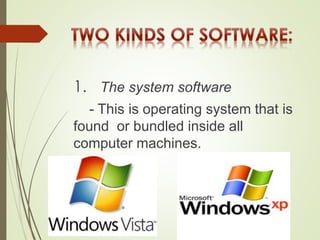
1. The system software
- This is operating system that is
found or bundled inside all
computer machines.
2. The application software
- This contains the system that
commands the particular task or solves a
particular problem.
(a) A custom software
- that is made for specific task often by large corporations.
(b) A commercial software
- packaged for personal computers that helps
with a variety of task such as:
 Writing papers
 Calculating numbers
 Drawing graphs
 Playing games and so much more
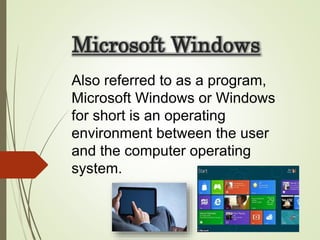
Microsoft Windows
Also referred to as a program,
Microsoft Windows or Windows
for short is an operating
environment between the user
and the computer operating
system.
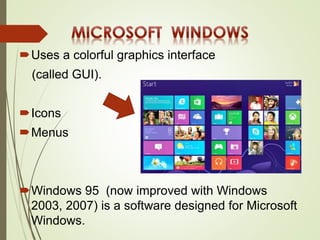
Uses a colorful graphics interface
(called GUI).
Icons
Menus
Windows 95 (now improved with Windows
2003, 2007) is a software designed for Microsoft
Windows.
It contained operating system
which provides:
User convenience—just click a file
name to retrieve data or click from
program to program as easy as
changing channels in your TV
screen.
A new look—fancy borders, smooth
and streamlined text fonts.
Information center—Windows puts
all communications activities;
adapts/configures the computer
for the Internet.
Plug and play—configures the
computer with added components,
such as for sound and video.
Instructional Software
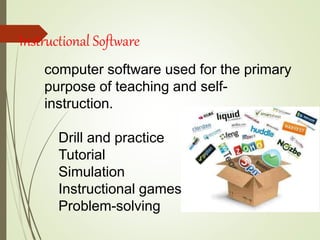
computer software used for the primary
purpose of teaching and self-
instruction.
Drill and practice
Tutorial
Simulation
Instructional games
Problem-solving
GUIDELINES
1. Be extremely cautious in using CBIs and
‘free’ Internet materials.
2. Don’t be caught up by attractive
graphics, sound ,animation, pictures,
video clips and music forgetting their
instructional worth.
3. Teachers must evaluate these
resources using sound pedagogical
principles.
4. Among design and content elements to
evaluate are: text legibility, effective use of
color schemes, attractive layout and design,
and easy navigation from section-to-section
(such as from game to tutorial to drill-and-
practice section)
5. Observe clarity in the explanations and
illustrations of concepts and principles
6. Maintain accuracy, coherence, logic of
information
7. Are they being current since
data/statistics continually change
8. Are they relevant and effective in
attaining learning objectives
9. Observe absence of biased materials
(e.g. gender bias or racial bias)
Prepared by:
Padro , Joy Clearth
Papa , Lanie
Lumakin, Roalene

Software as an educational resource

  • 1.
  • 2.
    Software is anyset of machine-readable instructions (most often in the form of a computer program) that directs a computer's processor to perform specific operations.
  • 3.
    1. The systemsoftware - This is operating system that is found or bundled inside all computer machines.
  • 4.
    2. The applicationsoftware - This contains the system that commands the particular task or solves a particular problem.
  • 5.
    (a) A customsoftware - that is made for specific task often by large corporations.
  • 6.
    (b) A commercialsoftware - packaged for personal computers that helps with a variety of task such as:  Writing papers  Calculating numbers  Drawing graphs  Playing games and so much more
  • 7.
    Microsoft Windows Also referredto as a program, Microsoft Windows or Windows for short is an operating environment between the user and the computer operating system.
  • 8.
    Uses a colorfulgraphics interface (called GUI). Icons Menus Windows 95 (now improved with Windows 2003, 2007) is a software designed for Microsoft Windows.
  • 9.
    It contained operatingsystem which provides: User convenience—just click a file name to retrieve data or click from program to program as easy as changing channels in your TV screen. A new look—fancy borders, smooth and streamlined text fonts.
  • 10.
    Information center—Windows puts allcommunications activities; adapts/configures the computer for the Internet. Plug and play—configures the computer with added components, such as for sound and video.
  • 11.
    Instructional Software computer softwareused for the primary purpose of teaching and self- instruction. Drill and practice Tutorial Simulation Instructional games Problem-solving
  • 12.
    GUIDELINES 1. Be extremelycautious in using CBIs and ‘free’ Internet materials. 2. Don’t be caught up by attractive graphics, sound ,animation, pictures, video clips and music forgetting their instructional worth. 3. Teachers must evaluate these resources using sound pedagogical principles.
  • 13.
    4. Among designand content elements to evaluate are: text legibility, effective use of color schemes, attractive layout and design, and easy navigation from section-to-section (such as from game to tutorial to drill-and- practice section) 5. Observe clarity in the explanations and illustrations of concepts and principles 6. Maintain accuracy, coherence, logic of information
  • 14.
    7. Are theybeing current since data/statistics continually change 8. Are they relevant and effective in attaining learning objectives 9. Observe absence of biased materials (e.g. gender bias or racial bias)
  • 15.
    Prepared by: Padro ,Joy Clearth Papa , Lanie Lumakin, Roalene