


LESS & Sass
Overview
How to START with
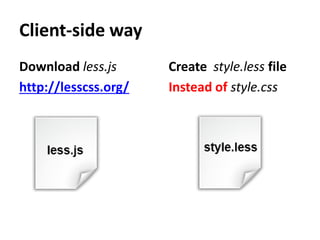
Client-side way
Download less.js      Create style.less file
http://lesscss.org/   Instead of style.css
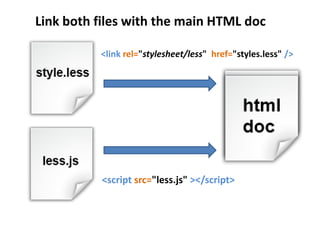
Link both files with the main HTML doc

          <link rel="stylesheet/less" href="styles.less" />


          <script src="less.js" ></script>
Server-side way
First possibility               Second possibility
Download NPM                    Download Ruby
                                http://www.ruby-lang.org/en/downloads
https://github.com/isaacs/npm


Or get Node.js                  For Windows users
http://nodejs.org/              http://rubyinstaller.org


 Now start the command prompt
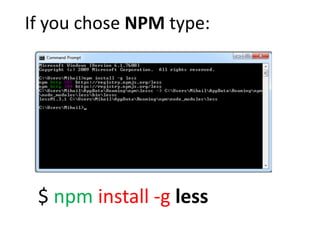
If you chose NPM type:


 $ npm install -g less
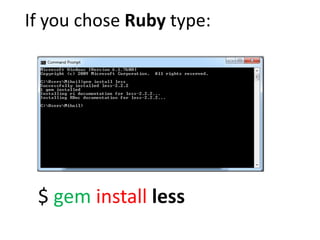
If you chose Ruby type:


 $ gem install less
How to compile the Less code?
Client-side way
     It happens automatically when you hit (F5).
     You could also use some compilation tools.


Server-side way
     $ lessc style.less > style.css


   Less compiler          Output Css file

              Less file
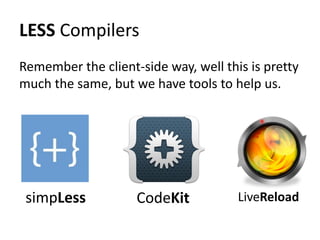
LESS Compilers
Remember the client-side way, well this is pretty
much the same, but we have tools to help us.


 simpLess           CodeKit           LiveReload
How to START with
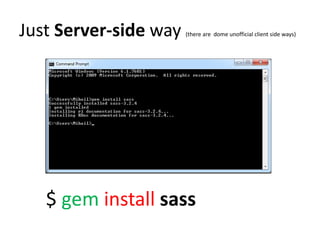
Just Server-side way   (there are dome unofficial client side ways)


   $ gem install sass
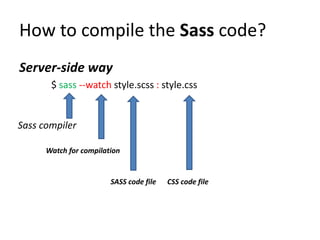
How to compile the Sass code?
Server-side way
       $ sass --watch style.scss : style.css


Sass compiler

      Watch for compilation


                        SASS code file   CSS code file
Less & Sass comparison
Variables
   just a value container
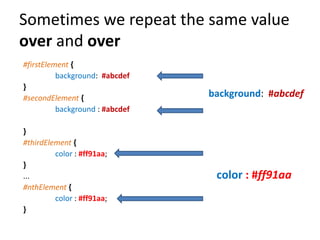
Sometimes we repeat the same value
over and over
#firstElement {
          background: #abcdef
}
#secondElement {                 background: #abcdef
          background : #abcdef

}
#thirdElement {
         color : #ff91aa;
}
...                               color : #ff91aa
#nthElement {
         color : #ff91aa;
}
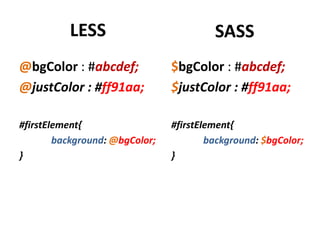
LESS                           SASS
@bgColor : #abcdef;             $bgColor : #abcdef;
@justColor : #ff91aa;           $justColor : #ff91aa;

#firstElement{                  #firstElement{
        background: @bgColor;           background: $bgColor;
}                               }
Mixins
  variables on steroids
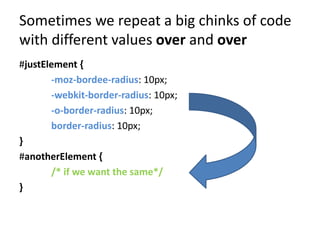
Sometimes we repeat a big chinks of code
with different values over and over
#justElement {
       -moz-bordee-radius: 10px;
       -webkit-border-radius: 10px;
       -o-border-radius: 10px;
       border-radius: 10px;
}
#anotherElement {
       /* if we want the same*/
}
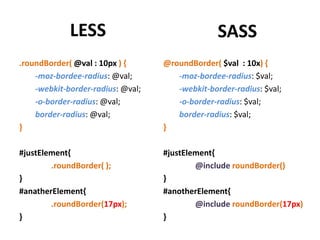
LESS                                SASS
.roundBorder( @val : 10px ) {      @roundBorder( $val : 10x) {
    -moz-bordee-radius: @val;         -moz-bordee-radius: $val;
    -webkit-border-radius: @val;      -webkit-border-radius: $val;
    -o-border-radius: @val;           -o-border-radius: $val;
    border-radius: @val;              border-radius: $val;
}                                  }

#justElement{                      #justElement{
        .roundBorder( );                   @include roundBorder()
}                                  }
#anatherElement{                   #anotherElement{
        .roundBorder(17px);                @include roundBorder(17px)
}                                  }
Nested css code
   no more epic repetition code
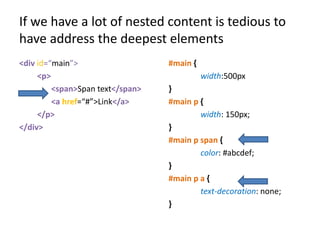
If we have a lot of nested content is tedious to
have address the deepest elements
<div id=“main”>                   #main {
     <p>                                    width:500px
         <span>Span text</span>   }
         <a href=“#”>Link</a>     #main p {
     </p>                                 width: 150px;
</div>                            }
                                  #main p span {
                                          color: #abcdef;
                                  }
                                  #main p a {
                                          text-decoration: none;
                                  }
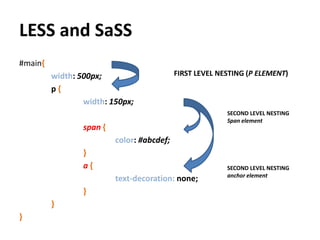
LESS and SaSS
#main{
         width: 500px;                      FIRST LEVEL NESTING (P ELEMENT)
         p{
                 width: 150px;
                                                          SECOND LEVEL NESTING
                                                          Span element
                 span {
                          color: #abcdef;
                 }
                 a{                                       SECOND LEVEL NESTING
                                                          anchor element
                          text-decoration: none;
                 }
         }
}
Functions & Operations
             a way to do the math
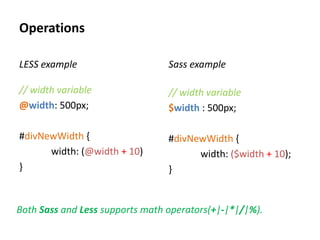
Operations

LESS example                     Sass example

// width variable                // width variable
@width: 500px;                   $width : 500px;

#divNewWidth {                   #divNewWidth {
      width: (@width + 10)             width: ($width + 10);
}                                }


Both Sass and Less supports math operators(+|-|*|/|%).
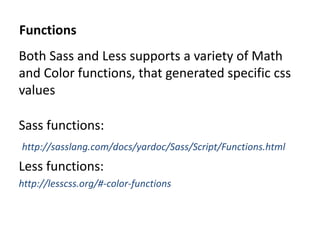
Functions
Both Sass and Less supports a variety of Math
and Color functions, that generated specific css
values

Sass functions:
http://sasslang.com/docs/yardoc/Sass/Script/Functions.html
Less functions:
http://lesscss.org/#-color-functions

Less & Sass

  • 1.
  • 2.
  • 3.
    Client-side way Download less.js Create style.less file http://lesscss.org/ Instead of style.css
  • 4.
    Link both fileswith the main HTML doc <link rel="stylesheet/less" href="styles.less" /> <script src="less.js" ></script>
  • 5.
    Server-side way First possibility Second possibility Download NPM Download Ruby http://www.ruby-lang.org/en/downloads https://github.com/isaacs/npm Or get Node.js For Windows users http://nodejs.org/ http://rubyinstaller.org Now start the command prompt
  • 6.
    If you choseNPM type: $ npm install -g less
  • 7.
    If you choseRuby type: $ gem install less
  • 8.
    How to compilethe Less code? Client-side way It happens automatically when you hit (F5). You could also use some compilation tools. Server-side way $ lessc style.less > style.css Less compiler Output Css file Less file
  • 9.
    LESS Compilers Remember theclient-side way, well this is pretty much the same, but we have tools to help us. simpLess CodeKit LiveReload
  • 10.
  • 11.
    Just Server-side way (there are dome unofficial client side ways) $ gem install sass
  • 12.
    How to compilethe Sass code? Server-side way $ sass --watch style.scss : style.css Sass compiler Watch for compilation SASS code file CSS code file
  • 13.
    Less & Sasscomparison
  • 14.
    Variables just a value container
  • 15.
    Sometimes we repeatthe same value over and over #firstElement { background: #abcdef } #secondElement { background: #abcdef background : #abcdef } #thirdElement { color : #ff91aa; } ... color : #ff91aa #nthElement { color : #ff91aa; }
  • 16.
    LESS SASS @bgColor : #abcdef; $bgColor : #abcdef; @justColor : #ff91aa; $justColor : #ff91aa; #firstElement{ #firstElement{ background: @bgColor; background: $bgColor; } }
  • 17.
    Mixins variableson steroids
  • 18.
    Sometimes we repeata big chinks of code with different values over and over #justElement { -moz-bordee-radius: 10px; -webkit-border-radius: 10px; -o-border-radius: 10px; border-radius: 10px; } #anotherElement { /* if we want the same*/ }
  • 19.
    LESS SASS .roundBorder( @val : 10px ) { @roundBorder( $val : 10x) { -moz-bordee-radius: @val; -moz-bordee-radius: $val; -webkit-border-radius: @val; -webkit-border-radius: $val; -o-border-radius: @val; -o-border-radius: $val; border-radius: @val; border-radius: $val; } } #justElement{ #justElement{ .roundBorder( ); @include roundBorder() } } #anatherElement{ #anotherElement{ .roundBorder(17px); @include roundBorder(17px) } }
  • 20.
    Nested css code no more epic repetition code
  • 21.
    If we havea lot of nested content is tedious to have address the deepest elements <div id=“main”> #main { <p> width:500px <span>Span text</span> } <a href=“#”>Link</a> #main p { </p> width: 150px; </div> } #main p span { color: #abcdef; } #main p a { text-decoration: none; }
  • 22.
    LESS and SaSS #main{ width: 500px; FIRST LEVEL NESTING (P ELEMENT) p{ width: 150px; SECOND LEVEL NESTING Span element span { color: #abcdef; } a{ SECOND LEVEL NESTING anchor element text-decoration: none; } } }
  • 23.
    Functions & Operations a way to do the math
  • 24.
    Operations LESS example Sass example // width variable // width variable @width: 500px; $width : 500px; #divNewWidth { #divNewWidth { width: (@width + 10) width: ($width + 10); } } Both Sass and Less supports math operators(+|-|*|/|%).
  • 25.
    Functions Both Sass andLess supports a variety of Math and Color functions, that generated specific css values Sass functions: http://sasslang.com/docs/yardoc/Sass/Script/Functions.html Less functions: http://lesscss.org/#-color-functions