Files, directories, editing and pipes
NGS Analysis on Beocat and an introduction
to Perl programming for Bioinformatics 2014!
!
Jennifer Shelton
Before class
Please read through the following pages and install the software
listed on these pages onto your laptop before coming to class:!
!
https://github.com/i5K-KINBRE-script-share/FAQ/blob/master/
UsingBeocat.md!
!
https://github.com/i5K-KINBRE-script-share/FAQ/blob/master/
BeocatEditingTransferingFiles.md
Logging in
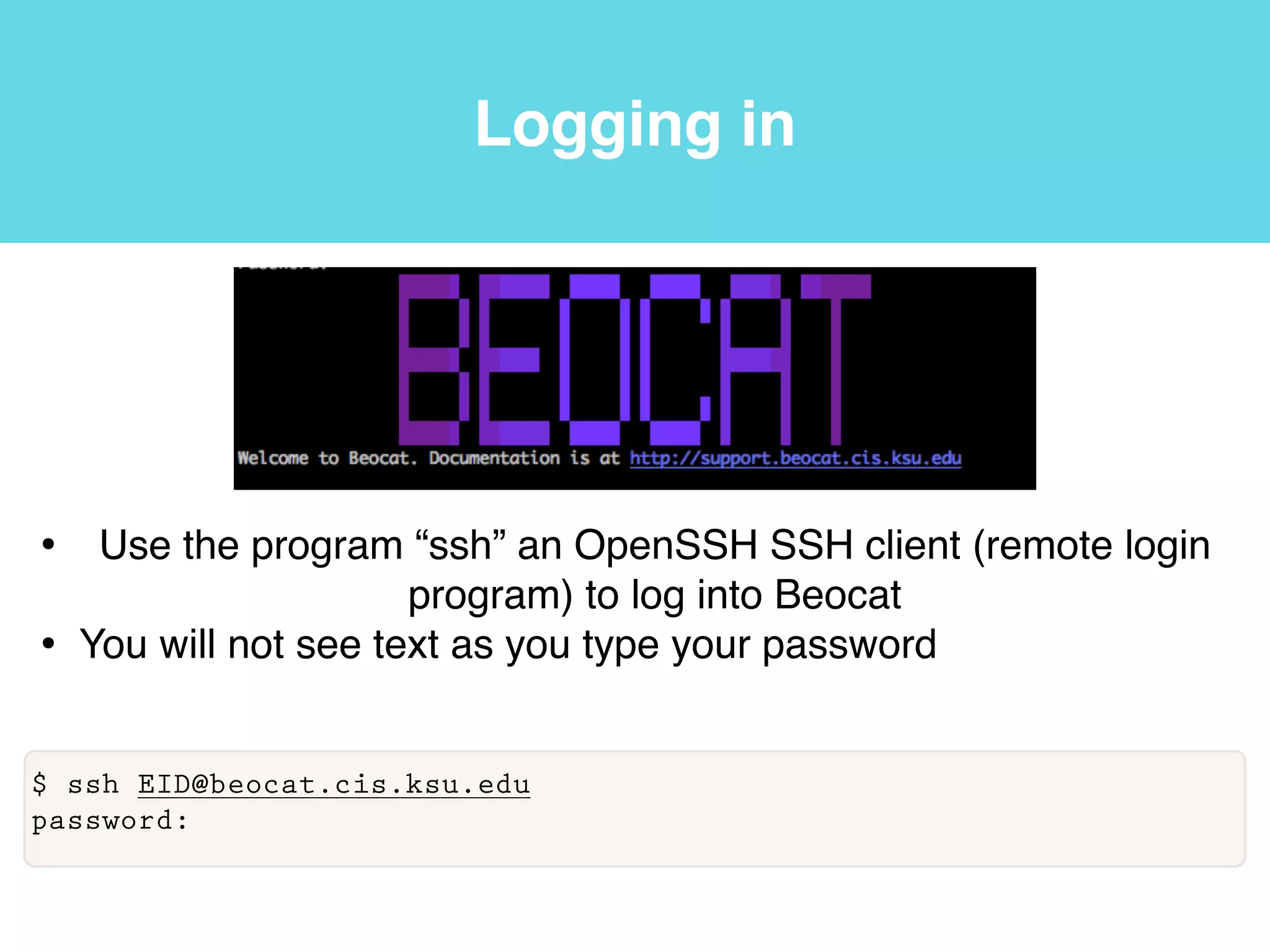
• Use the program “ssh” an OpenSSH SSH client (remote login
program) to log into Beocat!
• You will not see text as you type your password
$ ssh EID@beocat.cis.ksu.edu
password:
Terminal
Software carpentry v.5 http://software-carpentry.org/v5/gloss.html
Terminal
• We are now connected to Beocat using a command-line
interface (CLI). A CLI is an interface based on typing
commands, usually at a read-eval-print loop (REPL).
Software carpentry v.5 http://software-carpentry.org/v5/gloss.html
Terminal
• We are now connected to Beocat using a command-line
interface (CLI). A CLI is an interface based on typing
commands, usually at a read-eval-print loop (REPL).
Software carpentry v.5 http://software-carpentry.org/v5/gloss.html
Terminal
• We are now connected to Beocat using a command-line
interface (CLI). A CLI is an interface based on typing
commands, usually at a read-eval-print loop (REPL).
• A read-eval-print loop (REPL) is a command-line interface
that reads a command from the user, executes it, prints the
result, and waits for another command.
Software carpentry v.5 http://software-carpentry.org/v5/gloss.html
Terminal
• We are now connected to Beocat using a command-line
interface (CLI). A CLI is an interface based on typing
commands, usually at a read-eval-print loop (REPL).
• A read-eval-print loop (REPL) is a command-line interface
that reads a command from the user, executes it, prints the
result, and waits for another command.
Software carpentry v.5 http://software-carpentry.org/v5/gloss.html
Terminal
• We are now connected to Beocat using a command-line
interface (CLI). A CLI is an interface based on typing
commands, usually at a read-eval-print loop (REPL).
• A read-eval-print loop (REPL) is a command-line interface
that reads a command from the user, executes it, prints the
result, and waits for another command.
• A graphical user interface (GUI) is a graphical user interface,
usually controlled by using a mouse.
Software carpentry v.5 http://software-carpentry.org/v5/gloss.html
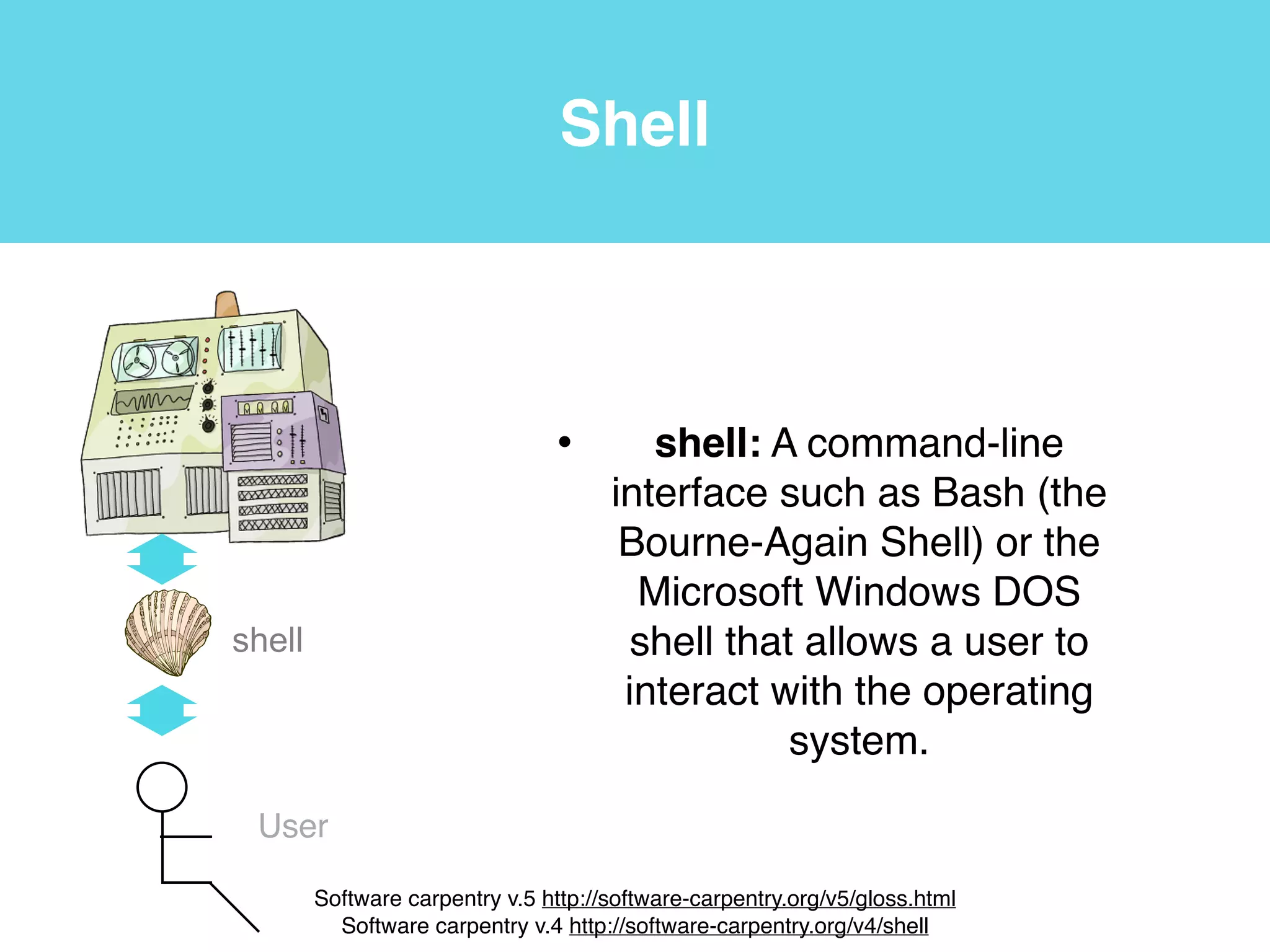
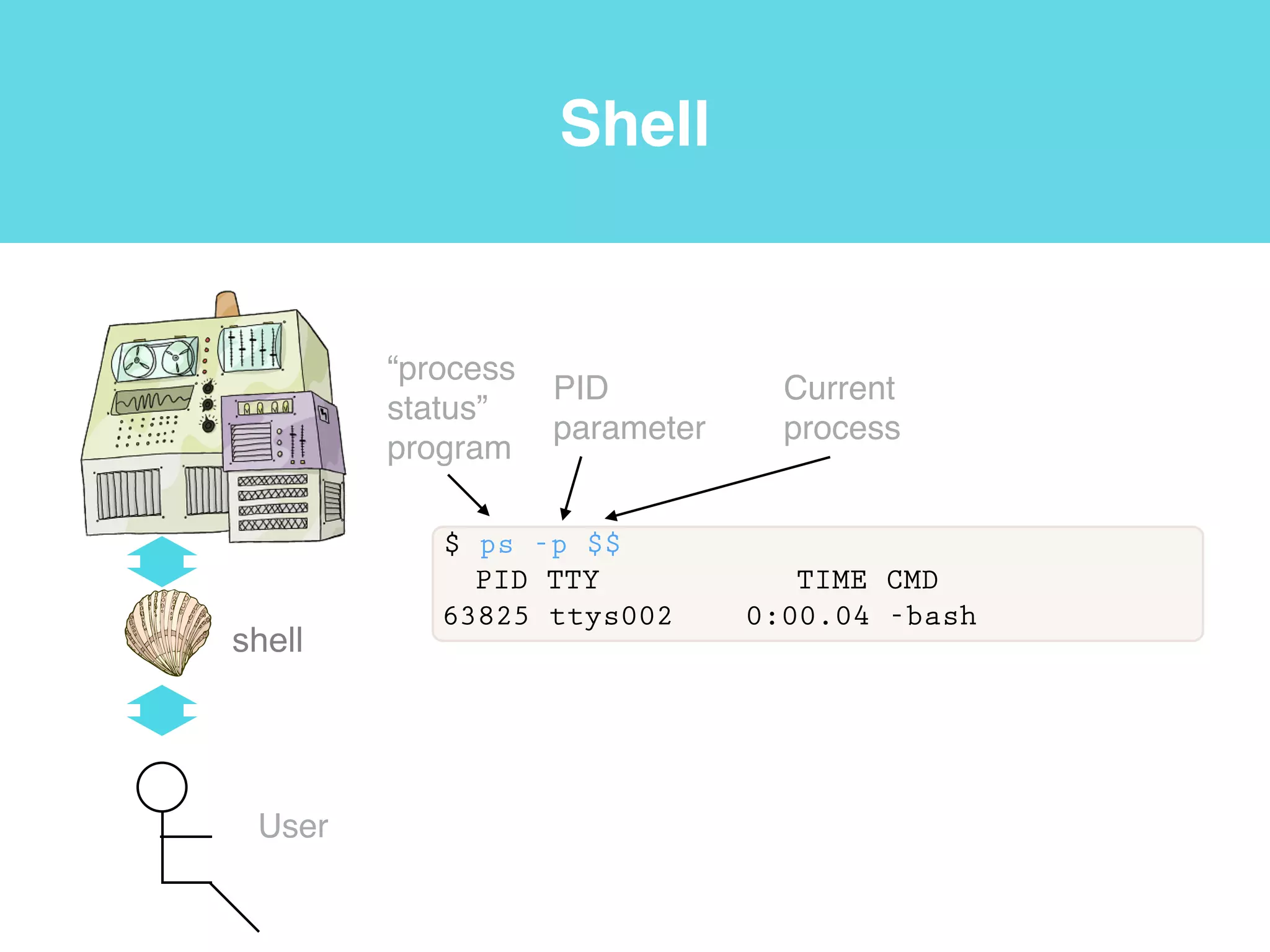
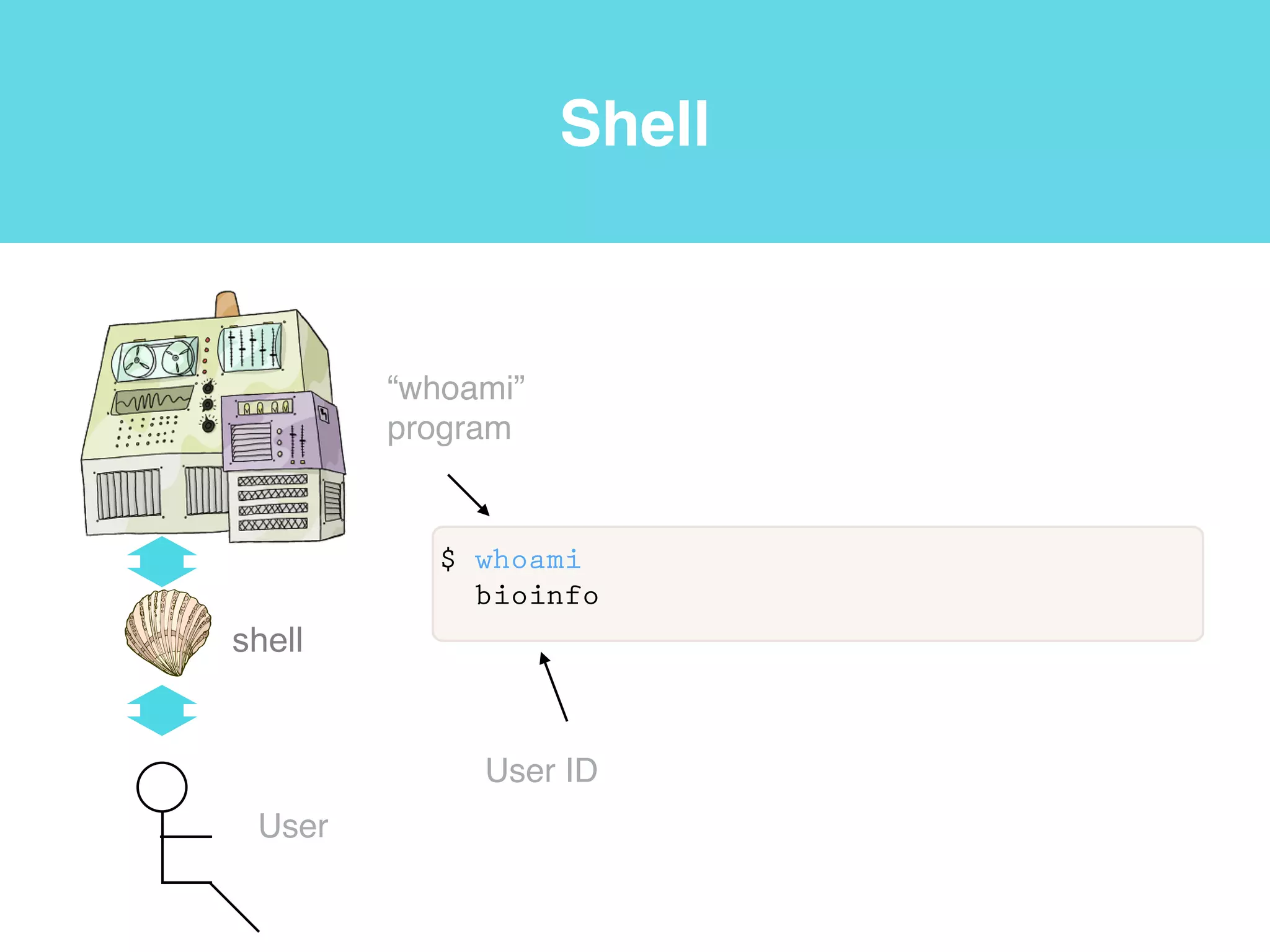
Shell
• shell: A command-line
interface such as Bash (the
Bourne-Again Shell) or the
Microsoft Windows DOS
shell that allows a user to
interact with the operating
system.
shell
User
Software carpentry v.5 http://software-carpentry.org/v5/gloss.html!
Software carpentry v.4 http://software-carpentry.org/v4/shell
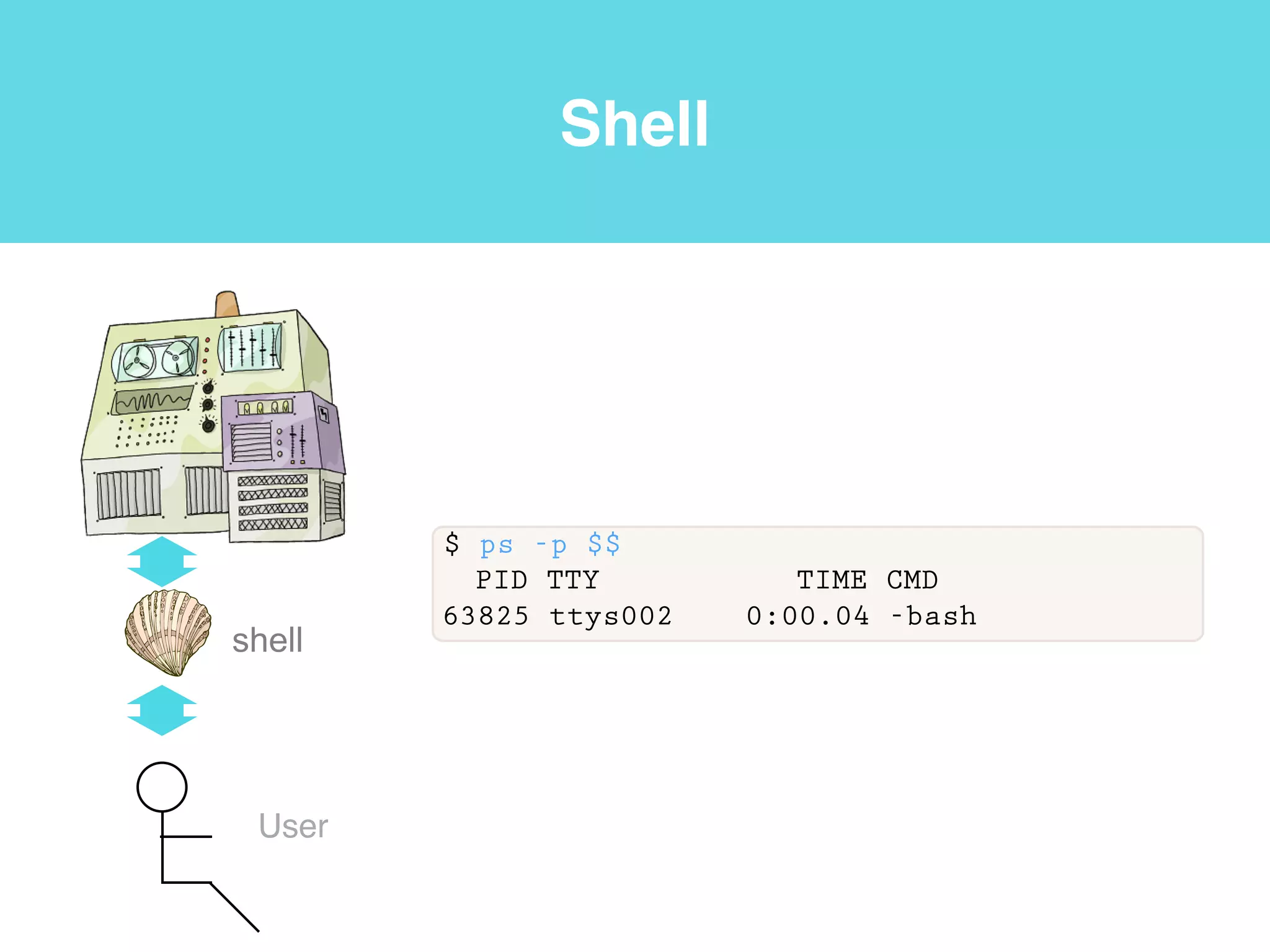
Shell
shell
User
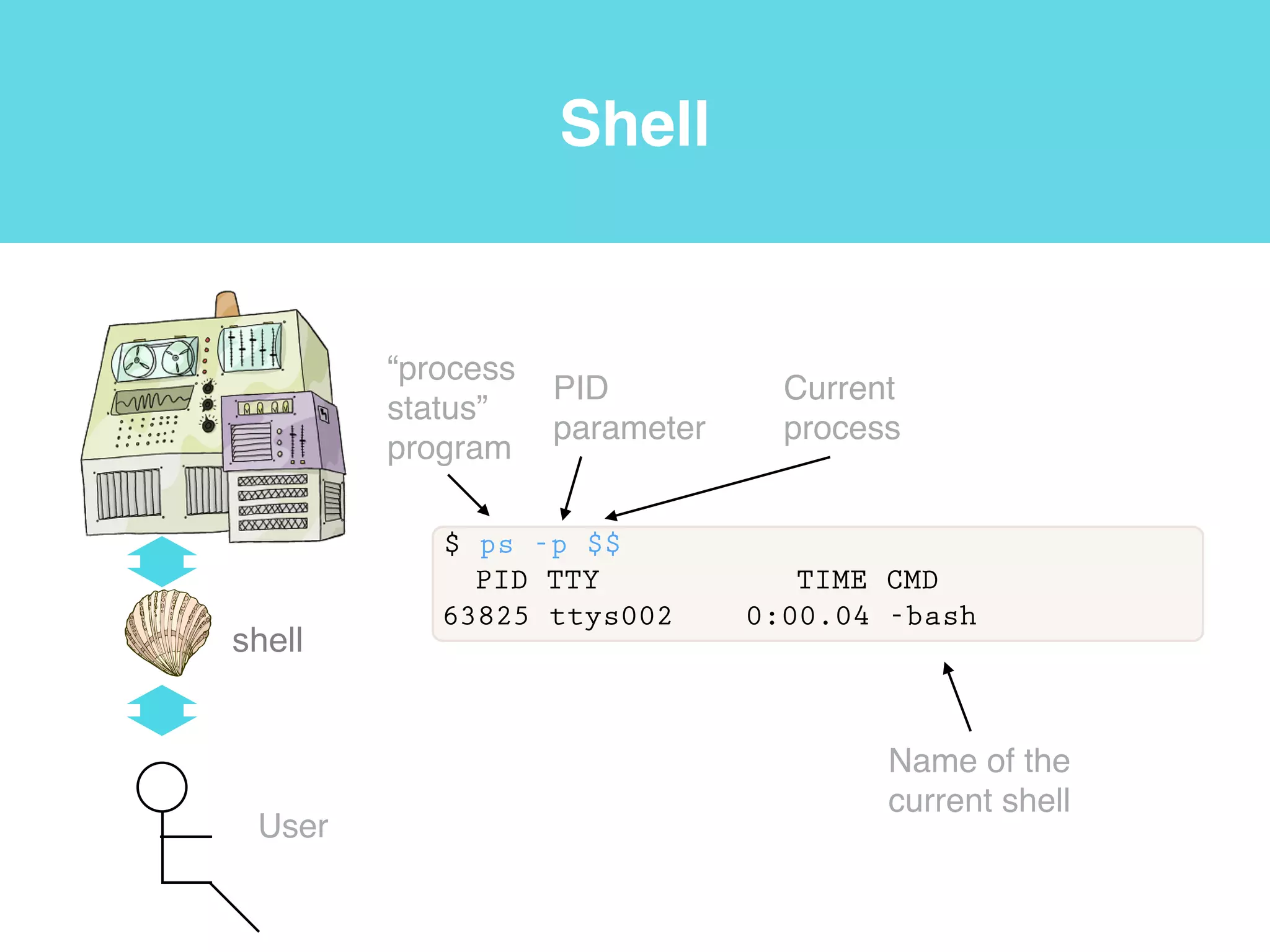
$ ps -p $$
PID TTY TIME CMD
63825 ttys002 0:00.04 -bash
Shell
shell
User
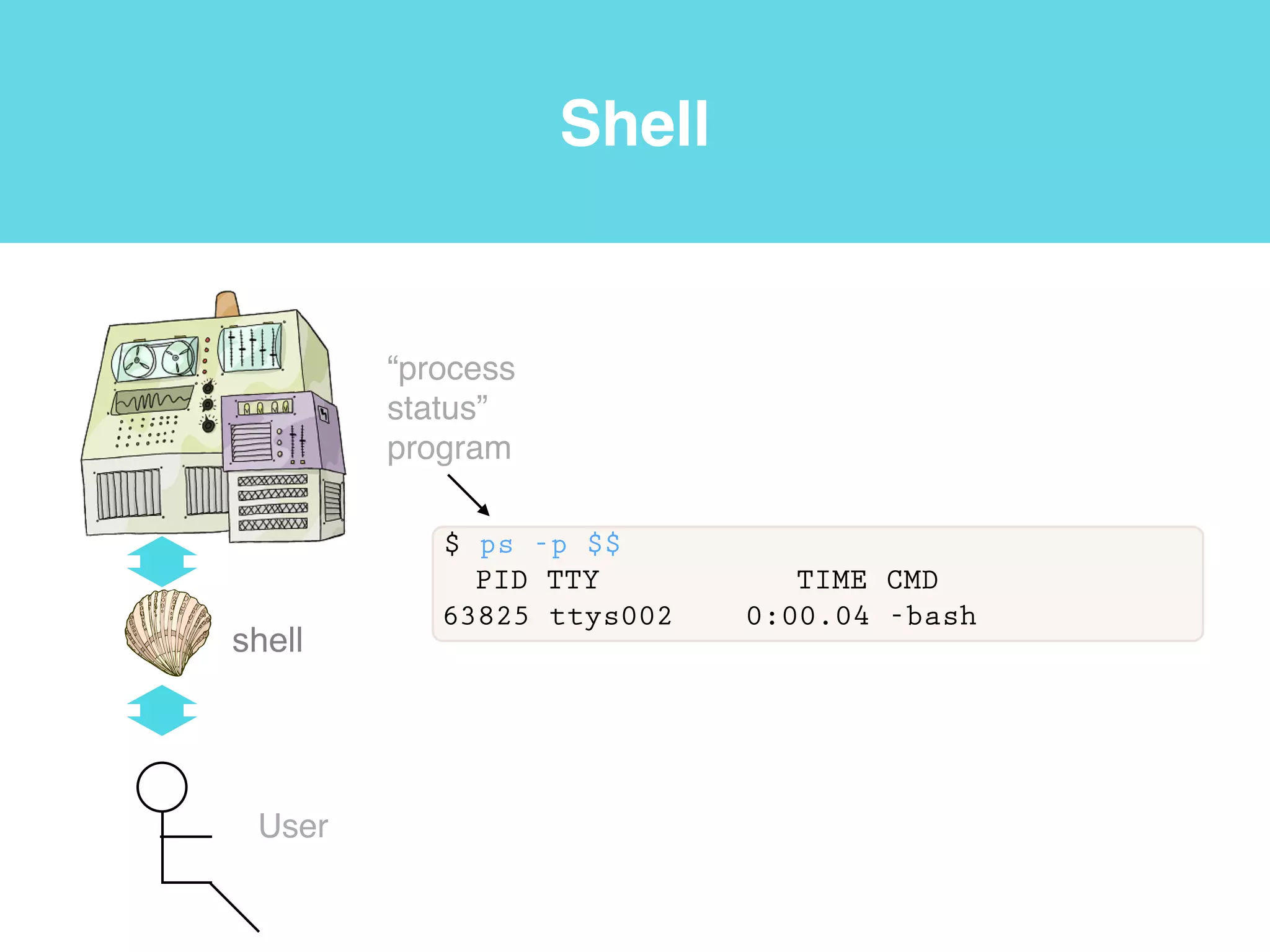
$ ps -p $$
PID TTY TIME CMD
63825 ttys002 0:00.04 -bash
“process
status”
program
Shell
shell
User
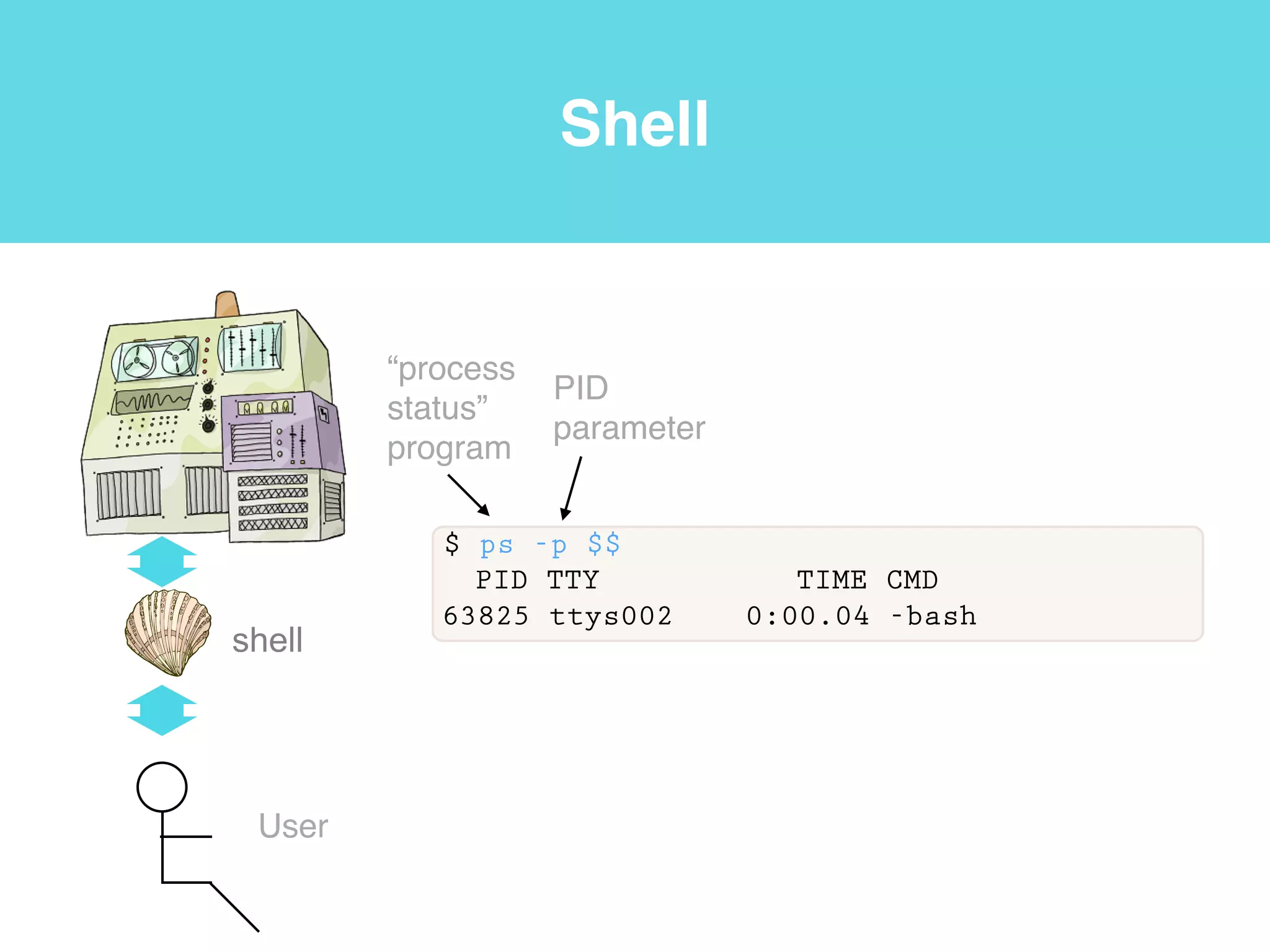
$ ps -p $$
PID TTY TIME CMD
63825 ttys002 0:00.04 -bash
“process
status”
program
PID
parameter
Shell
shell
User
$ ps -p $$
PID TTY TIME CMD
63825 ttys002 0:00.04 -bash
Current
process
“process
status”
program
PID
parameter
Shell
shell
User
$ ps -p $$
PID TTY TIME CMD
63825 ttys002 0:00.04 -bash
Current
process
“process
status”
program
PID
parameter
Name of the
current shell
Shell
shell
User
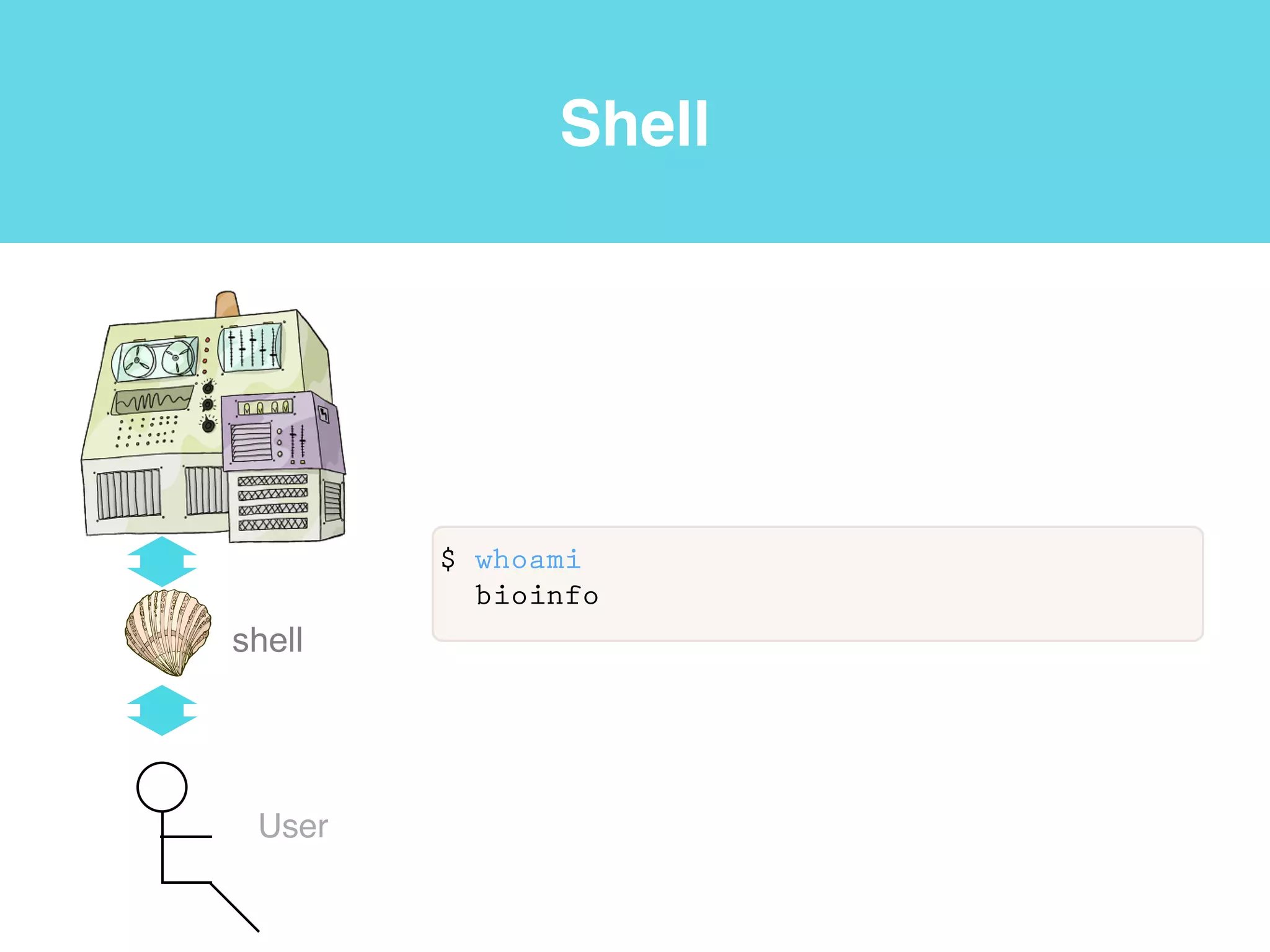
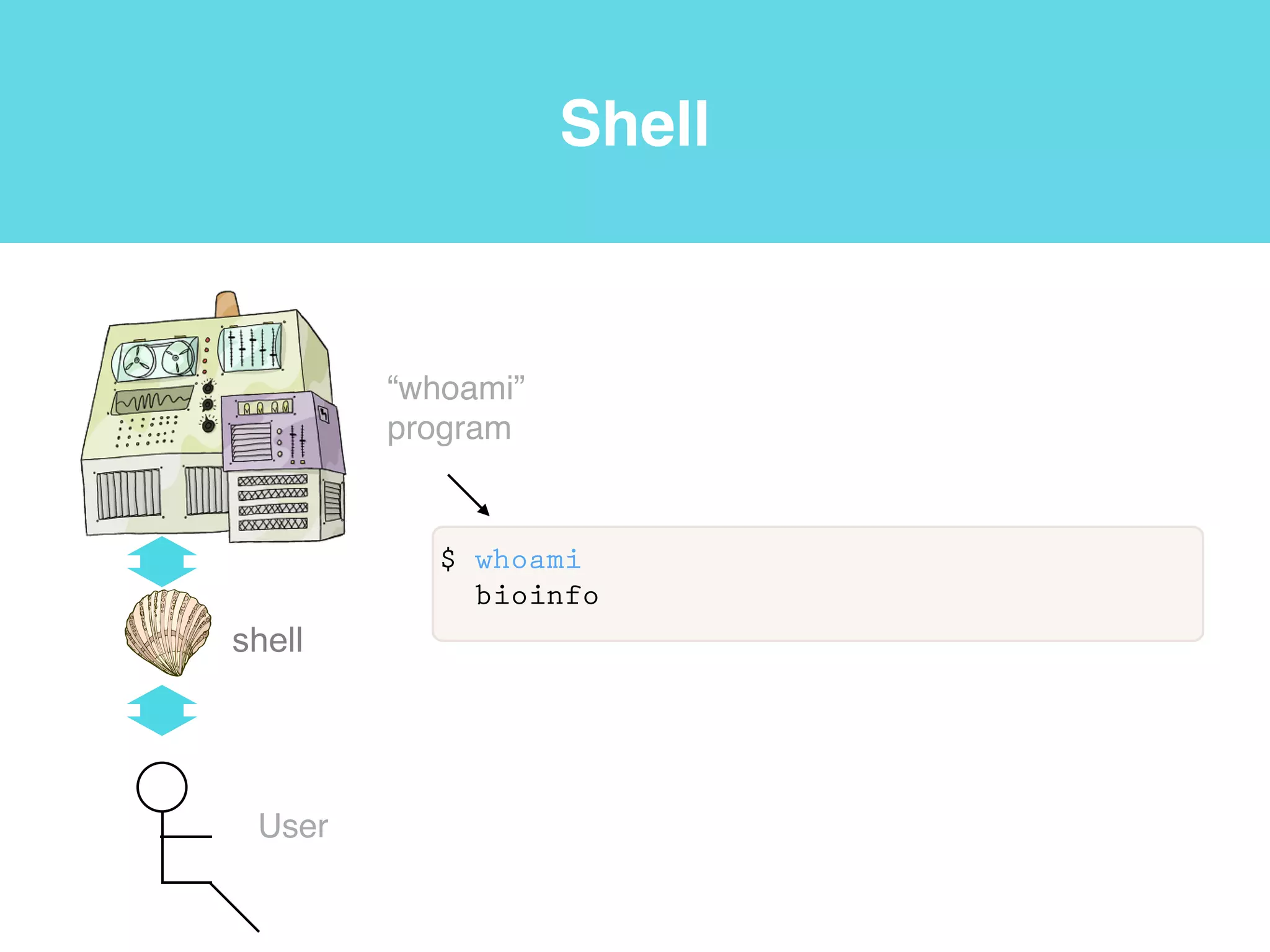
$ whoami
bioinfo
Shell
shell
User
$ whoami
bioinfo
“whoami”
program
Shell
shell
User
$ whoami
bioinfo
“whoami”
program
User ID
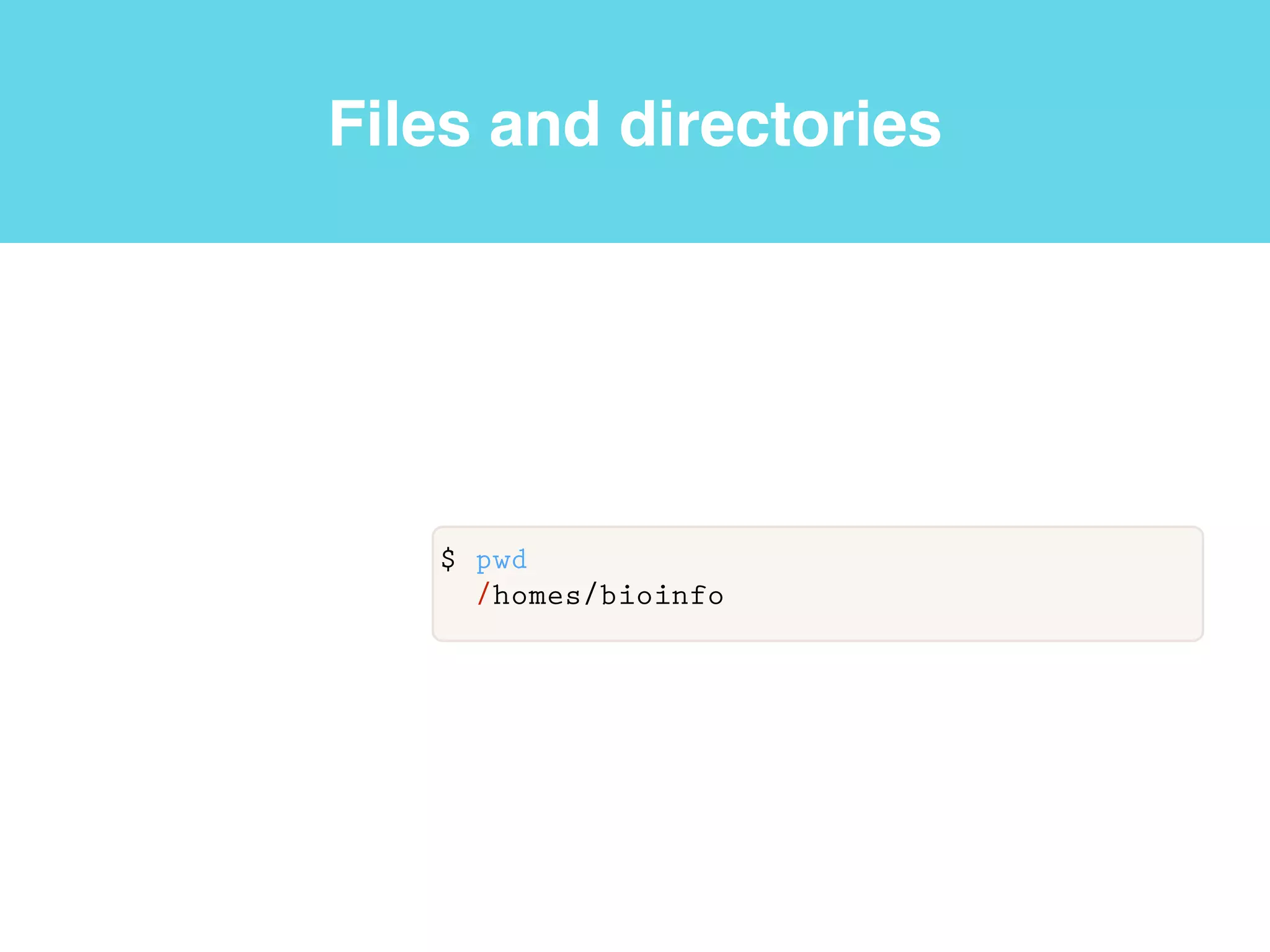
Files and directories
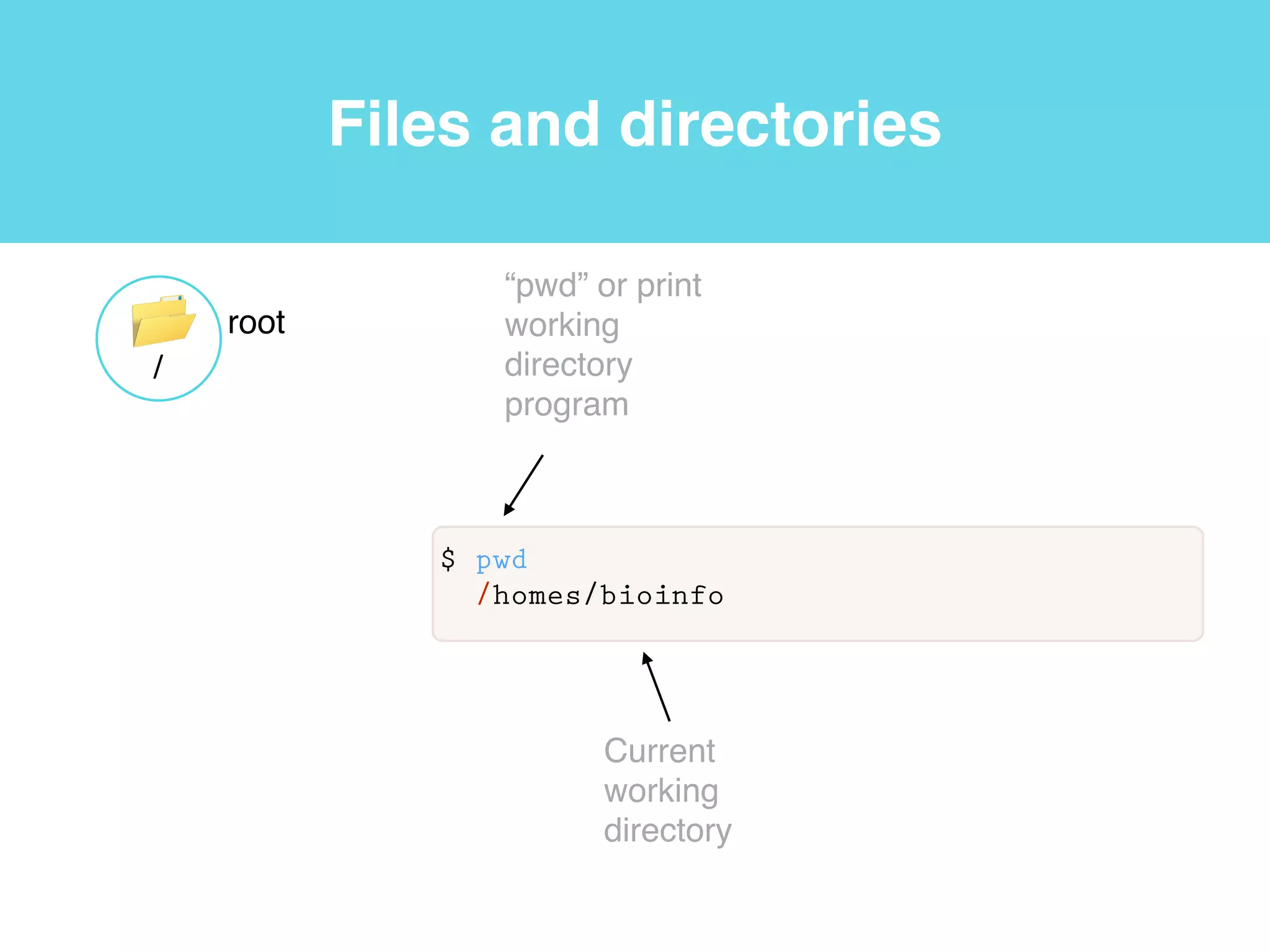
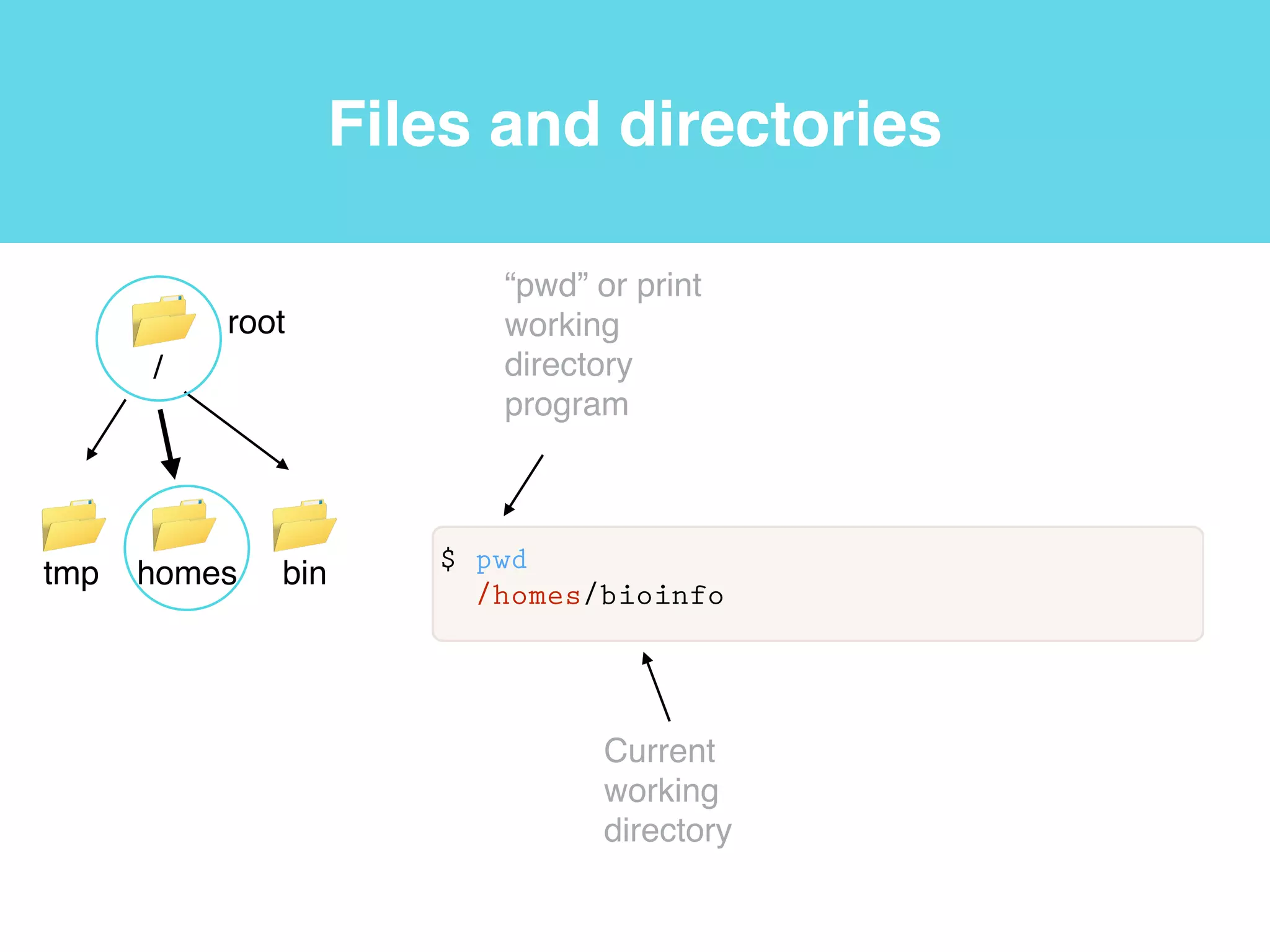
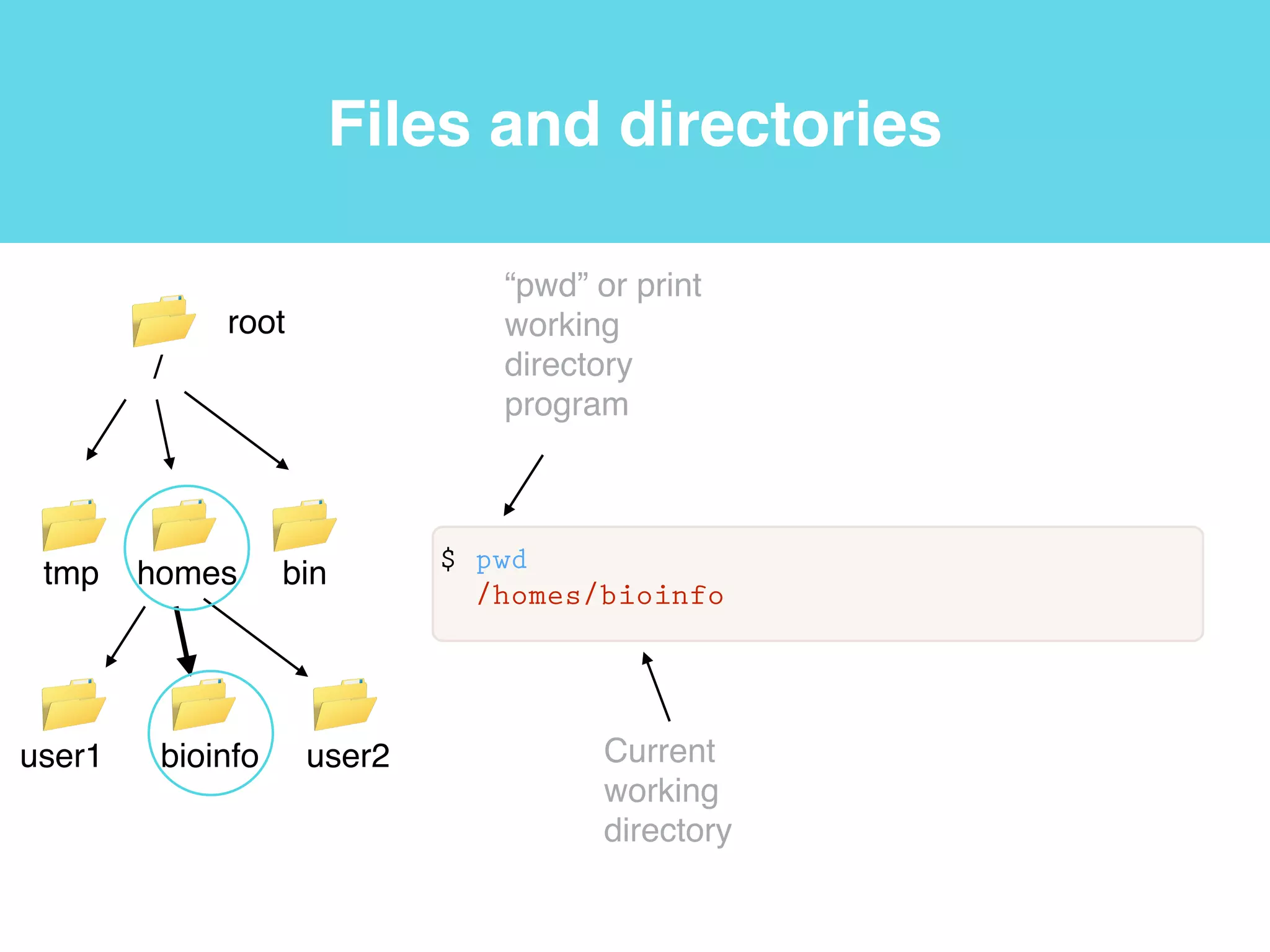
$ pwd
/homes/bioinfo
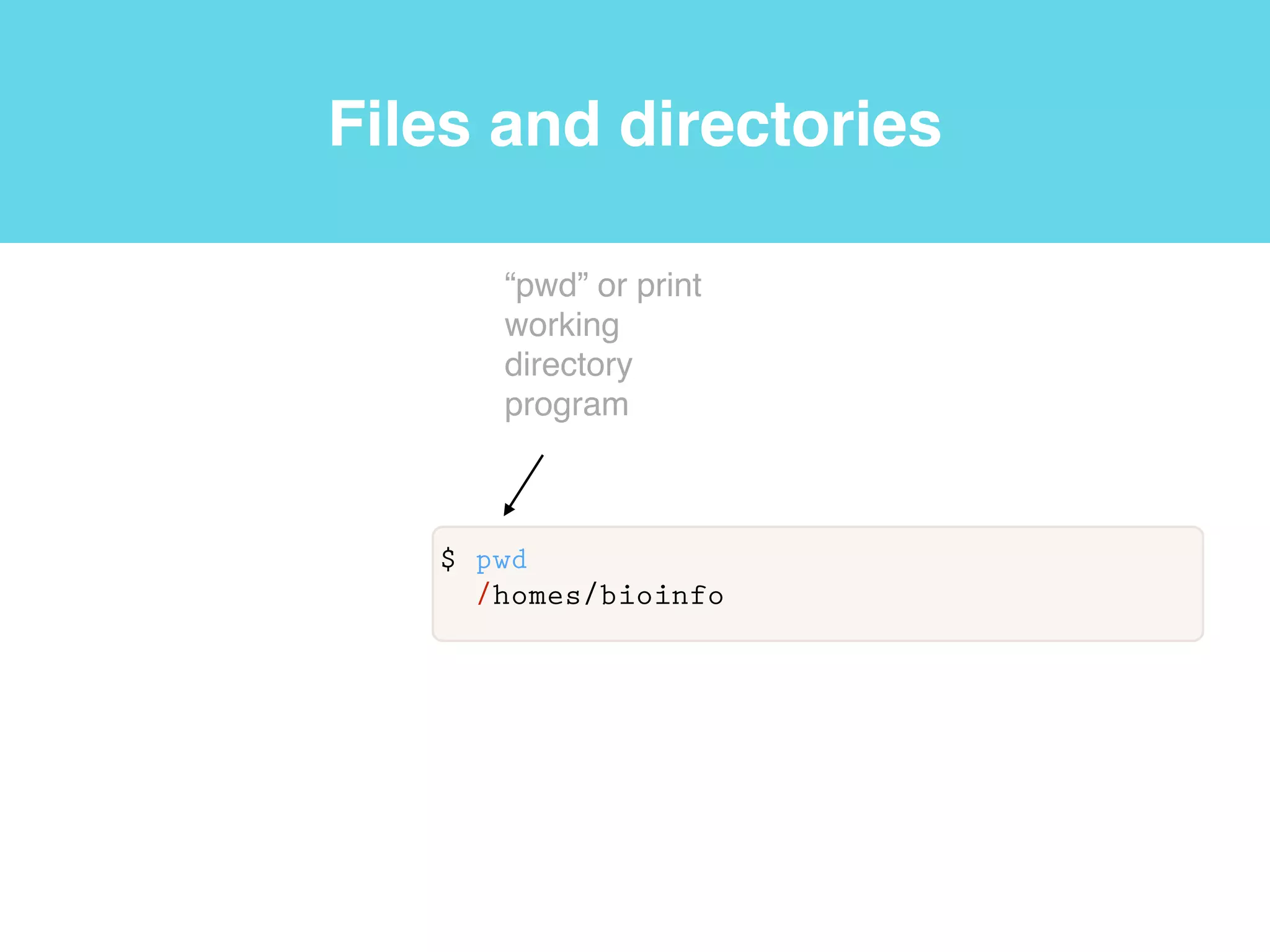
Files and directories
$ pwd
/homes/bioinfo
“pwd” or print
working
directory
program
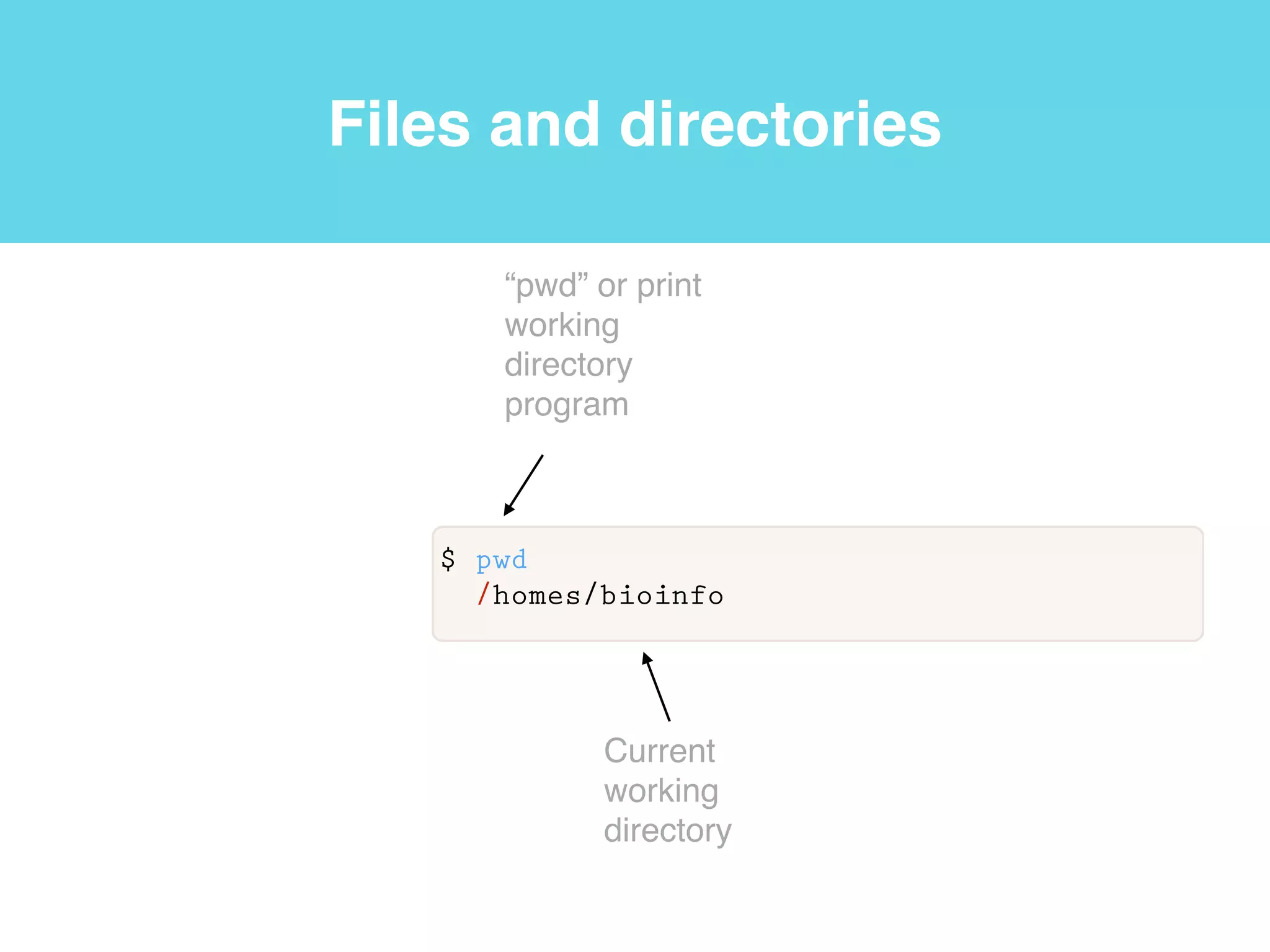
Files and directories
$ pwd
/homes/bioinfo
“pwd” or print
working
directory
program
Current
working
directory
Files and directories
$ pwd
/homes/bioinfo
“pwd” or print
working
directory
program
root
/
Current
working
directory
Files and directories
$ pwd
/homes/bioinfo
“pwd” or print
working
directory
program
root
/
tmp homes bin
Current
working
directory
Files and directories
$ pwd
/homes/bioinfo
“pwd” or print
working
directory
program
root
/
tmp homes bin
user1 bioinfo user2 Current
working
directory
Files and directories
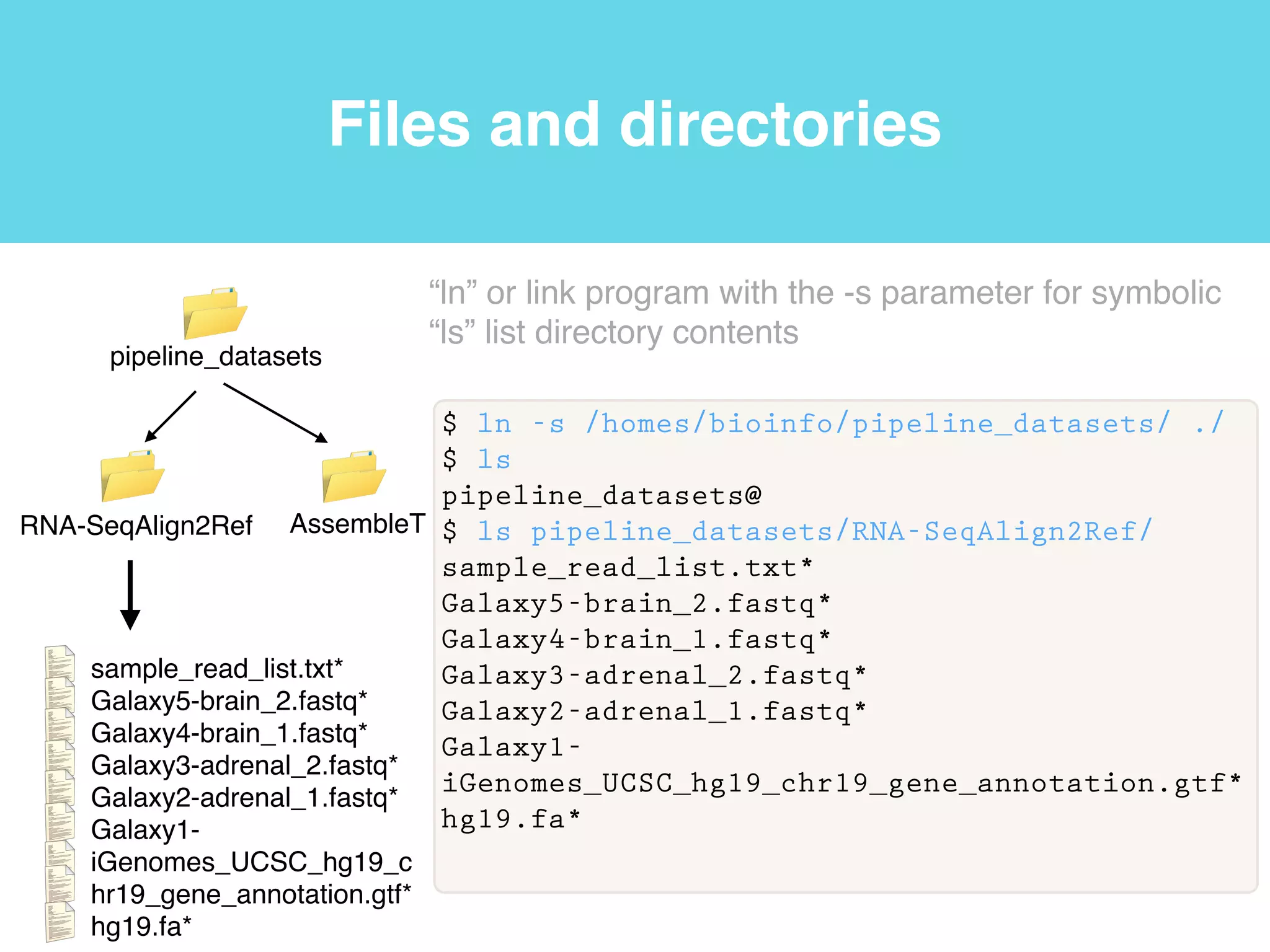
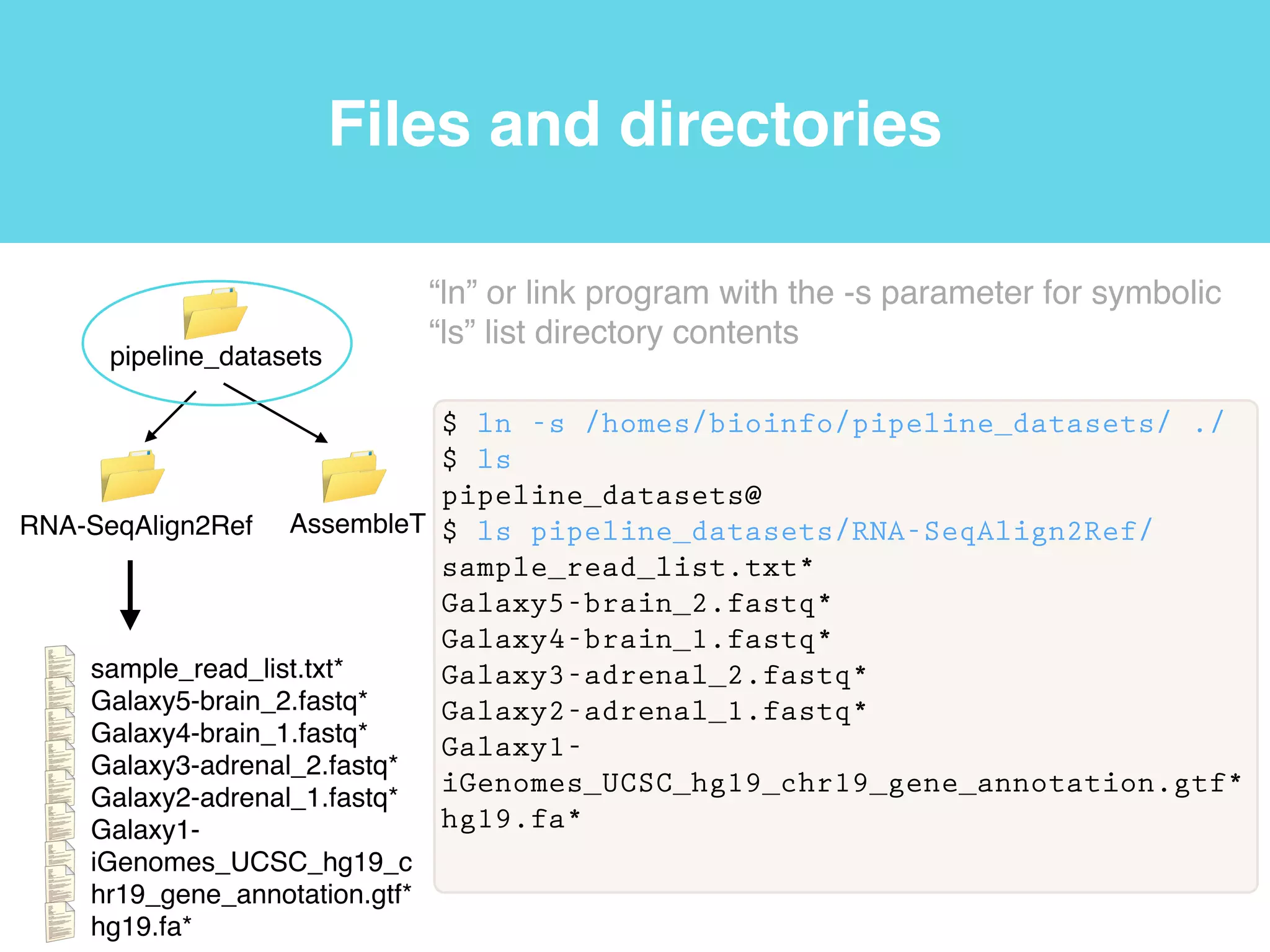
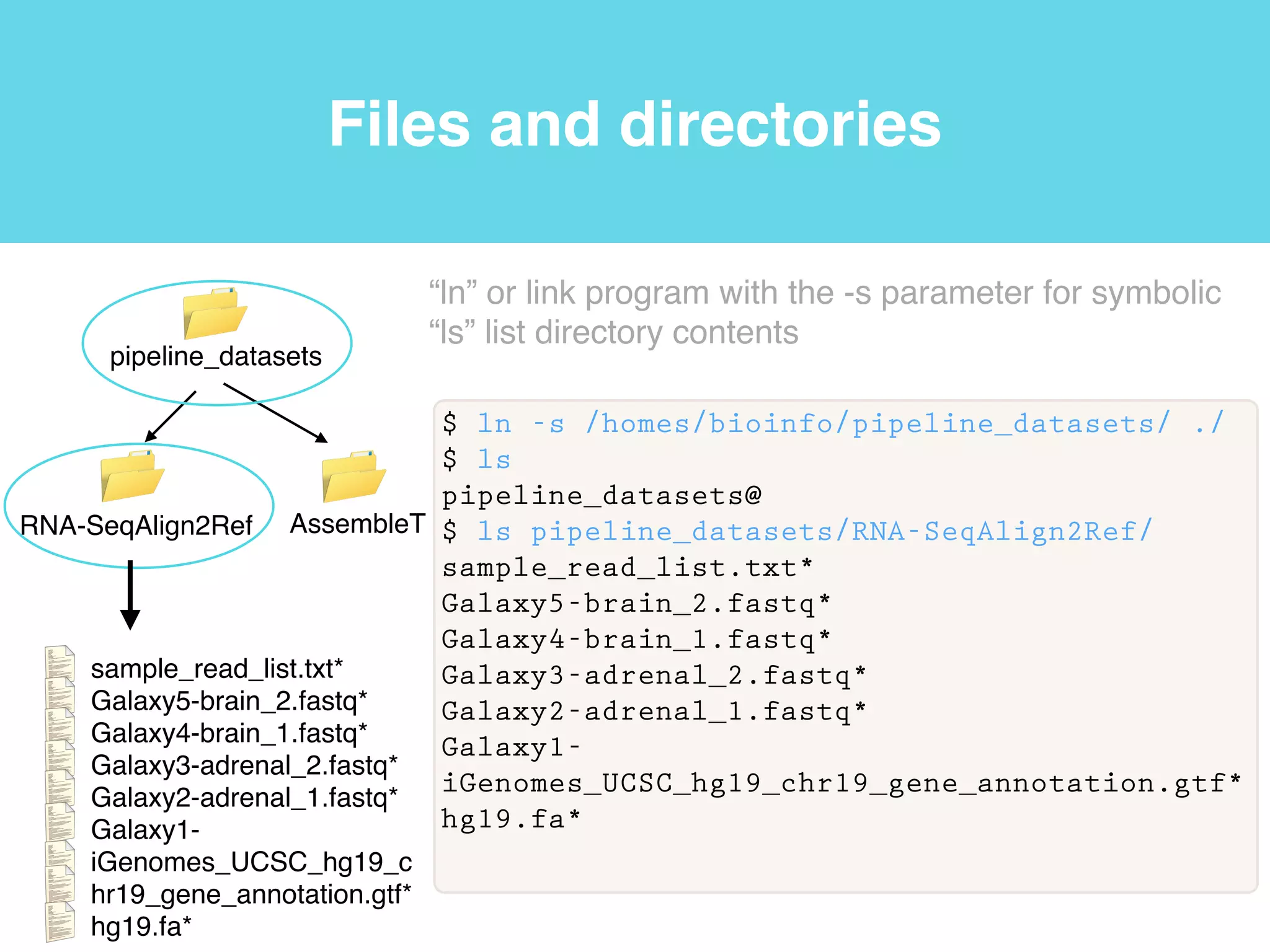
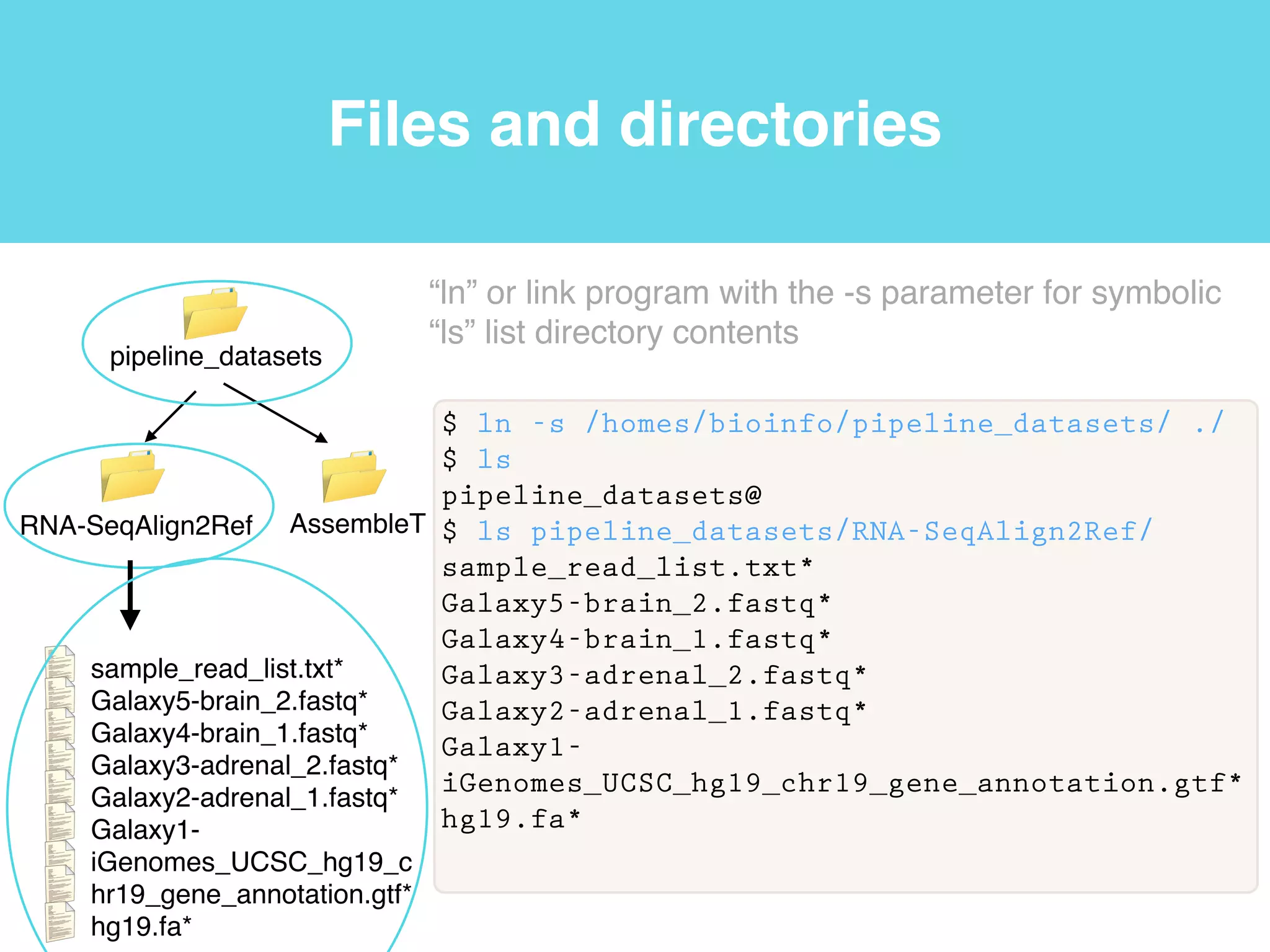
$ ln -s /homes/bioinfo/pipeline_datasets/ ./
$ ls
pipeline_datasets@
$ ls pipeline_datasets/RNA-SeqAlign2Ref/
sample_read_list.txt*
Galaxy5-brain_2.fastq*
Galaxy4-brain_1.fastq*
Galaxy3-adrenal_2.fastq*
Galaxy2-adrenal_1.fastq*
Galaxy1-
iGenomes_UCSC_hg19_chr19_gene_annotation.gtf*
hg19.fa*
“ln” or link program with the -s parameter for symbolic!
“ls” list directory contents
RNA-SeqAlign2Ref AssembleT
pipeline_datasets
sample_read_list.txt*!
Galaxy5-brain_2.fastq*!
Galaxy4-brain_1.fastq*!
Galaxy3-adrenal_2.fastq*!
Galaxy2-adrenal_1.fastq*!
Galaxy1-
iGenomes_UCSC_hg19_c
hr19_gene_annotation.gtf*!
hg19.fa*
notes.txt
notes.txt
notes.txt
notes.txt
notes.txt
notes.txt
notes.txt
notes.txt
Files and directories
$ ln -s /homes/bioinfo/pipeline_datasets/ ./
$ ls
pipeline_datasets@
$ ls pipeline_datasets/RNA-SeqAlign2Ref/
sample_read_list.txt*
Galaxy5-brain_2.fastq*
Galaxy4-brain_1.fastq*
Galaxy3-adrenal_2.fastq*
Galaxy2-adrenal_1.fastq*
Galaxy1-
iGenomes_UCSC_hg19_chr19_gene_annotation.gtf*
hg19.fa*
“ln” or link program with the -s parameter for symbolic!
“ls” list directory contents
RNA-SeqAlign2Ref AssembleT
pipeline_datasets
sample_read_list.txt*!
Galaxy5-brain_2.fastq*!
Galaxy4-brain_1.fastq*!
Galaxy3-adrenal_2.fastq*!
Galaxy2-adrenal_1.fastq*!
Galaxy1-
iGenomes_UCSC_hg19_c
hr19_gene_annotation.gtf*!
hg19.fa*
notes.txt
notes.txt
notes.txt
notes.txt
notes.txt
notes.txt
notes.txt
notes.txt
Files and directories
$ ln -s /homes/bioinfo/pipeline_datasets/ ./
$ ls
pipeline_datasets@
$ ls pipeline_datasets/RNA-SeqAlign2Ref/
sample_read_list.txt*
Galaxy5-brain_2.fastq*
Galaxy4-brain_1.fastq*
Galaxy3-adrenal_2.fastq*
Galaxy2-adrenal_1.fastq*
Galaxy1-
iGenomes_UCSC_hg19_chr19_gene_annotation.gtf*
hg19.fa*
“ln” or link program with the -s parameter for symbolic!
“ls” list directory contents
RNA-SeqAlign2Ref AssembleT
pipeline_datasets
sample_read_list.txt*!
Galaxy5-brain_2.fastq*!
Galaxy4-brain_1.fastq*!
Galaxy3-adrenal_2.fastq*!
Galaxy2-adrenal_1.fastq*!
Galaxy1-
iGenomes_UCSC_hg19_c
hr19_gene_annotation.gtf*!
hg19.fa*
notes.txt
notes.txt
notes.txt
notes.txt
notes.txt
notes.txt
notes.txt
notes.txt
Files and directories
$ ln -s /homes/bioinfo/pipeline_datasets/ ./
$ ls
pipeline_datasets@
$ ls pipeline_datasets/RNA-SeqAlign2Ref/
sample_read_list.txt*
Galaxy5-brain_2.fastq*
Galaxy4-brain_1.fastq*
Galaxy3-adrenal_2.fastq*
Galaxy2-adrenal_1.fastq*
Galaxy1-
iGenomes_UCSC_hg19_chr19_gene_annotation.gtf*
hg19.fa*
“ln” or link program with the -s parameter for symbolic!
“ls” list directory contents
RNA-SeqAlign2Ref AssembleT
pipeline_datasets
sample_read_list.txt*!
Galaxy5-brain_2.fastq*!
Galaxy4-brain_1.fastq*!
Galaxy3-adrenal_2.fastq*!
Galaxy2-adrenal_1.fastq*!
Galaxy1-
iGenomes_UCSC_hg19_c
hr19_gene_annotation.gtf*!
hg19.fa*
notes.txt
notes.txt
notes.txt
notes.txt
notes.txt
notes.txt
notes.txt
notes.txt
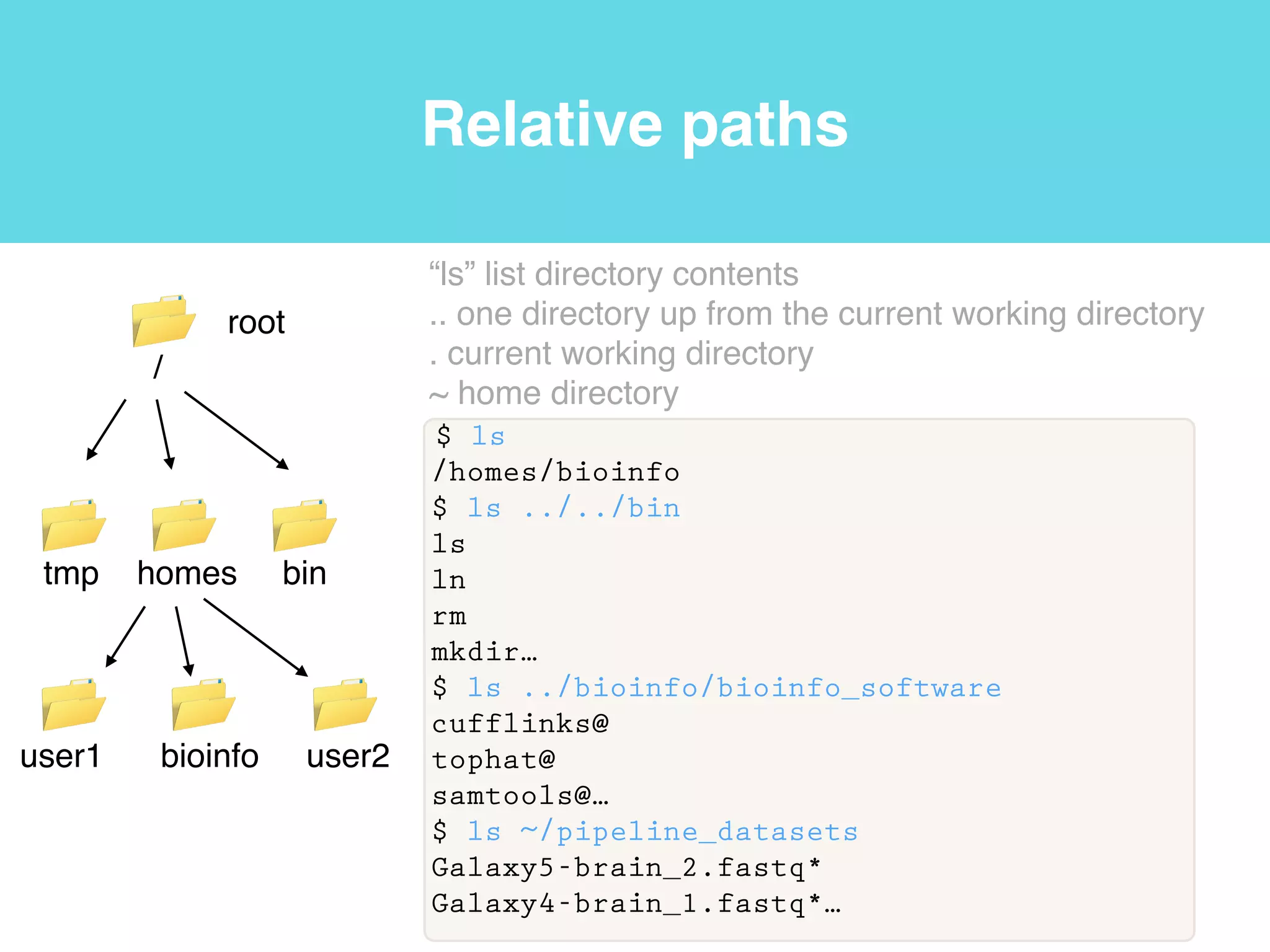
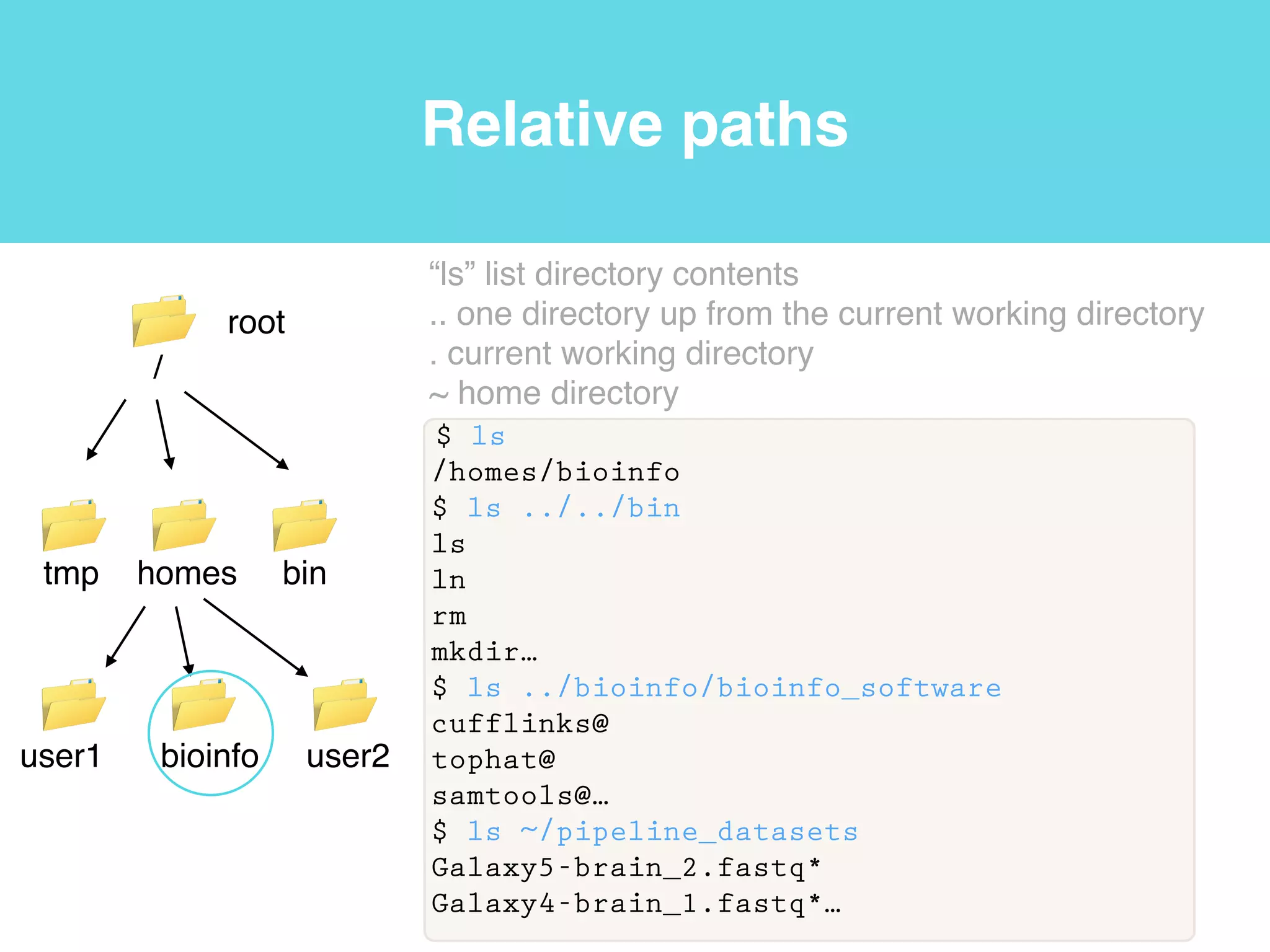
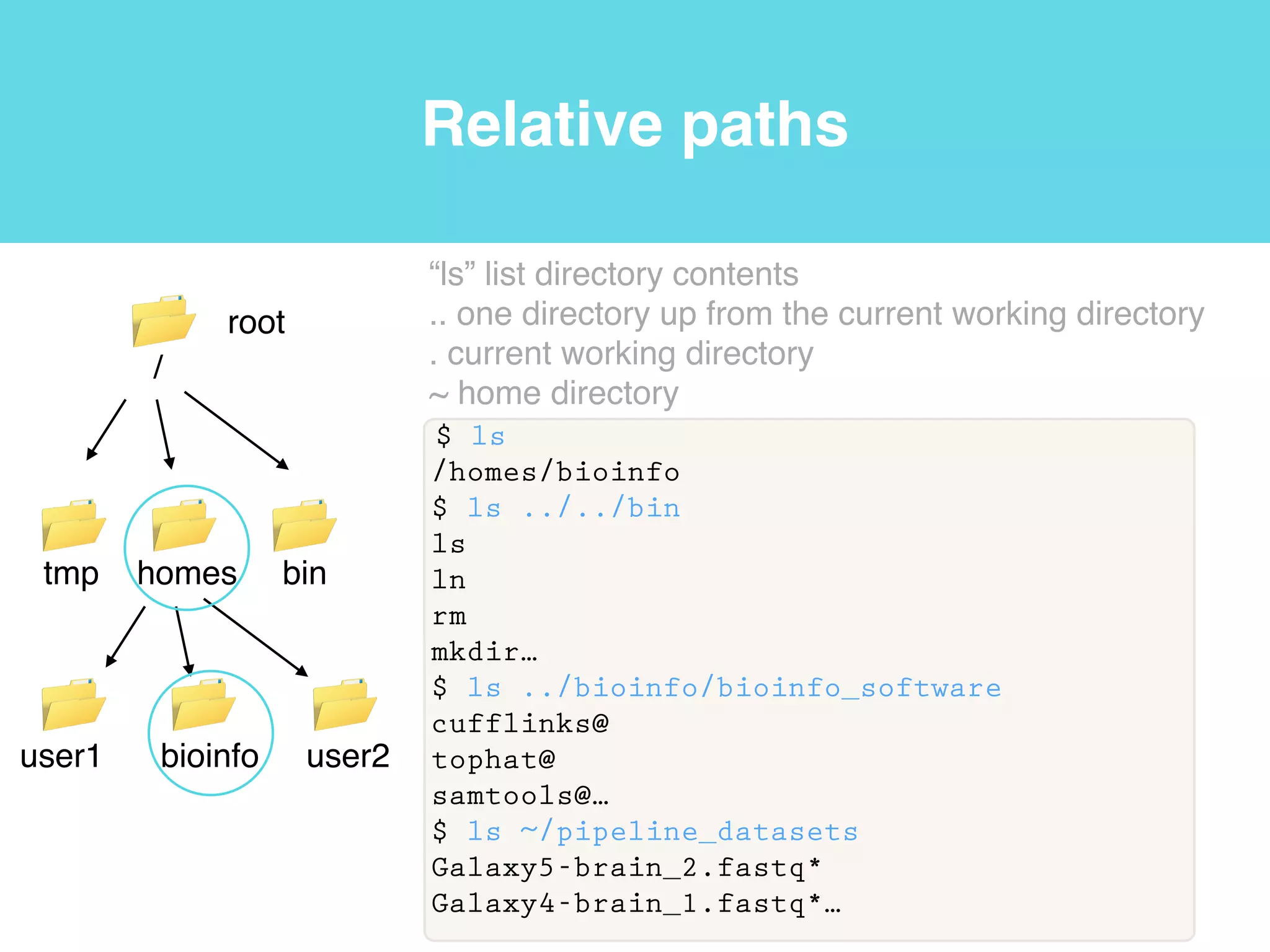
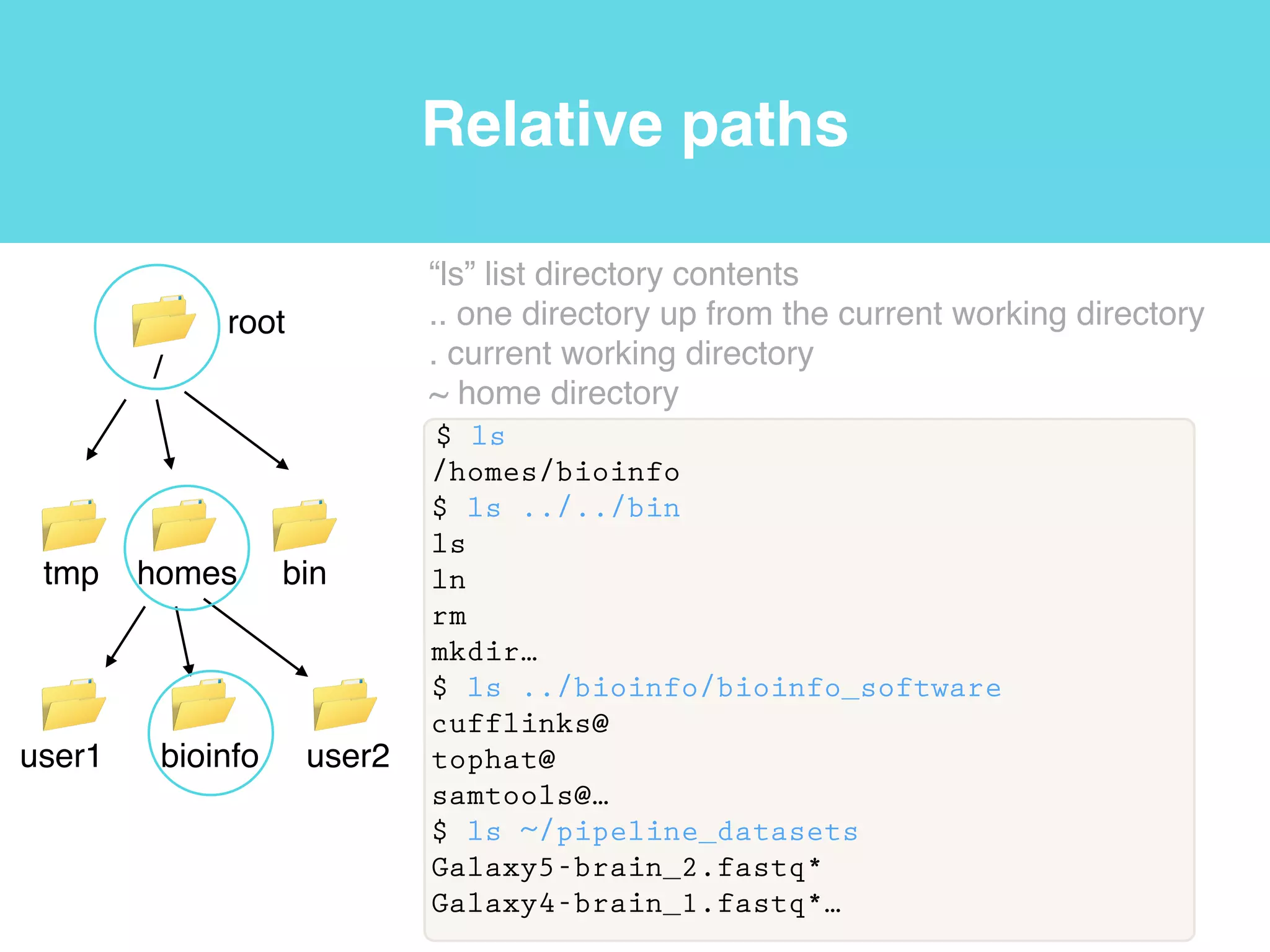
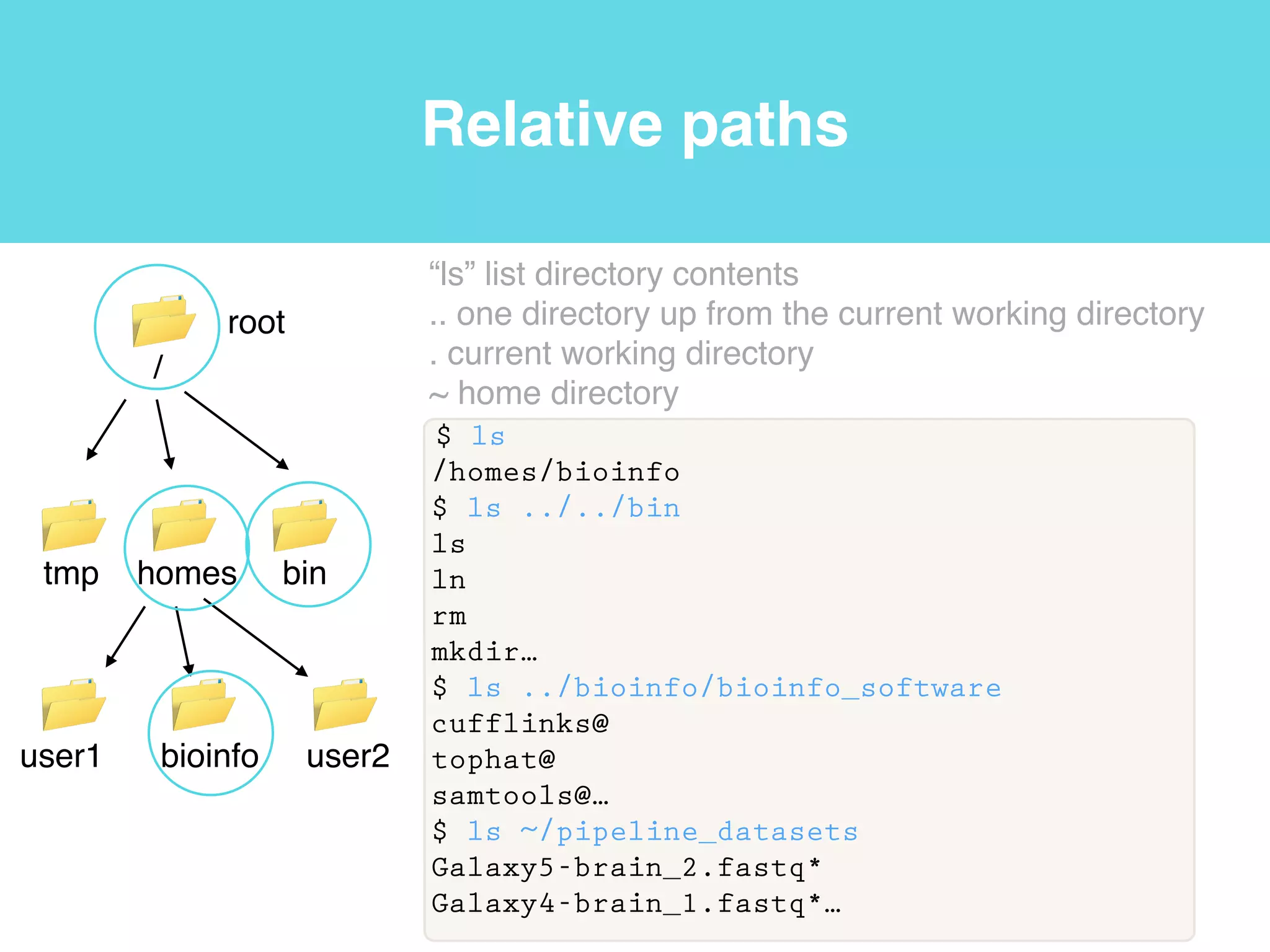
Relative paths
$ ls
/homes/bioinfo
$ ls ../../bin
ls
ln
rm
mkdir…
$ ls ../bioinfo/bioinfo_software
cufflinks@
tophat@
samtools@…
$ ls ~/pipeline_datasets
Galaxy5-brain_2.fastq*
Galaxy4-brain_1.fastq*…
root
/
tmp homes bin
user1 bioinfo user2
“ls” list directory contents!
.. one directory up from the current working directory!
. current working directory!
~ home directory
Relative paths
$ ls
/homes/bioinfo
$ ls ../../bin
ls
ln
rm
mkdir…
$ ls ../bioinfo/bioinfo_software
cufflinks@
tophat@
samtools@…
$ ls ~/pipeline_datasets
Galaxy5-brain_2.fastq*
Galaxy4-brain_1.fastq*…
root
/
tmp homes bin
user1 bioinfo user2
“ls” list directory contents!
.. one directory up from the current working directory!
. current working directory!
~ home directory
Relative paths
$ ls
/homes/bioinfo
$ ls ../../bin
ls
ln
rm
mkdir…
$ ls ../bioinfo/bioinfo_software
cufflinks@
tophat@
samtools@…
$ ls ~/pipeline_datasets
Galaxy5-brain_2.fastq*
Galaxy4-brain_1.fastq*…
root
/
tmp homes bin
user1 bioinfo user2
“ls” list directory contents!
.. one directory up from the current working directory!
. current working directory!
~ home directory
Relative paths
$ ls
/homes/bioinfo
$ ls ../../bin
ls
ln
rm
mkdir…
$ ls ../bioinfo/bioinfo_software
cufflinks@
tophat@
samtools@…
$ ls ~/pipeline_datasets
Galaxy5-brain_2.fastq*
Galaxy4-brain_1.fastq*…
root
/
tmp homes bin
user1 bioinfo user2
“ls” list directory contents!
.. one directory up from the current working directory!
. current working directory!
~ home directory
Relative paths
$ ls
/homes/bioinfo
$ ls ../../bin
ls
ln
rm
mkdir…
$ ls ../bioinfo/bioinfo_software
cufflinks@
tophat@
samtools@…
$ ls ~/pipeline_datasets
Galaxy5-brain_2.fastq*
Galaxy4-brain_1.fastq*…
root
/
tmp homes bin
user1 bioinfo user2
“ls” list directory contents!
.. one directory up from the current working directory!
. current working directory!
~ home directory
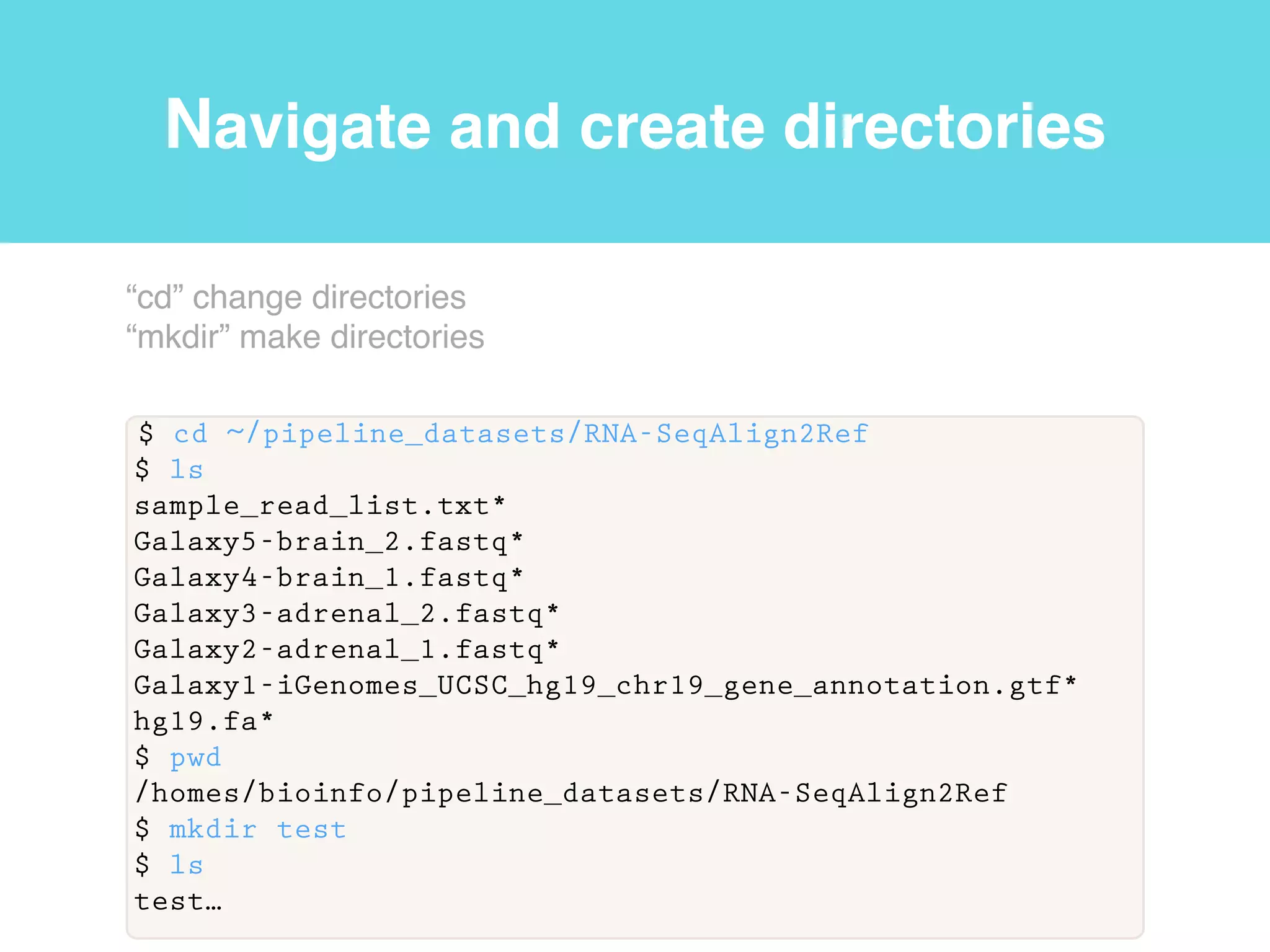
Navigate and create directories
$ cd ~/pipeline_datasets/RNA-SeqAlign2Ref
$ ls
sample_read_list.txt*
Galaxy5-brain_2.fastq*
Galaxy4-brain_1.fastq*
Galaxy3-adrenal_2.fastq*
Galaxy2-adrenal_1.fastq*
Galaxy1-iGenomes_UCSC_hg19_chr19_gene_annotation.gtf*
hg19.fa*
$ pwd
/homes/bioinfo/pipeline_datasets/RNA-SeqAlign2Ref
$ mkdir test
$ ls
test…
“cd” change directories!
“mkdir” make directories
Navigate and create directories
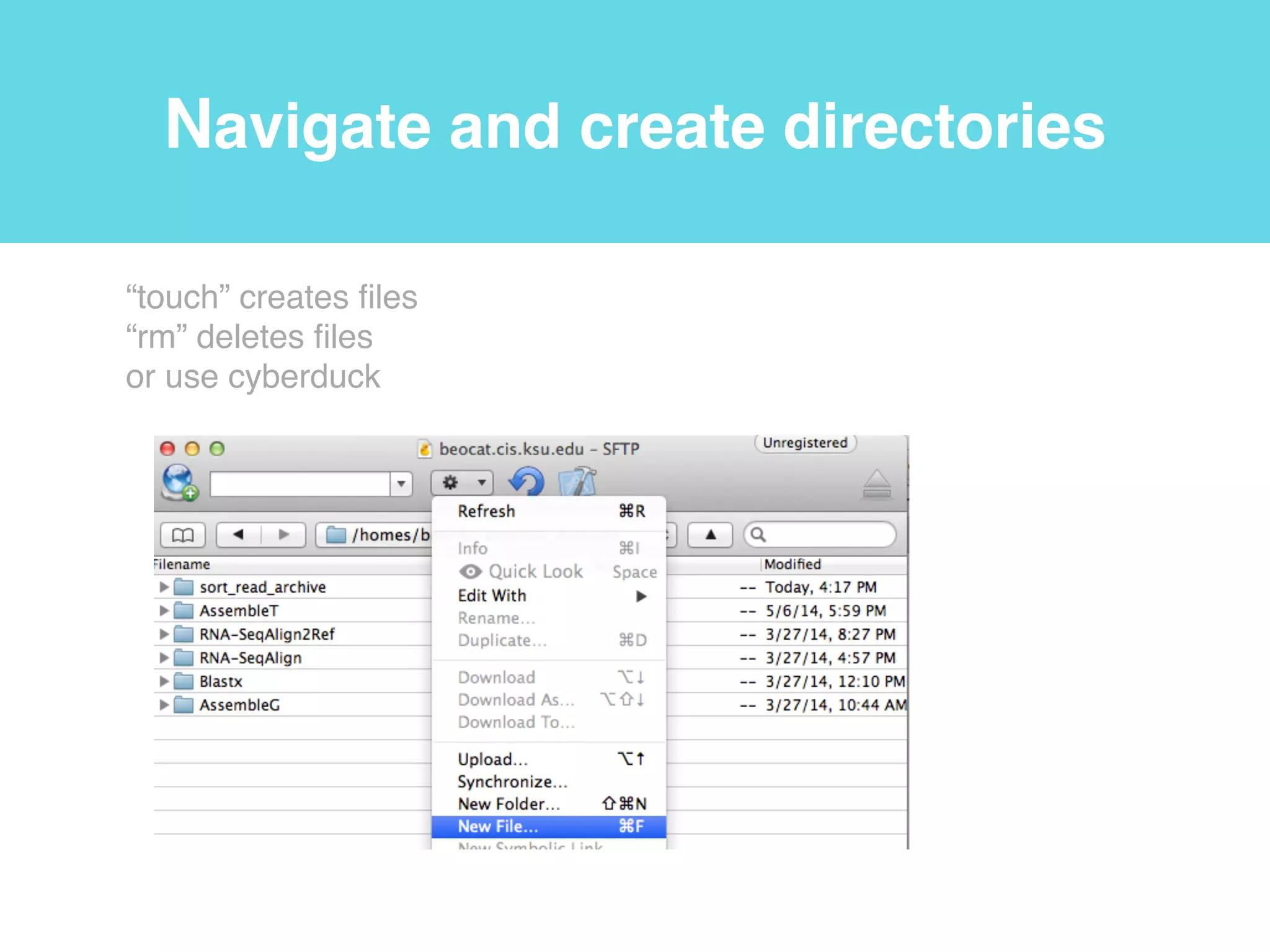
“touch” creates files!
“rm” deletes files!
or use cyberduck
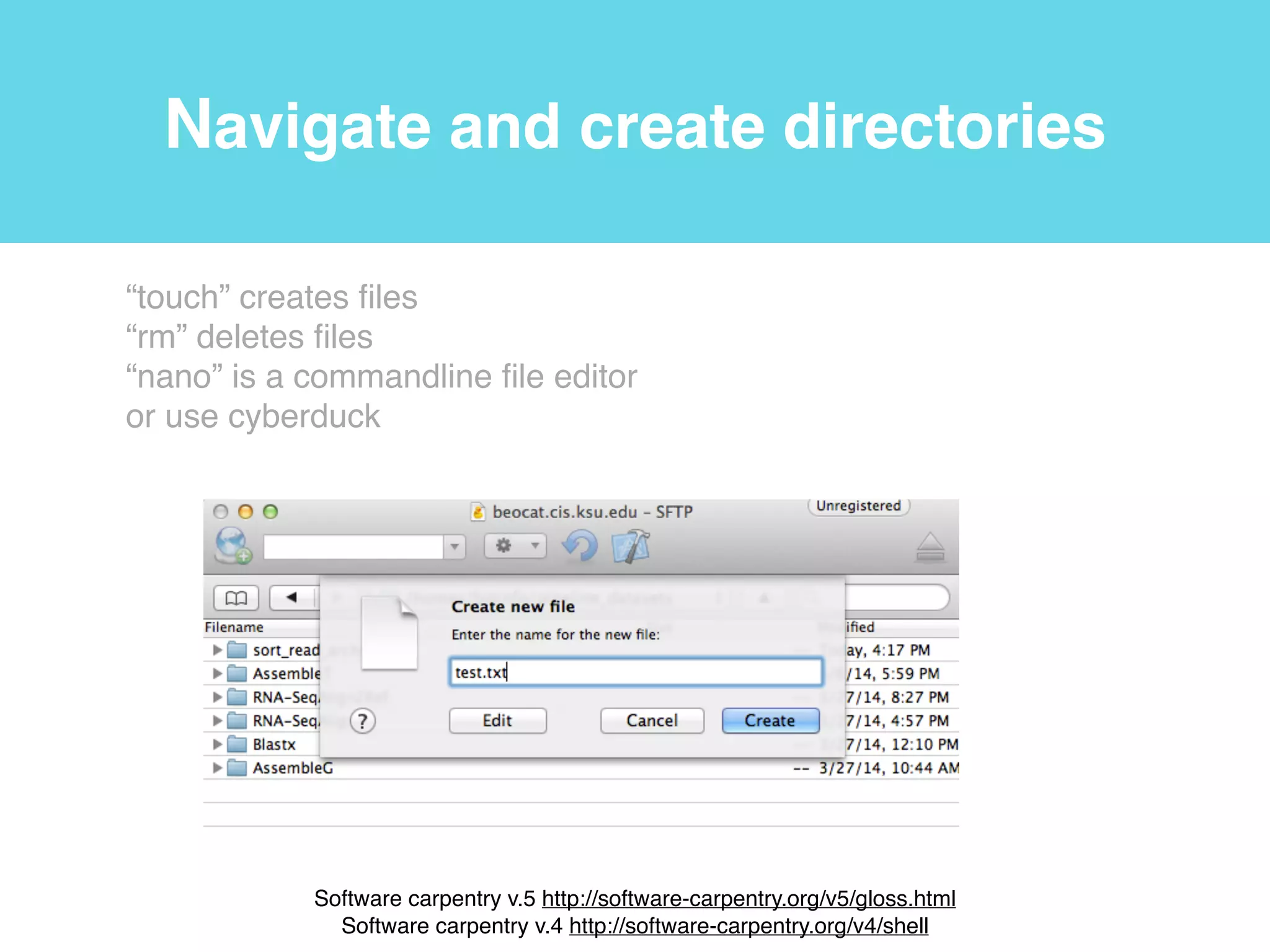
Navigate and create directories
“touch” creates files!
“rm” deletes files!
“nano” is a commandline file editor!
or use cyberduck!
!
Software carpentry v.5 http://software-carpentry.org/v5/gloss.html!
Software carpentry v.4 http://software-carpentry.org/v4/shell
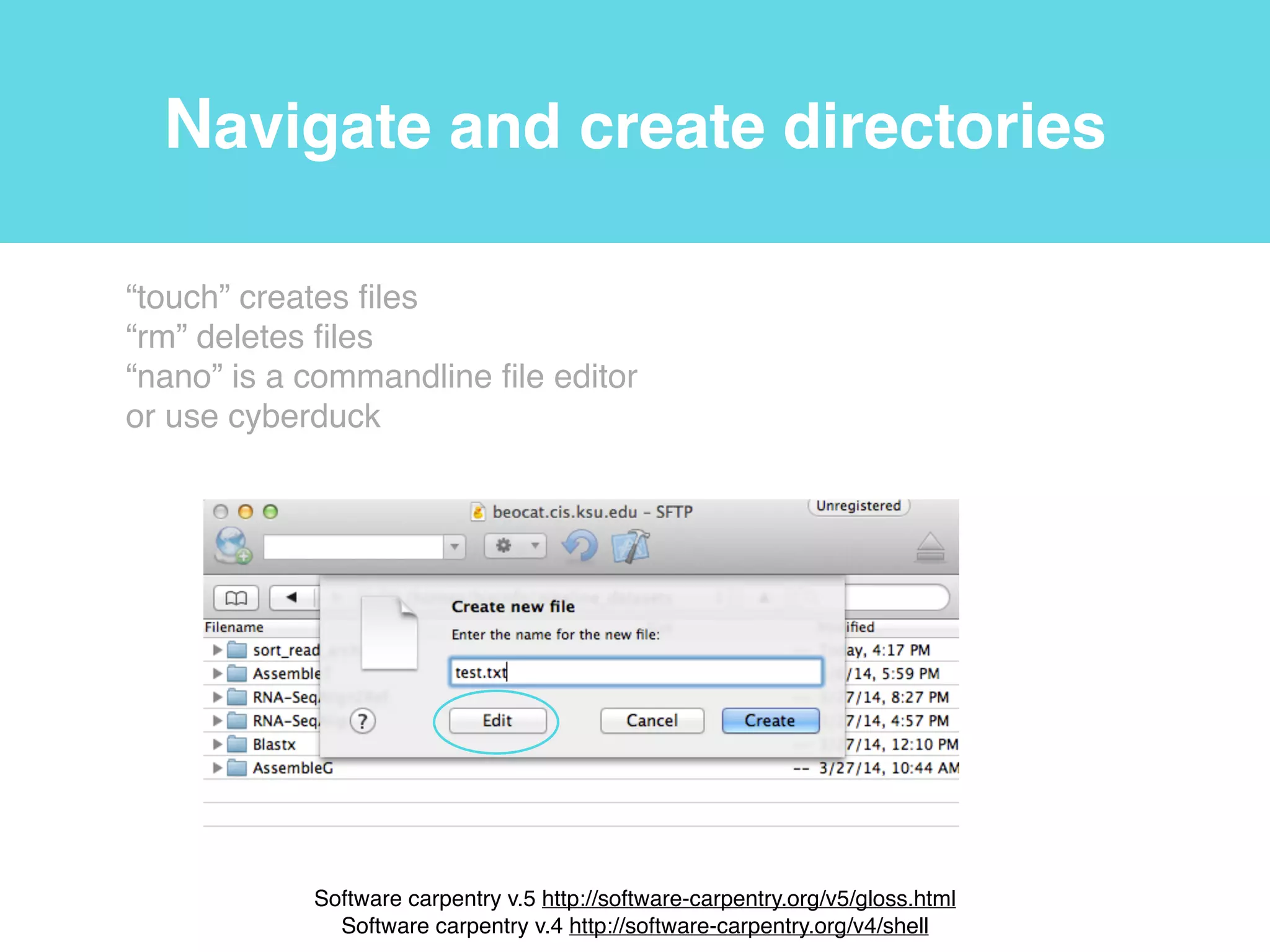
Navigate and create directories
“touch” creates files!
“rm” deletes files!
“nano” is a commandline file editor!
or use cyberduck!
!
Software carpentry v.5 http://software-carpentry.org/v5/gloss.html!
Software carpentry v.4 http://software-carpentry.org/v4/shell
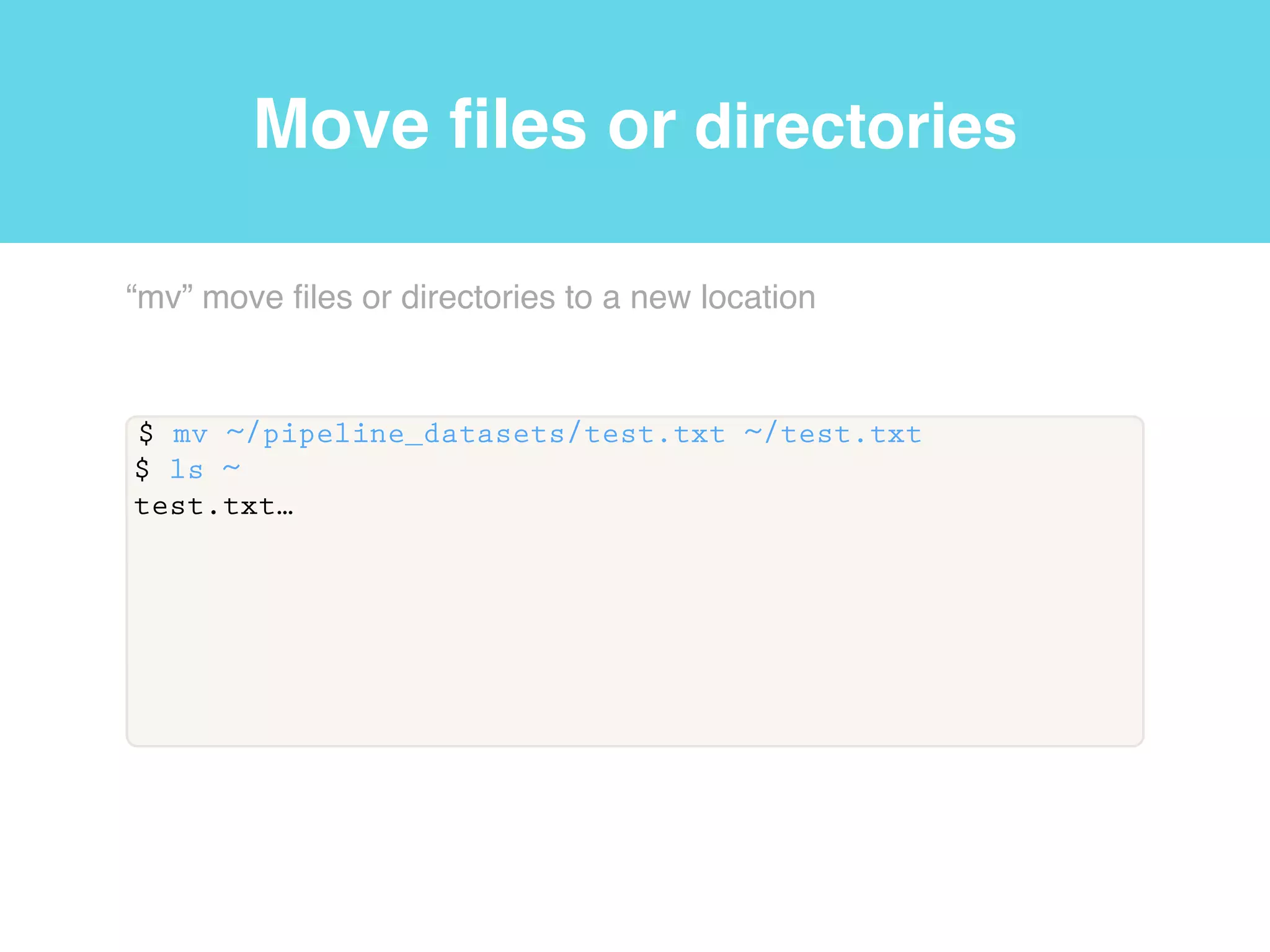
Move files or directories
$ mv ~/pipeline_datasets/test.txt ~/test.txt
$ ls ~
test.txt…
“mv” move files or directories to a new location
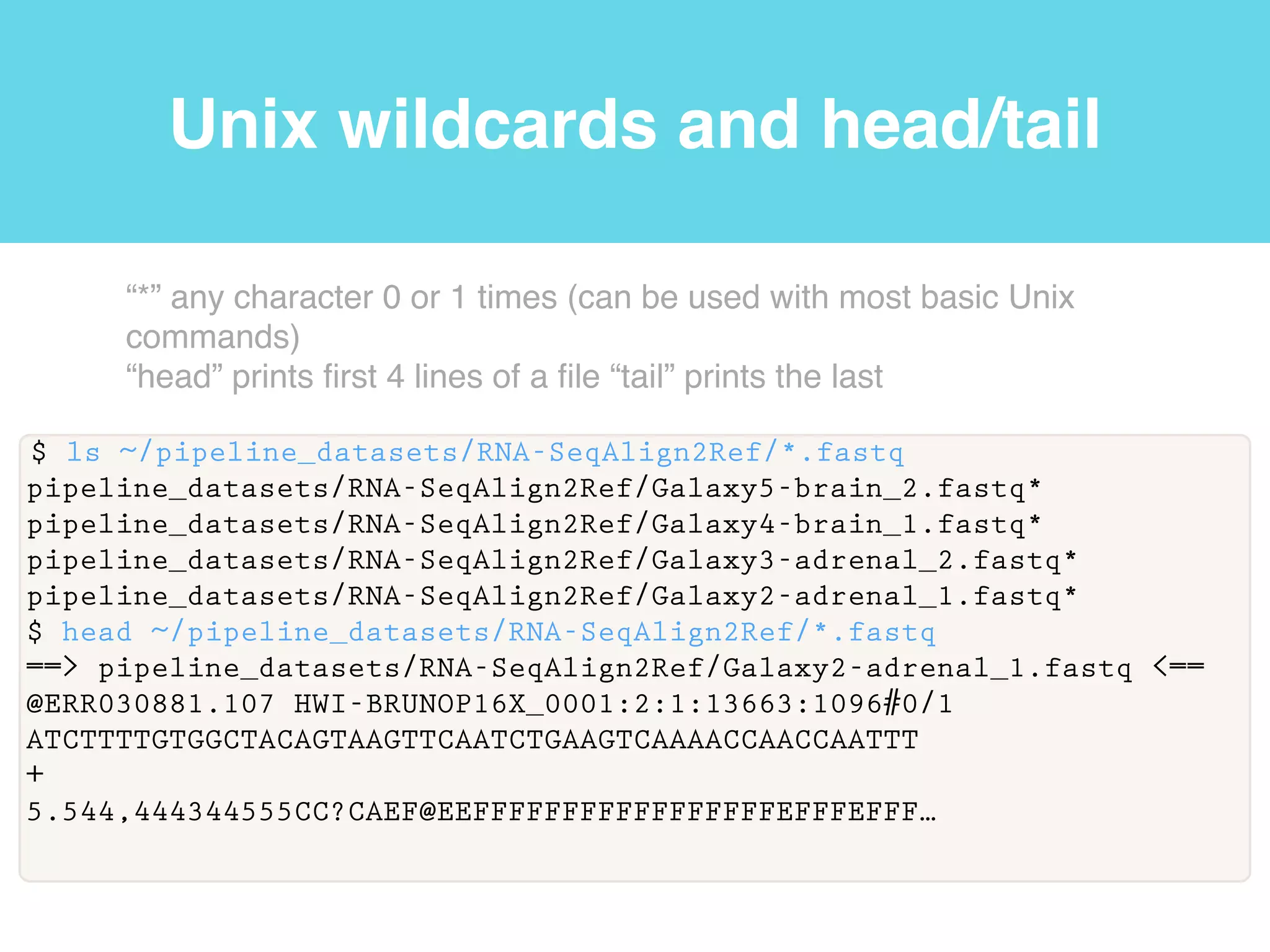
Unix wildcards and head/tail
$ ls ~/pipeline_datasets/RNA-SeqAlign2Ref/*.fastq
pipeline_datasets/RNA-SeqAlign2Ref/Galaxy5-brain_2.fastq*
pipeline_datasets/RNA-SeqAlign2Ref/Galaxy4-brain_1.fastq*
pipeline_datasets/RNA-SeqAlign2Ref/Galaxy3-adrenal_2.fastq*
pipeline_datasets/RNA-SeqAlign2Ref/Galaxy2-adrenal_1.fastq*
$ head ~/pipeline_datasets/RNA-SeqAlign2Ref/*.fastq
==> pipeline_datasets/RNA-SeqAlign2Ref/Galaxy2-adrenal_1.fastq <==
@ERR030881.107 HWI-BRUNOP16X_0001:2:1:13663:1096#0/1
ATCTTTTGTGGCTACAGTAAGTTCAATCTGAAGTCAAAACCAACCAATTT
+
5.544,444344555CC?CAEF@EEFFFFFFFFFFFFFFFFFEFFFEFFF…
“*” any character 0 or 1 times (can be used with most basic Unix
commands)!
“head” prints first 4 lines of a file “tail” prints the last
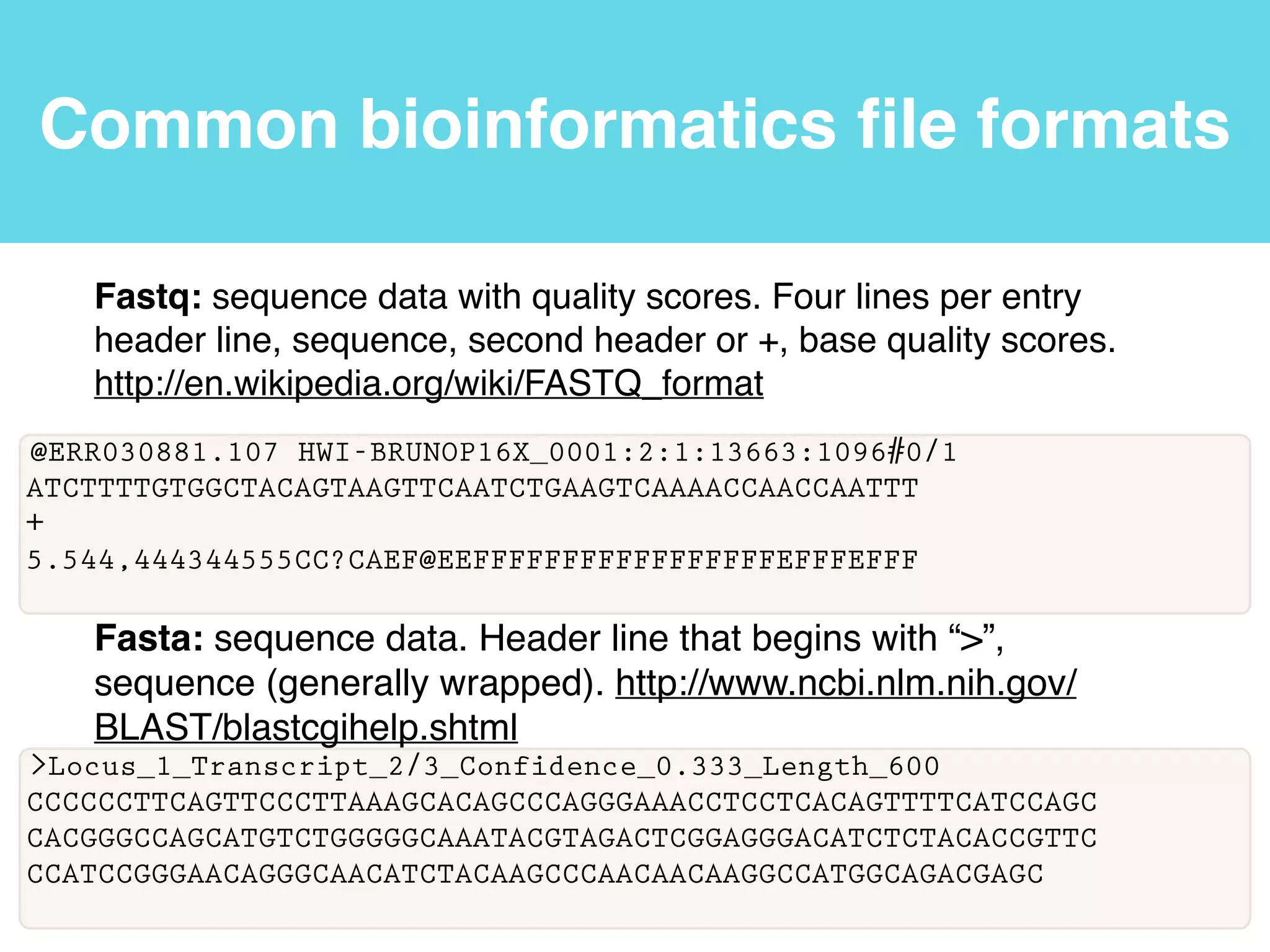
Common bioinformatics file formats
@ERR030881.107 HWI-BRUNOP16X_0001:2:1:13663:1096#0/1
ATCTTTTGTGGCTACAGTAAGTTCAATCTGAAGTCAAAACCAACCAATTT
+
5.544,444344555CC?CAEF@EEFFFFFFFFFFFFFFFFFEFFFEFFF
Fastq: sequence data with quality scores. Four lines per entry
header line, sequence, second header or +, base quality scores.
http://en.wikipedia.org/wiki/FASTQ_format
>Locus_1_Transcript_2/3_Confidence_0.333_Length_600
CCCCCCTTCAGTTCCCTTAAAGCACAGCCCAGGGAAACCTCCTCACAGTTTTCATCCAGC
CACGGGCCAGCATGTCTGGGGGCAAATACGTAGACTCGGAGGGACATCTCTACACCGTTC
CCATCCGGGAACAGGGCAACATCTACAAGCCCAACAACAAGGCCATGGCAGACGAGC
Fasta: sequence data. Header line that begins with “>”,
sequence (generally wrapped). http://www.ncbi.nlm.nih.gov/
BLAST/blastcgihelp.shtml
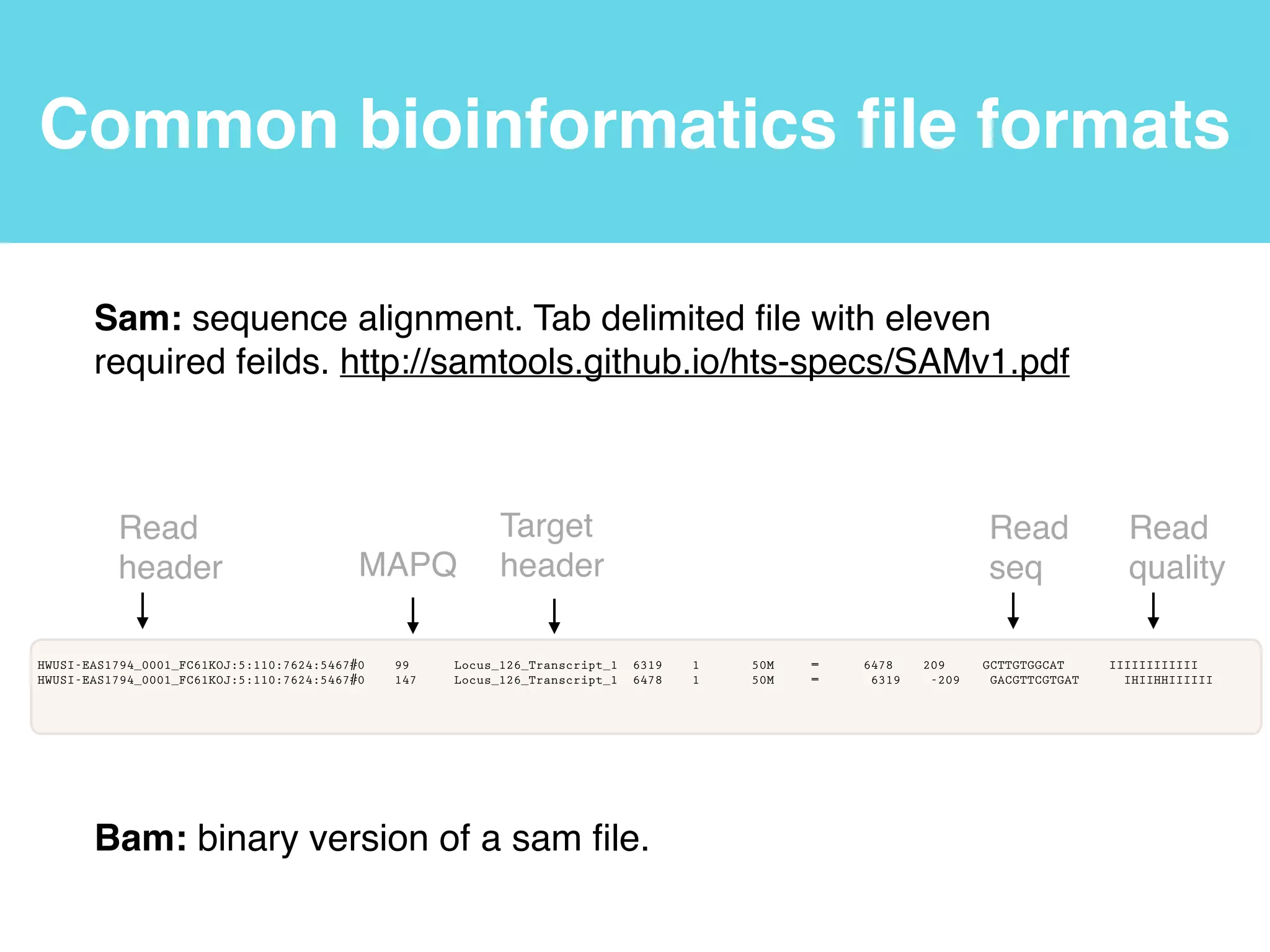
Common bioinformatics file formats
!HWUSI-EAS1794_0001_FC61KOJ:5:110:7624:5467#0 99 Locus_126_Transcript_1 6319 1 50M = 6478 209 GCTTGTGGCAT IIIIIIIIIIII
HWUSI-EAS1794_0001_FC61KOJ:5:110:7624:5467#0 147 Locus_126_Transcript_1 6478 1 50M = 6319 -209 GACGTTCGTGAT IHIIHHIIIIII
Sam: sequence alignment. Tab delimited file with eleven
required feilds. http://samtools.github.io/hts-specs/SAMv1.pdf
Bam: binary version of a sam file.
Read
header MAPQ
Target
header!
Read
seq
Read
quality
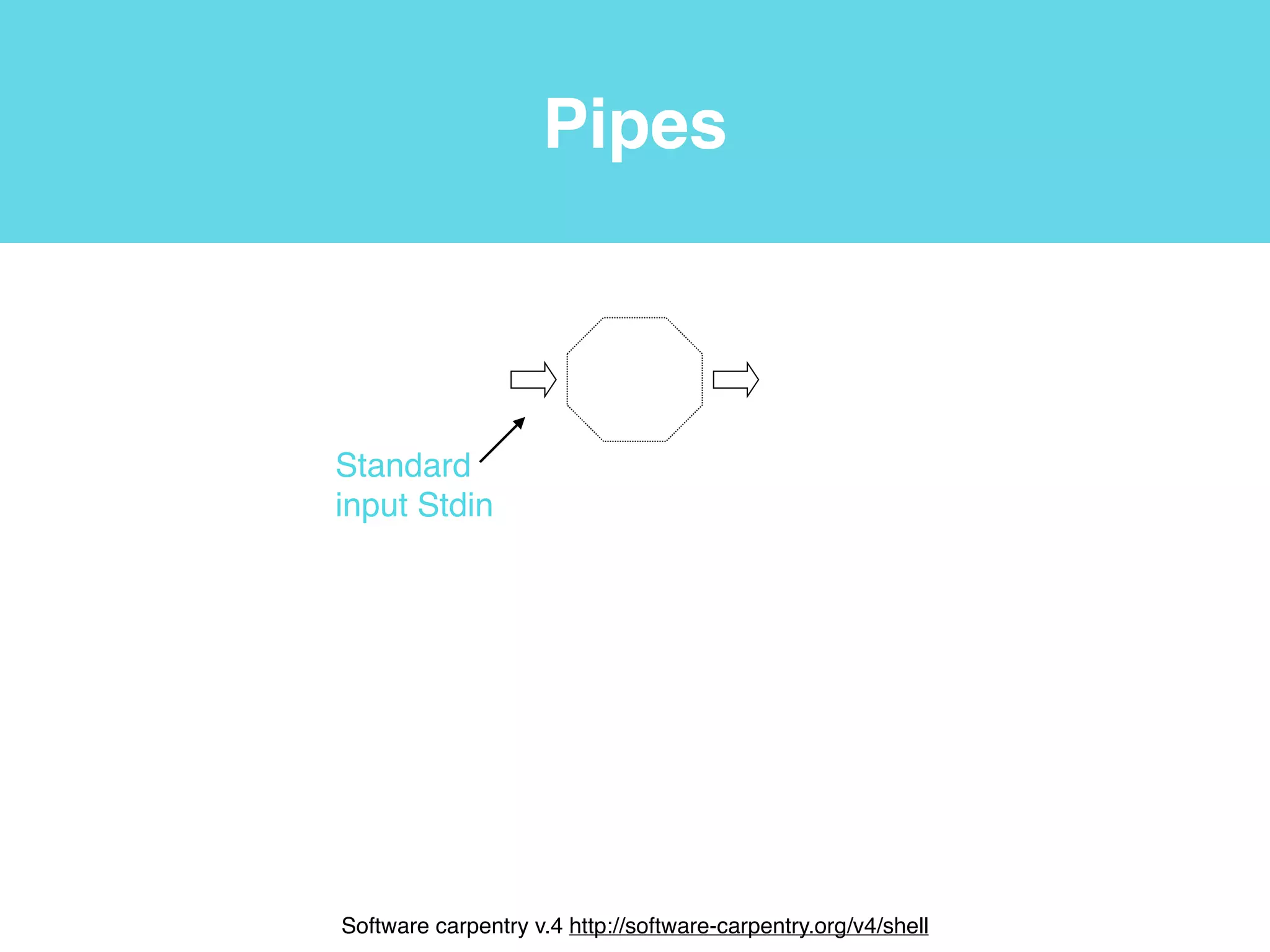
Pipes
Standard!
input Stdin
!
Software carpentry v.4 http://software-carpentry.org/v4/shell
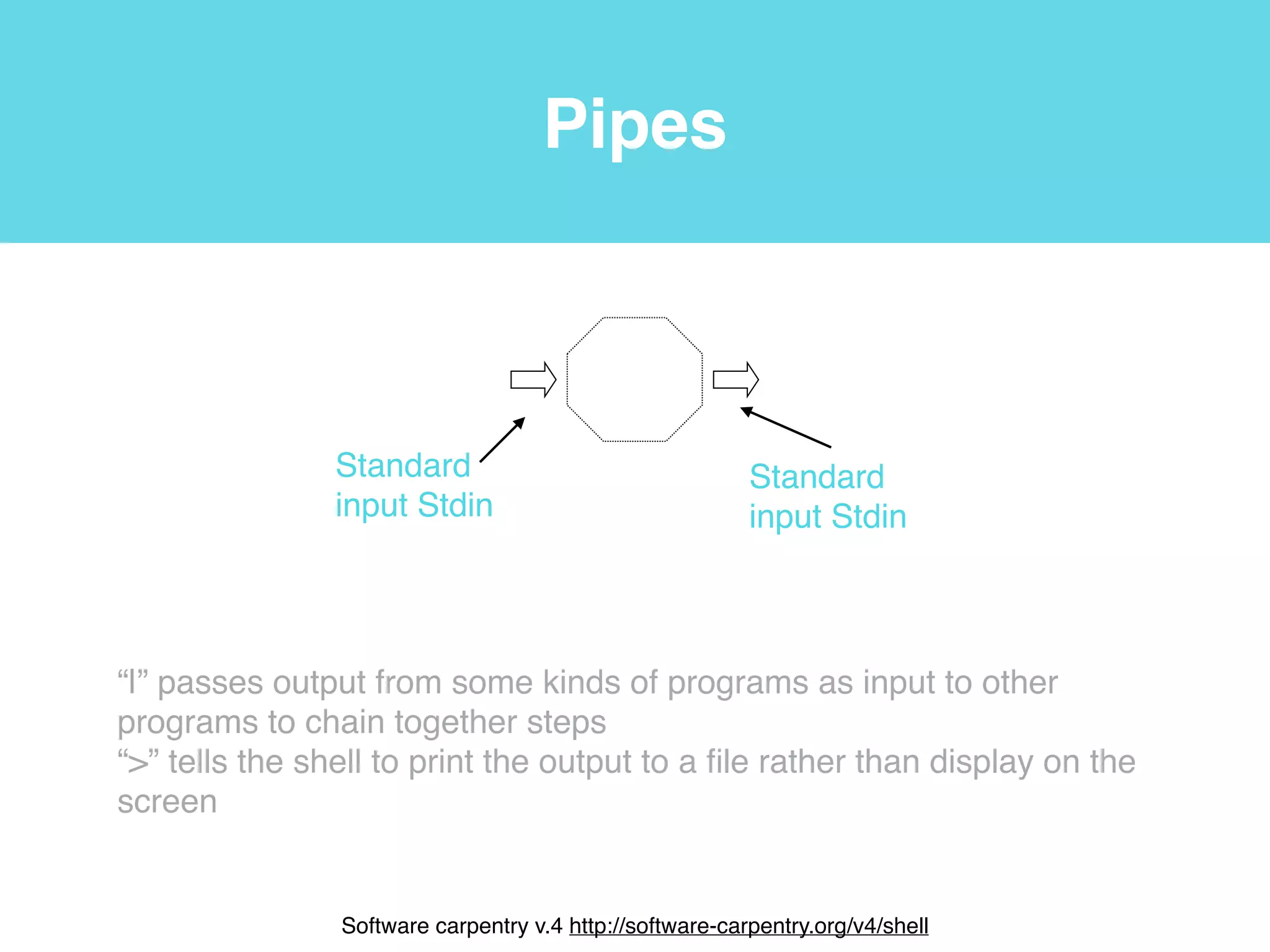
Pipes
Standard!
input Stdin
Standard!
input Stdin
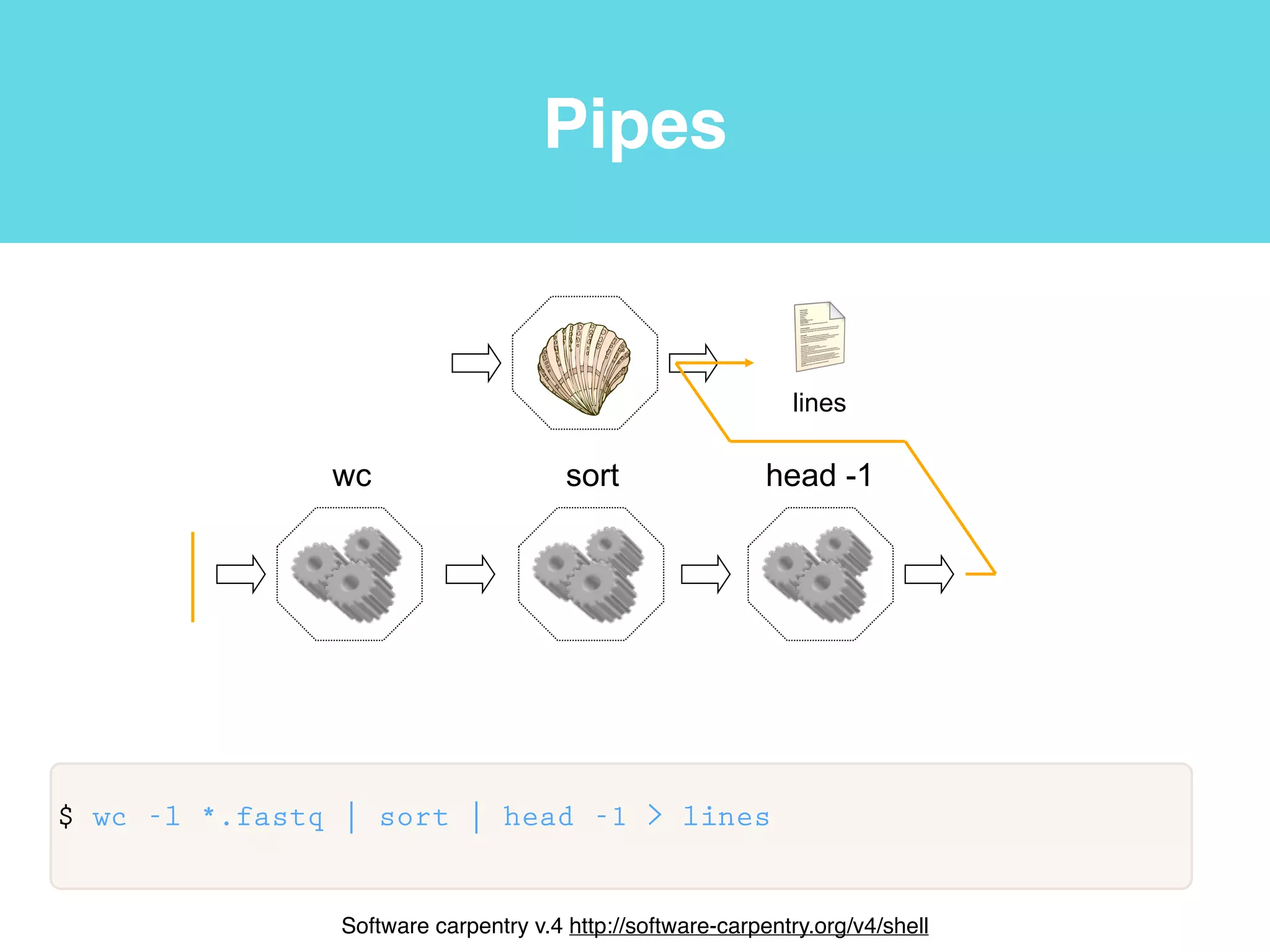
“|” passes output from some kinds of programs as input to other
programs to chain together steps!
“>” tells the shell to print the output to a file rather than display on the
screen
!
Software carpentry v.4 http://software-carpentry.org/v4/shell
Pipes
!
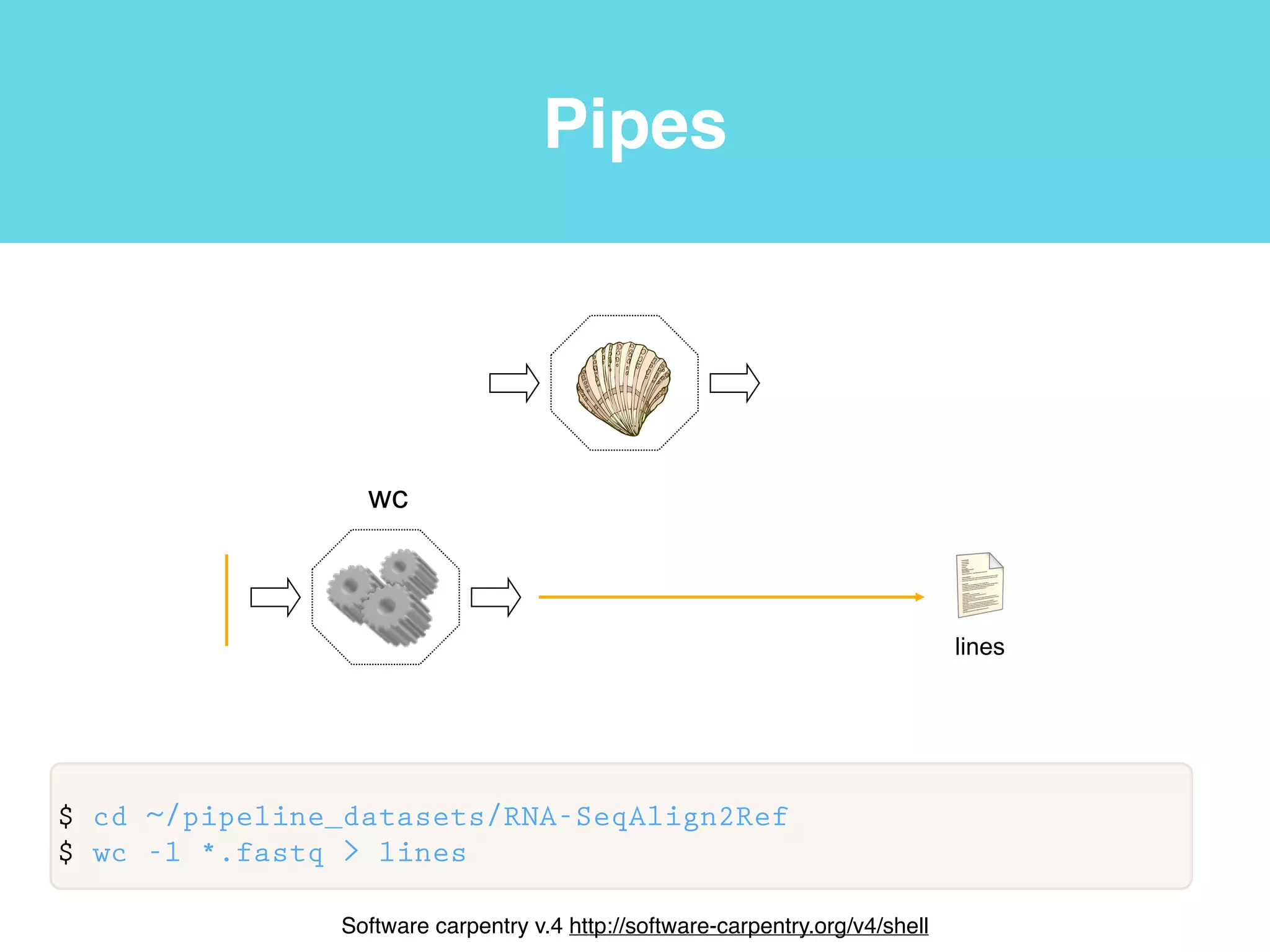
$ cd ~/pipeline_datasets/RNA-SeqAlign2Ref
$ wc -l *.fastq > lines
wc
lines
!
Software carpentry v.4 http://software-carpentry.org/v4/shell
Pipes
!
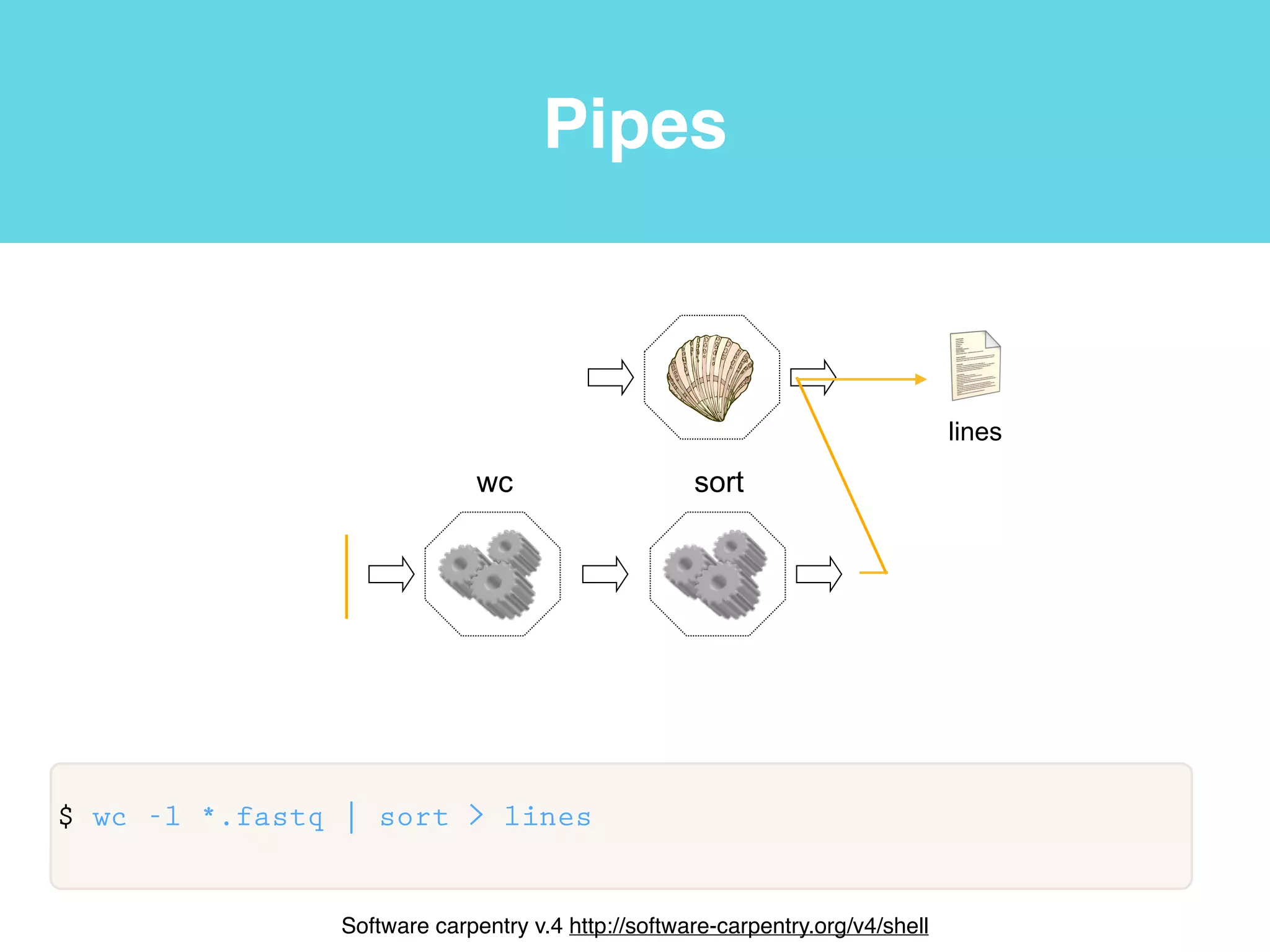
$ wc -l *.fastq | sort > lines
wc sort
lines
!
Software carpentry v.4 http://software-carpentry.org/v4/shell
Pipes
!
$ wc -l *.fastq | sort | head -1 > lines
lines
wc sort head -1
!
Software carpentry v.4 http://software-carpentry.org/v4/shell
Pipes and grep
!
$ wc -l *.fastq | sort | head -1 > lines
Pipes and grep
This programming model called pipes and filters.
!
$ wc -l *.fastq | sort | head -1 > lines
Pipes and grep
This programming model called pipes and filters.
!
$ wc -l *.fastq | sort | head -1 > lines
Pipes and grep
This programming model called pipes and filters.
A filter transforms a stream of input into a stream of output
!
$ wc -l *.fastq | sort | head -1 > lines
Pipes and grep
This programming model called pipes and filters.
A filter transforms a stream of input into a stream of output
!
$ wc -l *.fastq | sort | head -1 > lines
Pipes and grep
This programming model called pipes and filters.
A filter transforms a stream of input into a stream of output
A pipe connects two filters
!
$ wc -l *.fastq | sort | head -1 > lines
Pipes and grep
This programming model called pipes and filters.
A filter transforms a stream of input into a stream of output
A pipe connects two filters
!
$ wc -l *.fastq | sort | head -1 > lines
Pipes and grep
This programming model called pipes and filters.
A filter transforms a stream of input into a stream of output
A pipe connects two filters
Any program that reads lines of text from standard input, and
writes lines of text to standard output, can work with every other
!
$ wc -l *.fastq | sort | head -1 > lines
Pipes and grep
This programming model called pipes and filters.
A filter transforms a stream of input into a stream of output
A pipe connects two filters
Any program that reads lines of text from standard input, and
writes lines of text to standard output, can work with every other
!
$ wc -l *.fastq | sort | head -1 > lines
Pipes and grep
$ cd ~/pipeline_datasets/sam_bam
!
$ /homes/bioinfo/bioinfo_software/samtools/samtools cat
brain_rep_1_tophat2_out/accepted_hits.bam
adrenal_rep_1_tophat2_out_1/accepted_hits.bam | /homes/bioinfo/
bioinfo_software/samtools/samtools flagstat - > alignment_stats.txt
!
$ grep -c ">" ../RNA-SeqAlign2Ref/hg19.fa
Pipes and grep
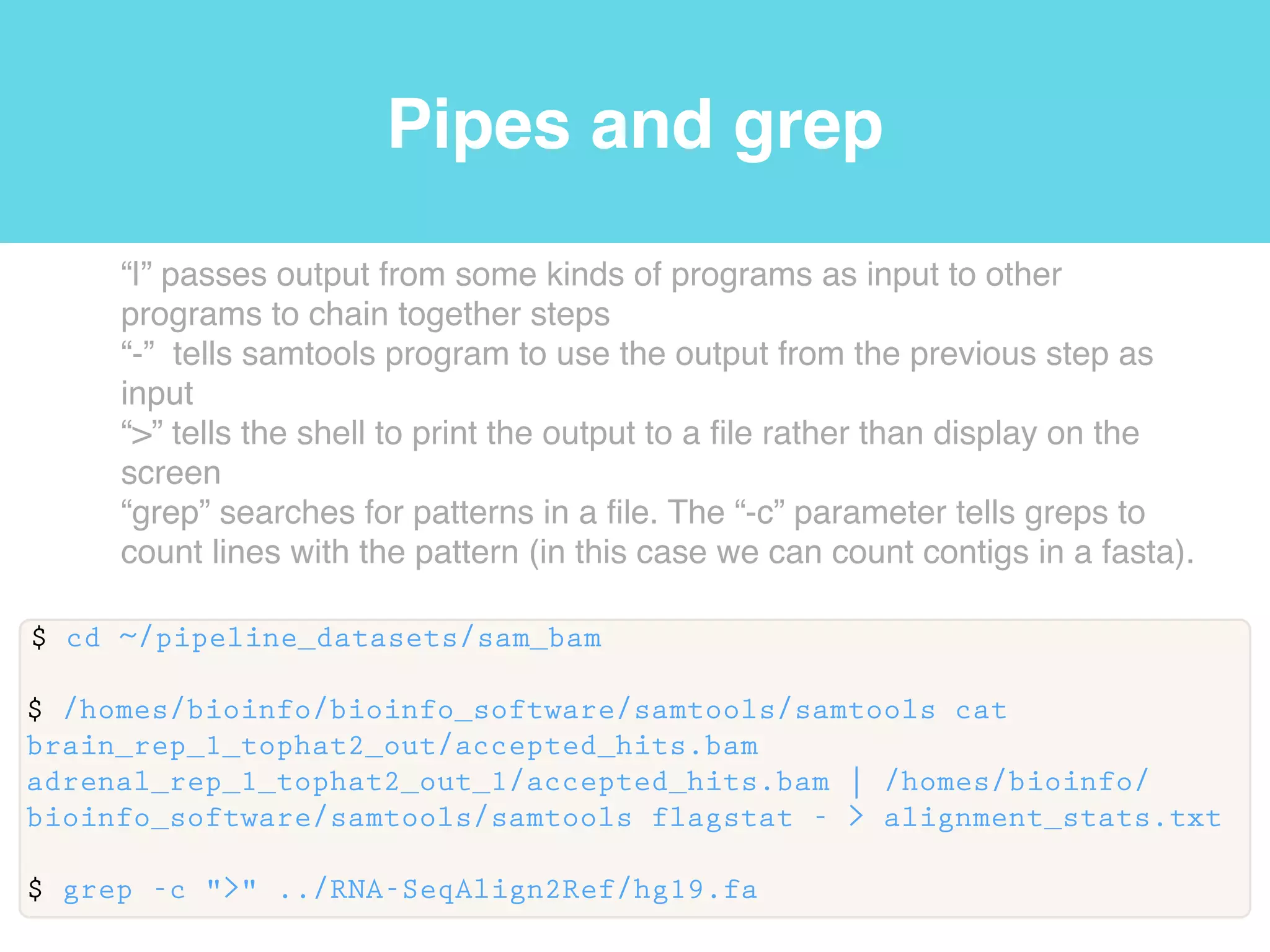
“|” passes output from some kinds of programs as input to other
programs to chain together steps
$ cd ~/pipeline_datasets/sam_bam
!
$ /homes/bioinfo/bioinfo_software/samtools/samtools cat
brain_rep_1_tophat2_out/accepted_hits.bam
adrenal_rep_1_tophat2_out_1/accepted_hits.bam | /homes/bioinfo/
bioinfo_software/samtools/samtools flagstat - > alignment_stats.txt
!
$ grep -c ">" ../RNA-SeqAlign2Ref/hg19.fa
Pipes and grep
“|” passes output from some kinds of programs as input to other
programs to chain together steps
“-” tells samtools program to use the output from the previous step as
input
$ cd ~/pipeline_datasets/sam_bam
!
$ /homes/bioinfo/bioinfo_software/samtools/samtools cat
brain_rep_1_tophat2_out/accepted_hits.bam
adrenal_rep_1_tophat2_out_1/accepted_hits.bam | /homes/bioinfo/
bioinfo_software/samtools/samtools flagstat - > alignment_stats.txt
!
$ grep -c ">" ../RNA-SeqAlign2Ref/hg19.fa
Pipes and grep
“|” passes output from some kinds of programs as input to other
programs to chain together steps
“-” tells samtools program to use the output from the previous step as
input
“>” tells the shell to print the output to a file rather than display on the
screen
$ cd ~/pipeline_datasets/sam_bam
!
$ /homes/bioinfo/bioinfo_software/samtools/samtools cat
brain_rep_1_tophat2_out/accepted_hits.bam
adrenal_rep_1_tophat2_out_1/accepted_hits.bam | /homes/bioinfo/
bioinfo_software/samtools/samtools flagstat - > alignment_stats.txt
!
$ grep -c ">" ../RNA-SeqAlign2Ref/hg19.fa
Pipes and grep
“|” passes output from some kinds of programs as input to other
programs to chain together steps
“-” tells samtools program to use the output from the previous step as
input
“>” tells the shell to print the output to a file rather than display on the
screen
“grep” searches for patterns in a file. The “-c” parameter tells greps to
count lines with the pattern (in this case we can count contigs in a fasta).
$ cd ~/pipeline_datasets/sam_bam
!
$ /homes/bioinfo/bioinfo_software/samtools/samtools cat
brain_rep_1_tophat2_out/accepted_hits.bam
adrenal_rep_1_tophat2_out_1/accepted_hits.bam | /homes/bioinfo/
bioinfo_software/samtools/samtools flagstat - > alignment_stats.txt
!
$ grep -c ">" ../RNA-SeqAlign2Ref/hg19.fa
Pipes with samtools
!
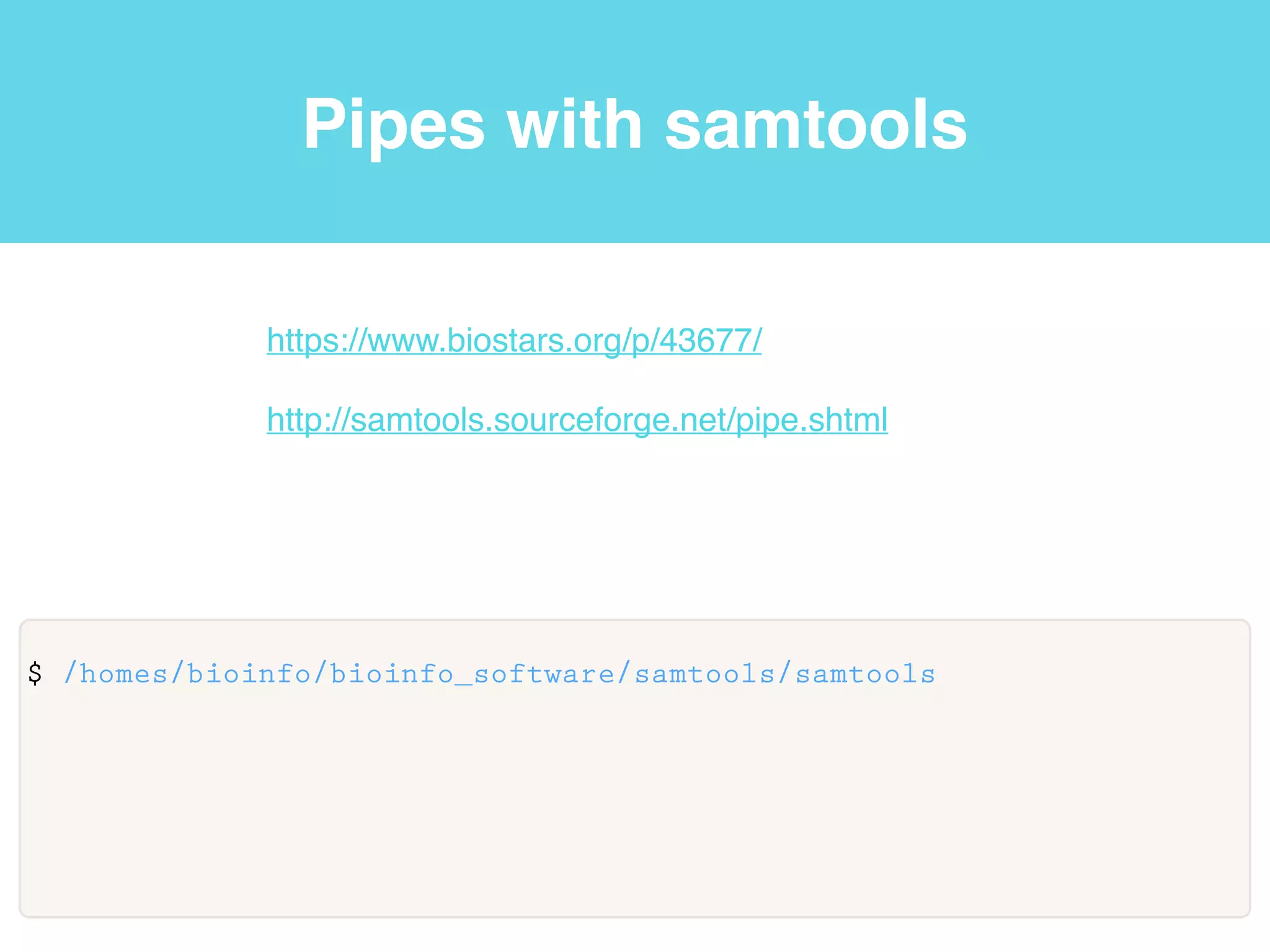
$ /homes/bioinfo/bioinfo_software/samtools/samtools
https://www.biostars.org/p/43677/!
!
http://samtools.sourceforge.net/pipe.shtml
Review Unix
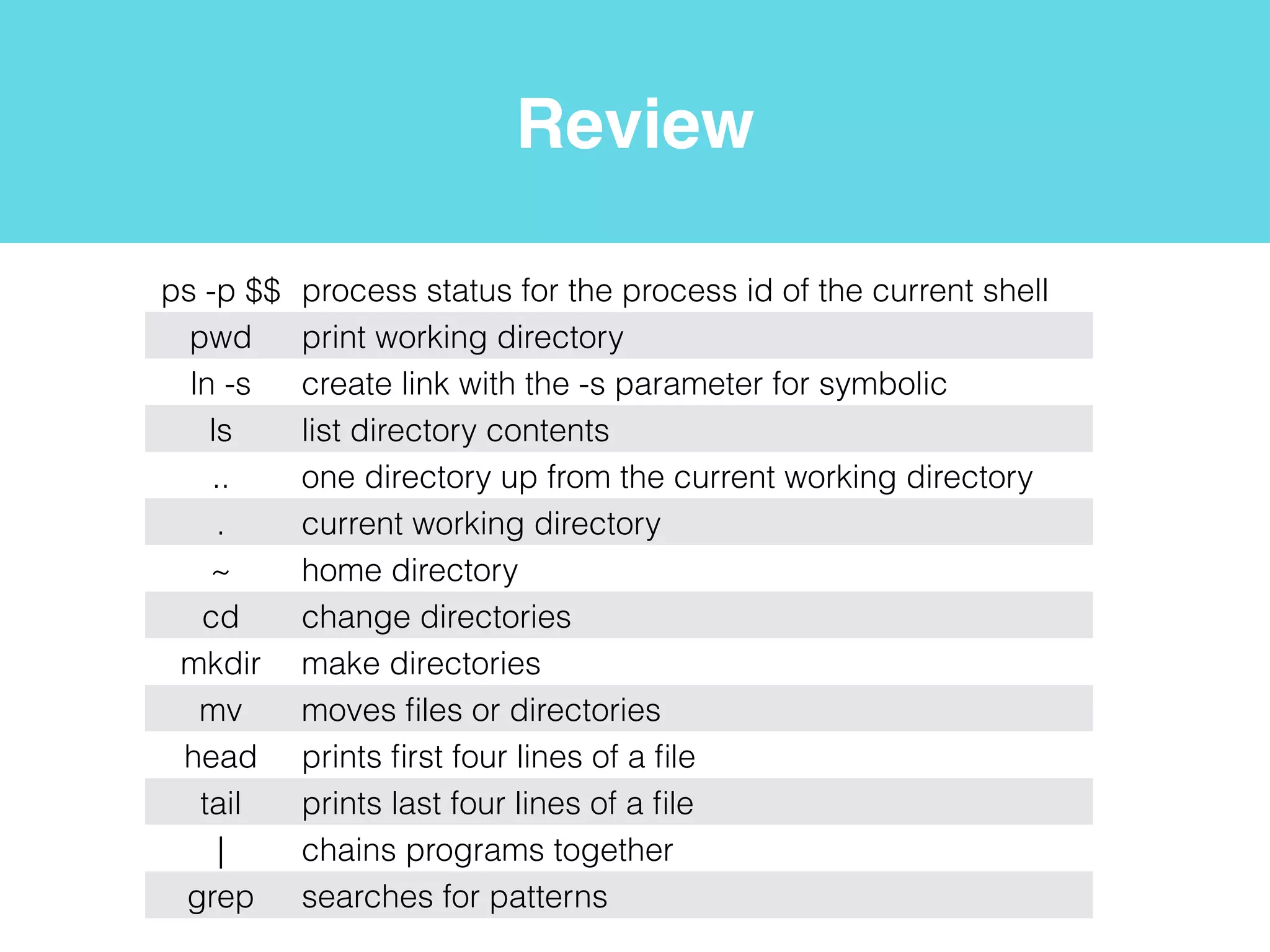
ps -p $$ process status for the process id of the current shell
pwd print working directory
ln -s create link with the -s parameter for symbolic
ls list directory contents
.. one directory up from the current working directory
. current working directory
~ home directory
* wildcard
cd change directories
mkdir make directories
mv moves files or directories
head prints first four lines of a file
tail prints last four lines of a file
| chains programs together
grep searches for patterns
wget non-interactive network downloader
Review NGS
samtools cat concatenate BAMs
samtools flagstat simple stats
samtools view SAM<->BAM conversion
samtools sort Sort alignments by leftmost coordinates
samtools rmdup Remove potential PCR duplicates

Lecture1: NGS Analysis on Beocat and an introduction to Perl programming for Bioinformatics 2014

  • 1.
    Files, directories, editingand pipes NGS Analysis on Beocat and an introduction to Perl programming for Bioinformatics 2014! ! Jennifer Shelton
  • 2.
    Before class Please readthrough the following pages and install the software listed on these pages onto your laptop before coming to class:! ! https://github.com/i5K-KINBRE-script-share/FAQ/blob/master/ UsingBeocat.md! ! https://github.com/i5K-KINBRE-script-share/FAQ/blob/master/ BeocatEditingTransferingFiles.md
  • 3.
    Logging in • Usethe program “ssh” an OpenSSH SSH client (remote login program) to log into Beocat! • You will not see text as you type your password $ ssh EID@beocat.cis.ksu.edu password:
  • 4.
    Terminal Software carpentry v.5http://software-carpentry.org/v5/gloss.html
  • 5.
    Terminal • We arenow connected to Beocat using a command-line interface (CLI). A CLI is an interface based on typing commands, usually at a read-eval-print loop (REPL). Software carpentry v.5 http://software-carpentry.org/v5/gloss.html
  • 6.
    Terminal • We arenow connected to Beocat using a command-line interface (CLI). A CLI is an interface based on typing commands, usually at a read-eval-print loop (REPL). Software carpentry v.5 http://software-carpentry.org/v5/gloss.html
  • 7.
    Terminal • We arenow connected to Beocat using a command-line interface (CLI). A CLI is an interface based on typing commands, usually at a read-eval-print loop (REPL). • A read-eval-print loop (REPL) is a command-line interface that reads a command from the user, executes it, prints the result, and waits for another command. Software carpentry v.5 http://software-carpentry.org/v5/gloss.html
  • 8.
    Terminal • We arenow connected to Beocat using a command-line interface (CLI). A CLI is an interface based on typing commands, usually at a read-eval-print loop (REPL). • A read-eval-print loop (REPL) is a command-line interface that reads a command from the user, executes it, prints the result, and waits for another command. Software carpentry v.5 http://software-carpentry.org/v5/gloss.html
  • 9.
    Terminal • We arenow connected to Beocat using a command-line interface (CLI). A CLI is an interface based on typing commands, usually at a read-eval-print loop (REPL). • A read-eval-print loop (REPL) is a command-line interface that reads a command from the user, executes it, prints the result, and waits for another command. • A graphical user interface (GUI) is a graphical user interface, usually controlled by using a mouse. Software carpentry v.5 http://software-carpentry.org/v5/gloss.html
  • 10.
    Shell • shell: Acommand-line interface such as Bash (the Bourne-Again Shell) or the Microsoft Windows DOS shell that allows a user to interact with the operating system. shell User Software carpentry v.5 http://software-carpentry.org/v5/gloss.html! Software carpentry v.4 http://software-carpentry.org/v4/shell
  • 11.
    Shell shell User $ ps -p$$ PID TTY TIME CMD 63825 ttys002 0:00.04 -bash
  • 12.
    Shell shell User $ ps -p$$ PID TTY TIME CMD 63825 ttys002 0:00.04 -bash “process status” program
  • 13.
    Shell shell User $ ps -p$$ PID TTY TIME CMD 63825 ttys002 0:00.04 -bash “process status” program PID parameter
  • 14.
    Shell shell User $ ps -p$$ PID TTY TIME CMD 63825 ttys002 0:00.04 -bash Current process “process status” program PID parameter
  • 15.
    Shell shell User $ ps -p$$ PID TTY TIME CMD 63825 ttys002 0:00.04 -bash Current process “process status” program PID parameter Name of the current shell
  • 16.
  • 17.
  • 18.
  • 19.
    Files and directories $pwd /homes/bioinfo
  • 20.
    Files and directories $pwd /homes/bioinfo “pwd” or print working directory program
  • 21.
    Files and directories $pwd /homes/bioinfo “pwd” or print working directory program Current working directory
  • 22.
    Files and directories $pwd /homes/bioinfo “pwd” or print working directory program root / Current working directory
  • 23.
    Files and directories $pwd /homes/bioinfo “pwd” or print working directory program root / tmp homes bin Current working directory
  • 24.
    Files and directories $pwd /homes/bioinfo “pwd” or print working directory program root / tmp homes bin user1 bioinfo user2 Current working directory
  • 25.
    Files and directories $ln -s /homes/bioinfo/pipeline_datasets/ ./ $ ls pipeline_datasets@ $ ls pipeline_datasets/RNA-SeqAlign2Ref/ sample_read_list.txt* Galaxy5-brain_2.fastq* Galaxy4-brain_1.fastq* Galaxy3-adrenal_2.fastq* Galaxy2-adrenal_1.fastq* Galaxy1- iGenomes_UCSC_hg19_chr19_gene_annotation.gtf* hg19.fa* “ln” or link program with the -s parameter for symbolic! “ls” list directory contents RNA-SeqAlign2Ref AssembleT pipeline_datasets sample_read_list.txt*! Galaxy5-brain_2.fastq*! Galaxy4-brain_1.fastq*! Galaxy3-adrenal_2.fastq*! Galaxy2-adrenal_1.fastq*! Galaxy1- iGenomes_UCSC_hg19_c hr19_gene_annotation.gtf*! hg19.fa* notes.txt notes.txt notes.txt notes.txt notes.txt notes.txt notes.txt notes.txt
  • 26.
    Files and directories $ln -s /homes/bioinfo/pipeline_datasets/ ./ $ ls pipeline_datasets@ $ ls pipeline_datasets/RNA-SeqAlign2Ref/ sample_read_list.txt* Galaxy5-brain_2.fastq* Galaxy4-brain_1.fastq* Galaxy3-adrenal_2.fastq* Galaxy2-adrenal_1.fastq* Galaxy1- iGenomes_UCSC_hg19_chr19_gene_annotation.gtf* hg19.fa* “ln” or link program with the -s parameter for symbolic! “ls” list directory contents RNA-SeqAlign2Ref AssembleT pipeline_datasets sample_read_list.txt*! Galaxy5-brain_2.fastq*! Galaxy4-brain_1.fastq*! Galaxy3-adrenal_2.fastq*! Galaxy2-adrenal_1.fastq*! Galaxy1- iGenomes_UCSC_hg19_c hr19_gene_annotation.gtf*! hg19.fa* notes.txt notes.txt notes.txt notes.txt notes.txt notes.txt notes.txt notes.txt
  • 27.
    Files and directories $ln -s /homes/bioinfo/pipeline_datasets/ ./ $ ls pipeline_datasets@ $ ls pipeline_datasets/RNA-SeqAlign2Ref/ sample_read_list.txt* Galaxy5-brain_2.fastq* Galaxy4-brain_1.fastq* Galaxy3-adrenal_2.fastq* Galaxy2-adrenal_1.fastq* Galaxy1- iGenomes_UCSC_hg19_chr19_gene_annotation.gtf* hg19.fa* “ln” or link program with the -s parameter for symbolic! “ls” list directory contents RNA-SeqAlign2Ref AssembleT pipeline_datasets sample_read_list.txt*! Galaxy5-brain_2.fastq*! Galaxy4-brain_1.fastq*! Galaxy3-adrenal_2.fastq*! Galaxy2-adrenal_1.fastq*! Galaxy1- iGenomes_UCSC_hg19_c hr19_gene_annotation.gtf*! hg19.fa* notes.txt notes.txt notes.txt notes.txt notes.txt notes.txt notes.txt notes.txt
  • 28.
    Files and directories $ln -s /homes/bioinfo/pipeline_datasets/ ./ $ ls pipeline_datasets@ $ ls pipeline_datasets/RNA-SeqAlign2Ref/ sample_read_list.txt* Galaxy5-brain_2.fastq* Galaxy4-brain_1.fastq* Galaxy3-adrenal_2.fastq* Galaxy2-adrenal_1.fastq* Galaxy1- iGenomes_UCSC_hg19_chr19_gene_annotation.gtf* hg19.fa* “ln” or link program with the -s parameter for symbolic! “ls” list directory contents RNA-SeqAlign2Ref AssembleT pipeline_datasets sample_read_list.txt*! Galaxy5-brain_2.fastq*! Galaxy4-brain_1.fastq*! Galaxy3-adrenal_2.fastq*! Galaxy2-adrenal_1.fastq*! Galaxy1- iGenomes_UCSC_hg19_c hr19_gene_annotation.gtf*! hg19.fa* notes.txt notes.txt notes.txt notes.txt notes.txt notes.txt notes.txt notes.txt
  • 29.
    Relative paths $ ls /homes/bioinfo $ls ../../bin ls ln rm mkdir… $ ls ../bioinfo/bioinfo_software cufflinks@ tophat@ samtools@… $ ls ~/pipeline_datasets Galaxy5-brain_2.fastq* Galaxy4-brain_1.fastq*… root / tmp homes bin user1 bioinfo user2 “ls” list directory contents! .. one directory up from the current working directory! . current working directory! ~ home directory
  • 30.
    Relative paths $ ls /homes/bioinfo $ls ../../bin ls ln rm mkdir… $ ls ../bioinfo/bioinfo_software cufflinks@ tophat@ samtools@… $ ls ~/pipeline_datasets Galaxy5-brain_2.fastq* Galaxy4-brain_1.fastq*… root / tmp homes bin user1 bioinfo user2 “ls” list directory contents! .. one directory up from the current working directory! . current working directory! ~ home directory
  • 31.
    Relative paths $ ls /homes/bioinfo $ls ../../bin ls ln rm mkdir… $ ls ../bioinfo/bioinfo_software cufflinks@ tophat@ samtools@… $ ls ~/pipeline_datasets Galaxy5-brain_2.fastq* Galaxy4-brain_1.fastq*… root / tmp homes bin user1 bioinfo user2 “ls” list directory contents! .. one directory up from the current working directory! . current working directory! ~ home directory
  • 32.
    Relative paths $ ls /homes/bioinfo $ls ../../bin ls ln rm mkdir… $ ls ../bioinfo/bioinfo_software cufflinks@ tophat@ samtools@… $ ls ~/pipeline_datasets Galaxy5-brain_2.fastq* Galaxy4-brain_1.fastq*… root / tmp homes bin user1 bioinfo user2 “ls” list directory contents! .. one directory up from the current working directory! . current working directory! ~ home directory
  • 33.
    Relative paths $ ls /homes/bioinfo $ls ../../bin ls ln rm mkdir… $ ls ../bioinfo/bioinfo_software cufflinks@ tophat@ samtools@… $ ls ~/pipeline_datasets Galaxy5-brain_2.fastq* Galaxy4-brain_1.fastq*… root / tmp homes bin user1 bioinfo user2 “ls” list directory contents! .. one directory up from the current working directory! . current working directory! ~ home directory
  • 34.
    Navigate and createdirectories $ cd ~/pipeline_datasets/RNA-SeqAlign2Ref $ ls sample_read_list.txt* Galaxy5-brain_2.fastq* Galaxy4-brain_1.fastq* Galaxy3-adrenal_2.fastq* Galaxy2-adrenal_1.fastq* Galaxy1-iGenomes_UCSC_hg19_chr19_gene_annotation.gtf* hg19.fa* $ pwd /homes/bioinfo/pipeline_datasets/RNA-SeqAlign2Ref $ mkdir test $ ls test… “cd” change directories! “mkdir” make directories
  • 35.
    Navigate and createdirectories “touch” creates files! “rm” deletes files! or use cyberduck
  • 36.
    Navigate and createdirectories “touch” creates files! “rm” deletes files! “nano” is a commandline file editor! or use cyberduck! ! Software carpentry v.5 http://software-carpentry.org/v5/gloss.html! Software carpentry v.4 http://software-carpentry.org/v4/shell
  • 37.
    Navigate and createdirectories “touch” creates files! “rm” deletes files! “nano” is a commandline file editor! or use cyberduck! ! Software carpentry v.5 http://software-carpentry.org/v5/gloss.html! Software carpentry v.4 http://software-carpentry.org/v4/shell
  • 38.
    Move files ordirectories $ mv ~/pipeline_datasets/test.txt ~/test.txt $ ls ~ test.txt… “mv” move files or directories to a new location
  • 39.
    Unix wildcards andhead/tail $ ls ~/pipeline_datasets/RNA-SeqAlign2Ref/*.fastq pipeline_datasets/RNA-SeqAlign2Ref/Galaxy5-brain_2.fastq* pipeline_datasets/RNA-SeqAlign2Ref/Galaxy4-brain_1.fastq* pipeline_datasets/RNA-SeqAlign2Ref/Galaxy3-adrenal_2.fastq* pipeline_datasets/RNA-SeqAlign2Ref/Galaxy2-adrenal_1.fastq* $ head ~/pipeline_datasets/RNA-SeqAlign2Ref/*.fastq ==> pipeline_datasets/RNA-SeqAlign2Ref/Galaxy2-adrenal_1.fastq <== @ERR030881.107 HWI-BRUNOP16X_0001:2:1:13663:1096#0/1 ATCTTTTGTGGCTACAGTAAGTTCAATCTGAAGTCAAAACCAACCAATTT + 5.544,444344555CC?CAEF@EEFFFFFFFFFFFFFFFFFEFFFEFFF… “*” any character 0 or 1 times (can be used with most basic Unix commands)! “head” prints first 4 lines of a file “tail” prints the last
  • 40.
    Common bioinformatics fileformats @ERR030881.107 HWI-BRUNOP16X_0001:2:1:13663:1096#0/1 ATCTTTTGTGGCTACAGTAAGTTCAATCTGAAGTCAAAACCAACCAATTT + 5.544,444344555CC?CAEF@EEFFFFFFFFFFFFFFFFFEFFFEFFF Fastq: sequence data with quality scores. Four lines per entry header line, sequence, second header or +, base quality scores. http://en.wikipedia.org/wiki/FASTQ_format >Locus_1_Transcript_2/3_Confidence_0.333_Length_600 CCCCCCTTCAGTTCCCTTAAAGCACAGCCCAGGGAAACCTCCTCACAGTTTTCATCCAGC CACGGGCCAGCATGTCTGGGGGCAAATACGTAGACTCGGAGGGACATCTCTACACCGTTC CCATCCGGGAACAGGGCAACATCTACAAGCCCAACAACAAGGCCATGGCAGACGAGC Fasta: sequence data. Header line that begins with “>”, sequence (generally wrapped). http://www.ncbi.nlm.nih.gov/ BLAST/blastcgihelp.shtml
  • 41.
    Common bioinformatics fileformats !HWUSI-EAS1794_0001_FC61KOJ:5:110:7624:5467#0 99 Locus_126_Transcript_1 6319 1 50M = 6478 209 GCTTGTGGCAT IIIIIIIIIIII HWUSI-EAS1794_0001_FC61KOJ:5:110:7624:5467#0 147 Locus_126_Transcript_1 6478 1 50M = 6319 -209 GACGTTCGTGAT IHIIHHIIIIII Sam: sequence alignment. Tab delimited file with eleven required feilds. http://samtools.github.io/hts-specs/SAMv1.pdf Bam: binary version of a sam file. Read header MAPQ Target header! Read seq Read quality
  • 42.
    Pipes Standard! input Stdin ! Software carpentryv.4 http://software-carpentry.org/v4/shell
  • 43.
    Pipes Standard! input Stdin Standard! input Stdin “|”passes output from some kinds of programs as input to other programs to chain together steps! “>” tells the shell to print the output to a file rather than display on the screen ! Software carpentry v.4 http://software-carpentry.org/v4/shell
  • 44.
    Pipes ! $ cd ~/pipeline_datasets/RNA-SeqAlign2Ref $wc -l *.fastq > lines wc lines ! Software carpentry v.4 http://software-carpentry.org/v4/shell
  • 45.
    Pipes ! $ wc -l*.fastq | sort > lines wc sort lines ! Software carpentry v.4 http://software-carpentry.org/v4/shell
  • 46.
    Pipes ! $ wc -l*.fastq | sort | head -1 > lines lines wc sort head -1 ! Software carpentry v.4 http://software-carpentry.org/v4/shell
  • 47.
    Pipes and grep ! $wc -l *.fastq | sort | head -1 > lines
  • 48.
    Pipes and grep Thisprogramming model called pipes and filters. ! $ wc -l *.fastq | sort | head -1 > lines
  • 49.
    Pipes and grep Thisprogramming model called pipes and filters. ! $ wc -l *.fastq | sort | head -1 > lines
  • 50.
    Pipes and grep Thisprogramming model called pipes and filters. A filter transforms a stream of input into a stream of output ! $ wc -l *.fastq | sort | head -1 > lines
  • 51.
    Pipes and grep Thisprogramming model called pipes and filters. A filter transforms a stream of input into a stream of output ! $ wc -l *.fastq | sort | head -1 > lines
  • 52.
    Pipes and grep Thisprogramming model called pipes and filters. A filter transforms a stream of input into a stream of output A pipe connects two filters ! $ wc -l *.fastq | sort | head -1 > lines
  • 53.
    Pipes and grep Thisprogramming model called pipes and filters. A filter transforms a stream of input into a stream of output A pipe connects two filters ! $ wc -l *.fastq | sort | head -1 > lines
  • 54.
    Pipes and grep Thisprogramming model called pipes and filters. A filter transforms a stream of input into a stream of output A pipe connects two filters Any program that reads lines of text from standard input, and writes lines of text to standard output, can work with every other ! $ wc -l *.fastq | sort | head -1 > lines
  • 55.
    Pipes and grep Thisprogramming model called pipes and filters. A filter transforms a stream of input into a stream of output A pipe connects two filters Any program that reads lines of text from standard input, and writes lines of text to standard output, can work with every other ! $ wc -l *.fastq | sort | head -1 > lines
  • 56.
    Pipes and grep $cd ~/pipeline_datasets/sam_bam ! $ /homes/bioinfo/bioinfo_software/samtools/samtools cat brain_rep_1_tophat2_out/accepted_hits.bam adrenal_rep_1_tophat2_out_1/accepted_hits.bam | /homes/bioinfo/ bioinfo_software/samtools/samtools flagstat - > alignment_stats.txt ! $ grep -c ">" ../RNA-SeqAlign2Ref/hg19.fa
  • 57.
    Pipes and grep “|”passes output from some kinds of programs as input to other programs to chain together steps $ cd ~/pipeline_datasets/sam_bam ! $ /homes/bioinfo/bioinfo_software/samtools/samtools cat brain_rep_1_tophat2_out/accepted_hits.bam adrenal_rep_1_tophat2_out_1/accepted_hits.bam | /homes/bioinfo/ bioinfo_software/samtools/samtools flagstat - > alignment_stats.txt ! $ grep -c ">" ../RNA-SeqAlign2Ref/hg19.fa
  • 58.
    Pipes and grep “|”passes output from some kinds of programs as input to other programs to chain together steps “-” tells samtools program to use the output from the previous step as input $ cd ~/pipeline_datasets/sam_bam ! $ /homes/bioinfo/bioinfo_software/samtools/samtools cat brain_rep_1_tophat2_out/accepted_hits.bam adrenal_rep_1_tophat2_out_1/accepted_hits.bam | /homes/bioinfo/ bioinfo_software/samtools/samtools flagstat - > alignment_stats.txt ! $ grep -c ">" ../RNA-SeqAlign2Ref/hg19.fa
  • 59.
    Pipes and grep “|”passes output from some kinds of programs as input to other programs to chain together steps “-” tells samtools program to use the output from the previous step as input “>” tells the shell to print the output to a file rather than display on the screen $ cd ~/pipeline_datasets/sam_bam ! $ /homes/bioinfo/bioinfo_software/samtools/samtools cat brain_rep_1_tophat2_out/accepted_hits.bam adrenal_rep_1_tophat2_out_1/accepted_hits.bam | /homes/bioinfo/ bioinfo_software/samtools/samtools flagstat - > alignment_stats.txt ! $ grep -c ">" ../RNA-SeqAlign2Ref/hg19.fa
  • 60.
    Pipes and grep “|”passes output from some kinds of programs as input to other programs to chain together steps “-” tells samtools program to use the output from the previous step as input “>” tells the shell to print the output to a file rather than display on the screen “grep” searches for patterns in a file. The “-c” parameter tells greps to count lines with the pattern (in this case we can count contigs in a fasta). $ cd ~/pipeline_datasets/sam_bam ! $ /homes/bioinfo/bioinfo_software/samtools/samtools cat brain_rep_1_tophat2_out/accepted_hits.bam adrenal_rep_1_tophat2_out_1/accepted_hits.bam | /homes/bioinfo/ bioinfo_software/samtools/samtools flagstat - > alignment_stats.txt ! $ grep -c ">" ../RNA-SeqAlign2Ref/hg19.fa
  • 61.
    Pipes with samtools ! $/homes/bioinfo/bioinfo_software/samtools/samtools https://www.biostars.org/p/43677/! ! http://samtools.sourceforge.net/pipe.shtml
  • 62.
    Review Unix ps -p$$ process status for the process id of the current shell pwd print working directory ln -s create link with the -s parameter for symbolic ls list directory contents .. one directory up from the current working directory . current working directory ~ home directory * wildcard cd change directories mkdir make directories mv moves files or directories head prints first four lines of a file tail prints last four lines of a file | chains programs together grep searches for patterns wget non-interactive network downloader
  • 63.
    Review NGS samtools catconcatenate BAMs samtools flagstat simple stats samtools view SAM<->BAM conversion samtools sort Sort alignments by leftmost coordinates samtools rmdup Remove potential PCR duplicates