Cluster Computing Javier Delgado Grid-Enabledment of Scientific Applications Professor S. Masoud Sadjadi
 
 
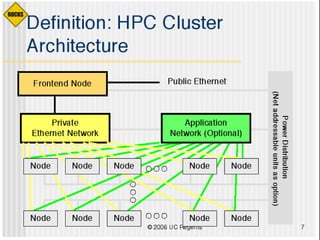
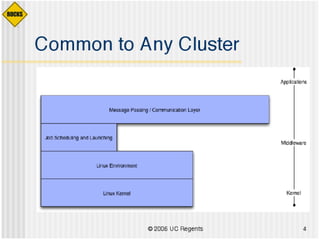
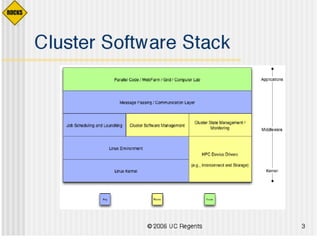
Essence of a Beowulf Hardware One head/master node (Several) compute nodes Interconnection modality (e.g. ethernet)‏ Software Parallel Programming Infrastructure Scheduler (optional)‏ Monitoring application (optional)‏
Scheduling Multiple users fighting for resources = bad Don't allow them to do so directly Computer users are greedy Let the system allocate resources Users like to know job status without having to keep an open session
Cluster Solutions Do-it-yourself (DIY)‏ OSCAR Rocks Pelican HPC (formerly Parallel Knoppix)‏ Microsoft Windows CCE OpenMosix (closed March 2008)‏ Clustermatic (no activity since 2005)‏
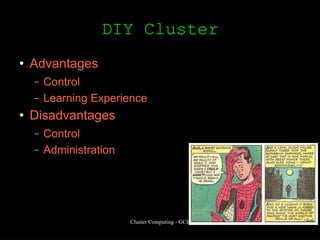
DIY Cluster Advantages Control Learning Experience Disadvantages Control Administration
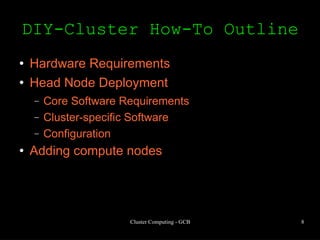
DIY-Cluster How-To Outline Hardware Requirements Head Node Deployment Core Software Requirements Cluster-specific Software Configuration Adding compute nodes
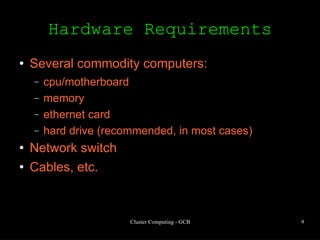
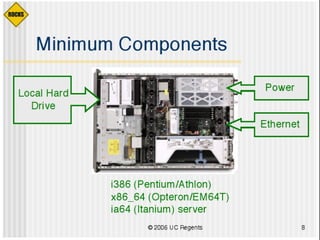
Hardware Requirements Several commodity computers: cpu/motherboard memory ethernet card hard drive (recommended, in most cases)‏ Network switch Cables, etc.
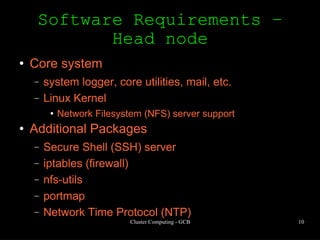
Software Requirements – Head node Core system system logger, core utilities, mail, etc. Linux Kernel Network Filesystem (NFS) server support Additional Packages Secure Shell (SSH) server iptables (firewall)‏ nfs-utils portmap Network Time Protocol (NTP)‏
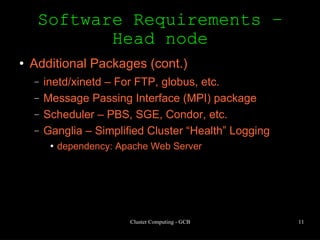
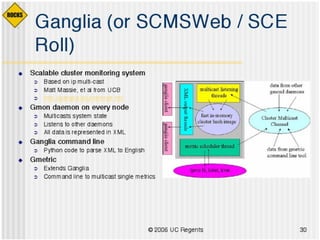
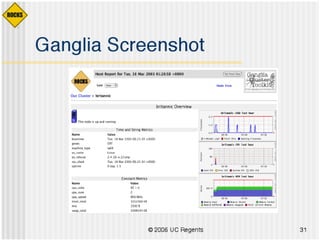
Software Requirements – Head node Additional Packages (cont.)‏ inetd/xinetd – For FTP, globus, etc. Message Passing Interface (MPI) package Scheduler – PBS, SGE, Condor, etc. Ganglia – Simplified Cluster “Health” Logging dependency: Apache Web Server
Initial Configuration Share /home directory Configure firewall rules Configure networking Configure SSH Create compute node image
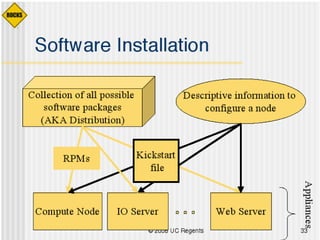
Building the Cluster Install compute node image on the compute node Manually PXE Boot (pxelinux, etherboot, etc.)‏ RedHat Kickstart etc. Configure host name, NFS, etc. ... for each node!
Maintainance Software updates in head node require update in compute node Failed nodes must be temporarily removed from head node configuration files
Building the Cluster But what if my boss wants a 200-node cluster? Monster.com OR come up with your own automation scheme OR Use OSCAR or Rocks
Cluster Solutions Do-it-yourself (DIY)‏ OSCAR Rocks Pelican HPC (formerly Parallel Knoppix)‏ Microsoft Windows CCE OpenMosix (closed March 2008)‏ Clustermatic (no activity since 2005)‏
OSCAR Open Source Cluster Application Resources Fully-integrated software bundle to ease deployment and management of a cluster Provides Management Wizard Command-line tools System Installation Suite
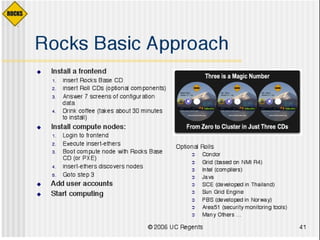
Overview of Process Install OSCAR-approved Linux distribution Install OSCAR distribution Create node image(s)‏ Add nodes Start computing
OSCAR Management Wizard Download/install/remove OSCAR packages Build a cluster image Add/remove cluster nodes Configure networking Reimage or test a node with the Network Boot Manager
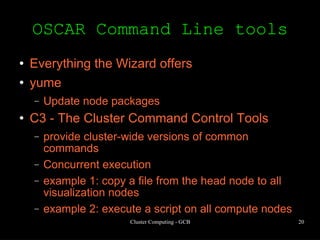
OSCAR Command Line tools Everything the Wizard offers yume Update node packages C3 - The Cluster Command Control Tools provide cluster-wide versions of common commands Concurrent execution example 1: copy a file from the head node to all visualization nodes example 2: execute a script on all compute nodes
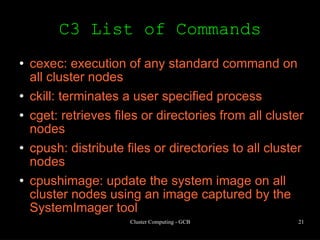
C3 List of Commands cexec: execution of any standard command on all cluster nodes ckill: terminates a user specified process cget: retrieves files or directories from all cluster nodes cpush: distribute files or directories to all cluster nodes cpushimage: update the system image on all cluster nodes using an image captured by the SystemImager tool
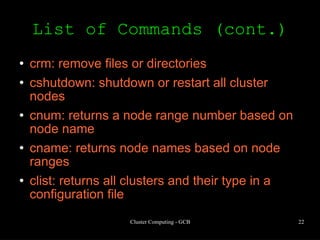
List of Commands (cont.)‏ crm: remove files or directories  cshutdown: shutdown or restart all cluster nodes cnum: returns a node range number based on node name cname: returns node names based on node ranges clist: returns all clusters and their type in a configuration file
Example c3 configuration # /etc/c3.conf ##  # describes cluster configuration ## cluster gcb { gcb.fiu.edu #head node dead placeholder #change command line to 1 indexing compute-0-[0-8] #first set of nodes exclude 5 #offline node in the range (killed by J. Figueroa)‏ } -------
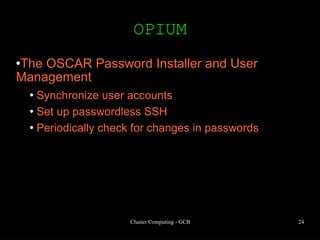
OPIUM The OSCAR Password Installer and User Management Synchronize user accounts Set up passwordless SSH Periodically check for changes in passwords
SIS System Installation Suite Installs Linux systems over a network Image-based Allows different images for different nodes Nodes can be booted from network, floppy, or CD.
Cluster Solutions Do-it-yourself (DIY)‏ OSCAR Rocks Pelican HPC (formerly Parallel Knoppix)‏ Microsoft Windows CCE OpenMosix (closed March 2008)‏ Clustermatic (no activity since 2005)‏
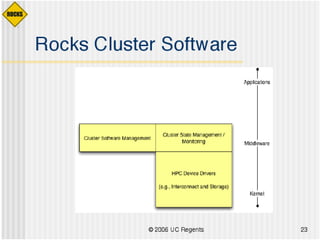
Rocks Disadvantages Tight-coupling of software Highly-automated Advantages Highly-automated... But also flexible
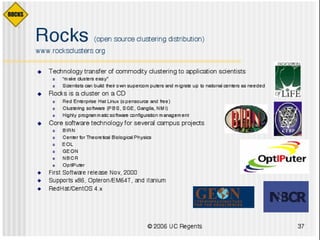
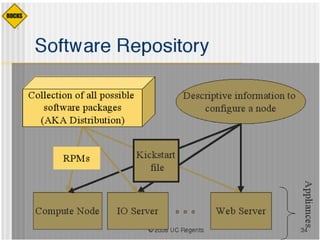
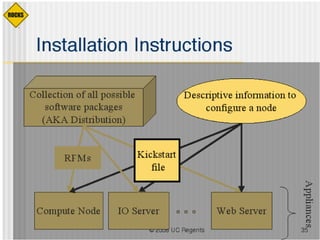
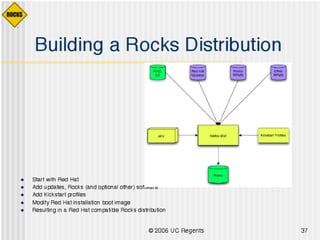
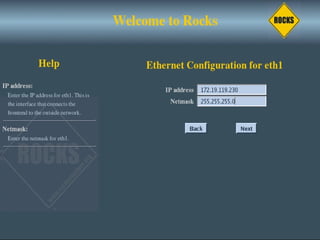
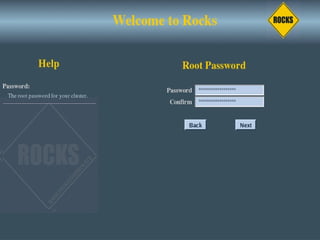
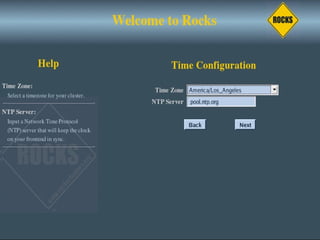
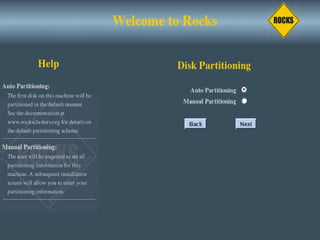
Rocks The following 25 slides are property of UC Regants


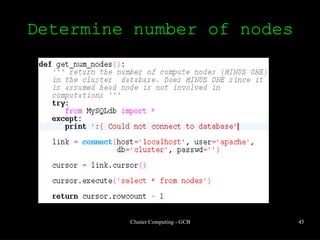
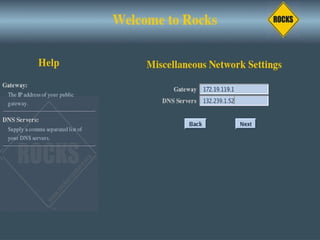
Determine number of nodes


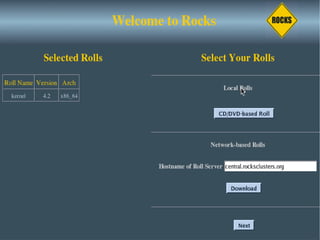
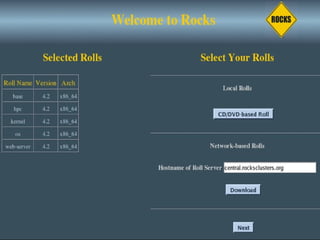
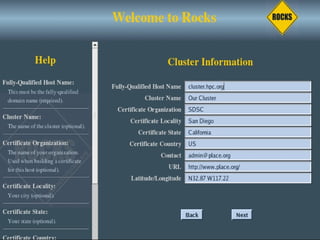
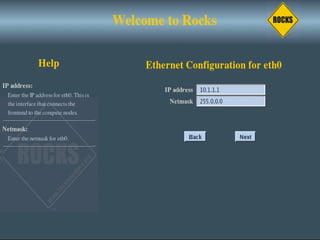
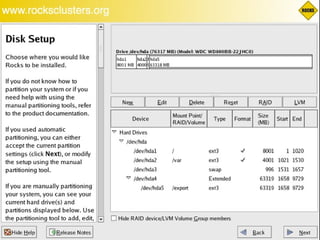
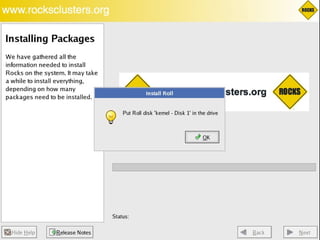
Rocks Installation Simulation Slides courtesy of David Villegas and Dany Guevara


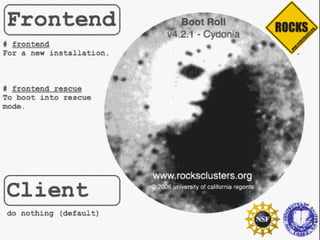
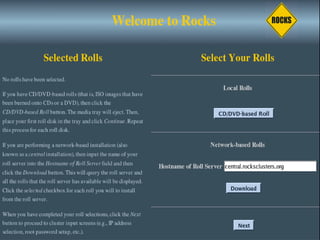
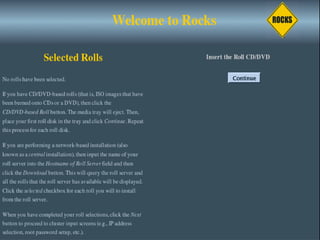
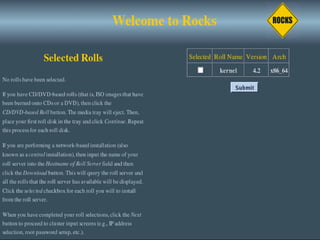
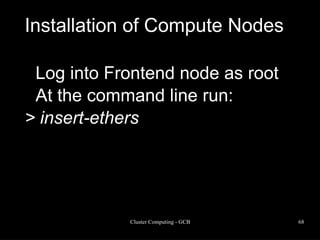
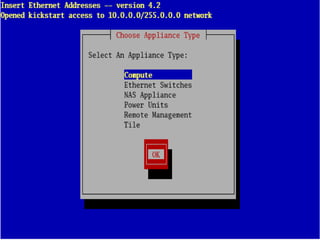
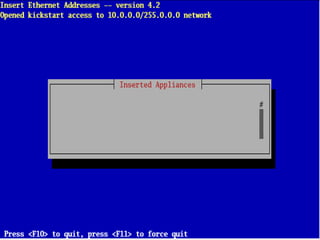
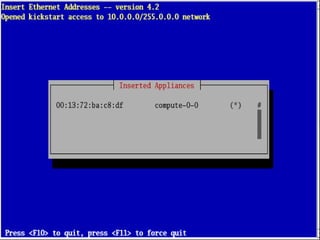
Installation of Compute Nodes Log into Frontend node as root At the command line run:  > insert-ethers
 
 
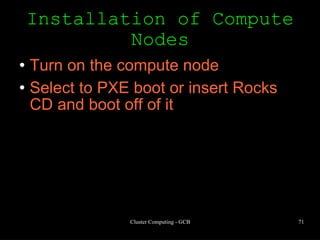
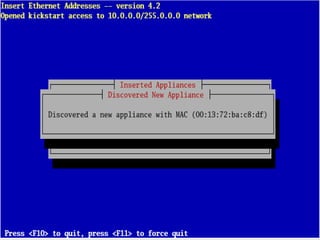
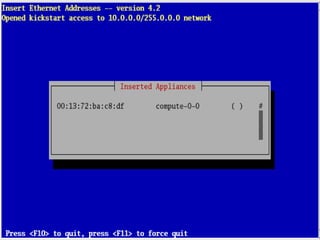
Installation of Compute Nodes Turn on the compute node Select to PXE boot or insert Rocks CD and boot off of it


Cluster Administration Command-line tools Image generation Cluster Troubleshooting User Management
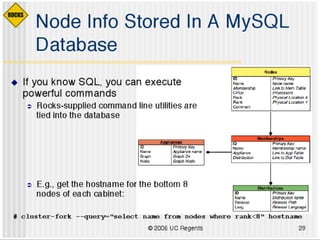
Command Line Tools Cluster-fork – execute command on nodes (serially)‏ Cluster-kill – kill a process on all nodes Cluster-probe – get information about cluster status Cluster-ps – query nodes for a running process by name
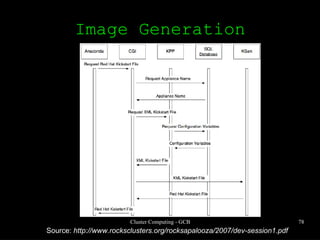
Image Generation Basis: Redhat Kickstart file plus XML flexibility and dynamic stuff (i.e. support for “macros”)‏ Image Location: /export/home/install Customization: rolls and extend-compute.xml Command: rocks-dist
Image Generation Source:  http://www.rocksclusters.org/rocksapalooza/2007/dev-session1.pdf
Example Goal: Make a regular node a visualization node Procedure Figure out what packages to install Determine what configuration files to modify Modify  extend-compute.xml  accordingly (Re-)deploy nodes
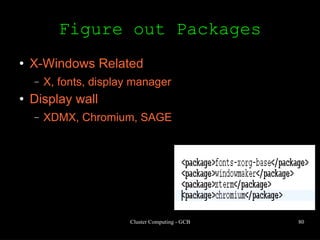
Figure out Packages X-Windows Related X, fonts, display manager Display wall XDMX, Chromium, SAGE
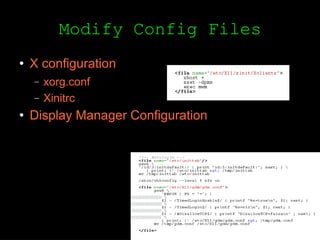
Modify Config Files X configuration xorg.conf Xinitrc Display Manager Configuration
User Management Rocks Directory: /var/411 Common configuration files: Autofs-related /etc/group, /etc/passwd, /etc/shadow /etc/services, /etc/rpc All encrypted Helper Command rocks-user-sync
Start Computing Rocks is now installed Choose an MPI runtime MPICH OpenMPI LAM-MPI Start compiling and executing
Pelican HPC LiveCD for instant cluster creation Advantages Easy to use A lot of built-in software Disadvantages Not persistent Difficult to add software
Microsoft Solutions Windows Server 2003 Compute Cluster Edition (CCE)‏ Microsoft Compute Cluster pack (CCP)‏ Microsoft MPI (based on MPICH2)‏ Microsoft Scheduler
Microsoft CCE Advantages Using Remote Installation Services (RIS), compute nodes can be added by simply turning it on May be better for those familiar with Microsoft Environment Disadvantages Expensive Only for 64-bit architectures Proprietary Limited Application base
References http://pareto.uab.es/mcreel/PelicanHPC/ http://pareto.uab.es/mcreel/ParallelKnoppix/ http://www.gentoo.org/doc/en/hpc-howto.xml http://www.clustermatic.org http://www.microsoft.com/windowsserver2003/ccs/default.aspx http://www.redhat.com/docs/manuals/linux/RHL-9-Manual/ref-guide/ch-nfs.html portmap man page http://www.rocksclusters.org/rocksapalooza http://www.gentoo.org/doc/en/diskless-howto.xml http://www.openclustergroup.org

Lecture 4 Cluster Computing

  • 1.
    Cluster Computing JavierDelgado Grid-Enabledment of Scientific Applications Professor S. Masoud Sadjadi
  • 2.
  • 3.
  • 4.
    Essence of aBeowulf Hardware One head/master node (Several) compute nodes Interconnection modality (e.g. ethernet)‏ Software Parallel Programming Infrastructure Scheduler (optional)‏ Monitoring application (optional)‏
  • 5.
    Scheduling Multiple usersfighting for resources = bad Don't allow them to do so directly Computer users are greedy Let the system allocate resources Users like to know job status without having to keep an open session
  • 6.
    Cluster Solutions Do-it-yourself(DIY)‏ OSCAR Rocks Pelican HPC (formerly Parallel Knoppix)‏ Microsoft Windows CCE OpenMosix (closed March 2008)‏ Clustermatic (no activity since 2005)‏
  • 7.
    DIY Cluster AdvantagesControl Learning Experience Disadvantages Control Administration
  • 8.
    DIY-Cluster How-To OutlineHardware Requirements Head Node Deployment Core Software Requirements Cluster-specific Software Configuration Adding compute nodes
  • 9.
    Hardware Requirements Severalcommodity computers: cpu/motherboard memory ethernet card hard drive (recommended, in most cases)‏ Network switch Cables, etc.
  • 10.
    Software Requirements –Head node Core system system logger, core utilities, mail, etc. Linux Kernel Network Filesystem (NFS) server support Additional Packages Secure Shell (SSH) server iptables (firewall)‏ nfs-utils portmap Network Time Protocol (NTP)‏
  • 11.
    Software Requirements –Head node Additional Packages (cont.)‏ inetd/xinetd – For FTP, globus, etc. Message Passing Interface (MPI) package Scheduler – PBS, SGE, Condor, etc. Ganglia – Simplified Cluster “Health” Logging dependency: Apache Web Server
  • 12.
    Initial Configuration Share/home directory Configure firewall rules Configure networking Configure SSH Create compute node image
  • 13.
    Building the ClusterInstall compute node image on the compute node Manually PXE Boot (pxelinux, etherboot, etc.)‏ RedHat Kickstart etc. Configure host name, NFS, etc. ... for each node!
  • 14.
    Maintainance Software updatesin head node require update in compute node Failed nodes must be temporarily removed from head node configuration files
  • 15.
    Building the ClusterBut what if my boss wants a 200-node cluster? Monster.com OR come up with your own automation scheme OR Use OSCAR or Rocks
  • 16.
    Cluster Solutions Do-it-yourself(DIY)‏ OSCAR Rocks Pelican HPC (formerly Parallel Knoppix)‏ Microsoft Windows CCE OpenMosix (closed March 2008)‏ Clustermatic (no activity since 2005)‏
  • 17.
    OSCAR Open SourceCluster Application Resources Fully-integrated software bundle to ease deployment and management of a cluster Provides Management Wizard Command-line tools System Installation Suite
  • 18.
    Overview of ProcessInstall OSCAR-approved Linux distribution Install OSCAR distribution Create node image(s)‏ Add nodes Start computing
  • 19.
    OSCAR Management WizardDownload/install/remove OSCAR packages Build a cluster image Add/remove cluster nodes Configure networking Reimage or test a node with the Network Boot Manager
  • 20.
    OSCAR Command Linetools Everything the Wizard offers yume Update node packages C3 - The Cluster Command Control Tools provide cluster-wide versions of common commands Concurrent execution example 1: copy a file from the head node to all visualization nodes example 2: execute a script on all compute nodes
  • 21.
    C3 List ofCommands cexec: execution of any standard command on all cluster nodes ckill: terminates a user specified process cget: retrieves files or directories from all cluster nodes cpush: distribute files or directories to all cluster nodes cpushimage: update the system image on all cluster nodes using an image captured by the SystemImager tool
  • 22.
    List of Commands(cont.)‏ crm: remove files or directories cshutdown: shutdown or restart all cluster nodes cnum: returns a node range number based on node name cname: returns node names based on node ranges clist: returns all clusters and their type in a configuration file
  • 23.
    Example c3 configuration# /etc/c3.conf ## # describes cluster configuration ## cluster gcb { gcb.fiu.edu #head node dead placeholder #change command line to 1 indexing compute-0-[0-8] #first set of nodes exclude 5 #offline node in the range (killed by J. Figueroa)‏ } -------
  • 24.
    OPIUM The OSCARPassword Installer and User Management Synchronize user accounts Set up passwordless SSH Periodically check for changes in passwords
  • 25.
    SIS System InstallationSuite Installs Linux systems over a network Image-based Allows different images for different nodes Nodes can be booted from network, floppy, or CD.
  • 26.
    Cluster Solutions Do-it-yourself(DIY)‏ OSCAR Rocks Pelican HPC (formerly Parallel Knoppix)‏ Microsoft Windows CCE OpenMosix (closed March 2008)‏ Clustermatic (no activity since 2005)‏
  • 27.
    Rocks Disadvantages Tight-couplingof software Highly-automated Advantages Highly-automated... But also flexible
  • 28.
    Rocks The following25 slides are property of UC Regants
  • 29.
  • 30.
  • 31.
  • 32.
  • 33.
  • 34.
  • 35.
  • 36.
  • 37.
  • 38.
  • 39.
  • 40.
  • 41.
  • 42.
  • 43.
  • 44.
  • 45.
  • 46.
  • 47.
  • 48.
  • 49.
  • 50.
  • 51.
  • 52.
    Rocks Installation SimulationSlides courtesy of David Villegas and Dany Guevara
  • 53.
  • 54.
  • 55.
  • 56.
  • 57.
  • 58.
  • 59.
  • 60.
  • 61.
  • 62.
  • 63.
  • 64.
  • 65.
  • 66.
  • 67.
  • 68.
    Installation of ComputeNodes Log into Frontend node as root At the command line run: > insert-ethers
  • 69.
  • 70.
  • 71.
    Installation of ComputeNodes Turn on the compute node Select to PXE boot or insert Rocks CD and boot off of it
  • 72.
  • 73.
  • 74.
  • 75.
    Cluster Administration Command-linetools Image generation Cluster Troubleshooting User Management
  • 76.
    Command Line ToolsCluster-fork – execute command on nodes (serially)‏ Cluster-kill – kill a process on all nodes Cluster-probe – get information about cluster status Cluster-ps – query nodes for a running process by name
  • 77.
    Image Generation Basis:Redhat Kickstart file plus XML flexibility and dynamic stuff (i.e. support for “macros”)‏ Image Location: /export/home/install Customization: rolls and extend-compute.xml Command: rocks-dist
  • 78.
    Image Generation Source: http://www.rocksclusters.org/rocksapalooza/2007/dev-session1.pdf
  • 79.
    Example Goal: Makea regular node a visualization node Procedure Figure out what packages to install Determine what configuration files to modify Modify extend-compute.xml accordingly (Re-)deploy nodes
  • 80.
    Figure out PackagesX-Windows Related X, fonts, display manager Display wall XDMX, Chromium, SAGE
  • 81.
    Modify Config FilesX configuration xorg.conf Xinitrc Display Manager Configuration
  • 82.
    User Management RocksDirectory: /var/411 Common configuration files: Autofs-related /etc/group, /etc/passwd, /etc/shadow /etc/services, /etc/rpc All encrypted Helper Command rocks-user-sync
  • 83.
    Start Computing Rocksis now installed Choose an MPI runtime MPICH OpenMPI LAM-MPI Start compiling and executing
  • 84.
    Pelican HPC LiveCDfor instant cluster creation Advantages Easy to use A lot of built-in software Disadvantages Not persistent Difficult to add software
  • 85.
    Microsoft Solutions WindowsServer 2003 Compute Cluster Edition (CCE)‏ Microsoft Compute Cluster pack (CCP)‏ Microsoft MPI (based on MPICH2)‏ Microsoft Scheduler
  • 86.
    Microsoft CCE AdvantagesUsing Remote Installation Services (RIS), compute nodes can be added by simply turning it on May be better for those familiar with Microsoft Environment Disadvantages Expensive Only for 64-bit architectures Proprietary Limited Application base
  • 87.
    References http://pareto.uab.es/mcreel/PelicanHPC/ http://pareto.uab.es/mcreel/ParallelKnoppix/http://www.gentoo.org/doc/en/hpc-howto.xml http://www.clustermatic.org http://www.microsoft.com/windowsserver2003/ccs/default.aspx http://www.redhat.com/docs/manuals/linux/RHL-9-Manual/ref-guide/ch-nfs.html portmap man page http://www.rocksclusters.org/rocksapalooza http://www.gentoo.org/doc/en/diskless-howto.xml http://www.openclustergroup.org