







Learning resource
metadata for schema.org

Webinar starts at 15:00, please use
any time before then for set up and
              testing
Learning resource
metadata for schema.org
Phil Barker
JISC CETIS             phil.barker@hw.ac.uk
Heriot-Watt University @philbarker

Dan Brickley,         Greg Grossmeier,
Schema.org            Creative Commons
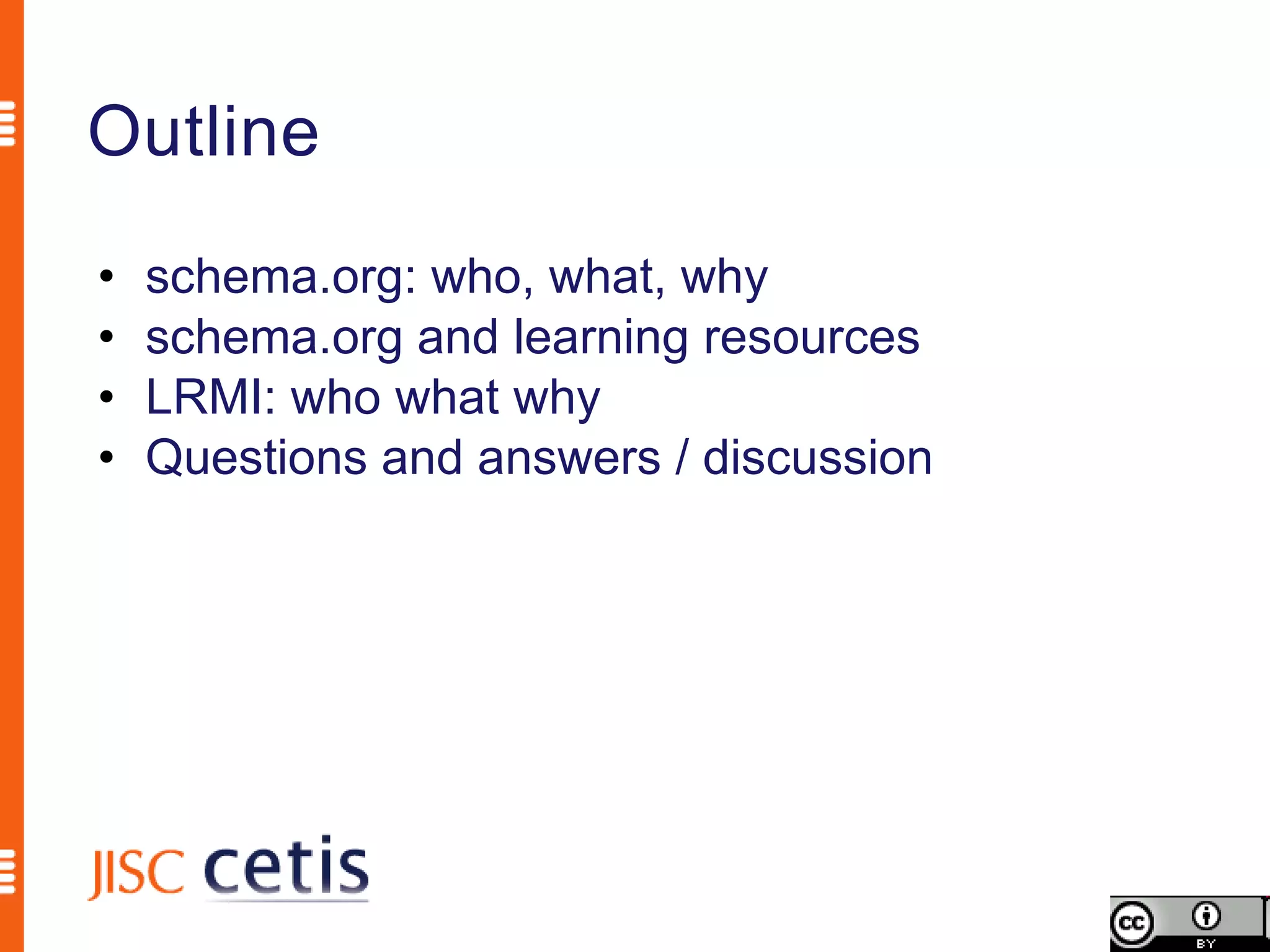
Outline
•   schema.org: who, what, why
•   schema.org and learning resources
•   LRMI: who what why
•   Questions and answers / discussion
Schema.org is a joint effort, in the spirit of sitemaps.org,
to improve the web by creating a structured data markup
schema supported by major search engines. On-page
markup helps search engines understand the information
on web pages and provide richer search results. A
shared markup vocabulary makes easier for webmasters
to decide on a markup schema and get the maximum
benefit for their efforts. Search engines want to make it
easier for people to find relevant information on the web.
Markup can also enable new tools and applications that
make use of the structure.
                              Schema.org FAQ http://schema.org/docs/faq.html
Schema.org is a joint effort, in the spirit of sitemaps.org,
to improve the web by creating a structured data markup
schema supported by major search engines. On-page
markup helps search engines understand the information
on web pages and provide richer search results. A
shared markup vocabulary makes easier for webmasters
to decide on a markup schema and get the maximum
benefit for their efforts. Search engines want to make it
easier for people to find relevant information on the web.
Markup can also enable new tools and applications that
make use of the structure.
                              Schema.org FAQ http://schema.org/docs/faq.html
Schema.org is a joint effort, in the spirit of sitemaps.org,
to improve the web by creating a structured data markup
schema supported by major search engines. On-page
markup helps search engines understand the information
on web pages and provide richer search results. A
shared markup vocabulary makes easier for webmasters
to decide on a markup schema and get the maximum
benefit for their efforts. Search engines want to make it
easier for people to find relevant information on the web.
Markup can also enable new tools and applications that
make use of the structure.
                              Schema.org FAQ http://schema.org/docs/faq.html
Schema.org is a joint effort, in the spirit of sitemaps.org,
to improve the web by creating a structured data markup
schema supported by major search engines. On-page
markup helps search engines understand the information
on web pages and provide richer search results. A
shared markup vocabulary makes easier for webmasters
to decide on a markup schema and get the maximum
benefit for their efforts. Search engines want to make it
easier for people to find relevant information on the web.
Markup can also enable new tools and applications that
make use of the structure.
                              Schema.org FAQ http://schema.org/docs/faq.html
Schema.org is a joint effort, in the spirit of sitemaps.org,
to improve the web by creating a structured data markup
schema supported by major search engines. On-page
markup helps search engines understand the information
on web pages and provide richer search results. A
shared markup vocabulary makes easier for webmasters
to decide on a markup schema and get the maximum
benefit for their efforts. Search engines want to make it
easier for people to find relevant information on the web.
Markup can also enable new tools and applications that
make use of the structure.
                              Schema.org FAQ http://schema.org/docs/faq.html
Schema.org is a joint effort, in the spirit of sitemaps.org,
to improve the web by creating a structured data markup
schema supported by major search engines. On-page
markup helps search engines understand the information
on web pages and provide richer search results. A
shared markup vocabulary makes easier for webmasters
to decide on a markup schema and get the maximum
benefit for their efforts. Search engines want to make it
easier for people to find relevant information on the web.
Markup can also enable new tools and applications that
make use of the structure.
                              Schema.org FAQ http://schema.org/docs/faq.html
Schema.org is a joint effort, in the spirit of sitemaps.org,
to improve the web by creating a structured data markup
schema supported by major search engines. On-page
markup helps search engines understand the information
on web pages and provide richer search results. A
shared markup vocabulary makes easier for webmasters
to decide on a markup schema and get the maximum
benefit for their efforts. Search engines want to make it
easier for people to find relevant information on the web.
Markup can also enable new tools and applications that
make use of the structure.
                              Schema.org FAQ http://schema.org/docs/faq.html
Schema.org is a joint effort, in the spirit of sitemaps.org,
to improve the web by creating a structured data markup
schema supported by major search engines. On-page
markup helps search engines understand the information
on web pages and provide richer search results. A
shared markup vocabulary makes easier for webmasters
to decide on a markup schema and get the maximum
benefit for their efforts. Search engines want to make it
easier for people to find relevant information on the web.
Markup can also enable new tools and applications that
make use of the structure.
                              Schema.org FAQ http://schema.org/docs/faq.html
Schema.org is a joint effort, in the spirit of sitemaps.org,
to improve the web by creating a structured data markup
schema supported by major search engines. On-page
markup helps search engines understand the information
on web pages and provide richer search results. A
shared markup vocabulary makes easier for webmasters
to decide on a markup schema and get the maximum
benefit for their efforts. Search engines want to make it
easier for people to find relevant information on the web.
Markup can also enable new tools and applications that
make use of the structure.
                              Schema.org FAQ http://schema.org/docs/faq.html
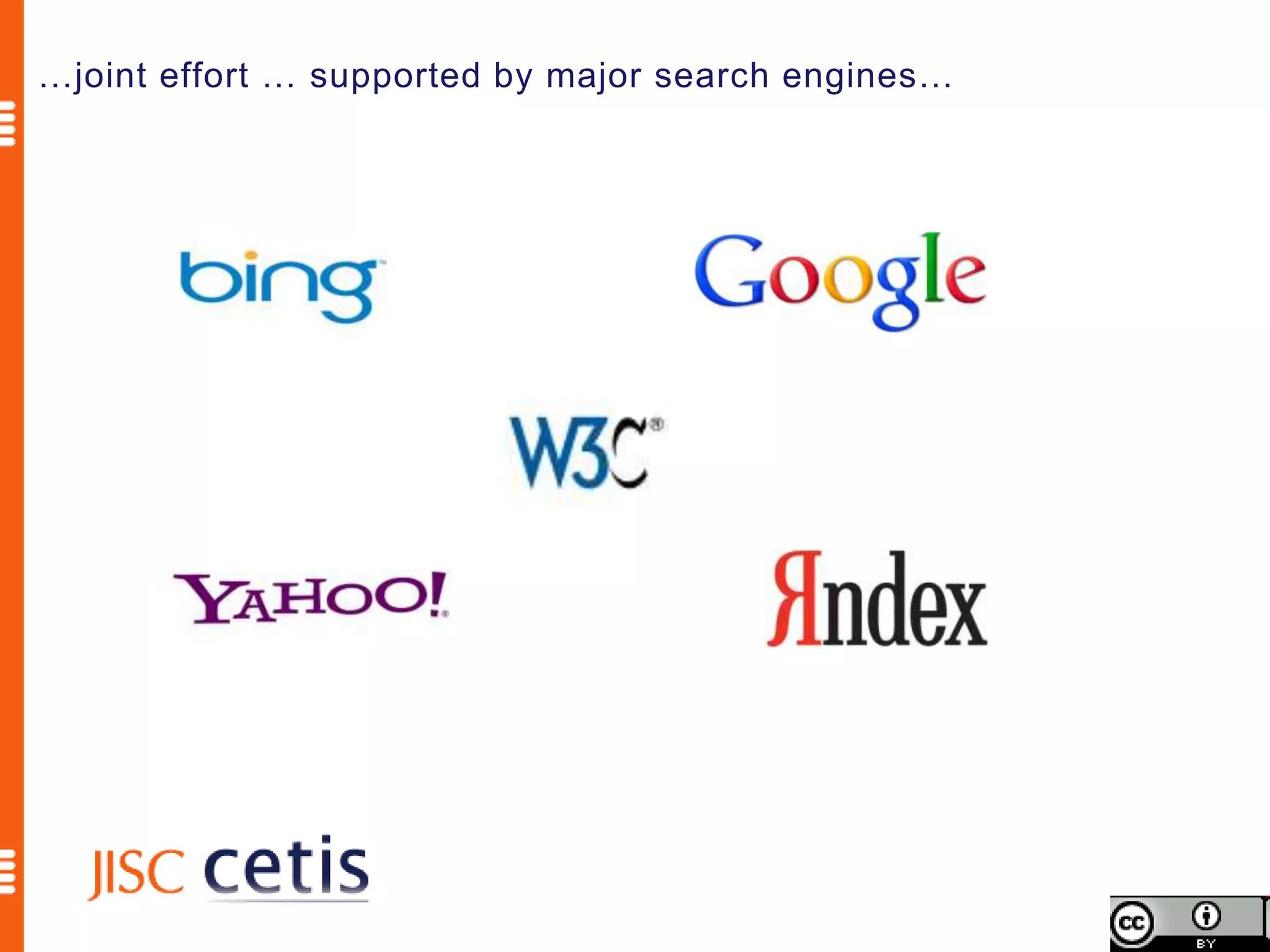
…joint effort … supported by major search engines…
Schema.org is a joint effort, in the spirit of sitemaps.org,
to improve the web by creating a structured data markup
schema supported by major search engines. On-page
markup helps search engines understand the information
on web pages and provide richer search results. A
shared markup vocabulary makes easier for webmasters
to decide on a markup schema and get the maximum
benefit for their efforts. Search engines want to make it
easier for people to find relevant information on the web.
Markup can also enable new tools and applications that
make use of the structure.
                              Schema.org FAQ http://schema.org/docs/faq.html
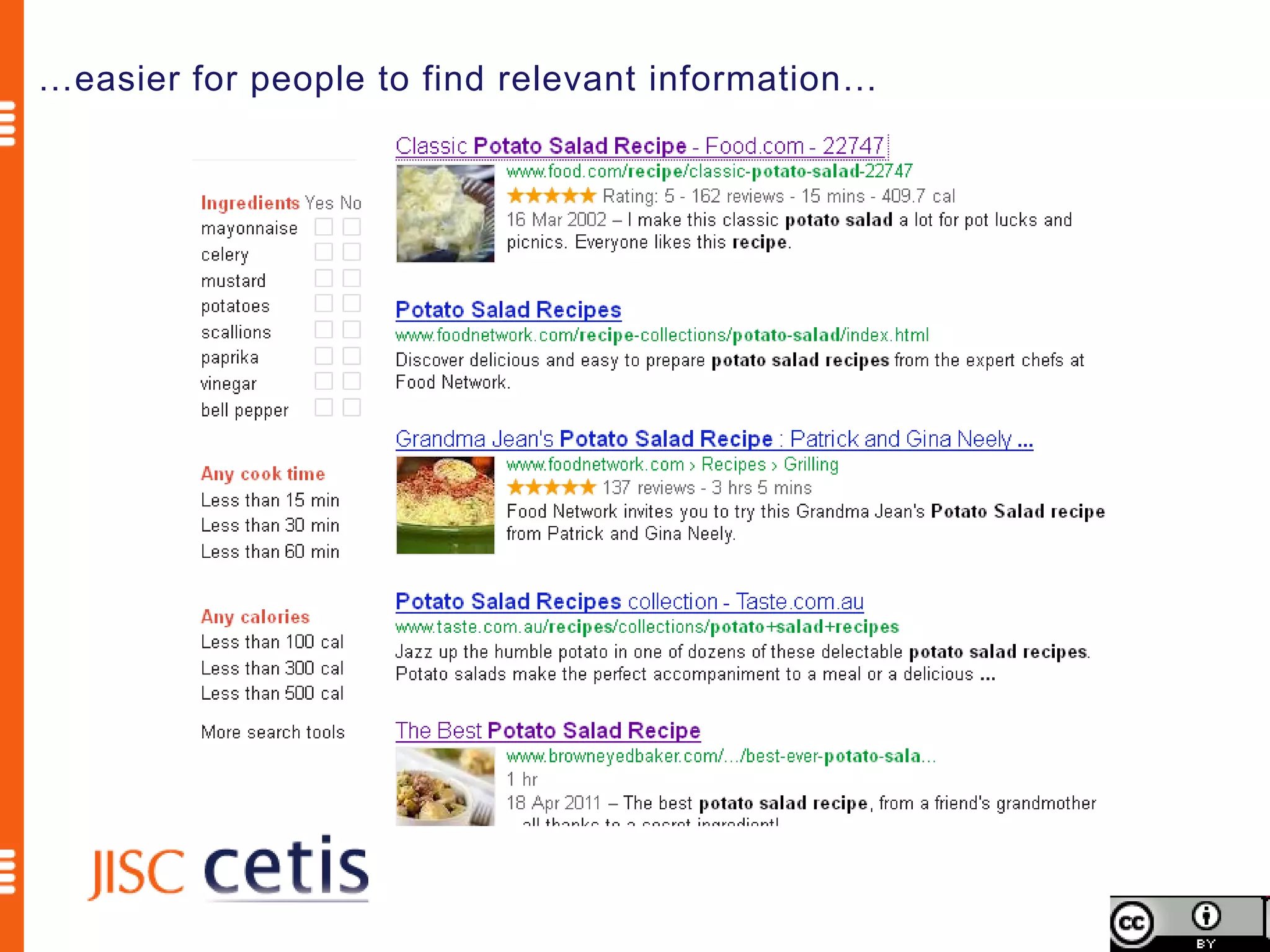
…easier for people to find relevant information…
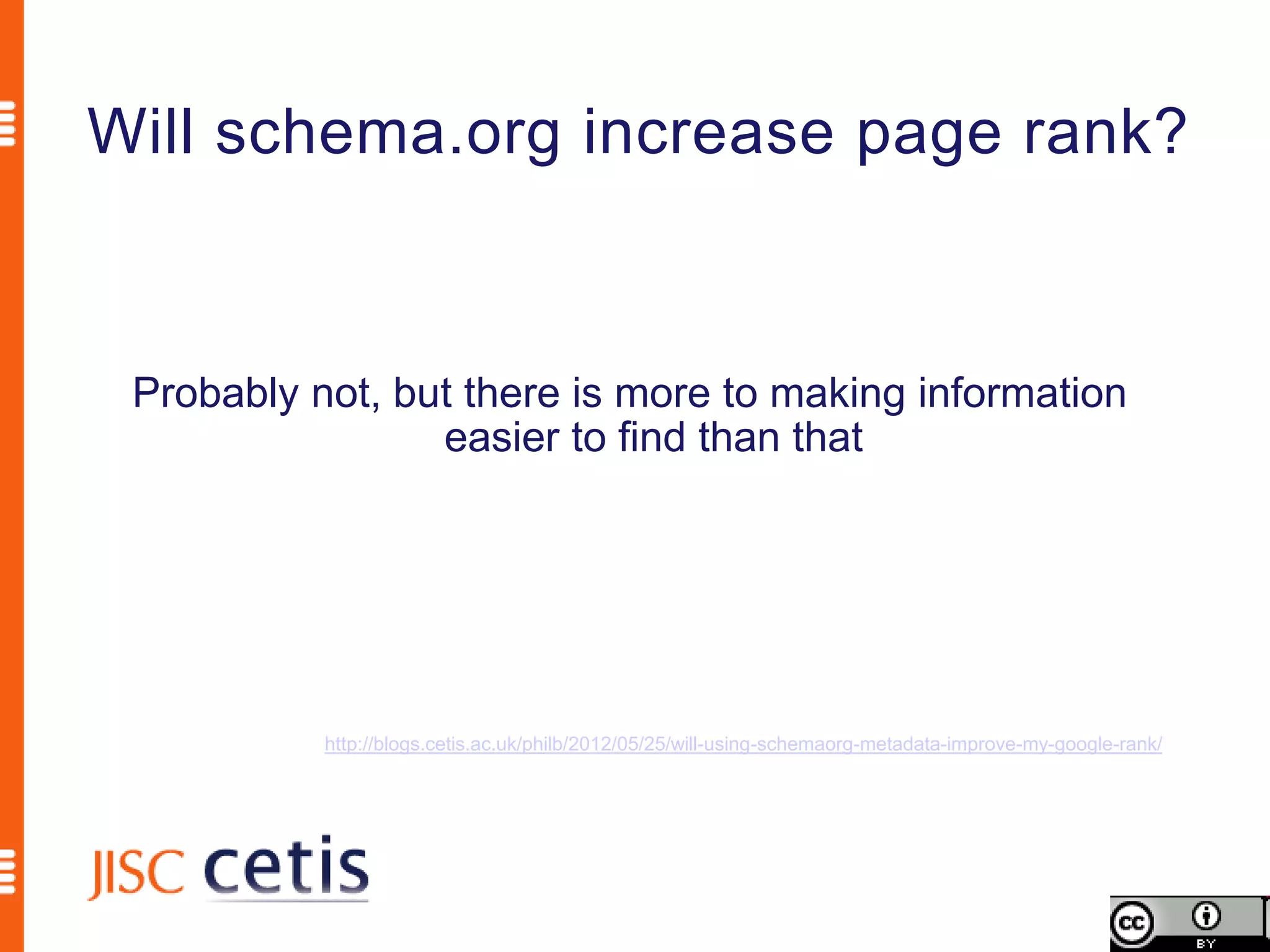
Will schema.org increase page rank?


 Probably not, but there is more to making information
                 easier to find than that


           http://blogs.cetis.ac.uk/philb/2012/05/25/will-using-schemaorg-metadata-improve-my-google-rank/
Schema.org is a joint effort, in the spirit of sitemaps.org,
to improve the web by creating a structured data markup
schema supported by major search engines. On-page
markup helps search engines understand the information
on web pages and provide richer search results. A
shared markup vocabulary makes easier for webmasters
to decide on a markup schema and get the maximum
benefit for their efforts. Search engines want to make it
easier for people to find relevant information on the web.
Markup can also enable new tools and applications that
make use of the structure.
                              Schema.org FAQ http://schema.org/docs/faq.html
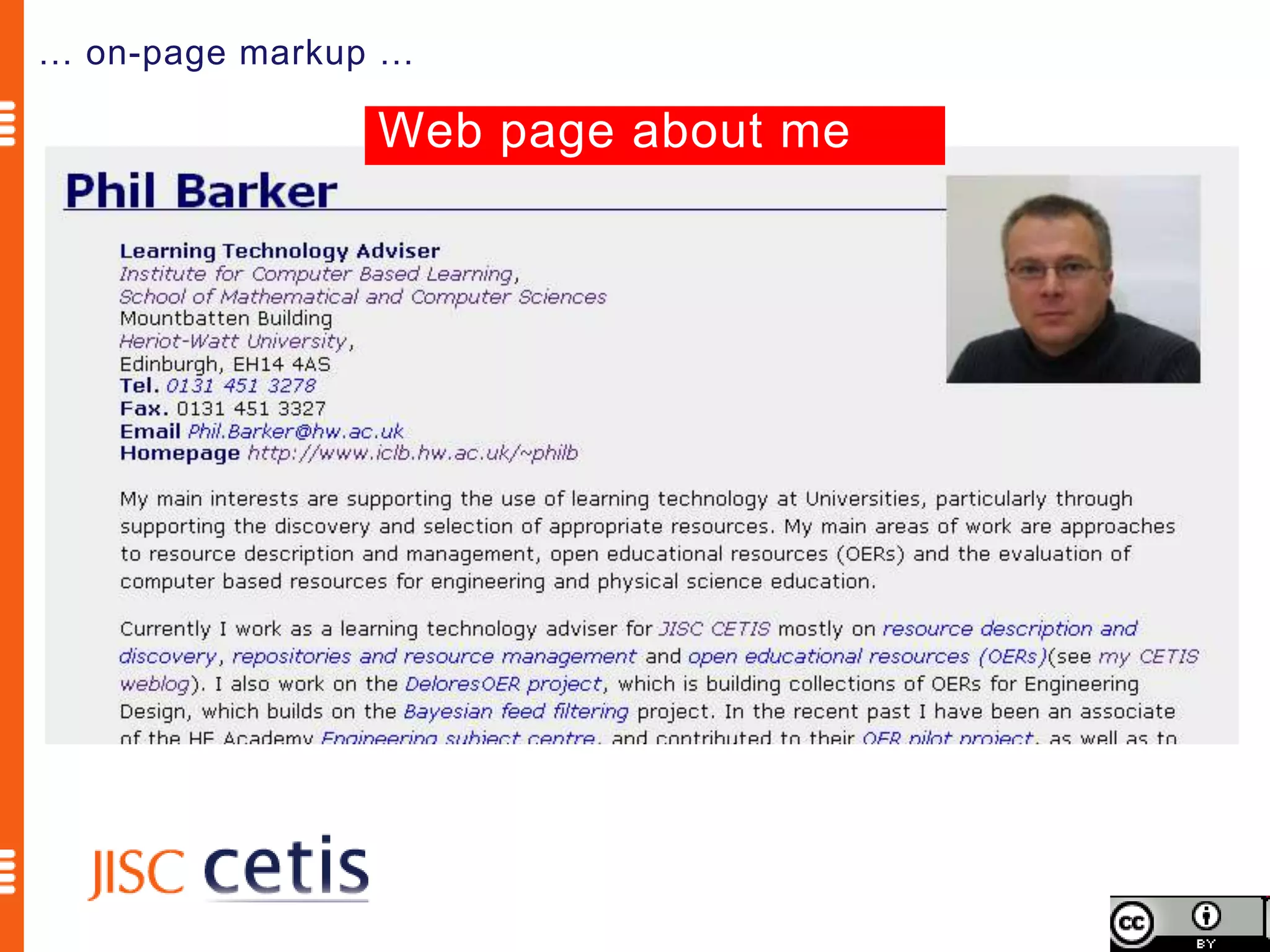
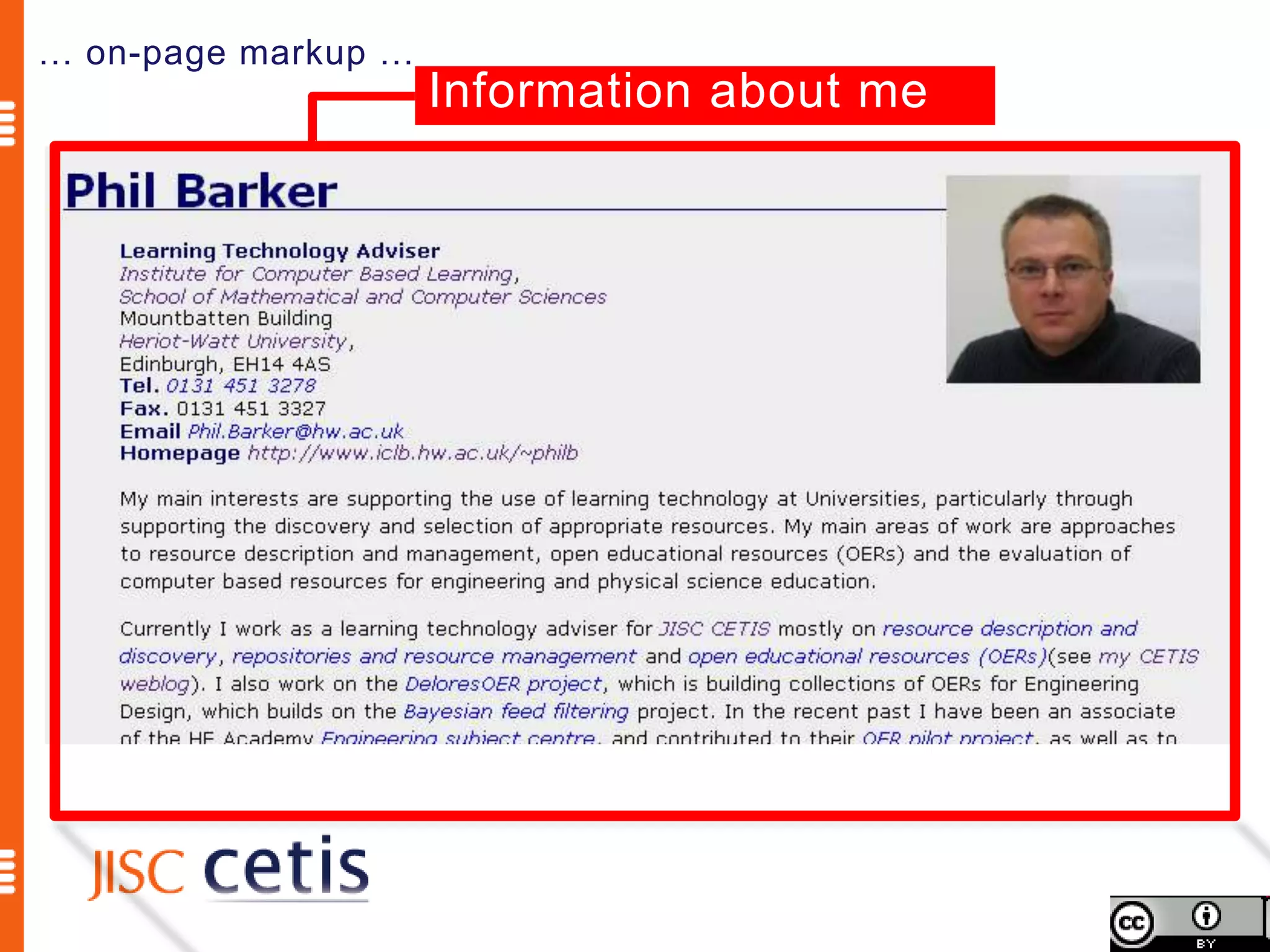
… on-page markup …

                Web page about me
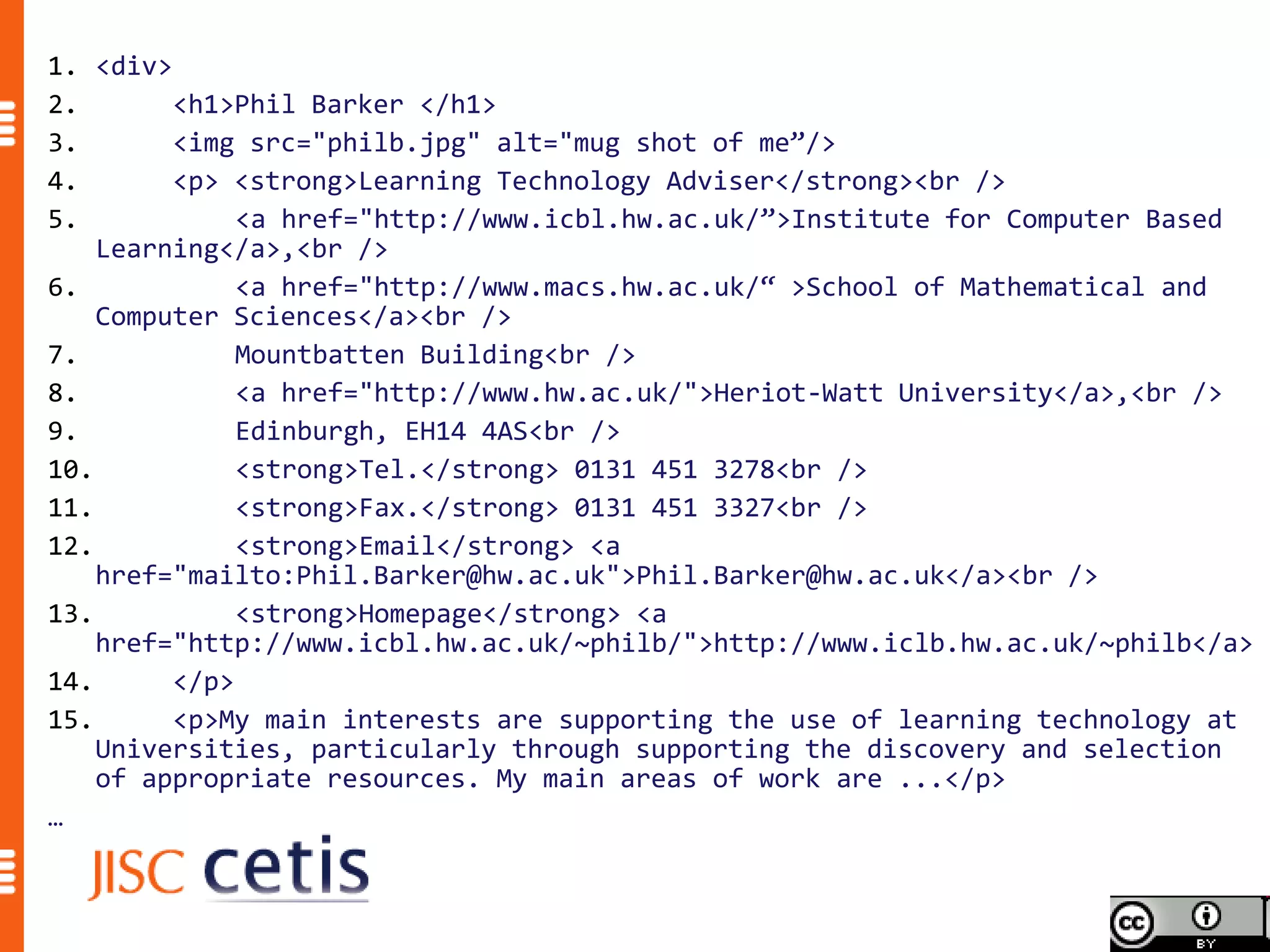
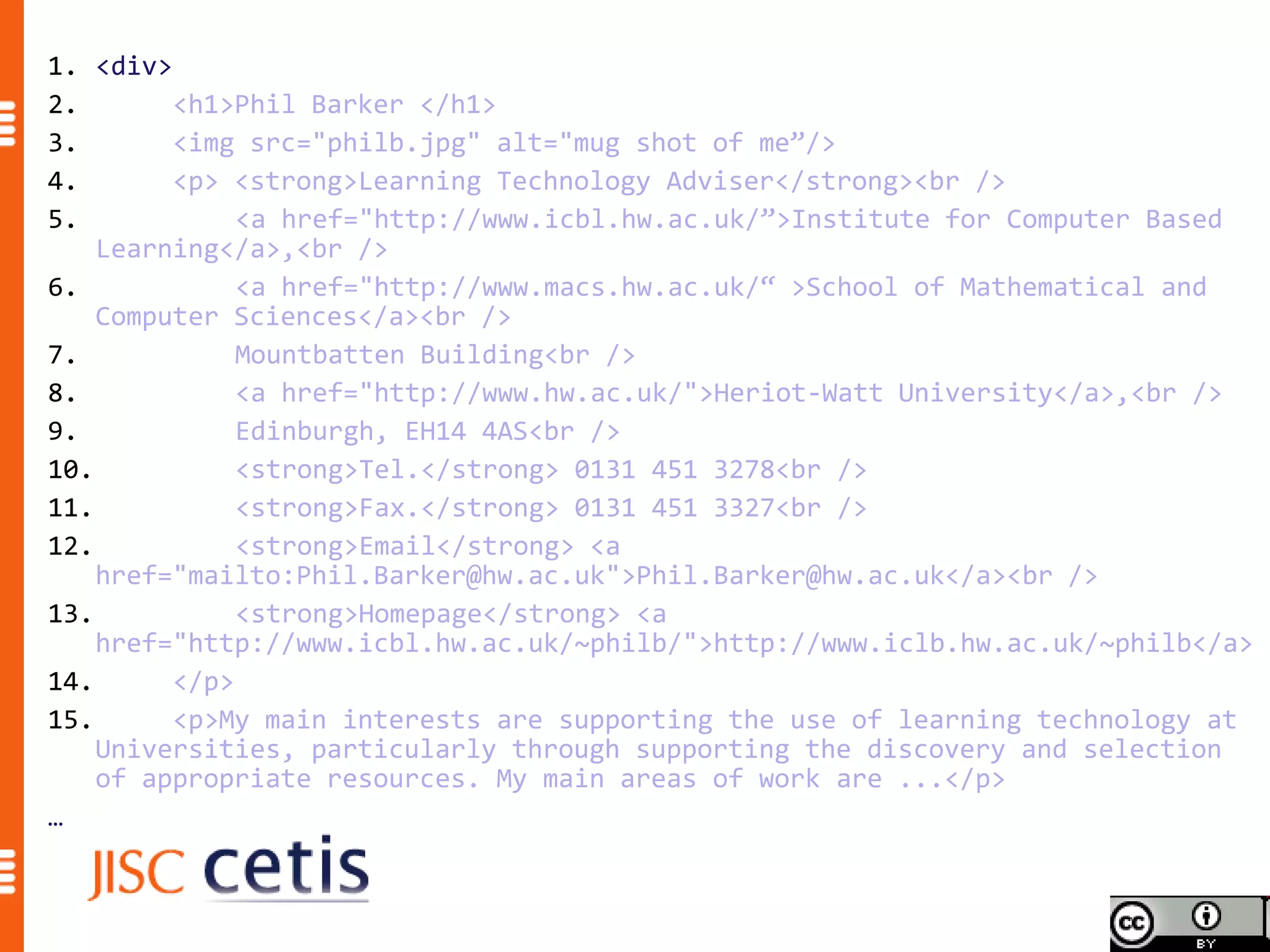
1. <div>
2.       <h1>Phil Barker </h1>
3.       <img src="philb.jpg" alt="mug shot of me”/>
4.       <p> <strong>Learning Technology Adviser</strong><br />
5.            <a href="http://www.icbl.hw.ac.uk/”>Institute for Computer Based
    Learning</a>,<br />
6.            <a href="http://www.macs.hw.ac.uk/“ >School of Mathematical and
    Computer Sciences</a><br />
7.            Mountbatten Building<br />
8.            <a href="http://www.hw.ac.uk/">Heriot-Watt University</a>,<br />
9.            Edinburgh, EH14 4AS<br />
10.           <strong>Tel.</strong> 0131 451 3278<br />
11.           <strong>Fax.</strong> 0131 451 3327<br />
12.           <strong>Email</strong> <a
    href="mailto:Phil.Barker@hw.ac.uk">Phil.Barker@hw.ac.uk</a><br />
13.           <strong>Homepage</strong> <a
    href="http://www.icbl.hw.ac.uk/~philb/">http://www.iclb.hw.ac.uk/~philb</a>
14.      </p>
15.      <p>My main interests are supporting the use of learning technology at
    Universities, particularly through supporting the discovery and selection
    of appropriate resources. My main areas of work are ...</p>
…
… on-page markup …
                     Information about me
1. <div>
2.       <h1>Phil Barker </h1>
3.       <img src="philb.jpg" alt="mug shot of me”/>
4.       <p> <strong>Learning Technology Adviser</strong><br />
5.            <a href="http://www.icbl.hw.ac.uk/”>Institute for Computer Based
    Learning</a>,<br />
6.            <a href="http://www.macs.hw.ac.uk/“ >School of Mathematical and
    Computer Sciences</a><br />
7.            Mountbatten Building<br />
8.            <a href="http://www.hw.ac.uk/">Heriot-Watt University</a>,<br />
9.            Edinburgh, EH14 4AS<br />
10.           <strong>Tel.</strong> 0131 451 3278<br />
11.           <strong>Fax.</strong> 0131 451 3327<br />
12.           <strong>Email</strong> <a
    href="mailto:Phil.Barker@hw.ac.uk">Phil.Barker@hw.ac.uk</a><br />
13.           <strong>Homepage</strong> <a
    href="http://www.icbl.hw.ac.uk/~philb/">http://www.iclb.hw.ac.uk/~philb</a>
14.      </p>
15.      <p>My main interests are supporting the use of learning technology at
    Universities, particularly through supporting the discovery and selection
    of appropriate resources. My main areas of work are ...</p>
…
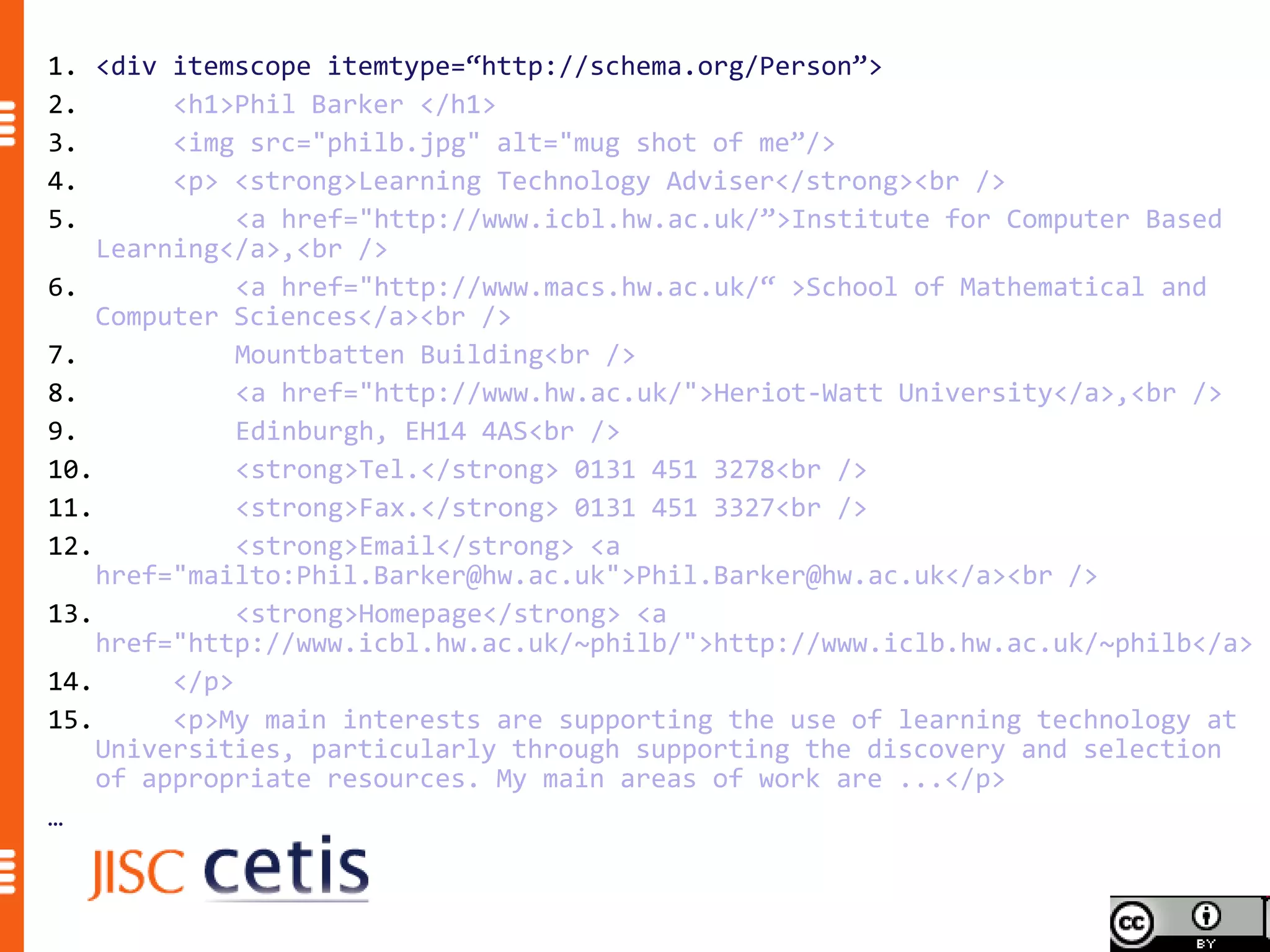
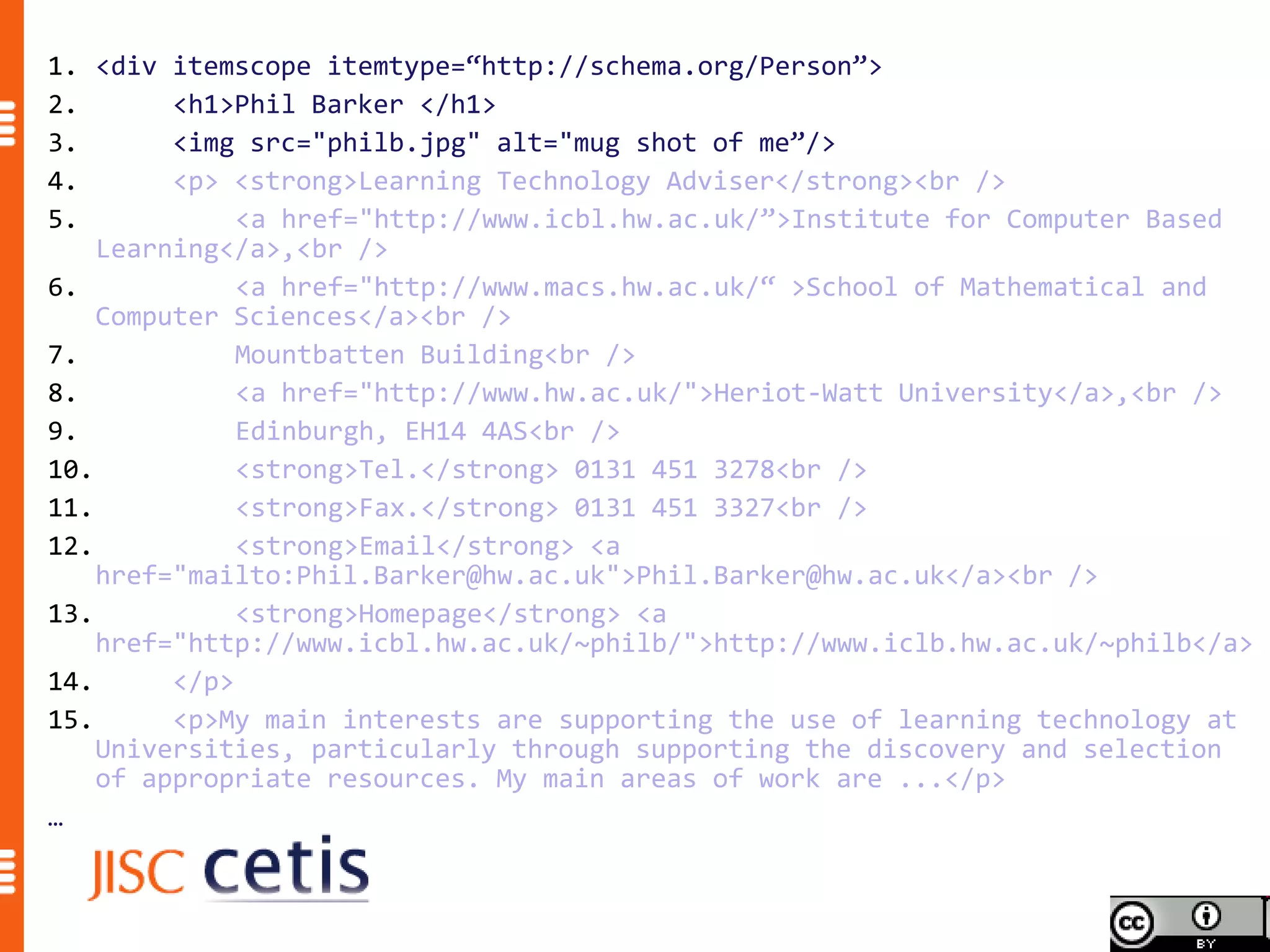
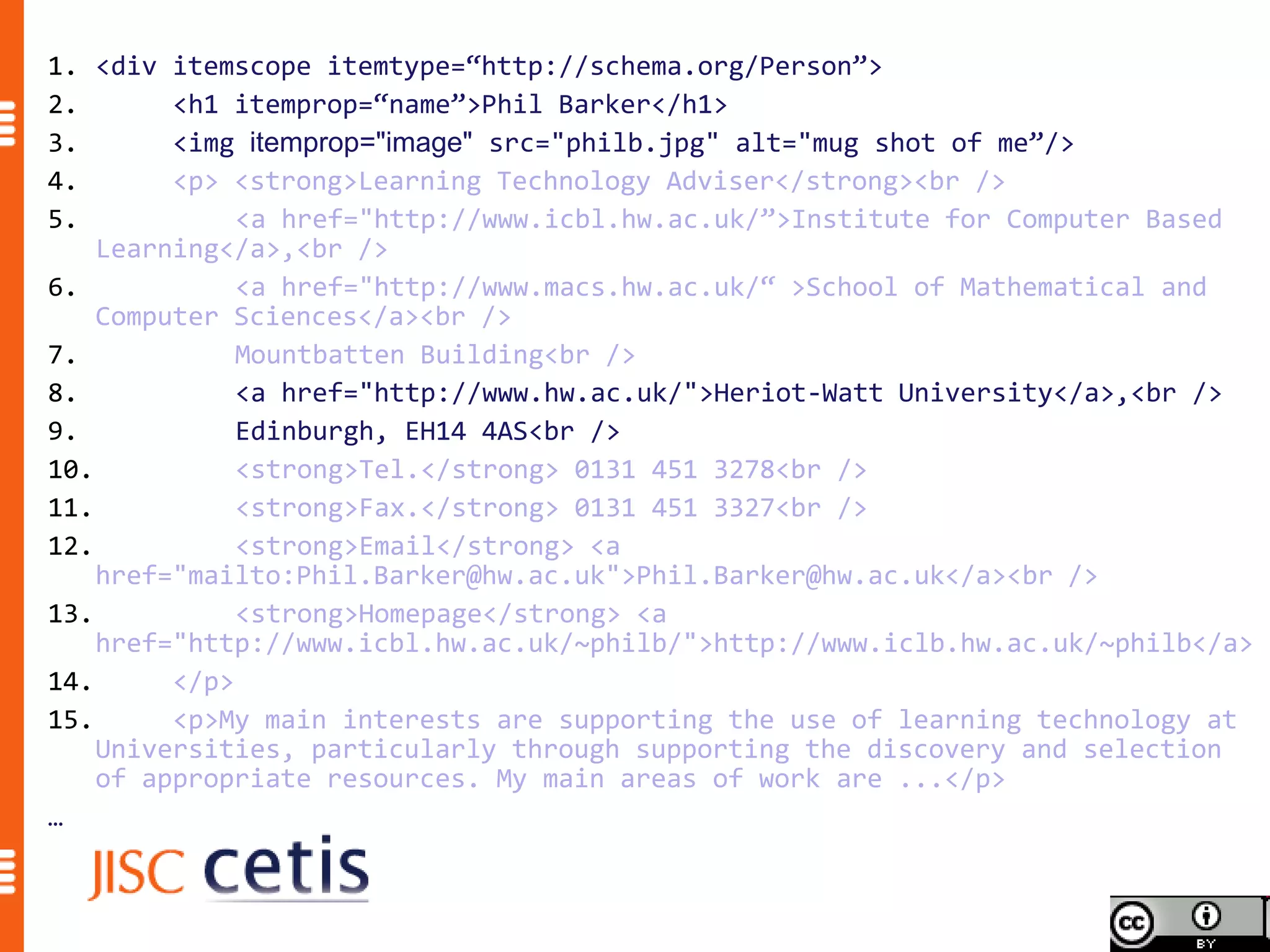
1. <div itemscope itemtype=“http://schema.org/Person”>
2.       <h1>Phil Barker </h1>
3.       <img src="philb.jpg" alt="mug shot of me”/>
4.       <p> <strong>Learning Technology Adviser</strong><br />
5.            <a href="http://www.icbl.hw.ac.uk/”>Institute for Computer Based
    Learning</a>,<br />
6.            <a href="http://www.macs.hw.ac.uk/“ >School of Mathematical and
    Computer Sciences</a><br />
7.            Mountbatten Building<br />
8.            <a href="http://www.hw.ac.uk/">Heriot-Watt University</a>,<br />
9.            Edinburgh, EH14 4AS<br />
10.           <strong>Tel.</strong> 0131 451 3278<br />
11.           <strong>Fax.</strong> 0131 451 3327<br />
12.           <strong>Email</strong> <a
    href="mailto:Phil.Barker@hw.ac.uk">Phil.Barker@hw.ac.uk</a><br />
13.           <strong>Homepage</strong> <a
    href="http://www.icbl.hw.ac.uk/~philb/">http://www.iclb.hw.ac.uk/~philb</a>
14.      </p>
15.      <p>My main interests are supporting the use of learning technology at
    Universities, particularly through supporting the discovery and selection
    of appropriate resources. My main areas of work are ...</p>
…
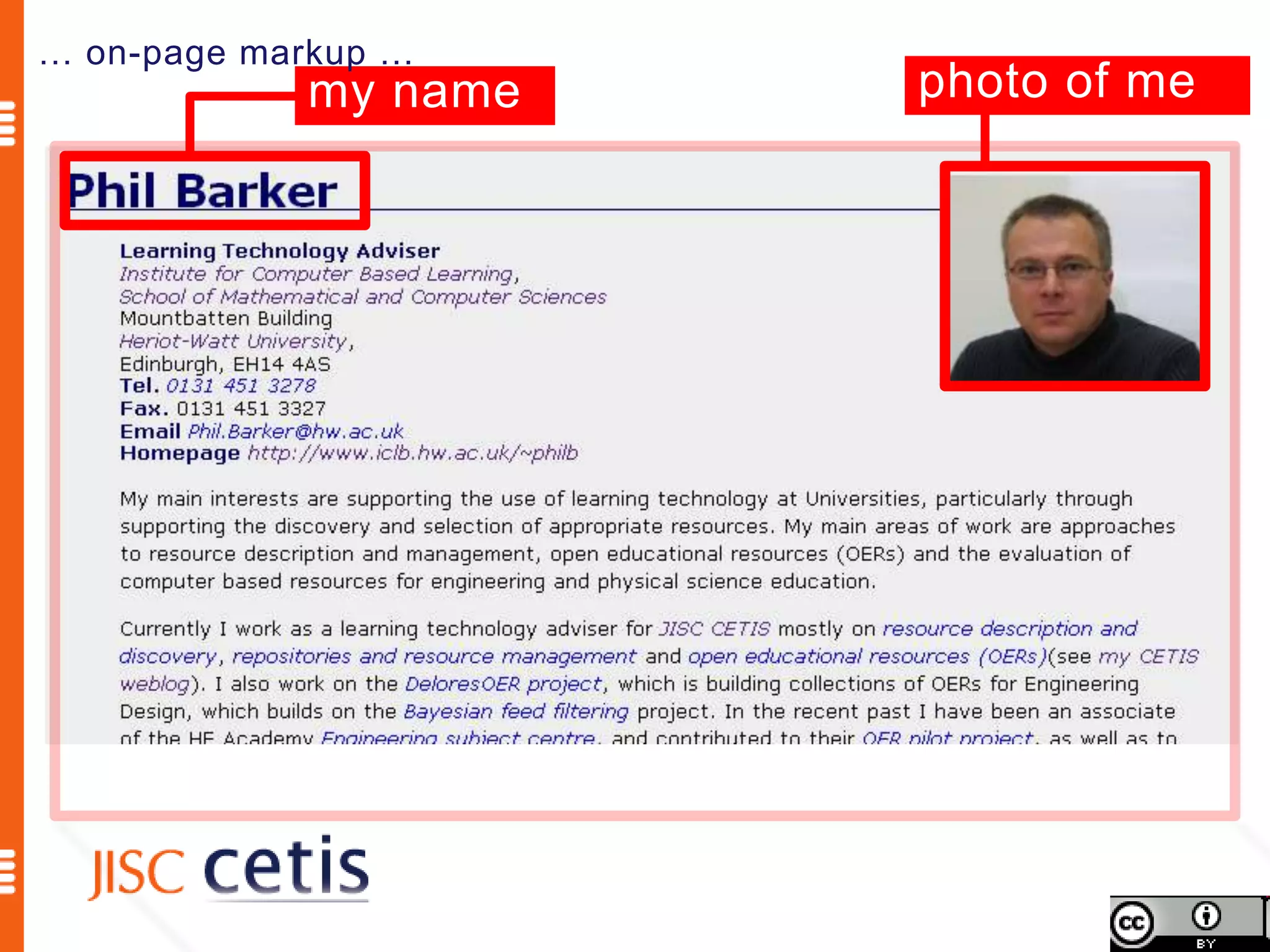
… on-page markup …
            my name   photo of me
1. <div itemscope itemtype=“http://schema.org/Person”>
2.       <h1>Phil Barker </h1>
3.       <img src="philb.jpg" alt="mug shot of me”/>
4.       <p> <strong>Learning Technology Adviser</strong><br />
5.            <a href="http://www.icbl.hw.ac.uk/”>Institute for Computer Based
    Learning</a>,<br />
6.            <a href="http://www.macs.hw.ac.uk/“ >School of Mathematical and
    Computer Sciences</a><br />
7.            Mountbatten Building<br />
8.            <a href="http://www.hw.ac.uk/">Heriot-Watt University</a>,<br />
9.            Edinburgh, EH14 4AS<br />
10.           <strong>Tel.</strong> 0131 451 3278<br />
11.           <strong>Fax.</strong> 0131 451 3327<br />
12.           <strong>Email</strong> <a
    href="mailto:Phil.Barker@hw.ac.uk">Phil.Barker@hw.ac.uk</a><br />
13.           <strong>Homepage</strong> <a
    href="http://www.icbl.hw.ac.uk/~philb/">http://www.iclb.hw.ac.uk/~philb</a>
14.      </p>
15.      <p>My main interests are supporting the use of learning technology at
    Universities, particularly through supporting the discovery and selection
    of appropriate resources. My main areas of work are ...</p>
…
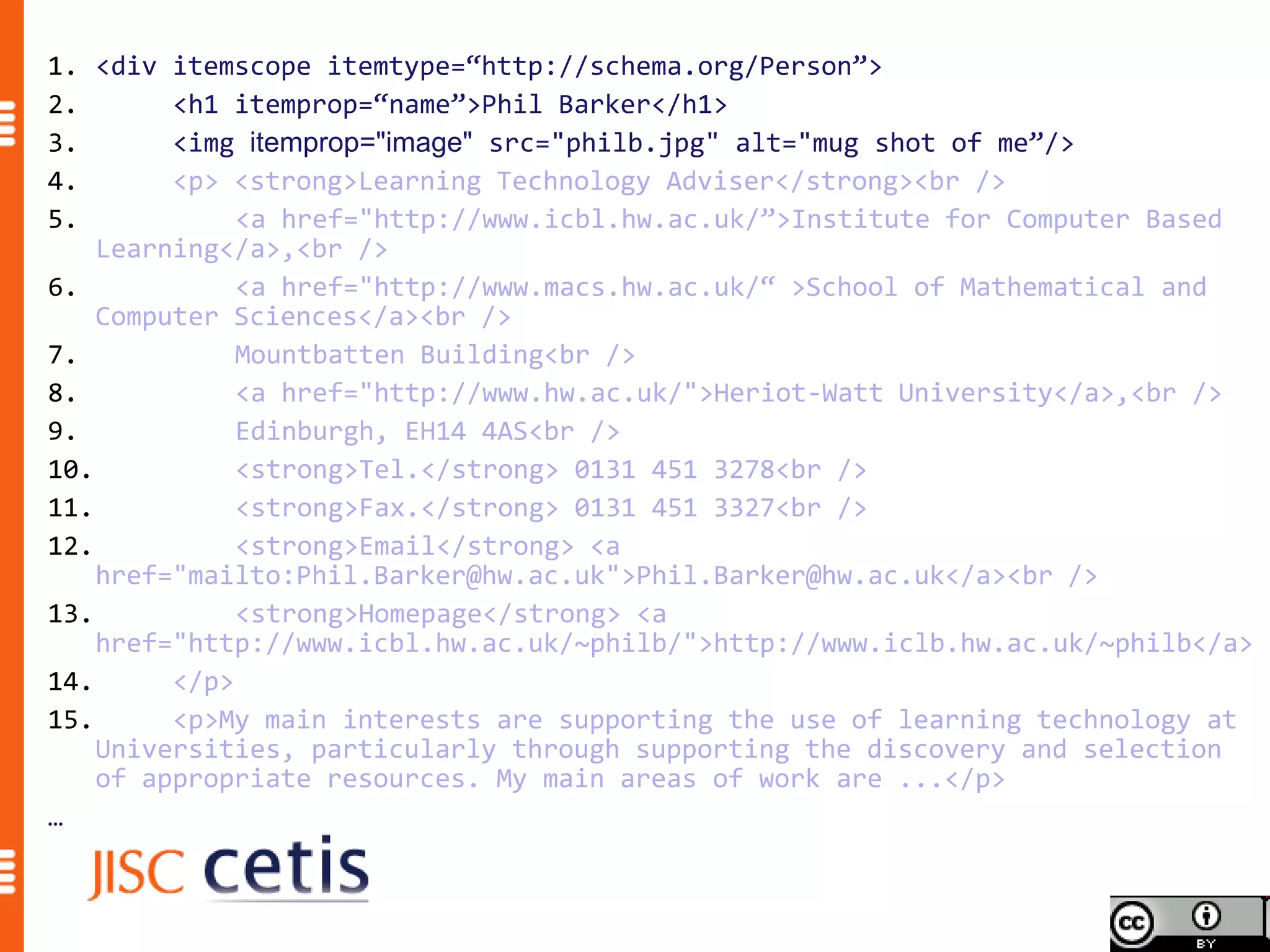
1. <div itemscope itemtype=“http://schema.org/Person”>
2.       <h1 itemprop=“name”>Phil Barker</h1>
3.       <img itemprop="image" src="philb.jpg" alt="mug shot of me”/>
4.       <p> <strong>Learning Technology Adviser</strong><br />
5.            <a href="http://www.icbl.hw.ac.uk/”>Institute for Computer Based
    Learning</a>,<br />
6.            <a href="http://www.macs.hw.ac.uk/“ >School of Mathematical and
    Computer Sciences</a><br />
7.            Mountbatten Building<br />
8.            <a href="http://www.hw.ac.uk/">Heriot-Watt University</a>,<br />
9.            Edinburgh, EH14 4AS<br />
10.           <strong>Tel.</strong> 0131 451 3278<br />
11.           <strong>Fax.</strong> 0131 451 3327<br />
12.           <strong>Email</strong> <a
    href="mailto:Phil.Barker@hw.ac.uk">Phil.Barker@hw.ac.uk</a><br />
13.           <strong>Homepage</strong> <a
    href="http://www.icbl.hw.ac.uk/~philb/">http://www.iclb.hw.ac.uk/~philb</a>
14.      </p>
15.      <p>My main interests are supporting the use of learning technology at
    Universities, particularly through supporting the discovery and selection
    of appropriate resources. My main areas of work are ...</p>
…
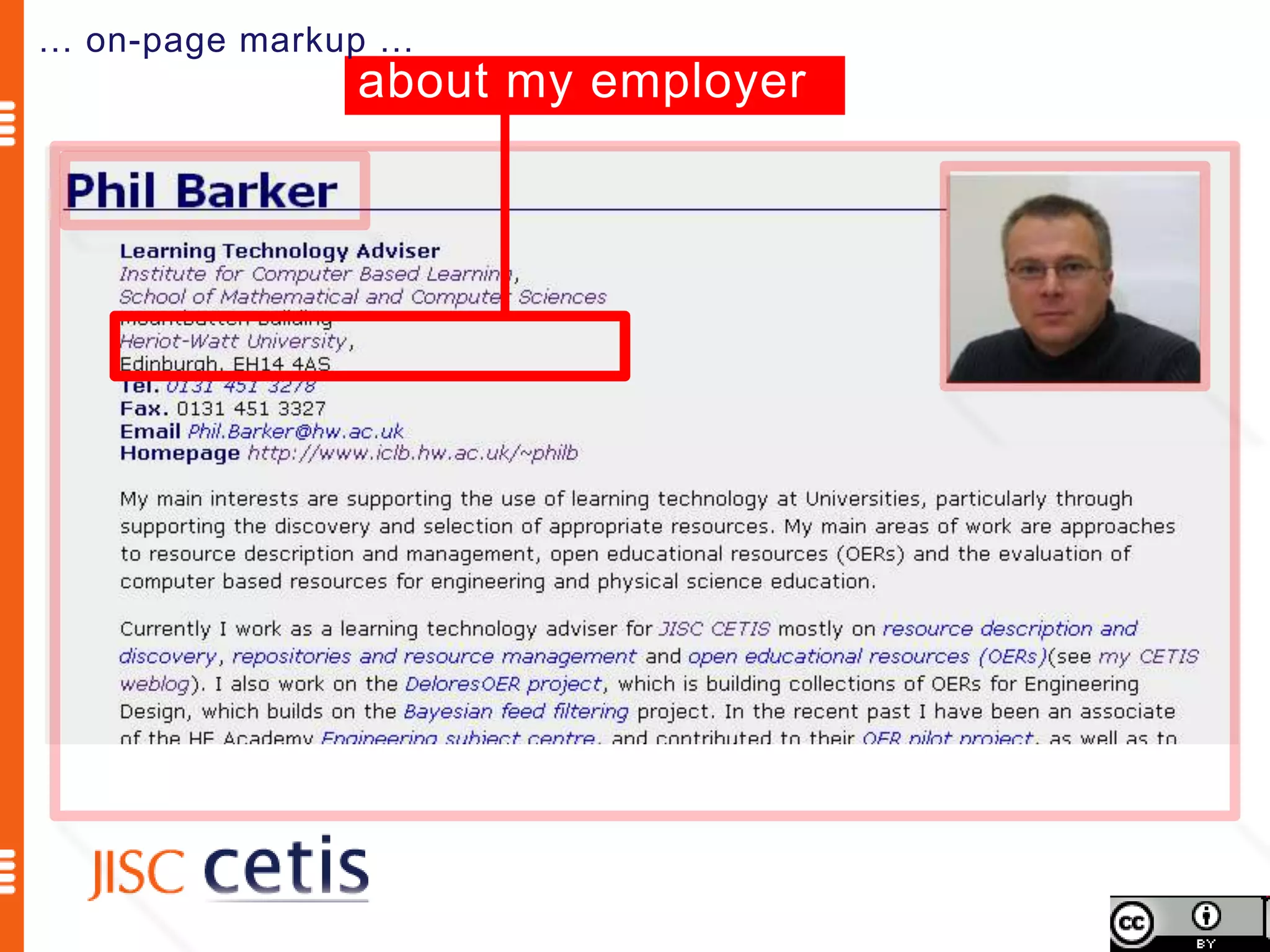
… on-page markup …
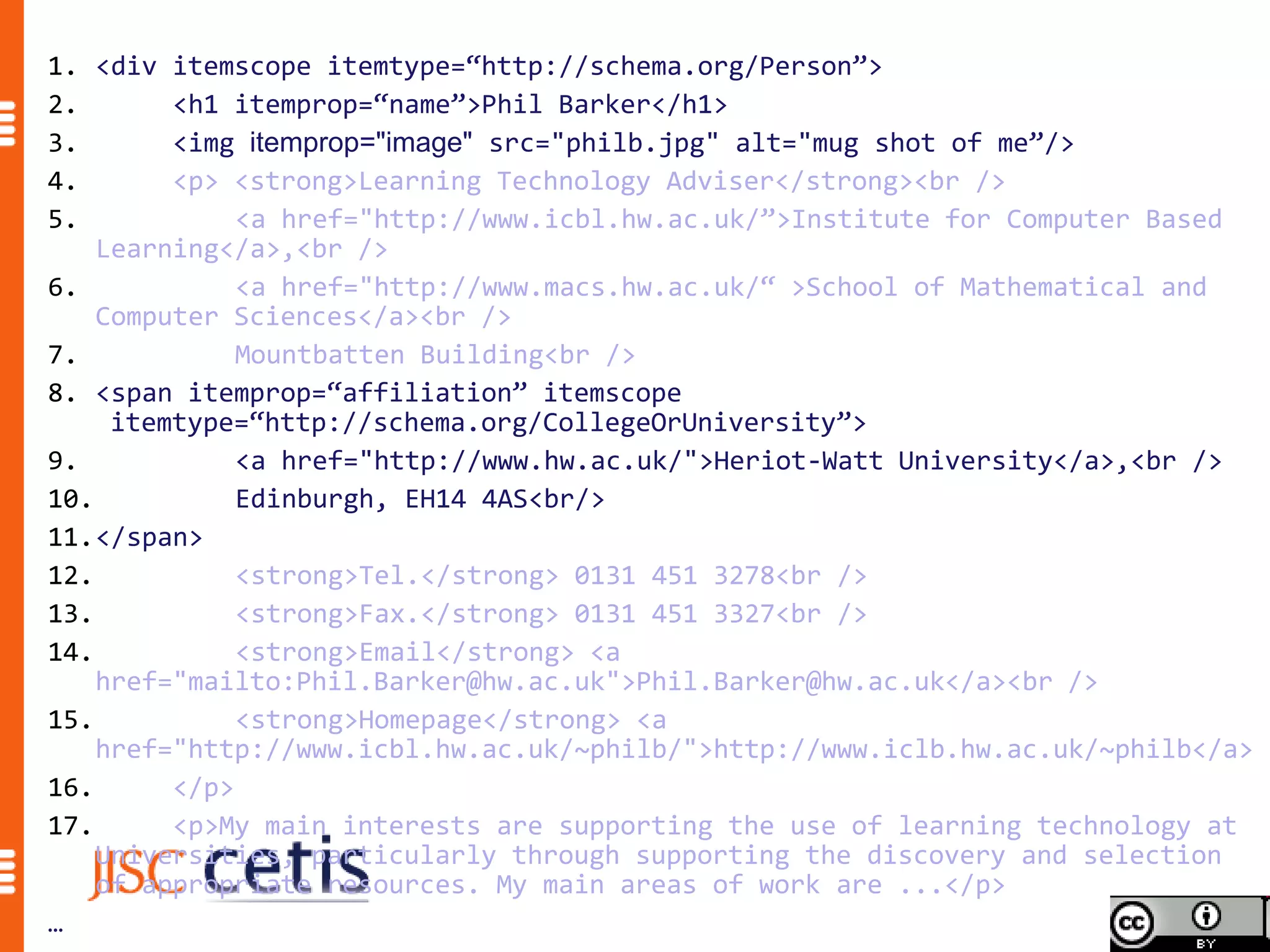
               about my employer
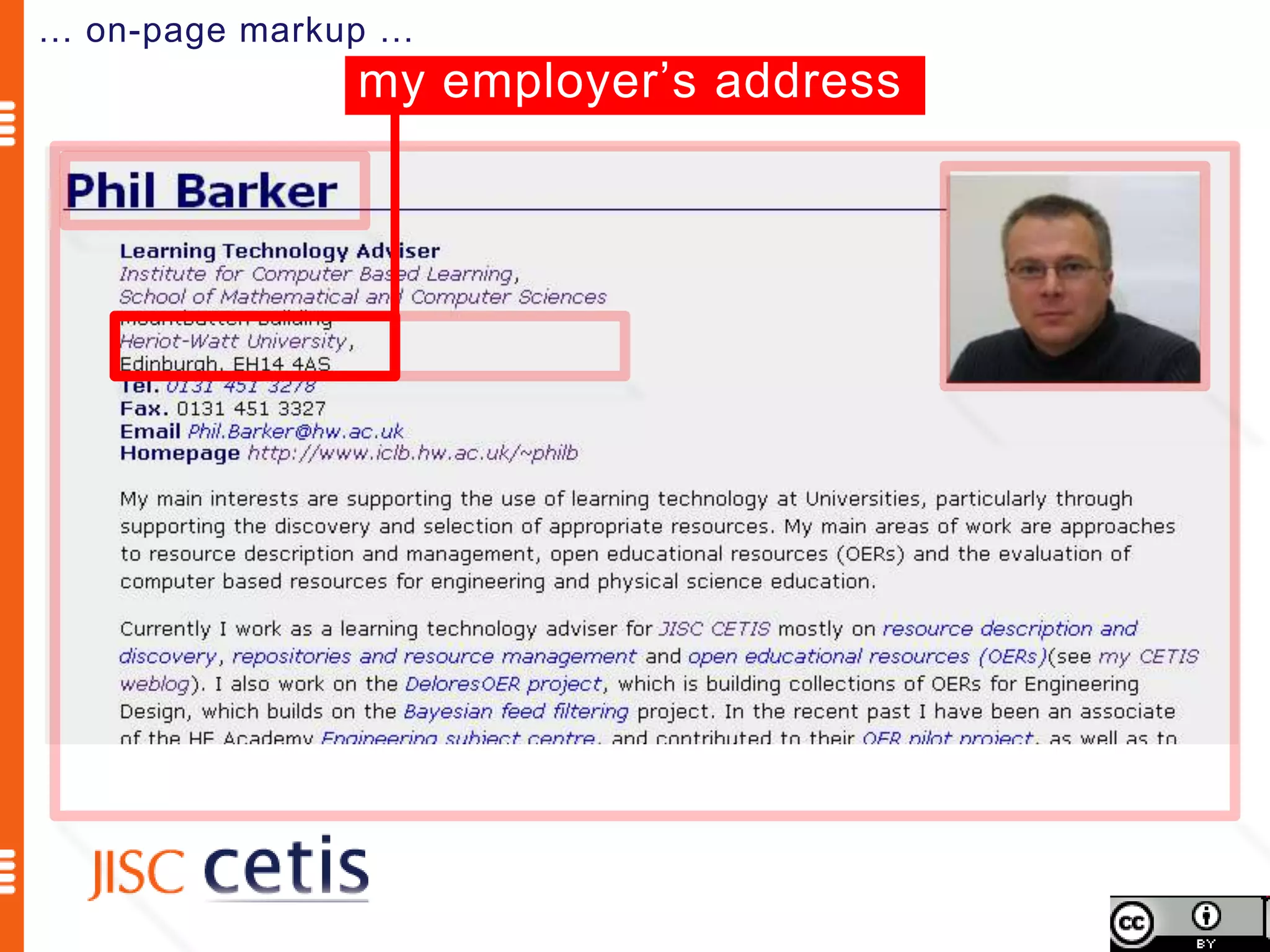
… on-page markup …
               my employer’s address
1. <div itemscope itemtype=“http://schema.org/Person”>
2.       <h1 itemprop=“name”>Phil Barker</h1>
3.       <img itemprop="image" src="philb.jpg" alt="mug shot of me”/>
4.       <p> <strong>Learning Technology Adviser</strong><br />
5.            <a href="http://www.icbl.hw.ac.uk/”>Institute for Computer Based
    Learning</a>,<br />
6.            <a href="http://www.macs.hw.ac.uk/“ >School of Mathematical and
    Computer Sciences</a><br />
7.            Mountbatten Building<br />
8.            <a href="http://www.hw.ac.uk/">Heriot-Watt University</a>,<br />
9.            Edinburgh, EH14 4AS<br />
10.           <strong>Tel.</strong> 0131 451 3278<br />
11.           <strong>Fax.</strong> 0131 451 3327<br />
12.           <strong>Email</strong> <a
    href="mailto:Phil.Barker@hw.ac.uk">Phil.Barker@hw.ac.uk</a><br />
13.           <strong>Homepage</strong> <a
    href="http://www.icbl.hw.ac.uk/~philb/">http://www.iclb.hw.ac.uk/~philb</a>
14.      </p>
15.      <p>My main interests are supporting the use of learning technology at
    Universities, particularly through supporting the discovery and selection
    of appropriate resources. My main areas of work are ...</p>
…
1. <div itemscope itemtype=“http://schema.org/Person”>
2.       <h1 itemprop=“name”>Phil Barker</h1>
3.       <img itemprop="image" src="philb.jpg" alt="mug shot of me”/>
4.       <p> <strong>Learning Technology Adviser</strong><br />
5.            <a href="http://www.icbl.hw.ac.uk/”>Institute for Computer Based
    Learning</a>,<br />
6.            <a href="http://www.macs.hw.ac.uk/“ >School of Mathematical and
    Computer Sciences</a><br />
7.            Mountbatten Building<br />
8. <span itemprop=“affiliation” itemscope
     itemtype=“http://schema.org/CollegeOrUniversity”>
9.            <a href="http://www.hw.ac.uk/">Heriot-Watt University</a>,<br />
10.           Edinburgh, EH14 4AS<br/>
11.</span>
12.           <strong>Tel.</strong> 0131 451 3278<br />
13.           <strong>Fax.</strong> 0131 451 3327<br />
14.           <strong>Email</strong> <a
    href="mailto:Phil.Barker@hw.ac.uk">Phil.Barker@hw.ac.uk</a><br />
15.           <strong>Homepage</strong> <a
    href="http://www.icbl.hw.ac.uk/~philb/">http://www.iclb.hw.ac.uk/~philb</a>
16.      </p>
17.      <p>My main interests are supporting the use of learning technology at
    Universities, particularly through supporting the discovery and selection
    of appropriate resources. My main areas of work are ...</p>
…
1. <div itemscope itemtype=“http://schema.org/Person”>
2.       <h1 itemprop=“name”>Phil Barker</h1>
3.       <img itemprop="image" src="philb.jpg" alt="mug shot of me”/>
4.       <p> <strong>Learning Technology Adviser</strong><br />
5.            <a href="http://www.icbl.hw.ac.uk/”>Institute for Computer Based
    Learning</a>,<br />
6.            <a href="http://www.macs.hw.ac.uk/“ >School of Mathematical and
    Computer Sciences</a><br />
7.            Mountbatten Building<br />
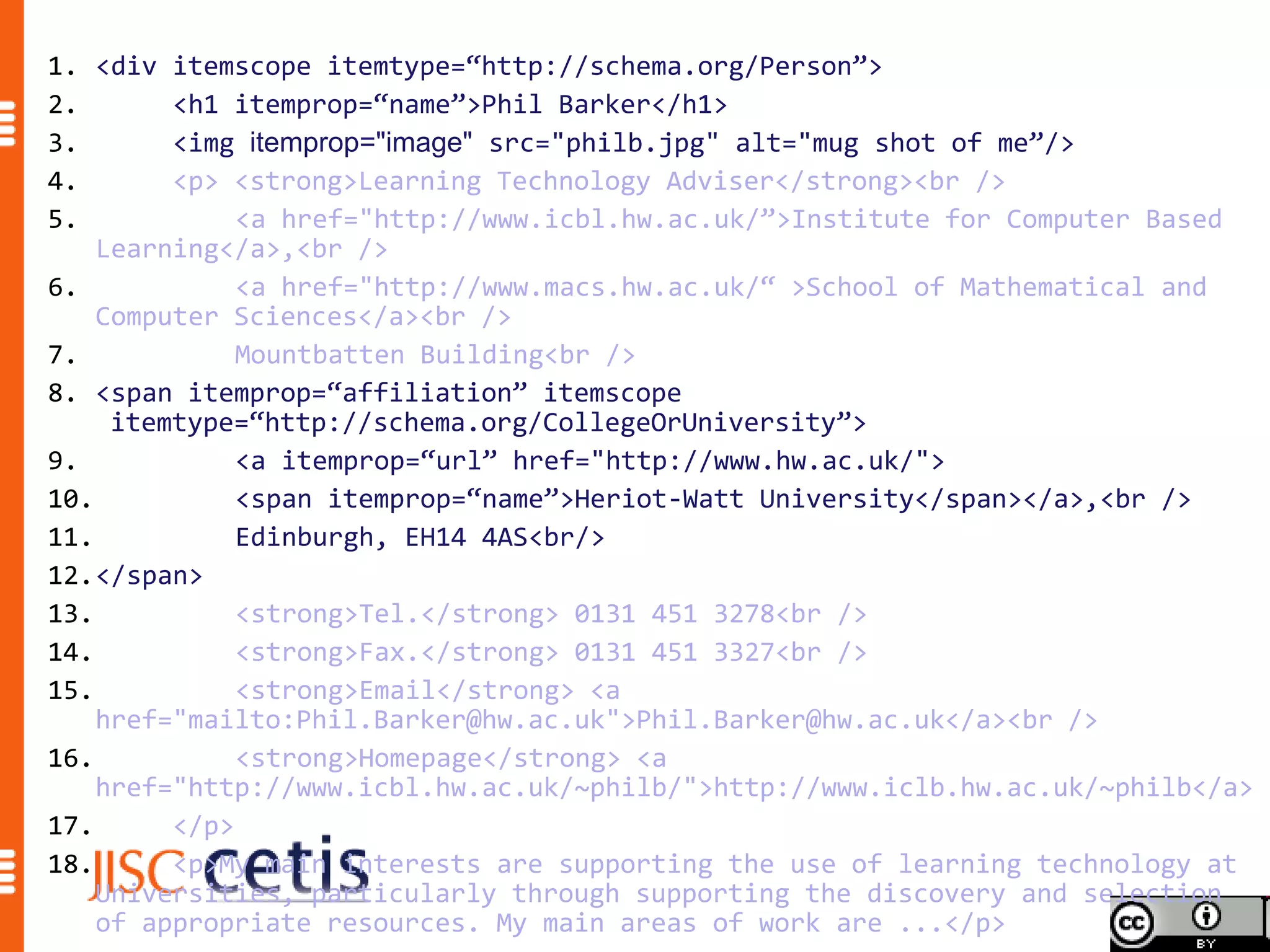
8. <span itemprop=“affiliation” itemscope
     itemtype=“http://schema.org/CollegeOrUniversity”>
9.            <a itemprop=“url” href="http://www.hw.ac.uk/">
10.           <span itemprop=“name”>Heriot-Watt University</span></a>,<br />
11.           Edinburgh, EH14 4AS<br/>
12.</span>
13.           <strong>Tel.</strong> 0131 451 3278<br />
14.           <strong>Fax.</strong> 0131 451 3327<br />
15.           <strong>Email</strong> <a
    href="mailto:Phil.Barker@hw.ac.uk">Phil.Barker@hw.ac.uk</a><br />
16.           <strong>Homepage</strong> <a
    href="http://www.icbl.hw.ac.uk/~philb/">http://www.iclb.hw.ac.uk/~philb</a>
17.      </p>
18.      <p>My main interests are supporting the use of learning technology at
    Universities, particularly through supporting the discovery and selection
    of appropriate resources. My main areas of work are ...</p>
Schema.org is a joint effort, in the spirit of sitemaps.org,
to improve the web by creating a structured data markup
schema supported by major search engines. On-page
markup helps search engines understand the information
on web pages and provide richer search results. A
shared markup vocabulary makes easier for webmasters
to decide on a markup schema and get the maximum
benefit for their efforts. Search engines want to make it
easier for people to find relevant information on the web.
Markup can also enable new tools and applications that
make use of the structure.
                              Schema.org FAQ http://schema.org/docs/faq.html
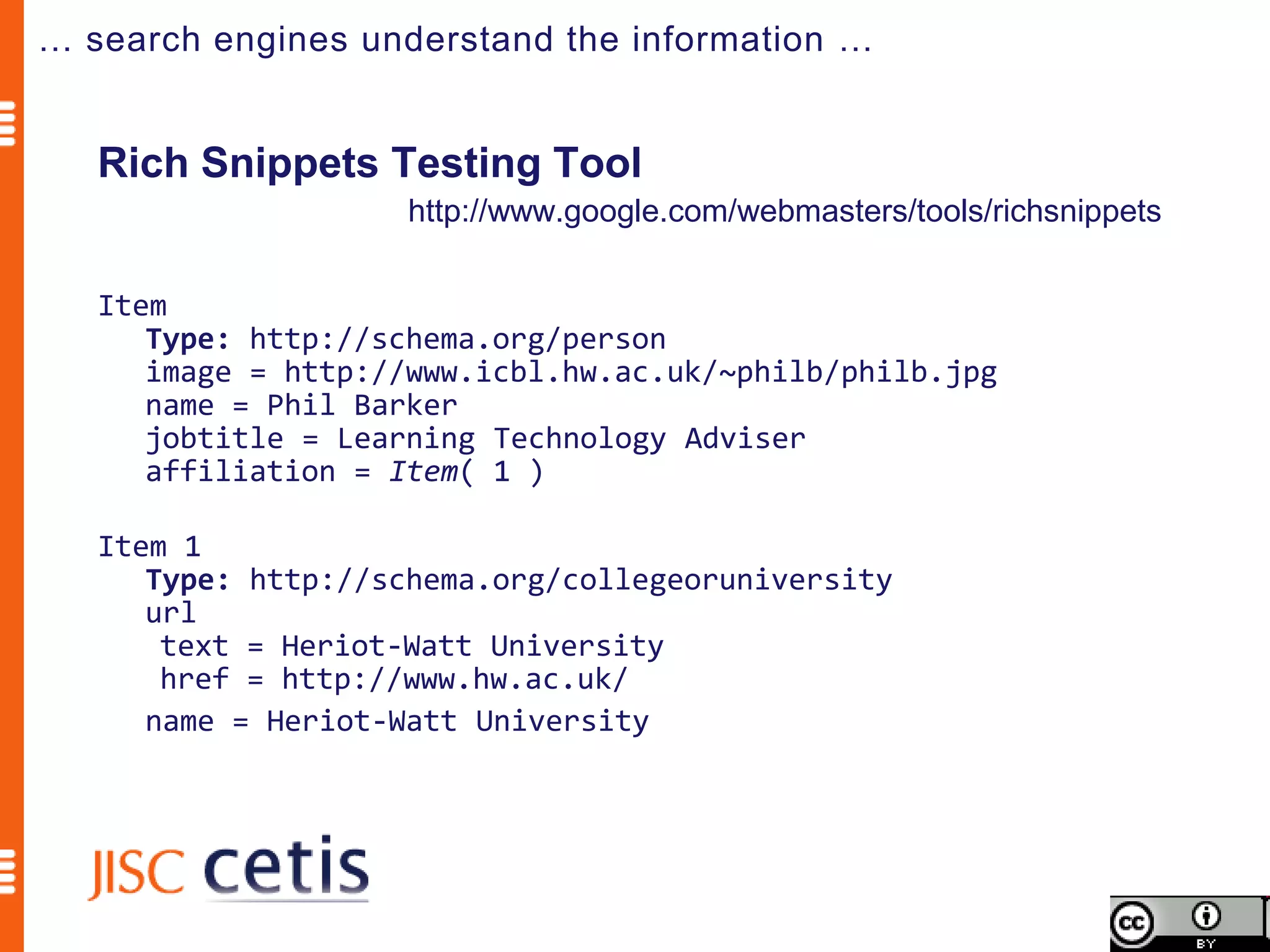
… search engines understand the information …


   Rich Snippets Testing Tool
                    http://www.google.com/webmasters/tools/richsnippets

   Item
      Type: http://schema.org/person
      image = http://www.icbl.hw.ac.uk/~philb/philb.jpg
      name = Phil Barker
      jobtitle = Learning Technology Adviser
      affiliation = Item( 1 )

   Item 1
      Type: http://schema.org/collegeoruniversity
      url
       text = Heriot-Watt University
       href = http://www.hw.ac.uk/
      name = Heriot-Watt University
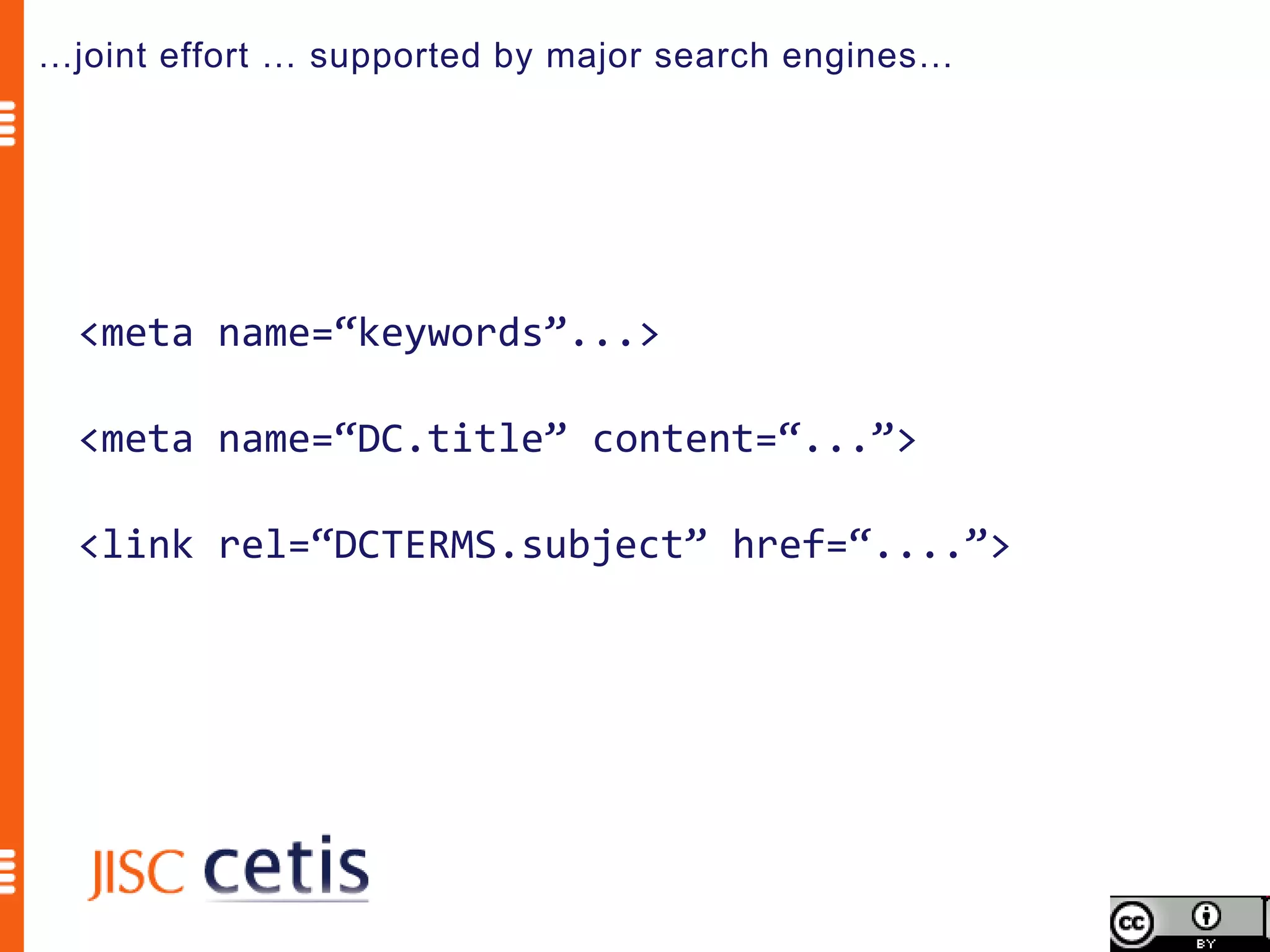
…joint effort … supported by major search engines…


  <meta name=“keywords”...>

  <meta name=“DC.title” content=“...”>

  <link rel=“DCTERMS.subject” href=“....”>
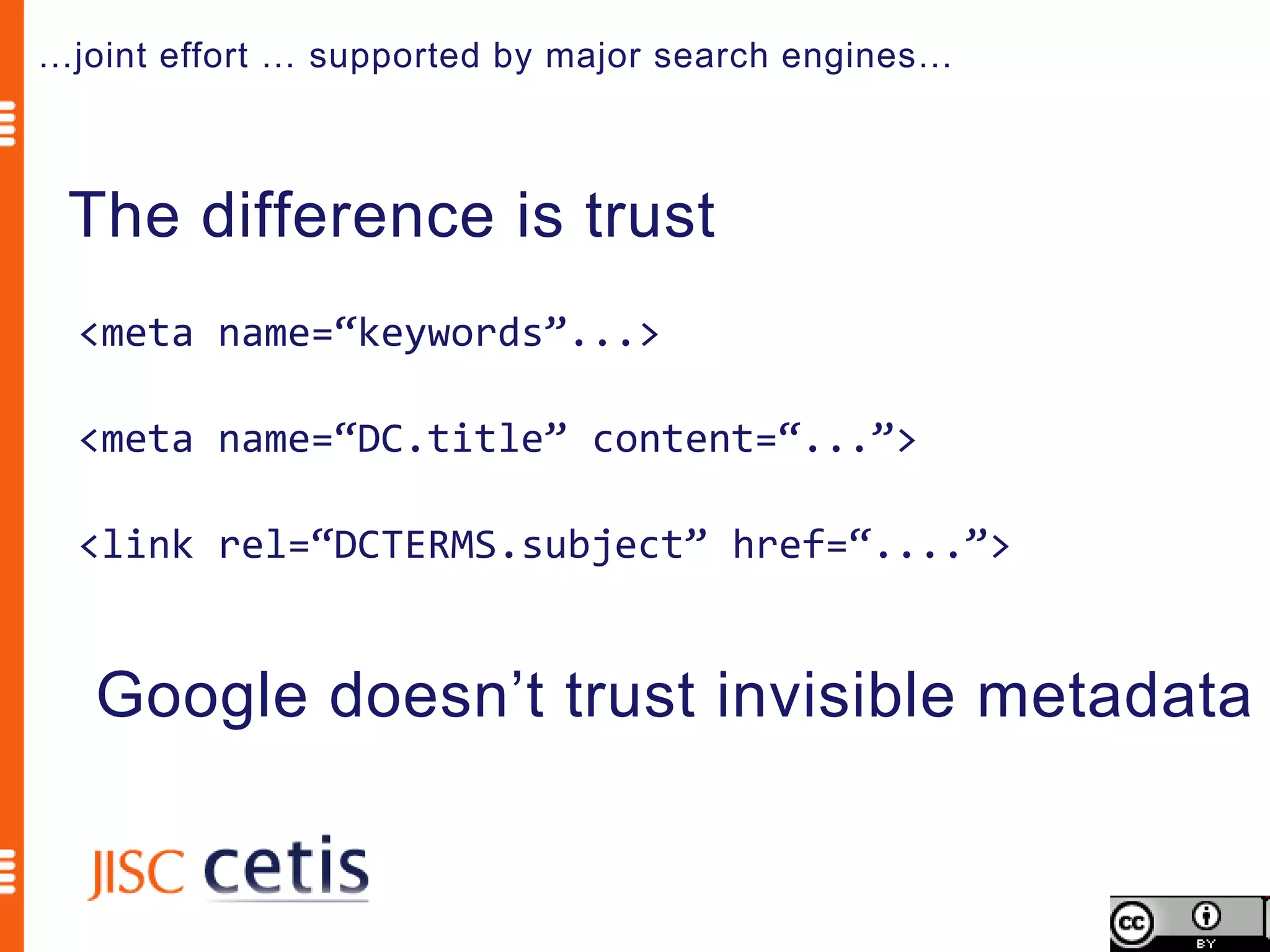
…joint effort … supported by major search engines…


 The difference is trust
  <meta name=“keywords”...>

  <meta name=“DC.title” content=“...”>

  <link rel=“DCTERMS.subject” href=“....”>


   Google doesn’t trust invisible metadata
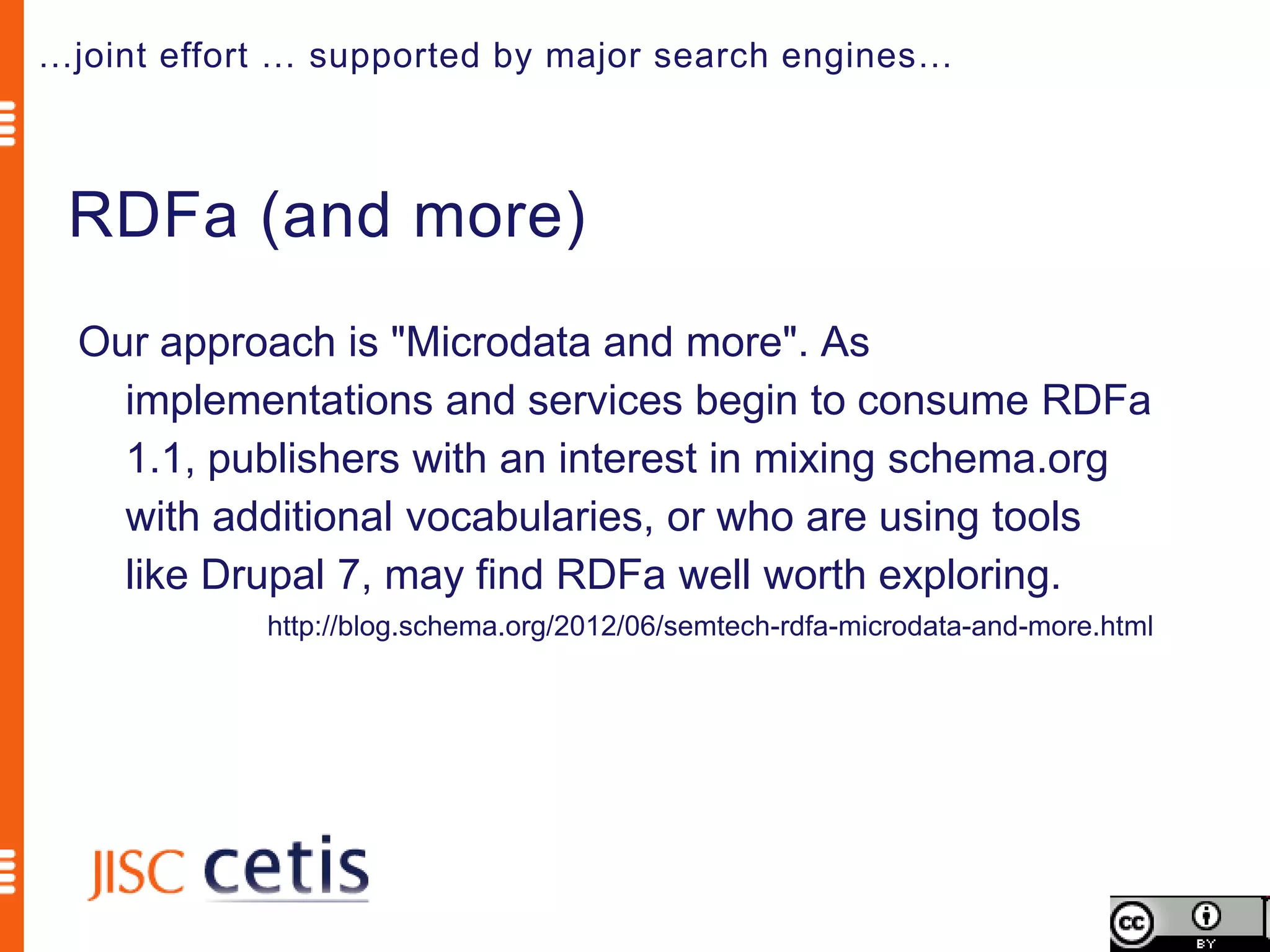
…joint effort … supported by major search engines…


 RDFa (and more)
  Our approach is "Microdata and more". As
    implementations and services begin to consume RDFa
    1.1, publishers with an interest in mixing schema.org
    with additional vocabularies, or who are using tools
    like Drupal 7, may find RDFa well worth exploring.
            http://blog.schema.org/2012/06/semtech-rdfa-microdata-and-more.html
Schema.org is a joint effort, in the spirit of sitemaps.org,
to improve the web by creating a structured data markup
schema supported by major search engines. On-page
markup helps search engines understand the information
on web pages and provide richer search results. A
shared markup vocabulary makes easier for webmasters
to decide on a markup schema and get the maximum
benefit for their efforts. Search engines want to make it
easier for people to find relevant information on the web.
Markup can also enable new tools and applications that
make use of the structure.
                              Schema.org FAQ http://schema.org/docs/faq.html
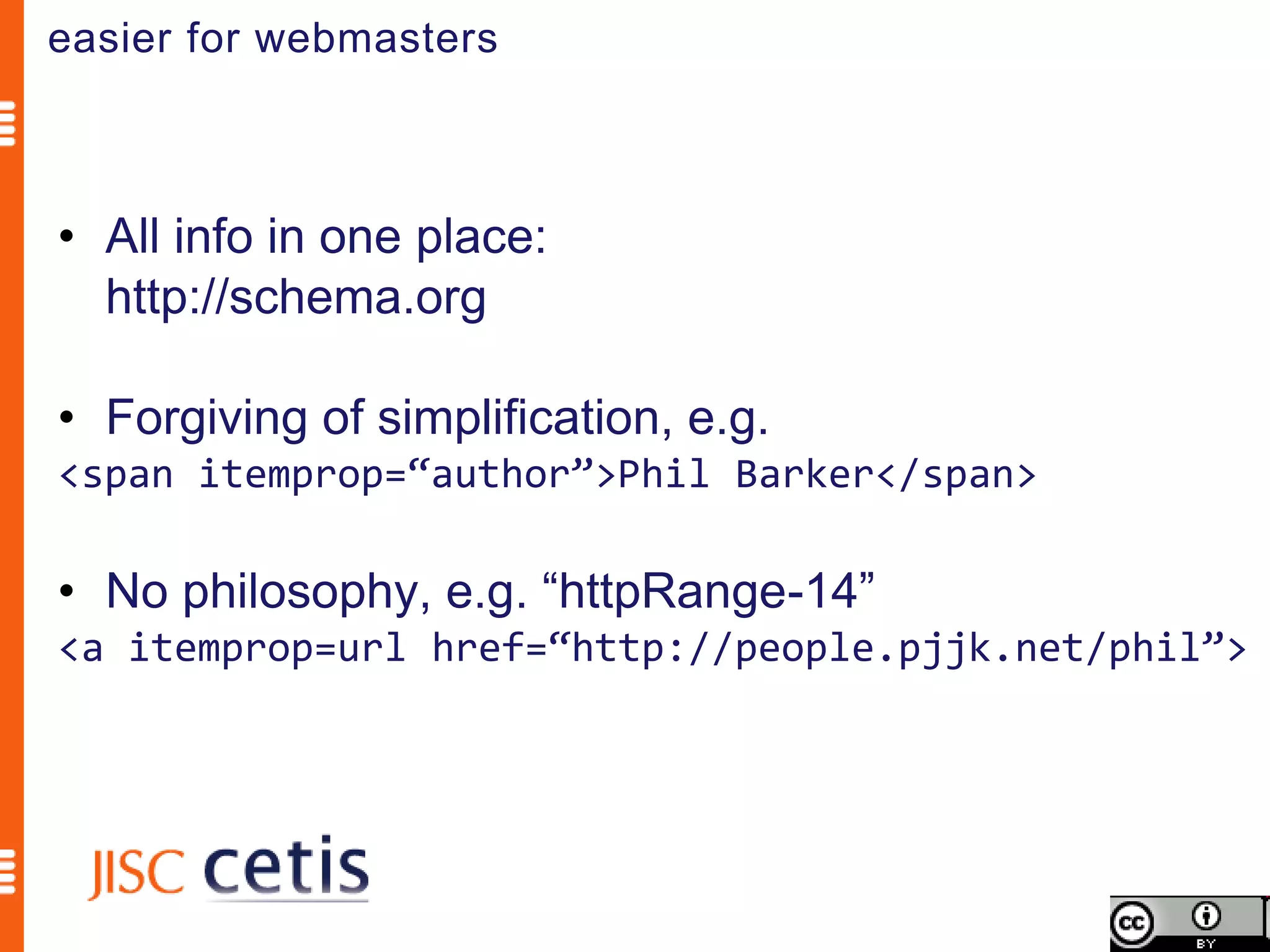
easier for webmasters


• All info in one place:
  http://schema.org

• Forgiving of simplification, e.g.
<span itemprop=“author”>Phil Barker</span>

• No philosophy, e.g. “httpRange-14”
<a itemprop=url href=“http://people.pjjk.net/phil”>
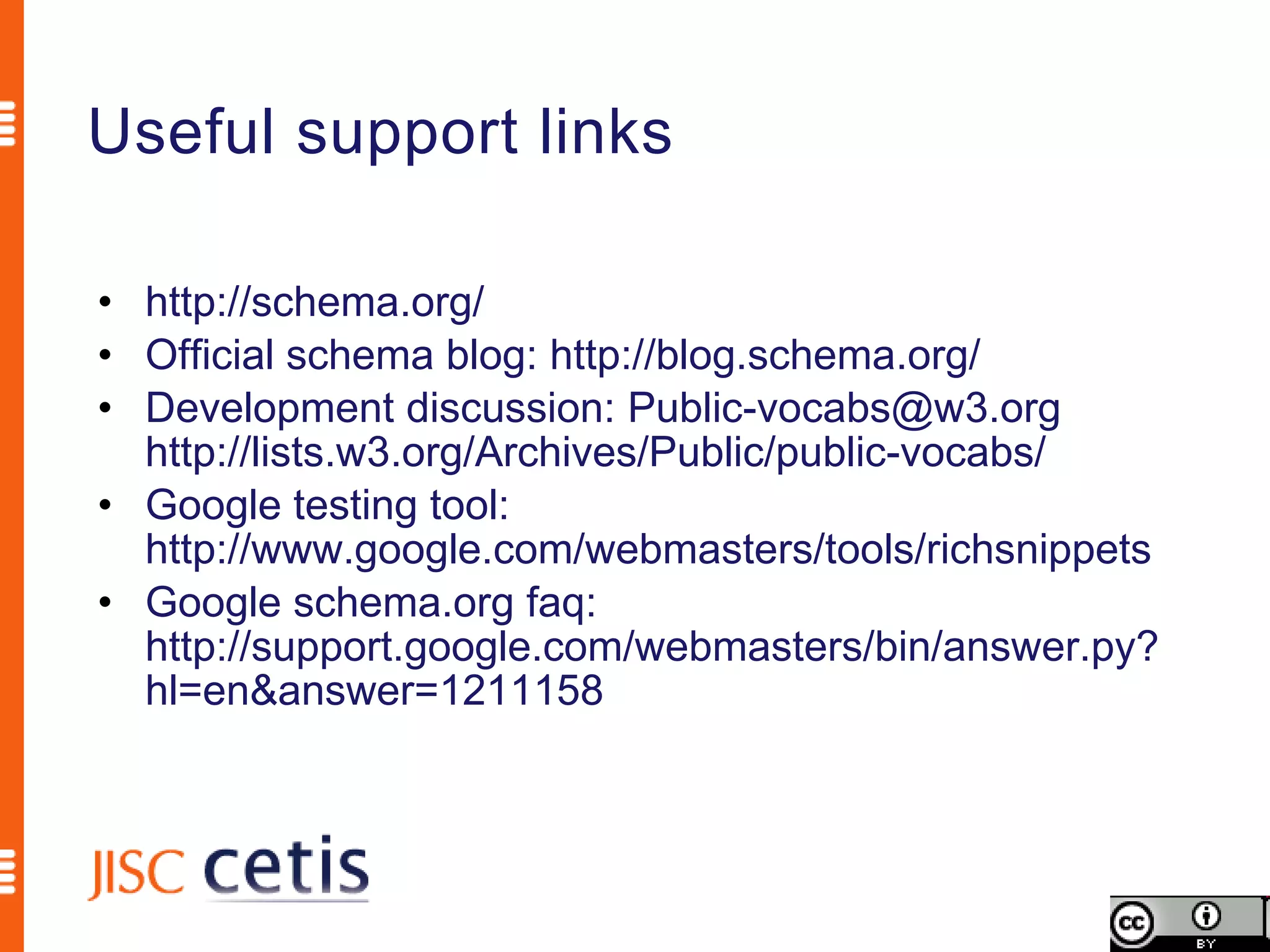
Useful support links

• http://schema.org/
• Official schema blog: http://blog.schema.org/
• Development discussion: Public-vocabs@w3.org
  http://lists.w3.org/Archives/Public/public-vocabs/
• Google testing tool:
  http://www.google.com/webmasters/tools/richsnippets
• Google schema.org faq:
  http://support.google.com/webmasters/bin/answer.py?
  hl=en&answer=1211158
Schema.org is a joint effort, in the spirit of sitemaps.org,
to improve the web by creating a structured data markup
schema supported by major search engines. On-page
markup helps search engines understand the information
on web pages and provide richer search results. A
shared markup vocabulary makes easier for webmasters
to decide on a markup schema and get the maximum
benefit for their efforts. Search engines want to make it
easier for people to find relevant information on the web.
Markup can also enable new tools and applications that
make use of the structure.
                              Schema.org FAQ http://schema.org/docs/faq.html
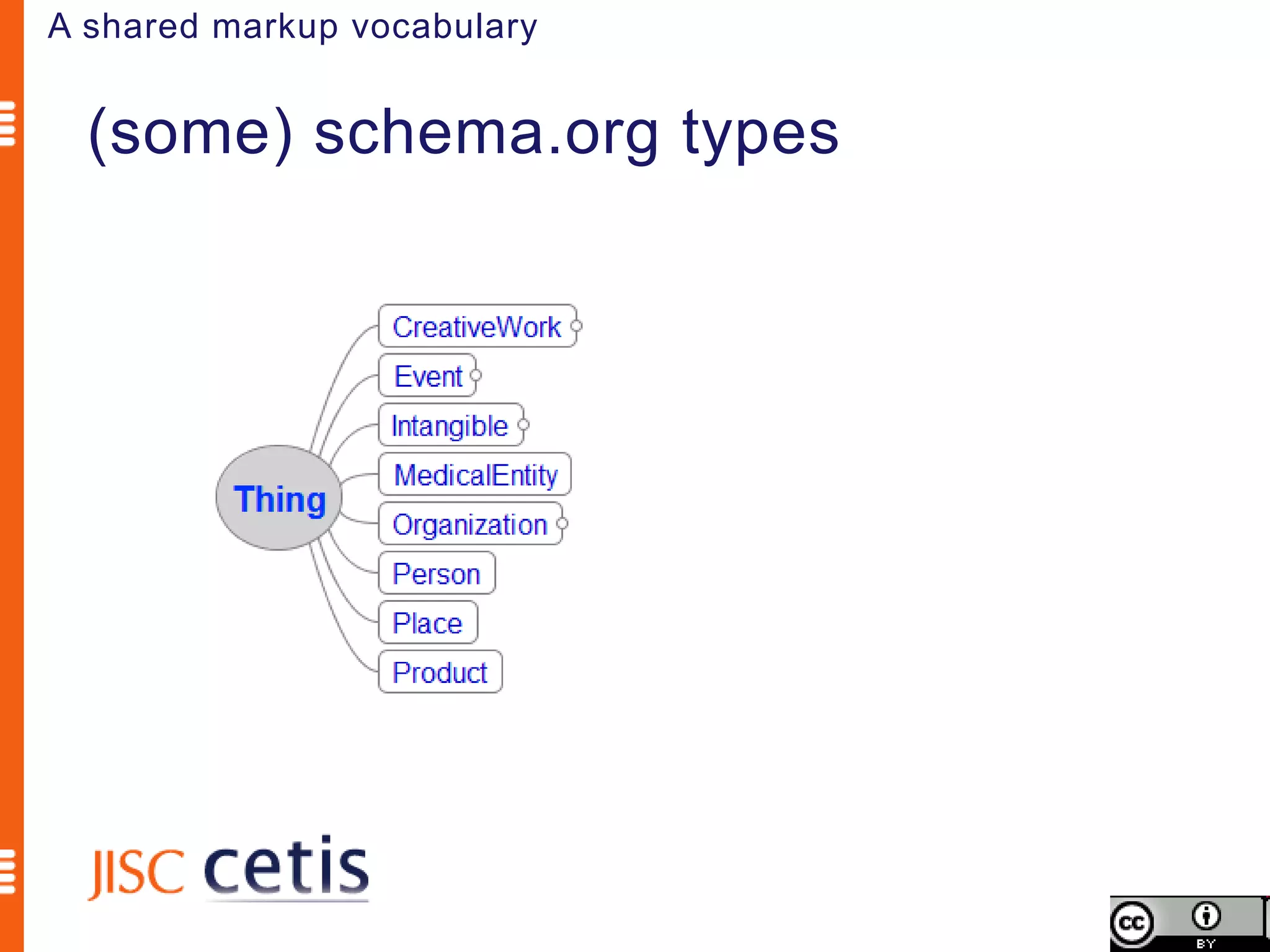
A shared markup vocabulary


  (some) schema.org types
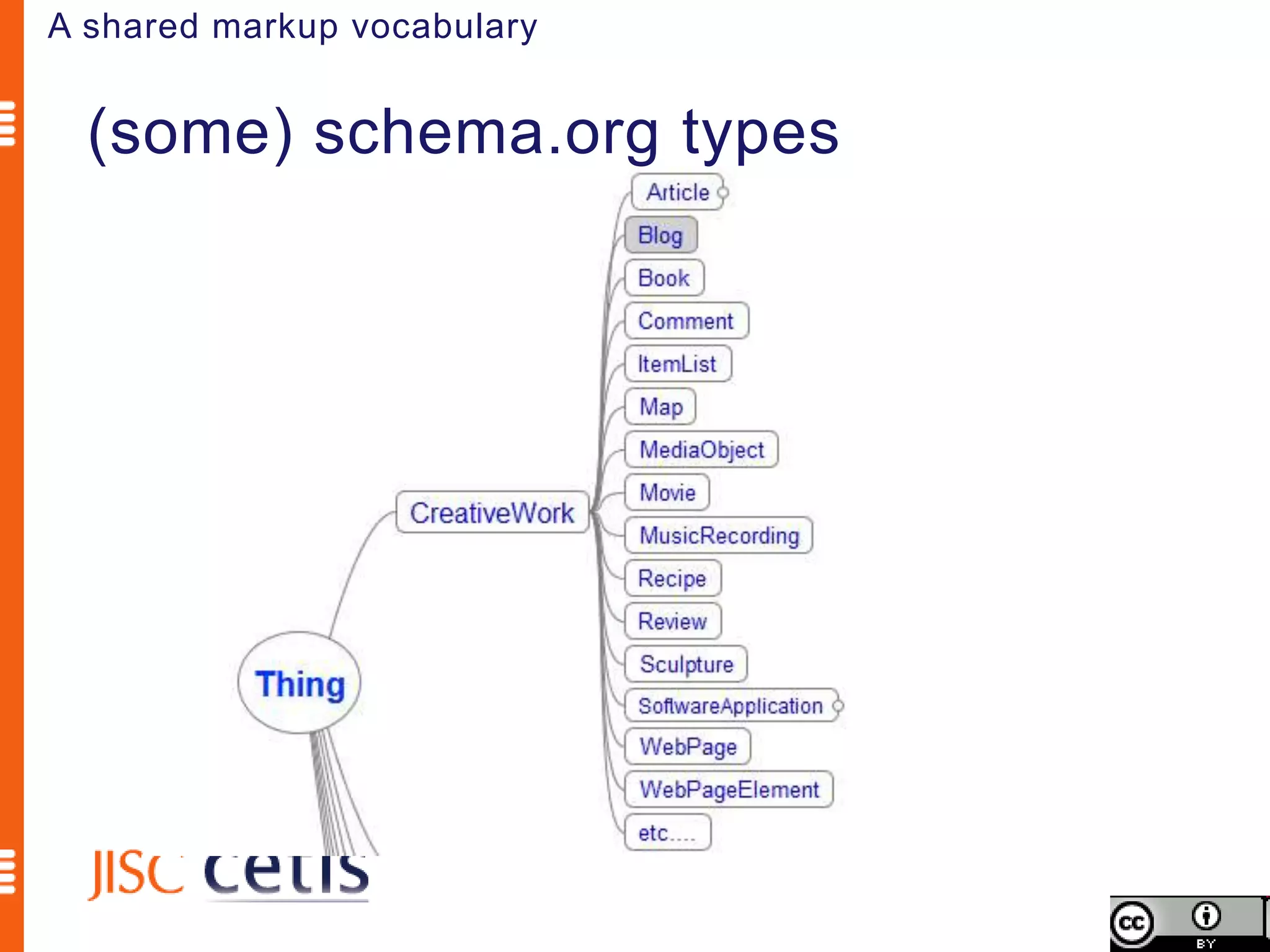
A shared markup vocabulary


  (some) schema.org types
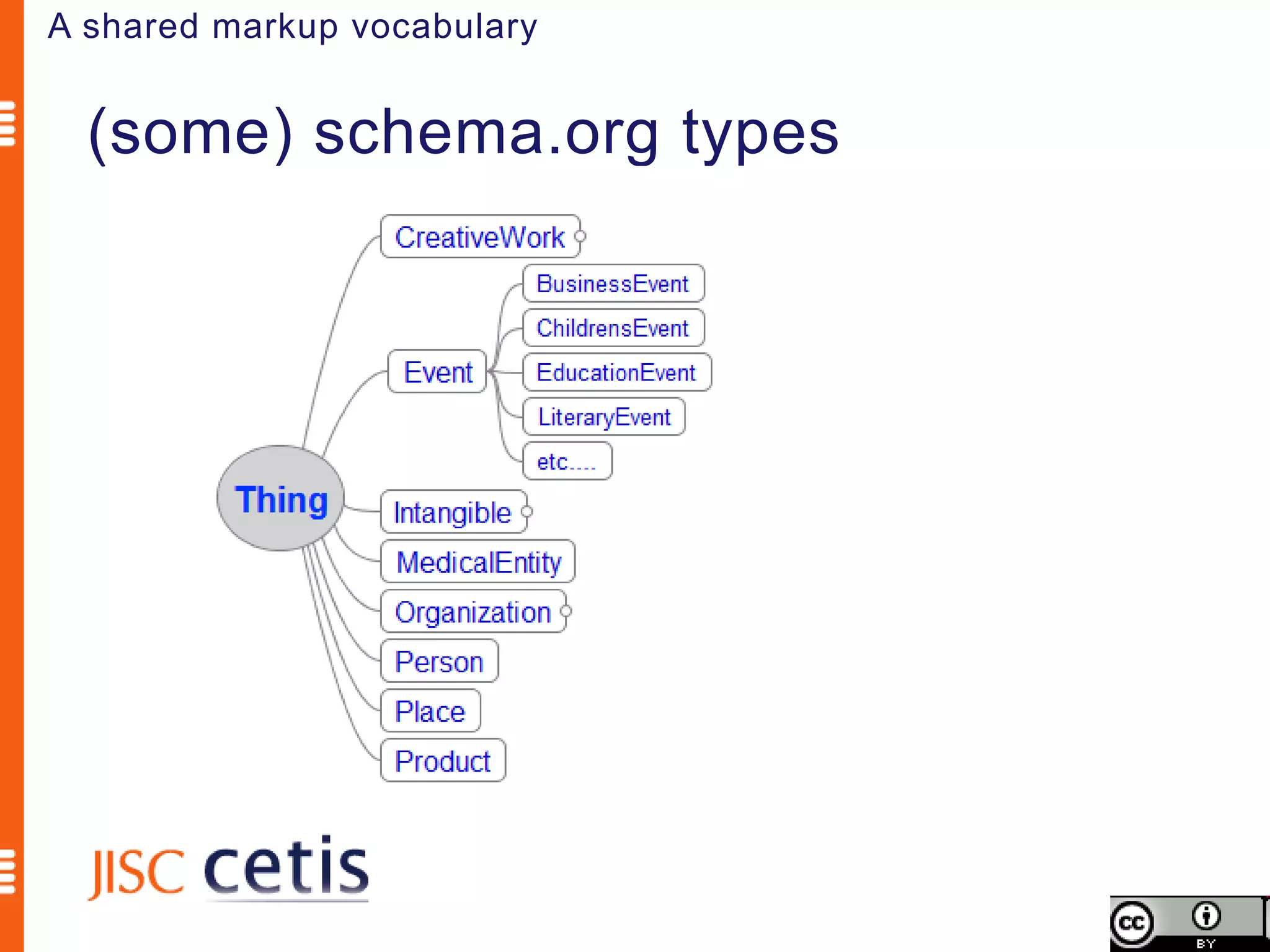
A shared markup vocabulary


  (some) schema.org types
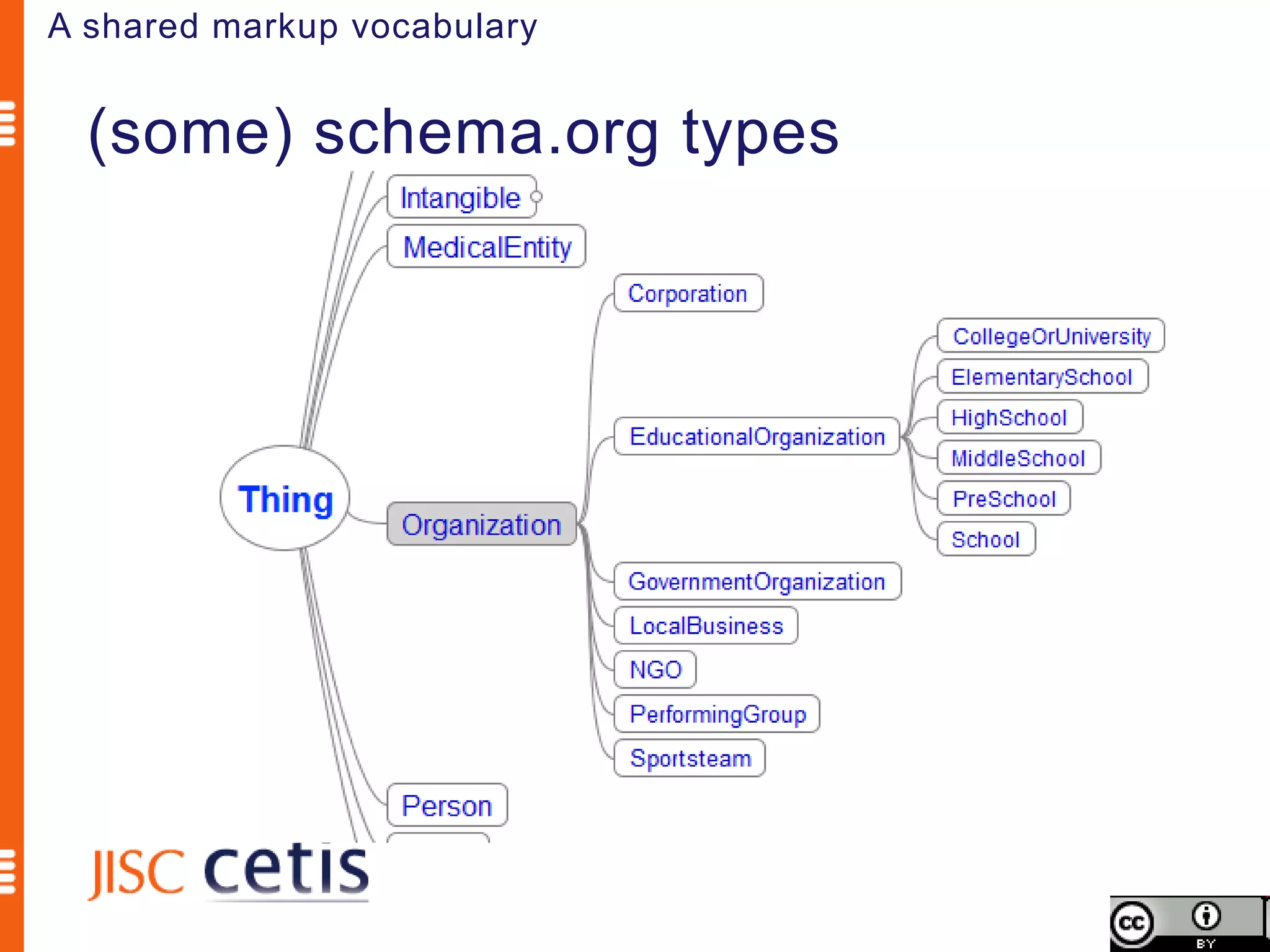
A shared markup vocabulary


  (some) schema.org types
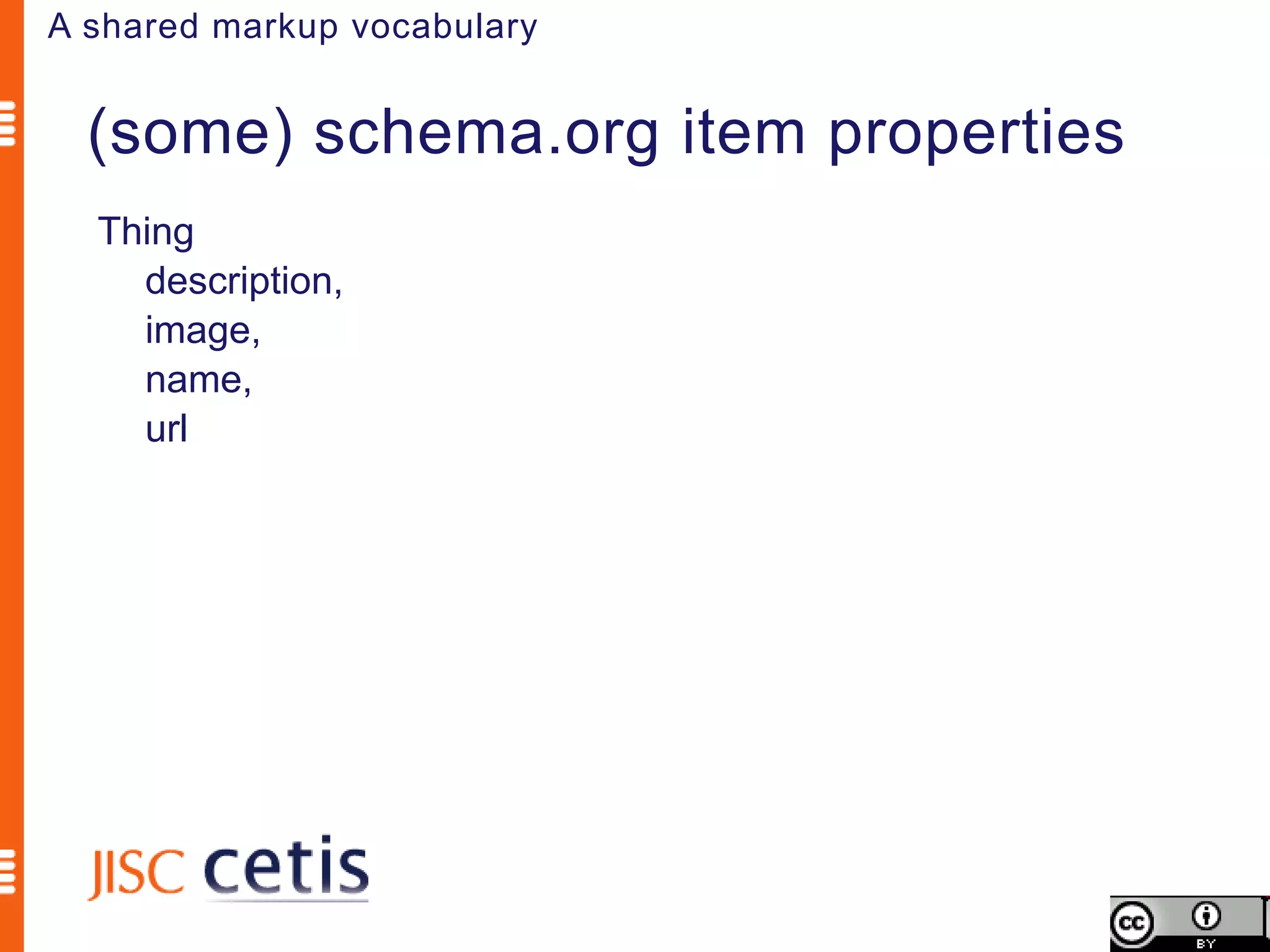
A shared markup vocabulary


  (some) schema.org item properties
  Thing
    description,
    image,
    name,
    url
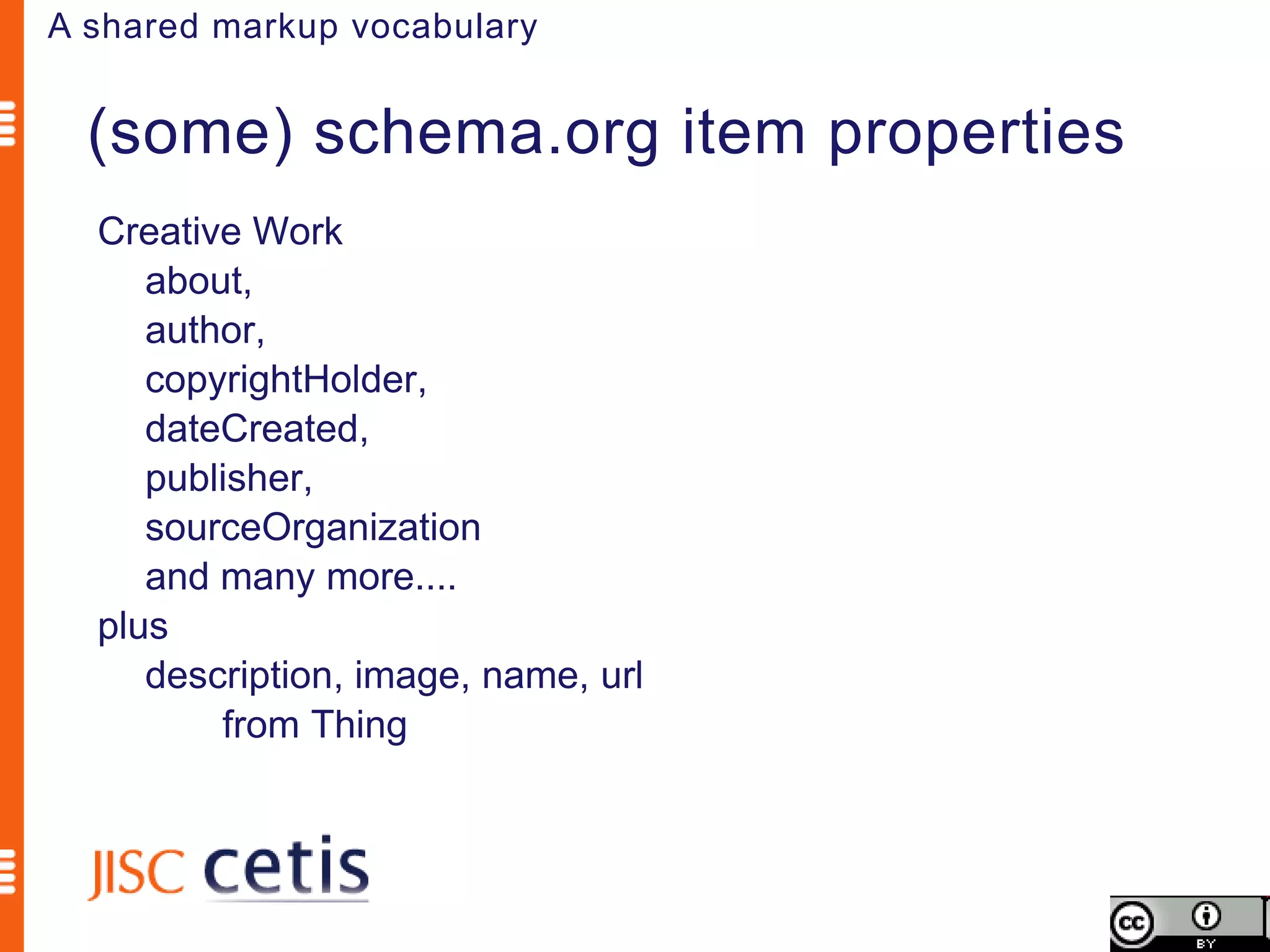
A shared markup vocabulary


  (some) schema.org item properties
  Creative Work
     about,
     author,
     copyrightHolder,
     dateCreated,
     publisher,
     sourceOrganization
     and many more....
  plus
     description, image, name, url
         from Thing
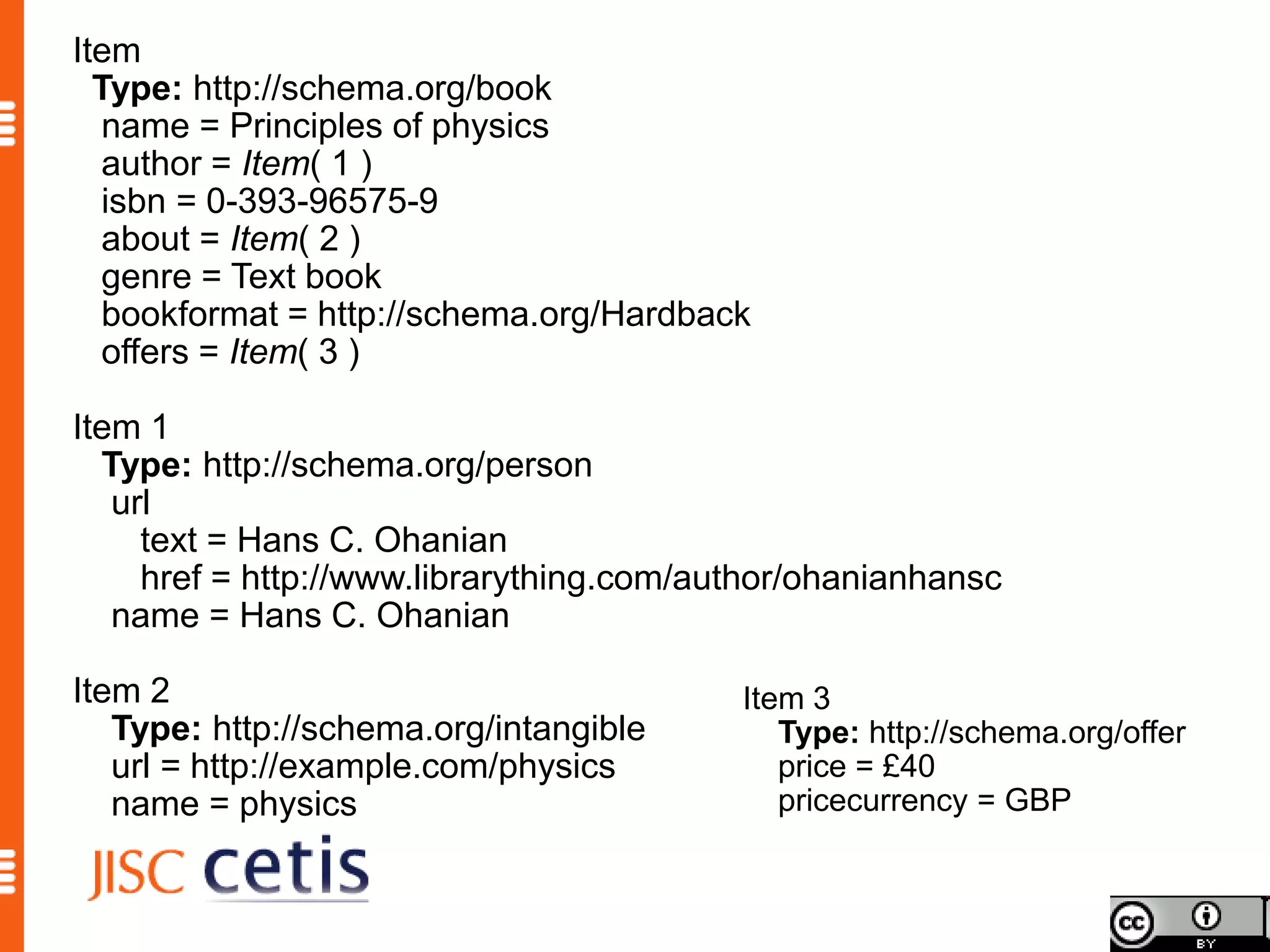
Principles of physics
Published: 1994
Author: Hans C. Ohanian
ISBN:0-393-96575-9
Subjects covered: physics,
Academic level: First year undergraduate
Resource type: Text book
Format: Hardback, no dustwrapper
Price: £40
Item
  Type: http://schema.org/book
  name = Principles of physics
  author = Item( 1 )
  isbn = 0-393-96575-9
  about = Item( 2 )
  genre = Text book
  bookformat = http://schema.org/Hardback
  offers = Item( 3 )

Item 1
  Type: http://schema.org/person
   url
     text = Hans C. Ohanian
     href = http://www.librarything.com/author/ohanianhansc
   name = Hans C. Ohanian

Item 2                                    Item 3
   Type: http://schema.org/intangible        Type: http://schema.org/offer
   url = http://example.com/physics          price = £40
   name = physics                            pricecurrency = GBP
Licence and attribution
             By Phil Barker <phil.barker@hw.ac.uk>, JISC
                CETIS <http://jisc.cetis.ac.uk>


This work is licensed under the Creative Commons
 Attribution 3.0 Unported licence.

To view a copy of this licence, visit
  http://creativecommons.org/licenses/by/3.0/ or send a
  letter to Creative Commons, 171 Second Street, Suite
  300, San Francisco, California 94105, USA.
Technical Working Group
    Sheryl Abshire, Calcasieu Parish Public School System
    Phil Barker, JISC CETIS
    Kurt Bollacker, Applied Minds
    Brian Carver, UC Berkeley School of Information
    Cable Green, Creative Commons
    Greg Grossmeier, Creative Commons
    Charlie Jiang, Microsoft
    Michael Johnson, Full Potential Associates
    Mike Linksvayer, Creative Commons
    Joshua Marks, Curriki
    Brandt Redd, Gates Foundation
    Colin Smythe, IMS Global
    Stuart Sutton, Dublin Core Metadata Initiative
    Randy Wilhelm, netTrekker
    Lee Wilson, PCI Educational Publishing
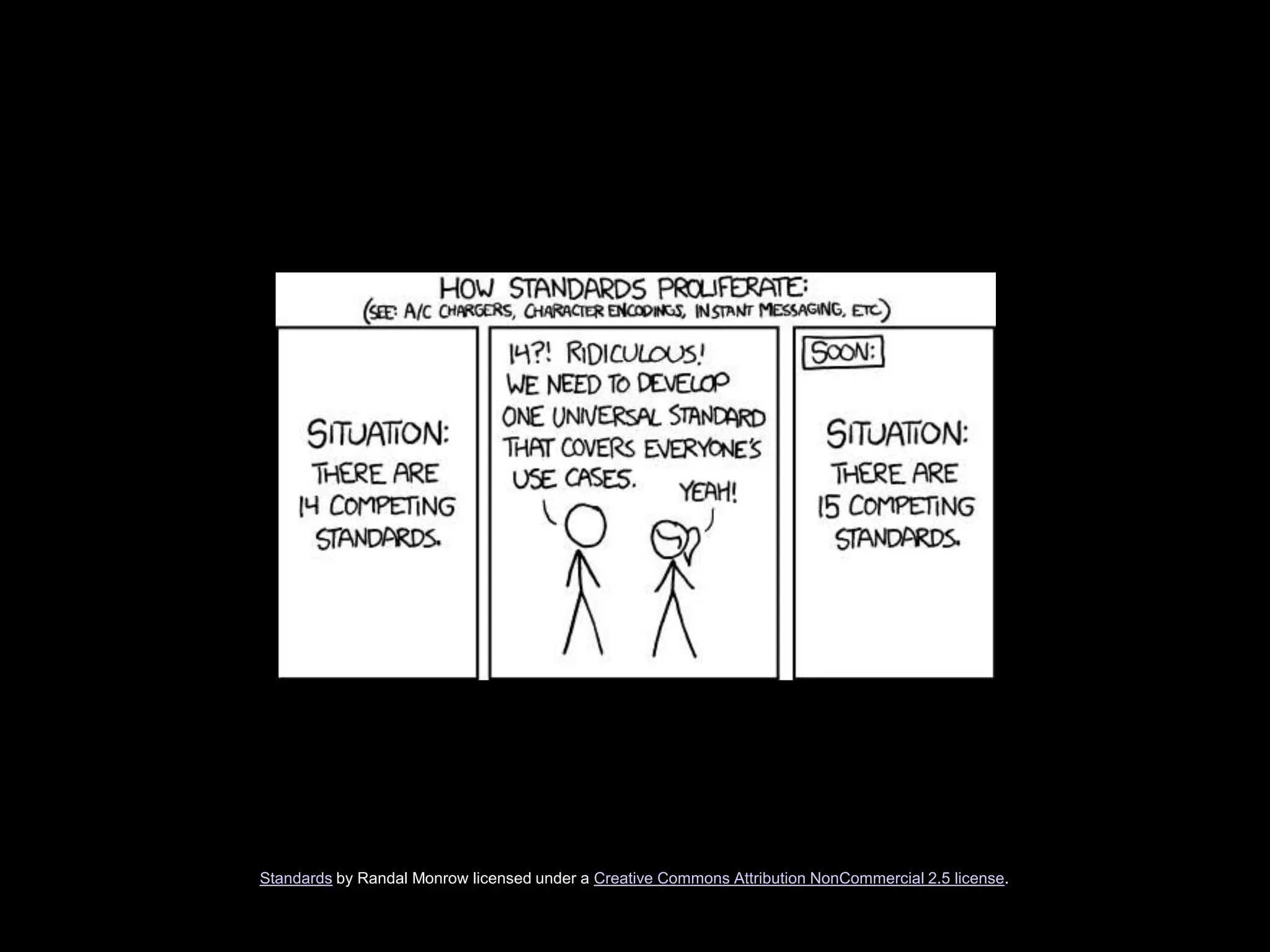
Metadata Standard Development
Standards by Randal Monrow licensed under a Creative Commons Attribution NonCommercial 2.5 license.
Homework.
Discussion
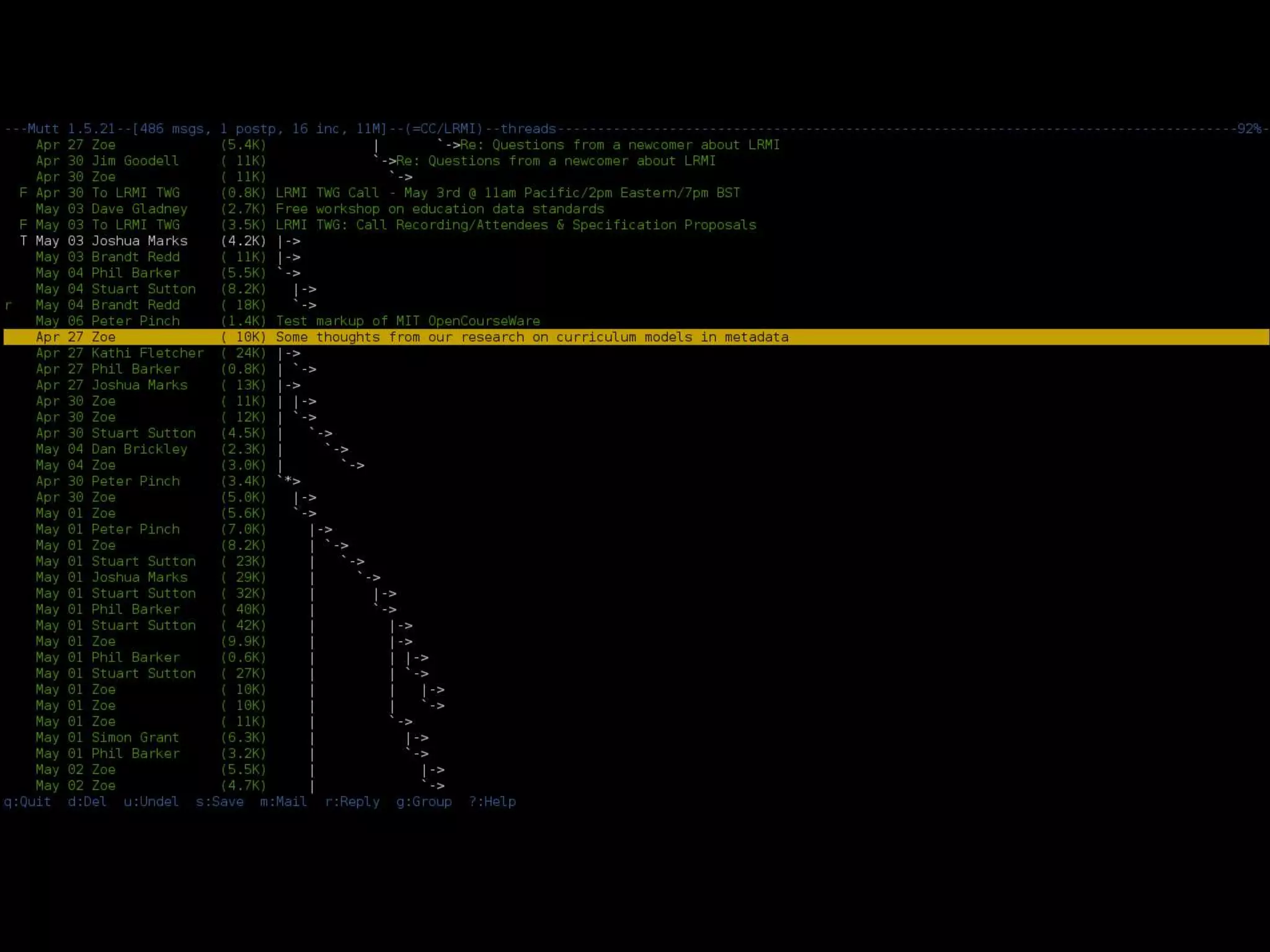
Mutt 1.5.21--[0/486 msgs, 1 postp, 16 inc, 11M]--(=CC/LRMI)
Mutt 1.5.21--[0/   486 msgs
                          , 1 postp, 16 inc,   11M
                                                 ]--(=CC/LRMI)
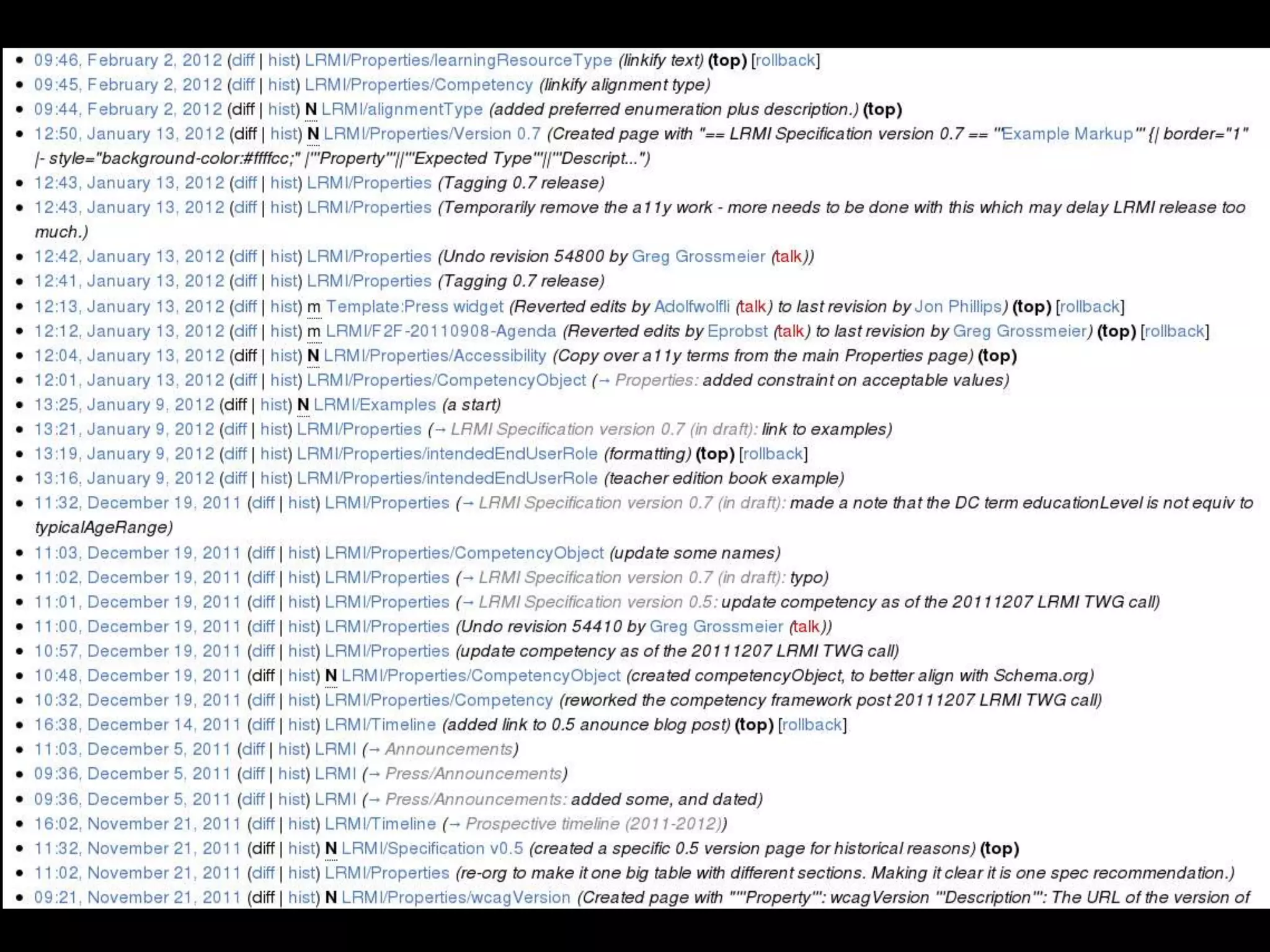
Drafting
http://wiki.creativecommons.org/LRMI
http://wiki.creativecommons.org/LRMI/Properties
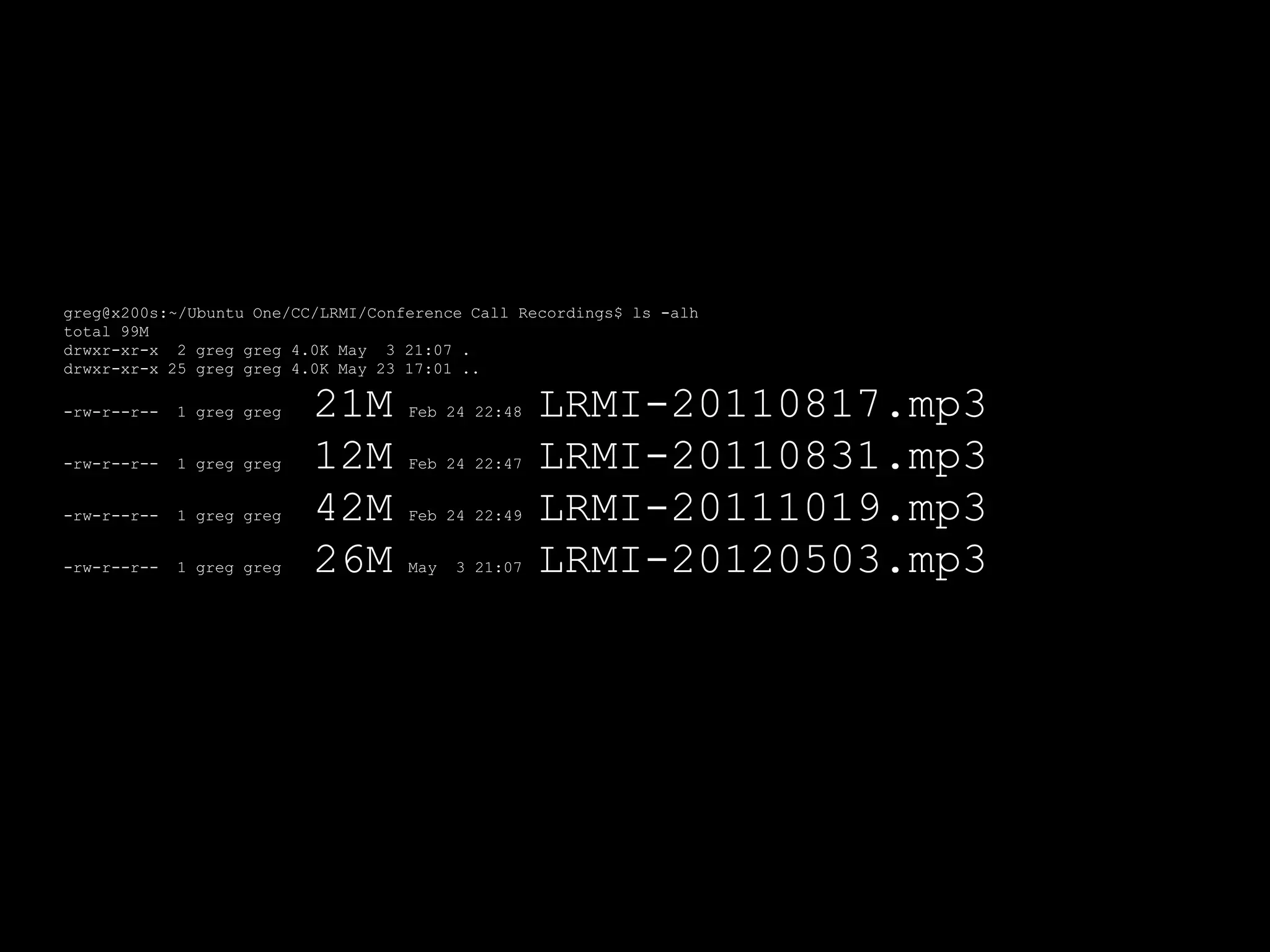
Talking
greg@x200s:~/Ubuntu One/CC/LRMI/Conference Call Recordings$ ls -alh
total 99M
drwxr-xr-x 2 greg greg 4.0K May 3 21:07 .
drwxr-xr-x 25 greg greg 4.0K May 23 17:01 ..

-rw-r--r--   1 greg greg   21M      Feb 24 22:48    LRMI-20110817.mp3
-rw-r--r--   1 greg greg   12M      Feb 24 22:47    LRMI-20110831.mp3
-rw-r--r--   1 greg greg   42M      Feb 24 22:49    LRMI-20111019.mp3
-rw-r--r--   1 greg greg   26M      May   3 21:07   LRMI-20120503.mp3
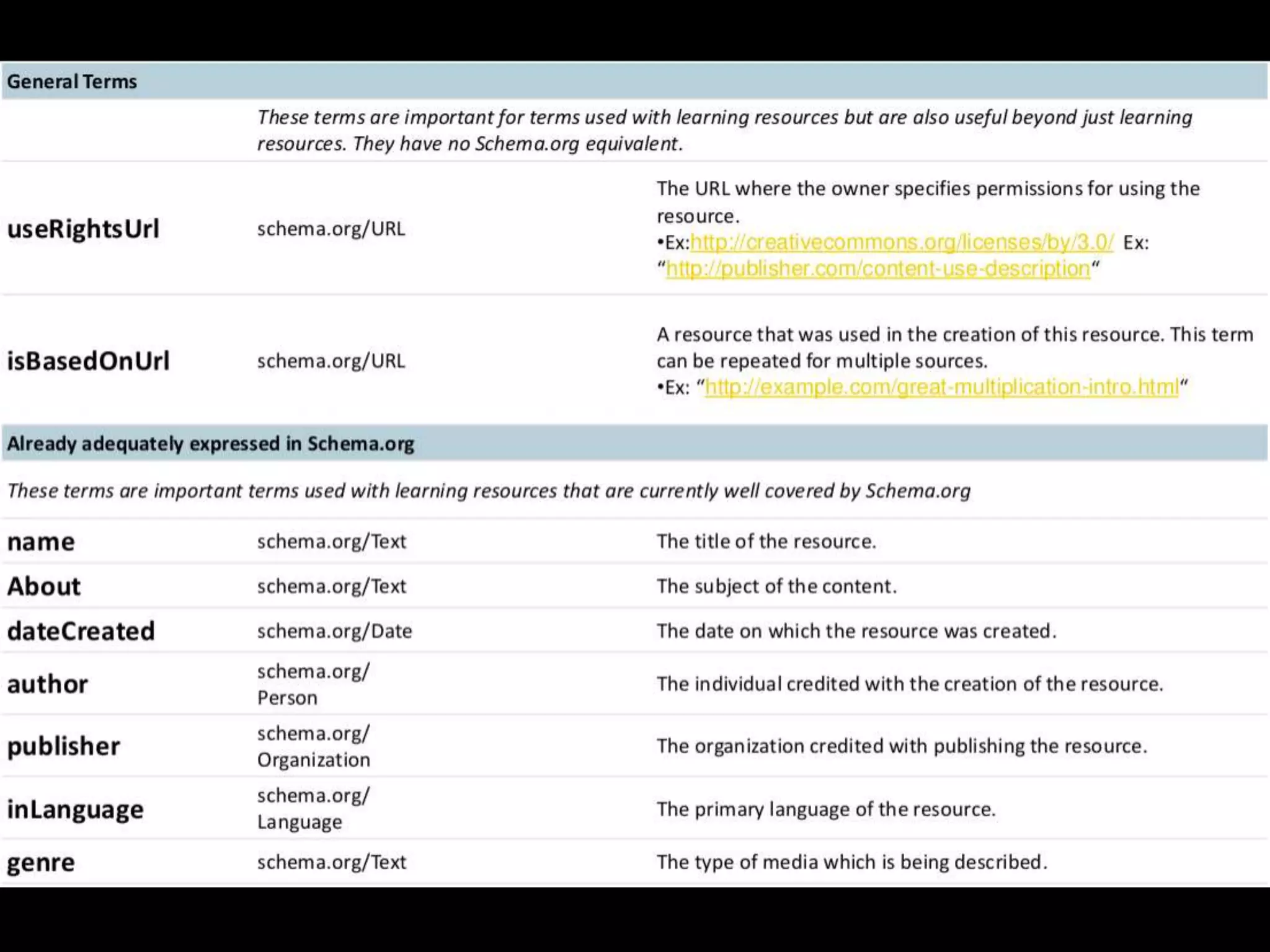
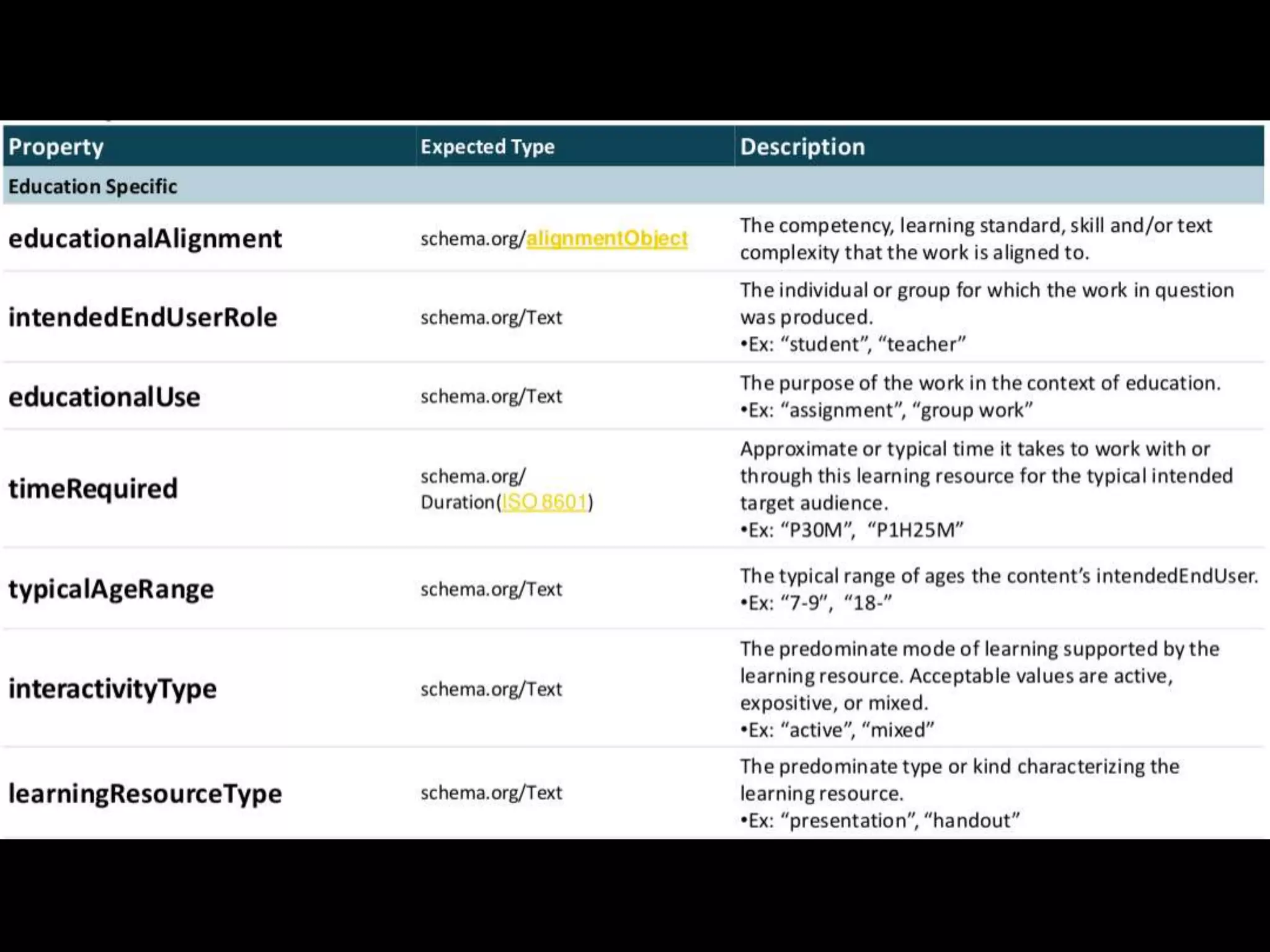
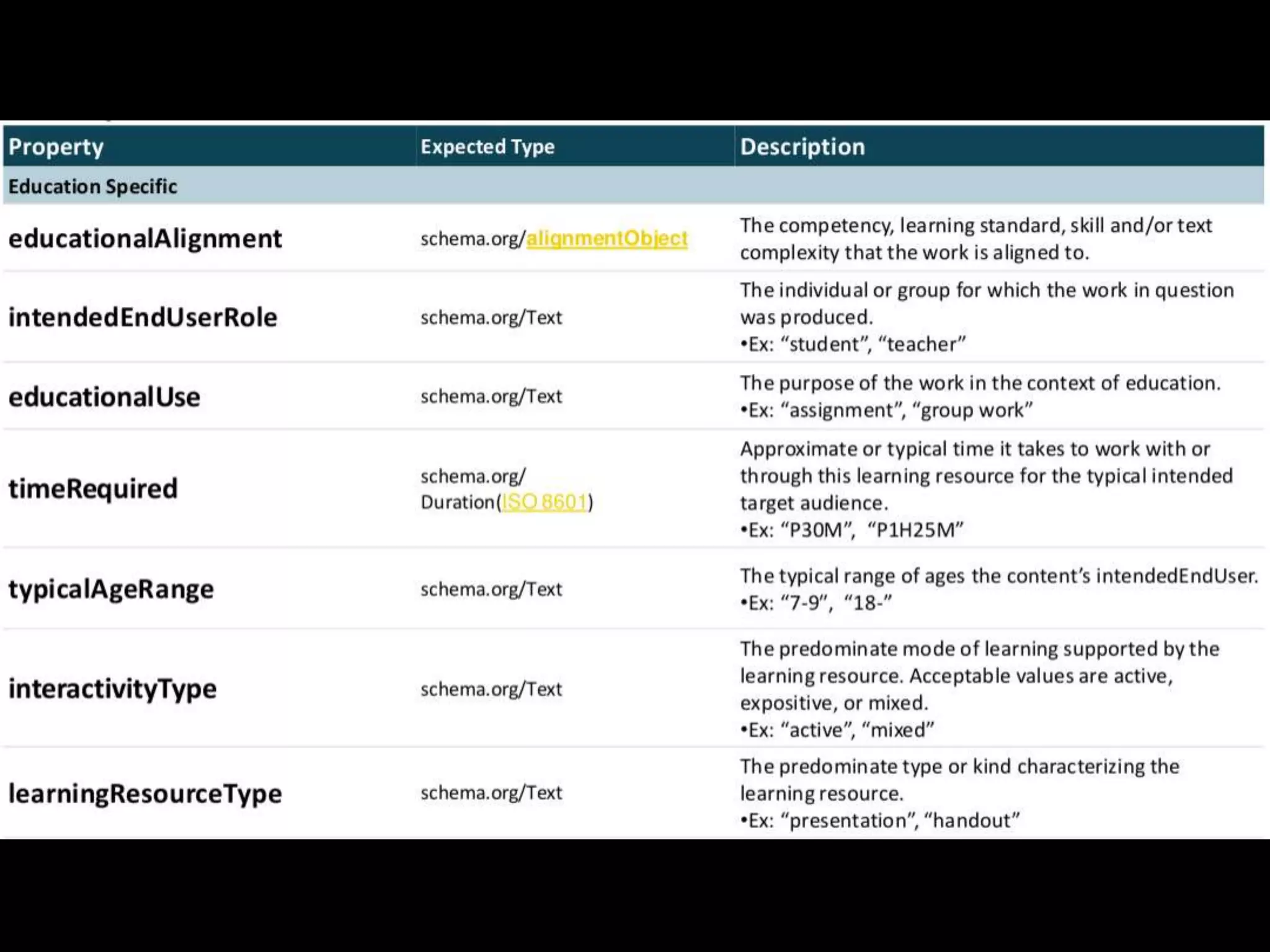
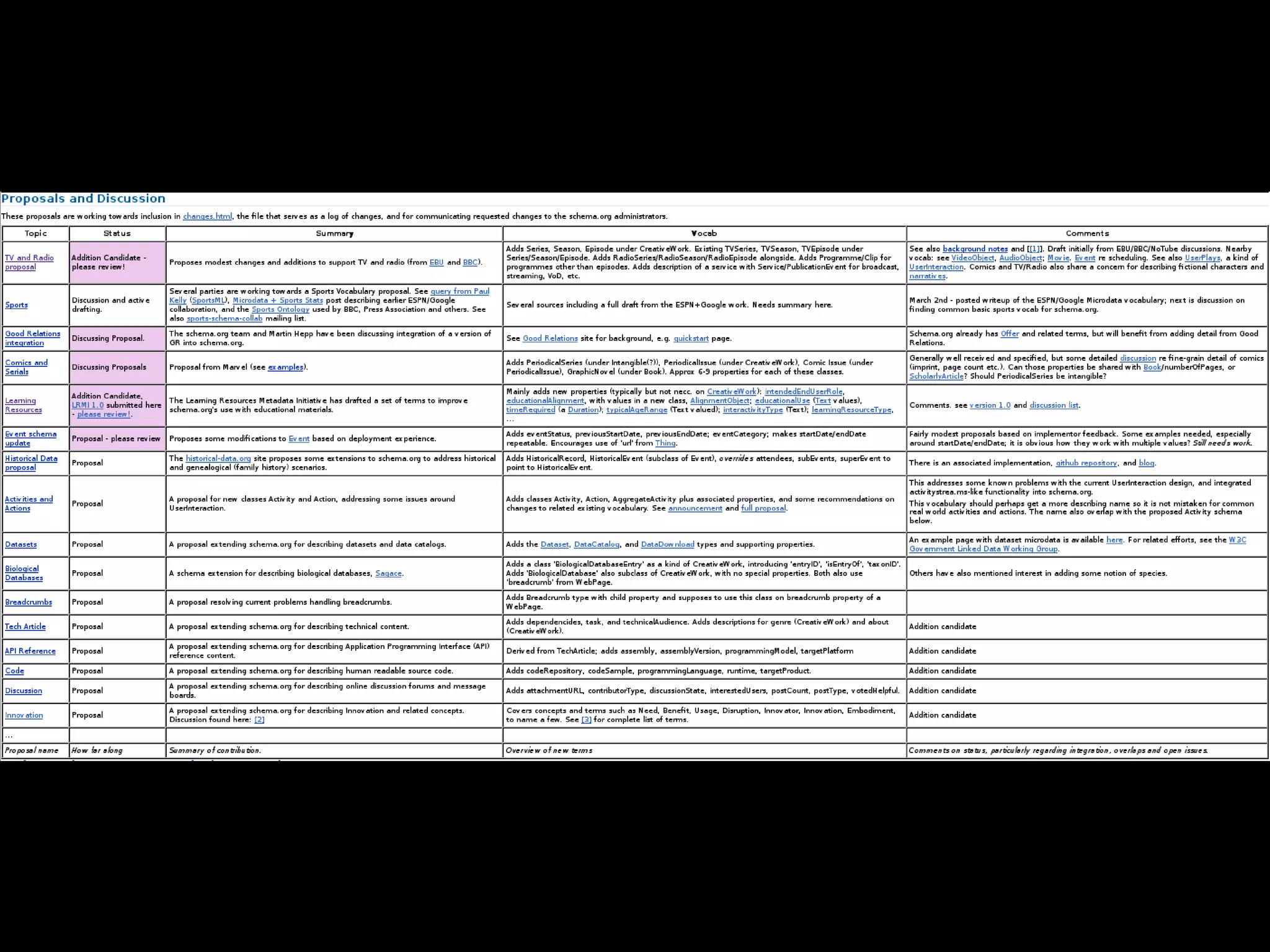
Produce anything?
1.0
But wait!
8 included
6 actively discussing/reviewing
10 preliminary
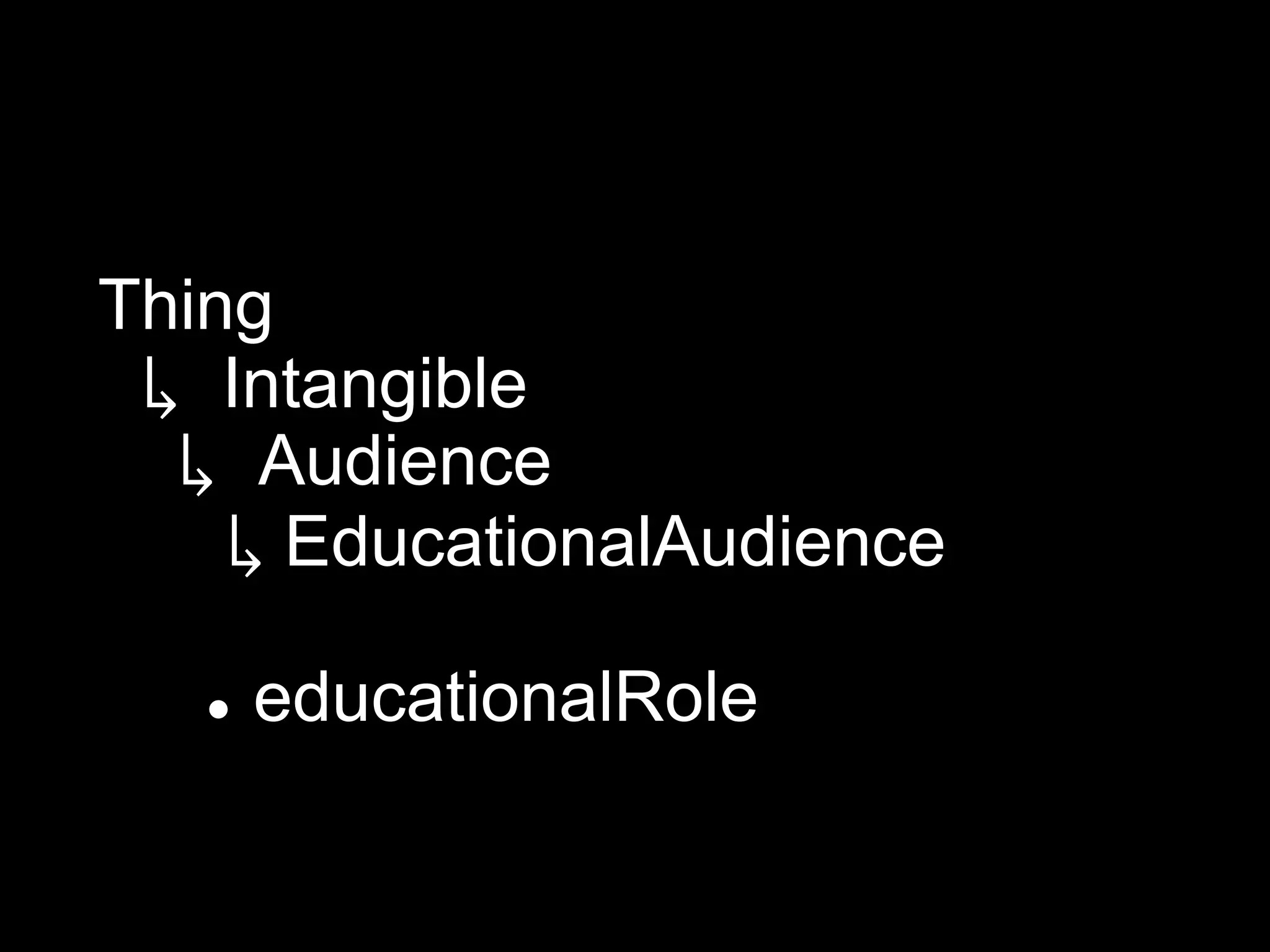
Unification.
Thing
 ↳ Intangible
  ↳ Audience
    ↳ EducationalAudience

      educationalRole
????
Example?
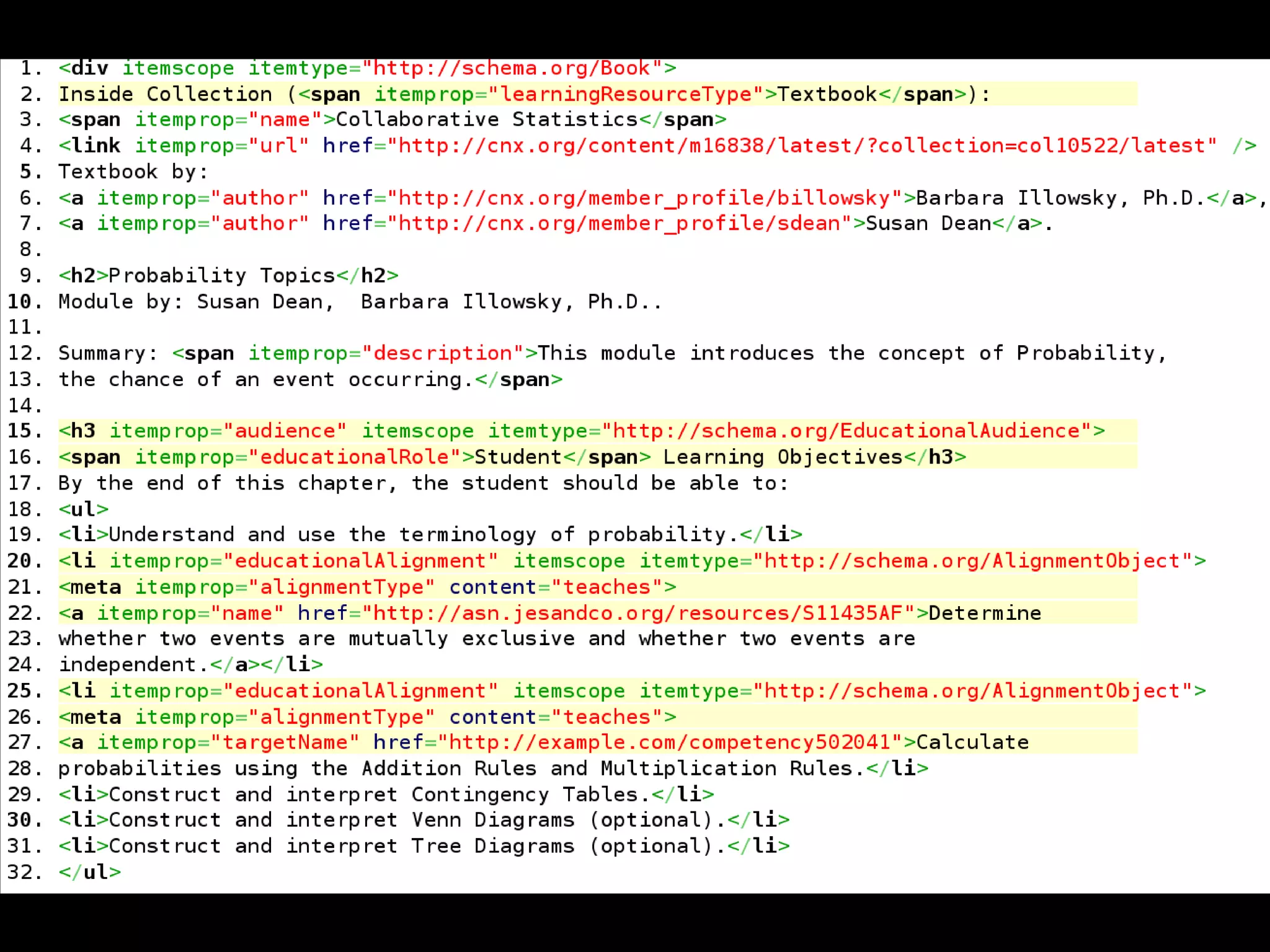
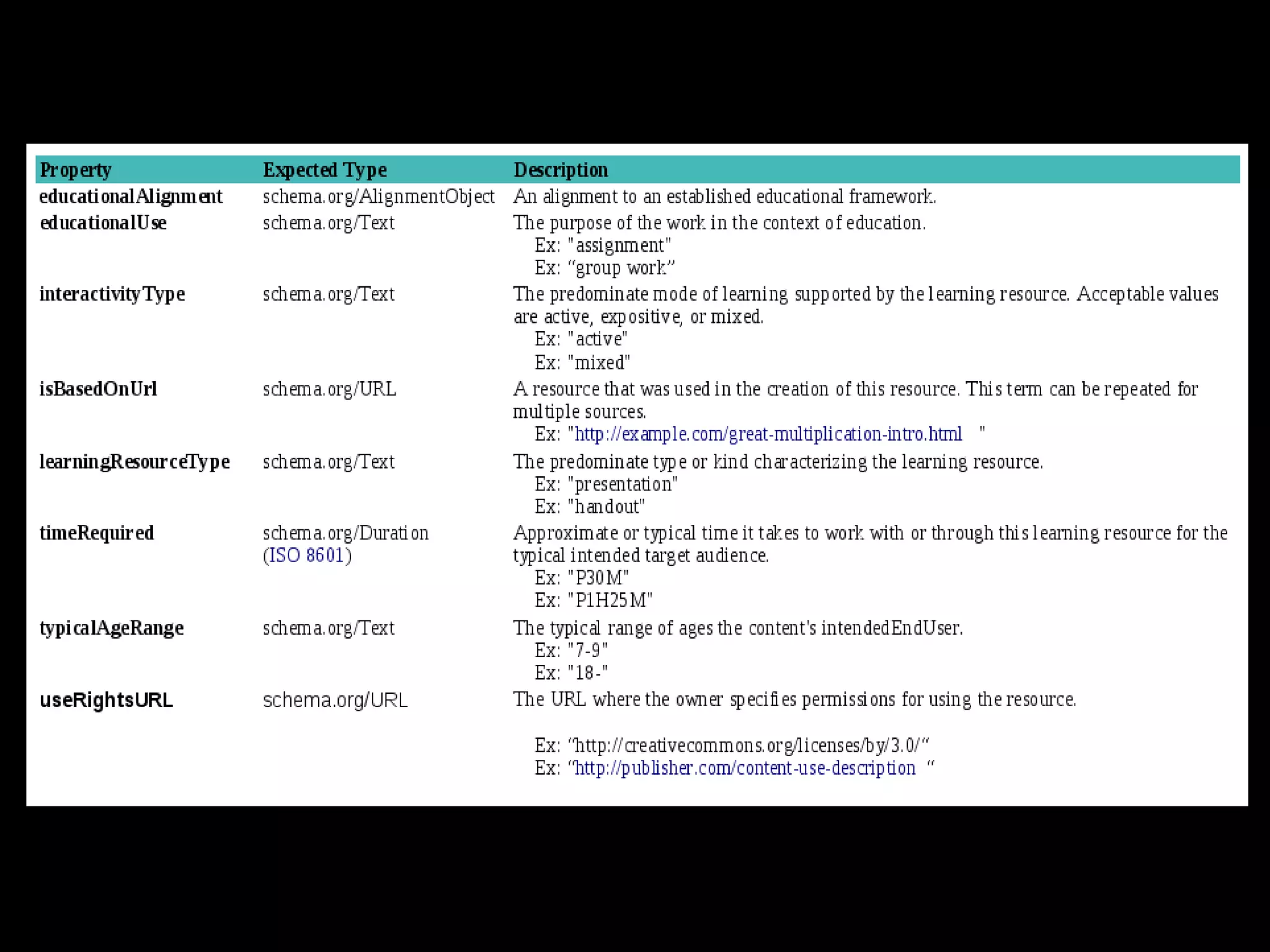
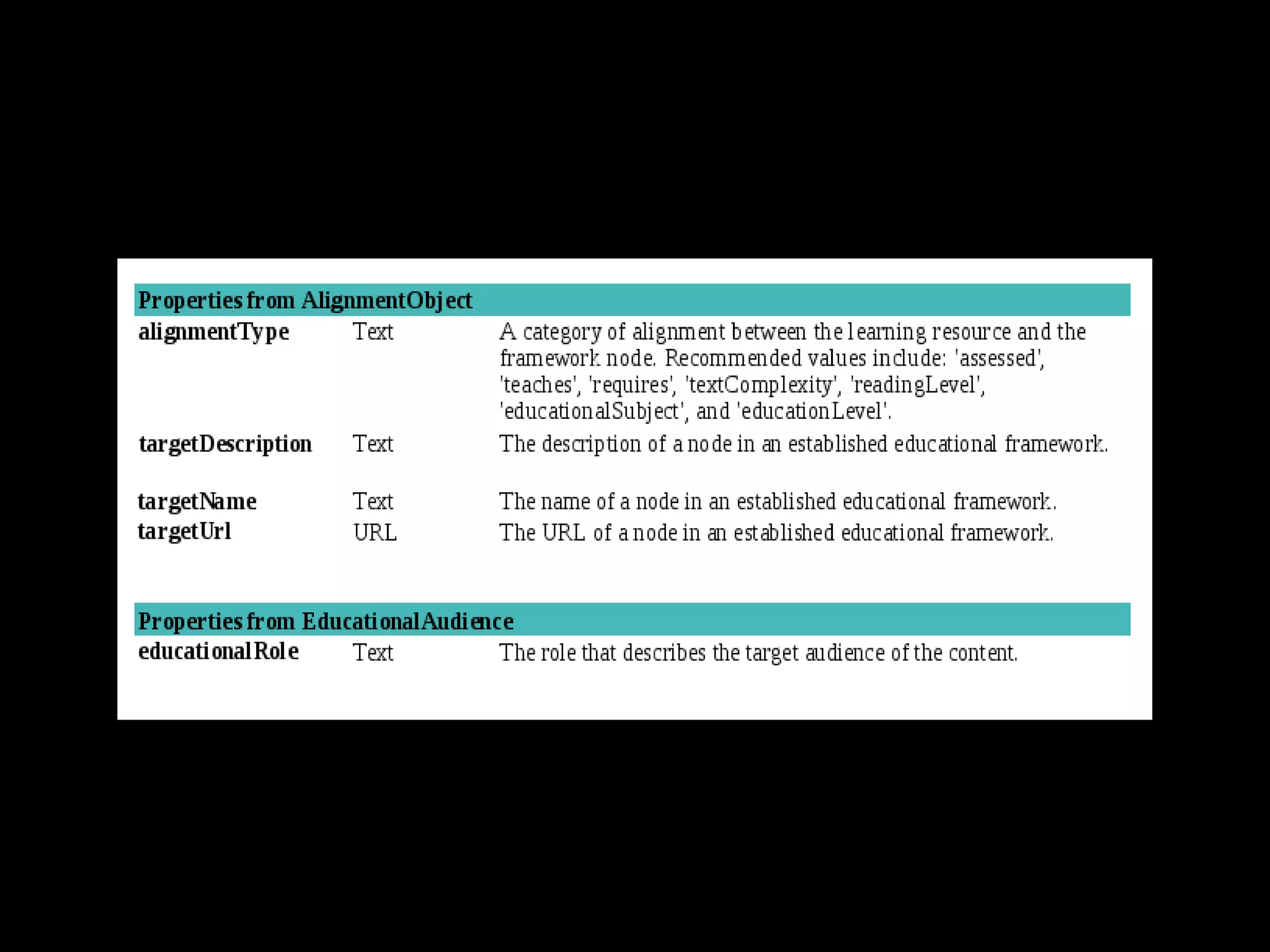
Learning resource metadata for schema.org

Learning resource metadata for schema.org

  • 1.
    Learning resource metadata forschema.org Webinar starts at 15:00, please use any time before then for set up and testing
  • 2.
    Learning resource metadata forschema.org Phil Barker JISC CETIS phil.barker@hw.ac.uk Heriot-Watt University @philbarker Dan Brickley, Greg Grossmeier, Schema.org Creative Commons
  • 3.
    Outline • schema.org: who, what, why • schema.org and learning resources • LRMI: who what why • Questions and answers / discussion
  • 4.
    Schema.org is ajoint effort, in the spirit of sitemaps.org, to improve the web by creating a structured data markup schema supported by major search engines. On-page markup helps search engines understand the information on web pages and provide richer search results. A shared markup vocabulary makes easier for webmasters to decide on a markup schema and get the maximum benefit for their efforts. Search engines want to make it easier for people to find relevant information on the web. Markup can also enable new tools and applications that make use of the structure. Schema.org FAQ http://schema.org/docs/faq.html
  • 5.
    Schema.org is ajoint effort, in the spirit of sitemaps.org, to improve the web by creating a structured data markup schema supported by major search engines. On-page markup helps search engines understand the information on web pages and provide richer search results. A shared markup vocabulary makes easier for webmasters to decide on a markup schema and get the maximum benefit for their efforts. Search engines want to make it easier for people to find relevant information on the web. Markup can also enable new tools and applications that make use of the structure. Schema.org FAQ http://schema.org/docs/faq.html
  • 6.
    Schema.org is ajoint effort, in the spirit of sitemaps.org, to improve the web by creating a structured data markup schema supported by major search engines. On-page markup helps search engines understand the information on web pages and provide richer search results. A shared markup vocabulary makes easier for webmasters to decide on a markup schema and get the maximum benefit for their efforts. Search engines want to make it easier for people to find relevant information on the web. Markup can also enable new tools and applications that make use of the structure. Schema.org FAQ http://schema.org/docs/faq.html
  • 7.
    Schema.org is ajoint effort, in the spirit of sitemaps.org, to improve the web by creating a structured data markup schema supported by major search engines. On-page markup helps search engines understand the information on web pages and provide richer search results. A shared markup vocabulary makes easier for webmasters to decide on a markup schema and get the maximum benefit for their efforts. Search engines want to make it easier for people to find relevant information on the web. Markup can also enable new tools and applications that make use of the structure. Schema.org FAQ http://schema.org/docs/faq.html
  • 8.
    Schema.org is ajoint effort, in the spirit of sitemaps.org, to improve the web by creating a structured data markup schema supported by major search engines. On-page markup helps search engines understand the information on web pages and provide richer search results. A shared markup vocabulary makes easier for webmasters to decide on a markup schema and get the maximum benefit for their efforts. Search engines want to make it easier for people to find relevant information on the web. Markup can also enable new tools and applications that make use of the structure. Schema.org FAQ http://schema.org/docs/faq.html
  • 9.
    Schema.org is ajoint effort, in the spirit of sitemaps.org, to improve the web by creating a structured data markup schema supported by major search engines. On-page markup helps search engines understand the information on web pages and provide richer search results. A shared markup vocabulary makes easier for webmasters to decide on a markup schema and get the maximum benefit for their efforts. Search engines want to make it easier for people to find relevant information on the web. Markup can also enable new tools and applications that make use of the structure. Schema.org FAQ http://schema.org/docs/faq.html
  • 10.
    Schema.org is ajoint effort, in the spirit of sitemaps.org, to improve the web by creating a structured data markup schema supported by major search engines. On-page markup helps search engines understand the information on web pages and provide richer search results. A shared markup vocabulary makes easier for webmasters to decide on a markup schema and get the maximum benefit for their efforts. Search engines want to make it easier for people to find relevant information on the web. Markup can also enable new tools and applications that make use of the structure. Schema.org FAQ http://schema.org/docs/faq.html
  • 11.
    Schema.org is ajoint effort, in the spirit of sitemaps.org, to improve the web by creating a structured data markup schema supported by major search engines. On-page markup helps search engines understand the information on web pages and provide richer search results. A shared markup vocabulary makes easier for webmasters to decide on a markup schema and get the maximum benefit for their efforts. Search engines want to make it easier for people to find relevant information on the web. Markup can also enable new tools and applications that make use of the structure. Schema.org FAQ http://schema.org/docs/faq.html
  • 12.
    Schema.org is ajoint effort, in the spirit of sitemaps.org, to improve the web by creating a structured data markup schema supported by major search engines. On-page markup helps search engines understand the information on web pages and provide richer search results. A shared markup vocabulary makes easier for webmasters to decide on a markup schema and get the maximum benefit for their efforts. Search engines want to make it easier for people to find relevant information on the web. Markup can also enable new tools and applications that make use of the structure. Schema.org FAQ http://schema.org/docs/faq.html
  • 13.
    …joint effort …supported by major search engines…
  • 14.
    Schema.org is ajoint effort, in the spirit of sitemaps.org, to improve the web by creating a structured data markup schema supported by major search engines. On-page markup helps search engines understand the information on web pages and provide richer search results. A shared markup vocabulary makes easier for webmasters to decide on a markup schema and get the maximum benefit for their efforts. Search engines want to make it easier for people to find relevant information on the web. Markup can also enable new tools and applications that make use of the structure. Schema.org FAQ http://schema.org/docs/faq.html
  • 15.
    …easier for peopleto find relevant information…
  • 16.
    Will schema.org increasepage rank? Probably not, but there is more to making information easier to find than that http://blogs.cetis.ac.uk/philb/2012/05/25/will-using-schemaorg-metadata-improve-my-google-rank/
  • 17.
    Schema.org is ajoint effort, in the spirit of sitemaps.org, to improve the web by creating a structured data markup schema supported by major search engines. On-page markup helps search engines understand the information on web pages and provide richer search results. A shared markup vocabulary makes easier for webmasters to decide on a markup schema and get the maximum benefit for their efforts. Search engines want to make it easier for people to find relevant information on the web. Markup can also enable new tools and applications that make use of the structure. Schema.org FAQ http://schema.org/docs/faq.html
  • 18.
    … on-page markup… Web page about me
  • 19.
    1. <div> 2. <h1>Phil Barker </h1> 3. <img src="philb.jpg" alt="mug shot of me”/> 4. <p> <strong>Learning Technology Adviser</strong><br /> 5. <a href="http://www.icbl.hw.ac.uk/”>Institute for Computer Based Learning</a>,<br /> 6. <a href="http://www.macs.hw.ac.uk/“ >School of Mathematical and Computer Sciences</a><br /> 7. Mountbatten Building<br /> 8. <a href="http://www.hw.ac.uk/">Heriot-Watt University</a>,<br /> 9. Edinburgh, EH14 4AS<br /> 10. <strong>Tel.</strong> 0131 451 3278<br /> 11. <strong>Fax.</strong> 0131 451 3327<br /> 12. <strong>Email</strong> <a href="mailto:Phil.Barker@hw.ac.uk">Phil.Barker@hw.ac.uk</a><br /> 13. <strong>Homepage</strong> <a href="http://www.icbl.hw.ac.uk/~philb/">http://www.iclb.hw.ac.uk/~philb</a> 14. </p> 15. <p>My main interests are supporting the use of learning technology at Universities, particularly through supporting the discovery and selection of appropriate resources. My main areas of work are ...</p> …
  • 20.
    … on-page markup… Information about me
  • 21.
    1. <div> 2. <h1>Phil Barker </h1> 3. <img src="philb.jpg" alt="mug shot of me”/> 4. <p> <strong>Learning Technology Adviser</strong><br /> 5. <a href="http://www.icbl.hw.ac.uk/”>Institute for Computer Based Learning</a>,<br /> 6. <a href="http://www.macs.hw.ac.uk/“ >School of Mathematical and Computer Sciences</a><br /> 7. Mountbatten Building<br /> 8. <a href="http://www.hw.ac.uk/">Heriot-Watt University</a>,<br /> 9. Edinburgh, EH14 4AS<br /> 10. <strong>Tel.</strong> 0131 451 3278<br /> 11. <strong>Fax.</strong> 0131 451 3327<br /> 12. <strong>Email</strong> <a href="mailto:Phil.Barker@hw.ac.uk">Phil.Barker@hw.ac.uk</a><br /> 13. <strong>Homepage</strong> <a href="http://www.icbl.hw.ac.uk/~philb/">http://www.iclb.hw.ac.uk/~philb</a> 14. </p> 15. <p>My main interests are supporting the use of learning technology at Universities, particularly through supporting the discovery and selection of appropriate resources. My main areas of work are ...</p> …
  • 22.
    1. <div itemscopeitemtype=“http://schema.org/Person”> 2. <h1>Phil Barker </h1> 3. <img src="philb.jpg" alt="mug shot of me”/> 4. <p> <strong>Learning Technology Adviser</strong><br /> 5. <a href="http://www.icbl.hw.ac.uk/”>Institute for Computer Based Learning</a>,<br /> 6. <a href="http://www.macs.hw.ac.uk/“ >School of Mathematical and Computer Sciences</a><br /> 7. Mountbatten Building<br /> 8. <a href="http://www.hw.ac.uk/">Heriot-Watt University</a>,<br /> 9. Edinburgh, EH14 4AS<br /> 10. <strong>Tel.</strong> 0131 451 3278<br /> 11. <strong>Fax.</strong> 0131 451 3327<br /> 12. <strong>Email</strong> <a href="mailto:Phil.Barker@hw.ac.uk">Phil.Barker@hw.ac.uk</a><br /> 13. <strong>Homepage</strong> <a href="http://www.icbl.hw.ac.uk/~philb/">http://www.iclb.hw.ac.uk/~philb</a> 14. </p> 15. <p>My main interests are supporting the use of learning technology at Universities, particularly through supporting the discovery and selection of appropriate resources. My main areas of work are ...</p> …
  • 23.
    … on-page markup… my name photo of me
  • 24.
    1. <div itemscopeitemtype=“http://schema.org/Person”> 2. <h1>Phil Barker </h1> 3. <img src="philb.jpg" alt="mug shot of me”/> 4. <p> <strong>Learning Technology Adviser</strong><br /> 5. <a href="http://www.icbl.hw.ac.uk/”>Institute for Computer Based Learning</a>,<br /> 6. <a href="http://www.macs.hw.ac.uk/“ >School of Mathematical and Computer Sciences</a><br /> 7. Mountbatten Building<br /> 8. <a href="http://www.hw.ac.uk/">Heriot-Watt University</a>,<br /> 9. Edinburgh, EH14 4AS<br /> 10. <strong>Tel.</strong> 0131 451 3278<br /> 11. <strong>Fax.</strong> 0131 451 3327<br /> 12. <strong>Email</strong> <a href="mailto:Phil.Barker@hw.ac.uk">Phil.Barker@hw.ac.uk</a><br /> 13. <strong>Homepage</strong> <a href="http://www.icbl.hw.ac.uk/~philb/">http://www.iclb.hw.ac.uk/~philb</a> 14. </p> 15. <p>My main interests are supporting the use of learning technology at Universities, particularly through supporting the discovery and selection of appropriate resources. My main areas of work are ...</p> …
  • 25.
    1. <div itemscopeitemtype=“http://schema.org/Person”> 2. <h1 itemprop=“name”>Phil Barker</h1> 3. <img itemprop="image" src="philb.jpg" alt="mug shot of me”/> 4. <p> <strong>Learning Technology Adviser</strong><br /> 5. <a href="http://www.icbl.hw.ac.uk/”>Institute for Computer Based Learning</a>,<br /> 6. <a href="http://www.macs.hw.ac.uk/“ >School of Mathematical and Computer Sciences</a><br /> 7. Mountbatten Building<br /> 8. <a href="http://www.hw.ac.uk/">Heriot-Watt University</a>,<br /> 9. Edinburgh, EH14 4AS<br /> 10. <strong>Tel.</strong> 0131 451 3278<br /> 11. <strong>Fax.</strong> 0131 451 3327<br /> 12. <strong>Email</strong> <a href="mailto:Phil.Barker@hw.ac.uk">Phil.Barker@hw.ac.uk</a><br /> 13. <strong>Homepage</strong> <a href="http://www.icbl.hw.ac.uk/~philb/">http://www.iclb.hw.ac.uk/~philb</a> 14. </p> 15. <p>My main interests are supporting the use of learning technology at Universities, particularly through supporting the discovery and selection of appropriate resources. My main areas of work are ...</p> …
  • 26.
    … on-page markup… about my employer
  • 27.
    … on-page markup… my employer’s address
  • 28.
    1. <div itemscopeitemtype=“http://schema.org/Person”> 2. <h1 itemprop=“name”>Phil Barker</h1> 3. <img itemprop="image" src="philb.jpg" alt="mug shot of me”/> 4. <p> <strong>Learning Technology Adviser</strong><br /> 5. <a href="http://www.icbl.hw.ac.uk/”>Institute for Computer Based Learning</a>,<br /> 6. <a href="http://www.macs.hw.ac.uk/“ >School of Mathematical and Computer Sciences</a><br /> 7. Mountbatten Building<br /> 8. <a href="http://www.hw.ac.uk/">Heriot-Watt University</a>,<br /> 9. Edinburgh, EH14 4AS<br /> 10. <strong>Tel.</strong> 0131 451 3278<br /> 11. <strong>Fax.</strong> 0131 451 3327<br /> 12. <strong>Email</strong> <a href="mailto:Phil.Barker@hw.ac.uk">Phil.Barker@hw.ac.uk</a><br /> 13. <strong>Homepage</strong> <a href="http://www.icbl.hw.ac.uk/~philb/">http://www.iclb.hw.ac.uk/~philb</a> 14. </p> 15. <p>My main interests are supporting the use of learning technology at Universities, particularly through supporting the discovery and selection of appropriate resources. My main areas of work are ...</p> …
  • 29.
    1. <div itemscopeitemtype=“http://schema.org/Person”> 2. <h1 itemprop=“name”>Phil Barker</h1> 3. <img itemprop="image" src="philb.jpg" alt="mug shot of me”/> 4. <p> <strong>Learning Technology Adviser</strong><br /> 5. <a href="http://www.icbl.hw.ac.uk/”>Institute for Computer Based Learning</a>,<br /> 6. <a href="http://www.macs.hw.ac.uk/“ >School of Mathematical and Computer Sciences</a><br /> 7. Mountbatten Building<br /> 8. <span itemprop=“affiliation” itemscope itemtype=“http://schema.org/CollegeOrUniversity”> 9. <a href="http://www.hw.ac.uk/">Heriot-Watt University</a>,<br /> 10. Edinburgh, EH14 4AS<br/> 11.</span> 12. <strong>Tel.</strong> 0131 451 3278<br /> 13. <strong>Fax.</strong> 0131 451 3327<br /> 14. <strong>Email</strong> <a href="mailto:Phil.Barker@hw.ac.uk">Phil.Barker@hw.ac.uk</a><br /> 15. <strong>Homepage</strong> <a href="http://www.icbl.hw.ac.uk/~philb/">http://www.iclb.hw.ac.uk/~philb</a> 16. </p> 17. <p>My main interests are supporting the use of learning technology at Universities, particularly through supporting the discovery and selection of appropriate resources. My main areas of work are ...</p> …
  • 30.
    1. <div itemscopeitemtype=“http://schema.org/Person”> 2. <h1 itemprop=“name”>Phil Barker</h1> 3. <img itemprop="image" src="philb.jpg" alt="mug shot of me”/> 4. <p> <strong>Learning Technology Adviser</strong><br /> 5. <a href="http://www.icbl.hw.ac.uk/”>Institute for Computer Based Learning</a>,<br /> 6. <a href="http://www.macs.hw.ac.uk/“ >School of Mathematical and Computer Sciences</a><br /> 7. Mountbatten Building<br /> 8. <span itemprop=“affiliation” itemscope itemtype=“http://schema.org/CollegeOrUniversity”> 9. <a itemprop=“url” href="http://www.hw.ac.uk/"> 10. <span itemprop=“name”>Heriot-Watt University</span></a>,<br /> 11. Edinburgh, EH14 4AS<br/> 12.</span> 13. <strong>Tel.</strong> 0131 451 3278<br /> 14. <strong>Fax.</strong> 0131 451 3327<br /> 15. <strong>Email</strong> <a href="mailto:Phil.Barker@hw.ac.uk">Phil.Barker@hw.ac.uk</a><br /> 16. <strong>Homepage</strong> <a href="http://www.icbl.hw.ac.uk/~philb/">http://www.iclb.hw.ac.uk/~philb</a> 17. </p> 18. <p>My main interests are supporting the use of learning technology at Universities, particularly through supporting the discovery and selection of appropriate resources. My main areas of work are ...</p>
  • 31.
    Schema.org is ajoint effort, in the spirit of sitemaps.org, to improve the web by creating a structured data markup schema supported by major search engines. On-page markup helps search engines understand the information on web pages and provide richer search results. A shared markup vocabulary makes easier for webmasters to decide on a markup schema and get the maximum benefit for their efforts. Search engines want to make it easier for people to find relevant information on the web. Markup can also enable new tools and applications that make use of the structure. Schema.org FAQ http://schema.org/docs/faq.html
  • 32.
    … search enginesunderstand the information … Rich Snippets Testing Tool http://www.google.com/webmasters/tools/richsnippets Item Type: http://schema.org/person image = http://www.icbl.hw.ac.uk/~philb/philb.jpg name = Phil Barker jobtitle = Learning Technology Adviser affiliation = Item( 1 ) Item 1 Type: http://schema.org/collegeoruniversity url text = Heriot-Watt University href = http://www.hw.ac.uk/ name = Heriot-Watt University
  • 33.
    …joint effort …supported by major search engines… <meta name=“keywords”...> <meta name=“DC.title” content=“...”> <link rel=“DCTERMS.subject” href=“....”>
  • 34.
    …joint effort …supported by major search engines… The difference is trust <meta name=“keywords”...> <meta name=“DC.title” content=“...”> <link rel=“DCTERMS.subject” href=“....”> Google doesn’t trust invisible metadata
  • 35.
    …joint effort …supported by major search engines… RDFa (and more) Our approach is "Microdata and more". As implementations and services begin to consume RDFa 1.1, publishers with an interest in mixing schema.org with additional vocabularies, or who are using tools like Drupal 7, may find RDFa well worth exploring. http://blog.schema.org/2012/06/semtech-rdfa-microdata-and-more.html
  • 36.
    Schema.org is ajoint effort, in the spirit of sitemaps.org, to improve the web by creating a structured data markup schema supported by major search engines. On-page markup helps search engines understand the information on web pages and provide richer search results. A shared markup vocabulary makes easier for webmasters to decide on a markup schema and get the maximum benefit for their efforts. Search engines want to make it easier for people to find relevant information on the web. Markup can also enable new tools and applications that make use of the structure. Schema.org FAQ http://schema.org/docs/faq.html
  • 37.
    easier for webmasters •All info in one place: http://schema.org • Forgiving of simplification, e.g. <span itemprop=“author”>Phil Barker</span> • No philosophy, e.g. “httpRange-14” <a itemprop=url href=“http://people.pjjk.net/phil”>
  • 38.
    Useful support links •http://schema.org/ • Official schema blog: http://blog.schema.org/ • Development discussion: Public-vocabs@w3.org http://lists.w3.org/Archives/Public/public-vocabs/ • Google testing tool: http://www.google.com/webmasters/tools/richsnippets • Google schema.org faq: http://support.google.com/webmasters/bin/answer.py? hl=en&answer=1211158
  • 39.
    Schema.org is ajoint effort, in the spirit of sitemaps.org, to improve the web by creating a structured data markup schema supported by major search engines. On-page markup helps search engines understand the information on web pages and provide richer search results. A shared markup vocabulary makes easier for webmasters to decide on a markup schema and get the maximum benefit for their efforts. Search engines want to make it easier for people to find relevant information on the web. Markup can also enable new tools and applications that make use of the structure. Schema.org FAQ http://schema.org/docs/faq.html
  • 40.
    A shared markupvocabulary (some) schema.org types
  • 41.
    A shared markupvocabulary (some) schema.org types
  • 42.
    A shared markupvocabulary (some) schema.org types
  • 43.
    A shared markupvocabulary (some) schema.org types
  • 44.
    A shared markupvocabulary (some) schema.org item properties Thing description, image, name, url
  • 45.
    A shared markupvocabulary (some) schema.org item properties Creative Work about, author, copyrightHolder, dateCreated, publisher, sourceOrganization and many more.... plus description, image, name, url from Thing
  • 46.
    Principles of physics Published:1994 Author: Hans C. Ohanian ISBN:0-393-96575-9 Subjects covered: physics, Academic level: First year undergraduate Resource type: Text book Format: Hardback, no dustwrapper Price: £40
  • 47.
    Item Type:http://schema.org/book name = Principles of physics author = Item( 1 ) isbn = 0-393-96575-9 about = Item( 2 ) genre = Text book bookformat = http://schema.org/Hardback offers = Item( 3 ) Item 1 Type: http://schema.org/person url text = Hans C. Ohanian href = http://www.librarything.com/author/ohanianhansc name = Hans C. Ohanian Item 2 Item 3 Type: http://schema.org/intangible Type: http://schema.org/offer url = http://example.com/physics price = £40 name = physics pricecurrency = GBP
  • 48.
    Licence and attribution By Phil Barker <phil.barker@hw.ac.uk>, JISC CETIS <http://jisc.cetis.ac.uk> This work is licensed under the Creative Commons Attribution 3.0 Unported licence. To view a copy of this licence, visit http://creativecommons.org/licenses/by/3.0/ or send a letter to Creative Commons, 171 Second Street, Suite 300, San Francisco, California 94105, USA.
  • 52.
    Technical Working Group  Sheryl Abshire, Calcasieu Parish Public School System  Phil Barker, JISC CETIS  Kurt Bollacker, Applied Minds  Brian Carver, UC Berkeley School of Information  Cable Green, Creative Commons  Greg Grossmeier, Creative Commons  Charlie Jiang, Microsoft  Michael Johnson, Full Potential Associates  Mike Linksvayer, Creative Commons  Joshua Marks, Curriki  Brandt Redd, Gates Foundation  Colin Smythe, IMS Global  Stuart Sutton, Dublin Core Metadata Initiative  Randy Wilhelm, netTrekker  Lee Wilson, PCI Educational Publishing
  • 53.
  • 54.
    Standards by RandalMonrow licensed under a Creative Commons Attribution NonCommercial 2.5 license.
  • 55.
  • 57.
  • 58.
    Mutt 1.5.21--[0/486 msgs,1 postp, 16 inc, 11M]--(=CC/LRMI)
  • 59.
    Mutt 1.5.21--[0/ 486 msgs , 1 postp, 16 inc, 11M ]--(=CC/LRMI)
  • 61.
  • 62.
  • 64.
  • 65.
    greg@x200s:~/Ubuntu One/CC/LRMI/Conference CallRecordings$ ls -alh total 99M drwxr-xr-x 2 greg greg 4.0K May 3 21:07 . drwxr-xr-x 25 greg greg 4.0K May 23 17:01 .. -rw-r--r-- 1 greg greg 21M Feb 24 22:48 LRMI-20110817.mp3 -rw-r--r-- 1 greg greg 12M Feb 24 22:47 LRMI-20110831.mp3 -rw-r--r-- 1 greg greg 42M Feb 24 22:49 LRMI-20111019.mp3 -rw-r--r-- 1 greg greg 26M May 3 21:07 LRMI-20120503.mp3
  • 66.
  • 67.
  • 70.
  • 74.
    8 included 6 activelydiscussing/reviewing 10 preliminary
  • 75.
  • 76.
    Thing ↳ Intangible ↳ Audience ↳ EducationalAudience  educationalRole
  • 77.
  • 78.