
What does schema.org
offer the web manager?
          Phil Barker
          JISC CETIS
          Heriot-Watt University

          phil.barker@hw.ac.uk
          @philbarker
Outline
• What is schema.org
• How does schema.org work
• What does schema.org offer
• Questions and answers
(but not necessarily in that order)
Schema.org is a joint effort, in the spirit of sitemaps.org,
to improve the web by creating a structured data markup
schema supported by major search engines. On-page
markup helps search engines understand the information
on web pages and provide richer search results. A
shared markup vocabulary makes easier for webmasters
to decide on a markup schema and get the maximum
benefit for their efforts. Search engines want to make it
easier for people to find relevant information on the web.
Markup can also enable new tools and applications that
make use of the structure.
                              Schema.org FAQ http://schema.org/docs/faq.html
Schema.org is a joint effort, in the spirit of sitemaps.org,
to improve the web by creating a structured data markup
schema supported by major search engines. On-page
markup helps search engines understand the information
on web pages and provide richer search results. A
shared markup vocabulary makes easier for webmasters
to decide on a markup schema and get the maximum
benefit for their efforts. Search engines want to make it
easier for people to find relevant information on the web.
Markup can also enable new tools and applications that
make use of the structure.
                              Schema.org FAQ http://schema.org/docs/faq.html
Schema.org is a joint effort, in the spirit of sitemaps.org,
to improve the web by creating a structured data markup
schema supported by major search engines. On-page
markup helps search engines understand the information
on web pages and provide richer search results. A
shared markup vocabulary makes easier for webmasters
to decide on a markup schema and get the maximum
benefit for their efforts. Search engines want to make it
easier for people to find relevant information on the web.
Markup can also enable new tools and applications that
make use of the structure.
                              Schema.org FAQ http://schema.org/docs/faq.html
Schema.org is a joint effort, in the spirit of sitemaps.org,
to improve the web by creating a structured data markup
schema supported by major search engines. On-page
markup helps search engines understand the information
on web pages and provide richer search results. A
shared markup vocabulary makes easier for webmasters
to decide on a markup schema and get the maximum
benefit for their efforts. Search engines want to make it
easier for people to find relevant information on the web.
Markup can also enable new tools and applications that
make use of the structure.
                              Schema.org FAQ http://schema.org/docs/faq.html
Schema.org is a joint effort, in the spirit of sitemaps.org,
to improve the web by creating a structured data markup
schema supported by major search engines. On-page
markup helps search engines understand the information
on web pages and provide richer search results. A
shared markup vocabulary makes easier for webmasters
to decide on a markup schema and get the maximum
benefit for their efforts. Search engines want to make it
easier for people to find relevant information on the web.
Markup can also enable new tools and applications that
make use of the structure.
                              Schema.org FAQ http://schema.org/docs/faq.html
Schema.org is a joint effort, in the spirit of sitemaps.org,
to improve the web by creating a structured data markup
schema supported by major search engines. On-page
markup helps search engines understand the information
on web pages and provide richer search results. A
shared markup vocabulary makes easier for webmasters
to decide on a markup schema and get the maximum
benefit for their efforts. Search engines want to make it
easier for people to find relevant information on the web.
Markup can also enable new tools and applications that
make use of the structure.
                              Schema.org FAQ http://schema.org/docs/faq.html
Schema.org is a joint effort, in the spirit of sitemaps.org,
to improve the web by creating a structured data markup
schema supported by major search engines. On-page
markup helps search engines understand the information
on web pages and provide richer search results. A
shared markup vocabulary makes easier for webmasters
to decide on a markup schema and get the maximum
benefit for their efforts. Search engines want to make it
easier for people to find relevant information on the web.
Markup can also enable new tools and applications that
make use of the structure.
                              Schema.org FAQ http://schema.org/docs/faq.html
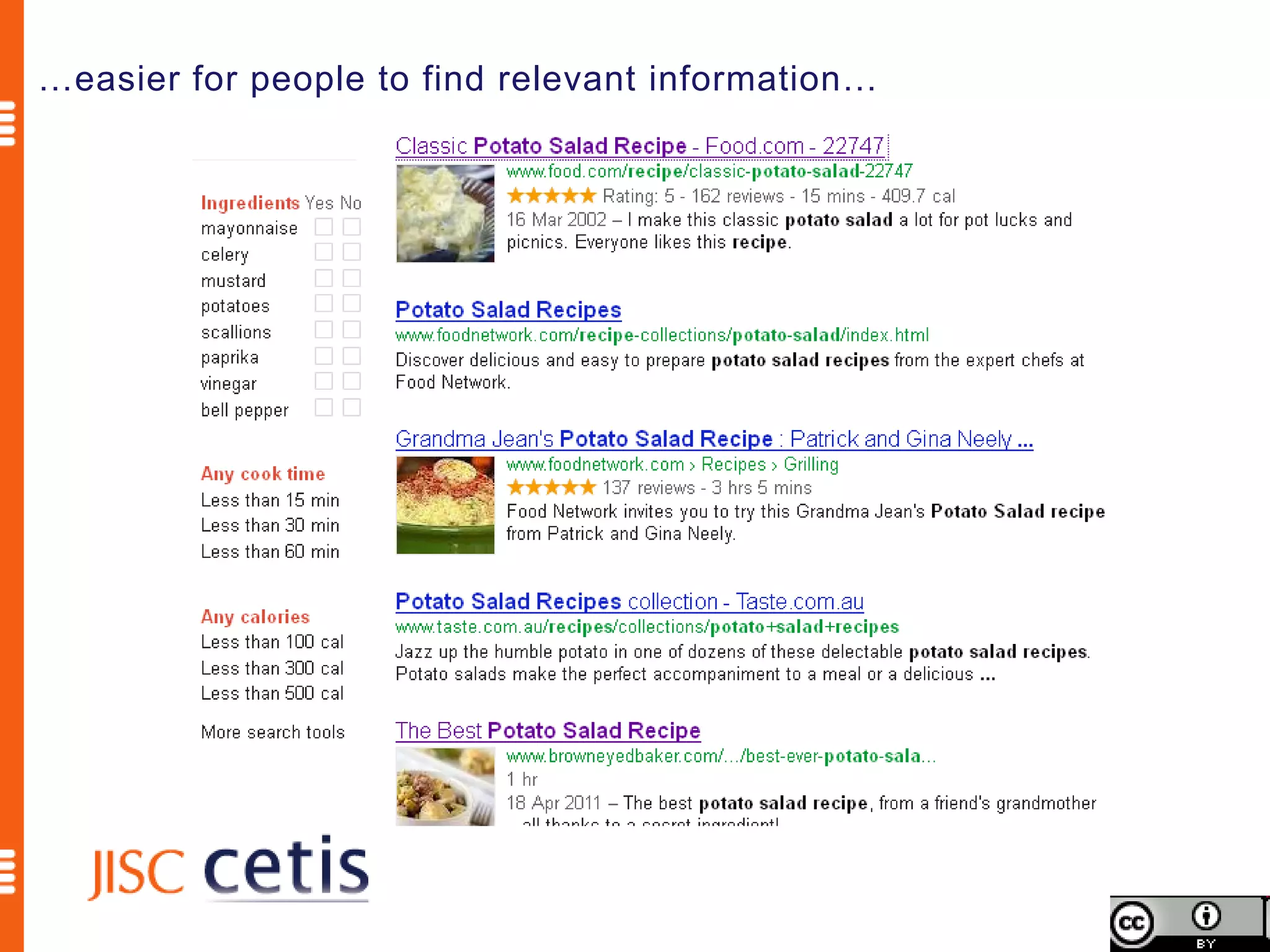
…easier for people to find relevant information…
Will schema.org increase page rank?


 Probably not, but there is more to making information
                 easier to find than that


           http://blogs.cetis.ac.uk/philb/2012/05/25/will-using-schemaorg-metadata-improve-my-google-rank/
Schema.org is a joint effort, in the spirit of sitemaps.org,
to improve the web by creating a structured data markup
schema supported by major search engines. On-page
markup helps search engines understand the information
on web pages and provide richer search results. A
shared markup vocabulary makes easier for webmasters
to decide on a markup schema and get the maximum
benefit for their efforts. Search engines want to make it
easier for people to find relevant information on the web.
Markup can also enable new tools and applications that
make use of the structure.
                              Schema.org FAQ http://schema.org/docs/faq.html
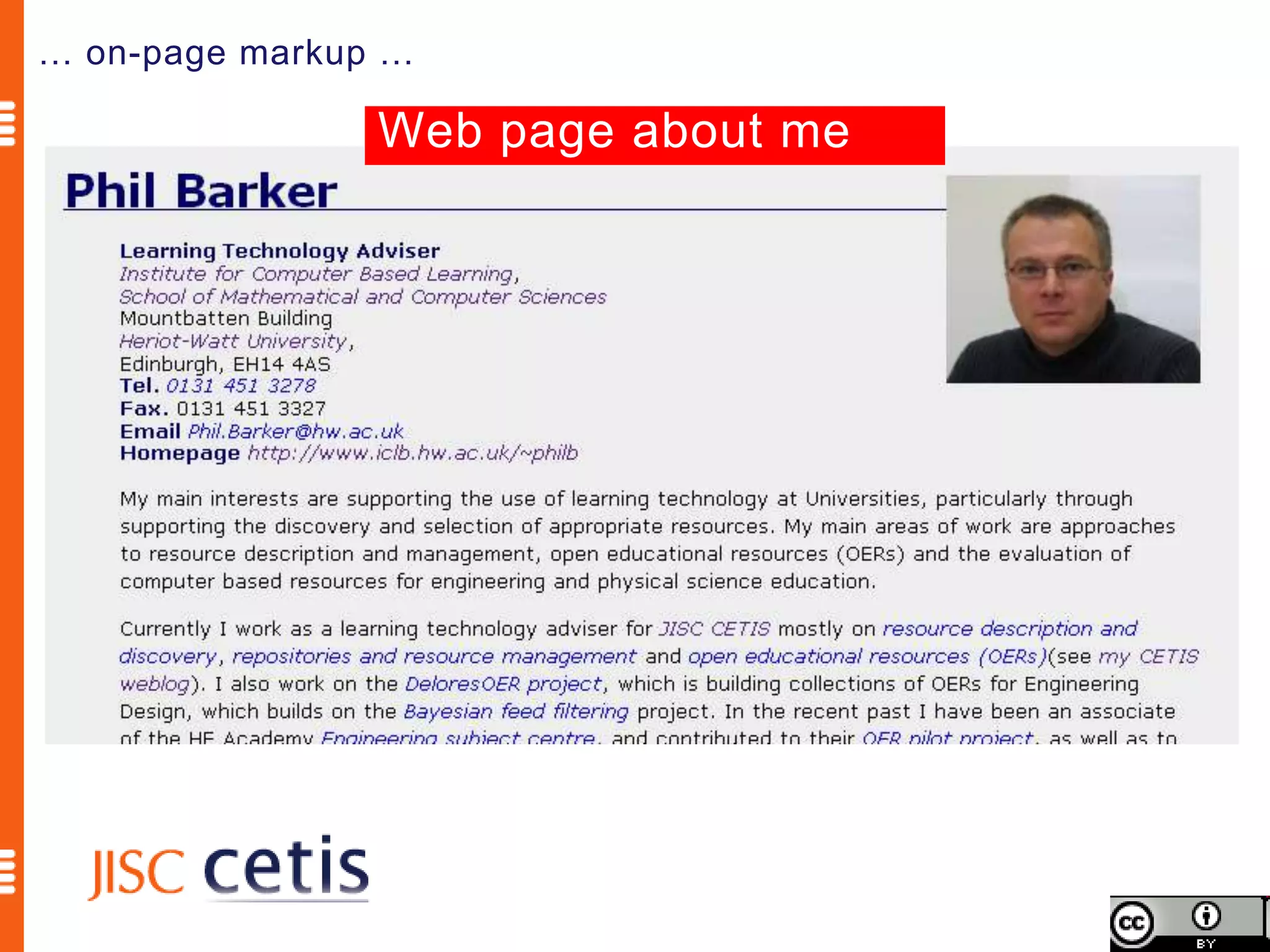
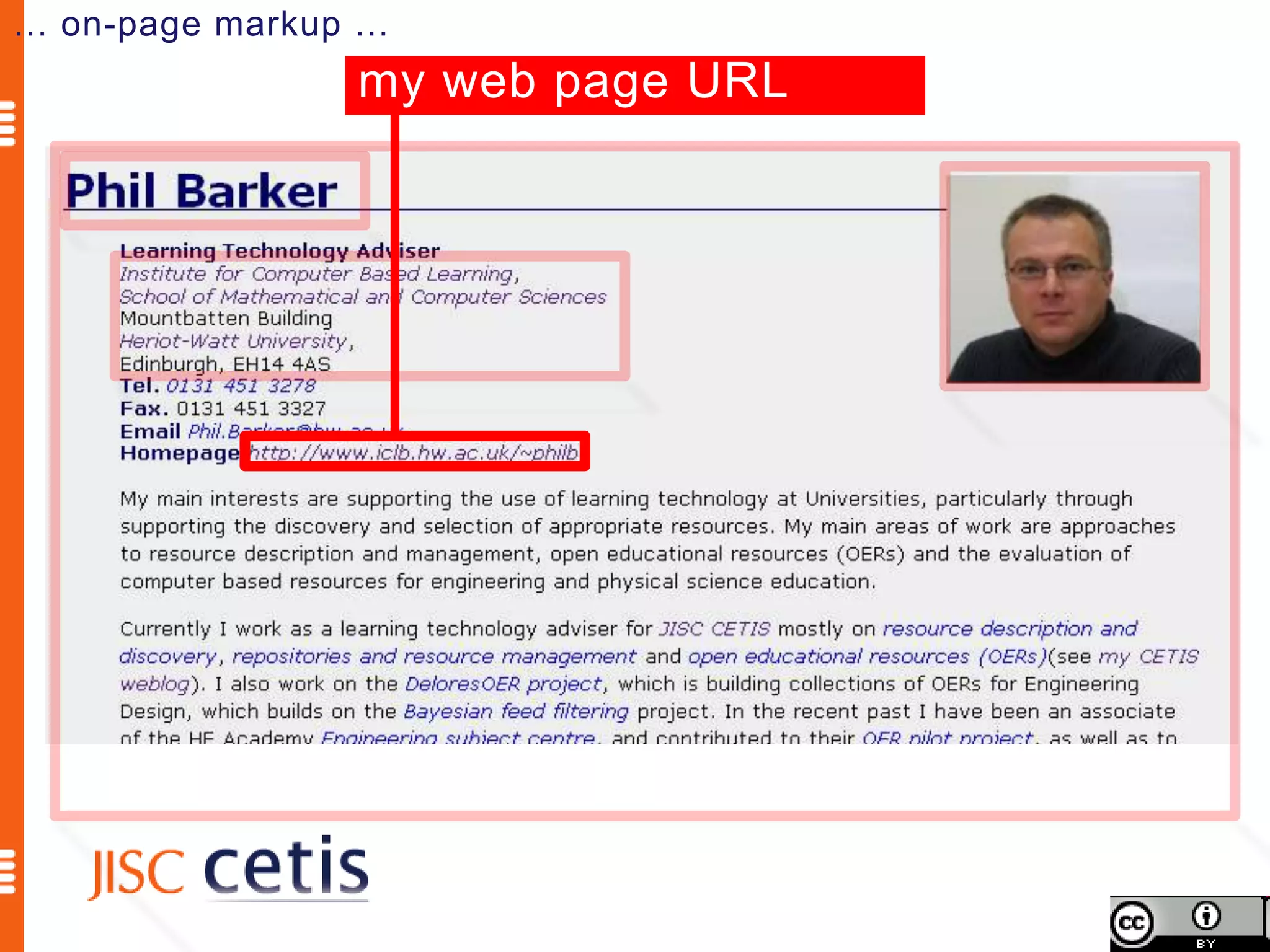
… on-page markup …

                Web page about me
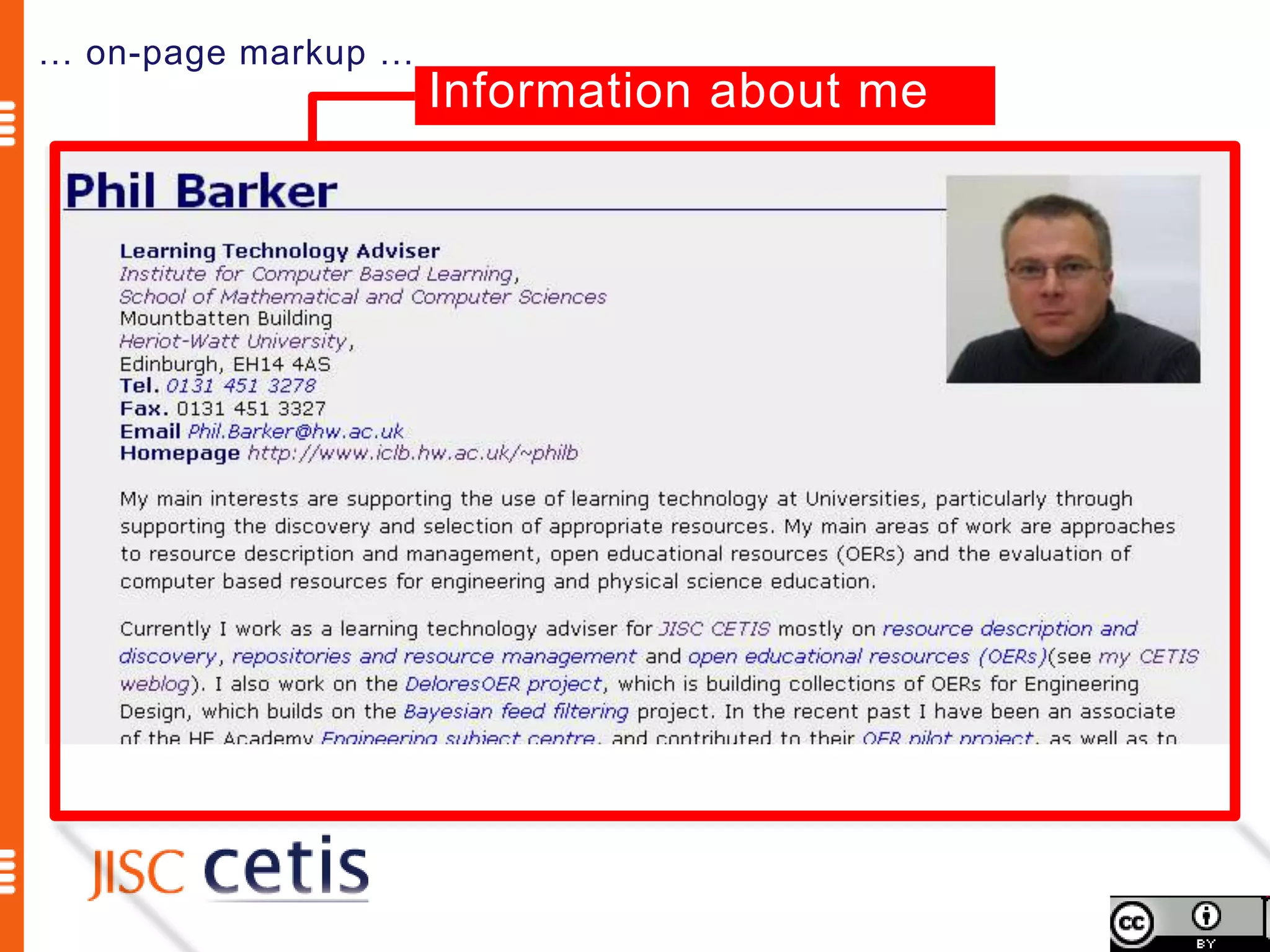
… on-page markup …
                     Information about me
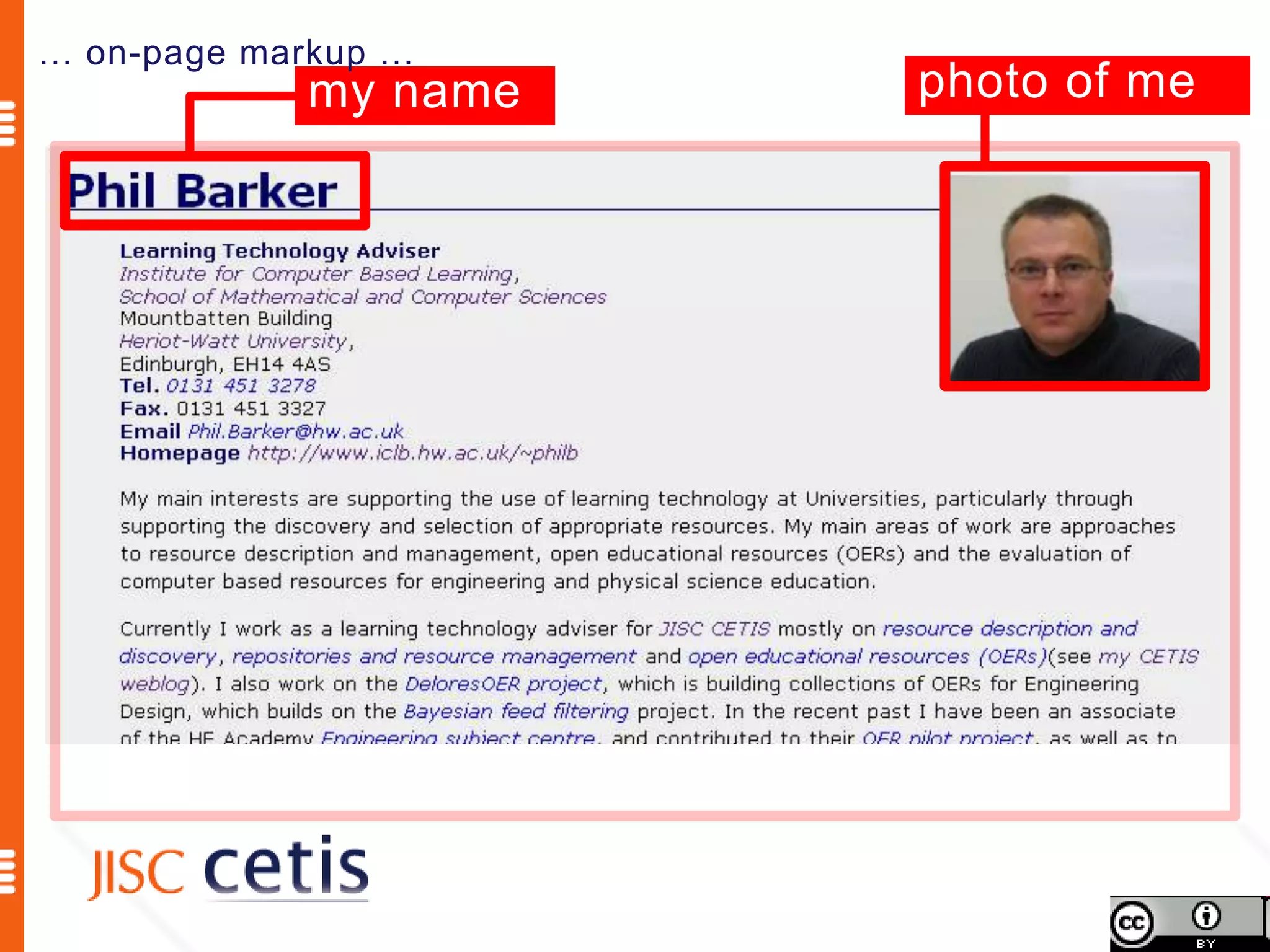
… on-page markup …
            my name   photo of me
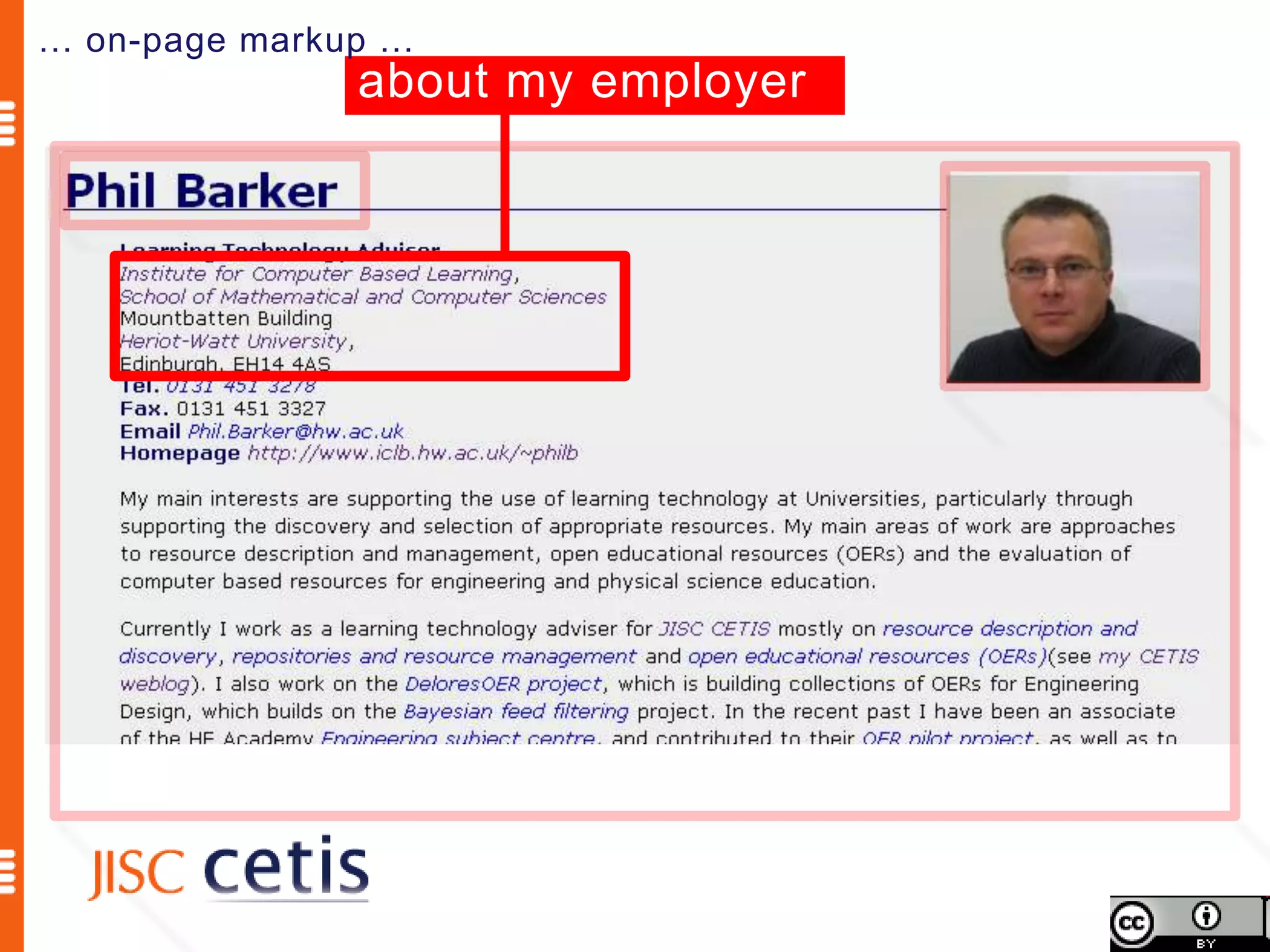
… on-page markup …
               about my employer
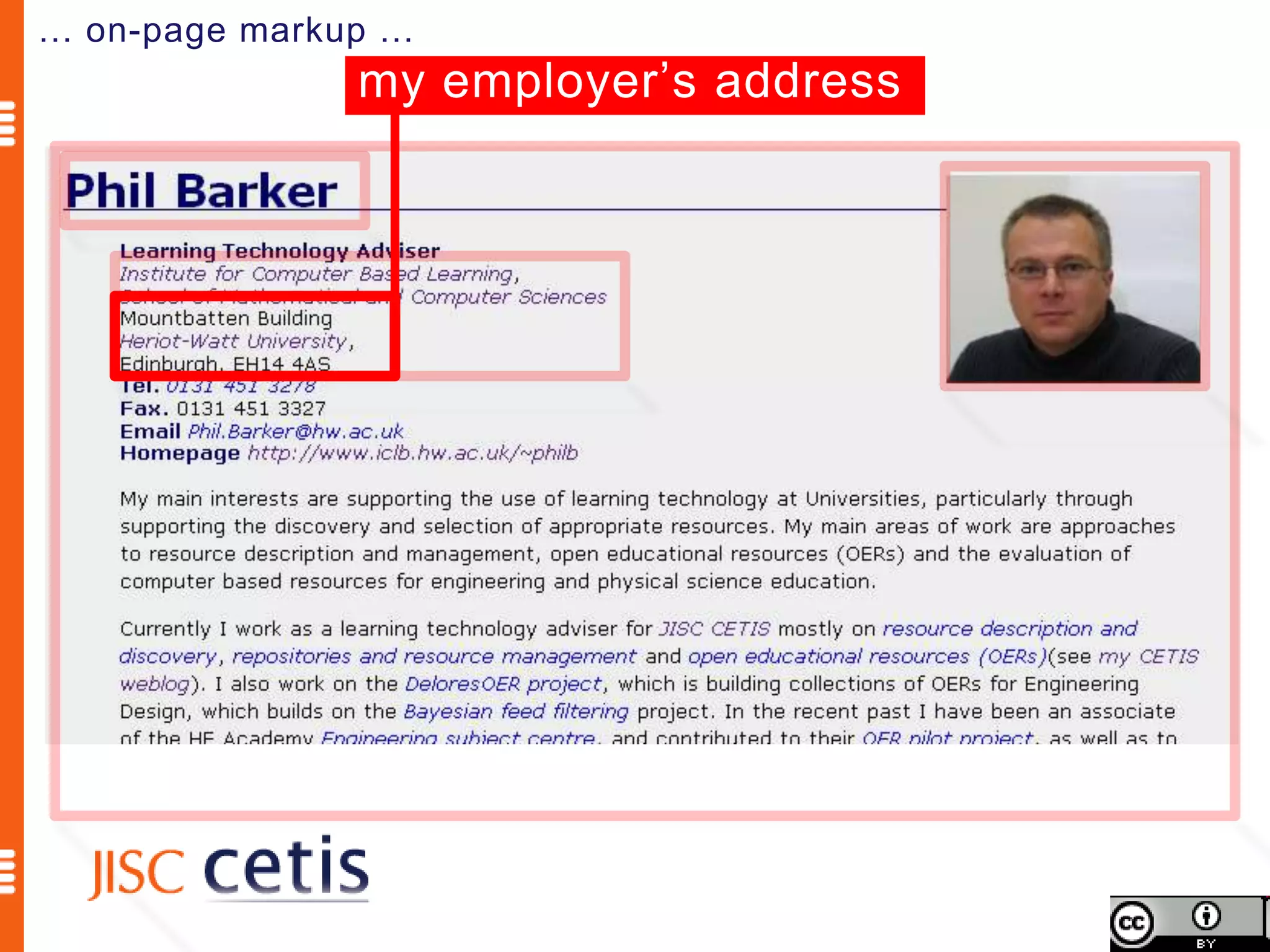
… on-page markup …
               my employer’s address
… on-page markup …
                my web page URL
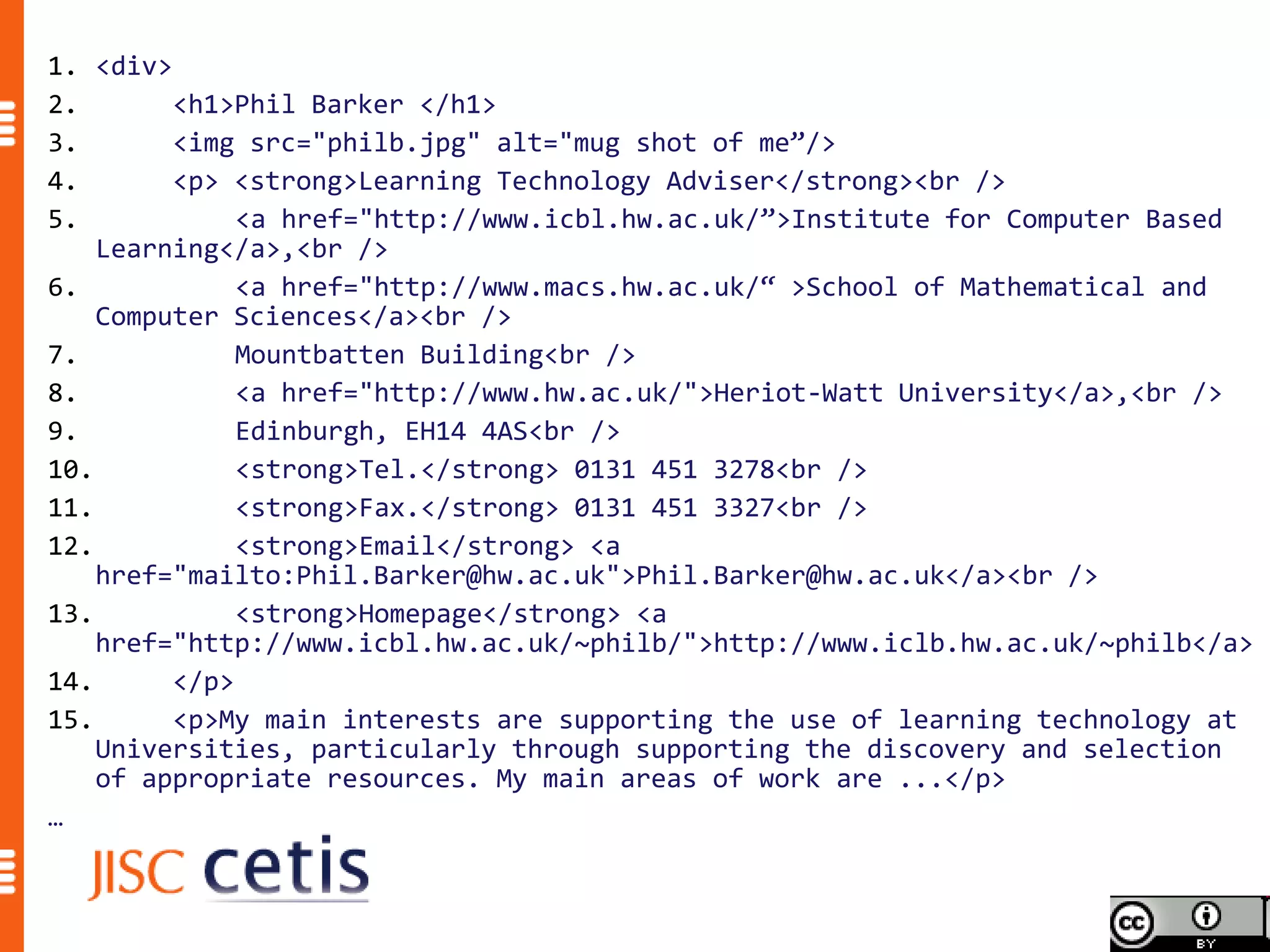
1. <div>
2.       <h1>Phil Barker </h1>
3.       <img src="philb.jpg" alt="mug shot of me”/>
4.       <p> <strong>Learning Technology Adviser</strong><br />
5.            <a href="http://www.icbl.hw.ac.uk/”>Institute for Computer Based
    Learning</a>,<br />
6.            <a href="http://www.macs.hw.ac.uk/“ >School of Mathematical and
    Computer Sciences</a><br />
7.            Mountbatten Building<br />
8.            <a href="http://www.hw.ac.uk/">Heriot-Watt University</a>,<br />
9.            Edinburgh, EH14 4AS<br />
10.           <strong>Tel.</strong> 0131 451 3278<br />
11.           <strong>Fax.</strong> 0131 451 3327<br />
12.           <strong>Email</strong> <a
    href="mailto:Phil.Barker@hw.ac.uk">Phil.Barker@hw.ac.uk</a><br />
13.           <strong>Homepage</strong> <a
    href="http://www.icbl.hw.ac.uk/~philb/">http://www.iclb.hw.ac.uk/~philb</a>
14.      </p>
15.      <p>My main interests are supporting the use of learning technology at
    Universities, particularly through supporting the discovery and selection
    of appropriate resources. My main areas of work are ...</p>
…
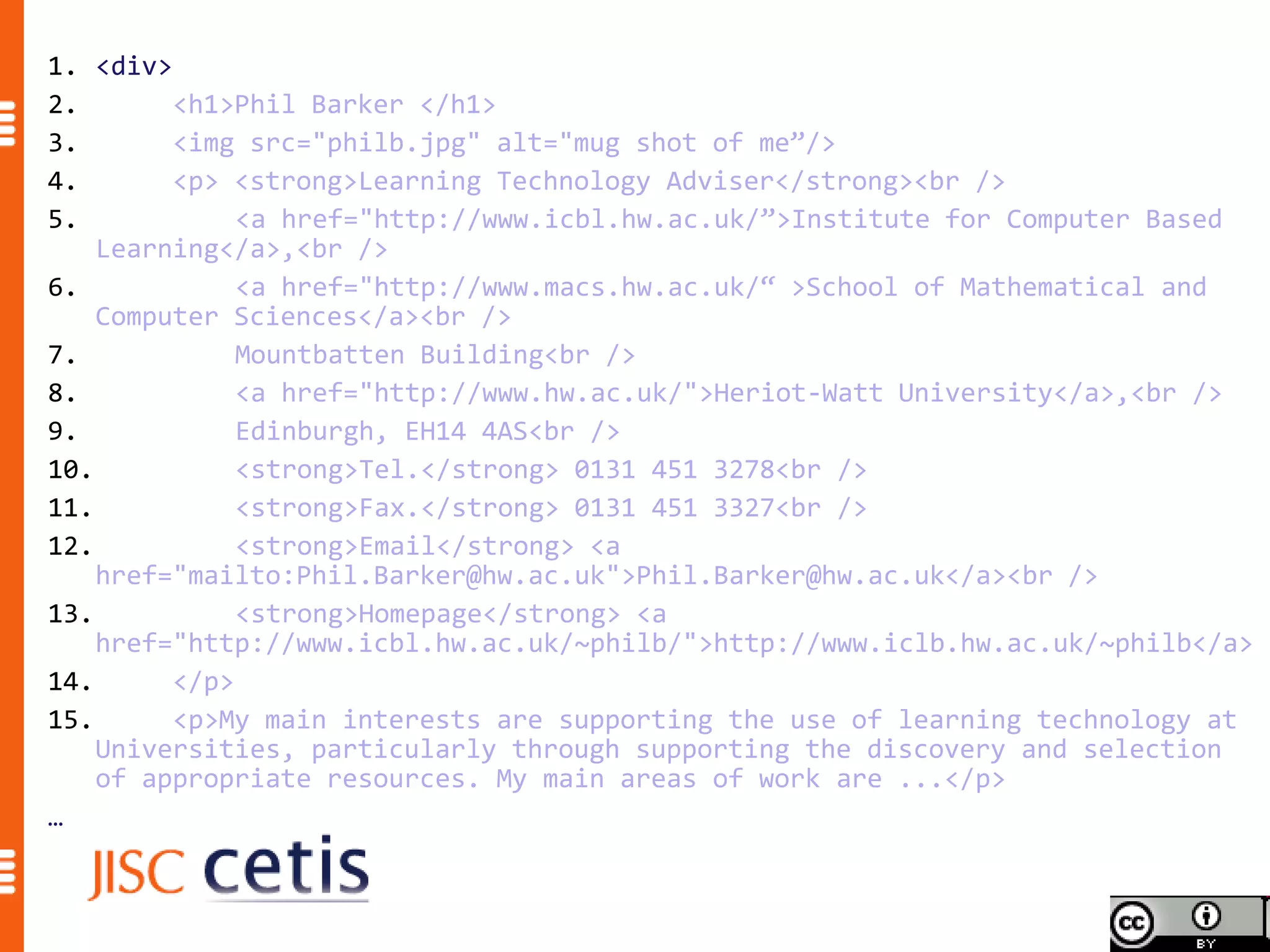
1. <div>
2.       <h1>Phil Barker </h1>
3.       <img src="philb.jpg" alt="mug shot of me”/>
4.       <p> <strong>Learning Technology Adviser</strong><br />
5.            <a href="http://www.icbl.hw.ac.uk/”>Institute for Computer Based
    Learning</a>,<br />
6.            <a href="http://www.macs.hw.ac.uk/“ >School of Mathematical and
    Computer Sciences</a><br />
7.            Mountbatten Building<br />
8.            <a href="http://www.hw.ac.uk/">Heriot-Watt University</a>,<br />
9.            Edinburgh, EH14 4AS<br />
10.           <strong>Tel.</strong> 0131 451 3278<br />
11.           <strong>Fax.</strong> 0131 451 3327<br />
12.           <strong>Email</strong> <a
    href="mailto:Phil.Barker@hw.ac.uk">Phil.Barker@hw.ac.uk</a><br />
13.           <strong>Homepage</strong> <a
    href="http://www.icbl.hw.ac.uk/~philb/">http://www.iclb.hw.ac.uk/~philb</a>
14.      </p>
15.      <p>My main interests are supporting the use of learning technology at
    Universities, particularly through supporting the discovery and selection
    of appropriate resources. My main areas of work are ...</p>
…
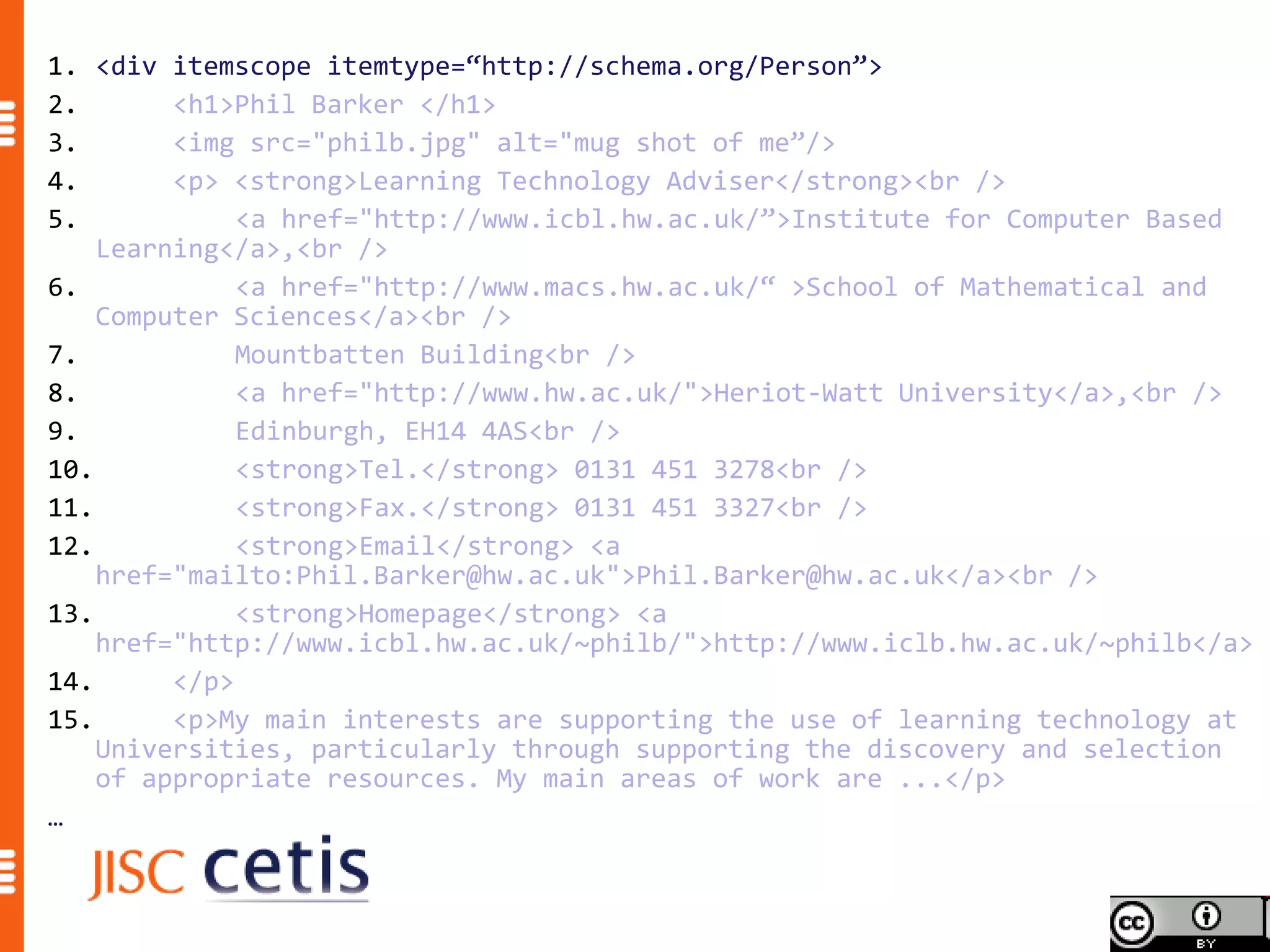
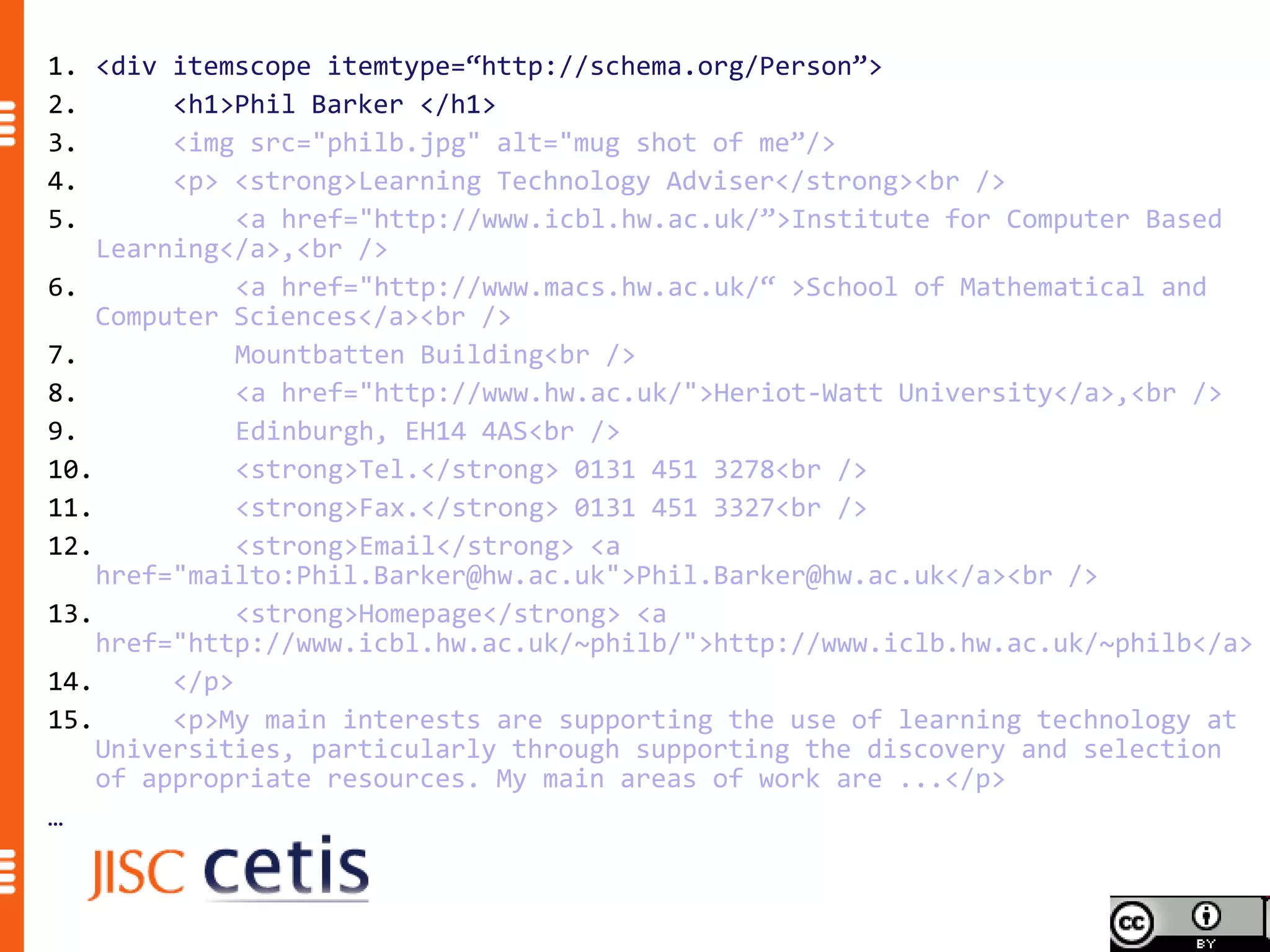
1. <div itemscope itemtype=“http://schema.org/Person”>
2.       <h1>Phil Barker </h1>
3.       <img src="philb.jpg" alt="mug shot of me”/>
4.       <p> <strong>Learning Technology Adviser</strong><br />
5.            <a href="http://www.icbl.hw.ac.uk/”>Institute for Computer Based
    Learning</a>,<br />
6.            <a href="http://www.macs.hw.ac.uk/“ >School of Mathematical and
    Computer Sciences</a><br />
7.            Mountbatten Building<br />
8.            <a href="http://www.hw.ac.uk/">Heriot-Watt University</a>,<br />
9.            Edinburgh, EH14 4AS<br />
10.           <strong>Tel.</strong> 0131 451 3278<br />
11.           <strong>Fax.</strong> 0131 451 3327<br />
12.           <strong>Email</strong> <a
    href="mailto:Phil.Barker@hw.ac.uk">Phil.Barker@hw.ac.uk</a><br />
13.           <strong>Homepage</strong> <a
    href="http://www.icbl.hw.ac.uk/~philb/">http://www.iclb.hw.ac.uk/~philb</a>
14.      </p>
15.      <p>My main interests are supporting the use of learning technology at
    Universities, particularly through supporting the discovery and selection
    of appropriate resources. My main areas of work are ...</p>
…
1. <div itemscope itemtype=“http://schema.org/Person”>
2.       <h1>Phil Barker </h1>
3.       <img src="philb.jpg" alt="mug shot of me”/>
4.       <p> <strong>Learning Technology Adviser</strong><br />
5.            <a href="http://www.icbl.hw.ac.uk/”>Institute for Computer Based
    Learning</a>,<br />
6.            <a href="http://www.macs.hw.ac.uk/“ >School of Mathematical and
    Computer Sciences</a><br />
7.            Mountbatten Building<br />
8.            <a href="http://www.hw.ac.uk/">Heriot-Watt University</a>,<br />
9.            Edinburgh, EH14 4AS<br />
10.           <strong>Tel.</strong> 0131 451 3278<br />
11.           <strong>Fax.</strong> 0131 451 3327<br />
12.           <strong>Email</strong> <a
    href="mailto:Phil.Barker@hw.ac.uk">Phil.Barker@hw.ac.uk</a><br />
13.           <strong>Homepage</strong> <a
    href="http://www.icbl.hw.ac.uk/~philb/">http://www.iclb.hw.ac.uk/~philb</a>
14.      </p>
15.      <p>My main interests are supporting the use of learning technology at
    Universities, particularly through supporting the discovery and selection
    of appropriate resources. My main areas of work are ...</p>
…
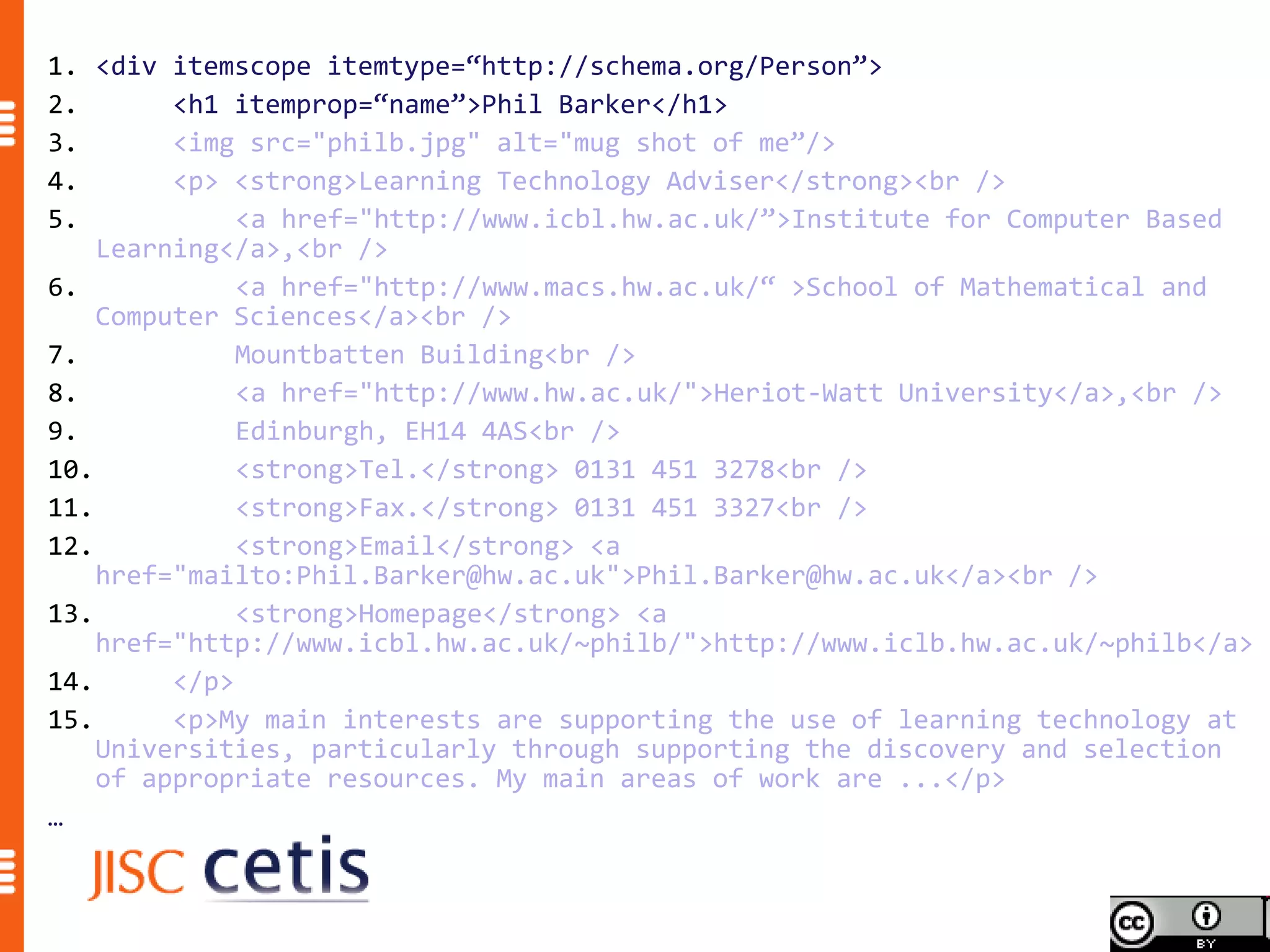
1. <div itemscope itemtype=“http://schema.org/Person”>
2.       <h1 itemprop=“name”>Phil Barker</h1>
3.       <img src="philb.jpg" alt="mug shot of me”/>
4.       <p> <strong>Learning Technology Adviser</strong><br />
5.            <a href="http://www.icbl.hw.ac.uk/”>Institute for Computer Based
    Learning</a>,<br />
6.            <a href="http://www.macs.hw.ac.uk/“ >School of Mathematical and
    Computer Sciences</a><br />
7.            Mountbatten Building<br />
8.            <a href="http://www.hw.ac.uk/">Heriot-Watt University</a>,<br />
9.            Edinburgh, EH14 4AS<br />
10.           <strong>Tel.</strong> 0131 451 3278<br />
11.           <strong>Fax.</strong> 0131 451 3327<br />
12.           <strong>Email</strong> <a
    href="mailto:Phil.Barker@hw.ac.uk">Phil.Barker@hw.ac.uk</a><br />
13.           <strong>Homepage</strong> <a
    href="http://www.icbl.hw.ac.uk/~philb/">http://www.iclb.hw.ac.uk/~philb</a>
14.      </p>
15.      <p>My main interests are supporting the use of learning technology at
    Universities, particularly through supporting the discovery and selection
    of appropriate resources. My main areas of work are ...</p>
…
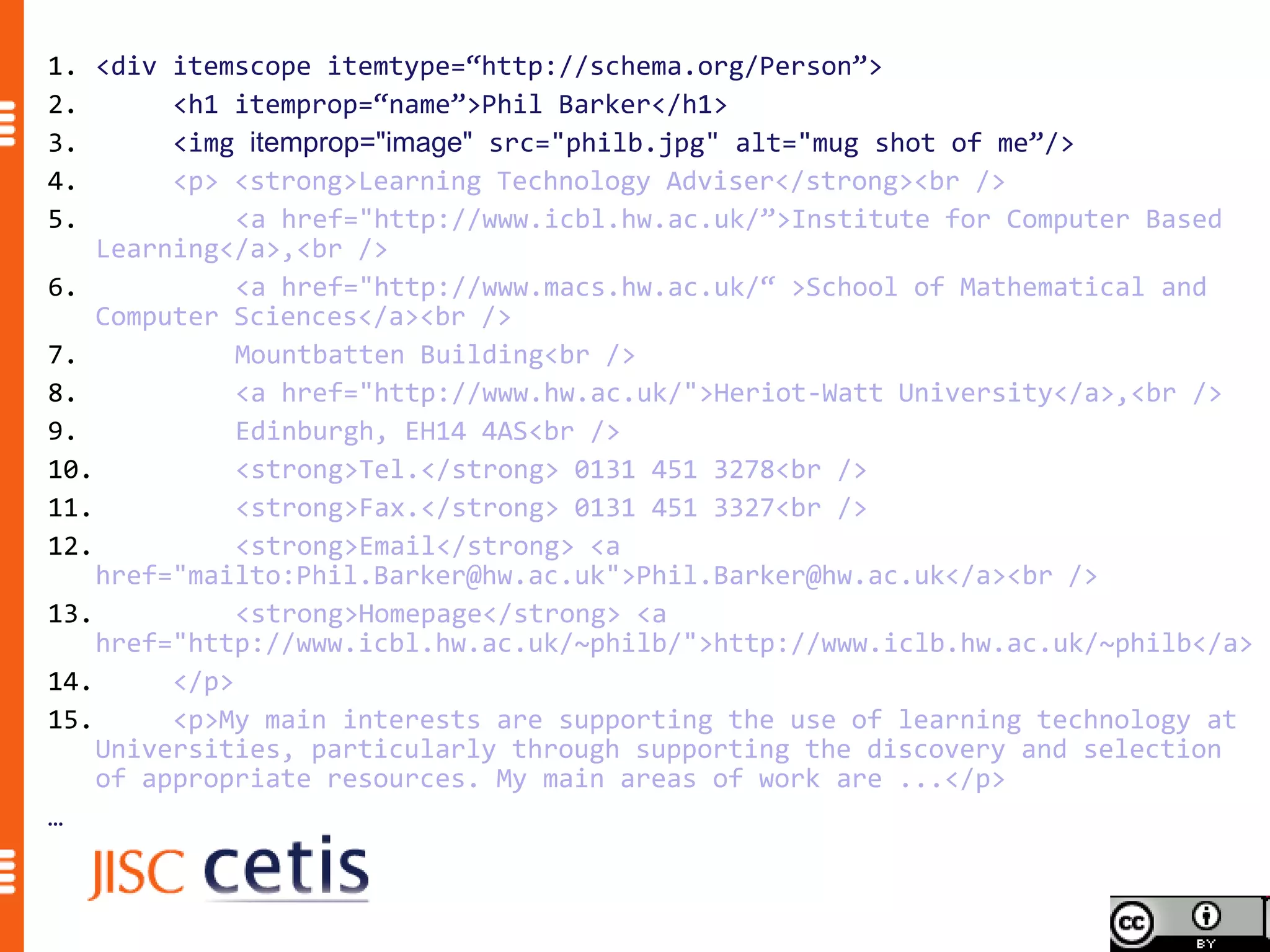
1. <div itemscope itemtype=“http://schema.org/Person”>
2.       <h1 itemprop=“name”>Phil Barker</h1>
3.       <img itemprop="image" src="philb.jpg" alt="mug shot of me”/>
4.       <p> <strong>Learning Technology Adviser</strong><br />
5.            <a href="http://www.icbl.hw.ac.uk/”>Institute for Computer Based
    Learning</a>,<br />
6.            <a href="http://www.macs.hw.ac.uk/“ >School of Mathematical and
    Computer Sciences</a><br />
7.            Mountbatten Building<br />
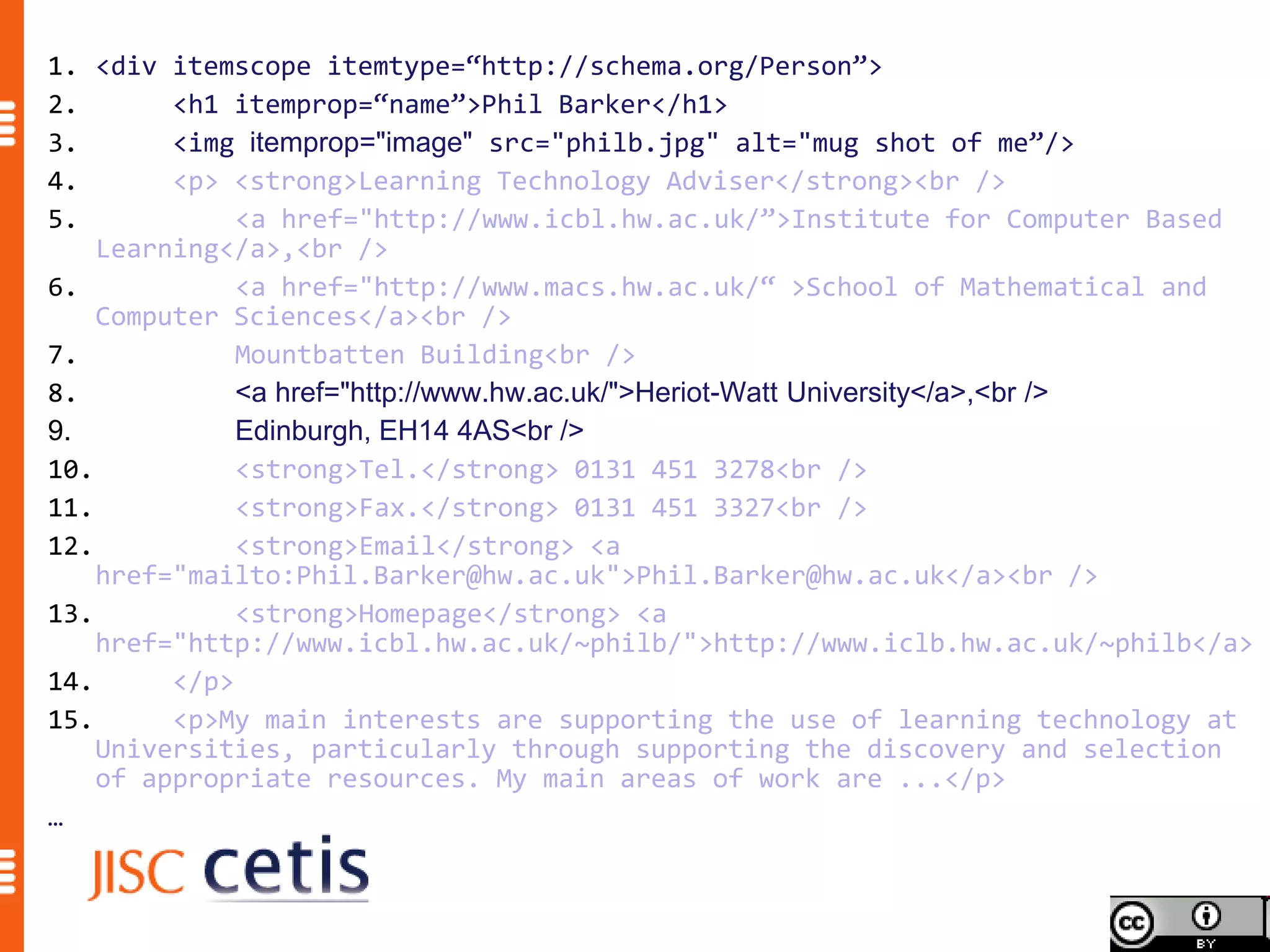
8.            <a href="http://www.hw.ac.uk/">Heriot-Watt University</a>,<br />
9.            Edinburgh, EH14 4AS<br />
10.           <strong>Tel.</strong> 0131 451 3278<br />
11.           <strong>Fax.</strong> 0131 451 3327<br />
12.           <strong>Email</strong> <a
    href="mailto:Phil.Barker@hw.ac.uk">Phil.Barker@hw.ac.uk</a><br />
13.           <strong>Homepage</strong> <a
    href="http://www.icbl.hw.ac.uk/~philb/">http://www.iclb.hw.ac.uk/~philb</a>
14.      </p>
15.      <p>My main interests are supporting the use of learning technology at
    Universities, particularly through supporting the discovery and selection
    of appropriate resources. My main areas of work are ...</p>
…
1. <div itemscope itemtype=“http://schema.org/Person”>
2.       <h1 itemprop=“name”>Phil Barker</h1>
3.       <img itemprop="image" src="philb.jpg" alt="mug shot of me”/>
4.       <p> <strong>Learning Technology Adviser</strong><br />
5.            <a href="http://www.icbl.hw.ac.uk/”>Institute for Computer Based
    Learning</a>,<br />
6.            <a href="http://www.macs.hw.ac.uk/“ >School of Mathematical and
    Computer Sciences</a><br />
7.            Mountbatten Building<br />
8.            <a href="http://www.hw.ac.uk/">Heriot-Watt University</a>,<br />
9.            Edinburgh, EH14 4AS<br />
10.           <strong>Tel.</strong> 0131 451 3278<br />
11.           <strong>Fax.</strong> 0131 451 3327<br />
12.           <strong>Email</strong> <a
    href="mailto:Phil.Barker@hw.ac.uk">Phil.Barker@hw.ac.uk</a><br />
13.           <strong>Homepage</strong> <a
    href="http://www.icbl.hw.ac.uk/~philb/">http://www.iclb.hw.ac.uk/~philb</a>
14.      </p>
15.      <p>My main interests are supporting the use of learning technology at
    Universities, particularly through supporting the discovery and selection
    of appropriate resources. My main areas of work are ...</p>
…
1. <div itemscope itemtype=“http://schema.org/Person”>
2.       <h1 itemprop=“name”>Phil Barker</h1>
3.       <img itemprop="image" src="philb.jpg" alt="mug shot of me”/>
4.       <p> <strong>Learning Technology Adviser</strong><br />
5.            <a href="http://www.icbl.hw.ac.uk/”>Institute for Computer Based
    Learning</a>,<br />
6.            <a href="http://www.macs.hw.ac.uk/“ >School of Mathematical and
    Computer Sciences</a><br />
7.            Mountbatten Building<br />
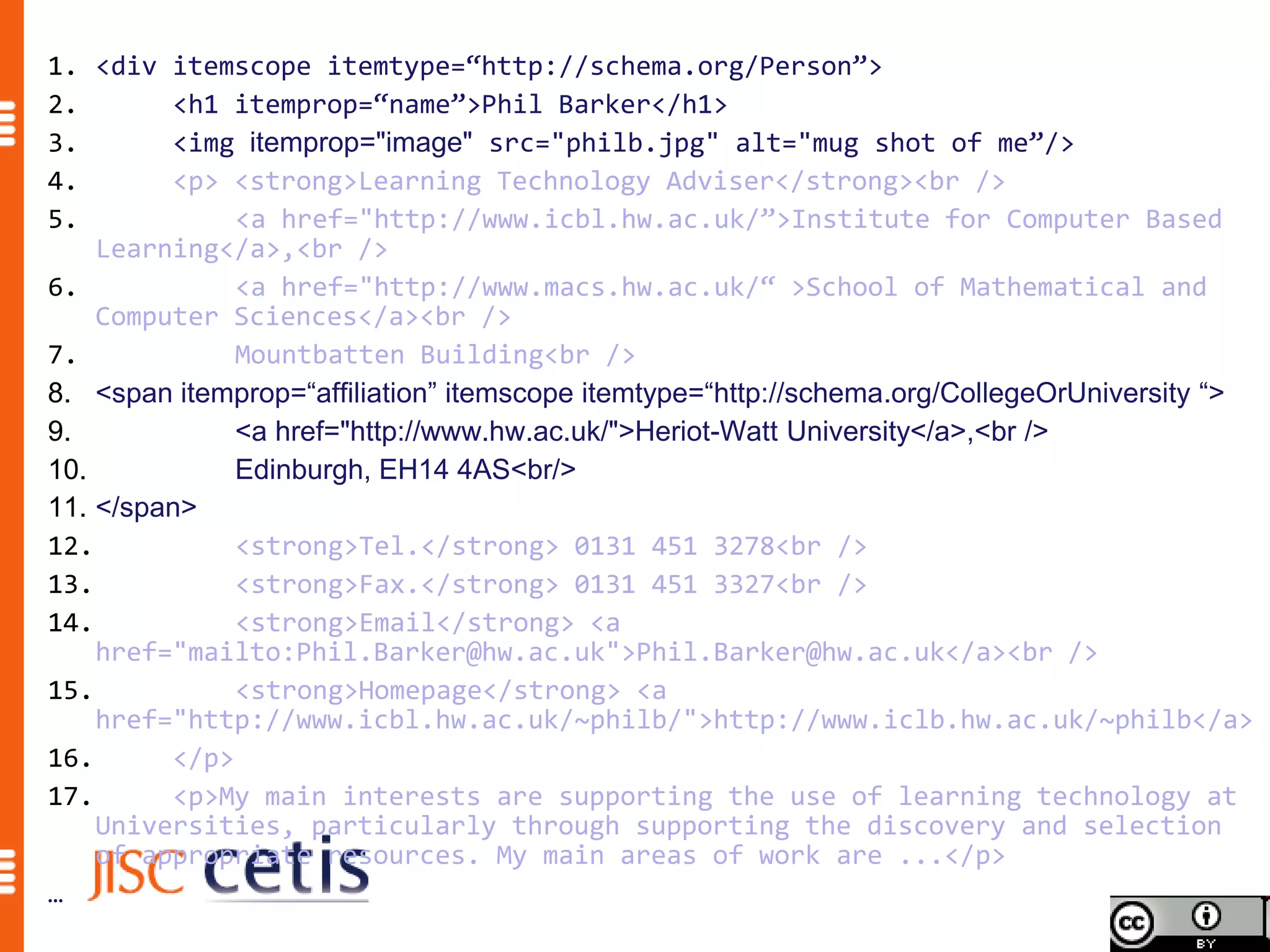
8. <span itemprop=“affiliation” itemscope itemtype=“http://schema.org/CollegeOrUniversity “>
9.            <a href="http://www.hw.ac.uk/">Heriot-Watt University</a>,<br />
10.           Edinburgh, EH14 4AS<br/>
11. </span>
12.           <strong>Tel.</strong> 0131 451 3278<br />
13.           <strong>Fax.</strong> 0131 451 3327<br />
14.           <strong>Email</strong> <a
    href="mailto:Phil.Barker@hw.ac.uk">Phil.Barker@hw.ac.uk</a><br />
15.           <strong>Homepage</strong> <a
    href="http://www.icbl.hw.ac.uk/~philb/">http://www.iclb.hw.ac.uk/~philb</a>
16.      </p>
17.      <p>My main interests are supporting the use of learning technology at
    Universities, particularly through supporting the discovery and selection
    of appropriate resources. My main areas of work are ...</p>
…
1. <div itemscope itemtype=“http://schema.org/Person”>
2.       <h1 itemprop=“name”>Phil Barker</h1>
3.       <img itemprop="image" src="philb.jpg" alt="mug shot of me”/>
4.       <p> <strong>Learning Technology Adviser</strong><br />
5.            <a href="http://www.icbl.hw.ac.uk/”>Institute for Computer Based
    Learning</a>,<br />
6.            <a href="http://www.macs.hw.ac.uk/“ >School of Mathematical and
    Computer Sciences</a><br />
7.            Mountbatten Building<br />
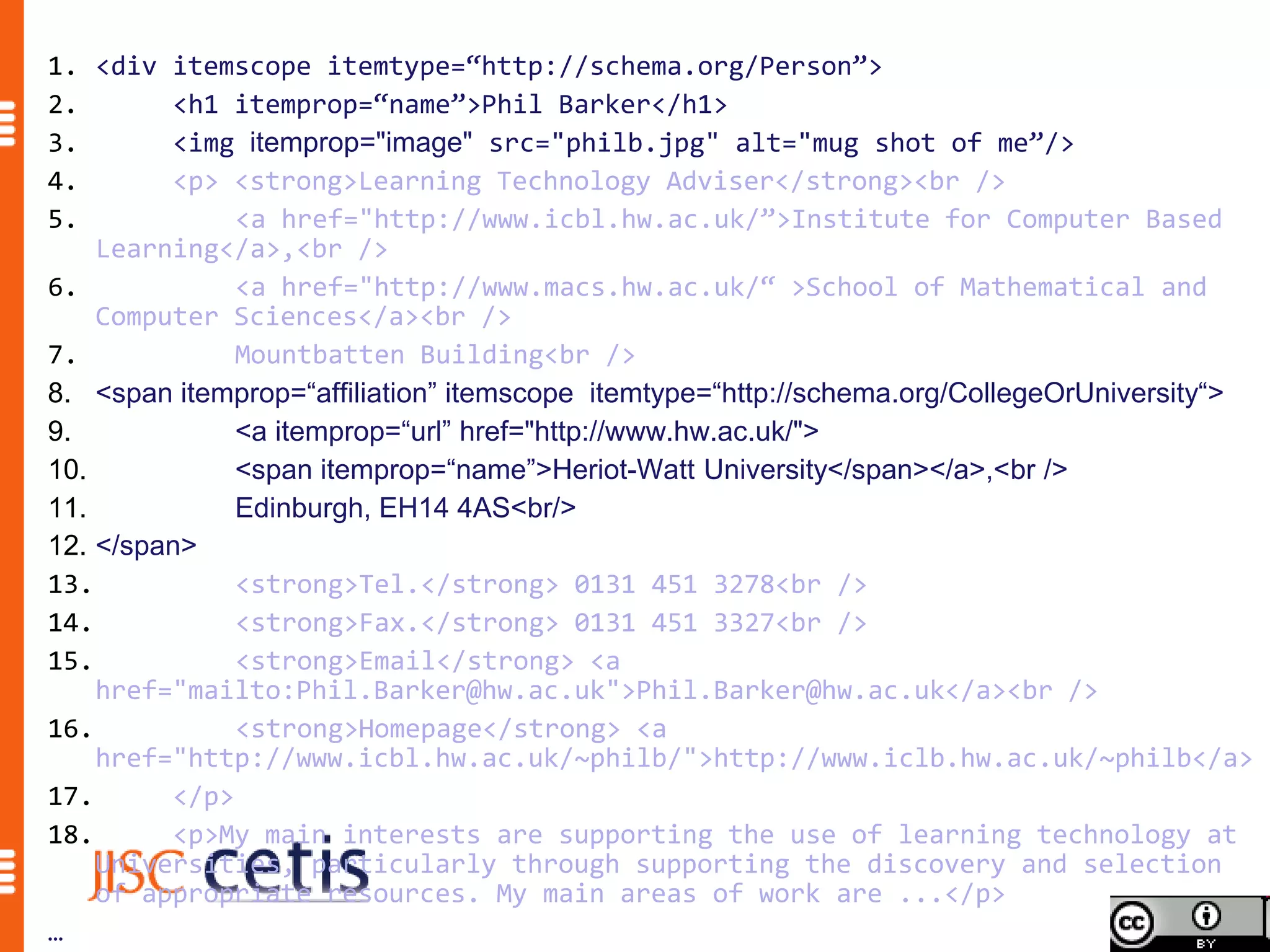
8. <span itemprop=“affiliation” itemscope itemtype=“http://schema.org/CollegeOrUniversity“>
9.            <a itemprop=“url” href="http://www.hw.ac.uk/">
10.           <span itemprop=“name”>Heriot-Watt University</span></a>,<br />
11.           Edinburgh, EH14 4AS<br/>
12. </span>
13.           <strong>Tel.</strong> 0131 451 3278<br />
14.           <strong>Fax.</strong> 0131 451 3327<br />
15.           <strong>Email</strong> <a
    href="mailto:Phil.Barker@hw.ac.uk">Phil.Barker@hw.ac.uk</a><br />
16.           <strong>Homepage</strong> <a
    href="http://www.icbl.hw.ac.uk/~philb/">http://www.iclb.hw.ac.uk/~philb</a>
17.      </p>
18.      <p>My main interests are supporting the use of learning technology at
    Universities, particularly through supporting the discovery and selection
    of appropriate resources. My main areas of work are ...</p>
…
Schema.org is a joint effort, in the spirit of sitemaps.org,
to improve the web by creating a structured data markup
schema supported by major search engines. On-page
markup helps search engines understand the information
on web pages and provide richer search results. A
shared markup vocabulary makes easier for webmasters
to decide on a markup schema and get the maximum
benefit for their efforts. Search engines want to make it
easier for people to find relevant information on the web.
Markup can also enable new tools and applications that
make use of the structure.
                              Schema.org FAQ http://schema.org/docs/faq.html
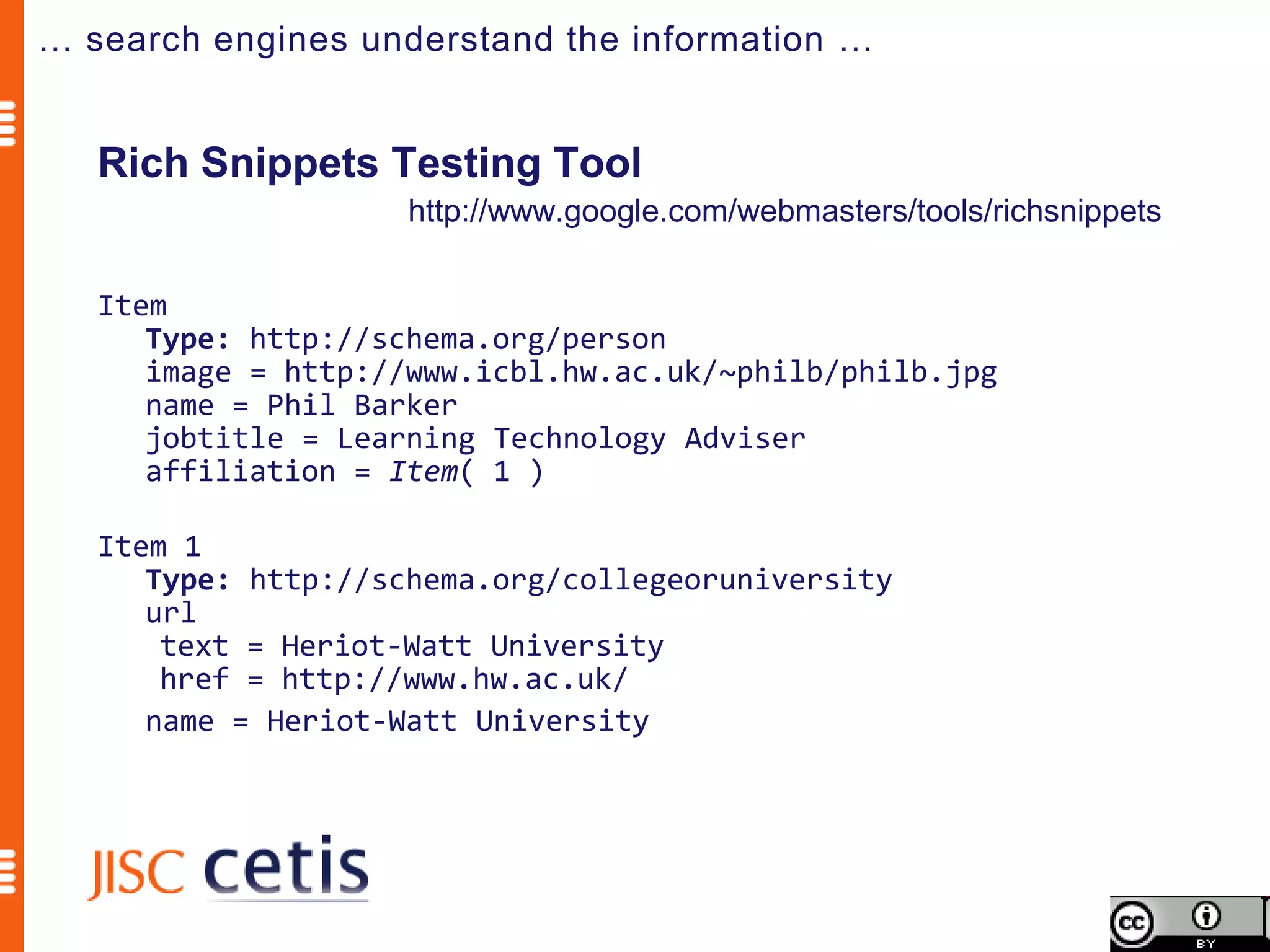
… search engines understand the information …


   Rich Snippets Testing Tool
                    http://www.google.com/webmasters/tools/richsnippets

   Item
      Type: http://schema.org/person
      image = http://www.icbl.hw.ac.uk/~philb/philb.jpg
      name = Phil Barker
      jobtitle = Learning Technology Adviser
      affiliation = Item( 1 )

   Item 1
      Type: http://schema.org/collegeoruniversity
      url
       text = Heriot-Watt University
       href = http://www.hw.ac.uk/
      name = Heriot-Watt University
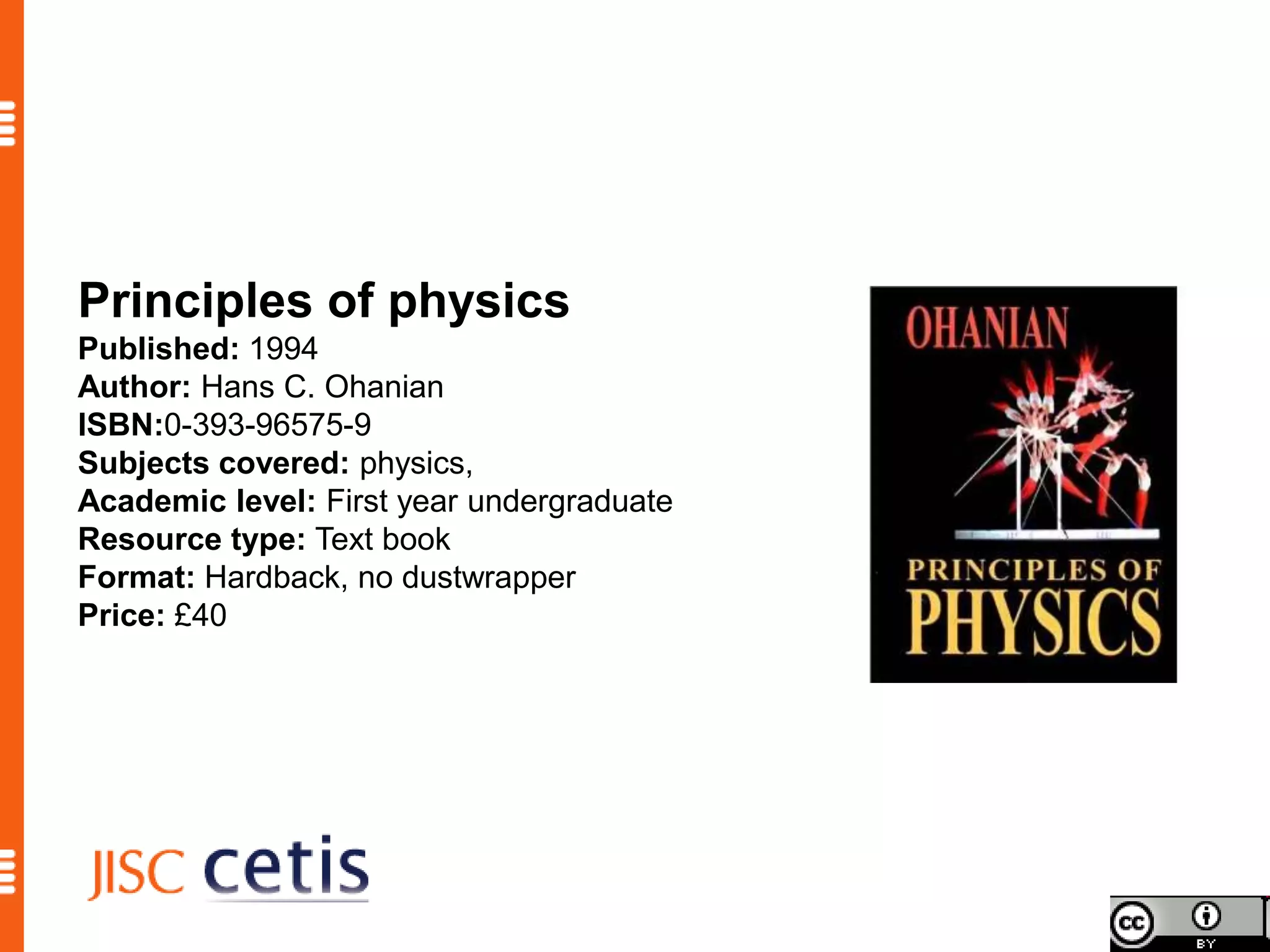
Principles of physics
Published: 1994
Author: Hans C. Ohanian
ISBN:0-393-96575-9
Subjects covered: physics,
Academic level: First year undergraduate
Resource type: Text book
Format: Hardback, no dustwrapper
Price: £40
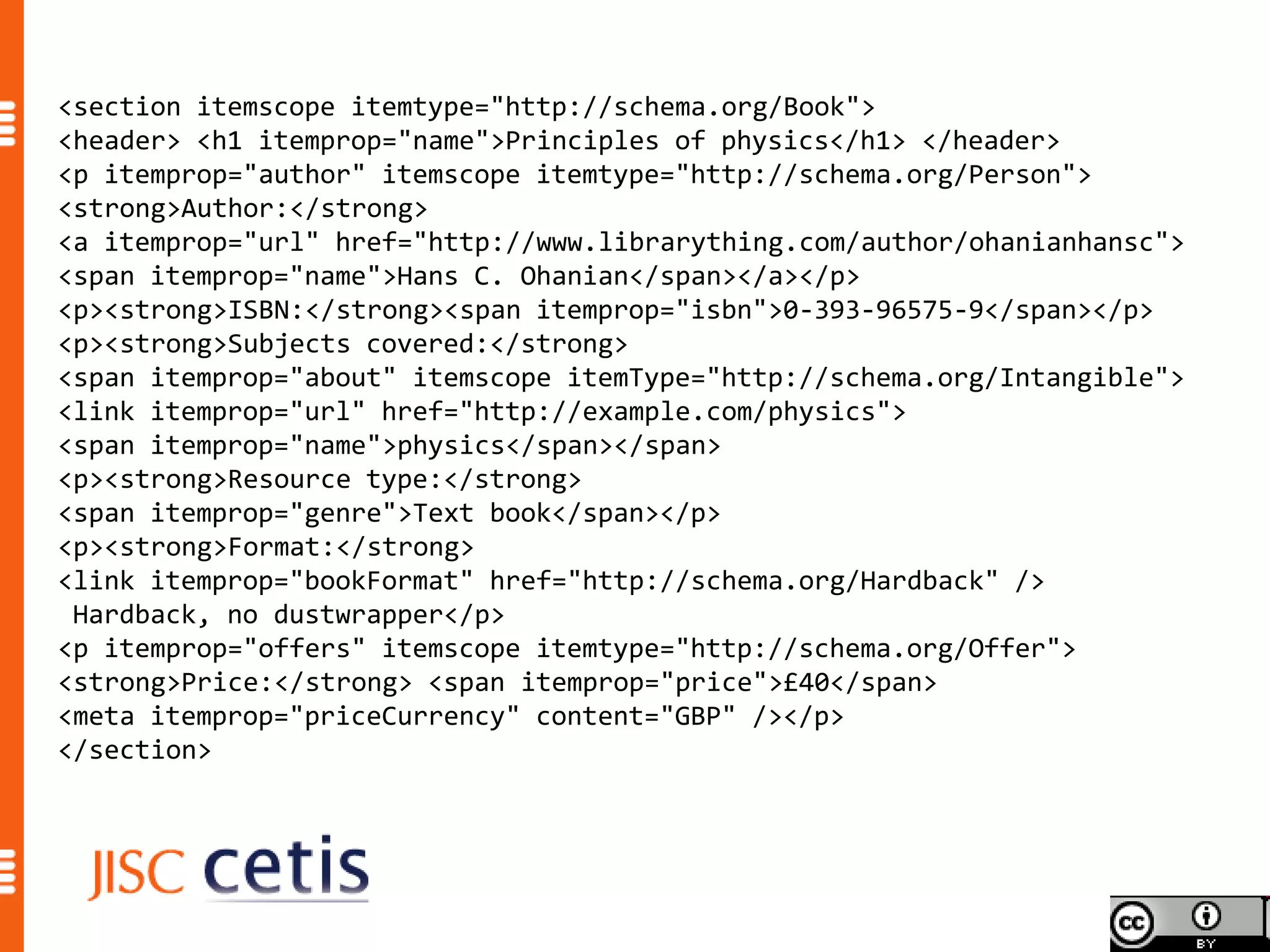
<section itemscope itemtype="http://schema.org/Book">
<header> <h1 itemprop="name">Principles of physics</h1> </header>
<p itemprop="author" itemscope itemtype="http://schema.org/Person">
<strong>Author:</strong>
<a itemprop="url" href="http://www.librarything.com/author/ohanianhansc">
<span itemprop="name">Hans C. Ohanian</span></a></p>
<p><strong>ISBN:</strong><span itemprop="isbn">0-393-96575-9</span></p>
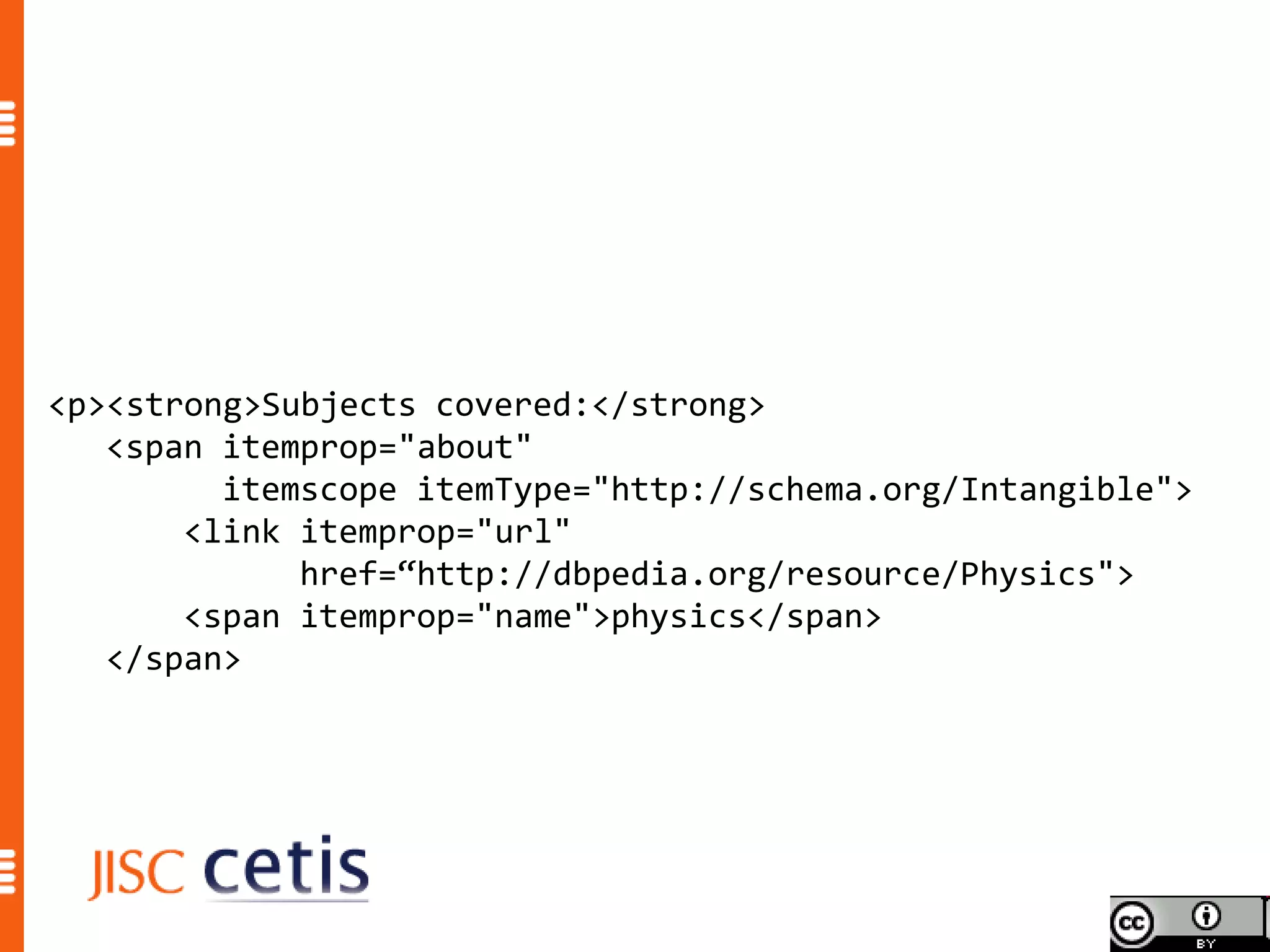
<p><strong>Subjects covered:</strong>
<span itemprop="about" itemscope itemType="http://schema.org/Intangible">
<link itemprop="url" href="http://example.com/physics">
<span itemprop="name">physics</span></span>
<p><strong>Resource type:</strong>
<span itemprop="genre">Text book</span></p>
<p><strong>Format:</strong>
<link itemprop="bookFormat" href="http://schema.org/Hardback" />
 Hardback, no dustwrapper</p>
<p itemprop="offers" itemscope itemtype="http://schema.org/Offer">
<strong>Price:</strong> <span itemprop="price">£40</span>
<meta itemprop="priceCurrency" content="GBP" /></p>
</section>
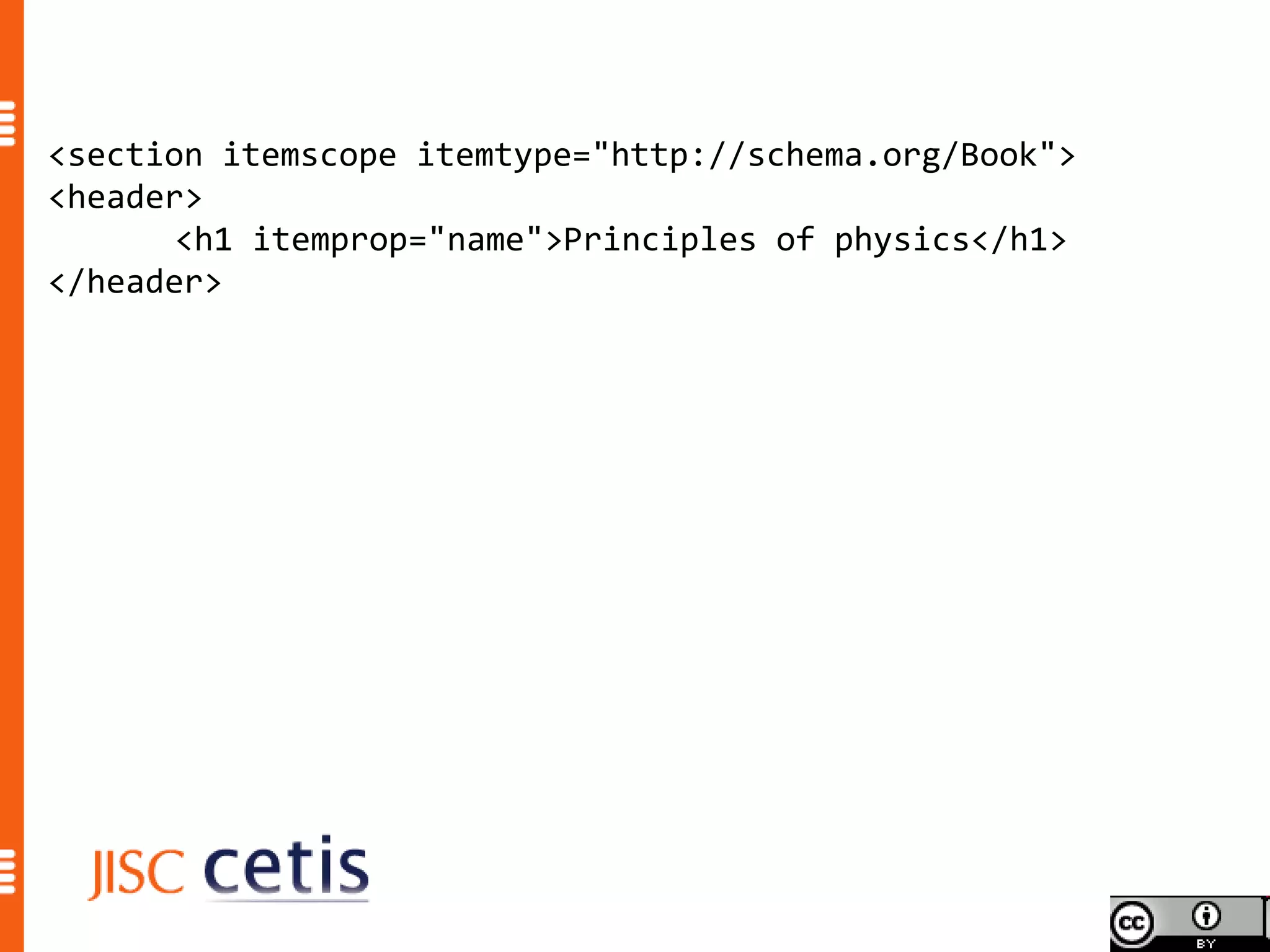
<section itemscope itemtype="http://schema.org/Book">
<header>
       <h1 itemprop="name">Principles of physics</h1>
</header>
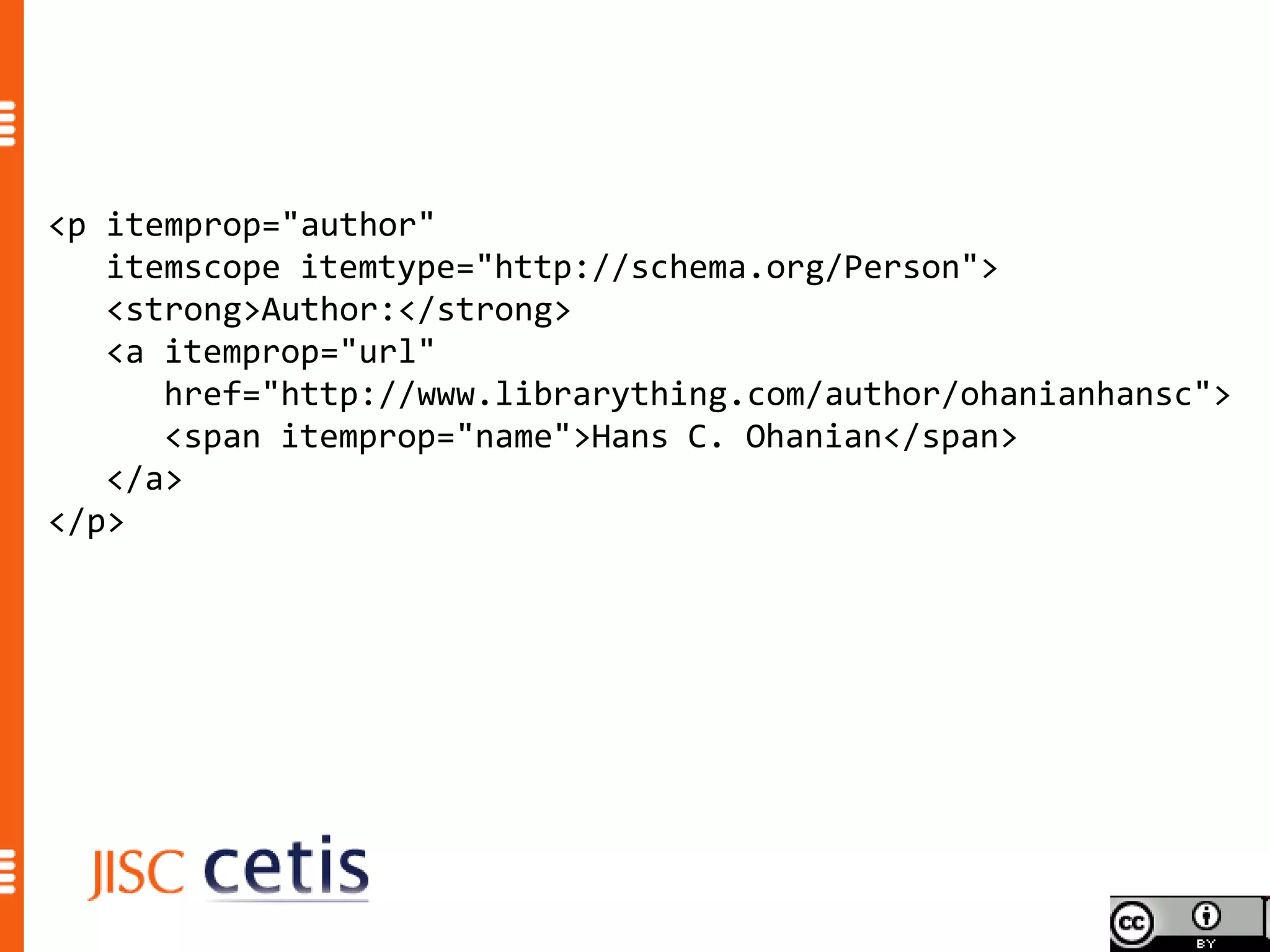
<p itemprop="author"
   itemscope itemtype="http://schema.org/Person">
   <strong>Author:</strong>
   <a itemprop="url"
      href="http://www.librarything.com/author/ohanianhansc">
      <span itemprop="name">Hans C. Ohanian</span>
   </a>
</p>
<p><strong>Subjects covered:</strong>
   <span itemprop="about"
         itemscope itemType="http://schema.org/Intangible">
       <link itemprop="url"
             href=“http://dbpedia.org/resource/Physics">
       <span itemprop="name">physics</span>
   </span>
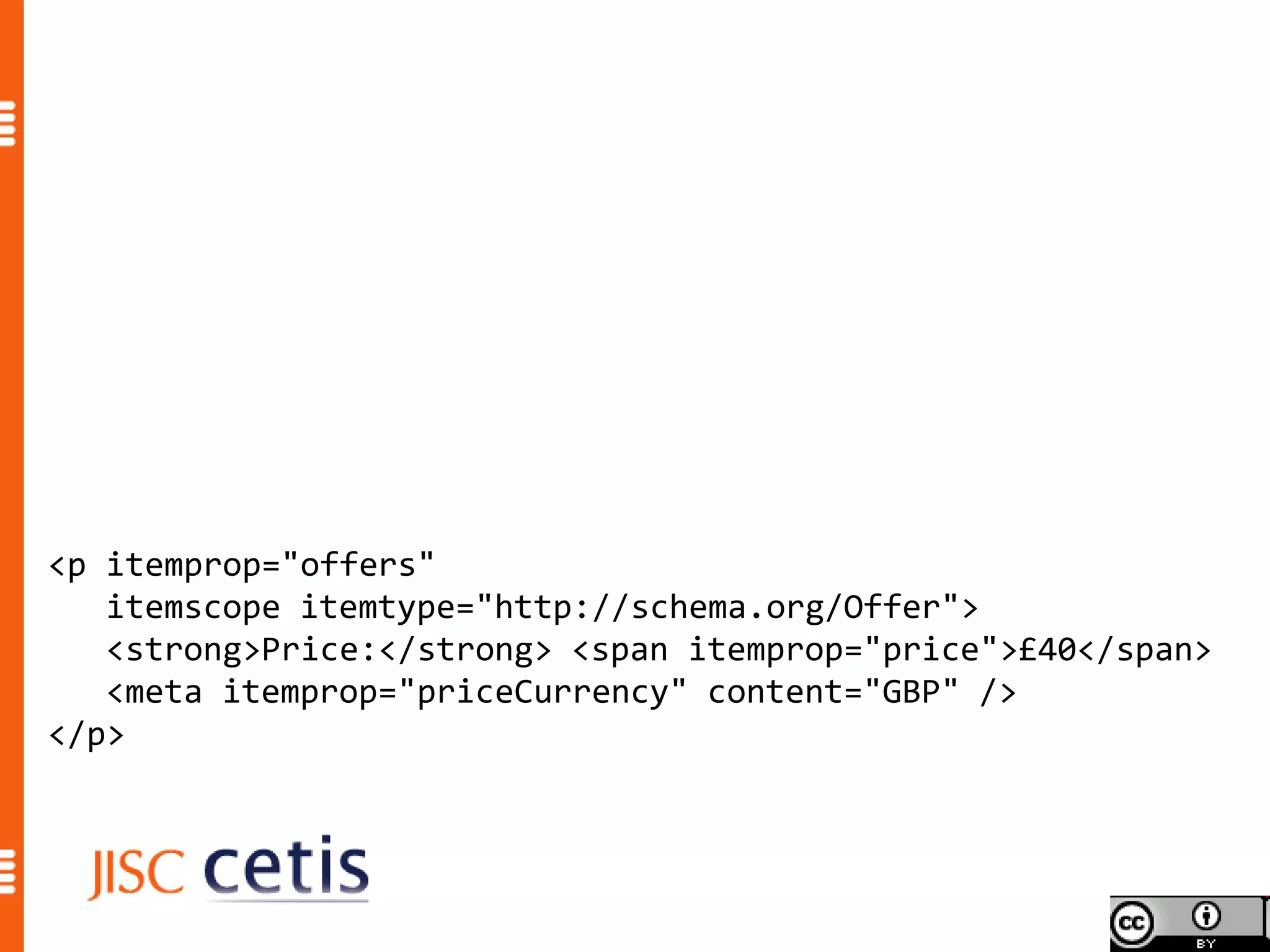
<p itemprop="offers"
   itemscope itemtype="http://schema.org/Offer">
   <strong>Price:</strong> <span itemprop="price">£40</span>
   <meta itemprop="priceCurrency" content="GBP" />
</p>
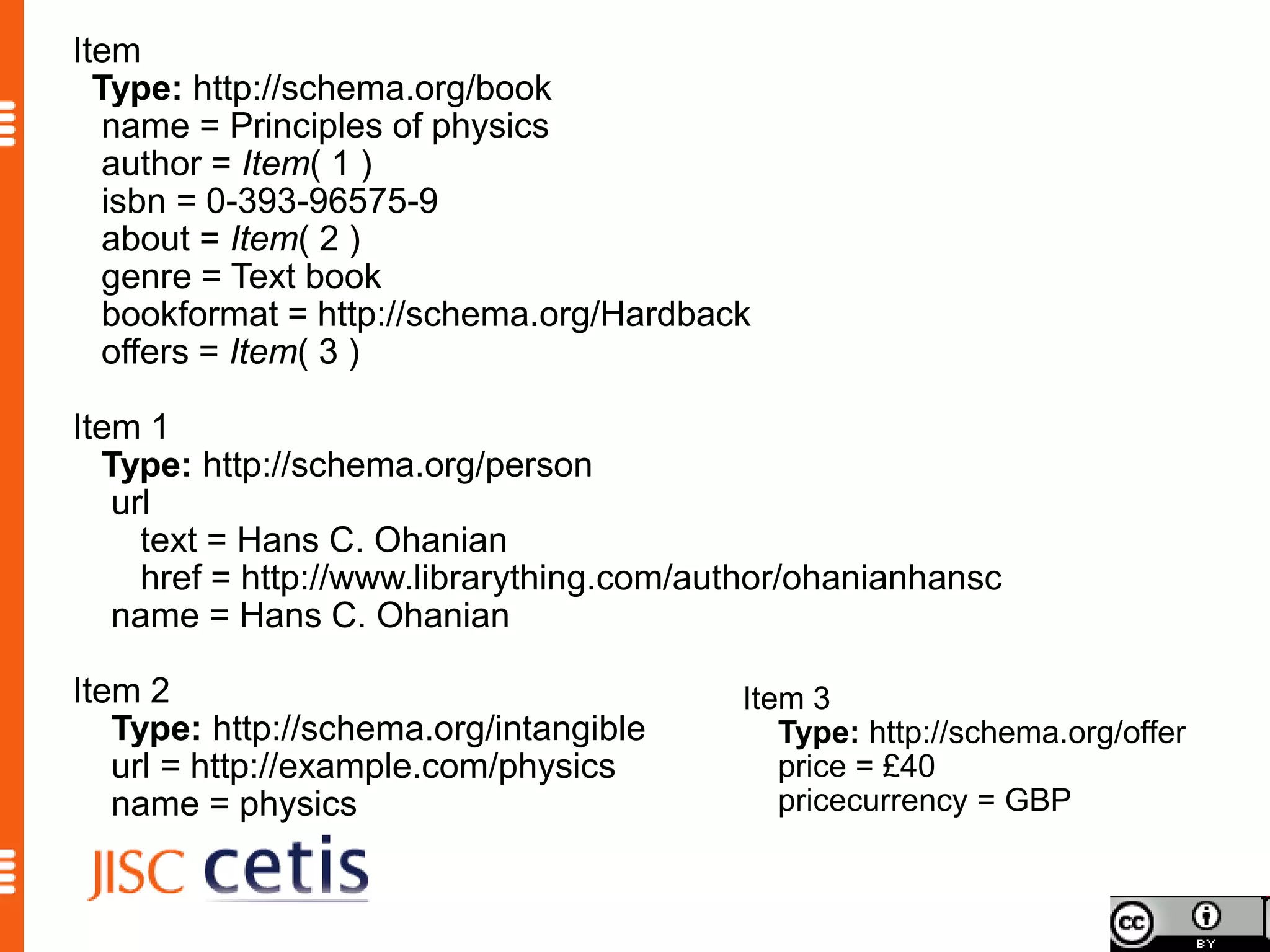
Item
  Type: http://schema.org/book
  name = Principles of physics
  author = Item( 1 )
  isbn = 0-393-96575-9
  about = Item( 2 )
  genre = Text book
  bookformat = http://schema.org/Hardback
  offers = Item( 3 )

Item 1
  Type: http://schema.org/person
   url
     text = Hans C. Ohanian
     href = http://www.librarything.com/author/ohanianhansc
   name = Hans C. Ohanian

Item 2                                    Item 3
   Type: http://schema.org/intangible        Type: http://schema.org/offer
   url = http://example.com/physics          price = £40
   name = physics                            pricecurrency = GBP
Schema.org is a joint effort, in the spirit of sitemaps.org,
to improve the web by creating a structured data markup
schema supported by major search engines. On-page
markup helps search engines understand the information
on web pages and provide richer search results. A
shared markup vocabulary makes easier for webmasters
to decide on a markup schema and get the maximum
benefit for their efforts. Search engines want to make it
easier for people to find relevant information on the web.
Markup can also enable new tools and applications that
make use of the structure.
                              Schema.org FAQ http://schema.org/docs/faq.html
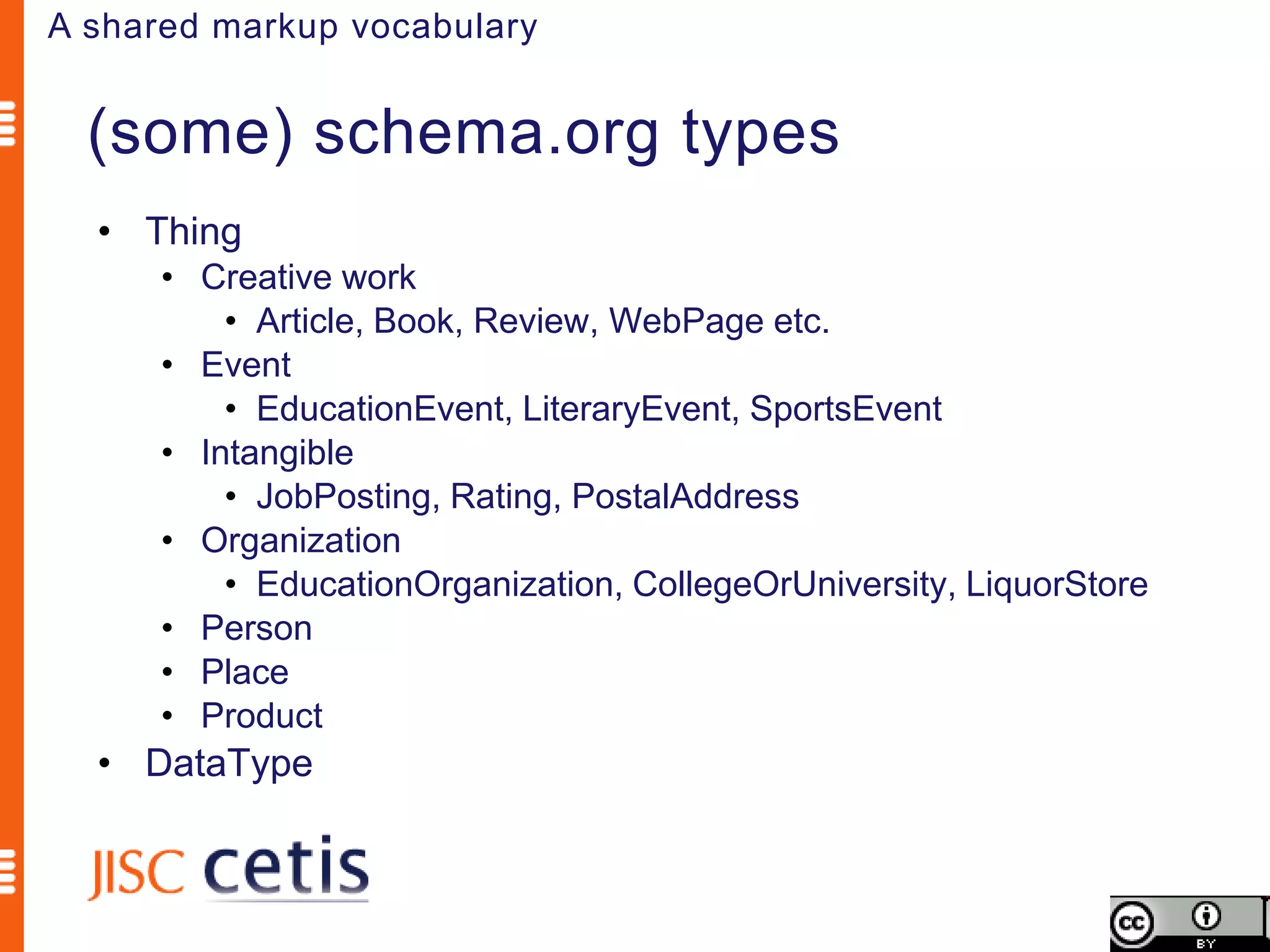
A shared markup vocabulary


  (some) schema.org types
  • Thing
      • Creative work
          • Article, Book, Review, WebPage etc.
      • Event
          • EducationEvent, LiteraryEvent, SportsEvent
      • Intangible
          • JobPosting, Rating, PostalAddress
      • Organization
          • EducationOrganization, CollegeOrUniversity, LiquorStore
      • Person
      • Place
      • Product
  • DataType
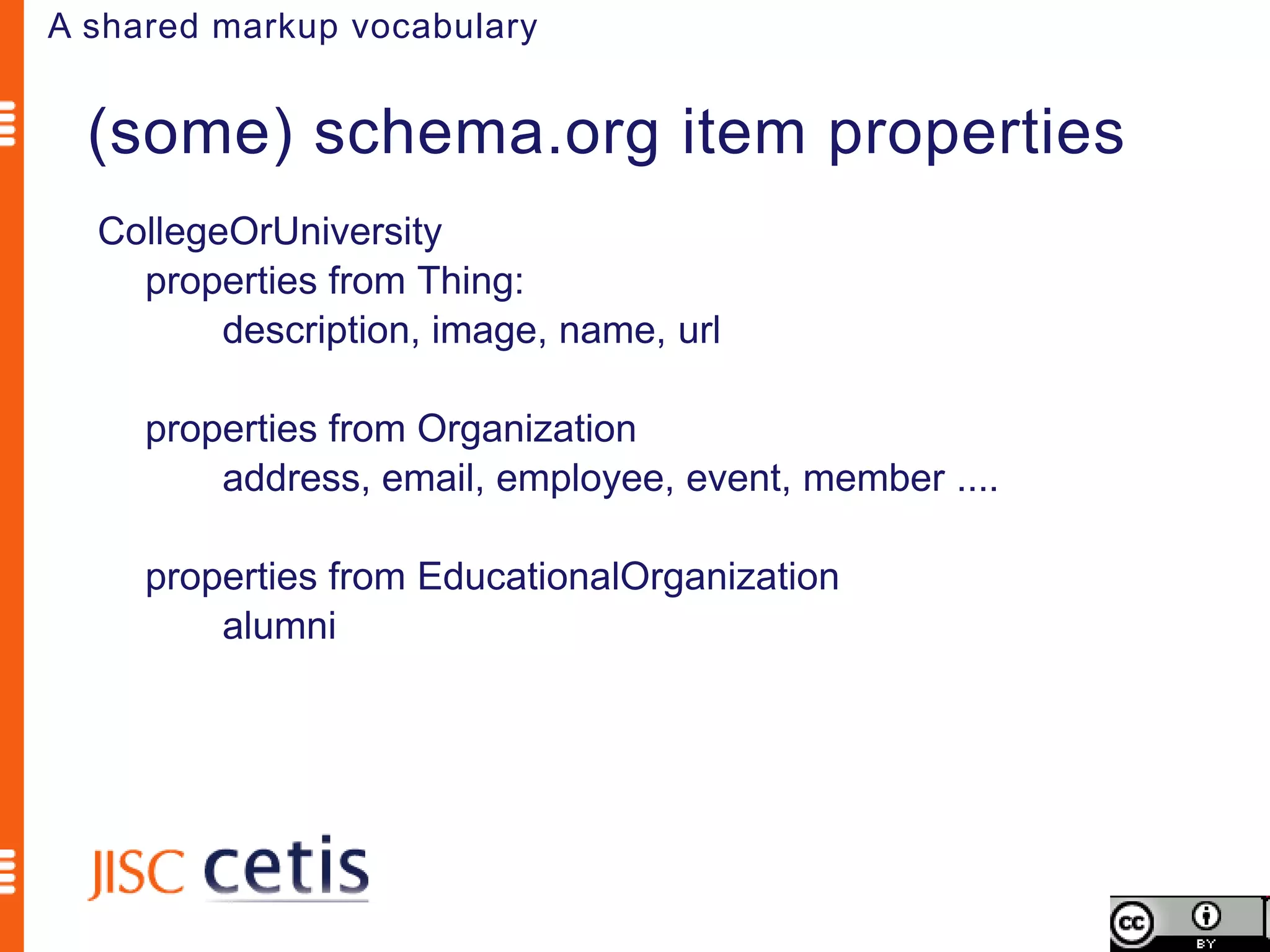
A shared markup vocabulary


  (some) schema.org item properties
  CollegeOrUniversity
    properties from Thing:
         description, image, name, url

     properties from Organization
         address, email, employee, event, member ....

     properties from EducationalOrganization
         alumni
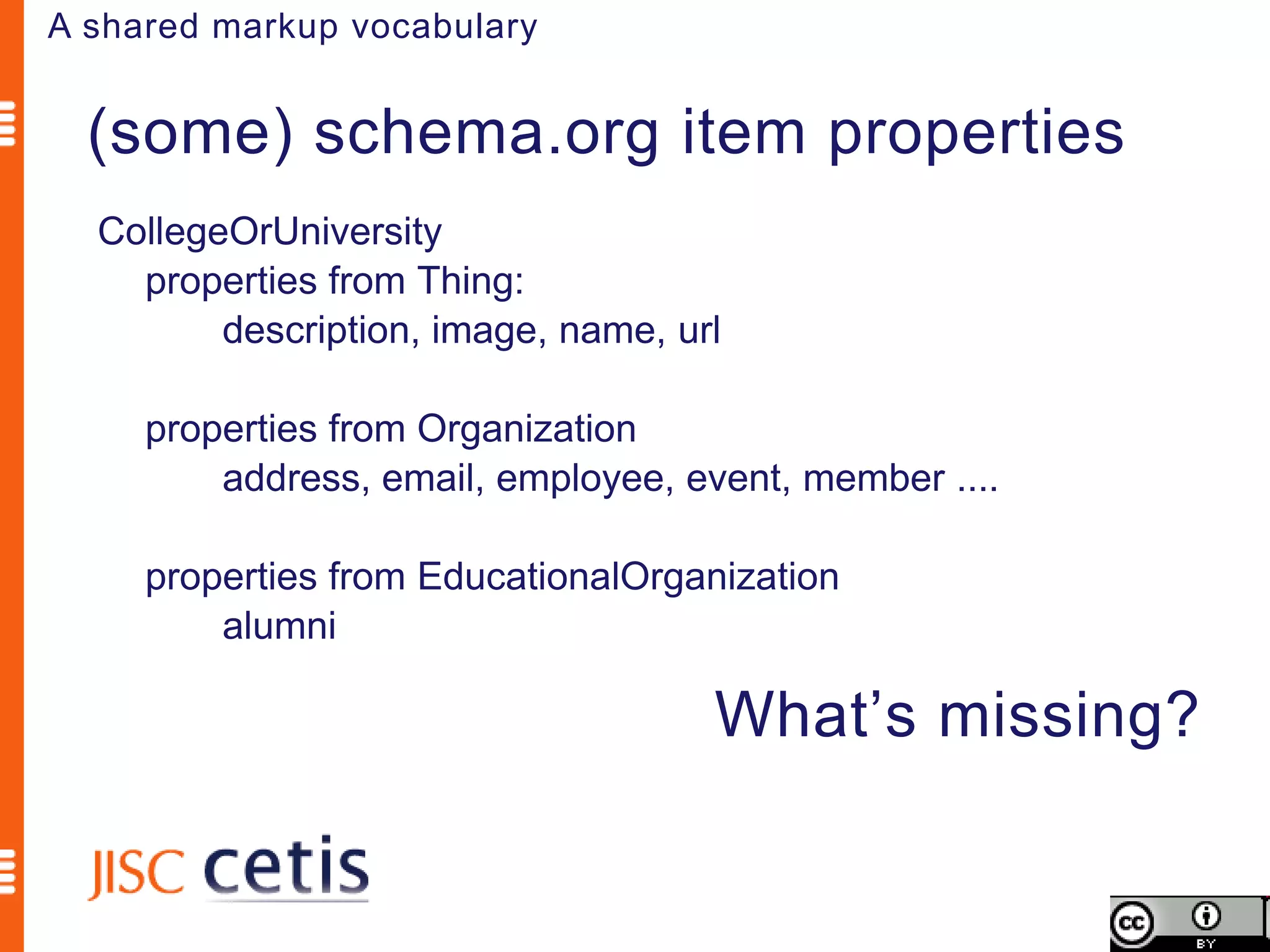
A shared markup vocabulary


  (some) schema.org item properties
  CollegeOrUniversity
    properties from Thing:
         description, image, name, url

     properties from Organization
         address, email, employee, event, member ....

     properties from EducationalOrganization
         alumni

                                     What’s missing?
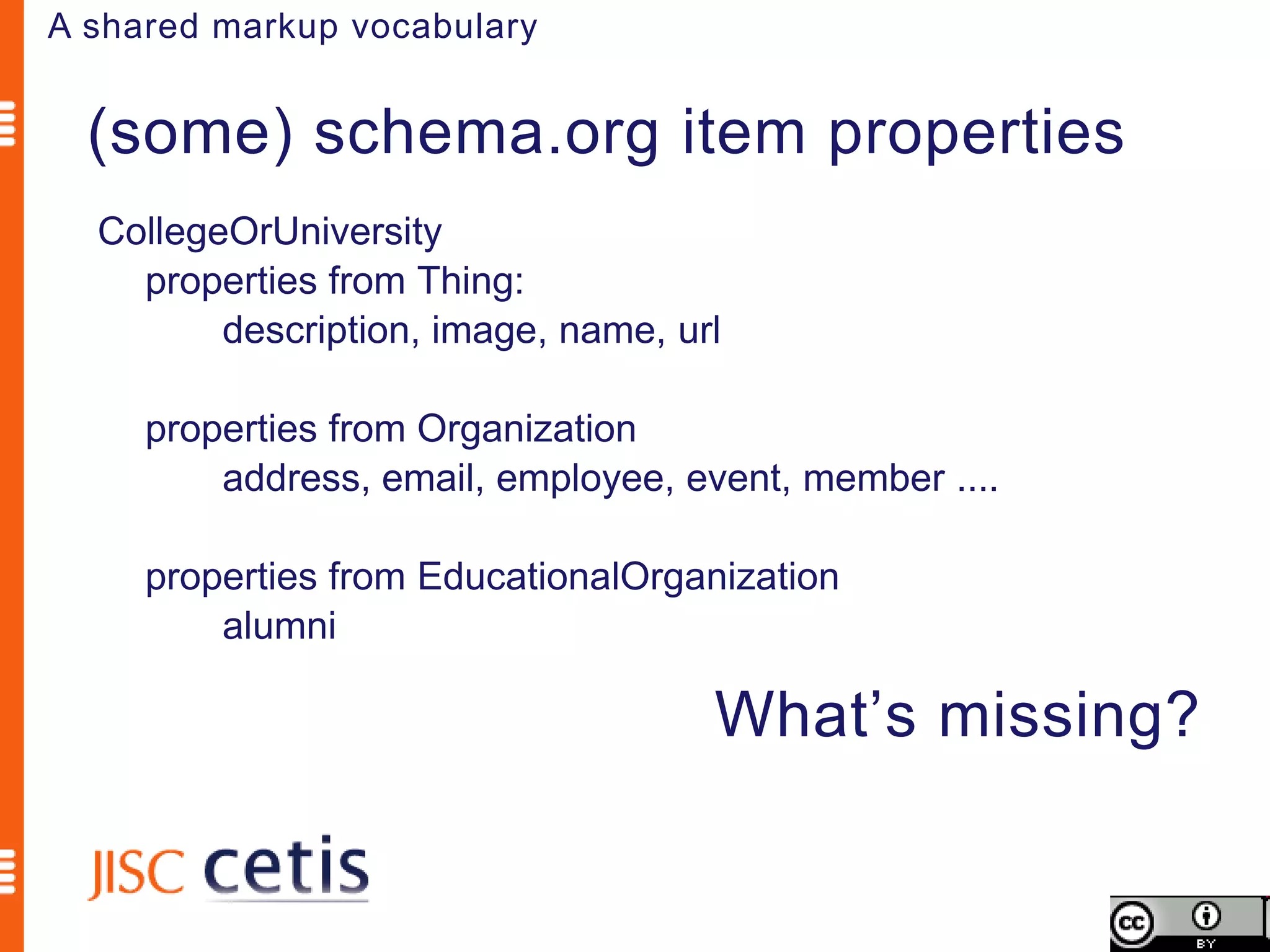
A shared markup vocabulary


  (some) schema.org item properties
  CollegeOrUniversity
    properties from Thing:
         description, image, name, url

     properties from Organization
         address, email, employee, event, member ....

     properties from EducationalOrganization
         alumni

                                     What’s missing?
A shared markup vocabulary


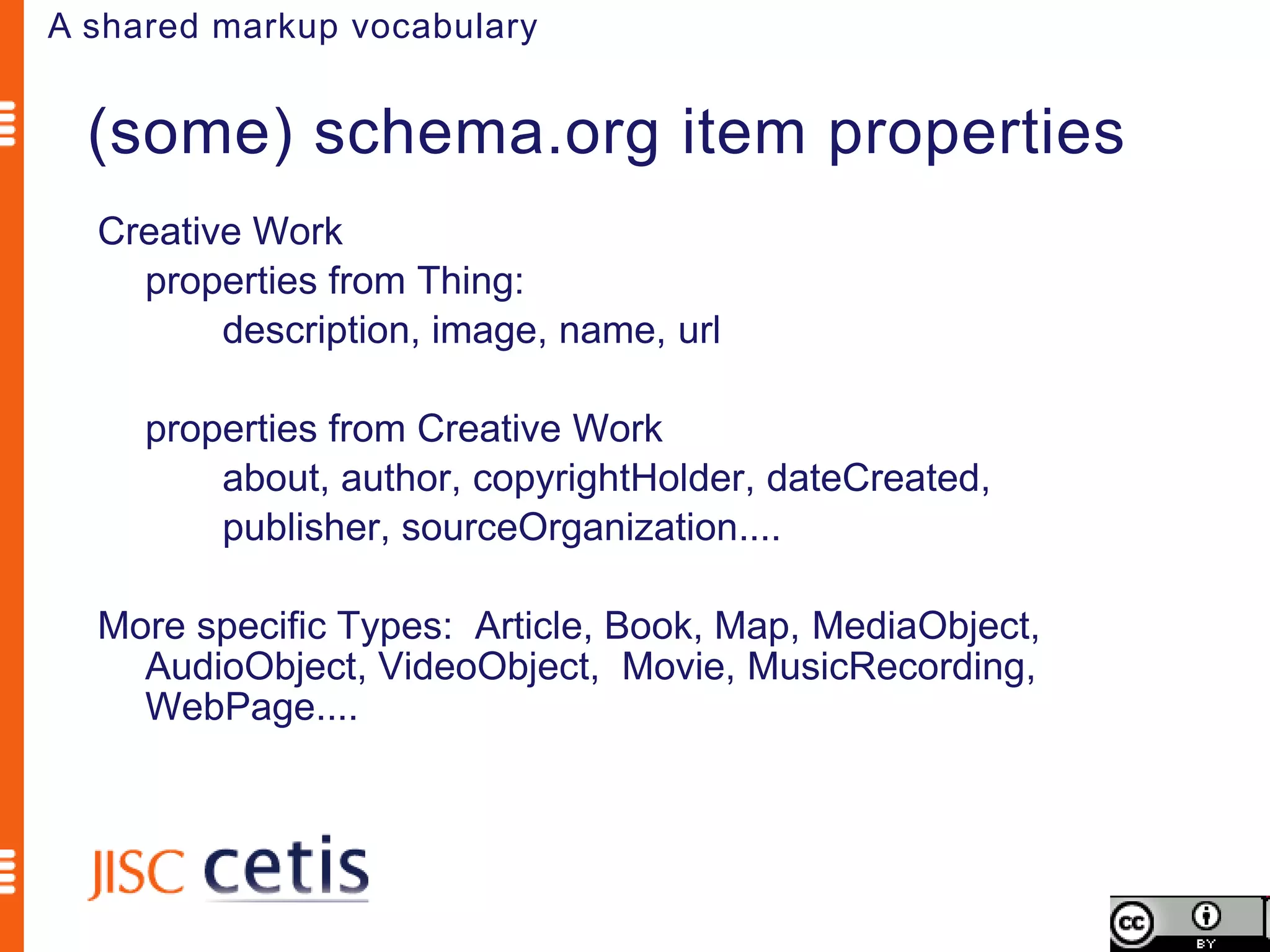
  (some) schema.org item properties
  Creative Work
    properties from Thing:
         description, image, name, url

     properties from Creative Work
         about, author, copyrightHolder, dateCreated,
         publisher, sourceOrganization....

  More specific Types: Article, Book, Map, MediaObject,
    AudioObject, VideoObject, Movie, MusicRecording,
    WebPage....
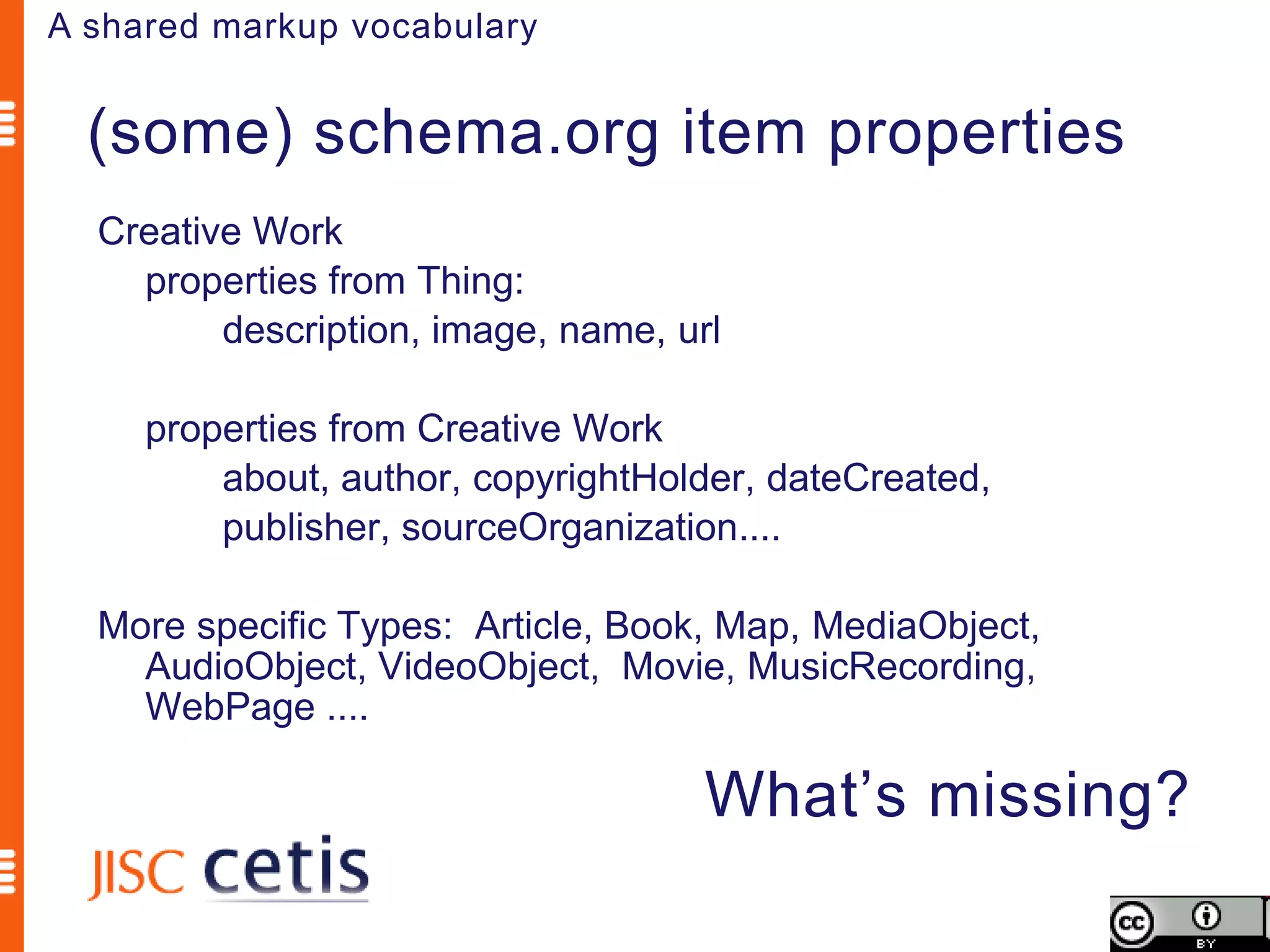
A shared markup vocabulary


  (some) schema.org item properties
  Creative Work
    properties from Thing:
         description, image, name, url

     properties from Creative Work
         about, author, copyrightHolder, dateCreated,
         publisher, sourceOrganization....

  More specific Types: Article, Book, Map, MediaObject,
    AudioObject, VideoObject, Movie, MusicRecording,
    WebPage ....

                                     What’s missing?
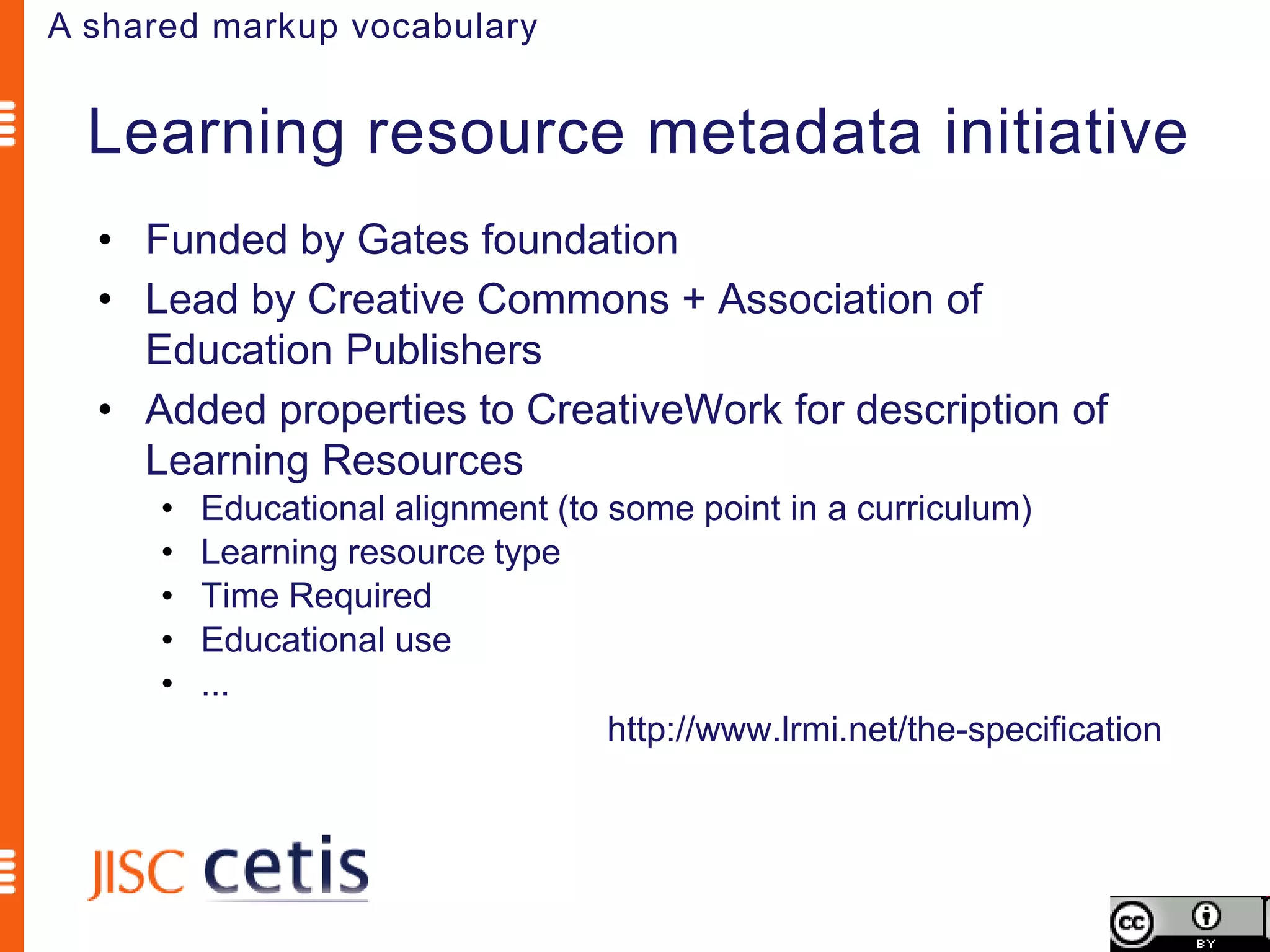
A shared markup vocabulary


  Learning resource metadata initiative
  • Funded by Gates foundation
  • Lead by Creative Commons + Association of
    Education Publishers
  • Added properties to CreativeWork for description of
    Learning Resources
      •   Educational alignment (to some point in a curriculum)
      •   Learning resource type
      •   Time Required
      •   Educational use
      •   ...
                                    http://www.lrmi.net/the-specification
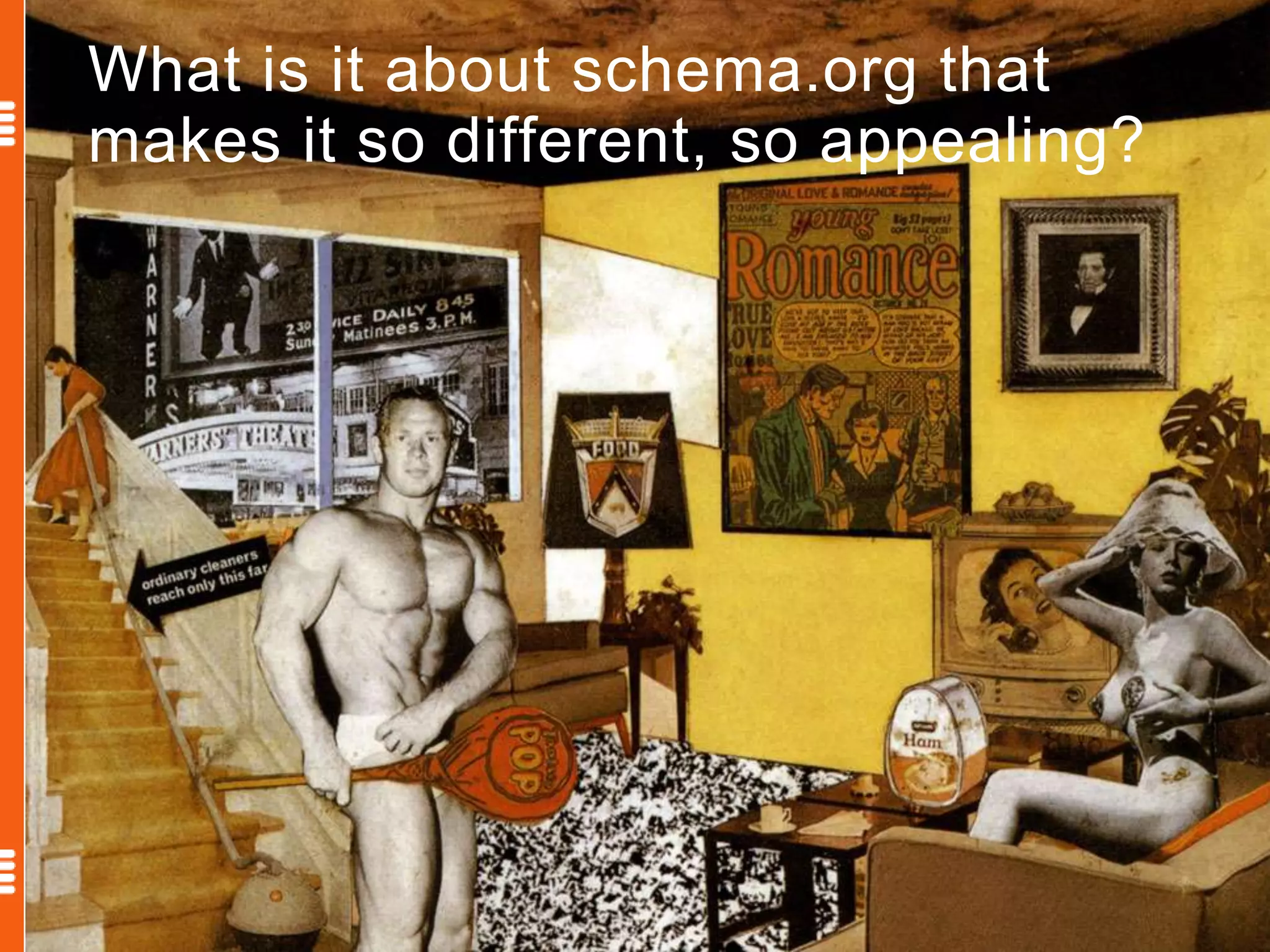
What is it about schema.org that
makes it so different, so appealing?
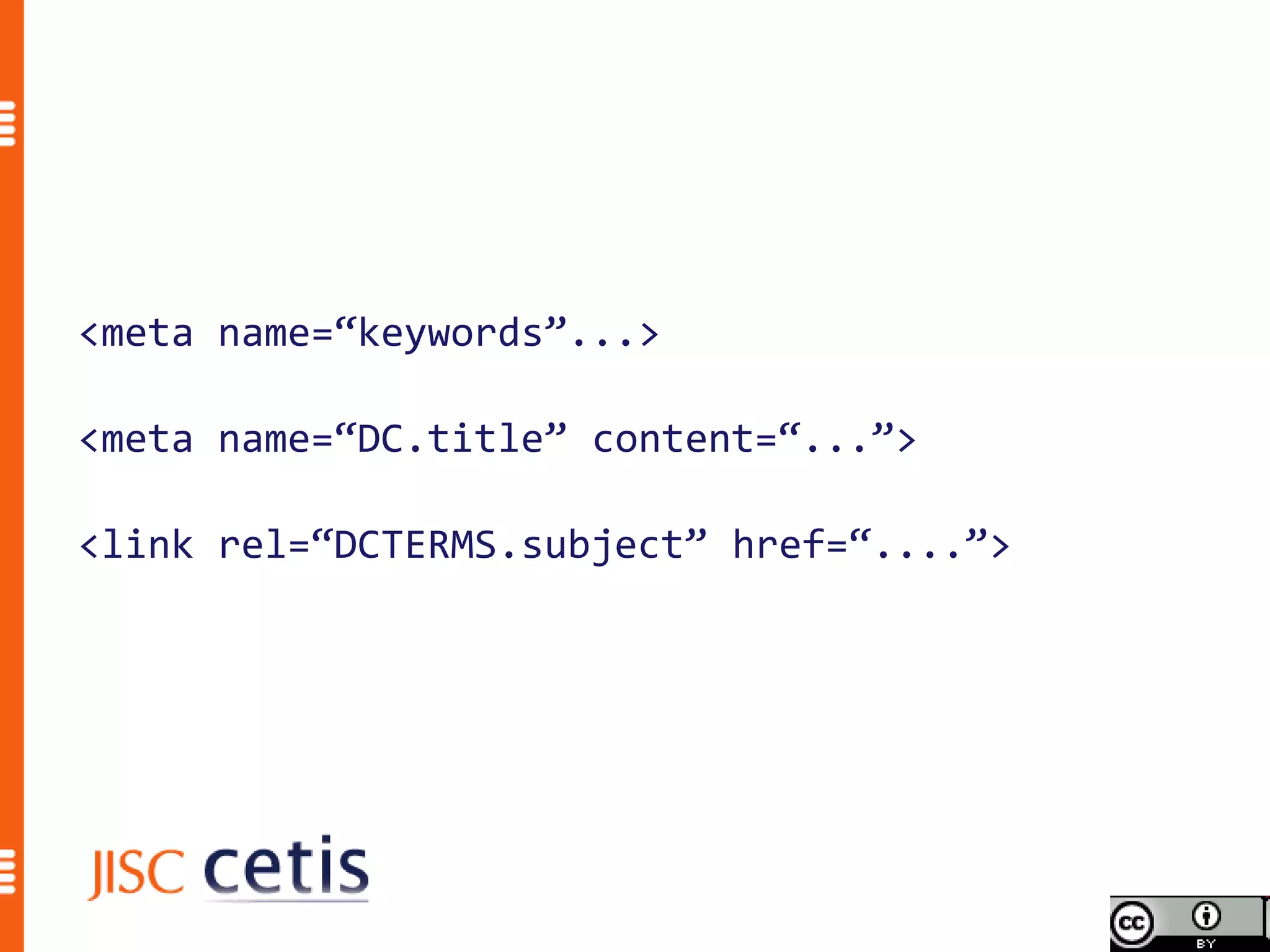
<meta name=“keywords”...>

<meta name=“DC.title” content=“...”>

<link rel=“DCTERMS.subject” href=“....”>
Schema.org is a joint effort, in the spirit of sitemaps.org,
to improve the web by creating a structured data markup
schema supported by major search engines. On-page
markup helps search engines understand the information
on web pages and provide richer search results. A
shared markup vocabulary makes easier for webmasters
to decide on a markup schema and get the maximum
benefit for their efforts. Search engines want to make it
easier for people to find relevant information on the web.
Markup can also enable new tools and applications that
make use of the structure.
                              Schema.org FAQ http://schema.org/docs/faq.html
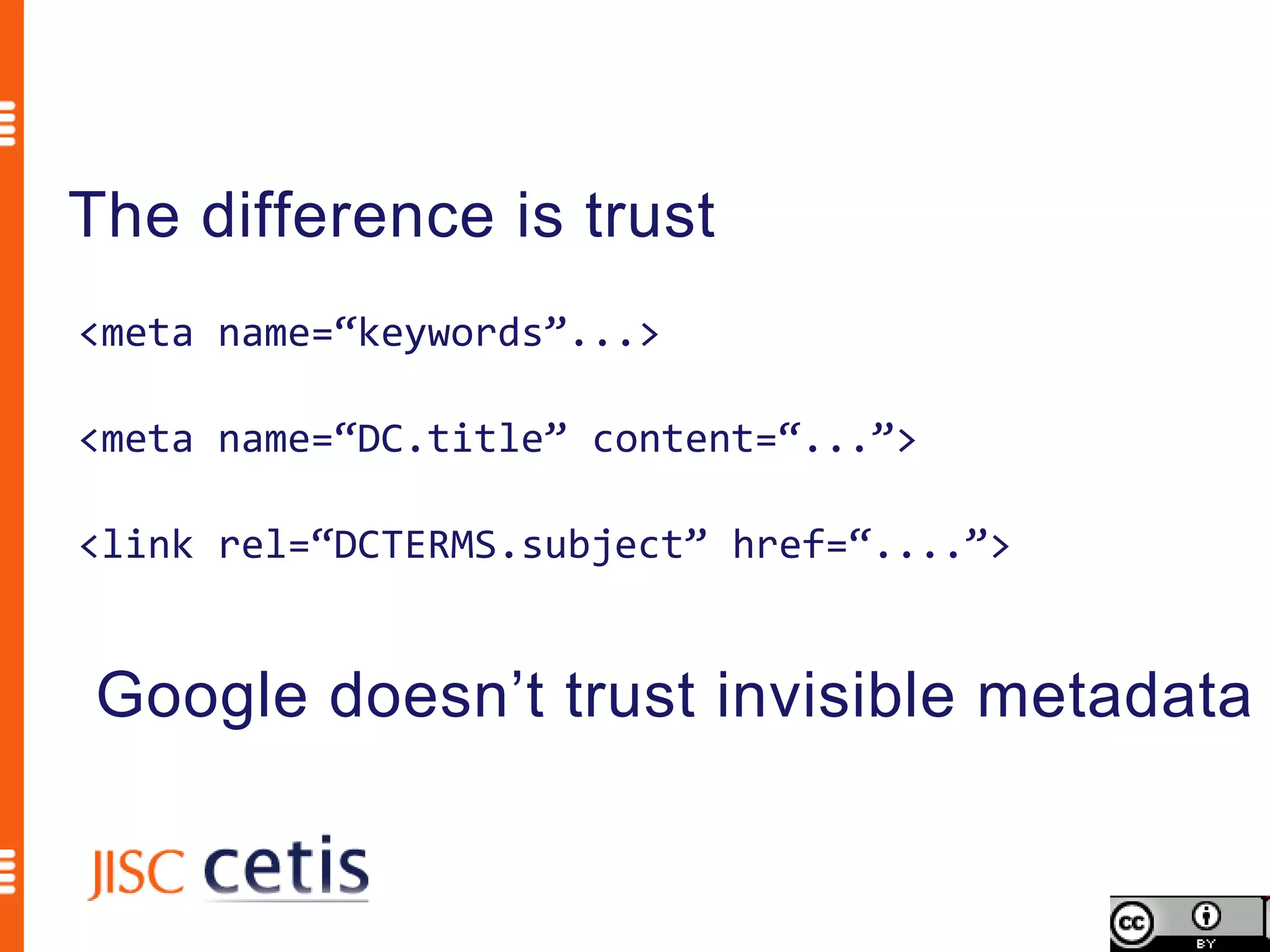
The difference is trust
<meta name=“keywords”...>

<meta name=“DC.title” content=“...”>

<link rel=“DCTERMS.subject” href=“....”>


Google doesn’t trust invisible metadata
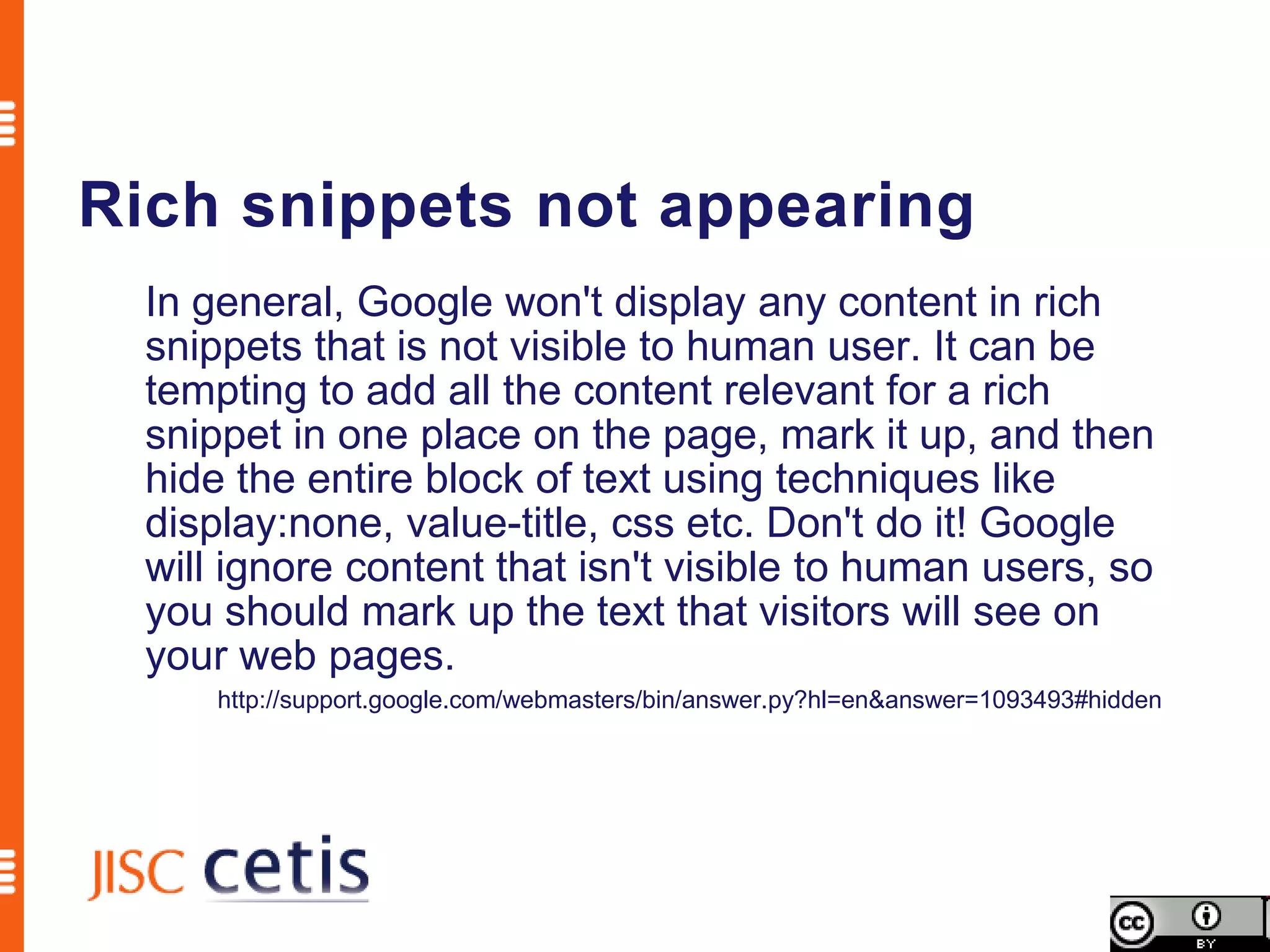
Rich snippets not appearing
  In general, Google won't display any content in rich
  snippets that is not visible to human user. It can be
  tempting to add all the content relevant for a rich
  snippet in one place on the page, mark it up, and then
  hide the entire block of text using techniques like
  display:none, value-title, css etc. Don't do it! Google
  will ignore content that isn't visible to human users, so
  you should mark up the text that visitors will see on
  your web pages.
      http://support.google.com/webmasters/bin/answer.py?hl=en&answer=1093493#hidden
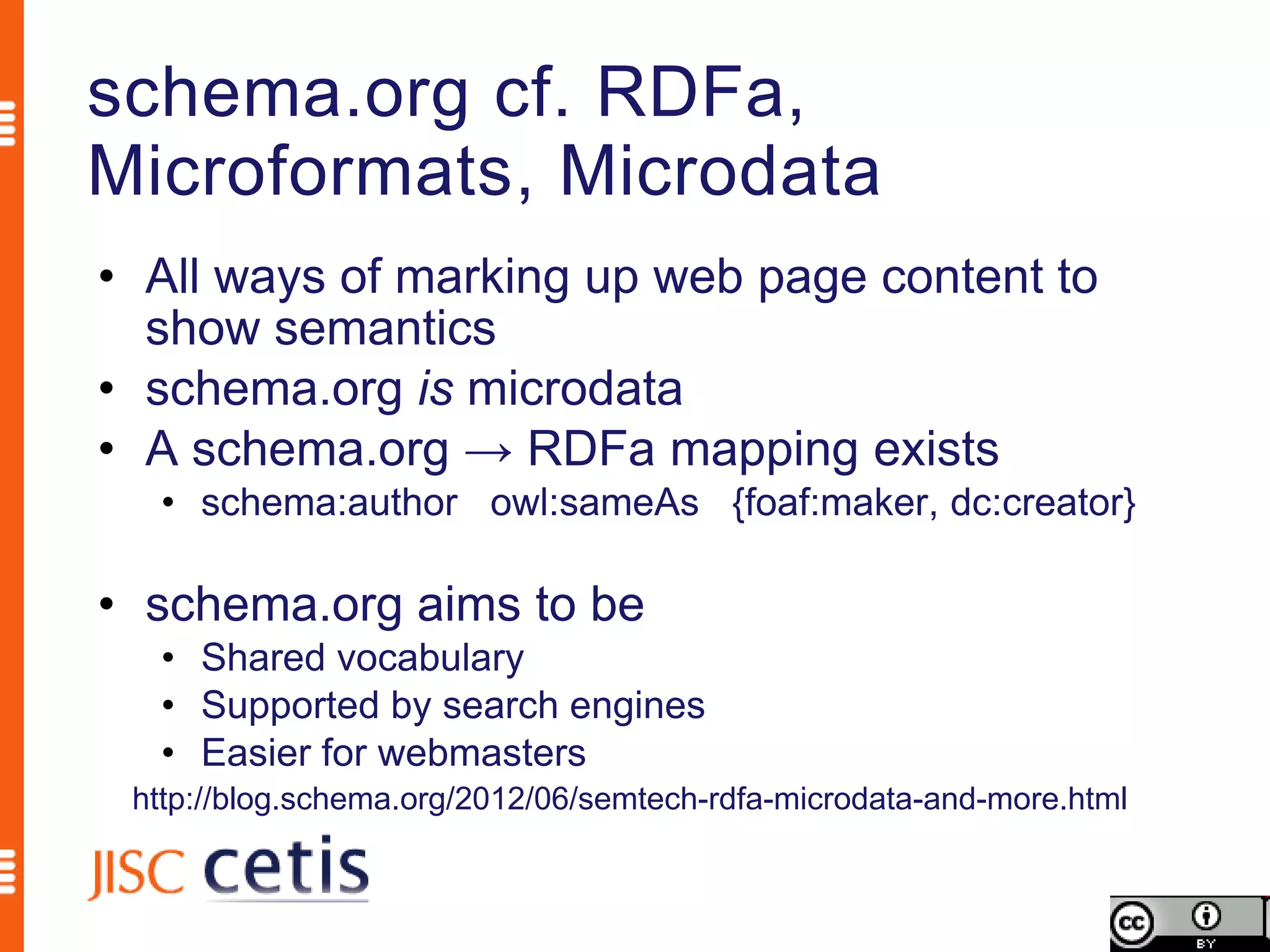
schema.org cf. RDFa,
Microformats, Microdata
• All ways of marking up web page content to
  show semantics
• schema.org is microdata
• A schema.org → RDFa mapping exists
  • schema:author owl:sameAs {foaf:maker, dc:creator}

• schema.org aims to be
  • Shared vocabulary
  • Supported by search engines
  • Easier for webmasters
 http://blog.schema.org/2012/06/semtech-rdfa-microdata-and-more.html
Schema.org is a joint effort, in the spirit of sitemaps.org,
to improve the web by creating a structured data markup
schema supported by major search engines. On-page
markup helps search engines understand the information
on web pages and provide richer search results. A
shared markup vocabulary makes easier for webmasters
to decide on a markup schema and get the maximum
benefit for their efforts. Search engines want to make it
easier for people to find relevant information on the web.
Markup can also enable new tools and applications that
make use of the structure.
                              Schema.org FAQ http://schema.org/docs/faq.html
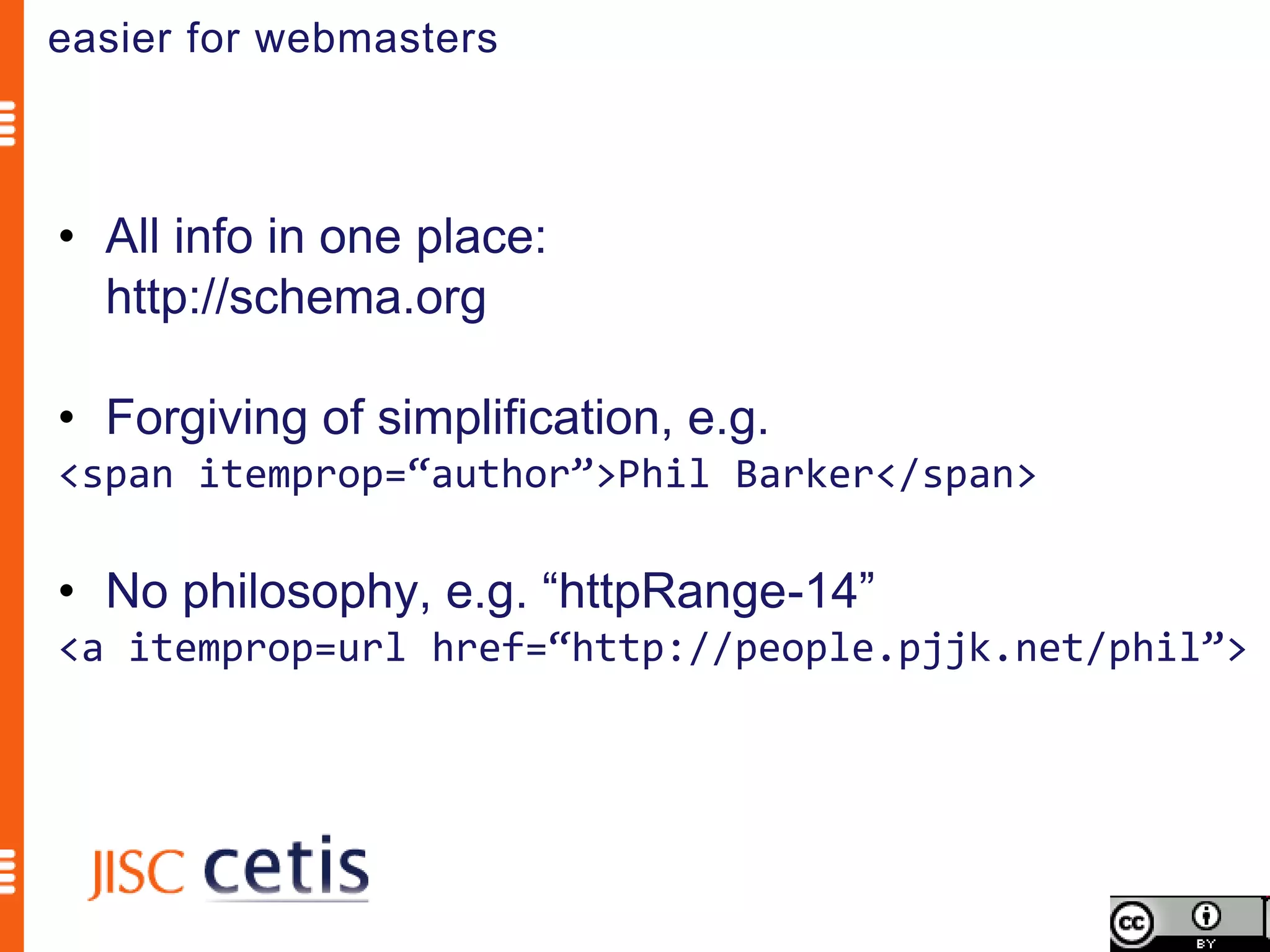
easier for webmasters


• All info in one place:
  http://schema.org

• Forgiving of simplification, e.g.
<span itemprop=“author”>Phil Barker</span>

• No philosophy, e.g. “httpRange-14”
<a itemprop=url href=“http://people.pjjk.net/phil”>
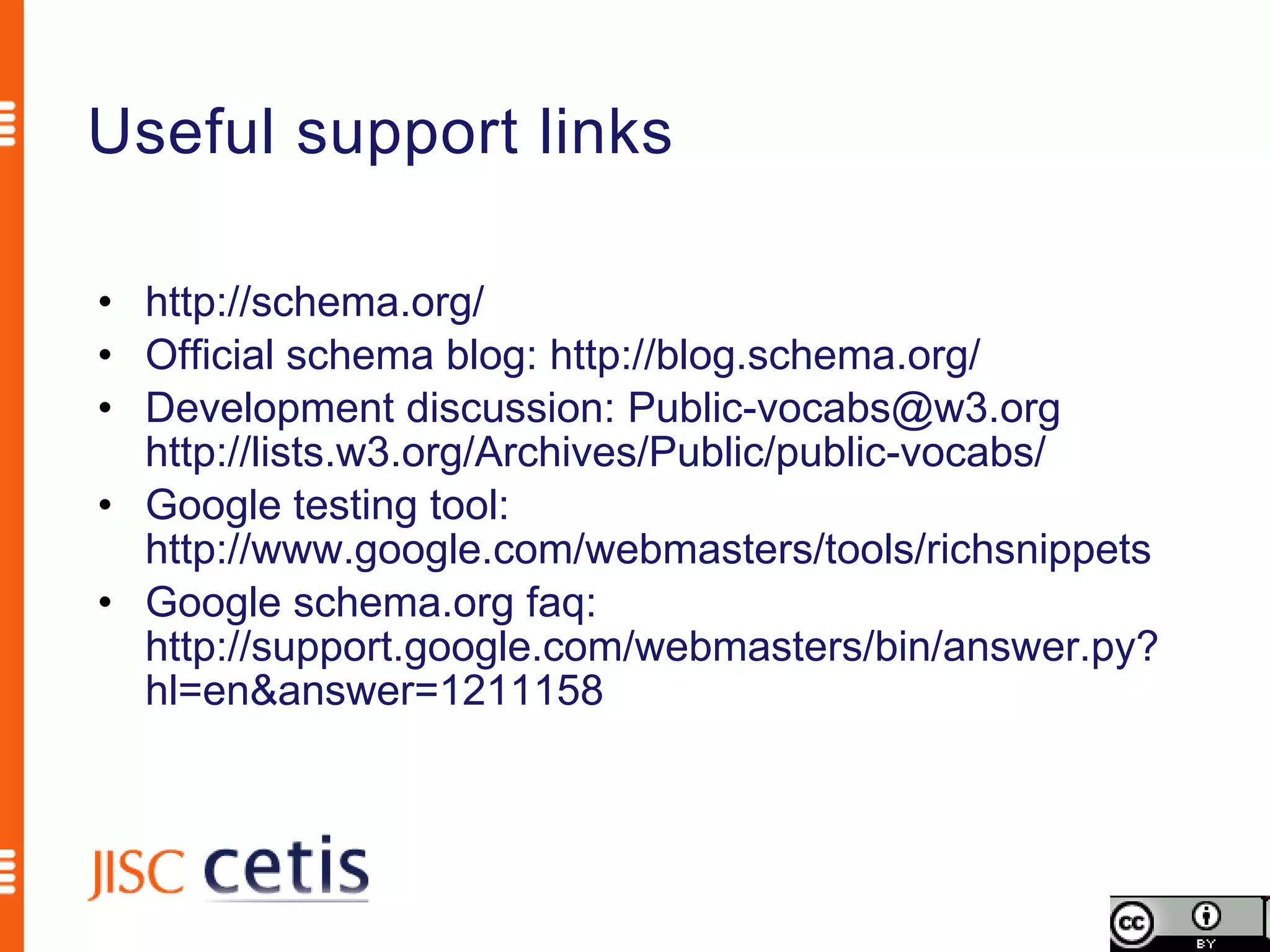
Useful support links

• http://schema.org/
• Official schema blog: http://blog.schema.org/
• Development discussion: Public-vocabs@w3.org
  http://lists.w3.org/Archives/Public/public-vocabs/
• Google testing tool:
  http://www.google.com/webmasters/tools/richsnippets
• Google schema.org faq:
  http://support.google.com/webmasters/bin/answer.py?
  hl=en&answer=1211158
Schema.org is a joint effort, in the spirit of sitemaps.org,
to improve the web by creating a structured data markup
schema supported by major search engines. On-page
markup helps search engines understand the information
on web pages and provide richer search results. A
shared markup vocabulary makes easier for webmasters
to decide on a markup schema and get the maximum
benefit for their efforts. Search engines want to make it
easier for people to find relevant information on the web.
Markup can also enable new tools and applications that
make use of the structure.
                              Schema.org FAQ http://schema.org/docs/faq.html
Support by Google
• Patchy at the moment

• Will only happen when significant number of
  pages are marked up

• Google CSE API returns schema markup
  • e.g. Veterans Job Bank
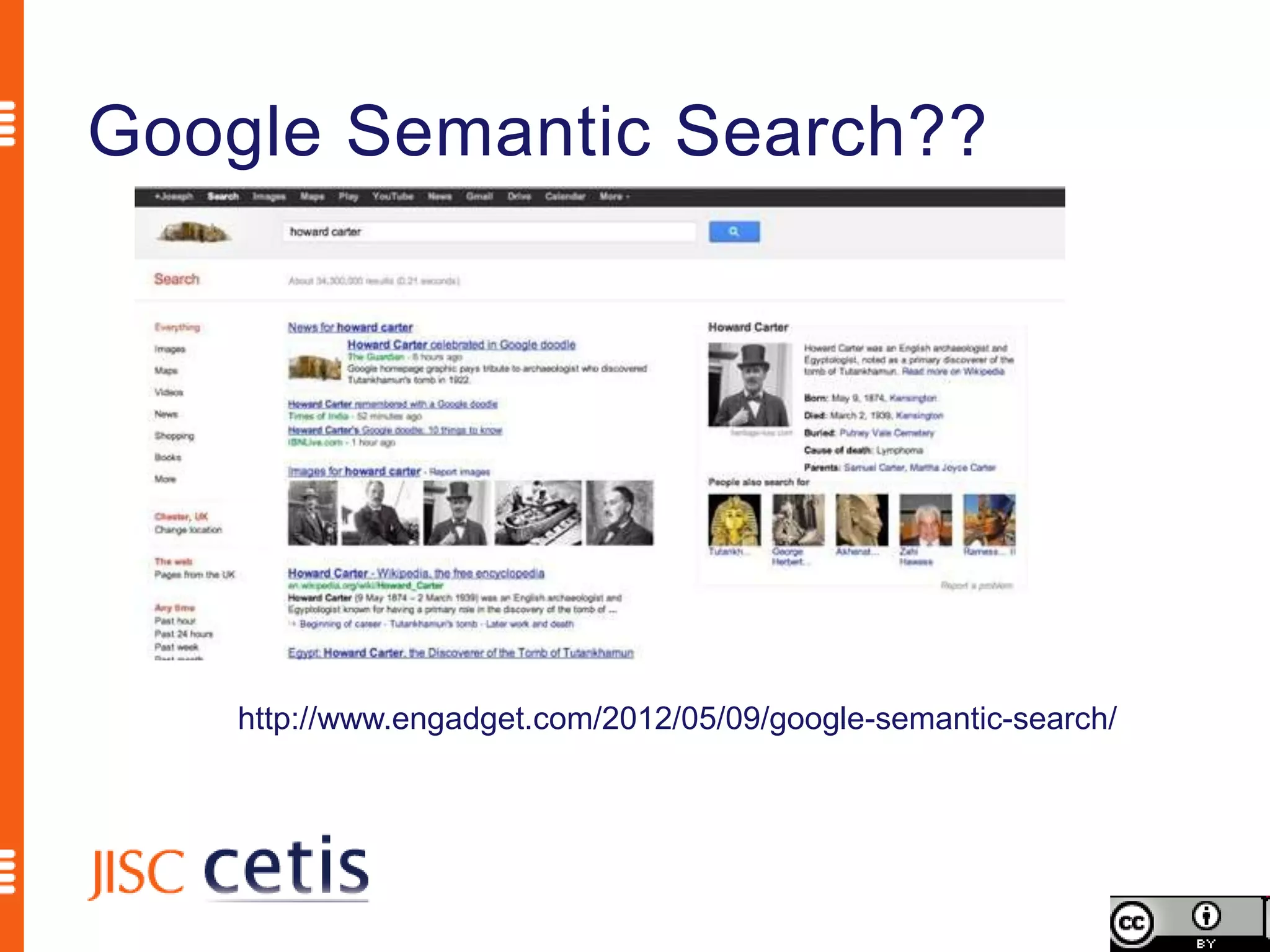
Google Semantic Search??


    http://www.engadget.com/2012/05/09/google-semantic-search/
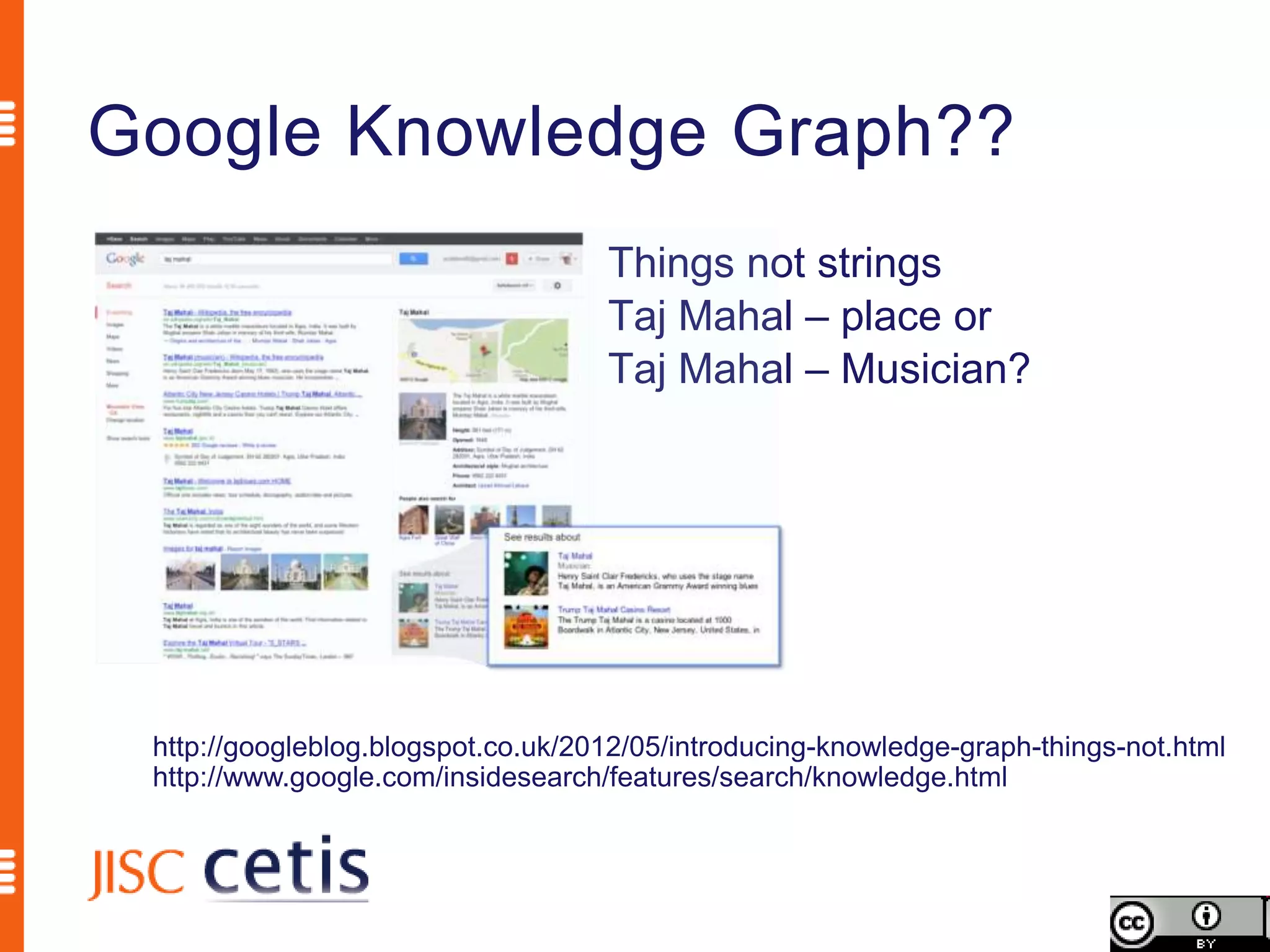
Google Knowledge Graph??
                                    Things not strings
                                    Taj Mahal – place or
                                    Taj Mahal – Musician?


 http://googleblog.blogspot.co.uk/2012/05/introducing-knowledge-graph-things-not.html
 http://www.google.com/insidesearch/features/search/knowledge.html
Licence and attribution
             By Phil Barker <phil.barker@hw.ac.uk>, JISC
                CETIS <http://jisc.cetis.ac.uk>


This work is licensed under the Creative Commons
 Attribution 3.0 Unported licence.

To view a copy of this licence, visit
  http://creativecommons.org/licenses/by/3.0/ or send a
  letter to Creative Commons, 171 Second Street, Suite
  300, San Francisco, California 94105, USA.

What Can schema.Org Offer The Web Manager?

  • 1.
    What does schema.org offerthe web manager? Phil Barker JISC CETIS Heriot-Watt University phil.barker@hw.ac.uk @philbarker
  • 2.
    Outline • What isschema.org • How does schema.org work • What does schema.org offer • Questions and answers (but not necessarily in that order)
  • 3.
    Schema.org is ajoint effort, in the spirit of sitemaps.org, to improve the web by creating a structured data markup schema supported by major search engines. On-page markup helps search engines understand the information on web pages and provide richer search results. A shared markup vocabulary makes easier for webmasters to decide on a markup schema and get the maximum benefit for their efforts. Search engines want to make it easier for people to find relevant information on the web. Markup can also enable new tools and applications that make use of the structure. Schema.org FAQ http://schema.org/docs/faq.html
  • 4.
    Schema.org is ajoint effort, in the spirit of sitemaps.org, to improve the web by creating a structured data markup schema supported by major search engines. On-page markup helps search engines understand the information on web pages and provide richer search results. A shared markup vocabulary makes easier for webmasters to decide on a markup schema and get the maximum benefit for their efforts. Search engines want to make it easier for people to find relevant information on the web. Markup can also enable new tools and applications that make use of the structure. Schema.org FAQ http://schema.org/docs/faq.html
  • 5.
    Schema.org is ajoint effort, in the spirit of sitemaps.org, to improve the web by creating a structured data markup schema supported by major search engines. On-page markup helps search engines understand the information on web pages and provide richer search results. A shared markup vocabulary makes easier for webmasters to decide on a markup schema and get the maximum benefit for their efforts. Search engines want to make it easier for people to find relevant information on the web. Markup can also enable new tools and applications that make use of the structure. Schema.org FAQ http://schema.org/docs/faq.html
  • 6.
    Schema.org is ajoint effort, in the spirit of sitemaps.org, to improve the web by creating a structured data markup schema supported by major search engines. On-page markup helps search engines understand the information on web pages and provide richer search results. A shared markup vocabulary makes easier for webmasters to decide on a markup schema and get the maximum benefit for their efforts. Search engines want to make it easier for people to find relevant information on the web. Markup can also enable new tools and applications that make use of the structure. Schema.org FAQ http://schema.org/docs/faq.html
  • 7.
    Schema.org is ajoint effort, in the spirit of sitemaps.org, to improve the web by creating a structured data markup schema supported by major search engines. On-page markup helps search engines understand the information on web pages and provide richer search results. A shared markup vocabulary makes easier for webmasters to decide on a markup schema and get the maximum benefit for their efforts. Search engines want to make it easier for people to find relevant information on the web. Markup can also enable new tools and applications that make use of the structure. Schema.org FAQ http://schema.org/docs/faq.html
  • 8.
    Schema.org is ajoint effort, in the spirit of sitemaps.org, to improve the web by creating a structured data markup schema supported by major search engines. On-page markup helps search engines understand the information on web pages and provide richer search results. A shared markup vocabulary makes easier for webmasters to decide on a markup schema and get the maximum benefit for their efforts. Search engines want to make it easier for people to find relevant information on the web. Markup can also enable new tools and applications that make use of the structure. Schema.org FAQ http://schema.org/docs/faq.html
  • 9.
    Schema.org is ajoint effort, in the spirit of sitemaps.org, to improve the web by creating a structured data markup schema supported by major search engines. On-page markup helps search engines understand the information on web pages and provide richer search results. A shared markup vocabulary makes easier for webmasters to decide on a markup schema and get the maximum benefit for their efforts. Search engines want to make it easier for people to find relevant information on the web. Markup can also enable new tools and applications that make use of the structure. Schema.org FAQ http://schema.org/docs/faq.html
  • 10.
    …easier for peopleto find relevant information…
  • 11.
    Will schema.org increasepage rank? Probably not, but there is more to making information easier to find than that http://blogs.cetis.ac.uk/philb/2012/05/25/will-using-schemaorg-metadata-improve-my-google-rank/
  • 12.
    Schema.org is ajoint effort, in the spirit of sitemaps.org, to improve the web by creating a structured data markup schema supported by major search engines. On-page markup helps search engines understand the information on web pages and provide richer search results. A shared markup vocabulary makes easier for webmasters to decide on a markup schema and get the maximum benefit for their efforts. Search engines want to make it easier for people to find relevant information on the web. Markup can also enable new tools and applications that make use of the structure. Schema.org FAQ http://schema.org/docs/faq.html
  • 13.
    … on-page markup… Web page about me
  • 14.
    … on-page markup… Information about me
  • 15.
    … on-page markup… my name photo of me
  • 16.
    … on-page markup… about my employer
  • 17.
    … on-page markup… my employer’s address
  • 18.
    … on-page markup… my web page URL
  • 19.
    1. <div> 2. <h1>Phil Barker </h1> 3. <img src="philb.jpg" alt="mug shot of me”/> 4. <p> <strong>Learning Technology Adviser</strong><br /> 5. <a href="http://www.icbl.hw.ac.uk/”>Institute for Computer Based Learning</a>,<br /> 6. <a href="http://www.macs.hw.ac.uk/“ >School of Mathematical and Computer Sciences</a><br /> 7. Mountbatten Building<br /> 8. <a href="http://www.hw.ac.uk/">Heriot-Watt University</a>,<br /> 9. Edinburgh, EH14 4AS<br /> 10. <strong>Tel.</strong> 0131 451 3278<br /> 11. <strong>Fax.</strong> 0131 451 3327<br /> 12. <strong>Email</strong> <a href="mailto:Phil.Barker@hw.ac.uk">Phil.Barker@hw.ac.uk</a><br /> 13. <strong>Homepage</strong> <a href="http://www.icbl.hw.ac.uk/~philb/">http://www.iclb.hw.ac.uk/~philb</a> 14. </p> 15. <p>My main interests are supporting the use of learning technology at Universities, particularly through supporting the discovery and selection of appropriate resources. My main areas of work are ...</p> …
  • 20.
    1. <div> 2. <h1>Phil Barker </h1> 3. <img src="philb.jpg" alt="mug shot of me”/> 4. <p> <strong>Learning Technology Adviser</strong><br /> 5. <a href="http://www.icbl.hw.ac.uk/”>Institute for Computer Based Learning</a>,<br /> 6. <a href="http://www.macs.hw.ac.uk/“ >School of Mathematical and Computer Sciences</a><br /> 7. Mountbatten Building<br /> 8. <a href="http://www.hw.ac.uk/">Heriot-Watt University</a>,<br /> 9. Edinburgh, EH14 4AS<br /> 10. <strong>Tel.</strong> 0131 451 3278<br /> 11. <strong>Fax.</strong> 0131 451 3327<br /> 12. <strong>Email</strong> <a href="mailto:Phil.Barker@hw.ac.uk">Phil.Barker@hw.ac.uk</a><br /> 13. <strong>Homepage</strong> <a href="http://www.icbl.hw.ac.uk/~philb/">http://www.iclb.hw.ac.uk/~philb</a> 14. </p> 15. <p>My main interests are supporting the use of learning technology at Universities, particularly through supporting the discovery and selection of appropriate resources. My main areas of work are ...</p> …
  • 21.
    1. <div itemscopeitemtype=“http://schema.org/Person”> 2. <h1>Phil Barker </h1> 3. <img src="philb.jpg" alt="mug shot of me”/> 4. <p> <strong>Learning Technology Adviser</strong><br /> 5. <a href="http://www.icbl.hw.ac.uk/”>Institute for Computer Based Learning</a>,<br /> 6. <a href="http://www.macs.hw.ac.uk/“ >School of Mathematical and Computer Sciences</a><br /> 7. Mountbatten Building<br /> 8. <a href="http://www.hw.ac.uk/">Heriot-Watt University</a>,<br /> 9. Edinburgh, EH14 4AS<br /> 10. <strong>Tel.</strong> 0131 451 3278<br /> 11. <strong>Fax.</strong> 0131 451 3327<br /> 12. <strong>Email</strong> <a href="mailto:Phil.Barker@hw.ac.uk">Phil.Barker@hw.ac.uk</a><br /> 13. <strong>Homepage</strong> <a href="http://www.icbl.hw.ac.uk/~philb/">http://www.iclb.hw.ac.uk/~philb</a> 14. </p> 15. <p>My main interests are supporting the use of learning technology at Universities, particularly through supporting the discovery and selection of appropriate resources. My main areas of work are ...</p> …
  • 22.
    1. <div itemscopeitemtype=“http://schema.org/Person”> 2. <h1>Phil Barker </h1> 3. <img src="philb.jpg" alt="mug shot of me”/> 4. <p> <strong>Learning Technology Adviser</strong><br /> 5. <a href="http://www.icbl.hw.ac.uk/”>Institute for Computer Based Learning</a>,<br /> 6. <a href="http://www.macs.hw.ac.uk/“ >School of Mathematical and Computer Sciences</a><br /> 7. Mountbatten Building<br /> 8. <a href="http://www.hw.ac.uk/">Heriot-Watt University</a>,<br /> 9. Edinburgh, EH14 4AS<br /> 10. <strong>Tel.</strong> 0131 451 3278<br /> 11. <strong>Fax.</strong> 0131 451 3327<br /> 12. <strong>Email</strong> <a href="mailto:Phil.Barker@hw.ac.uk">Phil.Barker@hw.ac.uk</a><br /> 13. <strong>Homepage</strong> <a href="http://www.icbl.hw.ac.uk/~philb/">http://www.iclb.hw.ac.uk/~philb</a> 14. </p> 15. <p>My main interests are supporting the use of learning technology at Universities, particularly through supporting the discovery and selection of appropriate resources. My main areas of work are ...</p> …
  • 23.
    1. <div itemscopeitemtype=“http://schema.org/Person”> 2. <h1 itemprop=“name”>Phil Barker</h1> 3. <img src="philb.jpg" alt="mug shot of me”/> 4. <p> <strong>Learning Technology Adviser</strong><br /> 5. <a href="http://www.icbl.hw.ac.uk/”>Institute for Computer Based Learning</a>,<br /> 6. <a href="http://www.macs.hw.ac.uk/“ >School of Mathematical and Computer Sciences</a><br /> 7. Mountbatten Building<br /> 8. <a href="http://www.hw.ac.uk/">Heriot-Watt University</a>,<br /> 9. Edinburgh, EH14 4AS<br /> 10. <strong>Tel.</strong> 0131 451 3278<br /> 11. <strong>Fax.</strong> 0131 451 3327<br /> 12. <strong>Email</strong> <a href="mailto:Phil.Barker@hw.ac.uk">Phil.Barker@hw.ac.uk</a><br /> 13. <strong>Homepage</strong> <a href="http://www.icbl.hw.ac.uk/~philb/">http://www.iclb.hw.ac.uk/~philb</a> 14. </p> 15. <p>My main interests are supporting the use of learning technology at Universities, particularly through supporting the discovery and selection of appropriate resources. My main areas of work are ...</p> …
  • 24.
    1. <div itemscopeitemtype=“http://schema.org/Person”> 2. <h1 itemprop=“name”>Phil Barker</h1> 3. <img itemprop="image" src="philb.jpg" alt="mug shot of me”/> 4. <p> <strong>Learning Technology Adviser</strong><br /> 5. <a href="http://www.icbl.hw.ac.uk/”>Institute for Computer Based Learning</a>,<br /> 6. <a href="http://www.macs.hw.ac.uk/“ >School of Mathematical and Computer Sciences</a><br /> 7. Mountbatten Building<br /> 8. <a href="http://www.hw.ac.uk/">Heriot-Watt University</a>,<br /> 9. Edinburgh, EH14 4AS<br /> 10. <strong>Tel.</strong> 0131 451 3278<br /> 11. <strong>Fax.</strong> 0131 451 3327<br /> 12. <strong>Email</strong> <a href="mailto:Phil.Barker@hw.ac.uk">Phil.Barker@hw.ac.uk</a><br /> 13. <strong>Homepage</strong> <a href="http://www.icbl.hw.ac.uk/~philb/">http://www.iclb.hw.ac.uk/~philb</a> 14. </p> 15. <p>My main interests are supporting the use of learning technology at Universities, particularly through supporting the discovery and selection of appropriate resources. My main areas of work are ...</p> …
  • 25.
    1. <div itemscopeitemtype=“http://schema.org/Person”> 2. <h1 itemprop=“name”>Phil Barker</h1> 3. <img itemprop="image" src="philb.jpg" alt="mug shot of me”/> 4. <p> <strong>Learning Technology Adviser</strong><br /> 5. <a href="http://www.icbl.hw.ac.uk/”>Institute for Computer Based Learning</a>,<br /> 6. <a href="http://www.macs.hw.ac.uk/“ >School of Mathematical and Computer Sciences</a><br /> 7. Mountbatten Building<br /> 8. <a href="http://www.hw.ac.uk/">Heriot-Watt University</a>,<br /> 9. Edinburgh, EH14 4AS<br /> 10. <strong>Tel.</strong> 0131 451 3278<br /> 11. <strong>Fax.</strong> 0131 451 3327<br /> 12. <strong>Email</strong> <a href="mailto:Phil.Barker@hw.ac.uk">Phil.Barker@hw.ac.uk</a><br /> 13. <strong>Homepage</strong> <a href="http://www.icbl.hw.ac.uk/~philb/">http://www.iclb.hw.ac.uk/~philb</a> 14. </p> 15. <p>My main interests are supporting the use of learning technology at Universities, particularly through supporting the discovery and selection of appropriate resources. My main areas of work are ...</p> …
  • 26.
    1. <div itemscopeitemtype=“http://schema.org/Person”> 2. <h1 itemprop=“name”>Phil Barker</h1> 3. <img itemprop="image" src="philb.jpg" alt="mug shot of me”/> 4. <p> <strong>Learning Technology Adviser</strong><br /> 5. <a href="http://www.icbl.hw.ac.uk/”>Institute for Computer Based Learning</a>,<br /> 6. <a href="http://www.macs.hw.ac.uk/“ >School of Mathematical and Computer Sciences</a><br /> 7. Mountbatten Building<br /> 8. <span itemprop=“affiliation” itemscope itemtype=“http://schema.org/CollegeOrUniversity “> 9. <a href="http://www.hw.ac.uk/">Heriot-Watt University</a>,<br /> 10. Edinburgh, EH14 4AS<br/> 11. </span> 12. <strong>Tel.</strong> 0131 451 3278<br /> 13. <strong>Fax.</strong> 0131 451 3327<br /> 14. <strong>Email</strong> <a href="mailto:Phil.Barker@hw.ac.uk">Phil.Barker@hw.ac.uk</a><br /> 15. <strong>Homepage</strong> <a href="http://www.icbl.hw.ac.uk/~philb/">http://www.iclb.hw.ac.uk/~philb</a> 16. </p> 17. <p>My main interests are supporting the use of learning technology at Universities, particularly through supporting the discovery and selection of appropriate resources. My main areas of work are ...</p> …
  • 27.
    1. <div itemscopeitemtype=“http://schema.org/Person”> 2. <h1 itemprop=“name”>Phil Barker</h1> 3. <img itemprop="image" src="philb.jpg" alt="mug shot of me”/> 4. <p> <strong>Learning Technology Adviser</strong><br /> 5. <a href="http://www.icbl.hw.ac.uk/”>Institute for Computer Based Learning</a>,<br /> 6. <a href="http://www.macs.hw.ac.uk/“ >School of Mathematical and Computer Sciences</a><br /> 7. Mountbatten Building<br /> 8. <span itemprop=“affiliation” itemscope itemtype=“http://schema.org/CollegeOrUniversity“> 9. <a itemprop=“url” href="http://www.hw.ac.uk/"> 10. <span itemprop=“name”>Heriot-Watt University</span></a>,<br /> 11. Edinburgh, EH14 4AS<br/> 12. </span> 13. <strong>Tel.</strong> 0131 451 3278<br /> 14. <strong>Fax.</strong> 0131 451 3327<br /> 15. <strong>Email</strong> <a href="mailto:Phil.Barker@hw.ac.uk">Phil.Barker@hw.ac.uk</a><br /> 16. <strong>Homepage</strong> <a href="http://www.icbl.hw.ac.uk/~philb/">http://www.iclb.hw.ac.uk/~philb</a> 17. </p> 18. <p>My main interests are supporting the use of learning technology at Universities, particularly through supporting the discovery and selection of appropriate resources. My main areas of work are ...</p> …
  • 28.
    Schema.org is ajoint effort, in the spirit of sitemaps.org, to improve the web by creating a structured data markup schema supported by major search engines. On-page markup helps search engines understand the information on web pages and provide richer search results. A shared markup vocabulary makes easier for webmasters to decide on a markup schema and get the maximum benefit for their efforts. Search engines want to make it easier for people to find relevant information on the web. Markup can also enable new tools and applications that make use of the structure. Schema.org FAQ http://schema.org/docs/faq.html
  • 29.
    … search enginesunderstand the information … Rich Snippets Testing Tool http://www.google.com/webmasters/tools/richsnippets Item Type: http://schema.org/person image = http://www.icbl.hw.ac.uk/~philb/philb.jpg name = Phil Barker jobtitle = Learning Technology Adviser affiliation = Item( 1 ) Item 1 Type: http://schema.org/collegeoruniversity url text = Heriot-Watt University href = http://www.hw.ac.uk/ name = Heriot-Watt University
  • 30.
    Principles of physics Published:1994 Author: Hans C. Ohanian ISBN:0-393-96575-9 Subjects covered: physics, Academic level: First year undergraduate Resource type: Text book Format: Hardback, no dustwrapper Price: £40
  • 31.
    <section itemscope itemtype="http://schema.org/Book"> <header><h1 itemprop="name">Principles of physics</h1> </header> <p itemprop="author" itemscope itemtype="http://schema.org/Person"> <strong>Author:</strong> <a itemprop="url" href="http://www.librarything.com/author/ohanianhansc"> <span itemprop="name">Hans C. Ohanian</span></a></p> <p><strong>ISBN:</strong><span itemprop="isbn">0-393-96575-9</span></p> <p><strong>Subjects covered:</strong> <span itemprop="about" itemscope itemType="http://schema.org/Intangible"> <link itemprop="url" href="http://example.com/physics"> <span itemprop="name">physics</span></span> <p><strong>Resource type:</strong> <span itemprop="genre">Text book</span></p> <p><strong>Format:</strong> <link itemprop="bookFormat" href="http://schema.org/Hardback" /> Hardback, no dustwrapper</p> <p itemprop="offers" itemscope itemtype="http://schema.org/Offer"> <strong>Price:</strong> <span itemprop="price">£40</span> <meta itemprop="priceCurrency" content="GBP" /></p> </section>
  • 32.
    <section itemscope itemtype="http://schema.org/Book"> <header> <h1 itemprop="name">Principles of physics</h1> </header>
  • 33.
    <p itemprop="author" itemscope itemtype="http://schema.org/Person"> <strong>Author:</strong> <a itemprop="url" href="http://www.librarything.com/author/ohanianhansc"> <span itemprop="name">Hans C. Ohanian</span> </a> </p>
  • 34.
    <p><strong>Subjects covered:</strong> <span itemprop="about" itemscope itemType="http://schema.org/Intangible"> <link itemprop="url" href=“http://dbpedia.org/resource/Physics"> <span itemprop="name">physics</span> </span>
  • 35.
    <p itemprop="offers" itemscope itemtype="http://schema.org/Offer"> <strong>Price:</strong> <span itemprop="price">£40</span> <meta itemprop="priceCurrency" content="GBP" /> </p>
  • 36.
    Item Type:http://schema.org/book name = Principles of physics author = Item( 1 ) isbn = 0-393-96575-9 about = Item( 2 ) genre = Text book bookformat = http://schema.org/Hardback offers = Item( 3 ) Item 1 Type: http://schema.org/person url text = Hans C. Ohanian href = http://www.librarything.com/author/ohanianhansc name = Hans C. Ohanian Item 2 Item 3 Type: http://schema.org/intangible Type: http://schema.org/offer url = http://example.com/physics price = £40 name = physics pricecurrency = GBP
  • 37.
    Schema.org is ajoint effort, in the spirit of sitemaps.org, to improve the web by creating a structured data markup schema supported by major search engines. On-page markup helps search engines understand the information on web pages and provide richer search results. A shared markup vocabulary makes easier for webmasters to decide on a markup schema and get the maximum benefit for their efforts. Search engines want to make it easier for people to find relevant information on the web. Markup can also enable new tools and applications that make use of the structure. Schema.org FAQ http://schema.org/docs/faq.html
  • 38.
    A shared markupvocabulary (some) schema.org types • Thing • Creative work • Article, Book, Review, WebPage etc. • Event • EducationEvent, LiteraryEvent, SportsEvent • Intangible • JobPosting, Rating, PostalAddress • Organization • EducationOrganization, CollegeOrUniversity, LiquorStore • Person • Place • Product • DataType
  • 39.
    A shared markupvocabulary (some) schema.org item properties CollegeOrUniversity properties from Thing: description, image, name, url properties from Organization address, email, employee, event, member .... properties from EducationalOrganization alumni
  • 40.
    A shared markupvocabulary (some) schema.org item properties CollegeOrUniversity properties from Thing: description, image, name, url properties from Organization address, email, employee, event, member .... properties from EducationalOrganization alumni What’s missing?
  • 41.
    A shared markupvocabulary (some) schema.org item properties CollegeOrUniversity properties from Thing: description, image, name, url properties from Organization address, email, employee, event, member .... properties from EducationalOrganization alumni What’s missing?
  • 42.
    A shared markupvocabulary (some) schema.org item properties Creative Work properties from Thing: description, image, name, url properties from Creative Work about, author, copyrightHolder, dateCreated, publisher, sourceOrganization.... More specific Types: Article, Book, Map, MediaObject, AudioObject, VideoObject, Movie, MusicRecording, WebPage....
  • 43.
    A shared markupvocabulary (some) schema.org item properties Creative Work properties from Thing: description, image, name, url properties from Creative Work about, author, copyrightHolder, dateCreated, publisher, sourceOrganization.... More specific Types: Article, Book, Map, MediaObject, AudioObject, VideoObject, Movie, MusicRecording, WebPage .... What’s missing?
  • 44.
    A shared markupvocabulary Learning resource metadata initiative • Funded by Gates foundation • Lead by Creative Commons + Association of Education Publishers • Added properties to CreativeWork for description of Learning Resources • Educational alignment (to some point in a curriculum) • Learning resource type • Time Required • Educational use • ... http://www.lrmi.net/the-specification
  • 45.
    What is itabout schema.org that makes it so different, so appealing?
  • 46.
    <meta name=“keywords”...> <meta name=“DC.title”content=“...”> <link rel=“DCTERMS.subject” href=“....”>
  • 47.
    Schema.org is ajoint effort, in the spirit of sitemaps.org, to improve the web by creating a structured data markup schema supported by major search engines. On-page markup helps search engines understand the information on web pages and provide richer search results. A shared markup vocabulary makes easier for webmasters to decide on a markup schema and get the maximum benefit for their efforts. Search engines want to make it easier for people to find relevant information on the web. Markup can also enable new tools and applications that make use of the structure. Schema.org FAQ http://schema.org/docs/faq.html
  • 48.
    The difference istrust <meta name=“keywords”...> <meta name=“DC.title” content=“...”> <link rel=“DCTERMS.subject” href=“....”> Google doesn’t trust invisible metadata
  • 49.
    Rich snippets notappearing In general, Google won't display any content in rich snippets that is not visible to human user. It can be tempting to add all the content relevant for a rich snippet in one place on the page, mark it up, and then hide the entire block of text using techniques like display:none, value-title, css etc. Don't do it! Google will ignore content that isn't visible to human users, so you should mark up the text that visitors will see on your web pages. http://support.google.com/webmasters/bin/answer.py?hl=en&answer=1093493#hidden
  • 50.
    schema.org cf. RDFa, Microformats,Microdata • All ways of marking up web page content to show semantics • schema.org is microdata • A schema.org → RDFa mapping exists • schema:author owl:sameAs {foaf:maker, dc:creator} • schema.org aims to be • Shared vocabulary • Supported by search engines • Easier for webmasters http://blog.schema.org/2012/06/semtech-rdfa-microdata-and-more.html
  • 51.
    Schema.org is ajoint effort, in the spirit of sitemaps.org, to improve the web by creating a structured data markup schema supported by major search engines. On-page markup helps search engines understand the information on web pages and provide richer search results. A shared markup vocabulary makes easier for webmasters to decide on a markup schema and get the maximum benefit for their efforts. Search engines want to make it easier for people to find relevant information on the web. Markup can also enable new tools and applications that make use of the structure. Schema.org FAQ http://schema.org/docs/faq.html
  • 52.
    easier for webmasters •All info in one place: http://schema.org • Forgiving of simplification, e.g. <span itemprop=“author”>Phil Barker</span> • No philosophy, e.g. “httpRange-14” <a itemprop=url href=“http://people.pjjk.net/phil”>
  • 53.
    Useful support links •http://schema.org/ • Official schema blog: http://blog.schema.org/ • Development discussion: Public-vocabs@w3.org http://lists.w3.org/Archives/Public/public-vocabs/ • Google testing tool: http://www.google.com/webmasters/tools/richsnippets • Google schema.org faq: http://support.google.com/webmasters/bin/answer.py? hl=en&answer=1211158
  • 54.
    Schema.org is ajoint effort, in the spirit of sitemaps.org, to improve the web by creating a structured data markup schema supported by major search engines. On-page markup helps search engines understand the information on web pages and provide richer search results. A shared markup vocabulary makes easier for webmasters to decide on a markup schema and get the maximum benefit for their efforts. Search engines want to make it easier for people to find relevant information on the web. Markup can also enable new tools and applications that make use of the structure. Schema.org FAQ http://schema.org/docs/faq.html
  • 55.
    Support by Google •Patchy at the moment • Will only happen when significant number of pages are marked up • Google CSE API returns schema markup • e.g. Veterans Job Bank
  • 56.
    Google Semantic Search?? http://www.engadget.com/2012/05/09/google-semantic-search/
  • 57.
    Google Knowledge Graph?? Things not strings Taj Mahal – place or Taj Mahal – Musician? http://googleblog.blogspot.co.uk/2012/05/introducing-knowledge-graph-things-not.html http://www.google.com/insidesearch/features/search/knowledge.html
  • 58.
    Licence and attribution By Phil Barker <phil.barker@hw.ac.uk>, JISC CETIS <http://jisc.cetis.ac.uk> This work is licensed under the Creative Commons Attribution 3.0 Unported licence. To view a copy of this licence, visit http://creativecommons.org/licenses/by/3.0/ or send a letter to Creative Commons, 171 Second Street, Suite 300, San Francisco, California 94105, USA.