By: Mustafa Jhabuawala
write less, do more.
• I am not the master, but I want to be 
• Don’t hesitate in asking questions
• At any point of time, correct me if I am wrong
• Both way interactions will be helpful for me to
transfer knowledge
Help me help you
How jQuery came into existence can somebody tell me ?
https://youtu.be/TUDsR2dFwFg
What to learn first ?
JavaScript OR jQuery
https://youtu.be/5Jb6twTF2lY
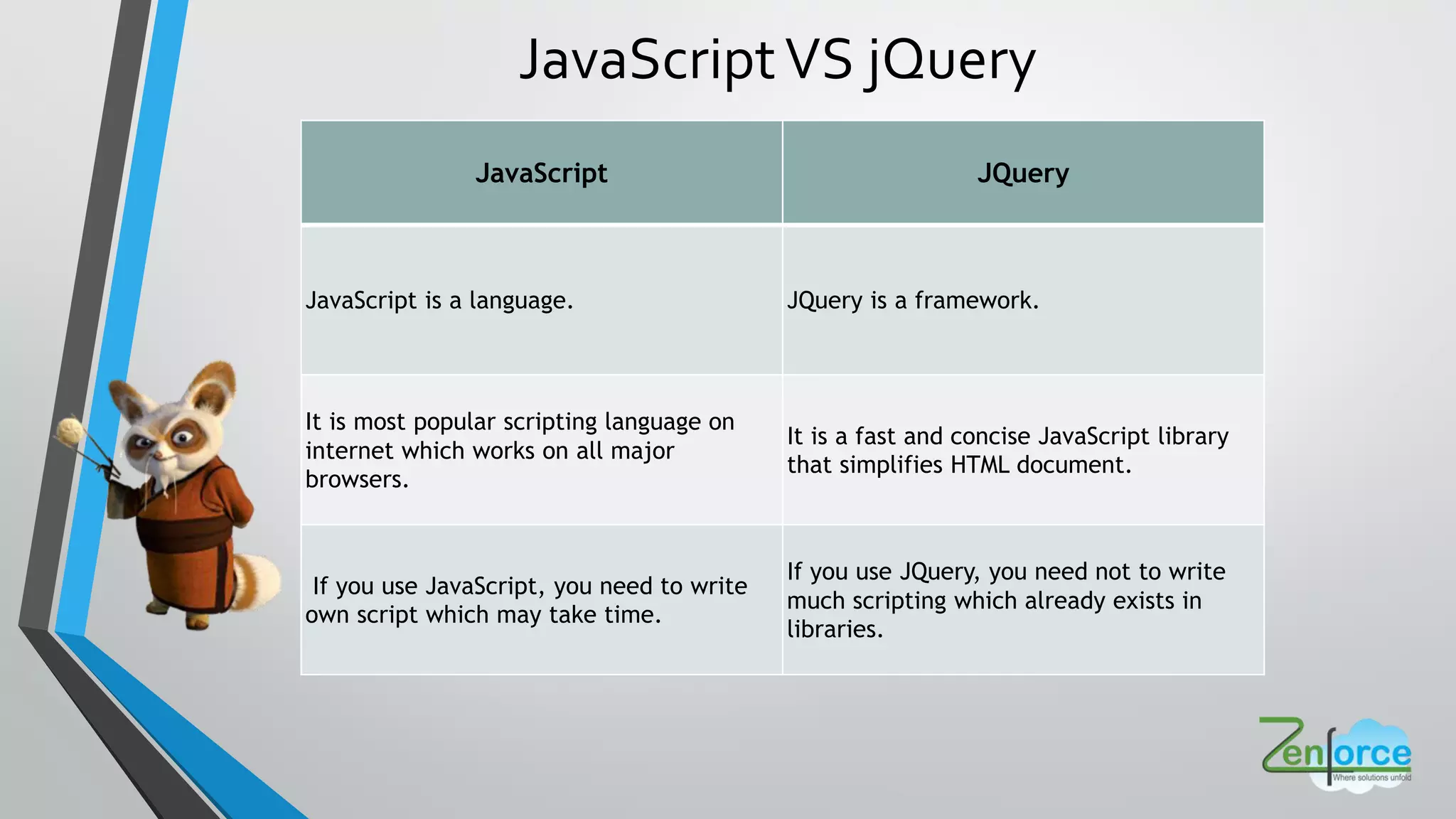
JavaScript JQuery
JavaScript is a language. JQuery is a framework.
It is most popular scripting language on
internet which works on all major
browsers.
It is a fast and concise JavaScript library
that simplifies HTML document.
If you use JavaScript, you need to write
own script which may take time.
If you use JQuery, you need not to write
much scripting which already exists in
libraries.
JavaScriptVS jQuery
Overview
• jQuery, at its core, is a DOM (Document Object Model) manipulation library.
• The DOM is a tree-structure representation of all the elements of aWeb
page and jQuery simplifies the syntax for finding, selecting, and
manipulating these DOM elements.
• For example, jQuery can be used for finding an element in the document with a certain
property (e.g. all elements with an h1 tag), changing one or more of its attributes (e.g.
color, visibility), or making it respond to an event (e.g. a mouse click).
The Document Object
Model (DOM) is a cross-
platform and language-
independent convention for
representing and interacting
with objects in HTML,
XHTML, and XML
documents
• jQuery is a fast, small, and feature-rich JavaScript library.
• It makes things like HTML document traversal and manipulation,
event handling, animation, and Ajax much simpler with an easy-to-
use API that works across multiple browsers.
• With a combination of versatility and extensibility, jQuery has
changed the way that millions of people write JavaScript.
https://youtu.be/Jpkum92pBAc
What is jQuery ?
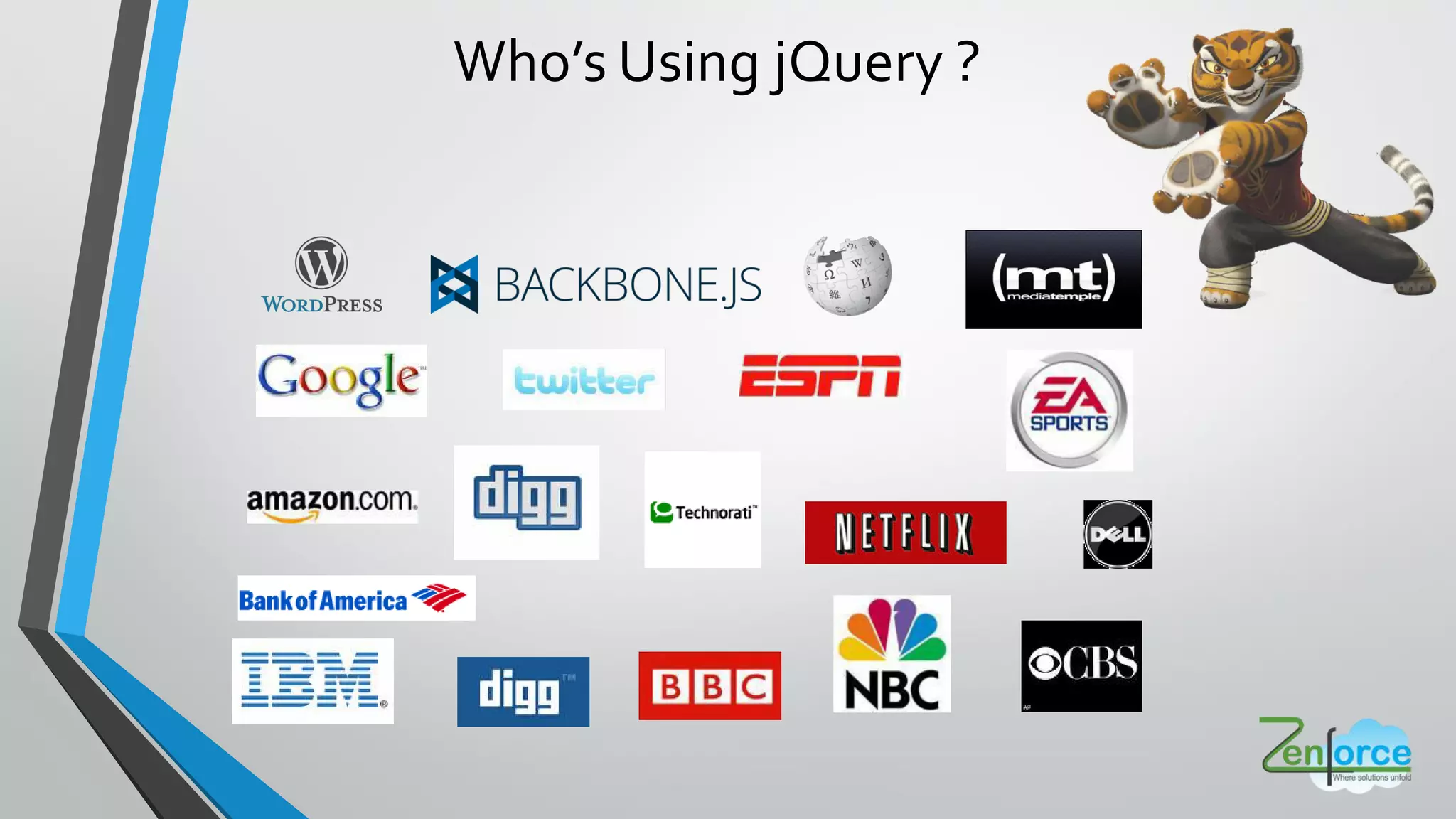
Who s Using jQuery ?
• HTML document traversal and manipulation Event handling
• Animation
• Ajax
• Simpler with an easy-to-use API
• Works across a multiple browsers
Used for
jQuery rescues us by working the same in all
browsers
• Lightweight
• Cross Browser Compatible
• Easier to write jQuery than pure JavaScript
Why jQuery ?
How to Start
Download jQuery
http://jquery.com/download/
OR
Hosted Libraries
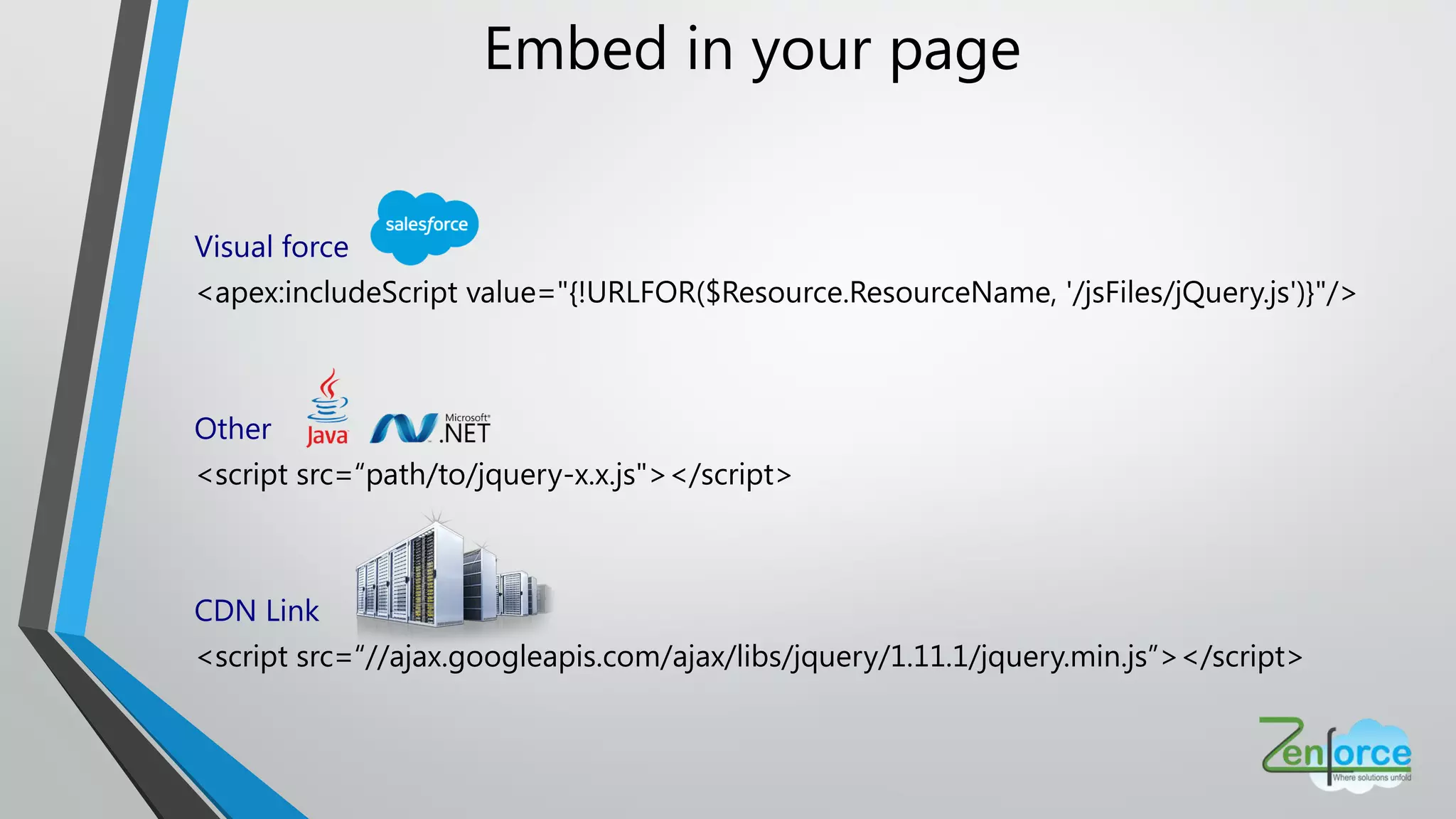
Embed in your page
Visual force
<apex:includeScript value="{!URLFOR($Resource.ResourceName, '/jsFiles/jQuery.js')}"/>
Other
<script src=“path/to/jquery-x.x.js"></script>
CDN Link
<script src=“//ajax.googleapis.com/ajax/libs/jquery/1.11.1/jquery.min.js”></script>
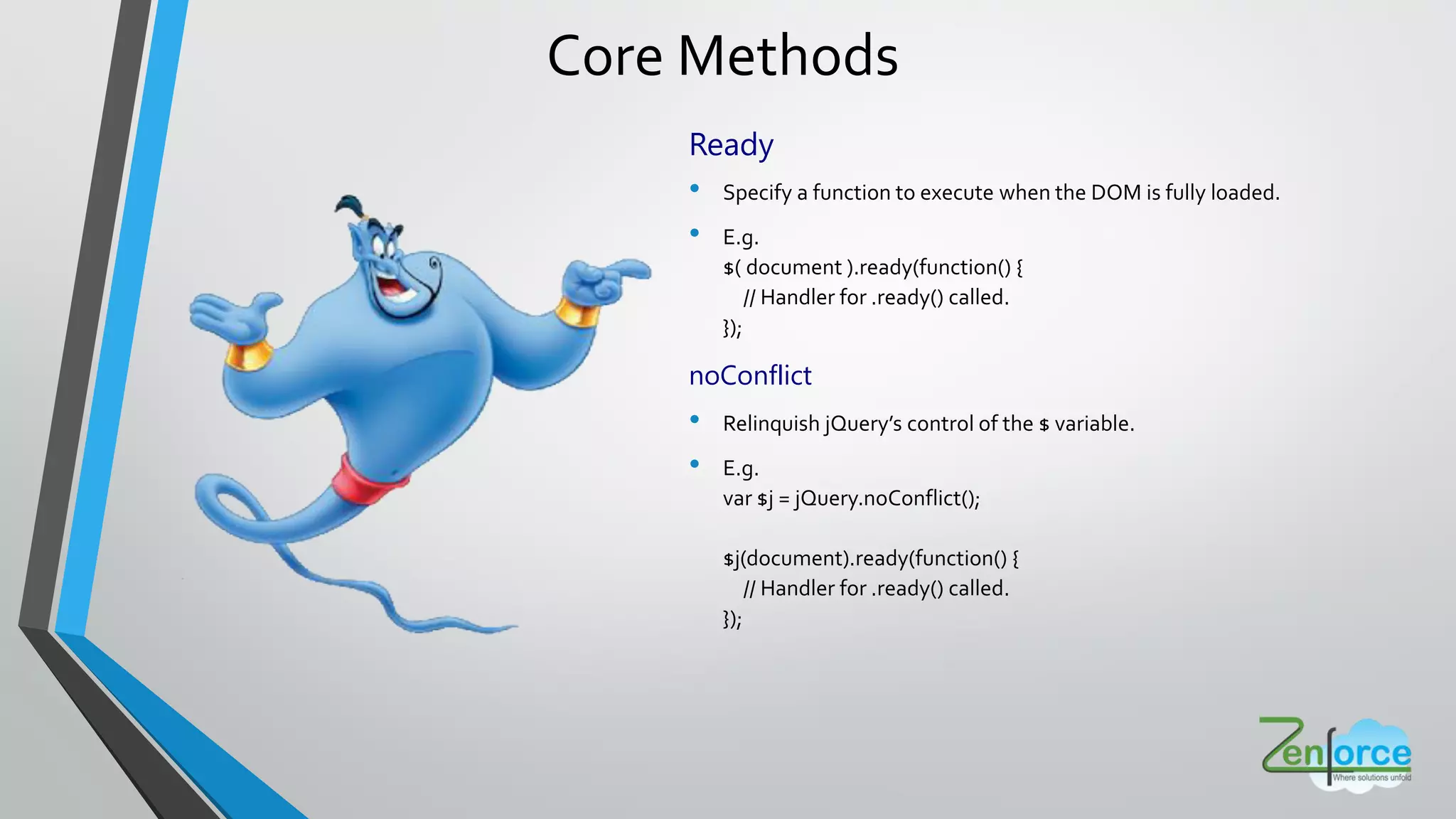
Core Methods
Ready
• Specify a function to execute when the DOM is fully loaded.
• E.g.
$( document ).ready(function() {
// Handler for .ready() called.
});
noConflict
• Relinquish jQuery s control of the $ variable.
• E.g.
var $j = jQuery.noConflict();
$j(document).ready(function() {
// Handler for .ready() called.
});
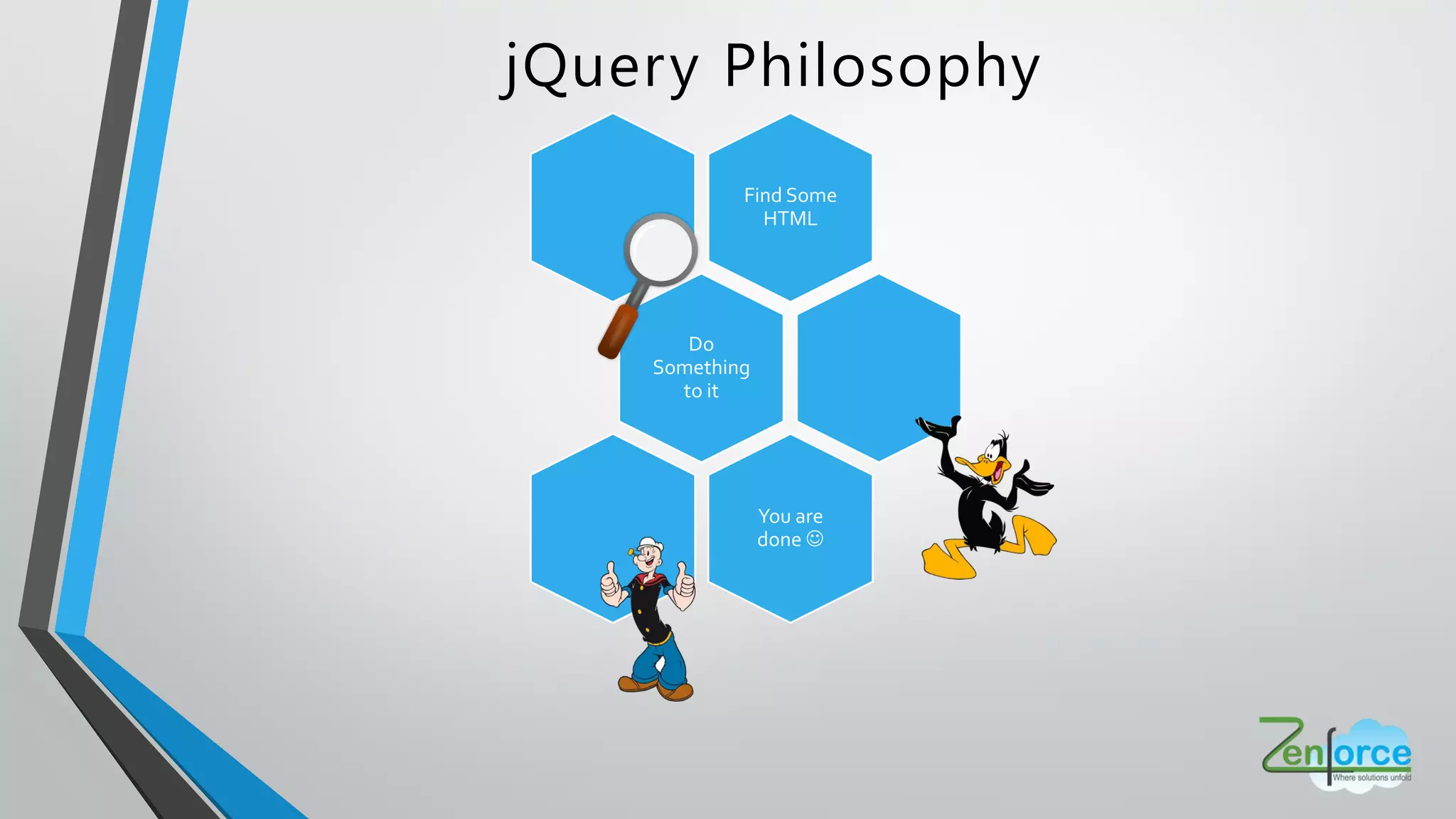
jQuery Philosophy
Find Some
HTML
Do
Something
to it
You are
done 
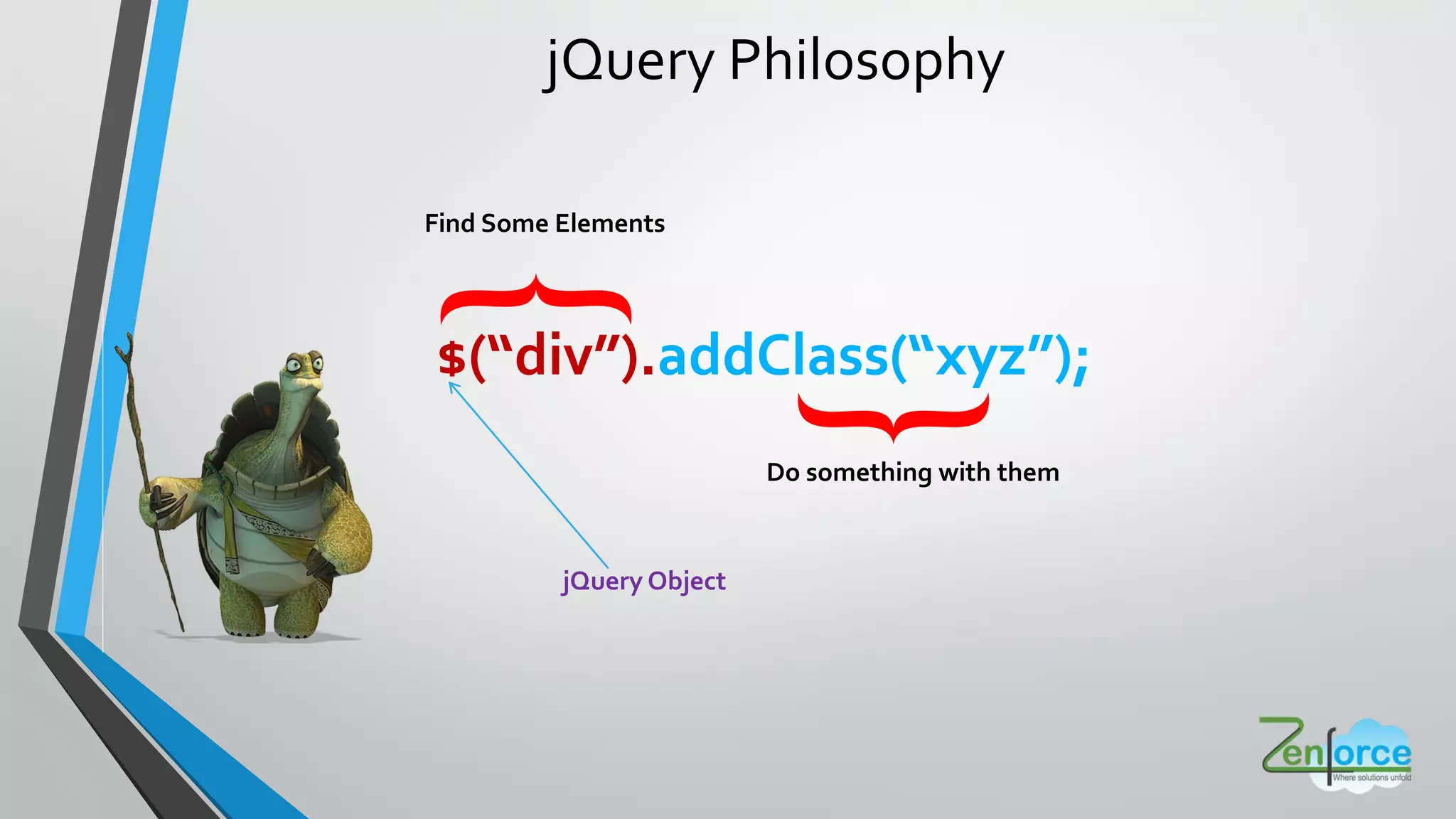
jQuery Philosophy
$ div .addClass xyz ;
Find Some Elements
Do something with them{
}
jQuery Object
jQuery Selectors
JQUERY
Selectors
Basic
AttributeChild
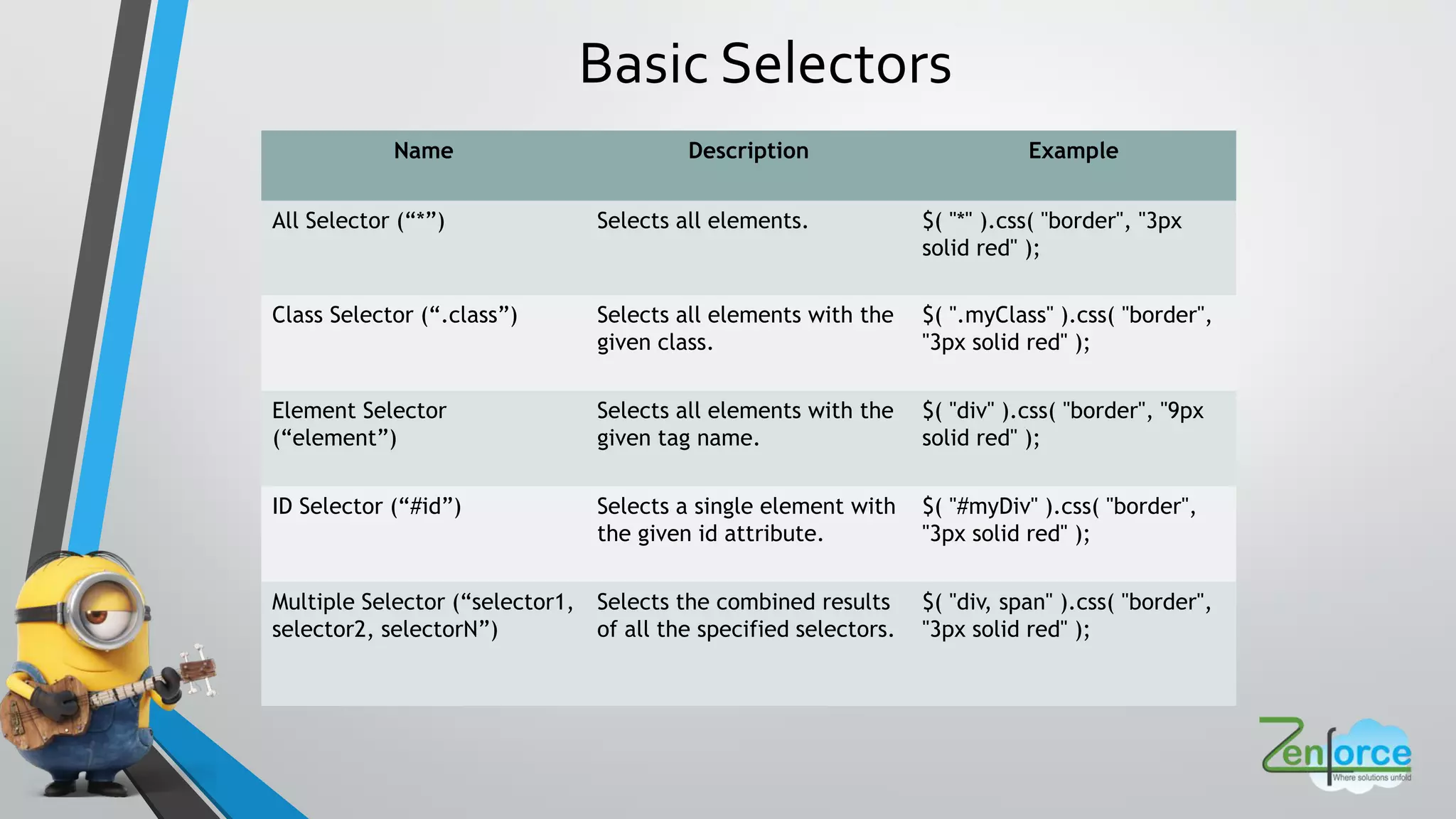
Basic Selectors
Name Description Example
All Selector (“*”) Selects all elements. $( "*" ).css( "border", "3px
solid red" );
Class Selector (“.class”) Selects all elements with the
given class.
$( ".myClass" ).css( "border",
"3px solid red" );
Element Selector
(“element”)
Selects all elements with the
given tag name.
$( "div" ).css( "border", "9px
solid red" );
ID Selector (“#id”) Selects a single element with
the given id attribute.
$( "#myDiv" ).css( "border",
"3px solid red" );
Multiple Selector (“selector1,
selector2, selectorN”)
Selects the combined results
of all the specified selectors.
$( "div, span" ).css( "border",
"3px solid red" );
Attribute Selectors
Name Description Example
Attribute Contains Selector
[name*="value"]
Selects elements that have
the specified attribute with a
value containing a given
substring.
$( "input[name*='man']" ).val(
"has man in it!" );
Attribute Equal Selector
[name="value"]
Selects elements that have
the specified attribute with a
value exactly equal to a
certain value.
$( "input[name='milkman']"
).val( "changed value using
exact match" );
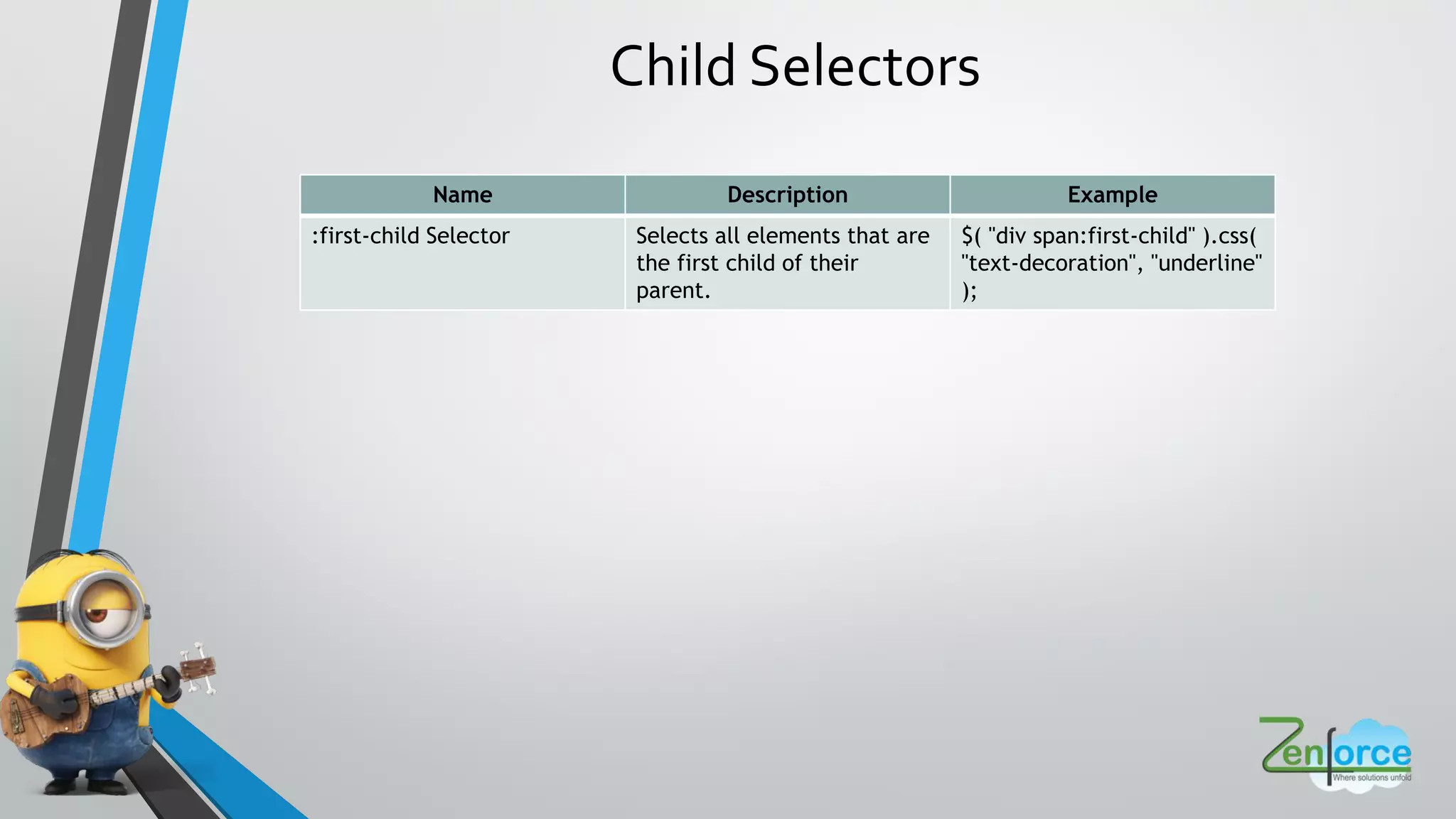
Child Selectors
Name Description Example
:first-child Selector Selects all elements that are
the first child of their
parent.
$( "div span:first-child" ).css(
"text-decoration", "underline"
);
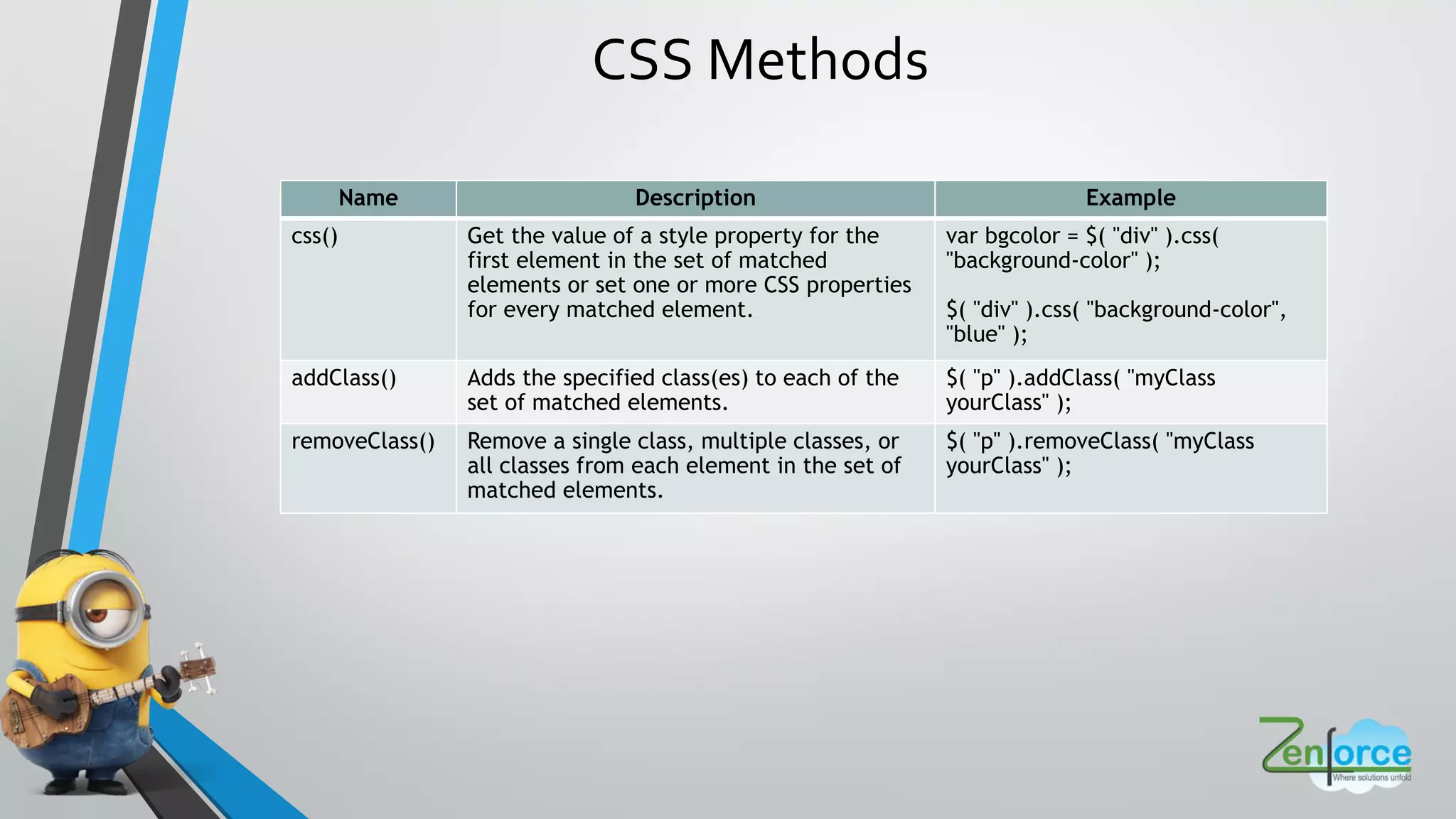
CSS Methods
Name Description Example
css() Get the value of a style property for the
first element in the set of matched
elements or set one or more CSS properties
for every matched element.
var bgcolor = $( "div" ).css(
"background-color" );
$( "div" ).css( "background-color",
"blue" );
addClass() Adds the specified class(es) to each of the
set of matched elements.
$( "p" ).addClass( "myClass
yourClass" );
removeClass() Remove a single class, multiple classes, or
all classes from each element in the set of
matched elements.
$( "p" ).removeClass( "myClass
yourClass" );
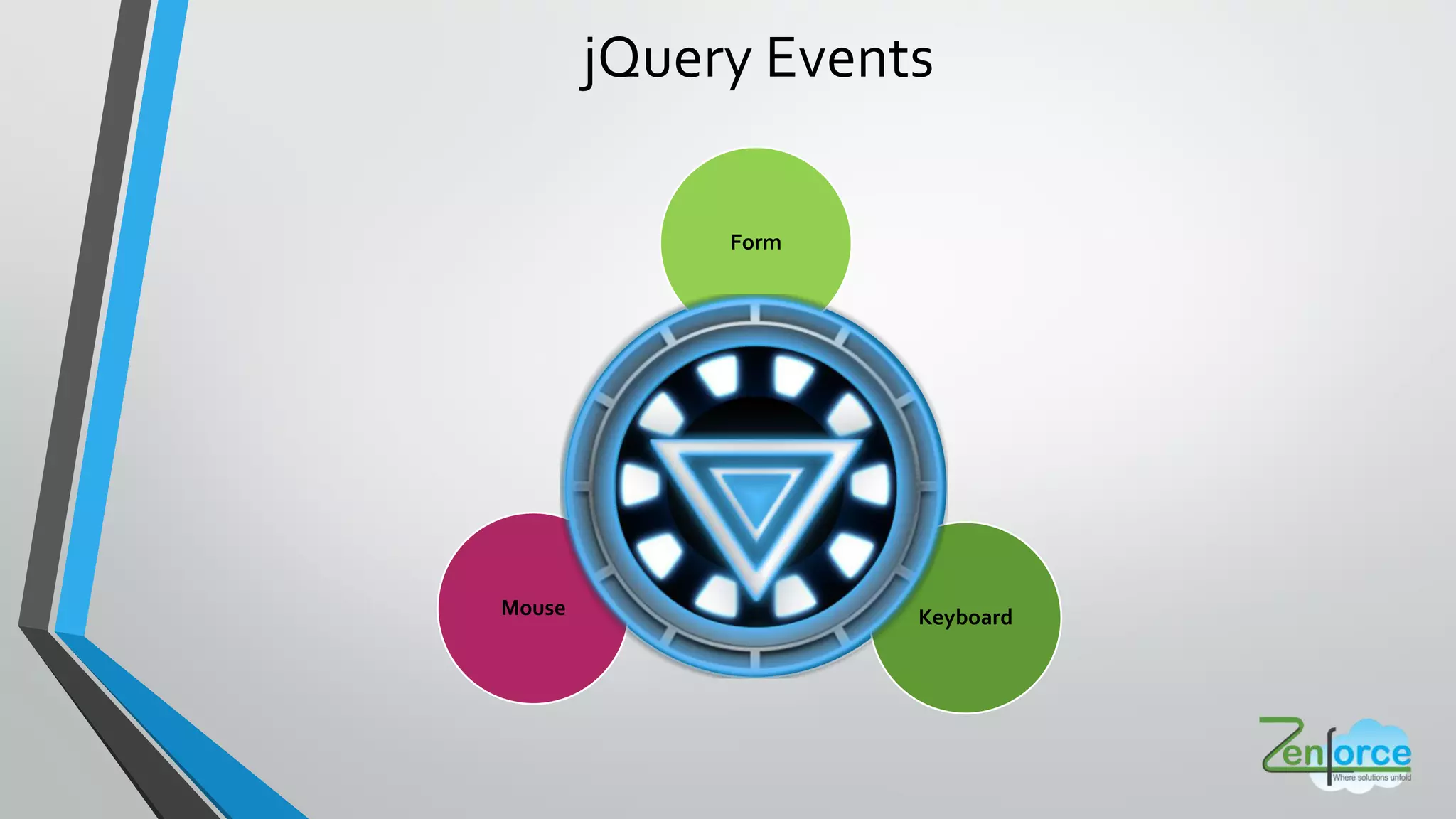
jQuery Events
JQUERY
Events
Form
KeyboardMouse
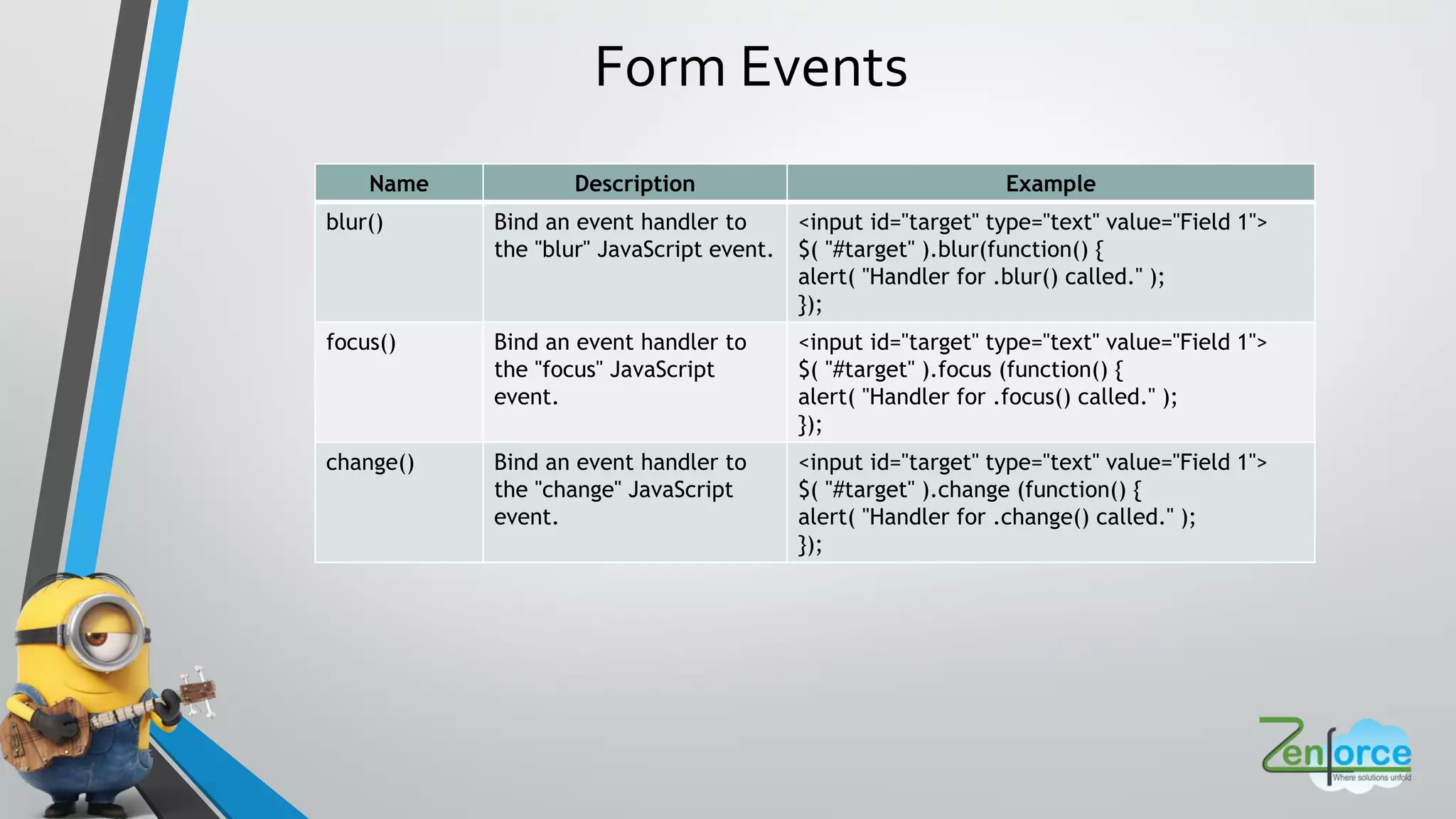
Form Events
Name Description Example
blur() Bind an event handler to
the "blur" JavaScript event.
<input id="target" type="text" value="Field 1">
$( "#target" ).blur(function() {
alert( "Handler for .blur() called." );
});
focus() Bind an event handler to
the "focus" JavaScript
event.
<input id="target" type="text" value="Field 1">
$( "#target" ).focus (function() {
alert( "Handler for .focus() called." );
});
change() Bind an event handler to
the "change" JavaScript
event.
<input id="target" type="text" value="Field 1">
$( "#target" ).change (function() {
alert( "Handler for .change() called." );
});
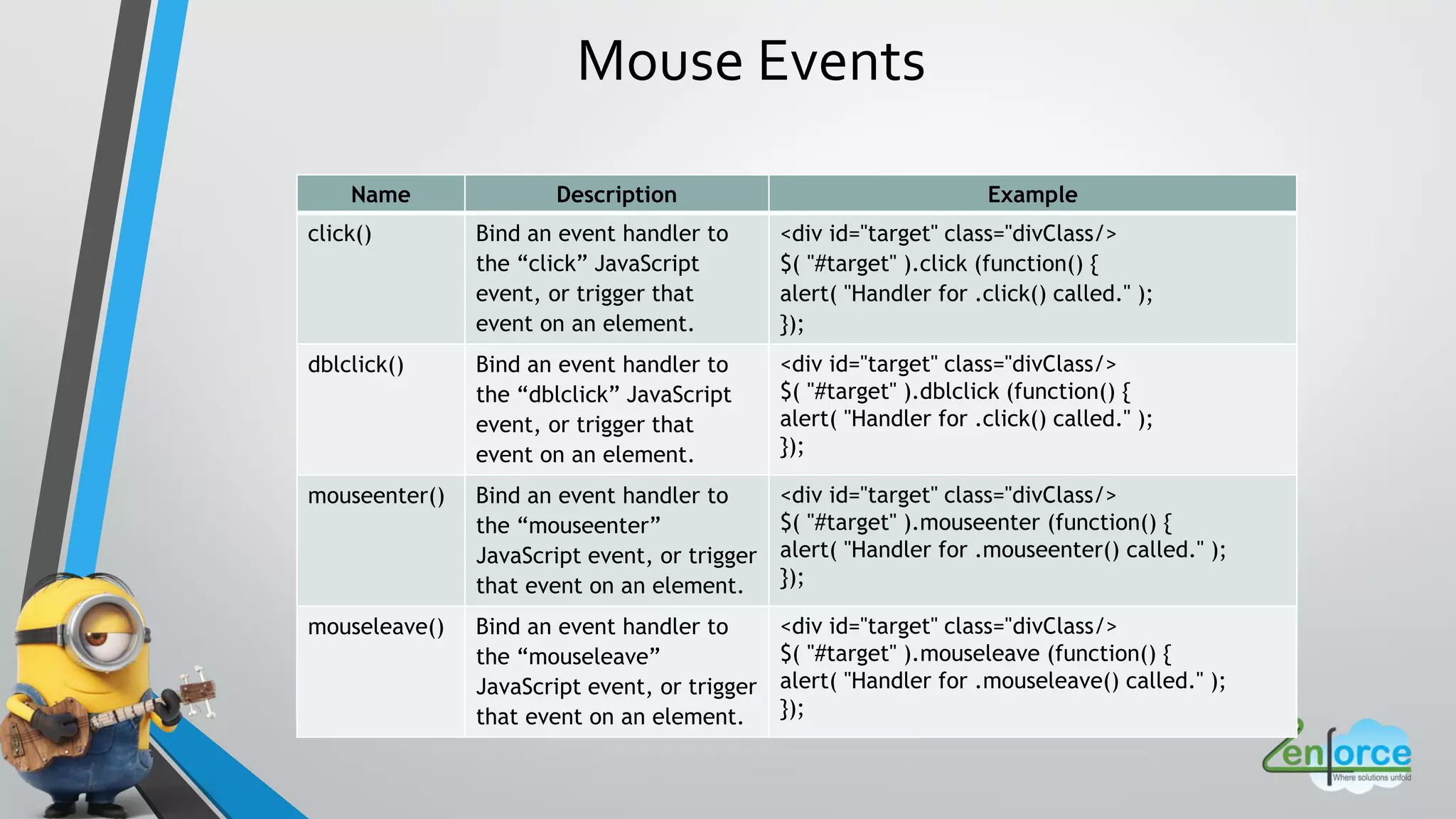
Mouse Events
Name Description Example
click() Bind an event handler to
the “click” JavaScript
event, or trigger that
event on an element.
<div id="target" class="divClass/>
$( "#target" ).click (function() {
alert( "Handler for .click() called." );
});
dblclick() Bind an event handler to
the “dblclick” JavaScript
event, or trigger that
event on an element.
<div id="target" class="divClass/>
$( "#target" ).dblclick (function() {
alert( "Handler for .click() called." );
});
mouseenter() Bind an event handler to
the “mouseenter”
JavaScript event, or trigger
that event on an element.
<div id="target" class="divClass/>
$( "#target" ).mouseenter (function() {
alert( "Handler for .mouseenter() called." );
});
mouseleave() Bind an event handler to
the “mouseleave”
JavaScript event, or trigger
that event on an element.
<div id="target" class="divClass/>
$( "#target" ).mouseleave (function() {
alert( "Handler for .mouseleave() called." );
});
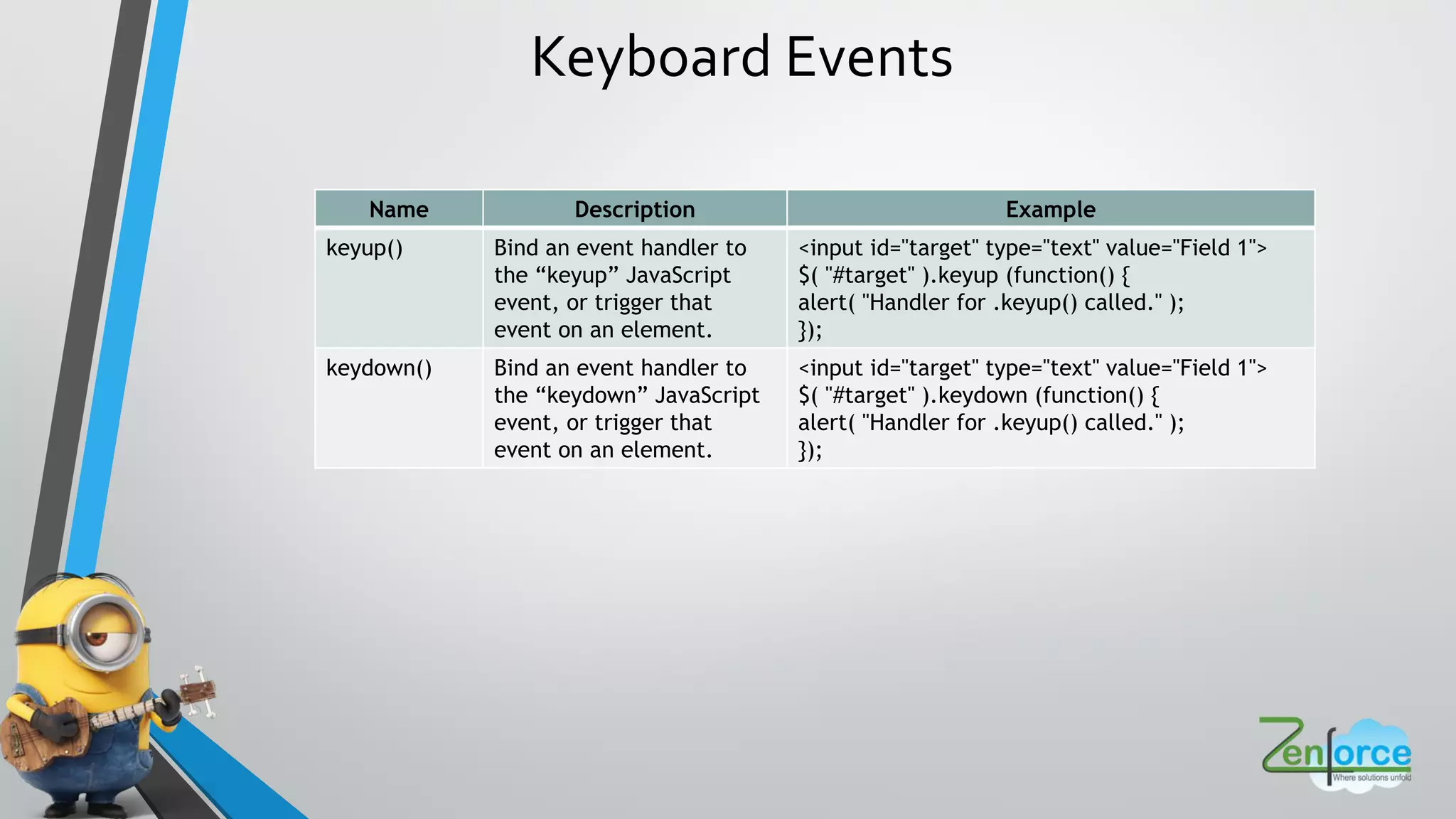
Keyboard Events
Name Description Example
keyup() Bind an event handler to
the “keyup” JavaScript
event, or trigger that
event on an element.
<input id="target" type="text" value="Field 1">
$( "#target" ).keyup (function() {
alert( "Handler for .keyup() called." );
});
keydown() Bind an event handler to
the “keydown” JavaScript
event, or trigger that
event on an element.
<input id="target" type="text" value="Field 1">
$( "#target" ).keydown (function() {
alert( "Handler for .keyup() called." );
});
One Method, Many Uses
$(...).html();
$ ... .html <p>hello</p> ;
$(...).html(function(i){
return <p>hello + i + </p> ;
});
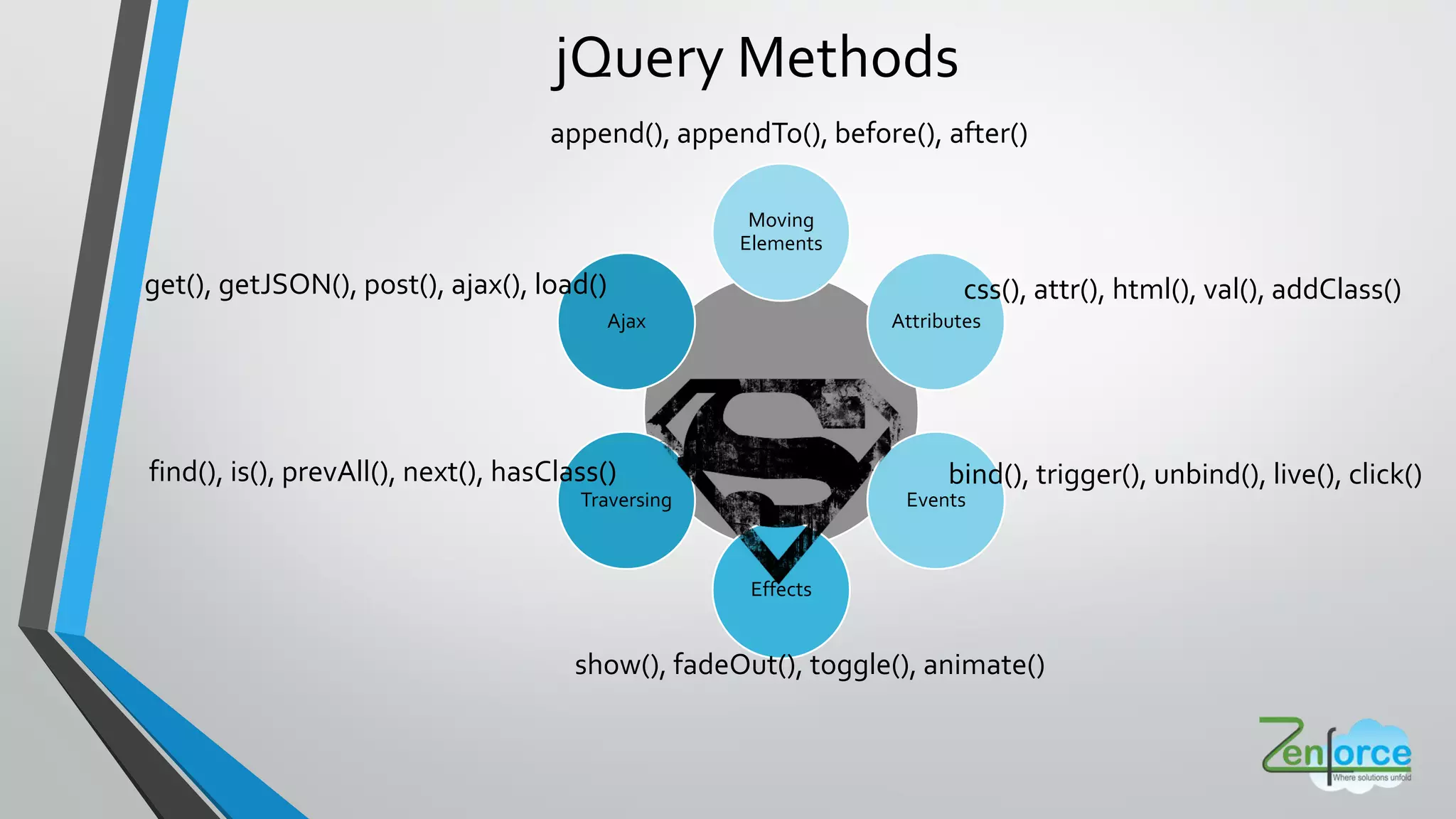
append(), appendTo(), before(), after()
jQuery Methods
Moving
Elements
Attributes
Events
Effects
Traversing
Ajax
css(), attr(), html(), val(), addClass()
show(), fadeOut(), toggle(), animate()
bind(), trigger(), unbind(), live(), click()find(), is(), prevAll(), next(), hasClass()
get(), getJSON(), post(), ajax(), load()
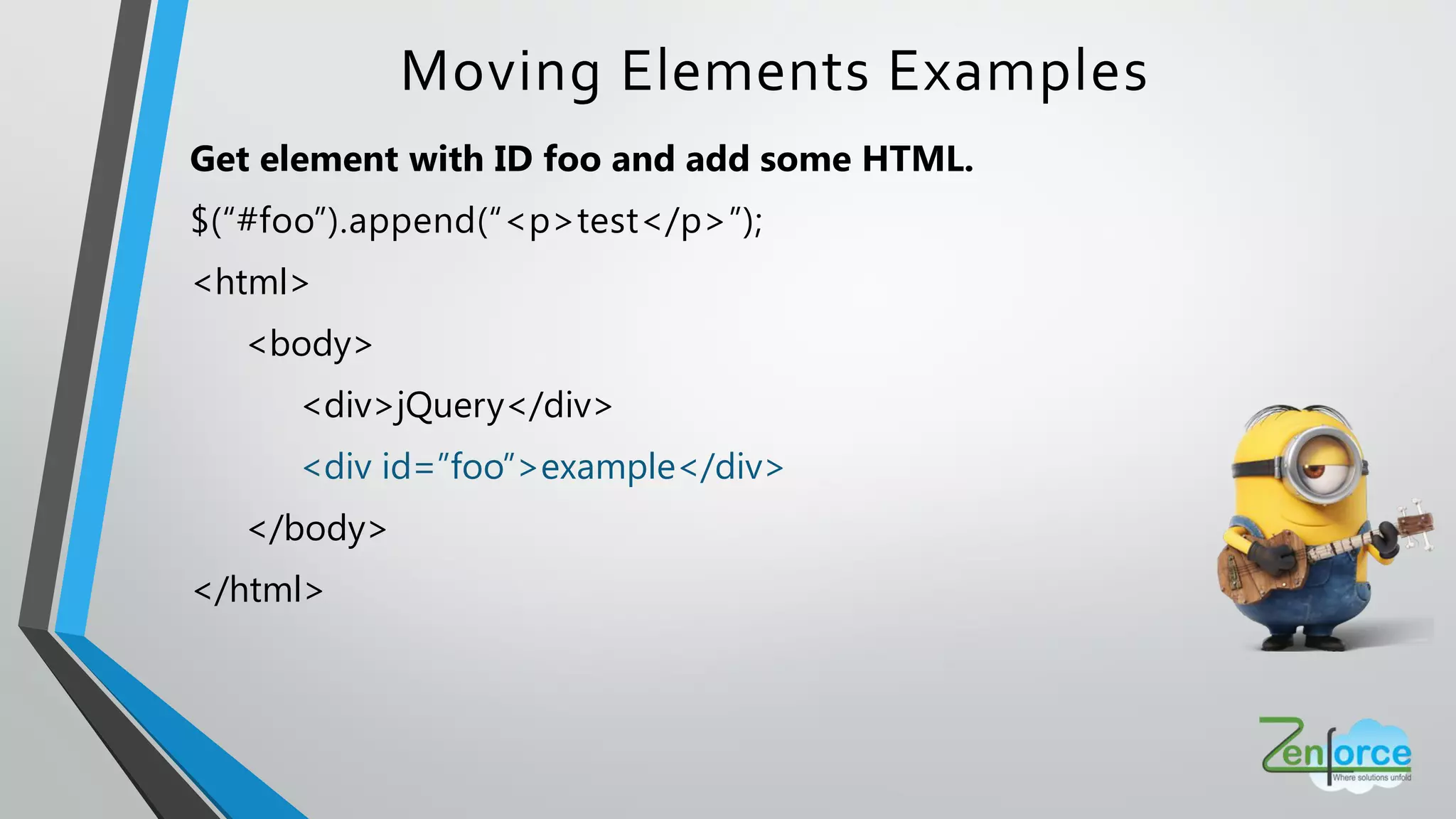
Moving Elements Examples
Get element with ID foo and add some HTML.
$(“#foo”).append(“<p>test</p>”);
<html>
<body>
<div>jQuery</div>
<div id=”foo”>example</div>
</body>
</html>
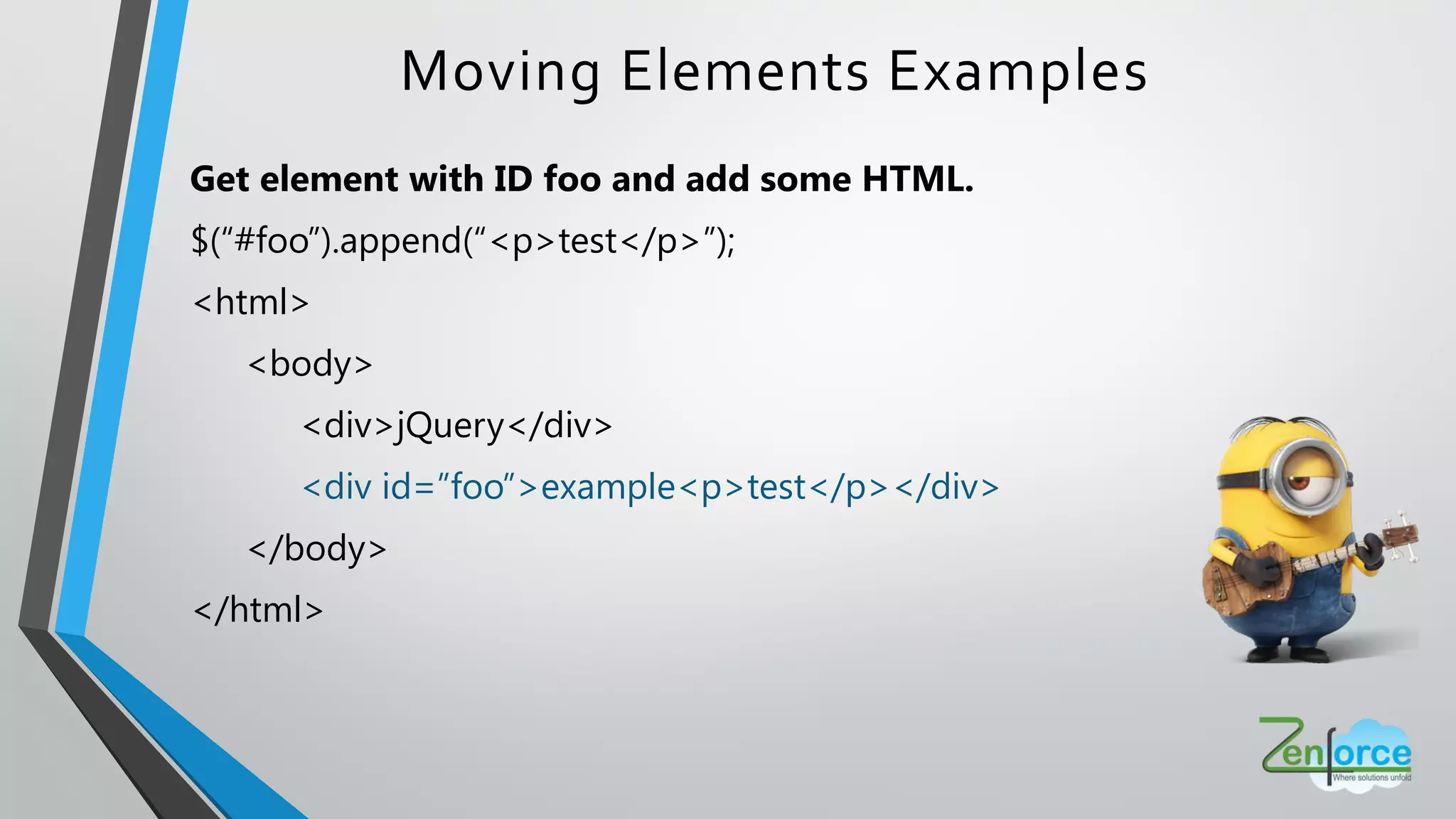
Get element with ID foo and add some HTML.
$(“#foo”).append(“<p>test</p>”);
<html>
<body>
<div>jQuery</div>
<div id=”foo”>example<p>test</p></div>
</body>
</html>
Moving Elements Examples
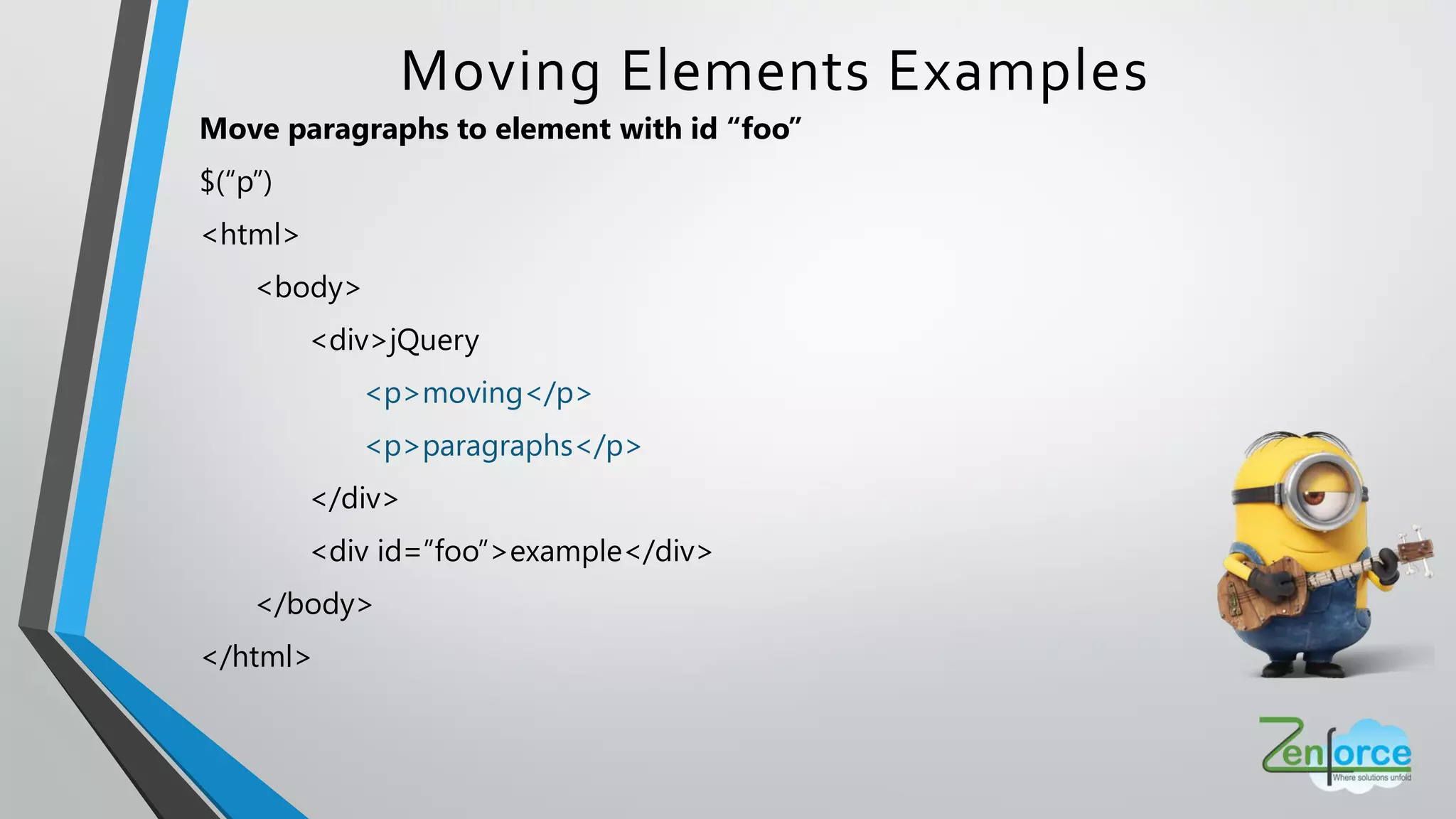
Move paragraphs to element with id “foo”
$(“p”)
<html>
<body>
<div>jQuery
<p>moving</p>
<p>paragraphs</p>
</div>
<div id=”foo”>example</div>
</body>
</html>
Moving Elements Examples
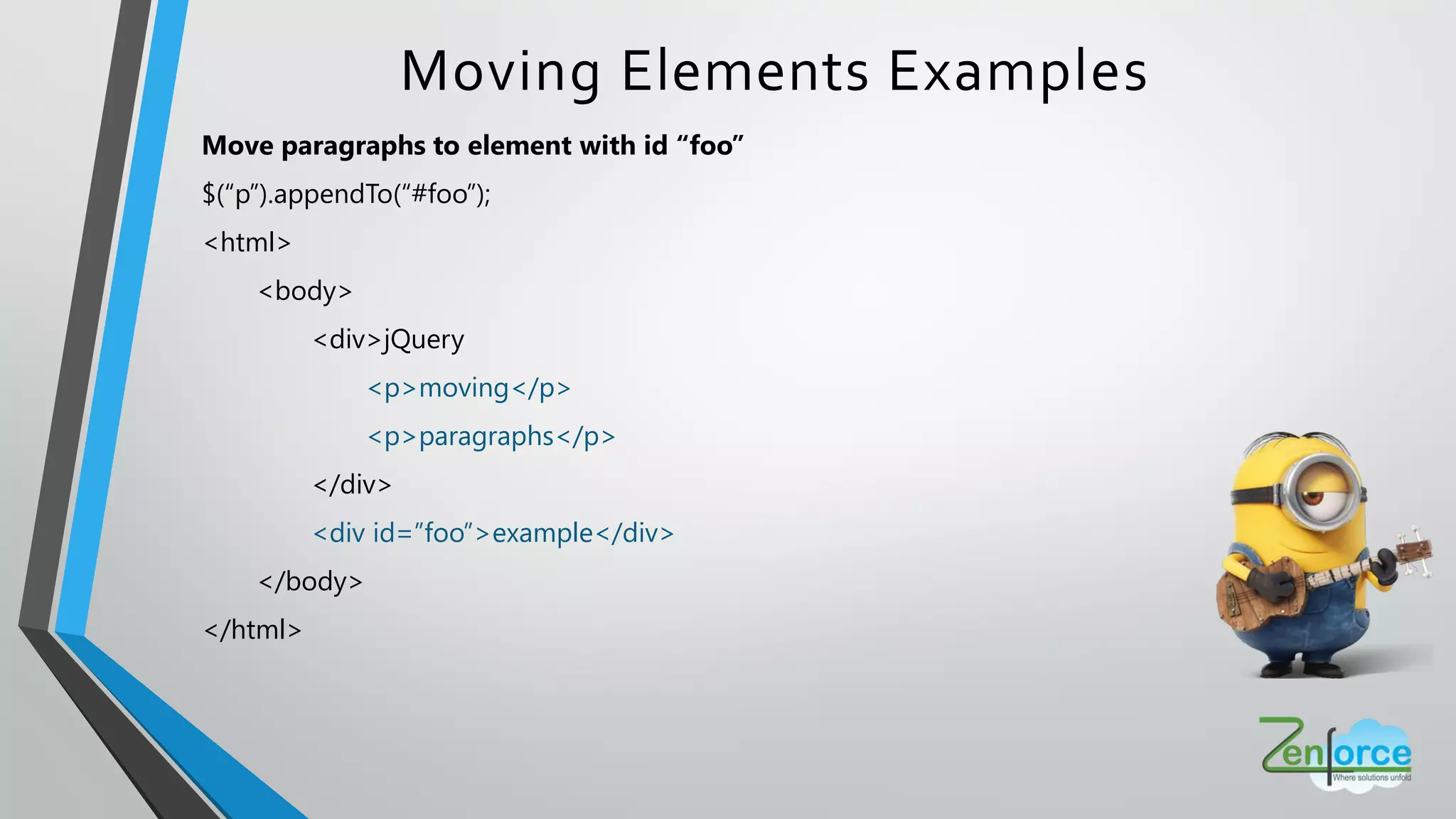
Move paragraphs to element with id “foo”
$(“p”).appendTo(“#foo”);
<html>
<body>
<div>jQuery
<p>moving</p>
<p>paragraphs</p>
</div>
<div id=”foo”>example</div>
</body>
</html>
Moving Elements Examples
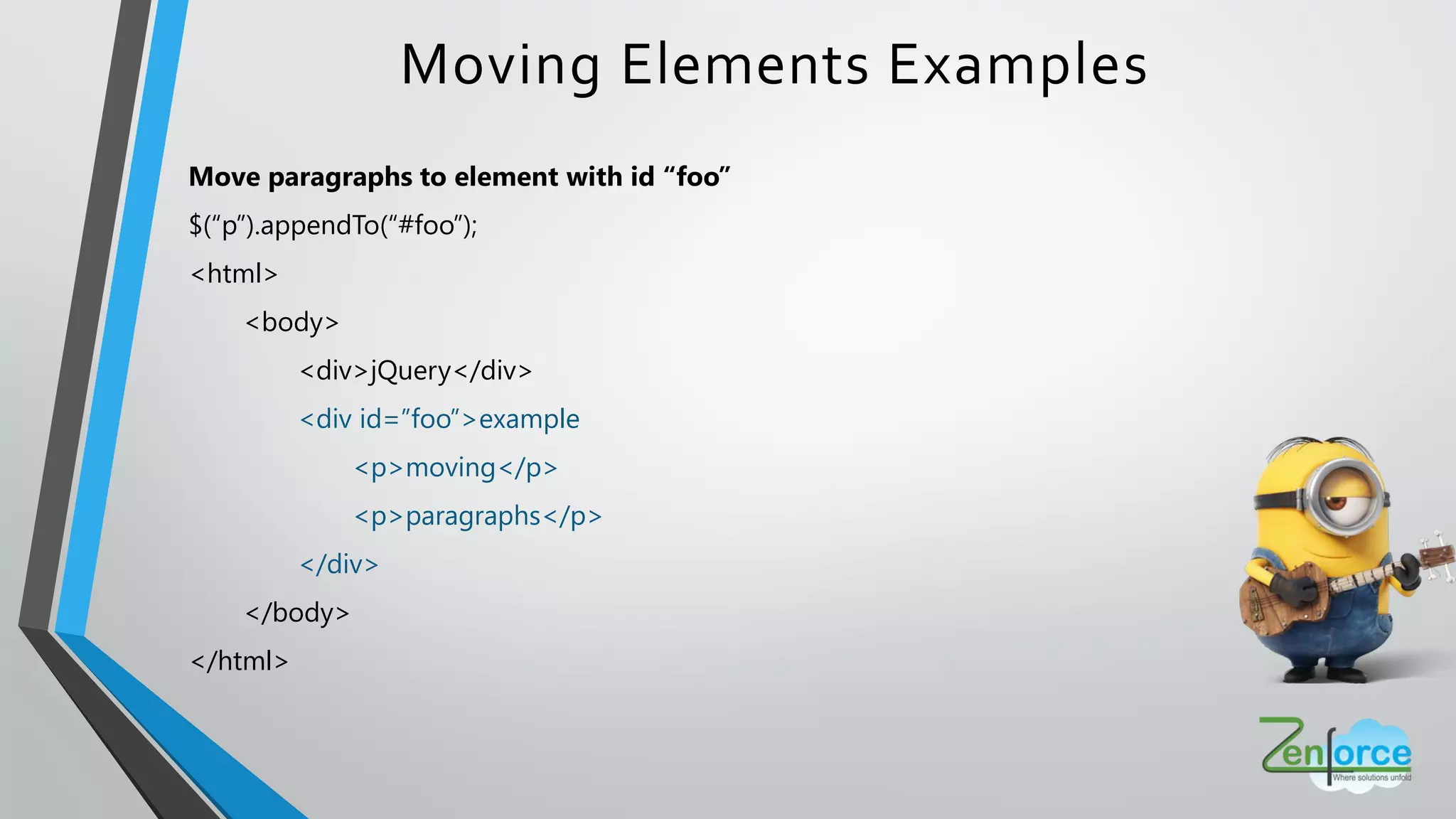
Move paragraphs to element with id “foo”
$(“p”).appendTo(“#foo”);
<html>
<body>
<div>jQuery</div>
<div id=”foo”>example
<p>moving</p>
<p>paragraphs</p>
</div>
</body>
</html>
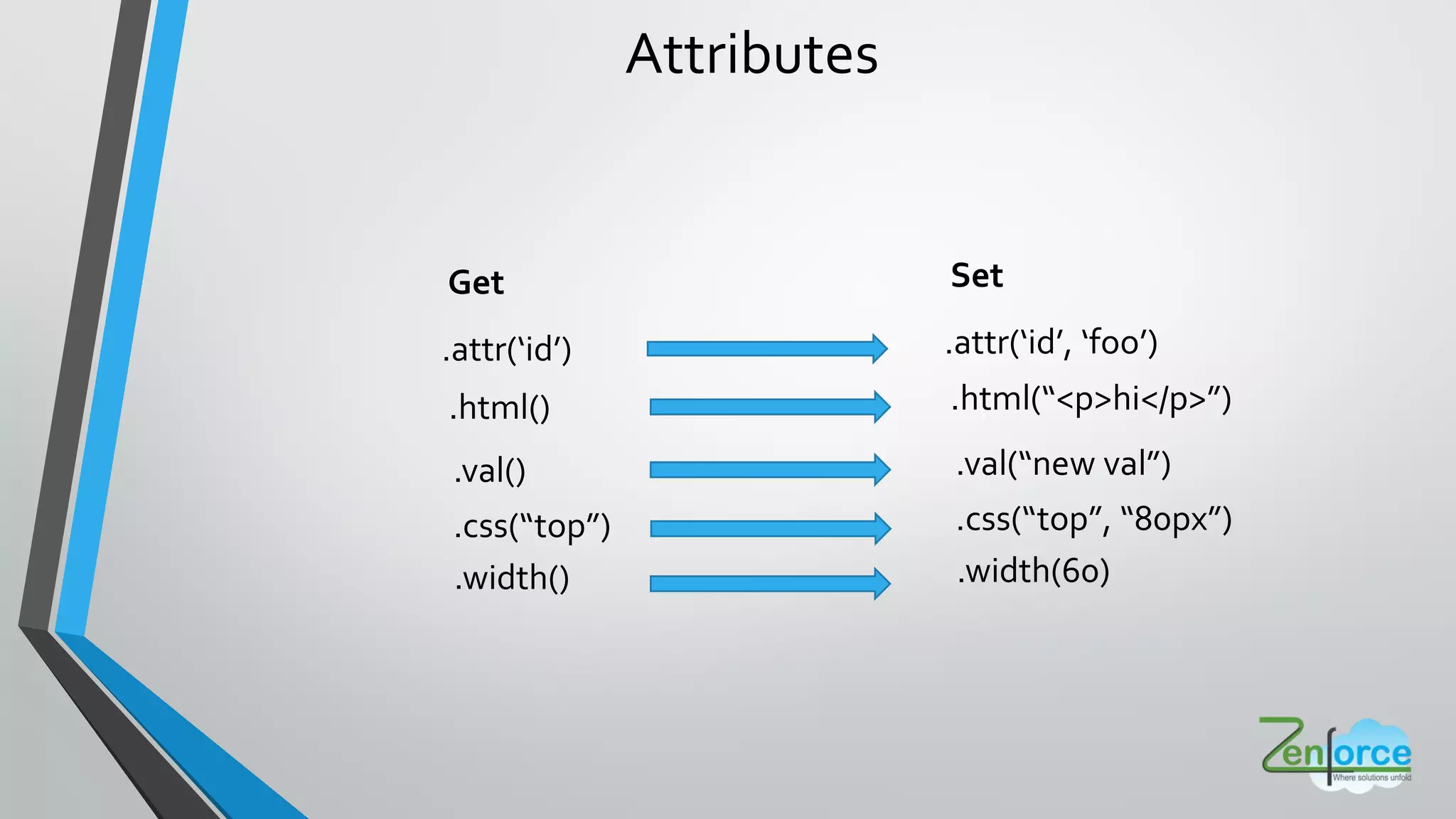
Attributes
Attributes
Get
.attr id
.html()
.val()
.css top
.width()
Set
.attr id , foo
.html <p>hi</p>
.val new val
.css top , 80px
.width(60)
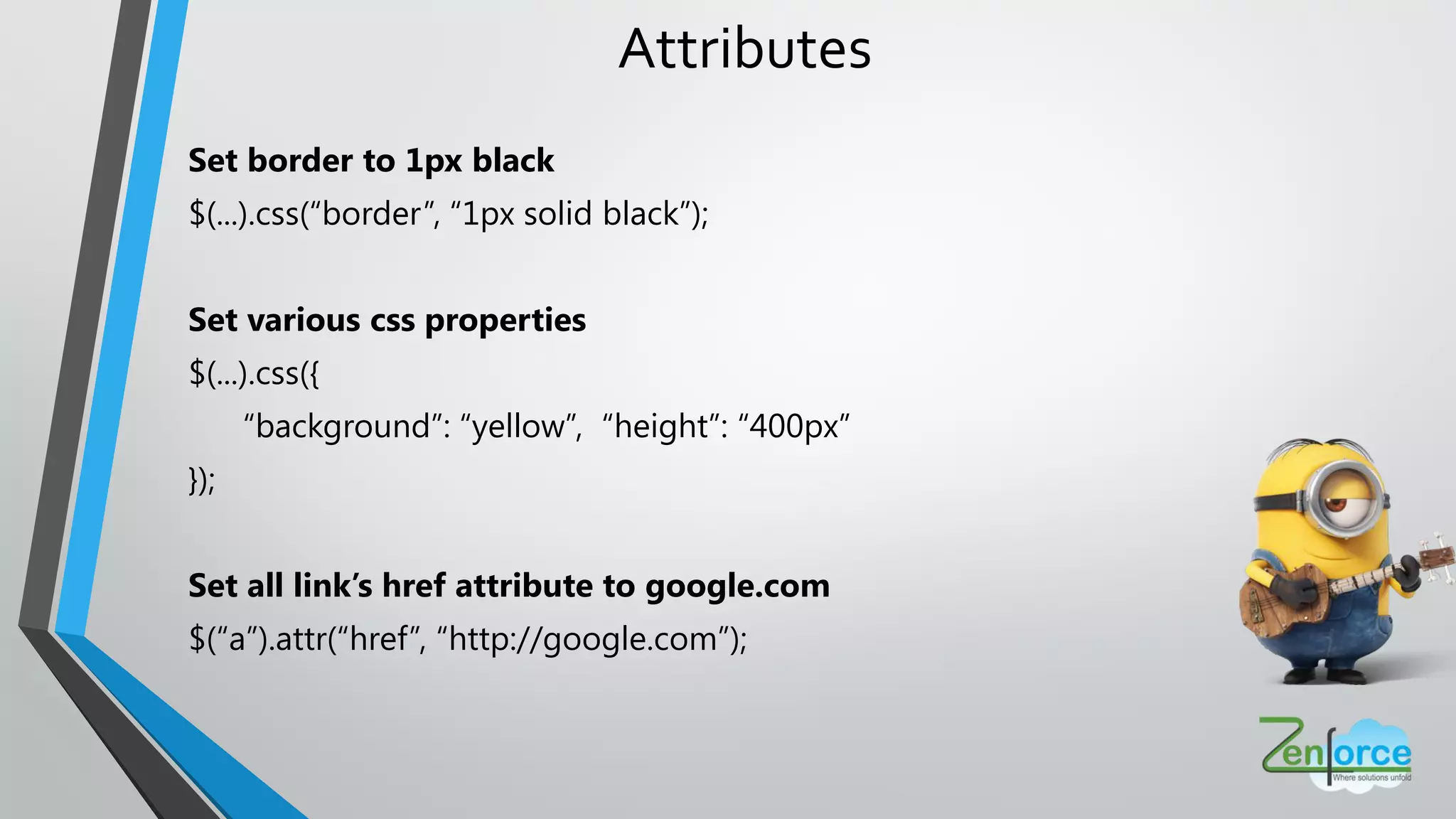
Attributes
Set border to 1px black
$(...).css(“border”, “1px solid black”);
Set various css properties
$(...).css({
“background”: “yellow”, “height”: “400px”
});
Set all link’s href attribute to google.com
$(“a”).attr(“href”, “http://google.com”);
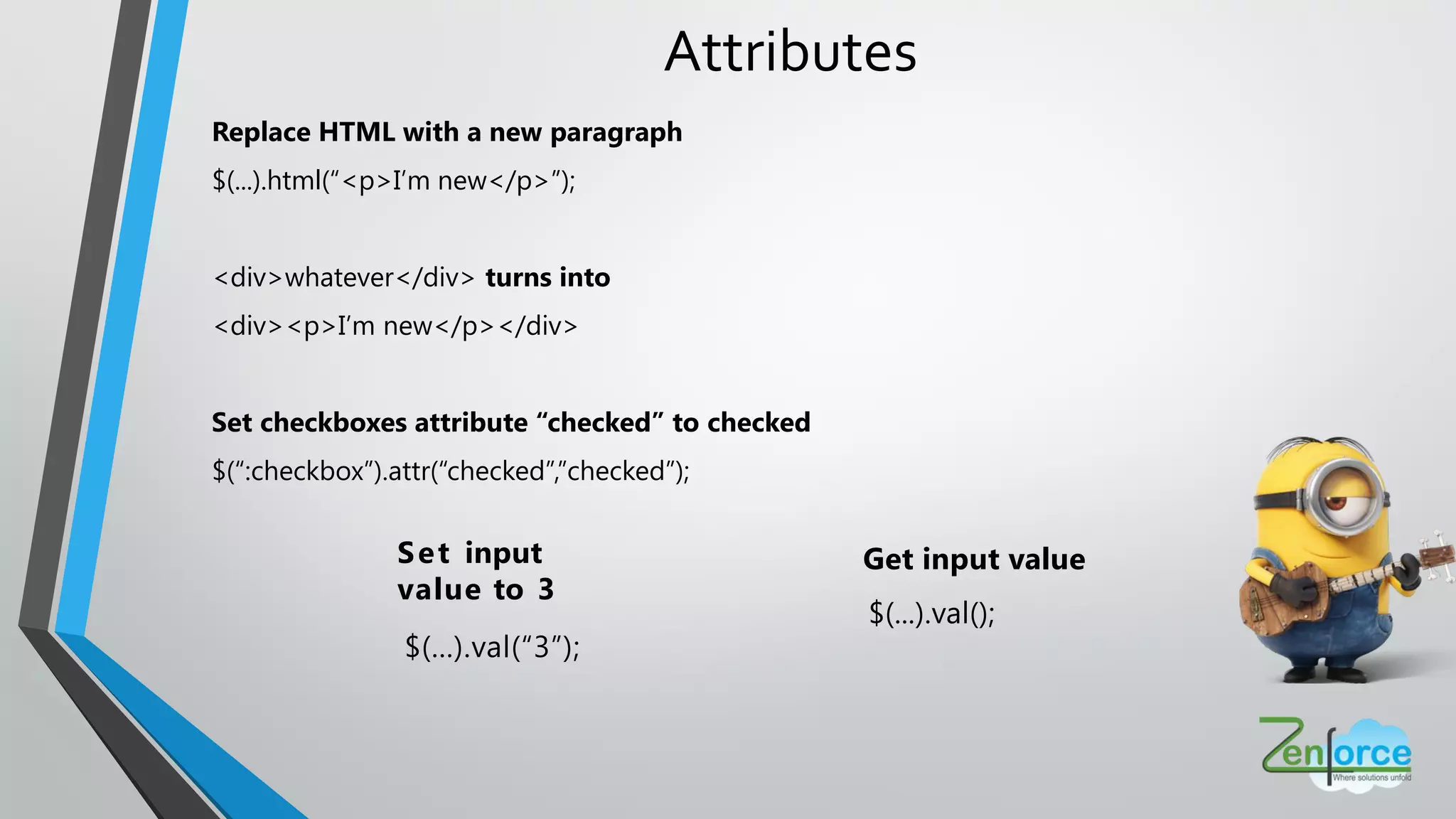
Attributes
Replace HTML with a new paragraph
$(...).html(“<p>I’m new</p>”);
<div>whatever</div> turns into
<div><p>I’m new</p></div>
Set checkboxes attribute “checked” to checked
$(“:checkbox”).attr(“checked”,”checked”);
Get input value
$(...).val();
Set input
value to 3
$(...).val(“3”);
Events
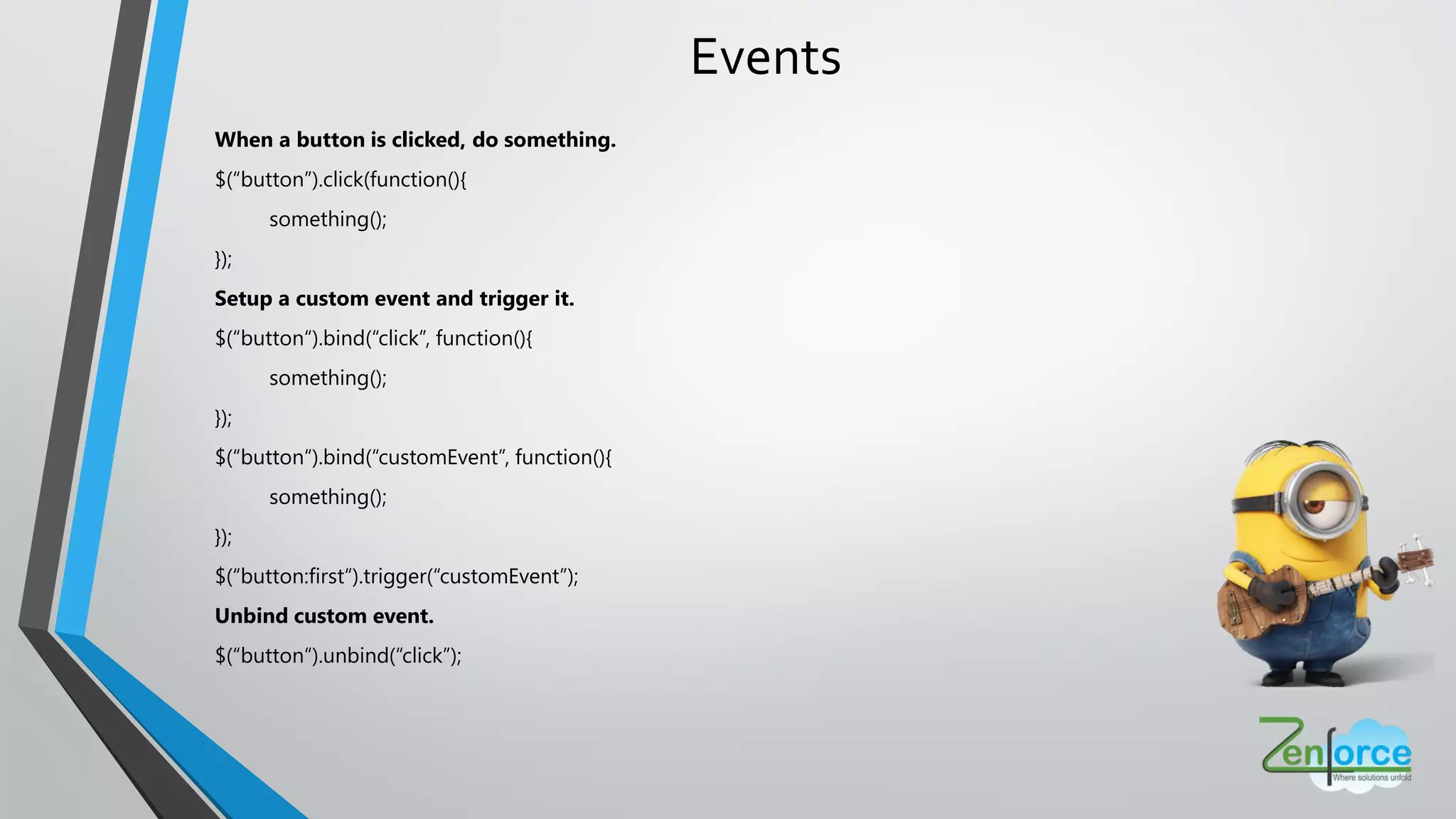
Events
When a button is clicked, do something.
$(“button”).click(function(){
something();
});
Setup a custom event and trigger it.
$(“button“).bind(“click”, function(){
something();
});
$(“button“).bind(“customEvent”, function(){
something();
});
$(“button:first“).trigger(“customEvent”);
Unbind custom event.
$(“button“).unbind(“click”);
Event Delegation
Attach events to document
Attach an event handler for all elements which match the current selector, now and in the future.
$(“button”).live(‘click’, function(){
something();
});
Attach event delegation to elements
Attach a handler to one or more events for all elements that match the selector, now or in the
future, based on a specific set of root elements.
$(“form“).delegate(“button”, ”click”, function(){
something();
});
Effects / Animation
Effects / Animations
Types of Effects
Hide and Show
Fade In and Out
Slide Up and Down
Effects / Animations
With each click, slide up / slide down a div
Display or hide the matched elements with a sliding motion
$(...).click(function(){
$(“div:first”).slideToggle();
});
Animate elements to 300px wide in .5 seconds
Perform a custom animation of a set of CSS properties
$(...).animate({ “width”: “300px” }, 500);
Take focus off elements by fading them to
30% opacity in .5 seconds
Adjust the opacity of the matched elements
$(...).fadeTo(500, 0.3);
Power of jQuery
• jQuery is free
• Works in all browsers and is the most popular JavaScript
library currently being used.
• Large development community and many plugins.
• Large software companies, like Microsoft, supports
using jQuery in their applications
• Very good documentation
• Lightweight
• Chaining capabilities are very powerful.
Limitations
• Functionality maybe limited
• JQuery JavaScript file required
User Interface
• Collection of widgets, animated visual effects and themes
• Implemented with jQuery (a JavaScript library), CSS and HTML
What is JQuery UI ?
Features
• Used to build highly interactive web applications.
• Provides built in widgets, interactions and effects with pre-defined styles
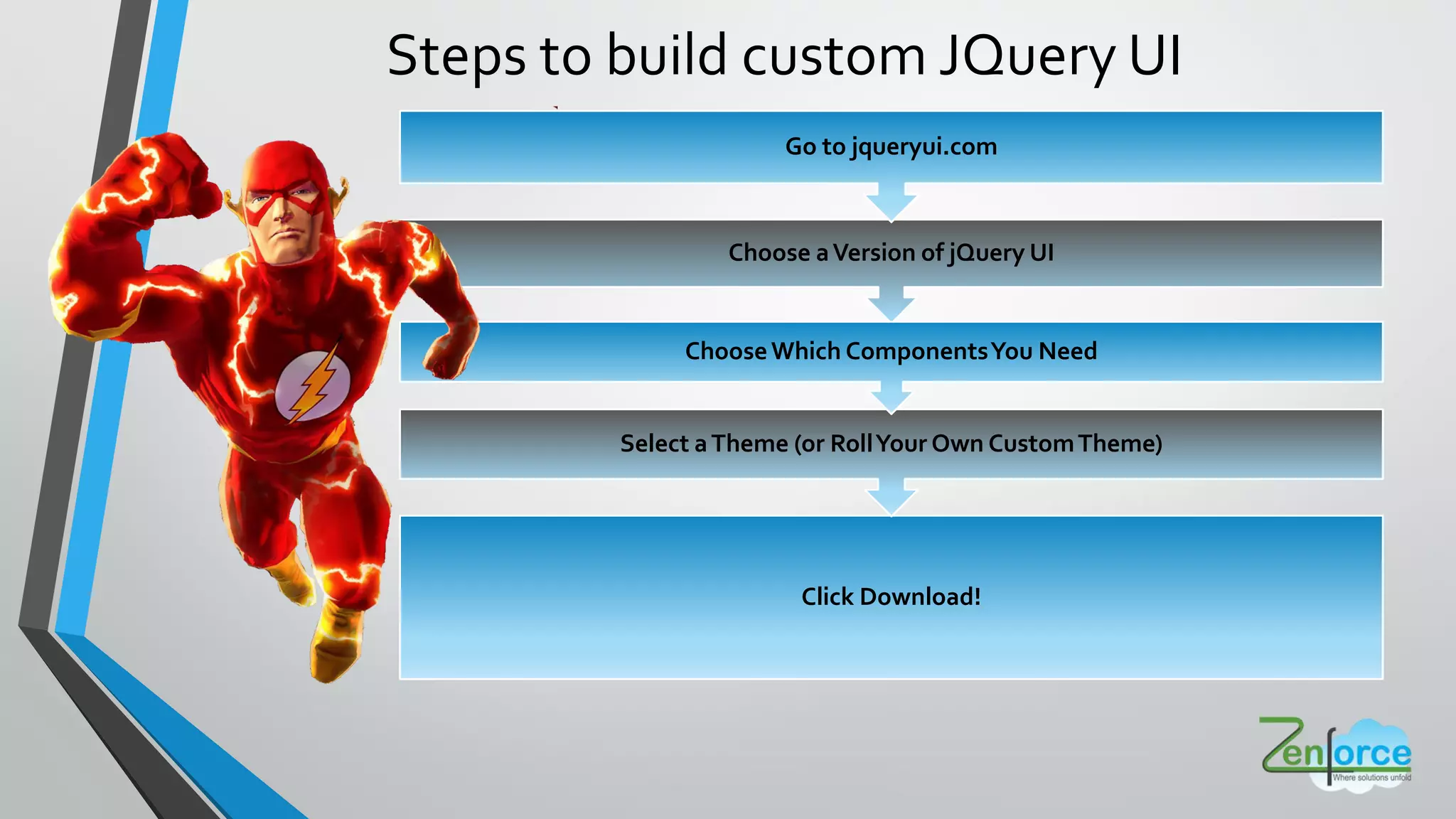
Steps to build custom JQuery UI
Click Download!
Choose aVersion of jQuery UI
Select aTheme (or RollYour Own CustomTheme)
ChooseWhich ComponentsYou Need
Go to jqueryui.com
WhatYou NeedToWorkWith JQuery UI ?
• jquery-ui.css – Contains different styles provided by jQuery UI
• jquery-ui.js – Contains JavaScript code for functioning of controls provided
by jQuery UI
You'll need to include two files on any page to use the jQuery UI library
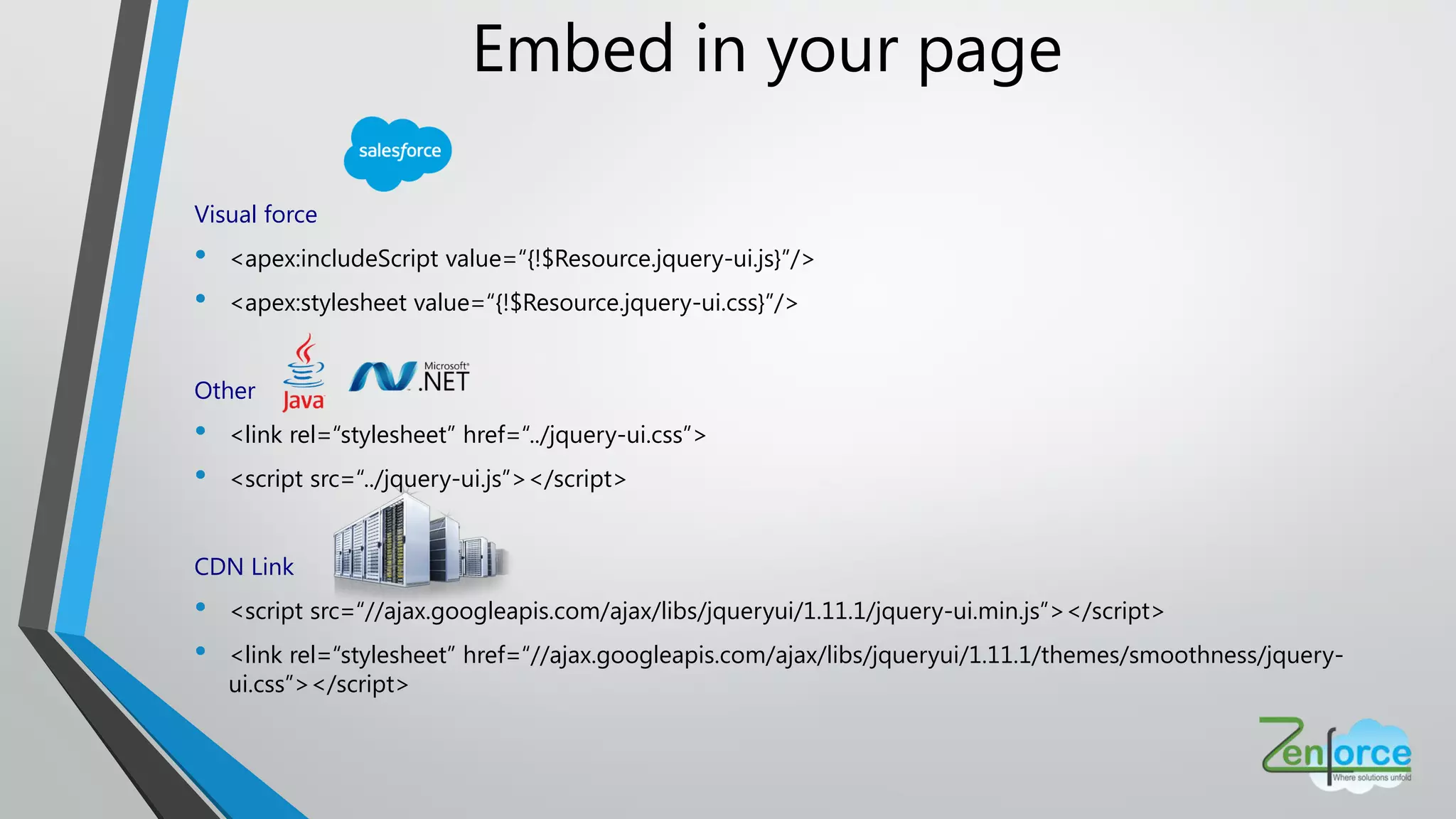
Embed in your page
Visual force
• <apex:includeScript value=“{!$Resource.jquery-ui.js}”/>
• <apex:stylesheet value=“{!$Resource.jquery-ui.css}”/>
Other
• <link rel=“stylesheet” href=“../jquery-ui.css”>
• <script src=“../jquery-ui.js”></script>
CDN Link
• <script src=“//ajax.googleapis.com/ajax/libs/jqueryui/1.11.1/jquery-ui.min.js”></script>
• <link rel=“stylesheet” href=“//ajax.googleapis.com/ajax/libs/jqueryui/1.11.1/themes/smoothness/jquery-
ui.css”></script>
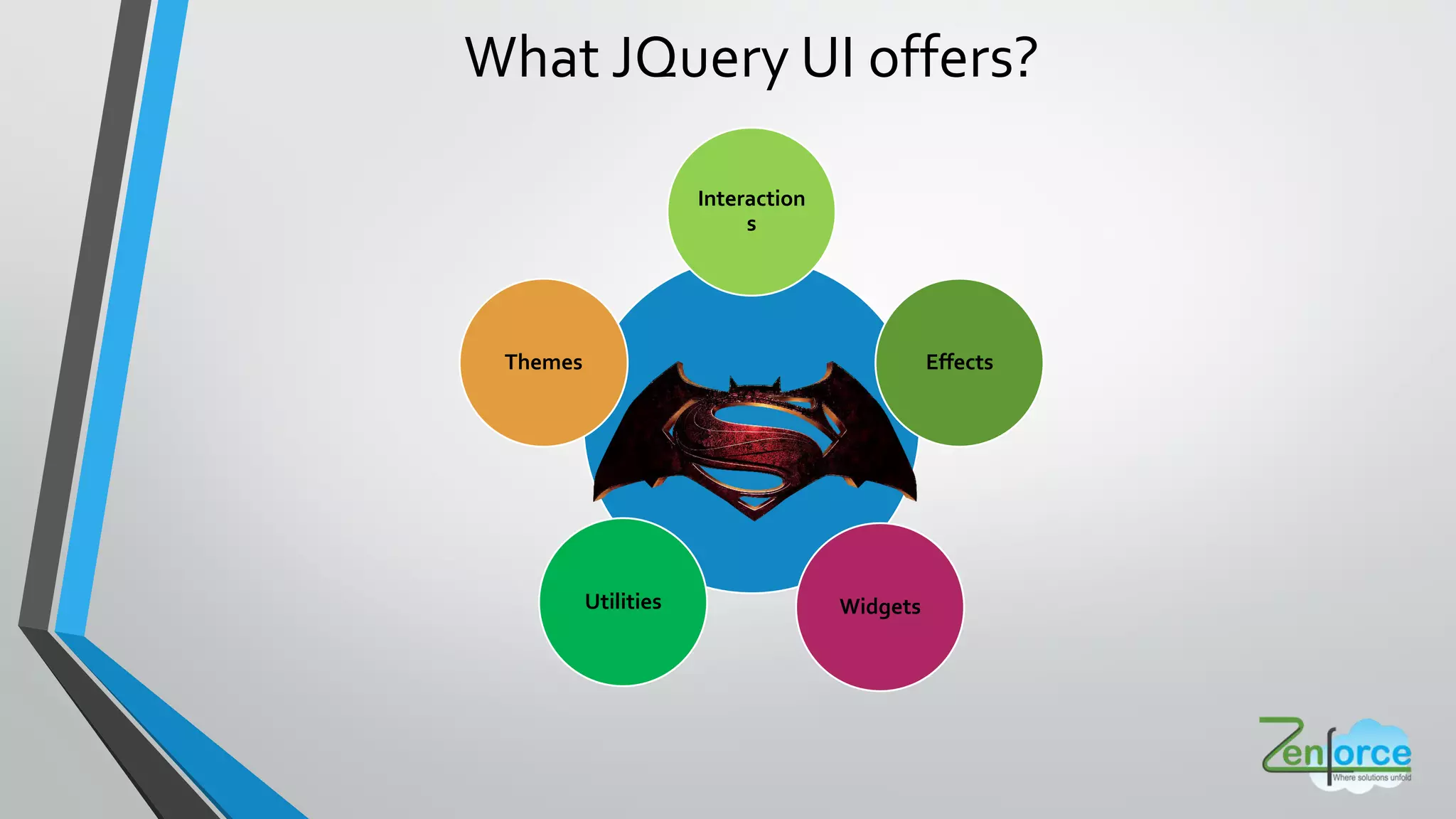
What JQuery UI offers?
Interaction
s
Effects
WidgetsUtilities
Themes
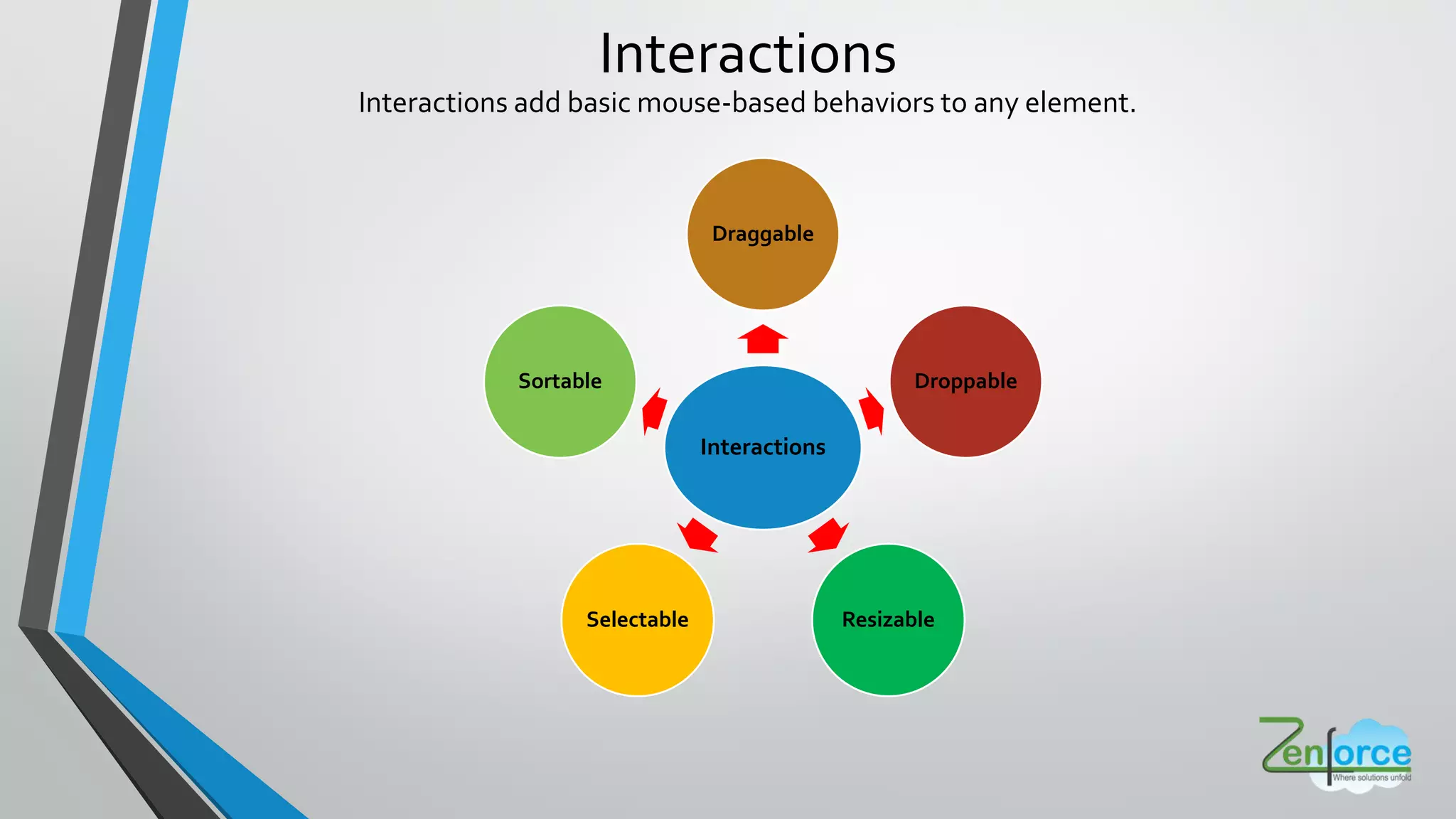
Interactions add basic mouse-based behaviors to any element.
Interactions
Interactions
Draggable
Droppable
ResizableSelectable
Sortable
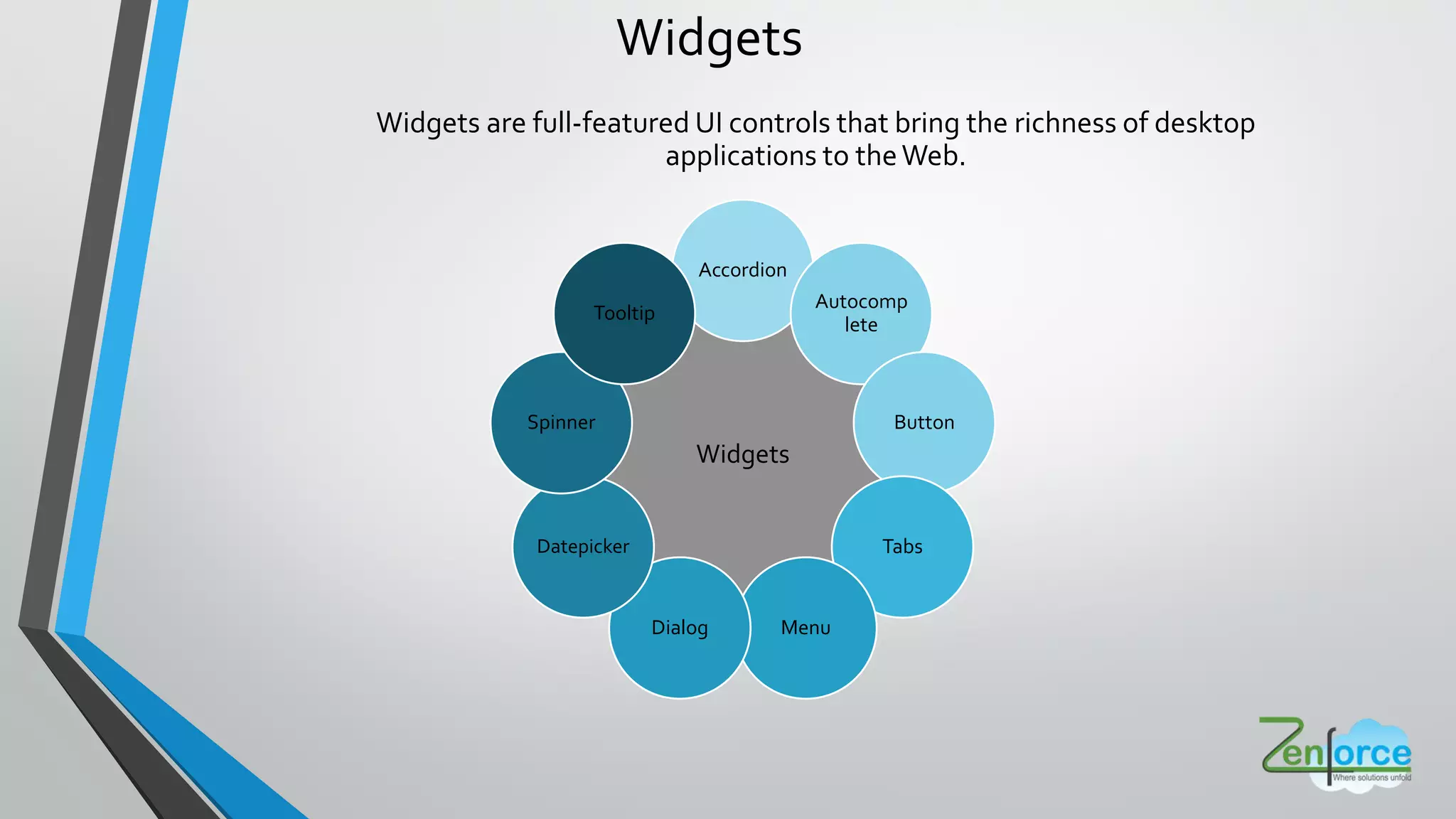
Widgets are full-featured UI controls that bring the richness of desktop
applications to theWeb.
Widgets
Widgets
Accordion
Autocomp
lete
Button
Tabs
MenuDialog
Datepicker
Spinner
Tooltip
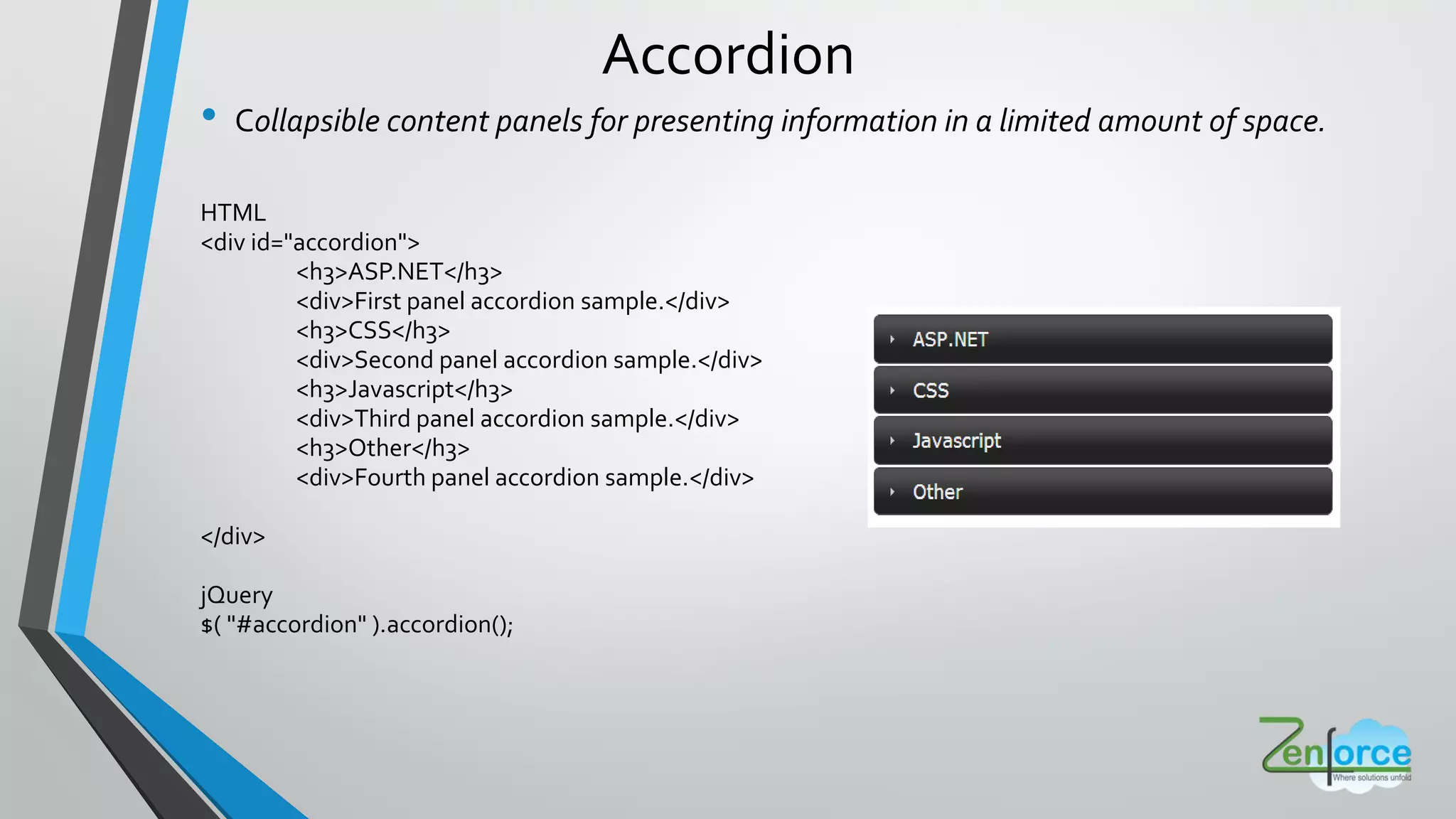
Accordion
• Collapsible content panels for presenting information in a limited amount of space.
HTML
<div id="accordion">
<h3>ASP.NET</h3>
<div>First panel accordion sample.</div>
<h3>CSS</h3>
<div>Second panel accordion sample.</div>
<h3>Javascript</h3>
<div>Third panel accordion sample.</div>
<h3>Other</h3>
<div>Fourth panel accordion sample.</div>
</div>
jQuery
$( "#accordion" ).accordion();
Dialog
Open content in an interactive overlay.
HTML
<div id="dialog">
<p>Dialog sample data</p>
</div>
<a href="#" id="dialog-link">Open Dialog</a>
jQuery:
$( "#dialog" ).dialog({width: 400,buttons: [{
text: "Ok",
click: function() {$( this ).dialog( "close" );}},]
});
$( "#dialog-link" ).click(function( event ) {
$( "#dialog" ).dialog( "open" );}
);
Power of jQuery UI
• Cross browser compatibility
• Lightweight and Fast
• Open source library
• Easy to learn and flexible
• Lots of extendable and reusable Plug-ins
• Effects and animations
• Utility features
• JQuery User Interface
• JQuery Mobile
Limitations
• Functionality may be limited
• jQuery JavaScript file is required
Power of jQuery and jQuery UI
ThankYou

Learning jQuery made exciting in an interactive session by one of our team members

  • 1.
  • 2.
    • I amnot the master, but I want to be  • Don’t hesitate in asking questions • At any point of time, correct me if I am wrong • Both way interactions will be helpful for me to transfer knowledge Help me help you
  • 3.
    How jQuery cameinto existence can somebody tell me ? https://youtu.be/TUDsR2dFwFg
  • 4.
    What to learnfirst ? JavaScript OR jQuery https://youtu.be/5Jb6twTF2lY
  • 5.
    JavaScript JQuery JavaScript isa language. JQuery is a framework. It is most popular scripting language on internet which works on all major browsers. It is a fast and concise JavaScript library that simplifies HTML document. If you use JavaScript, you need to write own script which may take time. If you use JQuery, you need not to write much scripting which already exists in libraries. JavaScriptVS jQuery
  • 6.
    Overview • jQuery, atits core, is a DOM (Document Object Model) manipulation library. • The DOM is a tree-structure representation of all the elements of aWeb page and jQuery simplifies the syntax for finding, selecting, and manipulating these DOM elements. • For example, jQuery can be used for finding an element in the document with a certain property (e.g. all elements with an h1 tag), changing one or more of its attributes (e.g. color, visibility), or making it respond to an event (e.g. a mouse click). The Document Object Model (DOM) is a cross- platform and language- independent convention for representing and interacting with objects in HTML, XHTML, and XML documents
  • 7.
    • jQuery isa fast, small, and feature-rich JavaScript library. • It makes things like HTML document traversal and manipulation, event handling, animation, and Ajax much simpler with an easy-to- use API that works across multiple browsers. • With a combination of versatility and extensibility, jQuery has changed the way that millions of people write JavaScript. https://youtu.be/Jpkum92pBAc What is jQuery ?
  • 8.
    Who s UsingjQuery ?
  • 9.
    • HTML documenttraversal and manipulation Event handling • Animation • Ajax • Simpler with an easy-to-use API • Works across a multiple browsers Used for
  • 12.
    jQuery rescues usby working the same in all browsers
  • 13.
    • Lightweight • CrossBrowser Compatible • Easier to write jQuery than pure JavaScript Why jQuery ?
  • 14.
    How to Start DownloadjQuery http://jquery.com/download/ OR Hosted Libraries
  • 15.
    Embed in yourpage Visual force <apex:includeScript value="{!URLFOR($Resource.ResourceName, '/jsFiles/jQuery.js')}"/> Other <script src=“path/to/jquery-x.x.js"></script> CDN Link <script src=“//ajax.googleapis.com/ajax/libs/jquery/1.11.1/jquery.min.js”></script>
  • 16.
    Core Methods Ready • Specifya function to execute when the DOM is fully loaded. • E.g. $( document ).ready(function() { // Handler for .ready() called. }); noConflict • Relinquish jQuery s control of the $ variable. • E.g. var $j = jQuery.noConflict(); $j(document).ready(function() { // Handler for .ready() called. });
  • 17.
  • 18.
    jQuery Philosophy $ div.addClass xyz ; Find Some Elements Do something with them{ } jQuery Object
  • 19.
  • 20.
    Basic Selectors Name DescriptionExample All Selector (“*”) Selects all elements. $( "*" ).css( "border", "3px solid red" ); Class Selector (“.class”) Selects all elements with the given class. $( ".myClass" ).css( "border", "3px solid red" ); Element Selector (“element”) Selects all elements with the given tag name. $( "div" ).css( "border", "9px solid red" ); ID Selector (“#id”) Selects a single element with the given id attribute. $( "#myDiv" ).css( "border", "3px solid red" ); Multiple Selector (“selector1, selector2, selectorN”) Selects the combined results of all the specified selectors. $( "div, span" ).css( "border", "3px solid red" );
  • 21.
    Attribute Selectors Name DescriptionExample Attribute Contains Selector [name*="value"] Selects elements that have the specified attribute with a value containing a given substring. $( "input[name*='man']" ).val( "has man in it!" ); Attribute Equal Selector [name="value"] Selects elements that have the specified attribute with a value exactly equal to a certain value. $( "input[name='milkman']" ).val( "changed value using exact match" );
  • 22.
    Child Selectors Name DescriptionExample :first-child Selector Selects all elements that are the first child of their parent. $( "div span:first-child" ).css( "text-decoration", "underline" );
  • 23.
    CSS Methods Name DescriptionExample css() Get the value of a style property for the first element in the set of matched elements or set one or more CSS properties for every matched element. var bgcolor = $( "div" ).css( "background-color" ); $( "div" ).css( "background-color", "blue" ); addClass() Adds the specified class(es) to each of the set of matched elements. $( "p" ).addClass( "myClass yourClass" ); removeClass() Remove a single class, multiple classes, or all classes from each element in the set of matched elements. $( "p" ).removeClass( "myClass yourClass" );
  • 24.
  • 25.
    Form Events Name DescriptionExample blur() Bind an event handler to the "blur" JavaScript event. <input id="target" type="text" value="Field 1"> $( "#target" ).blur(function() { alert( "Handler for .blur() called." ); }); focus() Bind an event handler to the "focus" JavaScript event. <input id="target" type="text" value="Field 1"> $( "#target" ).focus (function() { alert( "Handler for .focus() called." ); }); change() Bind an event handler to the "change" JavaScript event. <input id="target" type="text" value="Field 1"> $( "#target" ).change (function() { alert( "Handler for .change() called." ); });
  • 26.
    Mouse Events Name DescriptionExample click() Bind an event handler to the “click” JavaScript event, or trigger that event on an element. <div id="target" class="divClass/> $( "#target" ).click (function() { alert( "Handler for .click() called." ); }); dblclick() Bind an event handler to the “dblclick” JavaScript event, or trigger that event on an element. <div id="target" class="divClass/> $( "#target" ).dblclick (function() { alert( "Handler for .click() called." ); }); mouseenter() Bind an event handler to the “mouseenter” JavaScript event, or trigger that event on an element. <div id="target" class="divClass/> $( "#target" ).mouseenter (function() { alert( "Handler for .mouseenter() called." ); }); mouseleave() Bind an event handler to the “mouseleave” JavaScript event, or trigger that event on an element. <div id="target" class="divClass/> $( "#target" ).mouseleave (function() { alert( "Handler for .mouseleave() called." ); });
  • 27.
    Keyboard Events Name DescriptionExample keyup() Bind an event handler to the “keyup” JavaScript event, or trigger that event on an element. <input id="target" type="text" value="Field 1"> $( "#target" ).keyup (function() { alert( "Handler for .keyup() called." ); }); keydown() Bind an event handler to the “keydown” JavaScript event, or trigger that event on an element. <input id="target" type="text" value="Field 1"> $( "#target" ).keydown (function() { alert( "Handler for .keyup() called." ); });
  • 28.
    One Method, ManyUses $(...).html(); $ ... .html <p>hello</p> ; $(...).html(function(i){ return <p>hello + i + </p> ; });
  • 29.
    append(), appendTo(), before(),after() jQuery Methods Moving Elements Attributes Events Effects Traversing Ajax css(), attr(), html(), val(), addClass() show(), fadeOut(), toggle(), animate() bind(), trigger(), unbind(), live(), click()find(), is(), prevAll(), next(), hasClass() get(), getJSON(), post(), ajax(), load()
  • 30.
    Moving Elements Examples Getelement with ID foo and add some HTML. $(“#foo”).append(“<p>test</p>”); <html> <body> <div>jQuery</div> <div id=”foo”>example</div> </body> </html>
  • 31.
    Get element withID foo and add some HTML. $(“#foo”).append(“<p>test</p>”); <html> <body> <div>jQuery</div> <div id=”foo”>example<p>test</p></div> </body> </html> Moving Elements Examples
  • 32.
    Move paragraphs toelement with id “foo” $(“p”) <html> <body> <div>jQuery <p>moving</p> <p>paragraphs</p> </div> <div id=”foo”>example</div> </body> </html> Moving Elements Examples
  • 33.
    Move paragraphs toelement with id “foo” $(“p”).appendTo(“#foo”); <html> <body> <div>jQuery <p>moving</p> <p>paragraphs</p> </div> <div id=”foo”>example</div> </body> </html> Moving Elements Examples
  • 34.
    Moving Elements Examples Moveparagraphs to element with id “foo” $(“p”).appendTo(“#foo”); <html> <body> <div>jQuery</div> <div id=”foo”>example <p>moving</p> <p>paragraphs</p> </div> </body> </html>
  • 35.
  • 36.
    Attributes Get .attr id .html() .val() .css top .width() Set .attrid , foo .html <p>hi</p> .val new val .css top , 80px .width(60)
  • 37.
    Attributes Set border to1px black $(...).css(“border”, “1px solid black”); Set various css properties $(...).css({ “background”: “yellow”, “height”: “400px” }); Set all link’s href attribute to google.com $(“a”).attr(“href”, “http://google.com”);
  • 38.
    Attributes Replace HTML witha new paragraph $(...).html(“<p>I’m new</p>”); <div>whatever</div> turns into <div><p>I’m new</p></div> Set checkboxes attribute “checked” to checked $(“:checkbox”).attr(“checked”,”checked”); Get input value $(...).val(); Set input value to 3 $(...).val(“3”);
  • 39.
  • 40.
    Events When a buttonis clicked, do something. $(“button”).click(function(){ something(); }); Setup a custom event and trigger it. $(“button“).bind(“click”, function(){ something(); }); $(“button“).bind(“customEvent”, function(){ something(); }); $(“button:first“).trigger(“customEvent”); Unbind custom event. $(“button“).unbind(“click”);
  • 41.
    Event Delegation Attach eventsto document Attach an event handler for all elements which match the current selector, now and in the future. $(“button”).live(‘click’, function(){ something(); }); Attach event delegation to elements Attach a handler to one or more events for all elements that match the selector, now or in the future, based on a specific set of root elements. $(“form“).delegate(“button”, ”click”, function(){ something(); });
  • 42.
  • 43.
    Effects / Animations Typesof Effects Hide and Show Fade In and Out Slide Up and Down
  • 44.
    Effects / Animations Witheach click, slide up / slide down a div Display or hide the matched elements with a sliding motion $(...).click(function(){ $(“div:first”).slideToggle(); }); Animate elements to 300px wide in .5 seconds Perform a custom animation of a set of CSS properties $(...).animate({ “width”: “300px” }, 500); Take focus off elements by fading them to 30% opacity in .5 seconds Adjust the opacity of the matched elements $(...).fadeTo(500, 0.3);
  • 45.
    Power of jQuery •jQuery is free • Works in all browsers and is the most popular JavaScript library currently being used. • Large development community and many plugins. • Large software companies, like Microsoft, supports using jQuery in their applications • Very good documentation • Lightweight • Chaining capabilities are very powerful.
  • 46.
    Limitations • Functionality maybelimited • JQuery JavaScript file required
  • 47.
  • 48.
    • Collection ofwidgets, animated visual effects and themes • Implemented with jQuery (a JavaScript library), CSS and HTML What is JQuery UI ?
  • 49.
    Features • Used tobuild highly interactive web applications. • Provides built in widgets, interactions and effects with pre-defined styles
  • 50.
    Steps to buildcustom JQuery UI Click Download! Choose aVersion of jQuery UI Select aTheme (or RollYour Own CustomTheme) ChooseWhich ComponentsYou Need Go to jqueryui.com
  • 51.
    WhatYou NeedToWorkWith JQueryUI ? • jquery-ui.css – Contains different styles provided by jQuery UI • jquery-ui.js – Contains JavaScript code for functioning of controls provided by jQuery UI You'll need to include two files on any page to use the jQuery UI library
  • 52.
    Embed in yourpage Visual force • <apex:includeScript value=“{!$Resource.jquery-ui.js}”/> • <apex:stylesheet value=“{!$Resource.jquery-ui.css}”/> Other • <link rel=“stylesheet” href=“../jquery-ui.css”> • <script src=“../jquery-ui.js”></script> CDN Link • <script src=“//ajax.googleapis.com/ajax/libs/jqueryui/1.11.1/jquery-ui.min.js”></script> • <link rel=“stylesheet” href=“//ajax.googleapis.com/ajax/libs/jqueryui/1.11.1/themes/smoothness/jquery- ui.css”></script>
  • 53.
    What JQuery UIoffers? Interaction s Effects WidgetsUtilities Themes
  • 54.
    Interactions add basicmouse-based behaviors to any element. Interactions Interactions Draggable Droppable ResizableSelectable Sortable
  • 55.
    Widgets are full-featuredUI controls that bring the richness of desktop applications to theWeb. Widgets Widgets Accordion Autocomp lete Button Tabs MenuDialog Datepicker Spinner Tooltip
  • 56.
    Accordion • Collapsible contentpanels for presenting information in a limited amount of space. HTML <div id="accordion"> <h3>ASP.NET</h3> <div>First panel accordion sample.</div> <h3>CSS</h3> <div>Second panel accordion sample.</div> <h3>Javascript</h3> <div>Third panel accordion sample.</div> <h3>Other</h3> <div>Fourth panel accordion sample.</div> </div> jQuery $( "#accordion" ).accordion();
  • 57.
    Dialog Open content inan interactive overlay. HTML <div id="dialog"> <p>Dialog sample data</p> </div> <a href="#" id="dialog-link">Open Dialog</a> jQuery: $( "#dialog" ).dialog({width: 400,buttons: [{ text: "Ok", click: function() {$( this ).dialog( "close" );}},] }); $( "#dialog-link" ).click(function( event ) { $( "#dialog" ).dialog( "open" );} );
  • 58.
    Power of jQueryUI • Cross browser compatibility • Lightweight and Fast • Open source library • Easy to learn and flexible • Lots of extendable and reusable Plug-ins • Effects and animations • Utility features • JQuery User Interface • JQuery Mobile
  • 59.
    Limitations • Functionality maybe limited • jQuery JavaScript file is required
  • 60.
    Power of jQueryand jQuery UI
  • 61.