jQuery <3 Developers
Overview
• Who, what, why of jQuery
• Core concepts of jQuery
• API overview & tips
• Plugin design pattern
• News
• Live demo
Quick survey first
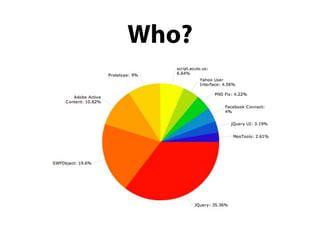
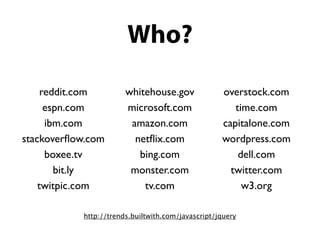
Who?
Who?
Who?

     reddit.com        whitehouse.gov              overstock.com
      espn.com         microsoft.com                  time.com
      ibm.com           amazon.com                 capitalone.com
stackoverflow.com         netflix.com                wordpress.com
      boxee.tv            bing.com                     dell.com
        bit.ly          monster.com                  twitter.com
    twitpic.com            tv.com                       w3.org

           http://trends.builtwith.com/javascript/jquery
What?
      jQuery is a JavaScript library.

• Selector engine: Sizzle
• DOM manipulation
• Events
• Effects
• Ajax
What does that mean?
It means no more of this
var tables = document.getElementsByTagName('table');
for (var t = 0; t < tables.length; t++) {
!   var rows = tables[t].getElementsByTagName('tr');
!   for (var i = 1; i < rows.length; i += 2) {
        if (!/(^|s)odd(s|$)/.test(rows[i].className)) {
            rows[i].className += ' odd';
        }
    }
}
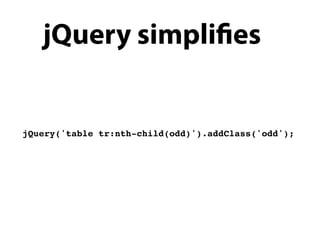
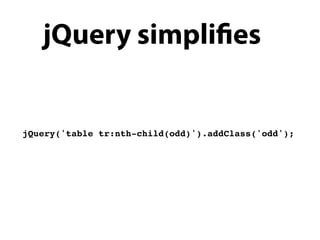
jQuery simpli es


jQuery('table tr:nth-child(odd)').addClass('odd');
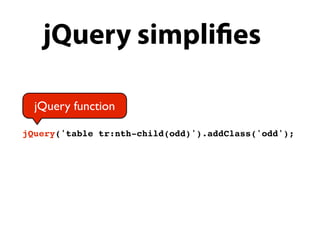
jQuery simpli es

  jQuery function

jQuery('table tr:nth-child(odd)').addClass('odd');
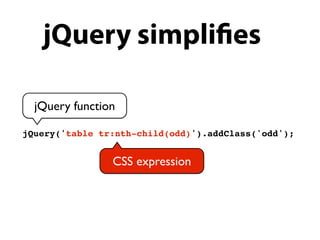
jQuery simpli es

  jQuery function

jQuery('table tr:nth-child(odd)').addClass('odd');


                CSS expression
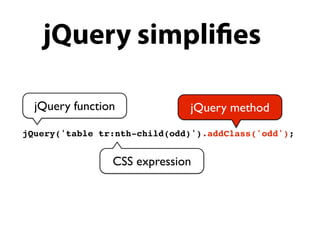
jQuery simpli es

  jQuery function             jQuery method
jQuery('table tr:nth-child(odd)').addClass('odd');


                CSS expression
jQuery simpli es


jQuery('table tr:nth-child(odd)').addClass('odd');
Why use jQuery
•   Helps us to simplify and speed up web development

•   Allows us to avoid common headaches associated
    with browser development

•   Provides a large pool of plugins

•   Large and active community

•   Tested on 50 browsers, 11 platforms

•   For both coder and designer (we don't discriminate)
Why use jQuery
•   Helps us to simplify and speed up web development

•   Allows us to avoid common headaches associated
    with browser development

•   Provides a large pool of plugins

•   Large and active community

•   Tested on 50 browsers, 11 platforms

•   For both coder and designer (we don't discriminate)
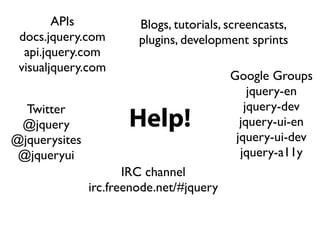
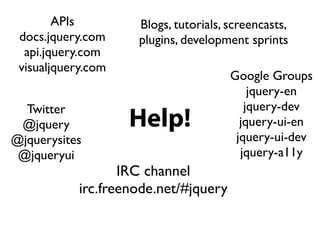
Help!
APIs            Blogs, tutorials, screencasts,
 docs.jquery.com        plugins, development sprints
  api.jquery.com
 visualjquery.com
                                          Google Groups
                                              jquery-en
  Twitter                                    jquery-dev
 @jquery              Help!                 jquery-ui-en
@jquerysites                               jquery-ui-dev
 @jqueryui                                  jquery-a11y
                      IRC channel
               irc.freenode.net/#jquery
APIs         Blogs, tutorials, screencasts,
 docs.jquery.com     plugins, development sprints
  api.jquery.com
 visualjquery.com
                                       Google Groups
                                           jquery-en
  Twitter                                 jquery-dev
 @jquery            Help!                jquery-ui-en
@jquerysites                            jquery-ui-dev
 @jqueryui                               jquery-a11y
                   IRC channel
            irc.freenode.net/#jquery
Concept 1:
knowing the jQuery
 parameter types
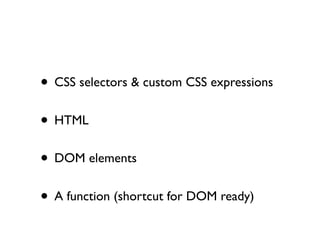
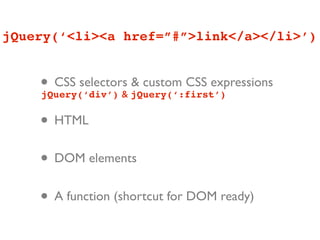
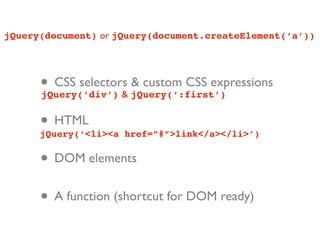
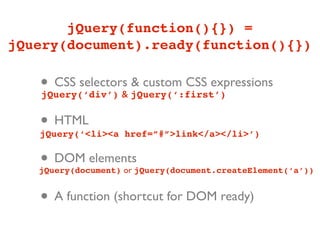
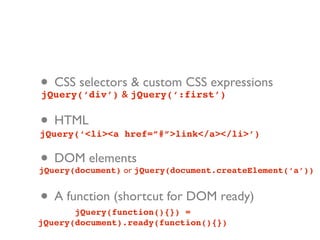
• CSS selectors & custom CSS expressions
• HTML
• DOM elements
• A function (shortcut for DOM ready)
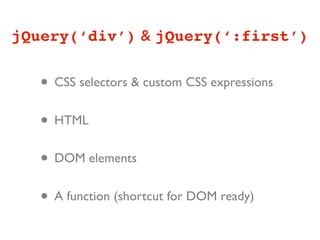
jQuery(‘div’) & jQuery(‘:first’)


   • CSS selectors & custom CSS expressions
   • HTML
   • DOM elements
   • A function (shortcut for DOM ready)
jQuery(‘<li><a href=”#”>link</a></li>’)


    • CSS selectors jQuery(‘:first’)
    jQuery(‘div’) &
                    & custom CSS expressions


    • HTML
    • DOM elements
    • A function (shortcut for DOM ready)
jQuery(document) or jQuery(document.createElement(‘a’))


      • CSS selectors jQuery(‘:first’)
      jQuery(‘div’) &
                      & custom CSS expressions


      • HTML
      jQuery(‘<li><a href=”#”>link</a></li>’)


      • DOM elements
      • A function (shortcut for DOM ready)
jQuery(function(){}) =
jQuery(document).ready(function(){})

   • CSS selectors jQuery(‘:first’)
   jQuery(‘div’) &
                   & custom CSS expressions


   • HTML
   jQuery(‘<li><a href=”#”>link</a></li>’)


   • DOM elements
   jQuery(document) or jQuery(document.createElement(‘a’))


   • A function (shortcut for DOM ready)
• CSS selectors jQuery(‘:first’)
jQuery(‘div’) &
                & custom CSS expressions


• HTML
jQuery(‘<li><a href=”#”>link</a></li>’)


• DOM elements
jQuery(document) or jQuery(document.createElement(‘a’))


• A function (shortcut for DOM ready)
       jQuery(function(){}) =
jQuery(document).ready(function(){})
Concept 2:
nd something,
do something
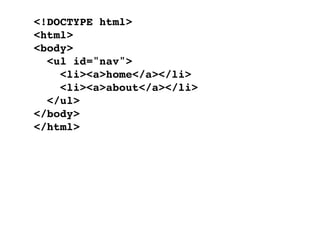
<!DOCTYPE html>
<html>
<body>
  <ul id="nav">
    <li><a>home</a></li>
    <li><a>about</a></li>
  </ul>
</body>
</html>
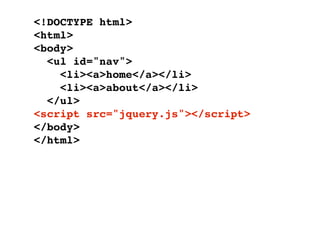
<!DOCTYPE html>
<html>
<body>
  <ul id="nav">
    <li><a>home</a></li>
    <li><a>about</a></li>
  </ul>
<script src="jquery.js"></script>
</body>
</html>
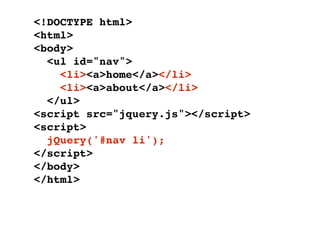
<!DOCTYPE html>
<html>
<body>
  <ul id="nav">
    <li><a>home</a></li>
    <li><a>about</a></li>
  </ul>
<script src="jquery.js"></script>
<script>
  jQuery('#nav li');
</script>
</body>
</html>
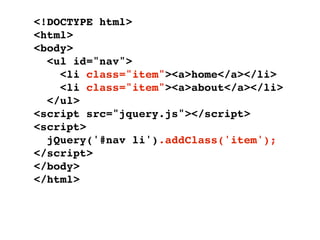
<!DOCTYPE html>
<html>
<body>
  <ul id="nav">
    <li class="item"><a>home</a></li>
    <li class="item"><a>about</a></li>
  </ul>
<script src="jquery.js"></script>
<script>
  jQuery('#nav li').addClass('item');
</script>
</body>
</html>
Concept 3:
create something,
  do something
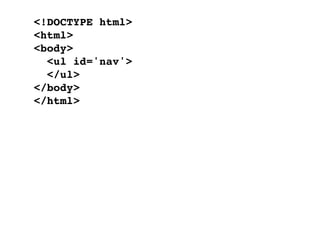
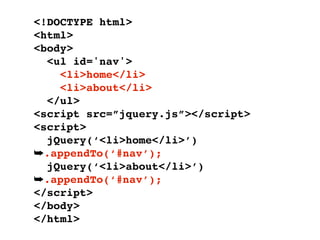
<!DOCTYPE html>
<html>
<body>
  <ul id='nav'>
  </ul>
</body>
</html>
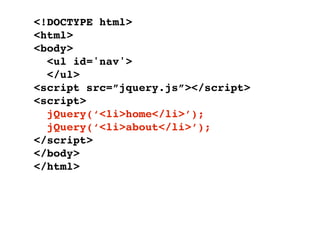
<!DOCTYPE html>
<html>
<body>
  <ul id='nav'>
  </ul>
<script src=”jquery.js”></script>
<script>
  jQuery(‘<li>home</li>’);
  jQuery(‘<li>about</li>’);
</script>
</body>
</html>
<!DOCTYPE html>
<html>
<body>
  <ul id='nav'>
    <li>home</li>
    <li>about</li>
  </ul>
<script src=”jquery.js”></script>
<script>
  jQuery(‘<li>home</li>’)
➥.appendTo(‘#nav’);
  jQuery(‘<li>about</li>’)
➥.appendTo(‘#nav’);
</script>
</body>
</html>
Insi de
   tip

  createDocumentFragment
Insi de
   tip

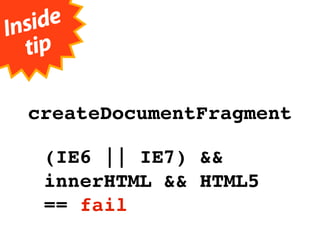
  createDocumentFragment

    (IE6 || IE7) &&
    innerHTML && HTML5
    == fail
Concept 4:
chaining & operating
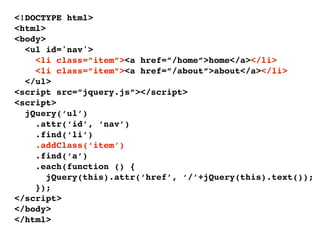
<!DOCTYPE html>
<html>
<body>
  <ul id='nav'>
    <li class=”item”><a href=”/home”>home</a></li>
    <li class=”item”><a href=”/about”>about</a></li>
  </ul>
<script src=”jquery.js”></script>
<script>
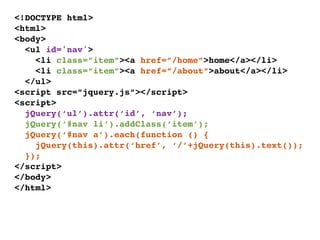
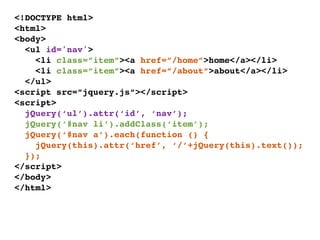
  jQuery(‘ul’).attr(‘id’, ‘nav’);
  jQuery(‘#nav li’).addClass(‘item’);
  jQuery(‘#nav a’).each(function () {
    jQuery(this).attr(‘href’, ‘/’+jQuery(this).text());
  });
</script>
</body>
</html>
<!DOCTYPE html>
<html>
    1
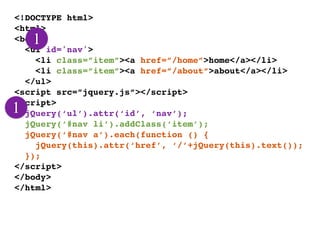
<body>
  <ul id='nav'>
    <li class=”item”><a href=”/home”>home</a></li>
    <li class=”item”><a href=”/about”>about</a></li>
  </ul>
<script src=”jquery.js”></script>
<script>
1 jQuery(‘ul’).attr(‘id’, ‘nav’);
  jQuery(‘#nav li’).addClass(‘item’);
  jQuery(‘#nav a’).each(function () {
    jQuery(this).attr(‘href’, ‘/’+jQuery(this).text());
  });
</script>
</body>
</html>
<!DOCTYPE html>
<html>
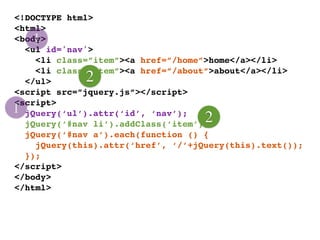
    1
<body>
  <ul id='nav'>
    <li class=”item”><a href=”/home”>home</a></li>
    <li class=”item”><a href=”/about”>about</a></li>
  </ul>      2
<script src=”jquery.js”></script>
<script>
1 jQuery(‘ul’).attr(‘id’, ‘nav’);
                                    2
  jQuery(‘#nav li’).addClass(‘item’);
  jQuery(‘#nav a’).each(function () {
    jQuery(this).attr(‘href’, ‘/’+jQuery(this).text());
  });
</script>
</body>
</html>
<!DOCTYPE html>
<html>
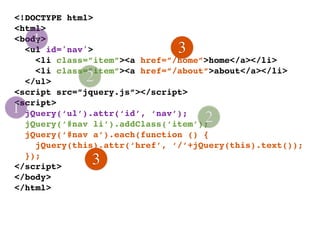
    1
<body>
  <ul id='nav'>                3
    <li class=”item”><a href=”/home”>home</a></li>
    <li class=”item”><a href=”/about”>about</a></li>
  </ul>      2
<script src=”jquery.js”></script>
<script>
1 jQuery(‘ul’).attr(‘id’, ‘nav’);
                                    2
  jQuery(‘#nav li’).addClass(‘item’);
  jQuery(‘#nav a’).each(function () {
    jQuery(this).attr(‘href’, ‘/’+jQuery(this).text());
  });
</script>
              3
</body>
</html>
<!DOCTYPE html>
<html>
<body>
  <ul id='nav'>
    <li class=”item”><a href=”/home”>home</a></li>
    <li class=”item”><a href=”/about”>about</a></li>
  </ul>
<script src=”jquery.js”></script>
<script>
  jQuery(‘ul’).attr(‘id’, ‘nav’);
  jQuery(‘#nav li’).addClass(‘item’);
  jQuery(‘#nav a’).each(function () {
    jQuery(this).attr(‘href’, ‘/’+jQuery(this).text());
  });
</script>
</body>
</html>
<!DOCTYPE html>
<html>
<body>
  <ul id='nav'>
    <li class=”item”><a href=”/home”>home</a></li>
    <li class=”item”><a href=”/about”>about</a></li>
  </ul>
<script src=”jquery.js”></script>
<script>
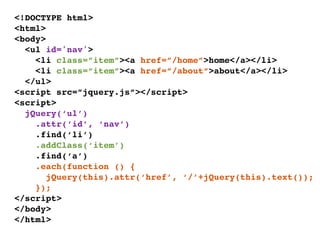
  jQuery(‘ul’)
    .attr(‘id’, ‘nav’)
    .find(‘li’)
    .addClass(‘item’)
    .find(‘a’)
    .each(function () {
       jQuery(this).attr(‘href’, ‘/’+jQuery(this).text());
    });
</script>
</body>
</html>
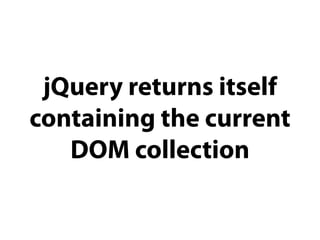
jQuery returns itself
containing the current
   DOM collection
Concept 5:
 understanding
implicit iteration
<!DOCTYPE html>
<html>
<body>
  <ul id='nav'>
    <li class=”item”><a href=”/home”>home</a></li>
    <li class=”item”><a href=”/about”>about</a></li>
  </ul>
<script src=”jquery.js”></script>
<script>
  jQuery(‘ul’)
    .attr(‘id’, ‘nav’)
    .find(‘li’)
    .addClass(‘item’)
    .find(‘a’)
    .each(function () {
       jQuery(this).attr(‘href’, ‘/’+jQuery(this).text());
    });
</script>
</body>
</html>
<!DOCTYPE html>
<html>
<body>
  <ul id='nav'>
    <li class=”item”><a href=”/home”>home</a></li>
    <li class=”item”><a href=”/about”>about</a></li>
  </ul>
<script src=”jquery.js”></script>
<script>
  jQuery(‘ul’)
    .attr(‘id’, ‘nav’)
    .find(‘li’)
    .addClass(‘item’)
    .find(‘a’)
    .each(function () {
       jQuery(this).attr(‘href’, ‘/’+jQuery(this).text());
    });
</script>
</body>
</html>
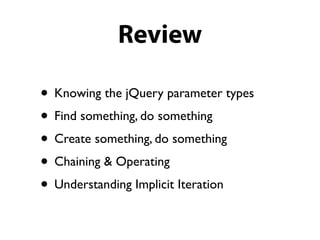
Review

• Knowing the jQuery parameter types
• Find something, do something
• Create something, do something
• Chaining & Operating
• Understanding Implicit Iteration
“What about the
bling function?”
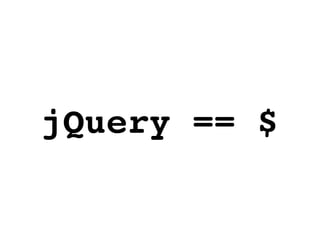
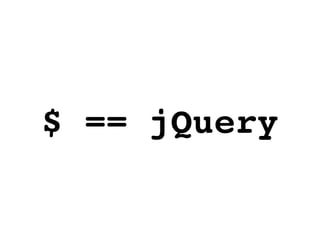
jQuery == $
$ == jQuery
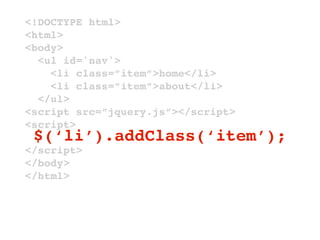
$ is an alias to jQuery
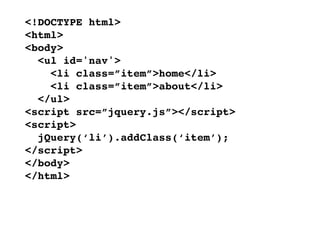
<!DOCTYPE html>
<html>
<body>
  <ul id='nav'>
    <li class=”item”>home</li>
    <li class=”item”>about</li>
  </ul>
<script src=”jquery.js”></script>
<script>
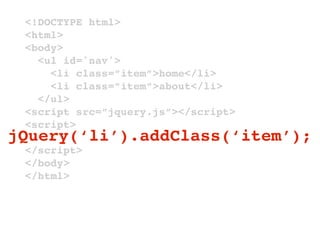
  jQuery(‘li’).addClass(‘item’);
</script>
</body>
</html>
<!DOCTYPE html>
 <html>
 <body>
   <ul id='nav'>
     <li class=”item”>home</li>
     <li class=”item”>about</li>
   </ul>
 <script src=”jquery.js”></script>
 <script>
jQuery(‘li’).addClass(‘item’);
 </script>
 </body>
 </html>
<!DOCTYPE html>
<html>
<body>
  <ul id='nav'>
    <li class=”item”>home</li>
    <li class=”item”>about</li>
  </ul>
<script src=”jquery.js”></script>
<script>
 $(‘li’).addClass(‘item’);
</script>
</body>
</html>
<!DOCTYPE html>
<html>
<body>
  <ul id='nav'>
    <li class=”item”>home</li>
    <li class=”item”>about</li>
  </ul>
<script src=”jquery.js”></script>
<script>
  $(‘li’).addClass(‘item’);
</script>
</body>
</html>
More than ready
<!DOCTYPE html>
<html>
<body>
  <ul id='nav'>
    <li class=”item”>home</li>
    <li class=”item”>about</li>
  </ul>
<script src=”jquery.js”></script>
<script>
  $(‘li’).addClass(‘item’);
</script>
</body>
</html>
<!DOCTYPE html>
<html>
<body>
  <ul id='nav'>
    <li class=”item”>home</li>
    <li class=”item”>about</li>
  </ul>
<script src=”jquery.js”></script>
<script>
$(document).ready(function () {
  $(‘li’).addClass(‘item’);
});
</script>
</body>
</html>
<!DOCTYPE html>
<html>
<body>
  <ul id='nav'>
    <li class=”item”>home</li>
    <li class=”item”>about</li>
  </ul>
<script src=”jquery.js”></script>
<script>
$(document).ready(function () {
  $(‘li’).addClass(‘item’);
});
</script>
</body>
</html>
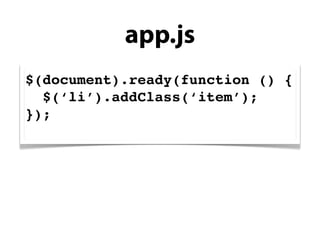
app.js
$(document).ready(function () {
  $(‘li’).addClass(‘item’);
});
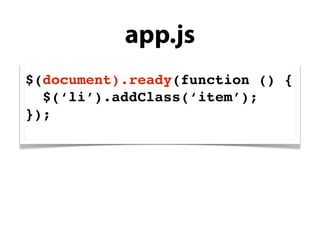
app.js
$(document).ready(function () {
  $(‘li’).addClass(‘item’);
});
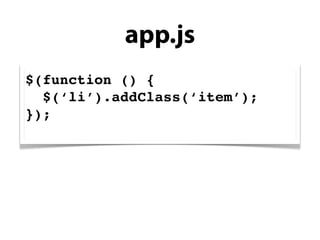
app.js
$(function () {
  $(‘li’).addClass(‘item’);
});
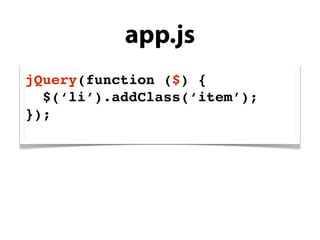
app.js
jQuery(function ($) {
  $(‘li’).addClass(‘item’);
});
Tip

 Include jQuery after styles
jQuery API overview
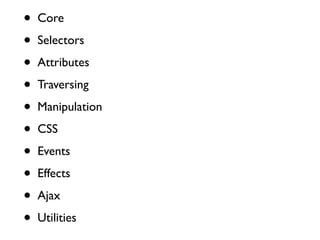
•   Core

•   Selectors

•   Attributes

•   Traversing

•   Manipulation

•   CSS

•   Events

•   Effects

•   Ajax

•   Utilities
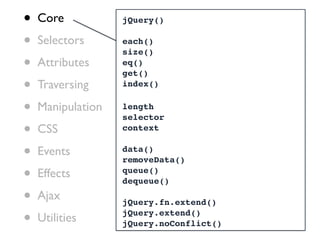
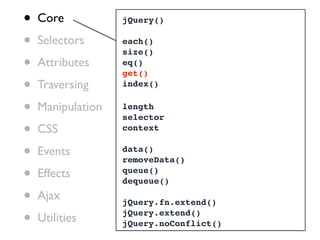
•   Core           jQuery()

•   Selectors      each()
                   size()
•   Attributes     eq()
                   get()
•   Traversing     index()


•   Manipulation   length
                   selector
•   CSS            context


•   Events         data()
                   removeData()

•   Effects        queue()
                   dequeue()

•   Ajax           jQuery.fn.extend()

•   Utilities      jQuery.extend()
                   jQuery.noConflict()
•   Core           jQuery()

•   Selectors      each()
                   size()
•   Attributes     eq()
                   get()
•   Traversing     index()


•   Manipulation   length
                   selector
•   CSS            context


•   Events         data()
                   removeData()

•   Effects        queue()
                   dequeue()

•   Ajax           jQuery.fn.extend()

•   Utilities      jQuery.extend()
                   jQuery.noConflict()
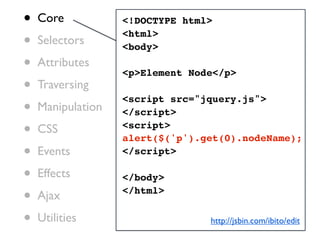
•   Core           <!DOCTYPE html>

•   Selectors
                   <html>
                   <body>
•   Attributes
                   <p>Element Node</p>
•   Traversing

•
                   <script src="jquery.js">
    Manipulation   </script>

•   CSS            <script>
                   alert($('p').get(0).nodeName);
•   Events         </script>

•   Effects        </body>

•   Ajax           </html>


•   Utilities                    http://jsbin.com/ibito/edit
•   Core           <!DOCTYPE html>

•   Selectors
                   <html>
                   <body>
•   Attributes
                   <p>Element Node</p>
•   Traversing

•
                   <script src="jquery.js">
    Manipulation   </script>

•   CSS            <script>
                   alert($('p').get(0).nodeName);
•   Events         alert($('p')[0].nodeName);
                   </script>
•   Effects

•   Ajax           </body>
                   </html>
•   Utilities                    http://jsbin.com/idiyi/edit
•   Core

•   Selectors

•   Attributes

•   Traversing

•   Manipulation

•   CSS

•   Events

•   Effects

•   Ajax

•   Utilities
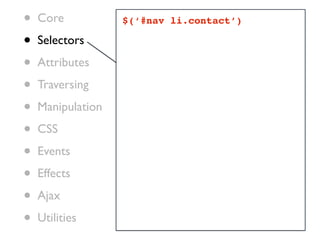
•   Core           $(‘#nav li.contact’)

•   Selectors

•   Attributes

•   Traversing

•   Manipulation

•   CSS

•   Events

•   Effects

•   Ajax

•   Utilities
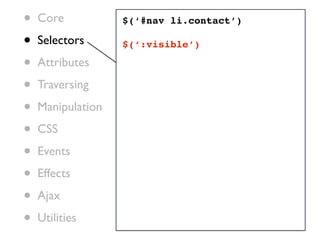
•   Core           $(‘#nav li.contact’)

•   Selectors      $(‘:visible’)

•   Attributes

•   Traversing

•   Manipulation

•   CSS

•   Events

•   Effects

•   Ajax

•   Utilities
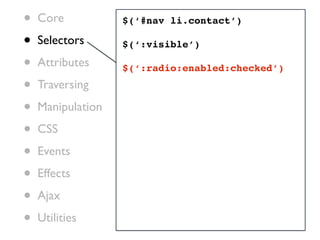
•   Core           $(‘#nav li.contact’)

•   Selectors      $(‘:visible’)

•   Attributes     $(‘:radio:enabled:checked’)

•   Traversing

•   Manipulation

•   CSS

•   Events

•   Effects

•   Ajax

•   Utilities
•   Core           $(‘#nav li.contact’)

•   Selectors      $(‘:visible’)

•   Attributes     $(‘:radio:enabled:checked’)

•   Traversing
                   $(‘a[title]’)
•   Manipulation

•   CSS

•   Events

•   Effects

•   Ajax

•   Utilities
•   Core           $(‘#nav li.contact’)

•   Selectors      $(‘:visible’)

•   Attributes     $(‘:radio:enabled:checked’)

•   Traversing
                   $(‘a[title]’)
•   Manipulation
                   $(‘a[title][hash*=”foo”]’)
•   CSS

•   Events

•   Effects

•   Ajax

•   Utilities
•   Core           $(‘#nav li.contact’)

•   Selectors      $(‘:visible’)

•   Attributes     $(‘:radio:enabled:checked’)

•   Traversing
                   $(‘a[title]’)
•   Manipulation
                   $(‘a[title][hash*=”foo”]’)
•   CSS
                   $(‘a:first[hash*=”foo”]’)
•   Events

•   Effects

•   Ajax

•   Utilities
•   Core           $(‘#nav li.contact’)

•   Selectors      $(‘:visible’)

•   Attributes     $(‘:radio:enabled:checked’)

•   Traversing
                   $(‘a[title]’)
•   Manipulation
                   $(‘a[title][hash*=”foo”]’)
•   CSS
                   $(‘a:first[hash*=”foo”]’)
•   Events
                   $(‘.header, .footer’)
•   Effects

•   Ajax

•   Utilities
•   Core           $(‘#nav li.contact’)

•   Selectors      $(‘:visible’)

•   Attributes     $(‘:radio:enabled:checked’)

•   Traversing
                   $(‘a[title]’)
•   Manipulation
                   $(‘a[title][hash*=”foo”]’)
•   CSS
                   $(‘a:first[hash*=”foo”]’)
•   Events
                   $(‘.header, .footer’)
•   Effects
                   $(‘.header, .footer’, ‘#main’)
•   Ajax

•   Utilities
Insi de
   tip
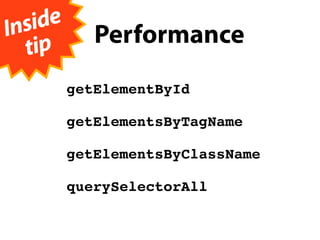
             Performance
          getElementById

          getElementsByTagName

          getElementsByClassName

          querySelectorAll
Insi de
   tip
             Performance

                   ry s elec tors
             Que
          getElementById
           j
               fail s ilen tly,
          getElementsByTagName
                         SS d oes!
           ju st l ike C
          getElementsByClassName

          querySelectorAll
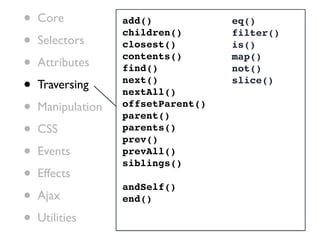
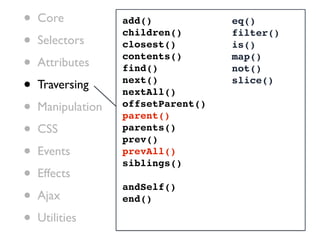
•   Core           add()            eq()

•
                   children()       filter()
    Selectors      closest()        is()

•   Attributes
                   contents()
                   find()
                                    map()
                                    not()

•   Traversing     next()
                   nextAll()
                                    slice()


•   Manipulation   offsetParent()
                   parent()
•   CSS            parents()
                   prev()
•   Events         prevAll()
                   siblings()
•   Effects
                   andSelf()
•   Ajax           end()

•   Utilities
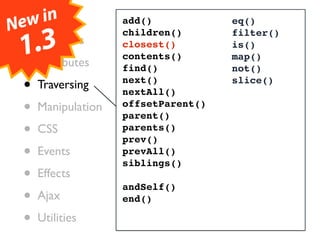
Ne•wCore
     in            add()            eq()

  • .3
                   children()       filter()
    Selectors
 1 Attributes
  •
                   closest()
                   contents()
                                    is()
                                    map()
                   find()           not()

  • Traversing     next()
                   nextAll()
                                    slice()


  • Manipulation   offsetParent()
                   parent()
  • CSS            parents()
                   prev()
  • Events         prevAll()
                   siblings()
  • Effects        andSelf()
  • Ajax           end()

  • Utilities
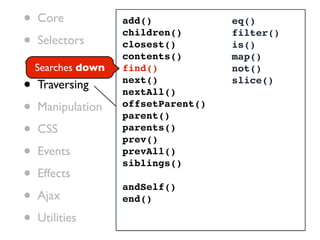
• Core            add()            eq()

• Selectors
                  children()       filter()
                  closest()        is()

• Searches down
   Attributes
                  contents()
                  find()
                                   map()
                                   not()

• Traversing      next()
                  nextAll()
                                   slice()


• Manipulation    offsetParent()
                  parent()
• CSS             parents()
                  prev()
• Events          prevAll()
                  siblings()
• Effects         andSelf()
• Ajax            end()

• Utilities
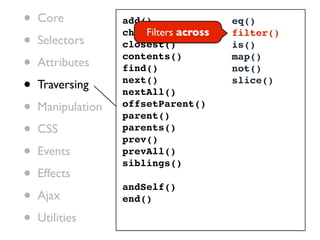
•   Core           add()
                       Filters across
                                        eq()

•
                   children()           filter()
    Selectors      closest()            is()

•   Attributes
                   contents()
                   find()
                                        map()
                                        not()

•   Traversing     next()
                   nextAll()
                                        slice()


•   Manipulation   offsetParent()
                   parent()
•   CSS            parents()
                   prev()
•   Events         prevAll()
                   siblings()
•   Effects
                   andSelf()
•   Ajax           end()

•   Utilities
•   Core           add()            eq()

•
                   children()       filter()
    Selectors      closest()        is()

•   Attributes
                   contents()
                   find()
                                    map()
                                    not()

•   Traversing     next()
                   nextAll()
                                    slice()


•   Manipulation   offsetParent()
                   parent()
•   CSS            parents()
                   prev()
•   Events         prevAll()
                   siblings()
•   Effects
                   andSelf()
•   Ajax           end()

•   Utilities
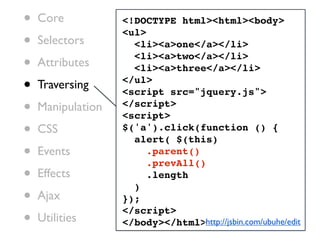
•   Core           <!DOCTYPE html><html><body>

•
                   <ul>
    Selectors        <li><a>one</a></li>

•   Attributes
                     <li><a>two</a></li>
                     <li><a>three</a></li>

•   Traversing     </ul>
                   <script src="jquery.js">
•   Manipulation   </script>
                   <script>
•   CSS            $('a').click(function () {
                     alert( $(this)
•   Events              .parent()
                        .prevAll()
•   Effects
                     )
                        .length

•   Ajax           });

•
                   </script>
    Utilities      </body></html>http://jsbin.com/ubuhe/edit
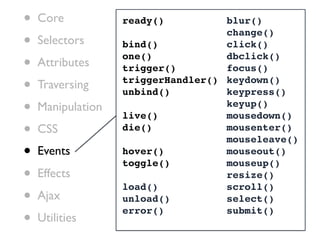
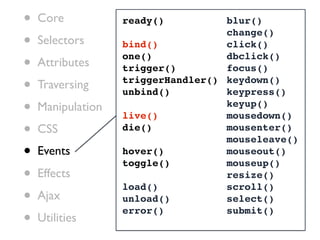
•   Core           ready()          blur()

•
                                    change()
    Selectors      bind()           click()

•   Attributes
                   one()
                   trigger()
                                    dbclick()
                                    focus()

•   Traversing     triggerHandler() keydown()
                   unbind()         keypress()
•   Manipulation
                   live()
                                    keyup()
                                    mousedown()
•   CSS            die()            mousenter()
                                    mouseleave()
•   Events         hover()
                   toggle()
                                    mouseout()
                                    mouseup()
•   Effects
                   load()
                                    resize()
                                    scroll()
•   Ajax           unload()         select()

•
                   error()          submit()
    Utilities
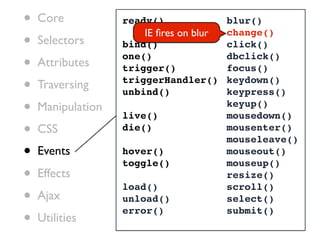
•   Core           ready()             blur()
                       IE fires on blur
•
                                       change()
    Selectors      bind()              click()

•   Attributes
                   one()
                   trigger()
                                       dbclick()
                                       focus()

•   Traversing     triggerHandler() keydown()
                   unbind()            keypress()
•   Manipulation
                   live()
                                       keyup()
                                       mousedown()
•   CSS            die()               mousenter()
                                       mouseleave()
•   Events         hover()
                   toggle()
                                       mouseout()
                                       mouseup()
•   Effects
                   load()
                                       resize()
                                       scroll()
•   Ajax           unload()            select()

•
                   error()             submit()
    Utilities
•   Core           ready()          blur()

•
                                    change()
    Selectors      bind()           click()

•   Attributes
                   one()
                   trigger()
                                    dbclick()
                                    focus()

•   Traversing     triggerHandler() keydown()
                   unbind()         keypress()
•   Manipulation
                   live()
                                    keyup()
                                    mousedown()
•   CSS            die()            mousenter()
                                    mouseleave()
•   Events         hover()
                   toggle()
                                    mouseout()
                                    mouseup()
•   Effects
                   load()
                                    resize()
                                    scroll()
•   Ajax           unload()         select()

•
                   error()          submit()
    Utilities
•   Core           <!DOCTYPE html>

•
                   <html>
    Selectors      <body>

•   Attributes     <p>1. click</p>

•   Traversing
                   <p>2. click</p>


•   Manipulation   <script src="jquery.js"></script>
                   <script>

•   CSS
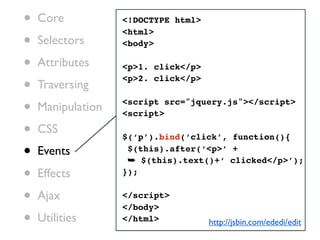
                   $(‘p’).bind(‘click’, function(){

•   Events          $(this).after(‘<p>’ +
                    ➥ $(this).text()+‘ clicked</p>’);
•   Effects        });


•   Ajax           </script>
                   </body>
•   Utilities      </html>           http://jsbin.com/ededi/edit
•   Core           <!DOCTYPE html>

•
                   <html>
    Selectors      <body>

•   Attributes     <p>1. click</p>

•   Traversing
                   <p>2. click</p>


•   Manipulation   <script src="jquery.js"></script>
                   <script>

•   CSS
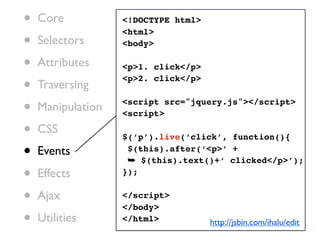
                   $(‘p’).live(‘click’, function(){

•   Events          $(this).after(‘<p>’ +
                    ➥ $(this).text()+‘ clicked</p>’);
•   Effects        });


•   Ajax           </script>
                   </body>
•   Utilities      </html>           http://jsbin.com/ihalu/edit
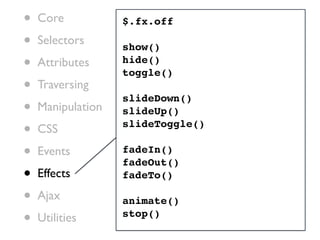
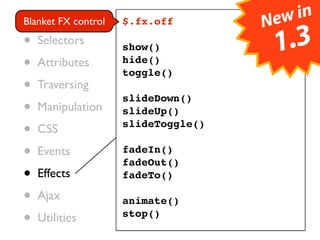
•   Core           $.fx.off

•   Selectors      show()
•   Attributes     hide()
                   toggle()
•   Traversing
                   slideDown()
•   Manipulation   slideUp()

•   CSS            slideToggle()

•   Events         fadeIn()
                   fadeOut()
•   Effects        fadeTo()

•   Ajax           animate()
•   Utilities      stop()
• Core control                    ew in
Blanket FX       $.fx.off        N
• Selectors      show()              1.3
• Attributes     hide()
                 toggle()
• Traversing     slideDown()
• Manipulation   slideUp()

• CSS            slideToggle()

• Events         fadeIn()
                 fadeOut()
• Effects        fadeTo()

• Ajax           animate()
• Utilities      stop()
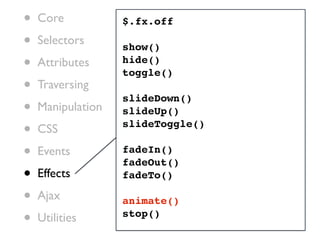
•   Core           $.fx.off

•   Selectors      show()
•   Attributes     hide()
                   toggle()
•   Traversing
                   slideDown()
•   Manipulation   slideUp()

•   CSS            slideToggle()

•   Events         fadeIn()
                   fadeOut()
•   Effects        fadeTo()

•   Ajax           animate()
•   Utilities      stop()
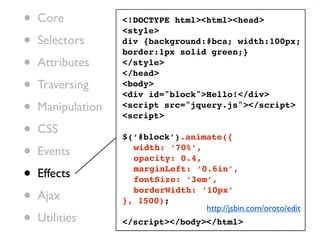
•   Core           <!DOCTYPE html><html><head>
                   <style>
•   Selectors      div {background:#bca; width:100px;
                   border:1px solid green;}
•   Attributes     </style>
                   </head>
•   Traversing     <body>
                   <div id="block">Hello!</div>
•   Manipulation   <script src="jquery.js"></script>
                   <script>

•   CSS
                   $(‘#block’).animate({

•   Events         ! width: ‘70%’,
                   ! opacity: 0.4,

•   Effects        ! marginLeft: ‘0.6in’,
                   ! fontSize: ‘3em’,

•   Ajax
                   ! borderWidth: ‘10px’
                   }, 1500);
                                   http://jsbin.com/oroto/edit
•   Utilities      </script></body></html>
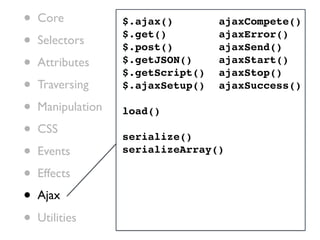
•   Core           $.ajax()        ajaxCompete()

•   Selectors
                   $.get()
                   $.post()
                                   ajaxError()
                                   ajaxSend()
•   Attributes     $.getJSON()
                   $.getScript()
                                   ajaxStart()
                                   ajaxStop()
•   Traversing     $.ajaxSetup()   ajaxSuccess()

•   Manipulation   load()

•   CSS
                   serialize()
•   Events         serializeArray()

•   Effects
•   Ajax

•   Utilities
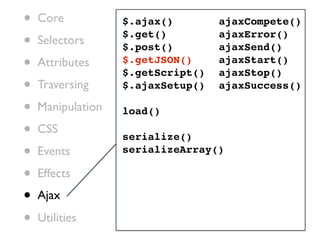
•   Core           $.ajax()        ajaxCompete()

•   Selectors
                   $.get()
                   $.post()
                                   ajaxError()
                                   ajaxSend()
•   Attributes     $.getJSON()
                   $.getScript()
                                   ajaxStart()
                                   ajaxStop()
•   Traversing     $.ajaxSetup()   ajaxSuccess()

•   Manipulation   load()

•   CSS
                   serialize()
•   Events         serializeArray()

•   Effects
•   Ajax

•   Utilities
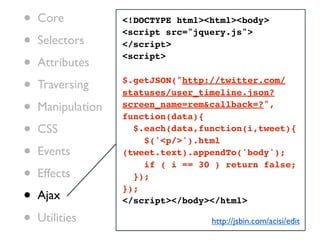
•   Core           <!DOCTYPE html><html><body>

•
                   <script src="jquery.js">
    Selectors      </script>

•   Attributes
                   <script>


•   Traversing     $.getJSON("http://twitter.com/
                   statuses/user_timeline.json?

•   Manipulation   screen_name=rem&callback=?",
                   function(data){
•   CSS              $.each(data,function(i,tweet){
                       $('<p/>').html
•   Events         (tweet.text).appendTo('body');
                       if ( i == 30 ) return false;
•   Effects          });

•
                   });
    Ajax           </script></body></html>

•   Utilities                      http://jsbin.com/acisi/edit
Plugins
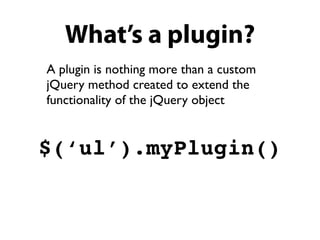
What’s a plugin?
A plugin is nothing more than a custom
jQuery method created to extend the
functionality of the jQuery object


$(‘ul’).myPlugin()
Plugin design in 6 steps
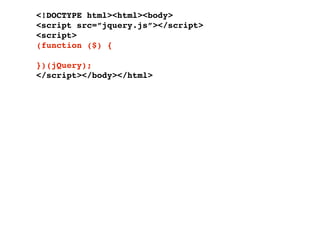
Step 1:
create a private
scope for $ alias
<!DOCTYPE html><html><body>
<script src=”jquery.js”></script>
<script>
(function ($) {

})(jQuery);
</script></body></html>
Step 2:
 attach plugin to fn
alias (aka prototype)
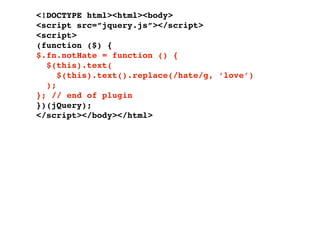
<!DOCTYPE html><html><body>
<script src=”jquery.js”></script>
<script>
(function ($) {
$.fn.notHate = function () {
  $(this).text(
     $(this).text().replace(/hate/g, ‘love’)
  );
}; // end of plugin
})(jQuery);
</script></body></html>
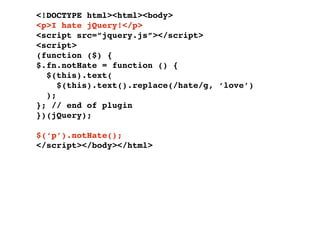
<!DOCTYPE html><html><body>
<p>I hate jQuery!</p>
<script src=”jquery.js”></script>
<script>
(function ($) {
$.fn.notHate = function () {
  $(this).text(
     $(this).text().replace(/hate/g, ‘love’)
  );
}; // end of plugin
})(jQuery);

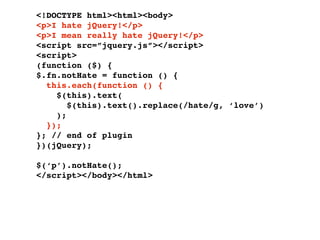
$(‘p’).notHate();
</script></body></html>
Step 3:
add implicit iteration
<!DOCTYPE html><html><body>
<p>I hate jQuery!</p>
<p>I mean really hate jQuery!</p>
<script src=”jquery.js”></script>
<script>
(function ($) {
$.fn.notHate = function () {
  this.each(function () {
    $(this).text(
       $(this).text().replace(/hate/g, ‘love’)
    );
  });
}; // end of plugin
})(jQuery);

$(‘p’).notHate();
</script></body></html>
Step 4:
enable chaining
<!DOCTYPE html><html><body>
<p>I hate jQuery!</p>
<p>I mean really hate jQuery!</p>
<script src=”jquery.js”></script>
<script>
(function ($) {
$.fn.notHate = function () {
  return this.each(function () {
    $(this).text(
       $(this).text().replace(/hate/g, ‘love’)
    );
  });
}; // end of plugin
})(jQuery);

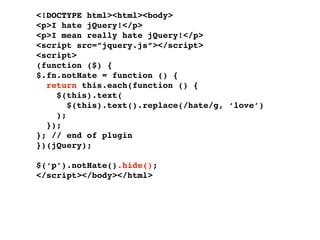
$(‘p’).notHate().hide();
</script></body></html>
<!DOCTYPE html><html><body>
<p>I hate jQuery!</p>
<p>I mean really hate jQuery!</p>
<script src=”jquery.js”></script>
<script>
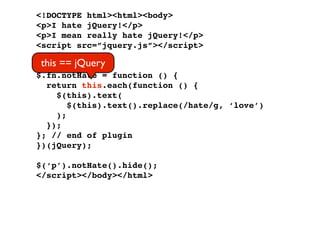
 this == jQuery
(function ($) {
$.fn.notHate = function () {
  return this.each(function () {
     $(this).text(
        $(this).text().replace(/hate/g, ‘love’)
     );
  });
}; // end of plugin
})(jQuery);

$(‘p’).notHate().hide();
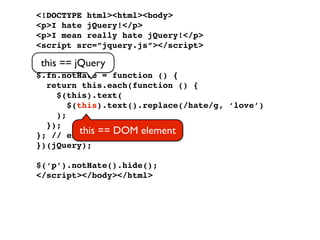
</script></body></html>
<!DOCTYPE html><html><body>
<p>I hate jQuery!</p>
<p>I mean really hate jQuery!</p>
<script src=”jquery.js”></script>
<script>
 this == jQuery
(function ($) {
$.fn.notHate = function () {
  return this.each(function () {
     $(this).text(
        $(this).text().replace(/hate/g, ‘love’)
     );
  });
}; // end of == DOM element
           this plugin
})(jQuery);

$(‘p’).notHate().hide();
</script></body></html>
Step 5:
add default options
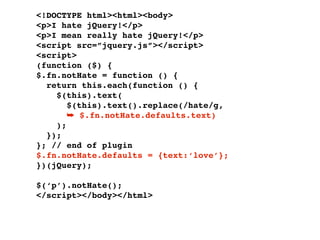
<!DOCTYPE html><html><body>
<p>I hate jQuery!</p>
<p>I mean really hate jQuery!</p>
<script src=”jquery.js”></script>
<script>
(function ($) {
$.fn.notHate = function () {
  return this.each(function () {
    $(this).text(
       $(this).text().replace(/hate/g,
       ➥ $.fn.notHate.defaults.text)
    );
  });
}; // end of plugin
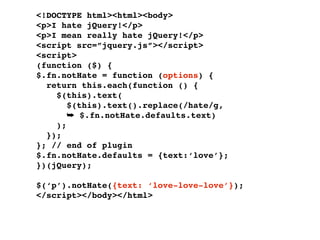
$.fn.notHate.defaults = {text:‘love’};
})(jQuery);

$(‘p’).notHate();
</script></body></html>
Step 6:
add custom options
<!DOCTYPE html><html><body>
<p>I hate jQuery!</p>
<p>I mean really hate jQuery!</p>
<script src=”jquery.js”></script>
<script>
(function ($) {
$.fn.notHate = function () {
  return this.each(function () {
    $(this).text(
       $(this).text().replace(/hate/g,
       ➥ $.fn.notHate.defaults.text)
    );
  });
}; // end of plugin
$.fn.notHate.defaults = {text:‘love’};
})(jQuery);

$(‘p’).notHate({text: ‘love-love-love’});
</script></body></html>
<!DOCTYPE html><html><body>
<p>I hate jQuery!</p>
<p>I mean really hate jQuery!</p>
<script src=”jquery.js”></script>
<script>
(function ($) {
$.fn.notHate = function (options) {
  return this.each(function () {
    $(this).text(
       $(this).text().replace(/hate/g,
       ➥ $.fn.notHate.defaults.text)
    );
  });
}; // end of plugin
$.fn.notHate.defaults = {text:‘love’};
})(jQuery);

$(‘p’).notHate({text: ‘love-love-love’});
</script></body></html>
<!DOCTYPE html><html><body>
<p>I hate jQuery!</p>
<p>I mean really hate jQuery!</p>
<script src=”jquery.js”></script>
<script>
(function ($) {
$.fn.notHate = function (options) {
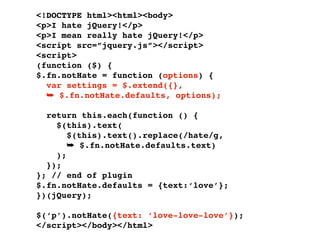
  var settings = $.extend({},
  ➥ $.fn.notHate.defaults, options);

  return this.each(function () {
    $(this).text(
       $(this).text().replace(/hate/g,
       ➥ $.fn.notHate.defaults.text)
    );
  });
}; // end of plugin
$.fn.notHate.defaults = {text:‘love’};
})(jQuery);

$(‘p’).notHate({text: ‘love-love-love’});
</script></body></html>
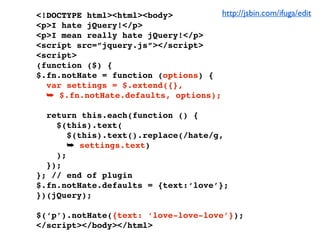
<!DOCTYPE html><html><body>          http://jsbin.com/ifuga/edit
<p>I hate jQuery!</p>
<p>I mean really hate jQuery!</p>
<script src=”jquery.js”></script>
<script>
(function ($) {
$.fn.notHate = function (options) {
  var settings = $.extend({},
  ➥ $.fn.notHate.defaults, options);

  return this.each(function () {
    $(this).text(
       $(this).text().replace(/hate/g,
       ➥ settings.text)
    );
  });
}; // end of plugin
$.fn.notHate.defaults = {text:‘love’};
})(jQuery);

$(‘p’).notHate({text: ‘love-love-love’});
</script></body></html>
News

•   Four conferences next year:
    London, Boston, San Francisco and online
•   New plugin site
•   jQuery Forum (moving from Google Groups)
•   Mobile jQuery
Demo!
Remy Sharp @rem

jQuery team member
Co-author of O'Reilly
jQuery Cookbook
(due November 20th)


jqueryfordesigners.com
remysharp.com
Remy Sharp @rem

jQuery team member
Co-author of O'Reilly
jQuery Cookbook
(due November 20th)


jqueryfordesigners.com
                           ?
                         Questions
remysharp.com

jQuery Loves Developers - Oredev 2009

  • 1.
  • 2.
    Overview • Who, what,why of jQuery • Core concepts of jQuery • API overview & tips • Plugin design pattern • News • Live demo
  • 3.
  • 4.
  • 5.
  • 6.
    Who? reddit.com whitehouse.gov overstock.com espn.com microsoft.com time.com ibm.com amazon.com capitalone.com stackoverflow.com netflix.com wordpress.com boxee.tv bing.com dell.com bit.ly monster.com twitter.com twitpic.com tv.com w3.org http://trends.builtwith.com/javascript/jquery
  • 7.
    What? jQuery is a JavaScript library. • Selector engine: Sizzle • DOM manipulation • Events • Effects • Ajax
  • 8.
  • 9.
    It means nomore of this var tables = document.getElementsByTagName('table'); for (var t = 0; t < tables.length; t++) { ! var rows = tables[t].getElementsByTagName('tr'); ! for (var i = 1; i < rows.length; i += 2) { if (!/(^|s)odd(s|$)/.test(rows[i].className)) { rows[i].className += ' odd'; } } }
  • 10.
    jQuery simpli es jQuery('tabletr:nth-child(odd)').addClass('odd');
  • 11.
    jQuery simpli es jQuery function jQuery('table tr:nth-child(odd)').addClass('odd');
  • 12.
    jQuery simpli es jQuery function jQuery('table tr:nth-child(odd)').addClass('odd'); CSS expression
  • 13.
    jQuery simpli es jQuery function jQuery method jQuery('table tr:nth-child(odd)').addClass('odd'); CSS expression
  • 14.
    jQuery simpli es jQuery('tabletr:nth-child(odd)').addClass('odd');
  • 15.
    Why use jQuery • Helps us to simplify and speed up web development • Allows us to avoid common headaches associated with browser development • Provides a large pool of plugins • Large and active community • Tested on 50 browsers, 11 platforms • For both coder and designer (we don't discriminate)
  • 16.
    Why use jQuery • Helps us to simplify and speed up web development • Allows us to avoid common headaches associated with browser development • Provides a large pool of plugins • Large and active community • Tested on 50 browsers, 11 platforms • For both coder and designer (we don't discriminate)
  • 17.
  • 18.
    APIs Blogs, tutorials, screencasts, docs.jquery.com plugins, development sprints api.jquery.com visualjquery.com Google Groups jquery-en Twitter jquery-dev @jquery Help! jquery-ui-en @jquerysites jquery-ui-dev @jqueryui jquery-a11y IRC channel irc.freenode.net/#jquery
  • 19.
    APIs Blogs, tutorials, screencasts, docs.jquery.com plugins, development sprints api.jquery.com visualjquery.com Google Groups jquery-en Twitter jquery-dev @jquery Help! jquery-ui-en @jquerysites jquery-ui-dev @jqueryui jquery-a11y IRC channel irc.freenode.net/#jquery
  • 20.
    Concept 1: knowing thejQuery parameter types
  • 21.
    • CSS selectors& custom CSS expressions • HTML • DOM elements • A function (shortcut for DOM ready)
  • 22.
    jQuery(‘div’) & jQuery(‘:first’) • CSS selectors & custom CSS expressions • HTML • DOM elements • A function (shortcut for DOM ready)
  • 23.
    jQuery(‘<li><a href=”#”>link</a></li>’) • CSS selectors jQuery(‘:first’) jQuery(‘div’) & & custom CSS expressions • HTML • DOM elements • A function (shortcut for DOM ready)
  • 24.
    jQuery(document) or jQuery(document.createElement(‘a’)) • CSS selectors jQuery(‘:first’) jQuery(‘div’) & & custom CSS expressions • HTML jQuery(‘<li><a href=”#”>link</a></li>’) • DOM elements • A function (shortcut for DOM ready)
  • 25.
    jQuery(function(){}) = jQuery(document).ready(function(){}) • CSS selectors jQuery(‘:first’) jQuery(‘div’) & & custom CSS expressions • HTML jQuery(‘<li><a href=”#”>link</a></li>’) • DOM elements jQuery(document) or jQuery(document.createElement(‘a’)) • A function (shortcut for DOM ready)
  • 26.
    • CSS selectorsjQuery(‘:first’) jQuery(‘div’) & & custom CSS expressions • HTML jQuery(‘<li><a href=”#”>link</a></li>’) • DOM elements jQuery(document) or jQuery(document.createElement(‘a’)) • A function (shortcut for DOM ready) jQuery(function(){}) = jQuery(document).ready(function(){})
  • 27.
  • 28.
    <!DOCTYPE html> <html> <body> <ul id="nav"> <li><a>home</a></li> <li><a>about</a></li> </ul> </body> </html>
  • 29.
    <!DOCTYPE html> <html> <body> <ul id="nav"> <li><a>home</a></li> <li><a>about</a></li> </ul> <script src="jquery.js"></script> </body> </html>
  • 30.
    <!DOCTYPE html> <html> <body> <ul id="nav"> <li><a>home</a></li> <li><a>about</a></li> </ul> <script src="jquery.js"></script> <script> jQuery('#nav li'); </script> </body> </html>
  • 31.
    <!DOCTYPE html> <html> <body> <ul id="nav"> <li class="item"><a>home</a></li> <li class="item"><a>about</a></li> </ul> <script src="jquery.js"></script> <script> jQuery('#nav li').addClass('item'); </script> </body> </html>
  • 32.
  • 33.
    <!DOCTYPE html> <html> <body> <ul id='nav'> </ul> </body> </html>
  • 34.
    <!DOCTYPE html> <html> <body> <ul id='nav'> </ul> <script src=”jquery.js”></script> <script> jQuery(‘<li>home</li>’); jQuery(‘<li>about</li>’); </script> </body> </html>
  • 35.
    <!DOCTYPE html> <html> <body> <ul id='nav'> <li>home</li> <li>about</li> </ul> <script src=”jquery.js”></script> <script> jQuery(‘<li>home</li>’) ➥.appendTo(‘#nav’); jQuery(‘<li>about</li>’) ➥.appendTo(‘#nav’); </script> </body> </html>
  • 36.
    Insi de tip createDocumentFragment
  • 37.
    Insi de tip createDocumentFragment (IE6 || IE7) && innerHTML && HTML5 == fail
  • 38.
  • 39.
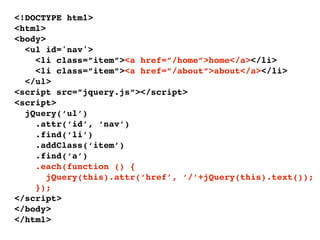
    <!DOCTYPE html> <html> <body> <ul id='nav'> <li class=”item”><a href=”/home”>home</a></li> <li class=”item”><a href=”/about”>about</a></li> </ul> <script src=”jquery.js”></script> <script> jQuery(‘ul’).attr(‘id’, ‘nav’); jQuery(‘#nav li’).addClass(‘item’); jQuery(‘#nav a’).each(function () { jQuery(this).attr(‘href’, ‘/’+jQuery(this).text()); }); </script> </body> </html>
  • 40.
    <!DOCTYPE html> <html> 1 <body> <ul id='nav'> <li class=”item”><a href=”/home”>home</a></li> <li class=”item”><a href=”/about”>about</a></li> </ul> <script src=”jquery.js”></script> <script> 1 jQuery(‘ul’).attr(‘id’, ‘nav’); jQuery(‘#nav li’).addClass(‘item’); jQuery(‘#nav a’).each(function () { jQuery(this).attr(‘href’, ‘/’+jQuery(this).text()); }); </script> </body> </html>
  • 41.
    <!DOCTYPE html> <html> 1 <body> <ul id='nav'> <li class=”item”><a href=”/home”>home</a></li> <li class=”item”><a href=”/about”>about</a></li> </ul> 2 <script src=”jquery.js”></script> <script> 1 jQuery(‘ul’).attr(‘id’, ‘nav’); 2 jQuery(‘#nav li’).addClass(‘item’); jQuery(‘#nav a’).each(function () { jQuery(this).attr(‘href’, ‘/’+jQuery(this).text()); }); </script> </body> </html>
  • 42.
    <!DOCTYPE html> <html> 1 <body> <ul id='nav'> 3 <li class=”item”><a href=”/home”>home</a></li> <li class=”item”><a href=”/about”>about</a></li> </ul> 2 <script src=”jquery.js”></script> <script> 1 jQuery(‘ul’).attr(‘id’, ‘nav’); 2 jQuery(‘#nav li’).addClass(‘item’); jQuery(‘#nav a’).each(function () { jQuery(this).attr(‘href’, ‘/’+jQuery(this).text()); }); </script> 3 </body> </html>
  • 43.
    <!DOCTYPE html> <html> <body> <ul id='nav'> <li class=”item”><a href=”/home”>home</a></li> <li class=”item”><a href=”/about”>about</a></li> </ul> <script src=”jquery.js”></script> <script> jQuery(‘ul’).attr(‘id’, ‘nav’); jQuery(‘#nav li’).addClass(‘item’); jQuery(‘#nav a’).each(function () { jQuery(this).attr(‘href’, ‘/’+jQuery(this).text()); }); </script> </body> </html>
  • 44.
    <!DOCTYPE html> <html> <body> <ul id='nav'> <li class=”item”><a href=”/home”>home</a></li> <li class=”item”><a href=”/about”>about</a></li> </ul> <script src=”jquery.js”></script> <script> jQuery(‘ul’) .attr(‘id’, ‘nav’) .find(‘li’) .addClass(‘item’) .find(‘a’) .each(function () { jQuery(this).attr(‘href’, ‘/’+jQuery(this).text()); }); </script> </body> </html>
  • 45.
    jQuery returns itself containingthe current DOM collection
  • 46.
  • 47.
    <!DOCTYPE html> <html> <body> <ul id='nav'> <li class=”item”><a href=”/home”>home</a></li> <li class=”item”><a href=”/about”>about</a></li> </ul> <script src=”jquery.js”></script> <script> jQuery(‘ul’) .attr(‘id’, ‘nav’) .find(‘li’) .addClass(‘item’) .find(‘a’) .each(function () { jQuery(this).attr(‘href’, ‘/’+jQuery(this).text()); }); </script> </body> </html>
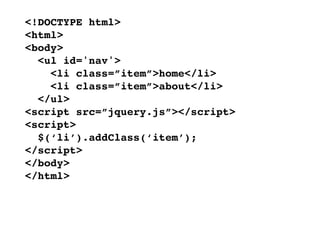
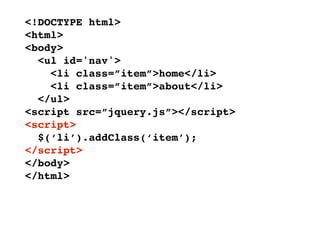
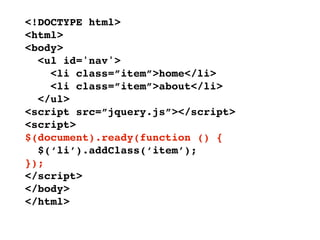
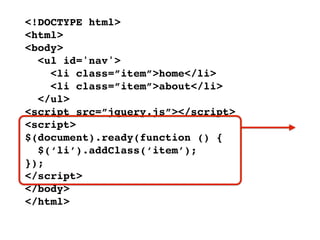
  • 48.
    <!DOCTYPE html> <html> <body> <ul id='nav'> <li class=”item”><a href=”/home”>home</a></li> <li class=”item”><a href=”/about”>about</a></li> </ul> <script src=”jquery.js”></script> <script> jQuery(‘ul’) .attr(‘id’, ‘nav’) .find(‘li’) .addClass(‘item’) .find(‘a’) .each(function () { jQuery(this).attr(‘href’, ‘/’+jQuery(this).text()); }); </script> </body> </html>
  • 49.
    Review • Knowing thejQuery parameter types • Find something, do something • Create something, do something • Chaining & Operating • Understanding Implicit Iteration
  • 50.
  • 51.
  • 52.
  • 53.
    $ is analias to jQuery
  • 54.
    <!DOCTYPE html> <html> <body> <ul id='nav'> <li class=”item”>home</li> <li class=”item”>about</li> </ul> <script src=”jquery.js”></script> <script> jQuery(‘li’).addClass(‘item’); </script> </body> </html>
  • 55.
    <!DOCTYPE html> <html> <body> <ul id='nav'> <li class=”item”>home</li> <li class=”item”>about</li> </ul> <script src=”jquery.js”></script> <script> jQuery(‘li’).addClass(‘item’); </script> </body> </html>
  • 56.
    <!DOCTYPE html> <html> <body> <ul id='nav'> <li class=”item”>home</li> <li class=”item”>about</li> </ul> <script src=”jquery.js”></script> <script> $(‘li’).addClass(‘item’); </script> </body> </html>
  • 57.
    <!DOCTYPE html> <html> <body> <ul id='nav'> <li class=”item”>home</li> <li class=”item”>about</li> </ul> <script src=”jquery.js”></script> <script> $(‘li’).addClass(‘item’); </script> </body> </html>
  • 58.
  • 59.
    <!DOCTYPE html> <html> <body> <ul id='nav'> <li class=”item”>home</li> <li class=”item”>about</li> </ul> <script src=”jquery.js”></script> <script> $(‘li’).addClass(‘item’); </script> </body> </html>
  • 60.
    <!DOCTYPE html> <html> <body> <ul id='nav'> <li class=”item”>home</li> <li class=”item”>about</li> </ul> <script src=”jquery.js”></script> <script> $(document).ready(function () { $(‘li’).addClass(‘item’); }); </script> </body> </html>
  • 61.
    <!DOCTYPE html> <html> <body> <ul id='nav'> <li class=”item”>home</li> <li class=”item”>about</li> </ul> <script src=”jquery.js”></script> <script> $(document).ready(function () { $(‘li’).addClass(‘item’); }); </script> </body> </html>
  • 62.
    app.js $(document).ready(function () { $(‘li’).addClass(‘item’); });
  • 63.
    app.js $(document).ready(function () { $(‘li’).addClass(‘item’); });
  • 64.
    app.js $(function () { $(‘li’).addClass(‘item’); });
  • 65.
    app.js jQuery(function ($) { $(‘li’).addClass(‘item’); });
  • 66.
    Tip Include jQueryafter styles
  • 67.
  • 68.
    Core • Selectors • Attributes • Traversing • Manipulation • CSS • Events • Effects • Ajax • Utilities
  • 69.
    Core jQuery() • Selectors each() size() • Attributes eq() get() • Traversing index() • Manipulation length selector • CSS context • Events data() removeData() • Effects queue() dequeue() • Ajax jQuery.fn.extend() • Utilities jQuery.extend() jQuery.noConflict()
  • 70.
    Core jQuery() • Selectors each() size() • Attributes eq() get() • Traversing index() • Manipulation length selector • CSS context • Events data() removeData() • Effects queue() dequeue() • Ajax jQuery.fn.extend() • Utilities jQuery.extend() jQuery.noConflict()
  • 71.
    Core <!DOCTYPE html> • Selectors <html> <body> • Attributes <p>Element Node</p> • Traversing • <script src="jquery.js"> Manipulation </script> • CSS <script> alert($('p').get(0).nodeName); • Events </script> • Effects </body> • Ajax </html> • Utilities http://jsbin.com/ibito/edit
  • 72.
    Core <!DOCTYPE html> • Selectors <html> <body> • Attributes <p>Element Node</p> • Traversing • <script src="jquery.js"> Manipulation </script> • CSS <script> alert($('p').get(0).nodeName); • Events alert($('p')[0].nodeName); </script> • Effects • Ajax </body> </html> • Utilities http://jsbin.com/idiyi/edit
  • 73.
    Core • Selectors • Attributes • Traversing • Manipulation • CSS • Events • Effects • Ajax • Utilities
  • 74.
    Core $(‘#nav li.contact’) • Selectors • Attributes • Traversing • Manipulation • CSS • Events • Effects • Ajax • Utilities
  • 75.
    Core $(‘#nav li.contact’) • Selectors $(‘:visible’) • Attributes • Traversing • Manipulation • CSS • Events • Effects • Ajax • Utilities
  • 76.
    Core $(‘#nav li.contact’) • Selectors $(‘:visible’) • Attributes $(‘:radio:enabled:checked’) • Traversing • Manipulation • CSS • Events • Effects • Ajax • Utilities
  • 77.
    Core $(‘#nav li.contact’) • Selectors $(‘:visible’) • Attributes $(‘:radio:enabled:checked’) • Traversing $(‘a[title]’) • Manipulation • CSS • Events • Effects • Ajax • Utilities
  • 78.
    Core $(‘#nav li.contact’) • Selectors $(‘:visible’) • Attributes $(‘:radio:enabled:checked’) • Traversing $(‘a[title]’) • Manipulation $(‘a[title][hash*=”foo”]’) • CSS • Events • Effects • Ajax • Utilities
  • 79.
    Core $(‘#nav li.contact’) • Selectors $(‘:visible’) • Attributes $(‘:radio:enabled:checked’) • Traversing $(‘a[title]’) • Manipulation $(‘a[title][hash*=”foo”]’) • CSS $(‘a:first[hash*=”foo”]’) • Events • Effects • Ajax • Utilities
  • 80.
    Core $(‘#nav li.contact’) • Selectors $(‘:visible’) • Attributes $(‘:radio:enabled:checked’) • Traversing $(‘a[title]’) • Manipulation $(‘a[title][hash*=”foo”]’) • CSS $(‘a:first[hash*=”foo”]’) • Events $(‘.header, .footer’) • Effects • Ajax • Utilities
  • 81.
    Core $(‘#nav li.contact’) • Selectors $(‘:visible’) • Attributes $(‘:radio:enabled:checked’) • Traversing $(‘a[title]’) • Manipulation $(‘a[title][hash*=”foo”]’) • CSS $(‘a:first[hash*=”foo”]’) • Events $(‘.header, .footer’) • Effects $(‘.header, .footer’, ‘#main’) • Ajax • Utilities
  • 82.
    Insi de tip Performance getElementById getElementsByTagName getElementsByClassName querySelectorAll
  • 83.
    Insi de tip Performance ry s elec tors Que getElementById j fail s ilen tly, getElementsByTagName SS d oes! ju st l ike C getElementsByClassName querySelectorAll
  • 84.
    Core add() eq() • children() filter() Selectors closest() is() • Attributes contents() find() map() not() • Traversing next() nextAll() slice() • Manipulation offsetParent() parent() • CSS parents() prev() • Events prevAll() siblings() • Effects andSelf() • Ajax end() • Utilities
  • 85.
    Ne•wCore in add() eq() • .3 children() filter() Selectors 1 Attributes • closest() contents() is() map() find() not() • Traversing next() nextAll() slice() • Manipulation offsetParent() parent() • CSS parents() prev() • Events prevAll() siblings() • Effects andSelf() • Ajax end() • Utilities
  • 86.
    • Core add() eq() • Selectors children() filter() closest() is() • Searches down Attributes contents() find() map() not() • Traversing next() nextAll() slice() • Manipulation offsetParent() parent() • CSS parents() prev() • Events prevAll() siblings() • Effects andSelf() • Ajax end() • Utilities
  • 87.
    Core add() Filters across eq() • children() filter() Selectors closest() is() • Attributes contents() find() map() not() • Traversing next() nextAll() slice() • Manipulation offsetParent() parent() • CSS parents() prev() • Events prevAll() siblings() • Effects andSelf() • Ajax end() • Utilities
  • 88.
    Core add() eq() • children() filter() Selectors closest() is() • Attributes contents() find() map() not() • Traversing next() nextAll() slice() • Manipulation offsetParent() parent() • CSS parents() prev() • Events prevAll() siblings() • Effects andSelf() • Ajax end() • Utilities
  • 89.
    Core <!DOCTYPE html><html><body> • <ul> Selectors <li><a>one</a></li> • Attributes <li><a>two</a></li> <li><a>three</a></li> • Traversing </ul> <script src="jquery.js"> • Manipulation </script> <script> • CSS $('a').click(function () { alert( $(this) • Events .parent() .prevAll() • Effects ) .length • Ajax }); • </script> Utilities </body></html>http://jsbin.com/ubuhe/edit
  • 90.
    Core ready() blur() • change() Selectors bind() click() • Attributes one() trigger() dbclick() focus() • Traversing triggerHandler() keydown() unbind() keypress() • Manipulation live() keyup() mousedown() • CSS die() mousenter() mouseleave() • Events hover() toggle() mouseout() mouseup() • Effects load() resize() scroll() • Ajax unload() select() • error() submit() Utilities
  • 91.
    Core ready() blur() IE fires on blur • change() Selectors bind() click() • Attributes one() trigger() dbclick() focus() • Traversing triggerHandler() keydown() unbind() keypress() • Manipulation live() keyup() mousedown() • CSS die() mousenter() mouseleave() • Events hover() toggle() mouseout() mouseup() • Effects load() resize() scroll() • Ajax unload() select() • error() submit() Utilities
  • 92.
    Core ready() blur() • change() Selectors bind() click() • Attributes one() trigger() dbclick() focus() • Traversing triggerHandler() keydown() unbind() keypress() • Manipulation live() keyup() mousedown() • CSS die() mousenter() mouseleave() • Events hover() toggle() mouseout() mouseup() • Effects load() resize() scroll() • Ajax unload() select() • error() submit() Utilities
  • 93.
    Core <!DOCTYPE html> • <html> Selectors <body> • Attributes <p>1. click</p> • Traversing <p>2. click</p> • Manipulation <script src="jquery.js"></script> <script> • CSS $(‘p’).bind(‘click’, function(){ • Events $(this).after(‘<p>’ + ➥ $(this).text()+‘ clicked</p>’); • Effects }); • Ajax </script> </body> • Utilities </html> http://jsbin.com/ededi/edit
  • 94.
    Core <!DOCTYPE html> • <html> Selectors <body> • Attributes <p>1. click</p> • Traversing <p>2. click</p> • Manipulation <script src="jquery.js"></script> <script> • CSS $(‘p’).live(‘click’, function(){ • Events $(this).after(‘<p>’ + ➥ $(this).text()+‘ clicked</p>’); • Effects }); • Ajax </script> </body> • Utilities </html> http://jsbin.com/ihalu/edit
  • 95.
    Core $.fx.off • Selectors show() • Attributes hide() toggle() • Traversing slideDown() • Manipulation slideUp() • CSS slideToggle() • Events fadeIn() fadeOut() • Effects fadeTo() • Ajax animate() • Utilities stop()
  • 96.
    • Core control ew in Blanket FX $.fx.off N • Selectors show() 1.3 • Attributes hide() toggle() • Traversing slideDown() • Manipulation slideUp() • CSS slideToggle() • Events fadeIn() fadeOut() • Effects fadeTo() • Ajax animate() • Utilities stop()
  • 97.
    Core $.fx.off • Selectors show() • Attributes hide() toggle() • Traversing slideDown() • Manipulation slideUp() • CSS slideToggle() • Events fadeIn() fadeOut() • Effects fadeTo() • Ajax animate() • Utilities stop()
  • 98.
    Core <!DOCTYPE html><html><head> <style> • Selectors div {background:#bca; width:100px; border:1px solid green;} • Attributes </style> </head> • Traversing <body> <div id="block">Hello!</div> • Manipulation <script src="jquery.js"></script> <script> • CSS $(‘#block’).animate({ • Events ! width: ‘70%’, ! opacity: 0.4, • Effects ! marginLeft: ‘0.6in’, ! fontSize: ‘3em’, • Ajax ! borderWidth: ‘10px’ }, 1500); http://jsbin.com/oroto/edit • Utilities </script></body></html>
  • 100.
    Core $.ajax() ajaxCompete() • Selectors $.get() $.post() ajaxError() ajaxSend() • Attributes $.getJSON() $.getScript() ajaxStart() ajaxStop() • Traversing $.ajaxSetup() ajaxSuccess() • Manipulation load() • CSS serialize() • Events serializeArray() • Effects • Ajax • Utilities
  • 101.
    Core $.ajax() ajaxCompete() • Selectors $.get() $.post() ajaxError() ajaxSend() • Attributes $.getJSON() $.getScript() ajaxStart() ajaxStop() • Traversing $.ajaxSetup() ajaxSuccess() • Manipulation load() • CSS serialize() • Events serializeArray() • Effects • Ajax • Utilities
  • 102.
    Core <!DOCTYPE html><html><body> • <script src="jquery.js"> Selectors </script> • Attributes <script> • Traversing $.getJSON("http://twitter.com/ statuses/user_timeline.json? • Manipulation screen_name=rem&callback=?", function(data){ • CSS $.each(data,function(i,tweet){ $('<p/>').html • Events (tweet.text).appendTo('body'); if ( i == 30 ) return false; • Effects }); • }); Ajax </script></body></html> • Utilities http://jsbin.com/acisi/edit
  • 103.
  • 104.
    What’s a plugin? Aplugin is nothing more than a custom jQuery method created to extend the functionality of the jQuery object $(‘ul’).myPlugin()
  • 105.
  • 106.
    Step 1: create aprivate scope for $ alias
  • 107.
  • 108.
    Step 2: attachplugin to fn alias (aka prototype)
  • 109.
    <!DOCTYPE html><html><body> <script src=”jquery.js”></script> <script> (function($) { $.fn.notHate = function () { $(this).text( $(this).text().replace(/hate/g, ‘love’) ); }; // end of plugin })(jQuery); </script></body></html>
  • 110.
    <!DOCTYPE html><html><body> <p>I hatejQuery!</p> <script src=”jquery.js”></script> <script> (function ($) { $.fn.notHate = function () { $(this).text( $(this).text().replace(/hate/g, ‘love’) ); }; // end of plugin })(jQuery); $(‘p’).notHate(); </script></body></html>
  • 111.
  • 112.
    <!DOCTYPE html><html><body> <p>I hatejQuery!</p> <p>I mean really hate jQuery!</p> <script src=”jquery.js”></script> <script> (function ($) { $.fn.notHate = function () { this.each(function () { $(this).text( $(this).text().replace(/hate/g, ‘love’) ); }); }; // end of plugin })(jQuery); $(‘p’).notHate(); </script></body></html>
  • 113.
  • 114.
    <!DOCTYPE html><html><body> <p>I hatejQuery!</p> <p>I mean really hate jQuery!</p> <script src=”jquery.js”></script> <script> (function ($) { $.fn.notHate = function () { return this.each(function () { $(this).text( $(this).text().replace(/hate/g, ‘love’) ); }); }; // end of plugin })(jQuery); $(‘p’).notHate().hide(); </script></body></html>
  • 115.
    <!DOCTYPE html><html><body> <p>I hatejQuery!</p> <p>I mean really hate jQuery!</p> <script src=”jquery.js”></script> <script> this == jQuery (function ($) { $.fn.notHate = function () { return this.each(function () { $(this).text( $(this).text().replace(/hate/g, ‘love’) ); }); }; // end of plugin })(jQuery); $(‘p’).notHate().hide(); </script></body></html>
  • 116.
    <!DOCTYPE html><html><body> <p>I hatejQuery!</p> <p>I mean really hate jQuery!</p> <script src=”jquery.js”></script> <script> this == jQuery (function ($) { $.fn.notHate = function () { return this.each(function () { $(this).text( $(this).text().replace(/hate/g, ‘love’) ); }); }; // end of == DOM element this plugin })(jQuery); $(‘p’).notHate().hide(); </script></body></html>
  • 117.
  • 118.
    <!DOCTYPE html><html><body> <p>I hatejQuery!</p> <p>I mean really hate jQuery!</p> <script src=”jquery.js”></script> <script> (function ($) { $.fn.notHate = function () { return this.each(function () { $(this).text( $(this).text().replace(/hate/g, ➥ $.fn.notHate.defaults.text) ); }); }; // end of plugin $.fn.notHate.defaults = {text:‘love’}; })(jQuery); $(‘p’).notHate(); </script></body></html>
  • 119.
  • 120.
    <!DOCTYPE html><html><body> <p>I hatejQuery!</p> <p>I mean really hate jQuery!</p> <script src=”jquery.js”></script> <script> (function ($) { $.fn.notHate = function () { return this.each(function () { $(this).text( $(this).text().replace(/hate/g, ➥ $.fn.notHate.defaults.text) ); }); }; // end of plugin $.fn.notHate.defaults = {text:‘love’}; })(jQuery); $(‘p’).notHate({text: ‘love-love-love’}); </script></body></html>
  • 121.
    <!DOCTYPE html><html><body> <p>I hatejQuery!</p> <p>I mean really hate jQuery!</p> <script src=”jquery.js”></script> <script> (function ($) { $.fn.notHate = function (options) { return this.each(function () { $(this).text( $(this).text().replace(/hate/g, ➥ $.fn.notHate.defaults.text) ); }); }; // end of plugin $.fn.notHate.defaults = {text:‘love’}; })(jQuery); $(‘p’).notHate({text: ‘love-love-love’}); </script></body></html>
  • 122.
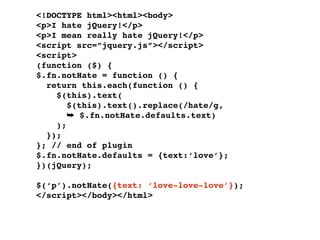
    <!DOCTYPE html><html><body> <p>I hatejQuery!</p> <p>I mean really hate jQuery!</p> <script src=”jquery.js”></script> <script> (function ($) { $.fn.notHate = function (options) { var settings = $.extend({}, ➥ $.fn.notHate.defaults, options); return this.each(function () { $(this).text( $(this).text().replace(/hate/g, ➥ $.fn.notHate.defaults.text) ); }); }; // end of plugin $.fn.notHate.defaults = {text:‘love’}; })(jQuery); $(‘p’).notHate({text: ‘love-love-love’}); </script></body></html>
  • 123.
    <!DOCTYPE html><html><body> http://jsbin.com/ifuga/edit <p>I hate jQuery!</p> <p>I mean really hate jQuery!</p> <script src=”jquery.js”></script> <script> (function ($) { $.fn.notHate = function (options) { var settings = $.extend({}, ➥ $.fn.notHate.defaults, options); return this.each(function () { $(this).text( $(this).text().replace(/hate/g, ➥ settings.text) ); }); }; // end of plugin $.fn.notHate.defaults = {text:‘love’}; })(jQuery); $(‘p’).notHate({text: ‘love-love-love’}); </script></body></html>
  • 125.
    News • Four conferences next year: London, Boston, San Francisco and online • New plugin site • jQuery Forum (moving from Google Groups) • Mobile jQuery
  • 126.
  • 127.
    Remy Sharp @rem jQueryteam member Co-author of O'Reilly jQuery Cookbook (due November 20th) jqueryfordesigners.com remysharp.com
  • 128.
    Remy Sharp @rem jQueryteam member Co-author of O'Reilly jQuery Cookbook (due November 20th) jqueryfordesigners.com ? Questions remysharp.com