Unit 2
Flow Chart and Diagram
Introduction
 Flow chart and timing diagram are the
most basic things that students must be
able to know
 It shows the basic instruction for PLC
applications before start programming
using ladder diagram
Learning Outcome
 After completing this topic, student should
be able to:
Describe a problem and their solution in
structured way
Create flowchart to represent problem and
the solution
Convert flowchart method to ladder
diagram programming method
Sequential and Process Problem
Problem solving method, a good problem
should answer this questions:
What is the control problem??
Who has the control problem??
What form the solution can be??
 5 questions: what, how, where, when, and
why
Problem Understanding and Action
 Problem definition
 Problem analysis
 Generating possible solutions
 Analyzing the solutions
 Selecting the best solutions
 Planning the next course of action (next
step)
Introduction to Flowchart
 Flow charts are easy-to-understand
diagrams showing how steps in a process
fit together.
 This makes them useful tools for
communicating how processes work
 Furthermore, the act of mapping a
process out in flow chart format helps to
clarify your understanding of the process
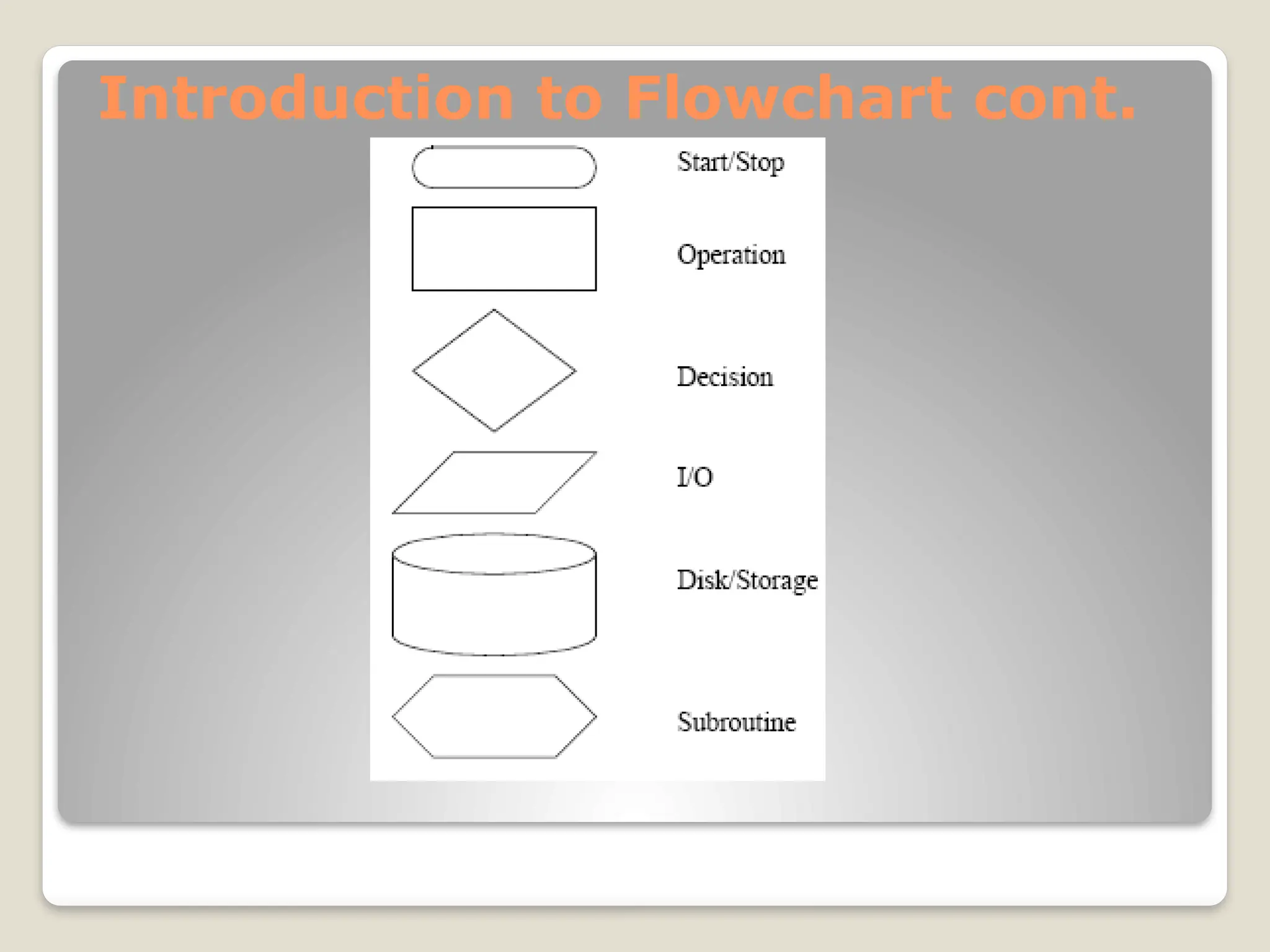
Introduction to Flowchart cont.
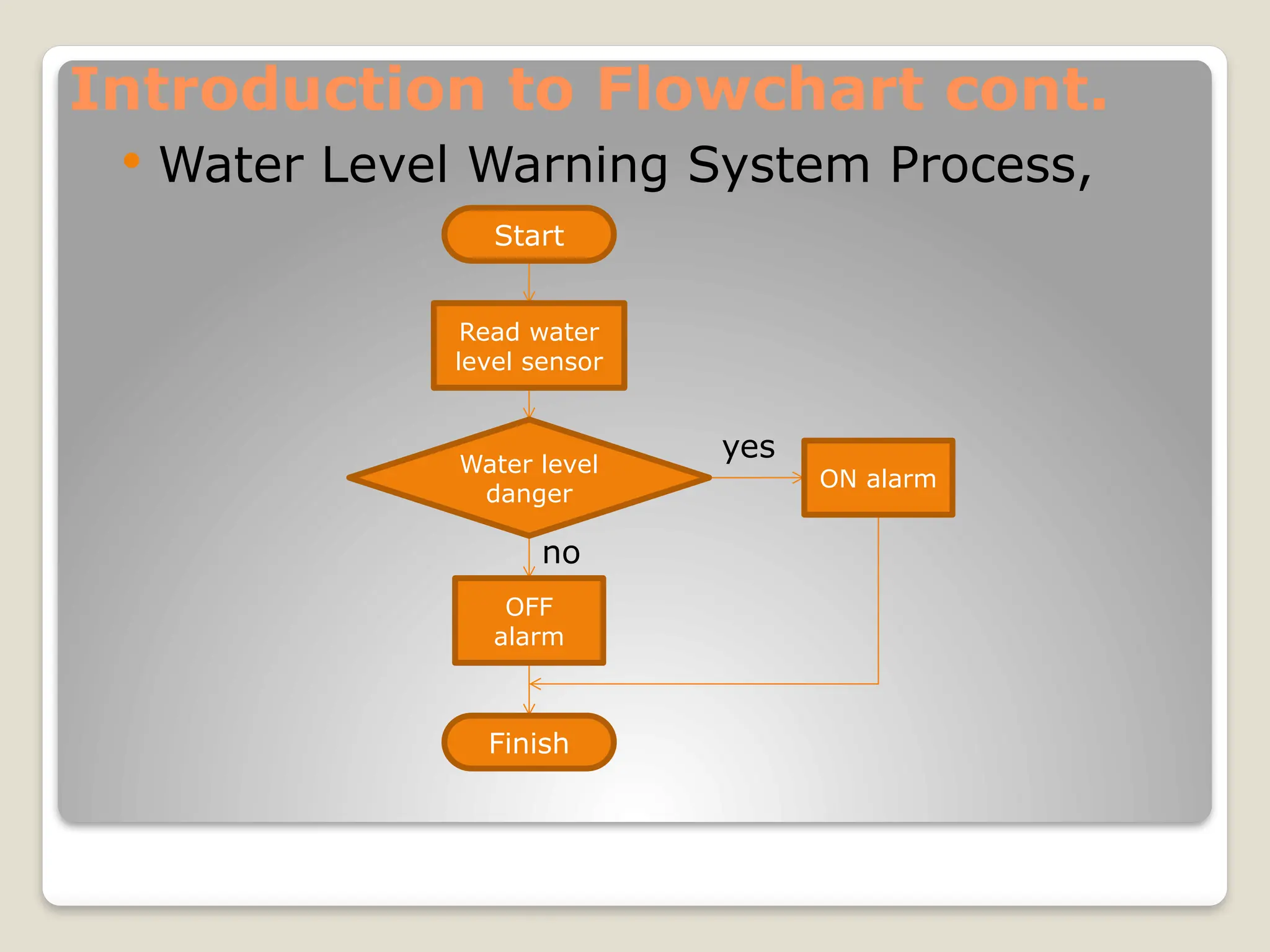
 Water Level Warning System Process,
Water level
danger
Start
Read water
level sensor
OFF
alarm
ON alarm
Finish
yes
no
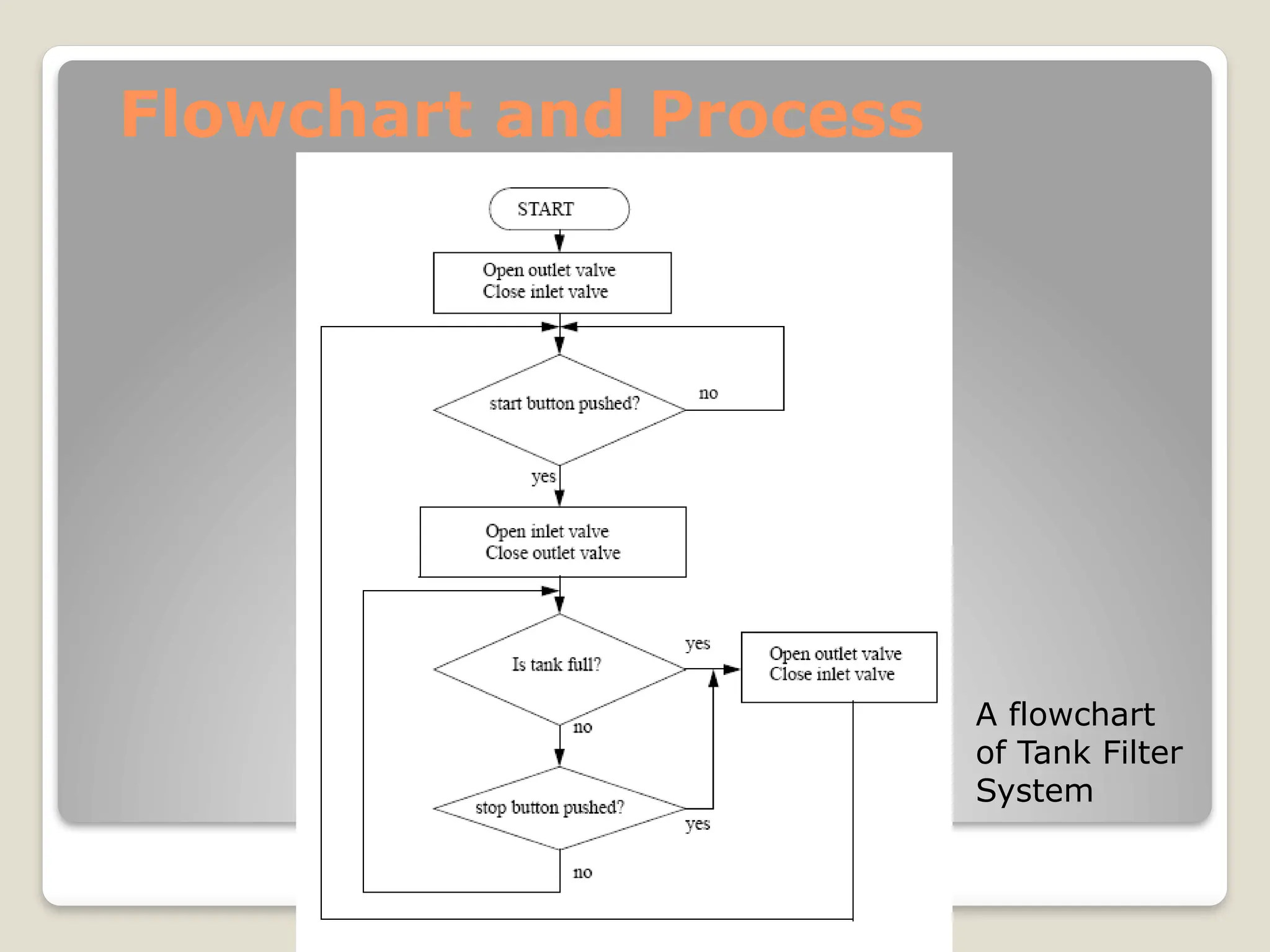
Flowchart and Process
A flowchart
of Tank Filter
System
Flowchart and Process cont.
 The general method for constructing
flowcharts is:
 Understand the process.
 Determine the major actions, these are drawn
as blocks.
 Determine the sequences of operations, these
are drawn with arrows.
 When the sequence may change use decision
blocks for branching.
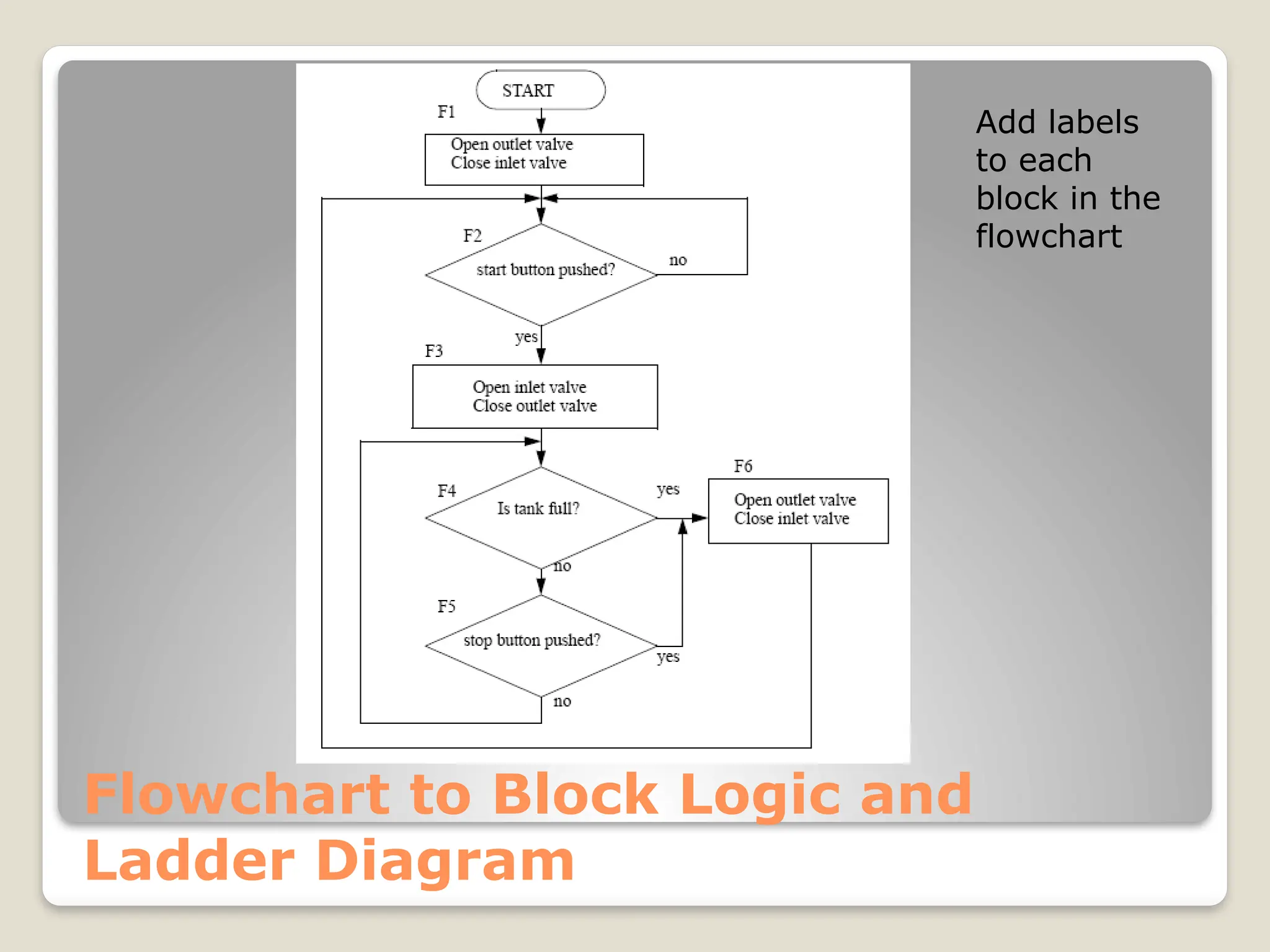
Flowchart to Block Logic and
Ladder Diagram
Add labels
to each
block in the
flowchart
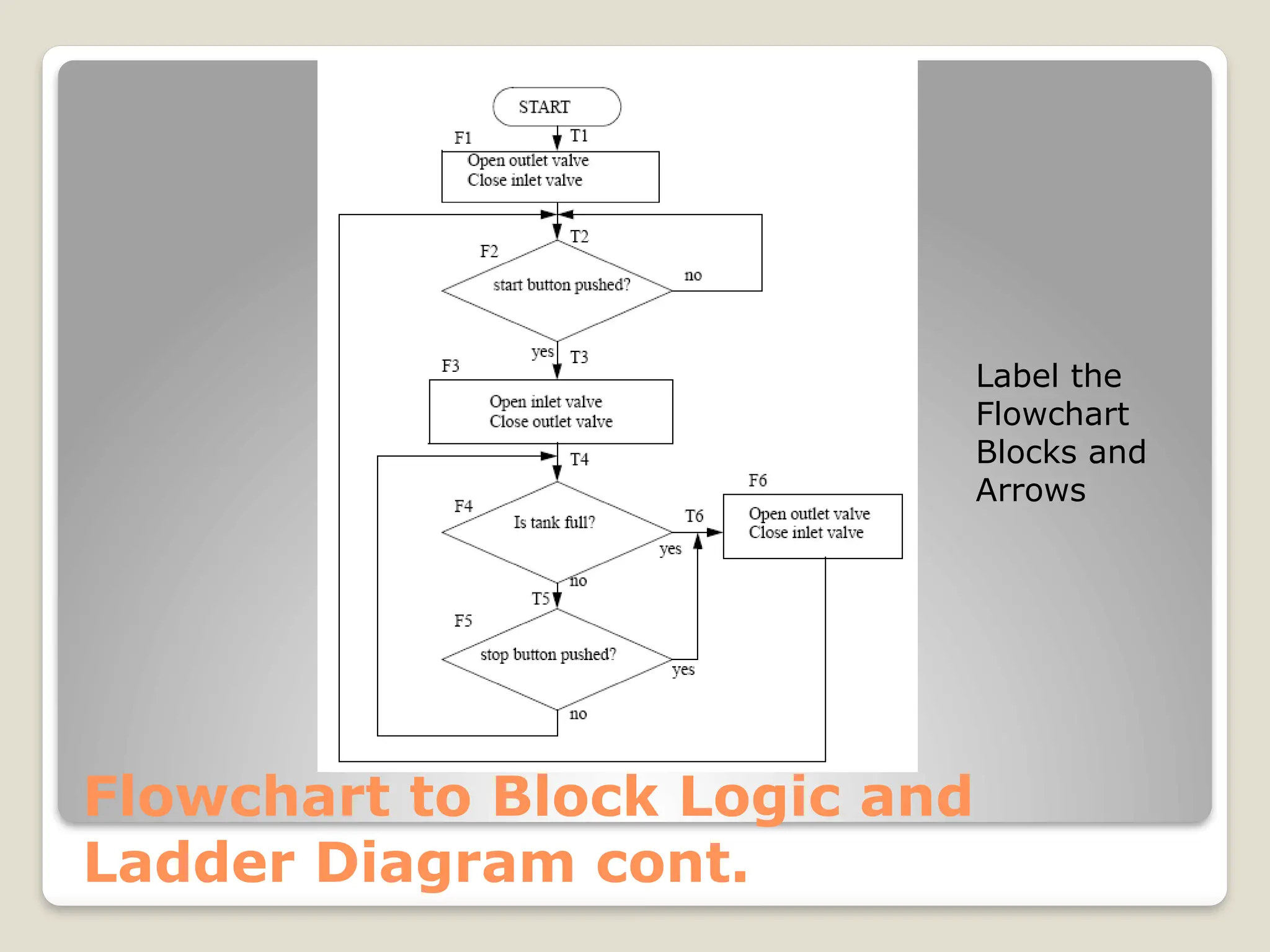
Flowchart to Block Logic and
Ladder Diagram cont.
Label the
Flowchart
Blocks and
Arrows
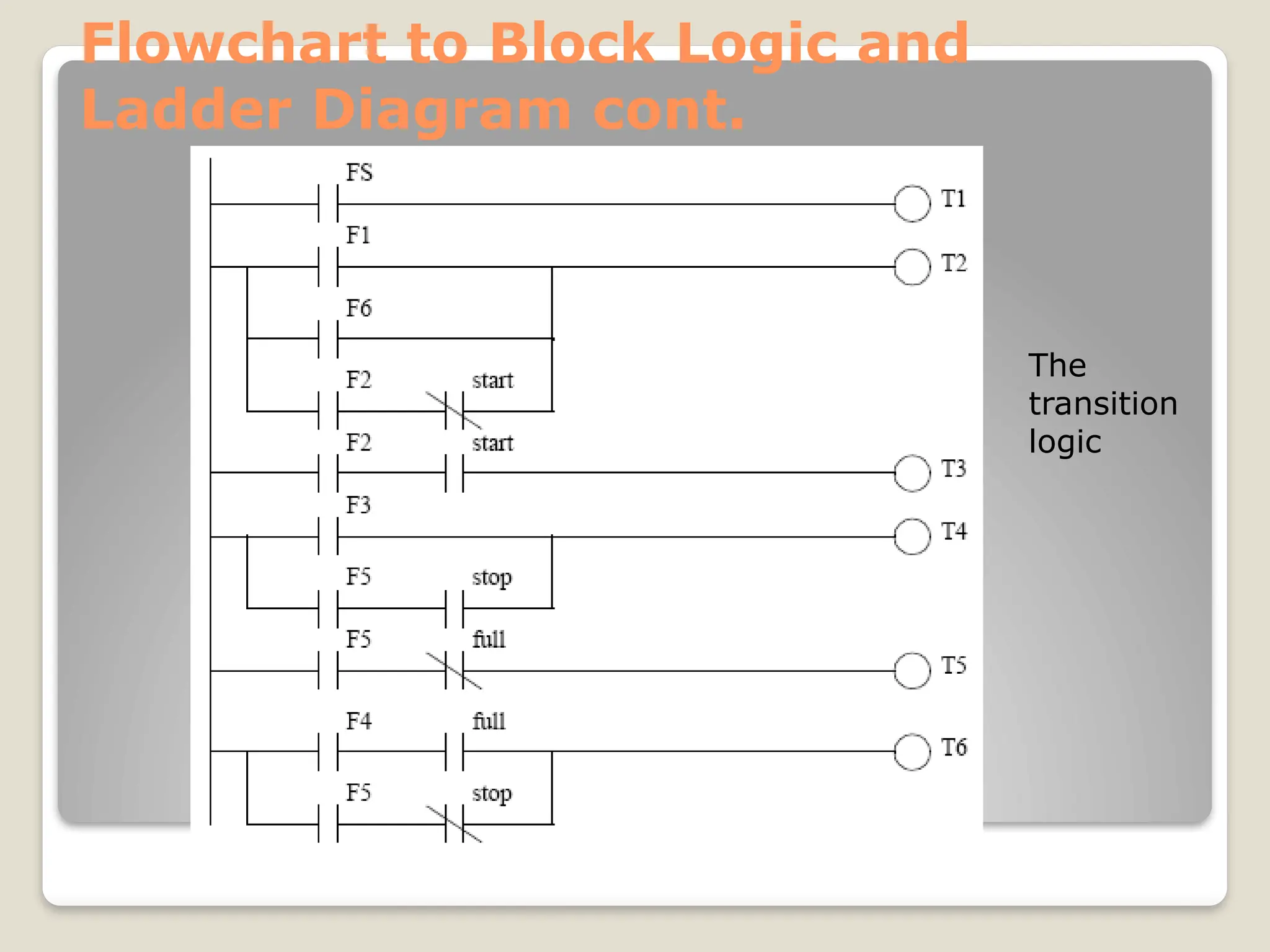
Flowchart to Block Logic and
Ladder Diagram cont.
The
transition
logic
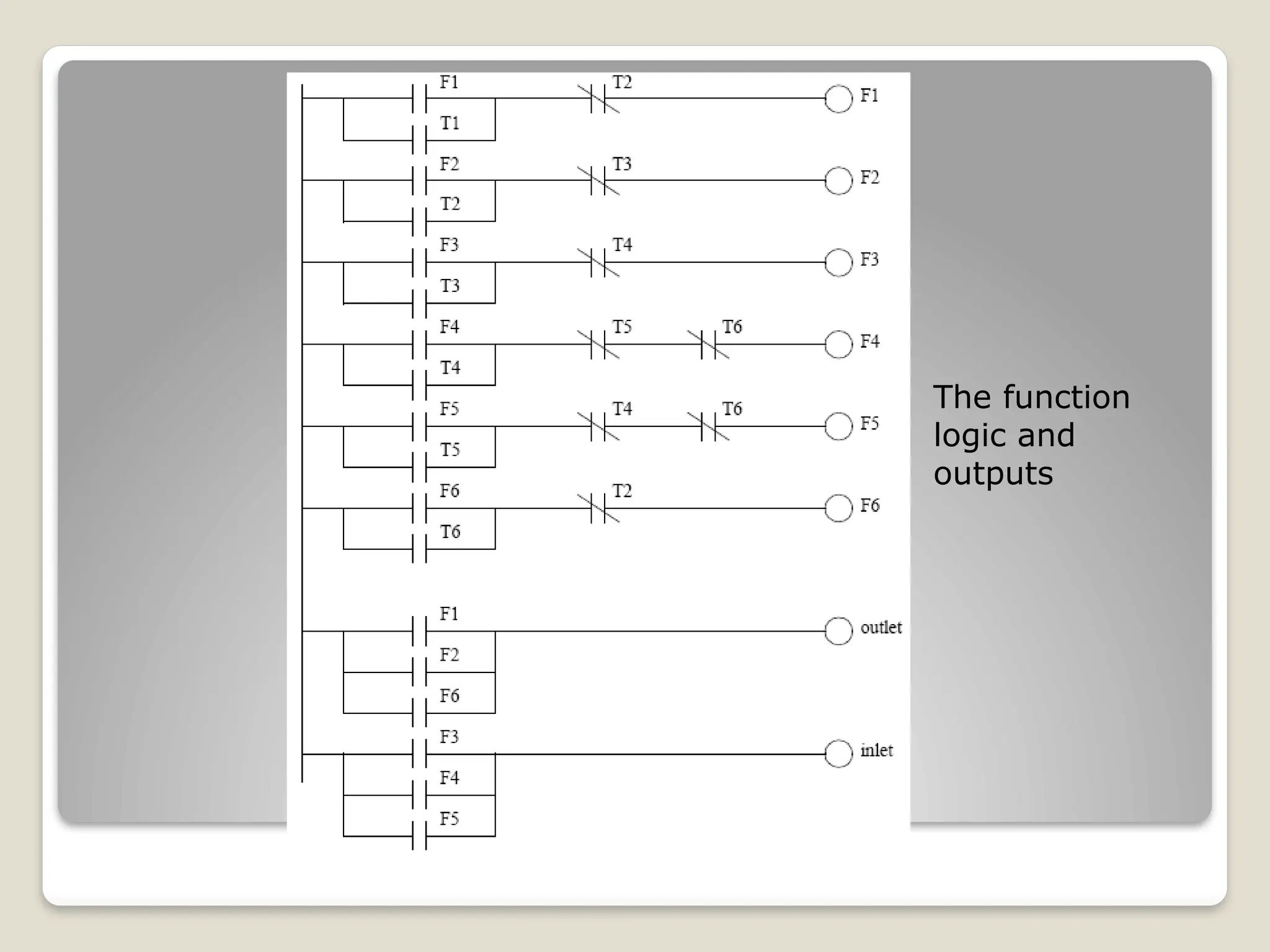
The function
logic and
outputs

Learn About Flow Chart Suitable for beginner and Diploma students

  • 1.
    Unit 2 Flow Chartand Diagram
  • 2.
    Introduction  Flow chartand timing diagram are the most basic things that students must be able to know  It shows the basic instruction for PLC applications before start programming using ladder diagram
  • 3.
    Learning Outcome  Aftercompleting this topic, student should be able to: Describe a problem and their solution in structured way Create flowchart to represent problem and the solution Convert flowchart method to ladder diagram programming method
  • 4.
    Sequential and ProcessProblem Problem solving method, a good problem should answer this questions: What is the control problem?? Who has the control problem?? What form the solution can be??  5 questions: what, how, where, when, and why
  • 5.
    Problem Understanding andAction  Problem definition  Problem analysis  Generating possible solutions  Analyzing the solutions  Selecting the best solutions  Planning the next course of action (next step)
  • 6.
    Introduction to Flowchart Flow charts are easy-to-understand diagrams showing how steps in a process fit together.  This makes them useful tools for communicating how processes work  Furthermore, the act of mapping a process out in flow chart format helps to clarify your understanding of the process
  • 7.
  • 8.
    Introduction to Flowchartcont.  Water Level Warning System Process, Water level danger Start Read water level sensor OFF alarm ON alarm Finish yes no
  • 9.
    Flowchart and Process Aflowchart of Tank Filter System
  • 10.
    Flowchart and Processcont.  The general method for constructing flowcharts is:  Understand the process.  Determine the major actions, these are drawn as blocks.  Determine the sequences of operations, these are drawn with arrows.  When the sequence may change use decision blocks for branching.
  • 11.
    Flowchart to BlockLogic and Ladder Diagram Add labels to each block in the flowchart
  • 12.
    Flowchart to BlockLogic and Ladder Diagram cont. Label the Flowchart Blocks and Arrows
  • 13.
    Flowchart to BlockLogic and Ladder Diagram cont. The transition logic
  • 14.