Understanding Flowcharts
Identify different kinds of technical drawings
Introduction to Flowcharts
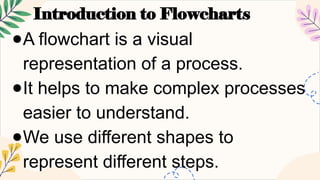
●A flowchart is a visual
representation of a process.
●It helps to make complex processes
easier to understand.
●We use different shapes to
represent different steps.
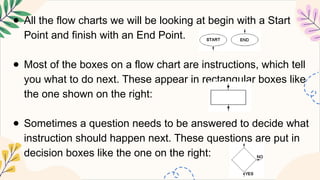
● All the flow charts we will be looking at begin with a Start
Point and finish with an End Point.
● Most of the boxes on a flow chart are instructions, which tell
you what to do next. These appear in rectangular boxes like
the one shown on the right:
● Sometimes a question needs to be answered to decide what
instruction should happen next. These questions are put in
decision boxes like the one on the right:
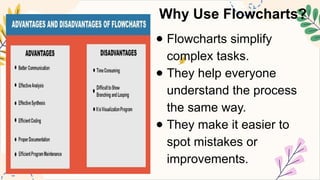
Why Use Flowcharts?
● Flowcharts simplify
complex tasks.
● They help everyone
understand the process
the same way.
● They make it easier to
spot mistakes or
improvements.
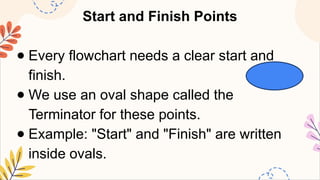
Start and Finish Points
● Every flowchart needs a clear start and
finish.
● We use an oval shape called the
Terminator for these points.
● Example: "Start" and "Finish" are written
inside ovals.
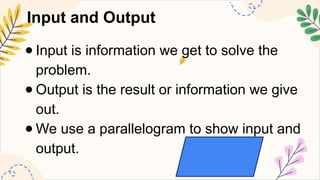
Input and Output
● Input is information we get to solve the
problem.
● Output is the result or information we give
out.
● We use a parallelogram to show input and
output.
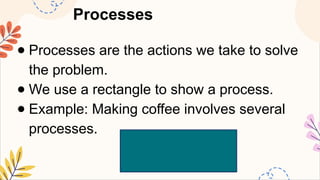
Processes
● Processes are the actions we take to solve
the problem.
● We use a rectangle to show a process.
● Example: Making coffee involves several
processes.
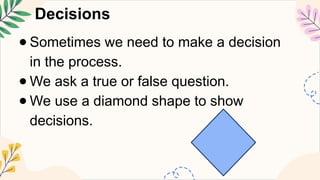
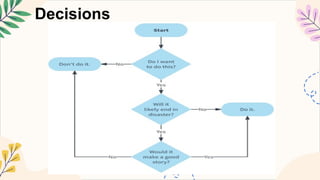
Decisions
● Sometimes we need to make a decision
in the process.
● We ask a true or false question.
● We use a diamond shape to show
decisions.
Decisions
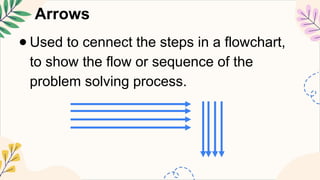
Arrows
● Used to cennect the steps in a flowchart,
to show the flow or sequence of the
problem solving process.
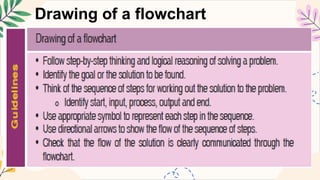
Drawing of a flowchart
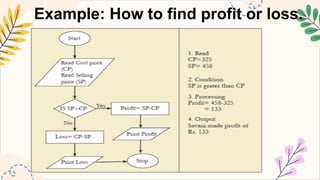
Example: How to find profit or loss.
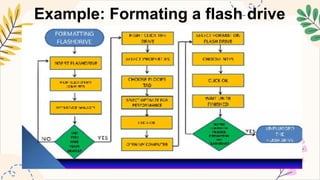
Example: Formating a flash drive
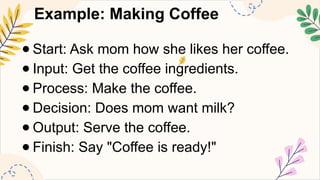
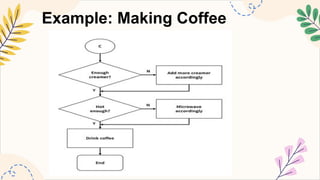
Example: Making Coffee
● Start: Ask mom how she likes her coffee.
● Input: Get the coffee ingredients.
● Process: Make the coffee.
● Decision: Does mom want milk?
● Output: Serve the coffee.
● Finish: Say "Coffee is ready!"
Example: Making Coffee
● Create a flowchart based on the following
situation
a. Safely crossing the street.
b. Stop working on a computer and shutting it
down.
c. Steps for working out 4.72 divided by 1.18
on a calculator.
d. Playing snake and ladder.
Review and Practice
●Why are flowcharts useful?
●What shapes do we use for start
and finish?
●How do we show input and
output?
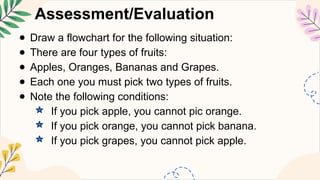
Assessment/Evaluation
● Draw a flowchart for the following situation:
● There are four types of fruits:
● Apples, Oranges, Bananas and Grapes.
● Each one you must pick two types of fruits.
● Note the following conditions:
If you pick apple, you cannot pic orange.
If you pick orange, you cannot pick banana.
If you pick grapes, you cannot pick apple.

Understanding basic flowchart symbol.pptx

  • 1.
  • 3.
    Introduction to Flowcharts ●Aflowchart is a visual representation of a process. ●It helps to make complex processes easier to understand. ●We use different shapes to represent different steps.
  • 4.
    ● All theflow charts we will be looking at begin with a Start Point and finish with an End Point. ● Most of the boxes on a flow chart are instructions, which tell you what to do next. These appear in rectangular boxes like the one shown on the right: ● Sometimes a question needs to be answered to decide what instruction should happen next. These questions are put in decision boxes like the one on the right:
  • 5.
    Why Use Flowcharts? ●Flowcharts simplify complex tasks. ● They help everyone understand the process the same way. ● They make it easier to spot mistakes or improvements.
  • 6.
    Start and FinishPoints ● Every flowchart needs a clear start and finish. ● We use an oval shape called the Terminator for these points. ● Example: "Start" and "Finish" are written inside ovals.
  • 7.
    Input and Output ●Input is information we get to solve the problem. ● Output is the result or information we give out. ● We use a parallelogram to show input and output.
  • 8.
    Processes ● Processes arethe actions we take to solve the problem. ● We use a rectangle to show a process. ● Example: Making coffee involves several processes.
  • 9.
    Decisions ● Sometimes weneed to make a decision in the process. ● We ask a true or false question. ● We use a diamond shape to show decisions.
  • 10.
  • 11.
    Arrows ● Used tocennect the steps in a flowchart, to show the flow or sequence of the problem solving process.
  • 12.
    Drawing of aflowchart
  • 13.
    Example: How tofind profit or loss.
  • 14.
  • 15.
    Example: Making Coffee ●Start: Ask mom how she likes her coffee. ● Input: Get the coffee ingredients. ● Process: Make the coffee. ● Decision: Does mom want milk? ● Output: Serve the coffee. ● Finish: Say "Coffee is ready!"
  • 16.
  • 17.
    ● Create aflowchart based on the following situation a. Safely crossing the street. b. Stop working on a computer and shutting it down. c. Steps for working out 4.72 divided by 1.18 on a calculator. d. Playing snake and ladder.
  • 18.
    Review and Practice ●Whyare flowcharts useful? ●What shapes do we use for start and finish? ●How do we show input and output?
  • 19.
    Assessment/Evaluation ● Draw aflowchart for the following situation: ● There are four types of fruits: ● Apples, Oranges, Bananas and Grapes. ● Each one you must pick two types of fruits. ● Note the following conditions: If you pick apple, you cannot pic orange. If you pick orange, you cannot pick banana. If you pick grapes, you cannot pick apple.

Editor's Notes

  • #1 Created from: https://www.youtube.com/watch?v=KOiISYSt7xE