ALGORITHM
Definition:
• Algorithm is a finite sequence of
instructions required for producing the
desired result.
• It is also defined as “any problem whose
solution can be expressed in a list of
executable instruction.”
Characteristics:
• The steps in the algorithm must be
unambiguous .
• It should be written in sequence.
• Ensure that the algorithm will terminate.
• It should conclude after a finite number of
steps.
Quality of good algorithm:
• Time
• Memory
• Accuracy
• Sequence
• Generality
Representation of algorithm:
• Normal English -The algorithm is
represented in step by step sequential
order in normal English.
• Flow chart- It is a pictorial representation
of an algorithm.
• Pseudo code –it is a formal design tool
and utilized very well with the rules of
structure design and programming.
Contd..
• Decision table- it is used to helps a lot in
designing a specific segment of a design.
• Program - it is represented as a program
using any high level language.
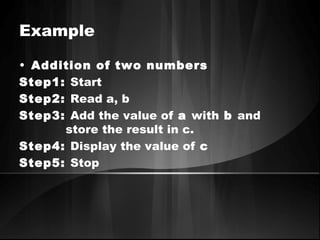
Example
• Addition of two numbers
Step1: Start
Step2: Read a, b
Step3: Add the value of a with b and
store the result in c.
Step4: Display the value of c
Step5: Stop
PSEUDO CODE
Definition:
• Pseudo means imitates and code
means instruction.
• It is formal design tool.
• It is also called Program Design
Language.
Keywords
• READ,GET
• PRINT,DISPLAY
• COMPUTE,CALCULATE
Guidelines for writing Pseudo code
• Steps should be understandable
• Capitalize the keyword.
• Indent to show hierarchy.
• End multiple line structure etc,.
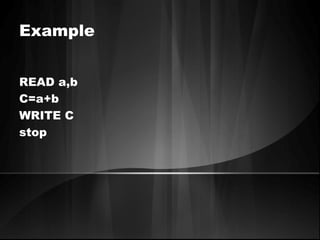
Example
READ a,b
C=a+b
WRITE C
stop
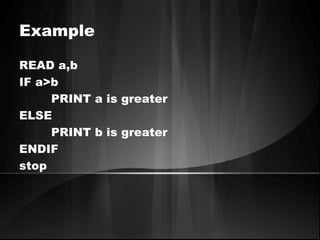
Example
READ a,b
IF a>b
PRINT a is greater
ELSE
PRINT b is greater
ENDIF
stop
Advantage & Disadvantage
• It can be easily modified
• It can be understood easily
• Compare to flowchart it is difficult to
understand the program logic.
Flowcharts
• It is the pictorial representation of the
algorithm.
• A flow chart, or flow diagram, is a
graphical representation of a process or
system that details the sequencing of
steps required to create output.
• A flowchart is a picture of the separate
steps of a process in sequential order.
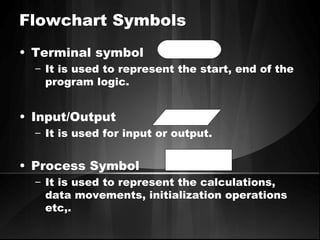
Flowchart Symbols
• Terminal symbol
– It is used to represent the start, end of the
program logic.
• Input/Output
– It is used for input or output.
• Process Symbol
– It is used to represent the calculations,
data movements, initialization operations
etc,.
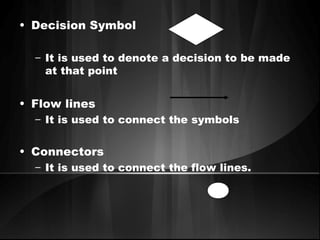
• Decision Symbol
– It is used to denote a decision to be made
at that point
• Flow lines
– It is used to connect the symbols
• Connectors
– It is used to connect the flow lines.
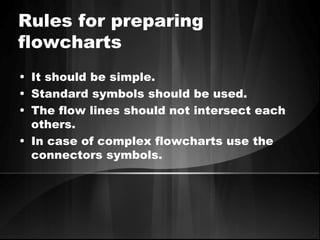
Rules for preparing
flowcharts
• It should be simple.
• Standard symbols should be used.
• The flow lines should not intersect each
others.
• In case of complex flowcharts use the
connectors symbols.
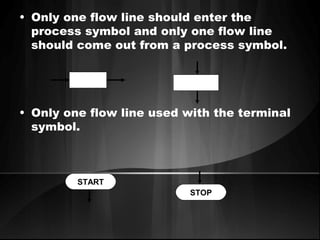
• Only one flow line should enter the
process symbol and only one flow line
should come out from a process symbol.
• Only one flow line used with the terminal
symbol.
START
STOP
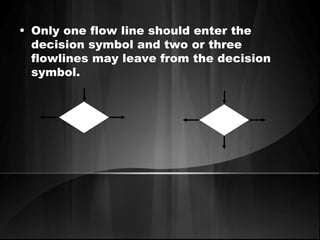
• Only one flow line should enter the
decision symbol and two or three
flowlines may leave from the decision
symbol.
Benefits of Flowcharts
• Makes Logic Clear
• Communication
• Effective Analysis
• Useful in coding
• Useful in Testing etc,.
Limits of Flowcharts
• It is difficult to use flowcharts for large
program
• Difficult to modify
• Cost etc,.
Program control structures:
• Program control structure are defined as
the program statements that specifies the
order in which statements are executed.
• Types:
– Sequence control structure
– Selection control structure
– Repetition control structure
• The instructions are computed in
sequence i.e. it performs
instruction one after another.
• It uses top-down approach.
Sequence control
structure
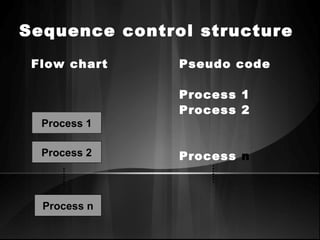
Sequence control structure
Flow chart Pseudo code
Process 1
Process 2
Process nProcess 2
Process n
Process 1
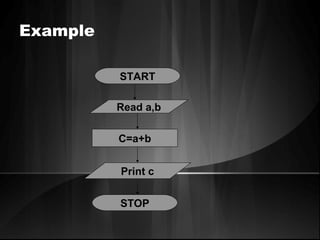
Example
START
C=a+b
Print c
Read a,b
STOP
SELECTION CONTROL
STRUCTURE
• It is used for making decisions.
• It allows the program to make a choice
from alternative paths.
• IF …THEN
• IF …THEN… ELSE
• CASE etc.,
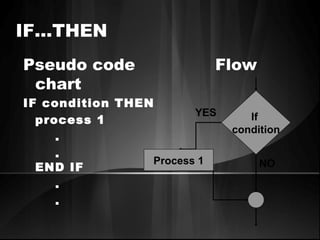
IF…THEN
Pseudo code Flow
chart
IF condition THEN
process 1
.
.
END IF
.
.
If
condition
NO
YES
Process 1
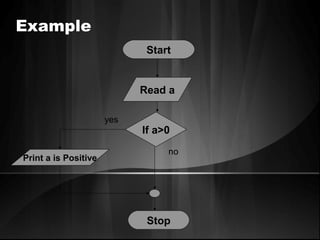
Example
Start
Read a
If a>0
Print a is Positive
Stop
no
yes
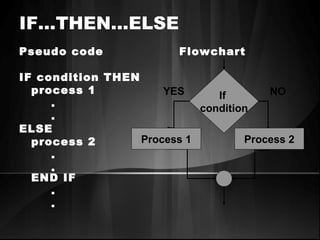
IF…THEN…ELSE
Pseudo code Flowchart
IF condition THEN
process 1
.
.
ELSE
process 2
.
.
END IF
.
.
If
condition
YES NO
Process 1 Process 2
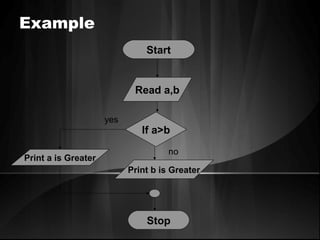
Example
Start
Read a,b
If a>b
Print a is Greater
Print b is Greater
Stop
no
yes
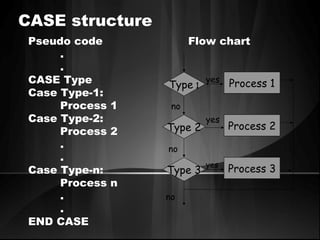
CASE structure
Pseudo code Flow chart
.
.
CASE Type
Case Type-1:
Process 1
Case Type-2:
Process 2
.
.
Case Type-n:
Process n
.
.
END CASE
Type 1
Type 2
Type 3
Process 1
Process 2
Process 3
no
no
no
yes
yes
yes
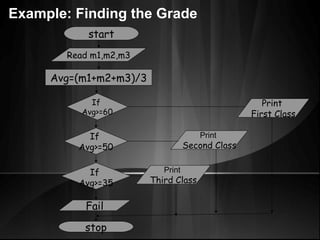
start
stop
Read m1,m2,m3
Avg=(m1+m2+m3)/3
If
Avg>=60
If
Avg>=50
If
Avg>=35
Fail
Print
First Class
Print
Second Class
Print
Third Class
Example: Finding the Grade
Repetition control structure(looping)
• It is used to execute some instructions
several time based on some condition.
• WHILE loop
• Do…WHILE loop etc.,
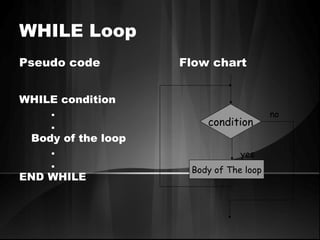
WHILE Loop
Pseudo code Flow chart
WHILE condition
.
.
Body of the loop
.
.
END WHILE
Body of The loop
condition
no
yes
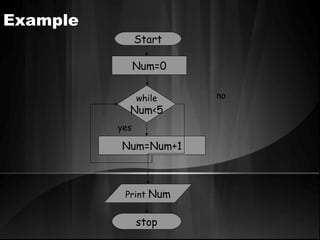
Example
Start
Num=0
Num=Num+1
Print Num
while
Num<5
stop
no
yes
DO…WHILE Loop
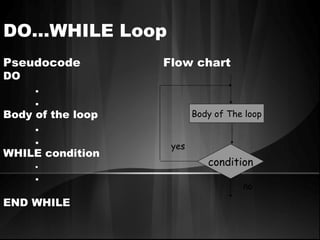
Pseudocode Flow chart
DO
.
.
Body of the loop
.
.
WHILE condition
.
.
END WHILE
Body of The loop
condition
no
yes
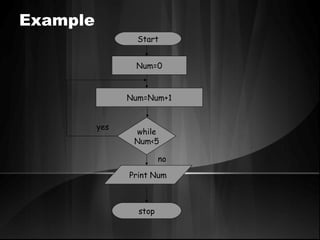
Example
Start
Num=0
Num=Num+1
Print Num
while
Num<5
stop
no
yes
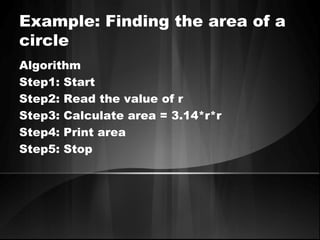
Example: Finding the area of a
circle
Algorithm
Step1: Start
Step2: Read the value of r
Step3: Calculate area = 3.14*r*r
Step4: Print area
Step5: Stop
algorithm

algorithm