1slideWrike
Lean UX & Design
Sprints
Andrew Filev
2Lean UX, Andrew Filev, Wrike slideWrike
How to build market
leading product, 5 days
at a time.
3Lean UX, Andrew Filev, Wrike slideWrike
➔ Less focused on deliverables and more focused on
outcomes
➔ Goal is to get feedback as early as possible and
iterate with quick decisions
➔ Follows the cycles of Agile development
➔ Focused on working from “Problem Statements”
over detailed list of requirements. Team
formulates problem statements that leads to
product assumptions and hypothesis
Lean UX
4Lean UX, Andrew Filev, Wrike slideWrike
GV Design Sprint Methodology
5Lean UX, Andrew Filev, Wrike slideWrike
Design a better experience for Pocket.
The results: 58% more new users saved their first item to Pocket, leading to higher activation
rates and more active users (link).
Case study: Pocket sprints
6Lean UX, Andrew Filev, Wrike slideWrike
1. Help new users of Pocket become active users.
2. Lots of people were downloading and signing up for
Pocket, but it needs a way to turn those people to
active long-term users.
What they did
➔ Three design sprints in three weeks.
➔ Prototyped and tested new getting-started flows
in iOS and Android apps.
From DAY 1 - DAY 5
DAY 1
Understanding goals & challenges
DAY 2
Sketching possible solutions
DAY 3
Deciding which solutions to prototype
DAY 4
Prototyping
DAY 5
Testing prototypes with real people
The challenge
7Lean UX, Andrew Filev, Wrike slideWrike
➔ Methodology for solving problems in 5 day
intervals
➔ Prioritizing problems based off of customer
adoption and engagement issues
➔ Solving problems, outcome focused over
deliverable focus - meeting needs of multiple
personas
➔ Utilizing tools like usertesting.com to validate our
users through direct inquiry
Problem Solving with Design Sprints
8slideWrike
Design Sprint
9Lean UX, Andrew Filev, Wrike slideWrike
Preparing for your Design Sprint
1. Gather preliminary data from “users”
2. Block out schedules for key stakeholders and
contributors
3. Set agenda and timeframe for activities on
each day
4. Start planning how to validate and test early
10Lean UX, Andrew Filev, Wrike slideWrike
Day 1 - Map
1. Understand the problem
2. Set sprint goal and questions
3. Make a map (customer - goals)
4. Experts interviews
5. Vote notes and pick a target
11Lean UX, Andrew Filev, Wrike slideWrike
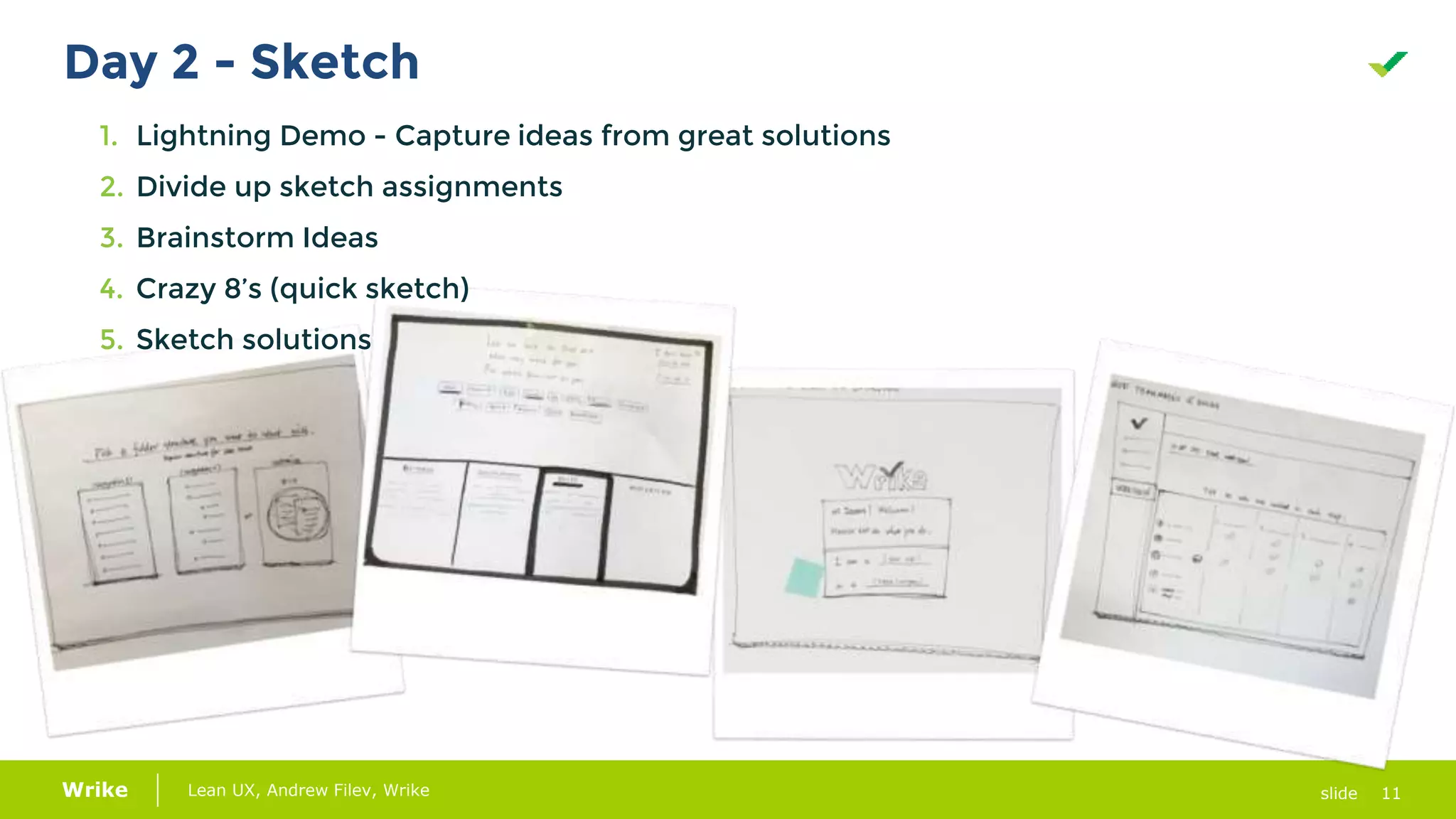
Day 2 - Sketch
1. Lightning Demo - Capture ideas from great solutions
2. Divide up sketch assignments
3. Brainstorm Ideas
4. Crazy 8’s (quick sketch)
5. Sketch solutions
12Lean UX, Andrew Filev, Wrike slideWrike
Day 3 - Decide
1. Vote solutions
2. Merge winner
3. Create storyboard
4. Fill storyboard with sketches
13Lean UX, Andrew Filev, Wrike slideWrike
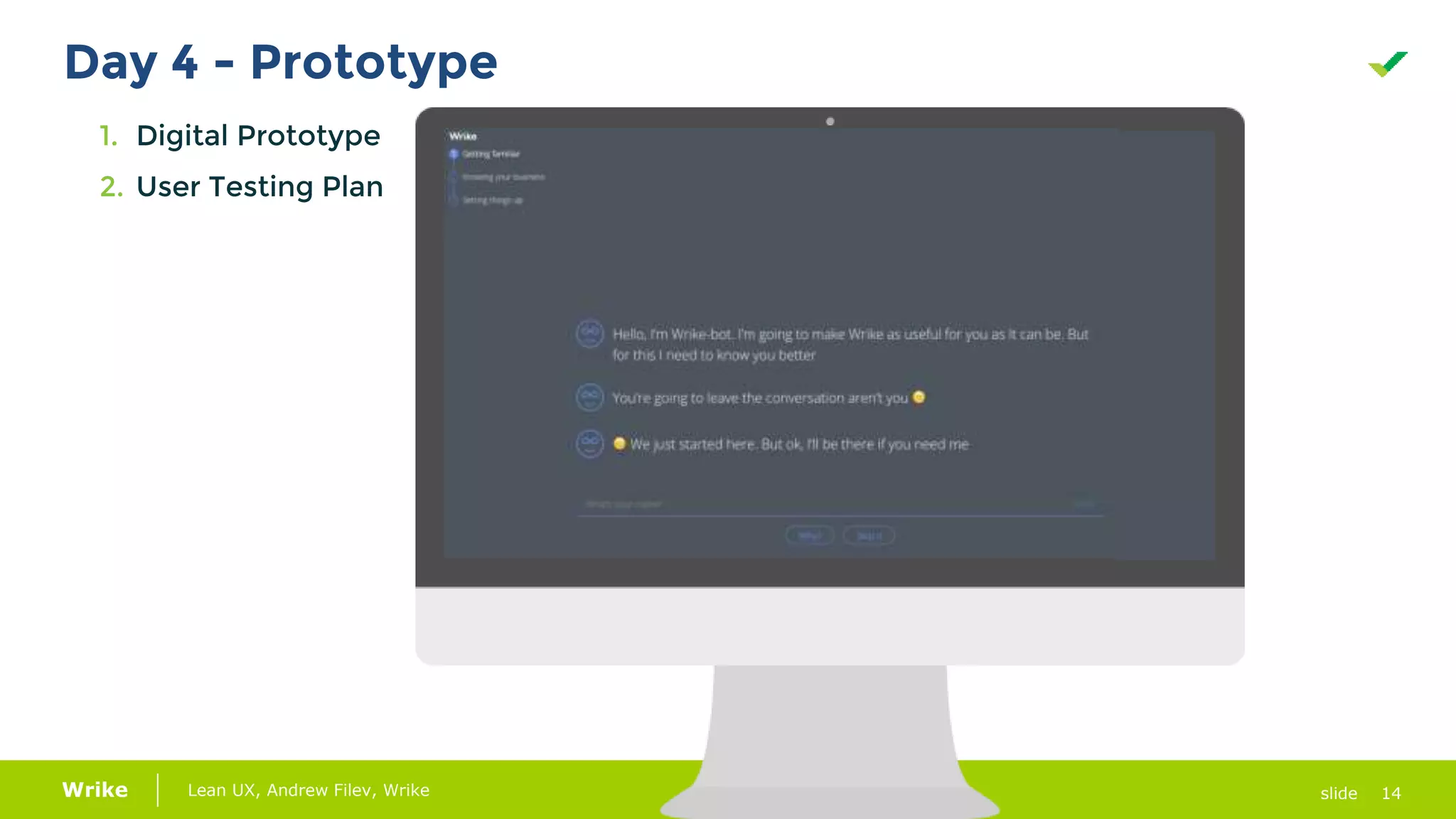
Day 4 - Prototype
1. Digital Prototype
2. User Testing Plan
14Lean UX, Andrew Filev, Wrike slideWrike
Day 4 - Prototype
1. Digital Prototype
2. User Testing Plan
15Lean UX, Andrew Filev, Wrike slideWrike
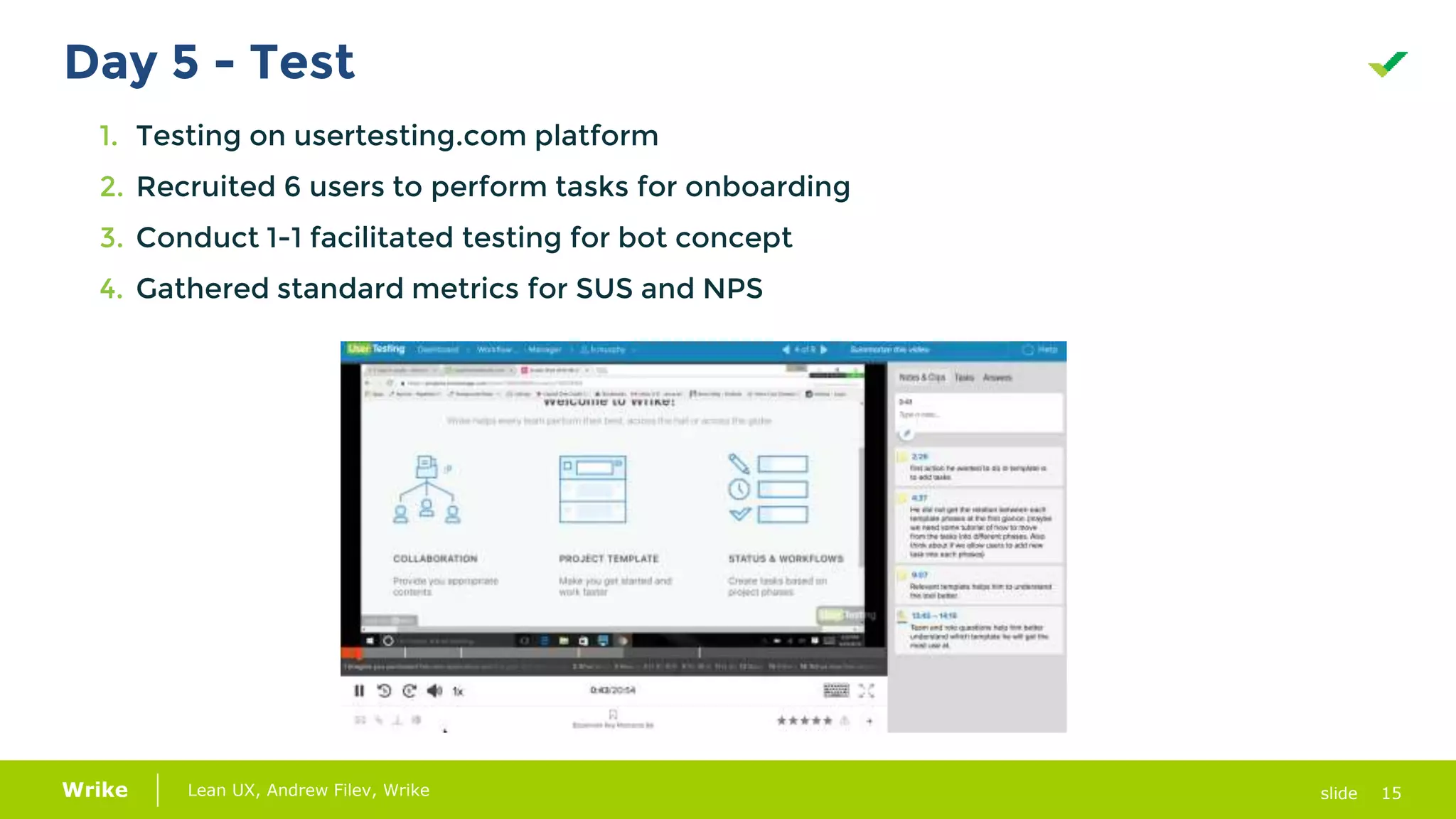
Day 5 - Test
1. Testing on usertesting.com platform
2. Recruited 6 users to perform tasks for onboarding
3. Conduct 1-1 facilitated testing for bot concept
4. Gathered standard metrics for SUS and NPS
16Lean UX, Andrew Filev, Wrike slideWrike
SUS Questions
➔ I think that I would like to use this system frequently.
➔ I found the system unnecessarily complex.
➔ I thought the system was easy to use.
➔ I think that I would need the support of a technical person to be able to use this system.
➔ I found the various functions in this system were well integrated.
➔ I thought there was too much inconsistency in this system.
➔ I would imagine that most people would learn to use this system very quickly.
➔ I found the system very cumbersome to use.
➔ I felt very confident using the system.
➔ I needed to learn a lot of things before I could get going with this system.
System Usability Scale
17Lean UX, Andrew Filev, Wrike slideWrike
NPS
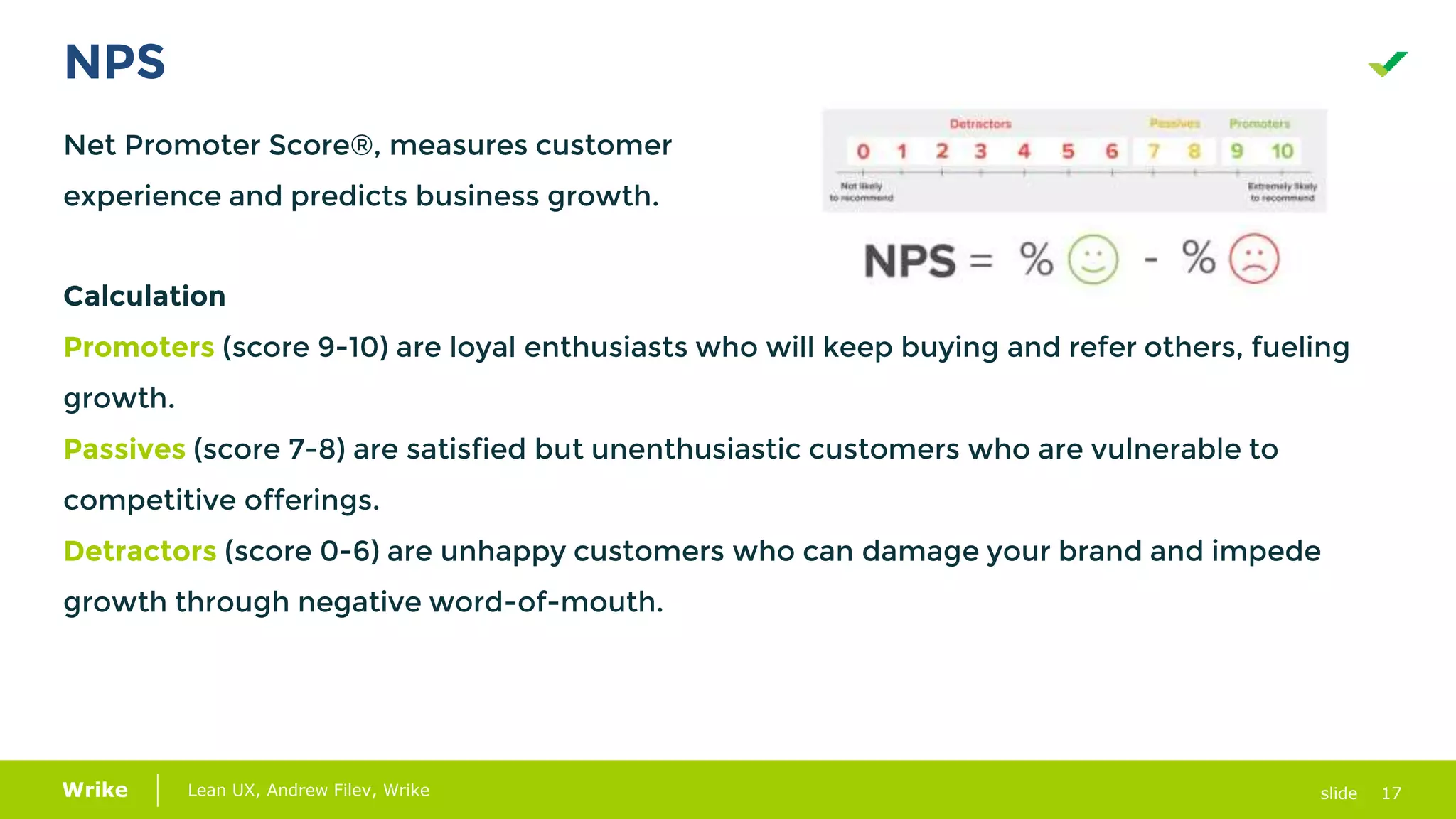
Net Promoter Score®, measures customer
experience and predicts business growth.
Calculation
Promoters (score 9-10) are loyal enthusiasts who will keep buying and refer others, fueling
growth.
Passives (score 7-8) are satisfied but unenthusiastic customers who are vulnerable to
competitive offerings.
Detractors (score 0-6) are unhappy customers who can damage your brand and impede
growth through negative word-of-mouth.
18Lean UX, Andrew Filev, Wrike slideWrike
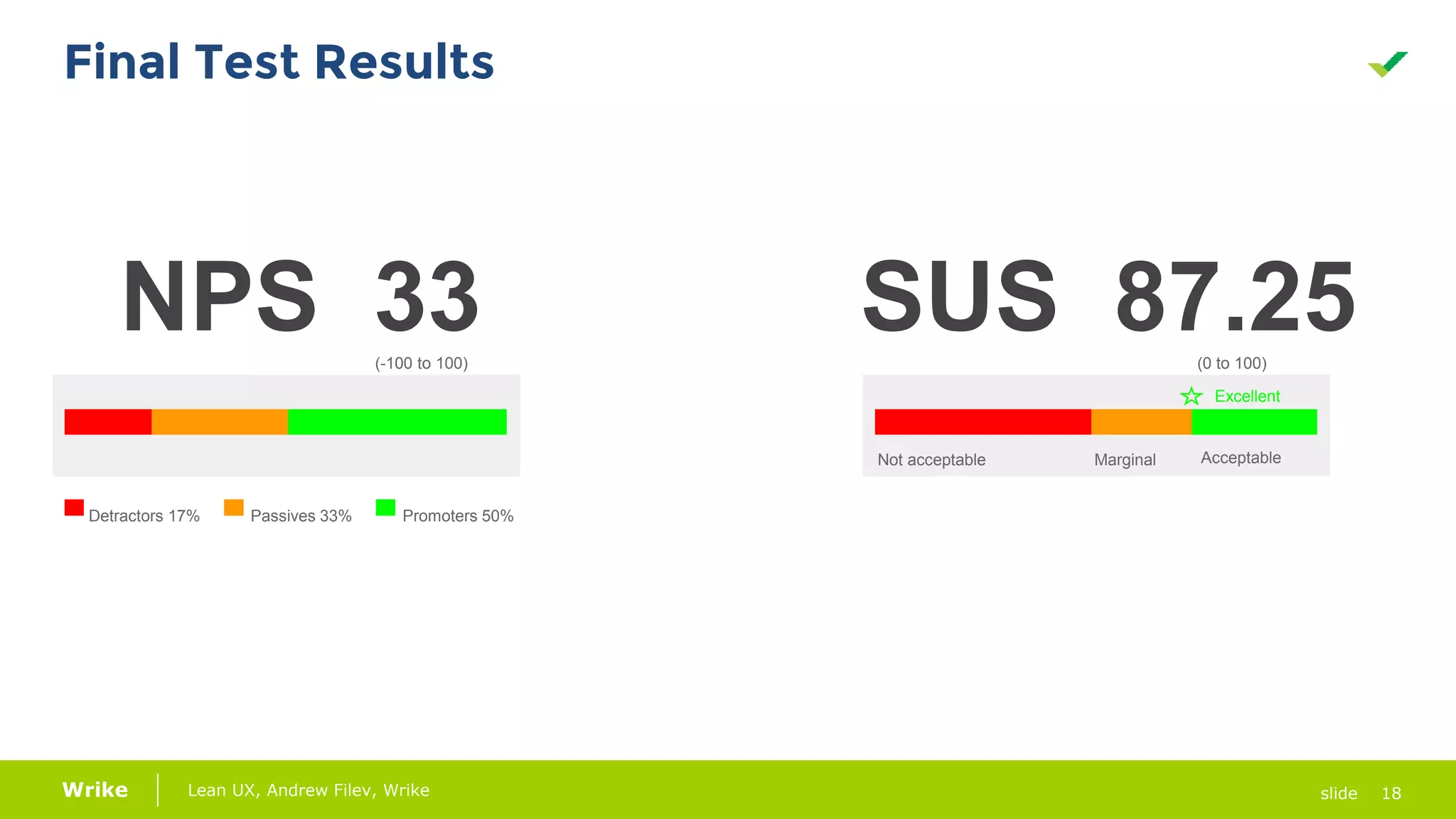
NPS 33 SUS 87.25
Not acceptable Marginal Acceptable
Excellent
Detractors 17% Passives 33% Promoters 50%
(-100 to 100) (0 to 100)
Final Test Results
19slideWrike
Questions?
Thank you :-)

Lean UX и дизайн-спринты: как построить ведущий продукт на рынке за пять дней

  • 1.
    1slideWrike Lean UX &Design Sprints Andrew Filev
  • 2.
    2Lean UX, AndrewFilev, Wrike slideWrike How to build market leading product, 5 days at a time.
  • 3.
    3Lean UX, AndrewFilev, Wrike slideWrike ➔ Less focused on deliverables and more focused on outcomes ➔ Goal is to get feedback as early as possible and iterate with quick decisions ➔ Follows the cycles of Agile development ➔ Focused on working from “Problem Statements” over detailed list of requirements. Team formulates problem statements that leads to product assumptions and hypothesis Lean UX
  • 4.
    4Lean UX, AndrewFilev, Wrike slideWrike GV Design Sprint Methodology
  • 5.
    5Lean UX, AndrewFilev, Wrike slideWrike Design a better experience for Pocket. The results: 58% more new users saved their first item to Pocket, leading to higher activation rates and more active users (link). Case study: Pocket sprints
  • 6.
    6Lean UX, AndrewFilev, Wrike slideWrike 1. Help new users of Pocket become active users. 2. Lots of people were downloading and signing up for Pocket, but it needs a way to turn those people to active long-term users. What they did ➔ Three design sprints in three weeks. ➔ Prototyped and tested new getting-started flows in iOS and Android apps. From DAY 1 - DAY 5 DAY 1 Understanding goals & challenges DAY 2 Sketching possible solutions DAY 3 Deciding which solutions to prototype DAY 4 Prototyping DAY 5 Testing prototypes with real people The challenge
  • 7.
    7Lean UX, AndrewFilev, Wrike slideWrike ➔ Methodology for solving problems in 5 day intervals ➔ Prioritizing problems based off of customer adoption and engagement issues ➔ Solving problems, outcome focused over deliverable focus - meeting needs of multiple personas ➔ Utilizing tools like usertesting.com to validate our users through direct inquiry Problem Solving with Design Sprints
  • 8.
  • 9.
    9Lean UX, AndrewFilev, Wrike slideWrike Preparing for your Design Sprint 1. Gather preliminary data from “users” 2. Block out schedules for key stakeholders and contributors 3. Set agenda and timeframe for activities on each day 4. Start planning how to validate and test early
  • 10.
    10Lean UX, AndrewFilev, Wrike slideWrike Day 1 - Map 1. Understand the problem 2. Set sprint goal and questions 3. Make a map (customer - goals) 4. Experts interviews 5. Vote notes and pick a target
  • 11.
    11Lean UX, AndrewFilev, Wrike slideWrike Day 2 - Sketch 1. Lightning Demo - Capture ideas from great solutions 2. Divide up sketch assignments 3. Brainstorm Ideas 4. Crazy 8’s (quick sketch) 5. Sketch solutions
  • 12.
    12Lean UX, AndrewFilev, Wrike slideWrike Day 3 - Decide 1. Vote solutions 2. Merge winner 3. Create storyboard 4. Fill storyboard with sketches
  • 13.
    13Lean UX, AndrewFilev, Wrike slideWrike Day 4 - Prototype 1. Digital Prototype 2. User Testing Plan
  • 14.
    14Lean UX, AndrewFilev, Wrike slideWrike Day 4 - Prototype 1. Digital Prototype 2. User Testing Plan
  • 15.
    15Lean UX, AndrewFilev, Wrike slideWrike Day 5 - Test 1. Testing on usertesting.com platform 2. Recruited 6 users to perform tasks for onboarding 3. Conduct 1-1 facilitated testing for bot concept 4. Gathered standard metrics for SUS and NPS
  • 16.
    16Lean UX, AndrewFilev, Wrike slideWrike SUS Questions ➔ I think that I would like to use this system frequently. ➔ I found the system unnecessarily complex. ➔ I thought the system was easy to use. ➔ I think that I would need the support of a technical person to be able to use this system. ➔ I found the various functions in this system were well integrated. ➔ I thought there was too much inconsistency in this system. ➔ I would imagine that most people would learn to use this system very quickly. ➔ I found the system very cumbersome to use. ➔ I felt very confident using the system. ➔ I needed to learn a lot of things before I could get going with this system. System Usability Scale
  • 17.
    17Lean UX, AndrewFilev, Wrike slideWrike NPS Net Promoter Score®, measures customer experience and predicts business growth. Calculation Promoters (score 9-10) are loyal enthusiasts who will keep buying and refer others, fueling growth. Passives (score 7-8) are satisfied but unenthusiastic customers who are vulnerable to competitive offerings. Detractors (score 0-6) are unhappy customers who can damage your brand and impede growth through negative word-of-mouth.
  • 18.
    18Lean UX, AndrewFilev, Wrike slideWrike NPS 33 SUS 87.25 Not acceptable Marginal Acceptable Excellent Detractors 17% Passives 33% Promoters 50% (-100 to 100) (0 to 100) Final Test Results
  • 19.

Editor's Notes

  • #3 Design is problem solving. The products we design are only ever as good as how we first define and understand the problems we are solving. When organizations need to change products fast - there is limited time for the design teams to do the activities needed to solve the problem and deliver a viable solution. Learn how you can get aligned with the key stakeholders on the personas, situations for these users, the business goals, and the problems found in products. At Wrike, we are improving our product experiences by working on focused design sprints to deliver a viable, tested and validated concept in a 5 day timeframe. We invite you to learn more about a lean approach to user experience design through a Design Sprint methodology.
  • #4 Reference Material to support you: Talking through the Jobs To Be Done Framework for how problem statements, assumptions and hypothesis are used Background information on Lean UX: https://www.interaction-design.org/literature/article/a-simple-introduction-to-lean-ux
  • #5 We followed a methodology derived from this book. We chose this method as we have many big problems to solve in a very short timeframe. There was a learning curve for us with our teams as this was new to the team and organization. Method produced many concepts in a quick timeframe.
  • #6 https://sprintstories.com/case-study-pocket-sprints-with-gv-b5f17166c3b#.eai92f7zq
  • #10 We launched surveys to gauge user needs and expectations in advance of Sprint to have data for day 1 Gathered internal web analytics and data for day 1 Performed internal analysis of existing user feedback from surveys and internal PM, CS for day 1 Identified 3 key designers to lead the effort; 1 primary to facilitate Identified key stakeholders and scheduled representatives from Sales, Customer Success, CEO for key events like voting a week in advance
  • #11 Problem Statement started out during the beginning of the day, becomes more refined as the interviews and assessment of all data points are analyzed throughout the day. Problem Statement: Users don't understand their Workflow, and they don't know how to make it work in the application. Users who don’t have awareness of workflow are not able to easily understand how to use tools to work more productively. Map- Team created a map of the ideal state that we wanted to solve the problem for. Personas - Team crafted flows for the key differentiated personas of Individual Contributor and Manager Vote to agree on this by end of day
  • #12 3 dedicated designers Independent time to design Crazy 8’s
  • #13 Stakeholder review Voting on the ideas
  • #14  Prototype Link: https://invis.io/A38UE00PM
  • #15 Prototype Link: https://invis.io/Q88UDVGWG
  • #16 Template helps people better understand the tool and project work flow. Team and role questions are a good starting point to provide relevant templates and identify users’ access permissions Project creation process is more straightforward with the help of template and tutorial wizards Generic templates enable people who are not familiar with project process to quick start. Individual Contributor needs extra guidance to understand existing project and their assigned tasks. Link to entire user testing report: https://docs.google.com/a/team.wrike.com/presentation/d/1QoOfZhiMc1hC6YmudL8s_2ghIasOaKQSH33AxueeYFc/edit?usp=sharing
  • #19 Link to Highlight Reel of user testing results. Less than 2 minutes of reel. https://www.usertesting.com/highlight_reels/bc8p5HKTszZjCcmajSJx?shared=true Link to SUS Calculation Link to NPS score