+
Remote access and Sesame
Lab 1
+

Disclaimer

License
This work is licensed under the
Creative Commons Attribution-Share Alike 3.0 License
http://creativecommons.org/licenses/by-sa/3.0/
+

Lab Assignment 2
Use Sesame from Java (using Maven dependencies) to


Make a program that:


Creates an in-memory (not persistent) repository



Loads the triples from FSW Exercise 7.1



Computes the answers to the queries of exercise 7.4 and prints
them out to the console



Computes and prints the the answers to the query:
“SELECT all celestial bodies which do not have a satellite”
+

Setting up Sesame dependencies
in Maven


Add the Aduna repository to your maven configuration by
copying the settings.xml file (in the shared google folder) to
your own .m2 folder (located in your home directory). This
configuration file will point maven to Sesame’s maven
repository.



Add the following dependency to your pom.xml
<dependency>
<groupId>org.openrdf.sesame</groupId>
<artifactId>sesame-runtime</artifactId>
<version>2.6.1</version>
</dependency>
+

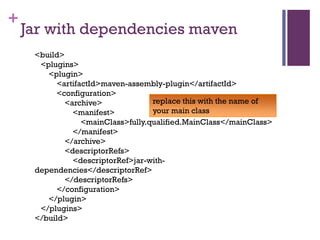
Jar with dependencies maven
<build>
<plugins>
<plugin>
<artifactId>maven-assembly-plugin</artifactId>
<configuration>
replace this with the name of
<archive>
your main class
<manifest>
<mainClass>fully.qualified.MainClass</mainClass>
</manifest>
</archive>
<descriptorRefs>
<descriptorRef>jar-withdependencies</descriptorRef>
</descriptorRefs>
</configuration>
</plugin>
</plugins>
</build>
+

Jar with dependencies


Build using:
mvn assembly:single



Clean your project before making the zip with
mvn clean

Note, you may get warnings about sl4j logs.
Ignore these warnings when writing your
program.

SWT Lab 2

  • 1.
    + Remote access andSesame Lab 1
  • 2.
    + Disclaimer License This work islicensed under the Creative Commons Attribution-Share Alike 3.0 License http://creativecommons.org/licenses/by-sa/3.0/
  • 3.
    + Lab Assignment 2 UseSesame from Java (using Maven dependencies) to  Make a program that:  Creates an in-memory (not persistent) repository  Loads the triples from FSW Exercise 7.1  Computes the answers to the queries of exercise 7.4 and prints them out to the console  Computes and prints the the answers to the query: “SELECT all celestial bodies which do not have a satellite”
  • 4.
    + Setting up Sesamedependencies in Maven  Add the Aduna repository to your maven configuration by copying the settings.xml file (in the shared google folder) to your own .m2 folder (located in your home directory). This configuration file will point maven to Sesame’s maven repository.  Add the following dependency to your pom.xml <dependency> <groupId>org.openrdf.sesame</groupId> <artifactId>sesame-runtime</artifactId> <version>2.6.1</version> </dependency>
  • 5.
    + Jar with dependenciesmaven <build> <plugins> <plugin> <artifactId>maven-assembly-plugin</artifactId> <configuration> replace this with the name of <archive> your main class <manifest> <mainClass>fully.qualified.MainClass</mainClass> </manifest> </archive> <descriptorRefs> <descriptorRef>jar-withdependencies</descriptorRef> </descriptorRefs> </configuration> </plugin> </plugins> </build>
  • 6.
    + Jar with dependencies  Buildusing: mvn assembly:single  Clean your project before making the zip with mvn clean Note, you may get warnings about sl4j logs. Ignore these warnings when writing your program.