Naviance
An introduction to Family
Connection
What is Family Connection?
Through Naviance you will have access to Family Connection which
gives you access to online resources, communication tools, and college
and career collaborative activities.
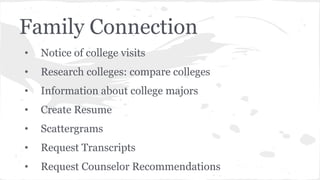
Family Connection
• Notice of college visits
• Research colleges: compare colleges
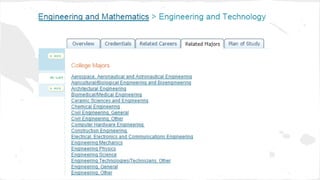
• Information about college majors
• Create Resume
• Scattergrams
• Request Transcripts
• Request Counselor Recommendations
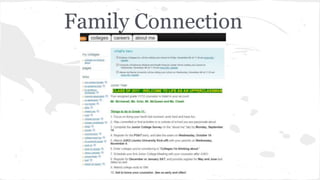
Family Connection
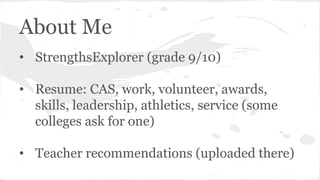
About Me
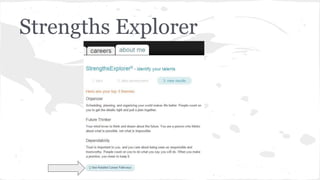
• StrengthsExplorer (grade 9/10)
• Resume: CAS, work, volunteer, awards,
skills, leadership, athletics, service (some
colleges ask for one)
• Teacher recommendations (uploaded there)
Strengths Explorer
Career
● Cluster Finder
● Explore Career & Clusters
Cluster Finder:
Explore Careers & Clusters
● Search by name
● Descriptions of occupations:
skills/knowledge, tasks, wages
● Related occupations
● Related majors & Plans of Study
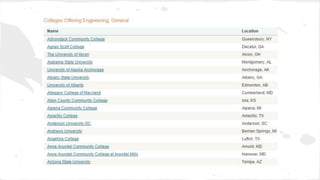
● Colleges with related majors
● Videos
College
My Colleges:
● Colleges I am thinking about (big communication piece): Counselor and
student generated, compare me option, difficulty
● Colleges I have applied to:
College Research:
● Supermatch: North American Focused, best fit based on 23 indicators
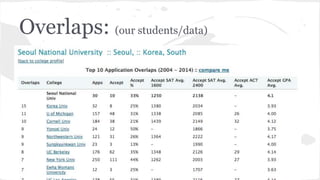
● College Lookups: Stats, Overlaps, etc.
Colleges I am thinking about...
Check with
school!
Super Match
College Search:
Overlaps: (our students/data)
Scattergrams
Now it’s your turn!...
1: Explore college search and add colleges
2: Update your resume
3: Explore the links on the left hand side of the
home page
4: Do the StrengthsExplorer*; find a career/ college
major you may be interested in and explore it...

JUKO 2015 - Naviance

  • 1.
    Naviance An introduction toFamily Connection
  • 2.
    What is FamilyConnection? Through Naviance you will have access to Family Connection which gives you access to online resources, communication tools, and college and career collaborative activities.
  • 3.
    Family Connection • Noticeof college visits • Research colleges: compare colleges • Information about college majors • Create Resume • Scattergrams • Request Transcripts • Request Counselor Recommendations
  • 4.
  • 5.
    About Me • StrengthsExplorer(grade 9/10) • Resume: CAS, work, volunteer, awards, skills, leadership, athletics, service (some colleges ask for one) • Teacher recommendations (uploaded there)
  • 6.
  • 10.
    Career ● Cluster Finder ●Explore Career & Clusters
  • 11.
  • 12.
    Explore Careers &Clusters ● Search by name ● Descriptions of occupations: skills/knowledge, tasks, wages ● Related occupations ● Related majors & Plans of Study ● Colleges with related majors ● Videos
  • 14.
    College My Colleges: ● CollegesI am thinking about (big communication piece): Counselor and student generated, compare me option, difficulty ● Colleges I have applied to: College Research: ● Supermatch: North American Focused, best fit based on 23 indicators ● College Lookups: Stats, Overlaps, etc.
  • 15.
    Colleges I amthinking about... Check with school!
  • 16.
  • 17.
  • 19.
  • 20.
  • 21.
    Now it’s yourturn!... 1: Explore college search and add colleges 2: Update your resume 3: Explore the links on the left hand side of the home page 4: Do the StrengthsExplorer*; find a career/ college major you may be interested in and explore it...