JTabbedPane
TABBED PANE
• A tabbed pane is a component that appears as a group
of folders in a file cabinet. Each folder has a title. When
a user selects a folder, its contents become visible.
Only one of the folders may be selected at a time.
• Tabbed panes are commonly used for setting
configuration options.
• Tabbed panes are encapsulated by the JTabbedPane
class, which extends JComponent.
There are three constructors of JTabbedPane.
• JTabbedPane()
• JTabbedPane(int tabPlacement)
• JTabbedPane(int tabPlacement, int tabLayoutPolicy)
Constructors of JTabbedPane
The first form creates an empty TabbedPane with a default tab
placement of JTabbedPane.TOP.
Second form creates an empty TabbedPane with the specified tab
placement of any of the following:
JTabbedPane.TOP
JTabbedPane.BOTTOM
JTabbedPane.LEFT
JTabbedPane.RIGHT
The third form of constructor creates an empty TabbedPane with the
specified tab placement and tab layout policy. Tab placements are listed
above.
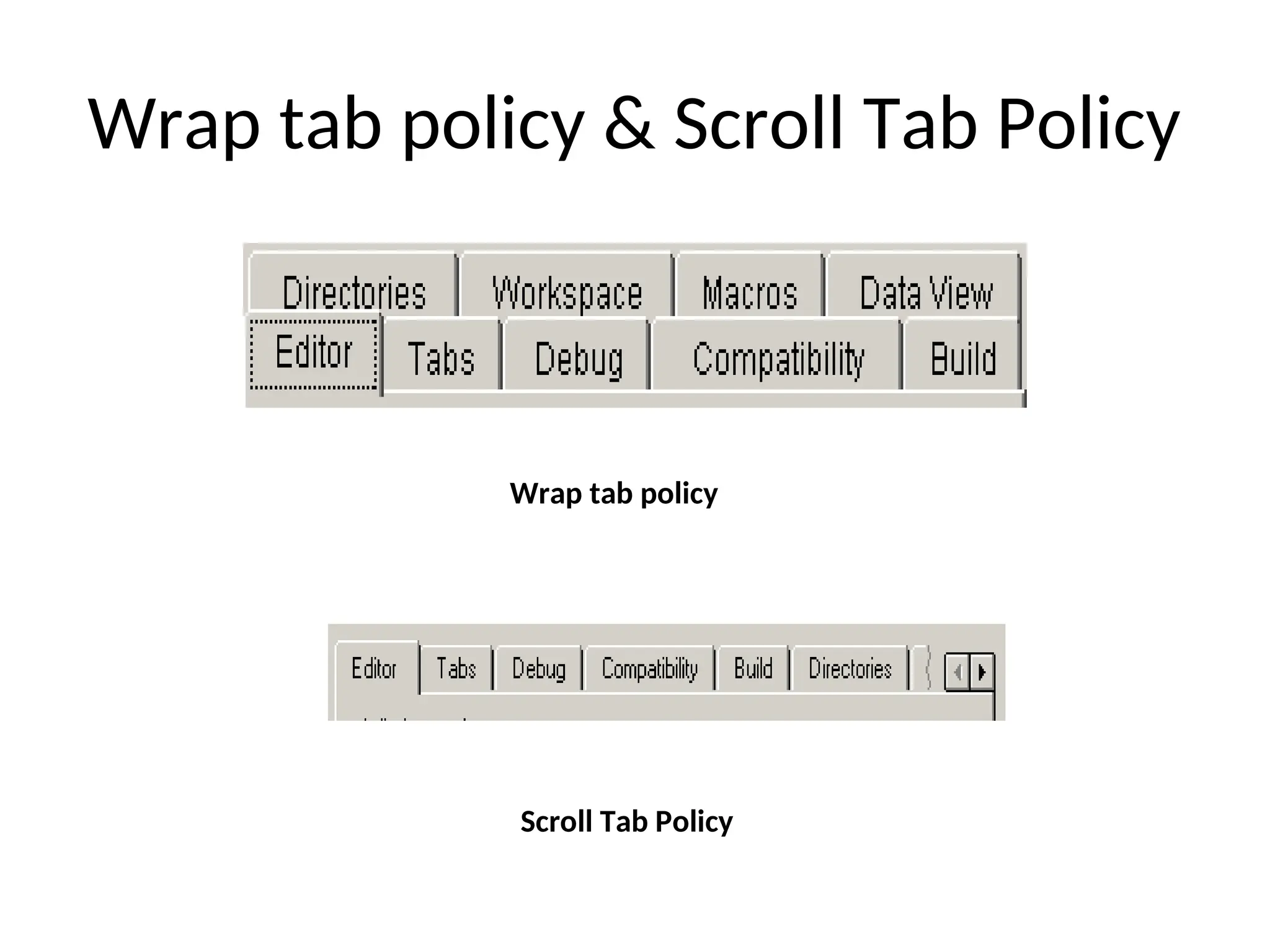
Tab layout policy may be either of the following:
JTabbedPane.WRAP_TAB_LAYOUT
JTabbedPane.SCROLL_TAB_LAYOUT
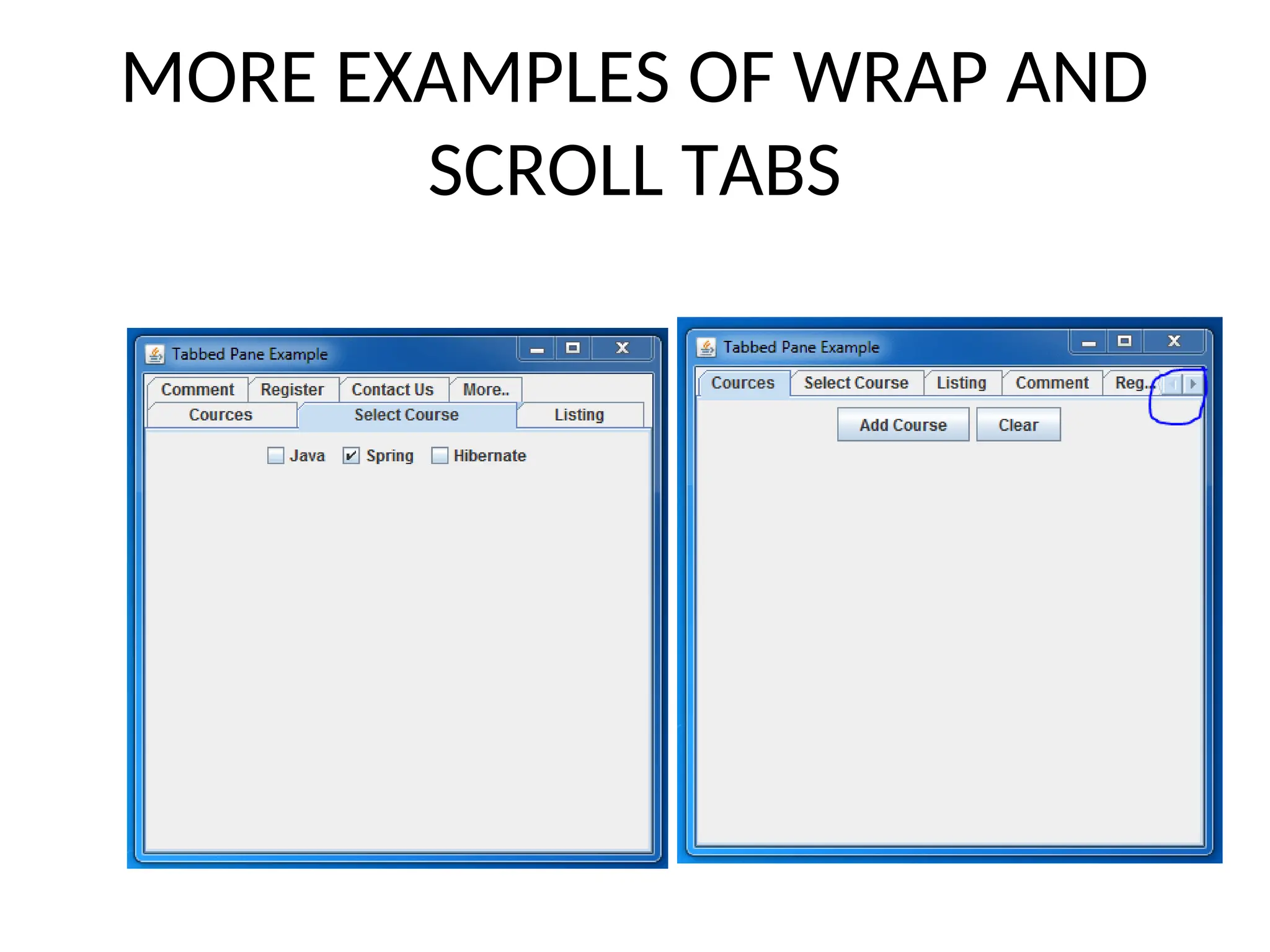
Wrap tab policy & Scroll Tab Policy
Wrap tab policy
Scroll Tab Policy
MORE EXAMPLES OF WRAP AND
SCROLL TABS
The addTab() Method and Tab Layouts
Tabs are defined via the following method:
void addTab(String str, Component comp)
Here, str is the title for the tab, and comp is the
component that should be added to the tab.
Typically, a JPanel or a subclass of it is added.
Setting the JTabbedPane Position and Layout asWrap
JTabbedPane tabs = new
TabbedPane(JTabbedPane.TOP,
JTabbedPane.WRAP_TAB_LAYOUT);
For Scroll Tabs
JTabbedPane.SCROLL_TAB_LAYOUT);
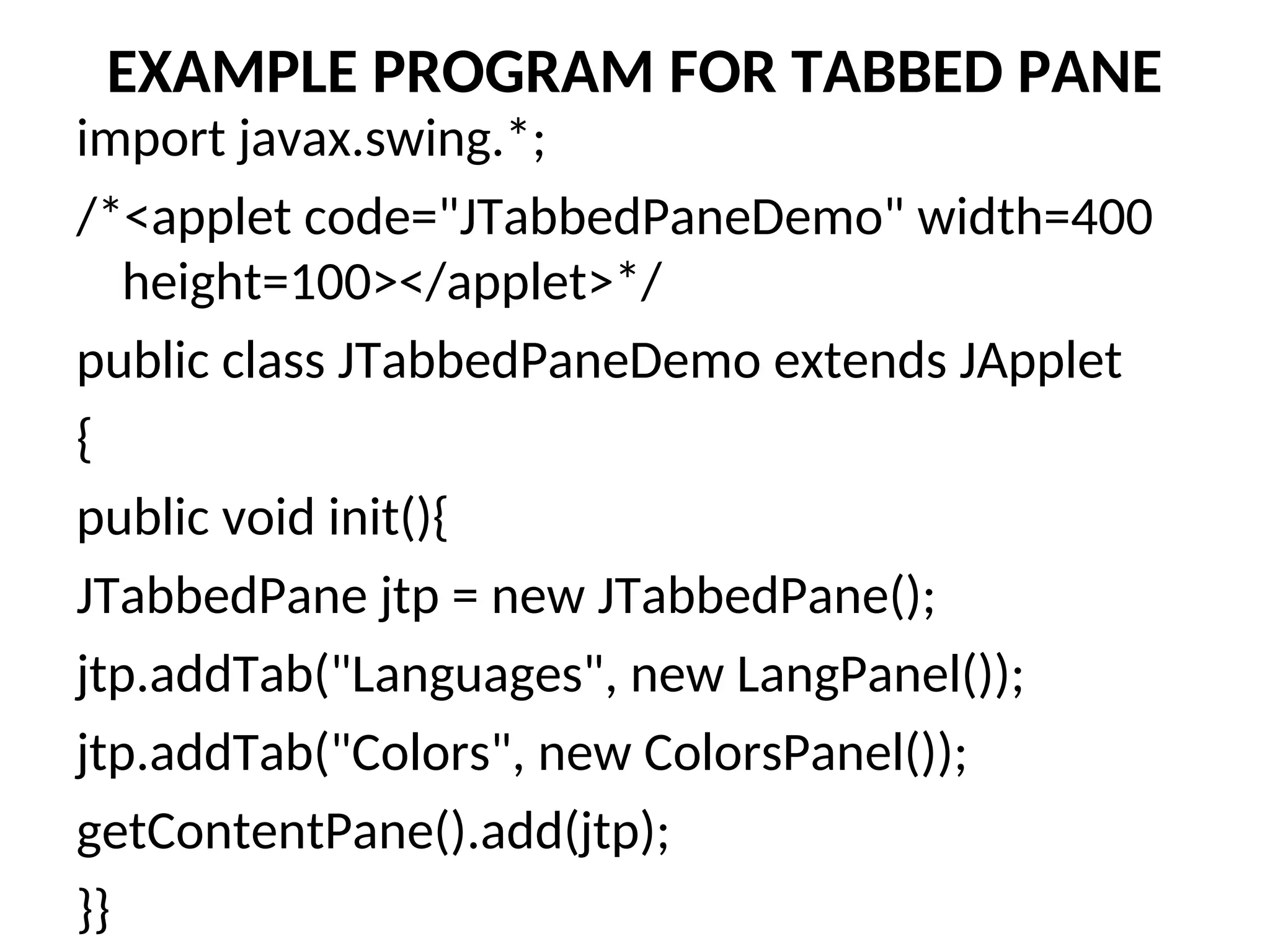
EXAMPLE PROGRAM FOR TABBED PANE
import javax.swing.*;
/*<applet code="JTabbedPaneDemo" width=400
height=100></applet>*/
public class JTabbedPaneDemo extends JApplet
{
public void init(){
JTabbedPane jtp = new JTabbedPane();
jtp.addTab("Languages", new LangPanel());
jtp.addTab("Colors", new ColorsPanel());
getContentPane().add(jtp);
}}
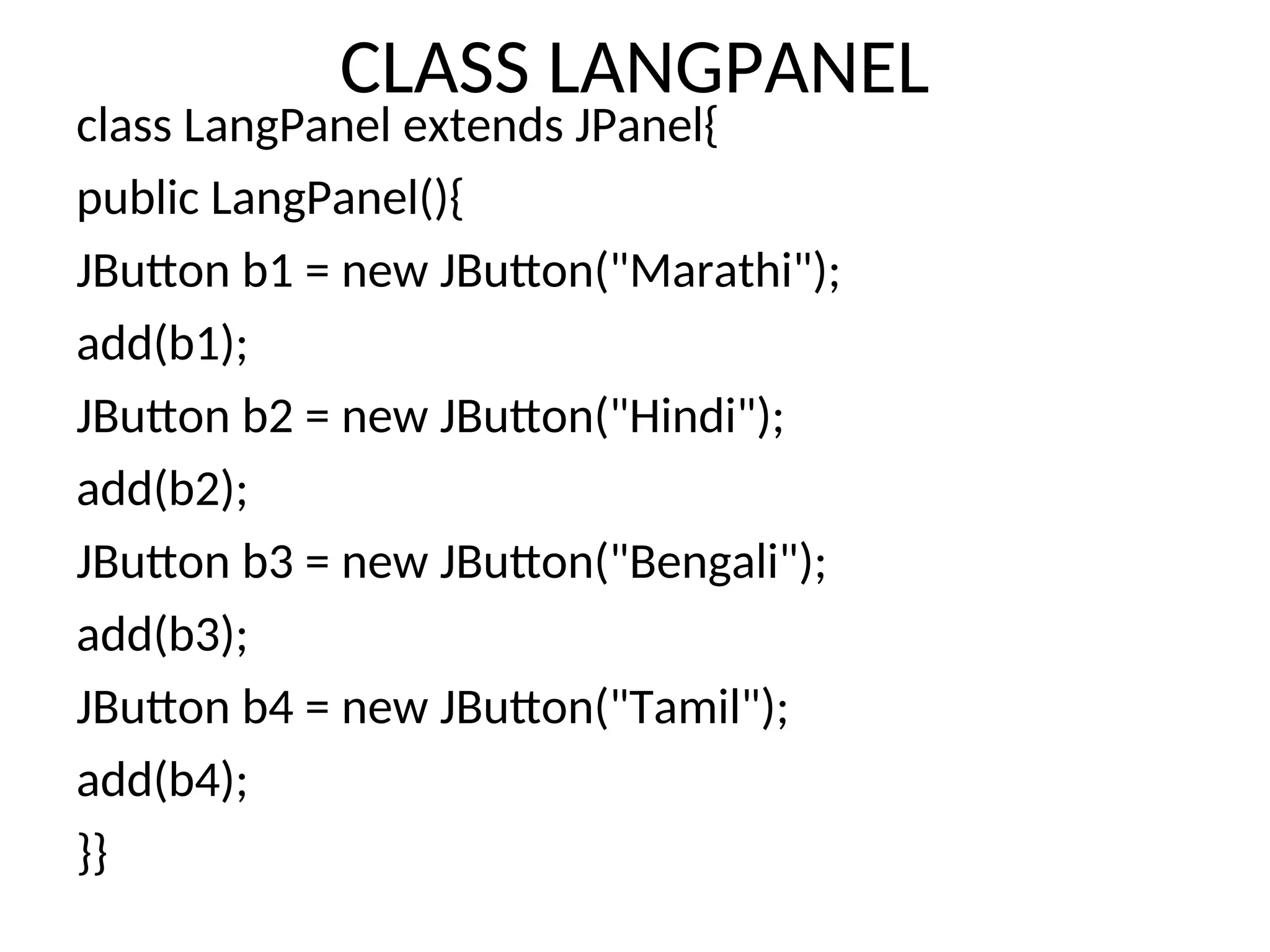
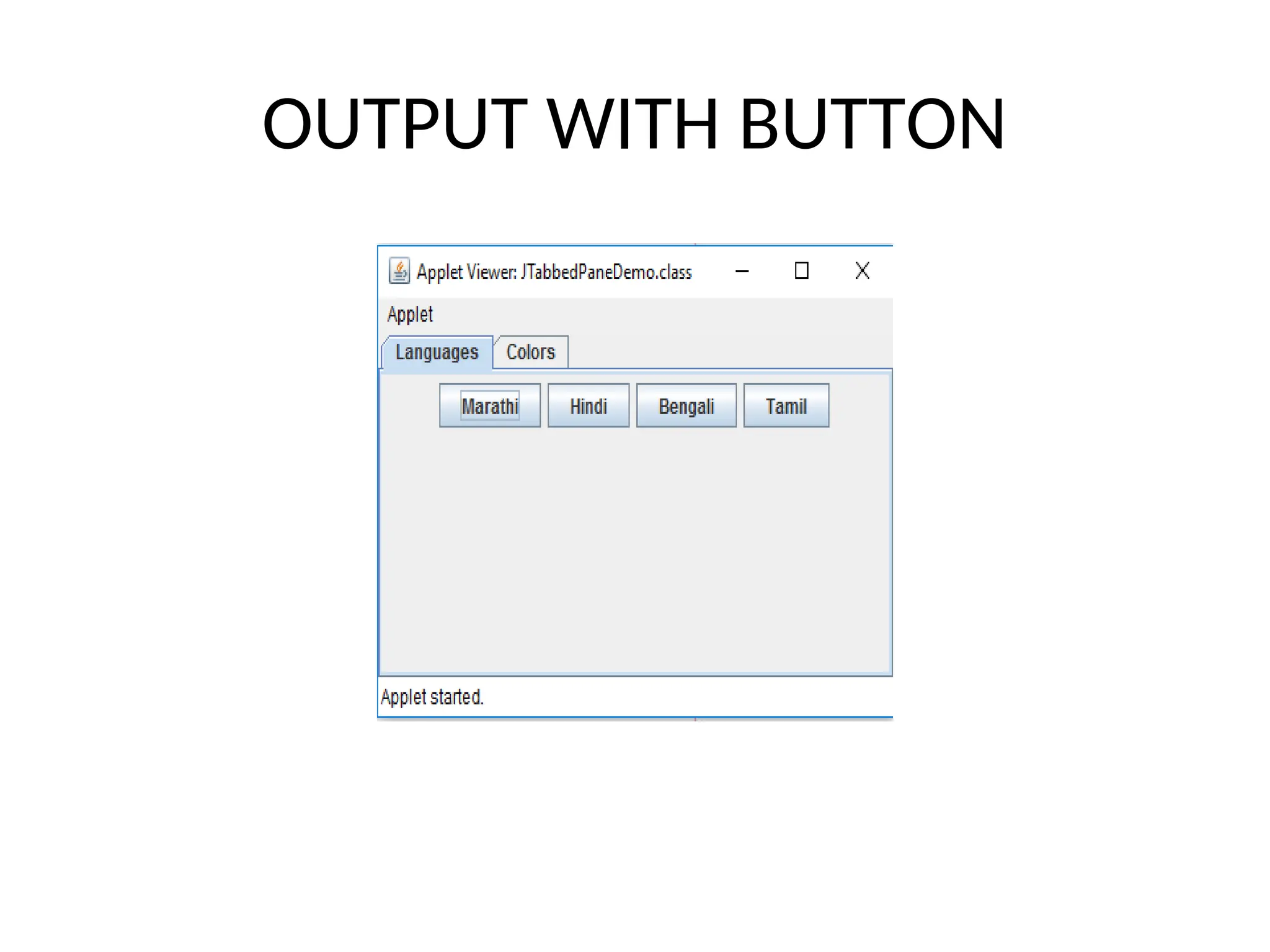
CLASS LANGPANEL
class LangPanel extends JPanel{
public LangPanel(){
JButton b1 = new JButton("Marathi");
add(b1);
JButton b2 = new JButton("Hindi");
add(b2);
JButton b3 = new JButton("Bengali");
add(b3);
JButton b4 = new JButton("Tamil");
add(b4);
}}
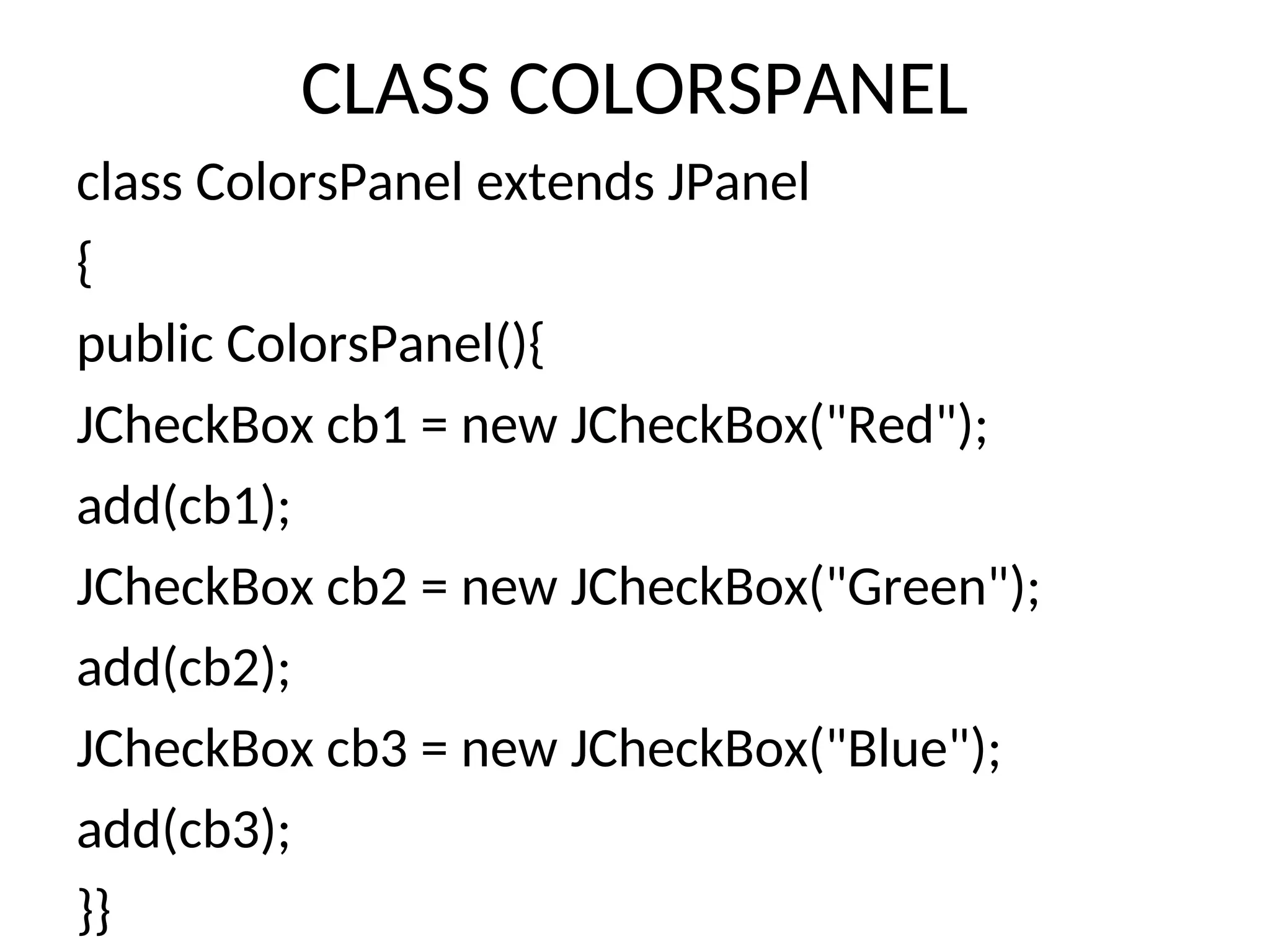
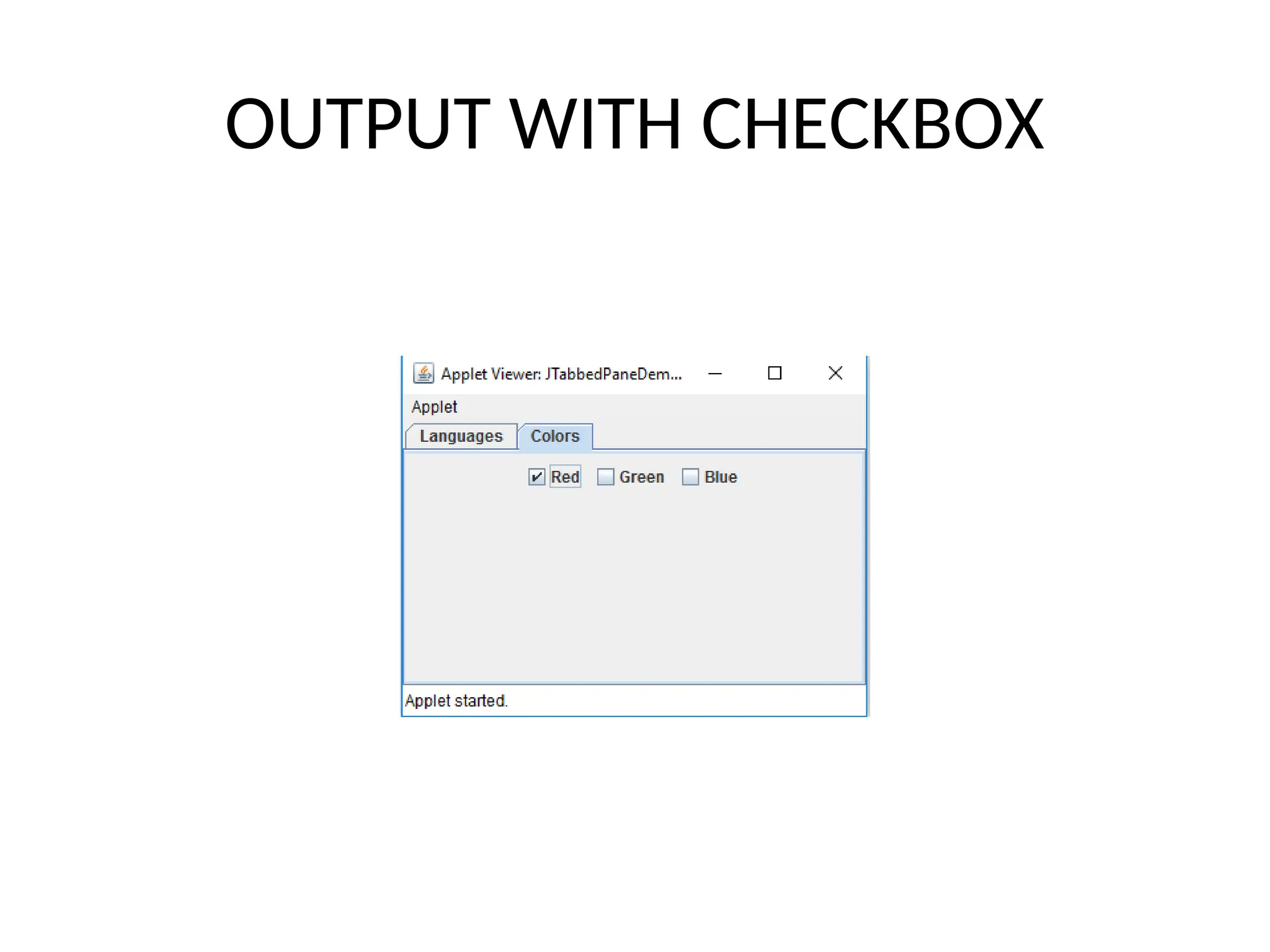
CLASS COLORSPANEL
class ColorsPanel extends JPanel
{
public ColorsPanel(){
JCheckBox cb1 = new JCheckBox("Red");
add(cb1);
JCheckBox cb2 = new JCheckBox("Green");
add(cb2);
JCheckBox cb3 = new JCheckBox("Blue");
add(cb3);
}}
OUTPUT WITH BUTTON
OUTPUT WITH CHECKBOX

JTABBED PANE is a swing concept used to have tabs

  • 1.
  • 2.
    TABBED PANE • Atabbed pane is a component that appears as a group of folders in a file cabinet. Each folder has a title. When a user selects a folder, its contents become visible. Only one of the folders may be selected at a time. • Tabbed panes are commonly used for setting configuration options. • Tabbed panes are encapsulated by the JTabbedPane class, which extends JComponent. There are three constructors of JTabbedPane. • JTabbedPane() • JTabbedPane(int tabPlacement) • JTabbedPane(int tabPlacement, int tabLayoutPolicy)
  • 3.
    Constructors of JTabbedPane Thefirst form creates an empty TabbedPane with a default tab placement of JTabbedPane.TOP. Second form creates an empty TabbedPane with the specified tab placement of any of the following: JTabbedPane.TOP JTabbedPane.BOTTOM JTabbedPane.LEFT JTabbedPane.RIGHT The third form of constructor creates an empty TabbedPane with the specified tab placement and tab layout policy. Tab placements are listed above. Tab layout policy may be either of the following: JTabbedPane.WRAP_TAB_LAYOUT JTabbedPane.SCROLL_TAB_LAYOUT
  • 4.
    Wrap tab policy& Scroll Tab Policy Wrap tab policy Scroll Tab Policy
  • 5.
    MORE EXAMPLES OFWRAP AND SCROLL TABS
  • 6.
    The addTab() Methodand Tab Layouts Tabs are defined via the following method: void addTab(String str, Component comp) Here, str is the title for the tab, and comp is the component that should be added to the tab. Typically, a JPanel or a subclass of it is added. Setting the JTabbedPane Position and Layout asWrap JTabbedPane tabs = new TabbedPane(JTabbedPane.TOP, JTabbedPane.WRAP_TAB_LAYOUT); For Scroll Tabs JTabbedPane.SCROLL_TAB_LAYOUT);
  • 7.
    EXAMPLE PROGRAM FORTABBED PANE import javax.swing.*; /*<applet code="JTabbedPaneDemo" width=400 height=100></applet>*/ public class JTabbedPaneDemo extends JApplet { public void init(){ JTabbedPane jtp = new JTabbedPane(); jtp.addTab("Languages", new LangPanel()); jtp.addTab("Colors", new ColorsPanel()); getContentPane().add(jtp); }}
  • 8.
    CLASS LANGPANEL class LangPanelextends JPanel{ public LangPanel(){ JButton b1 = new JButton("Marathi"); add(b1); JButton b2 = new JButton("Hindi"); add(b2); JButton b3 = new JButton("Bengali"); add(b3); JButton b4 = new JButton("Tamil"); add(b4); }}
  • 9.
    CLASS COLORSPANEL class ColorsPanelextends JPanel { public ColorsPanel(){ JCheckBox cb1 = new JCheckBox("Red"); add(cb1); JCheckBox cb2 = new JCheckBox("Green"); add(cb2); JCheckBox cb3 = new JCheckBox("Blue"); add(cb3); }}
  • 10.
  • 11.