Enterprise Java
Unit-3
JSTL
• Introduction to JSTL
• Types of JSTL Tags
• Example of JSTL
By
Prof. Sandeep Vishwakarma
JSTL (JSP Standard Tag Library)
• The JSP Standard Tag Library (JSTL)
represents a set of tags to simplify the JSP
development.
• JSP Standard Tag Library (JSTL) is a standard
library of readymade tags. The JSTL
contains several tags that can remove
scriplet code from a JSP page by providing
some ready to use, already implemented
common functionalities.
Advantage of JSTL
• Fast Development JSTL provides
many tags that simplify the JSP.
• Code Reusability We can use the
JSTL tags on various pages.
• No need to use scriptlet tag It avoids
the use of scriptlet tag.
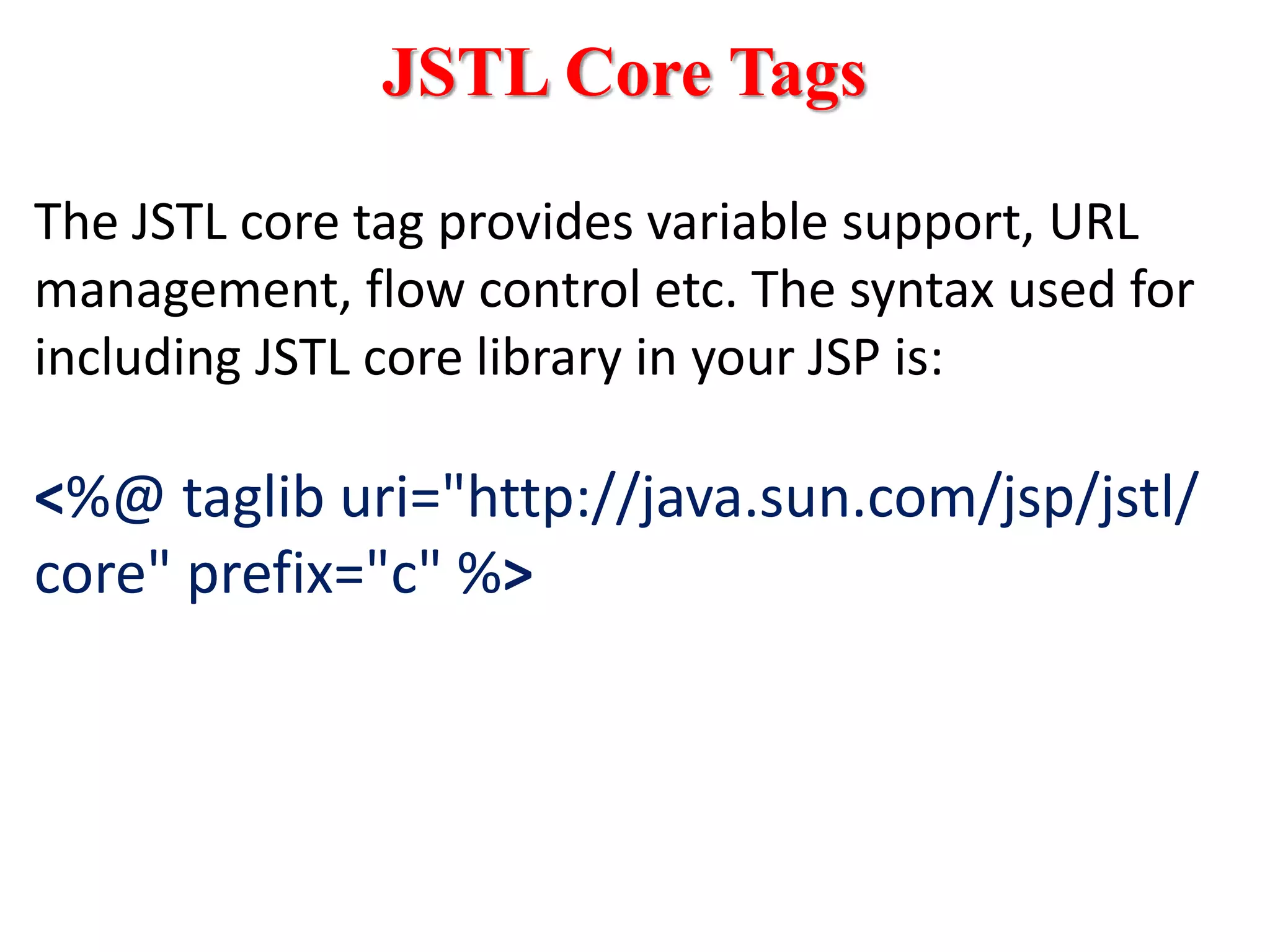
JSTL Core Tags
The JSTL core tag provides variable support, URL
management, flow control etc. The syntax used for
including JSTL core library in your JSP is:
<%@ taglib uri="http://java.sun.com/jsp/jstl/
core" prefix="c" %>
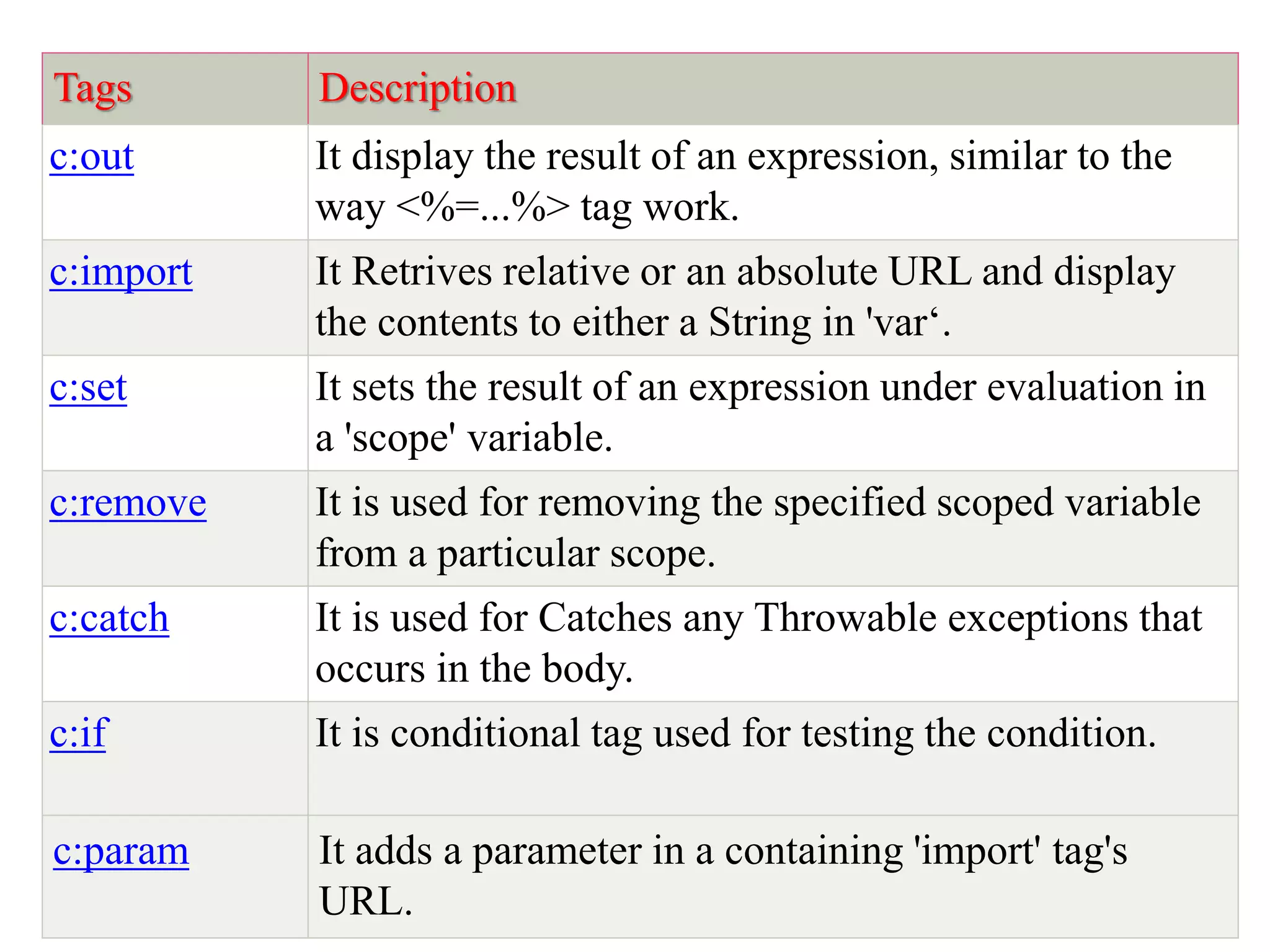
Tags Description
c:out It display the result of an expression, similar to the
way <%=...%> tag work.
c:import It Retrives relative or an absolute URL and display
the contents to either a String in 'var‘.
c:set It sets the result of an expression under evaluation in
a 'scope' variable.
c:remove It is used for removing the specified scoped variable
from a particular scope.
c:catch It is used for Catches any Throwable exceptions that
occurs in the body.
c:if It is conditional tag used for testing the condition.
c:param It adds a parameter in a containing 'import' tag's
URL.
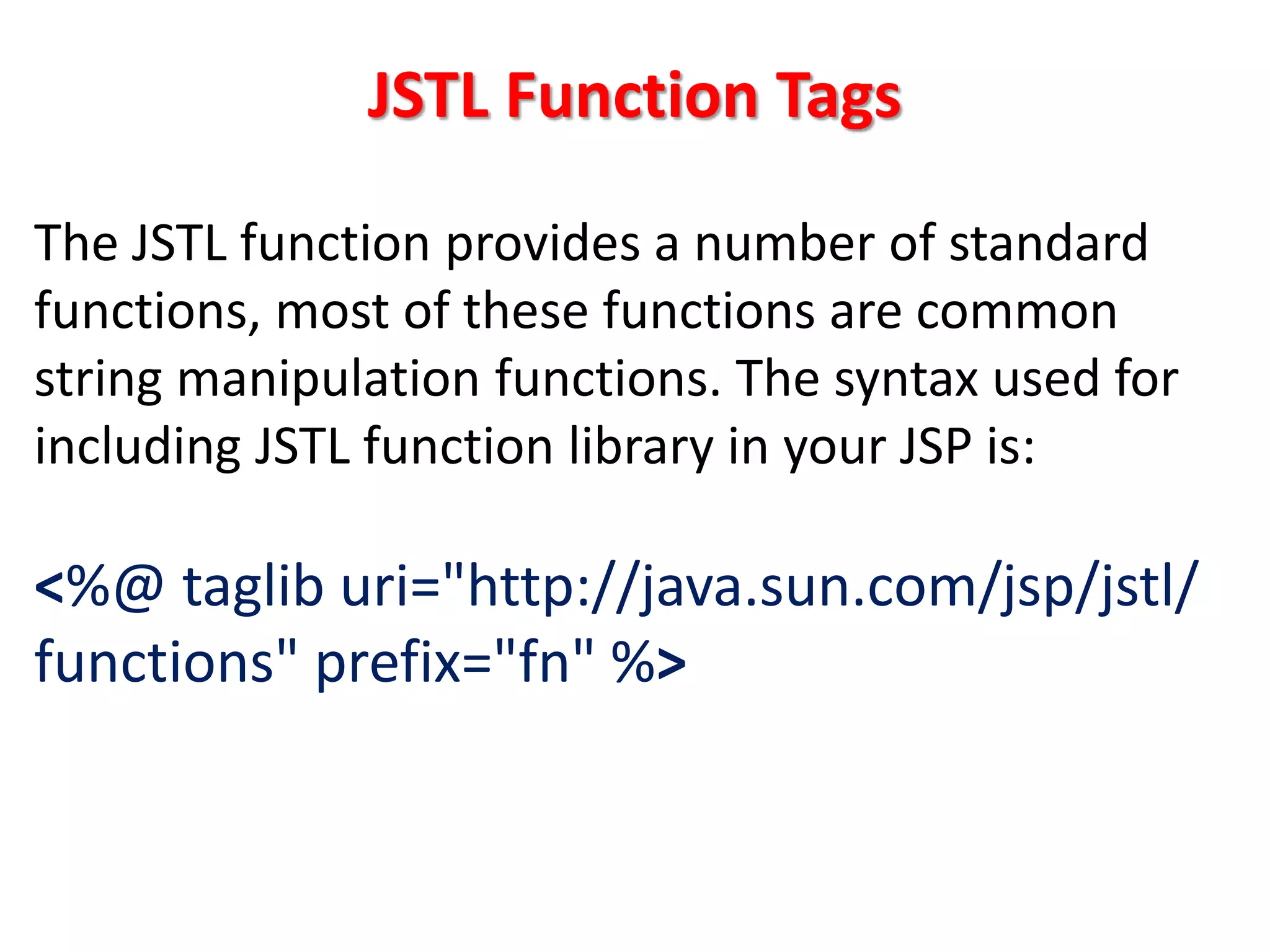
JSTL Function Tags
The JSTL function provides a number of standard
functions, most of these functions are common
string manipulation functions. The syntax used for
including JSTL function library in your JSP is:
<%@ taglib uri="http://java.sun.com/jsp/jstl/
functions" prefix="fn" %>
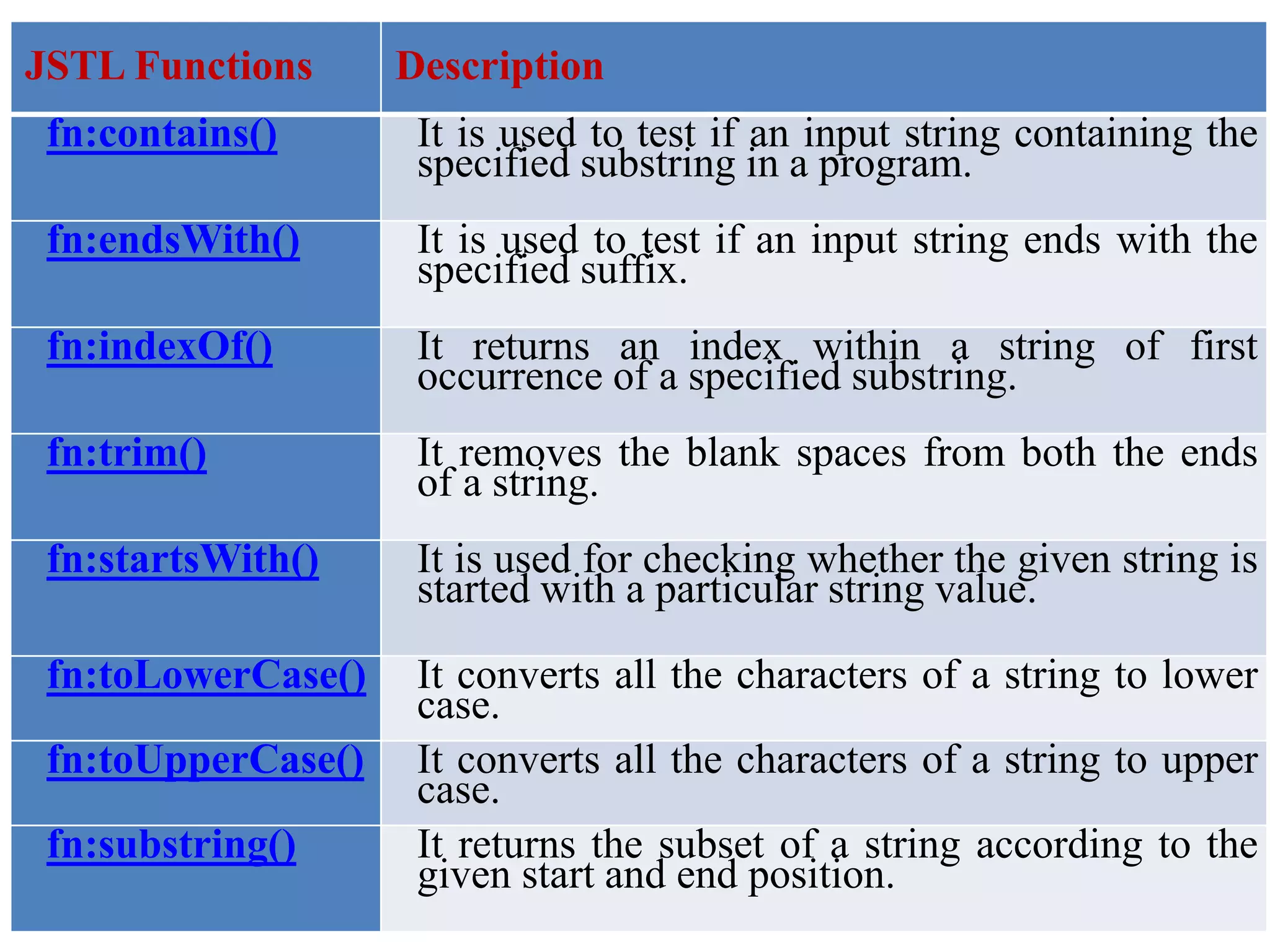
JSTL Functions Description
fn:contains() It is used to test if an input string containing the
specified substring in a program.
fn:endsWith() It is used to test if an input string ends with the
specified suffix.
fn:indexOf() It returns an index within a string of first
occurrence of a specified substring.
fn:trim() It removes the blank spaces from both the ends
of a string.
fn:startsWith() It is used for checking whether the given string is
started with a particular string value.
fn:toLowerCase() It converts all the characters of a string to lower
case.
fn:toUpperCase() It converts all the characters of a string to upper
case.
fn:substring() It returns the subset of a string according to the
given start and end position.
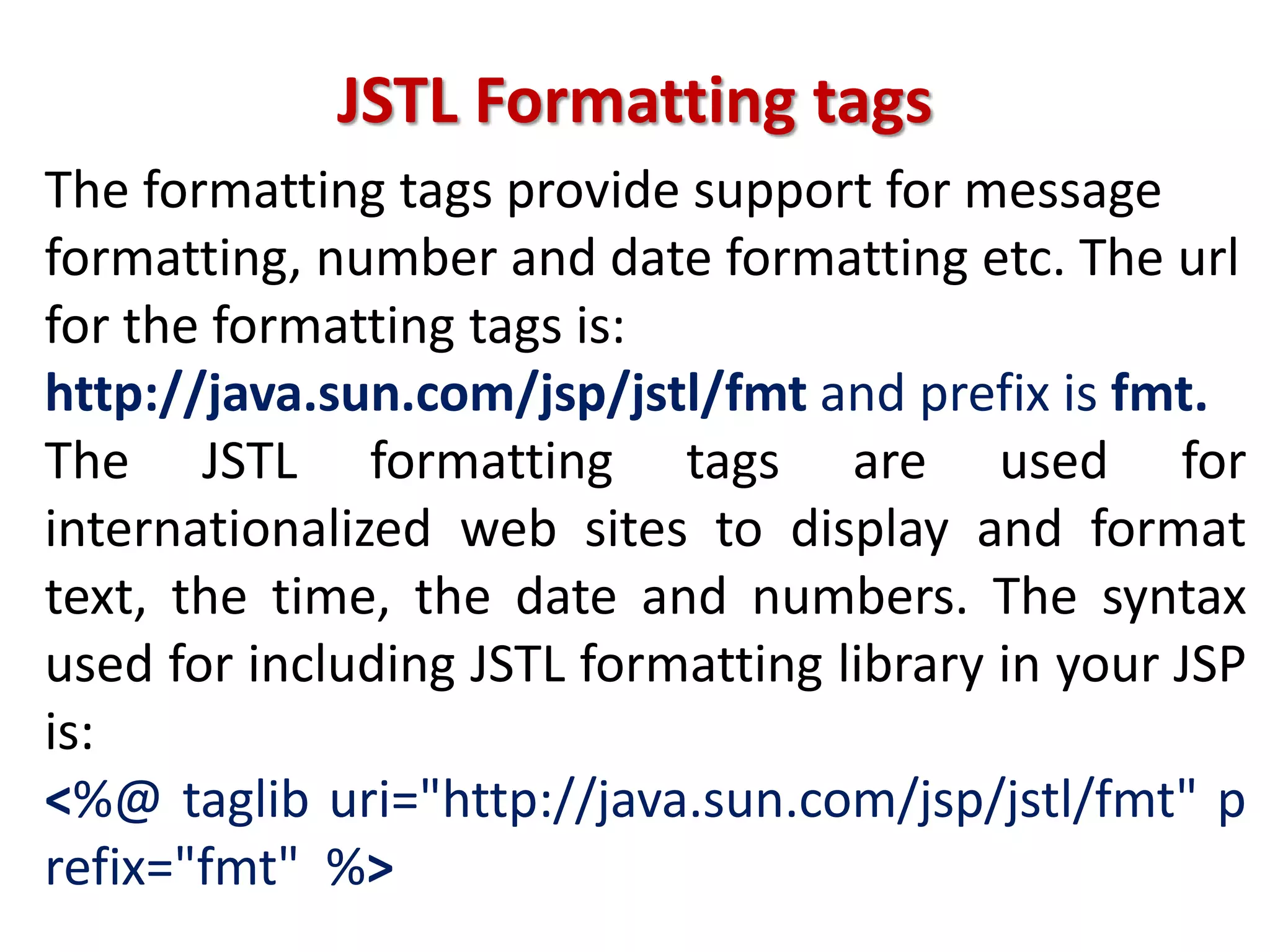
JSTL Formatting tags
The formatting tags provide support for message
formatting, number and date formatting etc. The url
for the formatting tags is:
http://java.sun.com/jsp/jstl/fmt and prefix is fmt.
The JSTL formatting tags are used for
internationalized web sites to display and format
text, the time, the date and numbers. The syntax
used for including JSTL formatting library in your JSP
is:
<%@ taglib uri="http://java.sun.com/jsp/jstl/fmt" p
refix="fmt" %>
Formatting Tags Descriptions
fmt:parseNumber It is used to Parses the string representation of
a currency, percentage or number.
fmt:timeZone It specifies a parsing action nested in its body
or the time zone for any time formatting.
fmt:formatNumber It is used to format the numerical value with
specific format or precision.
fmt:parseDate It parses the string representation of a time &
date.
fmt:setTimeZone It stores the time zone inside a time zone
configuration variable.
fmt:message It display an internationalized message.
fmt:formatDate It formats the time and/or date using the
supplied pattern and styles.
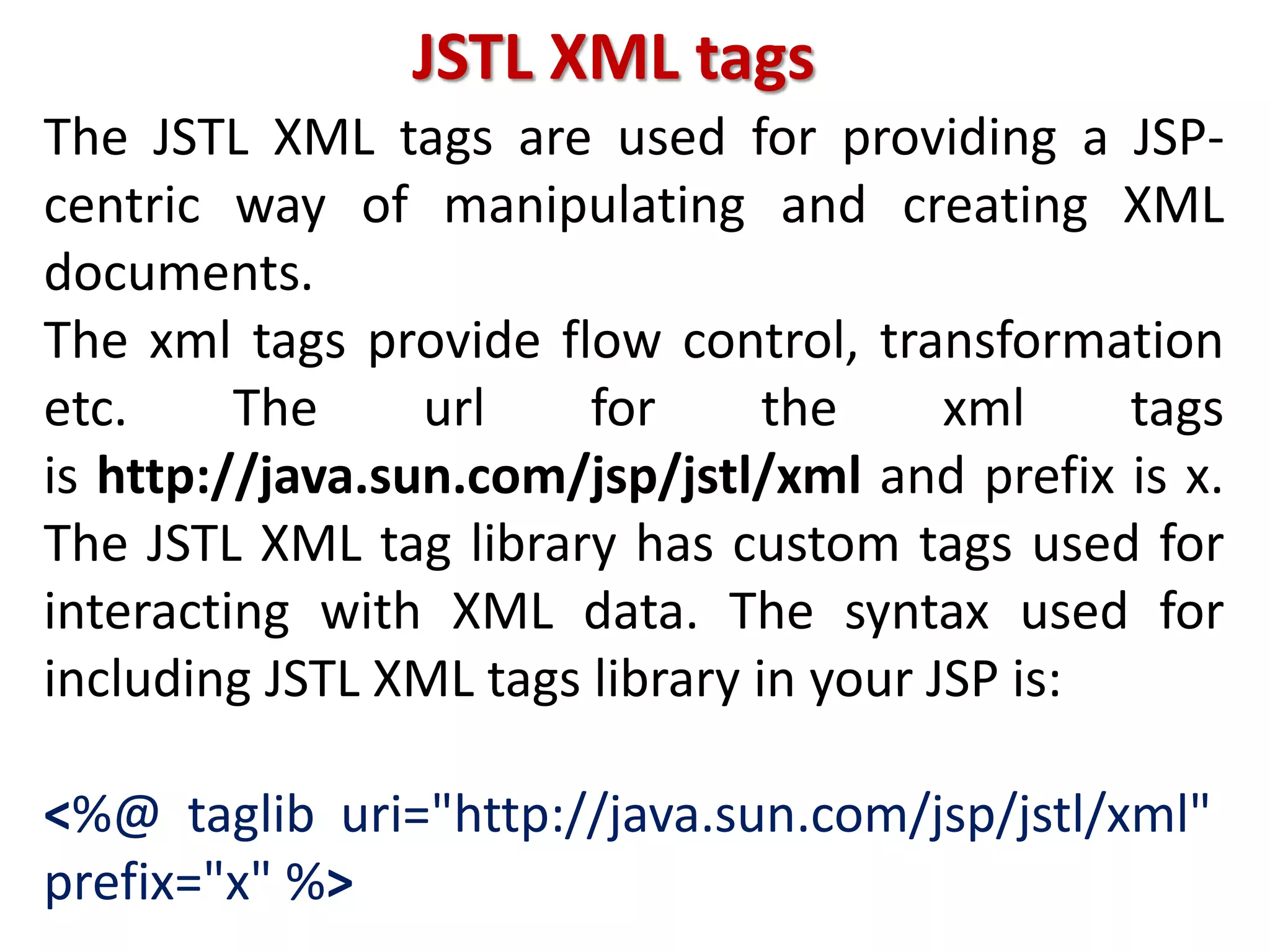
JSTL XML tags
The JSTL XML tags are used for providing a JSP-
centric way of manipulating and creating XML
documents.
The xml tags provide flow control, transformation
etc. The url for the xml tags
is http://java.sun.com/jsp/jstl/xml and prefix is x.
The JSTL XML tag library has custom tags used for
interacting with XML data. The syntax used for
including JSTL XML tags library in your JSP is:
<%@ taglib uri="http://java.sun.com/jsp/jstl/xml"
prefix="x" %>
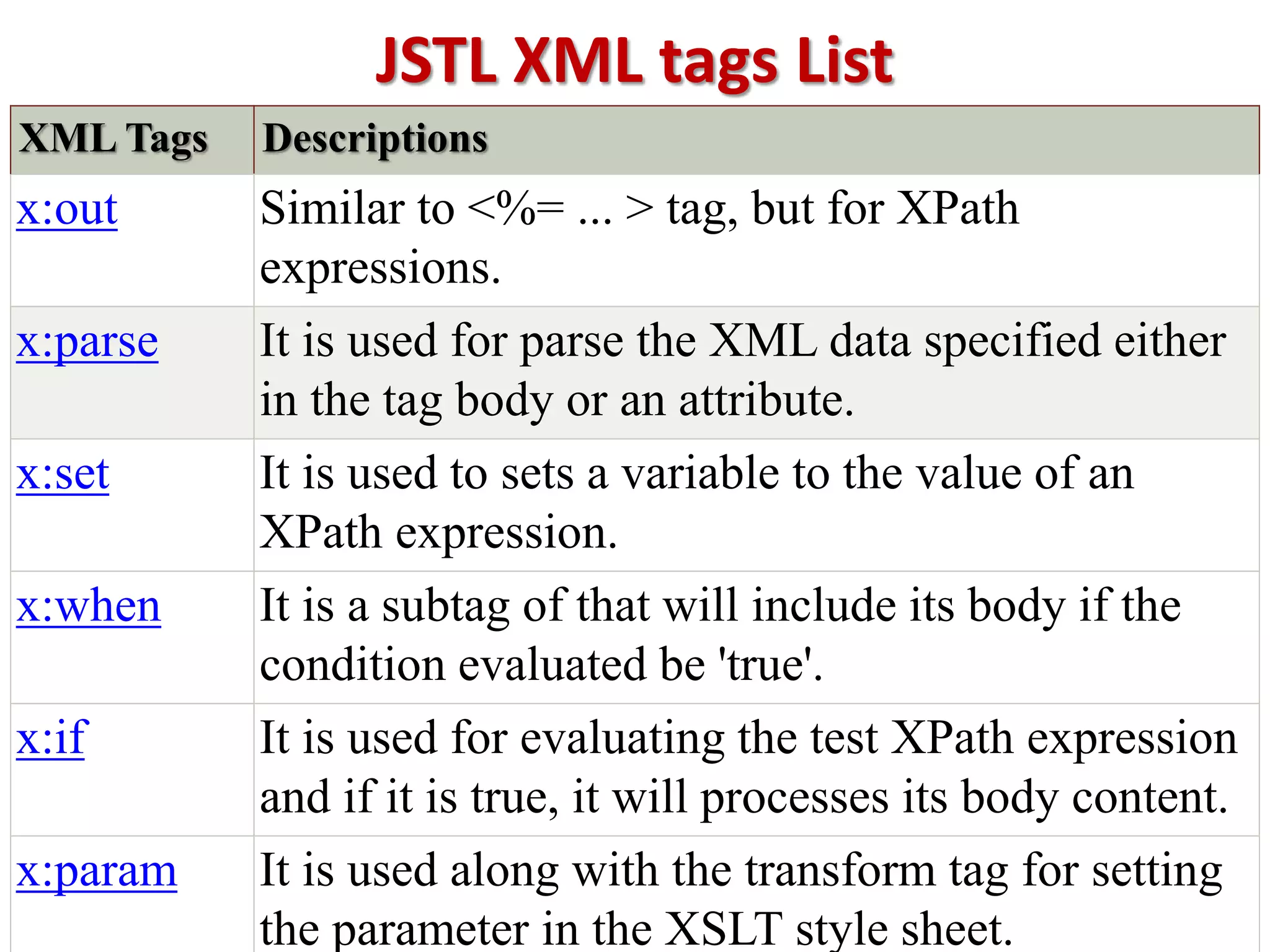
JSTL XML tags List
XML Tags Descriptions
x:out Similar to <%= ... > tag, but for XPath
expressions.
x:parse It is used for parse the XML data specified either
in the tag body or an attribute.
x:set It is used to sets a variable to the value of an
XPath expression.
x:when It is a subtag of that will include its body if the
condition evaluated be 'true'.
x:if It is used for evaluating the test XPath expression
and if it is true, it will processes its body content.
x:param It is used along with the transform tag for setting
the parameter in the XSLT style sheet.
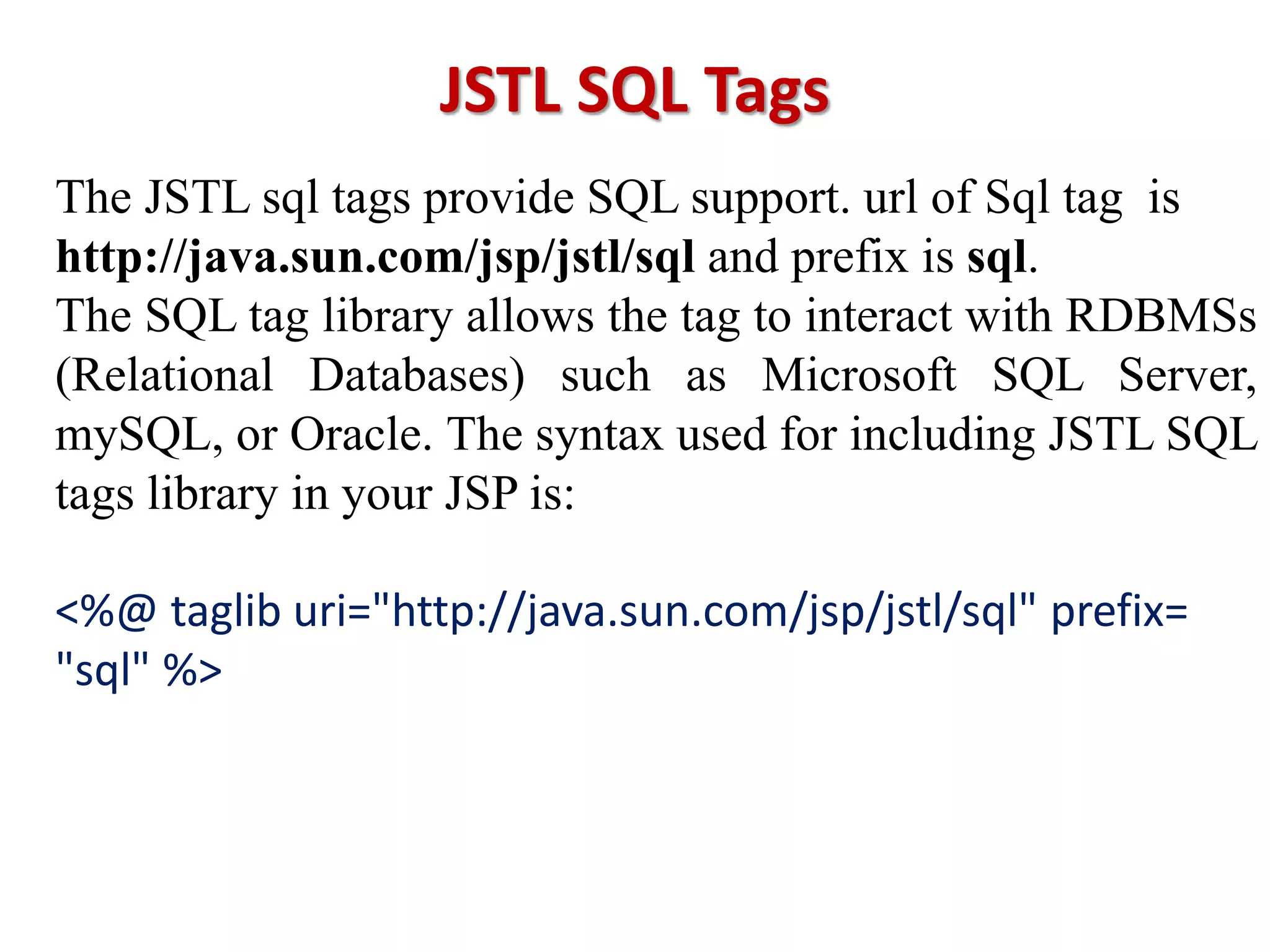
JSTL SQL Tags
The JSTL sql tags provide SQL support. url of Sql tag is
http://java.sun.com/jsp/jstl/sql and prefix is sql.
The SQL tag library allows the tag to interact with RDBMSs
(Relational Databases) such as Microsoft SQL Server,
mySQL, or Oracle. The syntax used for including JSTL SQL
tags library in your JSP is:
<%@ taglib uri="http://java.sun.com/jsp/jstl/sql" prefix=
"sql" %>
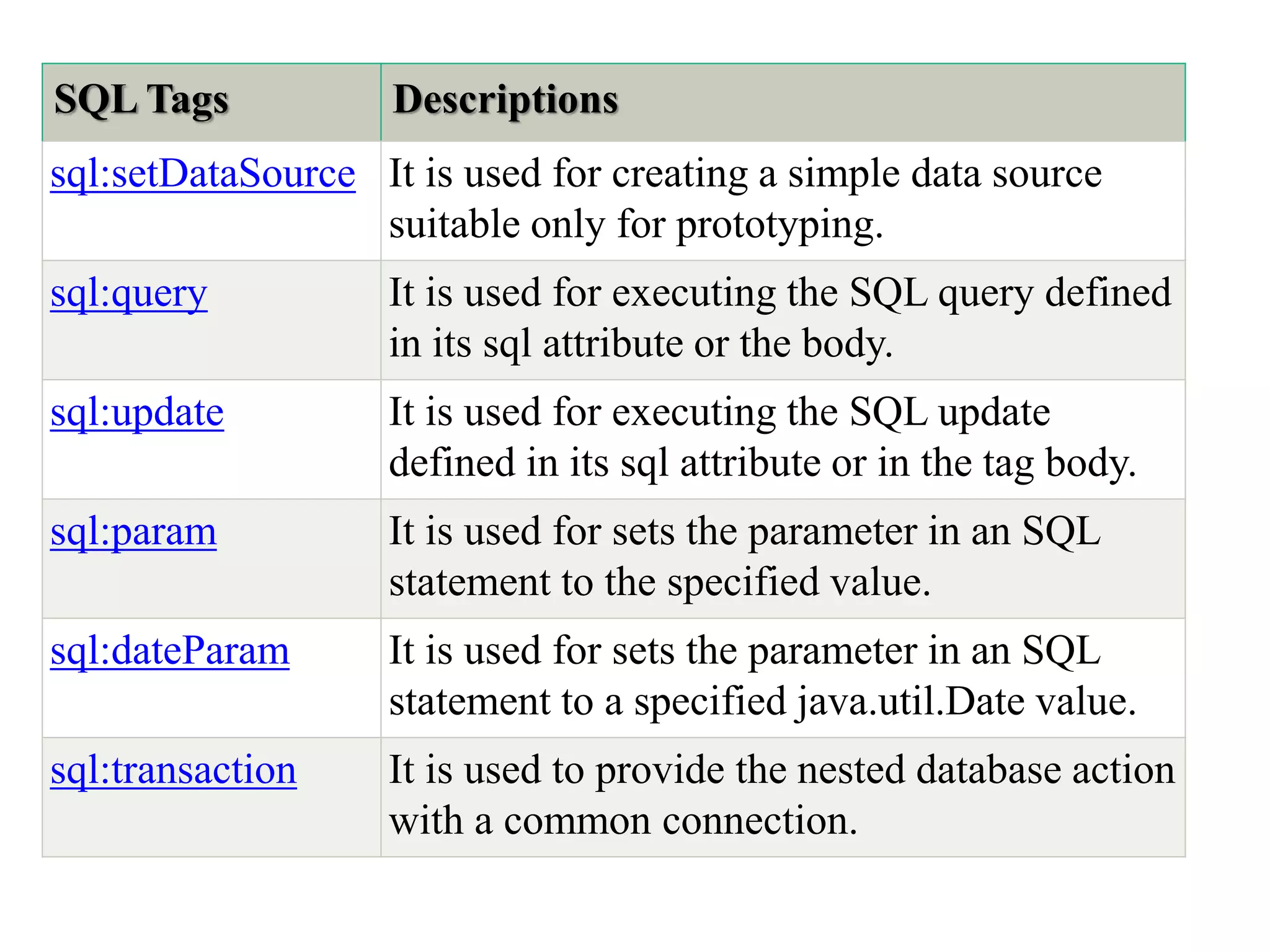
SQL Tags Descriptions
sql:setDataSource It is used for creating a simple data source
suitable only for prototyping.
sql:query It is used for executing the SQL query defined
in its sql attribute or the body.
sql:update It is used for executing the SQL update
defined in its sql attribute or in the tag body.
sql:param It is used for sets the parameter in an SQL
statement to the specified value.
sql:dateParam It is used for sets the parameter in an SQL
statement to a specified java.util.Date value.
sql:transaction It is used to provide the nested database action
with a common connection.
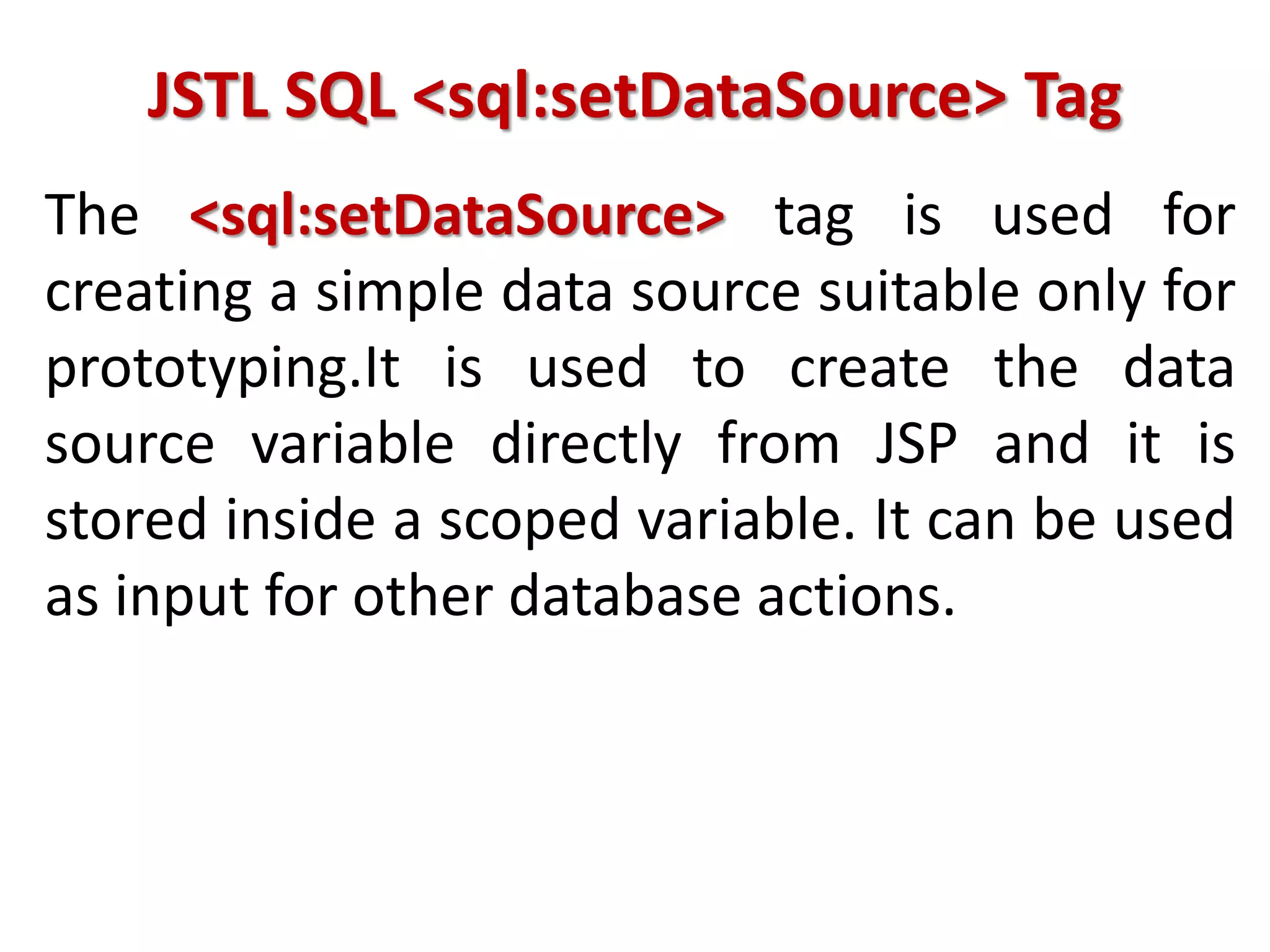
JSTL SQL <sql:setDataSource> Tag
The <sql:setDataSource> tag is used for
creating a simple data source suitable only for
prototyping.It is used to create the data
source variable directly from JSP and it is
stored inside a scoped variable. It can be used
as input for other database actions.
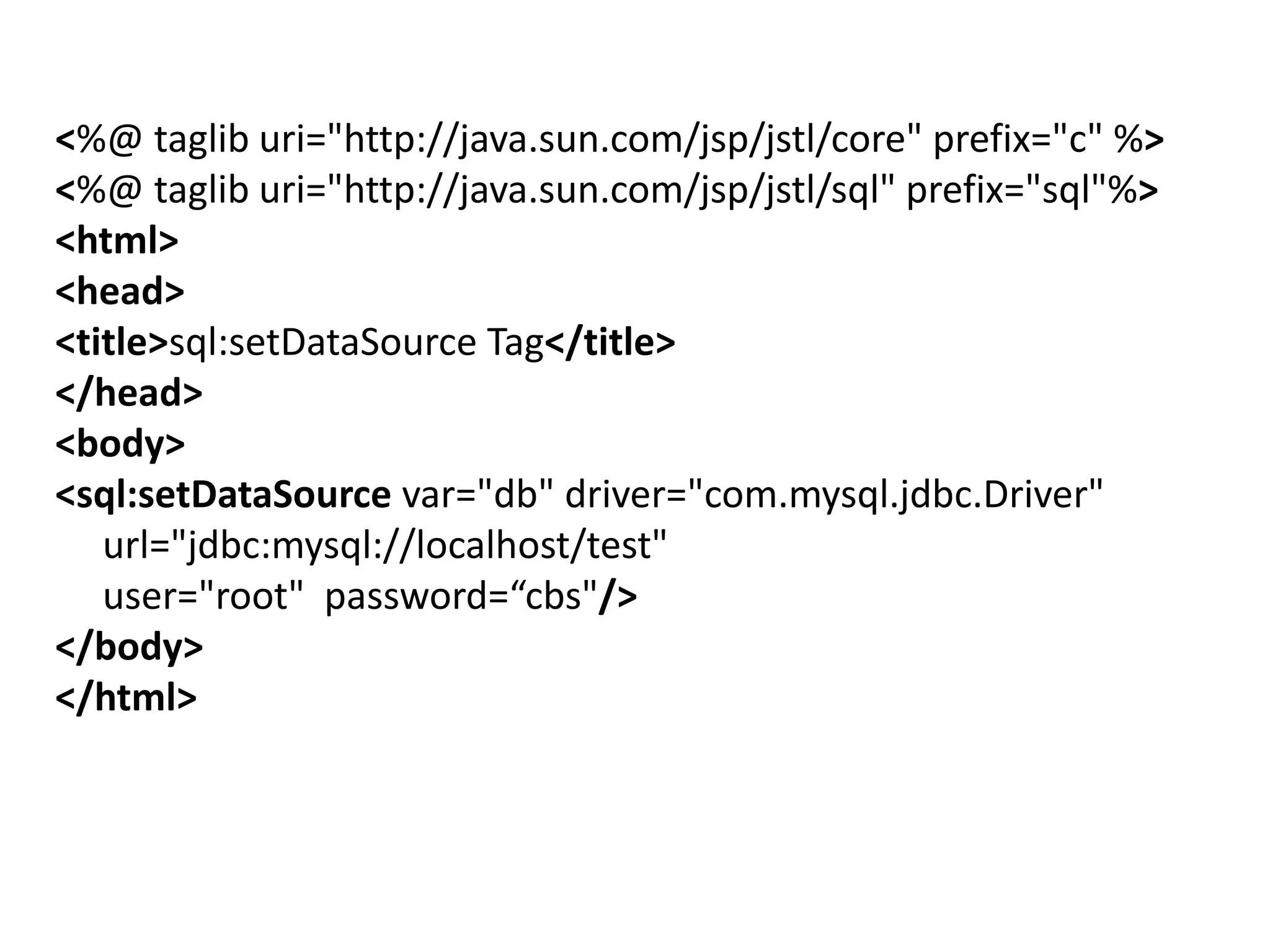
<%@ taglib uri="http://java.sun.com/jsp/jstl/core" prefix="c" %>
<%@ taglib uri="http://java.sun.com/jsp/jstl/sql" prefix="sql"%>
<html>
<head>
<title>sql:setDataSource Tag</title>
</head>
<body>
<sql:setDataSource var="db" driver="com.mysql.jdbc.Driver"
url="jdbc:mysql://localhost/test"
user="root" password=“cbs"/>
</body>
</html>
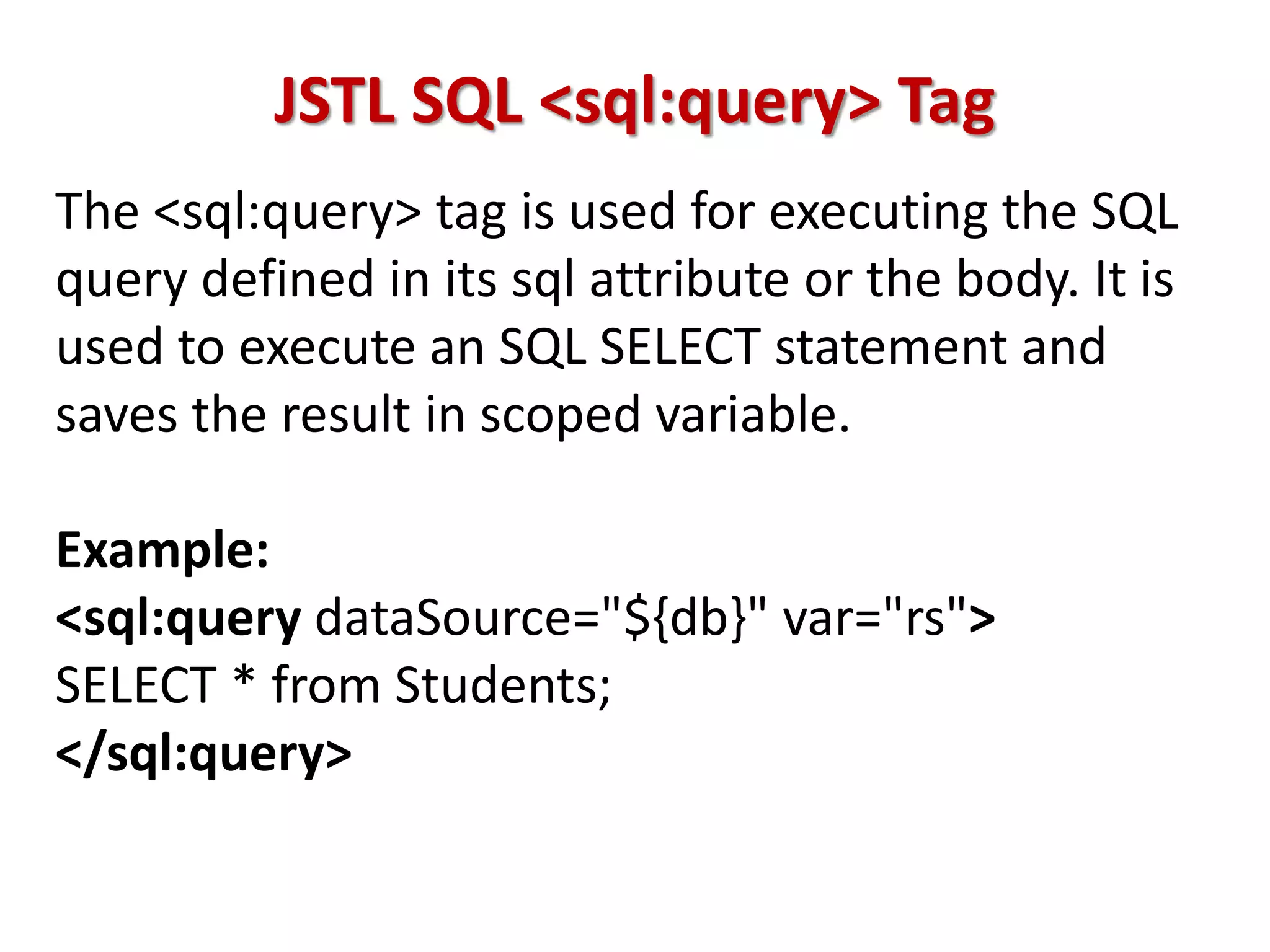
JSTL SQL <sql:query> Tag
The <sql:query> tag is used for executing the SQL
query defined in its sql attribute or the body. It is
used to execute an SQL SELECT statement and
saves the result in scoped variable.
Example:
<sql:query dataSource="${db}" var="rs">
SELECT * from Students;
</sql:query>
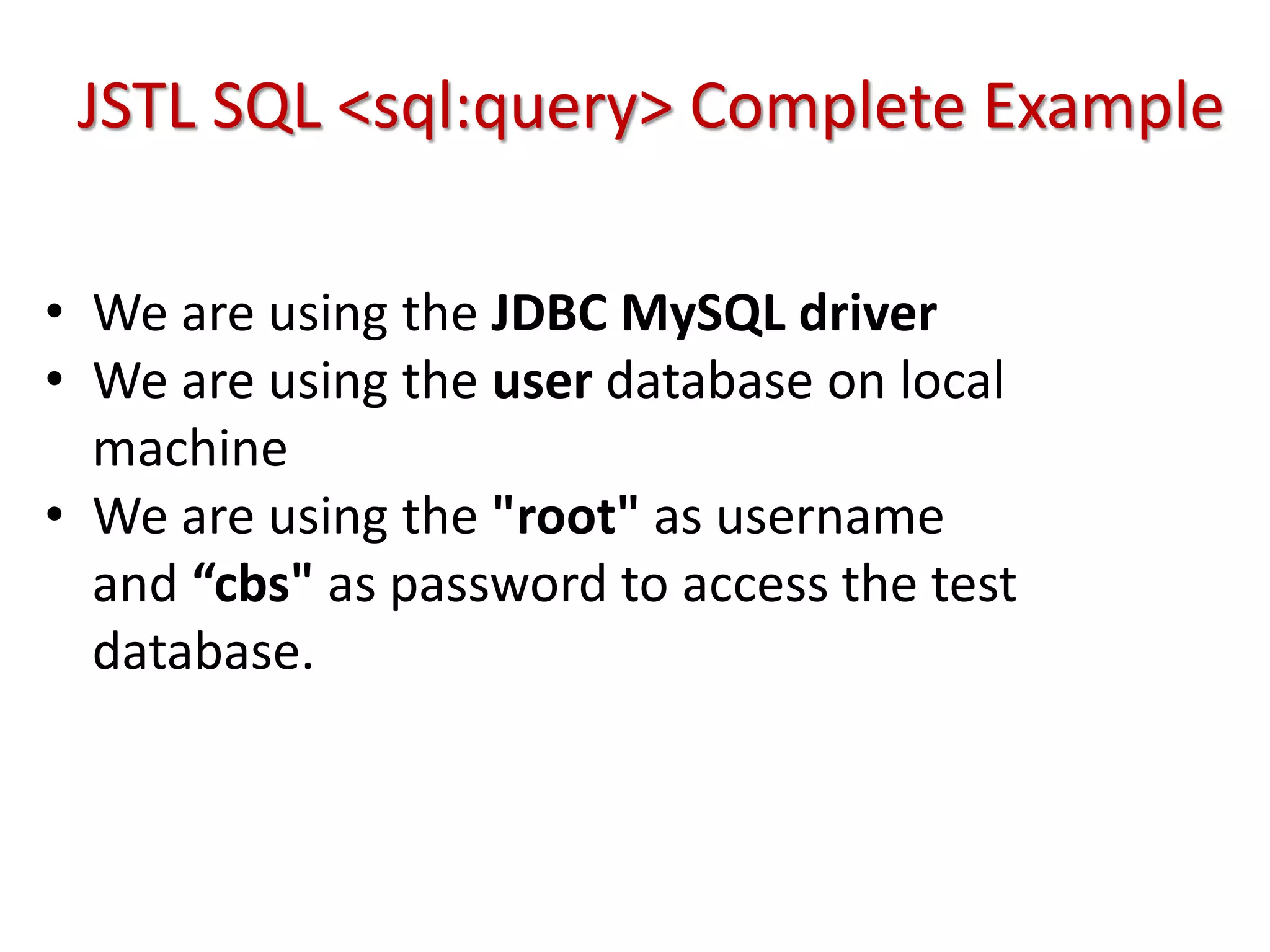
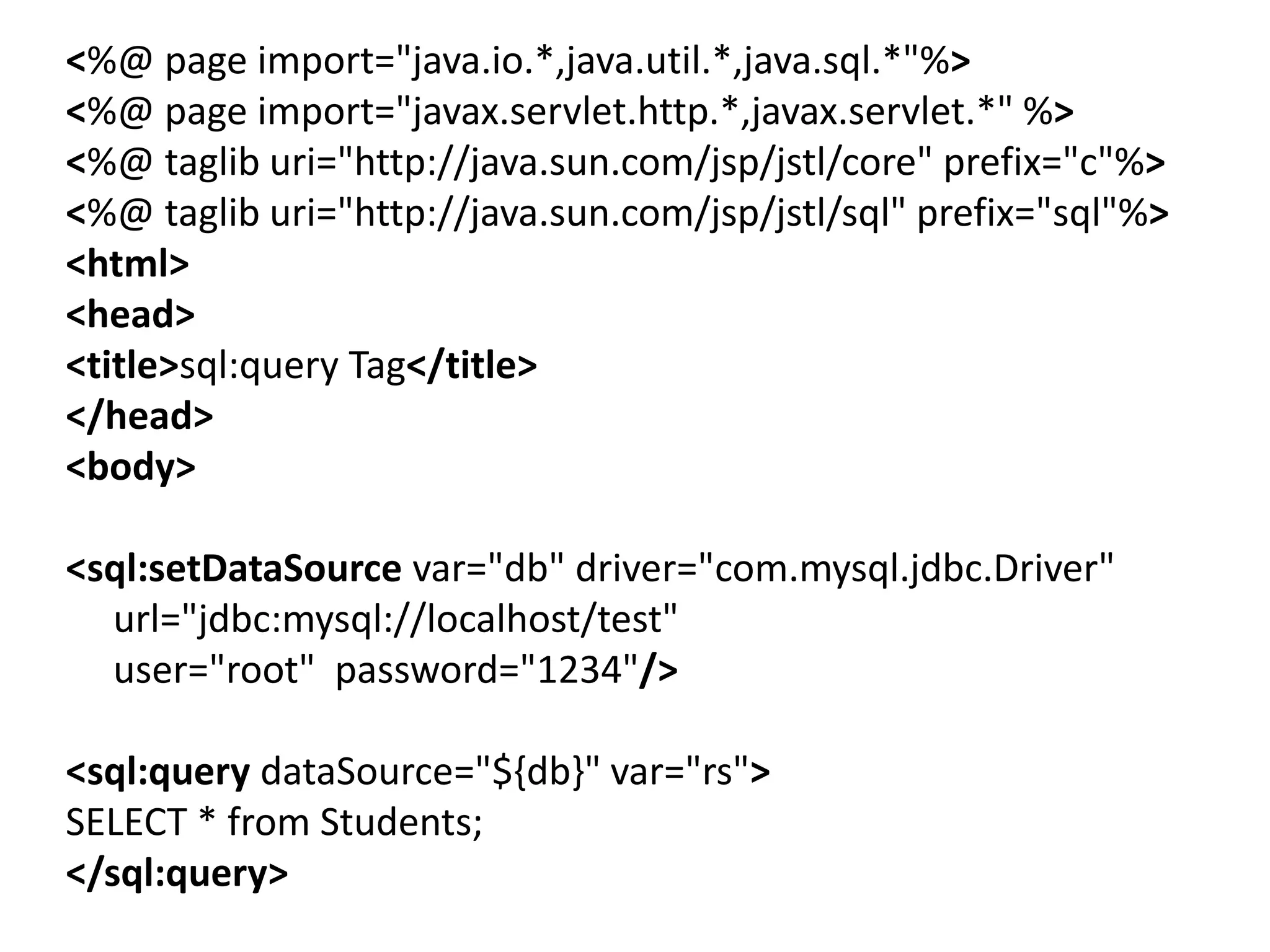
JSTL SQL <sql:query> Complete Example
• We are using the JDBC MySQL driver
• We are using the user database on local
machine
• We are using the "root" as username
and “cbs" as password to access the test
database.
<%@ page import="java.io.*,java.util.*,java.sql.*"%>
<%@ page import="javax.servlet.http.*,javax.servlet.*" %>
<%@ taglib uri="http://java.sun.com/jsp/jstl/core" prefix="c"%>
<%@ taglib uri="http://java.sun.com/jsp/jstl/sql" prefix="sql"%>
<html>
<head>
<title>sql:query Tag</title>
</head>
<body>
<sql:setDataSource var="db" driver="com.mysql.jdbc.Driver"
url="jdbc:mysql://localhost/test"
user="root" password="1234"/>
<sql:query dataSource="${db}" var="rs">
SELECT * from Students;
</sql:query>
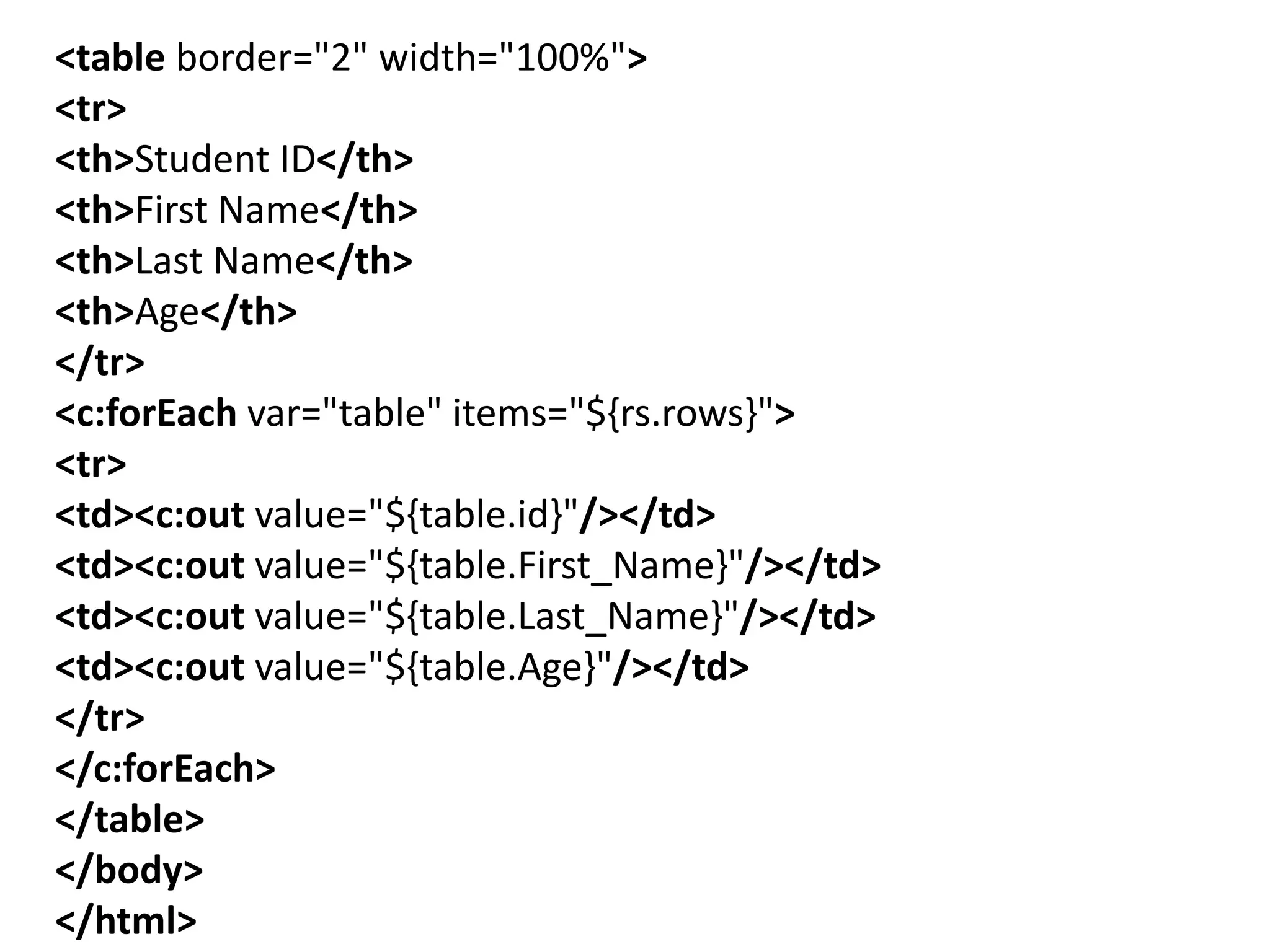
<table border="2" width="100%">
<tr>
<th>Student ID</th>
<th>First Name</th>
<th>Last Name</th>
<th>Age</th>
</tr>
<c:forEach var="table" items="${rs.rows}">
<tr>
<td><c:out value="${table.id}"/></td>
<td><c:out value="${table.First_Name}"/></td>
<td><c:out value="${table.Last_Name}"/></td>
<td><c:out value="${table.Age}"/></td>
</tr>
</c:forEach>
</table>
</body>
</html>
Thank You

Jsp tag library

  • 1.
    Enterprise Java Unit-3 JSTL • Introductionto JSTL • Types of JSTL Tags • Example of JSTL By Prof. Sandeep Vishwakarma
  • 2.
    JSTL (JSP StandardTag Library) • The JSP Standard Tag Library (JSTL) represents a set of tags to simplify the JSP development. • JSP Standard Tag Library (JSTL) is a standard library of readymade tags. The JSTL contains several tags that can remove scriplet code from a JSP page by providing some ready to use, already implemented common functionalities.
  • 3.
    Advantage of JSTL •Fast Development JSTL provides many tags that simplify the JSP. • Code Reusability We can use the JSTL tags on various pages. • No need to use scriptlet tag It avoids the use of scriptlet tag.
  • 4.
    JSTL Core Tags TheJSTL core tag provides variable support, URL management, flow control etc. The syntax used for including JSTL core library in your JSP is: <%@ taglib uri="http://java.sun.com/jsp/jstl/ core" prefix="c" %>
  • 5.
    Tags Description c:out Itdisplay the result of an expression, similar to the way <%=...%> tag work. c:import It Retrives relative or an absolute URL and display the contents to either a String in 'var‘. c:set It sets the result of an expression under evaluation in a 'scope' variable. c:remove It is used for removing the specified scoped variable from a particular scope. c:catch It is used for Catches any Throwable exceptions that occurs in the body. c:if It is conditional tag used for testing the condition. c:param It adds a parameter in a containing 'import' tag's URL.
  • 6.
    JSTL Function Tags TheJSTL function provides a number of standard functions, most of these functions are common string manipulation functions. The syntax used for including JSTL function library in your JSP is: <%@ taglib uri="http://java.sun.com/jsp/jstl/ functions" prefix="fn" %>
  • 7.
    JSTL Functions Description fn:contains()It is used to test if an input string containing the specified substring in a program. fn:endsWith() It is used to test if an input string ends with the specified suffix. fn:indexOf() It returns an index within a string of first occurrence of a specified substring. fn:trim() It removes the blank spaces from both the ends of a string. fn:startsWith() It is used for checking whether the given string is started with a particular string value. fn:toLowerCase() It converts all the characters of a string to lower case. fn:toUpperCase() It converts all the characters of a string to upper case. fn:substring() It returns the subset of a string according to the given start and end position.
  • 8.
    JSTL Formatting tags Theformatting tags provide support for message formatting, number and date formatting etc. The url for the formatting tags is: http://java.sun.com/jsp/jstl/fmt and prefix is fmt. The JSTL formatting tags are used for internationalized web sites to display and format text, the time, the date and numbers. The syntax used for including JSTL formatting library in your JSP is: <%@ taglib uri="http://java.sun.com/jsp/jstl/fmt" p refix="fmt" %>
  • 9.
    Formatting Tags Descriptions fmt:parseNumberIt is used to Parses the string representation of a currency, percentage or number. fmt:timeZone It specifies a parsing action nested in its body or the time zone for any time formatting. fmt:formatNumber It is used to format the numerical value with specific format or precision. fmt:parseDate It parses the string representation of a time & date. fmt:setTimeZone It stores the time zone inside a time zone configuration variable. fmt:message It display an internationalized message. fmt:formatDate It formats the time and/or date using the supplied pattern and styles.
  • 10.
    JSTL XML tags TheJSTL XML tags are used for providing a JSP- centric way of manipulating and creating XML documents. The xml tags provide flow control, transformation etc. The url for the xml tags is http://java.sun.com/jsp/jstl/xml and prefix is x. The JSTL XML tag library has custom tags used for interacting with XML data. The syntax used for including JSTL XML tags library in your JSP is: <%@ taglib uri="http://java.sun.com/jsp/jstl/xml" prefix="x" %>
  • 11.
    JSTL XML tagsList XML Tags Descriptions x:out Similar to <%= ... > tag, but for XPath expressions. x:parse It is used for parse the XML data specified either in the tag body or an attribute. x:set It is used to sets a variable to the value of an XPath expression. x:when It is a subtag of that will include its body if the condition evaluated be 'true'. x:if It is used for evaluating the test XPath expression and if it is true, it will processes its body content. x:param It is used along with the transform tag for setting the parameter in the XSLT style sheet.
  • 12.
    JSTL SQL Tags TheJSTL sql tags provide SQL support. url of Sql tag is http://java.sun.com/jsp/jstl/sql and prefix is sql. The SQL tag library allows the tag to interact with RDBMSs (Relational Databases) such as Microsoft SQL Server, mySQL, or Oracle. The syntax used for including JSTL SQL tags library in your JSP is: <%@ taglib uri="http://java.sun.com/jsp/jstl/sql" prefix= "sql" %>
  • 13.
    SQL Tags Descriptions sql:setDataSourceIt is used for creating a simple data source suitable only for prototyping. sql:query It is used for executing the SQL query defined in its sql attribute or the body. sql:update It is used for executing the SQL update defined in its sql attribute or in the tag body. sql:param It is used for sets the parameter in an SQL statement to the specified value. sql:dateParam It is used for sets the parameter in an SQL statement to a specified java.util.Date value. sql:transaction It is used to provide the nested database action with a common connection.
  • 14.
    JSTL SQL <sql:setDataSource>Tag The <sql:setDataSource> tag is used for creating a simple data source suitable only for prototyping.It is used to create the data source variable directly from JSP and it is stored inside a scoped variable. It can be used as input for other database actions.
  • 15.
    <%@ taglib uri="http://java.sun.com/jsp/jstl/core"prefix="c" %> <%@ taglib uri="http://java.sun.com/jsp/jstl/sql" prefix="sql"%> <html> <head> <title>sql:setDataSource Tag</title> </head> <body> <sql:setDataSource var="db" driver="com.mysql.jdbc.Driver" url="jdbc:mysql://localhost/test" user="root" password=“cbs"/> </body> </html>
  • 16.
    JSTL SQL <sql:query>Tag The <sql:query> tag is used for executing the SQL query defined in its sql attribute or the body. It is used to execute an SQL SELECT statement and saves the result in scoped variable. Example: <sql:query dataSource="${db}" var="rs"> SELECT * from Students; </sql:query>
  • 17.
    JSTL SQL <sql:query>Complete Example • We are using the JDBC MySQL driver • We are using the user database on local machine • We are using the "root" as username and “cbs" as password to access the test database.
  • 18.
    <%@ page import="java.io.*,java.util.*,java.sql.*"%> <%@page import="javax.servlet.http.*,javax.servlet.*" %> <%@ taglib uri="http://java.sun.com/jsp/jstl/core" prefix="c"%> <%@ taglib uri="http://java.sun.com/jsp/jstl/sql" prefix="sql"%> <html> <head> <title>sql:query Tag</title> </head> <body> <sql:setDataSource var="db" driver="com.mysql.jdbc.Driver" url="jdbc:mysql://localhost/test" user="root" password="1234"/> <sql:query dataSource="${db}" var="rs"> SELECT * from Students; </sql:query>
  • 19.
    <table border="2" width="100%"> <tr> <th>StudentID</th> <th>First Name</th> <th>Last Name</th> <th>Age</th> </tr> <c:forEach var="table" items="${rs.rows}"> <tr> <td><c:out value="${table.id}"/></td> <td><c:out value="${table.First_Name}"/></td> <td><c:out value="${table.Last_Name}"/></td> <td><c:out value="${table.Age}"/></td> </tr> </c:forEach> </table> </body> </html>
  • 20.