Twitter for educators:
Build your PLN!
#digilitleic
@josiefraser March 2014
This session will cover creating and engaging
with communities on Twitter, growing your
network, and essential tips and tools for a better
Twitter experience.
Josie Fraser March 2014
Social tech for educators
• Communicating & connecting
• Learning & teaching
• Curating & resource sharing
• Professional development/PLNs
Josie Fraser March 2014
Three basic online identities
• Personal
• Professional
• Organisational
SocialTech: Personal - Professional - Organisational:
three basic online identities (2009) http://bit.ly/vcRv5
Josie Fraser March 2014
Department for Education:
Teachers’ Standards
Effective from 1 September 2012
Part One: Teaching
3. Demonstrate good subject and curriculum
knowledge
8. Fulfil wider professional responsibilities
Josie Fraser March 2014
Things to think about
• ‘Friending’ > don’t forget lists!
• Images and photos
• Passwords & account access
• Reputation and impact
• Moderation & engagement
Josie Fraser March 2014
Top tips for managing your online
presence
• Don’t drink & tweet
• Check information before you share it
• Give credit where credit is due
• Think about who you connect to & promote
• RTs may not constitute an endorsement but
many people will assume they do
• Friending students, parents & carers?
Josie Fraser March 2014
Social Media Policies
“As role models for students and a
representative of the School District, you must
ensure that your use of social networking – even
on your personal time – does not reflect
negatively on your professional reputation or
that of the School District.”
Vancouver School District Drafts School Social Media Policy (May 2013)
How One School Uses Social Media To Empower Parents And Students (May
2013)
Josie Fraser March 2014
#hashtags
• Hashtags are a key way of organising and
finding information and conversations online
Task 1: Create a hashtag for this workshop.
Tweet your suggestion, including the hashtag
#digilitleic so we can find it. If you want to keep
it quiet in your stream, address the tweet to
@josiefraser
Josie Fraser March 2014
Top tips for sweet tweets
• It’s not The Truman Show. Tweet about other
people, not just yourself.
• Don’t just RT. Unless you are an RT Bot or you
are pretending to be one.
• Ask good questions – not just lazy web
questions you could use Google for
• Think about share tweet structure:
Description, link and hashtags
• Don’t worry about missing things!
Josie Fraser March 2014
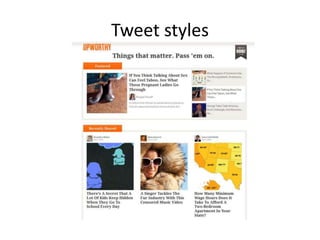
Tweet styles
Josie Fraser March 2014
Classic book titles as click
bait #litworthy
http://www.themillions.com/2014/01/read-me-please-book-
titles-rewritten-to-get-more-clicks.html
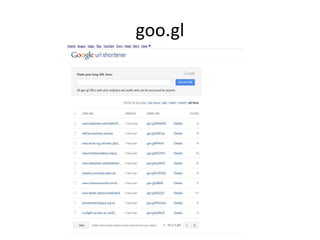
goo.gl
Task 2
This tasks asks you to think creatively about how you construct Twitter posts.
You will be provided with information about an upcoming event. Create a
Tweet that includes:
• A description. Google the event name – you will find several blog and web
posts that relate to the event. Using the information you find, craft your
tweet. Make people want to find out more!
• A link. Decide which link provides the best information, and use a URL
shorter (if you don’t have time, Twitter will automatically shorten your link
for you).
• A hashtag. Create your own hashtag for the event.
Tweet when you are ready - we will use lists to review the groups work
Josie Fraser March 2014
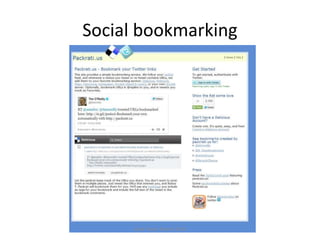
Social bookmarking
Josie Fraser March 2014
Social-network aggregation
Josie Fraser March 2014
Mobile clients
Josie Fraser March 2014
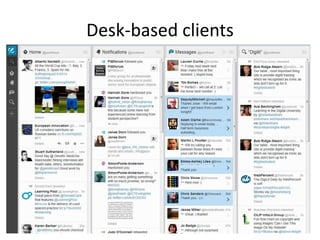
Desk-based clients
Josie Fraser March 2014
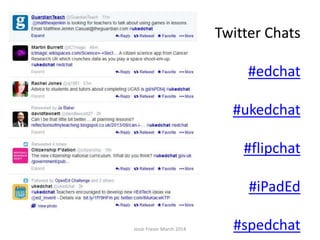
Twitter Chats
#edchat
#ukedchat
#flipchat
#iPadEd
#spedchat
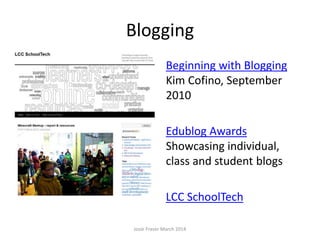
Blogging
Weblogs are easy to use and
update websites.
Beginning with Blogging
Kim Cofino, September
2010
Edublog Awards
Showcasing individual,
class and student blogs
LCC SchoolTech
Josie Fraser March 2014
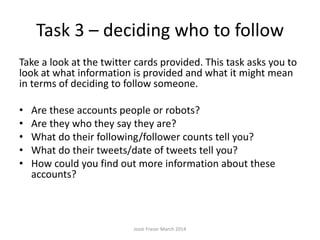
Task 3 – deciding who to follow
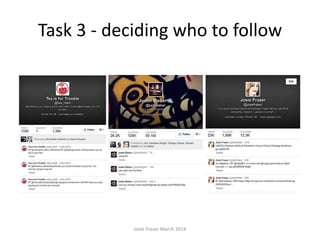
Take a look at the twitter cards provided. This task asks you to
look at what information is provided and what it might mean
in terms of deciding to follow someone.
• Are these accounts people or robots?
• Are they who they say they are?
• What do their following/follower counts tell you?
• What do their tweets/date of tweets tell you?
• How could you find out more information about these
accounts?
Josie Fraser March 2014
Task 3 - deciding who to follow
Josie Fraser March 2014
thank you!
@josiefraser

Josie Fraser - Twitter Workshop - build your network (March 2014)

  • 1.
    Twitter for educators: Buildyour PLN! #digilitleic @josiefraser March 2014
  • 2.
    This session willcover creating and engaging with communities on Twitter, growing your network, and essential tips and tools for a better Twitter experience. Josie Fraser March 2014
  • 3.
    Social tech foreducators • Communicating & connecting • Learning & teaching • Curating & resource sharing • Professional development/PLNs Josie Fraser March 2014
  • 4.
    Three basic onlineidentities • Personal • Professional • Organisational SocialTech: Personal - Professional - Organisational: three basic online identities (2009) http://bit.ly/vcRv5 Josie Fraser March 2014
  • 5.
    Department for Education: Teachers’Standards Effective from 1 September 2012 Part One: Teaching 3. Demonstrate good subject and curriculum knowledge 8. Fulfil wider professional responsibilities Josie Fraser March 2014
  • 7.
    Things to thinkabout • ‘Friending’ > don’t forget lists! • Images and photos • Passwords & account access • Reputation and impact • Moderation & engagement Josie Fraser March 2014
  • 8.
    Top tips formanaging your online presence • Don’t drink & tweet • Check information before you share it • Give credit where credit is due • Think about who you connect to & promote • RTs may not constitute an endorsement but many people will assume they do • Friending students, parents & carers? Josie Fraser March 2014
  • 9.
    Social Media Policies “Asrole models for students and a representative of the School District, you must ensure that your use of social networking – even on your personal time – does not reflect negatively on your professional reputation or that of the School District.” Vancouver School District Drafts School Social Media Policy (May 2013) How One School Uses Social Media To Empower Parents And Students (May 2013) Josie Fraser March 2014
  • 10.
    #hashtags • Hashtags area key way of organising and finding information and conversations online Task 1: Create a hashtag for this workshop. Tweet your suggestion, including the hashtag #digilitleic so we can find it. If you want to keep it quiet in your stream, address the tweet to @josiefraser Josie Fraser March 2014
  • 11.
    Top tips forsweet tweets • It’s not The Truman Show. Tweet about other people, not just yourself. • Don’t just RT. Unless you are an RT Bot or you are pretending to be one. • Ask good questions – not just lazy web questions you could use Google for • Think about share tweet structure: Description, link and hashtags • Don’t worry about missing things! Josie Fraser March 2014
  • 12.
  • 13.
    Josie Fraser March2014 Classic book titles as click bait #litworthy http://www.themillions.com/2014/01/read-me-please-book- titles-rewritten-to-get-more-clicks.html
  • 14.
  • 15.
    Task 2 This tasksasks you to think creatively about how you construct Twitter posts. You will be provided with information about an upcoming event. Create a Tweet that includes: • A description. Google the event name – you will find several blog and web posts that relate to the event. Using the information you find, craft your tweet. Make people want to find out more! • A link. Decide which link provides the best information, and use a URL shorter (if you don’t have time, Twitter will automatically shorten your link for you). • A hashtag. Create your own hashtag for the event. Tweet when you are ready - we will use lists to review the groups work Josie Fraser March 2014
  • 16.
  • 17.
  • 18.
  • 19.
  • 20.
    Josie Fraser March2014 Twitter Chats #edchat #ukedchat #flipchat #iPadEd #spedchat
  • 21.
    Blogging Weblogs are easyto use and update websites. Beginning with Blogging Kim Cofino, September 2010 Edublog Awards Showcasing individual, class and student blogs LCC SchoolTech Josie Fraser March 2014
  • 22.
    Task 3 –deciding who to follow Take a look at the twitter cards provided. This task asks you to look at what information is provided and what it might mean in terms of deciding to follow someone. • Are these accounts people or robots? • Are they who they say they are? • What do their following/follower counts tell you? • What do their tweets/date of tweets tell you? • How could you find out more information about these accounts? Josie Fraser March 2014
  • 23.
    Task 3 -deciding who to follow Josie Fraser March 2014
  • 24.

Editor's Notes

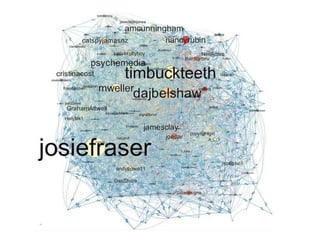
  • #7 Tony Hirst – map of ALT C 2010 amplification http://www.flickr.com/photos/psychemedia/4971440553/