Department of Computer Science and Information
Atal Bihari Vajpayee Vishwavidyalaya
Ujjwal Matoliya
JDBC
Java Database Connectivity
INDEX
What is a JDBC ?
INDEX
What is a JDBC ?
Why Should We Use JDBC ?
INDEX
What is a JDBC ?
Why Should We Use JDBC ?
Why Should We Use Driver in JDBC ?
types of JDBC drivers
INDEX
What is a JDBC ?
Why Should We Use JDBC ?
Why Should We Use Driver in JDBC ?
Types of Drivers in JDBC
INDEX
What is a JDBC ?
Why Should We Use JDBC ?
Why Should We Use Driver in JDBC ?
Types of Drivers in JDBC
How to Establish a Data Base Connection and
Executing SQL Statement
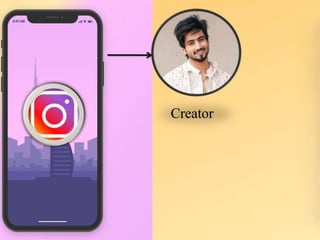
Creator
Creator
User
Creator
User
Creator
User
Data
Creator
User
Data
Application
API
Application
API Data Base
Application
API
Data Base
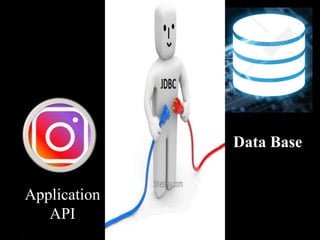
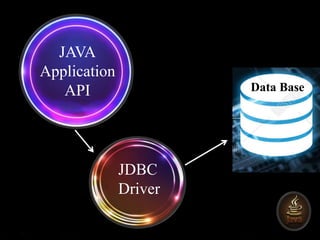
JDBC stands for Java Database
Connectivity. JDBC is a Java API to
connect and execute the query with the
database. It is a part of JavaSE (Java
Standard Edition). JDBC API uses JDBC
drivers to connect with the database.
JDBC
JAVA
Application
API Data Base
JDBC
Driver
Why Should We Use JDBC
Before JDBC, ODBC API was the database API to connect and execute
the query with the database. But, ODBC API uses ODBC driver which is
written in C language (i.e. platform dependent and unsecured). That is
why Java has defined its own API (JDBC API) that uses JDBC drivers
(written in Java language).
We can use JDBC API to handle database using Java program and can
perform the following activities:
Connect to the database
Execute queries and update statements to the database
Retrieve the result received from the database.
JDBC Driver is a
software component
that enables java
application to interact
with the database.
JDBC Driver
There are four types of JDBC
drivers
JDBC-ODBC Bridge
Driver,
Native Driver,
Network Protocol Driver,
and
Thin Driver
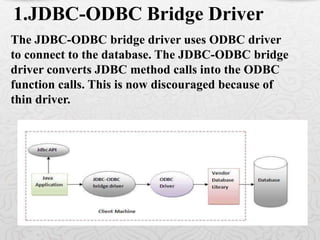
The JDBC-ODBC bridge driver uses ODBC driver
to connect to the database. The JDBC-ODBC bridge
driver converts JDBC method calls into the ODBC
function calls. This is now discouraged because of
thin driver.

1.JDBC-ODBC Bridge Driver
Oracle does not support the JDBC-ODBC Bridge from Java 8. Oracle
recommends that you use JDBC drivers provided by the vendor of your
database instead of the JDBC-ODBC Bridge.
Advantages:
easy to use.
can be easily connected to any database.
Disadvantages:
Performance degraded because JDBC method call is converted into the
ODBC function calls.
The ODBC driver needs to be installed on the client machine.
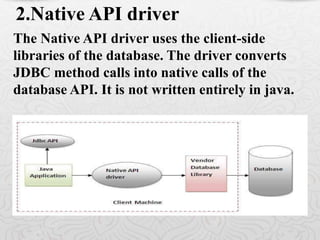
The Native API driver uses the client-side
libraries of the database. The driver converts
JDBC method calls into native calls of the
database API. It is not written entirely in java.
2.Native API driver
Advantage:
performance upgraded than JDBC-ODBC
bridge driver.
Disadvantage:
The Native driver needs to be installed on the
each client machine.
The Vendor client library needs to be installed on
client machine.
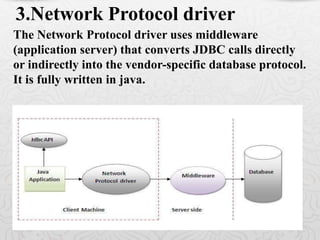
The Network Protocol driver uses middleware
(application server) that converts JDBC calls directly
or indirectly into the vendor-specific database protocol.
It is fully written in java.
3.Network Protocol driver
Advantage:
No client side library is required because of
application server that can perform many tasks
like auditing, load balancing, logging etc.
Disadvantages:
Network support is required on client machine.
Requires database-specific coding to be done in
the middle tier.
Maintenance of Network Protocol driver becomes
costly because it requires database-specific coding
to be done in the middle tier.
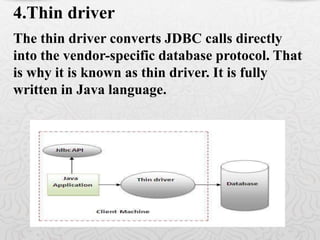
The thin driver converts JDBC calls directly
into the vendor-specific database protocol. That
is why it is known as thin driver. It is fully
written in Java language.
4.Thin driver
Advantage:
Better performance than all other drivers.
No software is required at client side or
server side.
Disadvantage:
Drivers depend on the Database.
How to Establish a Data Base
Connection and Executing SQL
Statement
Database
Oracle
MySql DB
etc
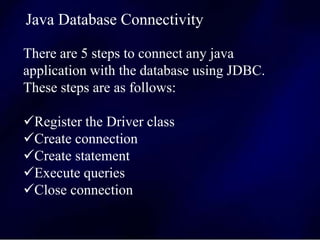
There are 5 steps to connect any java
application with the database using JDBC.
These steps are as follows:
Register the Driver class
Create connection
Create statement
Execute queries
Close connection
Java Database Connectivity
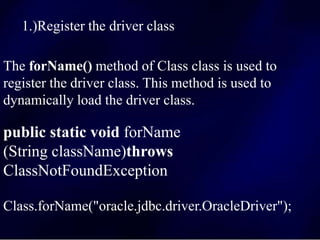
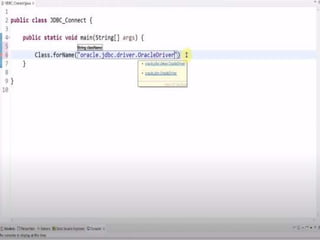
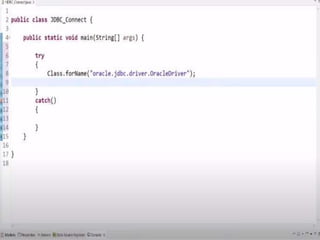
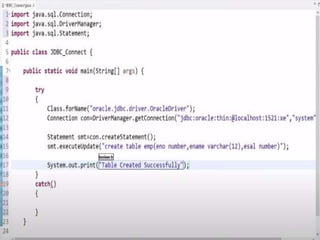
1.)Register the driver class
The forName() method of Class class is used to
register the driver class. This method is used to
dynamically load the driver class.
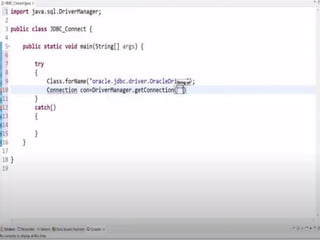
public static void forName
(String className)throws
ClassNotFoundException
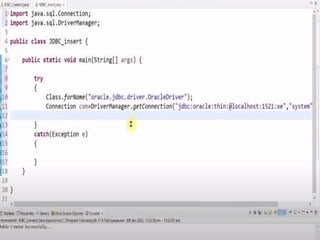
Class.forName("oracle.jdbc.driver.OracleDriver");
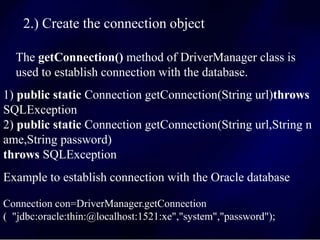
2.) Create the connection object
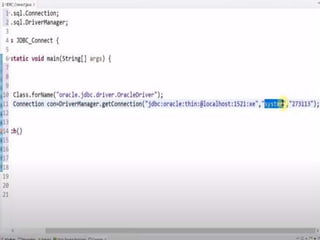
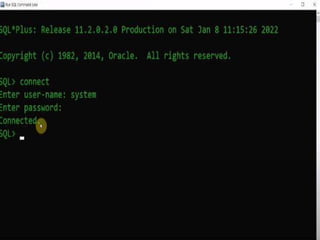
The getConnection() method of DriverManager class is
used to establish connection with the database.
Connection con=DriverManager.getConnection
( "jdbc:oracle:thin:@localhost:1521:xe","system","password");
1) public static Connection getConnection(String url)throws
SQLException
2) public static Connection getConnection(String url,String n
ame,String password)
throws SQLException
Example to establish connection with the Oracle database
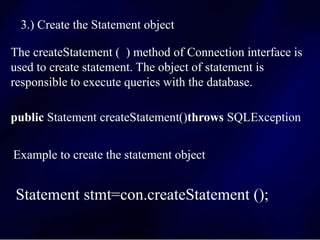
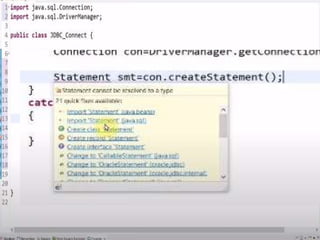
3.) Create the Statement object
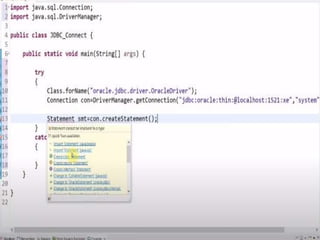
The createStatement ( ) method of Connection interface is
used to create statement. The object of statement is
responsible to execute queries with the database.
public Statement createStatement()throws SQLException
Example to create the statement object
Statement stmt=con.createStatement ();
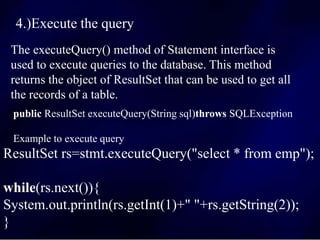
4.)Execute the query
The executeQuery() method of Statement interface is
used to execute queries to the database. This method
returns the object of ResultSet that can be used to get all
the records of a table.
public ResultSet executeQuery(String sql)throws SQLException
Example to execute query
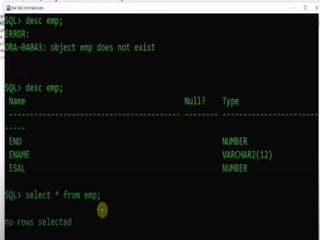
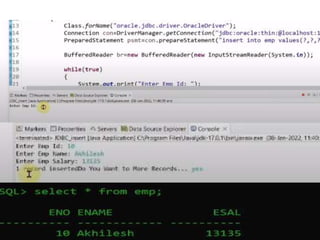
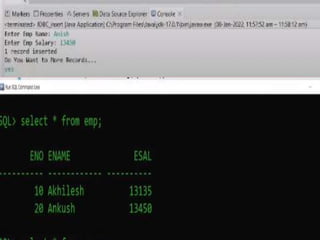
ResultSet rs=stmt.executeQuery("select * from emp");
while(rs.next()){
System.out.println(rs.getInt(1)+" "+rs.getString(2));
}
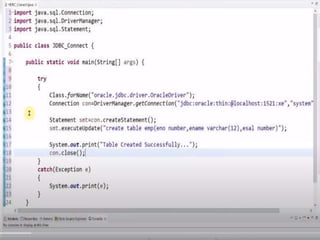
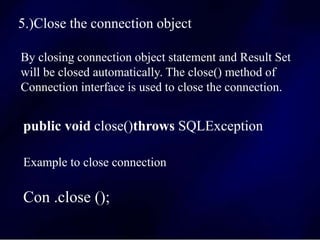
5.)Close the connection object
By closing connection object statement and Result Set
will be closed automatically. The close() method of
Connection interface is used to close the connection.
public void close()throws SQLException
Example to close connection
Con .close ();
 jdbc Java Database Connectivity ujjwal matoliya jdbc.pptx
 jdbc Java Database Connectivity ujjwal matoliya jdbc.pptx
 jdbc Java Database Connectivity ujjwal matoliya jdbc.pptx
 jdbc Java Database Connectivity ujjwal matoliya jdbc.pptx
 jdbc Java Database Connectivity ujjwal matoliya jdbc.pptx
 jdbc Java Database Connectivity ujjwal matoliya jdbc.pptx
 jdbc Java Database Connectivity ujjwal matoliya jdbc.pptx
 jdbc Java Database Connectivity ujjwal matoliya jdbc.pptx
 jdbc Java Database Connectivity ujjwal matoliya jdbc.pptx
 jdbc Java Database Connectivity ujjwal matoliya jdbc.pptx
 jdbc Java Database Connectivity ujjwal matoliya jdbc.pptx
 jdbc Java Database Connectivity ujjwal matoliya jdbc.pptx
 jdbc Java Database Connectivity ujjwal matoliya jdbc.pptx
 jdbc Java Database Connectivity ujjwal matoliya jdbc.pptx
 jdbc Java Database Connectivity ujjwal matoliya jdbc.pptx
 jdbc Java Database Connectivity ujjwal matoliya jdbc.pptx
 jdbc Java Database Connectivity ujjwal matoliya jdbc.pptx
 jdbc Java Database Connectivity ujjwal matoliya jdbc.pptx
 jdbc Java Database Connectivity ujjwal matoliya jdbc.pptx
 jdbc Java Database Connectivity ujjwal matoliya jdbc.pptx
 jdbc Java Database Connectivity ujjwal matoliya jdbc.pptx
 jdbc Java Database Connectivity ujjwal matoliya jdbc.pptx
 jdbc Java Database Connectivity ujjwal matoliya jdbc.pptx
 jdbc Java Database Connectivity ujjwal matoliya jdbc.pptx
 jdbc Java Database Connectivity ujjwal matoliya jdbc.pptx
 jdbc Java Database Connectivity ujjwal matoliya jdbc.pptx
 jdbc Java Database Connectivity ujjwal matoliya jdbc.pptx

jdbc Java Database Connectivity ujjwal matoliya jdbc.pptx

  • 1.
    Department of ComputerScience and Information Atal Bihari Vajpayee Vishwavidyalaya Ujjwal Matoliya JDBC Java Database Connectivity
  • 2.
  • 3.
    INDEX What is aJDBC ? Why Should We Use JDBC ?
  • 4.
    INDEX What is aJDBC ? Why Should We Use JDBC ? Why Should We Use Driver in JDBC ? types of JDBC drivers
  • 5.
    INDEX What is aJDBC ? Why Should We Use JDBC ? Why Should We Use Driver in JDBC ? Types of Drivers in JDBC
  • 6.
    INDEX What is aJDBC ? Why Should We Use JDBC ? Why Should We Use Driver in JDBC ? Types of Drivers in JDBC How to Establish a Data Base Connection and Executing SQL Statement
  • 9.
  • 10.
  • 11.
  • 12.
  • 13.
  • 14.
  • 15.
  • 16.
  • 17.
    JDBC stands forJava Database Connectivity. JDBC is a Java API to connect and execute the query with the database. It is a part of JavaSE (Java Standard Edition). JDBC API uses JDBC drivers to connect with the database. JDBC
  • 18.
  • 19.
    Why Should WeUse JDBC Before JDBC, ODBC API was the database API to connect and execute the query with the database. But, ODBC API uses ODBC driver which is written in C language (i.e. platform dependent and unsecured). That is why Java has defined its own API (JDBC API) that uses JDBC drivers (written in Java language). We can use JDBC API to handle database using Java program and can perform the following activities: Connect to the database Execute queries and update statements to the database Retrieve the result received from the database.
  • 20.
    JDBC Driver isa software component that enables java application to interact with the database. JDBC Driver
  • 21.
    There are fourtypes of JDBC drivers JDBC-ODBC Bridge Driver, Native Driver, Network Protocol Driver, and Thin Driver
  • 22.
    The JDBC-ODBC bridgedriver uses ODBC driver to connect to the database. The JDBC-ODBC bridge driver converts JDBC method calls into the ODBC function calls. This is now discouraged because of thin driver. 1.JDBC-ODBC Bridge Driver
  • 23.
    Oracle does notsupport the JDBC-ODBC Bridge from Java 8. Oracle recommends that you use JDBC drivers provided by the vendor of your database instead of the JDBC-ODBC Bridge. Advantages: easy to use. can be easily connected to any database. Disadvantages: Performance degraded because JDBC method call is converted into the ODBC function calls. The ODBC driver needs to be installed on the client machine.
  • 24.
    The Native APIdriver uses the client-side libraries of the database. The driver converts JDBC method calls into native calls of the database API. It is not written entirely in java. 2.Native API driver
  • 25.
    Advantage: performance upgraded thanJDBC-ODBC bridge driver. Disadvantage: The Native driver needs to be installed on the each client machine. The Vendor client library needs to be installed on client machine.
  • 26.
    The Network Protocoldriver uses middleware (application server) that converts JDBC calls directly or indirectly into the vendor-specific database protocol. It is fully written in java. 3.Network Protocol driver
  • 27.
    Advantage: No client sidelibrary is required because of application server that can perform many tasks like auditing, load balancing, logging etc. Disadvantages: Network support is required on client machine. Requires database-specific coding to be done in the middle tier. Maintenance of Network Protocol driver becomes costly because it requires database-specific coding to be done in the middle tier.
  • 28.
    The thin driverconverts JDBC calls directly into the vendor-specific database protocol. That is why it is known as thin driver. It is fully written in Java language. 4.Thin driver
  • 29.
    Advantage: Better performance thanall other drivers. No software is required at client side or server side. Disadvantage: Drivers depend on the Database.
  • 30.
    How to Establisha Data Base Connection and Executing SQL Statement
  • 31.
  • 32.
    There are 5steps to connect any java application with the database using JDBC. These steps are as follows: Register the Driver class Create connection Create statement Execute queries Close connection Java Database Connectivity
  • 33.
    1.)Register the driverclass The forName() method of Class class is used to register the driver class. This method is used to dynamically load the driver class. public static void forName (String className)throws ClassNotFoundException Class.forName("oracle.jdbc.driver.OracleDriver");
  • 34.
    2.) Create theconnection object The getConnection() method of DriverManager class is used to establish connection with the database. Connection con=DriverManager.getConnection ( "jdbc:oracle:thin:@localhost:1521:xe","system","password"); 1) public static Connection getConnection(String url)throws SQLException 2) public static Connection getConnection(String url,String n ame,String password) throws SQLException Example to establish connection with the Oracle database
  • 35.
    3.) Create theStatement object The createStatement ( ) method of Connection interface is used to create statement. The object of statement is responsible to execute queries with the database. public Statement createStatement()throws SQLException Example to create the statement object Statement stmt=con.createStatement ();
  • 36.
    4.)Execute the query TheexecuteQuery() method of Statement interface is used to execute queries to the database. This method returns the object of ResultSet that can be used to get all the records of a table. public ResultSet executeQuery(String sql)throws SQLException Example to execute query ResultSet rs=stmt.executeQuery("select * from emp"); while(rs.next()){ System.out.println(rs.getInt(1)+" "+rs.getString(2)); }
  • 37.
    5.)Close the connectionobject By closing connection object statement and Result Set will be closed automatically. The close() method of Connection interface is used to close the connection. public void close()throws SQLException Example to close connection Con .close ();