ITE PC v4.1 
Chapter 10 © 2007-2010 Cisco Systems, Inc. All rights reserved. Cisco Public 
1 
Chapter 11: The IT 
Professional 
IT Essentials v5.0
Chapter 11 Objectives 
 11.1 Explain the relationship between communication 
and troubleshooting 
 11.1 Describe good communication skills and 
professional behavior 
 11.2 Explain the ethics and legal aspects of working 
with computer technology including computer forensics 
and cyber law 
 11.3 Describe call center environment and technician 
responsibilities 
ITE PC v4.1 
Chapter 10 © 2007-2010 Cisco Systems, Inc. All rights reserved. Cisco Public 2
Introduction 
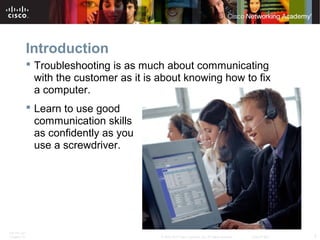
 Troubleshooting is as much about communicating 
with the customer as it is about knowing how to fix 
a computer. 
 Learn to use good 
communication skills 
as confidently as you 
use a screwdriver. 
ITE PC v4.1 
Chapter 10 © 2007-2010 Cisco Systems, Inc. All rights reserved. Cisco Public 3
Communication and Troubleshooting 
 A knowledgeable technician who uses good 
communication skills will always be in demand in the 
jobs market. 
•As technical knowledge increases, so does ability to quickly 
determine a problem and find a solution. 
 A technician should establish a good rapport with the 
customer since a relaxed customer is better able to 
explain the details of the problem. 
 The technician has access to several communication 
and research tools. Any of these resources can be 
used to help gather information for the troubleshooting 
process. 
ITE PC v4.1 
Chapter 10 © 2007-2010 Cisco Systems, Inc. All rights reserved. Cisco Public 4
Communication and Professionalism 
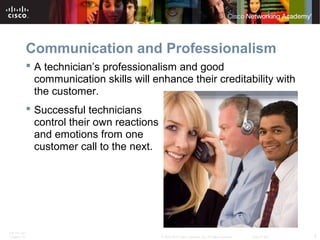
 A technician’s professionalism and good 
communication skills will enhance their creditability with 
the customer. 
 Successful technicians 
control their own reactions 
and emotions from one 
customer call to the next. 
ITE PC v4.1 
Chapter 10 © 2007-2010 Cisco Systems, Inc. All rights reserved. Cisco Public 5
Determine the Problem 
 Know - Call the customer by name. 
 Relate - Use brief communication to create a one-to-one 
connection between you and your customer. 
 Understand - Determine what the customer knows about 
the computer to effectively communicate with the 
customer. 
 Practice active listening skills. Listen carefully and let the 
customer finish speaking. 
 After the customer has explained the problem, clarify what 
the customer has said. 
 Ask follow-up questions, if needed. 
 Use all the information to complete the work order. 
ITE PC v4.1 
Chapter 10 © 2007-2010 Cisco Systems, Inc. All rights reserved. Cisco Public 6
Holds and Transfers 
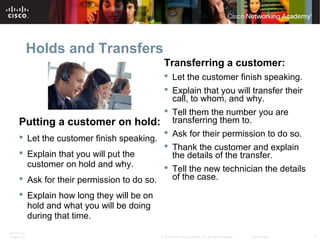
Putting a customer on hold: 
 Let the customer finish speaking. 
 Explain that you will put the 
customer on hold and why. 
 Ask for their permission to do so. 
 Explain how long they will be on 
hold and what you will be doing 
during that time. 
Transferring a customer: 
 Let the customer finish speaking. 
 Explain that you will transfer their 
call, to whom, and why. 
 Tell them the number you are 
transferring them to. 
 Ask for their permission to do so. 
 Thank the customer and explain 
the details of the transfer. 
 Tell the new technician the details 
of the case. 
ITE PC v4.1 
Chapter 10 © 2007-2010 Cisco Systems, Inc. All rights reserved. Cisco Public 7
Types of Difficult Customers 
Recognize traits to manage a call accordingly. 
 A talkative customer discusses everything except the problem 
and uses the call to socialize. 
 A rude customer complains during the call, makes negative 
comments, may be abusive and uncooperative, and may be 
easily aggravated. 
 An angry customer talks loudly, tries to speak when the 
technician is talking, is usually frustrated and upset that they have 
to call somebody to fix the problem. 
 A knowledgeable customer wants to speak with a technician 
that is equally experienced in computers and usually tries to 
control the call. 
 An inexperienced customer has difficulty describing the 
problem and may not able to follow directions correctly. 
ITE PC v4.1 
Chapter 10 © 2007-2010 Cisco Systems, Inc. All rights reserved. Cisco Public 8
Proper Netiquette 
 Be pleasant and polite. 
 Open with an appropriate 
greeting. 
 Check grammar and spelling. 
 Remember you are dealing 
with people. 
 Follow the standards of 
behavior that you follow in the 
rest of your life. 
 Know where you are in 
cyberspace. 
 Respect other’s time and 
bandwidth. 
 Be ethical. 
 Share expert knowledge. 
 Respect the privacy of others. 
 Forgive other’s mistakes. 
 Use mixed case lettering. All 
upper case lettering is 
considered SHOUTING. 
 Never send chain letters 
through email. 
 Do not send or reply to flames. 
 If you would not say it to their 
face, then do not send or post. 
ITE PC v4.1 
Chapter 10 © 2007-2010 Cisco Systems, Inc. All rights reserved. Cisco Public 9
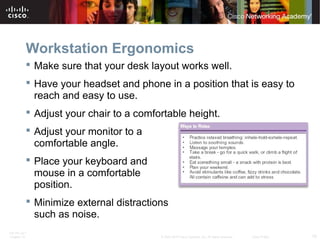
Workstation Ergonomics 
 Make sure that your desk layout works well. 
 Have your headset and phone in a position that is easy to 
reach and easy to use. 
 Adjust your chair to a comfortable height. 
 Adjust your monitor to a 
comfortable angle. 
 Place your keyboard and 
mouse in a comfortable 
position. 
 Minimize external distractions 
such as noise. 
ITE PC v4.1 
Chapter 10 © 2007-2010 Cisco Systems, Inc. All rights reserved. Cisco Public 10
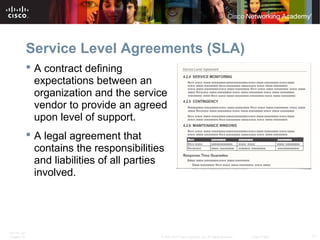
Service Level Agreements (SLA) 
 A contract defining 
expectations between an 
organization and the service 
vendor to provide an agreed 
upon level of support. 
 A legal agreement that 
contains the responsibilities 
and liabilities of all parties 
involved. 
ITE PC v4.1 
Chapter 10 © 2007-2010 Cisco Systems, Inc. All rights reserved. Cisco Public 11
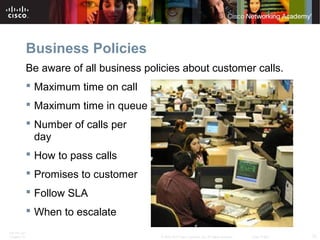
Business Policies 
Be aware of all business policies about customer calls. 
 Maximum time on call 
 Maximum time in queue 
 Number of calls per 
day 
 How to pass calls 
 Promises to customer 
 Follow SLA 
 When to escalate 
ITE PC v4.1 
Chapter 10 © 2007-2010 Cisco Systems, Inc. All rights reserved. Cisco Public 12
Ethics and Legal Considerations 
 Respect the customers and their property including their 
equipment and their data: 
• E-mails 
• Phone lists 
• Records or data on the computer 
• Hard copies of files, information, or data left on desk 
 Obtain customer’s permission before accessing their 
account. 
 Divulging any customer information is unethical, and may be 
illegal. 
 Do not send unsolicited messages or mass emails to 
customers. 
ITE PC v4.1 
Chapter 10 © 2007-2010 Cisco Systems, Inc. All rights reserved. Cisco Public 13
Ethics and Legal Considerations 
 Actions such as the following are generally considered illegal. 
• It is not permissible to make any changes to system software or hardware 
configurations without customer permission. 
• It is not permissible to access a customer’s or co-worker’s accounts, private files, 
or email messages without permission. 
• It is not permissible to install, copy, or share digital content (including software, 
music, text, images, and video) in violation of copyright and software agreements 
or the applicable law. 
• It is not permissible to use a customer’s company IT resources for commercial 
purposes. 
• It is not permissible to make a customer’s IT resources available to unauthorized 
users. 
• It is not permissible to knowingly use a customer’s company resources for illegal 
activities. 
• It is not permissible to share sensitive customer information. 
ITE PC v4.1 
Chapter 10 © 2007-2010 Cisco Systems, Inc. All rights reserved. Cisco Public 14
Legal Procedures Overview 
 Computer Forensics is the collection and analysis of data from 
computer systems, networks wireless communications, and storage 
devices as part of a criminal investigation. 
 Illegal computer or network usage may include: 
• Identity theft 
• Using a computer to sell counterfeit goods 
• Using pirated software 
• Using a computer or network to create or sell unauthorized copies of copyrighted 
materials 
• Pornography 
 Two basic types of data are collected: 
• Persistent Data –Stored on a local drive, when computer turned off this data is 
preserved. 
• Volatile Data – Stored in Ram and cache, disappears when computer is turned 
off. 
ITE PC v4.1 
Chapter 10 © 2007-2010 Cisco Systems, Inc. All rights reserved. Cisco Public 15
Cyber Law 
 Cyber Law is a term to describe the international, regional, country, and 
state laws that affect computer security professionals 
 Cyber law explain the circumstances under which data (evidence) can be 
collected from computers, data storage devices, networks, and wireless 
communications 
 IT professionals should be aware of the cyber laws in their country, region, or 
state. 
 In the United States, cyber law has three primary elements: 
• Wiretap Act 
• Pen/Trap and Trace Statute 
• Stored Electronic Communication Act 
 First Response is the term used to describe the official procedures 
employed by those people who are qualified to collect evidence. System 
administrators are usually the first responders at potential computer crime 
scenes. 
ITE PC v4.1 
Chapter 10 © 2007-2010 Cisco Systems, Inc. All rights reserved. Cisco Public 16
Documentation and Chain of Custody 
 The following, at a minimum, should be documented if illegal activity 
is discovered: 
• Initial reason for accessing the computer or network 
• Time and date 
• Peripherals that are connected to the computer 
• All network connections 
• Physical area where the computer is located 
• Illegal material found 
• Illegal activity that you have witnessed (or you suspect has occurred) 
• Which procedures you have executed on the computer or network 
 Chain of Custody - For evidence to be admitted, it must be authenticated. A 
system administrator should be able to prove how this evidence was 
collected, where it has been physically stored, and who has had access to it 
between the time of collection and its entry into the court proceedings. 
. 
ITE PC v4.1 
Chapter 10 © 2007-2010 Cisco Systems, Inc. All rights reserved. Cisco Public 17
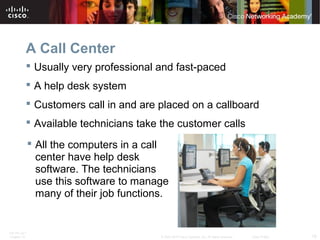
A Call Center 
 Usually very professional and fast-paced 
 A help desk system 
 Customers call in and are placed on a callboard 
 Available technicians take the customer calls 
 All the computers in a call 
center have help desk 
software. The technicians 
use this software to manage 
many of their job functions. 
ITE PC v4.1 
Chapter 10 © 2007-2010 Cisco Systems, Inc. All rights reserved. Cisco Public 18
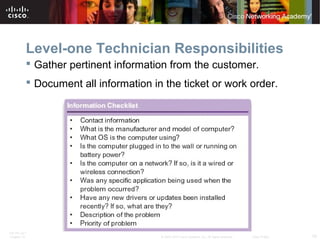
Level-one Technician Responsibilities 
 Gather pertinent information from the customer. 
 Document all information in the ticket or work order. 
ITE PC v4.1 
Chapter 10 © 2007-2010 Cisco Systems, Inc. All rights reserved. Cisco Public 19
Level-two Technician Responsibilities 
 Usually more knowledgeable about technology. 
 May have been working for the company for a longer 
period of time. 
 Receives escalated work orders from level-one 
technicians. 
 Calls the customer back to ask any additional questions. 
 May use remote access software to access the 
customer’s computer to diagnose the problem and 
possibly to resolve the issue. 
ITE PC v4.1 
Chapter 10 © 2007-2010 Cisco Systems, Inc. All rights reserved. Cisco Public 20
Chapter 11 Summary 
 To be a successful technician, you will need to practice good 
communication skills with customers and coworkers. These skills are as 
important as technical expertise. 
 You should always conduct yourself in a professional manner with your 
customers and coworkers. Professional behavior increases customer 
confidence and enhances your credibility. You should also learn to 
recognize the classic signs of a difficult customer and learn what to do and 
what not to do when you are on a call with them. 
 There are a few techniques that you can use to focus a difficult customer 
during a call. Primarily, you must remain calm and ask pertinent questions 
in an appropriate fashion. These techniques keep you in control of the call. 
 There is a right way and a wrong way to put a customer on hold, or 
transfer a customer to another technician. Learn and use the right way 
every time. Doing either of these operations incorrectly can cause serious 
damage to your company's relationship with its customers. 
ITE PC v4.1 
Chapter 10 © 2007-2010 Cisco Systems, Inc. All rights reserved. Cisco Public 21
Chapter 11 Summary (Continued) 
 Netiquette is a list of rules to use whenever you communicate through e-mail, 
text messaging, instant messaging, or blogs. This is another area 
where doing things the wrong way can cause damage to your company's 
relationship with its customers. 
 You must understand and comply with your customer's service level 
agreement (SLA). If the problem falls outside the parameters of the SLA, 
you need to find positive ways of telling the customer what you can do for 
them, rather than what you cannot do. In special circumstances, you may 
decide to escalate the work order to management. 
 In addition to the SLA, you must follow the business policies of the 
company. These policies will include how your company prioritizes calls, 
how and when to escalate a call to management, and when you are 
allowed to take breaks and lunch. 
ITE PC v4.1 
Chapter 10 © 2007-2010 Cisco Systems, Inc. All rights reserved. Cisco Public 22
Chapter 11 Summary (Continued) 
 A computer technician's job is stressful. You will rarely get to meet a 
customer who is having a good day. You can alleviate some of the stress 
by setting up your workstation in the most ergonomically beneficial way 
possible. You should practice time and stress management techniques 
every day. 
 There are ethical and legal aspects of working in computer technology. 
You should be aware of your company's policies and practices. In addition, 
you may need to familiarize yourself with your state or country's trademark 
and copyright laws. 
 Collecting and analyzing data from computer systems, networks, wireless 
communications, and storage devices is called computer forensics. 
 Cyber laws explain the circumstances under which data (evidence) can be 
collected from computers, data storage devices, networks, and wireless 
communications. First response is the term used to describe the official 
procedures employed by those people who are qualified to collect 
evidence. 
ITE PC v4.1 
Chapter 10 © 2007-2010 Cisco Systems, Inc. All rights reserved. Cisco Public 23
Chapter 11 Summary (Continued) 
 Even if you are not a system administrator or computer forensics expert, it 
is a good habit to create detailed documentation of all the work that you 
do. Being able to prove how evidence was collected and where it has been 
between the time of collection and its entry into the court proceeding is 
known as the chain of custody. 
 The call center is a fast-paced environment. Level-one technicians and 
level-two technicians each have specific responsibilities. These 
responsibilities may vary slightly from one call center to another. 
ITE PC v4.1 
Chapter 10 © 2007-2010 Cisco Systems, Inc. All rights reserved. Cisco Public 24
ITE PC v4.1 
Chapter 10 © 2007-2010 Cisco Systems, Inc. All rights reserved. Cisco Public 25

ITE v5.0 - Chapter 11

  • 1.
    ITE PC v4.1 Chapter 10 © 2007-2010 Cisco Systems, Inc. All rights reserved. Cisco Public 1 Chapter 11: The IT Professional IT Essentials v5.0
  • 2.
    Chapter 11 Objectives  11.1 Explain the relationship between communication and troubleshooting  11.1 Describe good communication skills and professional behavior  11.2 Explain the ethics and legal aspects of working with computer technology including computer forensics and cyber law  11.3 Describe call center environment and technician responsibilities ITE PC v4.1 Chapter 10 © 2007-2010 Cisco Systems, Inc. All rights reserved. Cisco Public 2
  • 3.
    Introduction  Troubleshootingis as much about communicating with the customer as it is about knowing how to fix a computer.  Learn to use good communication skills as confidently as you use a screwdriver. ITE PC v4.1 Chapter 10 © 2007-2010 Cisco Systems, Inc. All rights reserved. Cisco Public 3
  • 4.
    Communication and Troubleshooting  A knowledgeable technician who uses good communication skills will always be in demand in the jobs market. •As technical knowledge increases, so does ability to quickly determine a problem and find a solution.  A technician should establish a good rapport with the customer since a relaxed customer is better able to explain the details of the problem.  The technician has access to several communication and research tools. Any of these resources can be used to help gather information for the troubleshooting process. ITE PC v4.1 Chapter 10 © 2007-2010 Cisco Systems, Inc. All rights reserved. Cisco Public 4
  • 5.
    Communication and Professionalism  A technician’s professionalism and good communication skills will enhance their creditability with the customer.  Successful technicians control their own reactions and emotions from one customer call to the next. ITE PC v4.1 Chapter 10 © 2007-2010 Cisco Systems, Inc. All rights reserved. Cisco Public 5
  • 6.
    Determine the Problem  Know - Call the customer by name.  Relate - Use brief communication to create a one-to-one connection between you and your customer.  Understand - Determine what the customer knows about the computer to effectively communicate with the customer.  Practice active listening skills. Listen carefully and let the customer finish speaking.  After the customer has explained the problem, clarify what the customer has said.  Ask follow-up questions, if needed.  Use all the information to complete the work order. ITE PC v4.1 Chapter 10 © 2007-2010 Cisco Systems, Inc. All rights reserved. Cisco Public 6
  • 7.
    Holds and Transfers Putting a customer on hold:  Let the customer finish speaking.  Explain that you will put the customer on hold and why.  Ask for their permission to do so.  Explain how long they will be on hold and what you will be doing during that time. Transferring a customer:  Let the customer finish speaking.  Explain that you will transfer their call, to whom, and why.  Tell them the number you are transferring them to.  Ask for their permission to do so.  Thank the customer and explain the details of the transfer.  Tell the new technician the details of the case. ITE PC v4.1 Chapter 10 © 2007-2010 Cisco Systems, Inc. All rights reserved. Cisco Public 7
  • 8.
    Types of DifficultCustomers Recognize traits to manage a call accordingly.  A talkative customer discusses everything except the problem and uses the call to socialize.  A rude customer complains during the call, makes negative comments, may be abusive and uncooperative, and may be easily aggravated.  An angry customer talks loudly, tries to speak when the technician is talking, is usually frustrated and upset that they have to call somebody to fix the problem.  A knowledgeable customer wants to speak with a technician that is equally experienced in computers and usually tries to control the call.  An inexperienced customer has difficulty describing the problem and may not able to follow directions correctly. ITE PC v4.1 Chapter 10 © 2007-2010 Cisco Systems, Inc. All rights reserved. Cisco Public 8
  • 9.
    Proper Netiquette Be pleasant and polite.  Open with an appropriate greeting.  Check grammar and spelling.  Remember you are dealing with people.  Follow the standards of behavior that you follow in the rest of your life.  Know where you are in cyberspace.  Respect other’s time and bandwidth.  Be ethical.  Share expert knowledge.  Respect the privacy of others.  Forgive other’s mistakes.  Use mixed case lettering. All upper case lettering is considered SHOUTING.  Never send chain letters through email.  Do not send or reply to flames.  If you would not say it to their face, then do not send or post. ITE PC v4.1 Chapter 10 © 2007-2010 Cisco Systems, Inc. All rights reserved. Cisco Public 9
  • 10.
    Workstation Ergonomics Make sure that your desk layout works well.  Have your headset and phone in a position that is easy to reach and easy to use.  Adjust your chair to a comfortable height.  Adjust your monitor to a comfortable angle.  Place your keyboard and mouse in a comfortable position.  Minimize external distractions such as noise. ITE PC v4.1 Chapter 10 © 2007-2010 Cisco Systems, Inc. All rights reserved. Cisco Public 10
  • 11.
    Service Level Agreements(SLA)  A contract defining expectations between an organization and the service vendor to provide an agreed upon level of support.  A legal agreement that contains the responsibilities and liabilities of all parties involved. ITE PC v4.1 Chapter 10 © 2007-2010 Cisco Systems, Inc. All rights reserved. Cisco Public 11
  • 12.
    Business Policies Beaware of all business policies about customer calls.  Maximum time on call  Maximum time in queue  Number of calls per day  How to pass calls  Promises to customer  Follow SLA  When to escalate ITE PC v4.1 Chapter 10 © 2007-2010 Cisco Systems, Inc. All rights reserved. Cisco Public 12
  • 13.
    Ethics and LegalConsiderations  Respect the customers and their property including their equipment and their data: • E-mails • Phone lists • Records or data on the computer • Hard copies of files, information, or data left on desk  Obtain customer’s permission before accessing their account.  Divulging any customer information is unethical, and may be illegal.  Do not send unsolicited messages or mass emails to customers. ITE PC v4.1 Chapter 10 © 2007-2010 Cisco Systems, Inc. All rights reserved. Cisco Public 13
  • 14.
    Ethics and LegalConsiderations  Actions such as the following are generally considered illegal. • It is not permissible to make any changes to system software or hardware configurations without customer permission. • It is not permissible to access a customer’s or co-worker’s accounts, private files, or email messages without permission. • It is not permissible to install, copy, or share digital content (including software, music, text, images, and video) in violation of copyright and software agreements or the applicable law. • It is not permissible to use a customer’s company IT resources for commercial purposes. • It is not permissible to make a customer’s IT resources available to unauthorized users. • It is not permissible to knowingly use a customer’s company resources for illegal activities. • It is not permissible to share sensitive customer information. ITE PC v4.1 Chapter 10 © 2007-2010 Cisco Systems, Inc. All rights reserved. Cisco Public 14
  • 15.
    Legal Procedures Overview  Computer Forensics is the collection and analysis of data from computer systems, networks wireless communications, and storage devices as part of a criminal investigation.  Illegal computer or network usage may include: • Identity theft • Using a computer to sell counterfeit goods • Using pirated software • Using a computer or network to create or sell unauthorized copies of copyrighted materials • Pornography  Two basic types of data are collected: • Persistent Data –Stored on a local drive, when computer turned off this data is preserved. • Volatile Data – Stored in Ram and cache, disappears when computer is turned off. ITE PC v4.1 Chapter 10 © 2007-2010 Cisco Systems, Inc. All rights reserved. Cisco Public 15
  • 16.
    Cyber Law Cyber Law is a term to describe the international, regional, country, and state laws that affect computer security professionals  Cyber law explain the circumstances under which data (evidence) can be collected from computers, data storage devices, networks, and wireless communications  IT professionals should be aware of the cyber laws in their country, region, or state.  In the United States, cyber law has three primary elements: • Wiretap Act • Pen/Trap and Trace Statute • Stored Electronic Communication Act  First Response is the term used to describe the official procedures employed by those people who are qualified to collect evidence. System administrators are usually the first responders at potential computer crime scenes. ITE PC v4.1 Chapter 10 © 2007-2010 Cisco Systems, Inc. All rights reserved. Cisco Public 16
  • 17.
    Documentation and Chainof Custody  The following, at a minimum, should be documented if illegal activity is discovered: • Initial reason for accessing the computer or network • Time and date • Peripherals that are connected to the computer • All network connections • Physical area where the computer is located • Illegal material found • Illegal activity that you have witnessed (or you suspect has occurred) • Which procedures you have executed on the computer or network  Chain of Custody - For evidence to be admitted, it must be authenticated. A system administrator should be able to prove how this evidence was collected, where it has been physically stored, and who has had access to it between the time of collection and its entry into the court proceedings. . ITE PC v4.1 Chapter 10 © 2007-2010 Cisco Systems, Inc. All rights reserved. Cisco Public 17
  • 18.
    A Call Center  Usually very professional and fast-paced  A help desk system  Customers call in and are placed on a callboard  Available technicians take the customer calls  All the computers in a call center have help desk software. The technicians use this software to manage many of their job functions. ITE PC v4.1 Chapter 10 © 2007-2010 Cisco Systems, Inc. All rights reserved. Cisco Public 18
  • 19.
    Level-one Technician Responsibilities  Gather pertinent information from the customer.  Document all information in the ticket or work order. ITE PC v4.1 Chapter 10 © 2007-2010 Cisco Systems, Inc. All rights reserved. Cisco Public 19
  • 20.
    Level-two Technician Responsibilities  Usually more knowledgeable about technology.  May have been working for the company for a longer period of time.  Receives escalated work orders from level-one technicians.  Calls the customer back to ask any additional questions.  May use remote access software to access the customer’s computer to diagnose the problem and possibly to resolve the issue. ITE PC v4.1 Chapter 10 © 2007-2010 Cisco Systems, Inc. All rights reserved. Cisco Public 20
  • 21.
    Chapter 11 Summary  To be a successful technician, you will need to practice good communication skills with customers and coworkers. These skills are as important as technical expertise.  You should always conduct yourself in a professional manner with your customers and coworkers. Professional behavior increases customer confidence and enhances your credibility. You should also learn to recognize the classic signs of a difficult customer and learn what to do and what not to do when you are on a call with them.  There are a few techniques that you can use to focus a difficult customer during a call. Primarily, you must remain calm and ask pertinent questions in an appropriate fashion. These techniques keep you in control of the call.  There is a right way and a wrong way to put a customer on hold, or transfer a customer to another technician. Learn and use the right way every time. Doing either of these operations incorrectly can cause serious damage to your company's relationship with its customers. ITE PC v4.1 Chapter 10 © 2007-2010 Cisco Systems, Inc. All rights reserved. Cisco Public 21
  • 22.
    Chapter 11 Summary(Continued)  Netiquette is a list of rules to use whenever you communicate through e-mail, text messaging, instant messaging, or blogs. This is another area where doing things the wrong way can cause damage to your company's relationship with its customers.  You must understand and comply with your customer's service level agreement (SLA). If the problem falls outside the parameters of the SLA, you need to find positive ways of telling the customer what you can do for them, rather than what you cannot do. In special circumstances, you may decide to escalate the work order to management.  In addition to the SLA, you must follow the business policies of the company. These policies will include how your company prioritizes calls, how and when to escalate a call to management, and when you are allowed to take breaks and lunch. ITE PC v4.1 Chapter 10 © 2007-2010 Cisco Systems, Inc. All rights reserved. Cisco Public 22
  • 23.
    Chapter 11 Summary(Continued)  A computer technician's job is stressful. You will rarely get to meet a customer who is having a good day. You can alleviate some of the stress by setting up your workstation in the most ergonomically beneficial way possible. You should practice time and stress management techniques every day.  There are ethical and legal aspects of working in computer technology. You should be aware of your company's policies and practices. In addition, you may need to familiarize yourself with your state or country's trademark and copyright laws.  Collecting and analyzing data from computer systems, networks, wireless communications, and storage devices is called computer forensics.  Cyber laws explain the circumstances under which data (evidence) can be collected from computers, data storage devices, networks, and wireless communications. First response is the term used to describe the official procedures employed by those people who are qualified to collect evidence. ITE PC v4.1 Chapter 10 © 2007-2010 Cisco Systems, Inc. All rights reserved. Cisco Public 23
  • 24.
    Chapter 11 Summary(Continued)  Even if you are not a system administrator or computer forensics expert, it is a good habit to create detailed documentation of all the work that you do. Being able to prove how evidence was collected and where it has been between the time of collection and its entry into the court proceeding is known as the chain of custody.  The call center is a fast-paced environment. Level-one technicians and level-two technicians each have specific responsibilities. These responsibilities may vary slightly from one call center to another. ITE PC v4.1 Chapter 10 © 2007-2010 Cisco Systems, Inc. All rights reserved. Cisco Public 24
  • 25.
    ITE PC v4.1 Chapter 10 © 2007-2010 Cisco Systems, Inc. All rights reserved. Cisco Public 25

Editor's Notes

  • #2 Cisco Networking Academy program IT Essentials v5.0 Chapter 11: The IT Professional
  • #3 Chapter 11 Objectives
  • #4 11.1 Chapter Introduction
  • #5 11.1.1.1 Relationship Between Communication Skills and Troubleshooting Good communication skills will enhance a technician's troubleshooting skills. Good communication skills and expert troubleshooting skills take time and experience to develop well. As a technician’s hardware, software, and OS knowledge increases, their ability to quickly determine a problem and find a solution will improve. The more a technician practices good communication skills, the more effective they become when working with customers. Most people who need a computer problem fixed are likely to be feeling some stress. Establish a good rapport with the customer. A relaxed customer is more likely to be able to provide all the information needed to determine the source of the problem and then fix it. The technician has access to several communication and research tools. Any of these resources can be used to help gather information for the troubleshooting process. (personal experience, scripts, websites, search engines, online FAQs, co-workers, support vendors, diagnostic repair tools, manufacturer manuals, and email).
  • #6 11.1.1.2 Relationship Between Communication Skills and Professional Behavior Whether you are talking with a customer on the phone or in person, it is important to communicate well and to represent yourself professionally. Determine the computer problem of the customer Display professional behavior with the customer Focus the customer on the problem during the call Use proper Netiquette Implement time and stress management techniques Observe service level agreements (SLA) Follow business policies 11.1.1.3 Worksheet – Technician Resources
  • #7 11.1.2.1 Using Communication Skills to Determine Customer Problem One of the first tasks of the technician is to determine the type of computer problem that the customer is experiencing. The technician should: Practice active listening skills. Do not interrupt the customer. Listen carefully to what the other person is saying, and let them finish their thought. After the customer has explained the problem, clarify what the customer has said. Ask some follow-up questions, if needed. Use all of the information to complete the work order.
  • #8 11.1.2.2 Displaying Professional Behavior with the Customer Handle customers with respect and prompt attention. On a phone call, know how to: Place a customer on hold. Transfer a customer without losing the call. Help the customer focus on and communicate the problem. Stay positive by focusing on what you can do to help. Convey an interest in helping the customer. The following is a list of behaviors to avoid when communicating with a customer: Avoid minimizing customer problems. Avoid using jargon, abbreviations, acronyms, and slang. Avoid a negative attitude or tone of voice. Avoid arguing with customers or becoming defensive. Avoid culturally insensitive remarks. Avoid being judgmental, insulting, or calling the customer names. Avoid distractions or interruptions when talking with customers. Avoid taking personal calls when talking with customers. Avoid talking to co-workers about unrelated subjects when talking with the customer. Avoid unnecessary holds and abrupt holds. Avoid transfers without explaining the purpose of the transfer and getting customer consent. Avoid negative remarks about other technicians to the customer. Focus the customer on the problem during the call Part of a technician’s job is to focus the customer during the phone call. When the customer stays focused on the problem, the technician controls the call. Do not take any comments personally and do not retaliate with any comments or criticism. If you stay calm with the customer, finding a solution to the problem will remain the focal point of the call. 11.1.2.3 Activity – Putting a Customer on Hold 11.1.2.4 Activity - Transferring a Call
  • #9 11.1.2.5 Keeping the Customer Focused on the Problem There are many different types of customers. The list of problem-customer types below is not comprehensive and often a customer can display a combination of traits. A technician needs to be able to recognize which traits their customer exhibits. Recognizing these traits will help them to manage the call accordingly. Handling the Different Types of Customers A talkative customer discusses everything except the problem and uses the call to socialize. Allow them to talk for one minute. Gather as much information about the problem as possible. Politely refocus the customer. This is the exception to the rule of never interrupting a customer. Ask as many closed-ended questions as you need to once you have regained control of the call. Avoid conversation that is not related to the problem. A rude customer complains during the call, makes negative comments, may be abusive and uncooperative, and may be easily aggravated. Listen very carefully, as you do not want to ask them to repeat any information. Follow a step-by-step approach. Try to contact the customer’s favorite technician to see if they can take the call. Apologize for the wait time and the inconvenience, even if there has been no wait time. Reiterate that you want to solve the problem as quickly as possible. An angry customer talks loudly, tries to talk when the technician is talking, is usually frustrated and upset that they have to call somebody to fix the problem. Let the customer tell their problem without interruption, even if they are angry. Sympathize with the customer’s problem. Apologize for wait time or inconvenience. Avoid putting this customer on hold or transferring them. Avoid talking at length about the cause of the problem. Focus on solving the problem. A knowledgeable customer wants to speak with a technician that is equally experienced in computers and usually tries to control the call. If you are a level-one technician, try to set up a conference call with a level-two technician. Tell the customer the overall approach to what you are trying to verify. Avoid using a step-by-step process. Avoid asking the customer to check the obvious. An inexperienced customer has difficulty describing the problem and may not be able to follow directions correctly. Use a simple step-by-step process of instructions. Speak in plain terms. Avoid using industry jargon. Avoid sounding condescending or belittling.
  • #10 11.1.2.6 Use Proper Netiquette
  • #11 11.1.3.1 Time and Stress Management Techniques The ergonomics of your work area can help you do your job or make it more difficult.
  • #12 11.1.3.2 Observing Service Level Agreements When dealing with customers, it is important to adhere to that customer's service level agreement (SLA). As an employee of the service company, your job is to honor the SLA that you have with the customer. Some of the contents of an SLA usually include the following: Response time guarantees (often based on type of call and level of service agreement) Equipment and/or software that will be supported Where service will be provided Preventive maintenance Diagnostics Part availability (equivalent parts) Cost and penalties Time of service availability (for example, 24X7; Monday to Friday, 8 am to 5 pm EST; and so on) There may be exceptions to the SLA. Some of the exceptions may include the ability of the customer to upgrade level of service, or the ability to escalate to management for review. Escalation to management should be reserved for special situations. For example, a long-standing customer or a customer from a very large company may have a problem that falls outside the parameters stated in their SLA with your service company. In these cases, your management may choose to support the customer for customer-relation reasons.
  • #13 11.1.3.3 Following Business Policies As a technician, you should be aware of all business policies about customer calls. You would not want to make a promise to a customer that you cannot keep. You should also have a good understanding of all rules governing employees. Most call centers have very specific rules on how to handle customer calls. Maximum time on call (Example: 15 minutes) Maximum call time in queue (Example: three minutes) Number of calls per day (Example: Minimum of 30) Rules on passing calls on to other technicians (Example: Only when absolutely necessary and not without that technician's permission) Rules on what you can and cannot promise to the customer (See that customer's SLA for details) When to follow SLA and when to escalate to management There are also other rules to cover general daily activities of employees: Arrive at your workstation on time and early enough to become prepared, usually about 15 to 20 minutes before the first call. Do not exceed the allowed number and length of breaks. Do not take a break or go to lunch if there is a call on the board. Do not take a break or go to lunch at the same time as other technicians (stagger breaks among technicians). Do not leave an ongoing call to take a break or go to lunch, or go to a personal appointment. Make sure another technician is available if you have to leave. Contact the customer if you are going to be late for an appointment. If no other technician is available, check with the customer to see if you can call back later, possibly in the morning. Do not show favoritism to certain customers. Do not take another technician's calls without permission. Do not talk negatively about the capabilities of another technician. Customer Satisfaction The following rules should be followed by all employees to ensure customer satisfaction: Set and meet a reasonable timeline for the call or appointment and communicate this to the customer. Communicate service expectations to the customer as early as possible. Communicate the repair status with the customer, including explanations for any delays. Offer different repair or replacement options to the customer, if applicable. Give the customer proper documentation on all services provided. Follow up with the customer at a later date to verify satisfaction.
  • #14 11.2 Ethical and Legal Issues in the IT Industry 11.2.1.1 Explain ethics and legal aspects of working with computer technology Legal details of customer information are usually covered under the SLA. Do not send unsolicited messages to a customer. Do not send unsolicited mass mailings or chain letters to customers. Never send forged or anonymous e-mail. All of these activities are considered unethical and in certain circumstances, may be considered illegal. There are several computer-related activities that are not only unethical, but are definitely illegal. Be aware that this is not an exhaustive list: Do not make any changes system software or hardware configurations without customer permission. Do not access a customer's or coworker's accounts, private files, or e-mail messages without permission. Do not install, copy, or share digital content (including software, music, text, images, and video) in violation of copyright and/or software agreements or applicable federal and state law. Do not use a customer's company IT resources for commercial purposes. Do not make a customer's IT resources available to unauthorized users. Keep sensitive customer information confidential. Do not knowingly use a customer's company resources for illegal activities. Criminal or illegal use may include obscenity, child pornography, threats, harassment, copyright infringement, university trademark infringement, defamation, theft, identity theft, and unauthorized access.
  • #15 11.2.1.2 Explain ethics and legal aspects of working with computer technology
  • #16 11.2.2 Ethical and Legal Considerations 11.2.2.1 Computer Forensics
  • #17 11.2.2.2 Cyber Law
  • #18 11.2.2.3 Documentation and Chain of Custody
  • #19 11.3.1.1 Describe call center environment and technician responsibilities A call center environment is usually very professional and fast paced. It is a help desk system where customers call in and are placed on a callboard. Available technicians take the customer calls. A technician must supply the level of support that is outlined in the customer's SLA.
  • #20 11.3.1.2 Level One Technician Responsibilities Level-one technicians may be known as level-one analysts, dispatchers, or incident screeners. The primary responsibility of a level-one technician is to gather pertinent information from the customer. You will have to document all information in the ticket or work order. Some problems are very simple to resolve and a level-one technician can usually take care of these without escalating the work order to a level-two technician.
  • #21 11.3.1.3 Describe level-two technician responsibilities Level-two technicians may be known as product specialists or technical-support personnel. The level-two technician is usually more knowledgeable about technology, or has been working for the company for a longer period of time. An escalated work order is usually about a problem that the level-one technician could not resolve within ten minutes. The level-two technician receives the escalated work order with the description of the problem. They then call the customer back to ask any additional questions and resolve the problem. Here is a list of guidelines detailing when to escalate a problem to a more experienced technician. These are generic guidelines; you should follow your company's business policy for problem escalation. Escalate problems that require opening the computer case. Escalate problems that require installation of applications, operating systems, or drivers. Escalate problems that will take a long time to step a customer through - like CMOS changes. Escalate down calls - the entire network is down, and a more experienced tech may be able to resolve the issue faster. Problems that require opening up the computer will need a level -two technician. Level-two technicians can use remote diagnostic software to connect to the customer's computer in order to update drivers and software, access the operating system, check BIOS, and gather other diagnostic information to solve the problem.
  • #22 Chapter 11 Summary Some of the important concepts to remember from this chapter:  To be a successful technician, you will need to practice good communication skills with customers and coworkers. These skills are as important as technical expertise. You should always conduct yourself in a professional manner with your customers and coworkers. Professional behavior increases customer confidence and enhances your credibility. You should also learn to recognize the classic signs of a difficult customer and learn what to do and what not to do when you are on a call with them. There are a few techniques that you can use to focus a difficult customer during a call. Primarily, you must remain calm and ask pertinent questions in an appropriate fashion. These techniques keep you in control of the call. There is a right way and a wrong way to put a customer on hold, or transfer a customer to another technician. Learn and use the right way every time. Doing either of these operations incorrectly can cause serious damage to your company's relationship with its customers. Netiquette is a list of rules to use whenever you communicate through e-mail, text messaging, instant messaging, or blogs. This is another area where doing things the wrong way can cause damage to your company's relationship with its customers. You must understand and comply with your customer's service level agreement (SLA). If the problem falls outside the parameters of the SLA, you need to find positive ways of telling the customer what you can do for them, rather than what you cannot do. In special circumstances, you may decide to escalate the work order to management. In addition to the SLA, you must follow the business policies of the company. These policies will include how your company prioritizes calls, how and when to escalate a call to management, and when you are allowed to take breaks and lunch. A computer technician's job is stressful. You will rarely get to meet a customer who is having a good day. You can alleviate some of the stress by setting up your workstation in the most ergonomically beneficial way possible. You should practice time and stress management techniques every day. There are ethical and legal aspects of working in computer technology. You should be aware of your company's policies and practices. In addition, you may need to familiarize yourself with your state or country's trademark and copyright laws. The call center is a fast-paced environment. Level-one technicians and level-two technicians each have specific responsibilities. These responsibilities may vary slightly from one call center to another.
  • #23 Chapter 11 Summary Some of the important concepts to remember from this chapter:  To be a successful technician, you will need to practice good communication skills with customers and coworkers. These skills are as important as technical expertise. You should always conduct yourself in a professional manner with your customers and coworkers. Professional behavior increases customer confidence and enhances your credibility. You should also learn to recognize the classic signs of a difficult customer and learn what to do and what not to do when you are on a call with them. There are a few techniques that you can use to focus a difficult customer during a call. Primarily, you must remain calm and ask pertinent questions in an appropriate fashion. These techniques keep you in control of the call. There is a right way and a wrong way to put a customer on hold, or transfer a customer to another technician. Learn and use the right way every time. Doing either of these operations incorrectly can cause serious damage to your company's relationship with its customers. Netiquette is a list of rules to use whenever you communicate through e-mail, text messaging, instant messaging, or blogs. This is another area where doing things the wrong way can cause damage to your company's relationship with its customers. You must understand and comply with your customer's service level agreement (SLA). If the problem falls outside the parameters of the SLA, you need to find positive ways of telling the customer what you can do for them, rather than what you cannot do. In special circumstances, you may decide to escalate the work order to management. In addition to the SLA, you must follow the business policies of the company. These policies will include how your company prioritizes calls, how and when to escalate a call to management, and when you are allowed to take breaks and lunch. A computer technician's job is stressful. You will rarely get to meet a customer who is having a good day. You can alleviate some of the stress by setting up your workstation in the most ergonomically beneficial way possible. You should practice time and stress management techniques every day. There are ethical and legal aspects of working in computer technology. You should be aware of your company's policies and practices. In addition, you may need to familiarize yourself with your state or country's trademark and copyright laws. The call center is a fast-paced environment. Level-one technicians and level-two technicians each have specific responsibilities. These responsibilities may vary slightly from one call center to another.
  • #24 Chapter 11 Summary (Continued)
  • #25 Chapter 11 Summary (Continued)