1 1
2
Outline:
Define Animation
The Usage of Animation
The 12 Basic Principle of Animation
Cell vs. Digital Animation
Process for creating Animation
Different types of Animation
Broadest Sense of Animation
3
What is ANIMATION?
Definition:
A collection of static images joined
together and shown consecutively so that
they appear to move.
Animation is about storytelling by
bringing things to life (making them
move).
4
What is ANIMATION?
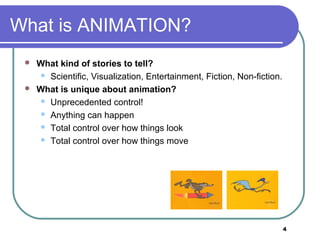
 What kind of stories to tell?
 Scientific, Visualization, Entertainment, Fiction, Non-fiction.
 What is unique about animation?
 Unprecedented control!
 Anything can happen
 Total control over how things look
 Total control over how things move
5
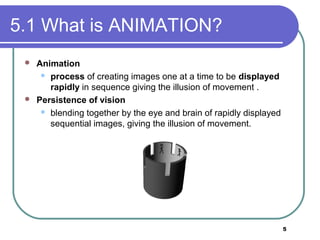
5.1 What is ANIMATION?
 Animation
 process of creating images one at a time to be displayed
rapidly in sequence giving the illusion of movement .
 Persistence of vision
 blending together by the eye and brain of rapidly displayed
sequential images, giving the illusion of movement.
6
Usage of Animation
Artistic purposes
Storytelling
Displaying data (scientific visualization)
Instructional purposes
7
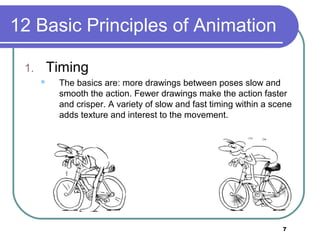
12 Basic Principles of Animation
1. Timing
 The basics are: more drawings between poses slow and
smooth the action. Fewer drawings make the action faster
and crisper. A variety of slow and fast timing within a scene
adds texture and interest to the movement.
8
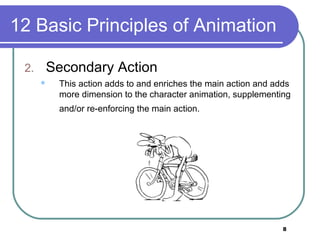
12 Basic Principles of Animation
2. Secondary Action
 This action adds to and enriches the main action and adds
more dimension to the character animation, supplementing
and/or re-enforcing the main action.
9
12 Basic Principles of Animation
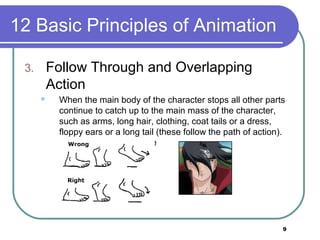
3. Follow Through and Overlapping
Action
 When the main body of the character stops all other parts
continue to catch up to the main mass of the character,
such as arms, long hair, clothing, coat tails or a dress,
floppy ears or a long tail (these follow the path of action).
Nothing stops all at once
10
12 Basic Principles of Animation
4. Straight Ahead Action and Pose-To-
Pose Action
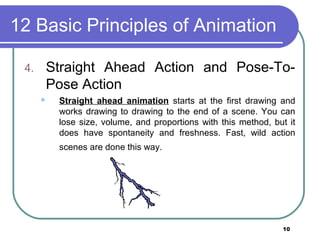
 Straight ahead animation starts at the first drawing and
works drawing to drawing to the end of a scene. You can
lose size, volume, and proportions with this method, but it
does have spontaneity and freshness. Fast, wild action
scenes are done this way.
11
12 Basic Principles of Animation
4. Straight Ahead Action and Pose-To-
Pose Action
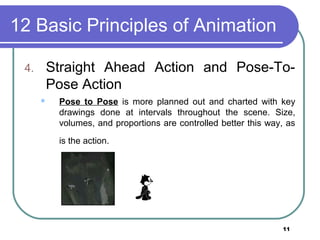
 Pose to Pose is more planned out and charted with key
drawings done at intervals throughout the scene. Size,
volumes, and proportions are controlled better this way, as
is the action.
12
12 Basic Principles of Animation
5. Staging
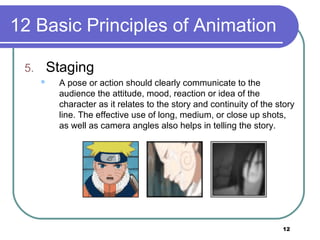
 A pose or action should clearly communicate to the
audience the attitude, mood, reaction or idea of the
character as it relates to the story and continuity of the story
line. The effective use of long, medium, or close up shots,
as well as camera angles also helps in telling the story.
13
12 Basic Principles of Animation
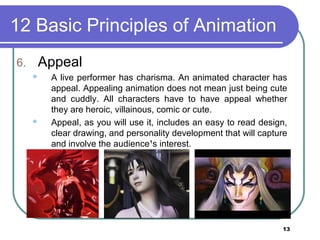
6. Appeal
 A live performer has charisma. An animated character has
appeal. Appealing animation does not mean just being cute
and cuddly. All characters have to have appeal whether
they are heroic, villainous, comic or cute.
 Appeal, as you will use it, includes an easy to read design,
clear drawing, and personality development that will capture
and involve the audience¹s interest.
14
12 Basic Principles of Animation
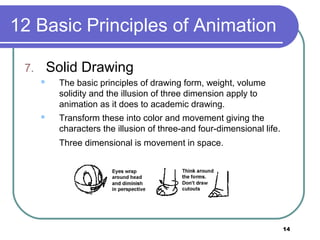
7. Solid Drawing
 The basic principles of drawing form, weight, volume
solidity and the illusion of three dimension apply to
animation as it does to academic drawing.
 Transform these into color and movement giving the
characters the illusion of three-and four-dimensional life.
Three dimensional is movement in space.
15
12 Basic Principles of Animation
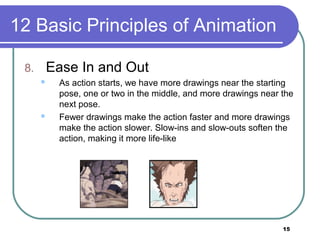
8. Ease In and Out
 As action starts, we have more drawings near the starting
pose, one or two in the middle, and more drawings near the
next pose.
 Fewer drawings make the action faster and more drawings
make the action slower. Slow-ins and slow-outs soften the
action, making it more life-like
16
12 Basic Principles of Animation
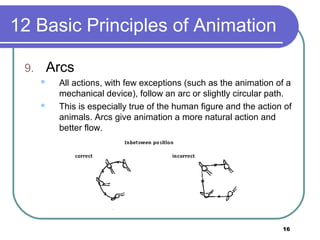
9. Arcs
 All actions, with few exceptions (such as the animation of a
mechanical device), follow an arc or slightly circular path.
 This is especially true of the human figure and the action of
animals. Arcs give animation a more natural action and
better flow.
17
12 Basic Principles of Animation
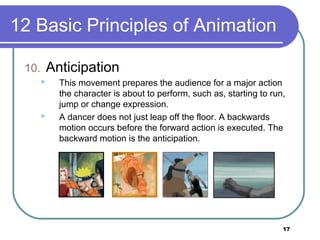
10. Anticipation
 This movement prepares the audience for a major action
the character is about to perform, such as, starting to run,
jump or change expression.
 A dancer does not just leap off the floor. A backwards
motion occurs before the forward action is executed. The
backward motion is the anticipation.
18
12 Basic Principles of Animation
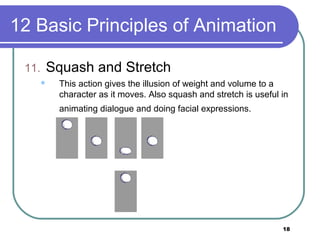
11. Squash and Stretch
 This action gives the illusion of weight and volume to a
character as it moves. Also squash and stretch is useful in
animating dialogue and doing facial expressions.
19
12 Basic Principles of Animation
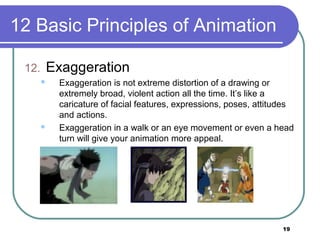
12. Exaggeration
 Exaggeration is not extreme distortion of a drawing or
extremely broad, violent action all the time. It’s like a
caricature of facial features, expressions, poses, attitudes
and actions.
 Exaggeration in a walk or an eye movement or even a head
turn will give your animation more appeal.
20
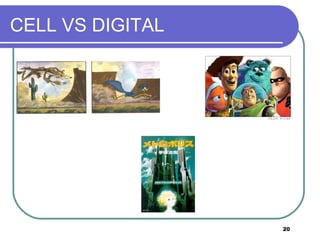
CELL VS DIGITAL
21
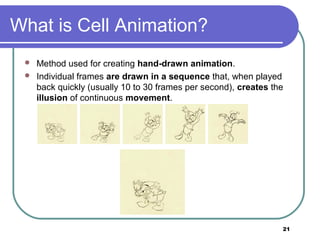
What is Cell Animation?
 Method used for creating hand-drawn animation.
 Individual frames are drawn in a sequence that, when played
back quickly (usually 10 to 30 frames per second), creates the

illusion of continuous movement.
22
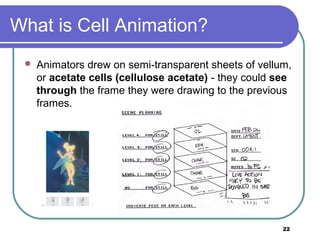
What is Cell Animation?
 Animators drew on semi-transparent sheets of vellum,
or acetate cells (cellulose acetate) - they could see
through the frame they were drawing to the previous
frames.
23
What is Digital Animation
Electronically generated movement of
anything on your computer screen.
Three different levels of digital
animation:
Basic
Intermediate
Advanced
24
What is Digital Animation
Basic
 At the most fundamental level, animation consists of simple
transitions (wipes and dissolves between PowerPoint slides,
for example) and path animations (moving text and logos).
25
What is Digital Animation
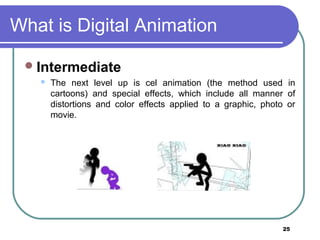
Intermediate
 The next level up is cel animation (the method used in
cartoons) and special effects, which include all manner of
distortions and color effects applied to a graphic, photo or
movie.
26
What is Digital Animation
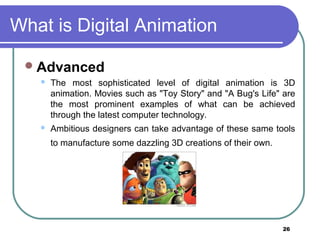
Advanced
 The most sophisticated level of digital animation is 3D
animation. Movies such as "Toy Story" and "A Bug's Life" are
the most prominent examples of what can be achieved
through the latest computer technology.
 Ambitious designers can take advantage of these same tools
to manufacture some dazzling 3D creations of their own.
27
Creating Animation
2 step process for creating animations
Step 1: Planning
Step 2: Implementation
Step 1: Planning
Decide on the problem to be solved
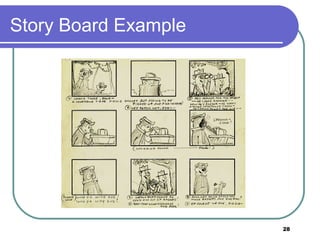
Design a solution – storyboard
Determine the characters and objects to
appear on
28
Story Board Example
29
Creating Animation
Step 2: Implementation
Start production
Post-production
Test playback and review
Amendments
Delivery or packaging
Different types of
Animation
31
Types of Animation
Zoetrope
Cel animation
Claymation
Stop frame/stop motion
CGI
Flipbooks
32
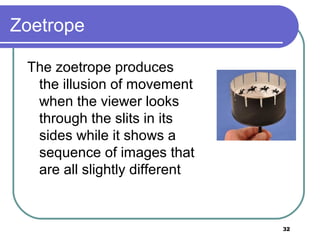
Zoetrope
The zoetrope produces
the illusion of movement
when the viewer looks
through the slits in its
sides while it shows a
sequence of images that
are all slightly different
33
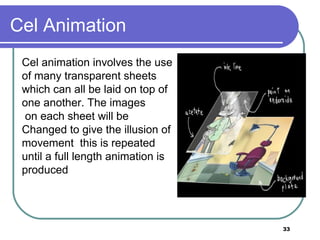
Cel Animation
Cel animation involves the use
of many transparent sheets
which can all be laid on top of
one another. The images
on each sheet will be
Changed to give the illusion of
movement this is repeated
until a full length animation is
produced
34
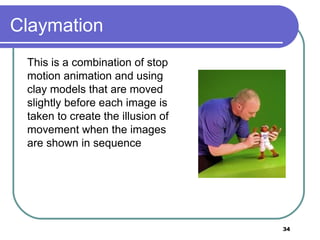
Claymation
This is a combination of stop
motion animation and using
clay models that are moved
slightly before each image is
taken to create the illusion of
movement when the images
are shown in sequence
35
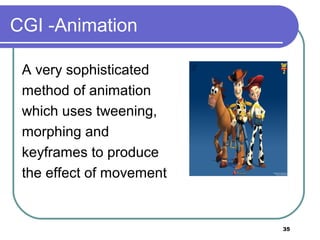
CGI -Animation
A very sophisticated
method of animation
which uses tweening,
morphing and
keyframes to produce
the effect of movement
36
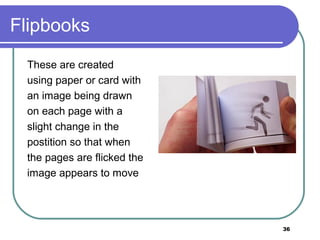
Flipbooks
These are created
using paper or card with
an image being drawn
on each page with a
slight change in the
postition so that when
the pages are flicked the
image appears to move
37
Broadest Sense: 3 Types Of Animation:
 2D
 3D and;
 Stop Motion
 Any way to manipulate a sequence of images, frame
by frame, is considered a Type of Animation.
 All animations falls into one of these three categories.
 The boundaries between them are, however, blending
with great speed.
38
39

It413 animation

  • 1.
  • 2.
    2 Outline: Define Animation The Usageof Animation The 12 Basic Principle of Animation Cell vs. Digital Animation Process for creating Animation Different types of Animation Broadest Sense of Animation
  • 3.
    3 What is ANIMATION? Definition: Acollection of static images joined together and shown consecutively so that they appear to move. Animation is about storytelling by bringing things to life (making them move).
  • 4.
    4 What is ANIMATION? What kind of stories to tell?  Scientific, Visualization, Entertainment, Fiction, Non-fiction.  What is unique about animation?  Unprecedented control!  Anything can happen  Total control over how things look  Total control over how things move
  • 5.
    5 5.1 What isANIMATION?  Animation  process of creating images one at a time to be displayed rapidly in sequence giving the illusion of movement .  Persistence of vision  blending together by the eye and brain of rapidly displayed sequential images, giving the illusion of movement.
  • 6.
    6 Usage of Animation Artisticpurposes Storytelling Displaying data (scientific visualization) Instructional purposes
  • 7.
    7 12 Basic Principlesof Animation 1. Timing  The basics are: more drawings between poses slow and smooth the action. Fewer drawings make the action faster and crisper. A variety of slow and fast timing within a scene adds texture and interest to the movement.
  • 8.
    8 12 Basic Principlesof Animation 2. Secondary Action  This action adds to and enriches the main action and adds more dimension to the character animation, supplementing and/or re-enforcing the main action.
  • 9.
    9 12 Basic Principlesof Animation 3. Follow Through and Overlapping Action  When the main body of the character stops all other parts continue to catch up to the main mass of the character, such as arms, long hair, clothing, coat tails or a dress, floppy ears or a long tail (these follow the path of action). Nothing stops all at once
  • 10.
    10 12 Basic Principlesof Animation 4. Straight Ahead Action and Pose-To- Pose Action  Straight ahead animation starts at the first drawing and works drawing to drawing to the end of a scene. You can lose size, volume, and proportions with this method, but it does have spontaneity and freshness. Fast, wild action scenes are done this way.
  • 11.
    11 12 Basic Principlesof Animation 4. Straight Ahead Action and Pose-To- Pose Action  Pose to Pose is more planned out and charted with key drawings done at intervals throughout the scene. Size, volumes, and proportions are controlled better this way, as is the action.
  • 12.
    12 12 Basic Principlesof Animation 5. Staging  A pose or action should clearly communicate to the audience the attitude, mood, reaction or idea of the character as it relates to the story and continuity of the story line. The effective use of long, medium, or close up shots, as well as camera angles also helps in telling the story.
  • 13.
    13 12 Basic Principlesof Animation 6. Appeal  A live performer has charisma. An animated character has appeal. Appealing animation does not mean just being cute and cuddly. All characters have to have appeal whether they are heroic, villainous, comic or cute.  Appeal, as you will use it, includes an easy to read design, clear drawing, and personality development that will capture and involve the audience¹s interest.
  • 14.
    14 12 Basic Principlesof Animation 7. Solid Drawing  The basic principles of drawing form, weight, volume solidity and the illusion of three dimension apply to animation as it does to academic drawing.  Transform these into color and movement giving the characters the illusion of three-and four-dimensional life. Three dimensional is movement in space.
  • 15.
    15 12 Basic Principlesof Animation 8. Ease In and Out  As action starts, we have more drawings near the starting pose, one or two in the middle, and more drawings near the next pose.  Fewer drawings make the action faster and more drawings make the action slower. Slow-ins and slow-outs soften the action, making it more life-like
  • 16.
    16 12 Basic Principlesof Animation 9. Arcs  All actions, with few exceptions (such as the animation of a mechanical device), follow an arc or slightly circular path.  This is especially true of the human figure and the action of animals. Arcs give animation a more natural action and better flow.
  • 17.
    17 12 Basic Principlesof Animation 10. Anticipation  This movement prepares the audience for a major action the character is about to perform, such as, starting to run, jump or change expression.  A dancer does not just leap off the floor. A backwards motion occurs before the forward action is executed. The backward motion is the anticipation.
  • 18.
    18 12 Basic Principlesof Animation 11. Squash and Stretch  This action gives the illusion of weight and volume to a character as it moves. Also squash and stretch is useful in animating dialogue and doing facial expressions.
  • 19.
    19 12 Basic Principlesof Animation 12. Exaggeration  Exaggeration is not extreme distortion of a drawing or extremely broad, violent action all the time. It’s like a caricature of facial features, expressions, poses, attitudes and actions.  Exaggeration in a walk or an eye movement or even a head turn will give your animation more appeal.
  • 20.
  • 21.
    21 What is CellAnimation?  Method used for creating hand-drawn animation.  Individual frames are drawn in a sequence that, when played back quickly (usually 10 to 30 frames per second), creates the illusion of continuous movement.
  • 22.
    22 What is CellAnimation?  Animators drew on semi-transparent sheets of vellum, or acetate cells (cellulose acetate) - they could see through the frame they were drawing to the previous frames.
  • 23.
    23 What is DigitalAnimation Electronically generated movement of anything on your computer screen. Three different levels of digital animation: Basic Intermediate Advanced
  • 24.
    24 What is DigitalAnimation Basic  At the most fundamental level, animation consists of simple transitions (wipes and dissolves between PowerPoint slides, for example) and path animations (moving text and logos).
  • 25.
    25 What is DigitalAnimation Intermediate  The next level up is cel animation (the method used in cartoons) and special effects, which include all manner of distortions and color effects applied to a graphic, photo or movie.
  • 26.
    26 What is DigitalAnimation Advanced  The most sophisticated level of digital animation is 3D animation. Movies such as "Toy Story" and "A Bug's Life" are the most prominent examples of what can be achieved through the latest computer technology.  Ambitious designers can take advantage of these same tools to manufacture some dazzling 3D creations of their own.
  • 27.
    27 Creating Animation 2 stepprocess for creating animations Step 1: Planning Step 2: Implementation Step 1: Planning Decide on the problem to be solved Design a solution – storyboard Determine the characters and objects to appear on
  • 28.
  • 29.
    29 Creating Animation Step 2:Implementation Start production Post-production Test playback and review Amendments Delivery or packaging
  • 30.
  • 31.
    31 Types of Animation Zoetrope Celanimation Claymation Stop frame/stop motion CGI Flipbooks
  • 32.
    32 Zoetrope The zoetrope produces theillusion of movement when the viewer looks through the slits in its sides while it shows a sequence of images that are all slightly different
  • 33.
    33 Cel Animation Cel animationinvolves the use of many transparent sheets which can all be laid on top of one another. The images on each sheet will be Changed to give the illusion of movement this is repeated until a full length animation is produced
  • 34.
    34 Claymation This is acombination of stop motion animation and using clay models that are moved slightly before each image is taken to create the illusion of movement when the images are shown in sequence
  • 35.
    35 CGI -Animation A verysophisticated method of animation which uses tweening, morphing and keyframes to produce the effect of movement
  • 36.
    36 Flipbooks These are created usingpaper or card with an image being drawn on each page with a slight change in the postition so that when the pages are flicked the image appears to move
  • 37.
    37 Broadest Sense: 3Types Of Animation:  2D  3D and;  Stop Motion  Any way to manipulate a sequence of images, frame by frame, is considered a Type of Animation.  All animations falls into one of these three categories.  The boundaries between them are, however, blending with great speed.
  • 38.
  • 39.