



IPTABLES (I)
HungWei Chiu
HungWei Chiu
•MTS @ ONF
•SDNDS-TW/CNTUG
•Linux/Network/Container/
Kubernetes
•Kuberentes Courses @Hiskio
Why IPTABLES
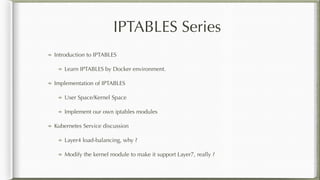
IPTABLES Series
Introduction to IPTABLES
Learn IPTABLES by Docker environment.
Implementation of IPTABLES
User Space/Kernel Space
Implement our own iptables modules
Kubernetes Service discussion
Layer4 load-balancing, why ?
Modify the kernel module to make it support Layer7, really ?
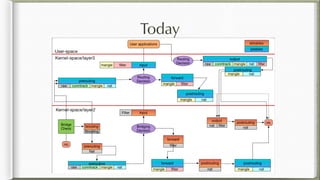
Today
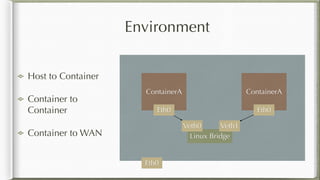
Environment
ContainerA ContainerA
Linux Bridge
Eth0
Eth0 Eth0
Veth0 Veth1
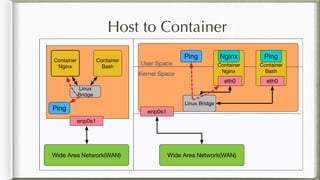
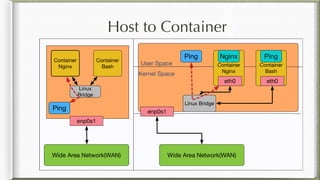
Host to Container
Container to
Container
Container to WAN
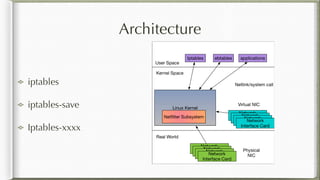
Architecture
iptables
iptables-save
Iptables-xxxx
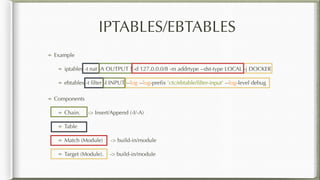
IPTABLES/EBTABLES
Example
iptables -t nat -A OUTPUT ! -d 127.0.0.0/8 -m addrtype --dst-type LOCAL -j DOCKER
ebtables -t filter -I INPUT --log --log-prefix 'ctc/ebtable/filter-input' --log-level debug
Components
Chain. -> Insert/Append (-I/-A)
Table
Match (Module) -> build-in/module
Target (Module). -> build-in/module
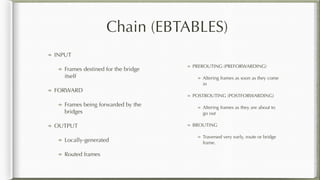
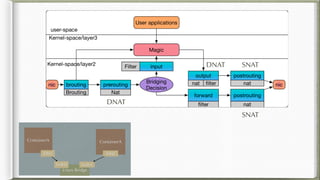
Chain (EBTABLES)
INPUT
Frames destined for the bridge
itself
FORWARD
Frames being forwarded by the
bridges
OUTPUT
Locally-generated
Routed frames
PREROUTING (PREFORWARDING)
Altering frames as soon as they come
in
POSTROUTING (POSTFORWARDING)
Altering frames as they are about to
go out
BROUTING
Traversed very early, route or bridge
frame.
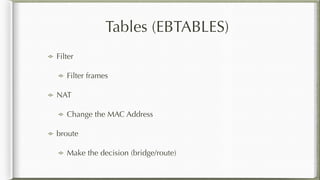
Tables (EBTABLES)
Filter
Filter frames
NAT
Change the MAC Address
broute
Make the decision (bridge/route)
DNAT
DNAT SNAT
SNAT
ContainerA ContainerA
Linux Bridge
Eth0 Eth0
Veth0 Veth1
Observe Flows
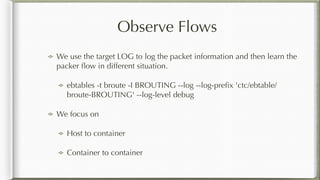
We use the target LOG to log the packet information and then learn the
packer flow in different situation.
ebtables -t broute -I BROUTING --log --log-prefix 'ctc/ebtable/
broute-BROUTING' --log-level debug
We focus on
Host to container
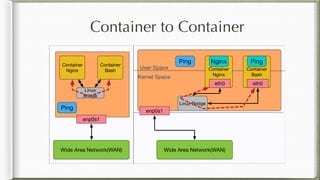
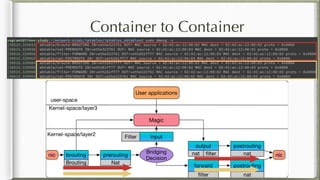
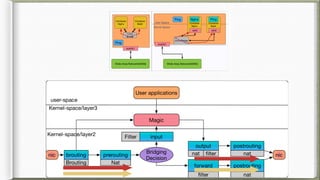
Container to container
Container to Container
Scripts
Setup ebtables rules
./ebtables.sh
Modify kernel module
Add printk(....)
Need to rebuild the kernel module and re-install
Generate traffic to container.
sudo dmesg -c (clean buffer)
sudo docker exec netutils ping 172.18.0.2 -c1
sudo dmesg -c
Container to Container
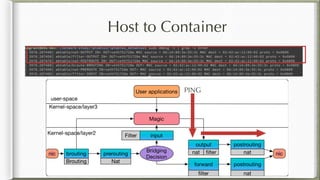
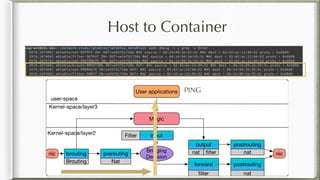
Host to Container
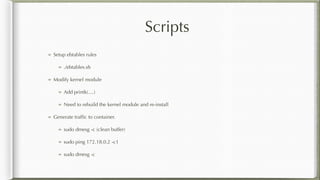
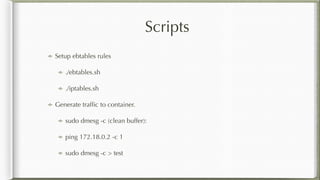
Scripts
Setup ebtables rules
./ebtables.sh
Modify kernel module
Add printk(....)
Need to rebuild the kernel module and re-install
Generate traffic to container.
sudo dmesg -c (clean buffer)
sudo ping 172.18.0.2 -c1
sudo dmesg -c
Host to Container
PING
Host to Container
PING
Before IPTABLES
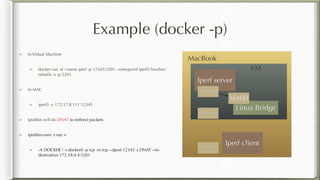
Example (docker -p)
Iperf server
Linux Bridge
172.17.8.111
172.18.0.4
Veth0
MacBook
VM
172.17.8.1
Iperf client
In Virtual Machine
docker run -d --name iperf -p 12345:5201 --entrypoint iperf3 hwchiu/
netutils -s -p 5201
In MAC
iperf3 -c 172.17.8.111 12345
Iptables will do DNAT to redirect packets
iptables-save -t nat -c
-A DOCKER ! -i docker0 -p tcp -m tcp --dport 12345 -j DNAT --to-
destination 172.18.0.4:5201
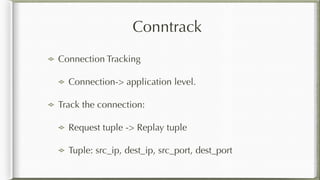
Conntrack
Connection Tracking
Connection-> application level.
Track the connection:
Request tuple -> Replay tuple
Tuple: src_ip, dest_ip, src_port, dest_port
Conntrack
Iperf server
Linux Bridge
172.17.8.111
172.18.0.4
Veth0
MacBook
VM
172.17.8.1
Iperf client
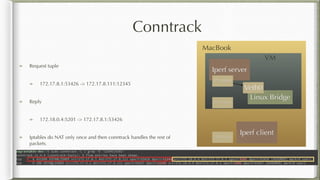
Request tuple
172.17.8.1:53426 -> 172.17.8.111:12345
Reply
172.18.0.4:5201 -> 172.17.8.1:53426
Iptables do NAT only once and then conntrack handles the rest of
packets.
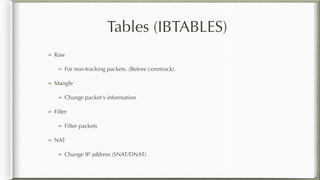
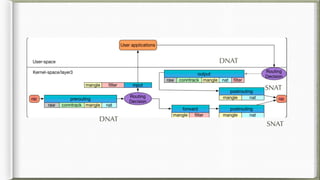
Tables (IBTABLES)
Raw
For non-tracking packets. (Before conntrack)
Mangle
Change packet's information
Filter
Filter packets
NAT
Change IP address (SNAT/DNAT)
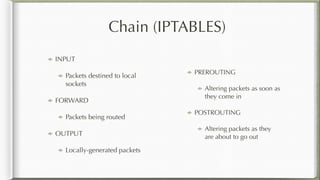
Chain (IPTABLES)
INPUT
Packets destined to local
sockets
FORWARD
Packets being routed
OUTPUT
Locally-generated packets
PREROUTING
Altering packets as soon as
they come in
POSTROUTING
Altering packets as they
are about to go out
DNAT
DNAT
SNAT
SNAT
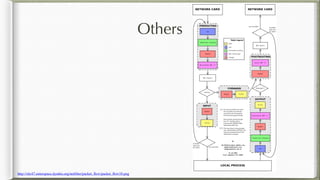
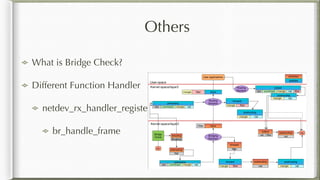
Others
http://xkr47.outerspace.dyndns.org/netfilter/packet_flow/packet_flow10.png
Observe Flows
We use the target LOG to log the packet information and then learn the packer flow in
different situation.
iptables -t mangle -I PREROUTING -p tcp -d 172.18.0.0/16 -j LOG --log-prefix '/
iptable/mangle-PREROUTE' --log-level debug
We focus on
Container to container
Host to container
WAN to container
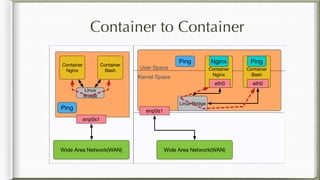
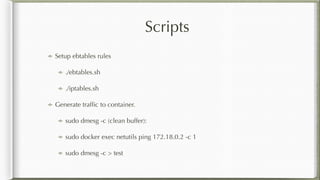
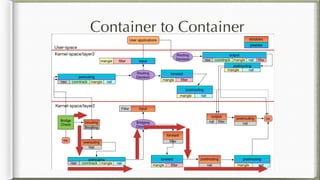
Container to Container
Scripts
Setup ebtables rules
./ebtables.sh
./iptables.sh
Generate traffic to container.
sudo dmesg -c (clean buffer):
sudo docker exec netutils ping 172.18.0.2 -c 1
sudo dmesg -c > test
Container to Container
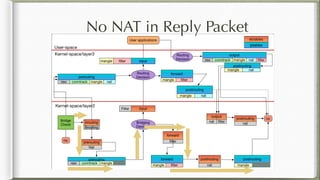
No NAT in Reply Packet
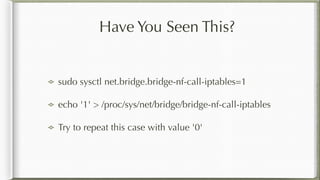
Have You Seen This?
sudo sysctl net.bridge.bridge-nf-call-iptables=1
echo '1' > /proc/sys/net/bridge/bridge-nf-call-iptables
Try to repeat this case with value '0'
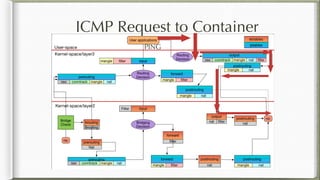
Host to Container
Scripts
Setup ebtables rules
./ebtables.sh
./iptables.sh
Generate traffic to container.
sudo dmesg -c (clean buffer):
ping 172.18.0.2 -c 1
sudo dmesg -c > test
ICMP Request to Container
PING
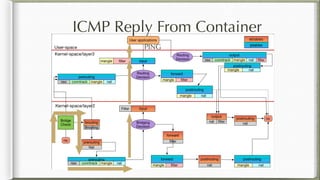
ICMP Reply From Container
PING
Others
What is Bridge Check?
Different Function Handler
netdev_rx_handler_register
br_handle_frame
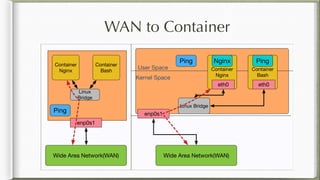
WAN to Container
Scripts
Setup ebtables rules
./ebtables.sh
./iptables.sh
Generate traffic to container.
sudo dmesg -c (clean buffer):
sudo docker exec netutils ping 8.8.8.8 -c 1
sudo dmesg -c > test
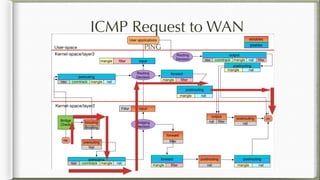
ICMP Request to WAN
PING
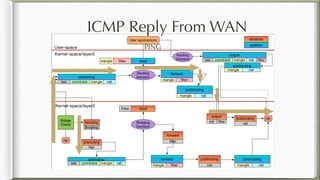
ICMP Reply From WAN
PING
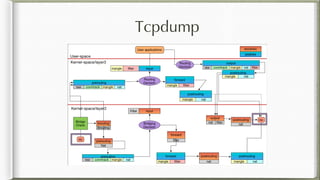
Tcpdump
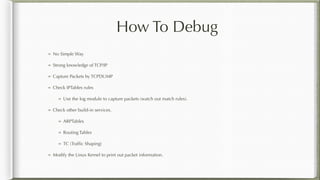
How To Debug
No Simple Way
Strong knowledge of TCP/IP
Capture Packets by TCPDUMP
Check IPTables rules
Use the log module to capture packets (watch out match rules).
Check other build-in services.
ARPTables
Routing Tables
TC (Traffic Shaping)
Modify the Linux Kernel to print out packet information.
Q&A

IPTABLES Introduction