Head First
container&kubernetes
hung-wei chiu
Microsoft MVP
Devops @ Thundertoken
Co-organizer of SDNDS-TW
Co-organizer of CNTUUG
Network/Kubernetes/SDN
https://blog.hwchiu.com
Container ?
What ?
Why ?
How ?
Container
✖Chroot
✖LXC (Linux Container)
✖Jail
✖Docker
✖Rkt
✖CRI-O
✖…
https://www.youtube.com/watch?v=YkBk52MGV0Y
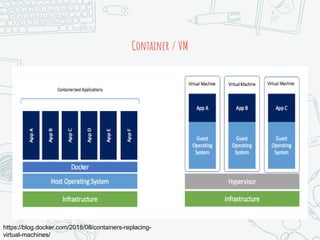
Container / VM
https://blog.docker.com/2018/08/containers-replacing-
virtual-machines/
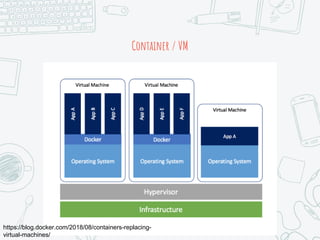
Container / VM
https://blog.docker.com/2018/08/containers-replacing-
virtual-machines/
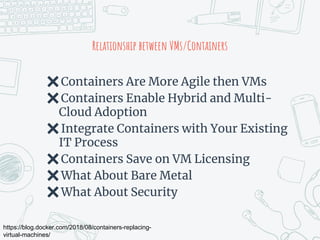
Relationship between VMs/Containers
✖Containers Are More Agile then VMs
✖Containers Enable Hybrid and Multi-
Cloud Adoption
✖Integrate Containers with Your Existing
IT Process
✖Containers Save on VM Licensing
✖What About Bare Metal
✖What About Security
https://blog.docker.com/2018/08/containers-replacing-
virtual-machines/
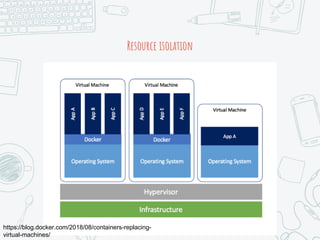
Resource isolation
https://blog.docker.com/2018/08/containers-replacing-
virtual-machines/
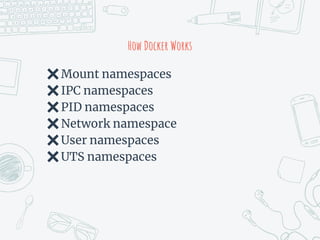
How Docker Works
✖Mount namespaces
✖IPC namespaces
✖PID namespaces
✖Network namespace
✖User namespaces
✖UTS namespaces
How to start
✖Prepare docker image
○ Pull from internet
○ Build by yourself
✖Create container based on image.
How to start
✖Prepare docker image
○ Pull from internet
○ Build by yourself
✖Create container based on image.
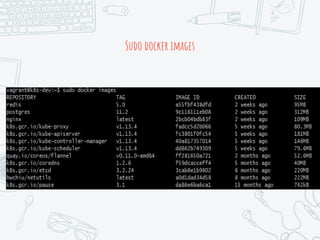
Sudo docker images
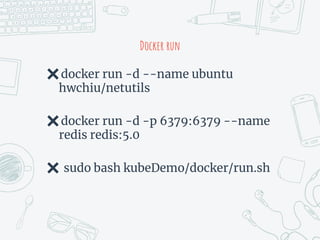
Docker run
✖docker run -d --name ubuntu
hwchiu/netutils
✖docker run -d -p 6379:6379 --name
redis redis:5.0
✖ sudo bash kubeDemo/docker/run.sh
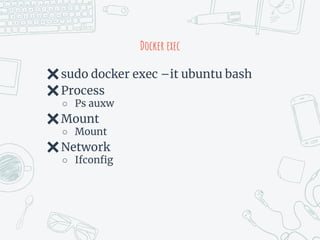
Docker exec
✖sudo docker exec –it ubuntu bash
✖Process
○ Ps auxw
✖Mount
○ Mount
✖Network
○ Ifconfig
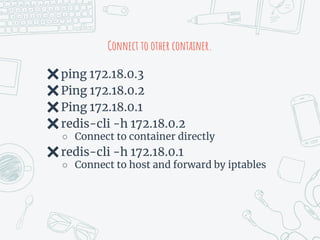
Connect to other container.
✖ping 172.18.0.3
✖Ping 172.18.0.2
✖Ping 172.18.0.1
✖redis-cli -h 172.18.0.2
○ Connect to container directly
✖redis-cli -h 172.18.0.1
○ Connect to host and forward by iptables
Storage
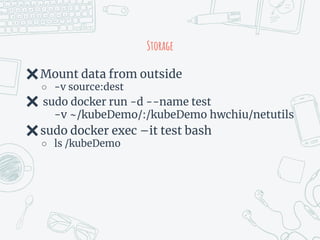
✖Mount data from outside
○ -v source:dest
✖ sudo docker run -d --name test
-v ~/kubeDemo/:/kubeDemo hwchiu/netutils
✖sudo docker exec –it test bash
○ ls /kubeDemo
How to use docker
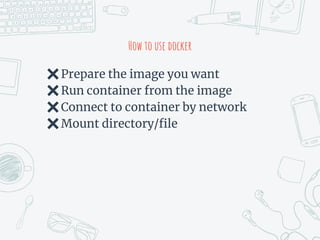
✖Prepare the image you want
✖Run container from the image
✖Connect to container by network
✖Mount directory/file
How Container Works ?
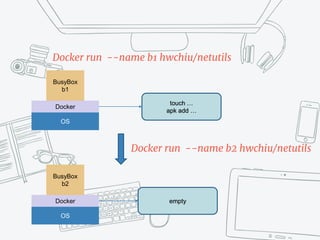
OS
Docker
BusyBox
b1
Docker run --name b1 hwchiu/netutils
OS
Docker
BusyBox
b2
touch …
apk add …
empty
Docker run --name b2 hwchiu/netutils
We Need To Know How Container
Works First
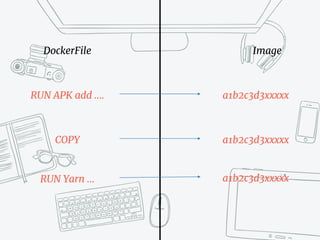
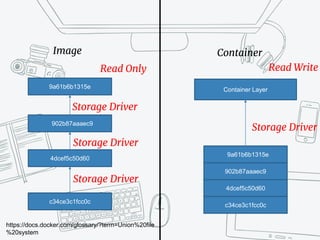
Image, series of read-only layers
DockerFile Image
RUN APK add ….
COPY
RUN Yarn …
a1b2c3d3xxxxx
a1b2c3d3xxxxx
a1b2c3d3xxxxx
Image Container
902b87aaaec9
4dcef5c50d60
c34ce3c1fcc0c
9a61b6b1315e
Read Only
902b87aaaec9
4dcef5c50d60
c34ce3c1fcc0c
9a61b6b1315e
https://docs.docker.com/glossary/?term=Union%20file
%20system
Container Layer
Read Write
Storage Driver
Storage Driver
Storage Driver
Storage Driver
Container
https://docs.docker.com/glossary/?term=Union%20file
%20system
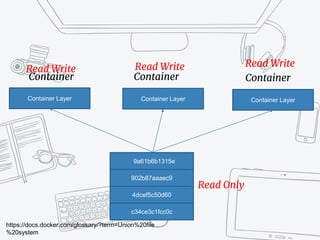
Container Layer
Container
Container Layer
Container
Container Layer
Read Write
Read Write Read Write
Read Only
902b87aaaec9
4dcef5c50d60
c34ce3c1fcc0c
9a61b6b1315e
When the container is deleted, the
writable layer is also deleted.
The underlying image remains
unchanged
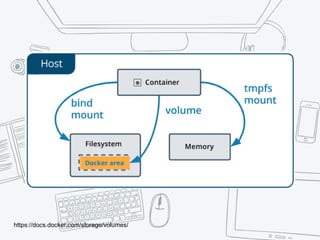
So, Persistent Data ?
https://docs.docker.com/storage/volumes/
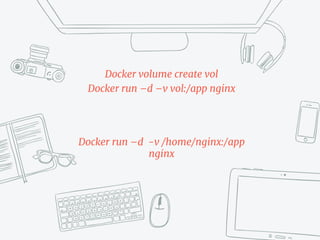
Docker volume create vol
Docker run –d –v vol:/app nginx
Docker run –d -v /home/nginx:/app
nginx
How about advance storage functions ?
Storage feature
✖Snapshot ?
✖Dedup (de duplicated)
✖Replica
✖Redundant (RAID?)
✖FileSystem (EXT4/BTRFS/ZFS?)
✖Read/Write Cache ?
✖LVM ?
Networking
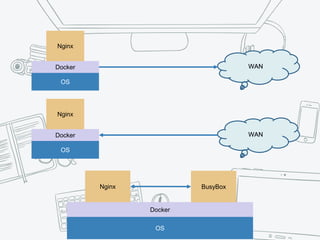
Container -> WAN
WAN -> Container
Container -> Container
OS
Docker
Nginx
OS
Docker
Nginx BusyBox
WAN
OS
Docker
Nginx
WAN
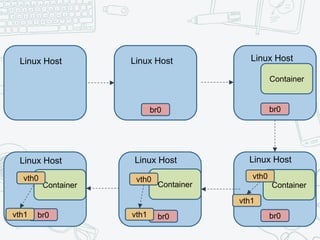
Docker Use Bridge Network To Provide
Network Connectivity by default.
Linux bridge/Kernel
Routing/Gateway/Iptables …
br0 br0
br0br0br0
Container
vth1
vth1vth1
Linux Host Linux Host Linux Host
Linux HostLinux HostLinux Host
ContainerContainerContainer
vth0vth0vth0
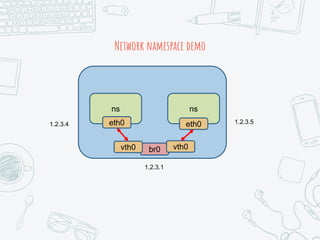
Network namespace demo
ns ns
eth0eth0
br0vth0 vth0
1.2.3.4
1.2.3.1
1.2.3.5
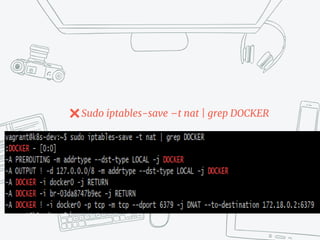
Docker run –p 6379:6379 nginx
✖Sudo iptables-save –t nat | grep DOCKER
How About Advanced Networking
Features?
Docker provides the basic functionality
of storage/network
Docker-compose
Docker compose
✖Use a YAML to configure your
application’s services.
✖Running multi-container
applications.
✖Friendly for VCS/CI/CD
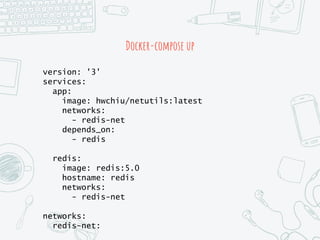
Docker-compose up
version: '3'
services:
app:
image: hwchiu/netutils:latest
networks:
- redis-net
depends_on:
- redis
redis:
image: redis:5.0
hostname: redis
networks:
- redis-net
networks:
redis-net:
Containers Cluster ?
OS
Docker
Nginx
OS
Docker
Redis
OS
Docker
Backend
1
OS
Docker
Backend
2
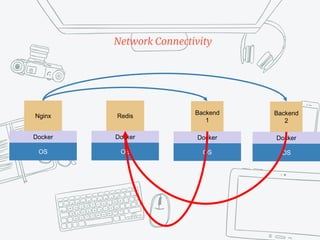
Network Connectivity
OS
Docker
Nginx
OS
Docker
Redis
OS
Docker
Backend
1
OS
Docker
Backend
2
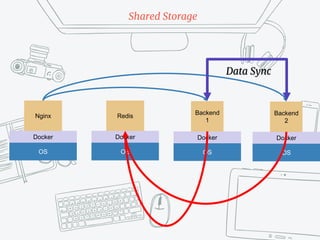
Shared Storage
Data Sync
OS
Docker
Nginx
OS
Docker
Redis
OS
Docker
Backend
1
OS
Docker
Backend
2
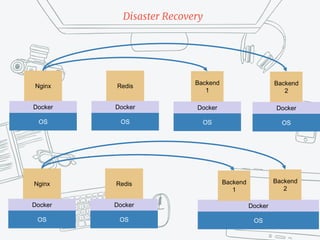
Disaster Recovery
OS
Docker
Nginx
OS
Docker
Redis
OS
Docker
Backend
2
Backend
1
OS
Docker
Nginx
OS
Docker
Redis
OS
Docker
Backend
1
OS
Docker
Backend
2
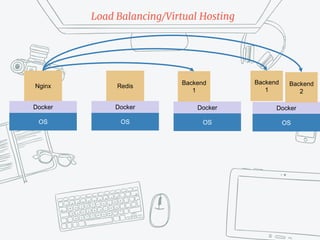
Load Balancing/Virtual Hosting
Backend
1
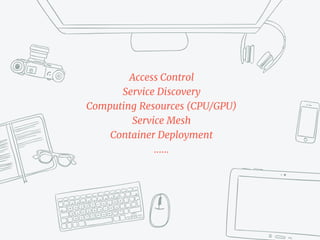
Access Control
Service Discovery
Computing Resources (CPU/GPU)
Service Mesh
Container Deployment
……
Container Orchestrator ?
https://kubernetes.io/docs/home/
Kubernetes is becoming the Linux of the
cloud
Jim Zemlin, Linux Foundation
Before kubernetes
✖Google has been running
containerized workloads in
production.
○ Virtually everything runs as a container.
✖Borg: The predecessor to Kubernetes
○ Long-rumored internal container-
oriented cluster-management system.
○ Pod
○ Services
○ Label
https://kubernetes.io/blog/2015/04/borg-predecessor-to-
kubernetes/
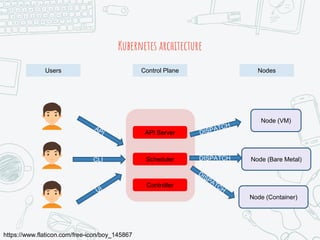
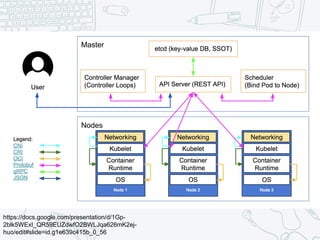
Kubernetes architecture
Users Control Plane Nodes
https://www.flaticon.com/free-icon/boy_145867
API Server
Scheduler
Controller
Node (VM)
Node (Bare Metal)
Node (Container)
CLI DISPATCH
Kubernetes architecture
Users Control Plane Nodes
https://www.flaticon.com/free-icon/boy_145867
API Server
Scheduler
Controller
Node (VM)
Node (Bare Metal)
Node (Container)
CLI DISPATCH
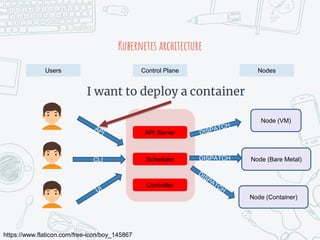
I want to deploy a container
Kubernetes architecture
Users Control Plane Nodes
https://www.flaticon.com/free-icon/boy_145867
API Server
Scheduler
Controller
Node (VM)
Node (Bare Metal)
Node (Container)
CLI DISPATCH
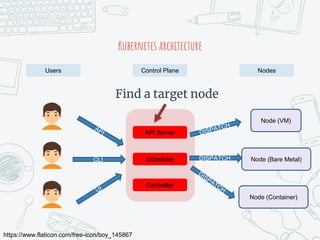
Find a target node
Kubernetes architecture
Users Control Plane Nodes
https://www.flaticon.com/free-icon/boy_145867
API Server
Scheduler
Controller
Node (VM)
Node (Bare Metal)
Node (Container)
CLI DISPATCH
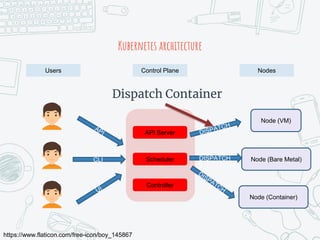
Dispatch Container
Kubernetes architecture
Users Control Plane Nodes
https://www.flaticon.com/free-icon/boy_145867
API Server
Scheduler
Controller
Node (VM)
Node (Bare Metal)
Node (Container)
CLI DISPATCH
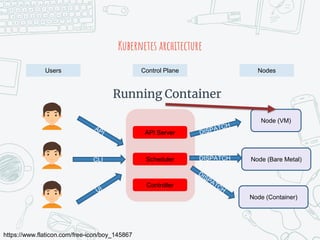
Running Container
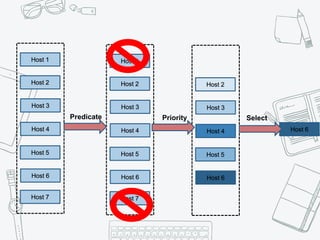
Scheduler
Host 1
Host 2
Host 3
Host 4
Host 5
Host 6
Host 7
Host 1
Host 2
Host 3
Host 4
Host 5
Host 6
Host 7
Host 2
Host 3
Host 4
Host 5
Host 6
Host 6
Predicate Priority Select
https://docs.google.com/presentation/d/1Gp-
2blk5WExI_QR59EUZdwfO2BWLJqa626mK2ej-
huo/edit#slide=id.g1e639c415b_0_56
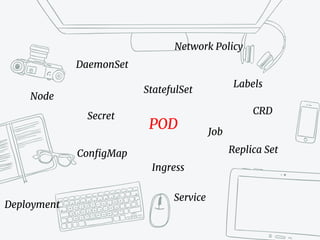
Core Primitives
DaemonSet
Node
ConfigMap
StatefulSet
Job
Labels
Replica Set
Secret
Deployment
Ingress
Service
Network Policy
CRD
POD
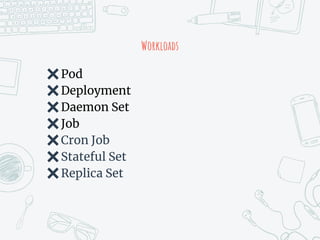
Workloads
✖Pod
✖Deployment
✖Daemon Set
✖Job
✖Cron Job
✖Stateful Set
✖Replica Set
pod
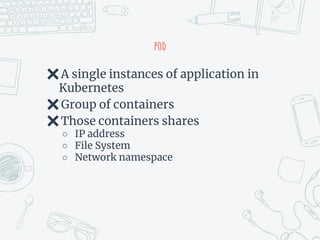
✖A single instances of application in
Kubernetes
✖Group of containers
✖Those containers shares
○ IP address
○ File System
○ Network namespace
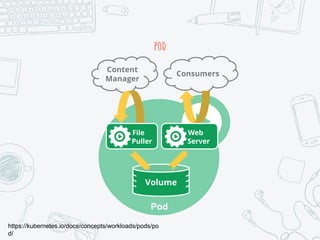
pod
https://kubernetes.io/docs/concepts/workloads/pods/po
d/
Pod
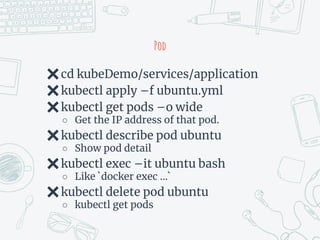
✖cd kubeDemo/services/application
✖kubectl apply –f ubuntu.yml
✖kubectl get pods –o wide
○ Get the IP address of that pod.
✖kubectl describe pod ubuntu
○ Show pod detail
✖kubectl exec –it ubuntu bash
○ Like `docker exec …`
✖kubectl delete pod ubuntu
○ kubectl get pods
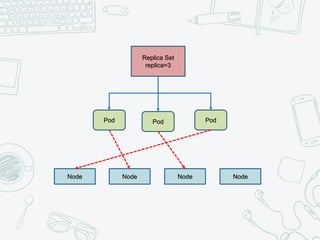
replica Set
✖Maintain a stable set of replica Pods
running at any given time.
✖Guarantee the availability of a
specified number of identical Pods.
Replica Set
replica=3
Node Node Node Node
Pod Pod Pod
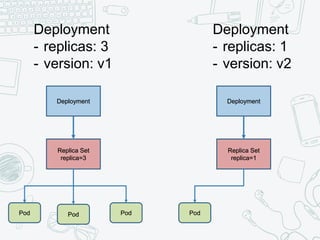
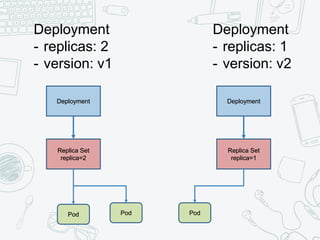
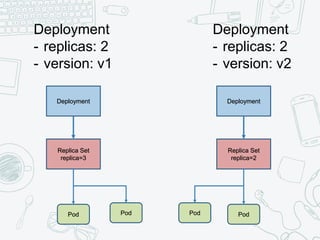
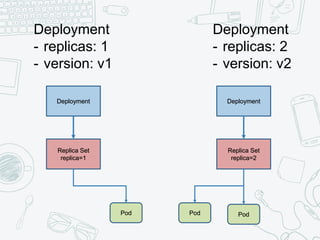
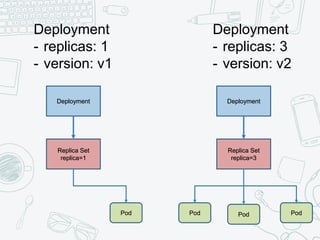
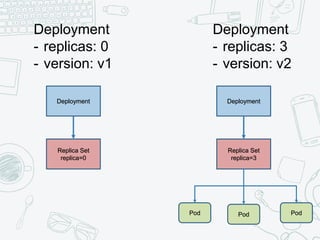
deployment
✖Rollouts as a Service
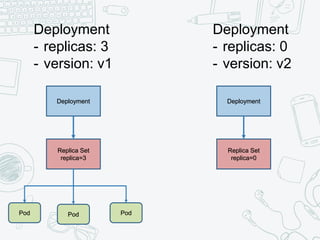
✖Update
○ Rolling update
○ Recreate
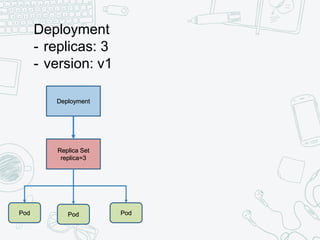
✖Manage Replica Set and Pod
Deployment
- replicas: 3
- version: v1
Replica Set
replica=3
Pod Pod Pod
Deployment
Deployment
- replicas: 3
- version: v1
Replica Set
replica=3
Pod Pod Pod
Deployment
Deployment
- replicas: 0
- version: v2
Replica Set
replica=0
Deployment
Deployment
- replicas: 3
- version: v1
Replica Set
replica=3
Pod Pod Pod
Deployment
Deployment
- replicas: 1
- version: v2
Replica Set
replica=1
Pod
Deployment
Deployment
- replicas: 2
- version: v1
Replica Set
replica=2
Pod Pod
Deployment
Deployment
- replicas: 1
- version: v2
Replica Set
replica=1
Pod
Deployment
Deployment
- replicas: 2
- version: v1
Replica Set
replica=3
Pod Pod
Deployment
Deployment
- replicas: 2
- version: v2
Replica Set
replica=2
Pod Pod
Deployment
Deployment
- replicas: 1
- version: v1
Replica Set
replica=1
Pod
Deployment
Deployment
- replicas: 2
- version: v2
Replica Set
replica=2
Pod Pod
Deployment
Deployment
- replicas: 1
- version: v1
Replica Set
replica=1
Pod
Deployment
Deployment
- replicas: 3
- version: v2
Replica Set
replica=3
Pod Pod Pod
Deployment
Deployment
- replicas: 0
- version: v1
Replica Set
replica=0
Deployment
Deployment
- replicas: 3
- version: v2
Replica Set
replica=3
Pod Pod Pod
Deployment
Deployment
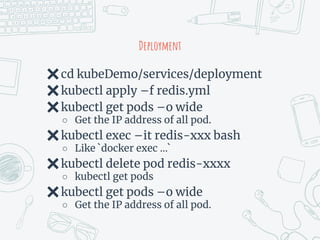
✖cd kubeDemo/services/deployment
✖kubectl apply –f redis.yml
✖kubectl get pods –o wide
○ Get the IP address of all pod.
✖kubectl exec –it redis-xxx bash
○ Like `docker exec …`
✖kubectl delete pod redis-xxxx
○ kubectl get pods
✖kubectl get pods –o wide
○ Get the IP address of all pod.
Network
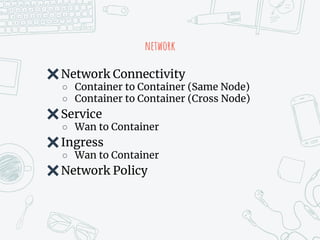
network
✖Network Connectivity
○ Container to Container (Same Node)
○ Container to Container (Cross Node)
✖Service
○ Wan to Container
✖Ingress
○ Wan to Container
✖Network Policy
Network connectivity
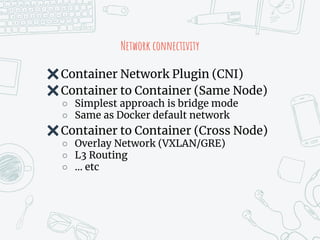
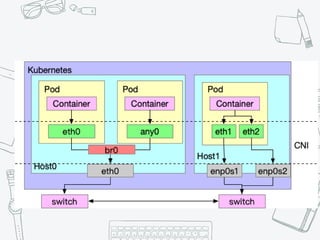
✖Container Network Plugin (CNI)
✖Container to Container (Same Node)
○ Simplest approach is bridge mode
○ Same as Docker default network
✖Container to Container (Cross Node)
○ Overlay Network (VXLAN/GRE)
○ L3 Routing
○ … etc
Pod network
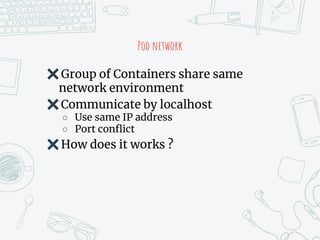
✖Group of Containers share same
network environment
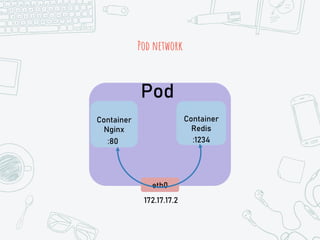
✖Communicate by localhost
○ Use same IP address
○ Port conflict
✖How does it works ?
Pod network
Container
Nginx
Container
Redis
Pod
eth0
172.17.17.2
:80 :1234
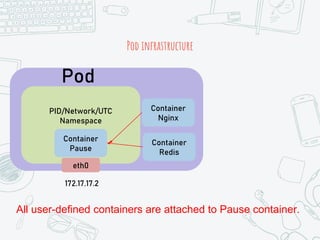
Pod infrastructure
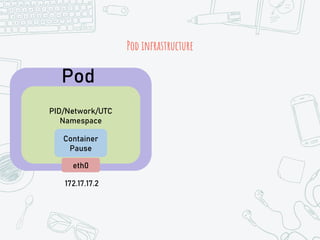
Pod
172.17.17.2
PID/Network/UTC
Namespace
Container
Pause
eth0
Pod infrastructure
Pod
172.17.17.2
PID/Network/UTC
Namespace
Container
Pause
eth0
Container
Nginx
Container
Redis
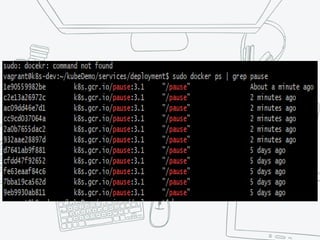
All user-defined containers are attached to Pause container.
Kubernetes Service
Kubernetes Service
Before We Talk About Service, We Must
Know Why Service Exist.
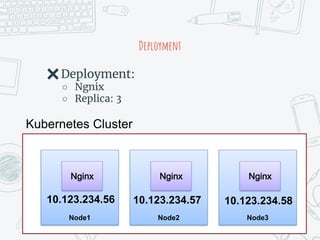
Deployment
Node1
Nginx
Node2
Nginx
Node3
Nginx
Kubernetes Cluster
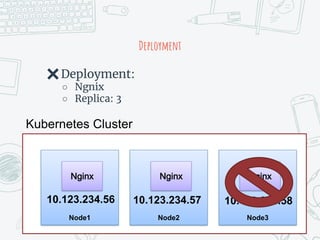
✖Deployment:
○ Ngnix
○ Replica: 3
10.123.234.56 10.123.234.57 10.123.234.58
Access
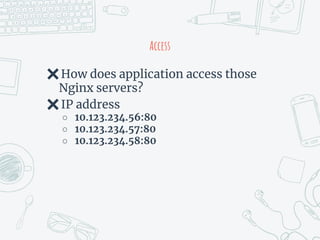
✖How does application access those
Nginx servers?
✖IP address
○ 10.123.234.56:80
○ 10.123.234.57:80
○ 10.123.234.58:80
Deployment
Node1
Nginx
Node2
Nginx
Node3
Nginx
Kubernetes Cluster
✖Deployment:
○ Ngnix
○ Replica: 3
10.123.234.56 10.123.234.57 10.123.234.58
Deployment
Node1
Nginx
Node2
Nginx
Node3
Nginx
Kubernetes Cluster
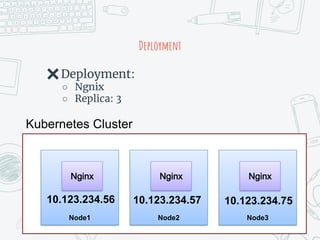
✖Deployment:
○ Ngnix
○ Replica: 3
10.123.234.56 10.123.234.57 10.123.234.75
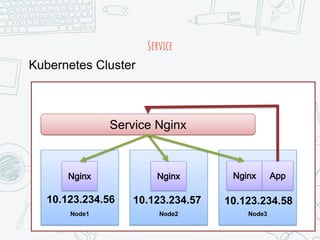
That’s Why We Need Service
Service
Node1
Nginx
Node2
Nginx
Node3
Nginx
Kubernetes Cluster
10.123.234.56 10.123.234.57 10.123.234.58
App
Service Nginx
Service
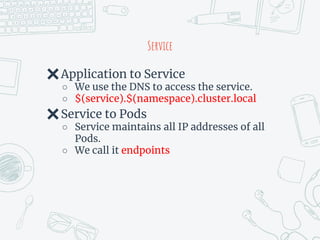
✖Application to Service
○ We use the DNS to access the service.
○ $(service).$(namespace).cluster.local
✖Service to Pods
○ Service maintains all IP addresses of all
Pods.
○ We call it endpoints
services
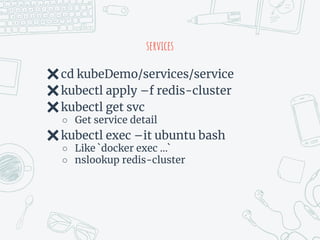
✖cd kubeDemo/services/service
✖kubectl apply –f redis-cluster
✖kubectl get svc
○ Get service detail
✖kubectl exec –it ubuntu bash
○ Like `docker exec …`
○ nslookup redis-cluster
summary
✖Kubernetes use CNI to provide the
basic network function for Pods
✖Service provide a DNS entry for all
backend servers
Kubernetes Limitation
Ask Yourself Before Using it
Do I Really Need Kubernetes ?
How Powerful Kubernetes Is ?
Flexible Infrastructure
✖Plugin Based
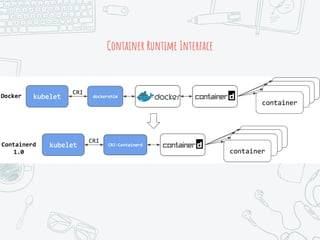
○ Container Runtime Interface
○ Device Plugin
○ Container Storage Interface
○ Container Network Interface
✖Developing life cycle
✖Support by third-party
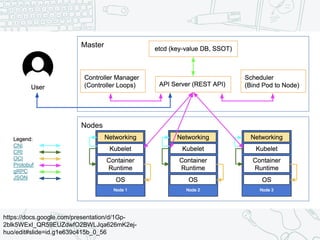
https://docs.google.com/presentation/d/1Gp-
2blk5WExI_QR59EUZdwfO2BWLJqa626mK2ej-
huo/edit#slide=id.g1e639c415b_0_56
Container Runtime Interface
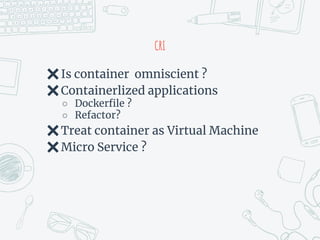
CRI
✖Is container omniscient ?
✖Containerlized applications
○ Dockerfile ?
○ Refactor?
✖Treat container as Virtual Machine
✖Micro Service ?
Device Plugin
✖Third-party plugin
○ Nvidia GPU
○ RDMA
○ SRIOV
○ AMD GPU
○ Intel GPU/FPGA/Quick-Assist
✖Are those plugin production-ready ?
○ Stable?
GPU
✖GPU Device Plugin
✖GPU virtualization
✖GPU Dispatches
○ Node1: 1
○ Node2: 1
○ Node3: 0
✖Pod require 2 GPU
○ ?
✖Two Pods use 1 GPU in Node 1
○ ?
GPU
✖https://github.com/AliyunContainerS
ervice/gpushare-scheduler-extender
✖https://github.com/NVIDIA/k8s-
device-plugin
Storage
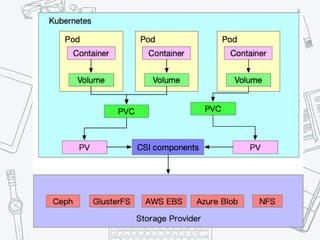
✖Container Storage Interface
✖Connect to storage provider
✖Can kubernetes handle all storage
issues ?
Storage
✖FileSystem
○ Zfs/ext4/btrfs/…etc
✖Block Device
✖Distributed FS
○ Ceph/GlusterFS/BeeGFS
✖RAID/LVM
✖Read/Write Cache
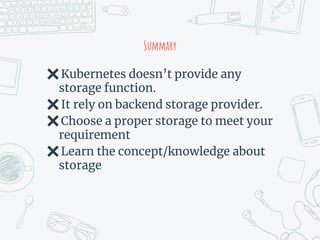
Summary
✖Kubernetes doesn’t provide any
storage function.
✖It rely on backend storage provider.
✖Choose a proper storage to meet your
requirement
✖Learn the concept/knowledge about
storage
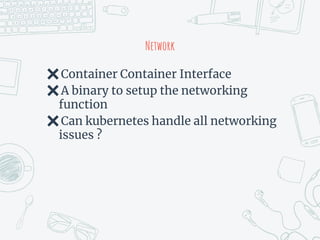
Network
✖Container Container Interface
✖A binary to setup the networking
function
✖Can kubernetes handle all networking
issues ?
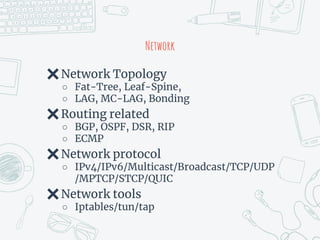
Network
✖Network Topology
○ Fat-Tree, Leaf-Spine,
○ LAG, MC-LAG, Bonding
✖Routing related
○ BGP, OSPF, DSR, RIP
○ ECMP
✖Network protocol
○ IPv4/IPv6/Multicast/Broadcast/TCP/UDP
/MPTCP/STCP/QUIC
✖Network tools
○ Iptables/tun/tap
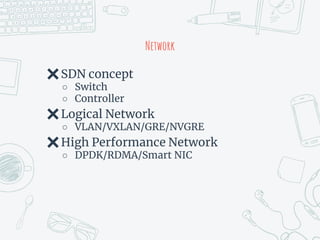
Network
✖SDN concept
○ Switch
○ Controller
✖Logical Network
○ VLAN/VXLAN/GRE/NVGRE
✖High Performance Network
○ DPDK/RDMA/Smart NIC
What you want?
✖IPv4 Address
○ Multiple addresses?
✖Connect to Host
○ Veth
○ Host-local
○ SRIOV ?
✖Routing
○ Static/Dynamic
✖Overlay network
summary
✖CNI provide the network connectivity
✖Service/Ingress may conflict with CNI
✖Need experience to debug networking
issues
summary
✖Know what you want first
✖Evaluation
✖Check third-party solution
○ Production Ready?
○ Testing?
✖Check your resources
https://blog.coscup.org/2019/04/2019-cfp-open.html#sdncloudnativego

Head First to Container&Kubernetes