


























Iptables1001
hung-weichiu
Co-organizer of SDNDS-TW
Co-organizer of CNTUUG
Linux Network/Kubernetes/SDN
You can find me at:
blog.hwchiu.com
How Many People Known Iptables?
Why Today?
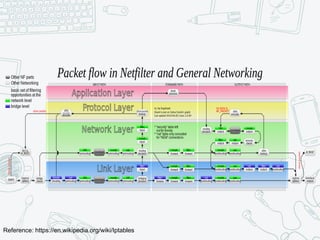
Reference: https://en.wikipedia.org/wiki/Iptables
WhyWeLearn
Learn it’s architecture
Learn how to design/implement
Think more
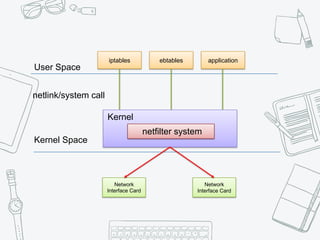
User Space
Kernel Space
iptables ebtables application
netlink/system call
Kernel
netfilter system
Network
Interface Card
Network
Interface Card
ebtables
Setup and maintain the tables of rules.
For Ethernet frames.
components
Tables
Chains
Target
Match
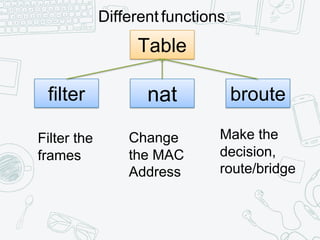
Table
filter nat broute
Different functions.
Filter the
frames
Change
the MAC
Address
Make the
decision,
route/bridge
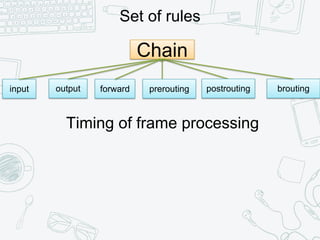
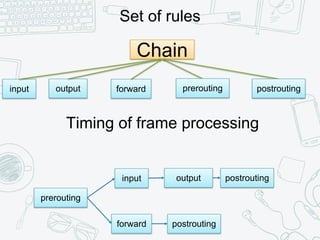
Chain
input
Set of rules
output prerouting postrouting brouting
Timing of frame processing
forward
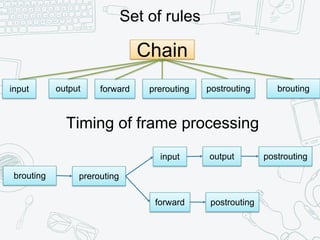
Chain
input
Set of rules
output prerouting postrouting brouting
Timing of frame processing
forward
brouting prerouting
input
forward
output postrouting
postrouting
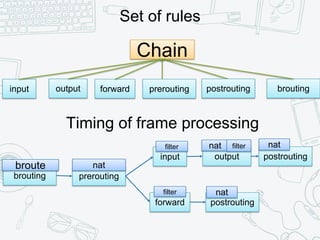
Chain
input
Set of rules
output prerouting postrouting brouting
Timing of frame processing
forward
brouting prerouting
input
forward
output postrouting
postrouting
broute nat
nat nat
natfilter
filter filter
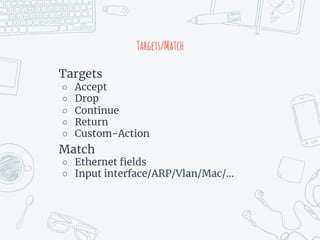
Targets/Match
Targets
○ Accept
○ Drop
○ Continue
○ Return
○ Custom-Action
Match
○ Ethernet fields
○ Input interface/ARP/Vlan/Mac/…
iptables
Setup and maintain the tables of rules.
For internet protocol packets.
○ ipv4/ipv6
components
Tables
Chains
Target
Match
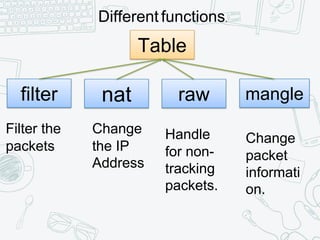
Table
filter nat raw
Different functions.
Filter the
packets
Change
the IP
Address
Handle
for non-
tracking
packets.
mangle
Change
packet
informati
on.
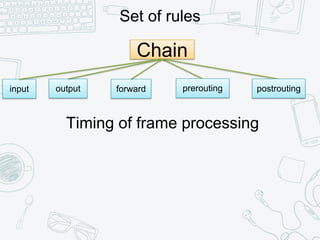
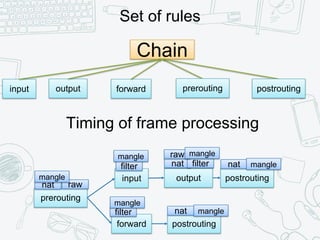
Chain
input
Set of rules
output prerouting postrouting
Timing of frame processing
forward
Chain
input
Set of rules
output prerouting postrouting
Timing of frame processing
forward
prerouting
input
forward
output postrouting
postrouting
Chain
input
Set of rules
output prerouting postrouting
Timing of frame processing
forward
prerouting
input
forward
output postrouting
postrouting
nat
nat
nat natfilter
filter
filter
raw
raw
mangle
mangle
mangle
mangle
mangle
mangle
Targets/Match
Targets
○ Accept
○ Drop
○ Queue
○ Return
○ Custom-Action
Match
○ Layer3 fields
○ Custom-Match
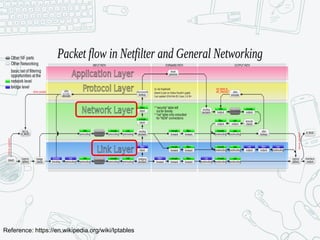
Reference: https://en.wikipedia.org/wiki/Iptables
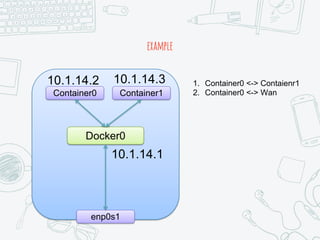
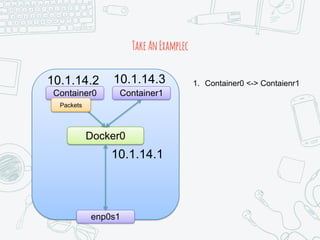
example
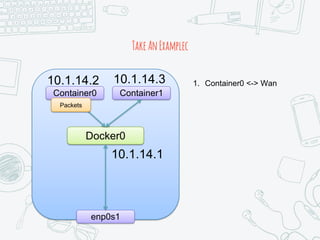
Docker0
Container0 Container1
enp0s1
1. Container0 <-> Contaienr1
2. Container0 <-> Wan
10.1.14.2 10.1.14.3
10.1.14.1
containertocontainer
Layer2 bridging
Via the linux bridge docker0
TakeAnExamplec
Docker0
Container0 Container1
enp0s1
1. Container0 <-> Contaienr1
Packets
10.1.14.2 10.1.14.3
10.1.14.1
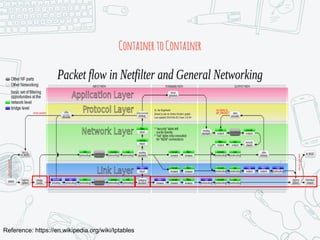
Reference: https://en.wikipedia.org/wiki/Iptables
ContainertoContainer
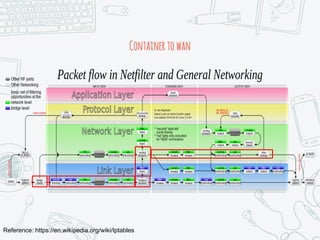
containertowan
Layer2 bridging
Via the linux bridge docker0
Layer3 routing
Via the linux kernel network stack.
TakeAnExamplec
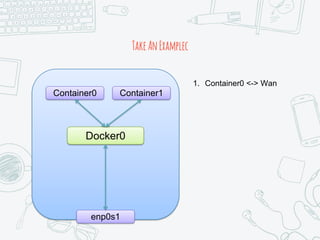
Docker0
Container0 Container1
enp0s1
1. Container0 <-> Wan
Packets
10.1.14.2 10.1.14.3
10.1.14.1
Reference: https://en.wikipedia.org/wiki/Iptables
Containertowan
TakeAnExamplec
Docker0
Container0 Container1
enp0s1
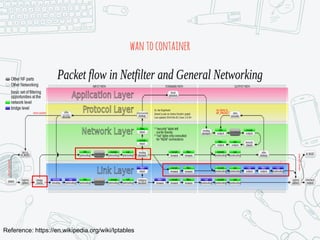
1. Container0 <-> Wan
Reference: https://en.wikipedia.org/wiki/Iptables
wantocontainer
Now, Let’s Discuss The Usage Of
iptables.
iptables, a command-line tool
iptables
Home:
○ https://www.netfilter.org/downloads.ht
ml
Git
○ git://git.netfilter.org/iptables.git
Do You Have Meet The Following
Message?
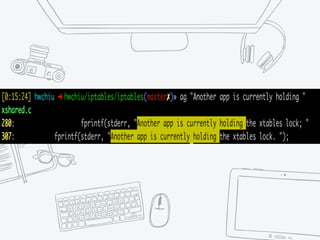
Another app is currently holding
the xtables lock. Perhaps you
want to use the -w option?
Whathappen
iptables command needs a
communication between user and
kernel space.
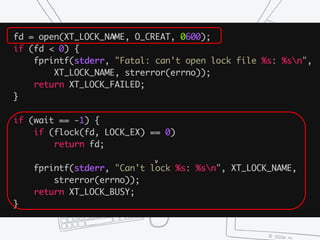
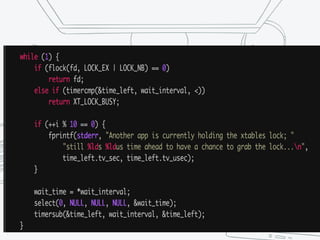
It need a lock to make sure the
consistence
iptables will exit if it can’t acquire the
lock by default.
Use the –w option to wait the lock.
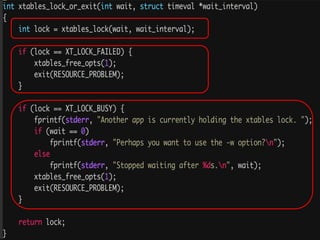
Let Read The Source Code
v
v
So, We Know The Iptables Use The File
Lock
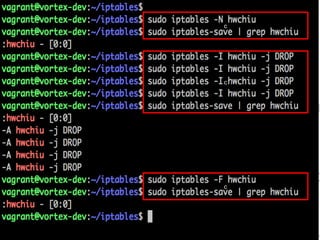
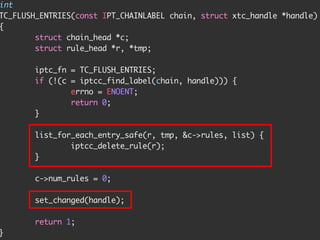
Now, Let We Learn How To Flush The
Rules.
c
c
c
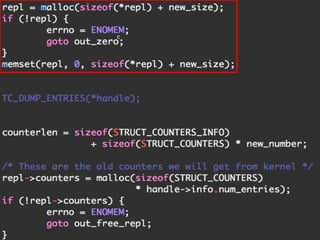
First, we need to know how iptables
works with kernel?
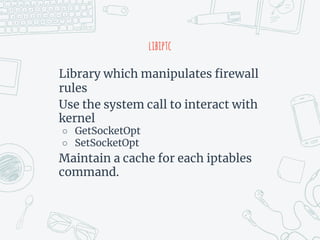
libiptc
libiptc
Library which manipulates firewall
rules
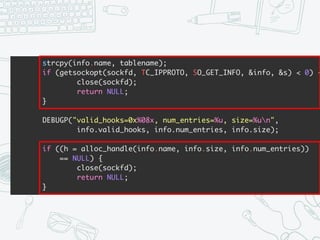
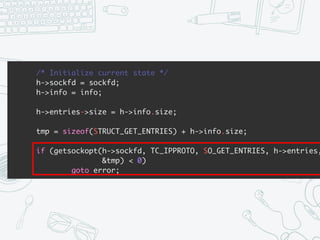
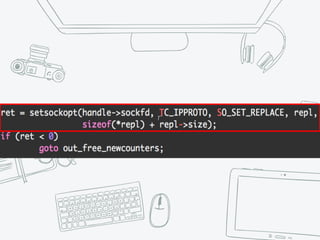
Use the system call to interact with
kernel
○ GetSocketOpt
○ SetSocketOpt
Maintain a cache for each iptables
command.
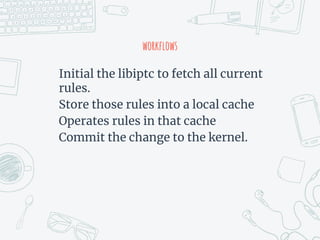
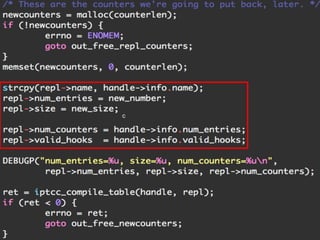
workflows
Initial the libiptc to fetch all current
rules.
Store those rules into a local cache
Operates rules in that cache
Commit the change to the kernel.
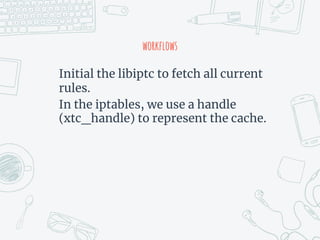
workflows
Initial the libiptc to fetch all current
rules.
In the iptables, we use a handle
(xtc_handle) to represent the cache.
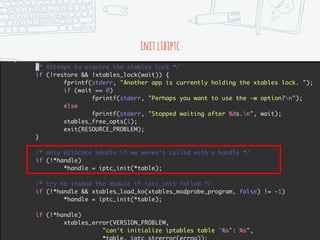
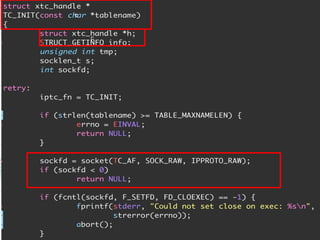
initlibiptc
Initial the libiptc to fetch all current
rules.
c
c
Now, we have the cache of the current
rules.
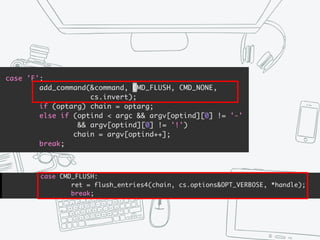
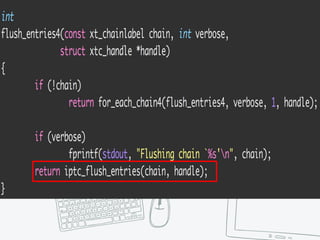
Let We Flush Rules
c
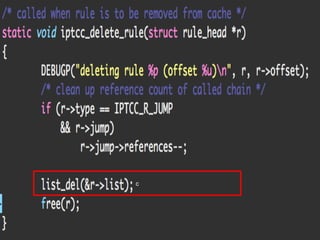
Now, We Have Remove Rules From
Cache
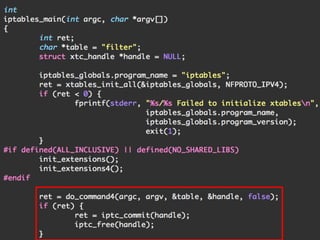
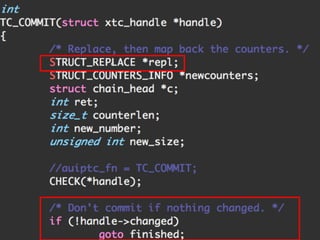
We Commit The Change After Any
Commands
c
c
c
Now, We Have Flush The Rules.
Now, Let’s See What’s The Extension
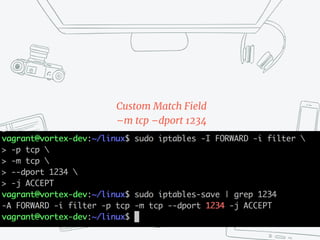
Custom Match Field
–m tcp –dport 1234
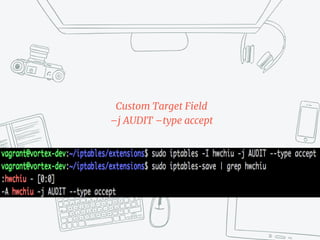
Custom Target Field
–j AUDIT –type accept
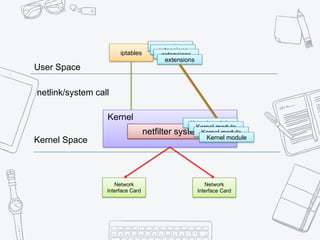
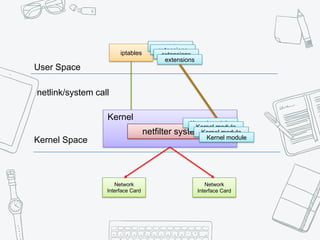
User Space
Kernel Space
iptables
extensions
netlink/system call
Kernel
netfilter system
Network
Interface Card
Network
Interface Card
extensions
extensions
extensions
Kernel module
Kernel module
Kernel module
Kernel module
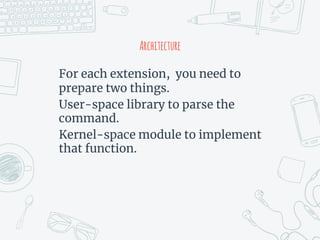
Architecture
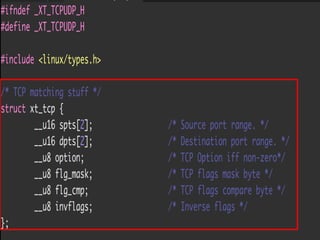
For each extension, you need to
prepare two things.
User-space library to parse the
command.
Kernel-space module to implement
that function.
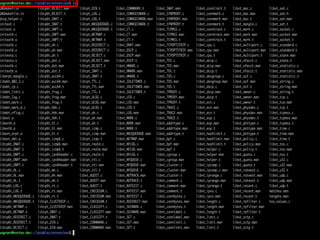
For User-Space, iptables command
should know how to parse arguments.
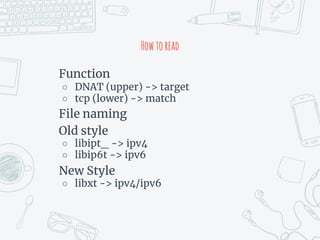
Howtoread
Function
○ DNAT (upper) -> target
○ tcp (lower) -> match
File naming
Old style
○ libipt_ -> ipv4
○ libip6t -> ipv6
New Style
○ libxt -> ipv4/ipv6
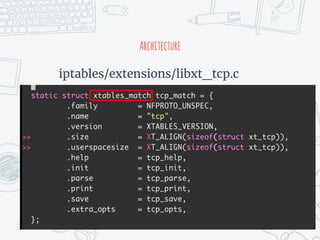
Now, We Take The Custom Match TCP
as Example
Architecture
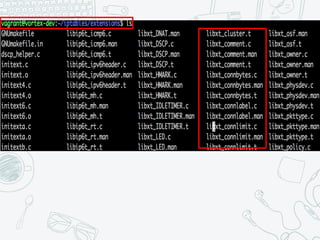
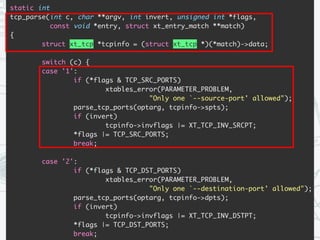
iptables/extensions/libxt_tcp.c
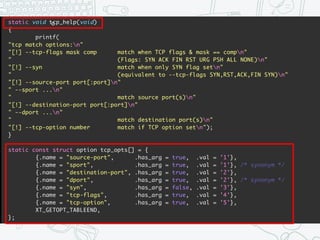
Architecture
iptables/extensions/libxt_tcp.c
c
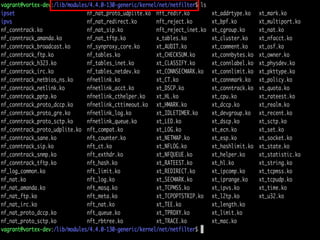
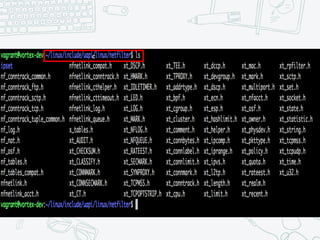
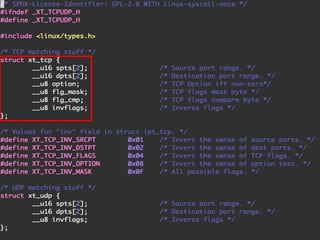
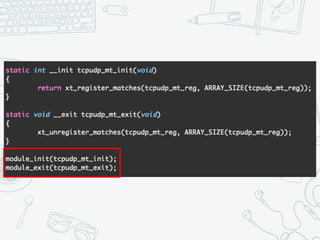
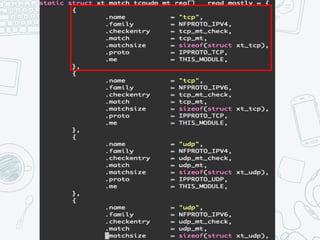
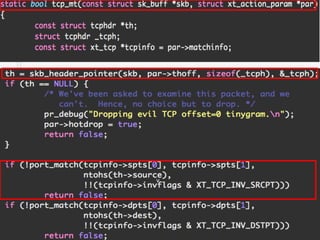
For Kernel-Space, There’re Some
Kernel Modules In The System.
c
v
summary
The iptables system includes the
user-space tool and kernel-space
system.
We focus on how user-space tools
works today.
iptables
iptables need a file lock to protect the
rules.
iptables use the library (libiptc) to
control the rules via system call.
You can extend the iptables by
implement the extension
match/target function.
User Space
Kernel Space
iptables
extensions
netlink/system call
Kernel
netfilter system
Network
Interface Card
Network
Interface Card
extensions
extensions
extensions
Kernel module
Kernel module
Kernel module
Kernel module
Extenstion
For each iptables extension module,
you should both user-space and
kernel-space.
Please make sure the kernel version
consistent
Use—Space
○ Implement the arguments and store the
data into pre-defined structure.
Kernel-Space
○ Implement the match function
Thanks!

iptables 101- bottom-up