


Developing Applications on iOS


September           Francisco Ramos
   2011     http://www3.uji.es/~jromero
Devices

Introduction to iOS

 iOS Architecture

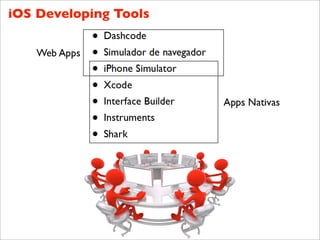
 Developing Tools

      Demos

   Distribution
Devices
    iPhone + iPod Touch


>     120 M devices sold
    250.000 apps available
     4.000 M downloads

    AppStore: centralized
            sells
     Users very satisfied
     Unexpected game
          platform
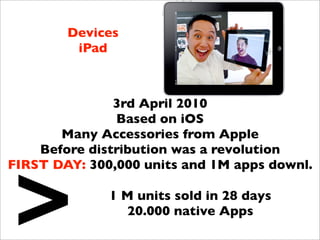
Devices
         iPad


               3rd April 2010
               Based on iOS
       Many Accessories from Apple
    Before distribution was a revolution


>
FIRST DAY: 300,000 units and 1M apps downl.

              1 M units sold in 28 days
                20.000 native Apps
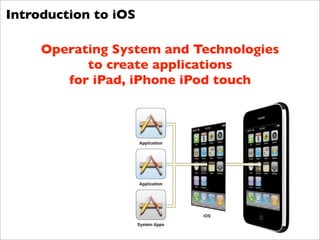
Introduction to iOS

     Operating System and Technologies
           to create applications
        for iPad, iPhone iPod touch
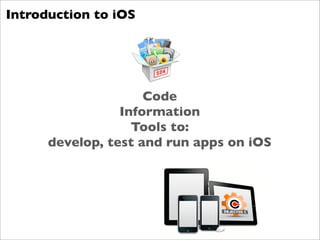
Introduction to iOS


                     Code
                 Information
                   Tools to:
      develop, test and run apps on iOS
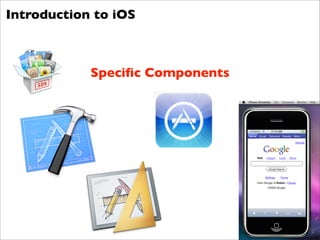
Introduction to iOS


            Specific Components
Introduction to iOS

       What can I do?


         Web Apps

        Native Apps
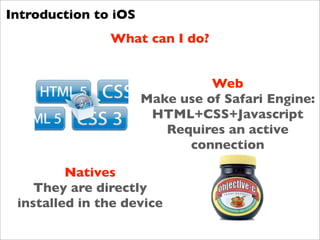
Introduction to iOS
               What can I do?


                                Web
                      Make use of Safari Engine:
                       HTML+CSS+Javascript
                         Requires an active
                            connection

         Natives
    They are directly
 installed in the device
Introduction to iOS


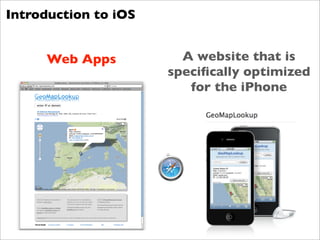
     Web Apps           A website that is
                      specifically optimized
                         for the iPhone
Introduction to iOS
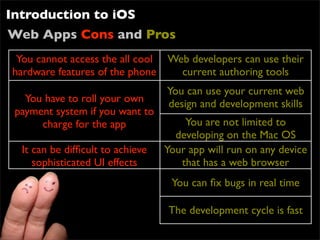
Web Apps Cons and Pros
 You cannot access the all cool Web developers can use their
hardware features of the phone    current authoring tools
                                  You can use your current web
   You have to roll your own      design and development skills
 payment system if you want to
      charge for the app              You are not limited to
                                    developing on the Mac OS
  It can be difficult to achieve   Your app will run on any device
     sophisticated UI effects        that has a web browser
                                   You can fix bugs in real time

                                  The development cycle is fast
Introduction to iOS


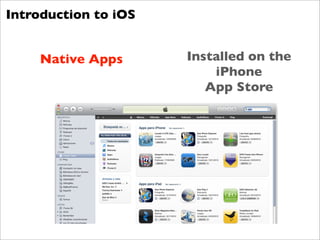
    Native Apps       Installed on the
                          iPhone
                         App Store
Introduction to iOS
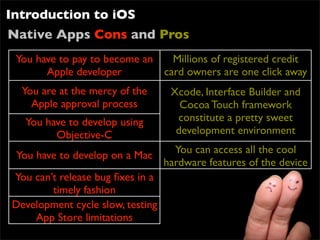
Native Apps Cons and Pros
 You have to pay to become an   Millions of registered credit
       Apple developer        card owners are one click away
  You are at the mercy of the    Xcode, Interface Builder and
    Apple approval process         Cocoa Touch framework
   You have to develop using      constitute a pretty sweet
         Objective-C              development environment
                                  You can access all the cool
 You have to develop on a Mac
                                hardware features of the device
You can’t release bug fixes in a
        timely fashion
Development cycle slow, testing
     App Store limitations
Introducción a iOS


                       Using the Reference
                             Library


     Thousand of documentation pages,
         tutorials, code, and so on

  Important be able to find the information
                   Xcode
             Apple Developer
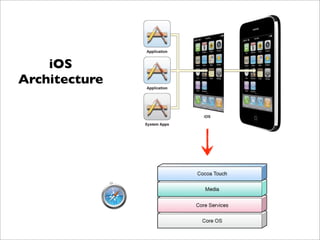
iOS
Architecture
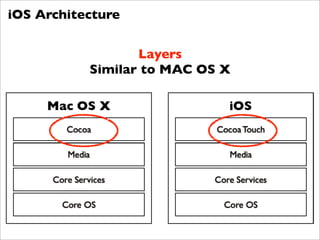
iOS Architecture


                  Layers
           Similar to MAC OS X
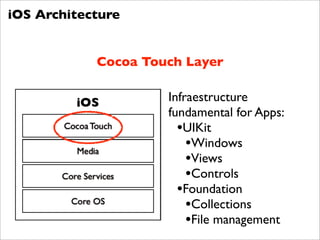
iOS Architecture


            Cocoa Touch Layer

                     Infraestructure
                     fundamental for Apps:
                       •UIKit
                         •Windows
                         •Views
                         •Controls
                       •Foundation
                         •Collections
                         •File management
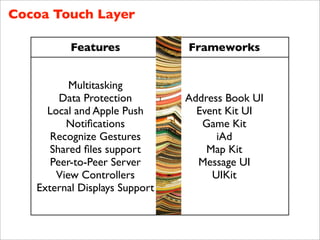
Cocoa Touch Layer

          Features             Frameworks


          Multitasking
        Data Protection        Address Book UI
     Local and Apple Push        Event Kit UI
         Notifications             Game Kit
      Recognize Gestures             iAd
      Shared files support          Map Kit
      Peer-to-Peer Server        Message UI
       View Controllers             UIKit
   External Displays Support
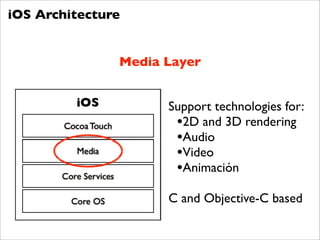
iOS Architecture


               Media Layer


                     Support technologies for:
                      •2D and 3D rendering
                      •Audio
                      •Video
                      •Animación
                     C and Objective-C based
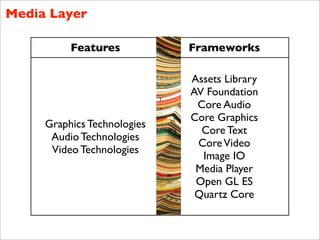
Media Layer

          Features           Frameworks

                             Assets Library
                             AV Foundation
                              Core Audio
                             Core Graphics
     Graphics Technologies
                               Core Text
      Audio Technologies
                              Core Video
      Video Technologies
                               Image IO
                              Media Player
                              Open GL ES
                              Quartz Core
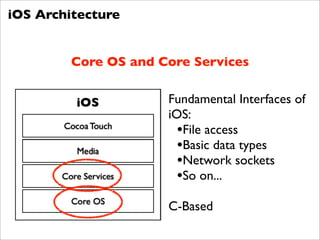
iOS Architecture


         Core OS and Core Services

                      Fundamental Interfaces of
                      iOS:
                        •File access
                        •Basic data types
                        •Network sockets
                        •So on...
                      C-Based
iOS Developing Tools


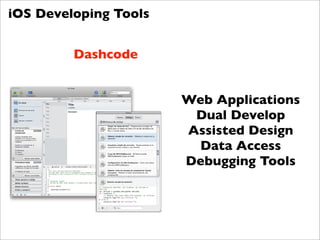
         Dashcode


                       Web Applications
                        Dual Develop
                       Assisted Design
                        Data Access
                       Debugging Tools
iOS Developing Tools
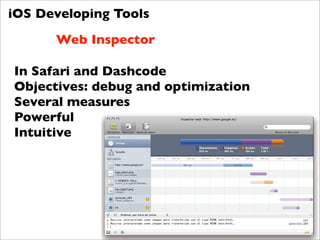
      Web Inspector

In Safari and Dashcode
Objectives: debug and optimization
Several measures
Powerful
Intuitive
iOS Developing Tools

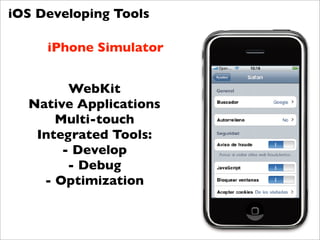
     iPhone Simulator


        WebKit
  Native Applications
      Multi-touch
   Integrated Tools:
       - Develop
        - Debug
    - Optimization
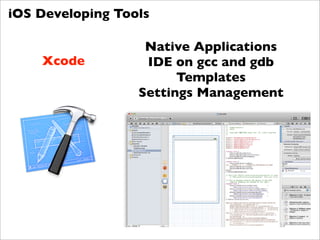
iOS Developing Tools

                   Native Applications
    Xcode          IDE on gcc and gdb
                        Templates
                  Settings Management
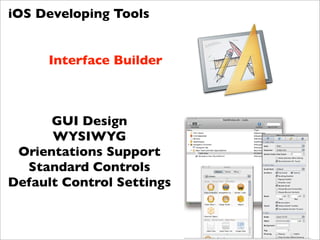
iOS Developing Tools


     Interface Builder


      GUI Design
      WYSIWYG
 Orientations Support
  Standard Controls
Default Control Settings
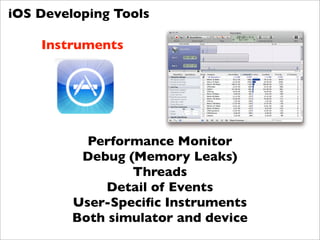
iOS Developing Tools

    Instruments


           Performance Monitor
          Debug (Memory Leaks)
                 Threads
             Detail of Events
         User-Specific Instruments
         Both simulator and device
iOS Developing Tools


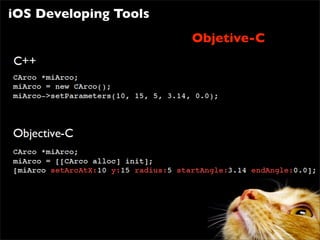
Objetive-C


             Object Oriented
               C Extension
  Not so related to C++ (but compatible)
           Inspired in Smalltalk
 Java got many concepts from Objective-C
iOS Developing Tools
                       Objetive-C
iOS Developing Tools

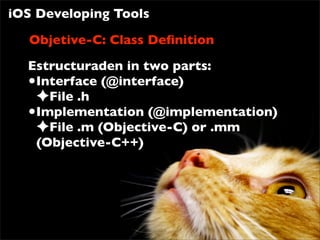
  Objetive-C: Class Definition
  Estructuraden in two parts:
  •Interface (@interface)
   ✦File .h
  •Implementation (@implementation)
   ✦File .m (Objective-C) or .mm
   (Objective-C++)
Distribution
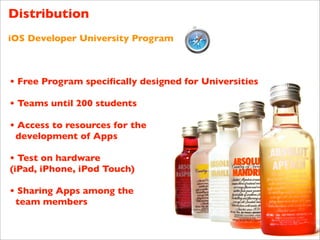
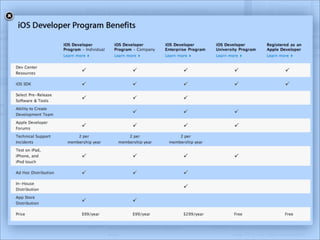
iOS Developer University Program


• Free Program specifically designed for Universities

• Teams until 200 students

• Access to resources for the
 development of Apps

• Test on hardware
(iPad, iPhone, iPod Touch)

• Sharing Apps among the
 team members
Developing Applications on iOS

Developing Applications on iOS

  • 1.
    Developing Applications oniOS September Francisco Ramos 2011 http://www3.uji.es/~jromero
  • 2.
    Devices Introduction to iOS iOS Architecture Developing Tools Demos Distribution
  • 3.
    Devices iPhone + iPod Touch > 120 M devices sold 250.000 apps available 4.000 M downloads AppStore: centralized sells Users very satisfied Unexpected game platform
  • 4.
    Devices iPad 3rd April 2010 Based on iOS Many Accessories from Apple Before distribution was a revolution > FIRST DAY: 300,000 units and 1M apps downl. 1 M units sold in 28 days 20.000 native Apps
  • 5.
    Introduction to iOS Operating System and Technologies to create applications for iPad, iPhone iPod touch
  • 6.
    Introduction to iOS Code Information Tools to: develop, test and run apps on iOS
  • 7.
    Introduction to iOS Specific Components
  • 8.
    Introduction to iOS What can I do? Web Apps Native Apps
  • 9.
    Introduction to iOS What can I do? Web Make use of Safari Engine: HTML+CSS+Javascript Requires an active connection Natives They are directly installed in the device
  • 10.
    Introduction to iOS Web Apps A website that is specifically optimized for the iPhone
  • 11.
    Introduction to iOS WebApps Cons and Pros You cannot access the all cool Web developers can use their hardware features of the phone current authoring tools You can use your current web You have to roll your own design and development skills payment system if you want to charge for the app You are not limited to developing on the Mac OS It can be difficult to achieve Your app will run on any device sophisticated UI effects that has a web browser You can fix bugs in real time The development cycle is fast
  • 12.
    Introduction to iOS Native Apps Installed on the iPhone App Store
  • 13.
    Introduction to iOS NativeApps Cons and Pros You have to pay to become an Millions of registered credit Apple developer card owners are one click away You are at the mercy of the Xcode, Interface Builder and Apple approval process Cocoa Touch framework You have to develop using constitute a pretty sweet Objective-C development environment You can access all the cool You have to develop on a Mac hardware features of the device You can’t release bug fixes in a timely fashion Development cycle slow, testing App Store limitations
  • 14.
    Introducción a iOS Using the Reference Library Thousand of documentation pages, tutorials, code, and so on Important be able to find the information Xcode Apple Developer
  • 15.
  • 16.
    iOS Architecture Layers Similar to MAC OS X
  • 17.
    iOS Architecture Cocoa Touch Layer Infraestructure fundamental for Apps: •UIKit •Windows •Views •Controls •Foundation •Collections •File management
  • 18.
    Cocoa Touch Layer Features Frameworks Multitasking Data Protection Address Book UI Local and Apple Push Event Kit UI Notifications Game Kit Recognize Gestures iAd Shared files support Map Kit Peer-to-Peer Server Message UI View Controllers UIKit External Displays Support
  • 19.
    iOS Architecture Media Layer Support technologies for: •2D and 3D rendering •Audio •Video •Animación C and Objective-C based
  • 20.
    Media Layer Features Frameworks Assets Library AV Foundation Core Audio Core Graphics Graphics Technologies Core Text Audio Technologies Core Video Video Technologies Image IO Media Player Open GL ES Quartz Core
  • 21.
    iOS Architecture Core OS and Core Services Fundamental Interfaces of iOS: •File access •Basic data types •Network sockets •So on... C-Based
  • 22.
  • 23.
    iOS Developing Tools Dashcode Web Applications Dual Develop Assisted Design Data Access Debugging Tools
  • 24.
    iOS Developing Tools Web Inspector In Safari and Dashcode Objectives: debug and optimization Several measures Powerful Intuitive
  • 25.
    iOS Developing Tools iPhone Simulator WebKit Native Applications Multi-touch Integrated Tools: - Develop - Debug - Optimization
  • 26.
    iOS Developing Tools Native Applications Xcode IDE on gcc and gdb Templates Settings Management
  • 27.
    iOS Developing Tools Interface Builder GUI Design WYSIWYG Orientations Support Standard Controls Default Control Settings
  • 28.
    iOS Developing Tools Instruments Performance Monitor Debug (Memory Leaks) Threads Detail of Events User-Specific Instruments Both simulator and device
  • 29.
    iOS Developing Tools Objetive-C Object Oriented C Extension Not so related to C++ (but compatible) Inspired in Smalltalk Java got many concepts from Objective-C
  • 30.
  • 31.
    iOS Developing Tools Objetive-C: Class Definition Estructuraden in two parts: •Interface (@interface) ✦File .h •Implementation (@implementation) ✦File .m (Objective-C) or .mm (Objective-C++)
  • 32.
    Distribution iOS Developer UniversityProgram • Free Program specifically designed for Universities • Teams until 200 students • Access to resources for the development of Apps • Test on hardware (iPad, iPhone, iPod Touch) • Sharing Apps among the team members