iPhone Development
    Quick Start


  Chris Van Buskirk
Topics
•   Planning

•   Design

•   Development

•   Deployment

•   Marketing


                      iPhone Development Quick Start
Planning
• Apple Developer Connection (ADC)
• Account Choices
• Project Description
• Sketches
• Building Your Team

                      iPhone Development Quick Start
iPhone Developer
    Accounts
• Free
• Individual ($99)
• Company ($99)
• Enterprise ($299)

                      iPhone Development Quick Start
Project Description
• What is your application?
• Review possible competition.
• Target Audience
• Feature list
 • Must have...
 • Nice to have...
                     iPhone Development Quick Start
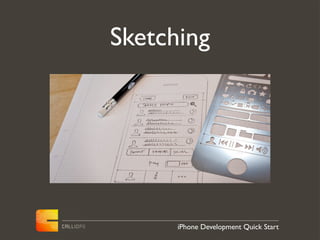
Sketching


      iPhone Development Quick Start
Team Roles

• Project Manager
• Designer
• Developer
• Quality Control

                    iPhone Development Quick Start
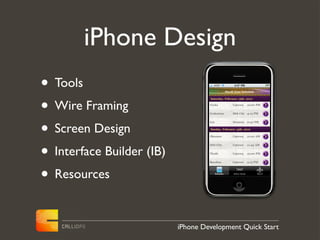
iPhone Design
• Tools
• Wire Framing
• Screen Design
• Interface Builder (IB)
• Resources

                           iPhone Development Quick Start
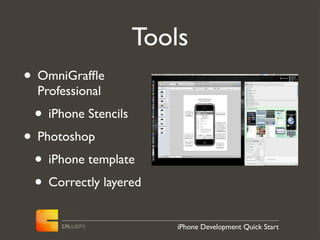
Tools
• OmniGraffle
  Professional
 • iPhone Stencils
• Photoshop
 • iPhone template
 • Correctly layered
                         iPhone Development Quick Start
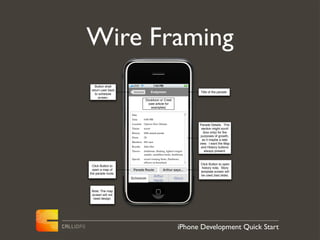
Wire Framing
   Button shall
 return user back
                     Schedule            Endymion                     Title of the parade.
    to schedule
      screen.
                                 Doubloon or Crest
                                  (see article for
                                    examples)

                    Date
                    Time        6:00 PM
                    Location Uptown New Orleans                       Parade Details. This
                    Theme       secret                                 section might scroll
                    History     69th annual parade                      (box only) for the
                    Floats      28
                                                                       purposes of growth,
                                                                        as it maybe a web
                    Members 665 men
                                                                      view. I want the Map
                    Royalty     John Doe                               and History buttons
                    Throws      doubloons, flashing, lighted winged       always present.
                                sandals, medallion beads, doubloons
                    Special     award-winning floats, flambeaux,
                                officers on horseback
                                                                      Click Button to open
  Click Button to
                                                                       history note. Story
  open a map of      Parade Route                Arthur says...
                                                                      template screen will
the parade route.
                                          Arthur                      be used (last slide).
                    Schedule                              About
                                          Hardy


 Note: The map
 screen will not
  need design.


                                                              iPhone Development Quick Start
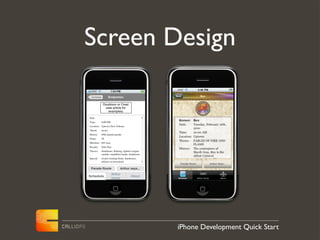
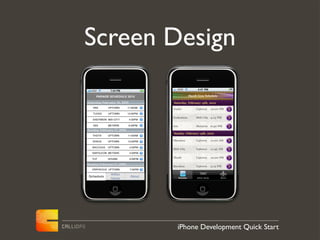
Screen Design

 Schedule            Endymion

             Doubloon or Crest
              (see article for
                examples)

Date
Time        6:00 PM
Location    Uptown New Orleans
Theme       secret
History     69th annual parade
Floats      28
Members 665 men
Royalty     John Doe
Throws      doubloons, flashing, lighted winged
            sandals, medallion beads, doubloons
Special     award-winning floats, flambeaux,
            officers on horseback

 Parade Route                Arthur says...
                      Arthur
Schedule                              About
                      Hardy


                                                  iPhone Development Quick Start
Screen Design
     PARADE SCHEDULE 2010

Saturday, February 16, 2009
   IRIS      UPTOWN         11:00AM

   TUCKS     UPTOWN         12:00PM

   ENDYMION MID-CITY          4:30PM

   ISIS      METARIE          6:30PM
Sunday, February 17, 2009
   THOTH     UPTOWN         11:00AM

   VENUS     UPTOWN         12:00PM

   BACCHUS   UPTOWN           4:00PM

   NAPOLEON METARIE           4:00PM

   TUT       HOUMA            6:00PM

Sunday, February 17, 2009
   ORPHEOUS UPTOWN            7:00PM

               Arthur
Schedule                       About
               Hardy


                                       iPhone Development Quick Start
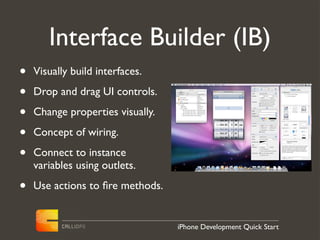
Interface Builder (IB)
•   Visually build interfaces.

•   Drop and drag UI controls.

•   Change properties visually.

•   Concept of wiring.

•   Connect to instance
    variables using outlets.

•   Use actions to fire methods.


                                  iPhone Development Quick Start
Resources
• Apple Human Interface Guidelines.
• Edward Tufte on iPhone design.
• iPhone User Interface Design
  Projects (Apress).
• Smashing Magazine.

                         iPhone Development Quick Start
iPhone Development
• Tools
• Objective-C
• Design Patterns
• Frameworks
• Data
• Resources
                    iPhone Development Quick Start
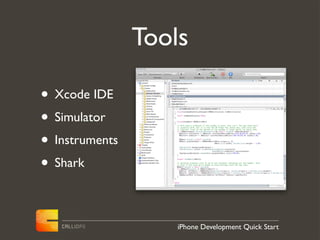
Tools

• Xcode IDE
• Simulator
• Instruments
• Shark

                    iPhone Development Quick Start
Objective-C
• Derived from the C programming language.
• Syntax from Smalltalk, and is Object based.
• Separates files for interface and
  implementation.
• Uses message passing to object instances.
• Reference counting for memory model.
• Much more...
                         iPhone Development Quick Start
Objective-C 2.0

• Garbage collection. (sorry no iphone)
• Properties (dot syntax with classes)
• Faster enumeration


                        iPhone Development Quick Start
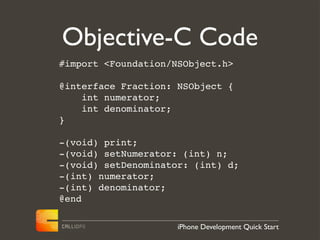
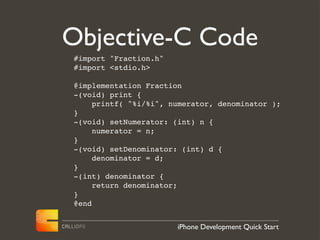
Objective-C Code
#import <Foundation/NSObject.h>

@interface Fraction: NSObject {
    int numerator;
    int denominator;
}

-(void) print;
-(void) setNumerator: (int) n;
-(void) setDenominator: (int) d;
-(int) numerator;
-(int) denominator;
@end

                     iPhone Development Quick Start
Objective-C Code
#import "Fraction.h"
#import <stdio.h>

@implementation Fraction
-(void) print {
     printf( "%i/%i", numerator, denominator );
}
-(void) setNumerator: (int) n {
     numerator = n;
}
-(void) setDenominator: (int) d {
     denominator = d;
}
-(int) denominator {
     return denominator;
}
@end


                       iPhone Development Quick Start
Objective-C Code
 #import <stdio.h>
 #import "Fraction.h"

 int main( int argc, const char *argv[] ) {
     // create a new instance
     Fraction *frac = [[Fraction alloc] init];

     // set the values
     [frac setNumerator: 1];
     [frac setDenominator: 3];

     printf( "The fraction is: " );
     [frac print];
     printf( "n" );

     // free memory
     [frac release];

     return 0;
 }


                         iPhone Development Quick Start
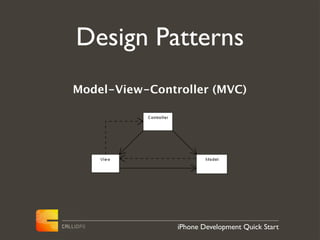
Design Patterns
Model-View-Controller (MVC)


                iPhone Development Quick Start
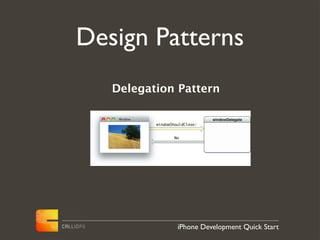
Design Patterns
   Delegation Pattern


             iPhone Development Quick Start
Frameworks
• Foundation Kit (Arrays, Dictionaries, Numbers,
  XML, Networking, Dates, etc..)
• UI Kit (UITableViews, UIScrollViews, UIButtons,
  UILabels, UIImageViews, UISliders, etc...)
• Web Kit (UIWebView)
• Core Graphics (Animation/gaming)
• Other
                          iPhone Development Quick Start
Data
• Plist’s
• HTML/CSS - Webkit
• sqlite
• Core Data
• JSON (great over network)

                       iPhone Development Quick Start
Resources
•   ADC Documentation/Samples
•   Stanford Courseware on iTunes University (Winter)
•   Learn C on a Mac (Apress)
•   Learn Objective-C on a Mac (Apress)
•   Beginning iPhone Development (Apress)
•   More iPhone Development (Apress)
•   WWDC
•   Stack Overflow


                             iPhone Development Quick Start
App Deployment

• Provisioning (ADC)
• iTunes Connect (app upload, reports)
• The Process


                        iPhone Development Quick Start
Provisioning
• Setting up a team
• Obtaining your Certificate
• Assigning Devices
• Creating an App ID
• Create a Provisioning Profile
• Digitally sign your app.
                        iPhone Development Quick Start
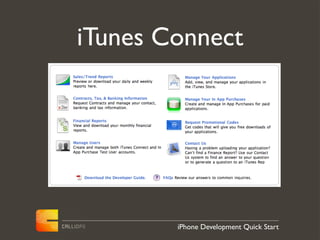
iTunes Connect


        iPhone Development Quick Start
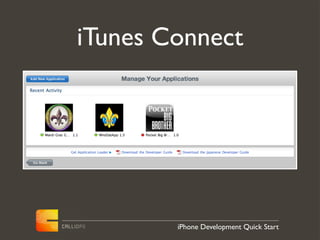
iTunes Connect


        iPhone Development Quick Start
iTunes Connect
• Set your ratings.
• Upload your app, screen shots and icon
  512x512.
• Set your price (Apple takes 30%).
• Set Localization.
• In app purchases.
                          iPhone Development Quick Start
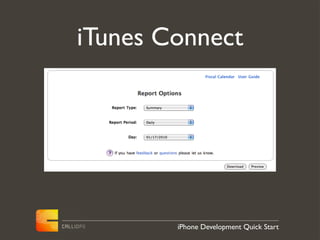
iTunes Connect


        iPhone Development Quick Start
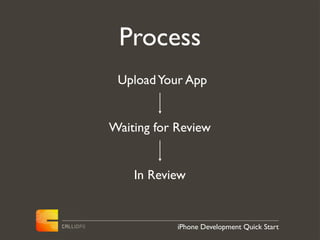
Process
 Upload Your App


Waiting for Review


    In Review


            iPhone Development Quick Start
Your application
is Ready for Sale


         iPhone Development Quick Start
Marketing

• Twitter Account
• Facebook Fan Page
• Ads (google/FB)


                  iPhone Development Quick Start
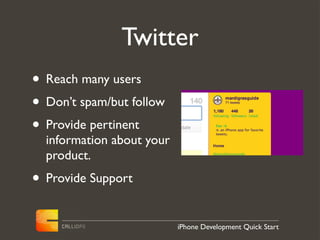
Twitter
• Reach many users
• Don’t spam/but follow
• Provide pertinent
  information about your
  product.
• Provide Support
                           iPhone Development Quick Start
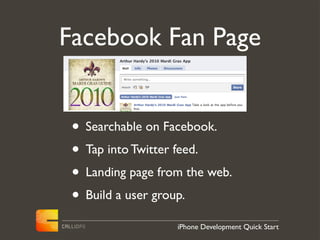
Facebook Fan Page


 • Searchable on Facebook.
 • Tap into Twitter feed.
 • Landing page from the web.
 • Build a user group.
                   iPhone Development Quick Start
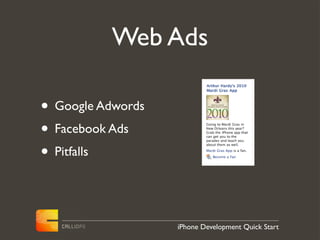
Web Ads

• Google Adwords
• Facebook Ads
• Pitfalls


                   iPhone Development Quick Start
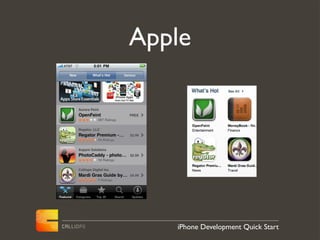
Apple


   iPhone Development Quick Start
iPhone Development
    Quick Start


   Questions

iPhone Development Quick Start

  • 1.
    iPhone Development Quick Start Chris Van Buskirk
  • 2.
    Topics • Planning • Design • Development • Deployment • Marketing iPhone Development Quick Start
  • 3.
    Planning • Apple DeveloperConnection (ADC) • Account Choices • Project Description • Sketches • Building Your Team iPhone Development Quick Start
  • 4.
    iPhone Developer Accounts • Free • Individual ($99) • Company ($99) • Enterprise ($299) iPhone Development Quick Start
  • 5.
    Project Description • Whatis your application? • Review possible competition. • Target Audience • Feature list • Must have... • Nice to have... iPhone Development Quick Start
  • 6.
    Sketching iPhone Development Quick Start
  • 7.
    Team Roles • ProjectManager • Designer • Developer • Quality Control iPhone Development Quick Start
  • 8.
    iPhone Design • Tools •Wire Framing • Screen Design • Interface Builder (IB) • Resources iPhone Development Quick Start
  • 9.
    Tools • OmniGraffle Professional • iPhone Stencils • Photoshop • iPhone template • Correctly layered iPhone Development Quick Start
  • 10.
    Wire Framing Button shall return user back Schedule Endymion Title of the parade. to schedule screen. Doubloon or Crest (see article for examples) Date Time 6:00 PM Location Uptown New Orleans Parade Details. This Theme secret section might scroll History 69th annual parade (box only) for the Floats 28 purposes of growth, as it maybe a web Members 665 men view. I want the Map Royalty John Doe and History buttons Throws doubloons, flashing, lighted winged always present. sandals, medallion beads, doubloons Special award-winning floats, flambeaux, officers on horseback Click Button to open Click Button to history note. Story open a map of Parade Route Arthur says... template screen will the parade route. Arthur be used (last slide). Schedule About Hardy Note: The map screen will not need design. iPhone Development Quick Start
  • 11.
    Screen Design Schedule Endymion Doubloon or Crest (see article for examples) Date Time 6:00 PM Location Uptown New Orleans Theme secret History 69th annual parade Floats 28 Members 665 men Royalty John Doe Throws doubloons, flashing, lighted winged sandals, medallion beads, doubloons Special award-winning floats, flambeaux, officers on horseback Parade Route Arthur says... Arthur Schedule About Hardy iPhone Development Quick Start
  • 12.
    Screen Design PARADE SCHEDULE 2010 Saturday, February 16, 2009 IRIS UPTOWN 11:00AM TUCKS UPTOWN 12:00PM ENDYMION MID-CITY 4:30PM ISIS METARIE 6:30PM Sunday, February 17, 2009 THOTH UPTOWN 11:00AM VENUS UPTOWN 12:00PM BACCHUS UPTOWN 4:00PM NAPOLEON METARIE 4:00PM TUT HOUMA 6:00PM Sunday, February 17, 2009 ORPHEOUS UPTOWN 7:00PM Arthur Schedule About Hardy iPhone Development Quick Start
  • 13.
    Interface Builder (IB) • Visually build interfaces. • Drop and drag UI controls. • Change properties visually. • Concept of wiring. • Connect to instance variables using outlets. • Use actions to fire methods. iPhone Development Quick Start
  • 14.
    Resources • Apple HumanInterface Guidelines. • Edward Tufte on iPhone design. • iPhone User Interface Design Projects (Apress). • Smashing Magazine. iPhone Development Quick Start
  • 15.
    iPhone Development • Tools •Objective-C • Design Patterns • Frameworks • Data • Resources iPhone Development Quick Start
  • 16.
    Tools • Xcode IDE •Simulator • Instruments • Shark iPhone Development Quick Start
  • 17.
    Objective-C • Derived fromthe C programming language. • Syntax from Smalltalk, and is Object based. • Separates files for interface and implementation. • Uses message passing to object instances. • Reference counting for memory model. • Much more... iPhone Development Quick Start
  • 18.
    Objective-C 2.0 • Garbagecollection. (sorry no iphone) • Properties (dot syntax with classes) • Faster enumeration iPhone Development Quick Start
  • 19.
    Objective-C Code #import <Foundation/NSObject.h> @interfaceFraction: NSObject { int numerator; int denominator; } -(void) print; -(void) setNumerator: (int) n; -(void) setDenominator: (int) d; -(int) numerator; -(int) denominator; @end iPhone Development Quick Start
  • 20.
    Objective-C Code #import "Fraction.h" #import<stdio.h> @implementation Fraction -(void) print { printf( "%i/%i", numerator, denominator ); } -(void) setNumerator: (int) n { numerator = n; } -(void) setDenominator: (int) d { denominator = d; } -(int) denominator { return denominator; } @end iPhone Development Quick Start
  • 21.
    Objective-C Code #import<stdio.h> #import "Fraction.h" int main( int argc, const char *argv[] ) { // create a new instance Fraction *frac = [[Fraction alloc] init]; // set the values [frac setNumerator: 1]; [frac setDenominator: 3]; printf( "The fraction is: " ); [frac print]; printf( "n" ); // free memory [frac release]; return 0; } iPhone Development Quick Start
  • 22.
    Design Patterns Model-View-Controller (MVC) iPhone Development Quick Start
  • 23.
    Design Patterns Delegation Pattern iPhone Development Quick Start
  • 24.
    Frameworks • Foundation Kit(Arrays, Dictionaries, Numbers, XML, Networking, Dates, etc..) • UI Kit (UITableViews, UIScrollViews, UIButtons, UILabels, UIImageViews, UISliders, etc...) • Web Kit (UIWebView) • Core Graphics (Animation/gaming) • Other iPhone Development Quick Start
  • 25.
    Data • Plist’s • HTML/CSS- Webkit • sqlite • Core Data • JSON (great over network) iPhone Development Quick Start
  • 26.
    Resources • ADC Documentation/Samples • Stanford Courseware on iTunes University (Winter) • Learn C on a Mac (Apress) • Learn Objective-C on a Mac (Apress) • Beginning iPhone Development (Apress) • More iPhone Development (Apress) • WWDC • Stack Overflow iPhone Development Quick Start
  • 27.
    App Deployment • Provisioning(ADC) • iTunes Connect (app upload, reports) • The Process iPhone Development Quick Start
  • 28.
    Provisioning • Setting upa team • Obtaining your Certificate • Assigning Devices • Creating an App ID • Create a Provisioning Profile • Digitally sign your app. iPhone Development Quick Start
  • 29.
    iTunes Connect iPhone Development Quick Start
  • 30.
    iTunes Connect iPhone Development Quick Start
  • 31.
    iTunes Connect • Setyour ratings. • Upload your app, screen shots and icon 512x512. • Set your price (Apple takes 30%). • Set Localization. • In app purchases. iPhone Development Quick Start
  • 32.
    iTunes Connect iPhone Development Quick Start
  • 33.
    Process Upload YourApp Waiting for Review In Review iPhone Development Quick Start
  • 34.
    Your application is Readyfor Sale iPhone Development Quick Start
  • 35.
    Marketing • Twitter Account •Facebook Fan Page • Ads (google/FB) iPhone Development Quick Start
  • 36.
    Twitter • Reach manyusers • Don’t spam/but follow • Provide pertinent information about your product. • Provide Support iPhone Development Quick Start
  • 37.
    Facebook Fan Page • Searchable on Facebook. • Tap into Twitter feed. • Landing page from the web. • Build a user group. iPhone Development Quick Start
  • 38.
    Web Ads • GoogleAdwords • Facebook Ads • Pitfalls iPhone Development Quick Start
  • 39.
    Apple iPhone Development Quick Start
  • 40.
    iPhone Development Quick Start Questions