IP SIGNAL
DISTRIBUTION
Dante, AVB/TSN, and CobraNet:
An Introduction and Comparison
Rob Ziv, Business Development Manager, Almo Pro AV
Agenda
• Networking Basics
• Technical and Capabilities Overview
– AVB/TSN
– CobraNet
– Dante
• Which one when?
– Hint: It’s not about the standard or the protocol. They
are just a means to an end. Most of the time, any of
the options, when properly configured will do the job.
Target Audience:
• Totally new to AV over IT? This may help.
• If you have worked with any of the popular
protocols, your time is better spent in other
sessions
Who is this guy?
• Business Development Manager, Almo Pro AV
• In-house technical resource (one of many)
• Here for you as a value add
• Recording Engineer
• Audio Instructor, Director of Education, SME,
System Designer
• Almost enough networking to be dangerous
Show of hands….
Who here has worked with what
protocols?
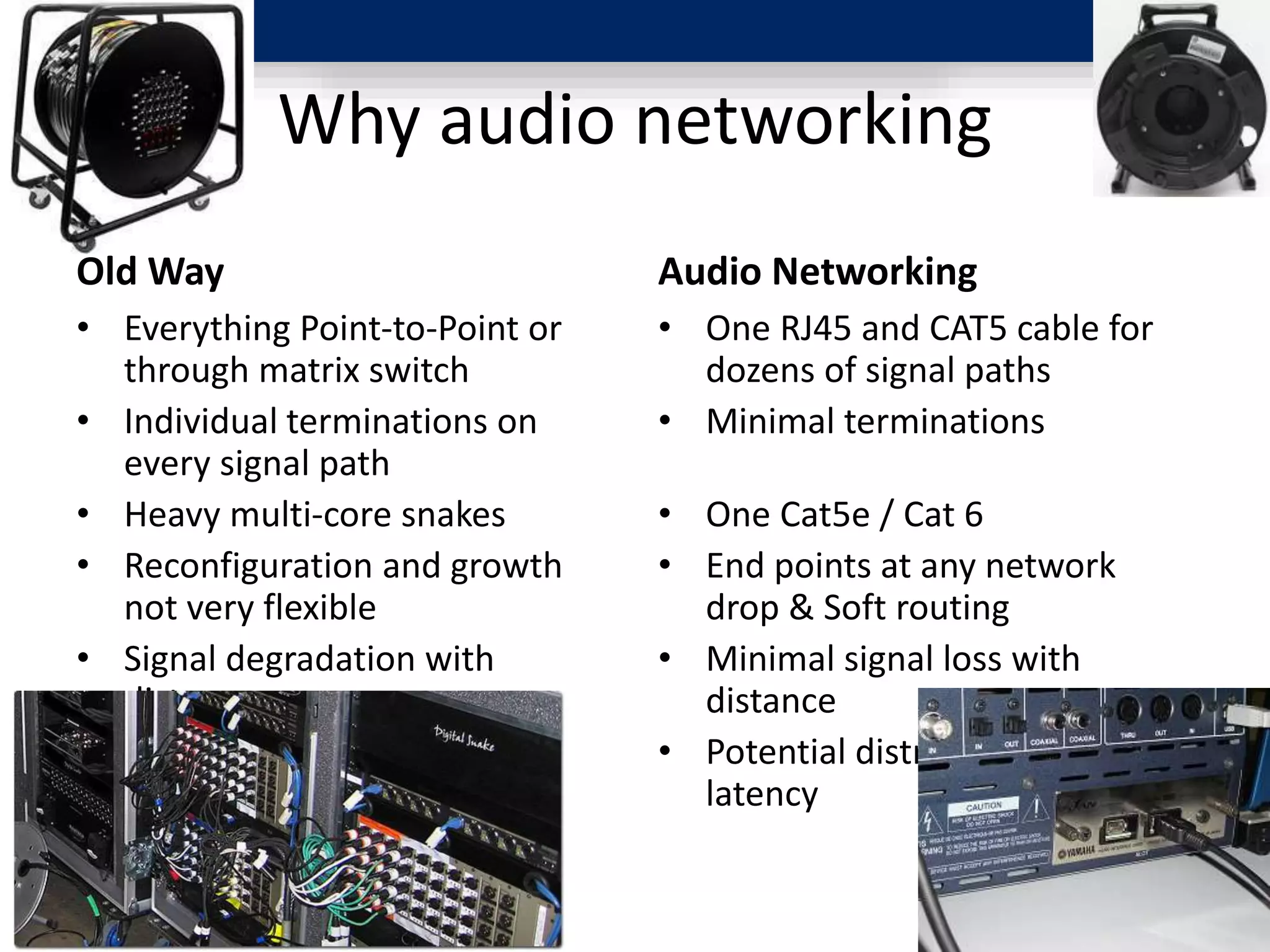
Why audio networking
Old Way
• Everything Point-to-Point or
through matrix switch
• Individual terminations on
every signal path
• Heavy multi-core snakes
• Reconfiguration and growth
not very flexible
• Signal degradation with
distance
• Minimal distribution-related
latency
Audio Networking
• One RJ45 and CAT5 cable for
dozens of signal paths
• Minimal terminations
• One Cat5e / Cat 6
• End points at any network
drop & Soft routing
• Minimal signal loss with
distance
• Potential distribution related
latency
Networking Basics
The OSI Model as a Guide
[International Standards Organization
Open Systems Interconnection Model]
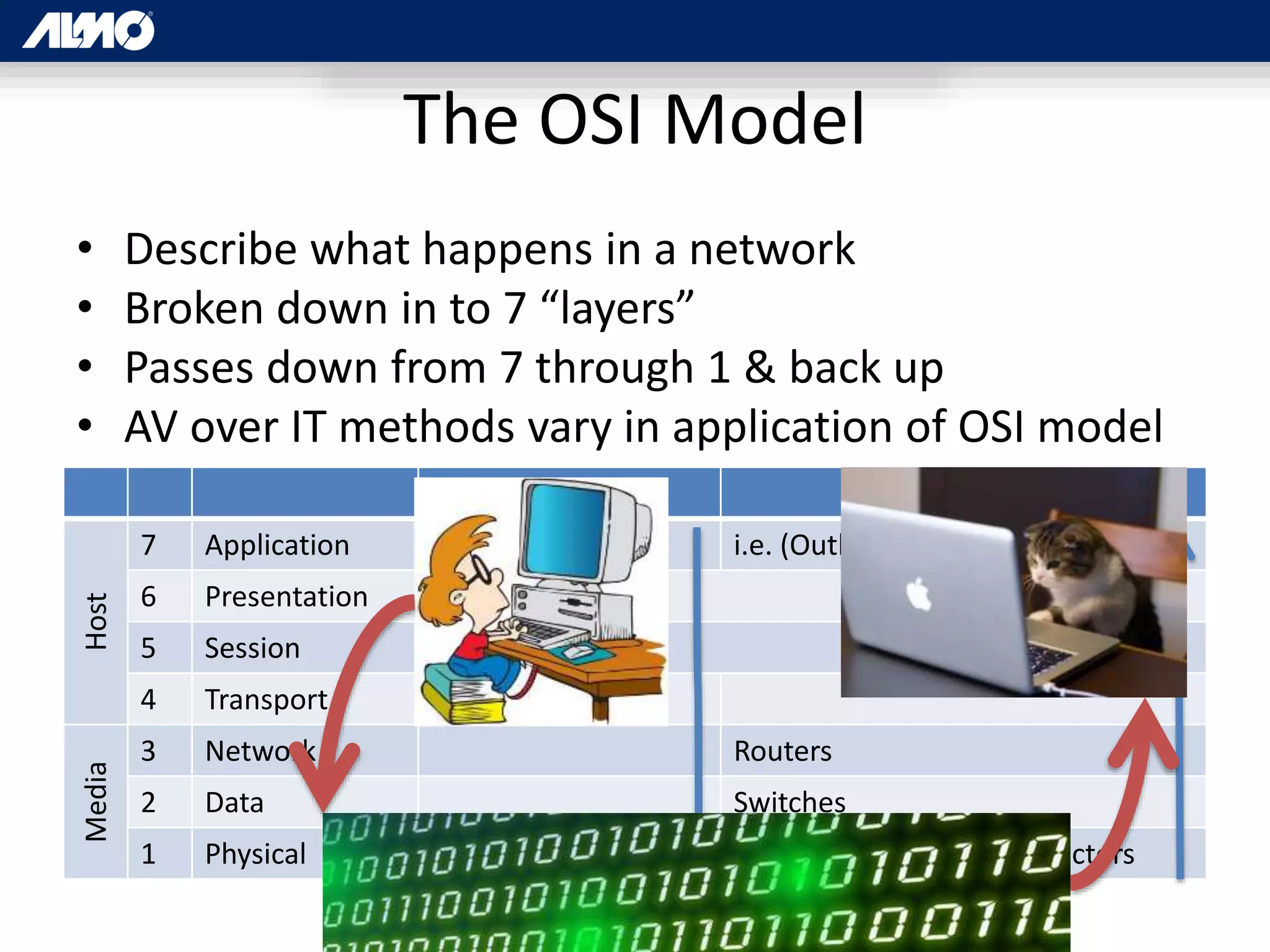
The OSI Model
• Describe what happens in a network
• Broken down in to 7 “layers”
• Passes down from 7 through 1 & back up
• AV over IT methods vary in application of OSI model
Host
7 Application i.e. (Outlook)
6 Presentation
5 Session
4 Transport
Media
3 Network Routers
2 Data Switches
1 Physical Cat5e Cables, Rj-45 Connectors
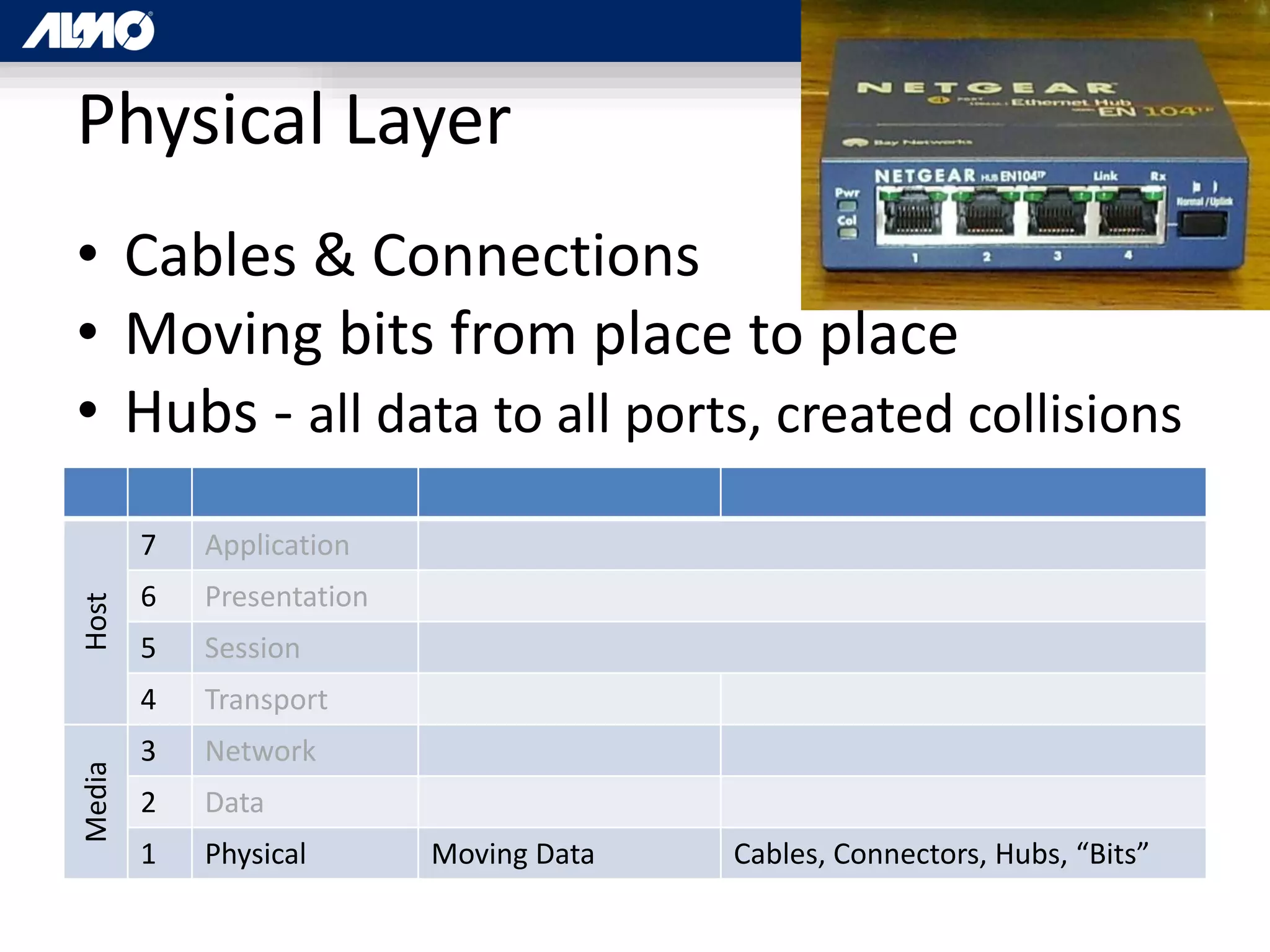
Physical Layer
• Cables & Connections
• Moving bits from place to place
• Hubs - all data to all ports, created collisions
Host
7 Application
6 Presentation
5 Session
4 Transport
Media
3 Network
2 Data
1 Physical Moving Data Cables, Connectors, Hubs, “Bits”
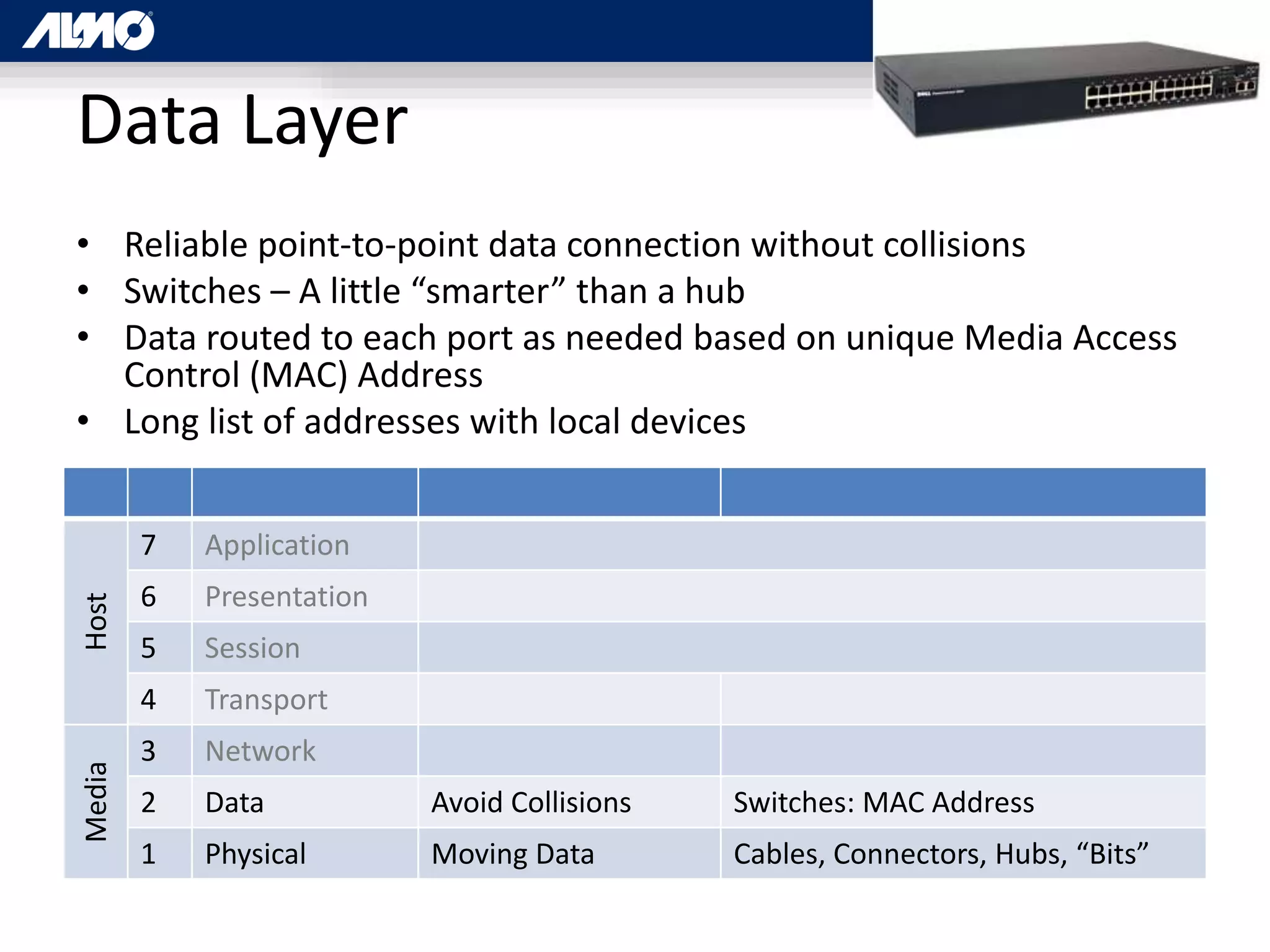
Data Layer
• Reliable point-to-point data connection without collisions
• Switches – A little “smarter” than a hub
• Data routed to each port as needed based on unique Media Access
Control (MAC) Address
• Long list of addresses with local devices
Host
7 Application
6 Presentation
5 Session
4 Transport
Media
3 Network
2 Data Avoid Collisions Switches: MAC Address
1 Physical Moving Data Cables, Connectors, Hubs, “Bits”
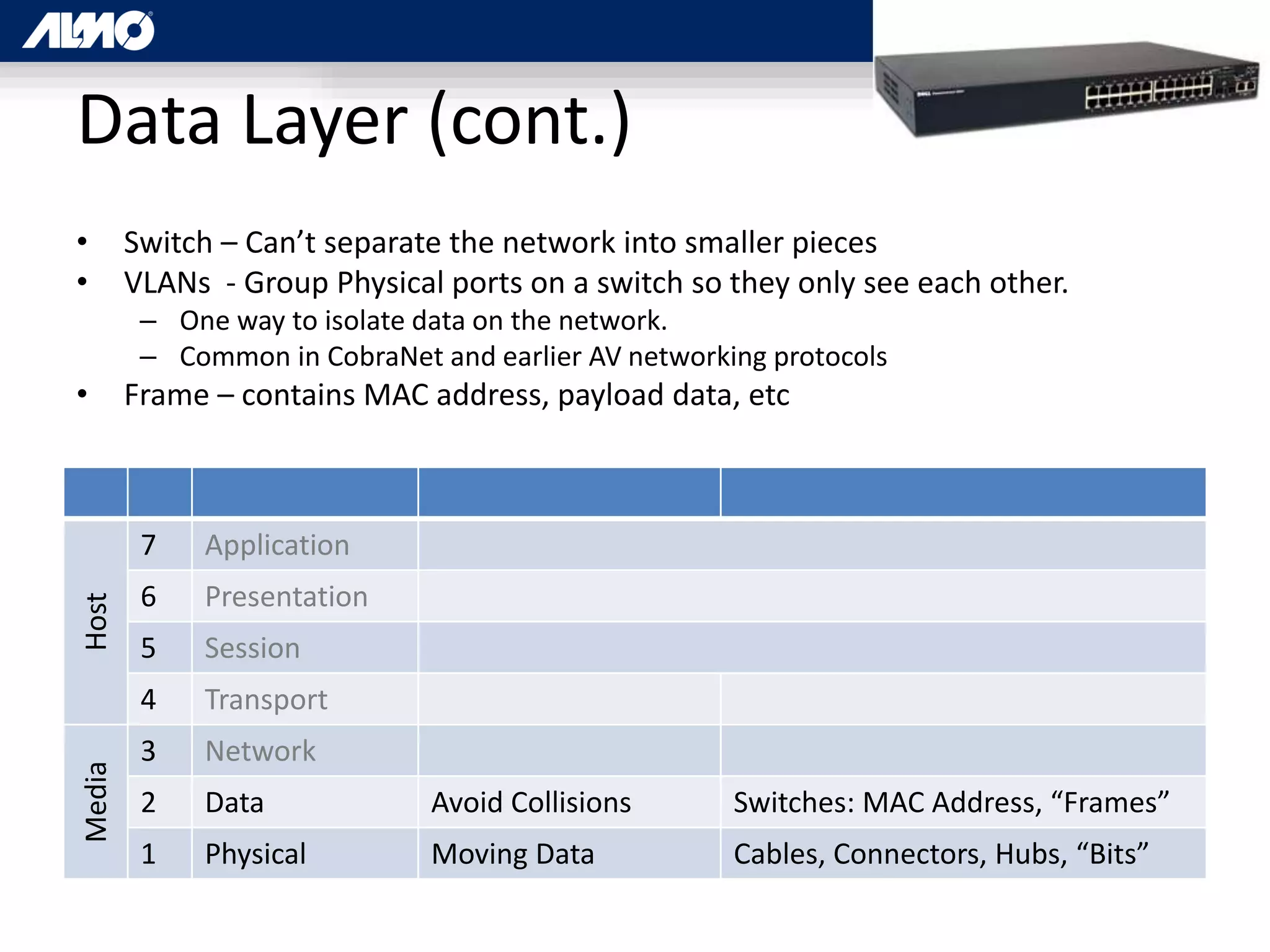
Data Layer (cont.)
• Switch – Can’t separate the network into smaller pieces
• VLANs - Group Physical ports on a switch so they only see each other.
– One way to isolate data on the network.
– Common in CobraNet and earlier AV networking protocols
• Frame – contains MAC address, payload data, etc
Host
7 Application
6 Presentation
5 Session
4 Transport
Media
3 Network
2 Data Avoid Collisions Switches: MAC Address, “Frames”
1 Physical Moving Data Cables, Connectors, Hubs, “Bits”
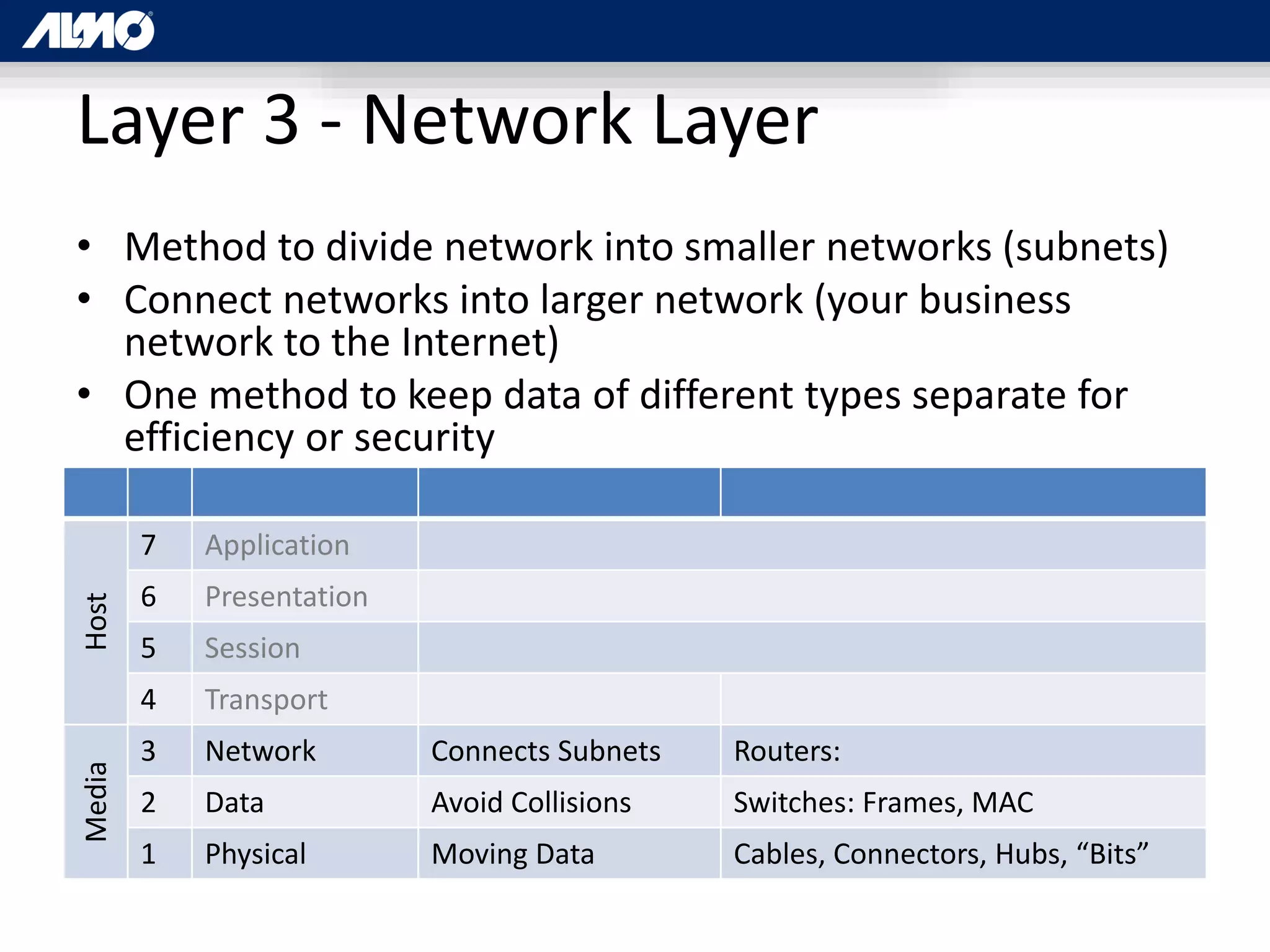
Layer 3 - Network Layer
• Method to divide network into smaller networks (subnets)
• Connect networks into larger network (your business
network to the Internet)
• One method to keep data of different types separate for
efficiency or security
Host
7 Application
6 Presentation
5 Session
4 Transport
Media
3 Network Connects Subnets Routers:
2 Data Avoid Collisions Switches: Frames, MAC
1 Physical Moving Data Cables, Connectors, Hubs, “Bits”
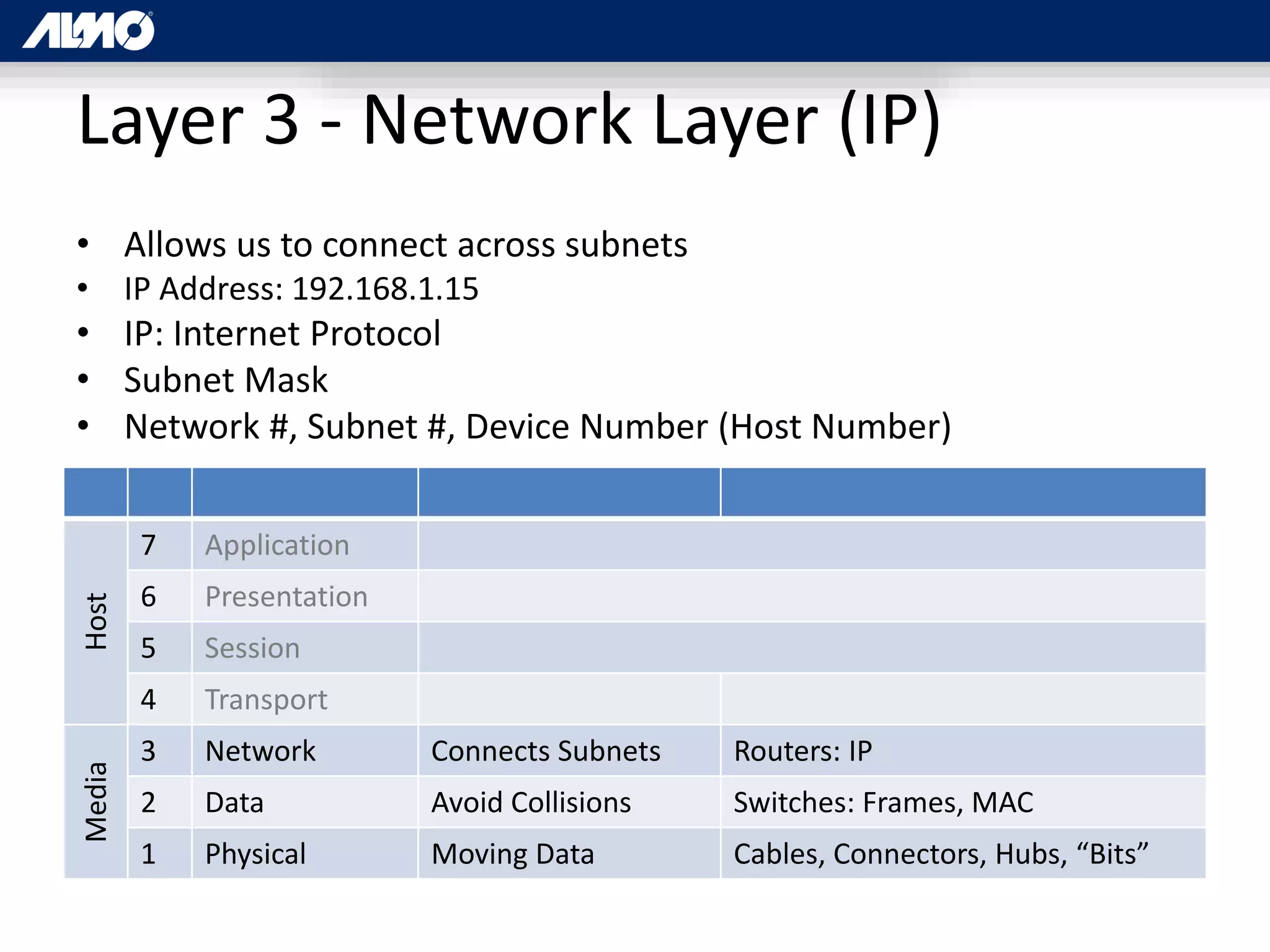
Layer 3 - Network Layer (IP)
• Allows us to connect across subnets
• IP Address: 192.168.1.15
• IP: Internet Protocol
• Subnet Mask
• Network #, Subnet #, Device Number (Host Number)
Host
7 Application
6 Presentation
5 Session
4 Transport
Media
3 Network Connects Subnets Routers: IP
2 Data Avoid Collisions Switches: Frames, MAC
1 Physical Moving Data Cables, Connectors, Hubs, “Bits”
Layer 3 - Network Layer (Packets)
• {Packets [Frames (MAC address, Payload)]}
• Source IP Address, Destination Address,
DiffServ (Priority info), etc.
Host
7 Application
6 Presentation
5 Session
4 Transport
Media
3 Network Connects Subnets Routers: Packets, IP, “Packets”
2 Data Avoid Collisions Switches: Frames, MAC
1 Physical Moving Data Cables, Connectors, Hubs, “Bits”
Layer 4 – Transport Layer
• Connection, Data Order, Reliability, Flow Control, Multiplexing
• [Soft] Port Numbers – local routings within a single device or IP address
• Multiple IP protocols
– TCP – Transport Control Protocol
– UDP – User Datagram Protocol
Host
7 Application
6 Presentation
5 Session
4 Transport Reliability TCP / UDP, “Segments”
Media
3 Network Connects Subnets Routers: Packets, IP, “Packets”
2 Data Avoid Collisions Switches: Frames, MAC
1 Physical Moving Data Cables, Connectors, Hubs, “Bits”
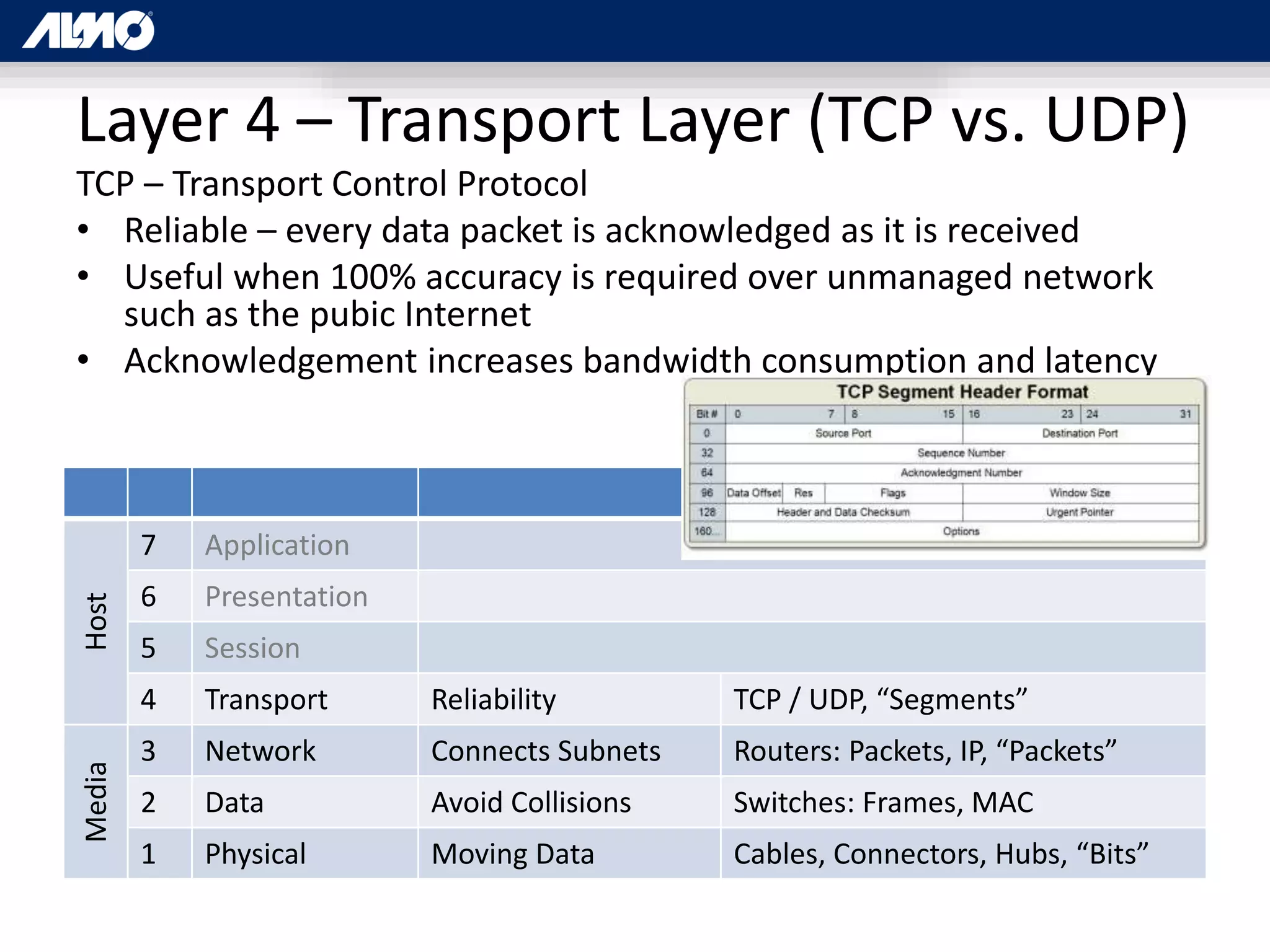
Layer 4 – Transport Layer (TCP vs. UDP)
TCP – Transport Control Protocol
• Reliable – every data packet is acknowledged as it is received
• Useful when 100% accuracy is required over unmanaged network
such as the pubic Internet
• Acknowledgement increases bandwidth consumption and latency
Host
7 Application
6 Presentation
5 Session
4 Transport Reliability TCP / UDP, “Segments”
Media
3 Network Connects Subnets Routers: Packets, IP, “Packets”
2 Data Avoid Collisions Switches: Frames, MAC
1 Physical Moving Data Cables, Connectors, Hubs, “Bits”
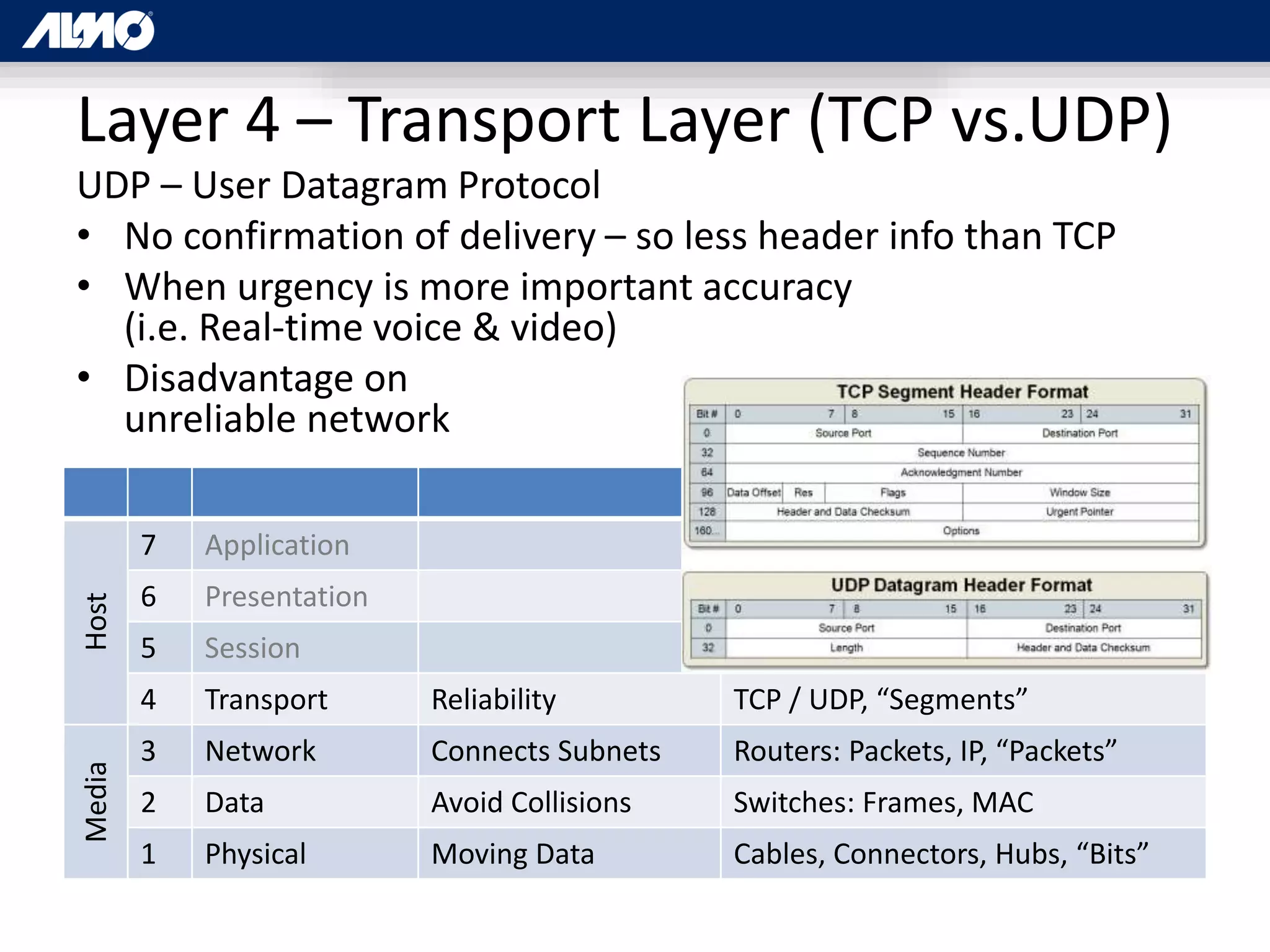
Layer 4 – Transport Layer (TCP vs.UDP)
UDP – User Datagram Protocol
• No confirmation of delivery – so less header info than TCP
• When urgency is more important accuracy
(i.e. Real-time voice & video)
• Disadvantage on
unreliable network
Host
7 Application
6 Presentation
5 Session
4 Transport Reliability TCP / UDP, “Segments”
Media
3 Network Connects Subnets Routers: Packets, IP, “Packets”
2 Data Avoid Collisions Switches: Frames, MAC
1 Physical Moving Data Cables, Connectors, Hubs, “Bits”
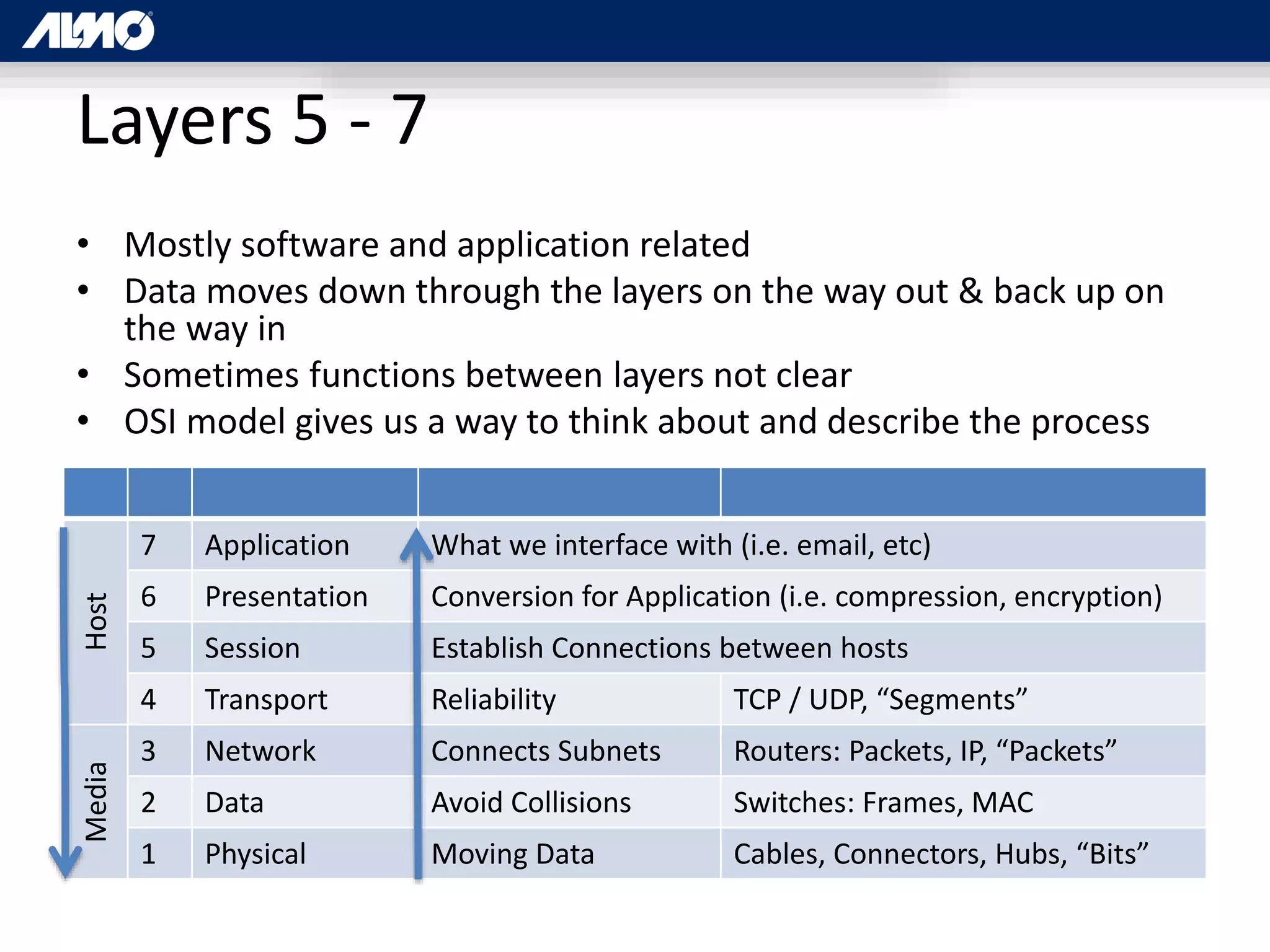
Layers 5 - 7
• Mostly software and application related
• Data moves down through the layers on the way out & back up on
the way in
• Sometimes functions between layers not clear
• OSI model gives us a way to think about and describe the process
Host
7 Application What we interface with (i.e. email, etc)
6 Presentation Conversion for Application (i.e. compression, encryption)
5 Session Establish Connections between hosts
4 Transport Reliability TCP / UDP, “Segments”
Media
3 Network Connects Subnets Routers: Packets, IP, “Packets”
2 Data Avoid Collisions Switches: Frames, MAC
1 Physical Moving Data Cables, Connectors, Hubs, “Bits”
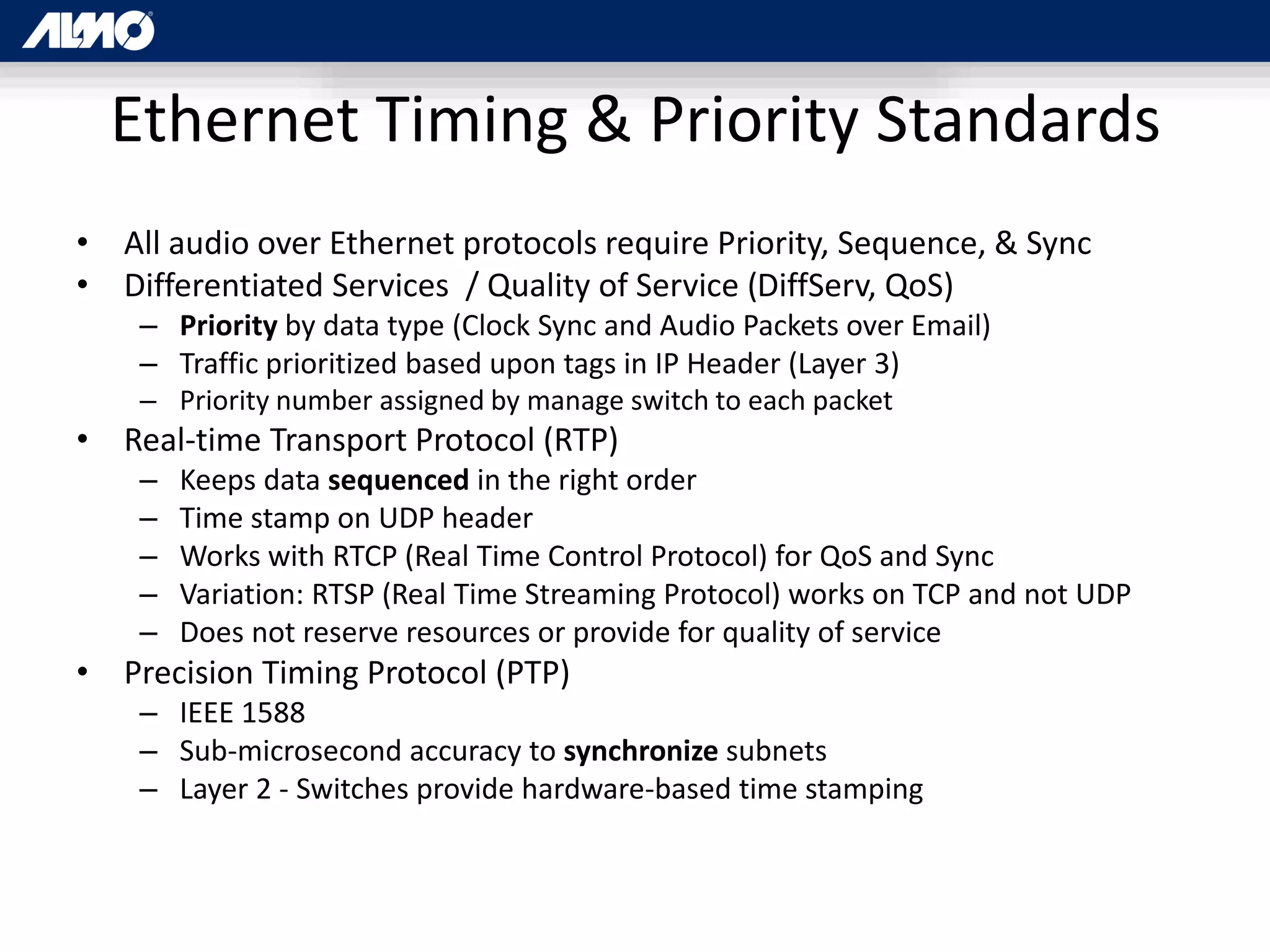
Ethernet Timing & Priority Standards
• All audio over Ethernet protocols require Priority, Sequence, & Sync
• Differentiated Services / Quality of Service (DiffServ, QoS)
– Priority by data type (Clock Sync and Audio Packets over Email)
– Traffic prioritized based upon tags in IP Header (Layer 3)
– Priority number assigned by manage switch to each packet
• Real-time Transport Protocol (RTP)
– Keeps data sequenced in the right order
– Time stamp on UDP header
– Works with RTCP (Real Time Control Protocol) for QoS and Sync
– Variation: RTSP (Real Time Streaming Protocol) works on TCP and not UDP
– Does not reserve resources or provide for quality of service
• Precision Timing Protocol (PTP)
– IEEE 1588
– Sub-microsecond accuracy to synchronize subnets
– Layer 2 - Switches provide hardware-based time stamping
AVB / TSN
“It’s not a protocol, it’s a standard”
Audio Video Bridging /
Time Sensitive Networking
• 2012+
• Proponent: AVnu Alliance…
– Interoperable
– precise timing
– low latency requirements
– open standards
• Avnu Founders: Broadcom, Cisco, Harman, Intel,
and Xilinx
• 50+ current Members
• Collection of IEEE Layer 2 standards
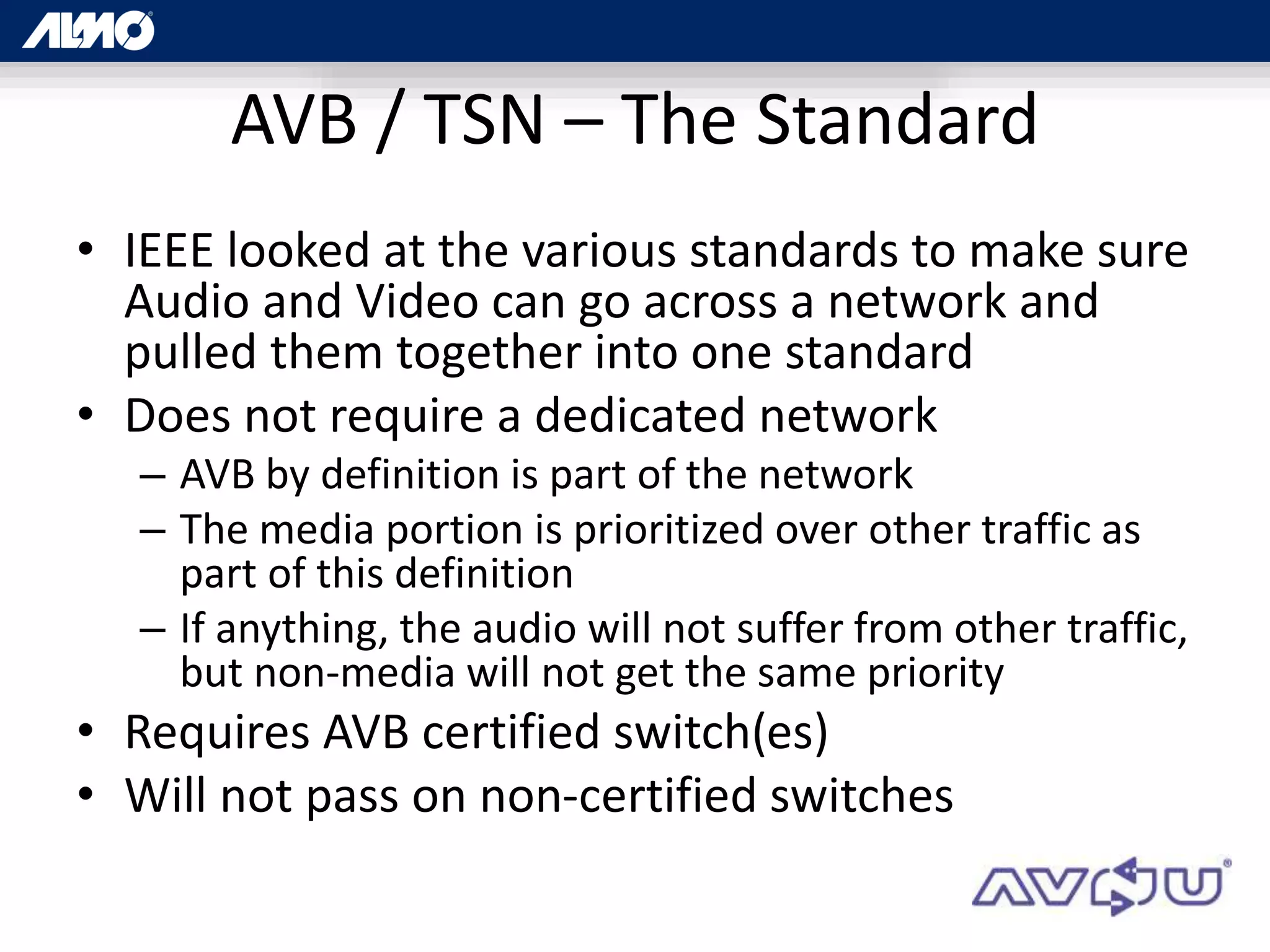
Standards vs. Protocols (Unofficial)
• Standards:
– Agreed upon underlying
technologies
– that allow things to work
– i.e. Ethernet
• Protocols:
– A methodology
– May utilize standards to
accomplish a function
– Requires standards to
function with other
technologies
– i.e. Email
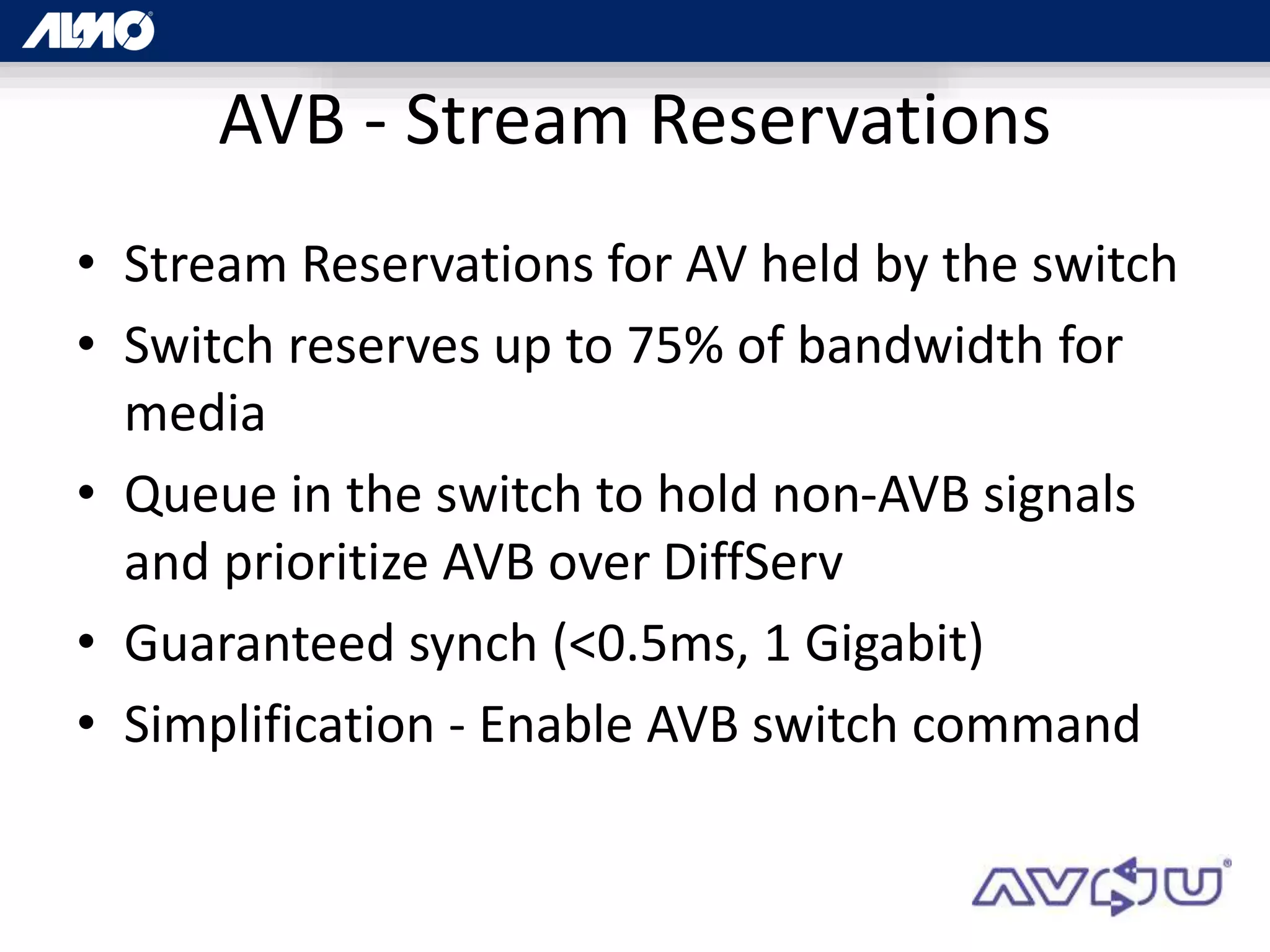
AVB / TSN – The Standard
• IEEE looked at the various standards to make sure
Audio and Video can go across a network and
pulled them together into one standard
• Does not require a dedicated network
– AVB by definition is part of the network
– The media portion is prioritized over other traffic as
part of this definition
– If anything, the audio will not suffer from other traffic,
but non-media will not get the same priority
• Requires AVB certified switch(es)
• Will not pass on non-certified switches
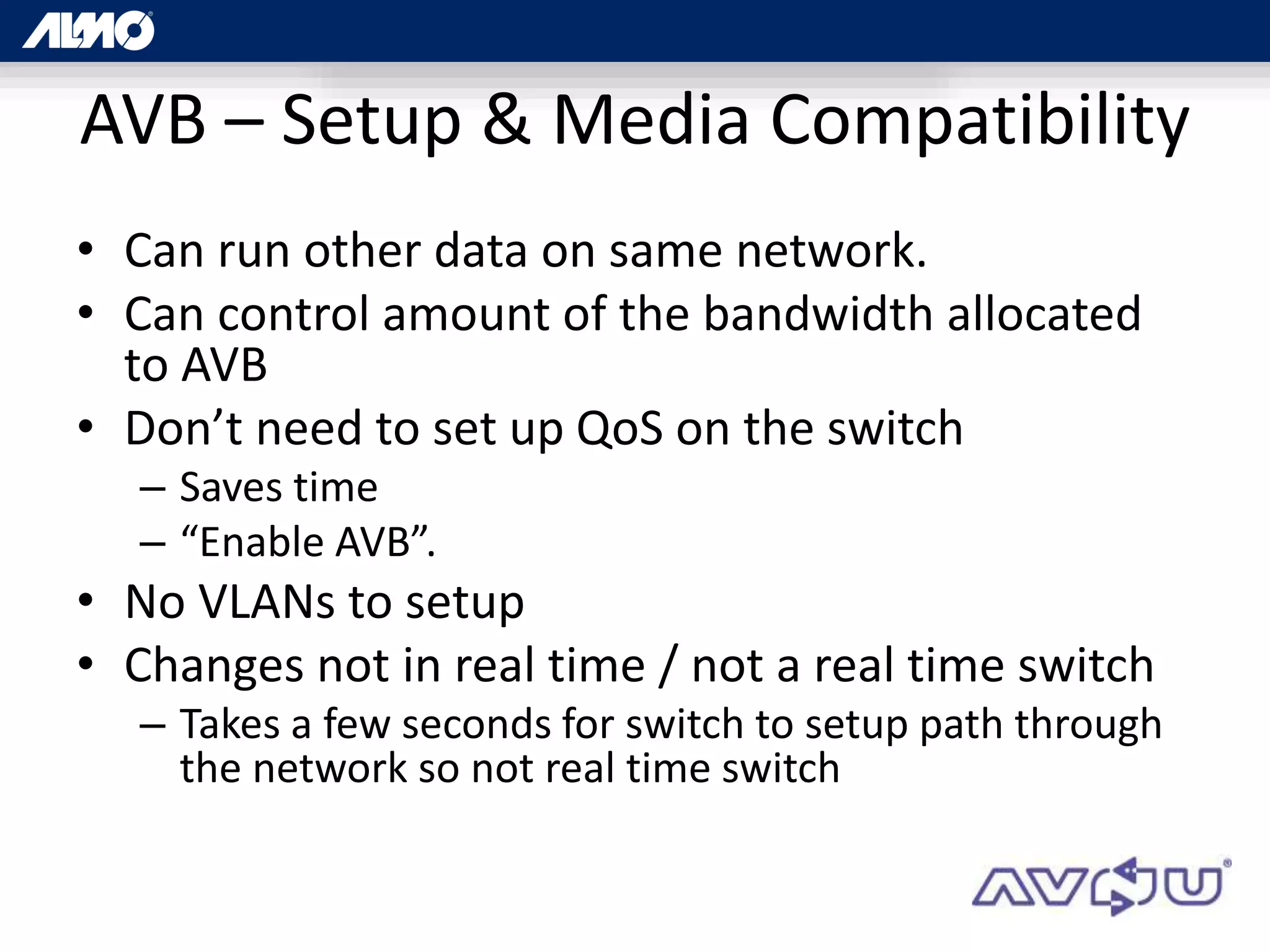
AVB - Stream Reservations
• Stream Reservations for AV held by the switch
• Switch reserves up to 75% of bandwidth for
media
• Queue in the switch to hold non-AVB signals
and prioritize AVB over DiffServ
• Guaranteed synch (<0.5ms, 1 Gigabit)
• Simplification - Enable AVB switch command
AVB – Setup & Media Compatibility
• Can run other data on same network.
• Can control amount of the bandwidth allocated
to AVB
• Don’t need to set up QoS on the switch
– Saves time
– “Enable AVB”.
• No VLANs to setup
• Changes not in real time / not a real time switch
– Takes a few seconds for switch to setup path through
the network so not real time switch
AVB
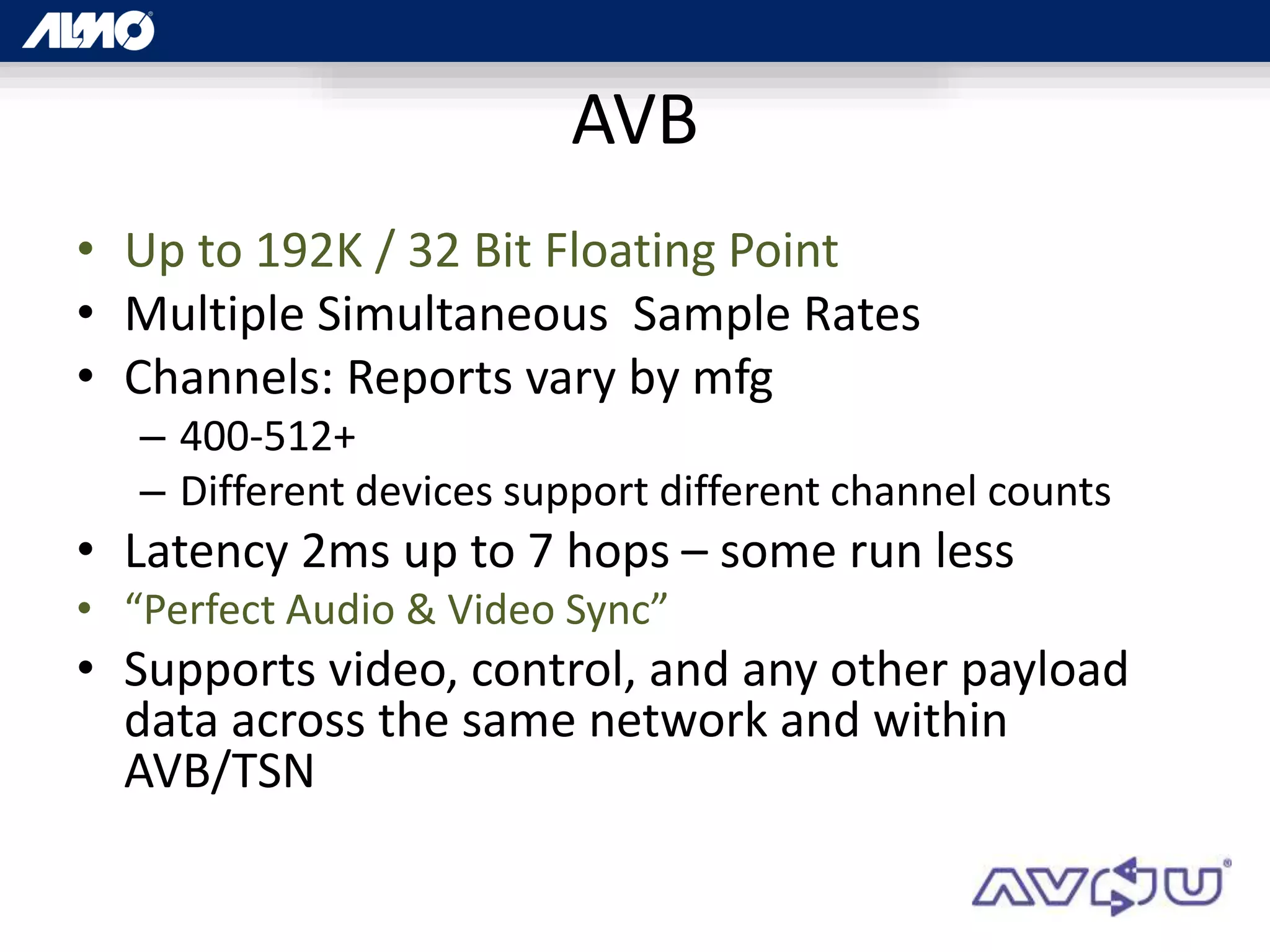
• Up to 192K / 32 Bit Floating Point
• Multiple Simultaneous Sample Rates
• Channels: Reports vary by mfg
– 400-512+
– Different devices support different channel counts
• Latency 2ms up to 7 hops – some run less
• “Perfect Audio & Video Sync”
• Supports video, control, and any other payload
data across the same network and within
AVB/TSN
CobraNet
“Tried & True…”
CobraNet Background
• 1996 by Peak Audio
• 1997 Super Bowl Halftime Show & Disney’s
Animal Kingdom
• Now owned by Cirrus Logic
• Combination of software, hardware and
network protocol
• Layer 2 Protocol compatible with standard
network infrastructure
CobraNet Audio
• Up to 64 channels in and 64 channels out
• Up to 96kHz / 24 Bit
• Must match across system
• Audio grouped in 8 channel bundles
• Less at 24 bit
• Channel count expandable by VLAN
CobraNet Timing
• Latency is fixed & applies to the entire system
• Latency: 1.33mS, 2.66mS, or 5.33mS
• User definable
• Lower latency yields lower channel counts
• + AD/DA & DSP Latency ≈ 10ms
• Clock accuracy: 10µs for channels originating on the
same switch
• Longer for devices connected to different switches
• “Conductor” [Master Clock]sends out “Beat packet” for
entire system
CobraNet Networking
• Dedicated network not required
• Dedicated network recommended
• VLAN’s an option to segment traffic
• Pops, clicks, or dropouts
• Bandwidth use up to capacity of the switch
• Many CobraNet (and Dante) devices offer
Primary and Secondary ports
• For redundancy, not to daisy chain off ports
• For automatic cutover in case of network
failure
CobraNet Redundancy
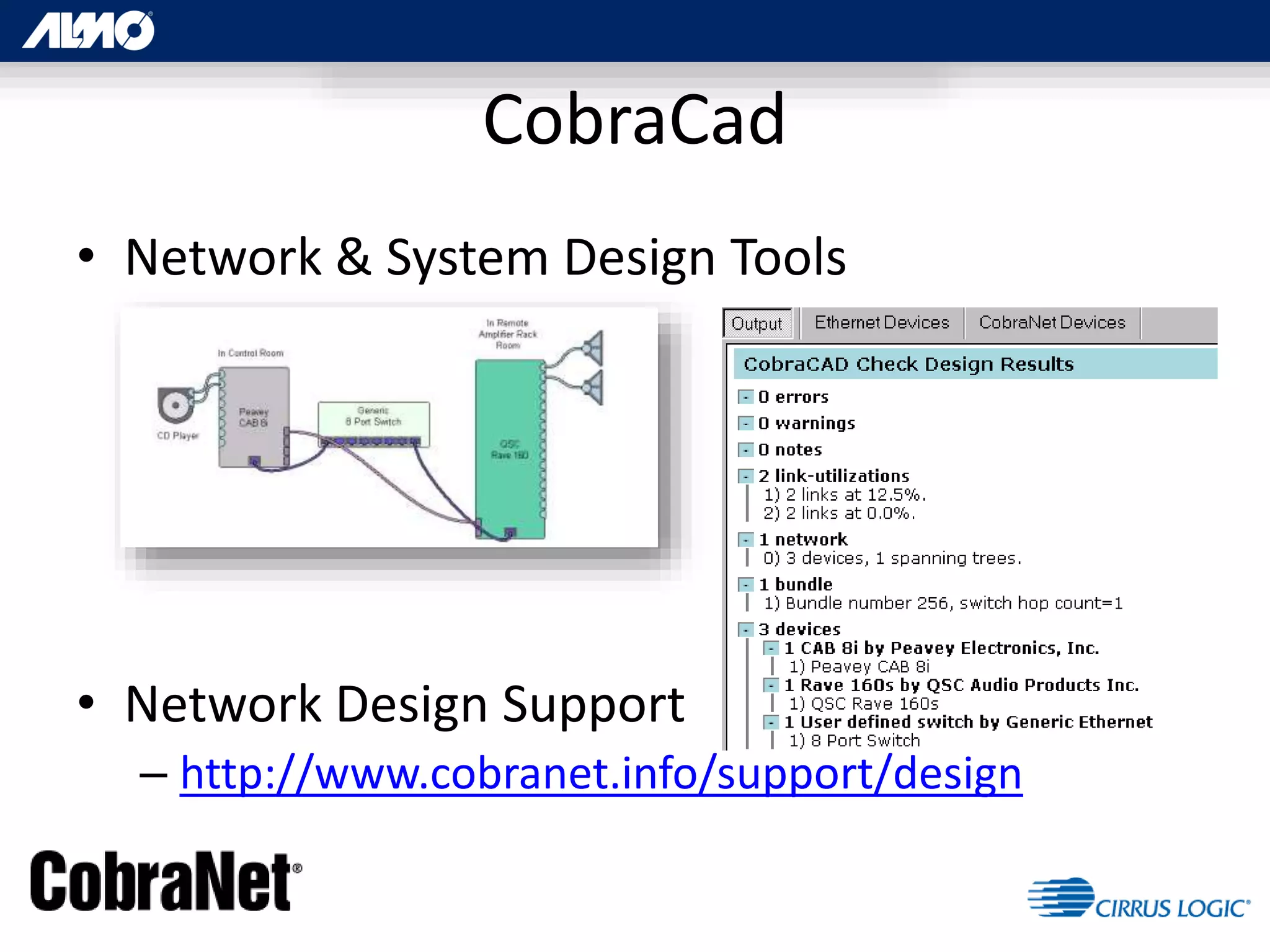
• Network & System Design Tools
• Network Design Support
– http://www.cobranet.info/support/design
CobraCad
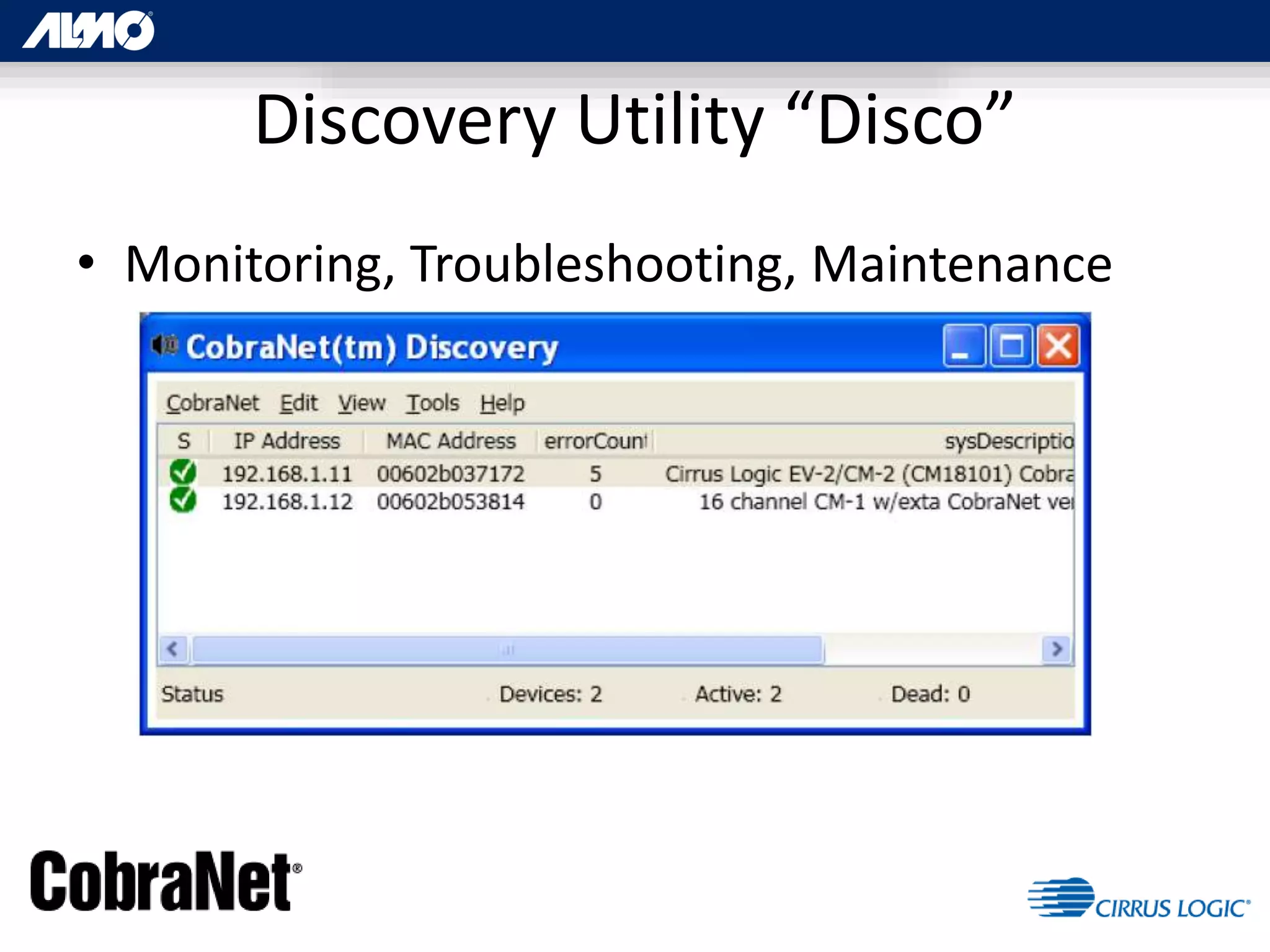
• Monitoring, Troubleshooting, Maintenance
Discovery Utility “Disco”
“The new kid, that’s not so new”
Dante - Background
• 2003 Former team from Motorola starts
Audinate
• March 2015: Passed 200 Manufactures
– 6 months after passing 150
– 20 Million Dante Network Channels – 50% shipped
in last 12 months
• Wide adoption & major events
• Pope Francis, Paul McCartney, Bruce Springsteen, Elton
John, Bob Dylan, Kenny Chesney, Foo Fighters, The Killers,
etc
Dante Networking
• Proprietary system of software & hardware
• Licensed technology for use on standard networks
• OSI Layer 3
• Standard Switch OK
– Managed switch preferred
– Will work with AVB switches
• Dedicated Network: No
• Cat5e if only 100Mbs / Cat6 recommended on gigabit
networks
• Keep some bandwidth headroom
– Up to 70% of usable bandwidth for Dante
Dante – Basic Audio
• Supported Channel Count: 1024 (512/512)
• Can route individually (Bundles not required)
• 192K / 32Bit
• Supports Multiple Simultaneous sample rates
– Must match between “subscriptions”
– Subscriptions are signal routings from outputs of
one device to inputs on another
• Label-based routing
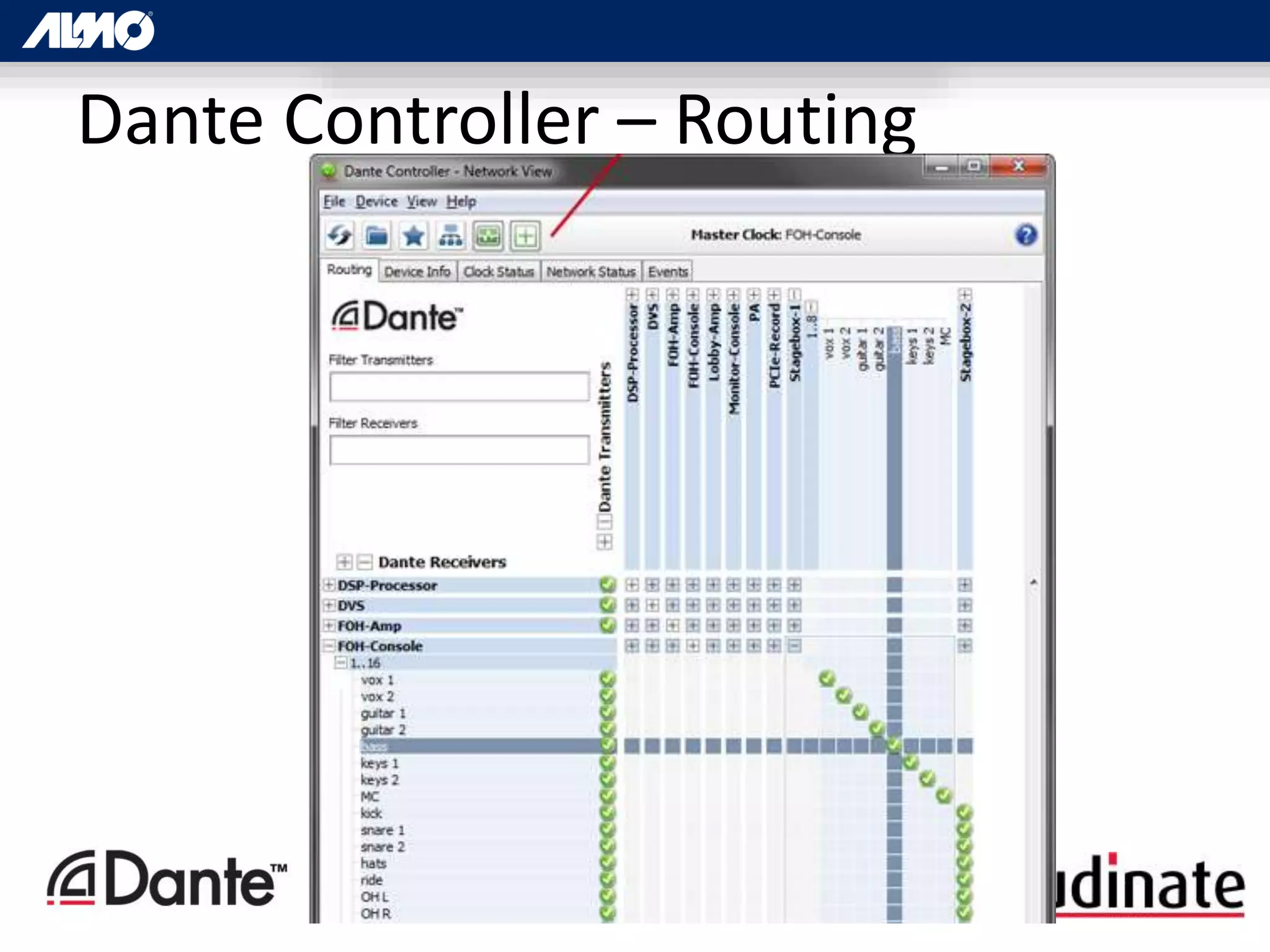
Dante Controller – Routing
Dante Networking (cont.)
• OSI Layer 3
• DHCP to automatically assign IP addresses
• Plug & Play device discovery
• UDP / IP for speed
• DiffServ QoS
– Priority by data type
– Priority number assigned to each packet at
managed switch
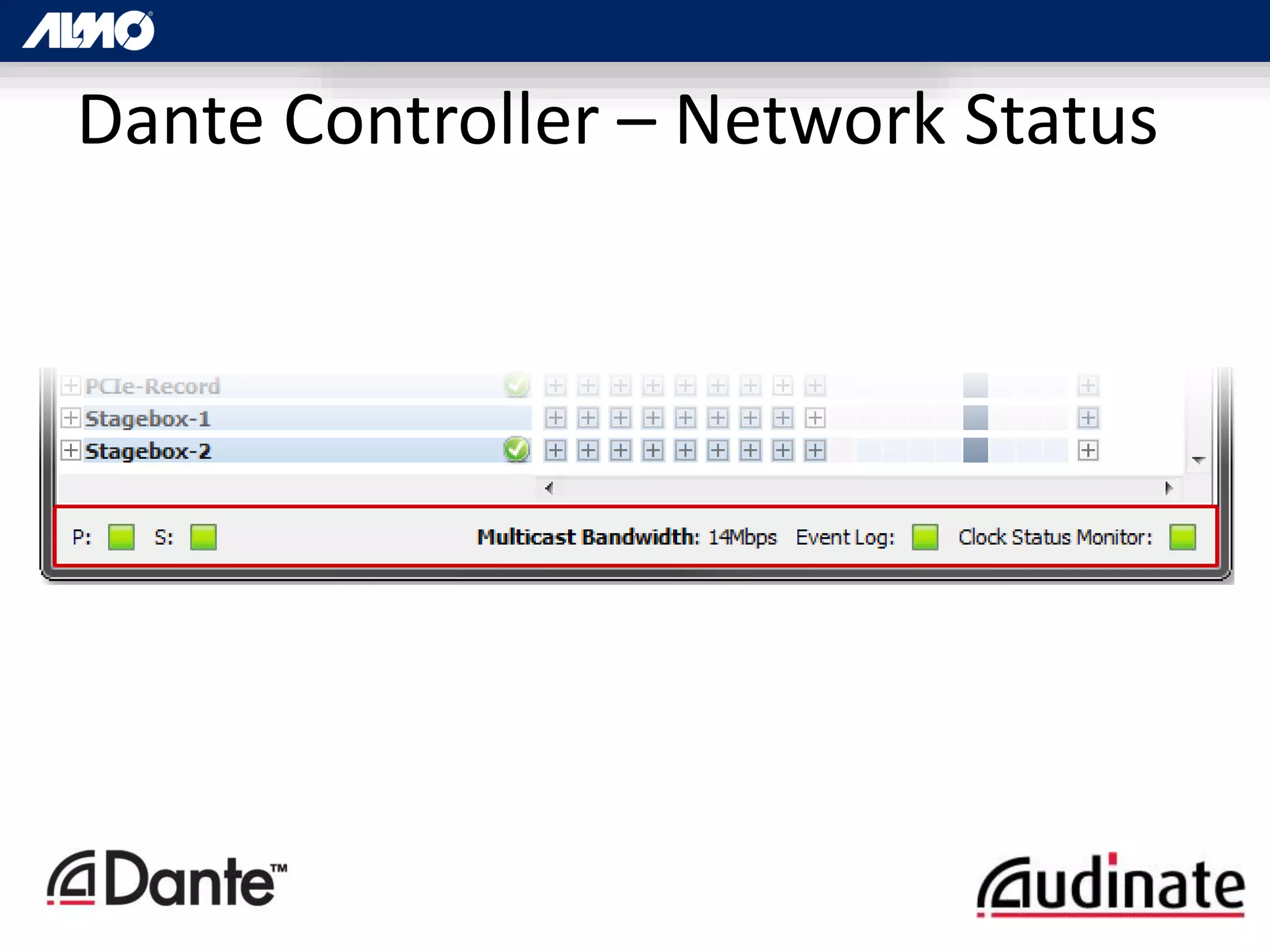
Dante Controller – Network Status
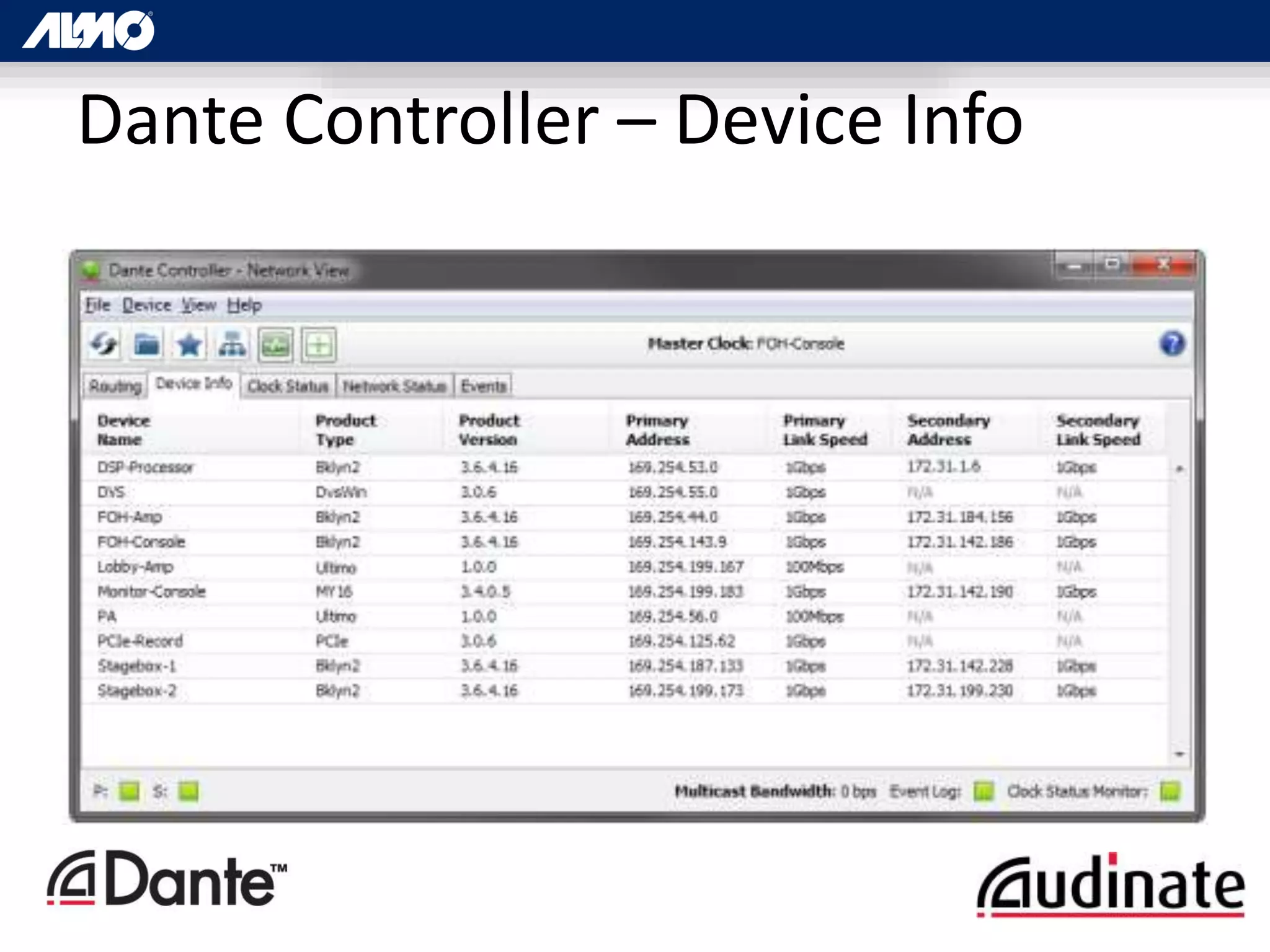
Dante Controller – Device Info
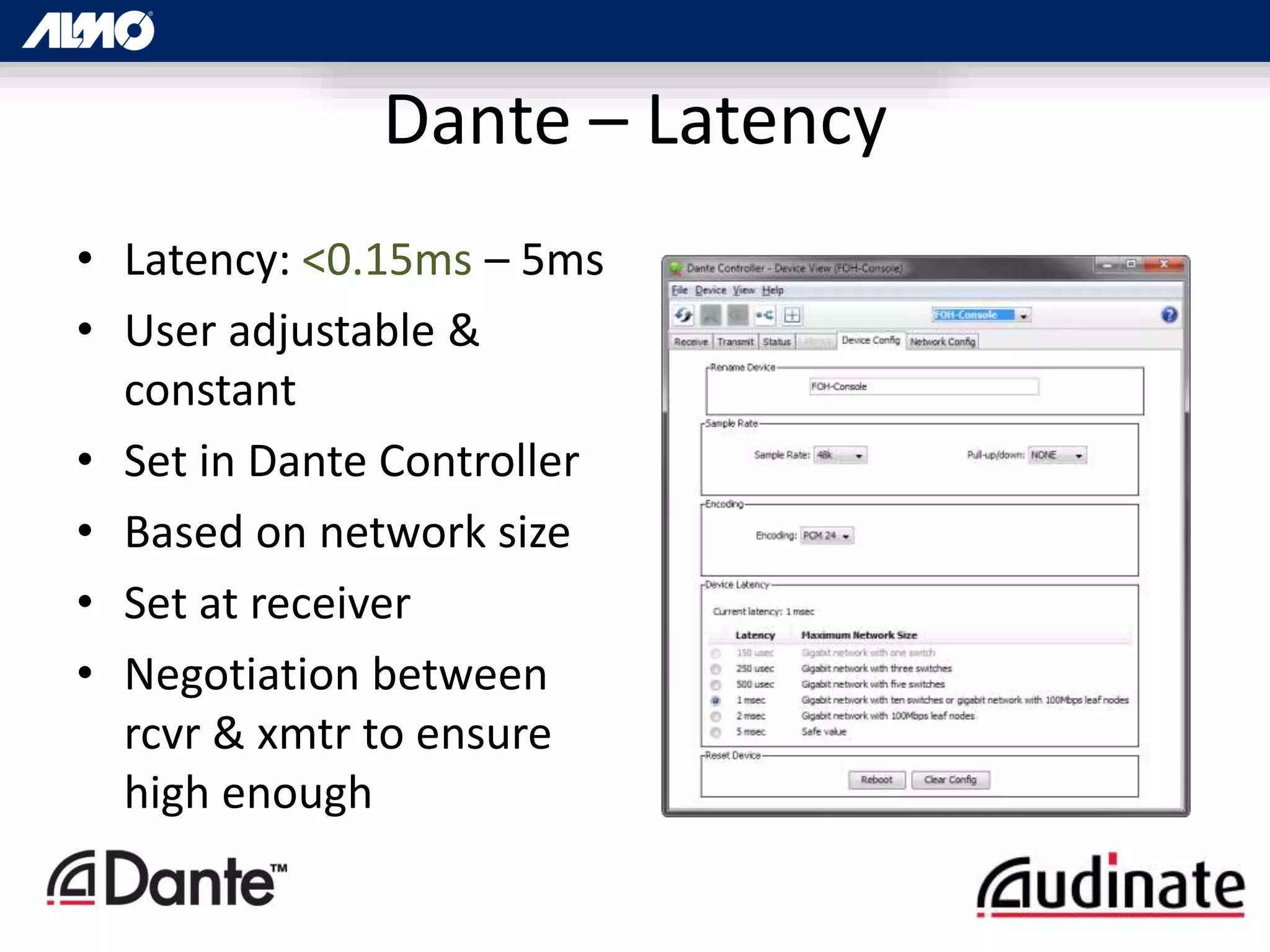
Dante – Latency
• Latency: <0.15ms – 5ms
• User adjustable &
constant
• Set in Dante Controller
• Based on network size
• Set at receiver
• Negotiation between
rcvr & xmtr to ensure
high enough
• Dante Virtual Soundcard
– Provides routing from individual channels within
internal applications
– ProTools, Cubase, etc
• Dante Via
– Allows a standard Apple Mac or Windows PC to
function as a Dante device
– No Dante enabled hardware required
Other Dante Software
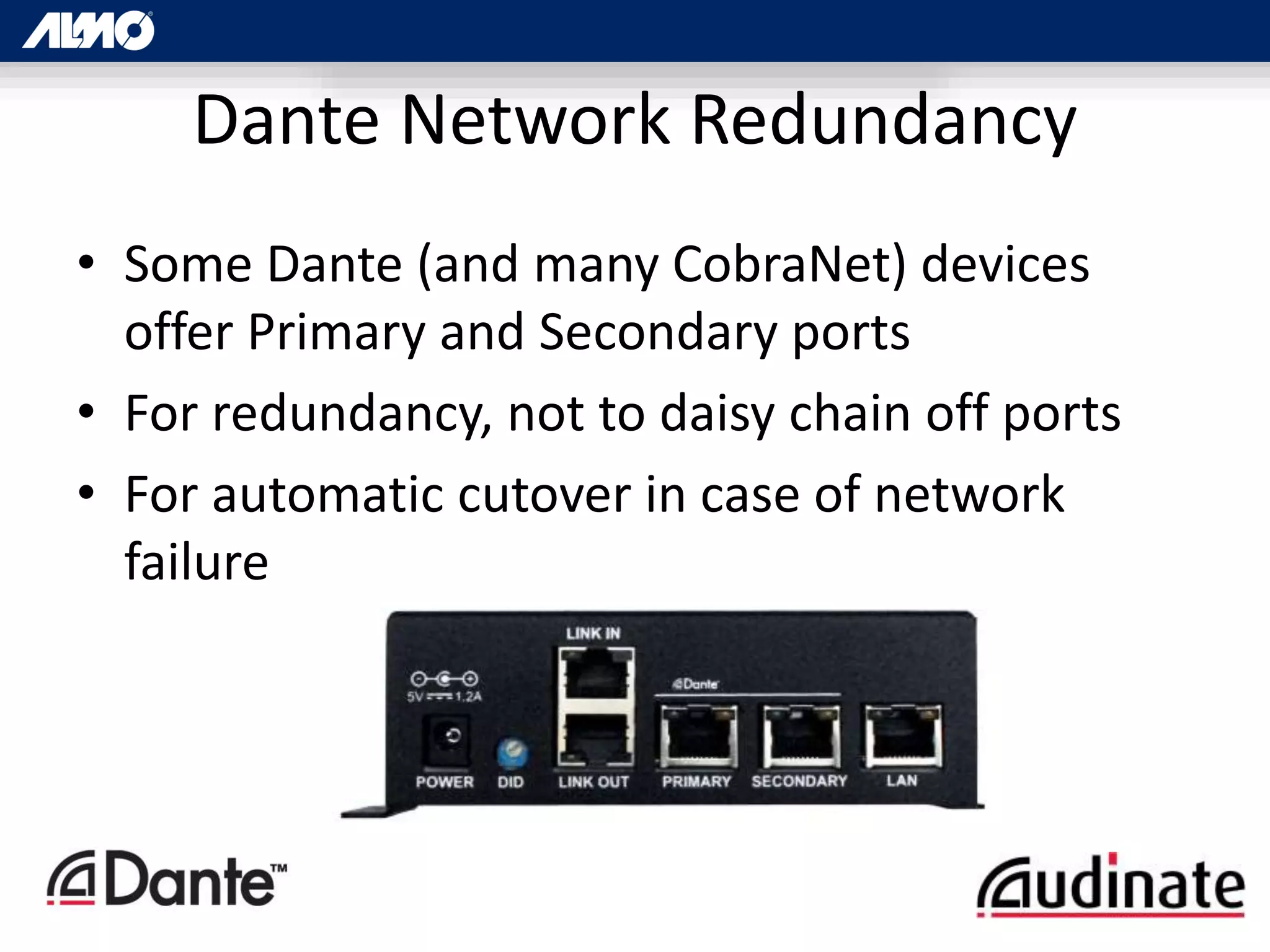
• Some Dante (and many CobraNet) devices
offer Primary and Secondary ports
• For redundancy, not to daisy chain off ports
• For automatic cutover in case of network
failure
Dante Network Redundancy
AES67 & Other Players
• AES67 – A standard for standards…
– Get DiffServ standards to function together
– May lose advanced functionality
• HQ Net – HARMAN Pro – Control Only
• EtherSound
• QLAN / QSYS – QSC Only
• ANET – AVIOM
• ROCKETNET
• RAVENNA
• H.264
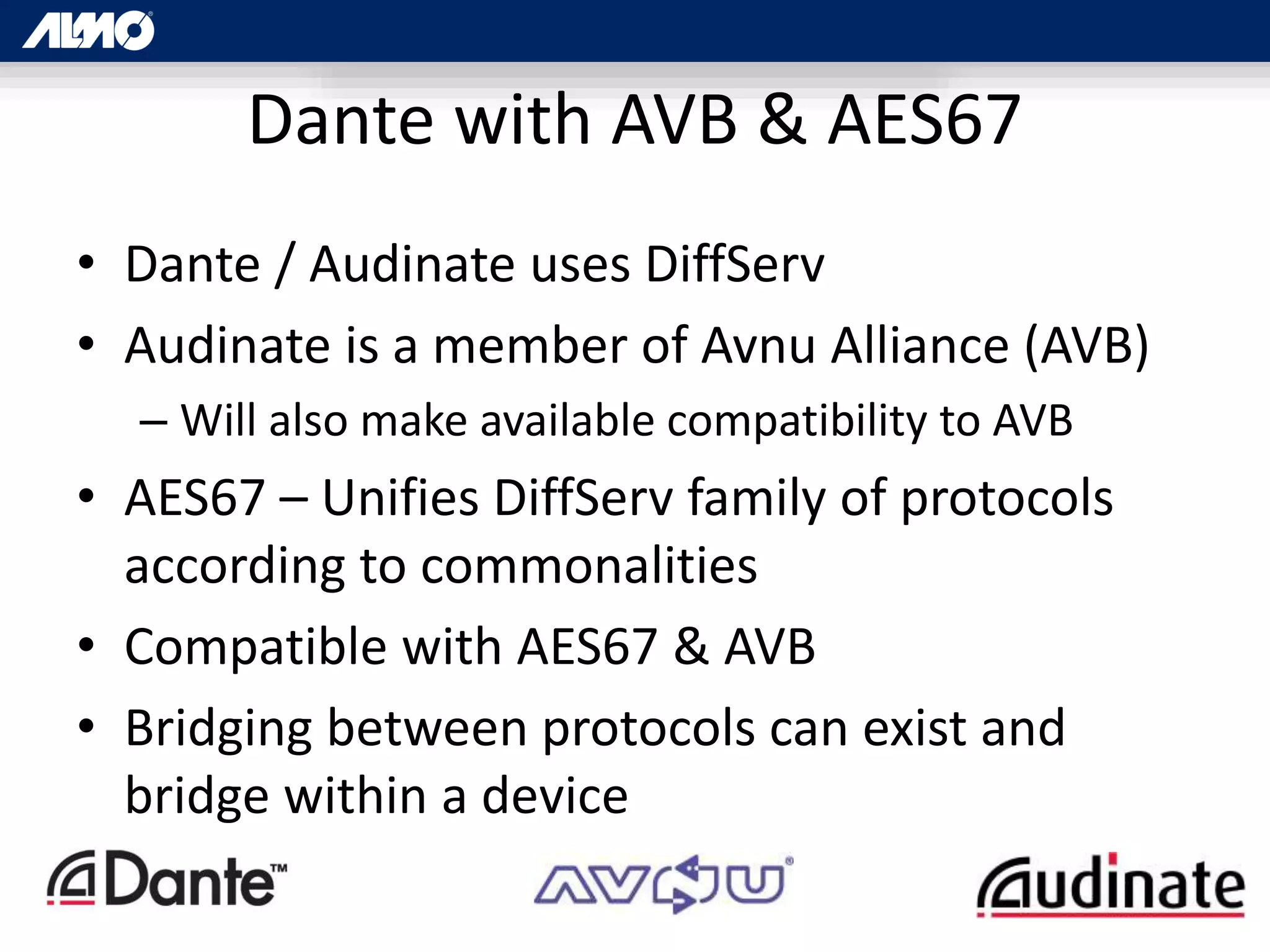
Dante with AVB & AES67
• Dante / Audinate uses DiffServ
• Audinate is a member of Avnu Alliance (AVB)
– Will also make available compatibility to AVB
• AES67 – Unifies DiffServ family of protocols
according to commonalities
• Compatible with AES67 & AVB
• Bridging between protocols can exist and
bridge within a device
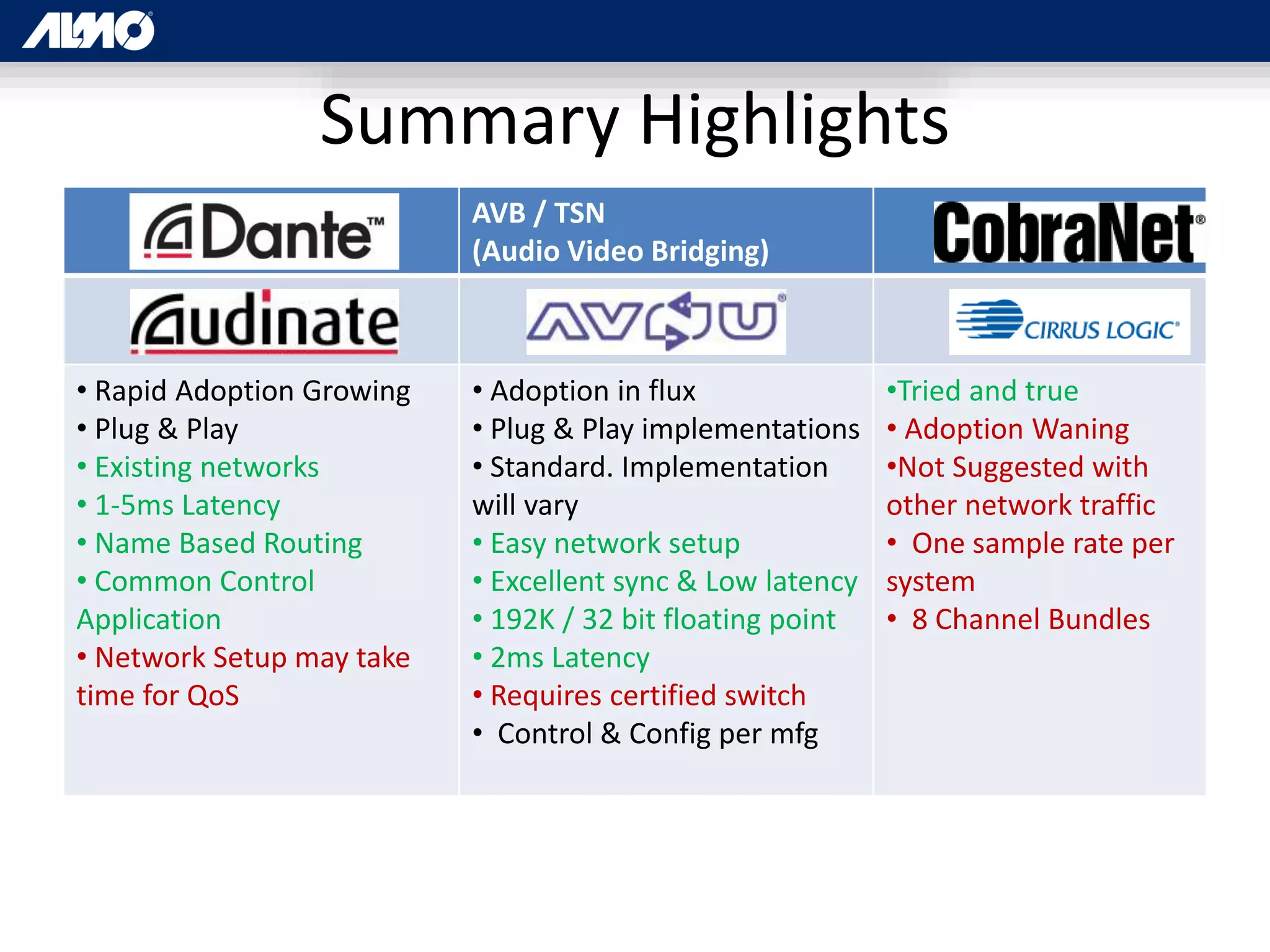
Summary Highlights
AVB / TSN
(Audio Video Bridging)
• Rapid Adoption Growing
• Plug & Play
• Existing networks
• 1-5ms Latency
• Name Based Routing
• Common Control
Application
• Network Setup may take
time for QoS
• Adoption in flux
• Plug & Play implementations
• Standard. Implementation
will vary
• Easy network setup
• Excellent sync & Low latency
• 192K / 32 bit floating point
• 2ms Latency
• Requires certified switch
• Control & Config per mfg
•Tried and true
• Adoption Waning
•Not Suggested with
other network traffic
• One sample rate per
system
• 8 Channel Bundles
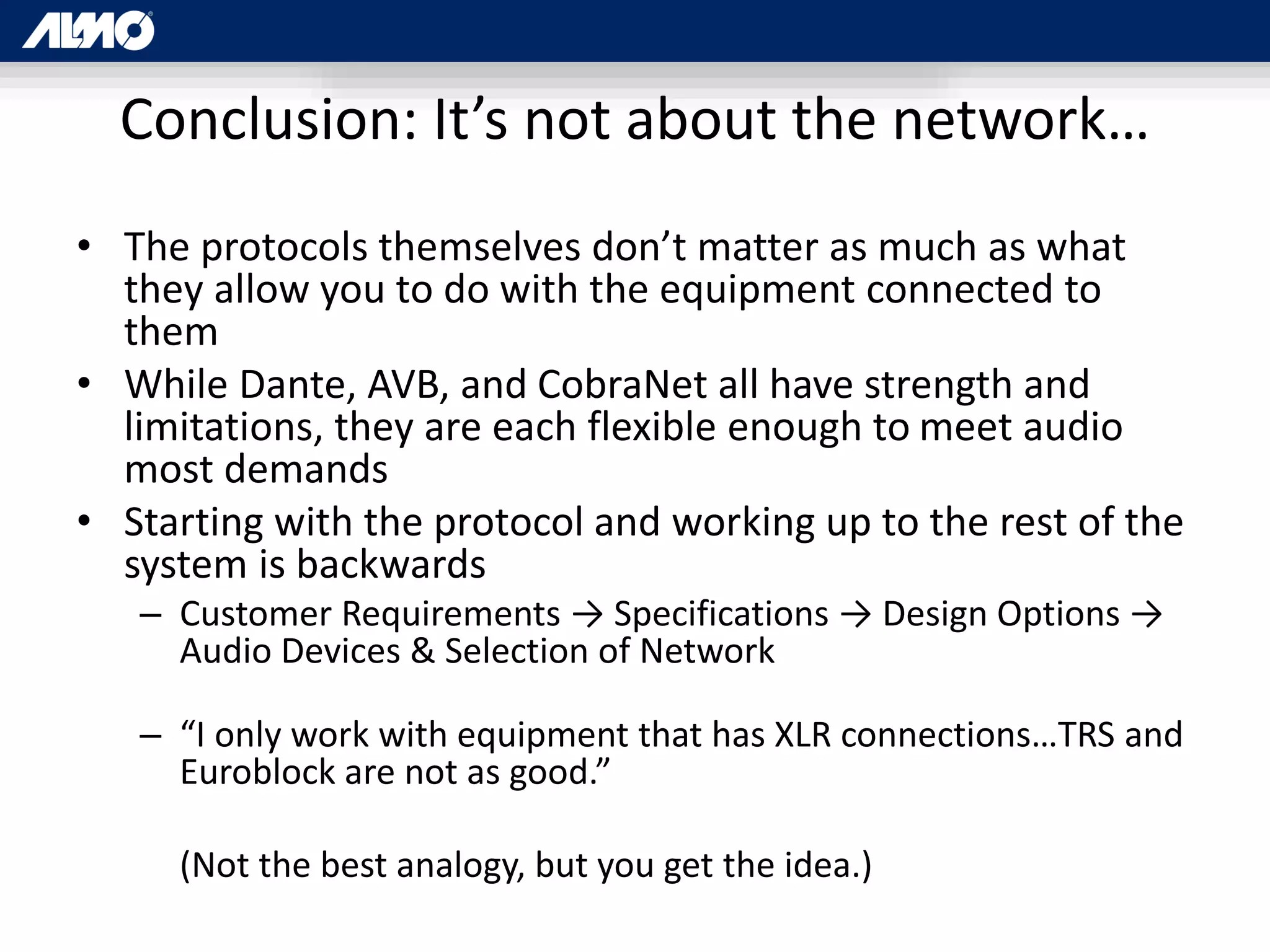
Conclusion: It’s not about the network…
• The protocols themselves don’t matter as much as what
they allow you to do with the equipment connected to
them
• While Dante, AVB, and CobraNet all have strength and
limitations, they are each flexible enough to meet audio
most demands
• Starting with the protocol and working up to the rest of the
system is backwards
– Customer Requirements → Specifications → Design Options →
Audio Devices & Selection of Network
– “I only work with equipment that has XLR connections…TRS and
Euroblock are not as good.”
(Not the best analogy, but you get the idea.)
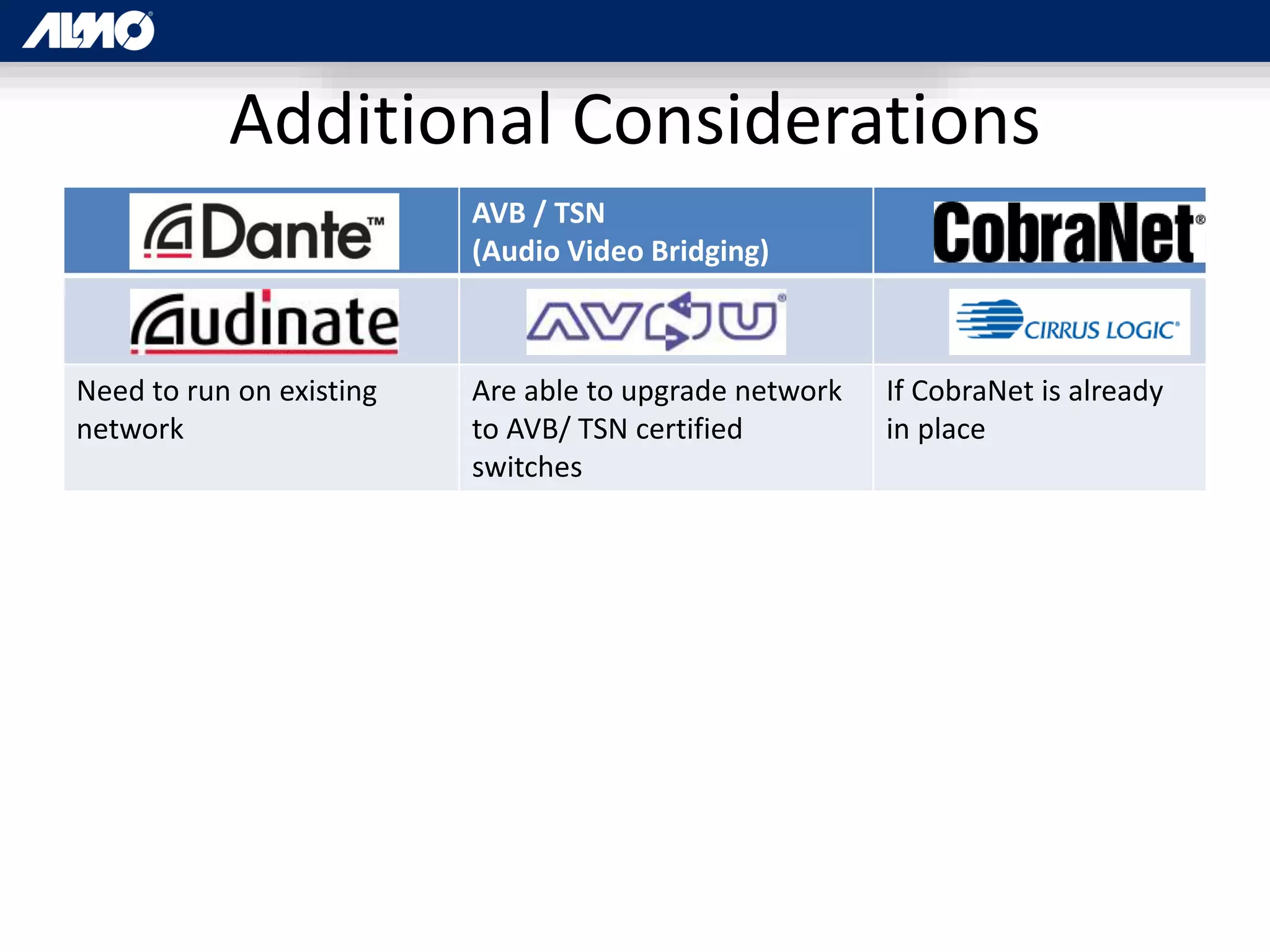
Additional Considerations
AVB / TSN
(Audio Video Bridging)
Need to run on existing
network
Are able to upgrade network
to AVB/ TSN certified
switches
If CobraNet is already
in place
QUESTIONS?
Rob Ziv
Business Development Manager, Almo Pro AV

IP Signal Distribution

  • 1.
    IP SIGNAL DISTRIBUTION Dante, AVB/TSN,and CobraNet: An Introduction and Comparison Rob Ziv, Business Development Manager, Almo Pro AV
  • 2.
    Agenda • Networking Basics •Technical and Capabilities Overview – AVB/TSN – CobraNet – Dante • Which one when? – Hint: It’s not about the standard or the protocol. They are just a means to an end. Most of the time, any of the options, when properly configured will do the job.
  • 3.
    Target Audience: • Totallynew to AV over IT? This may help. • If you have worked with any of the popular protocols, your time is better spent in other sessions
  • 4.
    Who is thisguy? • Business Development Manager, Almo Pro AV • In-house technical resource (one of many) • Here for you as a value add • Recording Engineer • Audio Instructor, Director of Education, SME, System Designer • Almost enough networking to be dangerous
  • 5.
    Show of hands…. Whohere has worked with what protocols?
  • 6.
    Why audio networking OldWay • Everything Point-to-Point or through matrix switch • Individual terminations on every signal path • Heavy multi-core snakes • Reconfiguration and growth not very flexible • Signal degradation with distance • Minimal distribution-related latency Audio Networking • One RJ45 and CAT5 cable for dozens of signal paths • Minimal terminations • One Cat5e / Cat 6 • End points at any network drop & Soft routing • Minimal signal loss with distance • Potential distribution related latency
  • 7.
    Networking Basics The OSIModel as a Guide [International Standards Organization Open Systems Interconnection Model]
  • 8.
    The OSI Model •Describe what happens in a network • Broken down in to 7 “layers” • Passes down from 7 through 1 & back up • AV over IT methods vary in application of OSI model Host 7 Application i.e. (Outlook) 6 Presentation 5 Session 4 Transport Media 3 Network Routers 2 Data Switches 1 Physical Cat5e Cables, Rj-45 Connectors
  • 9.
    Physical Layer • Cables& Connections • Moving bits from place to place • Hubs - all data to all ports, created collisions Host 7 Application 6 Presentation 5 Session 4 Transport Media 3 Network 2 Data 1 Physical Moving Data Cables, Connectors, Hubs, “Bits”
  • 10.
    Data Layer • Reliablepoint-to-point data connection without collisions • Switches – A little “smarter” than a hub • Data routed to each port as needed based on unique Media Access Control (MAC) Address • Long list of addresses with local devices Host 7 Application 6 Presentation 5 Session 4 Transport Media 3 Network 2 Data Avoid Collisions Switches: MAC Address 1 Physical Moving Data Cables, Connectors, Hubs, “Bits”
  • 11.
    Data Layer (cont.) •Switch – Can’t separate the network into smaller pieces • VLANs - Group Physical ports on a switch so they only see each other. – One way to isolate data on the network. – Common in CobraNet and earlier AV networking protocols • Frame – contains MAC address, payload data, etc Host 7 Application 6 Presentation 5 Session 4 Transport Media 3 Network 2 Data Avoid Collisions Switches: MAC Address, “Frames” 1 Physical Moving Data Cables, Connectors, Hubs, “Bits”
  • 12.
    Layer 3 -Network Layer • Method to divide network into smaller networks (subnets) • Connect networks into larger network (your business network to the Internet) • One method to keep data of different types separate for efficiency or security Host 7 Application 6 Presentation 5 Session 4 Transport Media 3 Network Connects Subnets Routers: 2 Data Avoid Collisions Switches: Frames, MAC 1 Physical Moving Data Cables, Connectors, Hubs, “Bits”
  • 13.
    Layer 3 -Network Layer (IP) • Allows us to connect across subnets • IP Address: 192.168.1.15 • IP: Internet Protocol • Subnet Mask • Network #, Subnet #, Device Number (Host Number) Host 7 Application 6 Presentation 5 Session 4 Transport Media 3 Network Connects Subnets Routers: IP 2 Data Avoid Collisions Switches: Frames, MAC 1 Physical Moving Data Cables, Connectors, Hubs, “Bits”
  • 14.
    Layer 3 -Network Layer (Packets) • {Packets [Frames (MAC address, Payload)]} • Source IP Address, Destination Address, DiffServ (Priority info), etc. Host 7 Application 6 Presentation 5 Session 4 Transport Media 3 Network Connects Subnets Routers: Packets, IP, “Packets” 2 Data Avoid Collisions Switches: Frames, MAC 1 Physical Moving Data Cables, Connectors, Hubs, “Bits”
  • 15.
    Layer 4 –Transport Layer • Connection, Data Order, Reliability, Flow Control, Multiplexing • [Soft] Port Numbers – local routings within a single device or IP address • Multiple IP protocols – TCP – Transport Control Protocol – UDP – User Datagram Protocol Host 7 Application 6 Presentation 5 Session 4 Transport Reliability TCP / UDP, “Segments” Media 3 Network Connects Subnets Routers: Packets, IP, “Packets” 2 Data Avoid Collisions Switches: Frames, MAC 1 Physical Moving Data Cables, Connectors, Hubs, “Bits”
  • 16.
    Layer 4 –Transport Layer (TCP vs. UDP) TCP – Transport Control Protocol • Reliable – every data packet is acknowledged as it is received • Useful when 100% accuracy is required over unmanaged network such as the pubic Internet • Acknowledgement increases bandwidth consumption and latency Host 7 Application 6 Presentation 5 Session 4 Transport Reliability TCP / UDP, “Segments” Media 3 Network Connects Subnets Routers: Packets, IP, “Packets” 2 Data Avoid Collisions Switches: Frames, MAC 1 Physical Moving Data Cables, Connectors, Hubs, “Bits”
  • 17.
    Layer 4 –Transport Layer (TCP vs.UDP) UDP – User Datagram Protocol • No confirmation of delivery – so less header info than TCP • When urgency is more important accuracy (i.e. Real-time voice & video) • Disadvantage on unreliable network Host 7 Application 6 Presentation 5 Session 4 Transport Reliability TCP / UDP, “Segments” Media 3 Network Connects Subnets Routers: Packets, IP, “Packets” 2 Data Avoid Collisions Switches: Frames, MAC 1 Physical Moving Data Cables, Connectors, Hubs, “Bits”
  • 18.
    Layers 5 -7 • Mostly software and application related • Data moves down through the layers on the way out & back up on the way in • Sometimes functions between layers not clear • OSI model gives us a way to think about and describe the process Host 7 Application What we interface with (i.e. email, etc) 6 Presentation Conversion for Application (i.e. compression, encryption) 5 Session Establish Connections between hosts 4 Transport Reliability TCP / UDP, “Segments” Media 3 Network Connects Subnets Routers: Packets, IP, “Packets” 2 Data Avoid Collisions Switches: Frames, MAC 1 Physical Moving Data Cables, Connectors, Hubs, “Bits”
  • 19.
    Ethernet Timing &Priority Standards • All audio over Ethernet protocols require Priority, Sequence, & Sync • Differentiated Services / Quality of Service (DiffServ, QoS) – Priority by data type (Clock Sync and Audio Packets over Email) – Traffic prioritized based upon tags in IP Header (Layer 3) – Priority number assigned by manage switch to each packet • Real-time Transport Protocol (RTP) – Keeps data sequenced in the right order – Time stamp on UDP header – Works with RTCP (Real Time Control Protocol) for QoS and Sync – Variation: RTSP (Real Time Streaming Protocol) works on TCP and not UDP – Does not reserve resources or provide for quality of service • Precision Timing Protocol (PTP) – IEEE 1588 – Sub-microsecond accuracy to synchronize subnets – Layer 2 - Switches provide hardware-based time stamping
  • 20.
    AVB / TSN “It’snot a protocol, it’s a standard”
  • 21.
    Audio Video Bridging/ Time Sensitive Networking • 2012+ • Proponent: AVnu Alliance… – Interoperable – precise timing – low latency requirements – open standards • Avnu Founders: Broadcom, Cisco, Harman, Intel, and Xilinx • 50+ current Members • Collection of IEEE Layer 2 standards
  • 22.
    Standards vs. Protocols(Unofficial) • Standards: – Agreed upon underlying technologies – that allow things to work – i.e. Ethernet • Protocols: – A methodology – May utilize standards to accomplish a function – Requires standards to function with other technologies – i.e. Email
  • 23.
    AVB / TSN– The Standard • IEEE looked at the various standards to make sure Audio and Video can go across a network and pulled them together into one standard • Does not require a dedicated network – AVB by definition is part of the network – The media portion is prioritized over other traffic as part of this definition – If anything, the audio will not suffer from other traffic, but non-media will not get the same priority • Requires AVB certified switch(es) • Will not pass on non-certified switches
  • 24.
    AVB - StreamReservations • Stream Reservations for AV held by the switch • Switch reserves up to 75% of bandwidth for media • Queue in the switch to hold non-AVB signals and prioritize AVB over DiffServ • Guaranteed synch (<0.5ms, 1 Gigabit) • Simplification - Enable AVB switch command
  • 25.
    AVB – Setup& Media Compatibility • Can run other data on same network. • Can control amount of the bandwidth allocated to AVB • Don’t need to set up QoS on the switch – Saves time – “Enable AVB”. • No VLANs to setup • Changes not in real time / not a real time switch – Takes a few seconds for switch to setup path through the network so not real time switch
  • 26.
    AVB • Up to192K / 32 Bit Floating Point • Multiple Simultaneous Sample Rates • Channels: Reports vary by mfg – 400-512+ – Different devices support different channel counts • Latency 2ms up to 7 hops – some run less • “Perfect Audio & Video Sync” • Supports video, control, and any other payload data across the same network and within AVB/TSN
  • 27.
  • 28.
    CobraNet Background • 1996by Peak Audio • 1997 Super Bowl Halftime Show & Disney’s Animal Kingdom • Now owned by Cirrus Logic • Combination of software, hardware and network protocol • Layer 2 Protocol compatible with standard network infrastructure
  • 29.
    CobraNet Audio • Upto 64 channels in and 64 channels out • Up to 96kHz / 24 Bit • Must match across system • Audio grouped in 8 channel bundles • Less at 24 bit • Channel count expandable by VLAN
  • 30.
    CobraNet Timing • Latencyis fixed & applies to the entire system • Latency: 1.33mS, 2.66mS, or 5.33mS • User definable • Lower latency yields lower channel counts • + AD/DA & DSP Latency ≈ 10ms • Clock accuracy: 10µs for channels originating on the same switch • Longer for devices connected to different switches • “Conductor” [Master Clock]sends out “Beat packet” for entire system
  • 31.
    CobraNet Networking • Dedicatednetwork not required • Dedicated network recommended • VLAN’s an option to segment traffic • Pops, clicks, or dropouts • Bandwidth use up to capacity of the switch
  • 32.
    • Many CobraNet(and Dante) devices offer Primary and Secondary ports • For redundancy, not to daisy chain off ports • For automatic cutover in case of network failure CobraNet Redundancy
  • 33.
    • Network &System Design Tools • Network Design Support – http://www.cobranet.info/support/design CobraCad
  • 34.
    • Monitoring, Troubleshooting,Maintenance Discovery Utility “Disco”
  • 35.
    “The new kid,that’s not so new”
  • 36.
    Dante - Background •2003 Former team from Motorola starts Audinate • March 2015: Passed 200 Manufactures – 6 months after passing 150 – 20 Million Dante Network Channels – 50% shipped in last 12 months • Wide adoption & major events • Pope Francis, Paul McCartney, Bruce Springsteen, Elton John, Bob Dylan, Kenny Chesney, Foo Fighters, The Killers, etc
  • 37.
    Dante Networking • Proprietarysystem of software & hardware • Licensed technology for use on standard networks • OSI Layer 3 • Standard Switch OK – Managed switch preferred – Will work with AVB switches • Dedicated Network: No • Cat5e if only 100Mbs / Cat6 recommended on gigabit networks • Keep some bandwidth headroom – Up to 70% of usable bandwidth for Dante
  • 38.
    Dante – BasicAudio • Supported Channel Count: 1024 (512/512) • Can route individually (Bundles not required) • 192K / 32Bit • Supports Multiple Simultaneous sample rates – Must match between “subscriptions” – Subscriptions are signal routings from outputs of one device to inputs on another • Label-based routing
  • 39.
  • 40.
    Dante Networking (cont.) •OSI Layer 3 • DHCP to automatically assign IP addresses • Plug & Play device discovery • UDP / IP for speed • DiffServ QoS – Priority by data type – Priority number assigned to each packet at managed switch
  • 41.
    Dante Controller –Network Status
  • 42.
  • 43.
    Dante – Latency •Latency: <0.15ms – 5ms • User adjustable & constant • Set in Dante Controller • Based on network size • Set at receiver • Negotiation between rcvr & xmtr to ensure high enough
  • 44.
    • Dante VirtualSoundcard – Provides routing from individual channels within internal applications – ProTools, Cubase, etc • Dante Via – Allows a standard Apple Mac or Windows PC to function as a Dante device – No Dante enabled hardware required Other Dante Software
  • 45.
    • Some Dante(and many CobraNet) devices offer Primary and Secondary ports • For redundancy, not to daisy chain off ports • For automatic cutover in case of network failure Dante Network Redundancy
  • 46.
    AES67 & OtherPlayers • AES67 – A standard for standards… – Get DiffServ standards to function together – May lose advanced functionality • HQ Net – HARMAN Pro – Control Only • EtherSound • QLAN / QSYS – QSC Only • ANET – AVIOM • ROCKETNET • RAVENNA • H.264
  • 47.
    Dante with AVB& AES67 • Dante / Audinate uses DiffServ • Audinate is a member of Avnu Alliance (AVB) – Will also make available compatibility to AVB • AES67 – Unifies DiffServ family of protocols according to commonalities • Compatible with AES67 & AVB • Bridging between protocols can exist and bridge within a device
  • 48.
    Summary Highlights AVB /TSN (Audio Video Bridging) • Rapid Adoption Growing • Plug & Play • Existing networks • 1-5ms Latency • Name Based Routing • Common Control Application • Network Setup may take time for QoS • Adoption in flux • Plug & Play implementations • Standard. Implementation will vary • Easy network setup • Excellent sync & Low latency • 192K / 32 bit floating point • 2ms Latency • Requires certified switch • Control & Config per mfg •Tried and true • Adoption Waning •Not Suggested with other network traffic • One sample rate per system • 8 Channel Bundles
  • 49.
    Conclusion: It’s notabout the network… • The protocols themselves don’t matter as much as what they allow you to do with the equipment connected to them • While Dante, AVB, and CobraNet all have strength and limitations, they are each flexible enough to meet audio most demands • Starting with the protocol and working up to the rest of the system is backwards – Customer Requirements → Specifications → Design Options → Audio Devices & Selection of Network – “I only work with equipment that has XLR connections…TRS and Euroblock are not as good.” (Not the best analogy, but you get the idea.)
  • 50.
    Additional Considerations AVB /TSN (Audio Video Bridging) Need to run on existing network Are able to upgrade network to AVB/ TSN certified switches If CobraNet is already in place
  • 51.

Editor's Notes

  • #3 For audio – any will work. AVB/TSN is the only one that really supports any payload.
  • #7 Any audio Anywhere [Using presets on the matrix]
  • #11 Reliable point-to-point data connection without collisions Switches – A little “smarter” than a hub Data routed to each port as needed based on unique Media Access Control (MAC) Address Long list of addresses with local devices Switches – More effient than hubs – but can’t separate the network into smaller pieces VLANs - Group Physical ports on a switch so they only see each other. One way to isolate date on the network. Common in CobraNet and earlier AV networking protocols Frame – contains MAC address, payload data, etc
  • #12 Reliable point-to-point data connection without collisions Switches – A little “smarter” than a hub Data routed to each port as needed based on unique Media Access Control (MAC) Address Long list of addresses with local devices Switches – More effient than hubs – but can’t separate the netowrk into smaller pieces VLANs - Group Physical ports on a switch so they only see each other. One way to isolate date on the network. Common in CobraNet and earlier AV networking protocols Frame – contains MAC address, payload data, etc
  • #18 <Segments {Packets [Frames (MAC address, Payload)]}>
  • #20 Switches can provide hardware time stamping which allows synchronization, offsets, and corrections. All covered in IEEE 1588
  • #25 Implemented only on Layer 2 right now (Layer 3 routing down the road) Can still run on “Layer 3” network, but for now, only devices that are categorized together on layer 2 can share media data Interoperable across manufacturers Open standard published by the IEEE for use by anyone without fee
  • #26 No need to setup VLANs, because it pretty much does it itself in the background Once setup, <0.5ms latency.
  • #27 MOTU AVB Switch under $300
  • #35 http://www.cobranet.info/downloads
  • #36 http://www.cobranet.info/downloads
  • #40 Will work with AVB switch – as will pretty much anything since and AVB is a networking standard
  • #43 Plug & Play device discovery mDNS (aka Bonjour)
  • #53 http://en.wikipedia.org/wiki/Audio_Video_Bridging https://www.audinate.com/about/history
  • #55 1 Source: https://docs.google.com/presentation/d/1EGrl0ARA7R81zIieVWvLVrW4zrawLv8ivg1heBgusuc/pub?start=false&loop=false&delayms=3000&slide=id.p75 Slide 61 2 Source: Slide 62