
1
© 2015 InfoComm International®
Installation Issues for
Converged AV/IT Systems
Andre LeJeune, CTS
© 2015 InfoComm International®
About InfoComm Academy®
• Extensive offering of audiovisual
courses designed by experts and
taught by AV professionals
• Delivered
2
© 2015 InfoComm International®
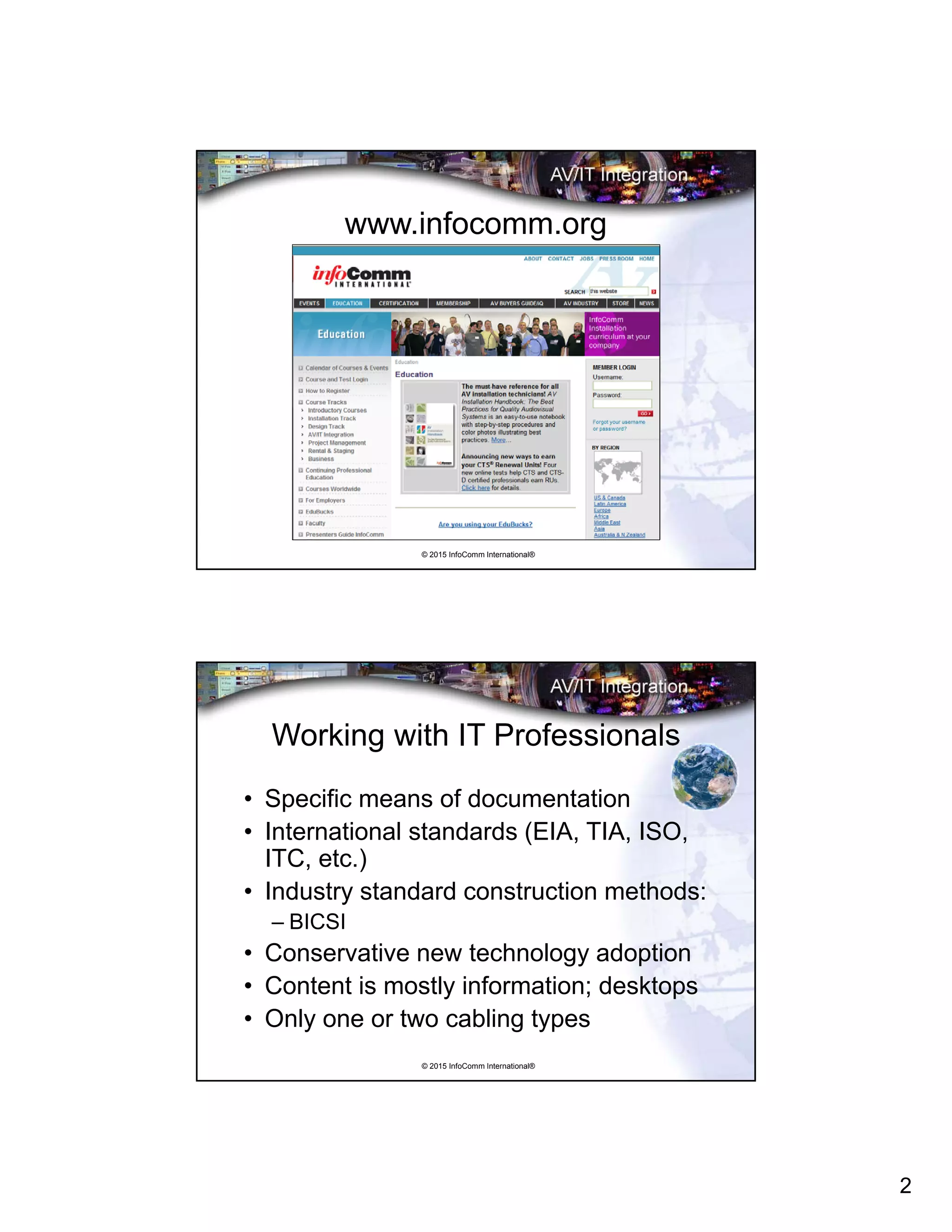
www.infocomm.org
© 2015 InfoComm International®
Working with IT Professionals
• Specific means of documentation
• International standards (EIA, TIA, ISO,
ITC, etc.)
• Industry standard construction methods:
– BICSI
• Conservative new technology adoption
• Content is mostly information; desktops
• Only one or two cabling types
3
© 2015 InfoComm International®
Working with AV Professionals
• Non-standard documentation
• Lack of standards
• Proprietary techniques
• Constant new technology adoption
• Content is multimedia, large rooms
• Many cabling types
© 2015 InfoComm International®
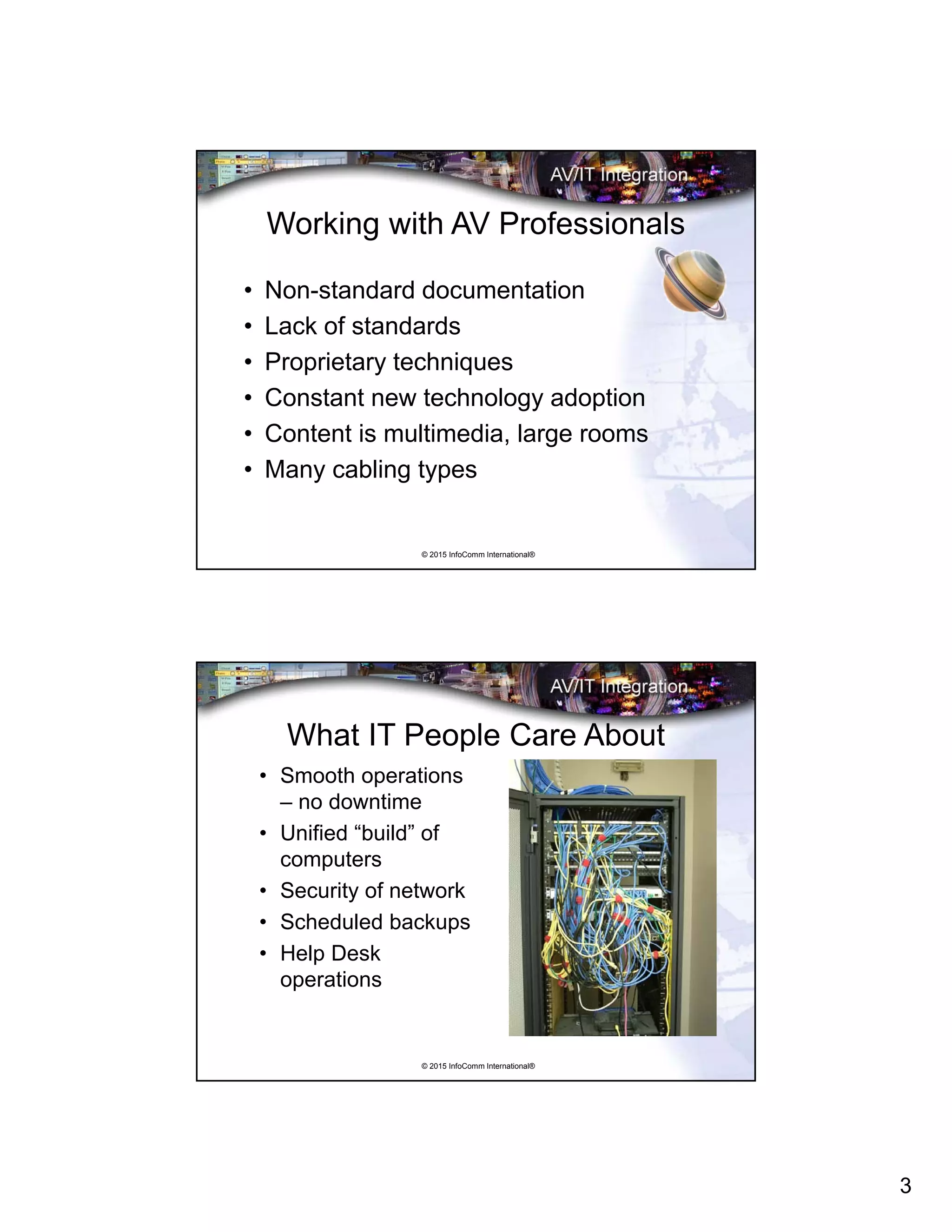
What IT People Care About
• Smooth operations
– no downtime
• Unified “build” of
computers
• Security of network
• Scheduled backups
• Help Desk
operations
4
© 2015 InfoComm International®
Audiovisual and Network Signals
• Audio: microphone, line, loudspeaker
• Video: composite NTSC, PAL, SECAM
• TV: Radio Frequency (RF)
• HDTV: DVI, HDMI, IEEE 1394 (Firewire)
• Broadcast: SDI, AES/EBU
• Computer Data: RGBHV (VGA)
• Control: Closures, TTL, serial, infrared (IR)
• Network: Ethernet
• Combinations: Proprietary
© 2015 InfoComm International®
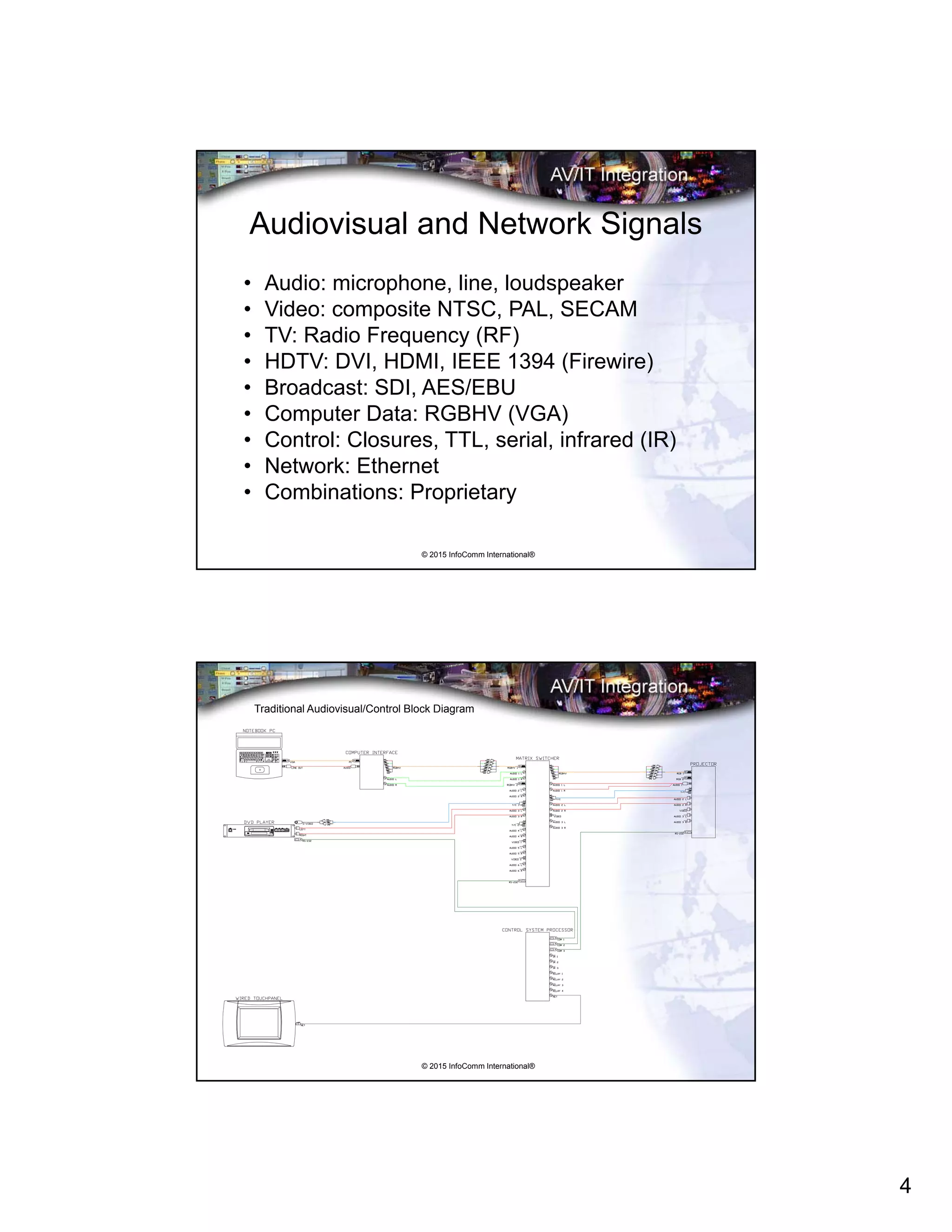
Traditional Audiovisual/Control Block Diagram
6
5
© 2015 InfoComm International®
What is AV/IT Convergence and Why?
• Began with multi-room control
• Existing IT infrastructure
• Mature digitization technologies
• Videoconferencing
• Inter-building audiovisual transport
• Enterprise management
• Consolidation of resources
© 2015 InfoComm International®
“Hybrid” Audiovisual/Control Block Diagram
using Structured Cabling
8
8
88
8
8
8 8
8 8
8
8
6
6
© 2015 InfoComm International®
Where Are We Now with AV/IT?
• Traditional audiovisual technology is very
mature, very robust – but limited
• “Hybrid” AV/IT systems use structured
cabling but traditional AV signals
• Videoconferencing, streaming media are
almost all IT now
• High bandwidth networks
• Bottlenecks
© 2015 InfoComm International®
“Converged” AV/IT Block Diagram
7
© 2015 InfoComm International®
AV/IT Project Cooperation and Coordination
• Unusual locations for information outlets
• Floor and wallboxes, furniture connectivity
• Wireless technology policies
• Network segregation
• IP addresses
• Use of structured cabling
• Firewalls
© 2015 InfoComm International®
The IT Domains
• IT infrastructure is highly
organized in standard
formats:
– Demarcation room
– Data center
– Backbone cabling
– Information closets
– Horizontal cabling
– Information outlets
8
© 2015 InfoComm International®
The IT Domains: The Demarcation Room
• Secure entry point for voice/data
services to building
• Sometimes redundant services
• Access for service providers:
– Voice/data lines (T1, E1, etc.)
– Copper trunks
– ISP (Internet Service Provider)
– Cable television
© 2015 InfoComm International®
The IT Domains: The Data Center
• Secure entry
• Environmentally controlled
• Organized: equipment racks
• Uninterruptible power
• Servers, routers, switches
• May or may not have operations stations
9
© 2015 InfoComm International®
The IT Domains: Backbone Cabling
• Interconnections between
telecommunications rooms, equipment
rooms, and entrance facilities
• Cables
• intermediate and main cross-connects
• Patch cords or jumpers used for cross-
connections
• Extensions between buildings in a campus
environment.
© 2015 InfoComm International®
The IT Domains: The IDF
• Data Closets (IDF)
• Located throughout building
• Patch points
• Fiber/copper
• Switches, routers
• Sometimes “video:” CATV, SAT
10
© 2015 InfoComm International®
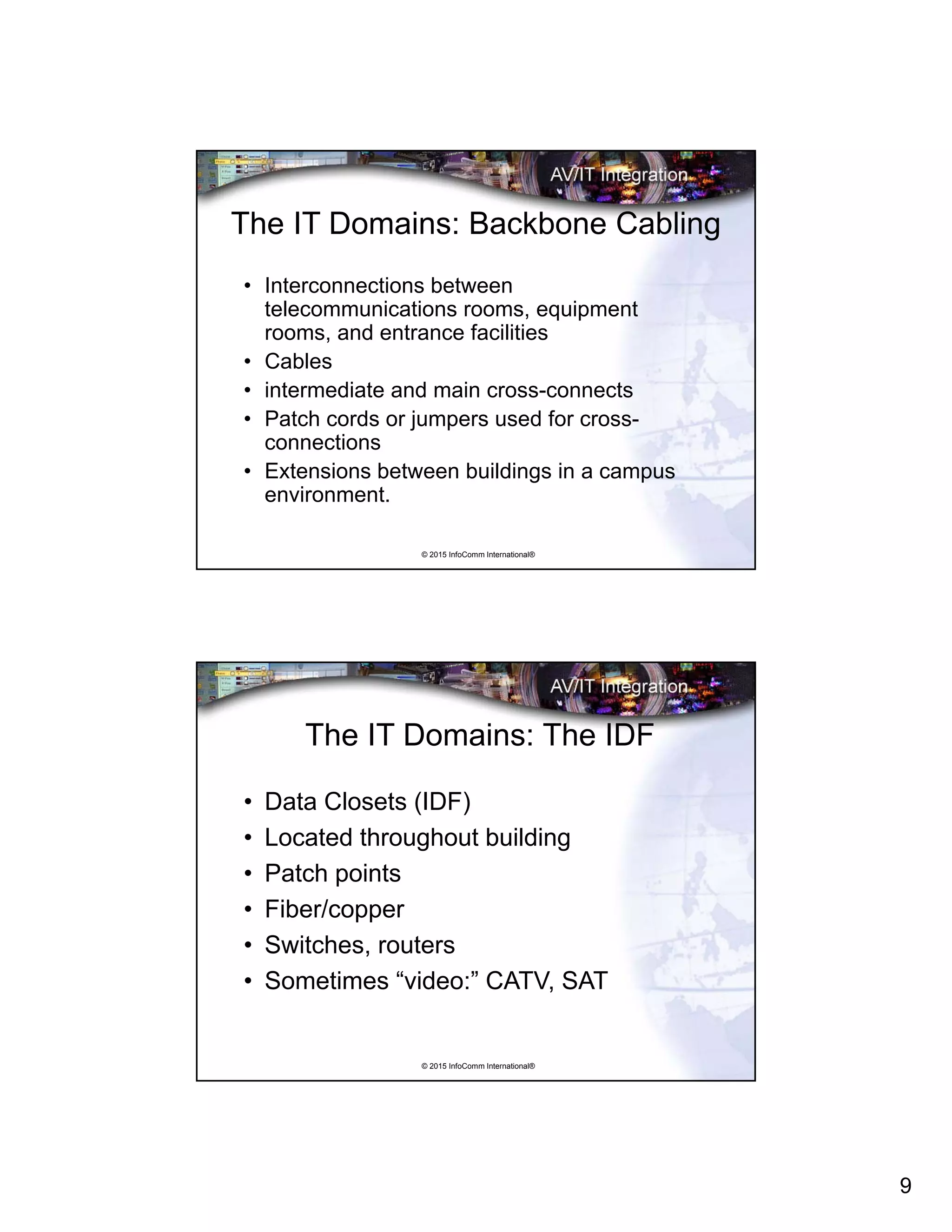
IDF Installation Example
© 2015 InfoComm International®
The IT Domains: The Information Outlet
• Data jacks
• Usually copper cabling, RJ-45 (8-pin
modular) connectors
• May be Fiber-To-The-Desktop
• Mulitple jacks in each outlet, according
to the enterprise’s standard
• “Flood” the facility
11
© 2015 InfoComm International®
Following Cabling Guidelines
• IT professionals
prefer to see all
cabling comply to
their facility
standard
• Use building
cabling or run new
cabling?
© 2015 InfoComm International®
Infrastructure Devices: Table Boxes
• Doors/pockets
• Pop-up
• Flip-up
• Custom
• Audiovisual
• Power
• Information
outlet
12
© 2015 InfoComm International®
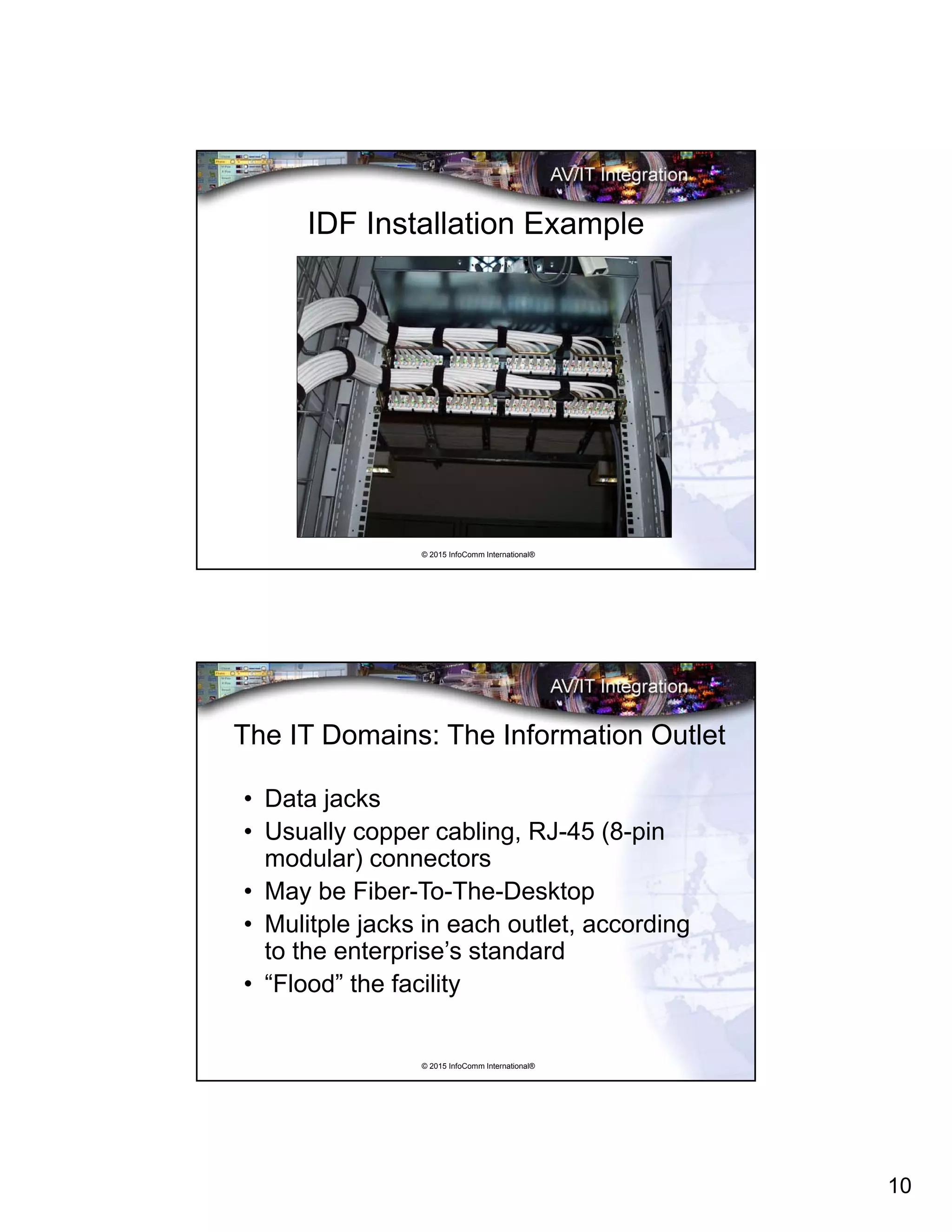
Infrastructure Devices: Structured Cabling
• Information Outlets: RJ-45
• Category 5, 5e, 6
• Fiber optic cabling
• IDF (Intermediate Data
Frame)
• MDF (Main Data Frame)
• BICSI, RCDD (Building
Industry Consulting
Service International Inc.)
© 2015 InfoComm International®
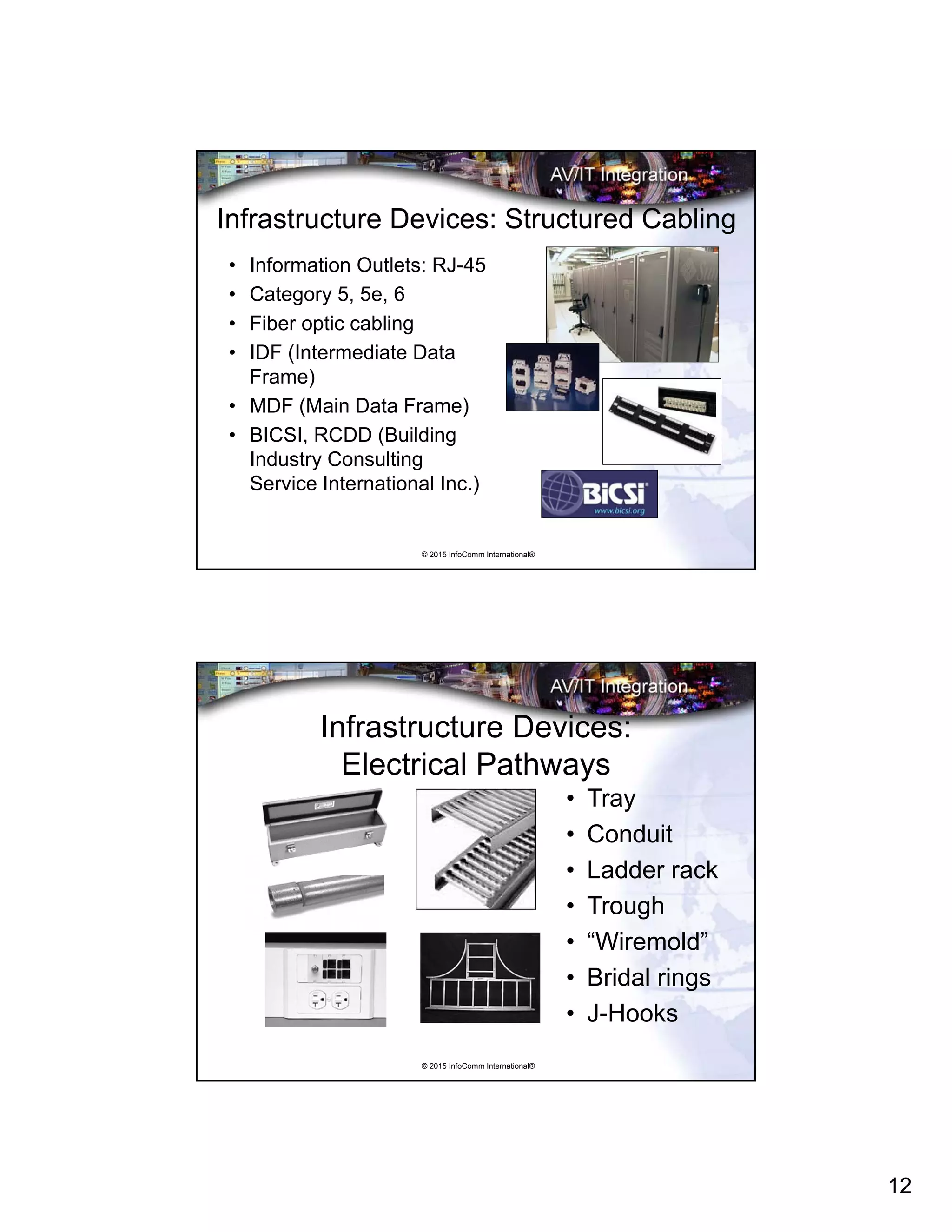
Infrastructure Devices:
Electrical Pathways
• Tray
• Conduit
• Ladder rack
• Trough
• “Wiremold”
• Bridal rings
• J-Hooks
13
© 2015 InfoComm International®
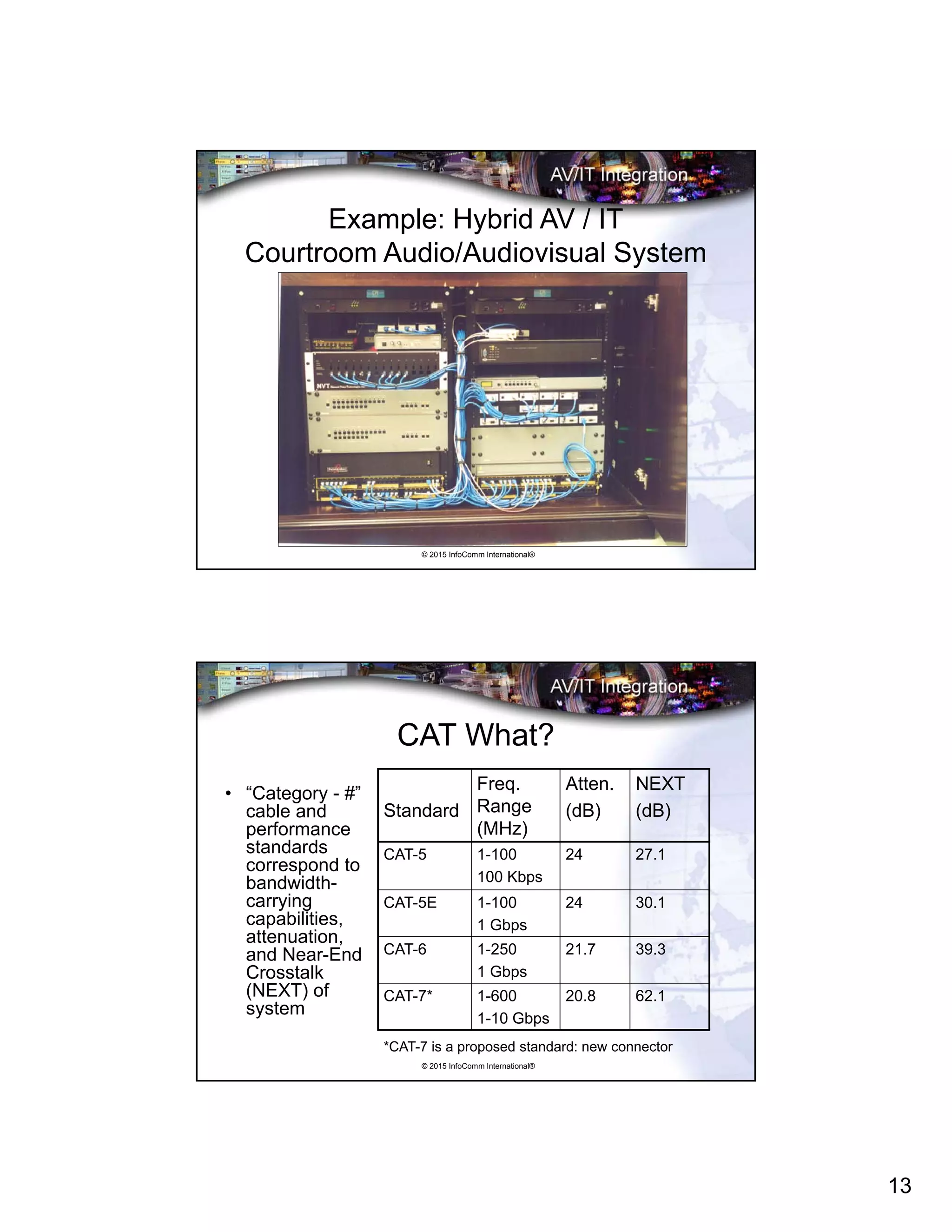
Example: Hybrid AV / IT
Courtroom Audio/Audiovisual System
© 2015 InfoComm International®
CAT What?
• “Category - #”
cable and
performance
standards
correspond to
bandwidth-
carrying
capabilities,
attenuation,
and Near-End
Crosstalk
(NEXT) of
system
Standard
Freq.
Range
(MHz)
Atten.
(dB)
NEXT
(dB)
CAT-5 1-100
100 Kbps
24 27.1
CAT-5E 1-100
1 Gbps
24 30.1
CAT-6 1-250
1 Gbps
21.7 39.3
CAT-7* 1-600
1-10 Gbps
20.8 62.1
*CAT-7 is a proposed standard: new connector
14
© 2015 InfoComm International®
IT Terminations
• Punch Blocks
• RJ-45 (8-pin modular) Connectors
• Fiber Optics
– Telephone Type
– Data Type
We will do the first two…..
© 2015 InfoComm International®
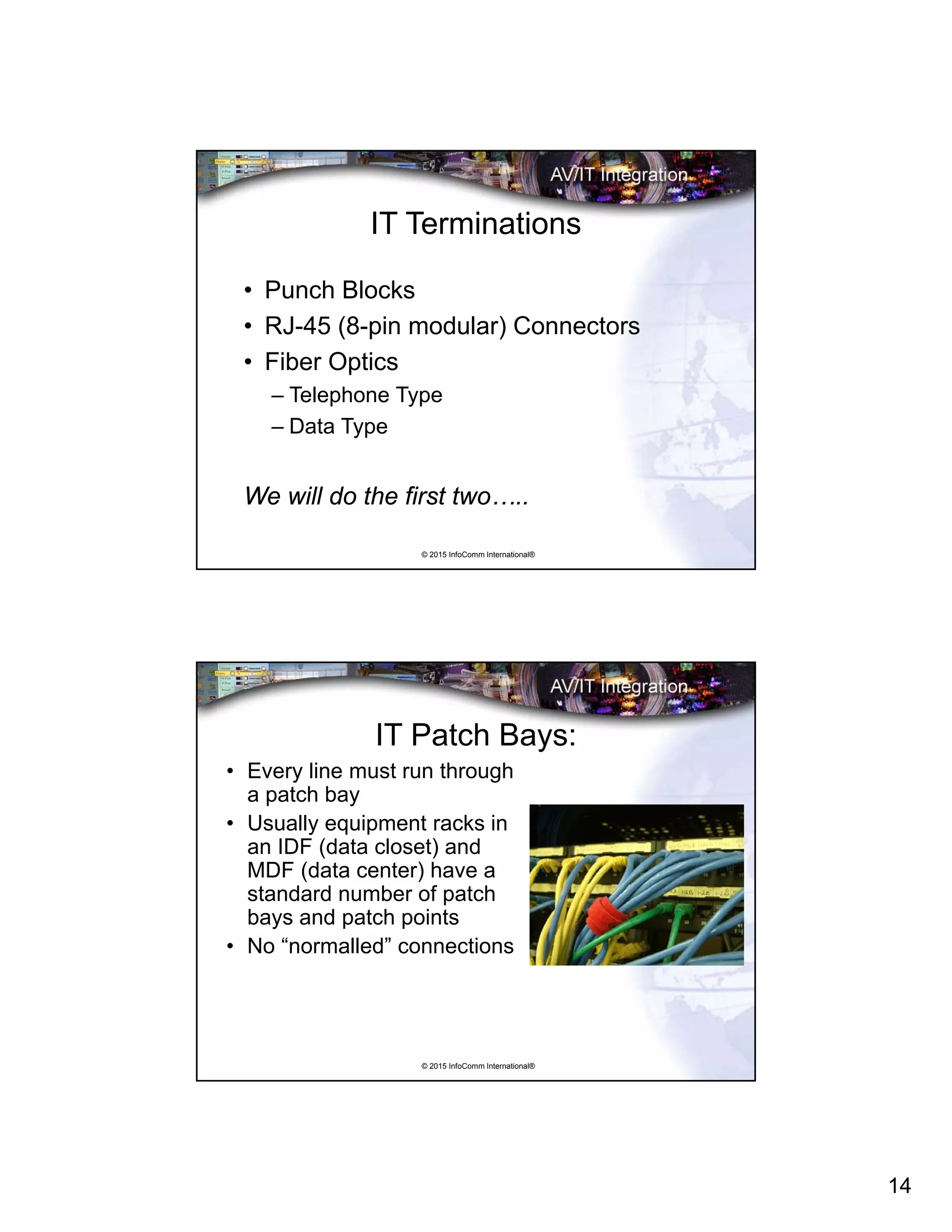
IT Patch Bays:
• Every line must run through
a patch bay
• Usually equipment racks in
an IDF (data closet) and
MDF (data center) have a
standard number of patch
bays and patch points
• No “normalled” connections
15
© 2015 InfoComm International®
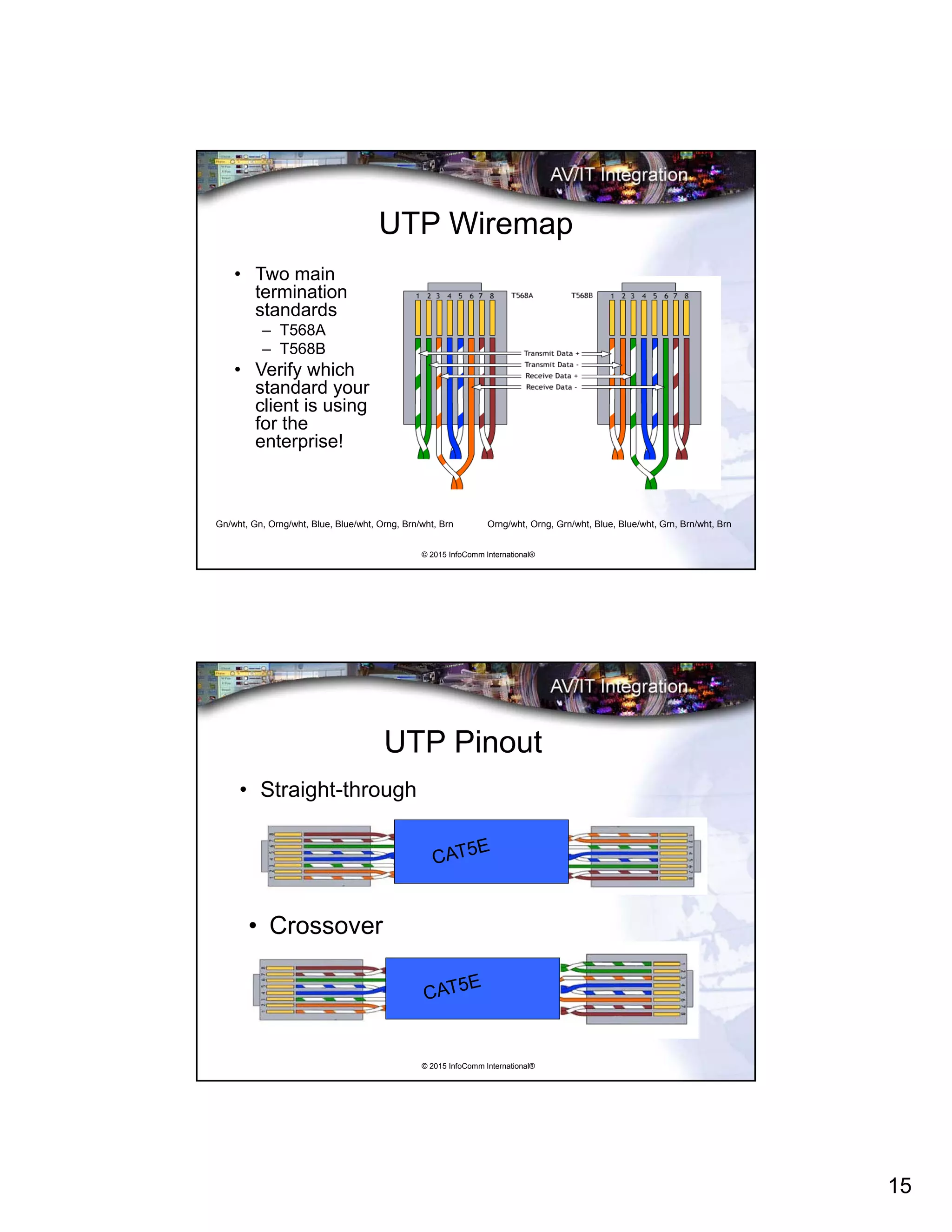
UTP Wiremap
• Two main
termination
standards
– T568A
– T568B
• Verify which
standard your
client is using
for the
enterprise!
Gn/wht, Gn, Orng/wht, Blue, Blue/wht, Orng, Brn/wht, Brn Orng/wht, Orng, Grn/wht, Blue, Blue/wht, Grn, Brn/wht, Brn
© 2015 InfoComm International®
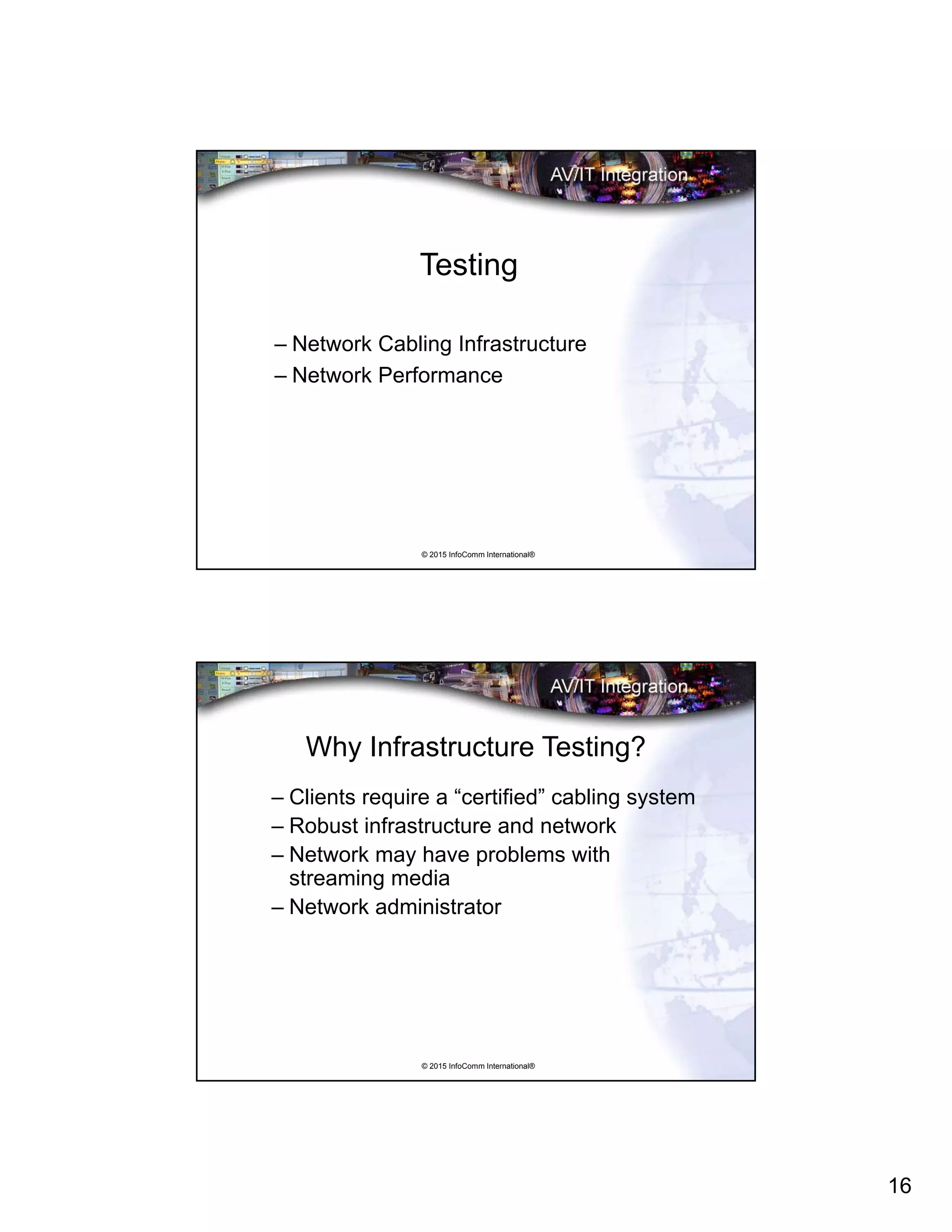
UTP Pinout
• Straight-through
• Crossover
16
© 2015 InfoComm International®
Testing
– Network Cabling Infrastructure
– Network Performance
© 2015 InfoComm International®
Why Infrastructure Testing?
– Clients require a “certified” cabling system
– Robust infrastructure and network
– Network may have problems with
streaming media
– Network administrator
17
© 2015 InfoComm International®
4 Levels of Network Testing
• Wiremap (correct “pin-out”)
– Basic Level: Cables pass signals
• Cable Verification
– Cabling conforms to basic capability standards
• Network Certification
– Network cabling conforms to bandwidth standards
– Ready to turn on active components
• Network Operation
– Identification of network components
– IP Addresses
© 2015 InfoComm International®
Network Certification
• Cabling verification PLUS:
• Performance and Speed Verification:
– Signal speed carrying specifications to 1 gigabit
– Interconnect specifications
– Quality of the signal
– Real-time testing of cable capability
– Measurement of signal quality
18
© 2015 InfoComm International®
Installation Issues
• CAT# cable maximum pull force 25 lbs.
• Do not crush cable in any way:
– Velcro cable ties
• Minimum bend radius 1” (25 mm)
• Conform to conduit/material codes
• Conform to building standards
• Alien crosstalk (AXT)
• Proximity to power sources
© 2015 InfoComm International®
Bandwidth and the Network
• Bandwidth is a range of frequencies that
passes through a system
• “Speed” of the network
• “Size of the pipe”
19
© 2015 InfoComm International®
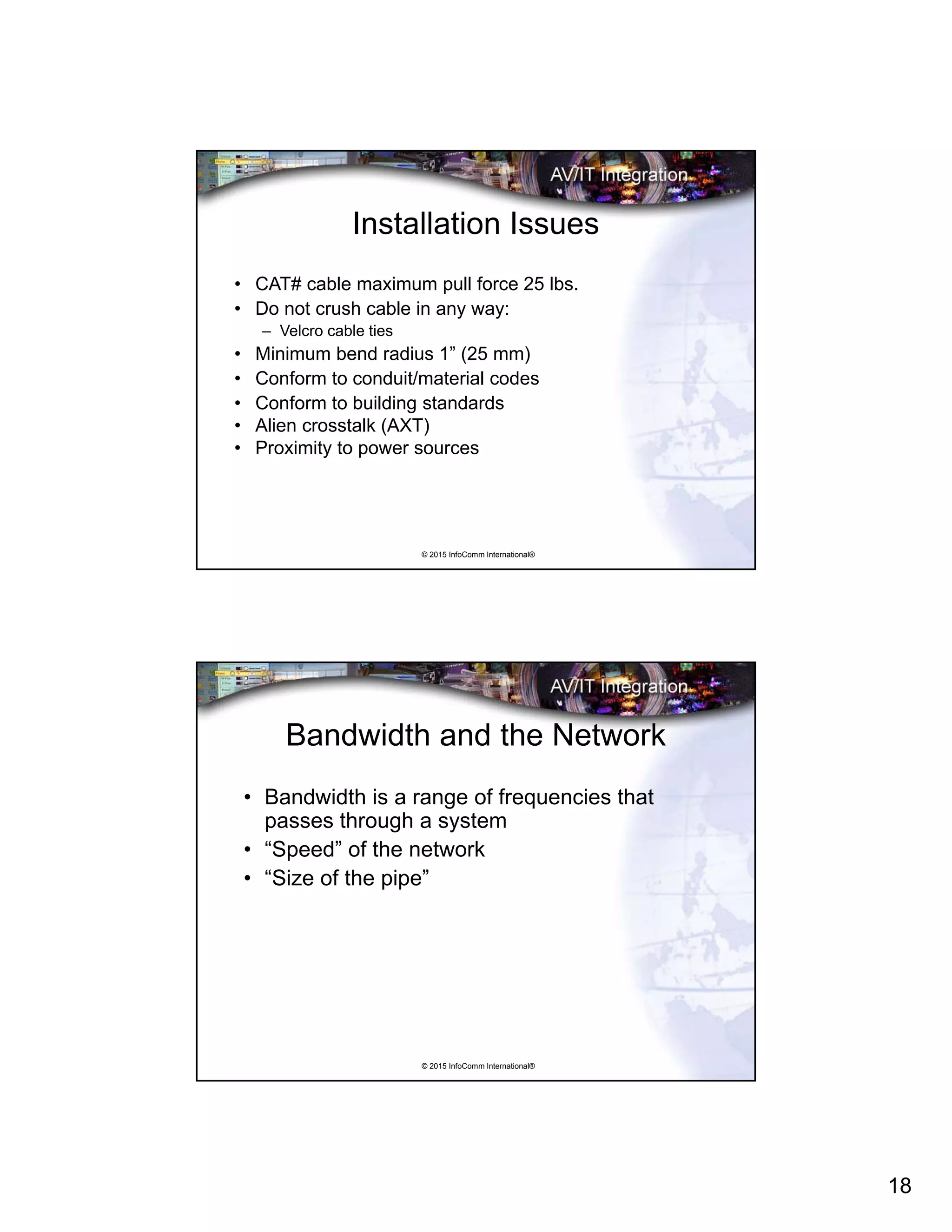
Performance PASS/FAIL
• Testers are
programmed with
performance
parameters and
indicate PASS or
FAIL
• Tester must be told
what type of cable is
being used
© 2015 InfoComm International®
20
© 2015 InfoComm International®
www.infocomm.org
+1 703.273.7200

Installation Issues for Converged AV/IT Systems

  • 1.
    1 © 2015 InfoCommInternational® Installation Issues for Converged AV/IT Systems Andre LeJeune, CTS © 2015 InfoComm International® About InfoComm Academy® • Extensive offering of audiovisual courses designed by experts and taught by AV professionals • Delivered
  • 2.
    2 © 2015 InfoCommInternational® www.infocomm.org © 2015 InfoComm International® Working with IT Professionals • Specific means of documentation • International standards (EIA, TIA, ISO, ITC, etc.) • Industry standard construction methods: – BICSI • Conservative new technology adoption • Content is mostly information; desktops • Only one or two cabling types
  • 3.
    3 © 2015 InfoCommInternational® Working with AV Professionals • Non-standard documentation • Lack of standards • Proprietary techniques • Constant new technology adoption • Content is multimedia, large rooms • Many cabling types © 2015 InfoComm International® What IT People Care About • Smooth operations – no downtime • Unified “build” of computers • Security of network • Scheduled backups • Help Desk operations
  • 4.
    4 © 2015 InfoCommInternational® Audiovisual and Network Signals • Audio: microphone, line, loudspeaker • Video: composite NTSC, PAL, SECAM • TV: Radio Frequency (RF) • HDTV: DVI, HDMI, IEEE 1394 (Firewire) • Broadcast: SDI, AES/EBU • Computer Data: RGBHV (VGA) • Control: Closures, TTL, serial, infrared (IR) • Network: Ethernet • Combinations: Proprietary © 2015 InfoComm International® Traditional Audiovisual/Control Block Diagram 6
  • 5.
    5 © 2015 InfoCommInternational® What is AV/IT Convergence and Why? • Began with multi-room control • Existing IT infrastructure • Mature digitization technologies • Videoconferencing • Inter-building audiovisual transport • Enterprise management • Consolidation of resources © 2015 InfoComm International® “Hybrid” Audiovisual/Control Block Diagram using Structured Cabling 8 8 88 8 8 8 8 8 8 8 8 6
  • 6.
    6 © 2015 InfoCommInternational® Where Are We Now with AV/IT? • Traditional audiovisual technology is very mature, very robust – but limited • “Hybrid” AV/IT systems use structured cabling but traditional AV signals • Videoconferencing, streaming media are almost all IT now • High bandwidth networks • Bottlenecks © 2015 InfoComm International® “Converged” AV/IT Block Diagram
  • 7.
    7 © 2015 InfoCommInternational® AV/IT Project Cooperation and Coordination • Unusual locations for information outlets • Floor and wallboxes, furniture connectivity • Wireless technology policies • Network segregation • IP addresses • Use of structured cabling • Firewalls © 2015 InfoComm International® The IT Domains • IT infrastructure is highly organized in standard formats: – Demarcation room – Data center – Backbone cabling – Information closets – Horizontal cabling – Information outlets
  • 8.
    8 © 2015 InfoCommInternational® The IT Domains: The Demarcation Room • Secure entry point for voice/data services to building • Sometimes redundant services • Access for service providers: – Voice/data lines (T1, E1, etc.) – Copper trunks – ISP (Internet Service Provider) – Cable television © 2015 InfoComm International® The IT Domains: The Data Center • Secure entry • Environmentally controlled • Organized: equipment racks • Uninterruptible power • Servers, routers, switches • May or may not have operations stations
  • 9.
    9 © 2015 InfoCommInternational® The IT Domains: Backbone Cabling • Interconnections between telecommunications rooms, equipment rooms, and entrance facilities • Cables • intermediate and main cross-connects • Patch cords or jumpers used for cross- connections • Extensions between buildings in a campus environment. © 2015 InfoComm International® The IT Domains: The IDF • Data Closets (IDF) • Located throughout building • Patch points • Fiber/copper • Switches, routers • Sometimes “video:” CATV, SAT
  • 10.
    10 © 2015 InfoCommInternational® IDF Installation Example © 2015 InfoComm International® The IT Domains: The Information Outlet • Data jacks • Usually copper cabling, RJ-45 (8-pin modular) connectors • May be Fiber-To-The-Desktop • Mulitple jacks in each outlet, according to the enterprise’s standard • “Flood” the facility
  • 11.
    11 © 2015 InfoCommInternational® Following Cabling Guidelines • IT professionals prefer to see all cabling comply to their facility standard • Use building cabling or run new cabling? © 2015 InfoComm International® Infrastructure Devices: Table Boxes • Doors/pockets • Pop-up • Flip-up • Custom • Audiovisual • Power • Information outlet
  • 12.
    12 © 2015 InfoCommInternational® Infrastructure Devices: Structured Cabling • Information Outlets: RJ-45 • Category 5, 5e, 6 • Fiber optic cabling • IDF (Intermediate Data Frame) • MDF (Main Data Frame) • BICSI, RCDD (Building Industry Consulting Service International Inc.) © 2015 InfoComm International® Infrastructure Devices: Electrical Pathways • Tray • Conduit • Ladder rack • Trough • “Wiremold” • Bridal rings • J-Hooks
  • 13.
    13 © 2015 InfoCommInternational® Example: Hybrid AV / IT Courtroom Audio/Audiovisual System © 2015 InfoComm International® CAT What? • “Category - #” cable and performance standards correspond to bandwidth- carrying capabilities, attenuation, and Near-End Crosstalk (NEXT) of system Standard Freq. Range (MHz) Atten. (dB) NEXT (dB) CAT-5 1-100 100 Kbps 24 27.1 CAT-5E 1-100 1 Gbps 24 30.1 CAT-6 1-250 1 Gbps 21.7 39.3 CAT-7* 1-600 1-10 Gbps 20.8 62.1 *CAT-7 is a proposed standard: new connector
  • 14.
    14 © 2015 InfoCommInternational® IT Terminations • Punch Blocks • RJ-45 (8-pin modular) Connectors • Fiber Optics – Telephone Type – Data Type We will do the first two….. © 2015 InfoComm International® IT Patch Bays: • Every line must run through a patch bay • Usually equipment racks in an IDF (data closet) and MDF (data center) have a standard number of patch bays and patch points • No “normalled” connections
  • 15.
    15 © 2015 InfoCommInternational® UTP Wiremap • Two main termination standards – T568A – T568B • Verify which standard your client is using for the enterprise! Gn/wht, Gn, Orng/wht, Blue, Blue/wht, Orng, Brn/wht, Brn Orng/wht, Orng, Grn/wht, Blue, Blue/wht, Grn, Brn/wht, Brn © 2015 InfoComm International® UTP Pinout • Straight-through • Crossover
  • 16.
    16 © 2015 InfoCommInternational® Testing – Network Cabling Infrastructure – Network Performance © 2015 InfoComm International® Why Infrastructure Testing? – Clients require a “certified” cabling system – Robust infrastructure and network – Network may have problems with streaming media – Network administrator
  • 17.
    17 © 2015 InfoCommInternational® 4 Levels of Network Testing • Wiremap (correct “pin-out”) – Basic Level: Cables pass signals • Cable Verification – Cabling conforms to basic capability standards • Network Certification – Network cabling conforms to bandwidth standards – Ready to turn on active components • Network Operation – Identification of network components – IP Addresses © 2015 InfoComm International® Network Certification • Cabling verification PLUS: • Performance and Speed Verification: – Signal speed carrying specifications to 1 gigabit – Interconnect specifications – Quality of the signal – Real-time testing of cable capability – Measurement of signal quality
  • 18.
    18 © 2015 InfoCommInternational® Installation Issues • CAT# cable maximum pull force 25 lbs. • Do not crush cable in any way: – Velcro cable ties • Minimum bend radius 1” (25 mm) • Conform to conduit/material codes • Conform to building standards • Alien crosstalk (AXT) • Proximity to power sources © 2015 InfoComm International® Bandwidth and the Network • Bandwidth is a range of frequencies that passes through a system • “Speed” of the network • “Size of the pipe”
  • 19.
    19 © 2015 InfoCommInternational® Performance PASS/FAIL • Testers are programmed with performance parameters and indicate PASS or FAIL • Tester must be told what type of cable is being used © 2015 InfoComm International®
  • 20.
    20 © 2015 InfoCommInternational® www.infocomm.org +1 703.273.7200