
DIGITAL SIGNAGE CONTENT STRATEGIES FOR
SAVVY INTEGRATORS
J I M N I STA
SE N I O R DI R E CTO R O F CO N TE N T CR E ATI ON SE RVI CE S
A LM O PR O AV
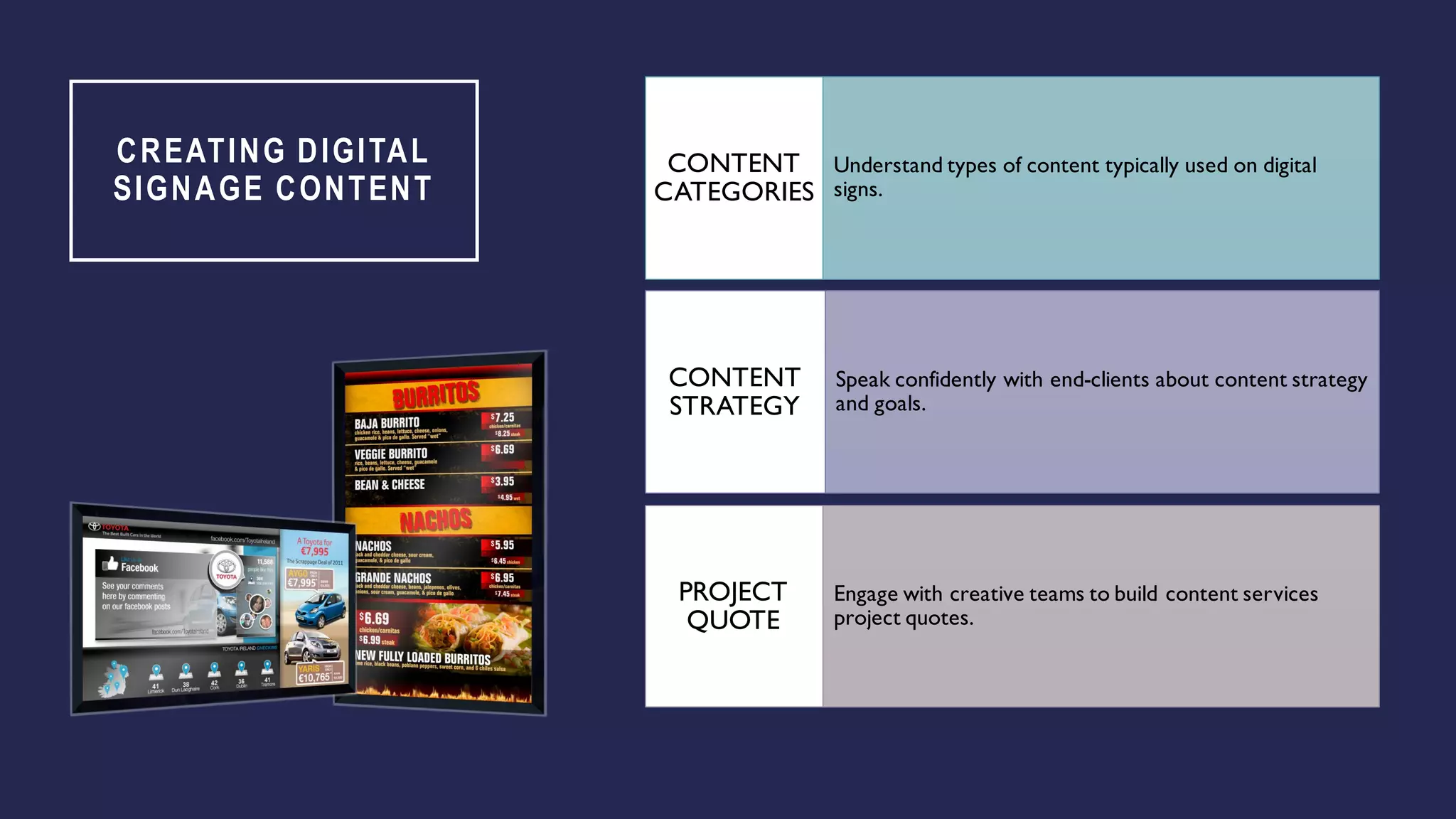
CREATING DIGITAL
SIGNAGE CONTENT
Understand types of content typically used on digital
signs.
CONTENT
CATEGORIES
Speak confidently with end-clients about content strategy
and goals.
CONTENT
STRATEGY
Engage with creative teams to build content services
project quotes.
PROJECT
QUOTE
ABOUT ME
• Involved in very early Digital Publishing / Graphic Design. Using Adobe software for
30 years.
• Programming, Creative Production, Design, and Animation.
• Awards for TV commercials, Animation, Game Design, Graphic Design, Web
Development and Digital Signage.
• Started own Digital Marketing firm in 2002
• Converted to Digital Signage in 2008
• 11 DSE / APEX Awards since 2009
• Teamed up with Almo in 2018
CREATIVE AND DEVELOPMENT
We’re the leader in
dynamic data-driven
HTML5 content.
We develop content
connections to remote
databases and APIs to
automate content
updates.
We produce videos –
motion graphics, filming
and editing in HD, 4k
or Ultra 4k.
IT’S ABOUT ‘THE CONTENT’
My biggest gripe is when
industry people say 'The
Content’ – without taking
the time to understand what
content is.
1
Clients DO NOT BUY
technology because they like
spending money. They invest
to communicate to their
viewers - to sell more
products, inform guests, educate
their employees.
2
‘The Content’ is creative,
programming, animation and
graphics which communicates to
viewers. ‘The Content’ is why
we are here! Not because of
technology.
3
YOUR 3 STEPS TO SELL CONTENT SERVICES
Categorize it
“What’s are you using this
sign for?”
1
Strategize it
“What’s your goal with
this screen?”
2
Quote it
“Can your do this
yourself?What’s your
budget?”
3
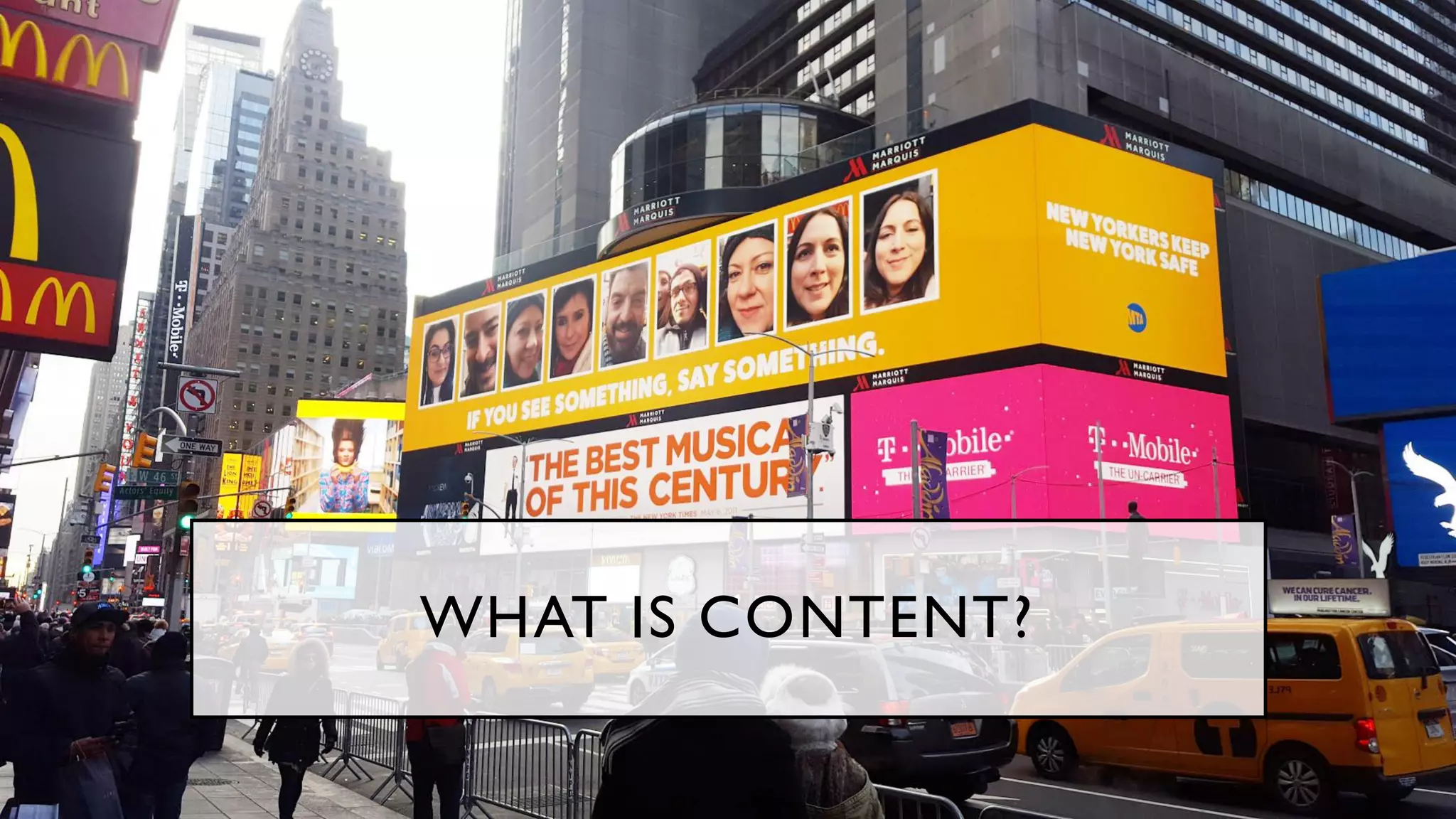
WHAT IS CONTENT?
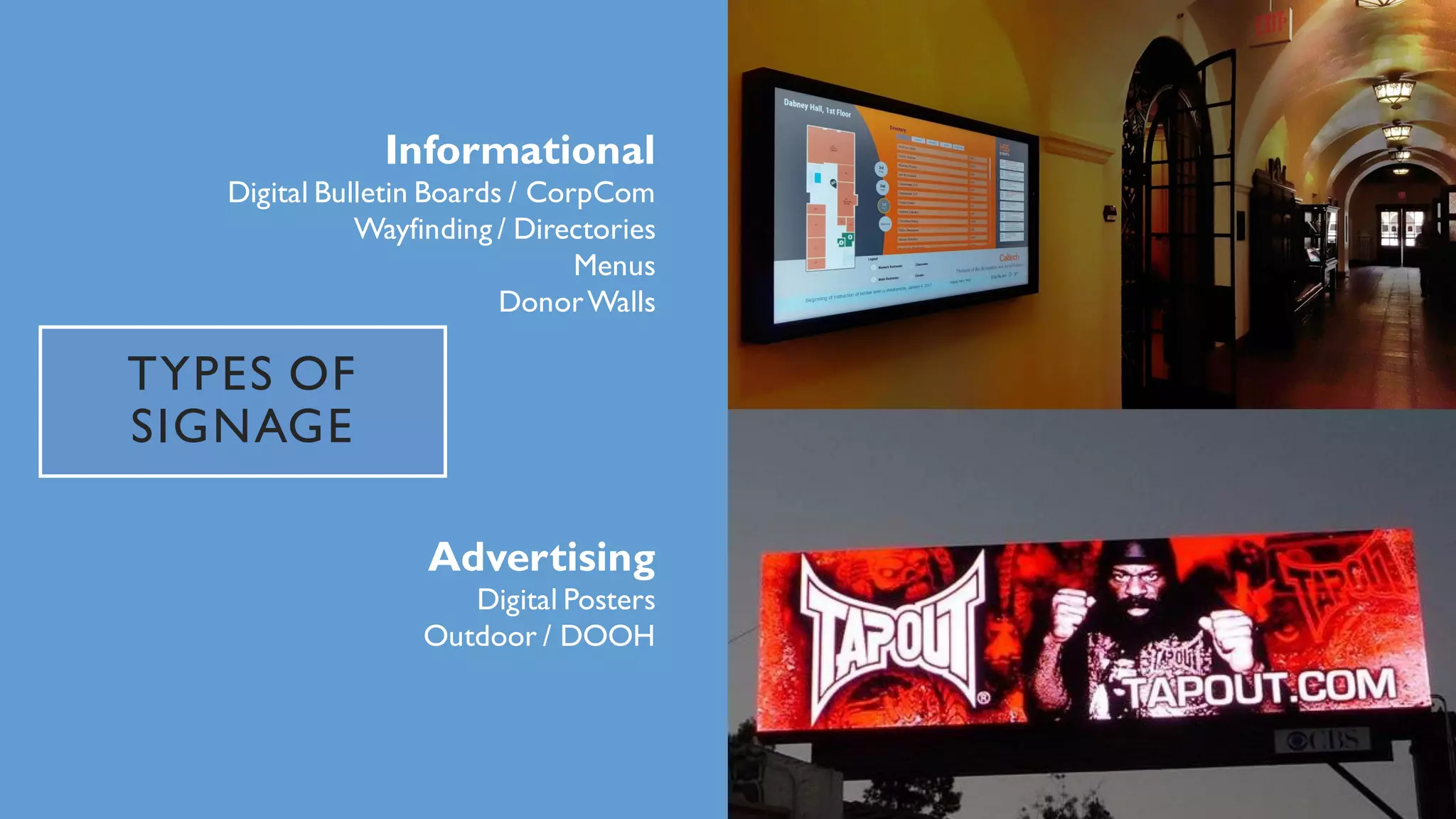
TYPES OF
SIGNAGE
Informational
Digital Bulletin Boards / CorpCom
Wayfinding / Directories
Menus
DonorWalls
Advertising
Digital Posters
Outdoor / DOOH
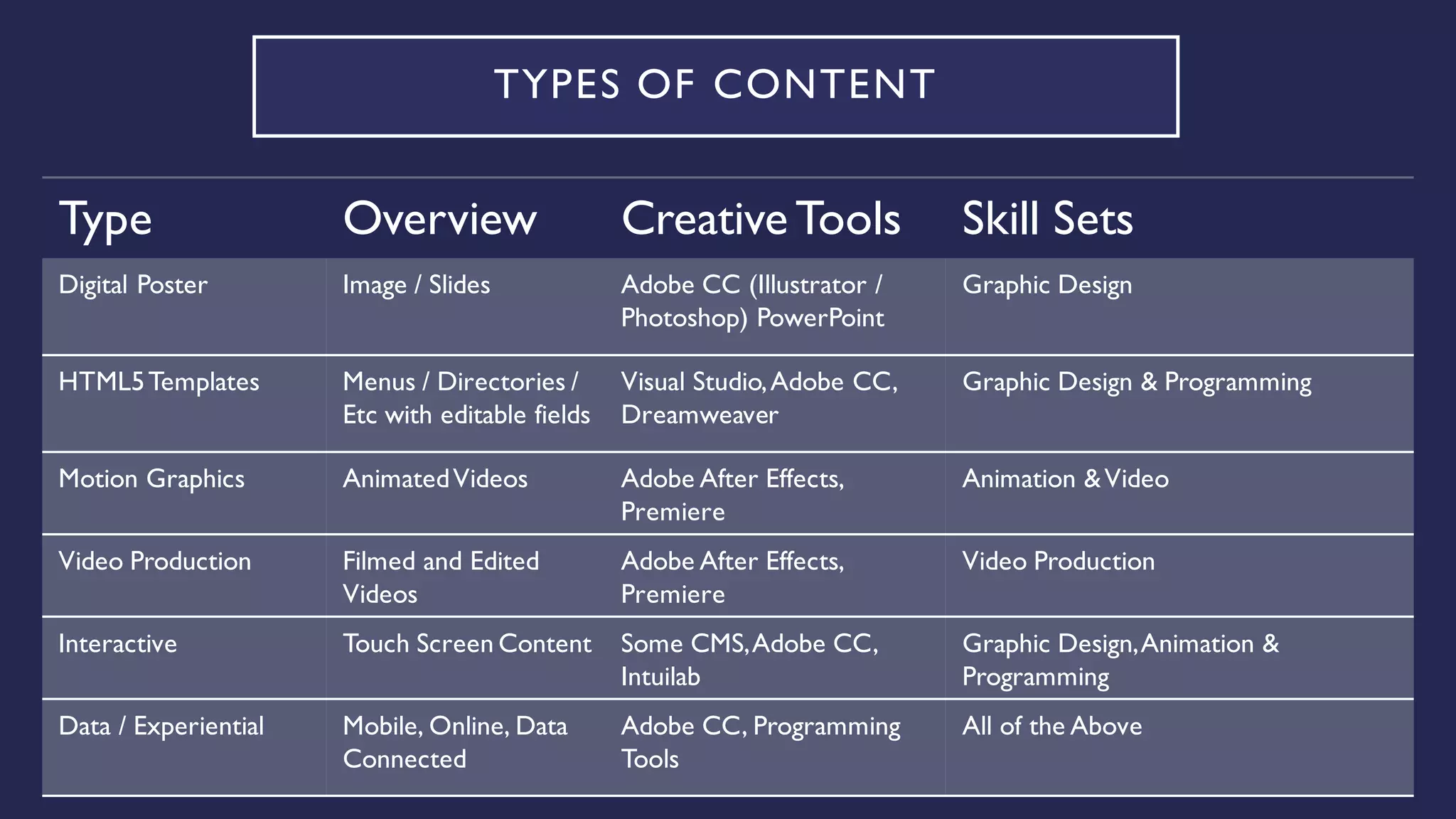
TYPES OF CONTENT
Type Overview CreativeTools Skill Sets
Digital Poster Image / Slides Adobe CC (Illustrator /
Photoshop) PowerPoint
Graphic Design
HTML5Templates Menus / Directories /
Etc with editable fields
Visual Studio,Adobe CC,
Dreamweaver
Graphic Design & Programming
Motion Graphics AnimatedVideos Adobe After Effects,
Premiere
Animation &Video
Video Production Filmed and Edited
Videos
Adobe After Effects,
Premiere
Video Production
Interactive Touch Screen Content Some CMS,Adobe CC,
Intuilab
Graphic Design,Animation &
Programming
Data / Experiential Mobile, Online, Data
Connected
Adobe CC, Programming
Tools
All of the Above
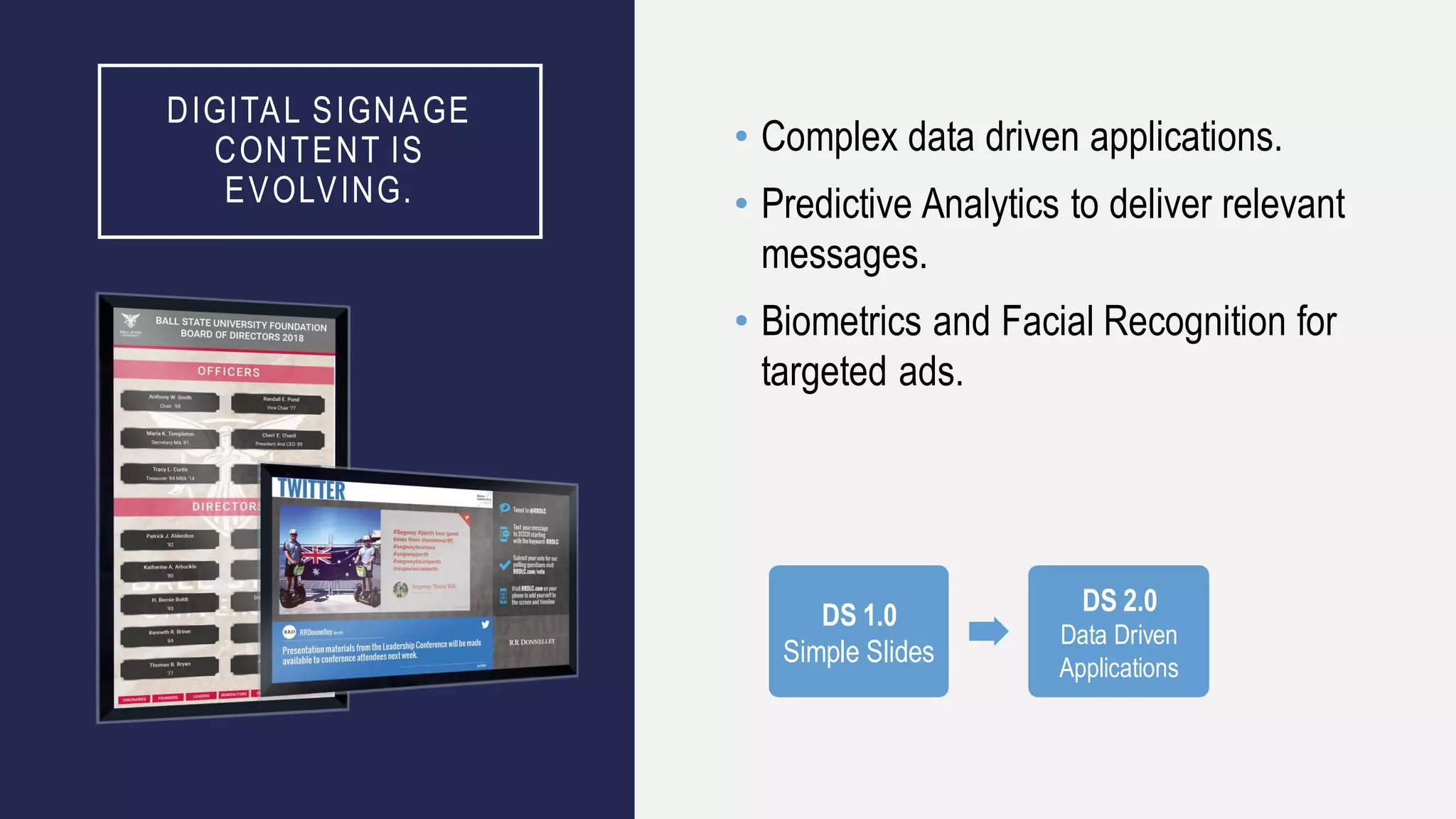
DIGITAL SIGNAGE
CONTENT IS
EVOLVING.
• Complex data driven applications.
• Predictive Analytics to deliver relevant
messages.
• Biometrics and Facial Recognition for
targeted ads.
DS 1.0
Simple Slides
DS 2.0
Data Driven
Applications
DO IT YOURSELF?
• The key word is in Content Management System is “Management” not “Creation”
• Some Content Management Systems (CMS) may have basic content creation tools.
Some have basic touch content creation.
• Professional Agencies rarely create content within a CMS.
• New-hire employees have never seen these tools.
• Too many CMS’s – too limited design capabilities.
• Tools within Adobe Creative Cloud are well understood and very advanced.
• PowerPoint is okay for basic creative, but isn’t a long term strategy.
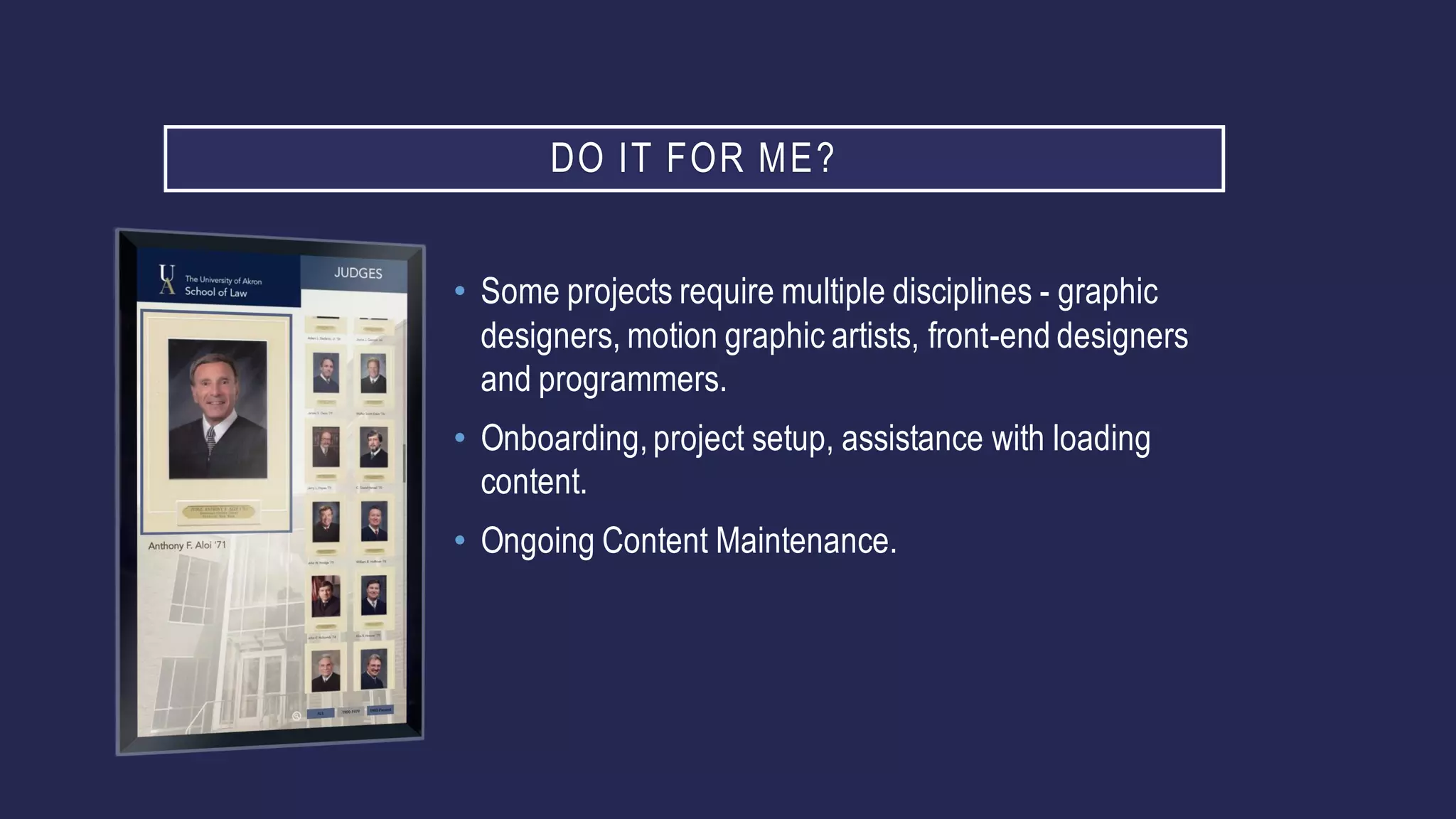
DO IT FOR ME?
• Some projects require multiple disciplines - graphic
designers, motion graphic artists, front-end designers
and programmers.
• Onboarding,project setup, assistance with loading
content.
• Ongoing Content Maintenance.
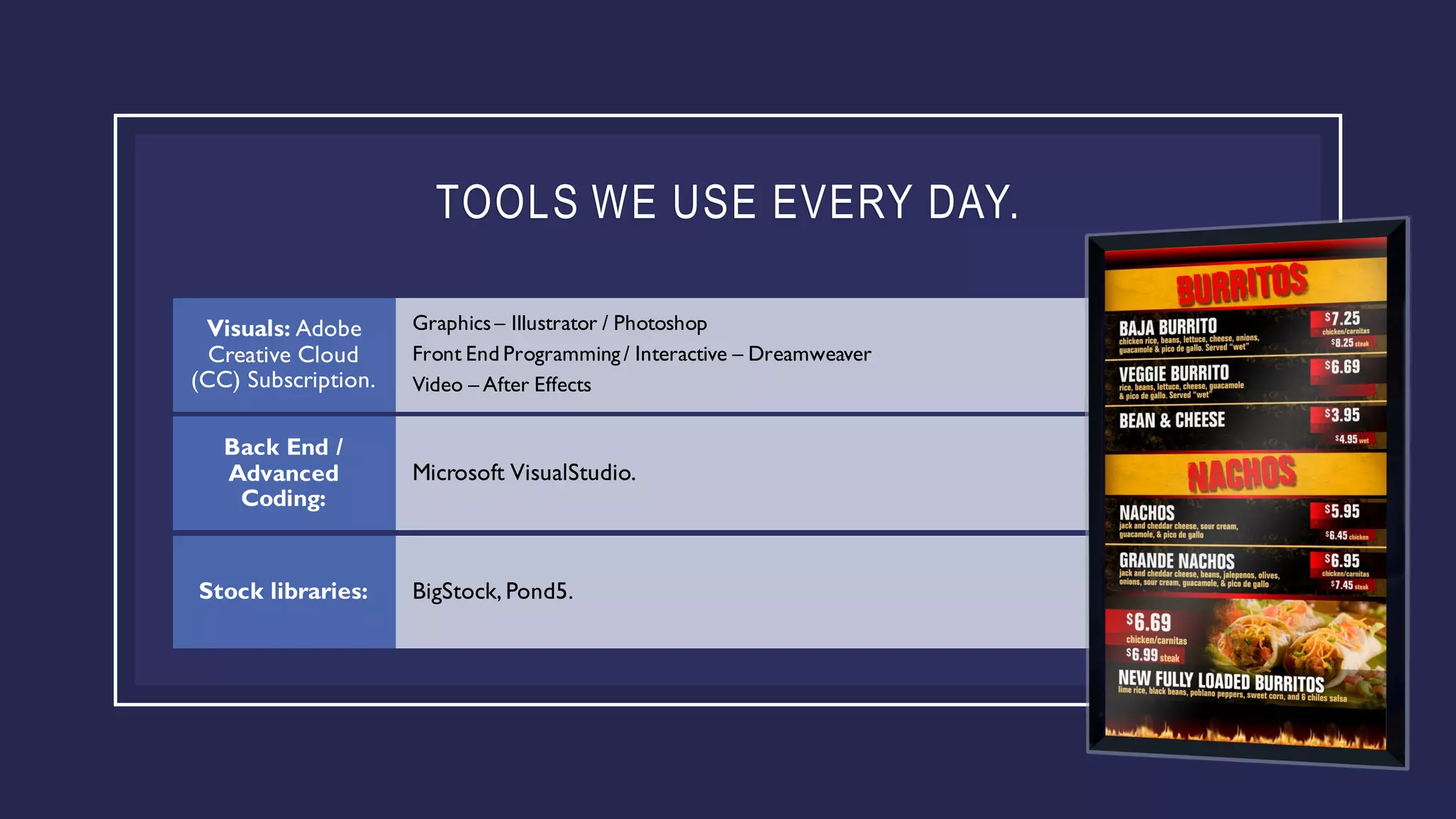
TOOLS WE USE EVERY DAY.
Graphics– Illustrator / Photoshop
Front End Programming / Interactive – Dreamweaver
Video – After Effects
Visuals: Adobe
Creative Cloud
(CC) Subscription.
Microsoft VisualStudio.
Back End /
Advanced
Coding:
BigStock, Pond5.Stock libraries:
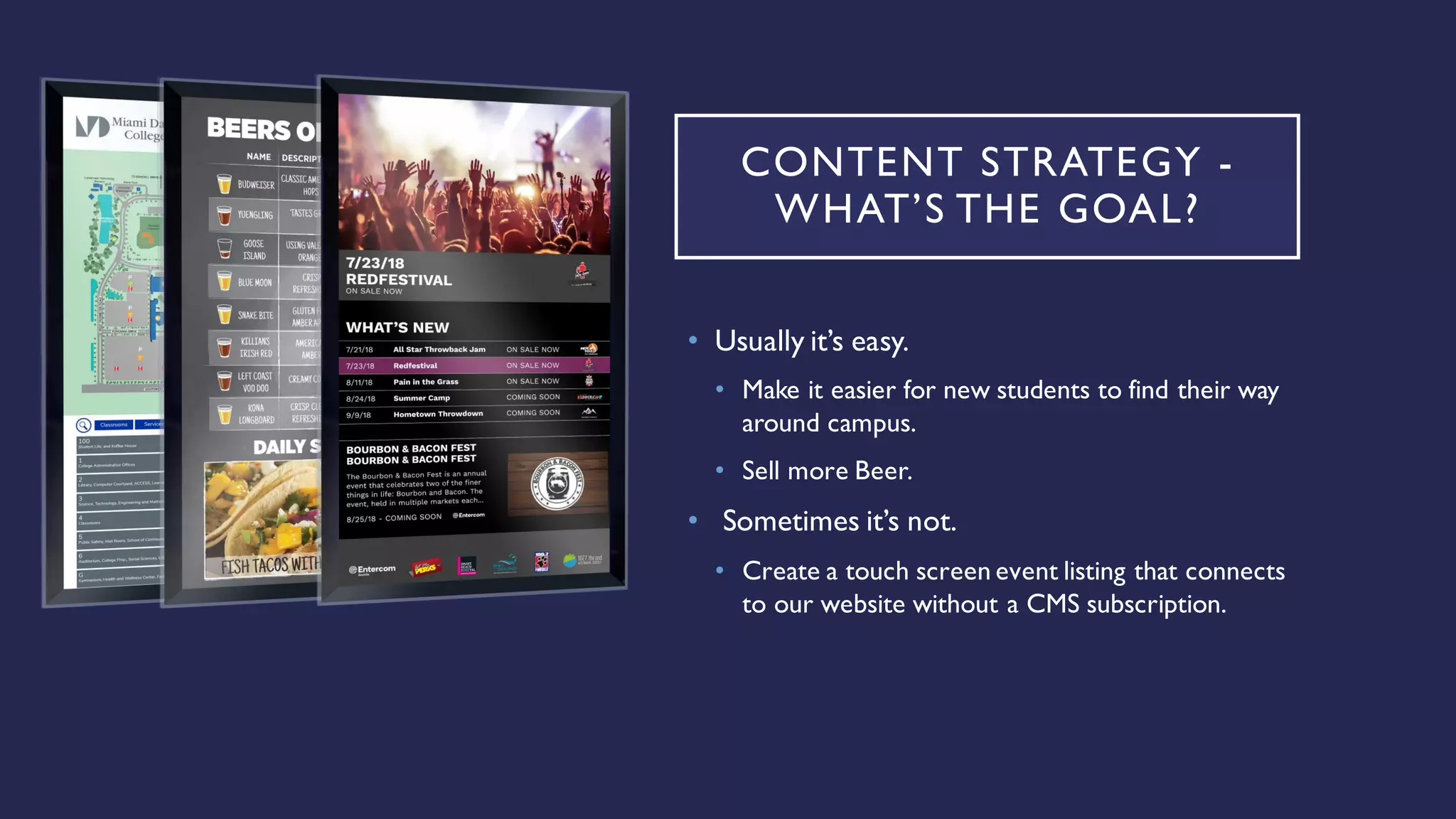
CONTENT STRATEGY -
WHAT’S THE GOAL?
• Usually it’s easy.
• Make it easier for new students to find their way
around campus.
• Sell more Beer.
• Sometimes it’s not.
• Create a touch screen event listing that connects
to our website without a CMS subscription.
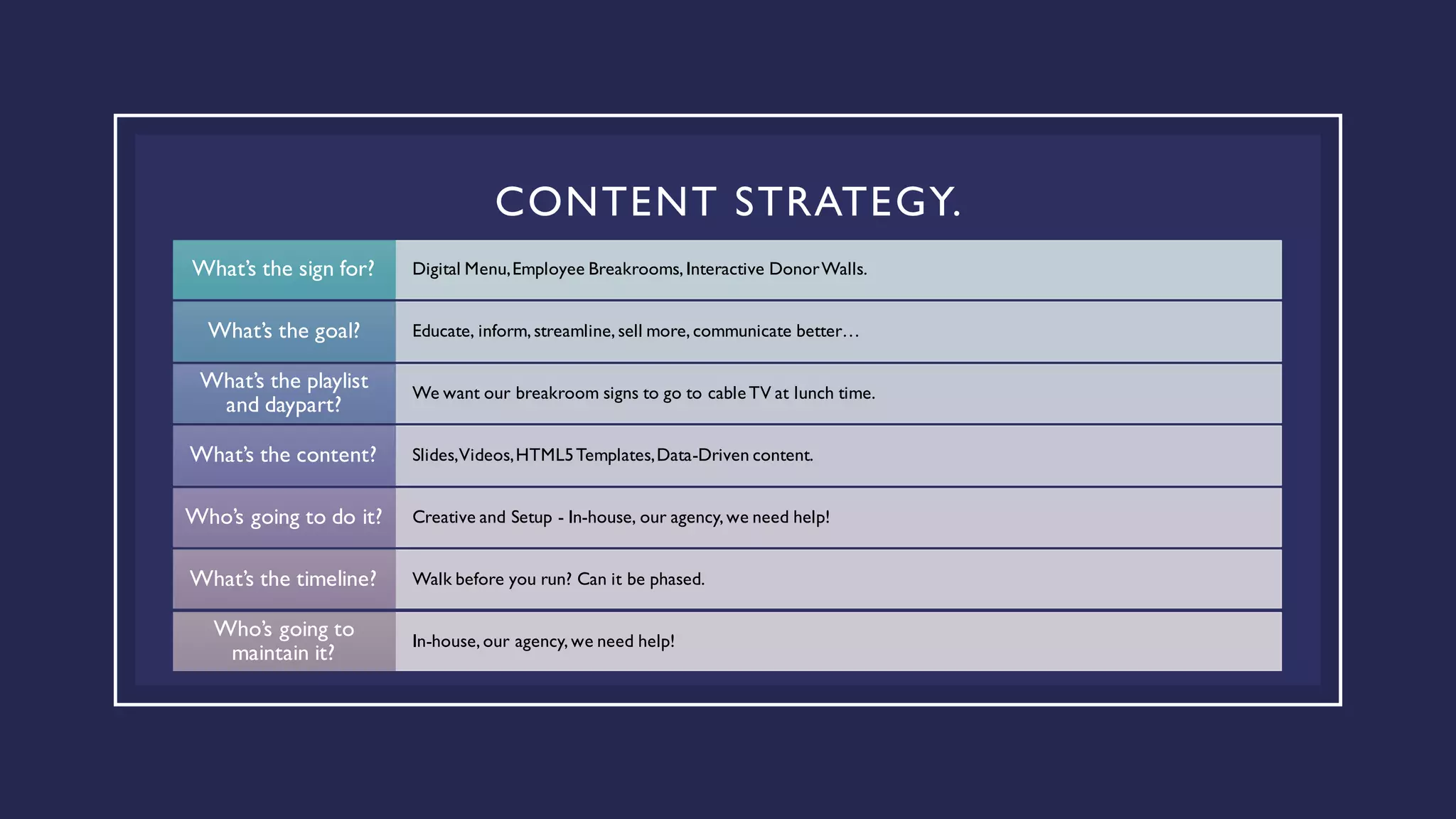
CONTENT STRATEGY.
Digital Menu,Employee Breakrooms, Interactive DonorWalls.What’s the sign for?
Educate, inform, streamline, sell more, communicate better…What’s the goal?
We want our breakroom signs to go to cableTV at lunch time.
What’s the playlist
and daypart?
Slides,Videos,HTML5Templates,Data-Driven content.What’s the content?
Creative and Setup - In-house, our agency, we need help!Who’s going to do it?
Walk before you run? Can it be phased.What’s the timeline?
In-house, our agency, we need help!
Who’s going to
maintain it?
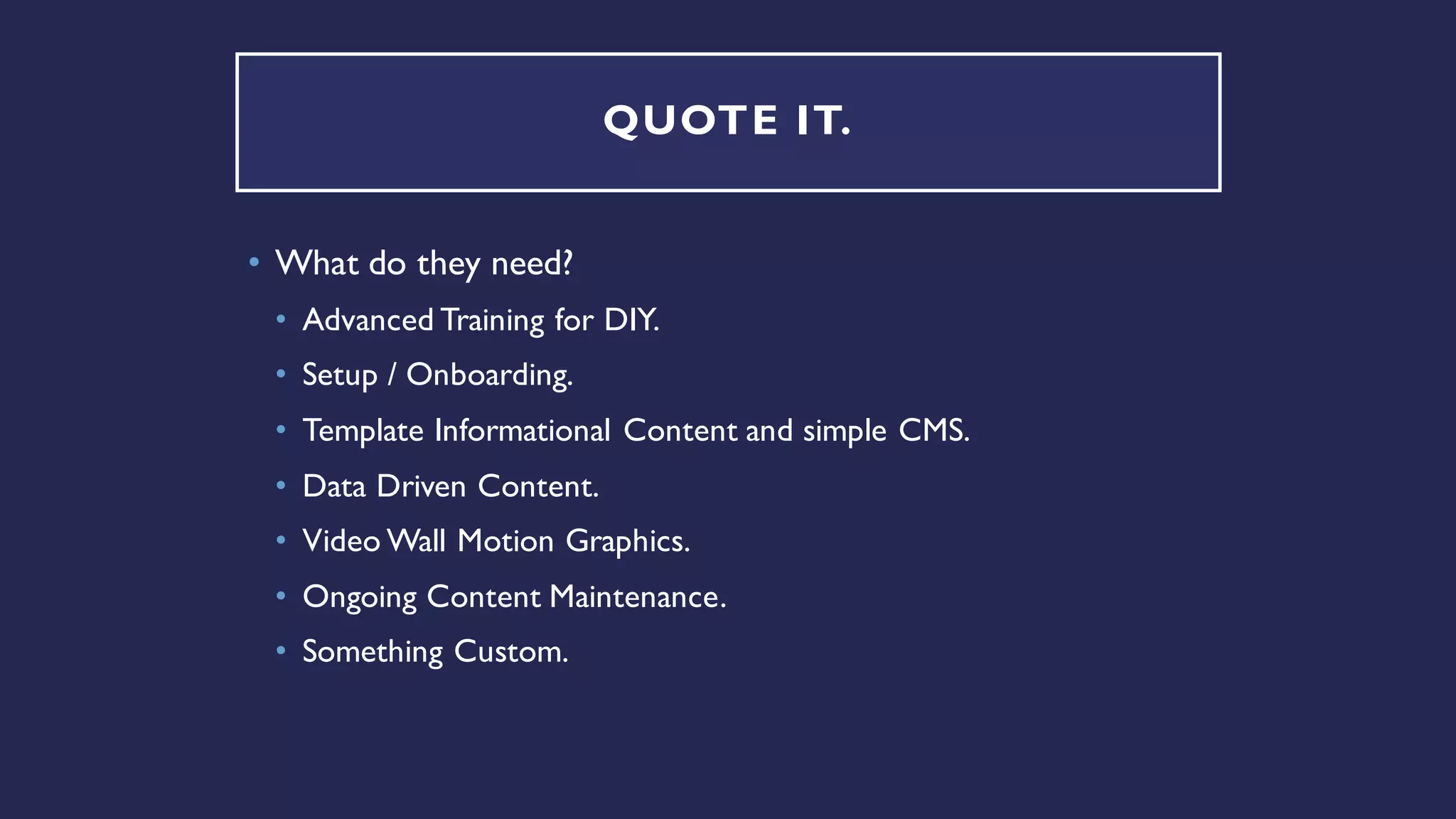
QUOTE IT.
• What do they need?
• Advanced Training for DIY.
• Setup / Onboarding.
• Template Informational Content and simple CMS.
• Data Driven Content.
• Video Wall Motion Graphics.
• Ongoing Content Maintenance.
• Something Custom.
WHAT’S THE ONE THING EVERY DIGITAL
SIGN HAS?
• Ask “What’s this for?” every time - and then follow-up with “Who’s
doing the Content?*” every time!
• * or Setup, Programming, Maintenance, Training, Support.
• If they have a “Graphic Designer” talk about your Digital Signage
Federation award winning team. Ask if that person has done DS
before, or has time.
• If they mention complex situations, get them a quote.
• They still want DIY content - train or support them!
• It costs nothing to get them a competitive bid.
• Win more by quoting more.
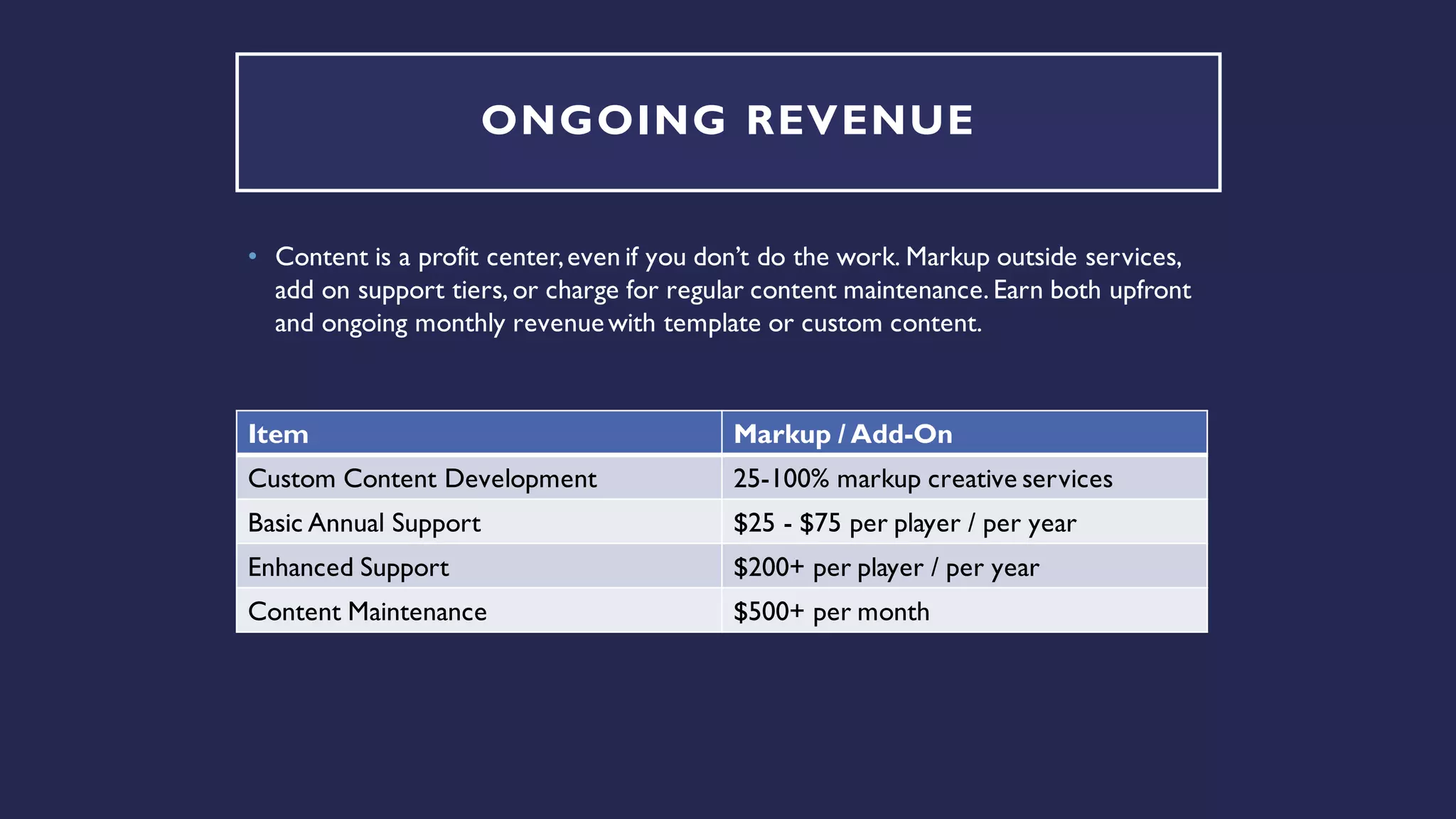
ONGOING REVENUE
• Content is a profit center,even if you don’t do the work. Markup outside services,
add on support tiers, or charge for regular content maintenance. Earn both upfront
and ongoing monthly revenuewith template or custom content.
Item Markup / Add-On
Custom Content Development 25-100% markup creative services
Basic Annual Support $25 - $75 per player / per year
Enhanced Support $200+ per player / per year
Content Maintenance $500+ per month
OUR SALES PROCESS
• Integrator gets us a questionnaire filled out which as much detail as
possible.
• We categorize the project – Training, Onboarding,Templates, etc.
• We jump on pre-sales call with the client if needed to fill in any gaps.
• We return a proposal ASAP.
• Prior to starting we will send links to our portfolio, questionnaire
and partner sales overview which describes the sales process in
more detail.
• On winning the project, we schedule a kick-off call and assign a
dedicated project manager.
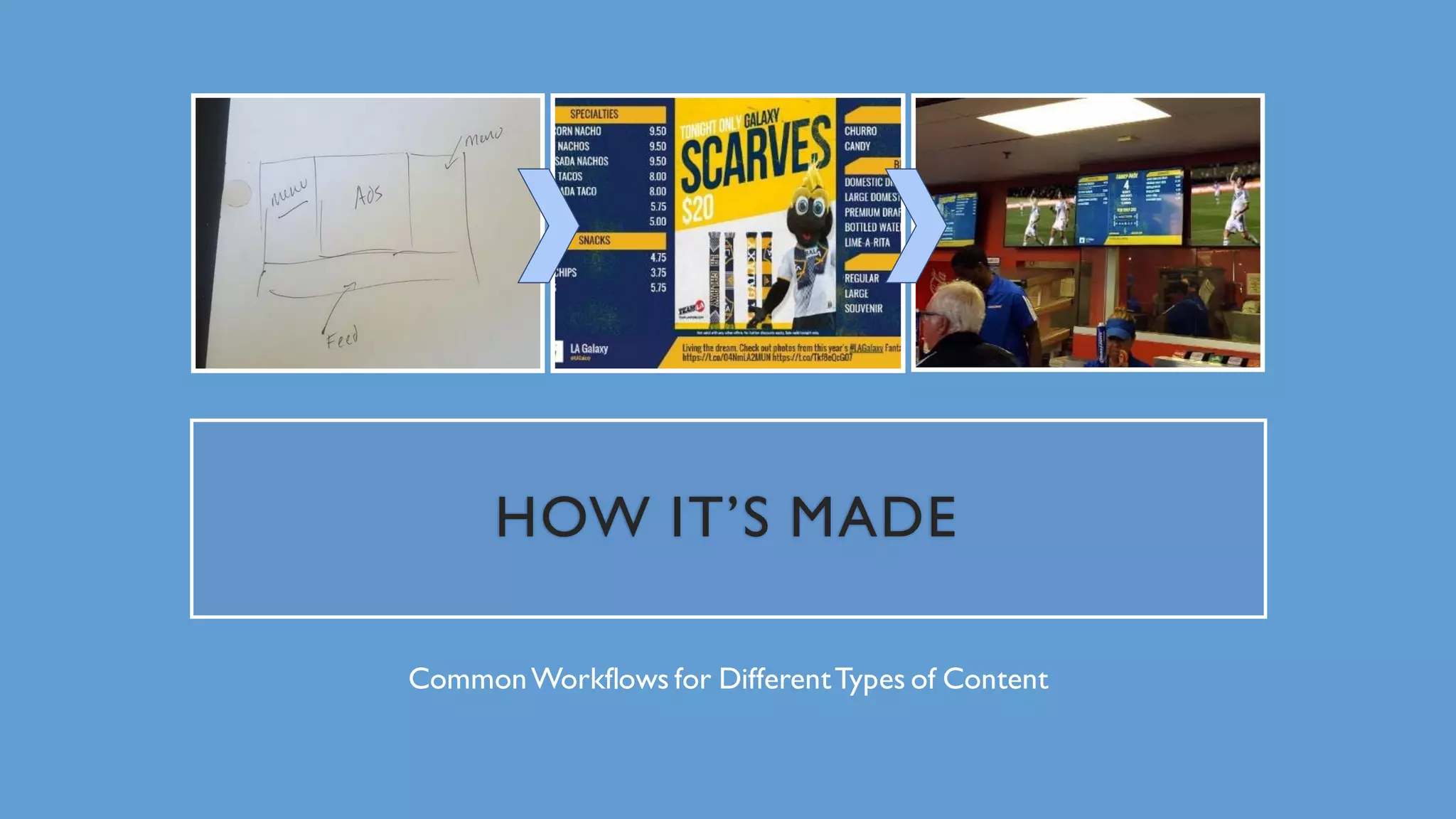
HOW IT’S MADE
CommonWorkflows for DifferentTypes of Content
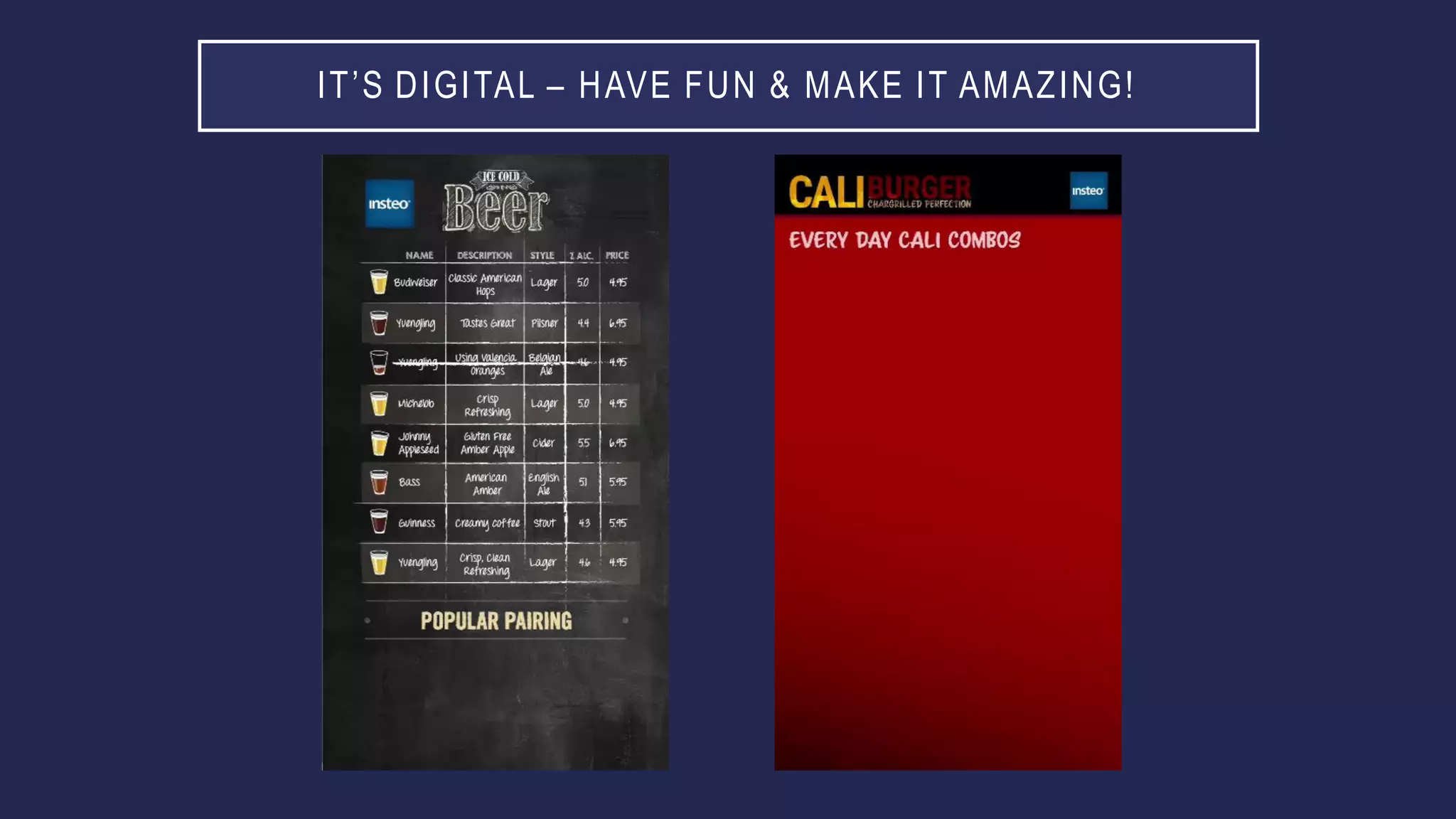
IT’S DIGITAL – HAVE FUN & MAKE IT AMAZING!
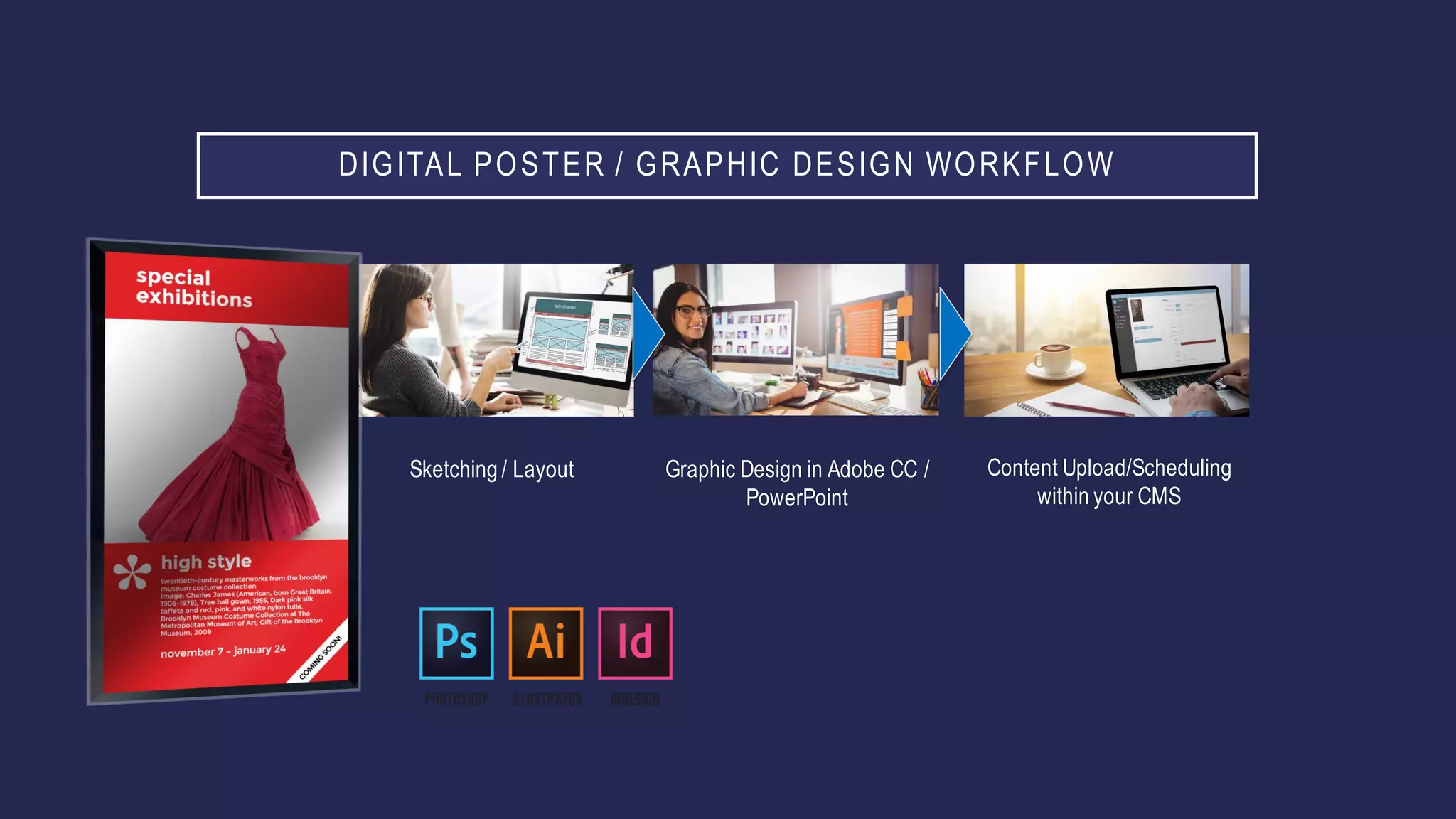
DIGITAL POSTER / GRAPHIC DESIGN WORKFLOW
Sketching / Layout Graphic Design in Adobe CC /
PowerPoint
Content Upload/Scheduling
within your CMS
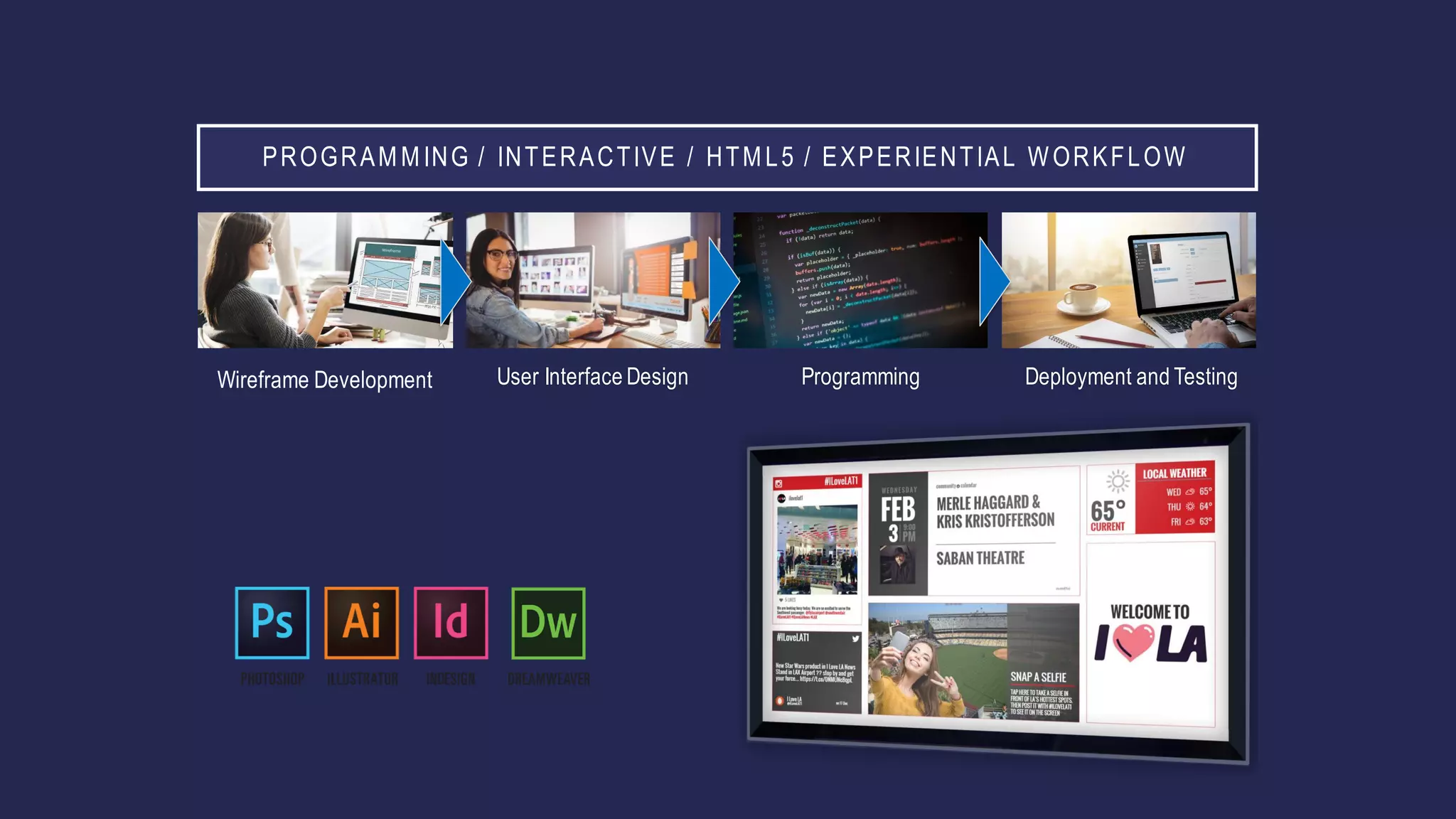
PROGRAMMING / INTERACTIVE / HTML5 / EXPERIENTIAL WORKFLOW
Wireframe Development User Interface Design Programming Deployment and Testing
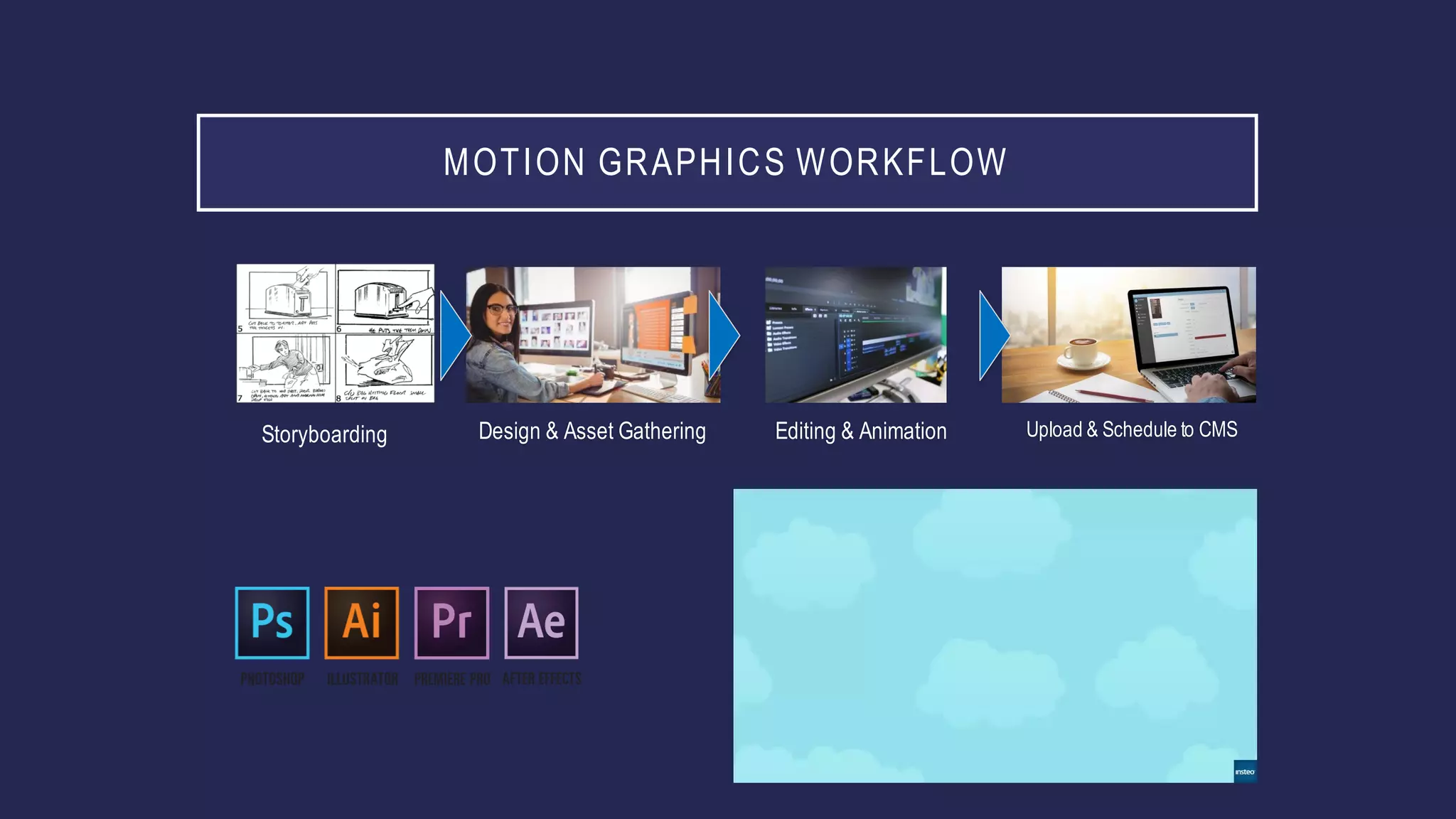
MOTION GRAPHICS WORKFLOW
Storyboarding Design & Asset Gathering Editing & Animation Upload & Schedule to CMS
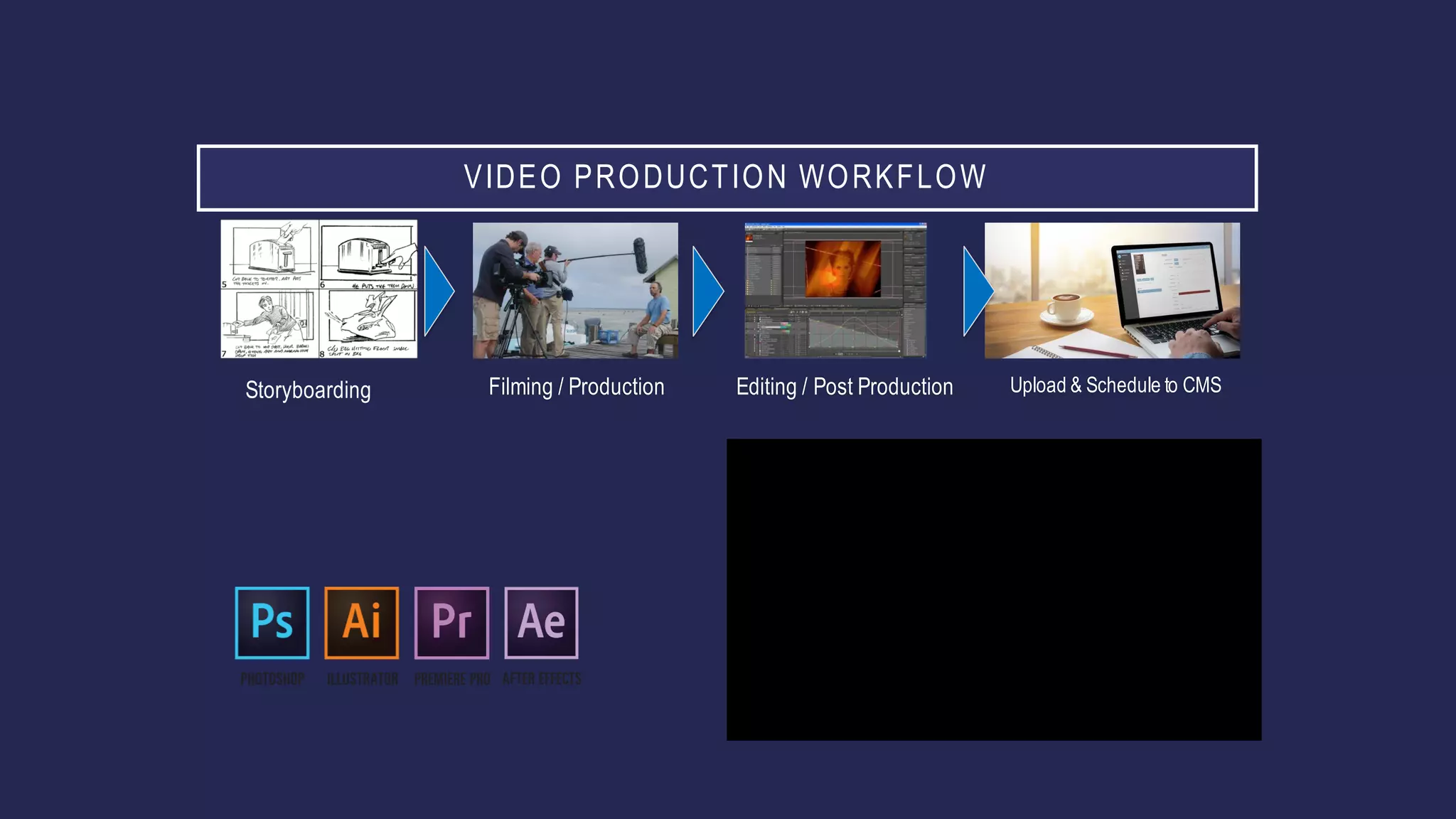
VIDEO PRODUCTION WORKFLOW
Storyboarding Filming / Production Editing / Post Production Upload & Schedule to CMS
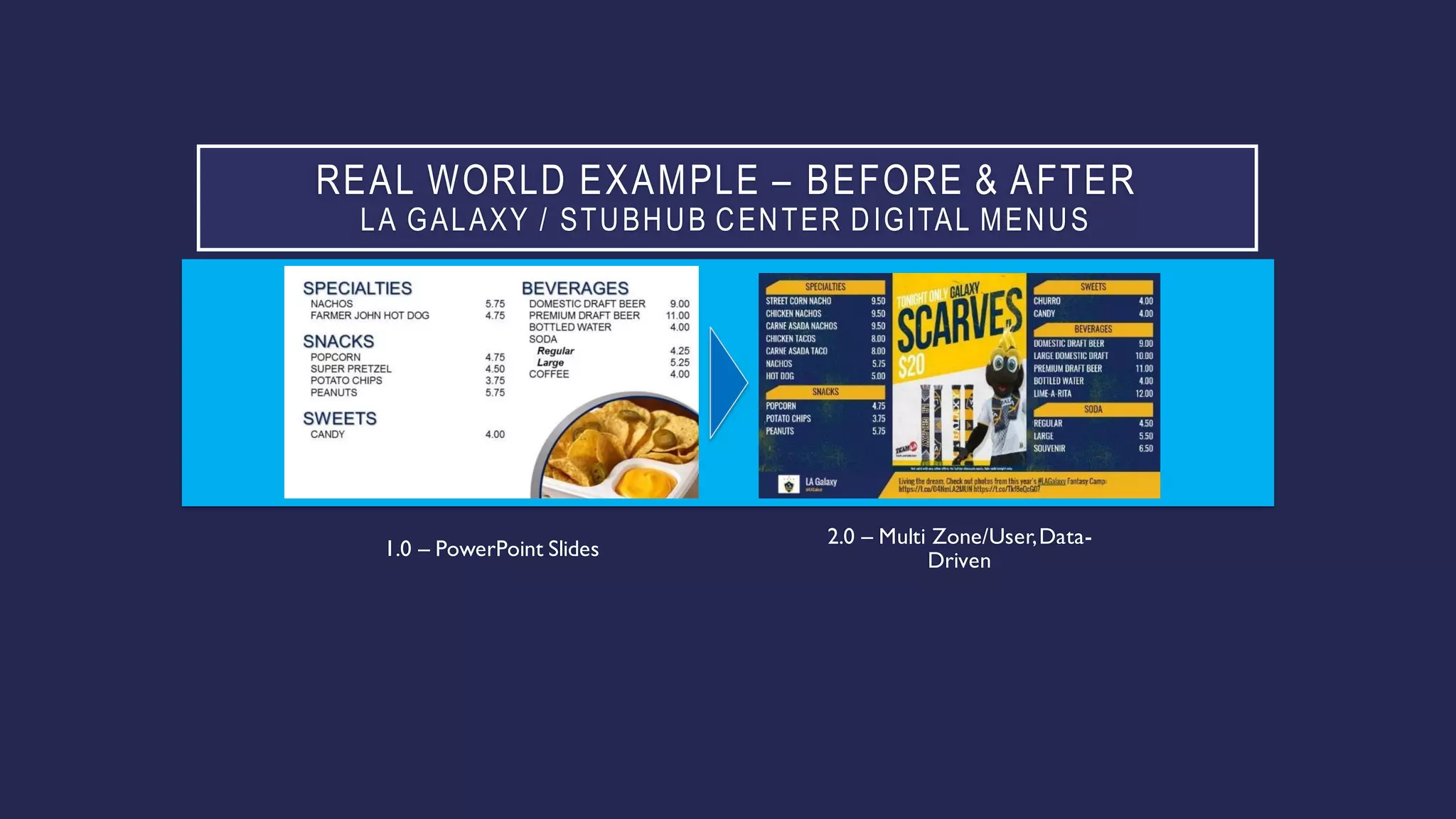
REAL WORLD EXAMPLE – BEFORE & AFTER
LA GALAXY / STUBHUB CENTER DIGITAL MENUS
1.0 – PowerPoint Slides
2.0 – Multi Zone/User,Data-
Driven
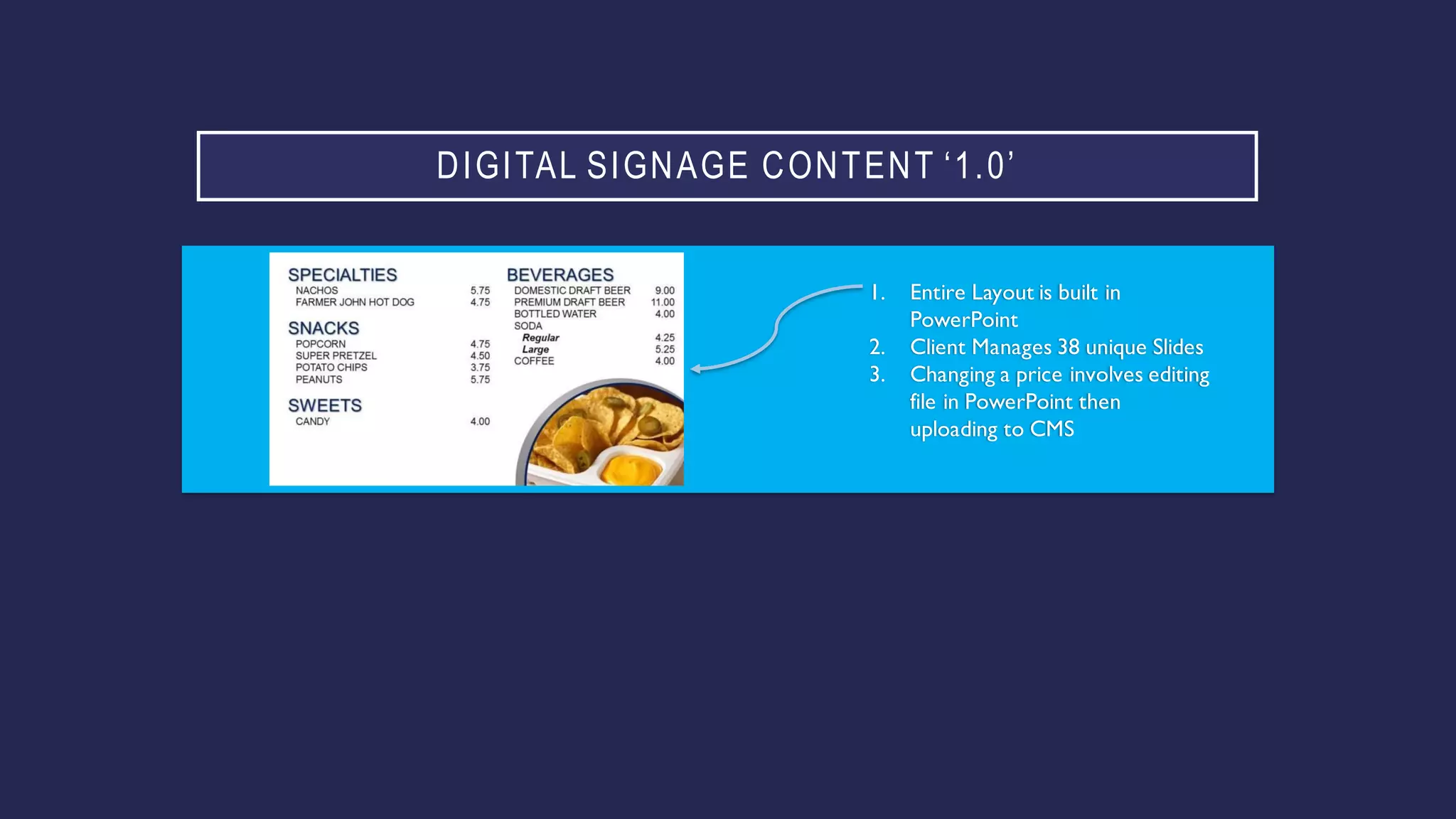
DIGITAL SIGNAGE CONTENT ‘1.0’
1. Entire Layout is built in
PowerPoint
2. Client Manages 38 unique Slides
3. Changing a price involves editing
file in PowerPoint then
uploading to CMS
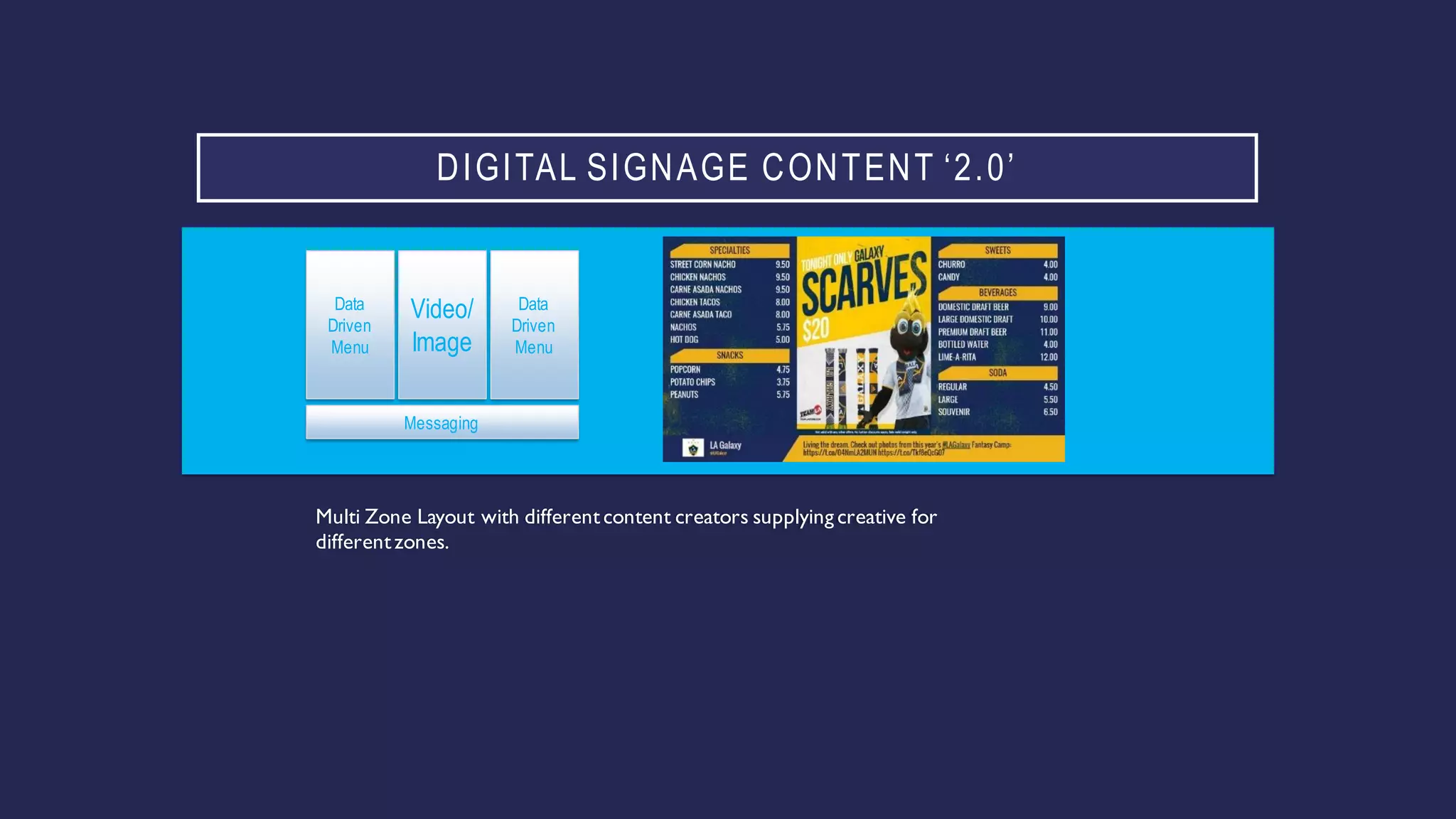
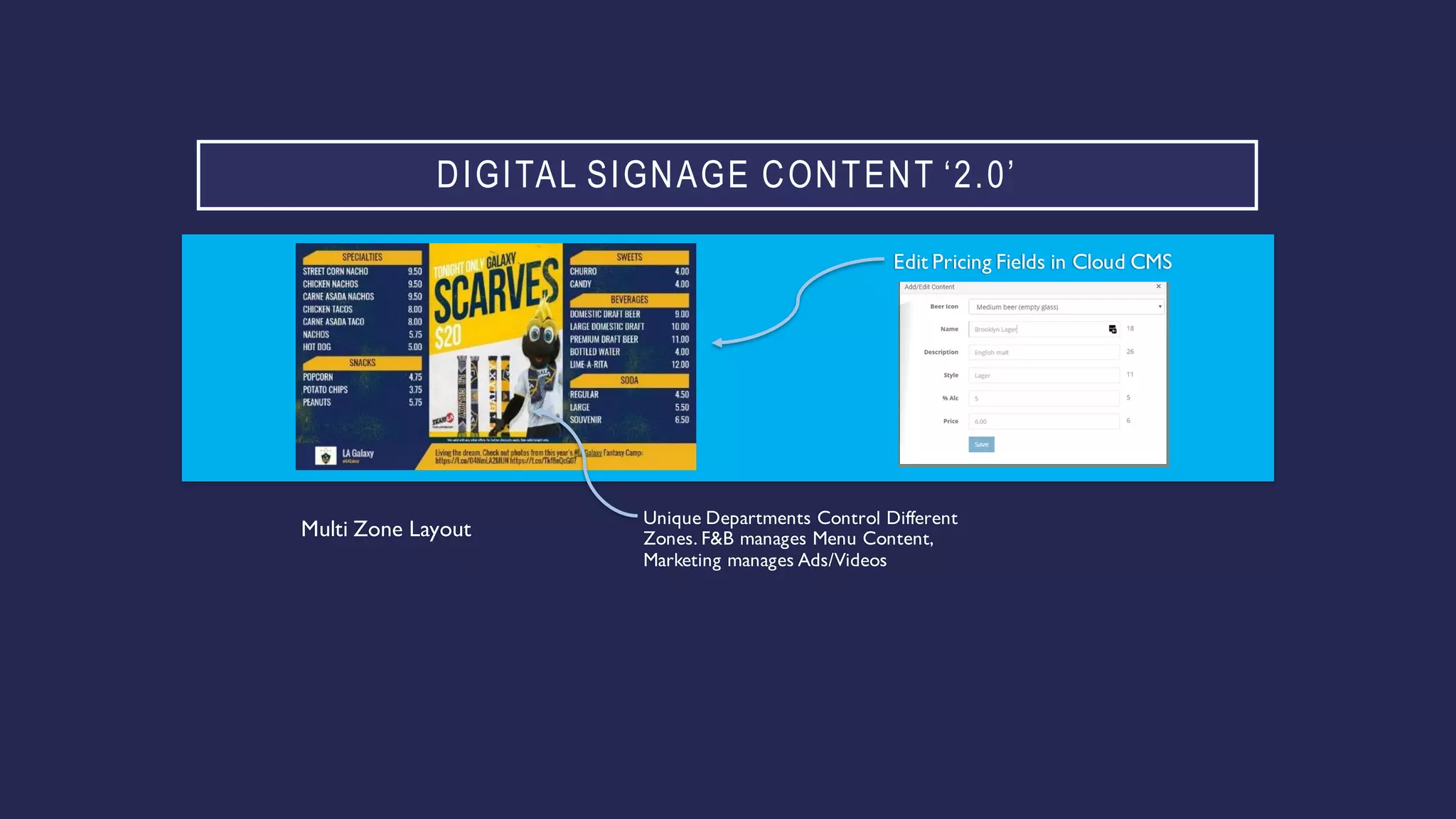
DIGITAL SIGNAGE CONTENT ‘2.0’
Multi Zone Layout with differentcontent creators supplying creative for
differentzones.
Data
Driven
Menu
Data
Driven
Menu
Video/
Image
Messaging
DIGITAL SIGNAGE CONTENT ‘2.0’
Edit Pricing Fields in Cloud CMS
Unique Departments Control Different
Zones. F&B manages Menu Content,
Marketing manages Ads/Videos
Multi Zone Layout
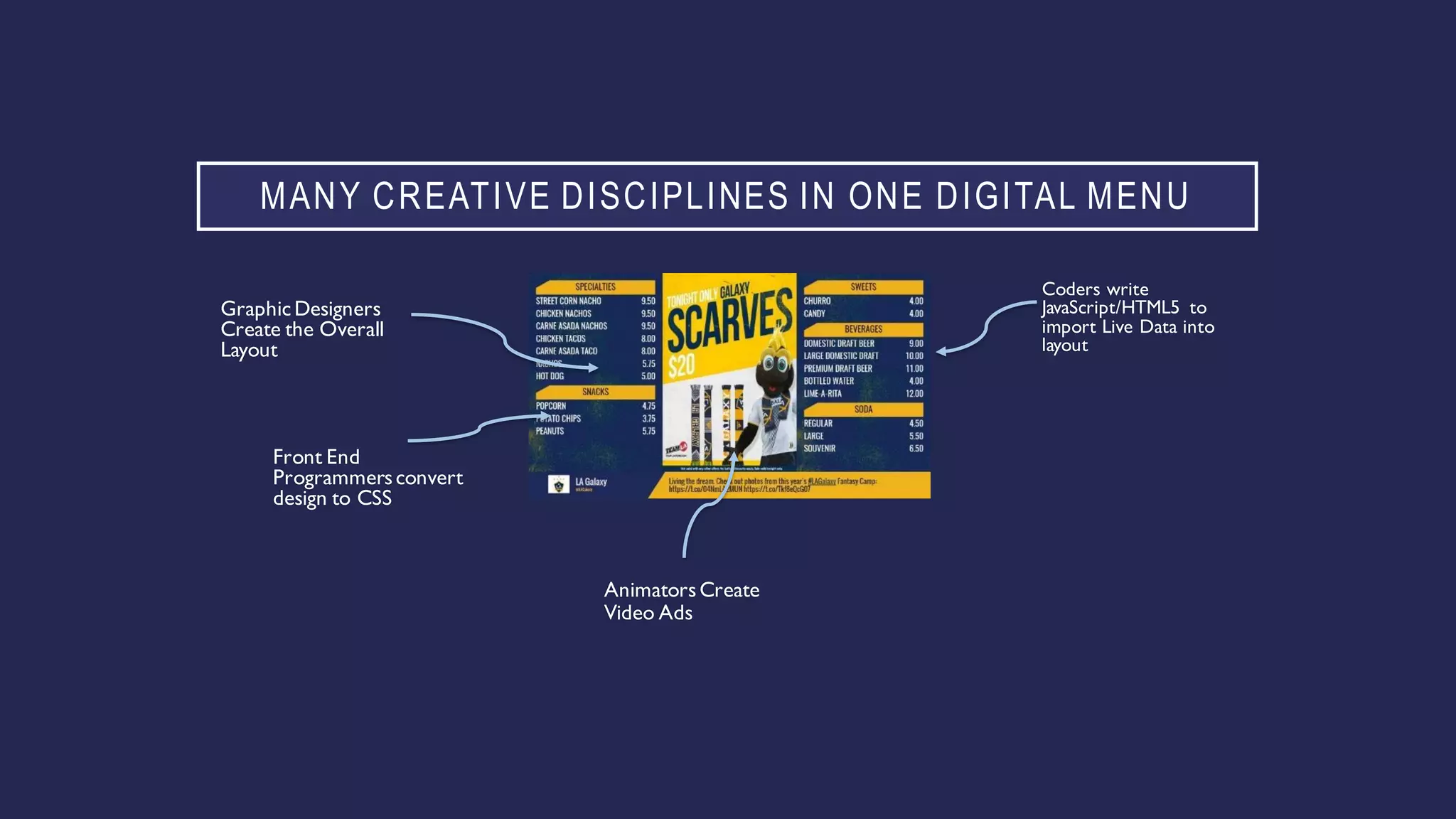
MANY CREATIVE DISCIPLINES IN ONE DIGITAL MENU
Coders write
JavaScript/HTML5 to
import Live Data into
layout
GraphicDesigners
Create the Overall
Layout
Front End
Programmersconvert
design to CSS
AnimatorsCreate
Video Ads
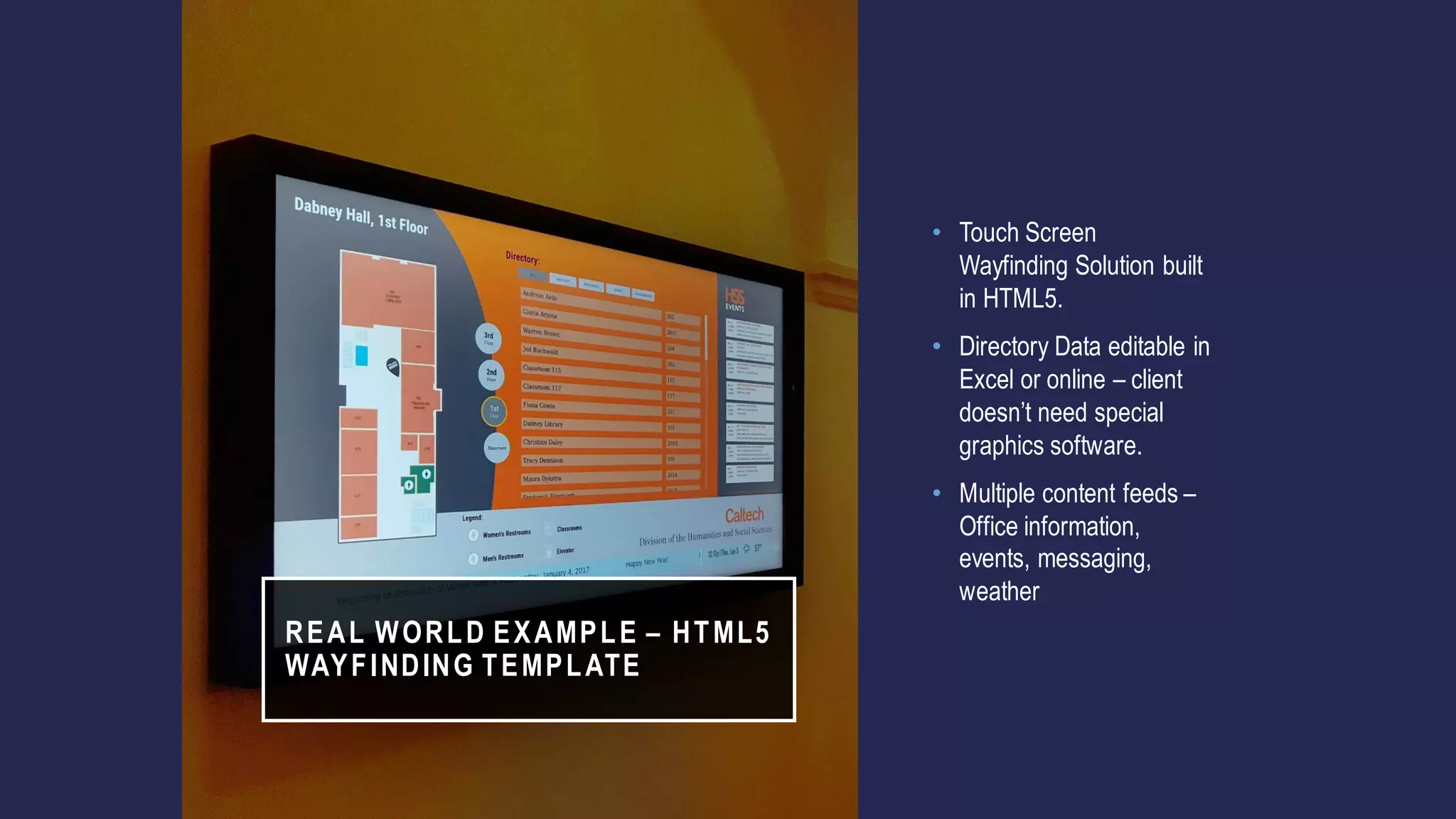
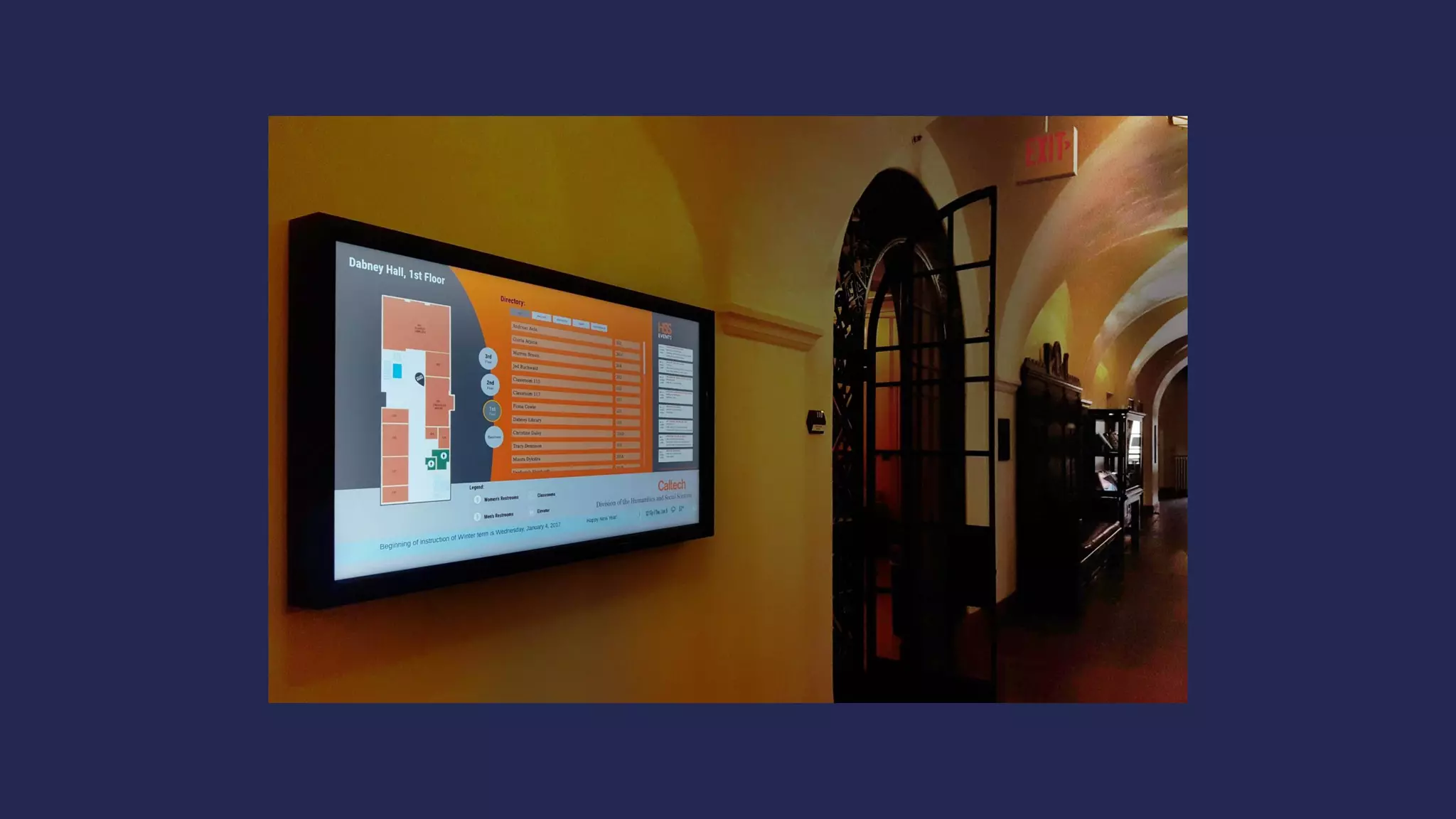
REAL WORLD EXAMPLE – HTML5
WAYFINDING TEMPLATE
• Touch Screen
Wayfinding Solution built
in HTML5.
• Directory Data editable in
Excel or online – client
doesn’t need special
graphics software.
• Multiple content feeds –
Office information,
events, messaging,
weather
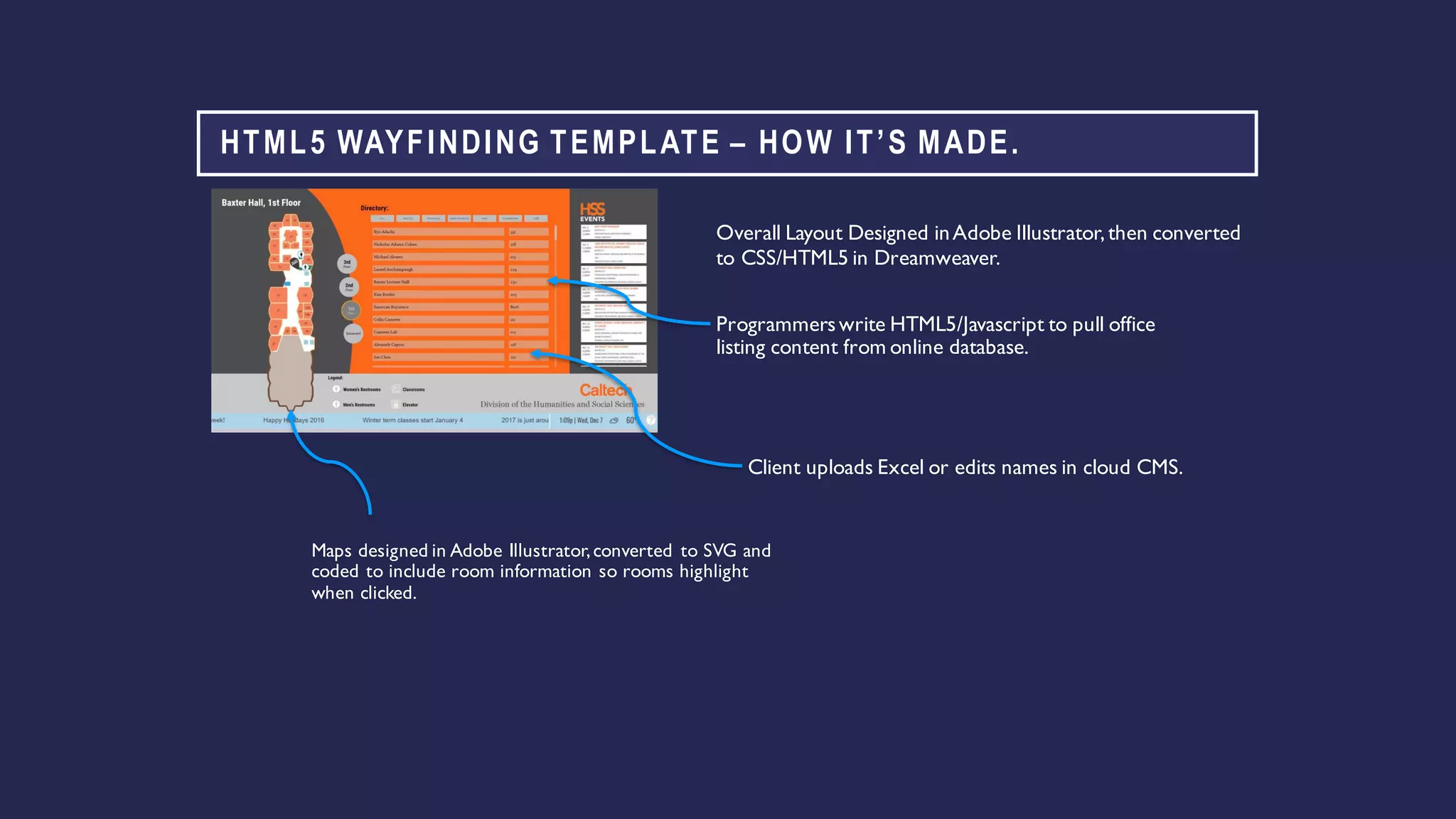
HTML5 WAYFINDING TEMPLATE – HOW IT’S MADE.
Programmerswrite HTML5/Javascript to pull office
listing content from online database.
Overall Layout Designed inAdobe Illustrator,then converted
to CSS/HTML5 in Dreamweaver.
Maps designed in Adobe Illustrator,converted to SVG and
coded to include room information so rooms highlight
when clicked.
Client uploads Excel or edits names in cloud CMS.
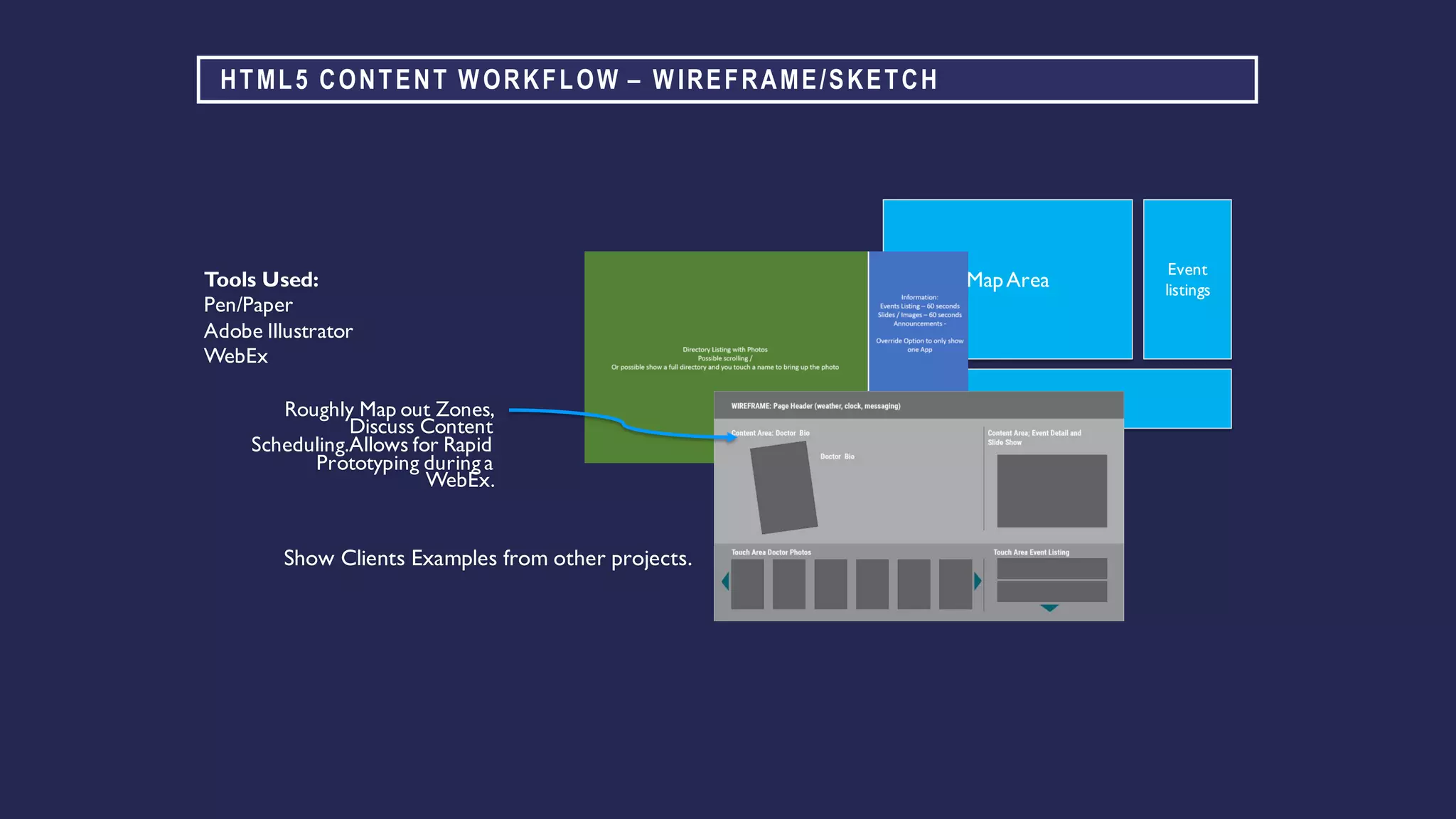
HTML5 CONTENT WORKFLOW – WIREFRAME/SKETCH
Roughly Map out Zones,
Discuss Content
Scheduling.Allows for Rapid
Prototyping during a
WebEx.
Tools Used:
Pen/Paper
Adobe Illustrator
WebEx
MapArea
Event
listings
Ticker
Show Clients Examples from other projects.
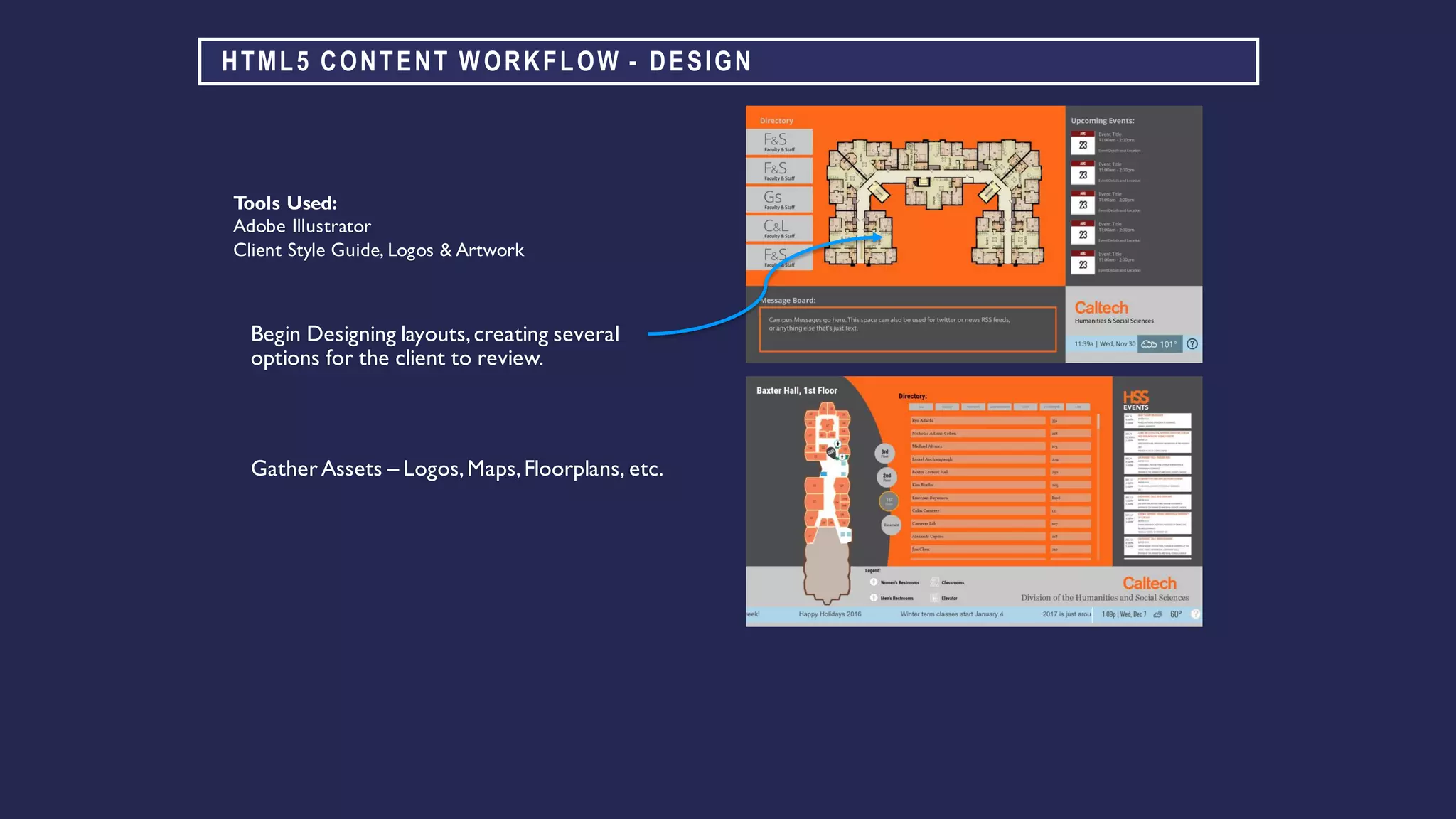
HTML5 CONTENT WORKFLOW - DESIGN
Begin Designing layouts,creating several
options for the client to review.
Tools Used:
Adobe Illustrator
Client Style Guide, Logos & Artwork
Gather Assets – Logos,Maps,Floorplans, etc.
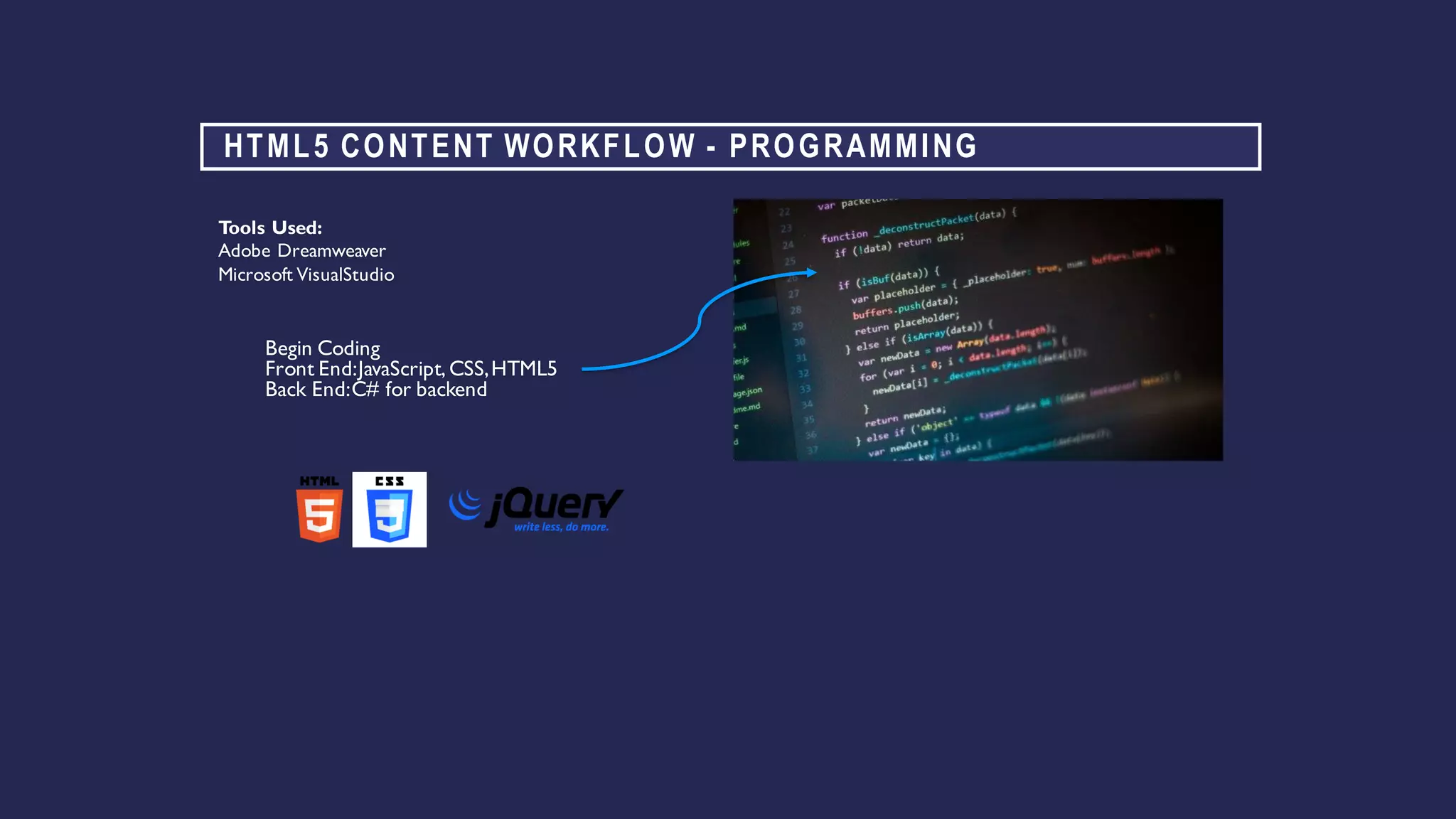
HTML5 CONTENT WORKFLOW - PROGRAMMING
Begin Coding
Front End:JavaScript,CSS,HTML5
Back End:C# for backend
Tools Used:
Adobe Dreamweaver
Microsoft VisualStudio
HTML5 CONTENT WORKFLOW – DEPLOYMENT & TESTING
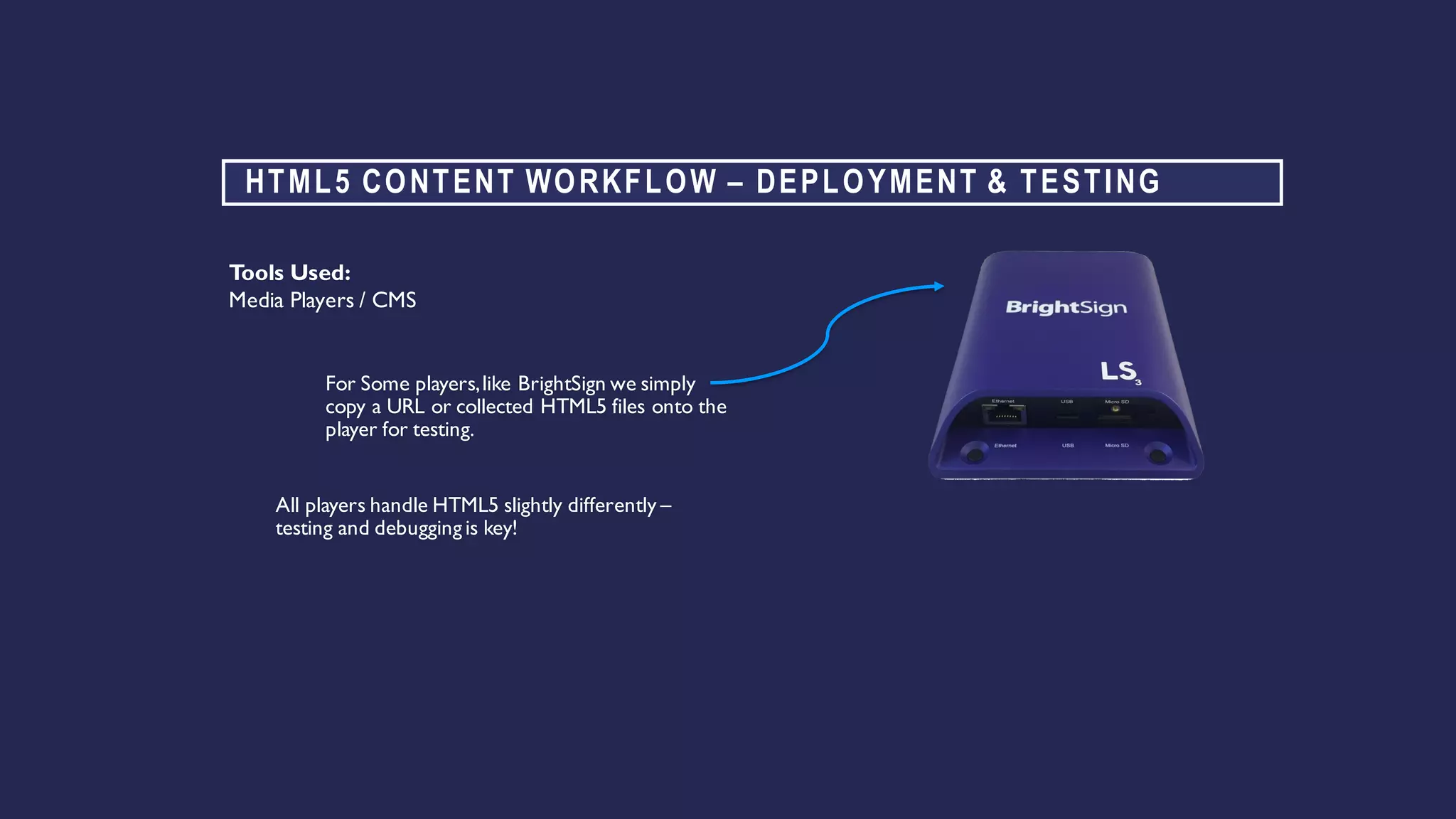
For Some players,like BrightSign we simply
copy a URL or collected HTML5 files onto the
player for testing.
Tools Used:
Media Players / CMS
All players handle HTML5 slightly differently –
testing and debugging is key!
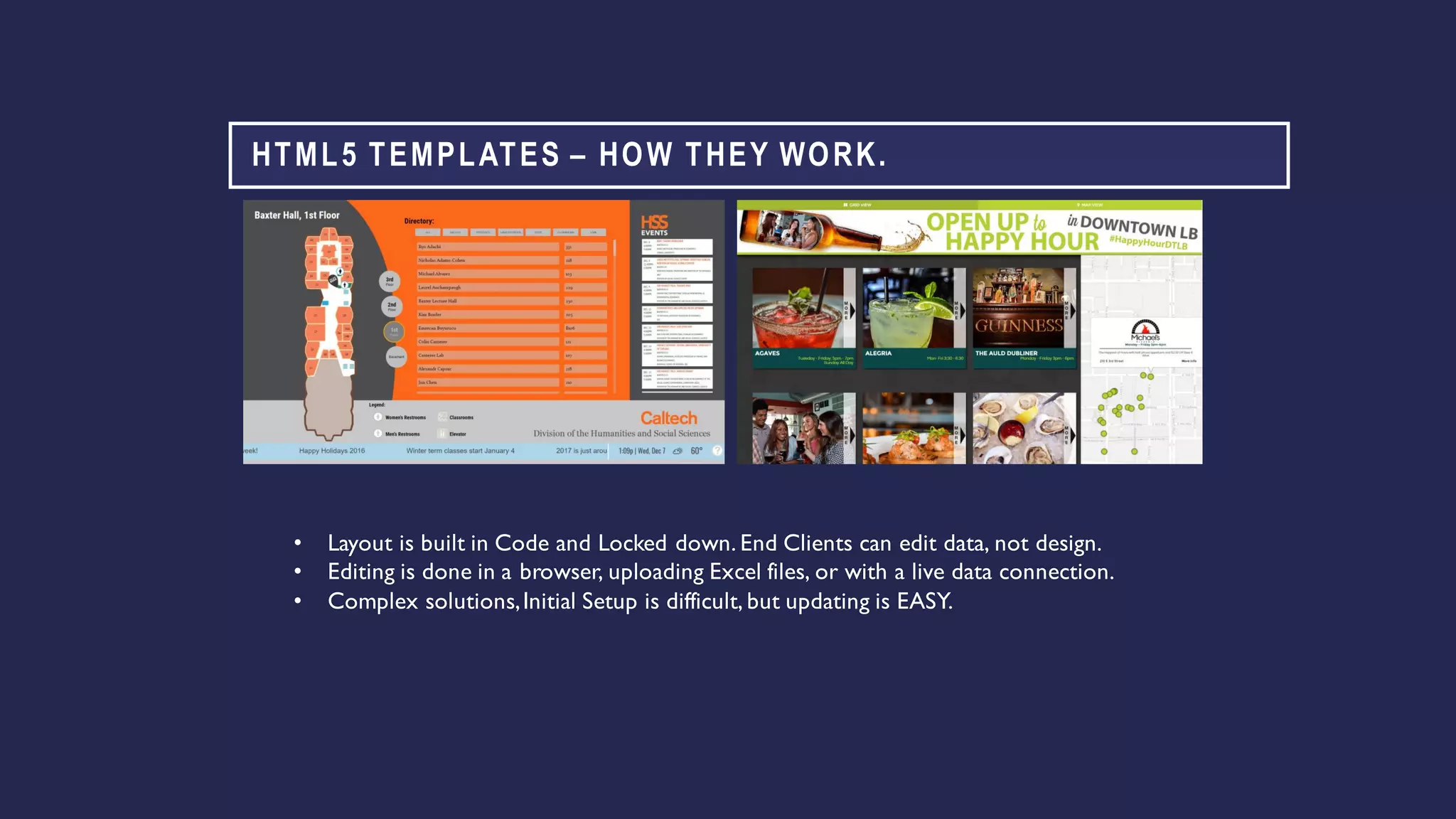
HTML5 TEMPLATES – HOW THEY WORK.
• Layout is built in Code and Locked down. End Clients can edit data, not design.
• Editing is done in a browser, uploading Excel files, or with a live data connection.
• Complex solutions,Initial Setup is difficult, but updating is EASY.
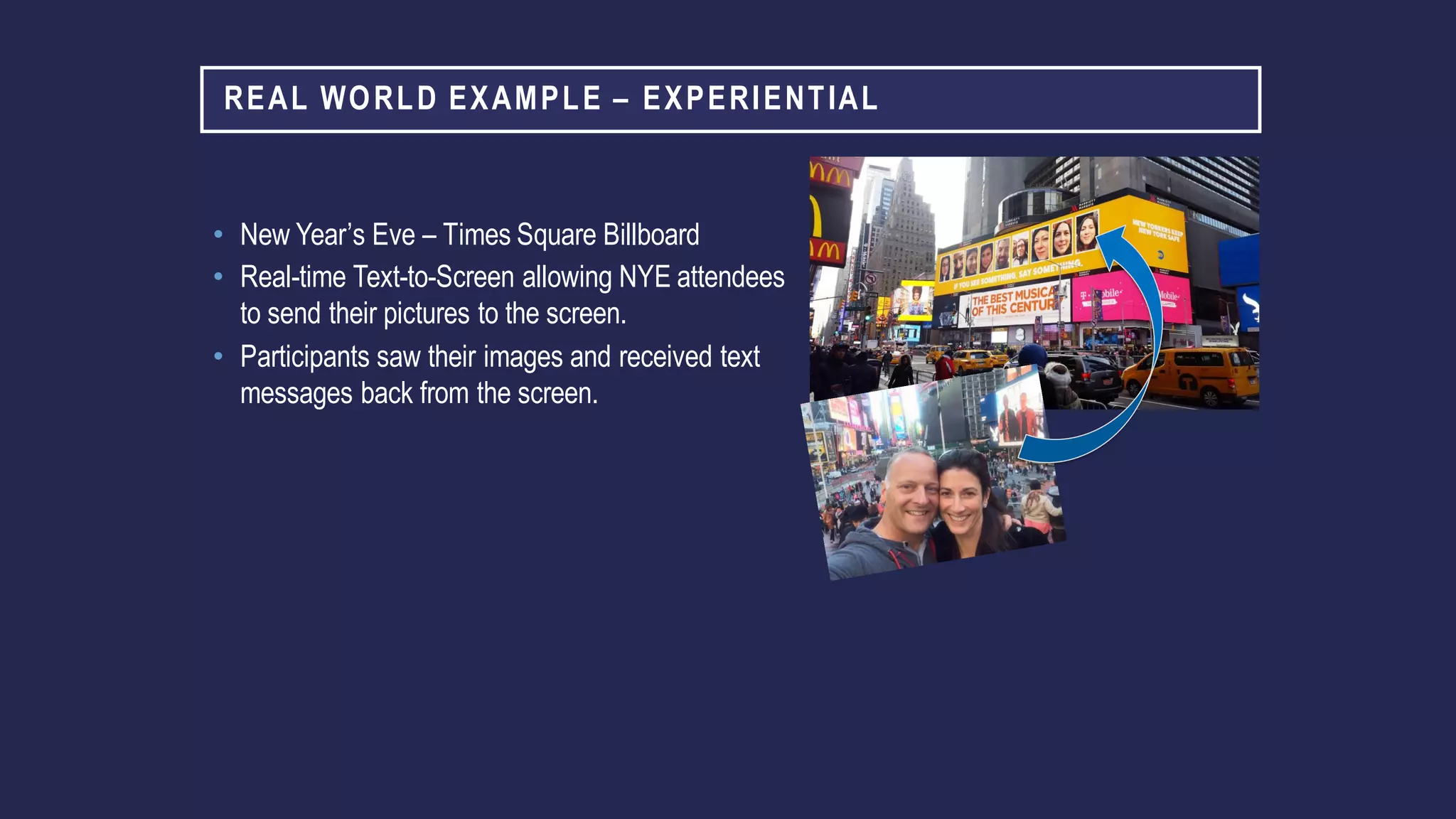
REAL WORLD EXAMPLE – EXPERIENTIAL
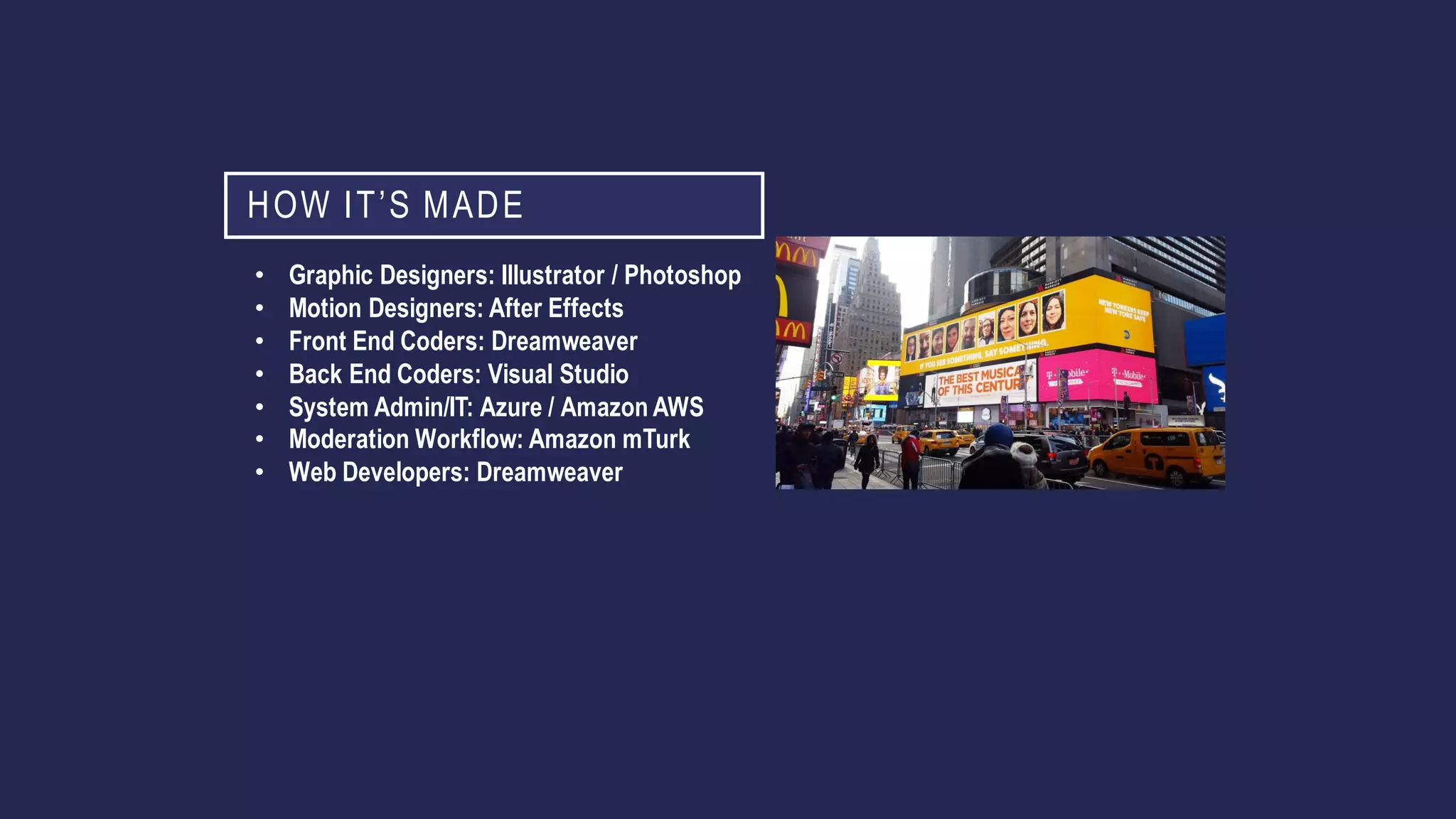
• New Year’s Eve – Times Square Billboard
• Real-time Text-to-Screen allowing NYE attendees
to send their pictures to the screen.
• Participants saw their images and received text
messages back from the screen.
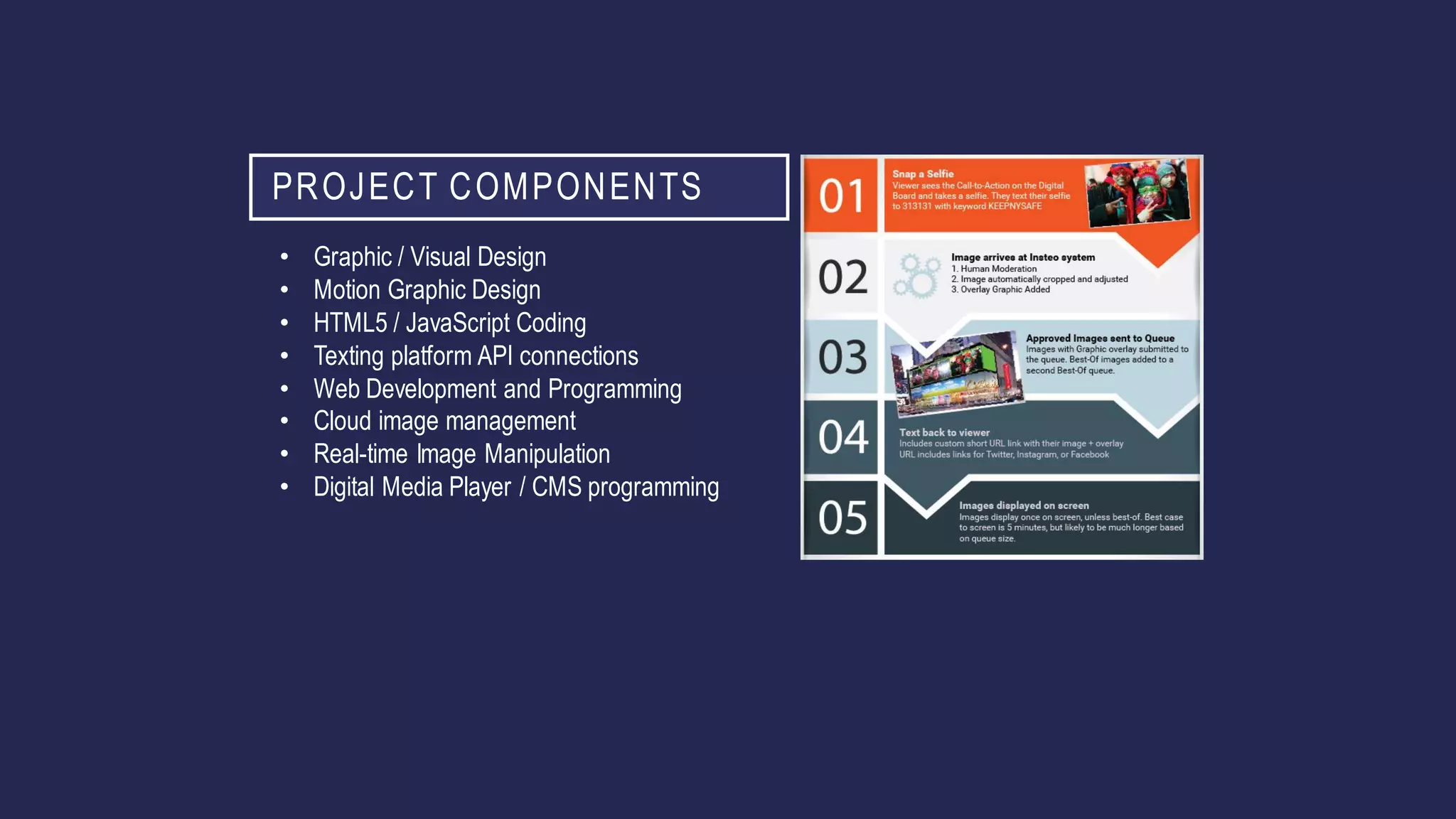
PROJECT COMPONENTS
• Graphic / Visual Design
• Motion Graphic Design
• HTML5 / JavaScript Coding
• Texting platform API connections
• Web Development and Programming
• Cloud image management
• Real-time Image Manipulation
• Digital Media Player / CMS programming
HOW IT’S MADE
• Graphic Designers: Illustrator / Photoshop
• Motion Designers: After Effects
• Front End Coders: Dreamweaver
• Back End Coders: Visual Studio
• System Admin/IT: Azure / Amazon AWS
• Moderation Workflow: Amazon mTurk
• Web Developers: Dreamweaver
GREAT DESIGN COMMUNICATES BETTER
• Zones are okay, but follow specific ratios and leave a 16:9
zone.
• Keep consistent colors & motion.
• Remember you only have a few seconds to communicate -
limit your message per slide or image.
• You don’t need information most of us have on our phones.
JUST BECAUSE YOU CAN, DOESN’T MEAN YOU
SHOULD.
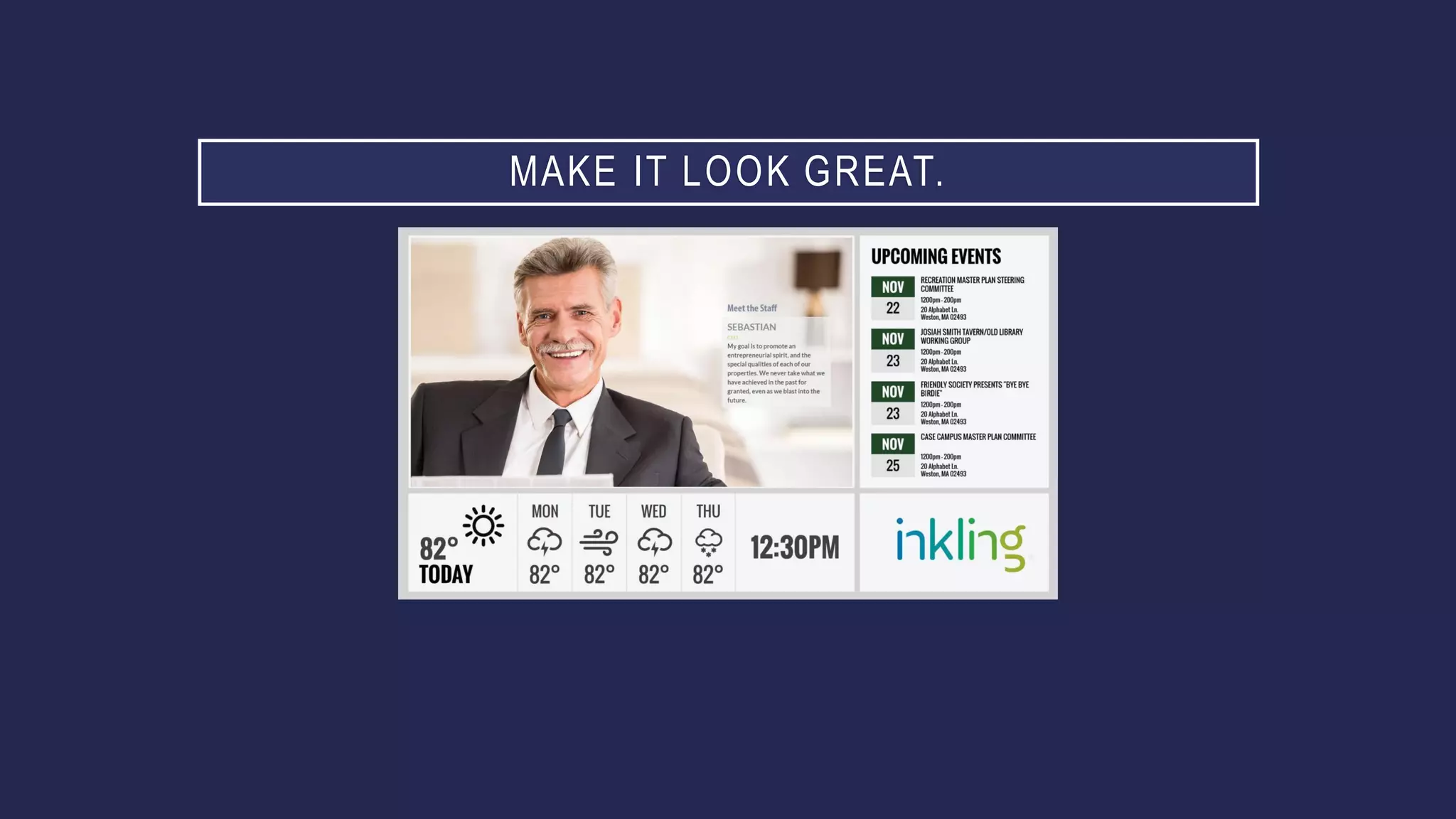
MAKE IT LOOK GREAT.
Digital Signage Content Strategies for Savvy Integrators

Digital Signage Content Strategies for Savvy Integrators

  • 2.
    DIGITAL SIGNAGE CONTENTSTRATEGIES FOR SAVVY INTEGRATORS J I M N I STA SE N I O R DI R E CTO R O F CO N TE N T CR E ATI ON SE RVI CE S A LM O PR O AV
  • 3.
    CREATING DIGITAL SIGNAGE CONTENT Understandtypes of content typically used on digital signs. CONTENT CATEGORIES Speak confidently with end-clients about content strategy and goals. CONTENT STRATEGY Engage with creative teams to build content services project quotes. PROJECT QUOTE
  • 4.
    ABOUT ME • Involvedin very early Digital Publishing / Graphic Design. Using Adobe software for 30 years. • Programming, Creative Production, Design, and Animation. • Awards for TV commercials, Animation, Game Design, Graphic Design, Web Development and Digital Signage. • Started own Digital Marketing firm in 2002 • Converted to Digital Signage in 2008 • 11 DSE / APEX Awards since 2009 • Teamed up with Almo in 2018
  • 5.
    CREATIVE AND DEVELOPMENT We’rethe leader in dynamic data-driven HTML5 content. We develop content connections to remote databases and APIs to automate content updates. We produce videos – motion graphics, filming and editing in HD, 4k or Ultra 4k.
  • 6.
    IT’S ABOUT ‘THECONTENT’ My biggest gripe is when industry people say 'The Content’ – without taking the time to understand what content is. 1 Clients DO NOT BUY technology because they like spending money. They invest to communicate to their viewers - to sell more products, inform guests, educate their employees. 2 ‘The Content’ is creative, programming, animation and graphics which communicates to viewers. ‘The Content’ is why we are here! Not because of technology. 3
  • 7.
    YOUR 3 STEPSTO SELL CONTENT SERVICES Categorize it “What’s are you using this sign for?” 1 Strategize it “What’s your goal with this screen?” 2 Quote it “Can your do this yourself?What’s your budget?” 3
  • 8.
  • 9.
    TYPES OF SIGNAGE Informational Digital BulletinBoards / CorpCom Wayfinding / Directories Menus DonorWalls Advertising Digital Posters Outdoor / DOOH
  • 10.
    TYPES OF CONTENT TypeOverview CreativeTools Skill Sets Digital Poster Image / Slides Adobe CC (Illustrator / Photoshop) PowerPoint Graphic Design HTML5Templates Menus / Directories / Etc with editable fields Visual Studio,Adobe CC, Dreamweaver Graphic Design & Programming Motion Graphics AnimatedVideos Adobe After Effects, Premiere Animation &Video Video Production Filmed and Edited Videos Adobe After Effects, Premiere Video Production Interactive Touch Screen Content Some CMS,Adobe CC, Intuilab Graphic Design,Animation & Programming Data / Experiential Mobile, Online, Data Connected Adobe CC, Programming Tools All of the Above
  • 11.
    DIGITAL SIGNAGE CONTENT IS EVOLVING. •Complex data driven applications. • Predictive Analytics to deliver relevant messages. • Biometrics and Facial Recognition for targeted ads. DS 1.0 Simple Slides DS 2.0 Data Driven Applications
  • 12.
    DO IT YOURSELF? •The key word is in Content Management System is “Management” not “Creation” • Some Content Management Systems (CMS) may have basic content creation tools. Some have basic touch content creation. • Professional Agencies rarely create content within a CMS. • New-hire employees have never seen these tools. • Too many CMS’s – too limited design capabilities. • Tools within Adobe Creative Cloud are well understood and very advanced. • PowerPoint is okay for basic creative, but isn’t a long term strategy.
  • 13.
    DO IT FORME? • Some projects require multiple disciplines - graphic designers, motion graphic artists, front-end designers and programmers. • Onboarding,project setup, assistance with loading content. • Ongoing Content Maintenance.
  • 14.
    TOOLS WE USEEVERY DAY. Graphics– Illustrator / Photoshop Front End Programming / Interactive – Dreamweaver Video – After Effects Visuals: Adobe Creative Cloud (CC) Subscription. Microsoft VisualStudio. Back End / Advanced Coding: BigStock, Pond5.Stock libraries:
  • 15.
    CONTENT STRATEGY - WHAT’STHE GOAL? • Usually it’s easy. • Make it easier for new students to find their way around campus. • Sell more Beer. • Sometimes it’s not. • Create a touch screen event listing that connects to our website without a CMS subscription.
  • 16.
    CONTENT STRATEGY. Digital Menu,EmployeeBreakrooms, Interactive DonorWalls.What’s the sign for? Educate, inform, streamline, sell more, communicate better…What’s the goal? We want our breakroom signs to go to cableTV at lunch time. What’s the playlist and daypart? Slides,Videos,HTML5Templates,Data-Driven content.What’s the content? Creative and Setup - In-house, our agency, we need help!Who’s going to do it? Walk before you run? Can it be phased.What’s the timeline? In-house, our agency, we need help! Who’s going to maintain it?
  • 17.
    QUOTE IT. • Whatdo they need? • Advanced Training for DIY. • Setup / Onboarding. • Template Informational Content and simple CMS. • Data Driven Content. • Video Wall Motion Graphics. • Ongoing Content Maintenance. • Something Custom.
  • 18.
    WHAT’S THE ONETHING EVERY DIGITAL SIGN HAS? • Ask “What’s this for?” every time - and then follow-up with “Who’s doing the Content?*” every time! • * or Setup, Programming, Maintenance, Training, Support. • If they have a “Graphic Designer” talk about your Digital Signage Federation award winning team. Ask if that person has done DS before, or has time. • If they mention complex situations, get them a quote. • They still want DIY content - train or support them! • It costs nothing to get them a competitive bid. • Win more by quoting more.
  • 19.
    ONGOING REVENUE • Contentis a profit center,even if you don’t do the work. Markup outside services, add on support tiers, or charge for regular content maintenance. Earn both upfront and ongoing monthly revenuewith template or custom content. Item Markup / Add-On Custom Content Development 25-100% markup creative services Basic Annual Support $25 - $75 per player / per year Enhanced Support $200+ per player / per year Content Maintenance $500+ per month
  • 20.
    OUR SALES PROCESS •Integrator gets us a questionnaire filled out which as much detail as possible. • We categorize the project – Training, Onboarding,Templates, etc. • We jump on pre-sales call with the client if needed to fill in any gaps. • We return a proposal ASAP. • Prior to starting we will send links to our portfolio, questionnaire and partner sales overview which describes the sales process in more detail. • On winning the project, we schedule a kick-off call and assign a dedicated project manager.
  • 21.
    HOW IT’S MADE CommonWorkflowsfor DifferentTypes of Content
  • 22.
    IT’S DIGITAL –HAVE FUN & MAKE IT AMAZING!
  • 23.
    DIGITAL POSTER /GRAPHIC DESIGN WORKFLOW Sketching / Layout Graphic Design in Adobe CC / PowerPoint Content Upload/Scheduling within your CMS
  • 24.
    PROGRAMMING / INTERACTIVE/ HTML5 / EXPERIENTIAL WORKFLOW Wireframe Development User Interface Design Programming Deployment and Testing
  • 25.
    MOTION GRAPHICS WORKFLOW StoryboardingDesign & Asset Gathering Editing & Animation Upload & Schedule to CMS
  • 26.
    VIDEO PRODUCTION WORKFLOW StoryboardingFilming / Production Editing / Post Production Upload & Schedule to CMS
  • 27.
    REAL WORLD EXAMPLE– BEFORE & AFTER LA GALAXY / STUBHUB CENTER DIGITAL MENUS 1.0 – PowerPoint Slides 2.0 – Multi Zone/User,Data- Driven
  • 28.
    DIGITAL SIGNAGE CONTENT‘1.0’ 1. Entire Layout is built in PowerPoint 2. Client Manages 38 unique Slides 3. Changing a price involves editing file in PowerPoint then uploading to CMS
  • 29.
    DIGITAL SIGNAGE CONTENT‘2.0’ Multi Zone Layout with differentcontent creators supplying creative for differentzones. Data Driven Menu Data Driven Menu Video/ Image Messaging
  • 30.
    DIGITAL SIGNAGE CONTENT‘2.0’ Edit Pricing Fields in Cloud CMS Unique Departments Control Different Zones. F&B manages Menu Content, Marketing manages Ads/Videos Multi Zone Layout
  • 31.
    MANY CREATIVE DISCIPLINESIN ONE DIGITAL MENU Coders write JavaScript/HTML5 to import Live Data into layout GraphicDesigners Create the Overall Layout Front End Programmersconvert design to CSS AnimatorsCreate Video Ads
  • 32.
    REAL WORLD EXAMPLE– HTML5 WAYFINDING TEMPLATE • Touch Screen Wayfinding Solution built in HTML5. • Directory Data editable in Excel or online – client doesn’t need special graphics software. • Multiple content feeds – Office information, events, messaging, weather
  • 34.
    HTML5 WAYFINDING TEMPLATE– HOW IT’S MADE. Programmerswrite HTML5/Javascript to pull office listing content from online database. Overall Layout Designed inAdobe Illustrator,then converted to CSS/HTML5 in Dreamweaver. Maps designed in Adobe Illustrator,converted to SVG and coded to include room information so rooms highlight when clicked. Client uploads Excel or edits names in cloud CMS.
  • 35.
    HTML5 CONTENT WORKFLOW– WIREFRAME/SKETCH Roughly Map out Zones, Discuss Content Scheduling.Allows for Rapid Prototyping during a WebEx. Tools Used: Pen/Paper Adobe Illustrator WebEx MapArea Event listings Ticker Show Clients Examples from other projects.
  • 36.
    HTML5 CONTENT WORKFLOW- DESIGN Begin Designing layouts,creating several options for the client to review. Tools Used: Adobe Illustrator Client Style Guide, Logos & Artwork Gather Assets – Logos,Maps,Floorplans, etc.
  • 37.
    HTML5 CONTENT WORKFLOW- PROGRAMMING Begin Coding Front End:JavaScript,CSS,HTML5 Back End:C# for backend Tools Used: Adobe Dreamweaver Microsoft VisualStudio
  • 38.
    HTML5 CONTENT WORKFLOW– DEPLOYMENT & TESTING For Some players,like BrightSign we simply copy a URL or collected HTML5 files onto the player for testing. Tools Used: Media Players / CMS All players handle HTML5 slightly differently – testing and debugging is key!
  • 39.
    HTML5 TEMPLATES –HOW THEY WORK. • Layout is built in Code and Locked down. End Clients can edit data, not design. • Editing is done in a browser, uploading Excel files, or with a live data connection. • Complex solutions,Initial Setup is difficult, but updating is EASY.
  • 40.
    REAL WORLD EXAMPLE– EXPERIENTIAL • New Year’s Eve – Times Square Billboard • Real-time Text-to-Screen allowing NYE attendees to send their pictures to the screen. • Participants saw their images and received text messages back from the screen.
  • 41.
    PROJECT COMPONENTS • Graphic/ Visual Design • Motion Graphic Design • HTML5 / JavaScript Coding • Texting platform API connections • Web Development and Programming • Cloud image management • Real-time Image Manipulation • Digital Media Player / CMS programming
  • 42.
    HOW IT’S MADE •Graphic Designers: Illustrator / Photoshop • Motion Designers: After Effects • Front End Coders: Dreamweaver • Back End Coders: Visual Studio • System Admin/IT: Azure / Amazon AWS • Moderation Workflow: Amazon mTurk • Web Developers: Dreamweaver
  • 43.
    GREAT DESIGN COMMUNICATESBETTER • Zones are okay, but follow specific ratios and leave a 16:9 zone. • Keep consistent colors & motion. • Remember you only have a few seconds to communicate - limit your message per slide or image. • You don’t need information most of us have on our phones.
  • 44.
    JUST BECAUSE YOUCAN, DOESN’T MEAN YOU SHOULD.
  • 45.