Intro to PGP
Presented by
Blacki Migliozzi
Ian McLaughlin
Goals for this workshop
Explain the 3 major aspects of security
Explain basic concepts of secure
communication.
Walk you through common GUI tools for using
PGP.
Pretty Good Privacy
Developed by Phil Zimmerman in 1991.
Originally intended as a human rights tool.
Became target of a three-year criminal
investigation.
Pretty Good Privacy
OpenPGP: Open encryption standard.
Gnu Privacy Guard (GPG): Free software
implementation
Can be confusing...
PGP vs GPG
3 Main Aspects of Security
Privacy: Nobody can read your communication
except for the intended recipient.
Integrity: The message delivered is the same
as the message sent.
Authenticity: Each correspondent can be sure
of the other’s identity.
Secure Communication Overview
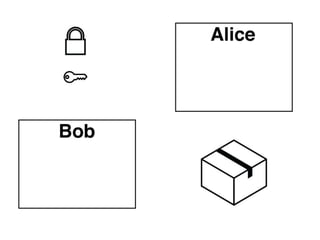
The message you want to send is called the
plaintext.
Plaintext is converted to a ciphertext.
Original message reclaimed with secret key.
Symmetric (Private) Key Encryption
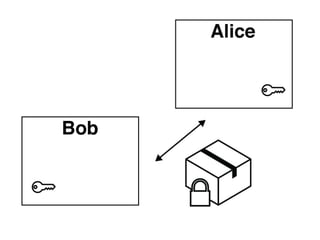
A message is encrypted and and decrypted
with the same key.
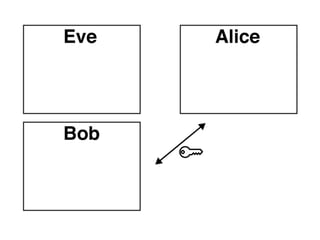
Communicants must share key secretly, which
requires a secure channel in the first place!
Pros - relatively fast to encrypt / decrypt
Cons - difficult to privately share the key
Symmetric (Private) Key Encryption
A message is encrypted and and decrypted
with the same key.
Must share key secretly.
Pros - relatively fast to encrypt / decrypt
Cons - difficult to privately share the key
Symmetric (Private) Key Encryption
A message is encrypted and and decrypted
with the same key.
Must share key secretly.
Pros - relatively fast to encrypt / decrypt
Cons - difficult to privately share the key
Symmetric (Private) Key Encryption
A message is encrypted and and decrypted
with the same key.
Must share key secretly.
Pros - relatively fast to encrypt / decrypt
Cons - difficult to privately share the key
Symmetric (Private) Key Encryption
A message is encrypted and and decrypted
with the same key.
Must share key secretly.
Pros - relatively fast to encrypt / decrypt
Cons - difficult to privately share the key
Symmetric (Private) Key Encryption
A message is encrypted and and decrypted
with the same key.
Must share key secretly.
Pros - relatively fast to encrypt / decrypt
Cons - difficult to privately share the key
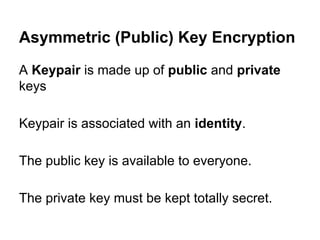
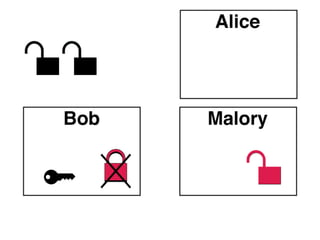
Asymmetric (Public) Key Encryption
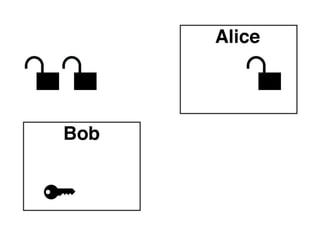
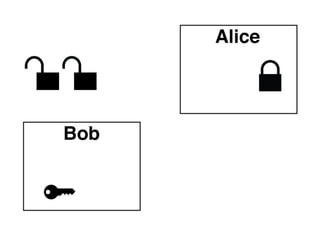
A Keypair is made up of public and private
keys
Keypair is associated with an identity.
The public key is available to everyone.
The private key must be kept totally secret.
Asymmetric Encryption (cont’d)
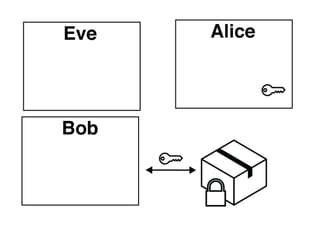
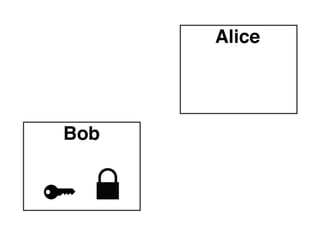
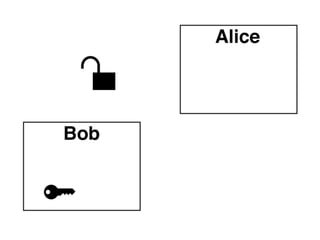
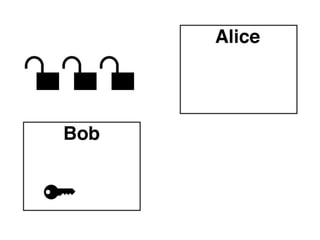
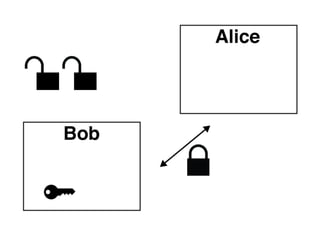
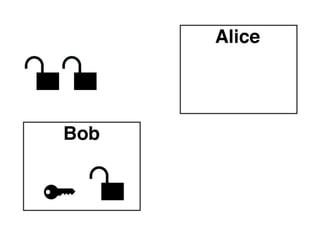
The public key is published online so anybody
can use it to encrypt a message. Others can
vouch for a key (more on that later).
Pros - can send a message without previously
exchanging secrets
Cons - very computationally expensive,
problem of authenticity
Asymmetric Encryption (cont’d)
The public key is published online so anybody
can use it to encrypt a message. Others can
vouch for a key (more on that later).
Pros - can send a message without previously
exchanging secrets
Cons - very computationally expensive,
problem of authenticity
Asymmetric Encryption (cont’d)
The public key is published online so anybody
can use it to encrypt a message. Others can
vouch for a key (more on that later).
Pros - can send a message without previously
exchanging secrets
Cons - very computationally expensive,
problem of authenticity
Asymmetric Encryption (cont’d)
The public key is published online so anybody
can use it to encrypt a message. Others can
vouch for a key (more on that later).
Pros - can send a message without previously
exchanging secrets
Cons - very computationally expensive,
problem of authenticity
Asymmetric Encryption (cont’d)
The public key is published online so anybody
can use it to encrypt a message. Others can
vouch for a key (more on that later).
Pros - can send a message without previously
exchanging secrets
Cons - very computationally expensive,
problem of authenticity
Asymmetric Encryption (cont’d)
The public key is published online so anybody
can use it to encrypt a message. Others can
vouch for a key (more on that later).
Pros - can send a message without previously
exchanging secrets
Cons - very computationally expensive,
problem of authenticity
Asymmetric Encryption (cont’d)
The public key is published online so anybody
can use it to encrypt a message. Others can
vouch for a key (more on that later).
Pros - can send a message without previously
exchanging secrets
Cons - very computationally expensive,
problem of authenticity
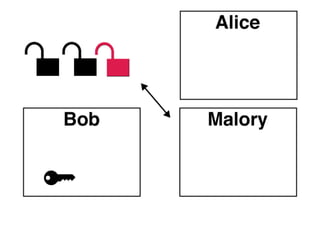
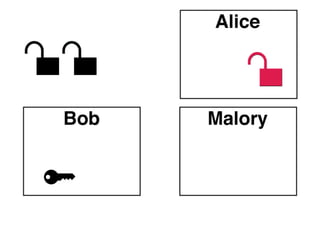
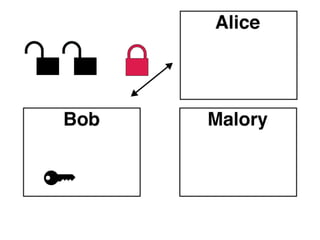
Asymmetric Problems
Integrity: How do you know that the message
you receive after decrypting hasn’t been
tampered with?
Authenticity: How do you know who authored
the message you received?
Asymmetric Problems
Integrity: How do you know that the message
you receive after decrypting hasn’t been
tampered with?
Authenticity: How do you know who authored
the message you received?
Asymmetric Problems
Integrity: How do you know that the message
you receive after decrypting hasn’t been
tampered with?
Authenticity: How do you know who authored
the message you received?
Asymmetric Problems
Integrity: How do you know that the message
you receive after decrypting hasn’t been
tampered with?
Authenticity: How do you know who authored
the message you received?
Asymmetric Problems
Integrity: How do you know that the message
you receive after decrypting hasn’t been
tampered with?
Authenticity: How do you know who authored
the message you received?
Message Signing
A message that is encrypted with a public key can
only be decrypted with the private key, and vice
versa.
Generating a computational fingerprint of the
plaintext called a digest and encrypting it with the
private key results in a digital signature.
The signature of the sender is included as part of
the plaintext that is encrypted and transmitted.
What do signatures do?
After you decrypt an incoming ciphertext you will have
a copy of the original message plus a signature, which
can be decrypted with sender’s public key and
compared against freshly generated digest.
Spoofing foiled: Can’t generate a valid signature
without the sender’s private key.
Integrity: Digests only match if generated with same
input to a hashing function.
Certificate Authorities
An official statement that from a trusted
authority that a public key is associated with an
identity.
Attempts to prevent misrepresentation
But still relies on how much trust you have for
the issuing authority.
Web of Trust
You may eventually identify several keys that
you trust.
Trusted identities can vouch for the authenticity
of a key by signing it.
You can mark levels of trust for each of the
public keys in your keychain.
Levels Of Trust
Unknown - You don’t know who owns this key.
None - Known to be untrustworthy or irresponsible.
Marginal - Reasonably diligent in verifying keys.
Full - You fully trust this key’s identity.
Ultimate - Your own personally verified keys.
Keyserver
Online repository of public keys and their stated
identities.
Listing includes signatures of visitors who
vouch for the authenticity of the key.
Examples of keyservers are http://pgp.mit.edu/,
http://keyserver.ubuntu.com/
Disclaimer
Usually vulnerabilities in security arise from
mistakes in implementing a protocol or otherwise
circumventing the encryption.
Many of these encryption schemes depend on
mathematical problems that are thought to be hard
(but haven’t been proved to be so).
Abstractions in the GUI tools hide a lot of the
complexity.
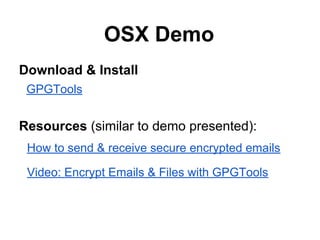
OSX Demo
Download & Install
GPGTools

Resources (similar to demo presented):
How to send & receive secure encrypted emails
Video: Encrypt Emails & Files with GPGTools
Windows Demo
Download and install gpg4win:
http://www.gpg4win.org/download.html
Download and install Thunderbird:
http://www.mozilla.org/en-US/thunderbird/
Set up your email with thunderbird.
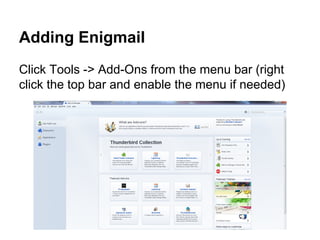
Adding Enigmail
Click Tools -> Add-Ons from the menu bar (right
click the top bar and enable the menu if needed)
Adding Enigmail (Cont’d)
Search for Enigmail and install it when it comes up. You will
have to restart Thunderbird for your changes to take effect.
You may see an error:
Enigmail: Unable to locate GnuPG executable in the PATH.
Make sure you have set the GnuPG executable path correctly in the OpenPGP Preferences.

To fix this go to OpenPGP -> Preferences from the menu
bar, check the override box, and set the path of your gpg
executable. For my Windows machine the path was:
C:Program Files (x86)GNUGnuPGgpg2.exe
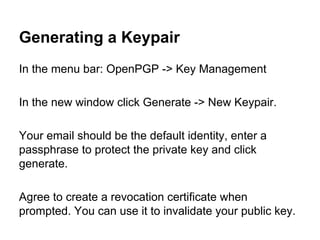
Generating a Keypair
In the menu bar: OpenPGP -> Key Management
In the new window click Generate -> New Keypair.
Your email should be the default identity, enter a
passphrase to protect the private key and click
generate.
Agree to create a revocation certificate when
prompted. You can use it to invalidate your public key.
Thanks for listening!
If you have questions, comments, corrections,
or compliments, feel free to contact us.
Blacki Migliozzi
@BlackiLi

Ian McLaughlin
@boombador

PBU-Intro_to_PGP

  • 1.
    Intro to PGP Presentedby Blacki Migliozzi Ian McLaughlin
  • 2.
    Goals for thisworkshop Explain the 3 major aspects of security Explain basic concepts of secure communication. Walk you through common GUI tools for using PGP.
  • 3.
    Pretty Good Privacy Developedby Phil Zimmerman in 1991. Originally intended as a human rights tool. Became target of a three-year criminal investigation.
  • 4.
    Pretty Good Privacy OpenPGP:Open encryption standard. Gnu Privacy Guard (GPG): Free software implementation Can be confusing... PGP vs GPG
  • 5.
    3 Main Aspectsof Security Privacy: Nobody can read your communication except for the intended recipient. Integrity: The message delivered is the same as the message sent. Authenticity: Each correspondent can be sure of the other’s identity.
  • 6.
    Secure Communication Overview Themessage you want to send is called the plaintext. Plaintext is converted to a ciphertext. Original message reclaimed with secret key.
  • 7.
    Symmetric (Private) KeyEncryption A message is encrypted and and decrypted with the same key. Communicants must share key secretly, which requires a secure channel in the first place! Pros - relatively fast to encrypt / decrypt Cons - difficult to privately share the key
  • 8.
    Symmetric (Private) KeyEncryption A message is encrypted and and decrypted with the same key. Must share key secretly. Pros - relatively fast to encrypt / decrypt Cons - difficult to privately share the key
  • 9.
    Symmetric (Private) KeyEncryption A message is encrypted and and decrypted with the same key. Must share key secretly. Pros - relatively fast to encrypt / decrypt Cons - difficult to privately share the key
  • 10.
    Symmetric (Private) KeyEncryption A message is encrypted and and decrypted with the same key. Must share key secretly. Pros - relatively fast to encrypt / decrypt Cons - difficult to privately share the key
  • 11.
    Symmetric (Private) KeyEncryption A message is encrypted and and decrypted with the same key. Must share key secretly. Pros - relatively fast to encrypt / decrypt Cons - difficult to privately share the key
  • 12.
    Symmetric (Private) KeyEncryption A message is encrypted and and decrypted with the same key. Must share key secretly. Pros - relatively fast to encrypt / decrypt Cons - difficult to privately share the key
  • 13.
    Asymmetric (Public) KeyEncryption A Keypair is made up of public and private keys Keypair is associated with an identity. The public key is available to everyone. The private key must be kept totally secret.
  • 14.
    Asymmetric Encryption (cont’d) Thepublic key is published online so anybody can use it to encrypt a message. Others can vouch for a key (more on that later). Pros - can send a message without previously exchanging secrets Cons - very computationally expensive, problem of authenticity
  • 15.
    Asymmetric Encryption (cont’d) Thepublic key is published online so anybody can use it to encrypt a message. Others can vouch for a key (more on that later). Pros - can send a message without previously exchanging secrets Cons - very computationally expensive, problem of authenticity
  • 16.
    Asymmetric Encryption (cont’d) Thepublic key is published online so anybody can use it to encrypt a message. Others can vouch for a key (more on that later). Pros - can send a message without previously exchanging secrets Cons - very computationally expensive, problem of authenticity
  • 17.
    Asymmetric Encryption (cont’d) Thepublic key is published online so anybody can use it to encrypt a message. Others can vouch for a key (more on that later). Pros - can send a message without previously exchanging secrets Cons - very computationally expensive, problem of authenticity
  • 18.
    Asymmetric Encryption (cont’d) Thepublic key is published online so anybody can use it to encrypt a message. Others can vouch for a key (more on that later). Pros - can send a message without previously exchanging secrets Cons - very computationally expensive, problem of authenticity
  • 19.
    Asymmetric Encryption (cont’d) Thepublic key is published online so anybody can use it to encrypt a message. Others can vouch for a key (more on that later). Pros - can send a message without previously exchanging secrets Cons - very computationally expensive, problem of authenticity
  • 20.
    Asymmetric Encryption (cont’d) Thepublic key is published online so anybody can use it to encrypt a message. Others can vouch for a key (more on that later). Pros - can send a message without previously exchanging secrets Cons - very computationally expensive, problem of authenticity
  • 21.
    Asymmetric Problems Integrity: Howdo you know that the message you receive after decrypting hasn’t been tampered with? Authenticity: How do you know who authored the message you received?
  • 22.
    Asymmetric Problems Integrity: Howdo you know that the message you receive after decrypting hasn’t been tampered with? Authenticity: How do you know who authored the message you received?
  • 23.
    Asymmetric Problems Integrity: Howdo you know that the message you receive after decrypting hasn’t been tampered with? Authenticity: How do you know who authored the message you received?
  • 24.
    Asymmetric Problems Integrity: Howdo you know that the message you receive after decrypting hasn’t been tampered with? Authenticity: How do you know who authored the message you received?
  • 25.
    Asymmetric Problems Integrity: Howdo you know that the message you receive after decrypting hasn’t been tampered with? Authenticity: How do you know who authored the message you received?
  • 26.
    Message Signing A messagethat is encrypted with a public key can only be decrypted with the private key, and vice versa. Generating a computational fingerprint of the plaintext called a digest and encrypting it with the private key results in a digital signature. The signature of the sender is included as part of the plaintext that is encrypted and transmitted.
  • 27.
    What do signaturesdo? After you decrypt an incoming ciphertext you will have a copy of the original message plus a signature, which can be decrypted with sender’s public key and compared against freshly generated digest. Spoofing foiled: Can’t generate a valid signature without the sender’s private key. Integrity: Digests only match if generated with same input to a hashing function.
  • 28.
    Certificate Authorities An officialstatement that from a trusted authority that a public key is associated with an identity. Attempts to prevent misrepresentation But still relies on how much trust you have for the issuing authority.
  • 29.
    Web of Trust Youmay eventually identify several keys that you trust. Trusted identities can vouch for the authenticity of a key by signing it. You can mark levels of trust for each of the public keys in your keychain.
  • 30.
    Levels Of Trust Unknown- You don’t know who owns this key. None - Known to be untrustworthy or irresponsible. Marginal - Reasonably diligent in verifying keys. Full - You fully trust this key’s identity. Ultimate - Your own personally verified keys.
  • 31.
    Keyserver Online repository ofpublic keys and their stated identities. Listing includes signatures of visitors who vouch for the authenticity of the key. Examples of keyservers are http://pgp.mit.edu/, http://keyserver.ubuntu.com/
  • 32.
    Disclaimer Usually vulnerabilities insecurity arise from mistakes in implementing a protocol or otherwise circumventing the encryption. Many of these encryption schemes depend on mathematical problems that are thought to be hard (but haven’t been proved to be so). Abstractions in the GUI tools hide a lot of the complexity.
  • 33.
    OSX Demo Download &Install GPGTools Resources (similar to demo presented): How to send & receive secure encrypted emails Video: Encrypt Emails & Files with GPGTools
  • 34.
    Windows Demo Download andinstall gpg4win: http://www.gpg4win.org/download.html Download and install Thunderbird: http://www.mozilla.org/en-US/thunderbird/ Set up your email with thunderbird.
  • 35.
    Adding Enigmail Click Tools-> Add-Ons from the menu bar (right click the top bar and enable the menu if needed)
  • 36.
    Adding Enigmail (Cont’d) Searchfor Enigmail and install it when it comes up. You will have to restart Thunderbird for your changes to take effect. You may see an error: Enigmail: Unable to locate GnuPG executable in the PATH. Make sure you have set the GnuPG executable path correctly in the OpenPGP Preferences. To fix this go to OpenPGP -> Preferences from the menu bar, check the override box, and set the path of your gpg executable. For my Windows machine the path was: C:Program Files (x86)GNUGnuPGgpg2.exe
  • 37.
    Generating a Keypair Inthe menu bar: OpenPGP -> Key Management In the new window click Generate -> New Keypair. Your email should be the default identity, enter a passphrase to protect the private key and click generate. Agree to create a revocation certificate when prompted. You can use it to invalidate your public key.
  • 38.
    Thanks for listening! Ifyou have questions, comments, corrections, or compliments, feel free to contact us. Blacki Migliozzi @BlackiLi Ian McLaughlin @boombador