An Introduction
To
Could Computing
Satish Shende
Lead Trainer | {digital marketing}
VDF, Satara
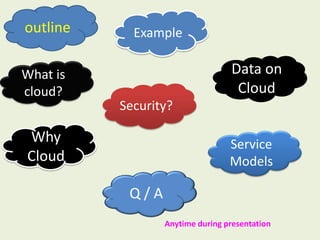
outline Example
What is
cloud?
Data on
Cloud
Why
Cloud
Service
Models
Q / A
Anytime during presentation
Security?
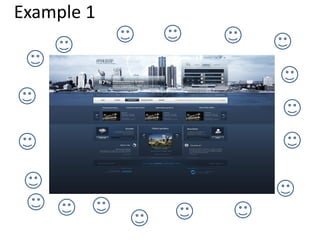
Example 1
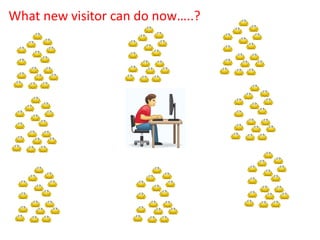
What new visitor can do now…..?
Any solution…?
Two Solutions
• Buy more servers and recourses.
• Move to Cloud
• Buy more servers and recourses is more
completed and expensive
And
• Move to Cloud is much better as compare
to buy more servers and recourses
We have lot of data i.e. Images, Files, Videos, Music
files, Text data, PDF Files, Software's, E-Books and
much more data.
Day by day data is increasing lot of stock…
We need lot of space to store data
Example 2
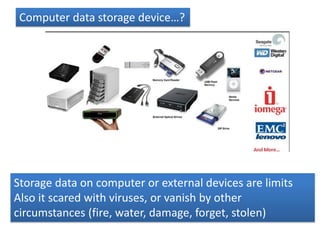
Computer data storage device…?
Storage data on computer or external devices are limits
Also it scared with viruses, or vanish by other
circumstances (fire, water, damage, forget, stolen)
It is possible to store your huge increasing data in this world
of Science Fiction.
With cloud computing all your Data can be stored on the
internet space of world wide web without limitations of space
instead of your computer hardware drives
The storing of data and applications on
remote servers, and accessing them via the
Internet rather than saving or installing them
on your personal or office computer.
Cloud
Computing
is
The term ‘Cloud’ is used because the data or
applications are stored on cloud or collection
of web servers and computers on by a third
parties someone else.
The cloud can be access by the cloud computing
system interface software's.
That can be a simple using a web page server
which hosts all the applications and files that
you will need for your job or personal life.
Cloud computing can be useful
in corporate sector as well as
in personal computing
 Data stored on cloud has no limits of
storage capacity.
 It can be access 24X7 hrs. anywhere
anytime.
 Can be share with someone, download.
 It lives on cloud till you delete.
Cloud computing is not use only for storing of data
but also
Cloud computing is an…
 Inexpensive
 Efficient
 Flexible
 Alternative to computers
One of the example of cloud computing is
Your online e-mail account
You log in into web e-mail account through
your browser but storage of your account
doesn’t exists on your personal computer.
It belongs on e-mail providers cloud.
Lets understand
how cloud computing store data…
The cloud Computing architecture is combined with two sides
A)Front End
B)Back End
Which are connected by the Internet
A) Front End … The Front End is represent the
computer (users) client as. This side is accessing
cloud computing system. access by internet
browser or Unique Interface Software
B) Back End side – The Back end side combined
with Severs, Database (Storage), Central Server,
Computer Network which stores your data
Central server follows rules that called as
protocols
The central server use a software call as
Middleware
It lets the networked computers communicate
with each other.
Cloud companies makes backup copies
of your work in case of problems.
For more clients they have they need
more storage space
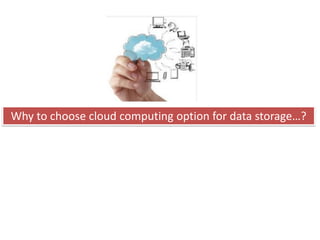
Why to choose cloud computing option for data storage…?
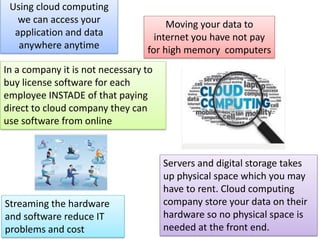
Using cloud computing
we can access your
application and data
anywhere anytime
Moving your data to
internet you have not pay
for high memory computers
In a company it is not necessary to
buy license software for each
employee INSTADE of that paying
direct to cloud company they can
use software from online
Servers and digital storage takes
up physical space which you may
have to rent. Cloud computing
company store your data on their
hardware so no physical space is
needed at the front end.
Streaming the hardware
and software reduce IT
problems and cost
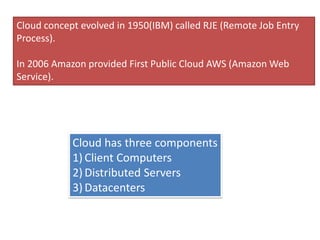
Cloud concept evolved in 1950(IBM) called RJE (Remote Job Entry
Process).
In 2006 Amazon provided First Public Cloud AWS (Amazon Web
Service).
Cloud has three components
1) Client Computers
2) Distributed Servers
3) Datacenters
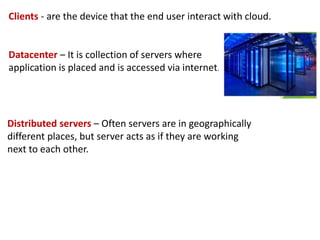
Clients - are the device that the end user interact with cloud.
Datacenter – It is collection of servers where
application is placed and is accessed via internet.
Distributed servers – Often servers are in geographically
different places, but server acts as if they are working
next to each other.
Central server
It administers the system such as monitoring traffic, client
demands to ensure everything runs smoothly.
It uses a special type of software called middleware.
Middleware allow computer to communicate each other
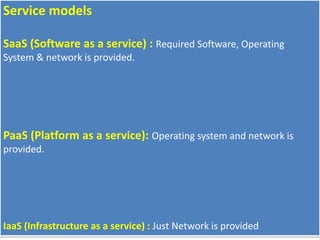
Service models
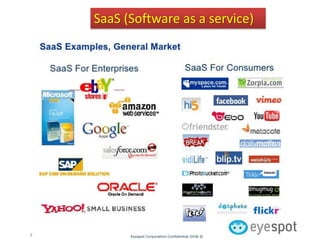
SaaS (Software as a service) : Required Software, Operating
System & network is provided.
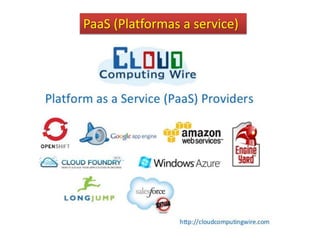
PaaS (Platform as a service): Operating system and network is
provided.
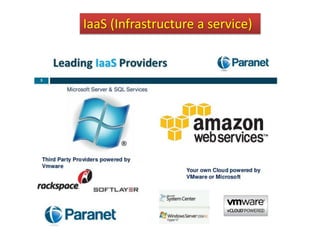
IaaS (Infrastructure as a service) : Just Network is provided
SaaS (Software as a service)
PaaS (Platformas a service)
IaaS (Infrastructure a service)
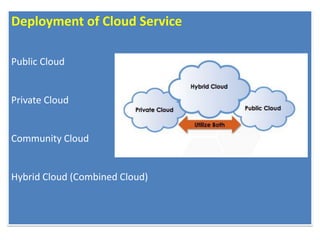
Deployment of Cloud Service
Public Cloud
Private Cloud
Community Cloud
Hybrid Cloud (Combined Cloud)
Application
Social Networking sites.
E-mail sites.
Search Engines.
Many more services OVER THE INTERNET.
Cloud Computing Security
We need to take to ensure cloud computing security even
after we have shifted all our digital luggage into the cloud.
What are steps…?
1. Password First.
Use strong complex password. Never share your password to any one.
2. Security Question, Check.
Try your best to avoid questions to which answers can be found just by taking one glance
online, for instance, on your Facebook profile. Best way to go about this is to choose a
question and answer it with another question’s answer. For instance if you choose the
question where did you live as a kid, answer with ‘yellow’.
3. Try Out Encryption.
Encryption software does require some effort on the part of the user but it will also scramble
and code your credentials so that no one will be able to procure them easily.
4. Manage Passwords.
By this time you will have a lot of passwords and usernames to be tracking and taking care of.
So to manage this get your hands on an app or software that will do this for you. A great
option is the LastPass utility.
5. Two Factor Authentication.
Use Two way verification facilities (Internet and your mobile)
http://cloudtweaks.com/2012/10/cloud-computing-security-10-tips-for-keeping-your-cloud-data-safe/
6. Don’t Think, Just Backup.
It may be strange to be told to backup data on a physical drive when it comes to securing cloud
computing data, but that is what you need to do. This is why you shouldn’t think over it; you
should simply backup your data on an external drive and keep it with you.
7. Delete When Done.
Again, why bother deleting anything when there are limitless data storage options around? The
reason is that you never know how much data can later become potentially dangerous for you.
If an e-mail or a warning message from some bank account has outlived its worth, simply delete
it.
8. Be Careful Where You Log In.
Many times we end up logging in from devices other than our own. And of course we tend to
forget that these other devices may be saving our information via web browsers.
9. Use Anti-Virus and Anti-Spy Software.
The reason for this, despite having to do with cloud data, is that all the access to the cloud is
from your system first. Hence if your system is at risk, so is your online data. If you forget to
encrypt then a key logger may get to your cloud vendor password and hence all may be lost
anyway.
10. Keep Your Mouth Shut.
Never share any information regarding your cloud storage with anyone. Keeping passwords a
secret is a must but lay low on telling people which vendor or service you use too for extra
security.
Thank You…!

Introduction to cloud computing

  • 1.
    An Introduction To Could Computing SatishShende Lead Trainer | {digital marketing} VDF, Satara
  • 2.
    outline Example What is cloud? Dataon Cloud Why Cloud Service Models Q / A Anytime during presentation Security?
  • 3.
  • 8.
    What new visitorcan do now…..?
  • 9.
  • 10.
    Two Solutions • Buymore servers and recourses. • Move to Cloud
  • 11.
    • Buy moreservers and recourses is more completed and expensive And • Move to Cloud is much better as compare to buy more servers and recourses
  • 12.
    We have lotof data i.e. Images, Files, Videos, Music files, Text data, PDF Files, Software's, E-Books and much more data. Day by day data is increasing lot of stock… We need lot of space to store data Example 2
  • 13.
    Computer data storagedevice…? Storage data on computer or external devices are limits Also it scared with viruses, or vanish by other circumstances (fire, water, damage, forget, stolen)
  • 14.
    It is possibleto store your huge increasing data in this world of Science Fiction. With cloud computing all your Data can be stored on the internet space of world wide web without limitations of space instead of your computer hardware drives
  • 15.
    The storing ofdata and applications on remote servers, and accessing them via the Internet rather than saving or installing them on your personal or office computer. Cloud Computing is
  • 16.
    The term ‘Cloud’is used because the data or applications are stored on cloud or collection of web servers and computers on by a third parties someone else. The cloud can be access by the cloud computing system interface software's. That can be a simple using a web page server which hosts all the applications and files that you will need for your job or personal life.
  • 17.
    Cloud computing canbe useful in corporate sector as well as in personal computing  Data stored on cloud has no limits of storage capacity.  It can be access 24X7 hrs. anywhere anytime.  Can be share with someone, download.  It lives on cloud till you delete.
  • 18.
    Cloud computing isnot use only for storing of data but also Cloud computing is an…  Inexpensive  Efficient  Flexible  Alternative to computers
  • 19.
    One of theexample of cloud computing is Your online e-mail account You log in into web e-mail account through your browser but storage of your account doesn’t exists on your personal computer. It belongs on e-mail providers cloud.
  • 20.
    Lets understand how cloudcomputing store data…
  • 21.
    The cloud Computingarchitecture is combined with two sides A)Front End B)Back End Which are connected by the Internet A) Front End … The Front End is represent the computer (users) client as. This side is accessing cloud computing system. access by internet browser or Unique Interface Software B) Back End side – The Back end side combined with Severs, Database (Storage), Central Server, Computer Network which stores your data
  • 22.
    Central server followsrules that called as protocols The central server use a software call as Middleware It lets the networked computers communicate with each other. Cloud companies makes backup copies of your work in case of problems. For more clients they have they need more storage space
  • 23.
    Why to choosecloud computing option for data storage…?
  • 24.
    Using cloud computing wecan access your application and data anywhere anytime Moving your data to internet you have not pay for high memory computers In a company it is not necessary to buy license software for each employee INSTADE of that paying direct to cloud company they can use software from online Servers and digital storage takes up physical space which you may have to rent. Cloud computing company store your data on their hardware so no physical space is needed at the front end. Streaming the hardware and software reduce IT problems and cost
  • 25.
    Cloud concept evolvedin 1950(IBM) called RJE (Remote Job Entry Process). In 2006 Amazon provided First Public Cloud AWS (Amazon Web Service). Cloud has three components 1) Client Computers 2) Distributed Servers 3) Datacenters
  • 26.
    Clients - arethe device that the end user interact with cloud. Datacenter – It is collection of servers where application is placed and is accessed via internet. Distributed servers – Often servers are in geographically different places, but server acts as if they are working next to each other.
  • 27.
    Central server It administersthe system such as monitoring traffic, client demands to ensure everything runs smoothly. It uses a special type of software called middleware. Middleware allow computer to communicate each other
  • 28.
    Service models SaaS (Softwareas a service) : Required Software, Operating System & network is provided. PaaS (Platform as a service): Operating system and network is provided. IaaS (Infrastructure as a service) : Just Network is provided
  • 29.
  • 30.
  • 31.
  • 32.
    Deployment of CloudService Public Cloud Private Cloud Community Cloud Hybrid Cloud (Combined Cloud)
  • 33.
    Application Social Networking sites. E-mailsites. Search Engines. Many more services OVER THE INTERNET.
  • 34.
    Cloud Computing Security Weneed to take to ensure cloud computing security even after we have shifted all our digital luggage into the cloud. What are steps…?
  • 35.
    1. Password First. Usestrong complex password. Never share your password to any one. 2. Security Question, Check. Try your best to avoid questions to which answers can be found just by taking one glance online, for instance, on your Facebook profile. Best way to go about this is to choose a question and answer it with another question’s answer. For instance if you choose the question where did you live as a kid, answer with ‘yellow’. 3. Try Out Encryption. Encryption software does require some effort on the part of the user but it will also scramble and code your credentials so that no one will be able to procure them easily. 4. Manage Passwords. By this time you will have a lot of passwords and usernames to be tracking and taking care of. So to manage this get your hands on an app or software that will do this for you. A great option is the LastPass utility. 5. Two Factor Authentication. Use Two way verification facilities (Internet and your mobile) http://cloudtweaks.com/2012/10/cloud-computing-security-10-tips-for-keeping-your-cloud-data-safe/
  • 36.
    6. Don’t Think,Just Backup. It may be strange to be told to backup data on a physical drive when it comes to securing cloud computing data, but that is what you need to do. This is why you shouldn’t think over it; you should simply backup your data on an external drive and keep it with you. 7. Delete When Done. Again, why bother deleting anything when there are limitless data storage options around? The reason is that you never know how much data can later become potentially dangerous for you. If an e-mail or a warning message from some bank account has outlived its worth, simply delete it. 8. Be Careful Where You Log In. Many times we end up logging in from devices other than our own. And of course we tend to forget that these other devices may be saving our information via web browsers. 9. Use Anti-Virus and Anti-Spy Software. The reason for this, despite having to do with cloud data, is that all the access to the cloud is from your system first. Hence if your system is at risk, so is your online data. If you forget to encrypt then a key logger may get to your cloud vendor password and hence all may be lost anyway. 10. Keep Your Mouth Shut. Never share any information regarding your cloud storage with anyone. Keeping passwords a secret is a must but lay low on telling people which vendor or service you use too for extra security.
  • 37.