CLOUD COMPUTIING
By
KRISHNALAL K J
S5 MCA
Introduction
 Cloud computing is Internet-based computing, whereby shared resources,
software, and information are provided to computers and other devices on
demand, like the electricity grid.
 Cloud computing is a paradigm shift following the shift from mainframe to client–
server in the early 1980s. Details are abstracted from the users, who no longer
have need for expertise in, or control over, the technology infrastructure "in the
cloud" that supports them.

What Is Cloud Computing?
 Cloud computing is Internet based computing where virtual shared servers provide
software, infrastructure, platform, devices and other resources and hosting to customers
on a pay-as-you-use basis.
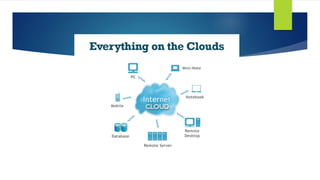
 All information that a digitized system has to offer is provided as a service in the cloud
computing model. Users can access these services available on the "Internet cloud"
without having any previous know-how on managing the resources involved.
History
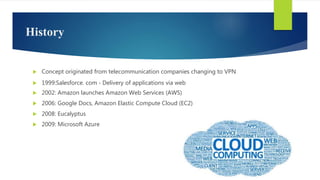
 Concept originated from telecommunication companies changing to VPN
 1999:Salesforce. com ‐ Delivery of applications via web
 2002: Amazon launches Amazon Web Services (AWS)
 2006: Google Docs, Amazon Elastic Compute Cloud (EC2)
 2008: Eucalyptus
 2009: Microsoft Azure
Why cloud service is popular?
 Reduce the complexity of networks.
 Do not have to buy software licenses.
 Customization.
 Cloud providers that have specialized in a particular area (such as e-mail) can bring
advanced services that a single company might not be able to afford or develop.
 scalability, reliability, and efficiency.
 Info. at cloud are not easily lost.
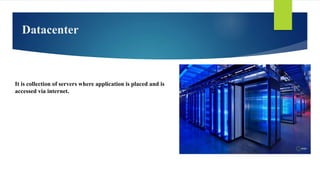
Datacenter
It is collection of servers where application is placed and is
accessed via internet.
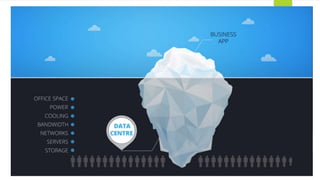
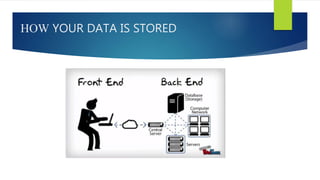
HOW YOUR DATA IS STORED
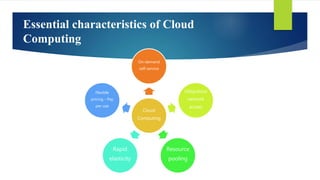
Essential characteristics of Cloud
Computing
Cloud
Computing
On-demand
self-service
Ubiquitous
network
access
Resource
pooling
Rapid
elasticity
Flexible
pricing - Pay
per use
Advantages of Cloud Computing
 Lower Computing Cost
 Improved Performance
 Reduced Software Cost
 Instant Software Updates
 Unlimited Storage Capacity
 Increased Data Reliability
 Device Independence and the “always on!, anywhere and any place”
 Free From Maintenance and the “no-need-to-know”
Disadvantages of Cloud Computing
► Cloud computing is impossible if you cannot connect to the Internet.
► Since you use the Internet to connect to both your applications and documents, if you do
not have an Internet connection you cannot access anything, even your own documents.
► A dead Internet connection means no work and in areas where Internet connections are
few or inherently unreliable, this could be a deal-breaker.
► When you are offline, cloud computing simply does not work.
Virtualization
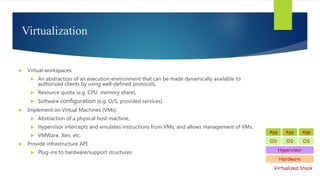
 Virtual workspaces:
 An abstraction of an execution environment that can be made dynamically available to
authorized clients by using well-defined protocols,
 Resource quota (e.g. CPU, memory share),
 Software configuration (e.g. O/S, provided services).
 Implement on Virtual Machines (VMs):
 Abstraction of a physical host machine,
 Hypervisor intercepts and emulates instructions from VMs, and allows management of VMs,
 VMWare, Xen, etc.
 Provide infrastructure API:
 Plug-ins to hardware/support structures
Hardware
OS
App App App
Hypervisor
OS OS
Virtualized Stack
Virtual Machines
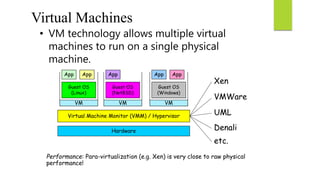
• VM technology allows multiple virtual
machines to run on a single physical
machine.
Hardware
Virtual Machine Monitor (VMM) / Hypervisor
Guest OS
(Linux)
Guest OS
(NetBSD)
Guest OS
(Windows)
VM VM VM
AppApp AppAppApp
Xen
VMWare
UML
Denali
etc.
Performance: Para-virtualization (e.g. Xen) is very close to raw physical
performance!
15
Virtualization in General
 Advantages of virtual machines:
 Run operating systems where the physical hardware is unavailable,
 Easier to create new machines, backup machines, etc.,
 Software testing using “clean” installs of operating systems and software,
 Emulate more machines than are physically available,
 Timeshare lightly loaded systems on one host,
 Debug problems (suspend and resume the problem machine),
 Easy migration of virtual machines (shutdown needed or not).
 Run legacy systems!
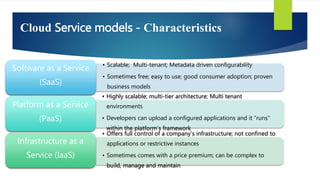
Cloud Service models - Characteristics
• Scalable; Multi-tenant; Metadata driven configurability
• Sometimes free; easy to use; good consumer adoption; proven
business models
Software as a Service
(SaaS)
• Highly scalable; multi-tier architecture; Multi tenant
environments
• Developers can upload a configured applications and it “runs”
within the platform’s framework
Platform as a Service
(PaaS)
• Offers full control of a company’s infrastructure; not confined to
applications or restrictive instances
• Sometimes comes with a price premium; can be complex to
build, manage and maintain
Infrastructure as a
Service (IaaS)
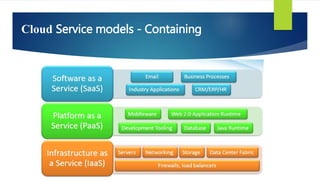
Cloud Service models - Containing
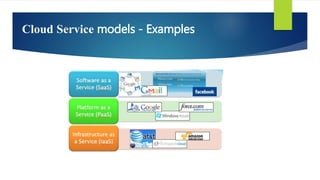
Cloud Service models - Examples
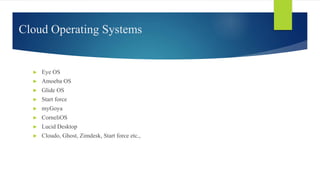
Cloud Operating Systems
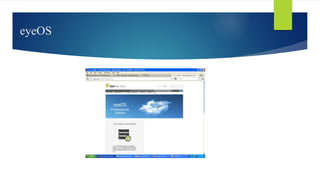
► Eye OS
► Amoeba OS
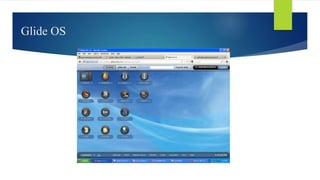
► Glide OS
► Start force
► myGoya
► CorneliOS
► Lucid Desktop
► Cloudo, Ghost, Zimdesk, Start force etc.,
eyeOS
Glide OS
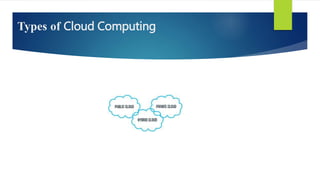
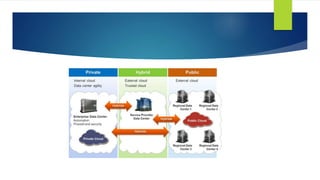
Types of Cloud Computing
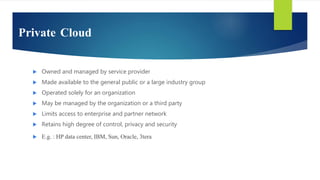
Private Cloud
 Owned and managed by service provider
 Made available to the general public or a large industry group
 Operated solely for an organization
 May be managed by the organization or a third party
 Limits access to enterprise and partner network
 Retains high degree of control, privacy and security
 E.g. : HP data center, IBM, Sun, Oracle, 3tera
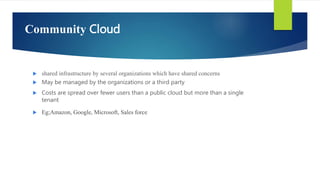
Community Cloud
 shared infrastructure by several organizations which have shared concerns
 May be managed by the organizations or a third party
 Costs are spread over fewer users than a public cloud but more than a single
tenant
 Eg;Amazon, Google, Microsoft, Sales force
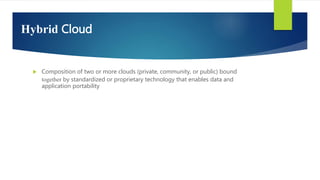
Hybrid Cloud
 Composition of two or more clouds (private, community, or public) bound
together by standardized or proprietary technology that enables data and
application portability
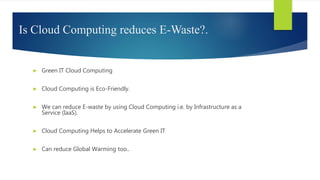
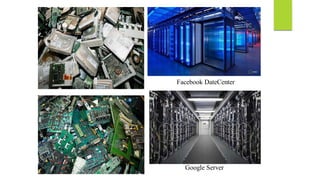
Is Cloud Computing reduces E-Waste?.
► Green IT Cloud Computing
► Cloud Computing is Eco-Friendly.
► We can reduce E-waste by using Cloud Computing i.e. by Infrastructure as a
Service (IaaS).
► Cloud Computing Helps to Accelerate Green IT
► Can reduce Global Warming too..
Facebook DateCenter
Google Server
Commercial Clouds
Commercial Clouds
The Future
 Many of the activities loosely grouped together under cloud computing have already been
happening and centralised computing activity is not a new phenomena
 Grid Computing was the last research-led centralised approach
 However there are concerns that the mainstream adoption of cloud computing could
cause many problems for users
 Many new open source systems appearing that you can install and run on your local
cluster
 should be able to run a variety of applications on these systems
Conclusion
 Cloud Computing is the fastest growing part of network based computing . It
Provides tremendous benefits to customers of all sizes: simple users, developers,
enterprises and all types of organizations.
cloude computing

cloude computing

  • 1.
  • 2.
    Introduction  Cloud computingis Internet-based computing, whereby shared resources, software, and information are provided to computers and other devices on demand, like the electricity grid.  Cloud computing is a paradigm shift following the shift from mainframe to client– server in the early 1980s. Details are abstracted from the users, who no longer have need for expertise in, or control over, the technology infrastructure "in the cloud" that supports them.
  • 3.
    What Is CloudComputing?  Cloud computing is Internet based computing where virtual shared servers provide software, infrastructure, platform, devices and other resources and hosting to customers on a pay-as-you-use basis.  All information that a digitized system has to offer is provided as a service in the cloud computing model. Users can access these services available on the "Internet cloud" without having any previous know-how on managing the resources involved.
  • 4.
    History  Concept originatedfrom telecommunication companies changing to VPN  1999:Salesforce. com ‐ Delivery of applications via web  2002: Amazon launches Amazon Web Services (AWS)  2006: Google Docs, Amazon Elastic Compute Cloud (EC2)  2008: Eucalyptus  2009: Microsoft Azure
  • 5.
    Why cloud serviceis popular?  Reduce the complexity of networks.  Do not have to buy software licenses.  Customization.  Cloud providers that have specialized in a particular area (such as e-mail) can bring advanced services that a single company might not be able to afford or develop.  scalability, reliability, and efficiency.  Info. at cloud are not easily lost.
  • 7.
    Datacenter It is collectionof servers where application is placed and is accessed via internet.
  • 10.
    HOW YOUR DATAIS STORED
  • 11.
    Essential characteristics ofCloud Computing Cloud Computing On-demand self-service Ubiquitous network access Resource pooling Rapid elasticity Flexible pricing - Pay per use
  • 12.
    Advantages of CloudComputing  Lower Computing Cost  Improved Performance  Reduced Software Cost  Instant Software Updates  Unlimited Storage Capacity  Increased Data Reliability  Device Independence and the “always on!, anywhere and any place”  Free From Maintenance and the “no-need-to-know”
  • 13.
    Disadvantages of CloudComputing ► Cloud computing is impossible if you cannot connect to the Internet. ► Since you use the Internet to connect to both your applications and documents, if you do not have an Internet connection you cannot access anything, even your own documents. ► A dead Internet connection means no work and in areas where Internet connections are few or inherently unreliable, this could be a deal-breaker. ► When you are offline, cloud computing simply does not work.
  • 14.
    Virtualization  Virtual workspaces: An abstraction of an execution environment that can be made dynamically available to authorized clients by using well-defined protocols,  Resource quota (e.g. CPU, memory share),  Software configuration (e.g. O/S, provided services).  Implement on Virtual Machines (VMs):  Abstraction of a physical host machine,  Hypervisor intercepts and emulates instructions from VMs, and allows management of VMs,  VMWare, Xen, etc.  Provide infrastructure API:  Plug-ins to hardware/support structures Hardware OS App App App Hypervisor OS OS Virtualized Stack
  • 15.
    Virtual Machines • VMtechnology allows multiple virtual machines to run on a single physical machine. Hardware Virtual Machine Monitor (VMM) / Hypervisor Guest OS (Linux) Guest OS (NetBSD) Guest OS (Windows) VM VM VM AppApp AppAppApp Xen VMWare UML Denali etc. Performance: Para-virtualization (e.g. Xen) is very close to raw physical performance! 15
  • 16.
    Virtualization in General Advantages of virtual machines:  Run operating systems where the physical hardware is unavailable,  Easier to create new machines, backup machines, etc.,  Software testing using “clean” installs of operating systems and software,  Emulate more machines than are physically available,  Timeshare lightly loaded systems on one host,  Debug problems (suspend and resume the problem machine),  Easy migration of virtual machines (shutdown needed or not).  Run legacy systems!
  • 17.
    Cloud Service models- Characteristics • Scalable; Multi-tenant; Metadata driven configurability • Sometimes free; easy to use; good consumer adoption; proven business models Software as a Service (SaaS) • Highly scalable; multi-tier architecture; Multi tenant environments • Developers can upload a configured applications and it “runs” within the platform’s framework Platform as a Service (PaaS) • Offers full control of a company’s infrastructure; not confined to applications or restrictive instances • Sometimes comes with a price premium; can be complex to build, manage and maintain Infrastructure as a Service (IaaS)
  • 18.
  • 19.
  • 20.
    Cloud Operating Systems ►Eye OS ► Amoeba OS ► Glide OS ► Start force ► myGoya ► CorneliOS ► Lucid Desktop ► Cloudo, Ghost, Zimdesk, Start force etc.,
  • 21.
  • 22.
  • 23.
    Types of CloudComputing
  • 25.
    Private Cloud  Ownedand managed by service provider  Made available to the general public or a large industry group  Operated solely for an organization  May be managed by the organization or a third party  Limits access to enterprise and partner network  Retains high degree of control, privacy and security  E.g. : HP data center, IBM, Sun, Oracle, 3tera
  • 26.
    Community Cloud  sharedinfrastructure by several organizations which have shared concerns  May be managed by the organizations or a third party  Costs are spread over fewer users than a public cloud but more than a single tenant  Eg;Amazon, Google, Microsoft, Sales force
  • 27.
    Hybrid Cloud  Compositionof two or more clouds (private, community, or public) bound together by standardized or proprietary technology that enables data and application portability
  • 28.
    Is Cloud Computingreduces E-Waste?. ► Green IT Cloud Computing ► Cloud Computing is Eco-Friendly. ► We can reduce E-waste by using Cloud Computing i.e. by Infrastructure as a Service (IaaS). ► Cloud Computing Helps to Accelerate Green IT ► Can reduce Global Warming too..
  • 29.
  • 30.
  • 31.
  • 32.
    The Future  Manyof the activities loosely grouped together under cloud computing have already been happening and centralised computing activity is not a new phenomena  Grid Computing was the last research-led centralised approach  However there are concerns that the mainstream adoption of cloud computing could cause many problems for users  Many new open source systems appearing that you can install and run on your local cluster  should be able to run a variety of applications on these systems
  • 33.
    Conclusion  Cloud Computingis the fastest growing part of network based computing . It Provides tremendous benefits to customers of all sizes: simple users, developers, enterprises and all types of organizations.