Beacons
- Upasana Chauhan
Agenda
1. What is Beacons?
2. Why use beacons?(Pros)
3. Why not to use beacons?(Cons)
4. Where to use beacons?(Use Cases)
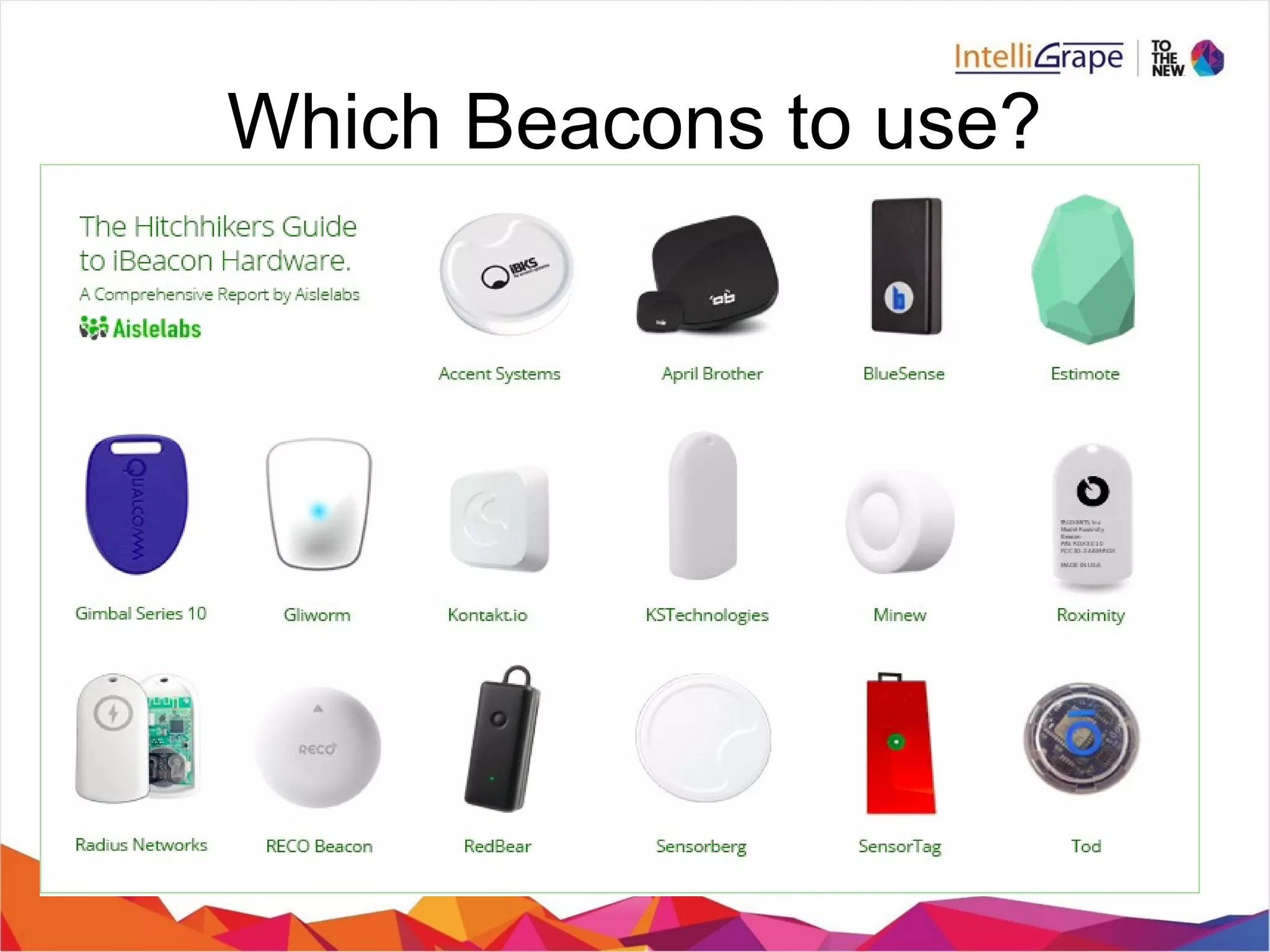
5. Which beacons to use?(Vendors)
Demo Application
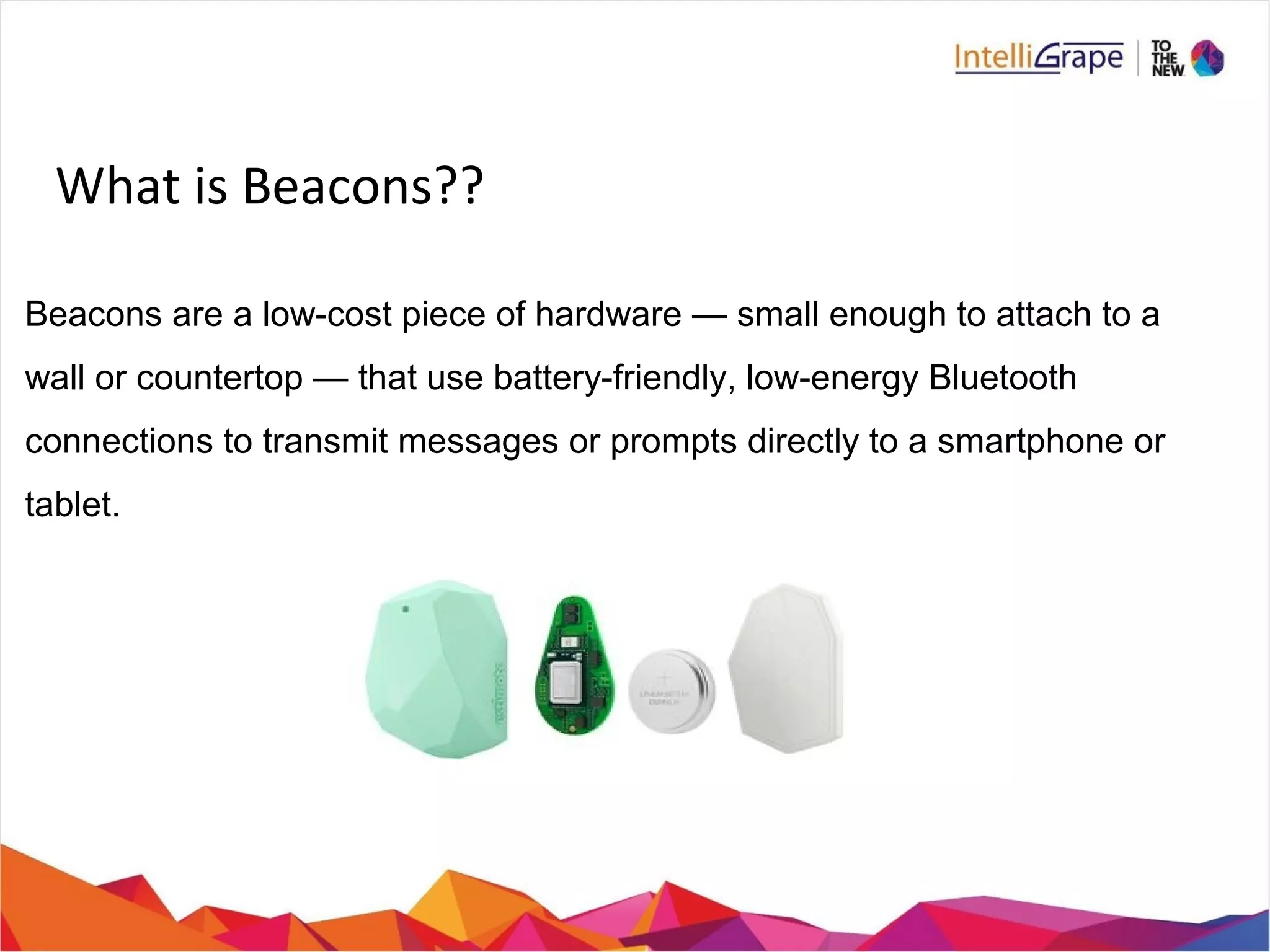
What is Beacons??
Beacons are a low-cost piece of hardware — small enough to attach to a
wall or countertop — that use battery-friendly, low-energy Bluetooth
connections to transmit messages or prompts directly to a smartphone or
tablet.
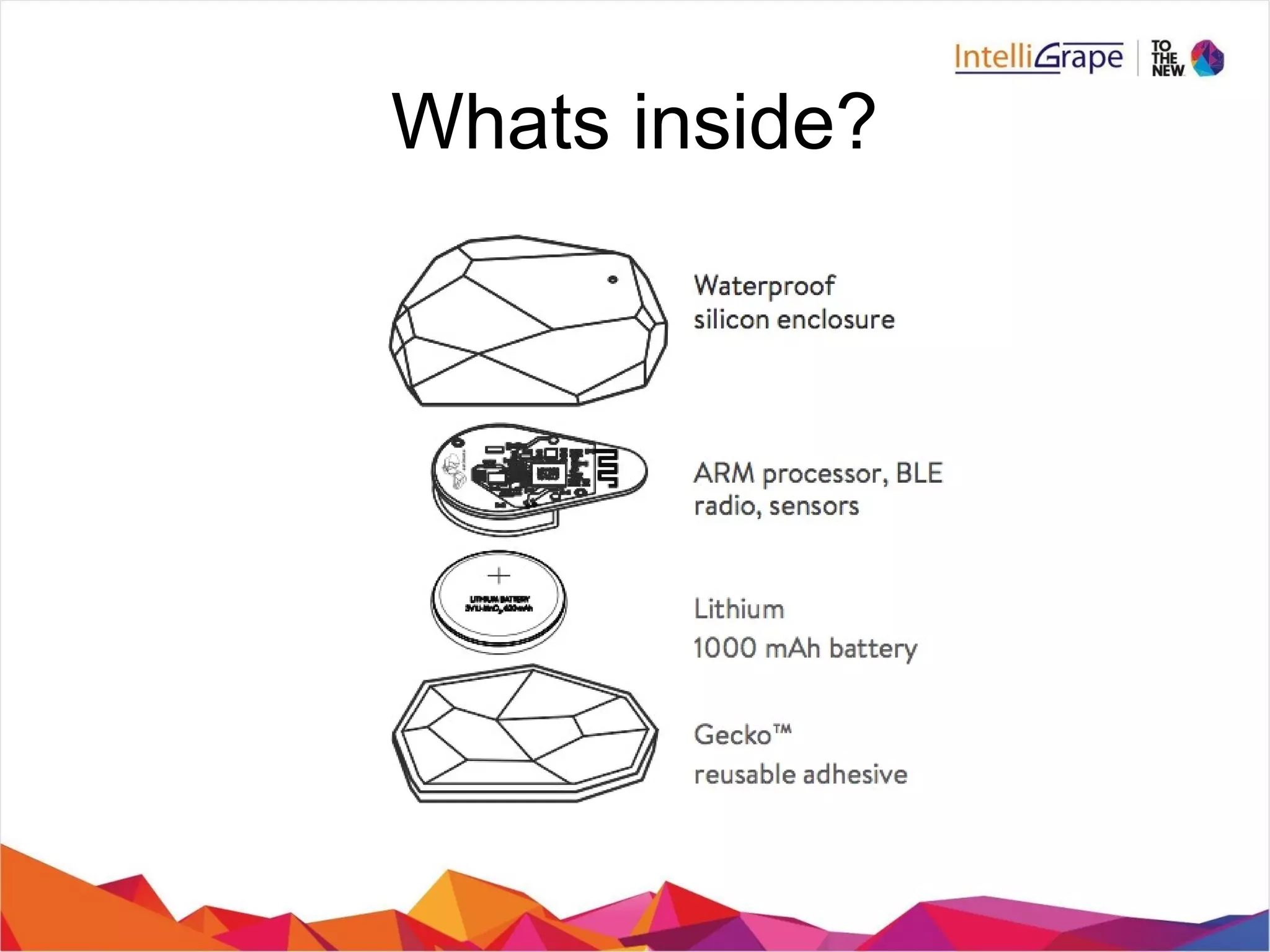
Whats inside?

BLE – Bluetooth Low Energy, marketed as Bluetooth Smart

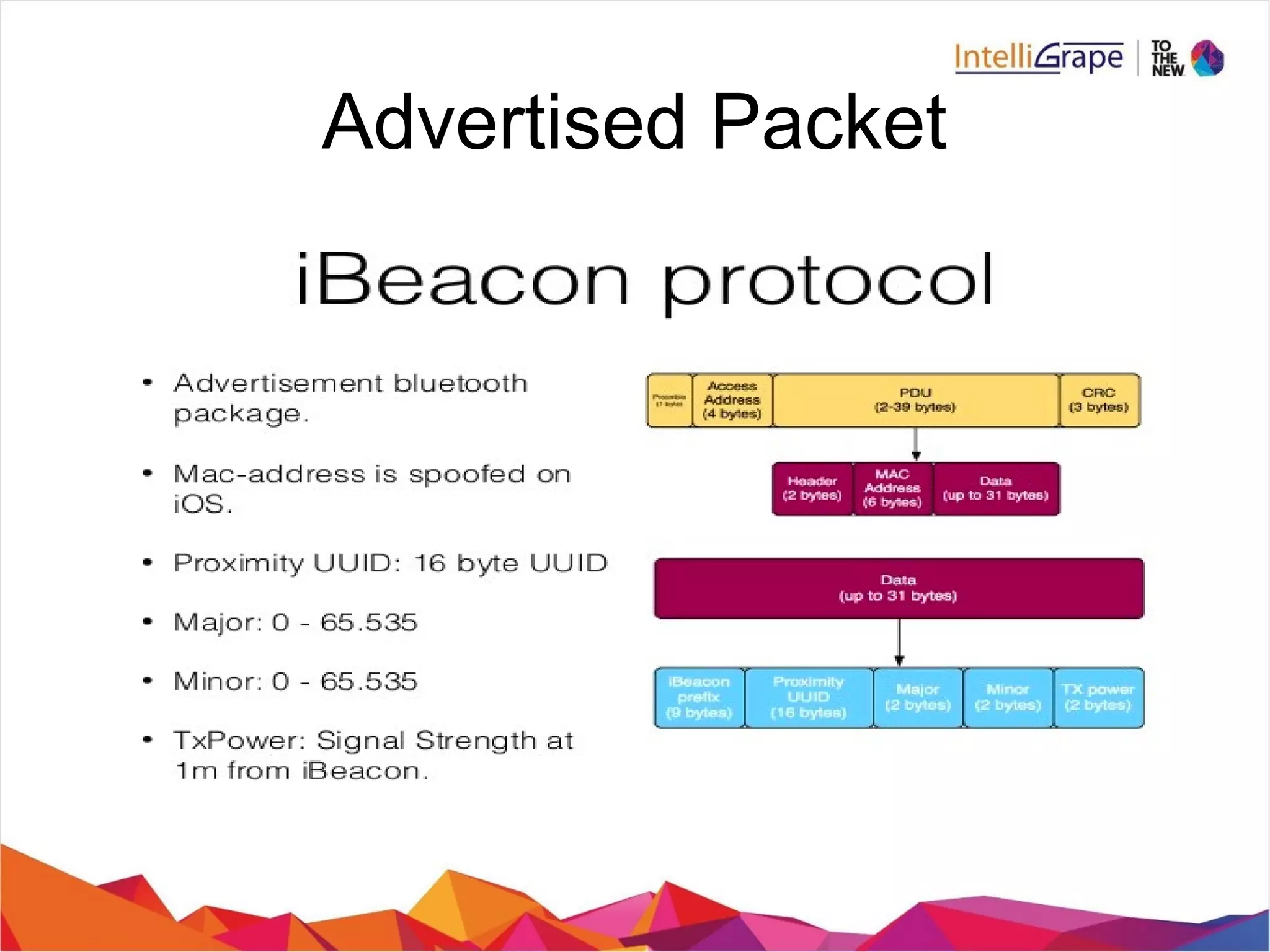
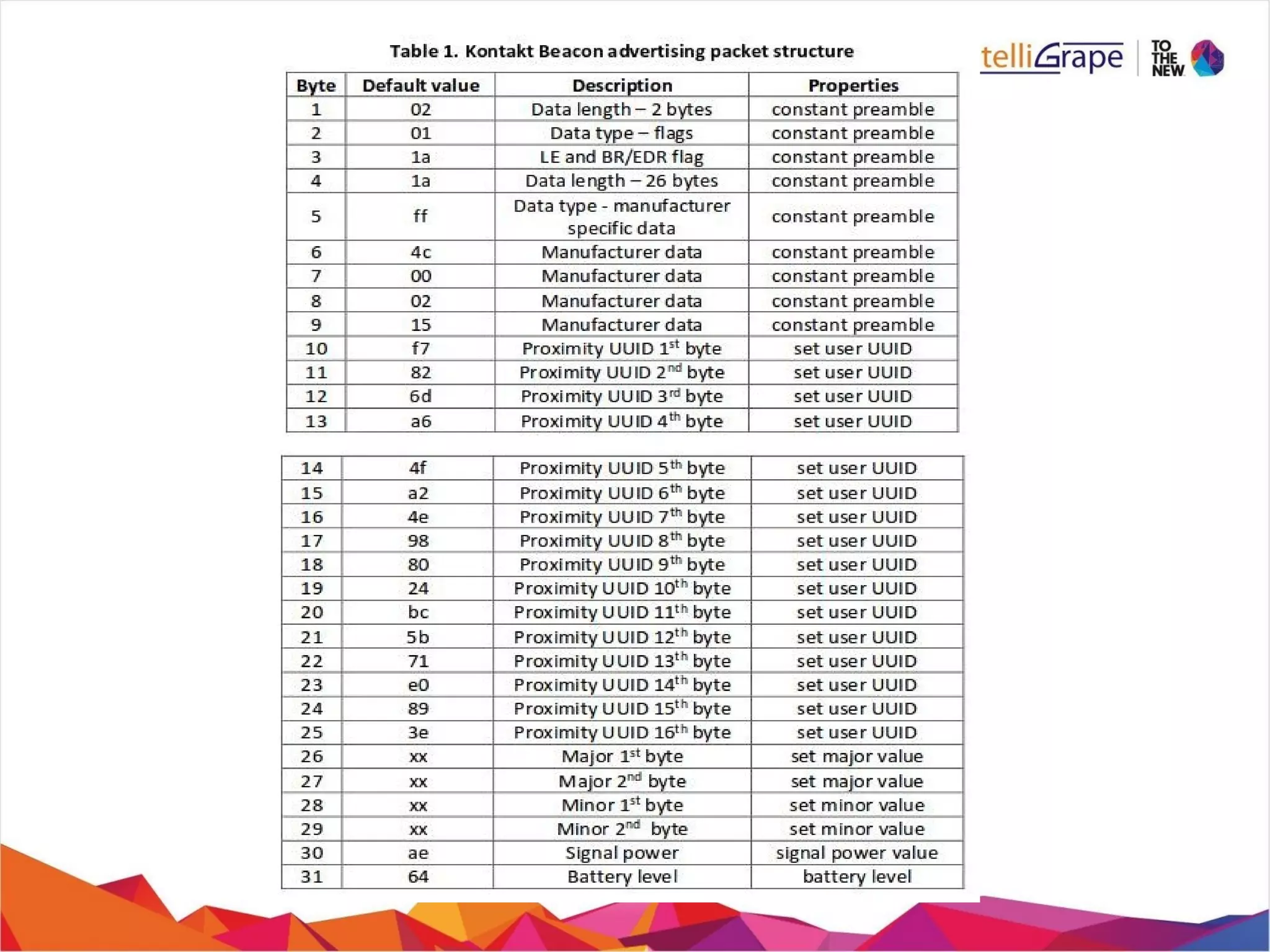
Advertised Packet
Major teminology used
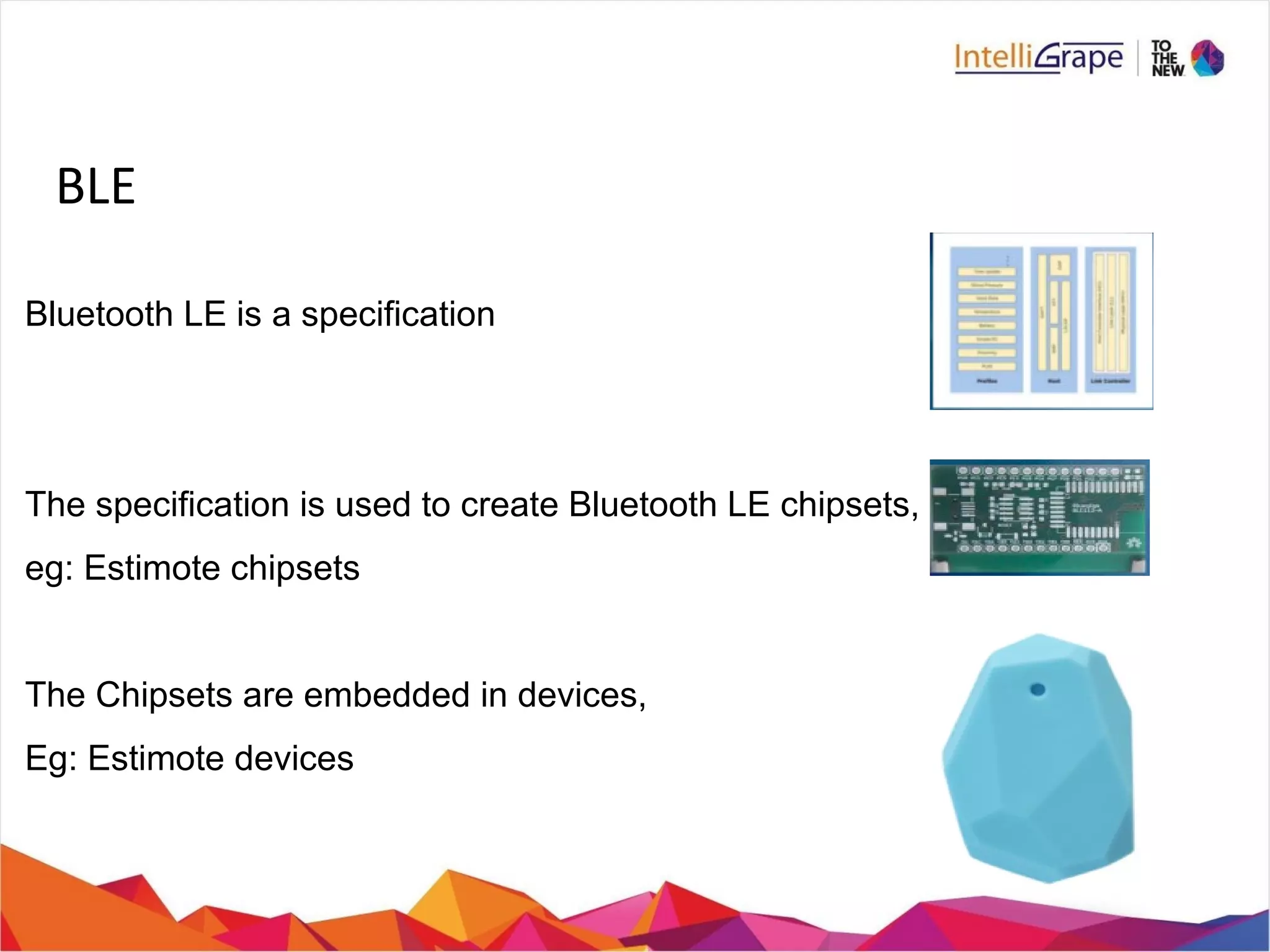
BLE
Bluetooth LE is a specification
The specification is used to create Bluetooth LE chipsets,
eg: Estimote chipsets
The Chipsets are embedded in devices,
Eg: Estimote devices
Bluetooth Low Energy, as the name implies,

It consumes very less power.

It can work upto couple of years on a single coin cell battery.

It is cost effiecient wrt to classic bluetooth.

Lower implementation costs

Multi-vendor interoperability

Enhanced range
Features
Difference from Classic BT
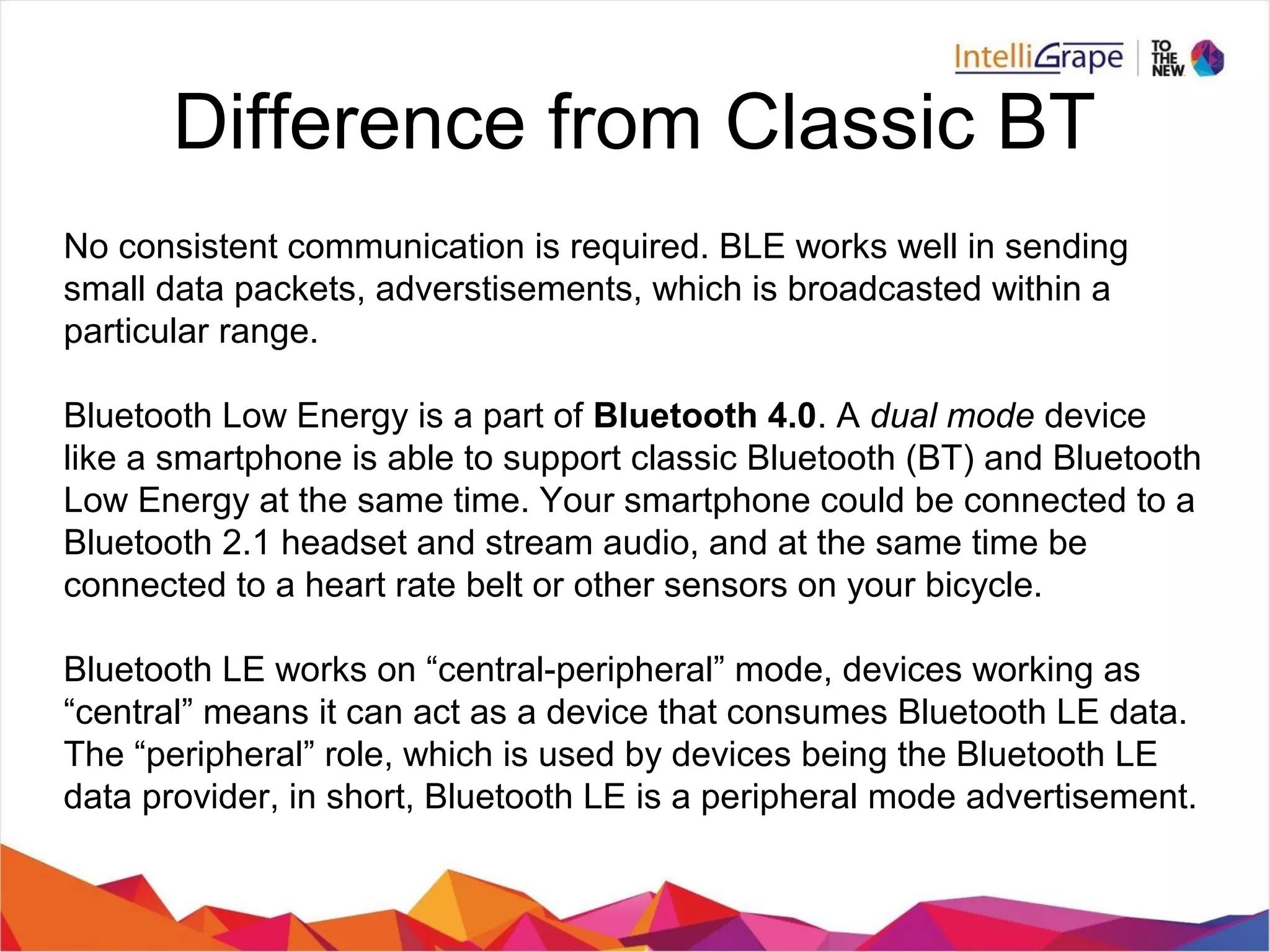
No consistent communication is required. BLE works well in sending
small data packets, adverstisements, which is broadcasted within a
particular range.
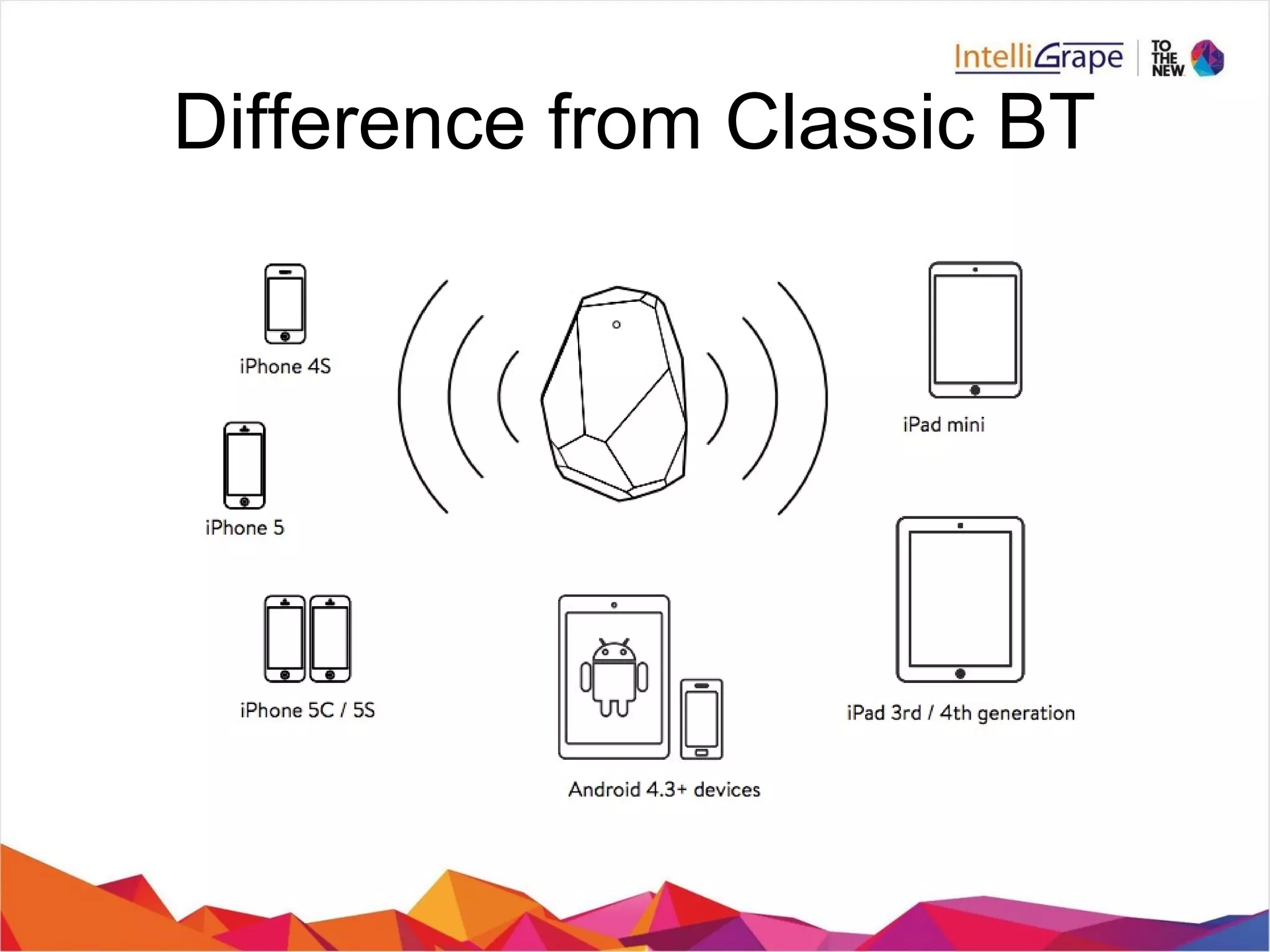
Bluetooth Low Energy is a part of Bluetooth 4.0. A dual mode device
like a smartphone is able to support classic Bluetooth (BT) and Bluetooth
Low Energy at the same time. Your smartphone could be connected to a
Bluetooth 2.1 headset and stream audio, and at the same time be
connected to a heart rate belt or other sensors on your bicycle.
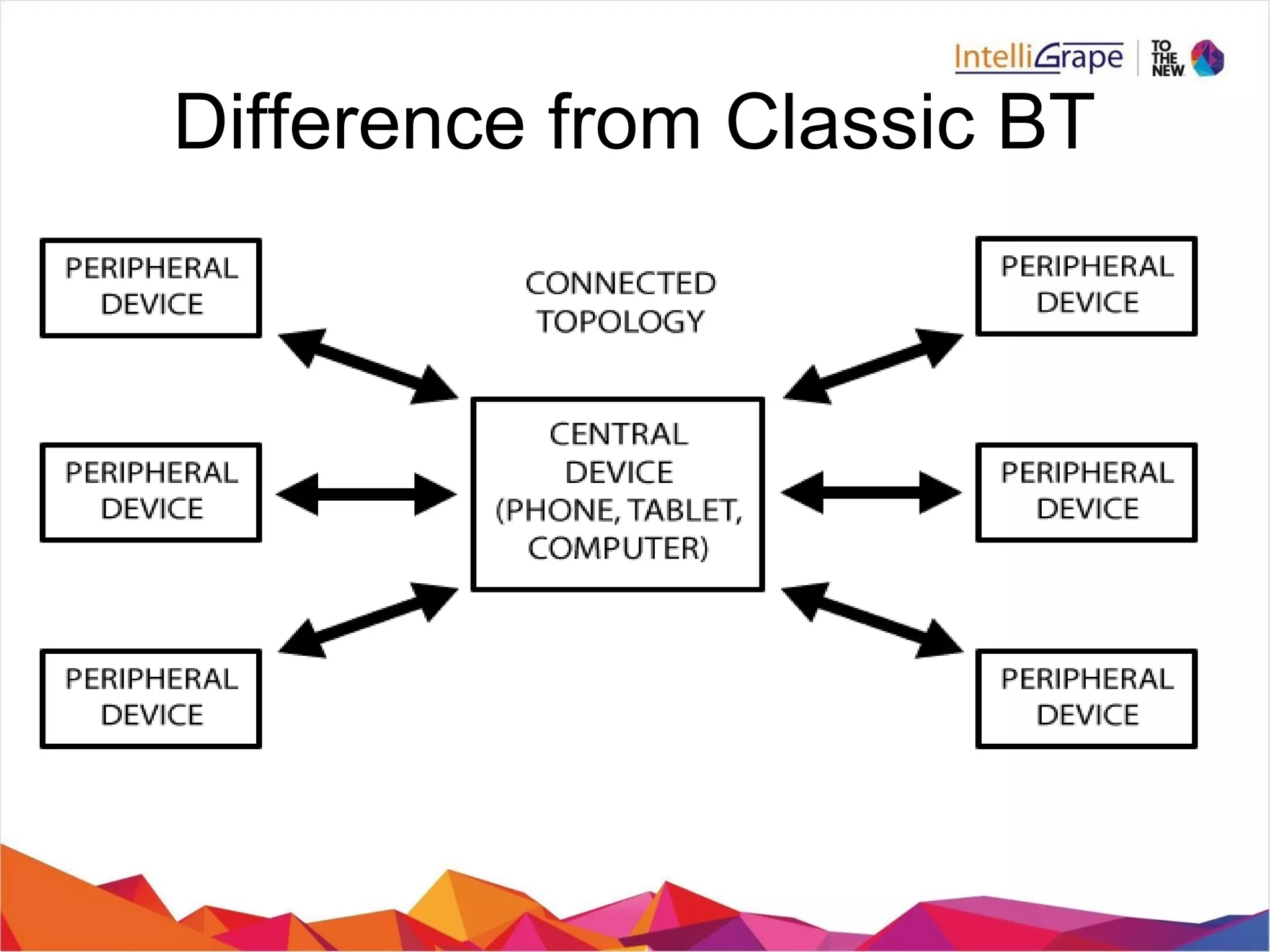
Bluetooth LE works on “central-peripheral” mode, devices working as
“central” means it can act as a device that consumes Bluetooth LE data.
The “peripheral” role, which is used by devices being the Bluetooth LE
data provider, in short, Bluetooth LE is a peripheral mode advertisement.
Bluetooth Low Energy, as the name implies,
l
it consumes very less power.
l
It can work upto couple of years on a single coin cell battery.
l
It is cost effiecient wrt to classic bluetooth.
l
Lower implementation costs
l
Multi-vendor interoperability
l
Enhanced range
Difference from Classic BT
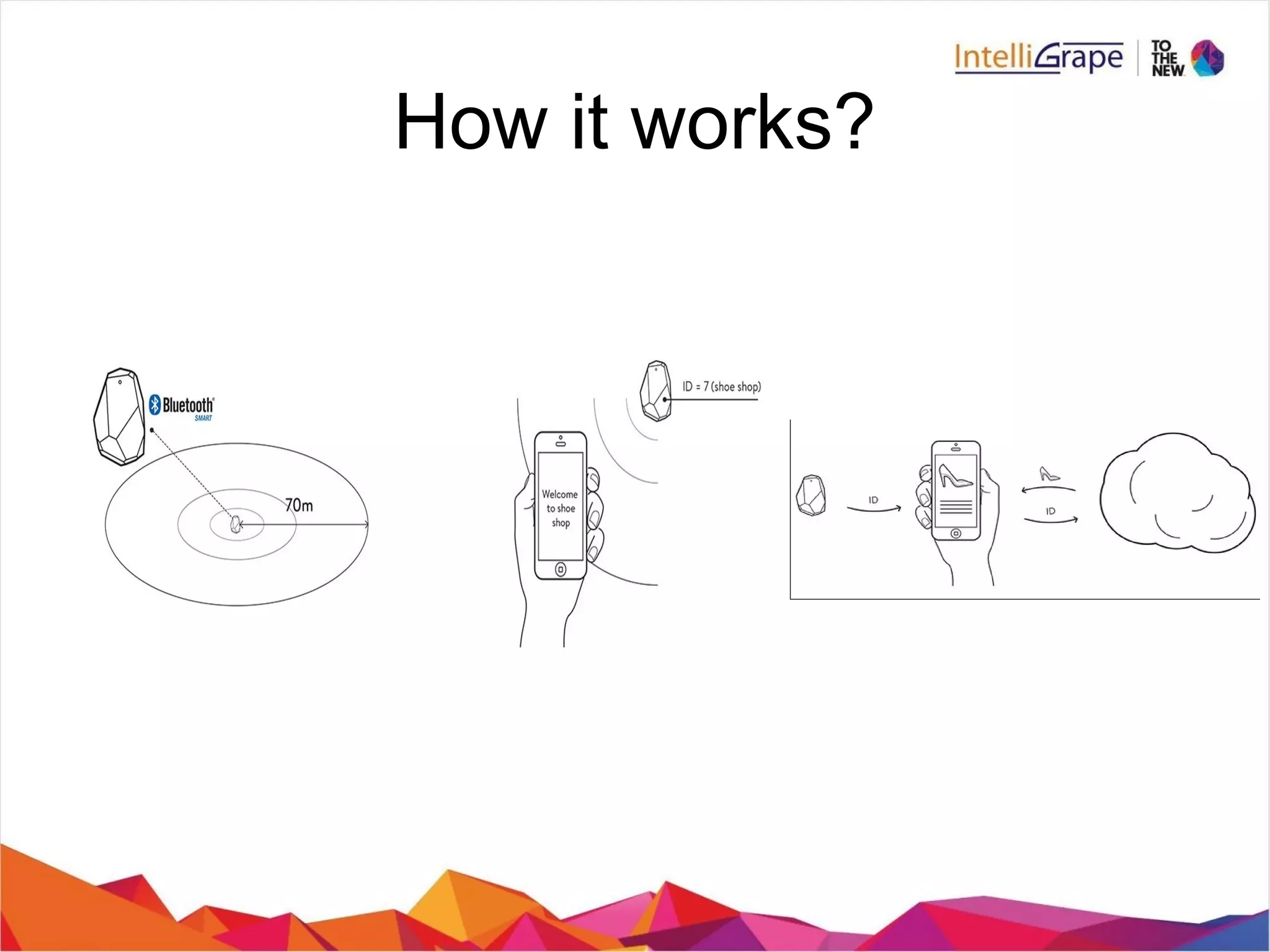
How it works?
How it works?
https://www.youtube.com/watch?v=SrsHBjzt2E8
https://www.youtube.com/watch?v=HGSOf1tHSSo&index=1&list=PLy
Advertised Packet
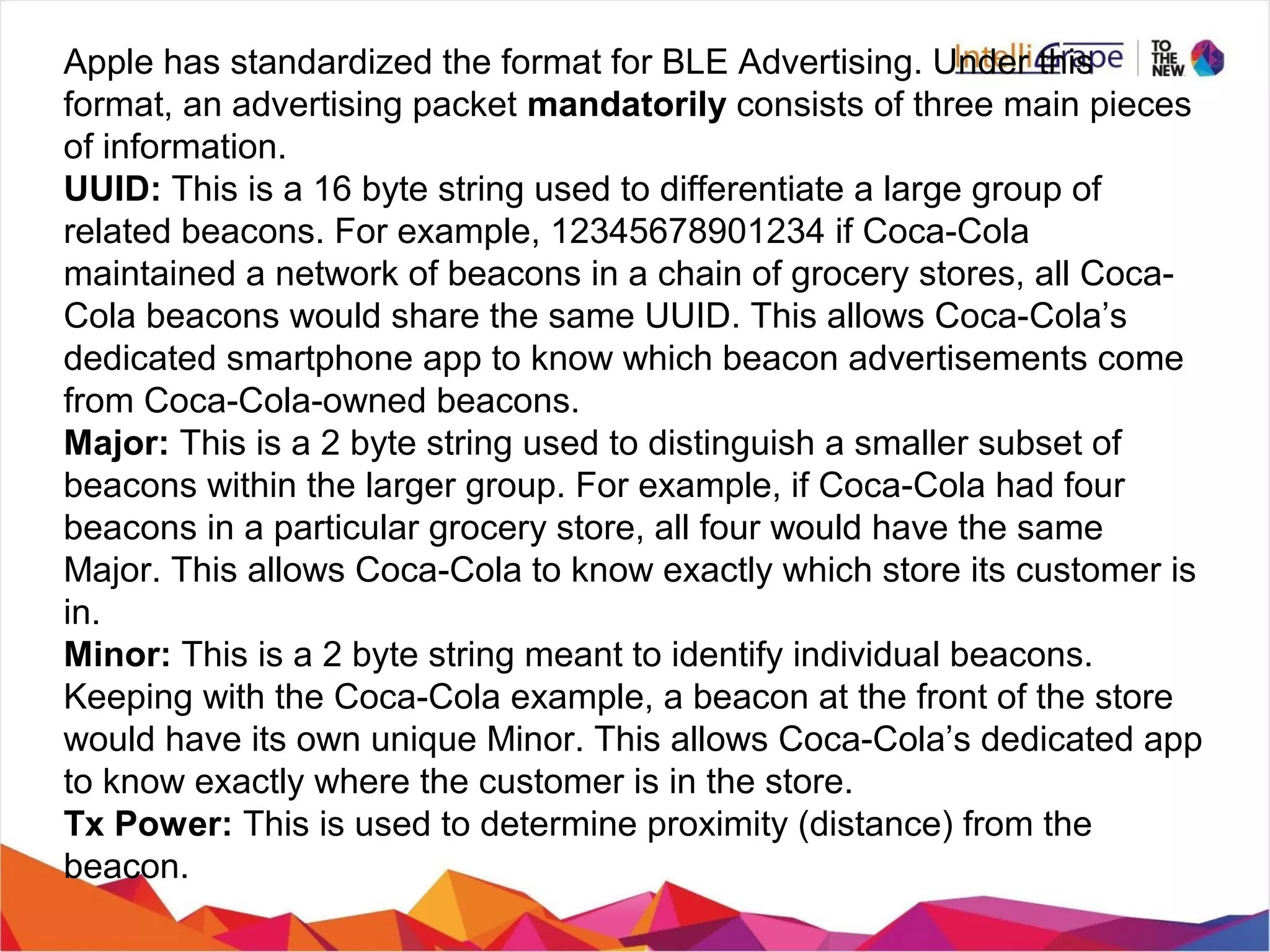
Apple has standardized the format for BLE Advertising. Under this
format, an advertising packet mandatorily consists of three main pieces
of information.
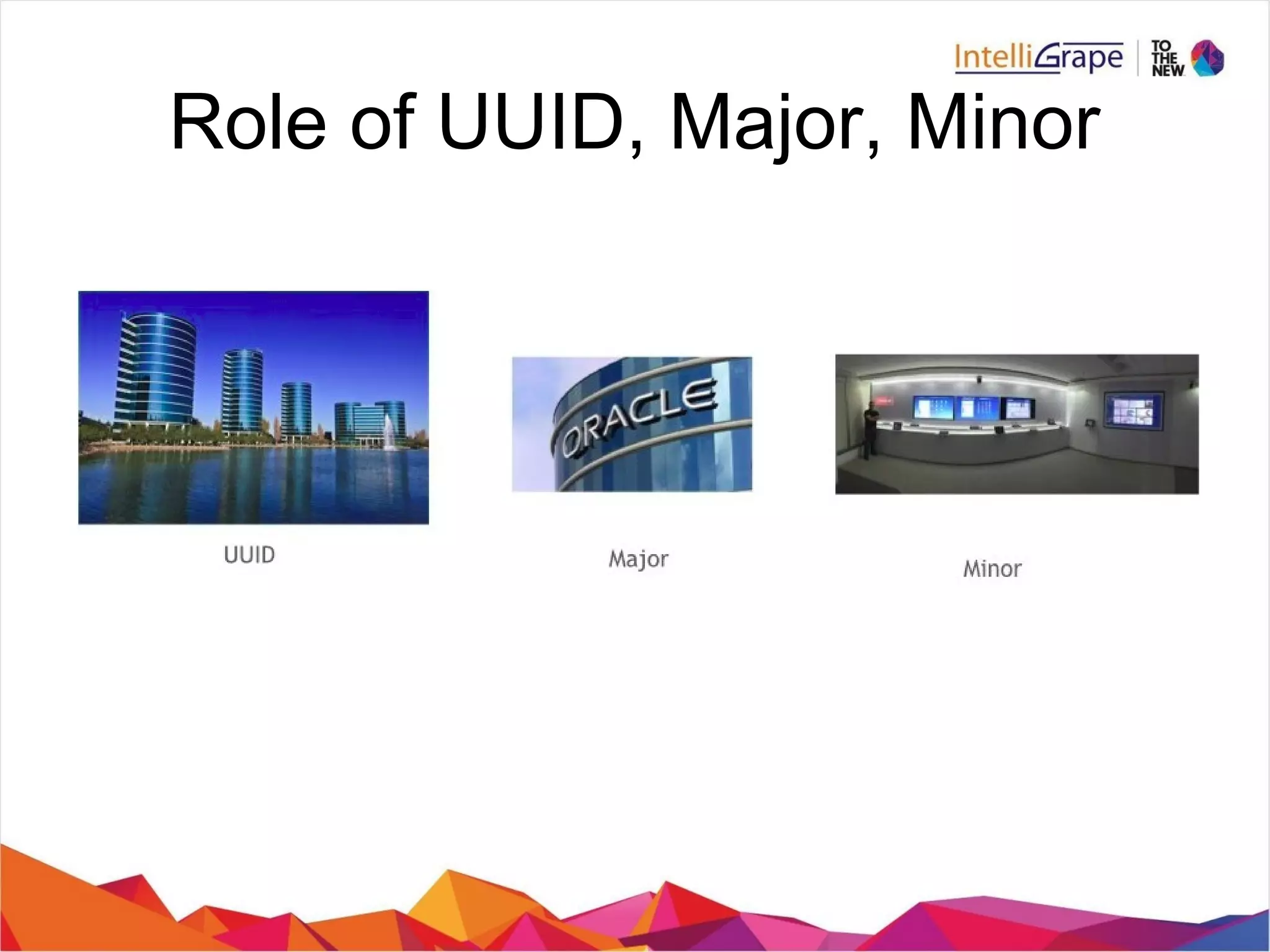
UUID: This is a 16 byte string used to differentiate a large group of
related beacons. For example, 12345678901234 if Coca-Cola
maintained a network of beacons in a chain of grocery stores, all Coca-
Cola beacons would share the same UUID. This allows Coca-Cola’s
dedicated smartphone app to know which beacon advertisements come
from Coca-Cola-owned beacons.
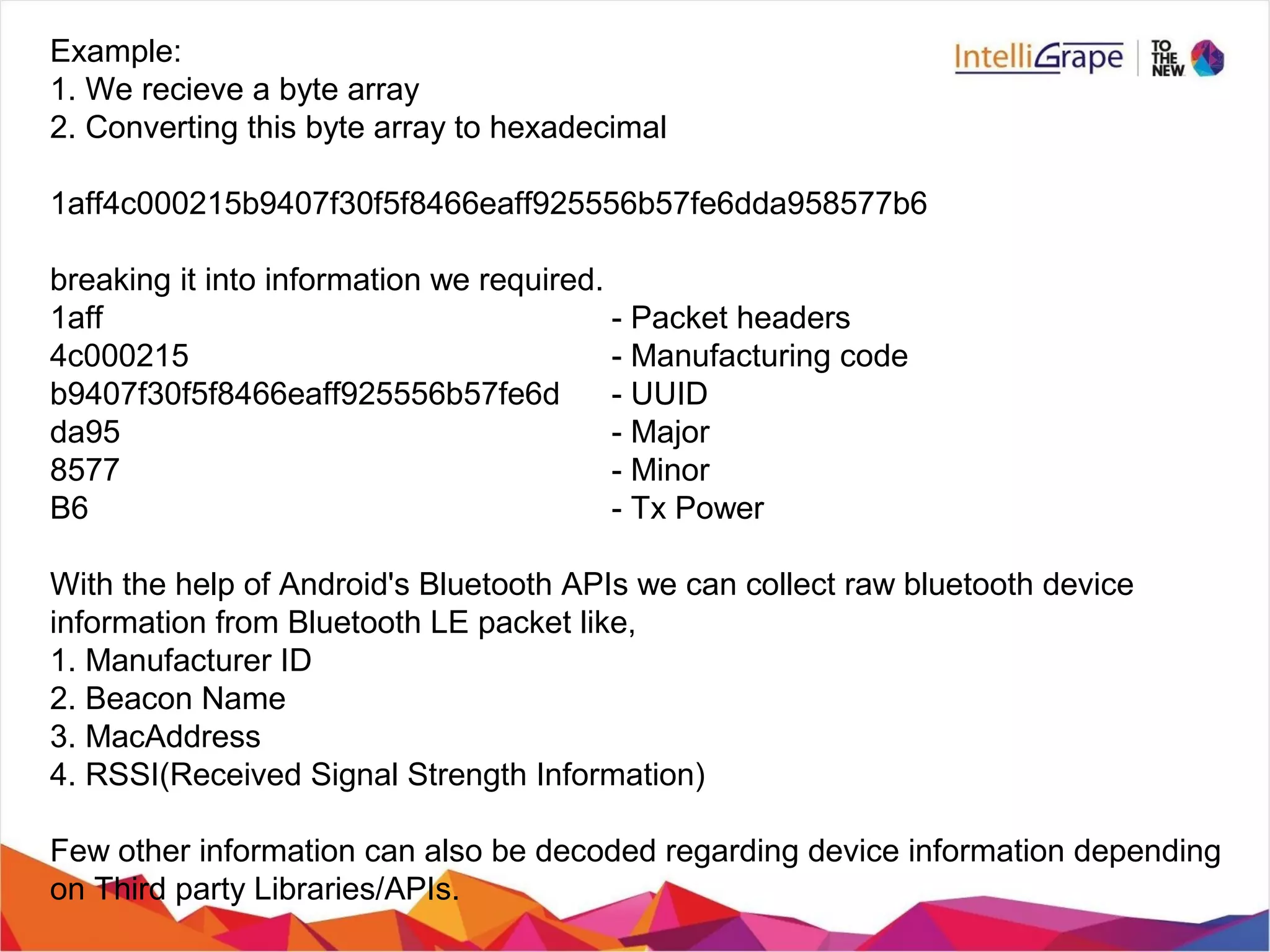
Major: This is a 2 byte string used to distinguish a smaller subset of
beacons within the larger group. For example, if Coca-Cola had four
beacons in a particular grocery store, all four would have the same
Major. This allows Coca-Cola to know exactly which store its customer is
in.
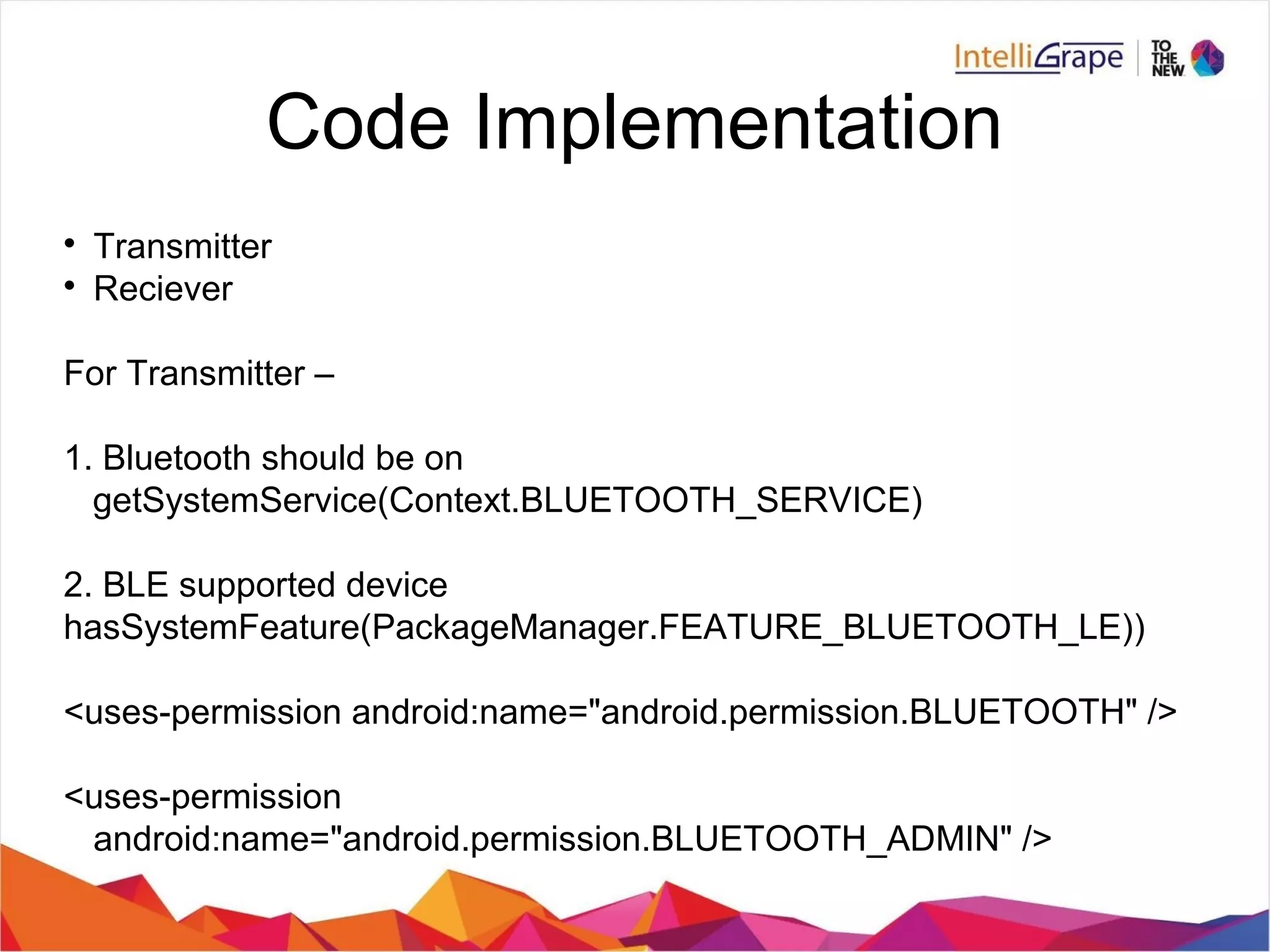
Minor: This is a 2 byte string meant to identify individual beacons.
Keeping with the Coca-Cola example, a beacon at the front of the store
would have its own unique Minor. This allows Coca-Cola’s dedicated app
to know exactly where the customer is in the store.
Tx Power: This is used to determine proximity (distance) from the
beacon.
Role of UUID, Major, Minor
Example:
1. We recieve a byte array
2. Converting this byte array to hexadecimal
1aff4c000215b9407f30f5f8466eaff925556b57fe6dda958577b6
breaking it into information we required.
1aff - Packet headers
4c000215 - Manufacturing code
b9407f30f5f8466eaff925556b57fe6d - UUID
da95 - Major
8577 - Minor
B6 - Tx Power
With the help of Android's Bluetooth APIs we can collect raw bluetooth device
information from Bluetooth LE packet like,
1. Manufacturer ID
2. Beacon Name
3. MacAddress
4. RSSI(Received Signal Strength Information)
Few other information can also be decoded regarding device information depending
on Third party Libraries/APIs.
Code Implementation

Transmitter

Reciever
For Transmitter –
1. Bluetooth should be on
getSystemService(Context.BLUETOOTH_SERVICE)
2. BLE supported device
hasSystemFeature(PackageManager.FEATURE_BLUETOOTH_LE))
<uses-permission android:name="android.permission.BLUETOOTH" />
<uses-permission
android:name="android.permission.BLUETOOTH_ADMIN" />
Beacon beacon = new Beacon.Builder()
.setId1(“2f234454-cf6d-4a0f-adf2-f4911ba9ffa6”)
.setId2(“1”)
.setId3(“2”)
.setManufacturer(0x0118)
.setTxPower(-59)
.setDataFields(Arrays.asList(new Long[] {0l}))
.build();
beaconTransmitter.startAdvertising(beacon);
Beacon Advertisement Receiver
Two classes are main in this reciever
1. Beacon Parser
2. Beacon Manager
Why use Beacons

Bluetooth LE can be understood as an ‘extension’ of location
technology.

It’s a lot like GPS but also uses a LOT less battery

GPS doesn’t work very well once you get inside.Bluetooth LE does.

Provides rich user experience in form of Notifications, Alerts, dialogs,
etc.

Helpful in Consumer engagement activities.

Capability to facilitate payment also.

Advantage over NFC because of its range, affordability.
Why not to use Beacons

Bluetooth must be on.

Security issues

Durability

Programming

Only limited data can be transferred through beacons.

Each Beacon specification is vendor/hardware dependent.

Proximity based distance, it may vary from environment to
environment.
Where to use Beacons(Use Cases)
1. Shopping Complexes
Beacons can play a major role in retail marketing. It can attract Consumers by
sending offers, discounts or any other interesting stuff by notifications. As soon
as the device comes in the range of any Beacon say, near ABC Shop, then all
the offers will arrive on the device.
2. Airports
Flight delay, waiting time is a very common process while boarding any plane.
During this situation, if while travelling from any nearby Custom Shop, the
passenger gets the notification regarding all the stuff on sale, without actually
entering into the shop, will utilize the passenger time in converting it into fine
retail experience.
3. Mueseums/Zoo
Although everyhting is written everywhere, but still if the information comes on the
User device with fine User Interface, displaying the related videos, captivating
images, then it will surely popularize the place and its management.
Where to use Beacons(Use Cases)
4. Amusements Parks/Trade Fairs
While waiting for half an hour in the queue, if User gets this information prior
regarding the head count near any ride, then User can easily optimize its
experience by visiting all the rides he likes.
This can be done by Beacons. Any device in the beacons contact can capture its
presence and thus helps in showing the real time analytics.
5. To-Do-List
Early in the morning, as soon as the employee enters in the office or get seated,
automatically a TO DO LIST gets open for him, either showing the task assigned to
him by this Team Lead, Project Manager, or any work that the employee assigned
to himself. We can further sync this list with the server to track the work done in
whole day.
5. Cab Track
Keeping a track of Cab Board/ De-board by any employee/passenger. On the basis
of this we can identify whether the person is in the cab or not and correspondingly
sending the data back to server to ensure safety as well. Also, deploying Beacons
is a cheaper way to track.
Where to use Beacons(Use Cases)
6. New employees
Being a new employee, introduction to their team is a must. If not to the whole
team then atleast to its immediate supervisors and supervise. As soon as the
person enters into office, a brief overview can be send to him in a very nice UI
structure.
7. Attendance app
Beacon can easily identify if the device is in its range or not, so marking the
attendance for the same and simultaneously User can see who all are present in
the office.
Other Use cases could be
8. Hospitals
9. Events/Conferences
10. Stadium
11. Entertainment junctions
Which Beacons to use?
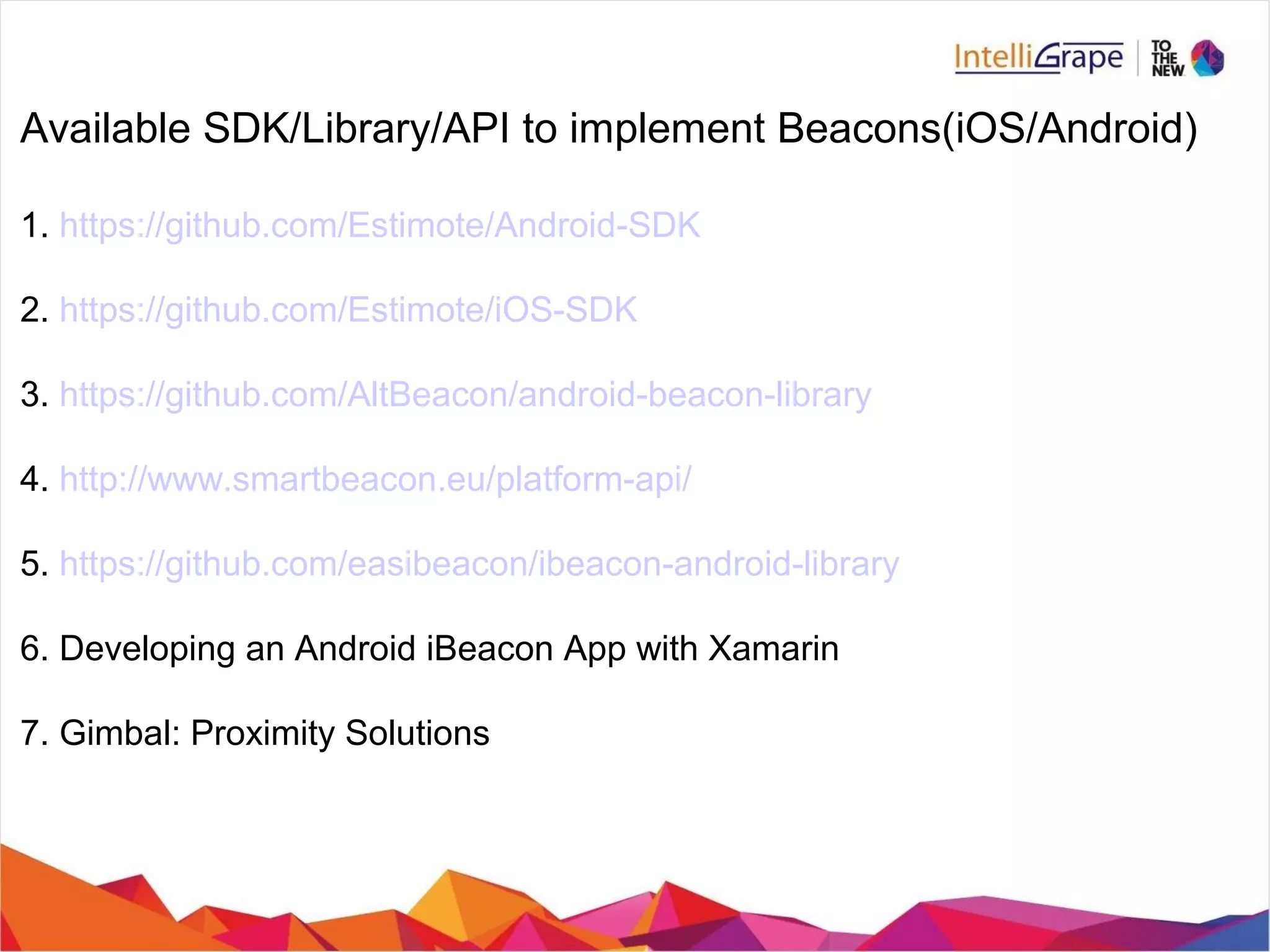
Available SDK/Library/API to implement Beacons(iOS/Android)
1. https://github.com/Estimote/Android-SDK
2. https://github.com/Estimote/iOS-SDK
3. https://github.com/AltBeacon/android-beacon-library
4. http://www.smartbeacon.eu/platform-api/
5. https://github.com/easibeacon/ibeacon-android-library
6. Developing an Android iBeacon App with Xamarin
7. Gimbal: Proximity Solutions
Refrences
http://developer.android.com/guide/topics/connectivity/bluetooth-le.html
https://developer.apple.com/ibeacon/Getting-Started-with-iBeacon.pdf
http://www.quora.com/Is-there-a-difference-between-Bluetooth-4-0-and-Bluetooth-Low-En
Q&A
Thank you

Introduction to beacon

  • 1.
  • 2.
    Agenda 1. What isBeacons? 2. Why use beacons?(Pros) 3. Why not to use beacons?(Cons) 4. Where to use beacons?(Use Cases) 5. Which beacons to use?(Vendors) Demo Application
  • 3.
    What is Beacons?? Beaconsare a low-cost piece of hardware — small enough to attach to a wall or countertop — that use battery-friendly, low-energy Bluetooth connections to transmit messages or prompts directly to a smartphone or tablet.
  • 4.
  • 5.
     BLE – BluetoothLow Energy, marketed as Bluetooth Smart  Advertised Packet Major teminology used
  • 6.
    BLE Bluetooth LE isa specification The specification is used to create Bluetooth LE chipsets, eg: Estimote chipsets The Chipsets are embedded in devices, Eg: Estimote devices
  • 7.
    Bluetooth Low Energy,as the name implies,  It consumes very less power.  It can work upto couple of years on a single coin cell battery.  It is cost effiecient wrt to classic bluetooth.  Lower implementation costs  Multi-vendor interoperability  Enhanced range Features
  • 8.
    Difference from ClassicBT No consistent communication is required. BLE works well in sending small data packets, adverstisements, which is broadcasted within a particular range. Bluetooth Low Energy is a part of Bluetooth 4.0. A dual mode device like a smartphone is able to support classic Bluetooth (BT) and Bluetooth Low Energy at the same time. Your smartphone could be connected to a Bluetooth 2.1 headset and stream audio, and at the same time be connected to a heart rate belt or other sensors on your bicycle. Bluetooth LE works on “central-peripheral” mode, devices working as “central” means it can act as a device that consumes Bluetooth LE data. The “peripheral” role, which is used by devices being the Bluetooth LE data provider, in short, Bluetooth LE is a peripheral mode advertisement.
  • 9.
    Bluetooth Low Energy,as the name implies, l it consumes very less power. l It can work upto couple of years on a single coin cell battery. l It is cost effiecient wrt to classic bluetooth. l Lower implementation costs l Multi-vendor interoperability l Enhanced range Difference from Classic BT
  • 10.
  • 11.
  • 12.
  • 13.
  • 15.
    Apple has standardizedthe format for BLE Advertising. Under this format, an advertising packet mandatorily consists of three main pieces of information. UUID: This is a 16 byte string used to differentiate a large group of related beacons. For example, 12345678901234 if Coca-Cola maintained a network of beacons in a chain of grocery stores, all Coca- Cola beacons would share the same UUID. This allows Coca-Cola’s dedicated smartphone app to know which beacon advertisements come from Coca-Cola-owned beacons. Major: This is a 2 byte string used to distinguish a smaller subset of beacons within the larger group. For example, if Coca-Cola had four beacons in a particular grocery store, all four would have the same Major. This allows Coca-Cola to know exactly which store its customer is in. Minor: This is a 2 byte string meant to identify individual beacons. Keeping with the Coca-Cola example, a beacon at the front of the store would have its own unique Minor. This allows Coca-Cola’s dedicated app to know exactly where the customer is in the store. Tx Power: This is used to determine proximity (distance) from the beacon.
  • 16.
    Role of UUID,Major, Minor
  • 17.
    Example: 1. We recievea byte array 2. Converting this byte array to hexadecimal 1aff4c000215b9407f30f5f8466eaff925556b57fe6dda958577b6 breaking it into information we required. 1aff - Packet headers 4c000215 - Manufacturing code b9407f30f5f8466eaff925556b57fe6d - UUID da95 - Major 8577 - Minor B6 - Tx Power With the help of Android's Bluetooth APIs we can collect raw bluetooth device information from Bluetooth LE packet like, 1. Manufacturer ID 2. Beacon Name 3. MacAddress 4. RSSI(Received Signal Strength Information) Few other information can also be decoded regarding device information depending on Third party Libraries/APIs.
  • 18.
    Code Implementation  Transmitter  Reciever For Transmitter– 1. Bluetooth should be on getSystemService(Context.BLUETOOTH_SERVICE) 2. BLE supported device hasSystemFeature(PackageManager.FEATURE_BLUETOOTH_LE)) <uses-permission android:name="android.permission.BLUETOOTH" /> <uses-permission android:name="android.permission.BLUETOOTH_ADMIN" />
  • 19.
    Beacon beacon =new Beacon.Builder() .setId1(“2f234454-cf6d-4a0f-adf2-f4911ba9ffa6”) .setId2(“1”) .setId3(“2”) .setManufacturer(0x0118) .setTxPower(-59) .setDataFields(Arrays.asList(new Long[] {0l})) .build(); beaconTransmitter.startAdvertising(beacon); Beacon Advertisement Receiver Two classes are main in this reciever 1. Beacon Parser 2. Beacon Manager
  • 20.
    Why use Beacons  BluetoothLE can be understood as an ‘extension’ of location technology.  It’s a lot like GPS but also uses a LOT less battery  GPS doesn’t work very well once you get inside.Bluetooth LE does.  Provides rich user experience in form of Notifications, Alerts, dialogs, etc.  Helpful in Consumer engagement activities.  Capability to facilitate payment also.  Advantage over NFC because of its range, affordability.
  • 21.
    Why not touse Beacons  Bluetooth must be on.  Security issues  Durability  Programming  Only limited data can be transferred through beacons.  Each Beacon specification is vendor/hardware dependent.  Proximity based distance, it may vary from environment to environment.
  • 22.
    Where to useBeacons(Use Cases) 1. Shopping Complexes Beacons can play a major role in retail marketing. It can attract Consumers by sending offers, discounts or any other interesting stuff by notifications. As soon as the device comes in the range of any Beacon say, near ABC Shop, then all the offers will arrive on the device. 2. Airports Flight delay, waiting time is a very common process while boarding any plane. During this situation, if while travelling from any nearby Custom Shop, the passenger gets the notification regarding all the stuff on sale, without actually entering into the shop, will utilize the passenger time in converting it into fine retail experience. 3. Mueseums/Zoo Although everyhting is written everywhere, but still if the information comes on the User device with fine User Interface, displaying the related videos, captivating images, then it will surely popularize the place and its management.
  • 23.
    Where to useBeacons(Use Cases) 4. Amusements Parks/Trade Fairs While waiting for half an hour in the queue, if User gets this information prior regarding the head count near any ride, then User can easily optimize its experience by visiting all the rides he likes. This can be done by Beacons. Any device in the beacons contact can capture its presence and thus helps in showing the real time analytics. 5. To-Do-List Early in the morning, as soon as the employee enters in the office or get seated, automatically a TO DO LIST gets open for him, either showing the task assigned to him by this Team Lead, Project Manager, or any work that the employee assigned to himself. We can further sync this list with the server to track the work done in whole day. 5. Cab Track Keeping a track of Cab Board/ De-board by any employee/passenger. On the basis of this we can identify whether the person is in the cab or not and correspondingly sending the data back to server to ensure safety as well. Also, deploying Beacons is a cheaper way to track.
  • 24.
    Where to useBeacons(Use Cases) 6. New employees Being a new employee, introduction to their team is a must. If not to the whole team then atleast to its immediate supervisors and supervise. As soon as the person enters into office, a brief overview can be send to him in a very nice UI structure. 7. Attendance app Beacon can easily identify if the device is in its range or not, so marking the attendance for the same and simultaneously User can see who all are present in the office. Other Use cases could be 8. Hospitals 9. Events/Conferences 10. Stadium 11. Entertainment junctions
  • 25.
  • 26.
    Available SDK/Library/API toimplement Beacons(iOS/Android) 1. https://github.com/Estimote/Android-SDK 2. https://github.com/Estimote/iOS-SDK 3. https://github.com/AltBeacon/android-beacon-library 4. http://www.smartbeacon.eu/platform-api/ 5. https://github.com/easibeacon/ibeacon-android-library 6. Developing an Android iBeacon App with Xamarin 7. Gimbal: Proximity Solutions
  • 27.
  • 28.
  • 29.