Mobile Device Privacy & Security
How can you protect and secure health information when using Mobile Device
By : Imaran Khan ( imrankh04@gmail.com)
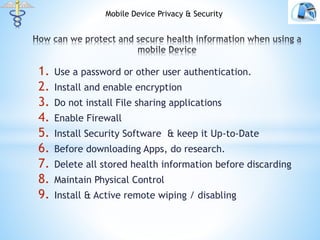
1. Use a password or other user authentication.
2. Install and enable encryption
3. Do not install File sharing applications
4. Enable Firewall
5. Install Security Software & keep it Up-to-Date
6. Before downloading Apps, do research.
7. Delete all stored health information before discarding
8. Maintain Physical Control
9. Install & Active remote wiping / disabling
Mobile Device Privacy & Security
 Configure mobile device to require password, PIN, or
passcode to gain access to the device.
 Configure mobile to automatically lock after a set of time of
inactivity.
 Set the device to limit the number of unsuccessful login
attempts
 Disable speech recognition / voice control features.
 Enable Authorization/ Authentication . Minimize the risk.
 Disable SMS Preview.
 Research Mobile Device for features.
1.
Mobile Device Privacy & Security
 Encryption is the conversion of data into a form that cannot
to be read without decryption key or password.
 If the data is encrypted, unauthorized virtual access to the
data will be prevented.
 Use secure messaging instead of SMS.
Mobile Device Privacy & Security
 File sharing applications allows individual users of the
internet to connect to each other and share files.
 Users can access private information or place a virus or
malware on your system.
 By not installing File Sharing Application, risk of authorized
access of data in the mobile device will be reduced.
Mobile Device Privacy & Security
 Firewall can protected authorized connections by intercepting
incoming and outgoing connection.
 It blocks/ permits based on the rules defined.
 By installing firewall, security of the mobile device and the
privacy of the health information will be increased.
Mobile Device Privacy & Security
 Security Software protects against malicious software such as
virus, spam and malware.
 By installing and regular update of security software, you are
increasing the security and protecting it from malicious
programs.
Mobile Device Privacy & Security
 Mobile App is a software program that performs one or more
specific functions.
 A unknown mobile app might compromise that data on your
device.
 For Example : a mobile app can copy your address books or
other private data without your knowledge to external entity.
 Use trusted sources that you know will provide reputable
reviews on the app.
 Understand the risks you are introducing to your mobile
device.
Mobile Device Privacy & Security
 Use relevant software tools that completely delete ( or wipe)
health information stored on a mobile device before
discarding or reusing it.
Mobile Device Privacy & Security
 The benefits of mobile devices are portability, small size and
convenience and are also their challenges for protecting and
securing health information.
 Mobile devices are easily lost or stolen.
 Physically secure your mobile device
 Lock your mobile device screen when not using it.
 Keep your mobile device with you.
 Do not let others use your mobile.
Mobile Device Privacy & Security
 Remote Wiping : enables you to erase data on a mobile device
remotely. If you enable the remote wipe feature , you can
permanently delete data stored on a lost or stolen mobile
device.
 Remote Disabling : enables you to lock or completely erase
data stored on a mobile device if it is lost or stolen. If the
mobile is recovered, you can unlock it.
Mobile Device Privacy & Security

Mobile device privacy and security

  • 1.
    Mobile Device Privacy& Security How can you protect and secure health information when using Mobile Device By : Imaran Khan ( imrankh04@gmail.com)
  • 2.
    1. Use apassword or other user authentication. 2. Install and enable encryption 3. Do not install File sharing applications 4. Enable Firewall 5. Install Security Software & keep it Up-to-Date 6. Before downloading Apps, do research. 7. Delete all stored health information before discarding 8. Maintain Physical Control 9. Install & Active remote wiping / disabling Mobile Device Privacy & Security
  • 3.
     Configure mobiledevice to require password, PIN, or passcode to gain access to the device.  Configure mobile to automatically lock after a set of time of inactivity.  Set the device to limit the number of unsuccessful login attempts  Disable speech recognition / voice control features.  Enable Authorization/ Authentication . Minimize the risk.  Disable SMS Preview.  Research Mobile Device for features. 1. Mobile Device Privacy & Security
  • 4.
     Encryption isthe conversion of data into a form that cannot to be read without decryption key or password.  If the data is encrypted, unauthorized virtual access to the data will be prevented.  Use secure messaging instead of SMS. Mobile Device Privacy & Security
  • 5.
     File sharingapplications allows individual users of the internet to connect to each other and share files.  Users can access private information or place a virus or malware on your system.  By not installing File Sharing Application, risk of authorized access of data in the mobile device will be reduced. Mobile Device Privacy & Security
  • 6.
     Firewall canprotected authorized connections by intercepting incoming and outgoing connection.  It blocks/ permits based on the rules defined.  By installing firewall, security of the mobile device and the privacy of the health information will be increased. Mobile Device Privacy & Security
  • 7.
     Security Softwareprotects against malicious software such as virus, spam and malware.  By installing and regular update of security software, you are increasing the security and protecting it from malicious programs. Mobile Device Privacy & Security
  • 8.
     Mobile Appis a software program that performs one or more specific functions.  A unknown mobile app might compromise that data on your device.  For Example : a mobile app can copy your address books or other private data without your knowledge to external entity.  Use trusted sources that you know will provide reputable reviews on the app.  Understand the risks you are introducing to your mobile device. Mobile Device Privacy & Security
  • 9.
     Use relevantsoftware tools that completely delete ( or wipe) health information stored on a mobile device before discarding or reusing it. Mobile Device Privacy & Security
  • 10.
     The benefitsof mobile devices are portability, small size and convenience and are also their challenges for protecting and securing health information.  Mobile devices are easily lost or stolen.  Physically secure your mobile device  Lock your mobile device screen when not using it.  Keep your mobile device with you.  Do not let others use your mobile. Mobile Device Privacy & Security
  • 11.
     Remote Wiping: enables you to erase data on a mobile device remotely. If you enable the remote wipe feature , you can permanently delete data stored on a lost or stolen mobile device.  Remote Disabling : enables you to lock or completely erase data stored on a mobile device if it is lost or stolen. If the mobile is recovered, you can unlock it. Mobile Device Privacy & Security