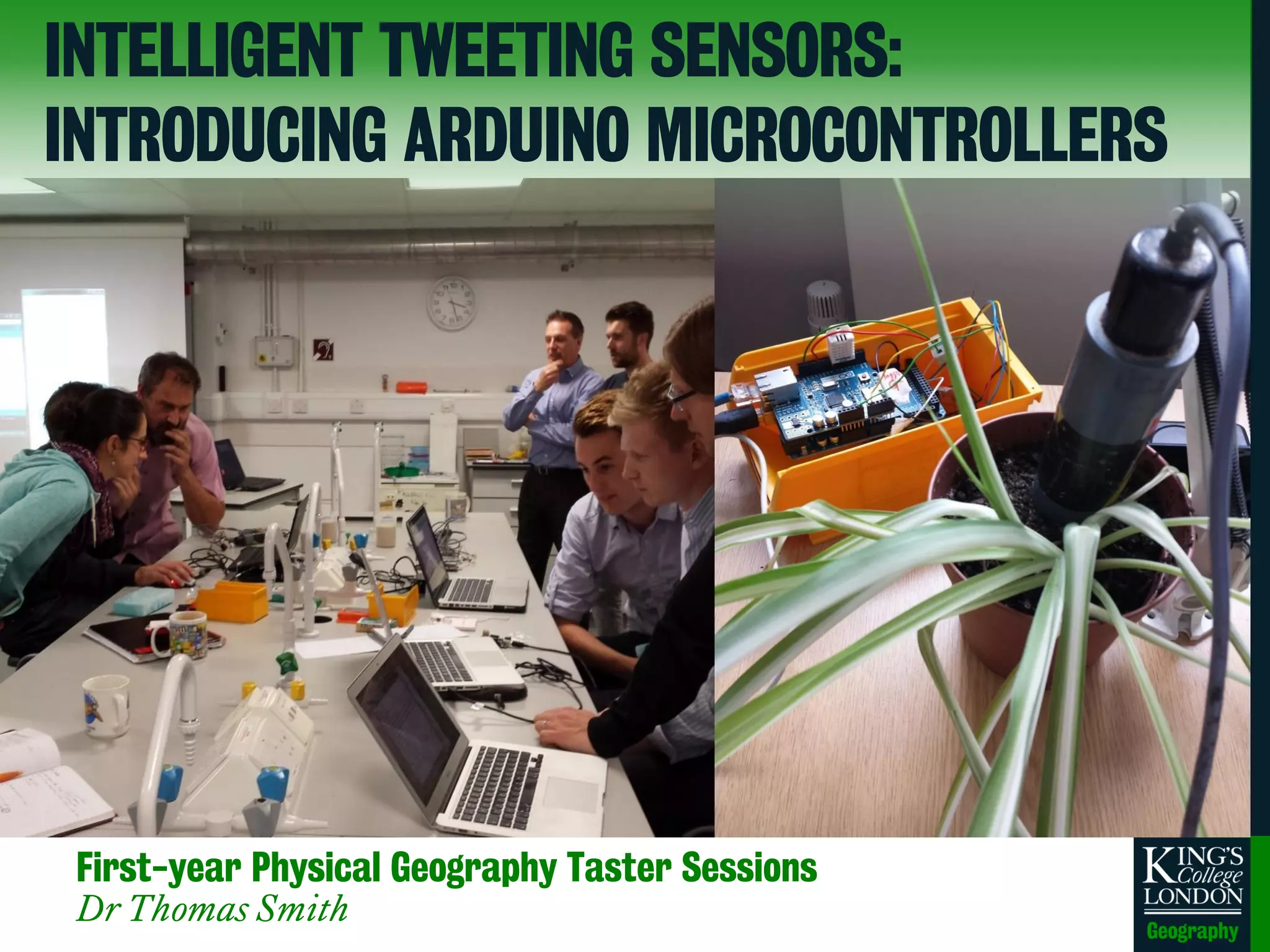
First-year Physical Geography Taster Sessions
Dr Thomas Smith
INTELLIGENT TWEETING SENSORS:
INTRODUCING ARDUINO MICROCONTROLLERS
THE BASICS OF ARDUINO MICROCONTROLLERS
• Open source hardware
• Open source development kit
• User community driven
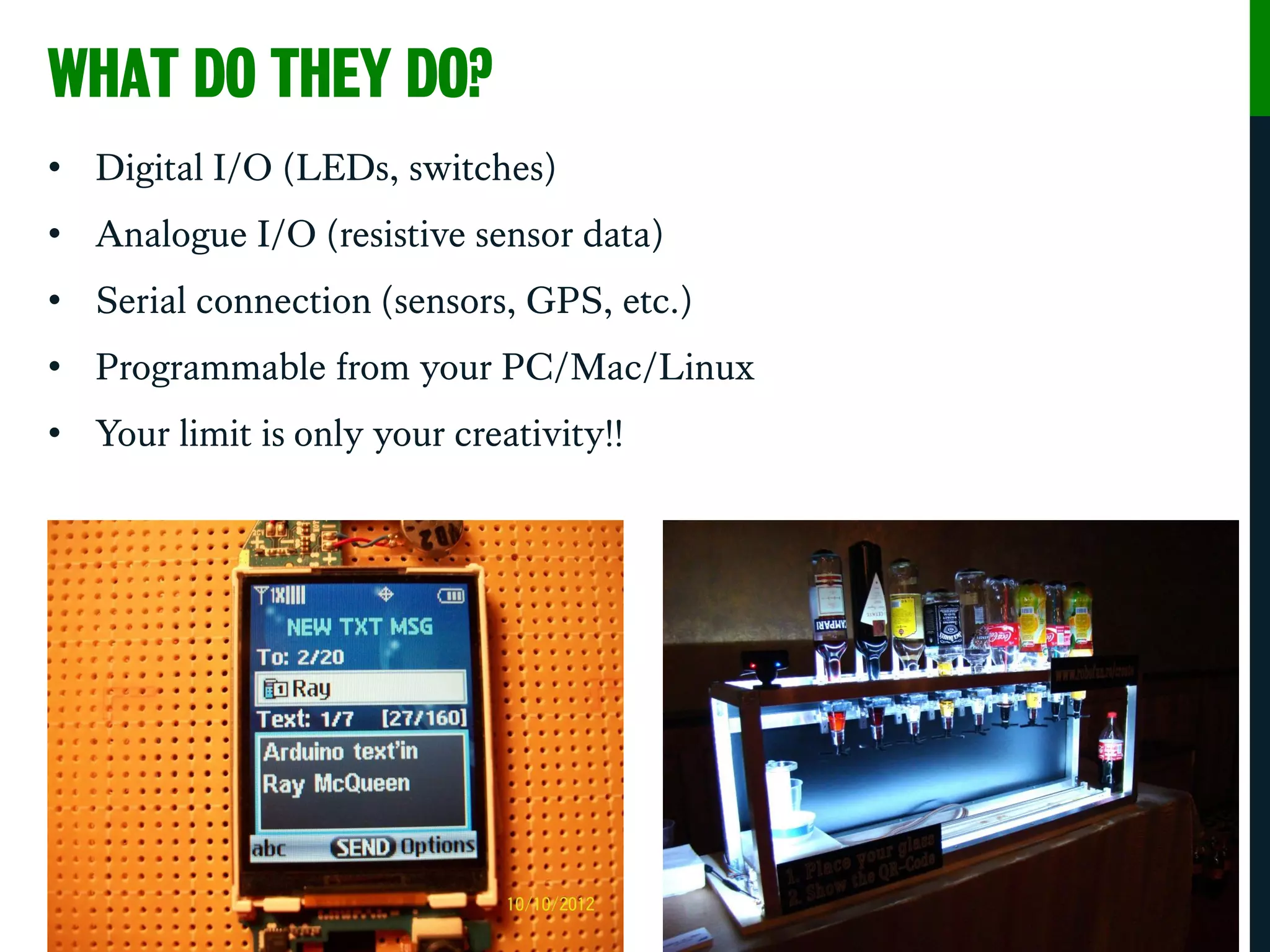
WHAT DO THEY DO?
• Digital I/O (LEDs, switches)
• Analogue I/O (resistive sensor data)
• Serial connection (sensors, GPS, etc.)
• Programmable from your PC/Mac/Linux
• Your limit is only your creativity!!
TERMINOLOGY
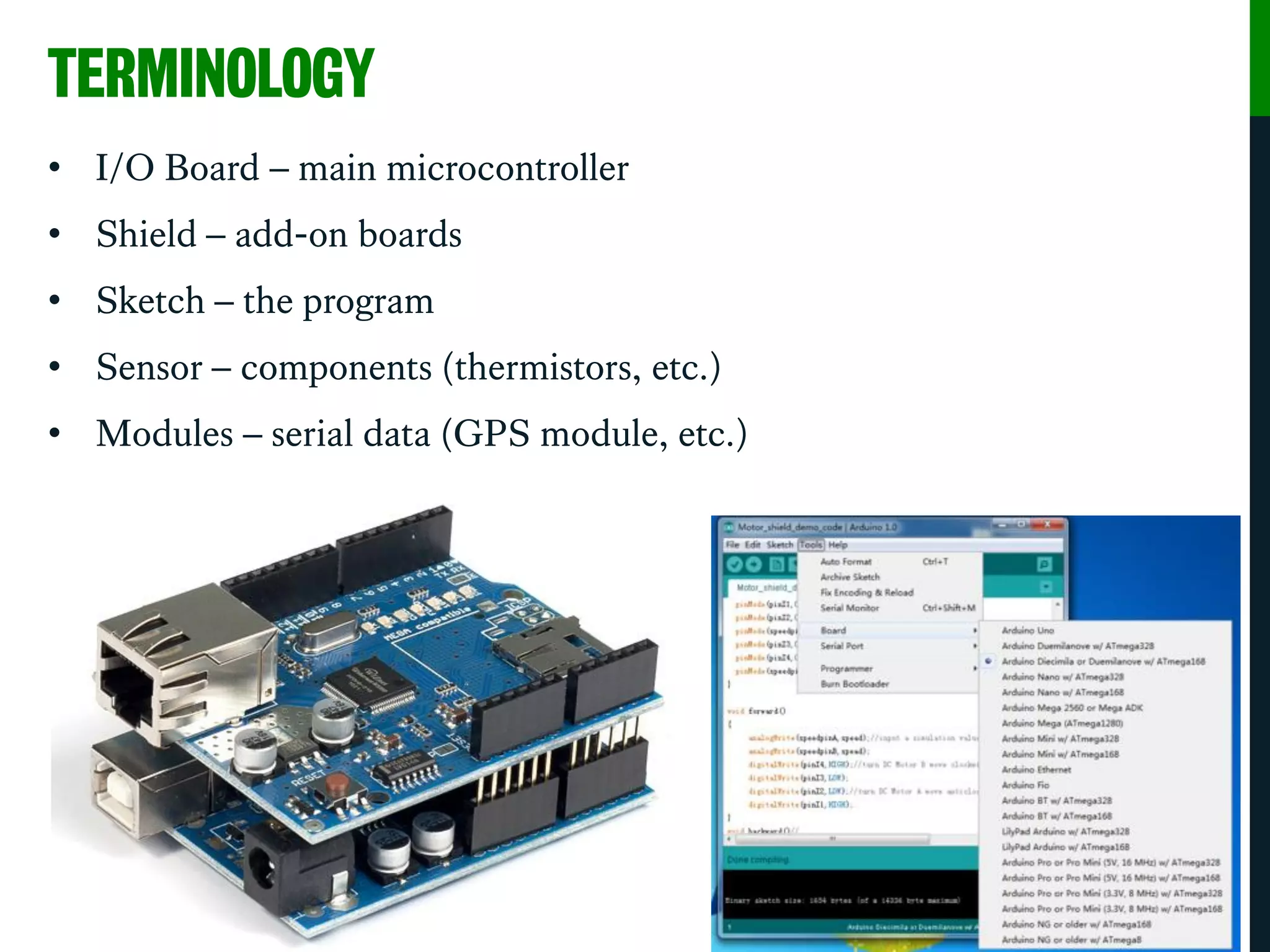
• I/O Board – main microcontroller
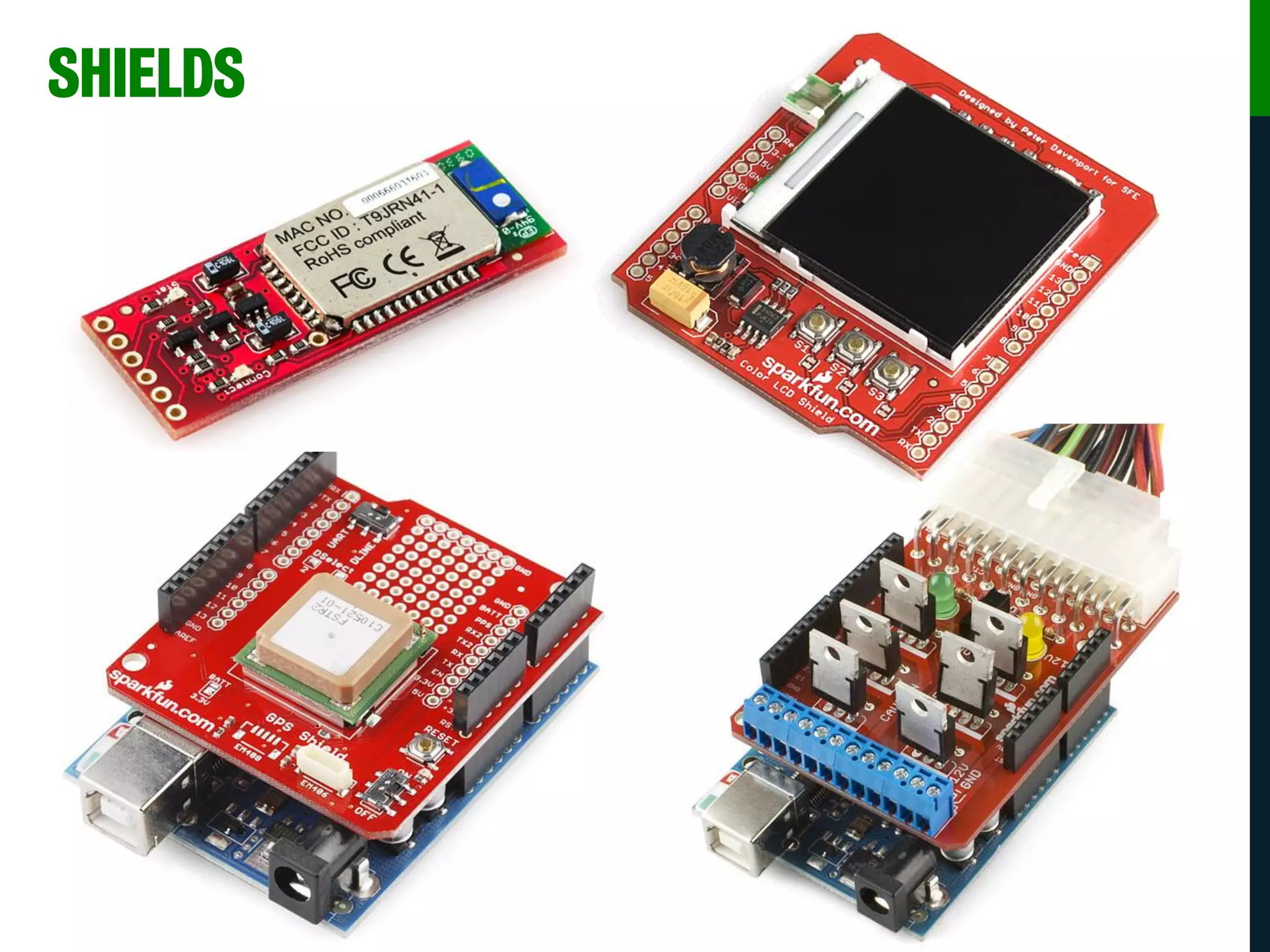
• Shield – add-on boards
• Sketch – the program
• Sensor – components (thermistors, etc.)
• Modules – serial data (GPS module, etc.)
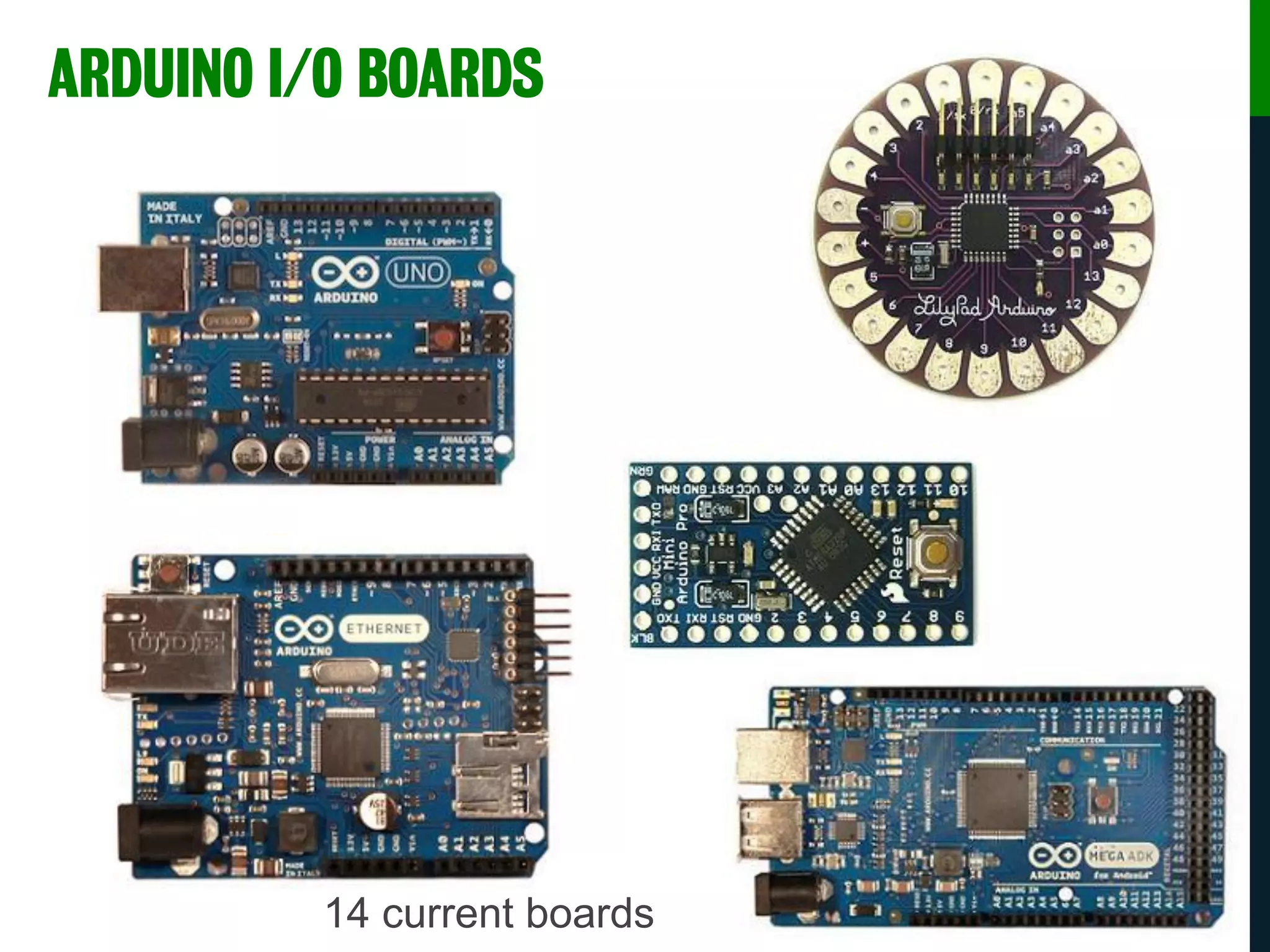
14 current boards
ARDUINO I/O BOARDS
SHIELDS
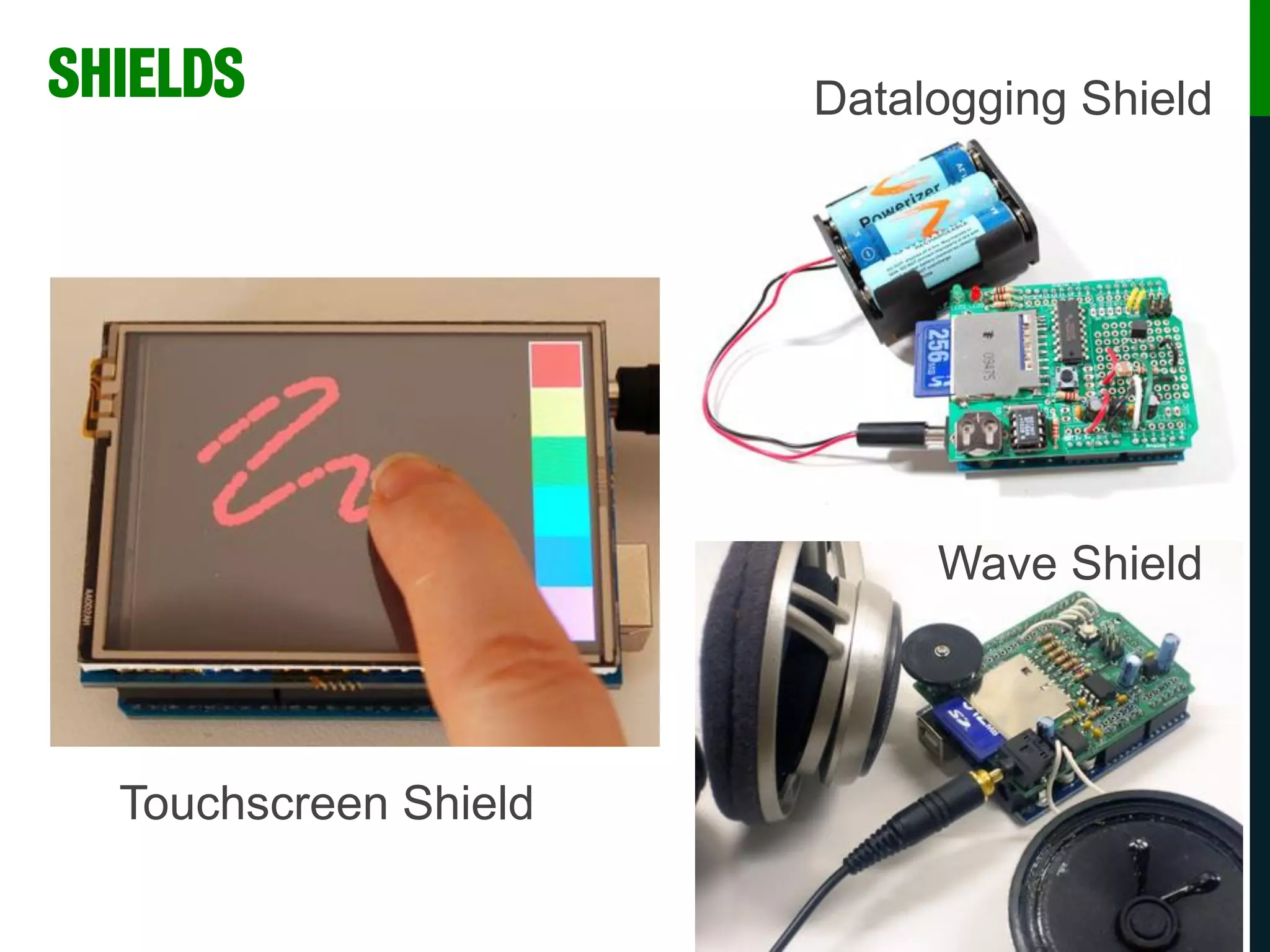
SHIELDS
Touchscreen Shield
Wave Shield
Datalogging Shield
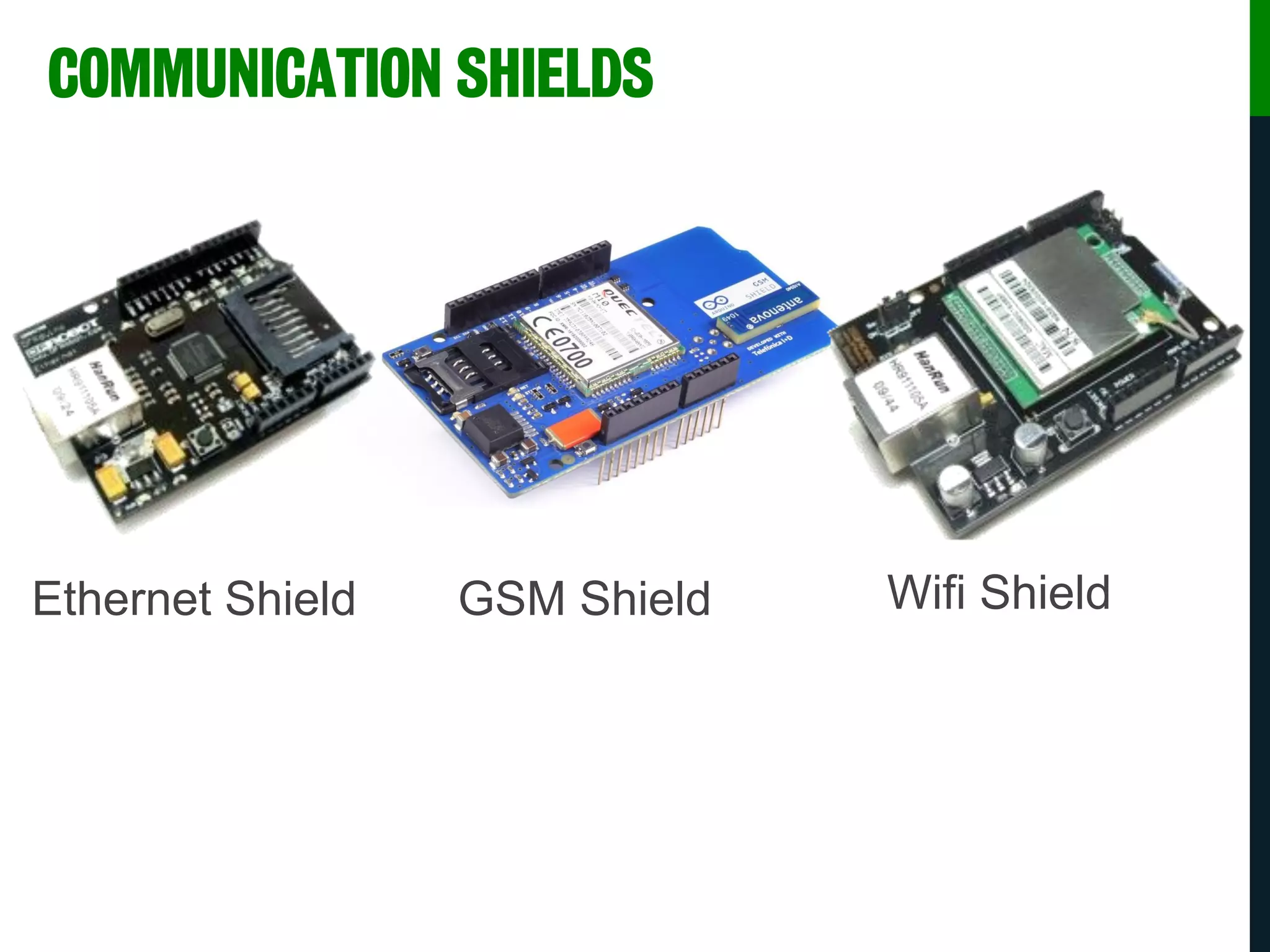
COMMUNICATION SHIELDS
Ethernet Shield GSM Shield Wifi Shield
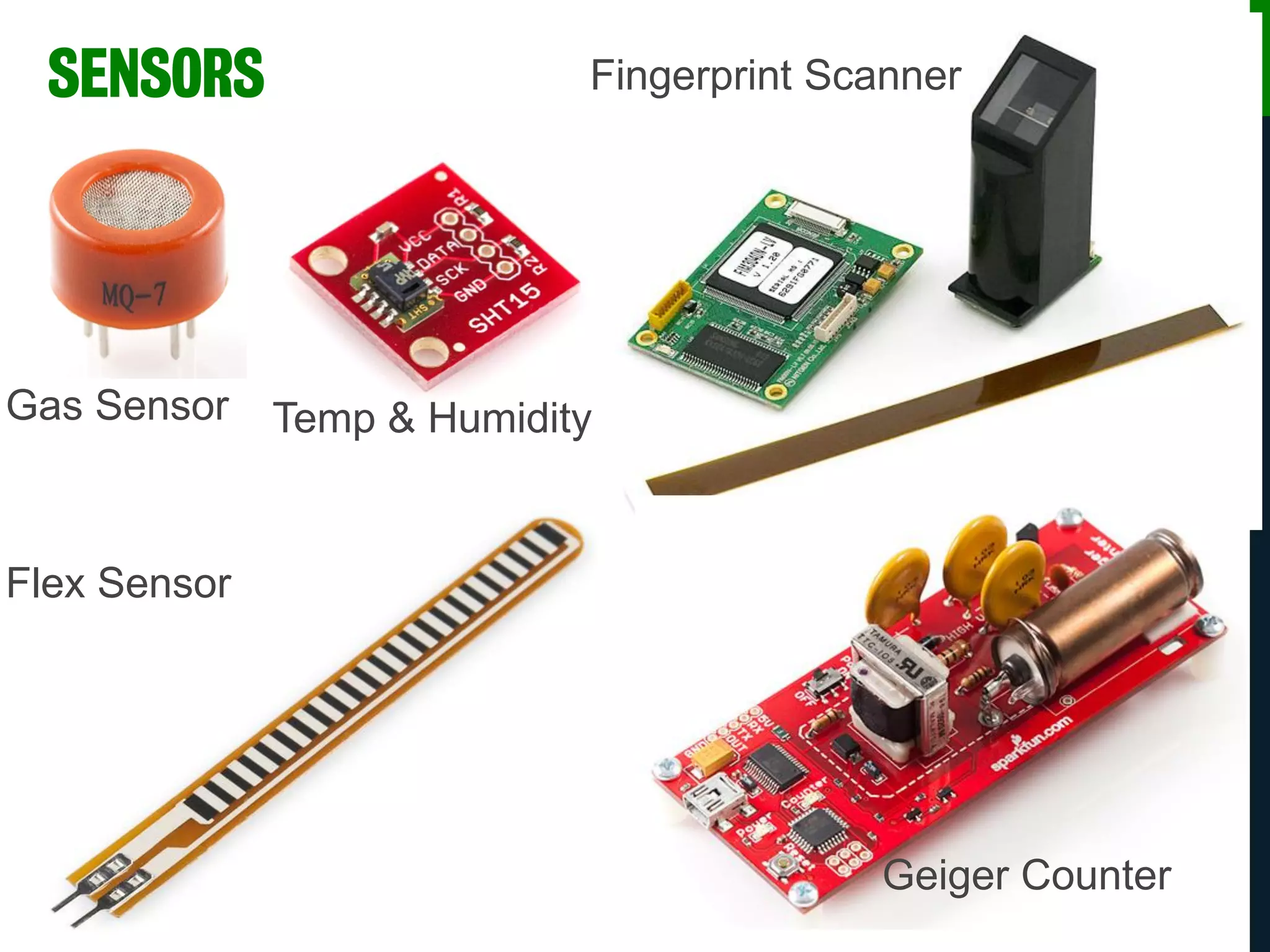
Gas Sensor Temp & Humidity
Flex Sensor
Fingerprint Scanner
Geiger Counter
SENSORS
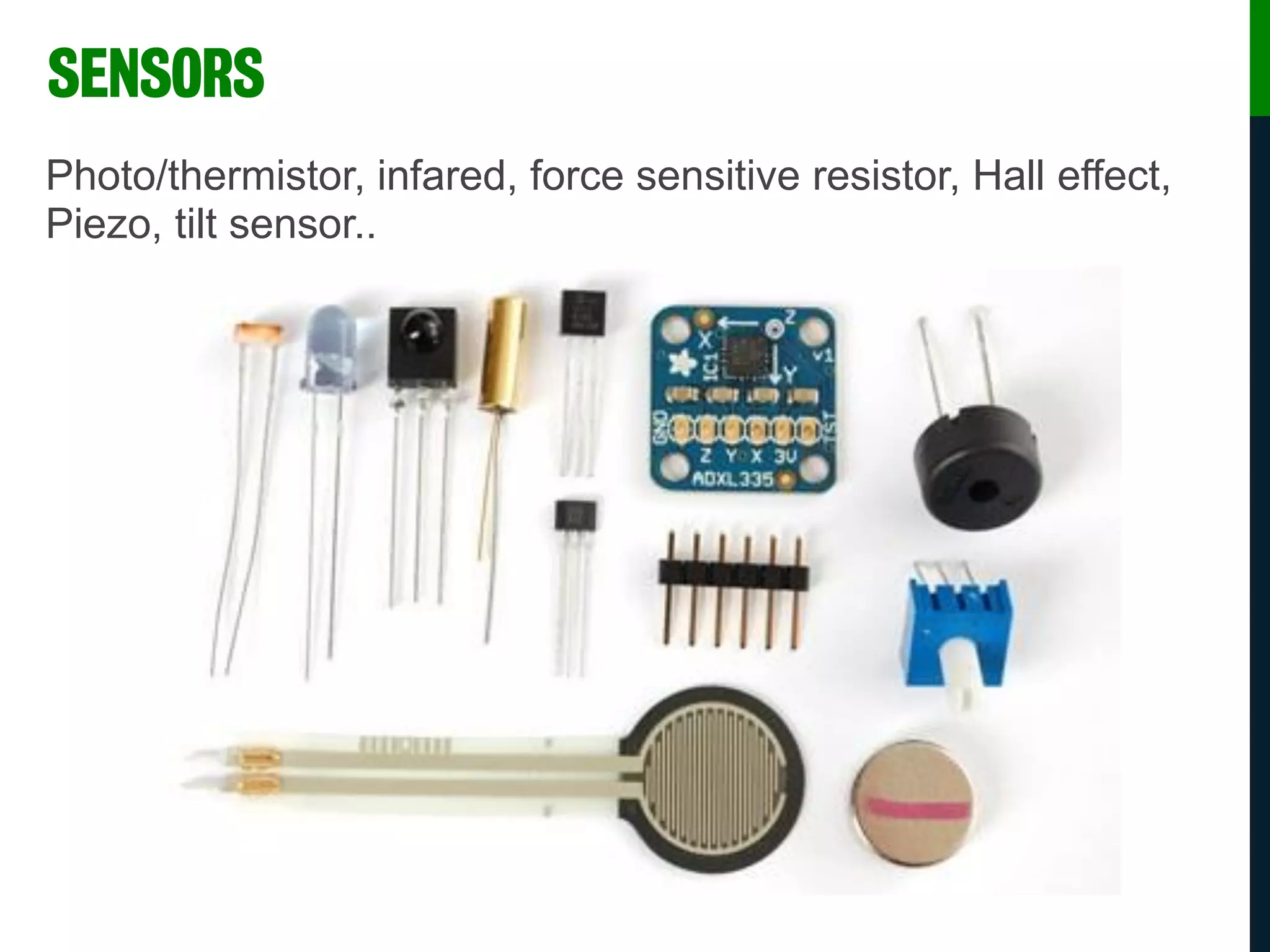
Photo/thermistor, infared, force sensitive resistor, Hall effect,
Piezo, tilt sensor..
SENSORS
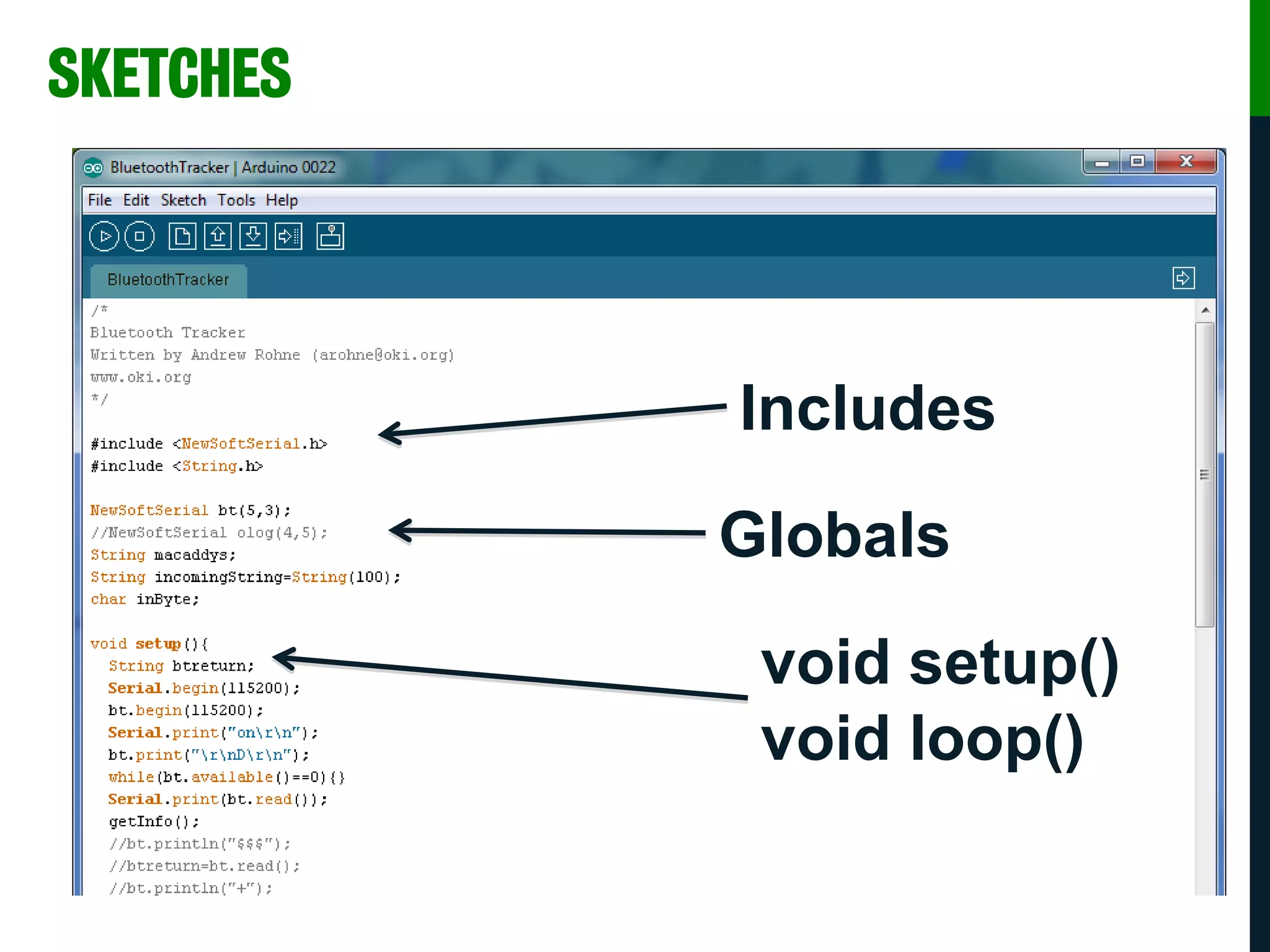
SKETCHES
Includes
Globals
void setup()
void loop()
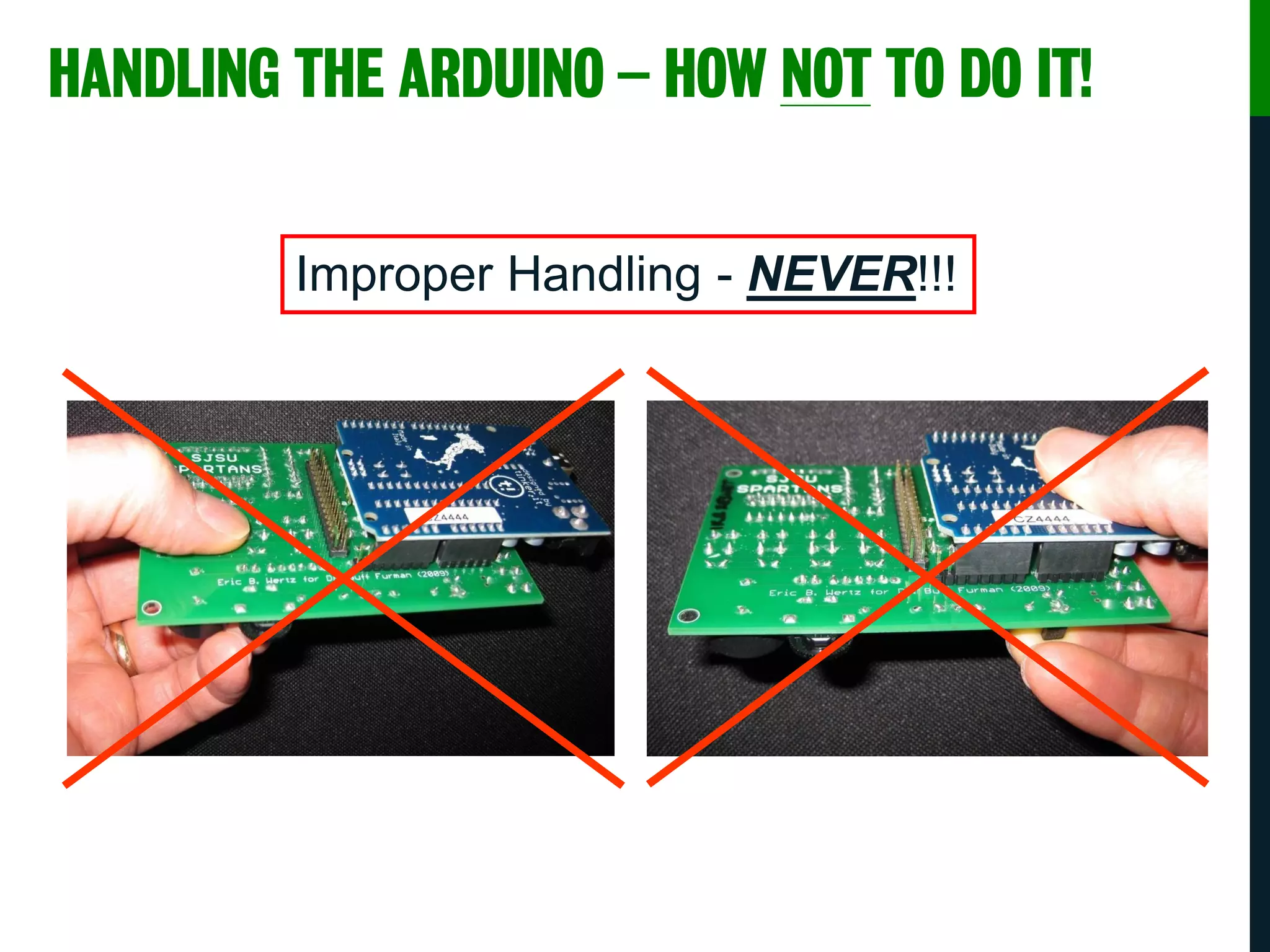
HANDLING THE ARDUINO – HOW NOT TO DO IT!
Improper Handling - NEVER!!!
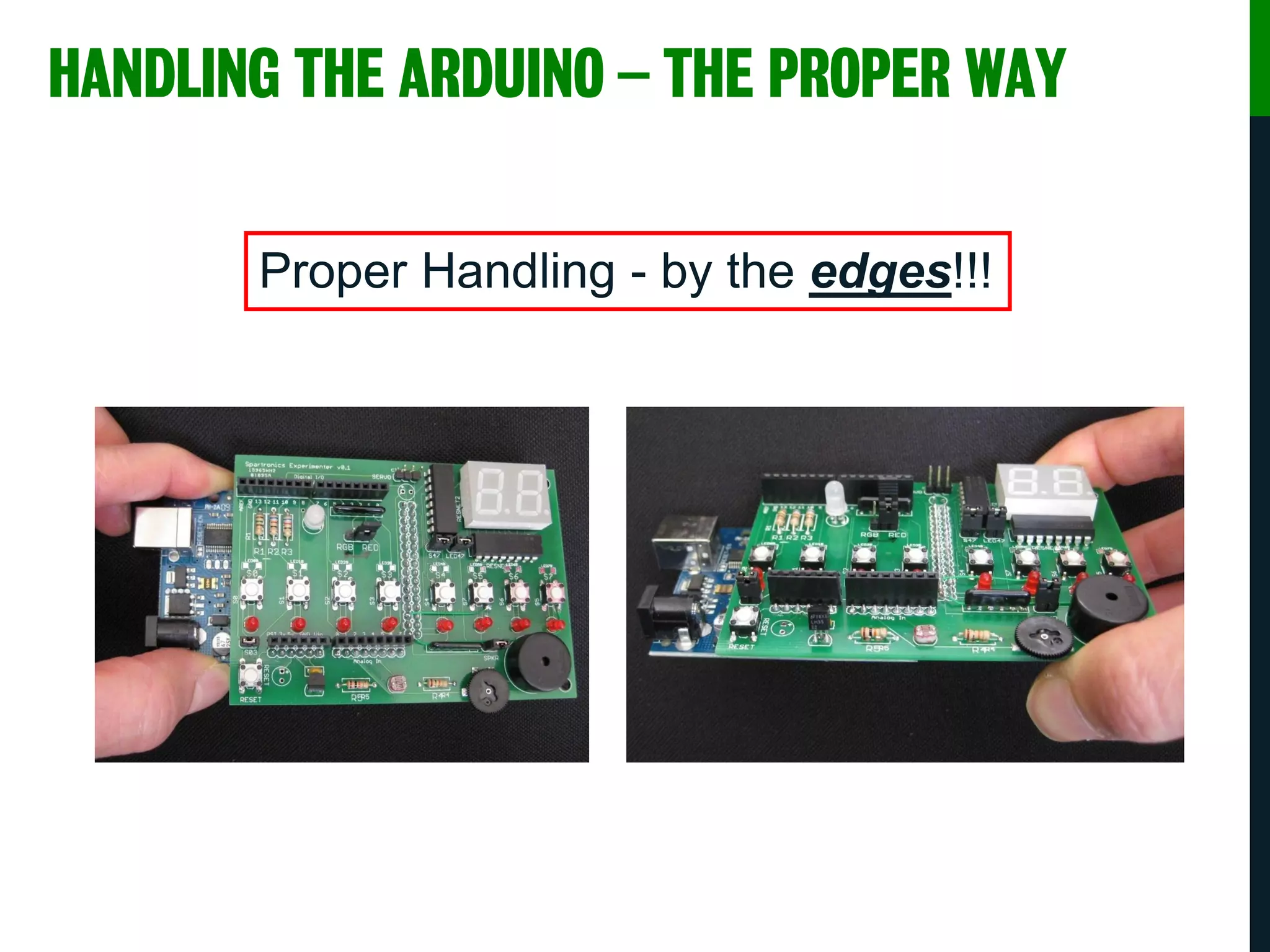
HANDLING THE ARDUINO – THE PROPER WAY
Proper Handling - by the edges!!!
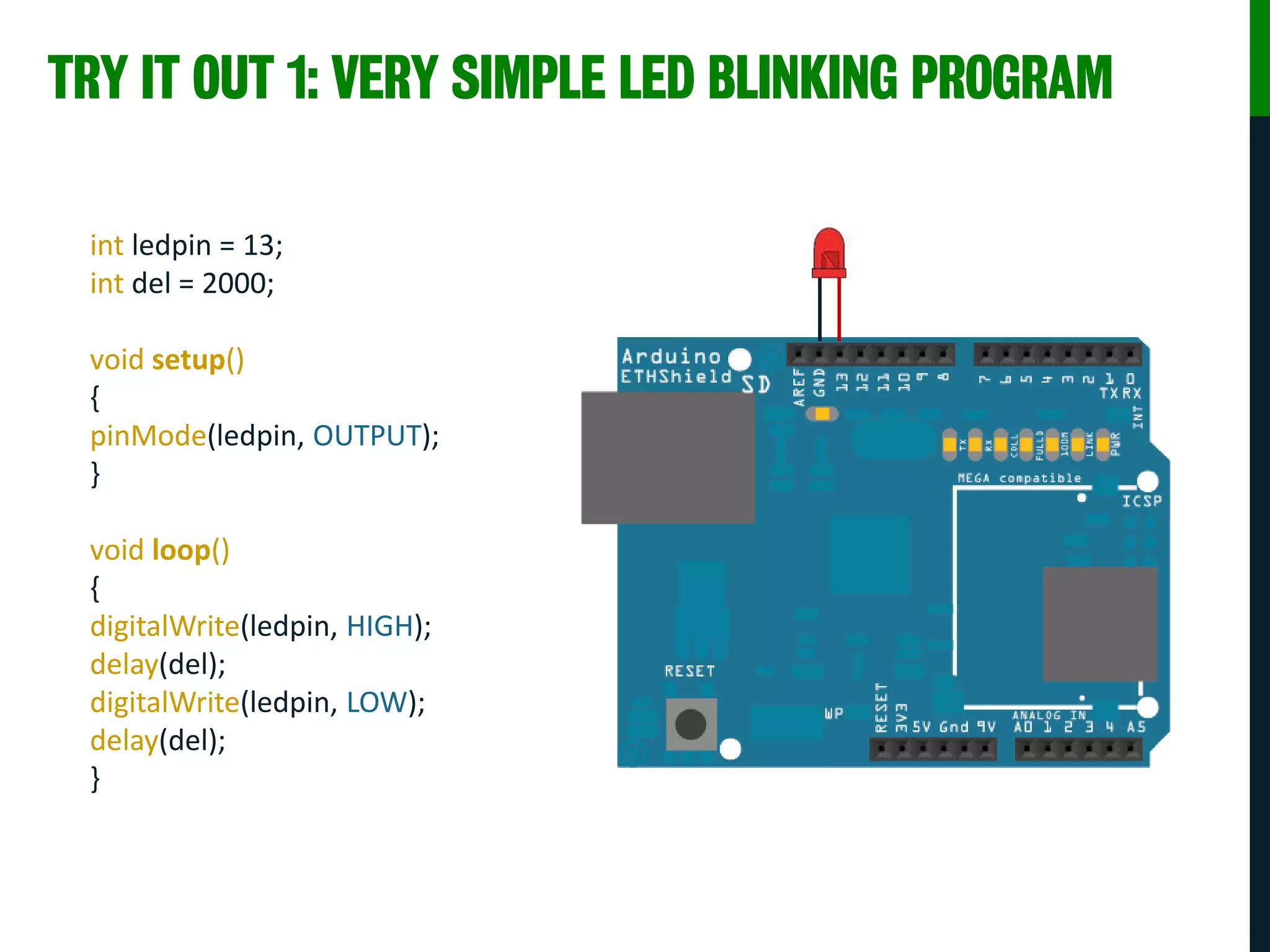
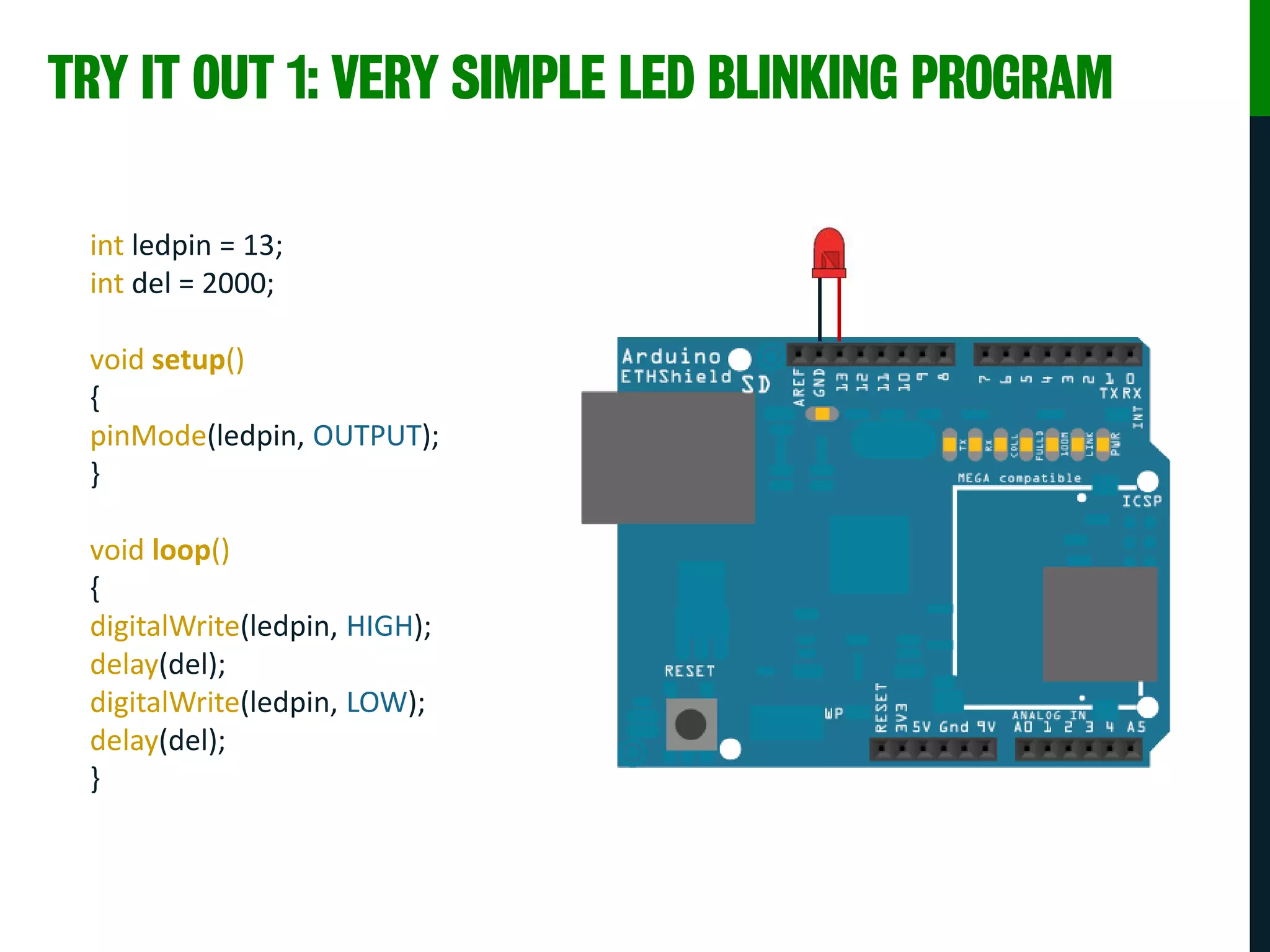
TRY IT OUT 1: VERY SIMPLE LED BLINKING PROGRAM
int ledpin = 13;
int del = 2000;
void setup()
{
pinMode(ledpin, OUTPUT);
}
void loop()
{
digitalWrite(ledpin, HIGH);
delay(del);
digitalWrite(ledpin, LOW);
delay(del);
}
TRY IT OUT 1: VERY SIMPLE LED BLINKING PROGRAM
int ledpin = 13;
int del = 2000;
void setup()
{
pinMode(ledpin, OUTPUT);
}
void loop()
{
digitalWrite(ledpin, HIGH);
delay(del);
digitalWrite(ledpin, LOW);
delay(del);
}
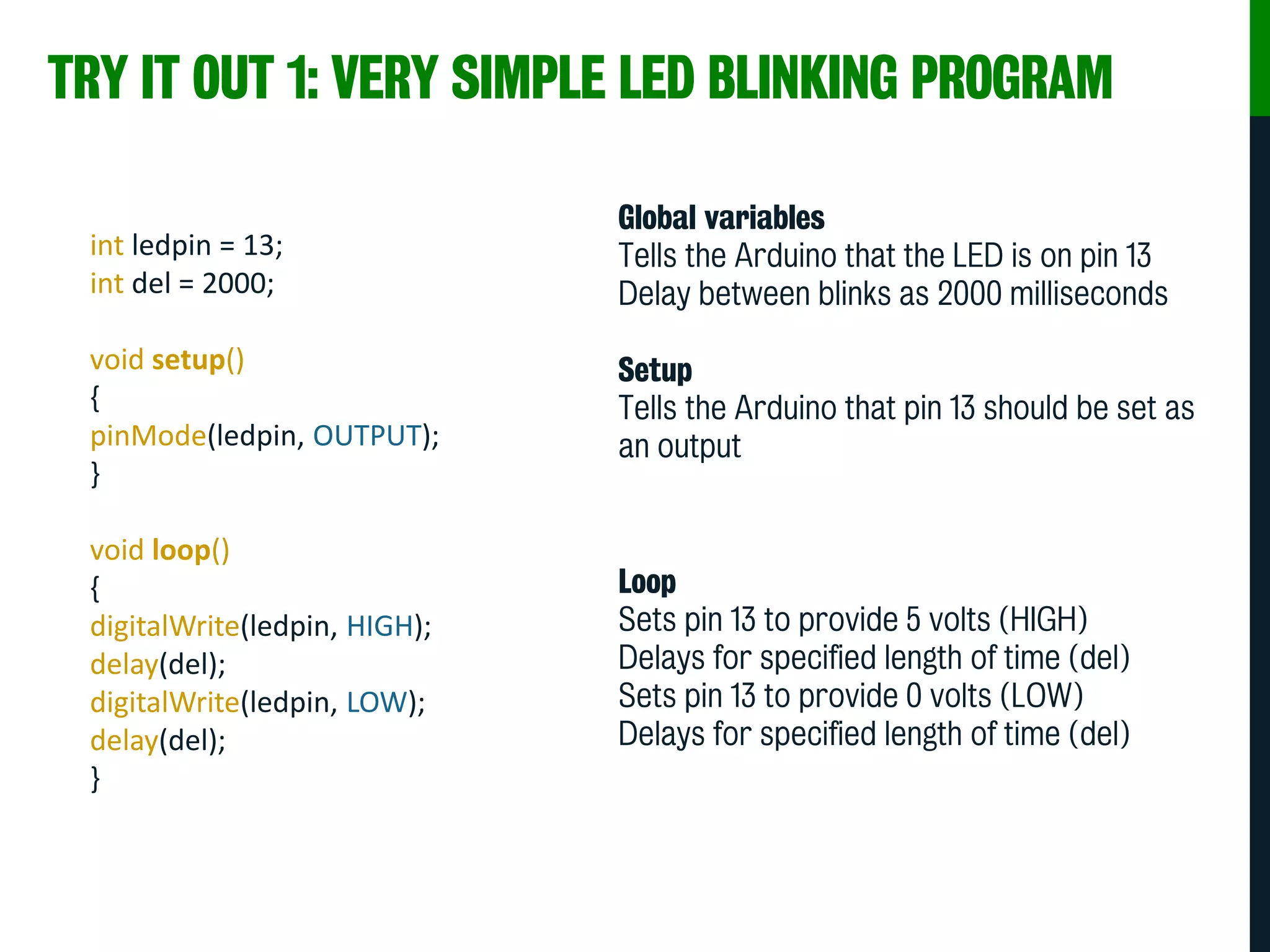
Global variables
Tells the Arduino that the LED is on pin 13
Delay between blinks as 2000 milliseconds
Setup
Tells the Arduino that pin 13 should be set as
an output
Loop
Sets pin 13 to provide 5 volts (HIGH)
Delays for specified length of time (del)
Sets pin 13 to provide 0 volts (LOW)
Delays for specified length of time (del)
TRY IT OUT 1: VERY SIMPLE LED BLINKING PROGRAM
int ledpin = 13;
int del = 2000;
void setup()
{
pinMode(ledpin, OUTPUT);
}
void loop()
{
digitalWrite(ledpin, HIGH);
delay(del);
digitalWrite(ledpin, LOW);
delay(del);
}
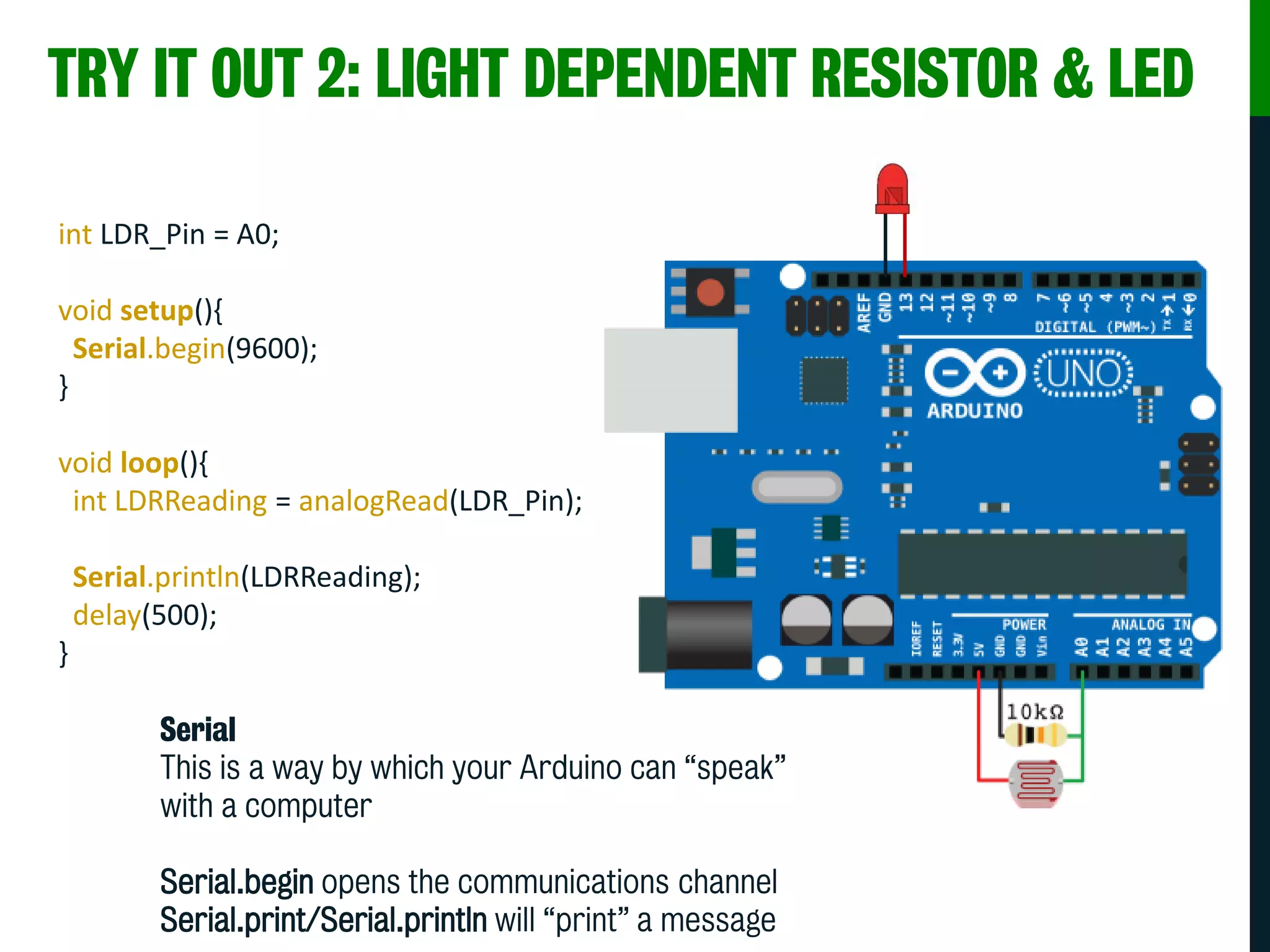
TRY IT OUT 2: LIGHT DEPENDENT RESISTOR & LED
int LDR_Pin = A0;
void setup(){
Serial.begin(9600);
}
void loop(){
int LDRReading = analogRead(LDR_Pin);
Serial.println(LDRReading);
delay(500);
}
Serial
This is a way by which your Arduino can “speak”
with a computer
Serial.begin opens the communications channel
Serial.print/Serial.println will “print” a message
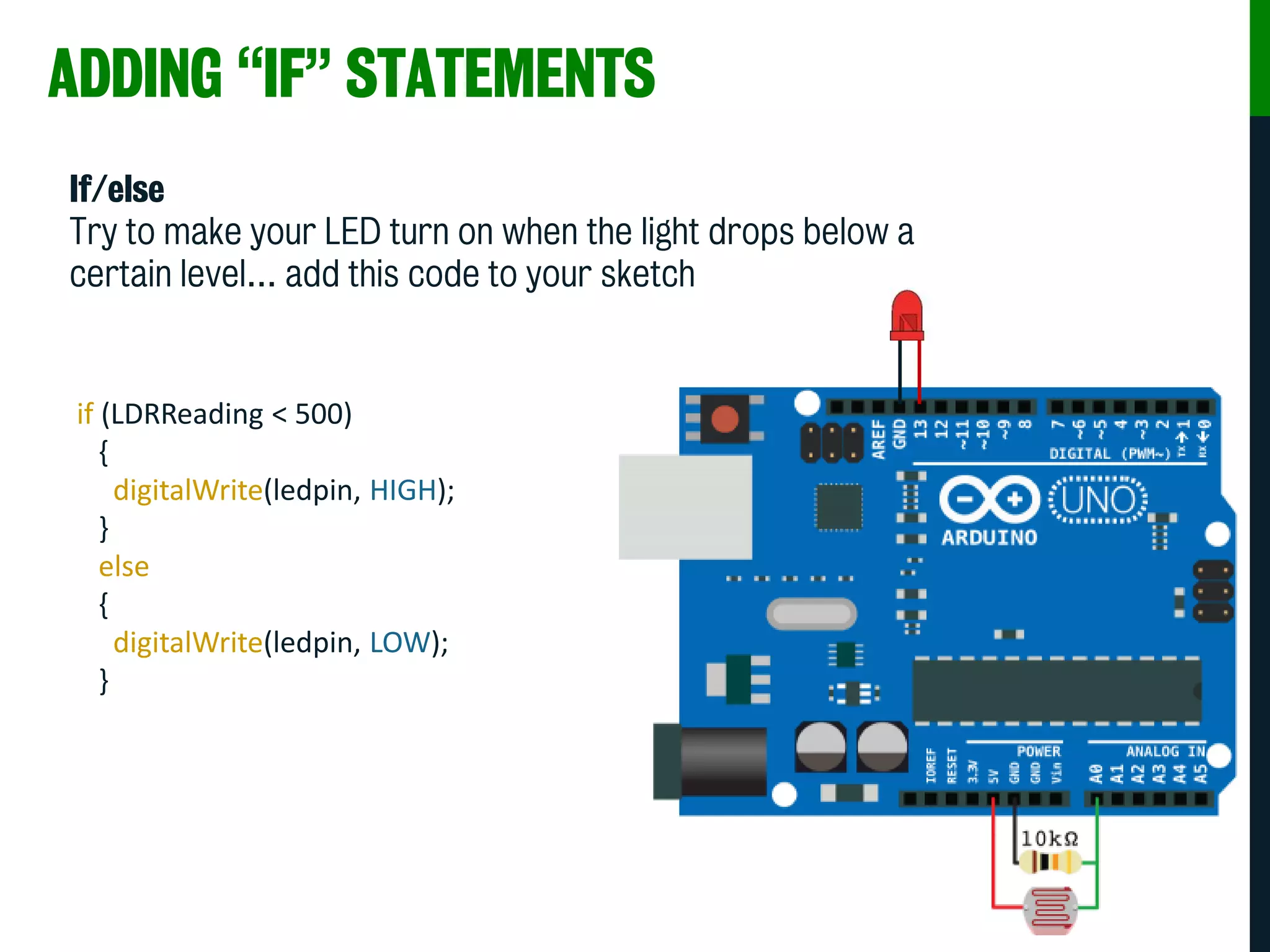
ADDING “IF” STATEMENTS
If/else
Try to make your LED turn on when the light drops below a
certain level… add this code to your sketch
if (LDRReading < 500)
{
digitalWrite(ledpin, HIGH);
}
else
{
digitalWrite(ledpin, LOW);
}
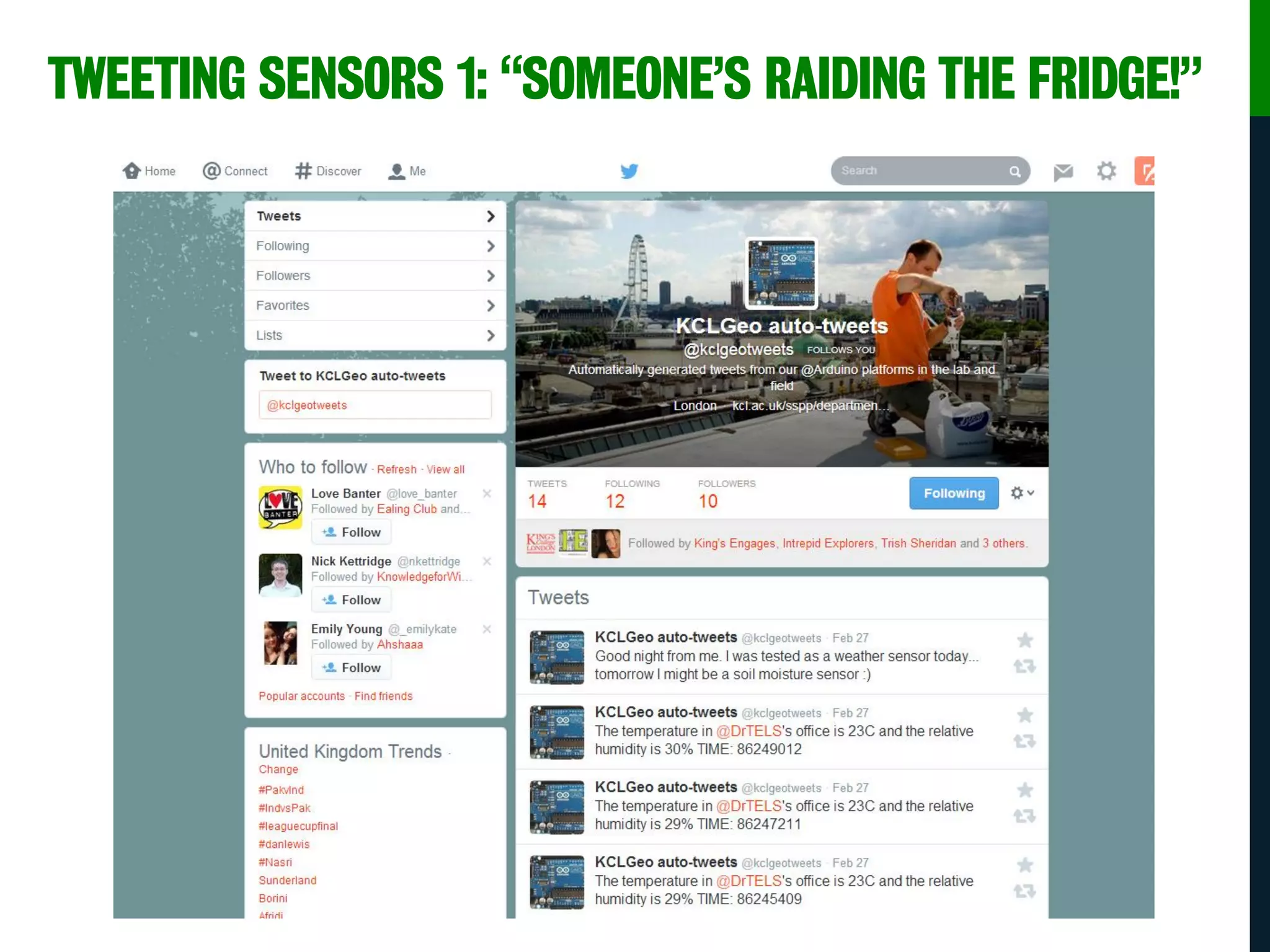
TWEETING SENSORS 1: “SOMEONE’S RAIDING THE FRIDGE!”
WEATHER SENSOR NETWORKS
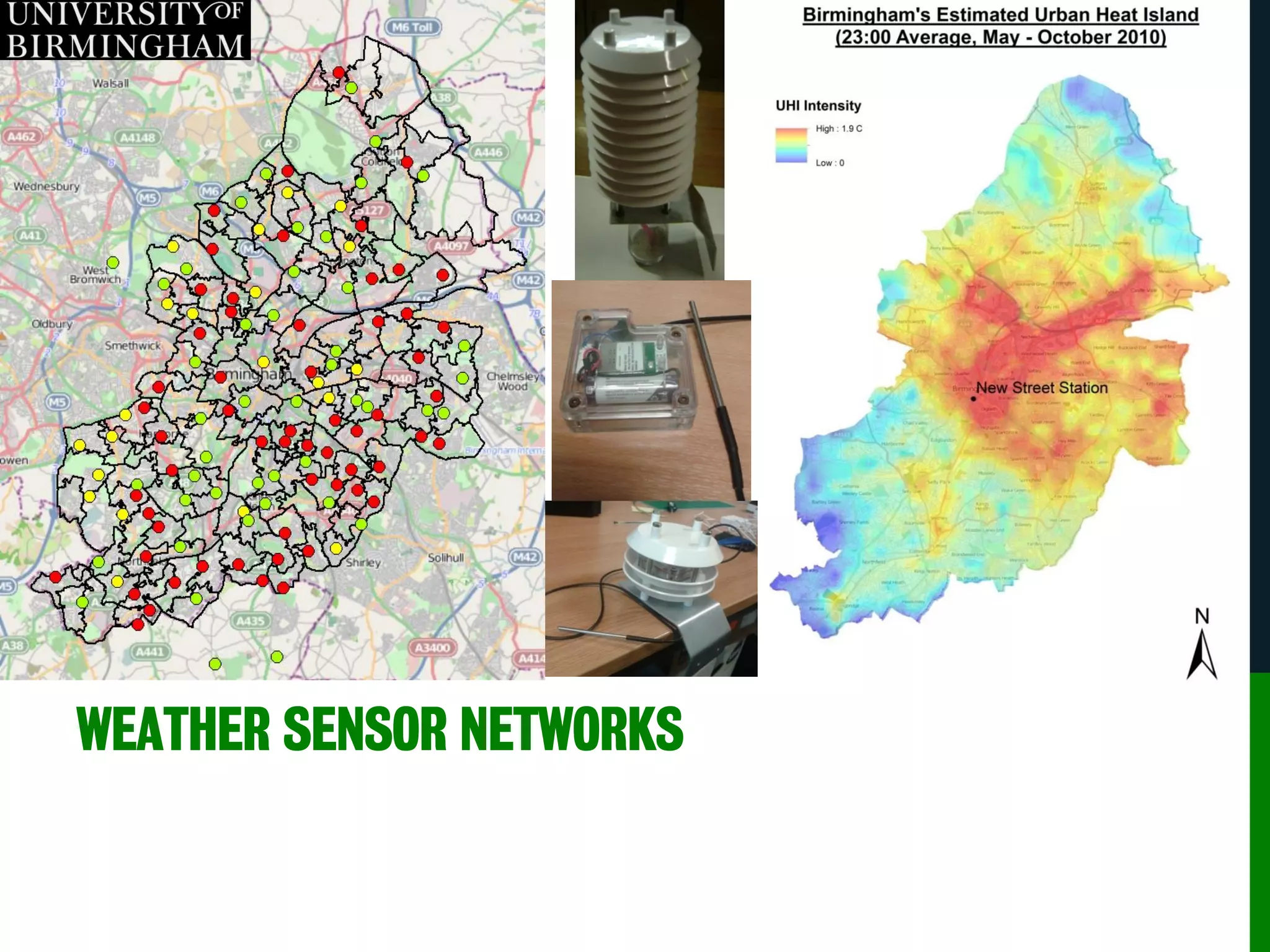
SENSOR NETWORK EXAMPLE: BIRMINGHAM
• The primary focus of the Birmingham Urban Climate project is to
provide a series of demonstration sensor networks to measure air
temperature
• The design is a nested network of sensors:
• ~30 full weather stations [coarse array]
• 131 air temperature sensors located in schools [wide array]
• ~100 air temperature sensors in the CBD (approx 50 sensors
per square km) [fine array]
• Birmingham will become the most densely instrumented urban area
in the world.
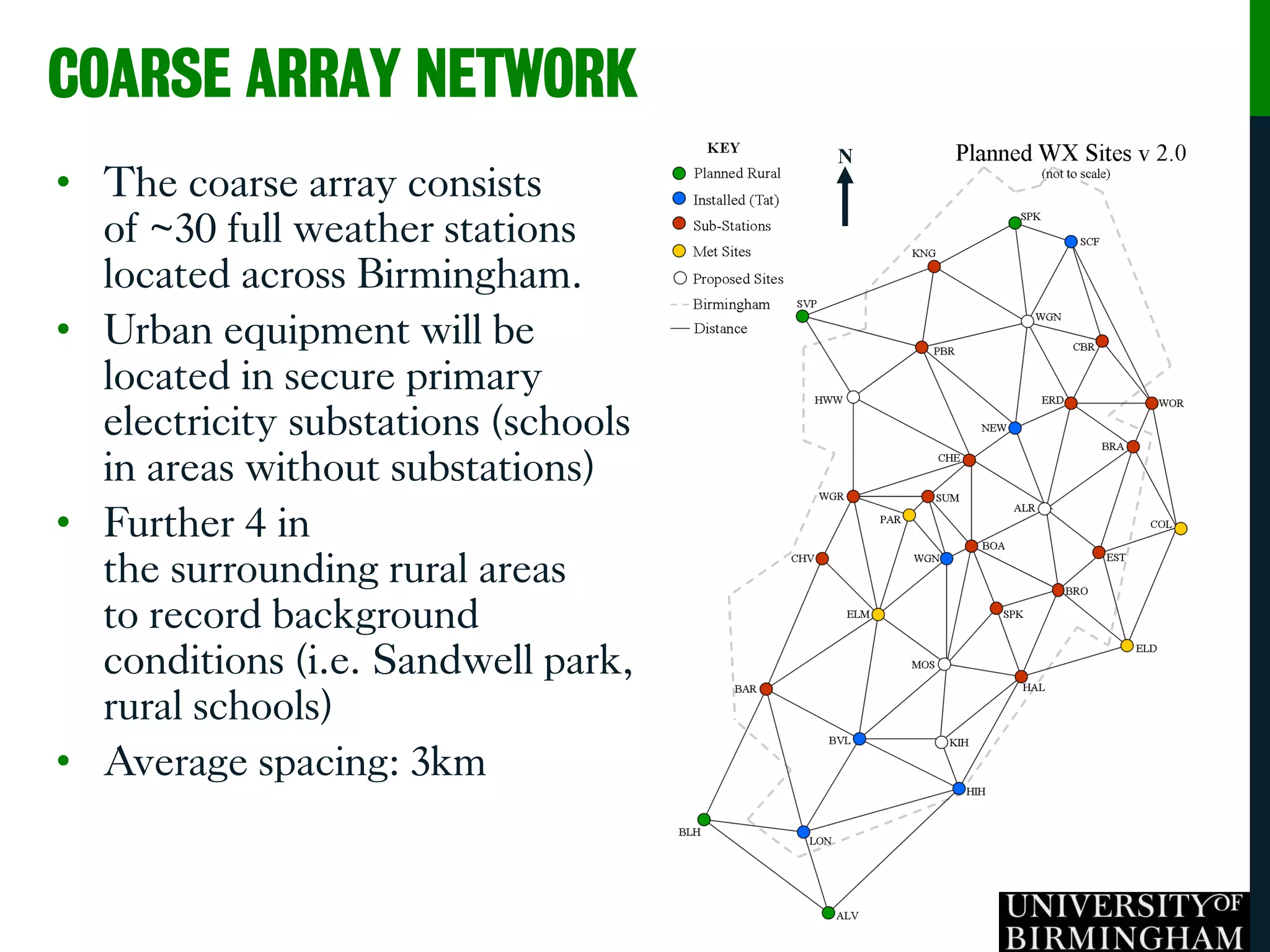
• The coarse array consists
of ~30 full weather stations
located across Birmingham.
• Urban equipment will be
located in secure primary
electricity substations (schools
in areas without substations)
• Further 4 in
the surrounding rural areas
to record background
conditions (i.e. Sandwell park,
rural schools)
• Average spacing: 3km
N
COARSE ARRAY NETWORK
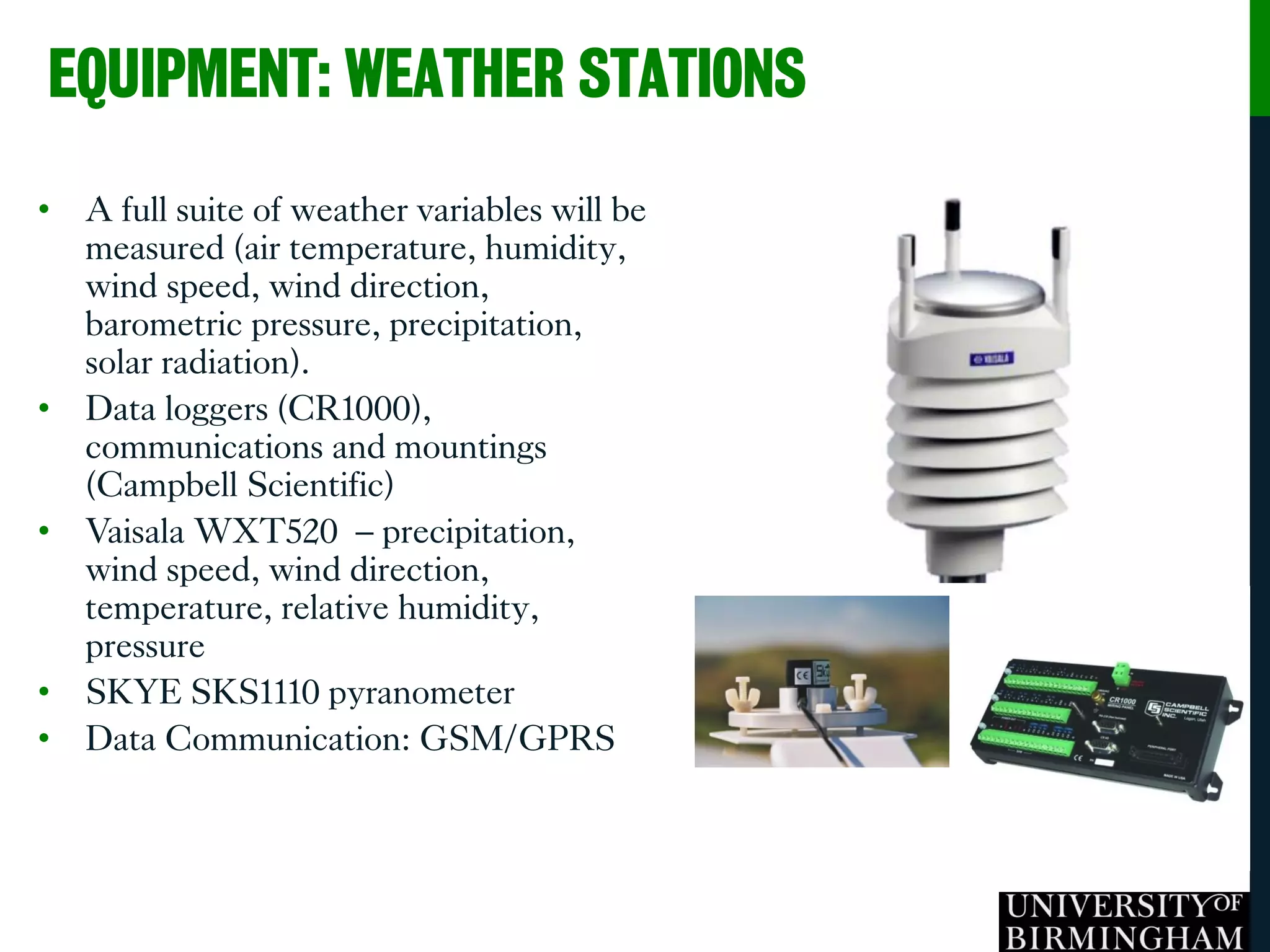
• A full suite of weather variables will be
measured (air temperature, humidity,
wind speed, wind direction,
barometric pressure, precipitation,
solar radiation).
• Data loggers (CR1000),
communications and mountings
(Campbell Scientific)
• Vaisala WXT520 – precipitation,
wind speed, wind direction,
temperature, relative humidity,
pressure
• SKYE SKS1110 pyranometer
• Data Communication: GSM/GPRS
EQUIPMENT: WEATHER STATIONS
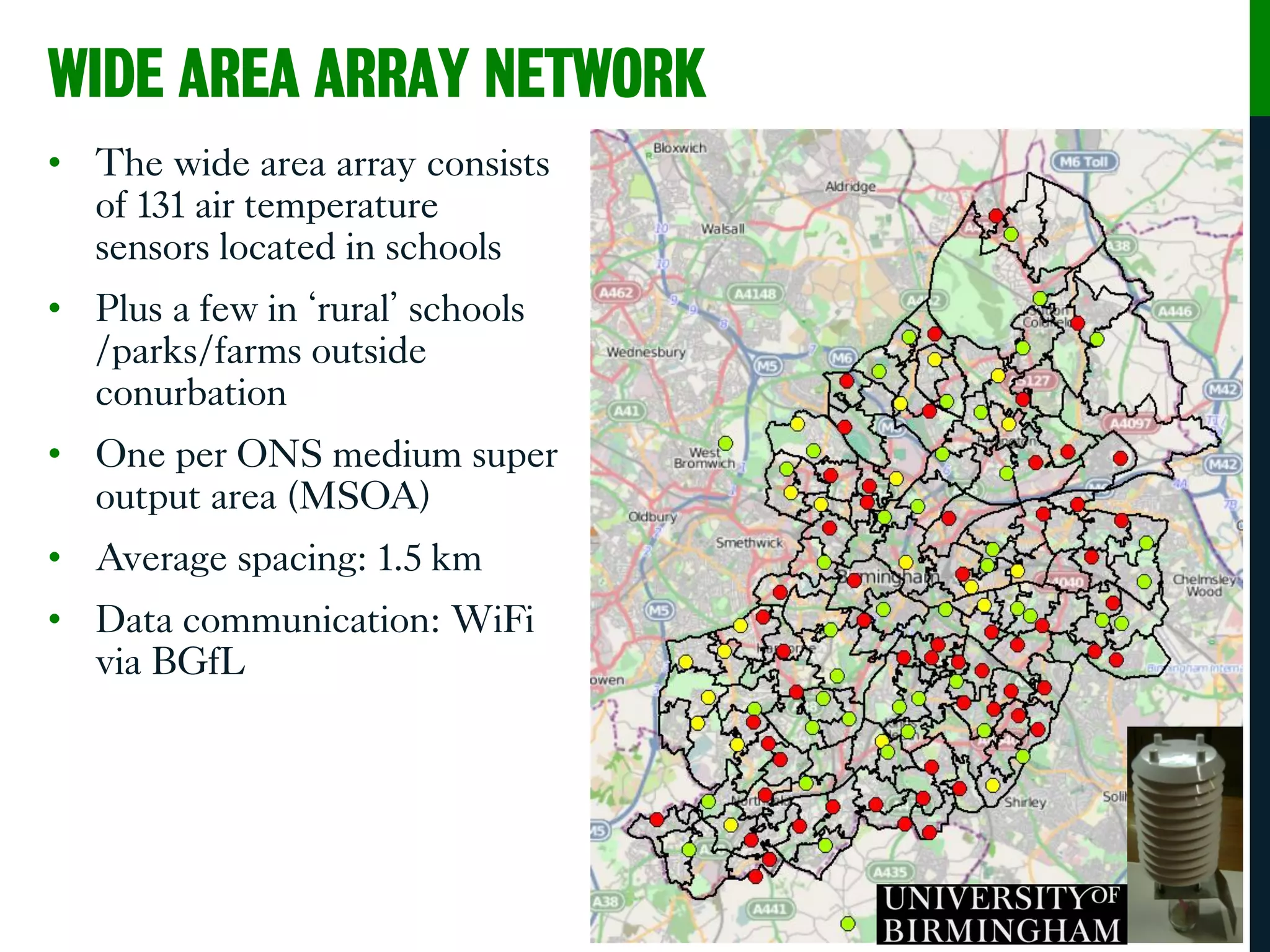
WIDE AREA ARRAY NETWORK
• The wide area array consists
of 131 air temperature
sensors located in schools
• Plus a few in ‘rural’ schools
/parks/farms outside
conurbation
• One per ONS medium super
output area (MSOA)
• Average spacing: 1.5 km
• Data communication: WiFi
via BGfL
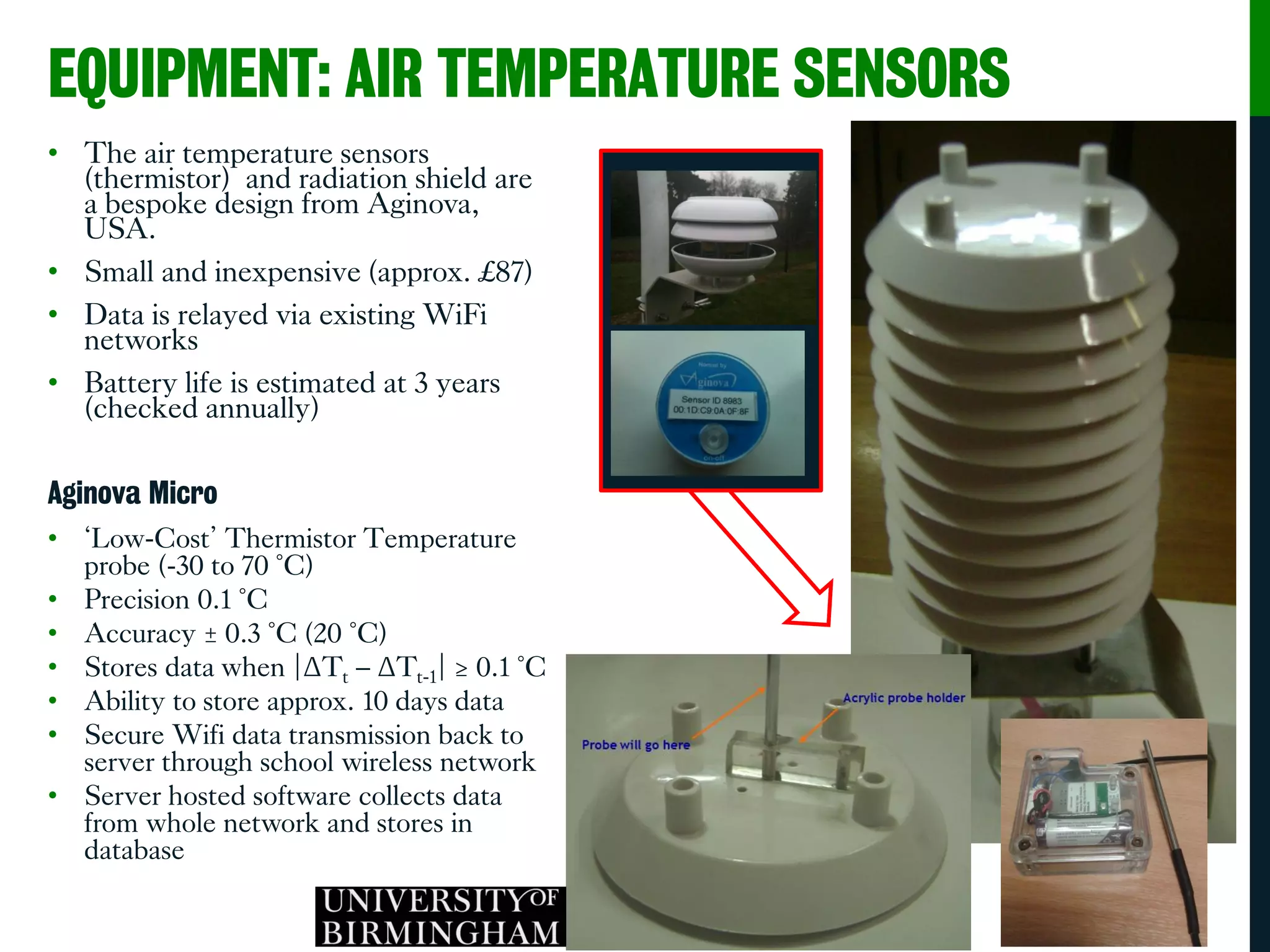
EQUIPMENT: AIR TEMPERATURE SENSORS
• The air temperature sensors
(thermistor) and radiation shield are
a bespoke design from Aginova,
USA.
• Small and inexpensive (approx. £87)
• Data is relayed via existing WiFi
networks
• Battery life is estimated at 3 years
(checked annually)
Aginova Micro
• ‘Low-Cost’ Thermistor Temperature
probe (-30 to 70 °C)
• Precision 0.1 °C
• Accuracy ± 0.3 °C (20 °C)
• Stores data when |ΔTt – ΔTt-1| ≥ 0.1 °C
• Ability to store approx. 10 days data
• Secure Wifi data transmission back to
server through school wireless network
• Server hosted software collects data
from whole network and stores in
database
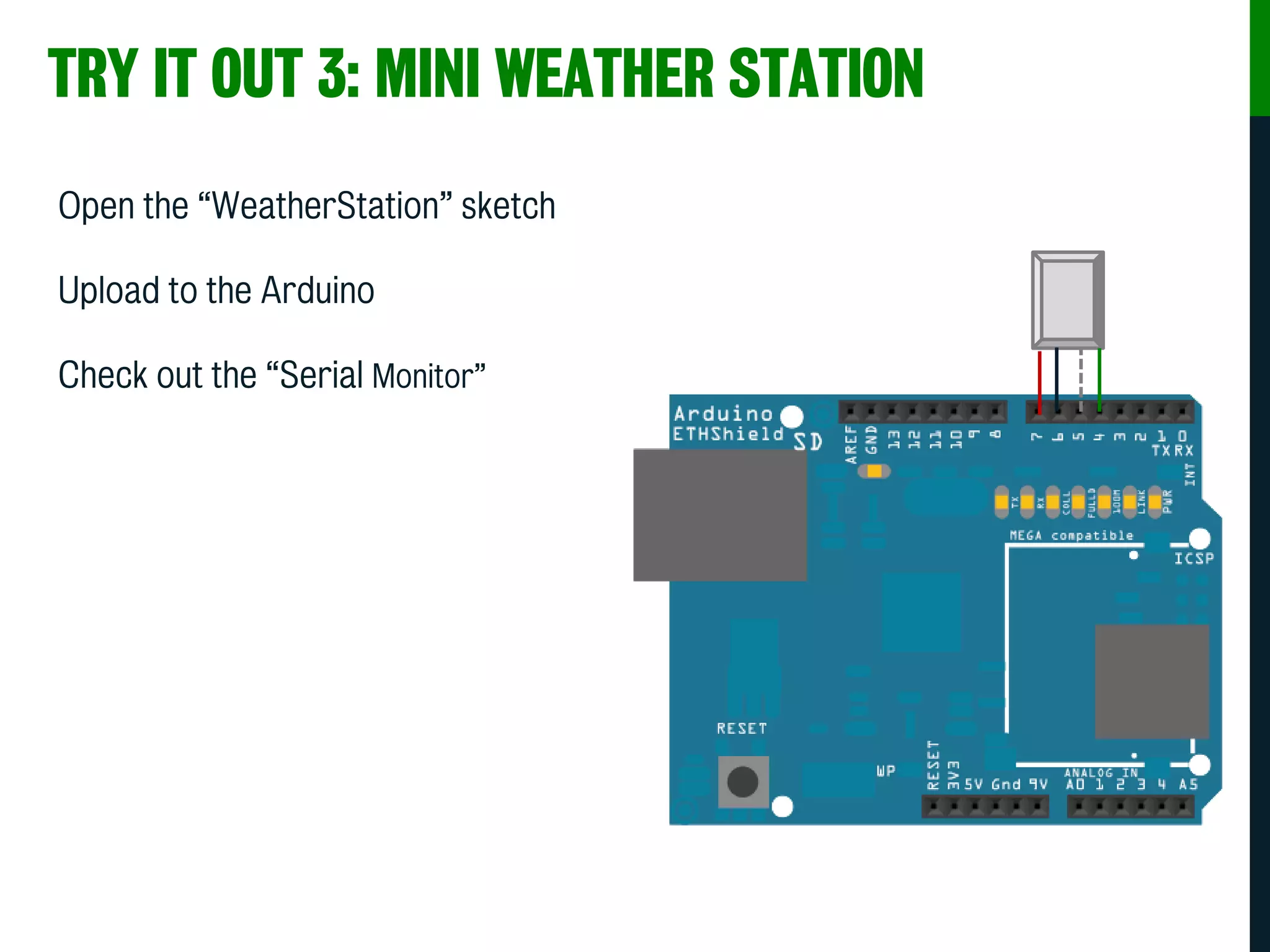
TRY IT OUT 3: MINI WEATHER STATION
Open the “WeatherStation” sketch
Upload to the Arduino
Check out the “Serial Monitor”
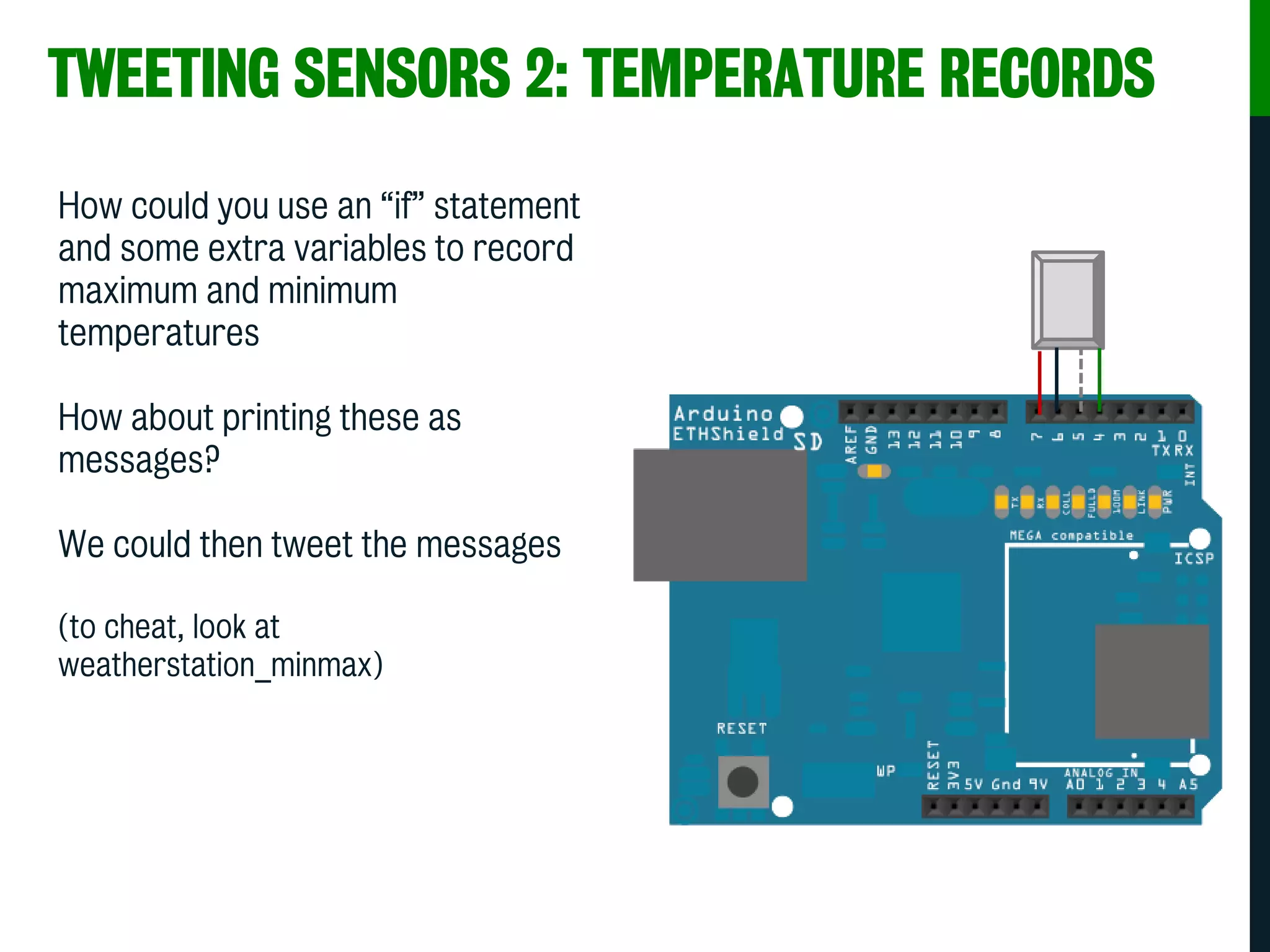
TWEETING SENSORS 2: TEMPERATURE RECORDS
How could you use an “if” statement
and some extra variables to record
maximum and minimum
temperatures
How about printing these as
messages?
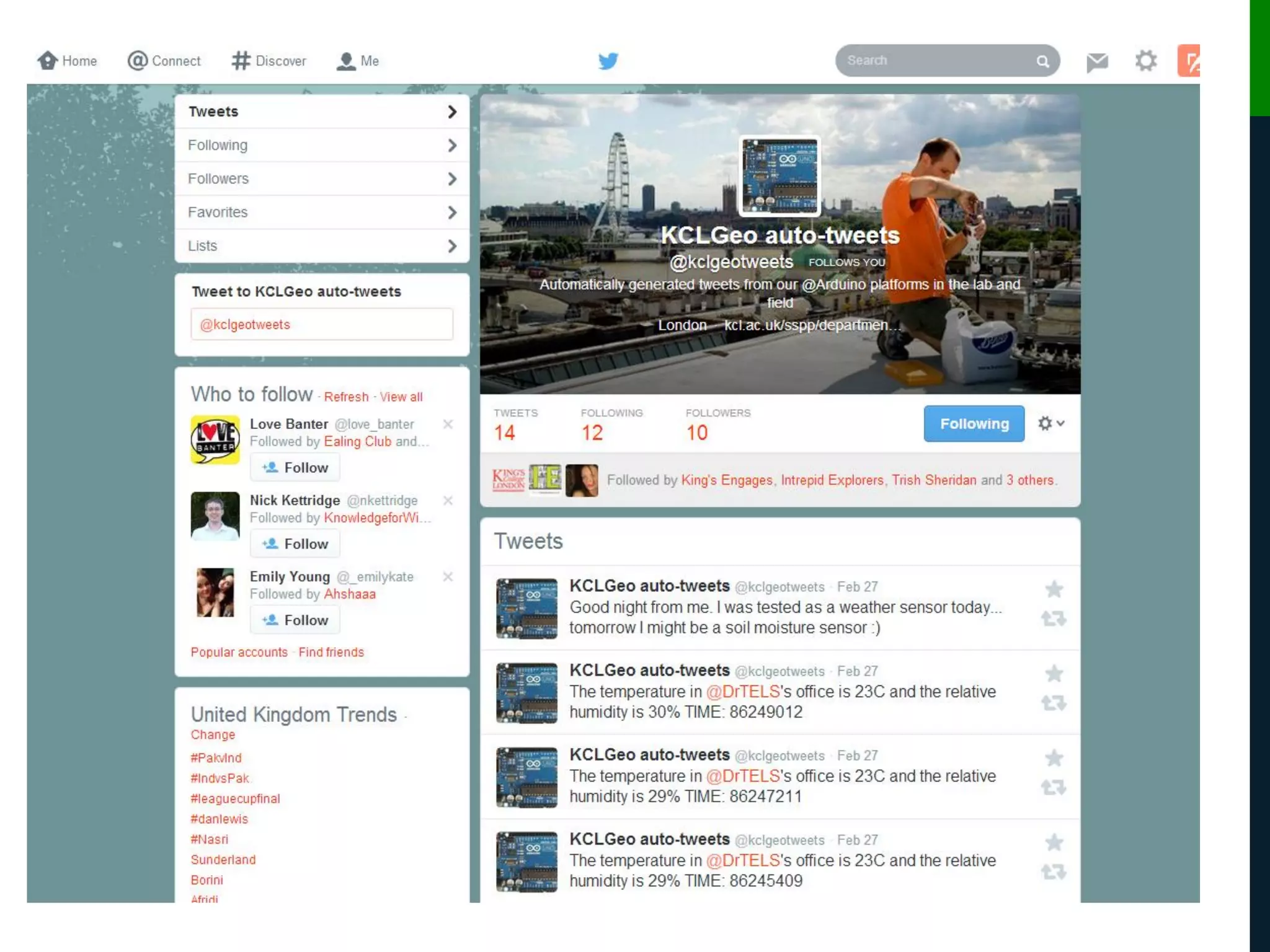
We could then tweet the messages
(to cheat, look at
weatherstation_minmax)
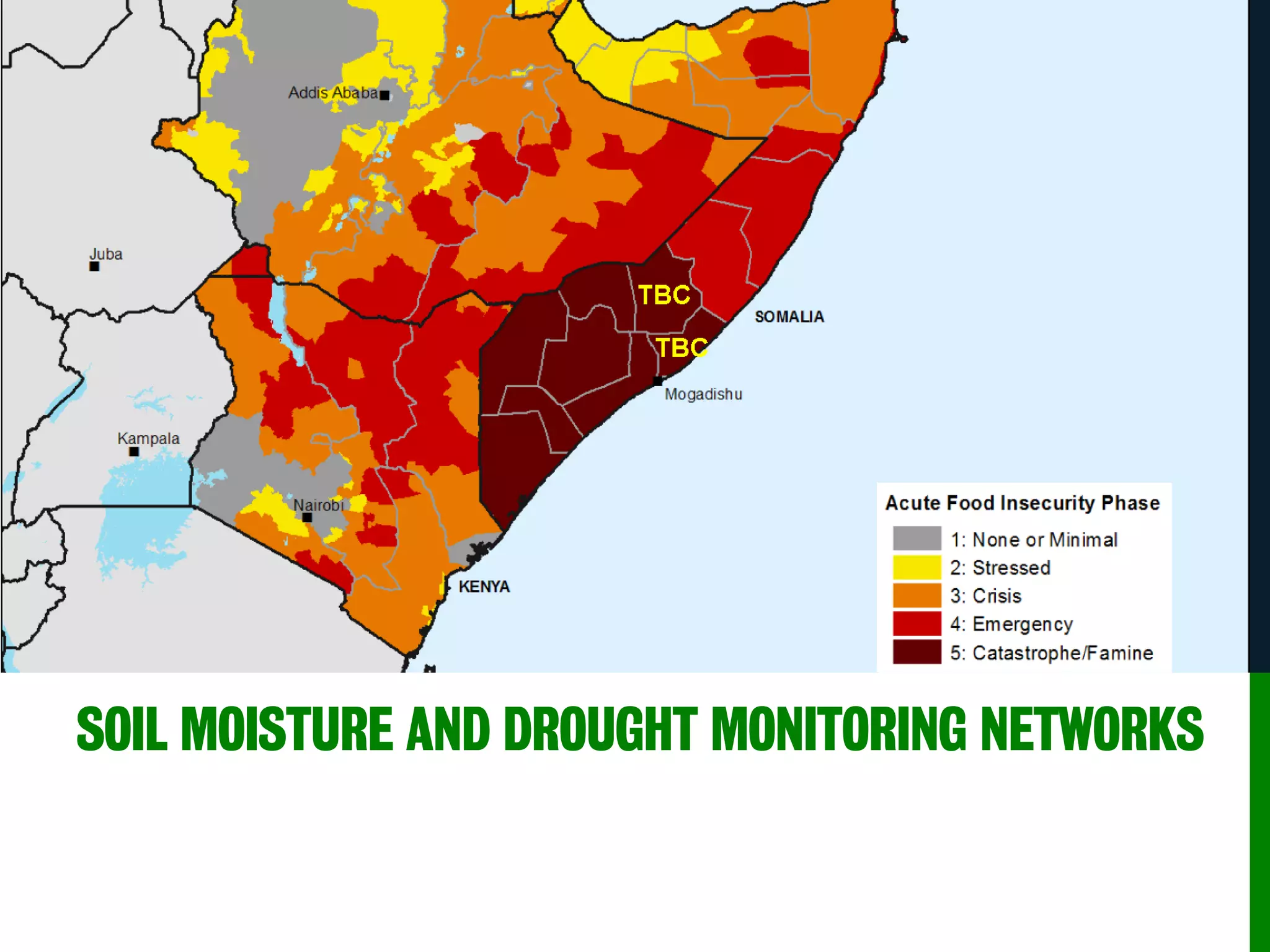
SOIL MOISTURE AND DROUGHT MONITORING NETWORKS
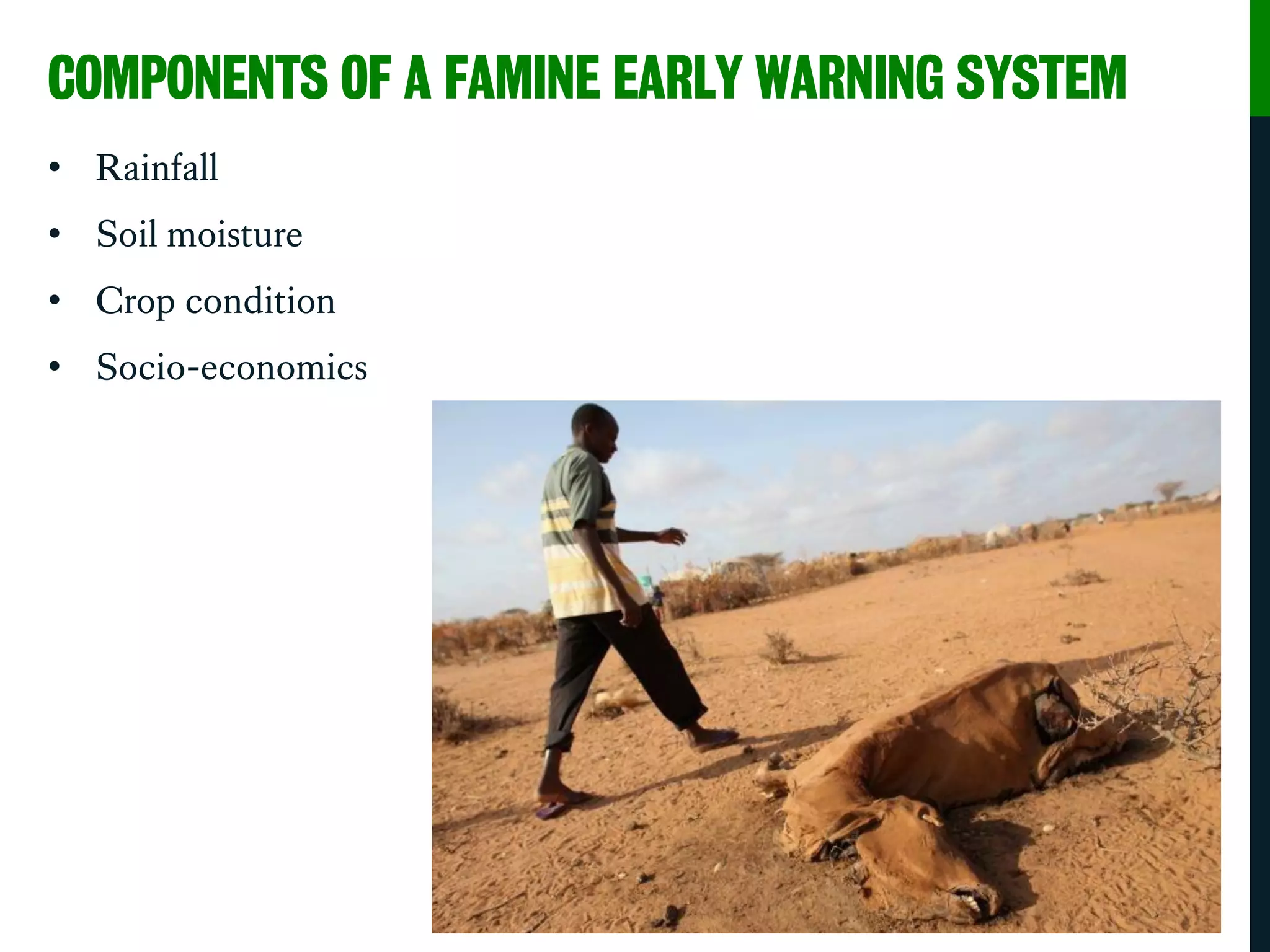
COMPONENTS OF A FAMINE EARLY WARNING SYSTEM
• Rainfall
• Soil moisture
• Crop condition
• Socio-economics
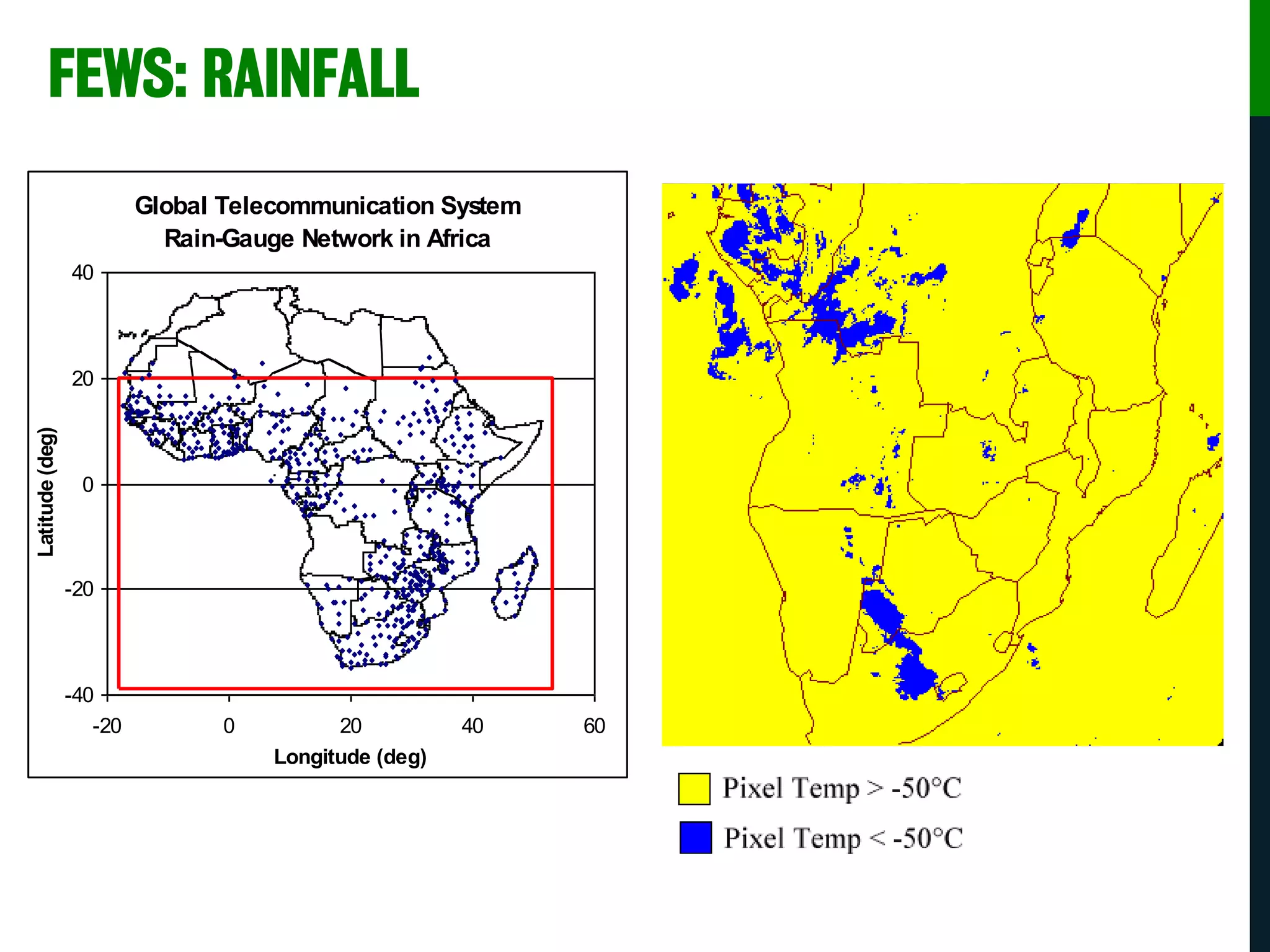
FEWS: RAINFALL
Global Telecommunication System
Rain-Gauge Network in Africa
-40
-20
0
20
40
-20 0 20 40 60
Longitude (deg)
Latitude(deg)
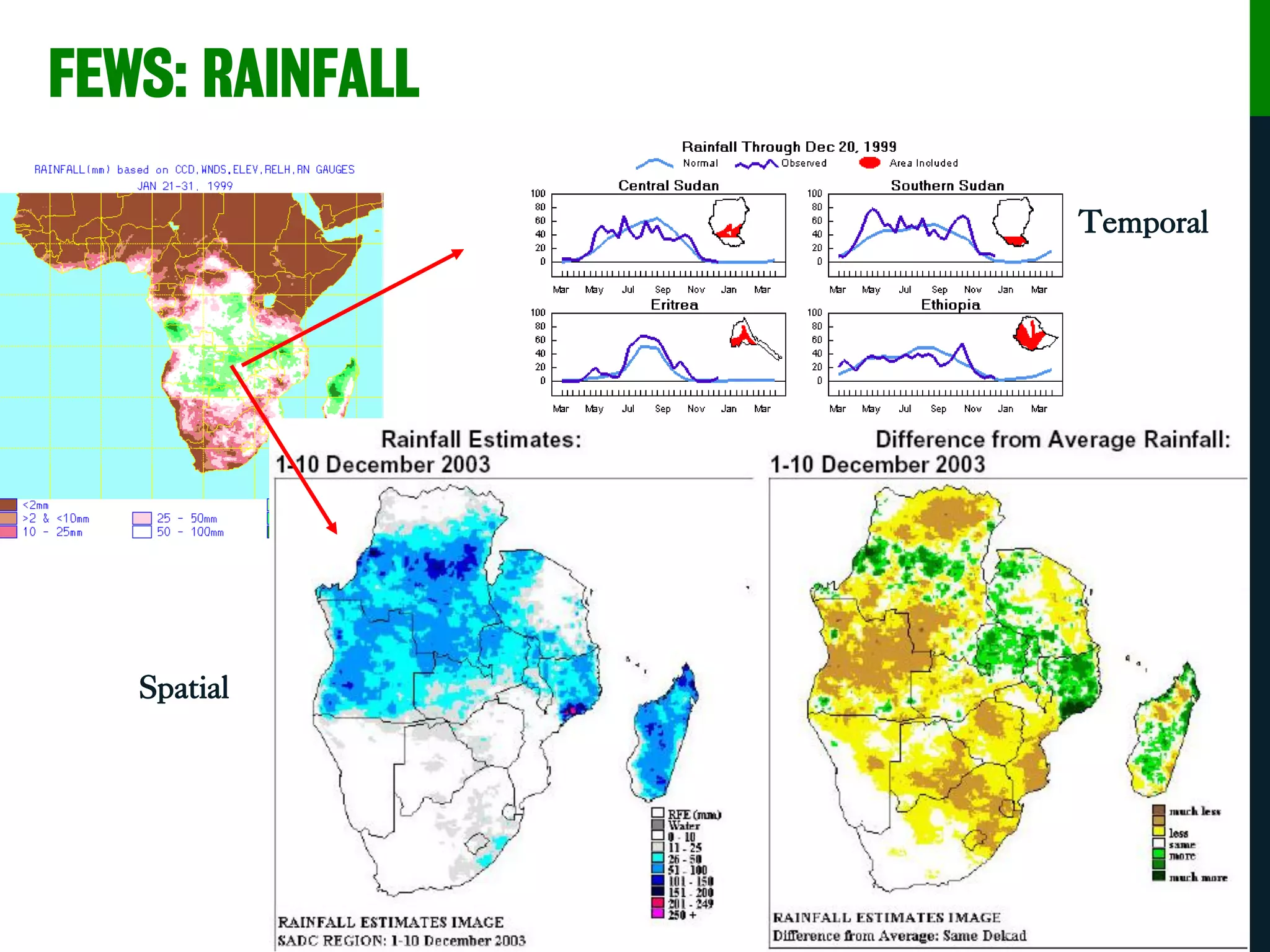
FEWS: RAINFALL
Spatial
Temporal
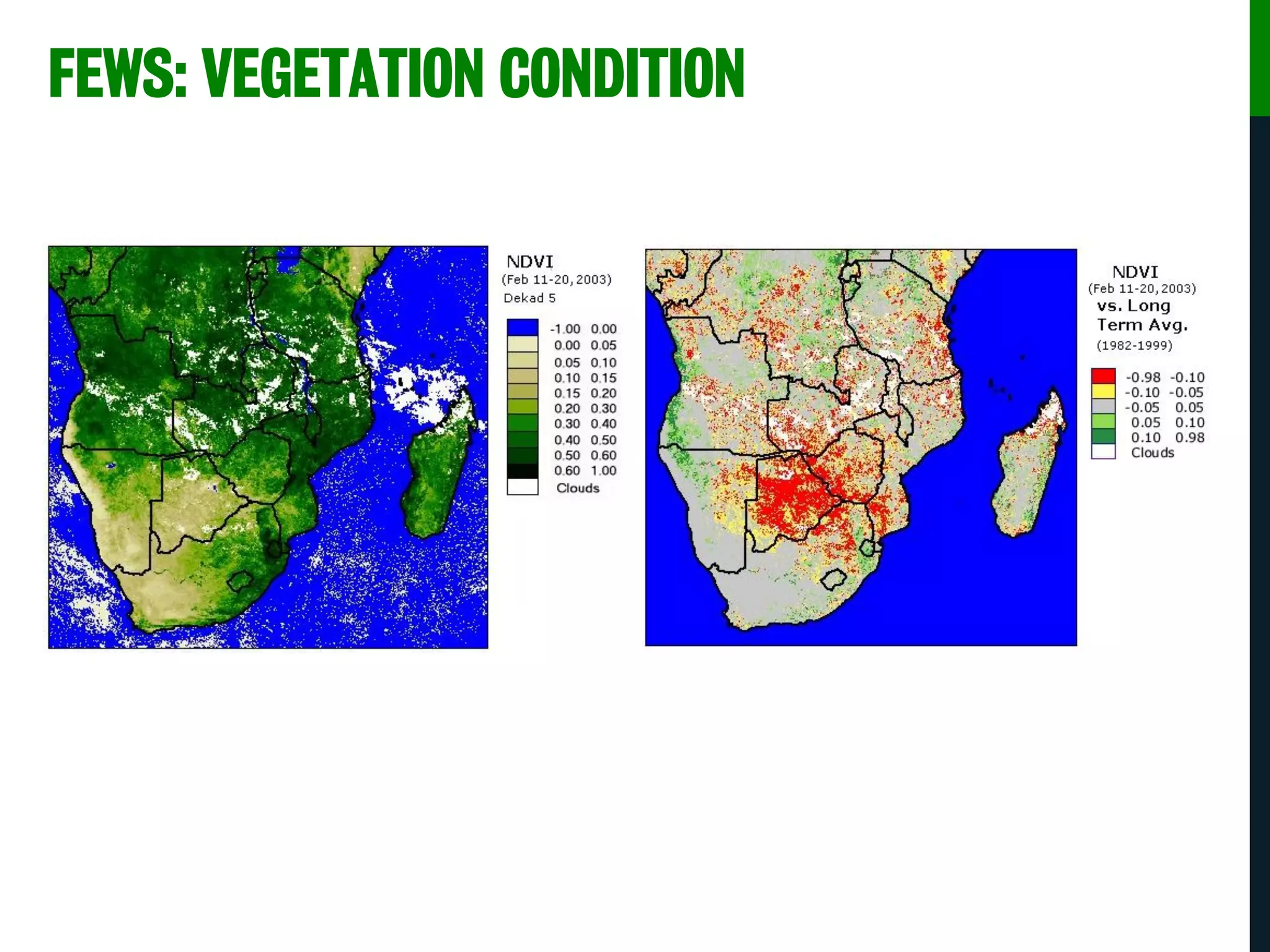
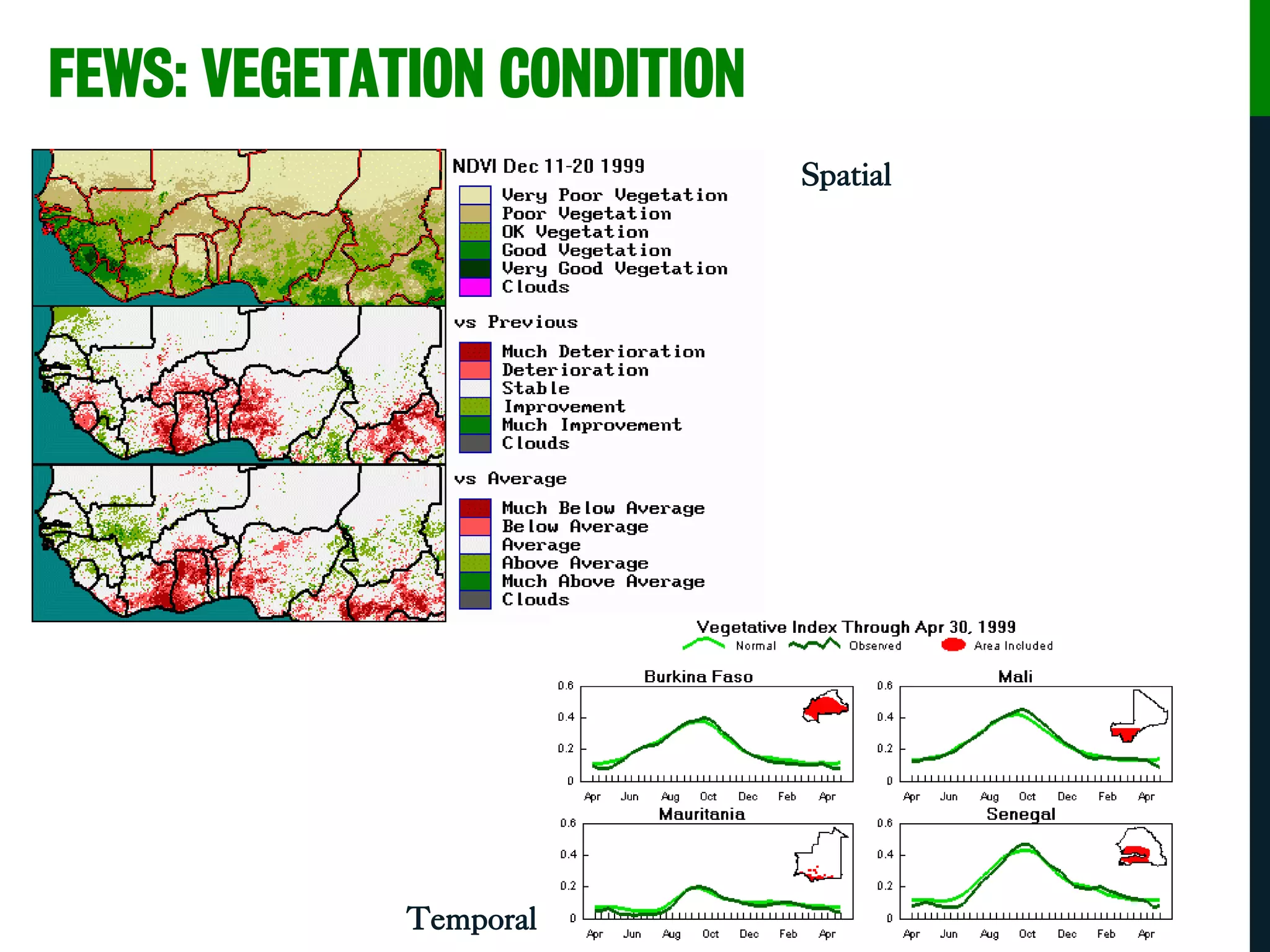
FEWS: VEGETATION CONDITION
Spatial
Temporal
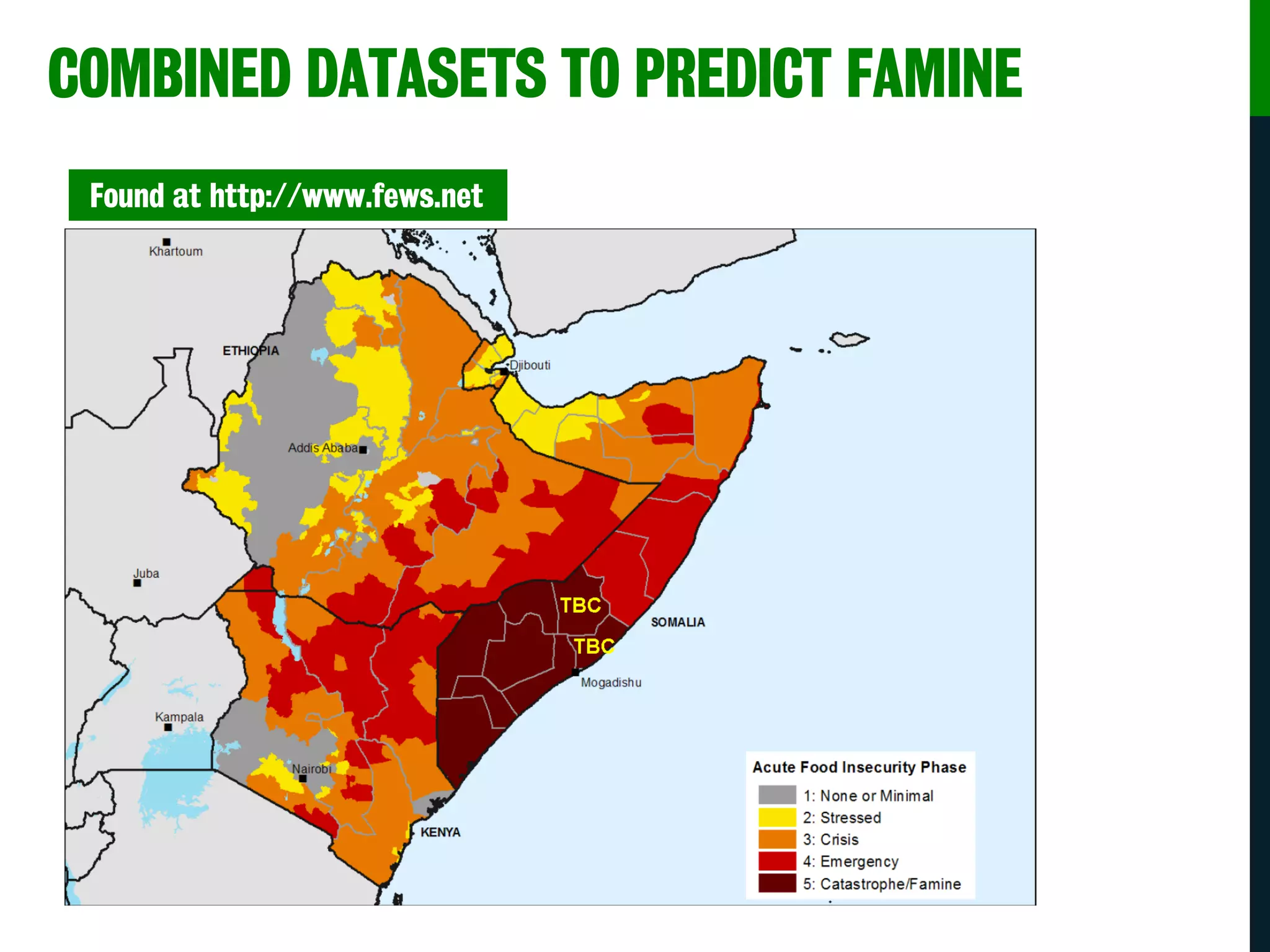
COMBINED DATASETS TO PREDICT FAMINE
Found at http://www.fews.net
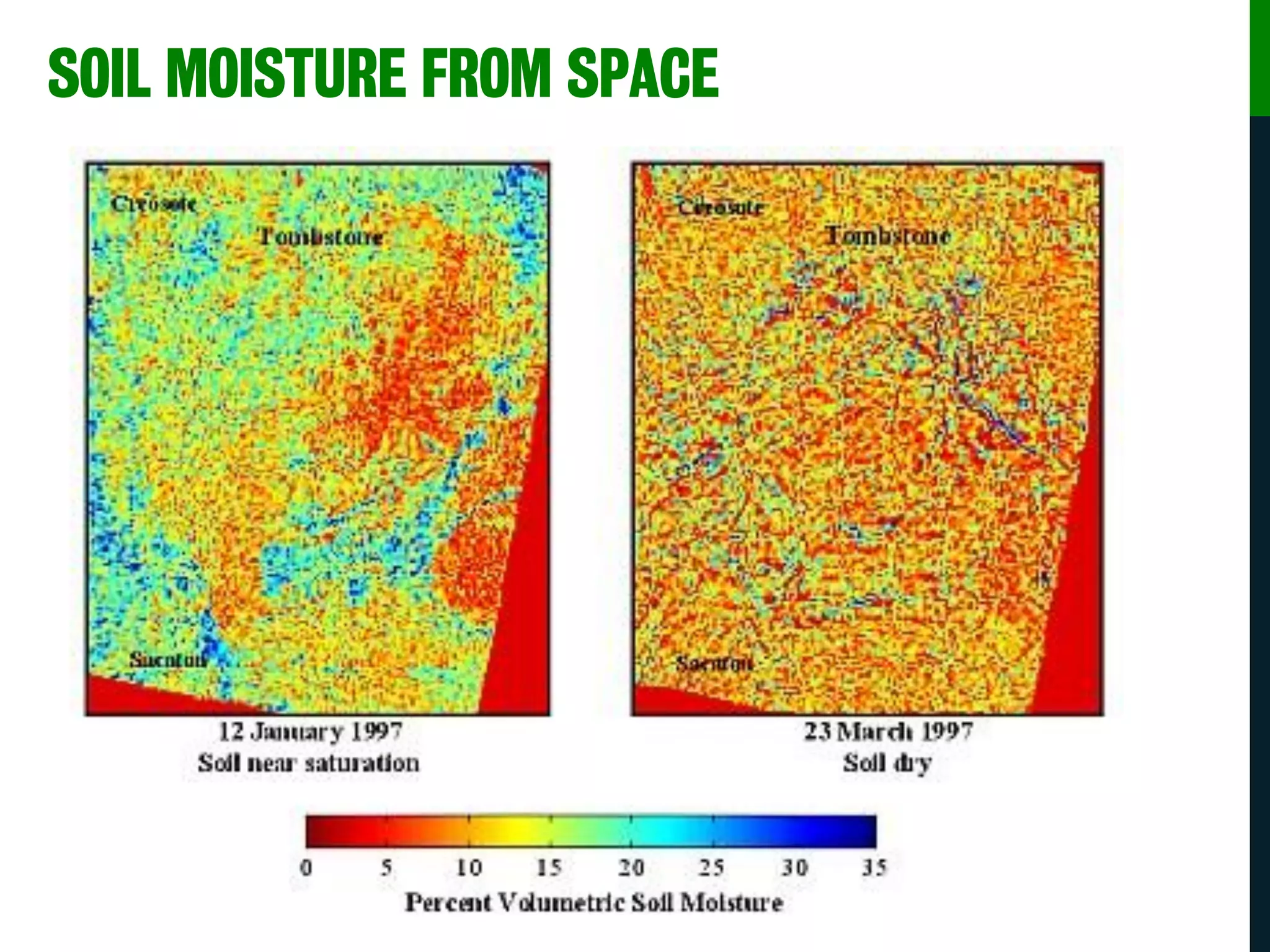
SOIL MOISTURE FROM SPACE
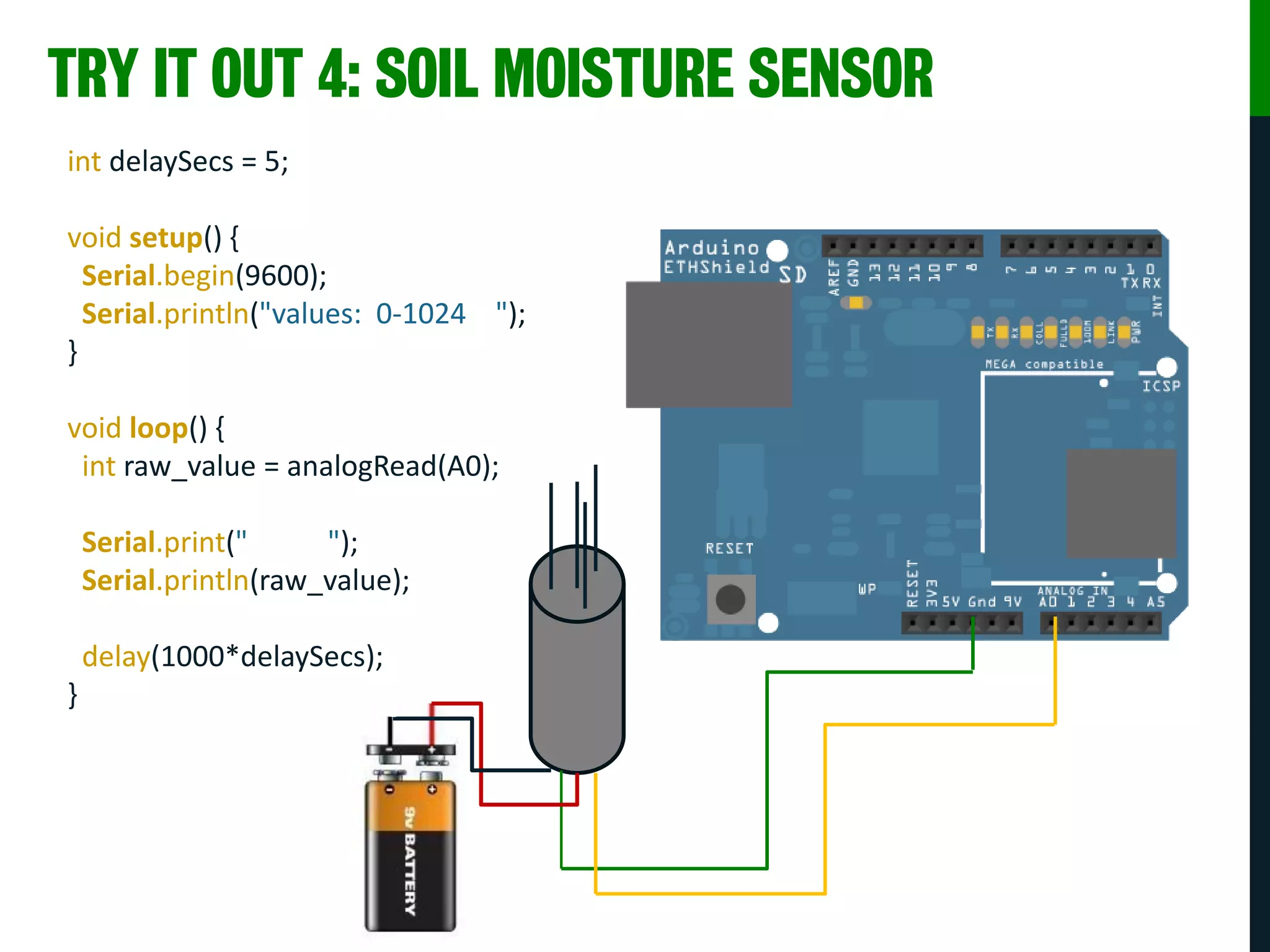
TRY IT OUT 4: SOIL MOISTURE SENSOR
int delaySecs = 5;
void setup() {
Serial.begin(9600);
Serial.println("values: 0-1024 ");
}
void loop() {
int raw_value = analogRead(A0);
Serial.print(" ");
Serial.println(raw_value);
delay(1000*delaySecs);
}
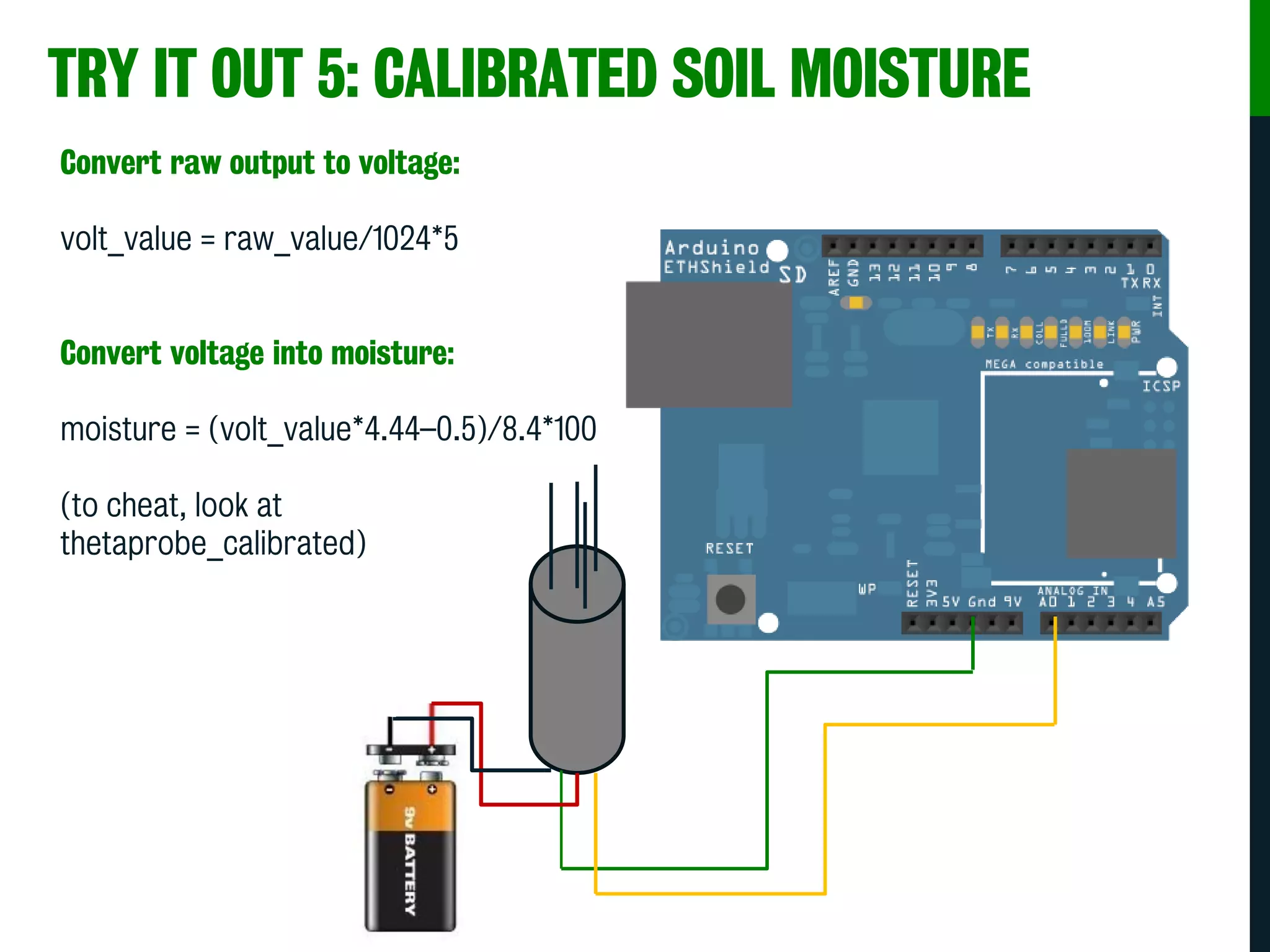
TRY IT OUT 5: CALIBRATED SOIL MOISTURE
Convert raw output to voltage:
volt_value = raw_value/1024*5
Convert voltage into moisture:
moisture = (volt_value*4.44–0.5)/8.4*100
(to cheat, look at
thetaprobe_calibrated)
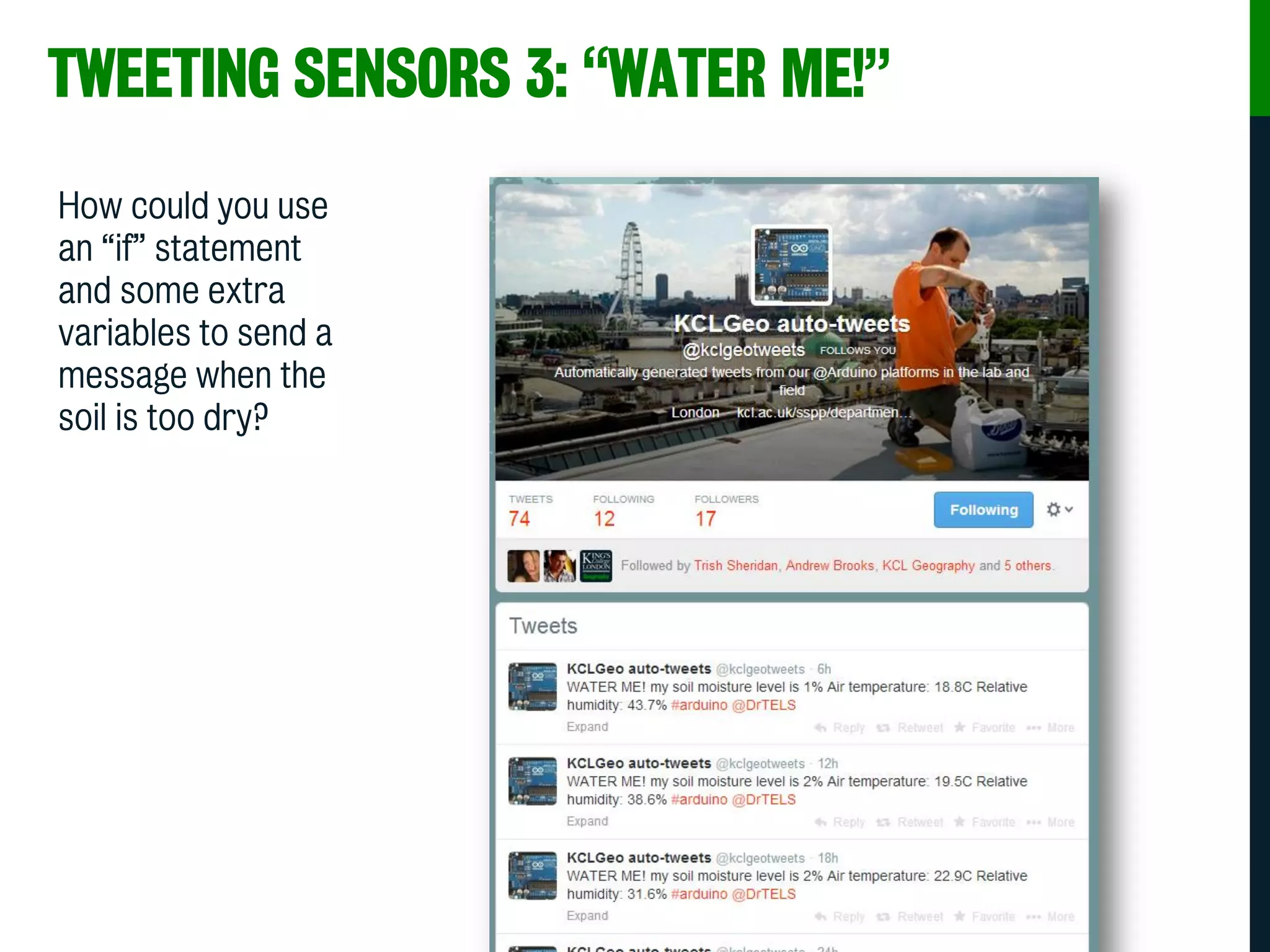
TWEETING SENSORS 3: “WATER ME!”
How could you use
an “if” statement
and some extra
variables to send a
message when the
soil is too dry?
THANK YOU
thomas.smith@kcl.ac.uk
@DrTELS
@KCLGEOGRAPHY
facebook.com/KCLGeography
K7.47
Office Hours:
Mondays 16:00–17:00
Fridays 15:00–16:00

Introduction to Arduinos for Environmental Applications

  • 1.
    First-year Physical GeographyTaster Sessions Dr Thomas Smith INTELLIGENT TWEETING SENSORS: INTRODUCING ARDUINO MICROCONTROLLERS
  • 3.
    THE BASICS OFARDUINO MICROCONTROLLERS • Open source hardware • Open source development kit • User community driven
  • 4.
    WHAT DO THEYDO? • Digital I/O (LEDs, switches) • Analogue I/O (resistive sensor data) • Serial connection (sensors, GPS, etc.) • Programmable from your PC/Mac/Linux • Your limit is only your creativity!!
  • 5.
    TERMINOLOGY • I/O Board– main microcontroller • Shield – add-on boards • Sketch – the program • Sensor – components (thermistors, etc.) • Modules – serial data (GPS module, etc.)
  • 6.
  • 7.
  • 8.
  • 9.
  • 10.
    Gas Sensor Temp& Humidity Flex Sensor Fingerprint Scanner Geiger Counter SENSORS
  • 11.
    Photo/thermistor, infared, forcesensitive resistor, Hall effect, Piezo, tilt sensor.. SENSORS
  • 12.
  • 13.
    HANDLING THE ARDUINO– HOW NOT TO DO IT! Improper Handling - NEVER!!!
  • 14.
    HANDLING THE ARDUINO– THE PROPER WAY Proper Handling - by the edges!!!
  • 15.
    TRY IT OUT1: VERY SIMPLE LED BLINKING PROGRAM int ledpin = 13; int del = 2000; void setup() { pinMode(ledpin, OUTPUT); } void loop() { digitalWrite(ledpin, HIGH); delay(del); digitalWrite(ledpin, LOW); delay(del); }
  • 16.
    TRY IT OUT1: VERY SIMPLE LED BLINKING PROGRAM int ledpin = 13; int del = 2000; void setup() { pinMode(ledpin, OUTPUT); } void loop() { digitalWrite(ledpin, HIGH); delay(del); digitalWrite(ledpin, LOW); delay(del); } Global variables Tells the Arduino that the LED is on pin 13 Delay between blinks as 2000 milliseconds Setup Tells the Arduino that pin 13 should be set as an output Loop Sets pin 13 to provide 5 volts (HIGH) Delays for specified length of time (del) Sets pin 13 to provide 0 volts (LOW) Delays for specified length of time (del)
  • 17.
    TRY IT OUT1: VERY SIMPLE LED BLINKING PROGRAM int ledpin = 13; int del = 2000; void setup() { pinMode(ledpin, OUTPUT); } void loop() { digitalWrite(ledpin, HIGH); delay(del); digitalWrite(ledpin, LOW); delay(del); }
  • 18.
    TRY IT OUT2: LIGHT DEPENDENT RESISTOR & LED int LDR_Pin = A0; void setup(){ Serial.begin(9600); } void loop(){ int LDRReading = analogRead(LDR_Pin); Serial.println(LDRReading); delay(500); } Serial This is a way by which your Arduino can “speak” with a computer Serial.begin opens the communications channel Serial.print/Serial.println will “print” a message
  • 19.
    ADDING “IF” STATEMENTS If/else Tryto make your LED turn on when the light drops below a certain level… add this code to your sketch if (LDRReading < 500) { digitalWrite(ledpin, HIGH); } else { digitalWrite(ledpin, LOW); }
  • 20.
    TWEETING SENSORS 1:“SOMEONE’S RAIDING THE FRIDGE!”
  • 21.
  • 22.
    SENSOR NETWORK EXAMPLE:BIRMINGHAM • The primary focus of the Birmingham Urban Climate project is to provide a series of demonstration sensor networks to measure air temperature • The design is a nested network of sensors: • ~30 full weather stations [coarse array] • 131 air temperature sensors located in schools [wide array] • ~100 air temperature sensors in the CBD (approx 50 sensors per square km) [fine array] • Birmingham will become the most densely instrumented urban area in the world.
  • 23.
    • The coarsearray consists of ~30 full weather stations located across Birmingham. • Urban equipment will be located in secure primary electricity substations (schools in areas without substations) • Further 4 in the surrounding rural areas to record background conditions (i.e. Sandwell park, rural schools) • Average spacing: 3km N COARSE ARRAY NETWORK
  • 24.
    • A fullsuite of weather variables will be measured (air temperature, humidity, wind speed, wind direction, barometric pressure, precipitation, solar radiation). • Data loggers (CR1000), communications and mountings (Campbell Scientific) • Vaisala WXT520 – precipitation, wind speed, wind direction, temperature, relative humidity, pressure • SKYE SKS1110 pyranometer • Data Communication: GSM/GPRS EQUIPMENT: WEATHER STATIONS
  • 25.
    WIDE AREA ARRAYNETWORK • The wide area array consists of 131 air temperature sensors located in schools • Plus a few in ‘rural’ schools /parks/farms outside conurbation • One per ONS medium super output area (MSOA) • Average spacing: 1.5 km • Data communication: WiFi via BGfL
  • 26.
    EQUIPMENT: AIR TEMPERATURESENSORS • The air temperature sensors (thermistor) and radiation shield are a bespoke design from Aginova, USA. • Small and inexpensive (approx. £87) • Data is relayed via existing WiFi networks • Battery life is estimated at 3 years (checked annually) Aginova Micro • ‘Low-Cost’ Thermistor Temperature probe (-30 to 70 °C) • Precision 0.1 °C • Accuracy ± 0.3 °C (20 °C) • Stores data when |ΔTt – ΔTt-1| ≥ 0.1 °C • Ability to store approx. 10 days data • Secure Wifi data transmission back to server through school wireless network • Server hosted software collects data from whole network and stores in database
  • 27.
    TRY IT OUT3: MINI WEATHER STATION Open the “WeatherStation” sketch Upload to the Arduino Check out the “Serial Monitor”
  • 28.
    TWEETING SENSORS 2:TEMPERATURE RECORDS How could you use an “if” statement and some extra variables to record maximum and minimum temperatures How about printing these as messages? We could then tweet the messages (to cheat, look at weatherstation_minmax)
  • 29.
    SOIL MOISTURE ANDDROUGHT MONITORING NETWORKS
  • 30.
    COMPONENTS OF AFAMINE EARLY WARNING SYSTEM • Rainfall • Soil moisture • Crop condition • Socio-economics
  • 31.
    FEWS: RAINFALL Global TelecommunicationSystem Rain-Gauge Network in Africa -40 -20 0 20 40 -20 0 20 40 60 Longitude (deg) Latitude(deg)
  • 32.
  • 33.
  • 34.
  • 35.
    COMBINED DATASETS TOPREDICT FAMINE Found at http://www.fews.net
  • 36.
  • 37.
    TRY IT OUT4: SOIL MOISTURE SENSOR int delaySecs = 5; void setup() { Serial.begin(9600); Serial.println("values: 0-1024 "); } void loop() { int raw_value = analogRead(A0); Serial.print(" "); Serial.println(raw_value); delay(1000*delaySecs); }
  • 38.
    TRY IT OUT5: CALIBRATED SOIL MOISTURE Convert raw output to voltage: volt_value = raw_value/1024*5 Convert voltage into moisture: moisture = (volt_value*4.44–0.5)/8.4*100 (to cheat, look at thetaprobe_calibrated)
  • 39.
    TWEETING SENSORS 3:“WATER ME!” How could you use an “if” statement and some extra variables to send a message when the soil is too dry?
  • 40.