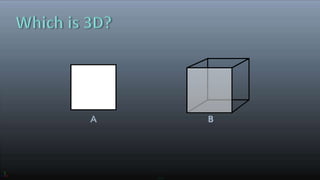
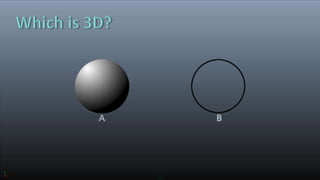
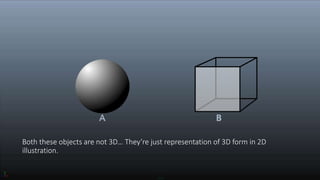
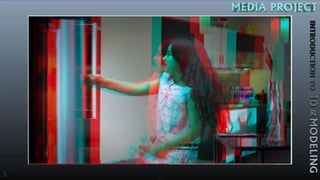
Both these objects are not 3D… They’re just representation of 3D form in 2D
illustration.
3D is a virtual – solid, surface form of shapes, objects, subject or picture with a three
dimensional data value. i.e. something that has Width, Height and Depth [Length].
It’s a process of developing a mathematical representation of any shape into three-
dimensional Surface / Object.
It can be displayed as a two-dimensional image through a process called 3D
Rendering.
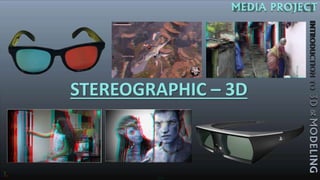
STEREOGRAPHIC – 3D
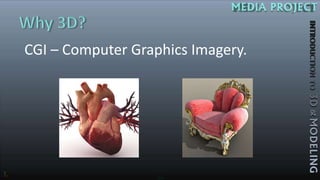
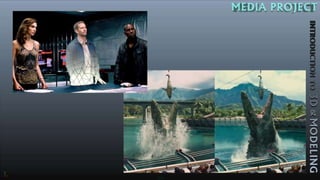
CGI – Computer Graphics Imagery.
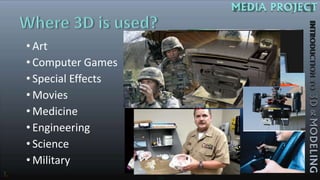
• Art
• Computer Games
• Special Effects
• Movies
• Medicine
• Engineering
• Science
• Military
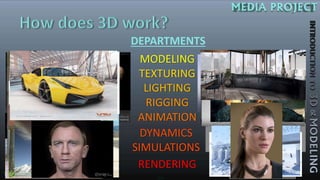
DEPARTMENTS
MODELING
TEXTURING
LIGHTING
RIGGING
ANIMATION
DYNAMICS
SIMULATIONS
RENDERING
• AUTO CAD
• AUTODESK 3Ds MAX
• AUTODESK MAYA
• AUTODESK MUDBOX
• AUTODESK SOFTIMAGE
• BLENDER
• BRYCE
• CINEMA 4D
• CARRERA
• VEU DE SPIRIT
• DAZ STUDIO
• HOUDINI
• MODO
• POSER
• ZBRUSH
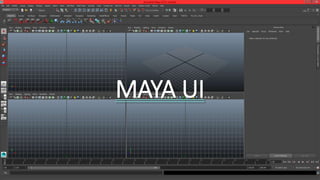
MAYA UI
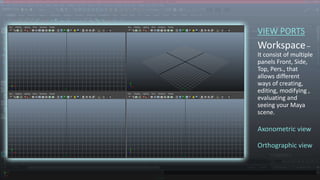
VIEW PORTS
Workspace–
It consist of multiple
panels Front, Side,
Top, Pers., that
allows different
ways of creating,
editing, modifying ,
evaluating and
seeing your Maya
scene.
Axonometric view
Orthographic view
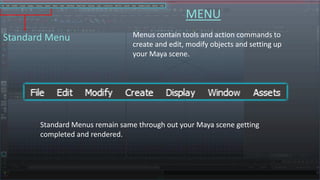
MENU
Standard Menu
Standard Menus remain same through out your Maya scene getting
completed and rendered.
Menus contain tools and action commands to
create and edit, modify objects and setting up
your Maya scene.
Menu Set Menu
MENU
Menu Set menus provides you various action commands, depending
on the type of menu set your working in the scene.
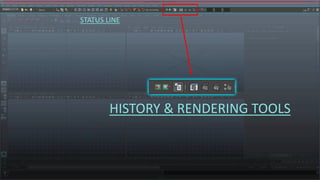
STATUS LINE
Status Line contains number of categorised menu items shortcuts, for
quicker workflow.
STATUS LINE
MENU SET
Menu Set is drop-down list organised
with scene department’s functions.
STATUS LINE
FILE TOOLS
Functions as opening new files / existing
files and saving files.
STATUS LINE
OBJECT AND SELECTION FILTERS
Filters – Restriction of selections on Objects types, Components
and objects of other category.
STATUS LINE
SNAP TOOLS
Snap tools allows you to refine your
creation and transformation actions
with precision.
STATUS LINE
HISTORY & RENDERING TOOLS
STATUS LINE
COORDINATES
Selected object’s X, Y, & Z coordinats.
STATUS LINE
PANEL TOOLS
SHELF
Shelf is like a tools stalk. You can set-up
and customize the set of tools you would
be frequently using for quick access.
ATTRIBUTE EDITOR,
CHANNELS
&
Layer panel
Attribute Editor – gives you the properties of a selected
object in the scene.
Channel panel – gives you a compact view on the key
able attributes of a selected object in the scene.
Layer panel – allows you to organize your scene file.
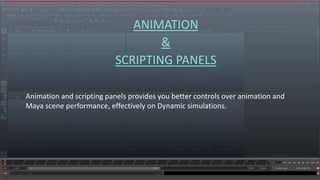
ANIMATION
&
SCRIPTING PANELS
Animation and scripting panels provides you better controls over animation and
Maya scene performance, effectively on Dynamic simulations.
TOOLBOX
&
VIEWPORTS LAYOUT
Tool Box provides you some of Maya’s most commonly used
tools for selections and universal manipulation on object’s
transformation and placement in your Maya scene.
Layout buttons offer you quick access to change the
viewports and panel layouts without altering the scene.
TOOLBOX
Q
W
E
R
T
Y
Selection tool.
Move tool.
Rotate tool.
Scale tool.
Universal Transformation tool.
Last used tool.

Introduction to 3D and Modeling