Introduction to
Multimedia Systems
TheTerm“Multimedia”
●
Composed of 2 parts:
– Multi (multus) : “numerous, multiple”
– Media (medium): “middle, center” – agent for
something. Used for dissemination (distribute) and
representation of information.
– In general, multimedia could be defined as the usage of
multiple agent (text, audio, video, images) for
disseminating and presenting information to audience
(target user)
TheTerm“Media”
●
Can be categorized based on a few criteria:
– Perception media
– Representation media
– Presentation media
– Storage media
– Transmission media
PerceptionMedia
●
“How do humans perceive information”
●
We perceive information from what we see and
what we hear
●
Visual media:
– Text, graphics, images, video
●
Auditory media:
– Music, sound and voice
RepresentationMedia
●
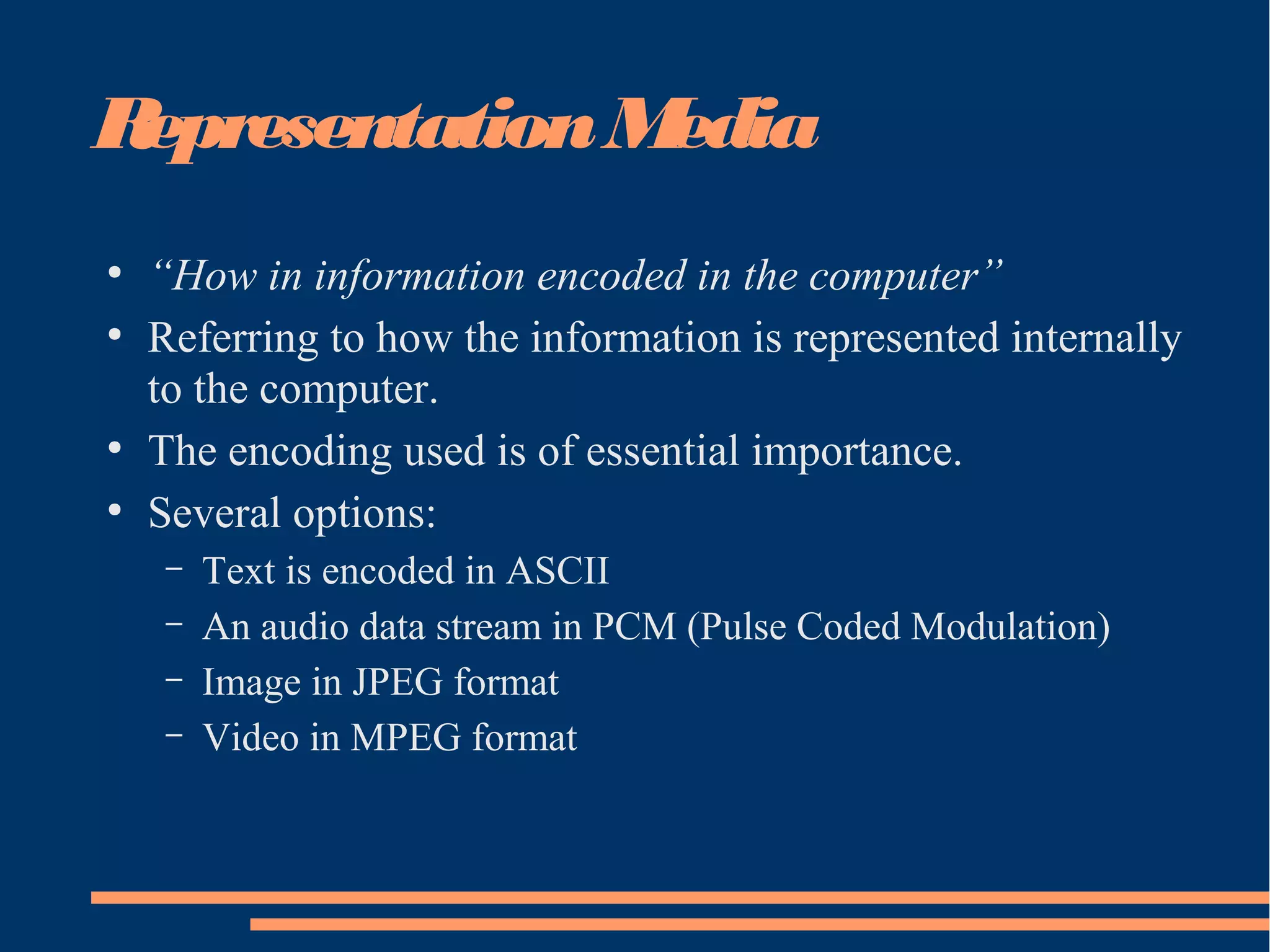
“How in information encoded in the computer”
●
Referring to how the information is represented internally
to the computer.
●
The encoding used is of essential importance.
●
Several options:
– Text is encoded in ASCII
– An audio data stream in PCM (Pulse Coded Modulation)
– Image in JPEG format
– Video in MPEG format
PresentationMedia
●
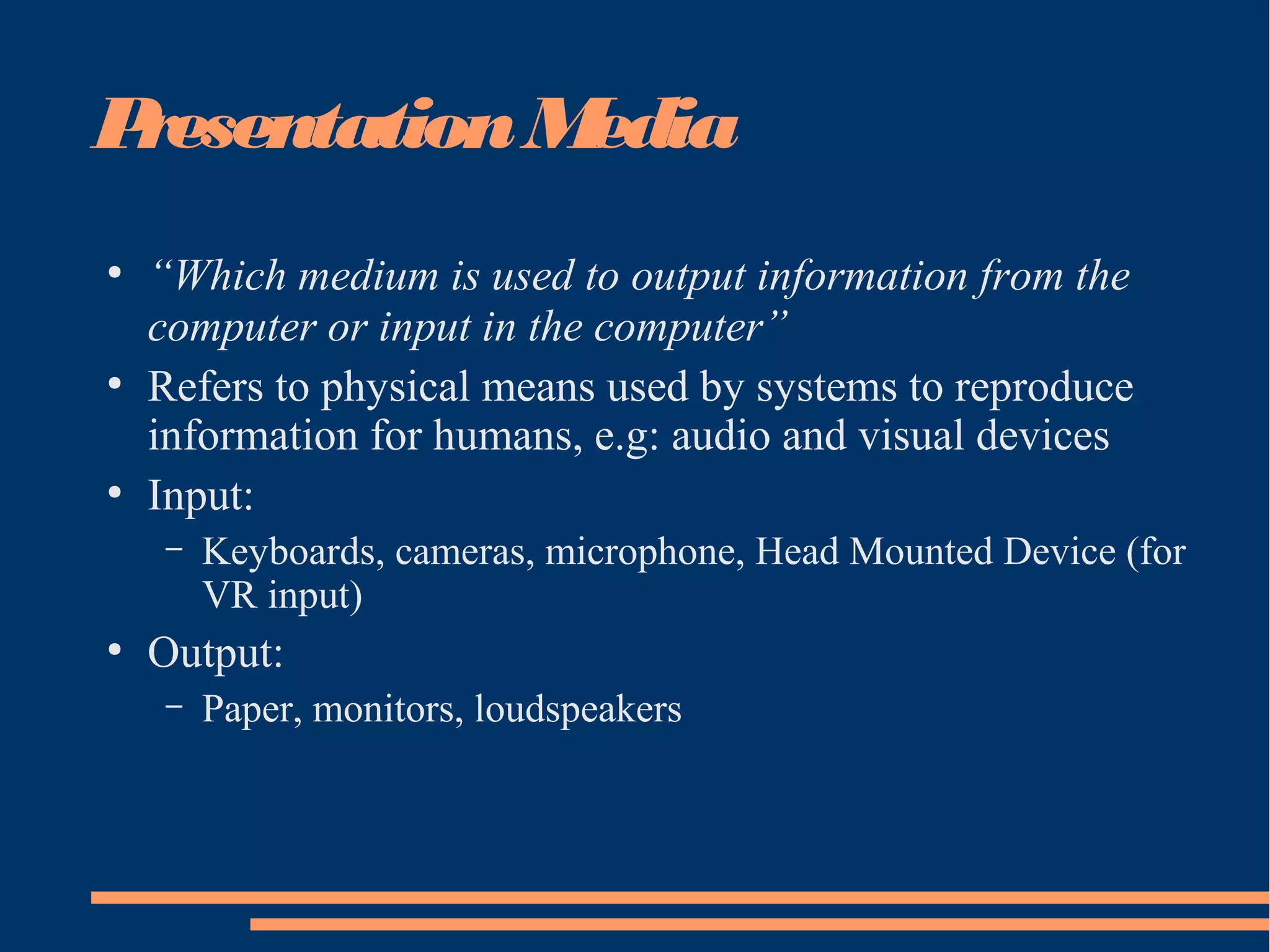
“Which medium is used to output information from the
computer or input in the computer”
●
Refers to physical means used by systems to reproduce
information for humans, e.g: audio and visual devices
●
Input:
– Keyboards, cameras, microphone, Head Mounted Device (for
VR input)
●
Output:
– Paper, monitors, loudspeakers
StorageMedia
●
“Where is information stored”
●
Refer to various physical means for storing
computer data, such as magnetic tapes, magnetic
disks, or digital optical disks (CD-ROM, CD,
DVD)
TransmissionMedia
●
“Which medium is used to transmit data”
●
Refers to the physical means – cable of various
type (coaxial cable, twisted pair, fiber optics),
radio tower, satellite – that allow the transmission
of telecommunication signals.
●
The difference between transmission media and
storage media is the capability of transferring data
continuously over networked computers.
Definition: MultimediaSystems
●
The American Heritage®
Dictionary of the English
Language: Fourth Edition. 2000.
– 1. The combined use of media, such as movies, music, lighting, CD-
ROMs, and the Internet, as for education or entertainment
– Multimedia is the presentation of a (usually interactive)
computer application, incorporating media elements such as
text graphics, video, animation, and sound, on a computer.
●
It is the melding of the sensory power of television with the data
manipulation and interactive capabilities of computer
Definition: MultimediaSystems
• The presentation of a computer application, usually
interactive, that incorporates media elements such as text,
graphics, video, animation, and sound on a computer.
Multimedia melds the sensory power of television with the
data manipulation and interactive powers of computer.
• A multimedia system is characterized by computer-
controlled, integrated production,
manipulation,presentation, storage and communication of
independent information,which is encoded at least through
continuous (time-dependent) and a discrete (time-
independent) medium.
KeyProperties of aMultimedia
Systems
●
Discrete and Continuous Media
– At least one discrete and continuous media
●
Independent Media
– Separate each media independently
●
Computer-Controlled Systems
●
Integration
InteractiveMultimediaSystems
●
Interaction
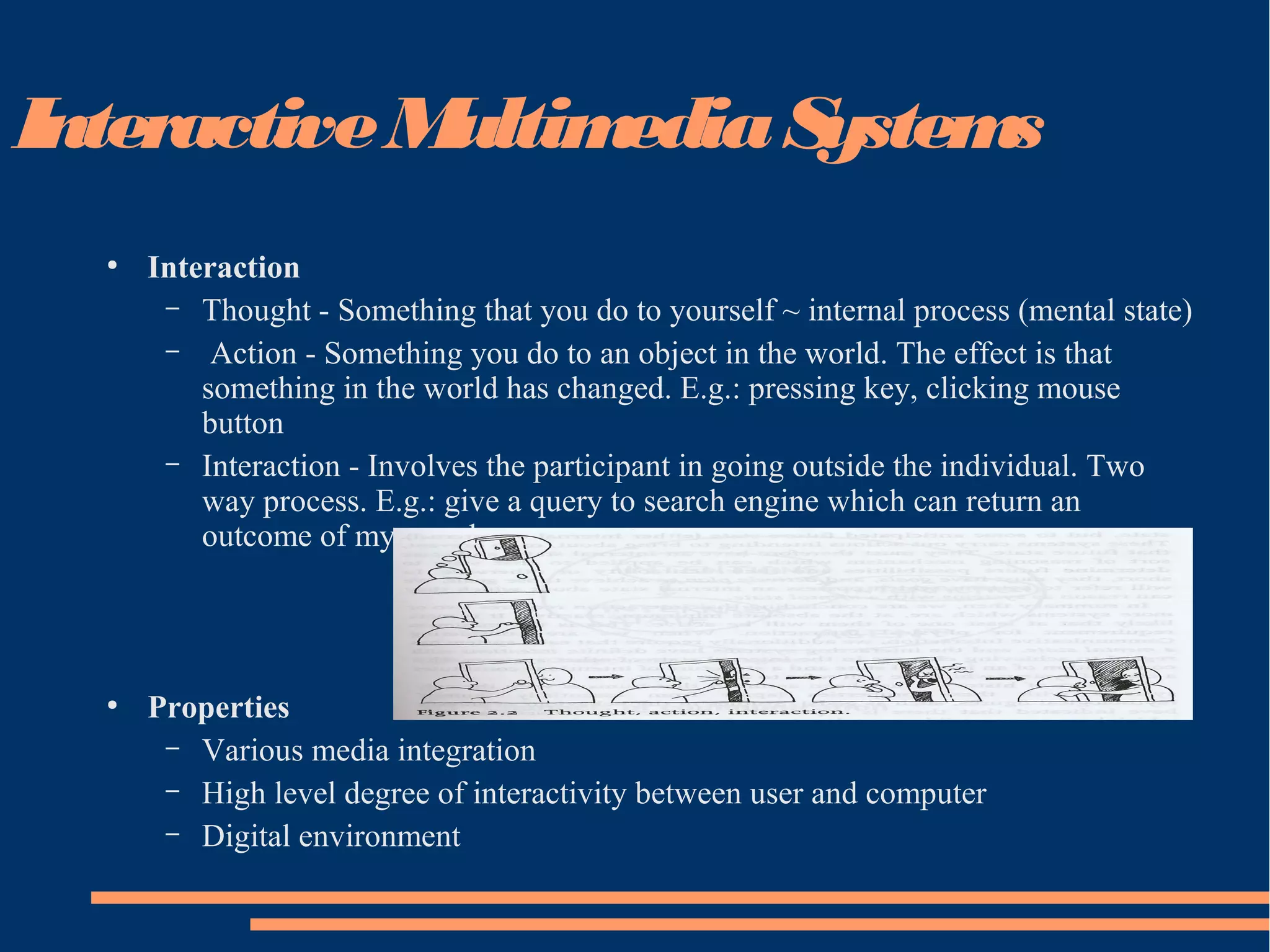
– Thought - Something that you do to yourself ~ internal process (mental state)
– Action - Something you do to an object in the world. The effect is that
something in the world has changed. E.g.: pressing key, clicking mouse
button
– Interaction - Involves the participant in going outside the individual. Two
way process. E.g.: give a query to search engine which can return an
outcome of my search.
●
Properties
– Various media integration
– High level degree of interactivity between user and computer
– Digital environment
ApplicationAreas of IMS
●
Education
– Computer Aided Learning (CAL)
– E-Learning (World Wide Web)
●
Training
●
Point of Sales Information (Kiosk)
– Direct visitors around the large complexes
●
News Delivery, Broadcasting and Advertising
●
Commerce and Business Applications
●
Virtual Reality (Games)
TheHistoryof Multimedia
●
1972 – A Game of Pong (first commercial multimedia
product)
●
1973 – ATARI (laser disc, used in game cartridges)
●
1973 – IBM Discovision (first multimedia interactive
kiosk products)
●
1978 – Apple II (with floppy drive)
●
1981 – Microsoft and IBM (IBM PC)
●
Christmas 1981 – Nintendo hit the market (30 million
machines)
●
1982 – Apple II had voice synthesis capability
TheHistoryof Multimedia
●
1980s – mouse was invented by Xerox Corp.
●
1984 – Macintosh using mouse
●
1984 – Virtual Reality was invented by NASA, input devices using
HMD (Head-Mounted Display) and Dataglove
●
1985 – Macromind (Macromedia) produced VideoWorks, later
changed to Director (the most widely used cross-platform
multimedia authoring tool)
●
1986 – first electronic encyclopedia, first international conference
on multimedia, first CD-ROM
●
1987 – Mac II (first color GUI)
●
1988 – CD-R (CD-Record)
●
1989 – Creative Labs (Sound Blaster sound card)
TheHistoryof Multimedia
●
1990s – Adobe released Photoshop.
●
1990s – Windows 3.0 multimedia enabled by Microsoft
●
1992 – first children ‘s interactive book title “Just
Grandma and Me”
●
1993 – double speed CD-ROM drives as a multimedia
standard
●
1993 – Web Browser Mosaic
●
1994 – Web Browser Netscape
●
1995 – Multimedia PC, 32 bit, Windows 95. Later
followed by Windows 98, Windows 2000
Input Devices
1. Keyboard, mouse (track balls, joysticks, etc)
2. graphics tablets - drawing
3. Scanner – capture image from printed material
4. Digital camera - capture and transform image into digital form
5. Touch screen for kiosk application
6. Analogue audio input from microphone and audio player
7. Networking support for fail distribution
8. modem
Output Devices
●
High resolution screen, 256 colors (at least) – output video
●
Speakers, amplifier or tape devices - Output audio
●
Network with capacity at 10 millions bit/second
●
Analog modem at 28 800 bit/second speed. ISDN digital modem at speed
128 000 bit/second.
●
Printer
StorageRequirements
●
At least 32MB RAM to produce good quality of graphics, audio, video, etc
●
VRAM (Video Random Access Memory) to support high color definition
●
Hard disk at high volume capacity with good drive system speed to support
graphics, video, audio, and animation processing.
●
Secondary storage CD-ROM, Magnetic Tape, etc
Hypermedia
– Hypermedia is a way of organizing multimedia information by
linking media elements.
– Hypermedia has grown out of a fusion between hypertext and
multimedia.
– Hypertext was developed to provide a different structure for
basic text in computer systems :
●
text is essentially sequential in nature, even though its structure is
hierarchical (chapters, sections, subsections, paragraphs)
●
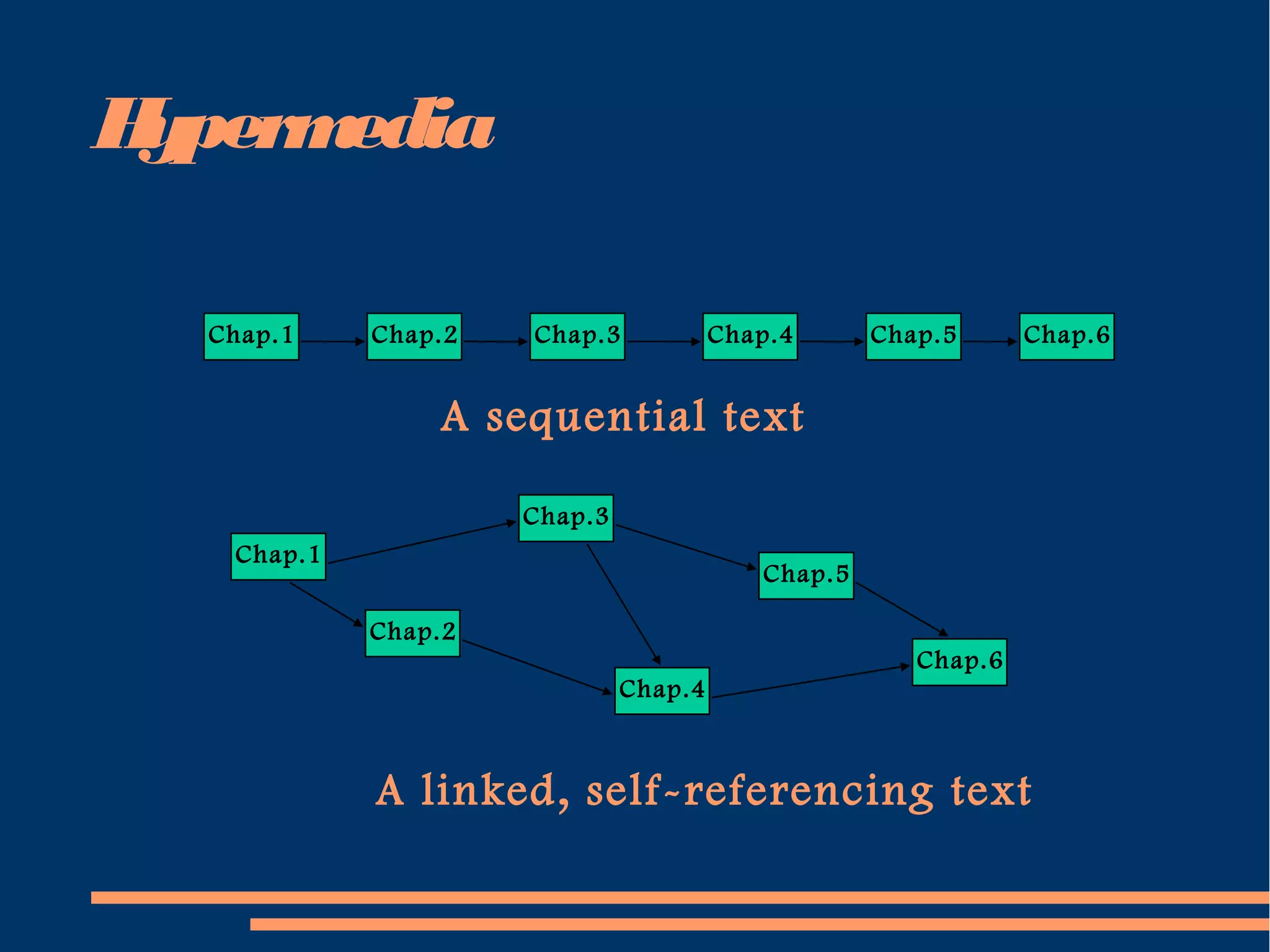
hypertext was developed to permit more random access between
components of text documents, or between documents, to allow a
greater degree of flexibility and cross-referencing than a purely linear
or sequential model would allow.
Hypermedia
Chap.1 Chap.2 Chap.3 Chap.4 Chap.5 Chap.6
A sequential text
Chap.6
Chap.5
Chap.4
Chap.3
Chap.2
Chap.1
A linked, self-referencing text
Hypermedia
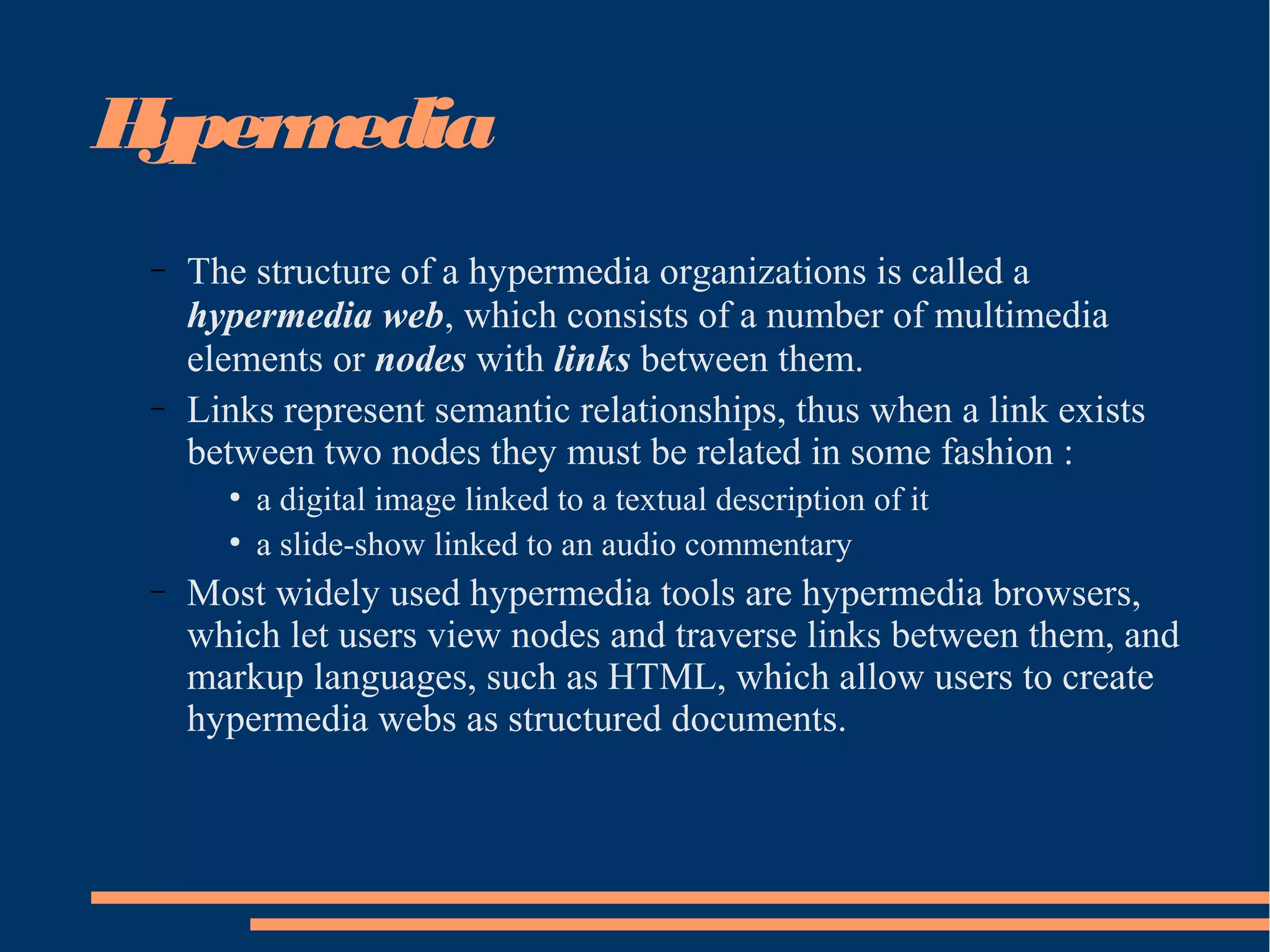
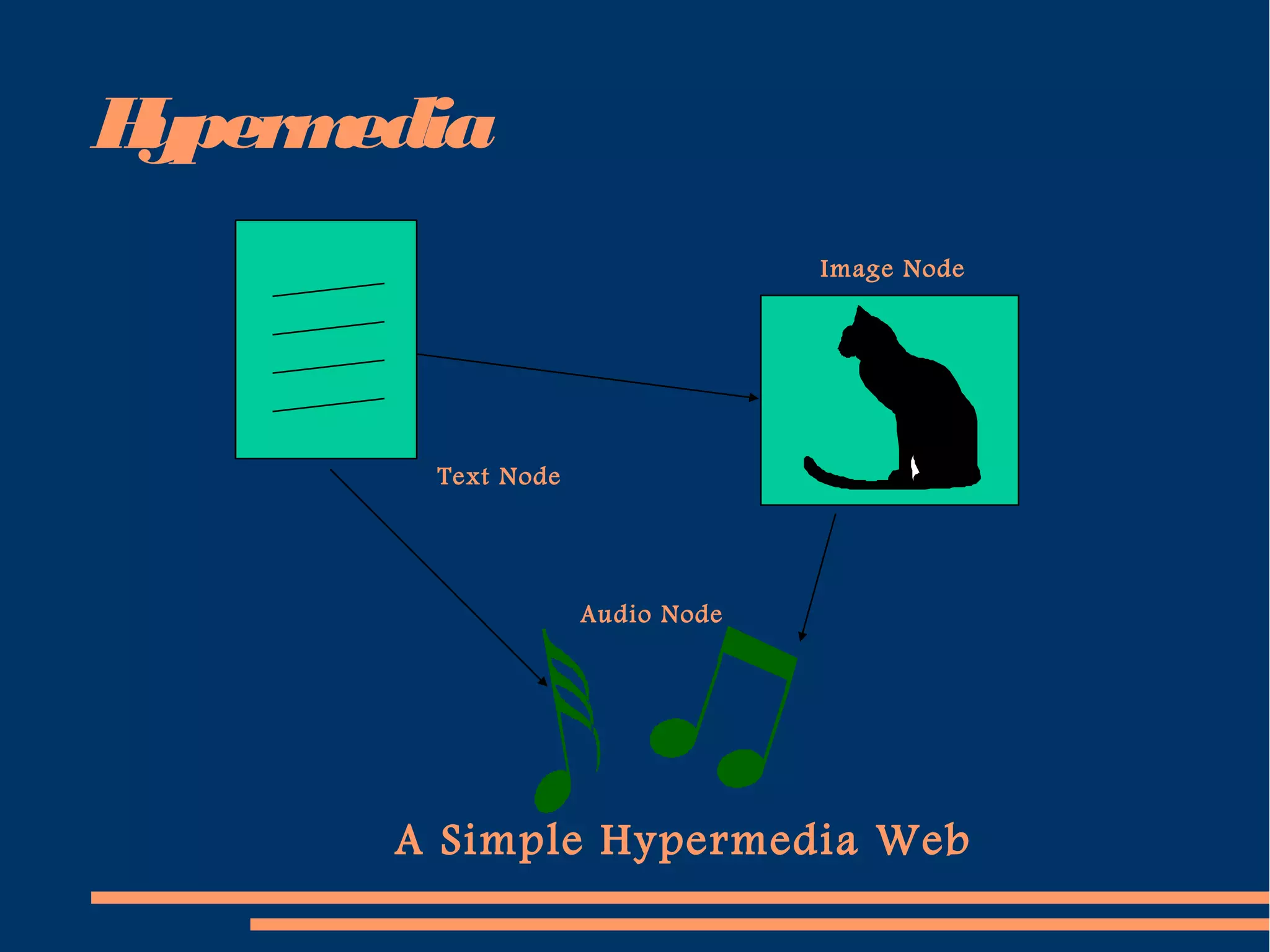
– The structure of a hypermedia organizations is called a
hypermedia web, which consists of a number of multimedia
elements or nodes with links between them.
– Links represent semantic relationships, thus when a link exists
between two nodes they must be related in some fashion :
●
a digital image linked to a textual description of it
●
a slide-show linked to an audio commentary
– Most widely used hypermedia tools are hypermedia browsers,
which let users view nodes and traverse links between them, and
markup languages, such as HTML, which allow users to create
hypermedia webs as structured documents.
Hypermedia
A Simple Hypermedia Web
Text Node
Image Node
Audio Node
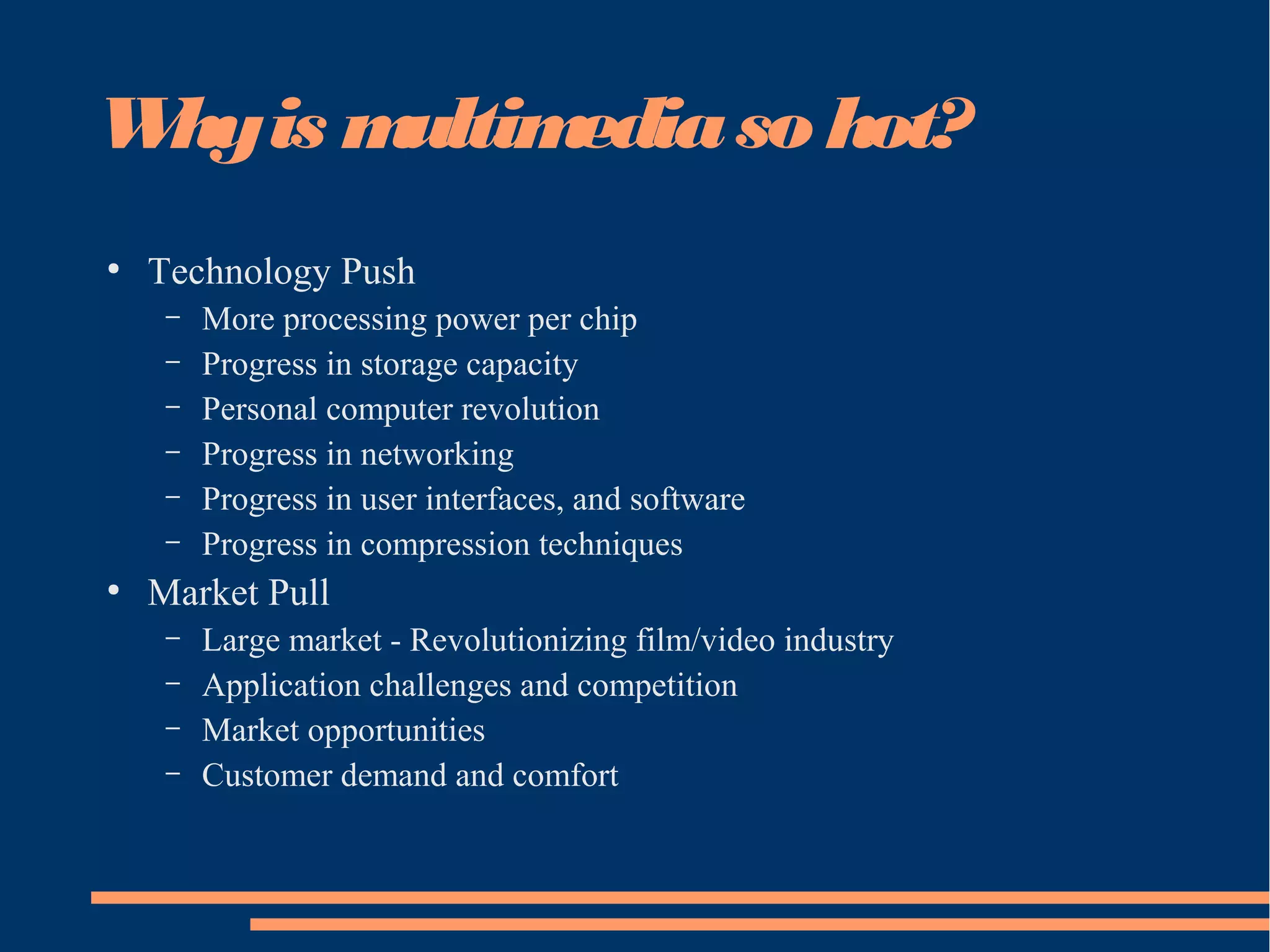
Whyis multimediaso hot?
●
Technology Push
– More processing power per chip
– Progress in storage capacity
– Personal computer revolution
– Progress in networking
– Progress in user interfaces, and software
– Progress in compression techniques
●
Market Pull
– Large market - Revolutionizing film/video industry
– Application challenges and competition
– Market opportunities
– Customer demand and comfort

Introduction

  • 1.
  • 2.
    TheTerm“Multimedia” ● Composed of 2parts: – Multi (multus) : “numerous, multiple” – Media (medium): “middle, center” – agent for something. Used for dissemination (distribute) and representation of information. – In general, multimedia could be defined as the usage of multiple agent (text, audio, video, images) for disseminating and presenting information to audience (target user)
  • 3.
    TheTerm“Media” ● Can be categorizedbased on a few criteria: – Perception media – Representation media – Presentation media – Storage media – Transmission media
  • 4.
    PerceptionMedia ● “How do humansperceive information” ● We perceive information from what we see and what we hear ● Visual media: – Text, graphics, images, video ● Auditory media: – Music, sound and voice
  • 5.
    RepresentationMedia ● “How in informationencoded in the computer” ● Referring to how the information is represented internally to the computer. ● The encoding used is of essential importance. ● Several options: – Text is encoded in ASCII – An audio data stream in PCM (Pulse Coded Modulation) – Image in JPEG format – Video in MPEG format
  • 6.
    PresentationMedia ● “Which medium isused to output information from the computer or input in the computer” ● Refers to physical means used by systems to reproduce information for humans, e.g: audio and visual devices ● Input: – Keyboards, cameras, microphone, Head Mounted Device (for VR input) ● Output: – Paper, monitors, loudspeakers
  • 7.
    StorageMedia ● “Where is informationstored” ● Refer to various physical means for storing computer data, such as magnetic tapes, magnetic disks, or digital optical disks (CD-ROM, CD, DVD)
  • 8.
    TransmissionMedia ● “Which medium isused to transmit data” ● Refers to the physical means – cable of various type (coaxial cable, twisted pair, fiber optics), radio tower, satellite – that allow the transmission of telecommunication signals. ● The difference between transmission media and storage media is the capability of transferring data continuously over networked computers.
  • 9.
    Definition: MultimediaSystems ● The AmericanHeritage® Dictionary of the English Language: Fourth Edition. 2000. – 1. The combined use of media, such as movies, music, lighting, CD- ROMs, and the Internet, as for education or entertainment – Multimedia is the presentation of a (usually interactive) computer application, incorporating media elements such as text graphics, video, animation, and sound, on a computer. ● It is the melding of the sensory power of television with the data manipulation and interactive capabilities of computer
  • 10.
    Definition: MultimediaSystems • Thepresentation of a computer application, usually interactive, that incorporates media elements such as text, graphics, video, animation, and sound on a computer. Multimedia melds the sensory power of television with the data manipulation and interactive powers of computer. • A multimedia system is characterized by computer- controlled, integrated production, manipulation,presentation, storage and communication of independent information,which is encoded at least through continuous (time-dependent) and a discrete (time- independent) medium.
  • 11.
    KeyProperties of aMultimedia Systems ● Discreteand Continuous Media – At least one discrete and continuous media ● Independent Media – Separate each media independently ● Computer-Controlled Systems ● Integration
  • 12.
    InteractiveMultimediaSystems ● Interaction – Thought -Something that you do to yourself ~ internal process (mental state) – Action - Something you do to an object in the world. The effect is that something in the world has changed. E.g.: pressing key, clicking mouse button – Interaction - Involves the participant in going outside the individual. Two way process. E.g.: give a query to search engine which can return an outcome of my search. ● Properties – Various media integration – High level degree of interactivity between user and computer – Digital environment
  • 13.
    ApplicationAreas of IMS ● Education –Computer Aided Learning (CAL) – E-Learning (World Wide Web) ● Training ● Point of Sales Information (Kiosk) – Direct visitors around the large complexes ● News Delivery, Broadcasting and Advertising ● Commerce and Business Applications ● Virtual Reality (Games)
  • 14.
    TheHistoryof Multimedia ● 1972 –A Game of Pong (first commercial multimedia product) ● 1973 – ATARI (laser disc, used in game cartridges) ● 1973 – IBM Discovision (first multimedia interactive kiosk products) ● 1978 – Apple II (with floppy drive) ● 1981 – Microsoft and IBM (IBM PC) ● Christmas 1981 – Nintendo hit the market (30 million machines) ● 1982 – Apple II had voice synthesis capability
  • 15.
    TheHistoryof Multimedia ● 1980s –mouse was invented by Xerox Corp. ● 1984 – Macintosh using mouse ● 1984 – Virtual Reality was invented by NASA, input devices using HMD (Head-Mounted Display) and Dataglove ● 1985 – Macromind (Macromedia) produced VideoWorks, later changed to Director (the most widely used cross-platform multimedia authoring tool) ● 1986 – first electronic encyclopedia, first international conference on multimedia, first CD-ROM ● 1987 – Mac II (first color GUI) ● 1988 – CD-R (CD-Record) ● 1989 – Creative Labs (Sound Blaster sound card)
  • 16.
    TheHistoryof Multimedia ● 1990s –Adobe released Photoshop. ● 1990s – Windows 3.0 multimedia enabled by Microsoft ● 1992 – first children ‘s interactive book title “Just Grandma and Me” ● 1993 – double speed CD-ROM drives as a multimedia standard ● 1993 – Web Browser Mosaic ● 1994 – Web Browser Netscape ● 1995 – Multimedia PC, 32 bit, Windows 95. Later followed by Windows 98, Windows 2000
  • 17.
    Input Devices 1. Keyboard,mouse (track balls, joysticks, etc) 2. graphics tablets - drawing 3. Scanner – capture image from printed material 4. Digital camera - capture and transform image into digital form 5. Touch screen for kiosk application 6. Analogue audio input from microphone and audio player 7. Networking support for fail distribution 8. modem
  • 18.
    Output Devices ● High resolutionscreen, 256 colors (at least) – output video ● Speakers, amplifier or tape devices - Output audio ● Network with capacity at 10 millions bit/second ● Analog modem at 28 800 bit/second speed. ISDN digital modem at speed 128 000 bit/second. ● Printer
  • 19.
    StorageRequirements ● At least 32MBRAM to produce good quality of graphics, audio, video, etc ● VRAM (Video Random Access Memory) to support high color definition ● Hard disk at high volume capacity with good drive system speed to support graphics, video, audio, and animation processing. ● Secondary storage CD-ROM, Magnetic Tape, etc
  • 20.
    Hypermedia – Hypermedia isa way of organizing multimedia information by linking media elements. – Hypermedia has grown out of a fusion between hypertext and multimedia. – Hypertext was developed to provide a different structure for basic text in computer systems : ● text is essentially sequential in nature, even though its structure is hierarchical (chapters, sections, subsections, paragraphs) ● hypertext was developed to permit more random access between components of text documents, or between documents, to allow a greater degree of flexibility and cross-referencing than a purely linear or sequential model would allow.
  • 21.
    Hypermedia Chap.1 Chap.2 Chap.3Chap.4 Chap.5 Chap.6 A sequential text Chap.6 Chap.5 Chap.4 Chap.3 Chap.2 Chap.1 A linked, self-referencing text
  • 22.
    Hypermedia – The structureof a hypermedia organizations is called a hypermedia web, which consists of a number of multimedia elements or nodes with links between them. – Links represent semantic relationships, thus when a link exists between two nodes they must be related in some fashion : ● a digital image linked to a textual description of it ● a slide-show linked to an audio commentary – Most widely used hypermedia tools are hypermedia browsers, which let users view nodes and traverse links between them, and markup languages, such as HTML, which allow users to create hypermedia webs as structured documents.
  • 23.
    Hypermedia A Simple HypermediaWeb Text Node Image Node Audio Node
  • 24.
    Whyis multimediaso hot? ● TechnologyPush – More processing power per chip – Progress in storage capacity – Personal computer revolution – Progress in networking – Progress in user interfaces, and software – Progress in compression techniques ● Market Pull – Large market - Revolutionizing film/video industry – Application challenges and competition – Market opportunities – Customer demand and comfort