Introduction To
Penetration Testing
Paul Asadoorian, GCIA, GCIH
PaulDotCom Enterprises, LLC
http://pauldotcom.com
Outline
• Why should we perform assessments?
• Security Assessment classifications
• Future of security assessments
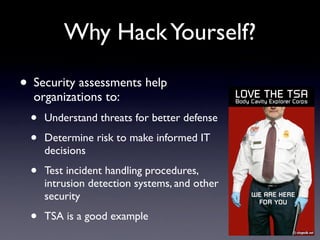
Why HackYourself?
• Security assessments help
organizations to:
• Understand threats for better defense
• Determine risk to make informed IT
decisions
• Test incident handling procedures,
intrusion detection systems, and other
security
• TSA is a good example
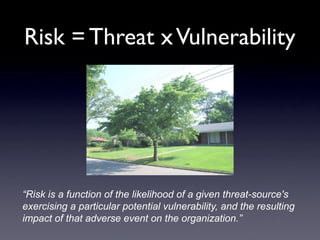
Risk = Threat xVulnerability
“Risk is a function of the likelihood of a given threat-source's
exercising a particular potential vulnerability, and the resulting
impact of that adverse event on the organization.”
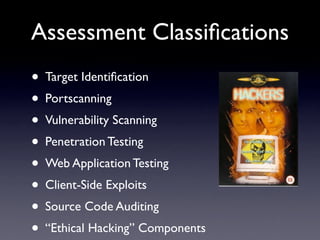
Assessment Classifications
• Target Identification
• Portscanning
• Vulnerability Scanning
• Penetration Testing
• Web Application Testing
• Client-Side Exploits
• Source Code Auditing
• “Ethical Hacking” Components
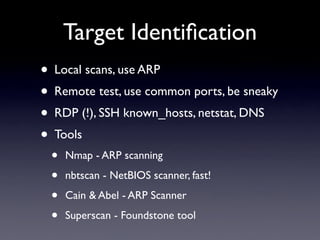
Target Identification
• Local scans, use ARP
• Remote test, use common ports, be sneaky
• RDP (!), SSH known_hosts, netstat, DNS
• Tools
• Nmap - ARP scanning
• nbtscan - NetBIOS scanner, fast!
• Cain & Abel - ARP Scanner
• Superscan - Foundstone tool
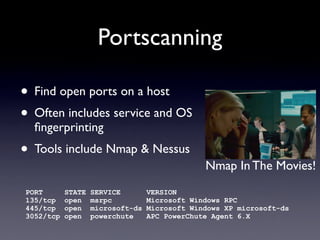
Portscanning
• Find open ports on a host
• Often includes service and OS
fingerprinting
• Tools include Nmap & Nessus
PORT STATE SERVICE VERSION
135/tcp open msrpc Microsoft Windows RPC
445/tcp open microsoft-ds Microsoft Windows XP microsoft-ds
3052/tcp open powerchute APC PowerChute Agent 6.X
Nmap In The Movies!
Vulnerability Scanning
• Looks at the open port
• Determines the service running
• Performs more actions to determine if a
service contains known vulnerabilities
• Tools include Nessus and other specialized
applications
Vulnerability Scanning
• Looks at the open port
• Determines the service running
• Performs more actions to determine if a
service contains known vulnerabilities
• Tools include Nessus and other specialized
applications
IT Staff can perform this testing on
their own with inProtect
Penetration Testing
• Takes and identified port, associated
service which contains vulnerabilities
• Uses an exploit to gain unauthorized
access to the target system
• Tools include Metasploit, CANVAS, &
Core IMPACT
• Used to find and compile random exploits
Web Application Testing
• Looks for vulnerabilities in web
applications on the web server
• SQL Injection
• Remote File Include
• Cross-Site Scripting
• Manipulate the applications to gain
unauthorized access
• Commercial tools include AppScan
and WebInspect
Client-Side Penetration
Testing
• Attempts to exploit applications on a users
desktop system
• Sending email to the user with hopes they
will click a link or open an attachment
• Requires the users email address and a
server reachable from the clients
• Core IMPACT is able to automate this
testing
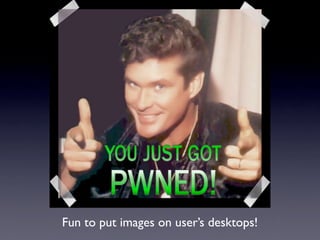
Fun to put images on user’s desktops!
Source Code Auditing
• Analyze the source code of applications,
looking for vulnerabilities
• Tools include DevInspect and Ounce
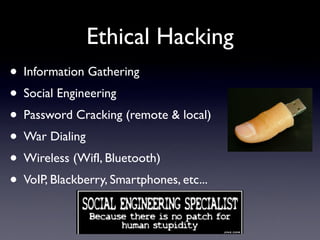
Ethical Hacking
• Information Gathering
• Social Engineering
• Password Cracking (remote & local)
• War Dialing
• Wireless (WifI, Bluetooth)
• VoIP, Blackberry, Smartphones, etc...
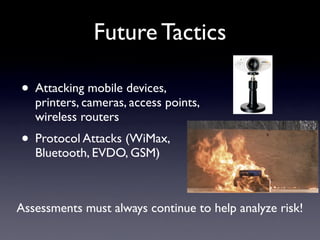
Future Tactics
• Attacking mobile devices,
printers, cameras, access points,
wireless routers
• Protocol Attacks (WiMax,
Bluetooth, EVDO, GSM)
Assessments must always continue to help analyze risk!
/* End */
• Email: paul@pauldotcom.com
• Web: http://pauldotcom.com -
Podcast, Blog, Mailing List, IRC
Channel,Wiki

penetration testing

  • 1.
    Introduction To Penetration Testing PaulAsadoorian, GCIA, GCIH PaulDotCom Enterprises, LLC http://pauldotcom.com
  • 2.
    Outline • Why shouldwe perform assessments? • Security Assessment classifications • Future of security assessments
  • 3.
    Why HackYourself? • Securityassessments help organizations to: • Understand threats for better defense • Determine risk to make informed IT decisions • Test incident handling procedures, intrusion detection systems, and other security • TSA is a good example
  • 4.
    Risk = ThreatxVulnerability “Risk is a function of the likelihood of a given threat-source's exercising a particular potential vulnerability, and the resulting impact of that adverse event on the organization.”
  • 5.
    Assessment Classifications • TargetIdentification • Portscanning • Vulnerability Scanning • Penetration Testing • Web Application Testing • Client-Side Exploits • Source Code Auditing • “Ethical Hacking” Components
  • 6.
    Target Identification • Localscans, use ARP • Remote test, use common ports, be sneaky • RDP (!), SSH known_hosts, netstat, DNS • Tools • Nmap - ARP scanning • nbtscan - NetBIOS scanner, fast! • Cain & Abel - ARP Scanner • Superscan - Foundstone tool
  • 7.
    Portscanning • Find openports on a host • Often includes service and OS fingerprinting • Tools include Nmap & Nessus PORT STATE SERVICE VERSION 135/tcp open msrpc Microsoft Windows RPC 445/tcp open microsoft-ds Microsoft Windows XP microsoft-ds 3052/tcp open powerchute APC PowerChute Agent 6.X Nmap In The Movies!
  • 8.
    Vulnerability Scanning • Looksat the open port • Determines the service running • Performs more actions to determine if a service contains known vulnerabilities • Tools include Nessus and other specialized applications
  • 9.
    Vulnerability Scanning • Looksat the open port • Determines the service running • Performs more actions to determine if a service contains known vulnerabilities • Tools include Nessus and other specialized applications IT Staff can perform this testing on their own with inProtect
  • 10.
    Penetration Testing • Takesand identified port, associated service which contains vulnerabilities • Uses an exploit to gain unauthorized access to the target system • Tools include Metasploit, CANVAS, & Core IMPACT • Used to find and compile random exploits
  • 11.
    Web Application Testing •Looks for vulnerabilities in web applications on the web server • SQL Injection • Remote File Include • Cross-Site Scripting • Manipulate the applications to gain unauthorized access • Commercial tools include AppScan and WebInspect
  • 12.
    Client-Side Penetration Testing • Attemptsto exploit applications on a users desktop system • Sending email to the user with hopes they will click a link or open an attachment • Requires the users email address and a server reachable from the clients • Core IMPACT is able to automate this testing
  • 13.
    Fun to putimages on user’s desktops!
  • 14.
    Fun to putimages on user’s desktops!
  • 15.
    Source Code Auditing •Analyze the source code of applications, looking for vulnerabilities • Tools include DevInspect and Ounce
  • 16.
    Ethical Hacking • InformationGathering • Social Engineering • Password Cracking (remote & local) • War Dialing • Wireless (WifI, Bluetooth) • VoIP, Blackberry, Smartphones, etc...
  • 17.
    Future Tactics • Attackingmobile devices, printers, cameras, access points, wireless routers • Protocol Attacks (WiMax, Bluetooth, EVDO, GSM) Assessments must always continue to help analyze risk!
  • 18.
    /* End */ •Email: paul@pauldotcom.com • Web: http://pauldotcom.com - Podcast, Blog, Mailing List, IRC Channel,Wiki