Google Apps in Education
Intermediate/Advanced
www.tetoitupu.org
Carmel College
Tuesday 24rd and 30th April 2013
www.tetoitupu.org
The aims for today…
• Develop a folder structure and a understanding of
the sharing features of Google Drive
• Develop a shared understanding of how to
integrate Google Sites and Google Drive
• Discussion around what is the BIG picture?
• Develop an understanding of Social Networking in
the Google Environment
• Folder Structure
www.tetoitupu.org
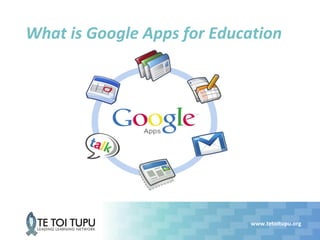
What is Google Apps for Education
Google Drive
Google Sites
www.tetoitupu.org
The BIG Picture
• Collaborative student centred sites
• Student Blog
• Student wiki
• Team/Group wiki
• ePortfolios
• Collaborative teacher spaces
• Departmental website
• Parent/Student/Teacher
• Effective Feedback
• Pastoral
http://learningtechnologiesteam.blogspot.co.nz/2012/12/10-ideas-for-google-sites-in-education.html
www.tetoitupu.org
Social Network and the Google
Environment
• Google plus is not blocked in schools
• It has sophisticated features like Circles and Hangouts
• It does not have ads and provides a user friendly interface
• It provides unlimited storage through Picassa. You can post as
many videos and pictures as you want
• It provides high privacy measures. You can choose who can see
your posts, pictures and your information. You can select from
different levels of privacy to each section.
• You can easily edit your pictures after you have uploaded them.
You can rotate, change the colour and contrast and cross your
photos.
• It integrates a YouTube search bar to enable users to search for
YouTube videos without having to leave the page.
www.tetoitupu.org
Social Network and the Google
Environment
• Hangouts
• Virtual Space to meet and hold discussion
• Uses both audio or video
• Allows for up to 10 people
• Users can invite who they want to join
• Allows for video conferencing between parent/student/teacher
• Used for guest speakers
• Circles
• Create circles for your classroom and start sharing things related to
that class
• Create circles based of different categories and subject matter
• Get students to create circles for group work
http://www.educatorstechnology.com/2012/11/excellent-tips-for-teachers-on-use-of.html
Folder Structure
Develop a folder structure for Teachers at Carmel College
starting out with Google Drive and Sites
Support
Monique Simpson
Te Toi Tupu Blended e-Learning
Facilitator
msimpson@cognition.co.nz

Intermediate google apps workshop carmel college

  • 1.
    Google Apps inEducation Intermediate/Advanced www.tetoitupu.org Carmel College Tuesday 24rd and 30th April 2013
  • 2.
    www.tetoitupu.org The aims fortoday… • Develop a folder structure and a understanding of the sharing features of Google Drive • Develop a shared understanding of how to integrate Google Sites and Google Drive • Discussion around what is the BIG picture? • Develop an understanding of Social Networking in the Google Environment • Folder Structure
  • 3.
  • 4.
  • 5.
  • 6.
    www.tetoitupu.org The BIG Picture •Collaborative student centred sites • Student Blog • Student wiki • Team/Group wiki • ePortfolios • Collaborative teacher spaces • Departmental website • Parent/Student/Teacher • Effective Feedback • Pastoral http://learningtechnologiesteam.blogspot.co.nz/2012/12/10-ideas-for-google-sites-in-education.html
  • 7.
    www.tetoitupu.org Social Network andthe Google Environment • Google plus is not blocked in schools • It has sophisticated features like Circles and Hangouts • It does not have ads and provides a user friendly interface • It provides unlimited storage through Picassa. You can post as many videos and pictures as you want • It provides high privacy measures. You can choose who can see your posts, pictures and your information. You can select from different levels of privacy to each section. • You can easily edit your pictures after you have uploaded them. You can rotate, change the colour and contrast and cross your photos. • It integrates a YouTube search bar to enable users to search for YouTube videos without having to leave the page.
  • 8.
    www.tetoitupu.org Social Network andthe Google Environment • Hangouts • Virtual Space to meet and hold discussion • Uses both audio or video • Allows for up to 10 people • Users can invite who they want to join • Allows for video conferencing between parent/student/teacher • Used for guest speakers • Circles • Create circles for your classroom and start sharing things related to that class • Create circles based of different categories and subject matter • Get students to create circles for group work http://www.educatorstechnology.com/2012/11/excellent-tips-for-teachers-on-use-of.html
  • 9.
    Folder Structure Develop afolder structure for Teachers at Carmel College starting out with Google Drive and Sites
  • 10.
    Support Monique Simpson Te ToiTupu Blended e-Learning Facilitator msimpson@cognition.co.nz