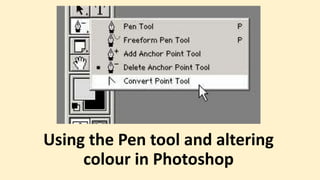
Using the Pen tool and altering
colour in Photoshop
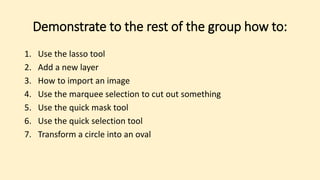
Demonstrate to the rest of the group how to:
1. Use the lasso tool
2. Add a new layer
3. How to import an image
4. Use the marquee selection to cut out something
5. Use the quick mask tool
6. Use the quick selection tool
7. Transform a circle into an oval
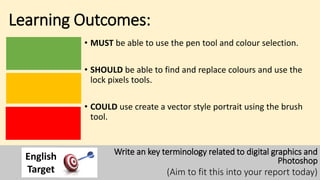
Learning Outcomes:
• MUST be able to use the pen tool and colour selection.
• SHOULD be able to find and replace colours and use the
lock pixels tools.
• COULD use create a vector style portrait using the brush
tool.
Write an key terminology related to digital graphics and
Photoshop
(Aim to fit this into your report today)
English
Target
Write down a label for a tool in Photoshop
• Stick your post it on the tool
• Explain what it does
• Pros, cons, difficulties and
opportunities.
Write down a key graphics or design term
• Pass your term twice to the left
• Explain what the term means
• Explain how you could use
Photoshop to practice this
demonstrate this design term.
How did you meet the learning aims:
• MUST be able to use the pen tool and colour selection in
Photoshop.
• SHOULD be able to find and replace colours and use the
lock pixels tools in Photoshop.
• COULD use create a vector style portrait using the brush
tool in Photoshop.
Write an key terminology related to digital graphics and
Photoshop
(Aim to fit this into your report today)
English
Target

Interactive digital graphics

  • 1.
    Using the Pentool and altering colour in Photoshop
  • 2.
    Demonstrate to therest of the group how to: 1. Use the lasso tool 2. Add a new layer 3. How to import an image 4. Use the marquee selection to cut out something 5. Use the quick mask tool 6. Use the quick selection tool 7. Transform a circle into an oval
  • 3.
    Learning Outcomes: • MUSTbe able to use the pen tool and colour selection. • SHOULD be able to find and replace colours and use the lock pixels tools. • COULD use create a vector style portrait using the brush tool. Write an key terminology related to digital graphics and Photoshop (Aim to fit this into your report today) English Target
  • 4.
    Write down alabel for a tool in Photoshop • Stick your post it on the tool • Explain what it does • Pros, cons, difficulties and opportunities.
  • 5.
    Write down akey graphics or design term • Pass your term twice to the left • Explain what the term means • Explain how you could use Photoshop to practice this demonstrate this design term.
  • 6.
    How did youmeet the learning aims: • MUST be able to use the pen tool and colour selection in Photoshop. • SHOULD be able to find and replace colours and use the lock pixels tools in Photoshop. • COULD use create a vector style portrait using the brush tool in Photoshop. Write an key terminology related to digital graphics and Photoshop (Aim to fit this into your report today) English Target