Live Webinar:
Webinar Audio:
You can dial the telephone numbers located on your webinar panel.
Or listen in using your headphones or computer speakers.
Welcome!
“60% of companies that lose their
data will shut down within 6
months of the disaster.”
- Gartner
Data Loss Can Cost Your Business
Webinar Details
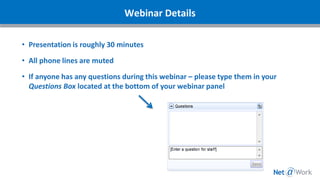
• Presentation is roughly 30 minutes
• All phone lines are muted
• If anyone has any questions during this webinar – please type them in your
Questions Box located at the bottom of your webinar panel
Today’s Agenda
1. Introductions
2. Current Types of Attacks
3. Recommended Best Practices
4. What Can You Do For Your Clients?
5. Resources
6. Question and Answer
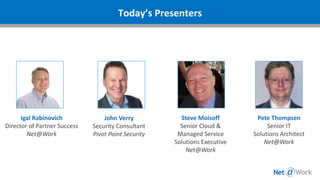
Today’s Presenters
Igal Rabinovich
Director of Partner Success
Net@Work
John Verry
Security Consultant
Pivot Point Security
Steve Moisoff
Senior Cloud &
Managed Service
Solutions Executive
Net@Work
Pete Thompsen
Senior IT
Solutions Architect
Net@Work
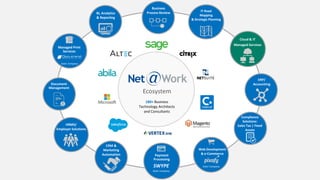
180+ Business
Technology Architects
and Consultants
IT Road
Mapping
& Strategic Planning
Business
Process Review
Ecosystem
BI, Analytics
& Reporting
Cloud & IT
Managed Services
ERP/
Accounting
Web Development
& e-Commerce
Sister Company
Payment
Processing
SWYPE
Sister Company
CRM &
Marketing
Automation
HRMS/
Employer Solutions
Document
Management
Compliance
Solutions:
Sales Tax | Fixed
Assets
Managed Print
Services
Sister Company
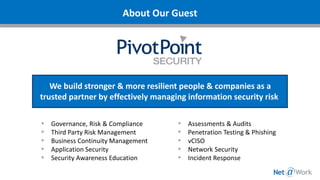
We build stronger & more resilient people & companies as a
trusted partner by effectively managing information security risk
About Our Guest
Governance, Risk & Compliance
Third Party Risk Management
Business Continuity Management
Application Security
Security Awareness Education
Assessments & Audits
Penetration Testing & Phishing
vCISO
Network Security
Incident Response
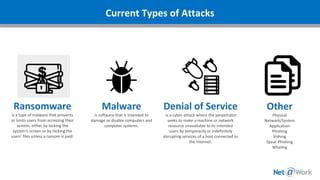
Malware
is software that is intended to
damage or disable computers and
computer systems.
Denial of Service
is a cyber-attack where the perpetrator
seeks to make a machine or network
resource unavailable to its intended
users by temporarily or indefinitely
disrupting services of a host connected to
the Internet.
Ransomware
is a type of malware that prevents
or limits users from accessing their
system, either by locking the
system's screen or by locking the
users' files unless a ransom is paid.
Other
Physical
Network/System
Application
Phishing
Vishing
Spear Phishing
Whaling
Current Types of Attacks
Recommended Best Practices
- 6 Keys to Avoid a Breach
- Leverage Managed Services
Keep back-up drives disconnected (offline)
Malware is able to transit connected drives
Utilize versions
Communicate with IT the importance of files and how
you need to access them
Key #1: Backups
Make sure all local controls (anti-spam, firewall, anti-malware,
etc.) are up to date
Leverage browser add-ons to improve your security
Minimize the admin level clearance throughout the
organization
Consider disabling non-critical services
Implement gateway controls
Patch/Configuration Management
Key #2: Management of Technical Vulnerabilities
Security Awareness Education
What should you do if…?
Does your cyber liability insurance have any
requirements you need to account for?
Key #3: Educate Your Team
A good Incident Response Plan will have four
fundamental parts
1. Detection: assess & triage
2. Analysis: what's the impact?
3. Recovery: contain, eradicate, repeat
4. Post Incident: prevention
Key #4: Have a Plan
The 7x Rule
• If someone hasn’t heard at least 7 times, THEY DON’T KNOW IT!
• Training, emails, meetings, etc.
Testing the plan
• Basic walkthroughs – make sure to test incident response in different
scenarios (weekends, off hours, when certain people are unreachable)
• Phishing tests
Are people ready and willing to admit their mistakes?
Key #5: Communicate and Test Your Plan
Security Information Event Management – “Event logs recording user
activities, exceptions, faults and information security events should be
produced, kept and regularly reviewed.”
Logs are the key to:
• Early detection of security events = less business impact
o Average time to detection is ~ 4 months
• The ability to effectively analyze, contain, and eliminate the event
before it escalates to an incident
• The option (in conjunction with your Incident Response Plan) to
prosecute
• An increasing awareness of your adversary:
• Know how hackers find and recon you
• Gain insight into potential vulnerabilities early and often
• Continually improve so there are “lower fences to climb”
Key #6: Security Monitoring
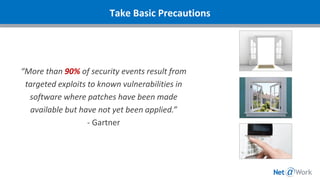
“More than 90% of security events result from
targeted exploits to known vulnerabilities in
software where patches have been made
available but have not yet been applied.”
- Gartner
Take Basic Precautions
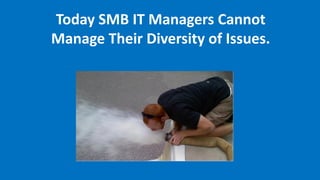
Today SMB IT Managers Cannot
Manage Their Diversity of Issues.
Managed Services is the practice of transferring day-to-day
management responsibility and risk as a strategic method for
improved effective and efficient operations.
✓ Ongoing administration, patches & security updates
✓ Ensure Back Ups & Disaster Recovery plans follow best practices
✓ Alliance Partner & NAW address ongoing strategic technology challenges &
business planning
✓ Supporting complexity & diversity of ever changing products
✓ Ensuring Business Applications availability 24*7*365 from anywhere
✓ Supporting demanding end users multiple devices & locations
✓ Maintaining “living” documentation
✓ Continuous Staffing & training costs
Managed Services Defined
Better Security
Resilient Data Centers
Can reach your applications
• anywhere
• anytime
• from any browser
No new capital costs for hardware
Can create new servers within minutes
Unlimited Storage
Multiple internet providers
High Availability of Services
Why Move Services to the Cloud?
Security Enhancements
Each Server is protected by AV Endpoint Protection (included)
All Server’s a monitored and managed 24x7x365 (included)
Multiple Tier 3 Data Centers
SAS70 & SSAE 16 Independent Audit Certification
Data Encryption – Data is encrypted in flight and at rest. All SANS have SED’s (Self Encrypting Drives)
Compliance: HIPAA, PCI, Sarbanes-Oxley
Cisco Routers and Firewalls with encryption- 256k
Performance Enhancements
Virtual Servers are running current Windows OS on a highly available VMware cluster
Multiple chassis of blade servers clustered together throughout the datacenter
All production storage is solid state disk
Multi controller SAN’s clustered as a highly available system
Networking infrastructure interconnects are 10GigE or better
Each client is configured, by default, for 15 day (daily) backups (stored externally of the hosting
datacenter infrastructure)
Cloud Architecture Risk
What if Your Clients Could Mitigate Their IT
Risk & Manage Their IT Environment
24 x 7 For $7.00/Hour?
What Can You Do for Your Clients?
Ask The Right Questions
• What are we doing to mitigate our risk and protect our data?
• Do we have a good backup? From when? How do we know?
• How do we educate our staff to newly identified attacks? Who is responsible?
• How do we mitigate the risk to us and our clients if an event does occur?
• Do we have a documented disaster recovery plan? Has it been tested?
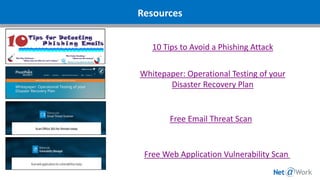
Resources
10 Tips to Avoid a Phishing Attack
Whitepaper: Operational Testing of your
Disaster Recovery Plan
Free Email Threat Scan
Free Web Application Vulnerability Scan
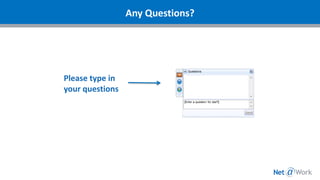
Please type in
your questions
Any Questions?
Thank You For Attending
Igal Rabinovich | Net@Work
Director of Partner Success
Phone: 212.997.5200 Ext. 1747
Direct: 646.293.1747
irabinovich@netatwork.com
www.netatwork.com/alliance
Connect with
800-719-3307
www.netatwork.com
netatwork.com/blog
Net@Work YouTube
Follow us on Twitter: @netatwork_corp
Follow Net@Work on LinkedIn
Follow Net@Work on Google+
Follow Net@Work on Facebook
Contact your Net@Work Account Manager for any questions or concerns.
Or you can reach out to us via the information below!
Steve Moisoff | Net@Work
Account Executive
Phone: 212.997.5200 Ext. 1735
Direct: 646.293.1735
smoisoff@netatwork.com
www.netatwork.com

Information Security Risks - What You Can Do To Help Your Clients Avoid Costly Mistakes

  • 1.
    Live Webinar: Webinar Audio: Youcan dial the telephone numbers located on your webinar panel. Or listen in using your headphones or computer speakers. Welcome!
  • 2.
    “60% of companiesthat lose their data will shut down within 6 months of the disaster.” - Gartner Data Loss Can Cost Your Business
  • 3.
    Webinar Details • Presentationis roughly 30 minutes • All phone lines are muted • If anyone has any questions during this webinar – please type them in your Questions Box located at the bottom of your webinar panel
  • 4.
    Today’s Agenda 1. Introductions 2.Current Types of Attacks 3. Recommended Best Practices 4. What Can You Do For Your Clients? 5. Resources 6. Question and Answer
  • 5.
    Today’s Presenters Igal Rabinovich Directorof Partner Success Net@Work John Verry Security Consultant Pivot Point Security Steve Moisoff Senior Cloud & Managed Service Solutions Executive Net@Work Pete Thompsen Senior IT Solutions Architect Net@Work
  • 6.
    180+ Business Technology Architects andConsultants IT Road Mapping & Strategic Planning Business Process Review Ecosystem BI, Analytics & Reporting Cloud & IT Managed Services ERP/ Accounting Web Development & e-Commerce Sister Company Payment Processing SWYPE Sister Company CRM & Marketing Automation HRMS/ Employer Solutions Document Management Compliance Solutions: Sales Tax | Fixed Assets Managed Print Services Sister Company
  • 7.
    We build stronger& more resilient people & companies as a trusted partner by effectively managing information security risk About Our Guest Governance, Risk & Compliance Third Party Risk Management Business Continuity Management Application Security Security Awareness Education Assessments & Audits Penetration Testing & Phishing vCISO Network Security Incident Response
  • 8.
    Malware is software thatis intended to damage or disable computers and computer systems. Denial of Service is a cyber-attack where the perpetrator seeks to make a machine or network resource unavailable to its intended users by temporarily or indefinitely disrupting services of a host connected to the Internet. Ransomware is a type of malware that prevents or limits users from accessing their system, either by locking the system's screen or by locking the users' files unless a ransom is paid. Other Physical Network/System Application Phishing Vishing Spear Phishing Whaling Current Types of Attacks
  • 9.
    Recommended Best Practices -6 Keys to Avoid a Breach - Leverage Managed Services
  • 10.
    Keep back-up drivesdisconnected (offline) Malware is able to transit connected drives Utilize versions Communicate with IT the importance of files and how you need to access them Key #1: Backups
  • 11.
    Make sure alllocal controls (anti-spam, firewall, anti-malware, etc.) are up to date Leverage browser add-ons to improve your security Minimize the admin level clearance throughout the organization Consider disabling non-critical services Implement gateway controls Patch/Configuration Management Key #2: Management of Technical Vulnerabilities
  • 12.
    Security Awareness Education Whatshould you do if…? Does your cyber liability insurance have any requirements you need to account for? Key #3: Educate Your Team
  • 13.
    A good IncidentResponse Plan will have four fundamental parts 1. Detection: assess & triage 2. Analysis: what's the impact? 3. Recovery: contain, eradicate, repeat 4. Post Incident: prevention Key #4: Have a Plan
  • 14.
    The 7x Rule •If someone hasn’t heard at least 7 times, THEY DON’T KNOW IT! • Training, emails, meetings, etc. Testing the plan • Basic walkthroughs – make sure to test incident response in different scenarios (weekends, off hours, when certain people are unreachable) • Phishing tests Are people ready and willing to admit their mistakes? Key #5: Communicate and Test Your Plan
  • 15.
    Security Information EventManagement – “Event logs recording user activities, exceptions, faults and information security events should be produced, kept and regularly reviewed.” Logs are the key to: • Early detection of security events = less business impact o Average time to detection is ~ 4 months • The ability to effectively analyze, contain, and eliminate the event before it escalates to an incident • The option (in conjunction with your Incident Response Plan) to prosecute • An increasing awareness of your adversary: • Know how hackers find and recon you • Gain insight into potential vulnerabilities early and often • Continually improve so there are “lower fences to climb” Key #6: Security Monitoring
  • 16.
    “More than 90%of security events result from targeted exploits to known vulnerabilities in software where patches have been made available but have not yet been applied.” - Gartner Take Basic Precautions
  • 17.
    Today SMB ITManagers Cannot Manage Their Diversity of Issues.
  • 18.
    Managed Services isthe practice of transferring day-to-day management responsibility and risk as a strategic method for improved effective and efficient operations. ✓ Ongoing administration, patches & security updates ✓ Ensure Back Ups & Disaster Recovery plans follow best practices ✓ Alliance Partner & NAW address ongoing strategic technology challenges & business planning ✓ Supporting complexity & diversity of ever changing products ✓ Ensuring Business Applications availability 24*7*365 from anywhere ✓ Supporting demanding end users multiple devices & locations ✓ Maintaining “living” documentation ✓ Continuous Staffing & training costs Managed Services Defined
  • 19.
    Better Security Resilient DataCenters Can reach your applications • anywhere • anytime • from any browser No new capital costs for hardware Can create new servers within minutes Unlimited Storage Multiple internet providers High Availability of Services Why Move Services to the Cloud?
  • 20.
    Security Enhancements Each Serveris protected by AV Endpoint Protection (included) All Server’s a monitored and managed 24x7x365 (included) Multiple Tier 3 Data Centers SAS70 & SSAE 16 Independent Audit Certification Data Encryption – Data is encrypted in flight and at rest. All SANS have SED’s (Self Encrypting Drives) Compliance: HIPAA, PCI, Sarbanes-Oxley Cisco Routers and Firewalls with encryption- 256k Performance Enhancements Virtual Servers are running current Windows OS on a highly available VMware cluster Multiple chassis of blade servers clustered together throughout the datacenter All production storage is solid state disk Multi controller SAN’s clustered as a highly available system Networking infrastructure interconnects are 10GigE or better Each client is configured, by default, for 15 day (daily) backups (stored externally of the hosting datacenter infrastructure) Cloud Architecture Risk
  • 21.
    What if YourClients Could Mitigate Their IT Risk & Manage Their IT Environment 24 x 7 For $7.00/Hour?
  • 22.
    What Can YouDo for Your Clients?
  • 23.
    Ask The RightQuestions • What are we doing to mitigate our risk and protect our data? • Do we have a good backup? From when? How do we know? • How do we educate our staff to newly identified attacks? Who is responsible? • How do we mitigate the risk to us and our clients if an event does occur? • Do we have a documented disaster recovery plan? Has it been tested?
  • 24.
    Resources 10 Tips toAvoid a Phishing Attack Whitepaper: Operational Testing of your Disaster Recovery Plan Free Email Threat Scan Free Web Application Vulnerability Scan
  • 25.
    Please type in yourquestions Any Questions?
  • 26.
    Thank You ForAttending Igal Rabinovich | Net@Work Director of Partner Success Phone: 212.997.5200 Ext. 1747 Direct: 646.293.1747 irabinovich@netatwork.com www.netatwork.com/alliance Connect with 800-719-3307 www.netatwork.com netatwork.com/blog Net@Work YouTube Follow us on Twitter: @netatwork_corp Follow Net@Work on LinkedIn Follow Net@Work on Google+ Follow Net@Work on Facebook Contact your Net@Work Account Manager for any questions or concerns. Or you can reach out to us via the information below! Steve Moisoff | Net@Work Account Executive Phone: 212.997.5200 Ext. 1735 Direct: 646.293.1735 smoisoff@netatwork.com www.netatwork.com