Information Security For Small Businessby Julius Clark Sr., CISSP, CISA | October 13th 2009
About MeJulius Clark Sr.Location: Charlotte, NCCurrent home, been residing in Charlotte, NC for over 10 yearsHometownBoston, MaProfessionInformation Security Professional.BDPA Charlotte History2010-2012	President2007-2009 	President-Elect2006-2004	VP of Education & SITES2001-2003	Coordinator - High School Computer CompetitionEducationMBA in Information Security
MSIS in Information Security
BS in Electronic EngineeringCertificationsCertified Information Systems Security Professional (CISSP)
Certified Information Systems Auditor (CISA)
Microsoft Certified System Engineer (MSCE).2
Agenda Information Security for Small Business3
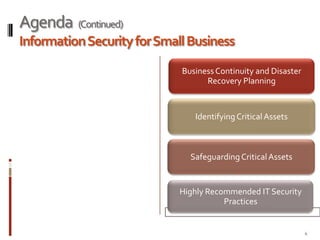
Agenda  (Continued)Information Security for Small Business4
Small Business Wholeness5
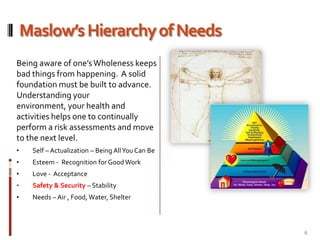
Maslow’s Hierarchy of NeedsBeing aware of one’s Wholeness keeps bad things from happening.  A solid foundation must be built to advance. Understanding your environment, your health and activities helps one to continually perform a risk assessments and move to the next level.Self – Actualization – Being All You Can Be
Esteem -  Recognition for Good Work
Love -  Acceptance
Safety & Security – Stability
Needs – Air , Food, Water, Shelter6
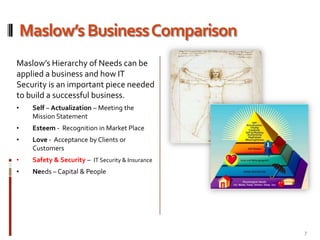
Maslow’s Business ComparisonMaslow’s Hierarchy of Needs can be applied to building a successful business. IT Security is a foundation that businesses must build upon to lower IT Security risks and gain a competitive edge.Self – Actualization – Meeting the Mission Statement
Esteem -  Recognition in Market Place
Love -  Acceptance by Clients or Customers
Safety & Security –  IT Security & Insurance
Needs – Capital & People7
What is Information Security?8
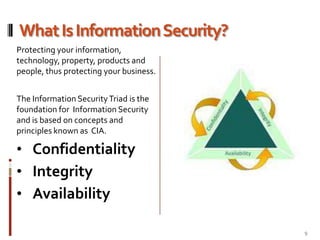
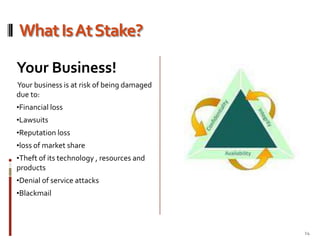
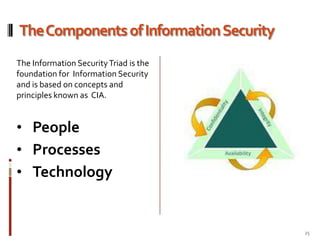
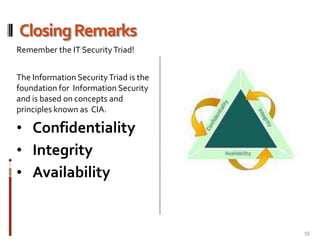
What Is Information Security?Protecting your information, technology, property, products and people, thus protecting your business. The Information Security Triad is the foundation for  Information Security and is based on concepts and principles known as  CIA.Confidentiality
Integrity
Availability9
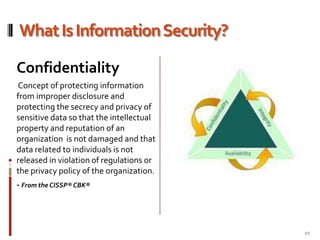
What Is Information Security?Confidentiality Concept of protecting information from improper disclosure and protecting the secrecy and privacy of sensitive data so that the intellectual property and reputation of an organization  is not damaged and that data related to individuals is not released in violation of regulations or the privacy policy of the organization.- From the CISSP® CBK®10
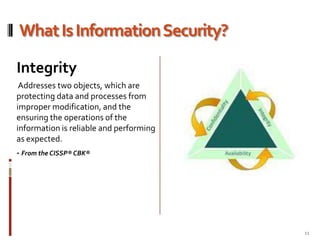
What Is Information Security?Integrity Addresses two objects, which are protecting data and processes from improper modification, and the ensuring the operations of the information is reliable and performing as expected.- From the CISSP® CBK®11
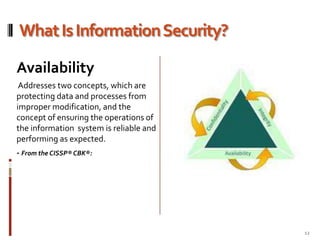
What Is Information Security?Availability Addresses two concepts, which are protecting data and processes from improper modification, and the  concept of ensuring the operations of the information  system is reliable and performing as expected.- From the CISSP® CBK®:12
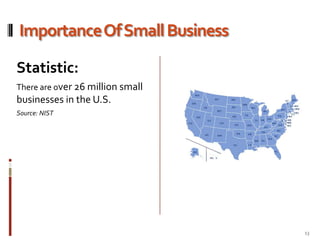
Importance Of Small BusinessStatistic:There are over 26 million small businesses in the U.S.Source: NIST13
What Is At Stake?Your Business! Your business is at risk of being damaged due to:Financial loss
Lawsuits
Reputation loss
loss of market share
Theft of its technology , resources and products
Denial of service attacks
Blackmail14
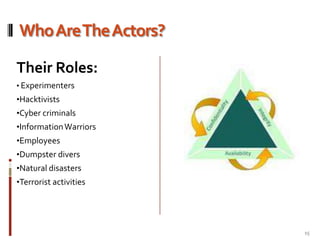
Who Are The Actors?Their Roles:Experimenters
Hacktivists
Cyber criminals
Information Warriors
Employees
Dumpster divers
Natural disasters
Terrorist activities15
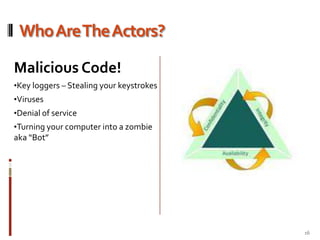
Who Are The Actors?Malicious Code!Key loggers – Stealing your keystrokes
Viruses
Denial of service
Turning your computer into a zombie aka “Bot”16
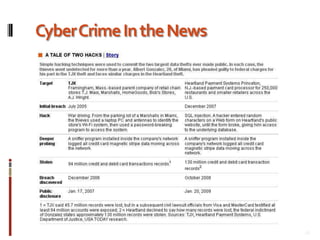
Cyber Crime In the news17
Cyber Crime In the News18
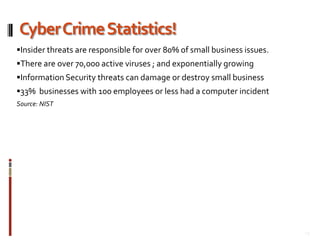
Cyber Crime Statistics!Insider threats are responsible for over 80% of small business issues.There are over 70,000 active viruses ; and exponentially growingInformation Security threats can damage or destroy small business33%  businesses with 100 employees or less had a computer incidentSource: NIST19
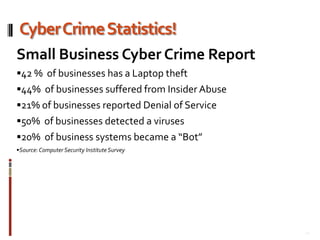
Cyber Crime Statistics!Small Business Cyber Crime Report42 %  of businesses has a Laptop theft44%  of businesses suffered from Insider Abuse21% of businesses reported Denial of Service50%  of businesses detected a viruses20%  of business systems became a “Bot”Source: Computer Security Institute Survey20
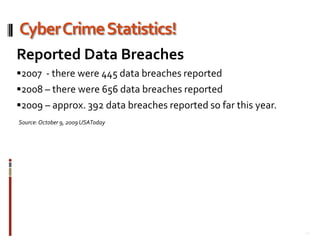
Cyber Crime Statistics!Reported Data Breaches2007  - there were 445 data breaches reported 2008 – there were 656 data breaches reported2009 – approx. 392 data breaches reported so far this year.Source: October 9, 2009 USAToday21
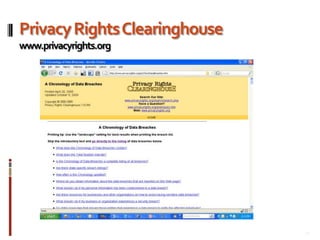
Privacy Rights Clearinghousewww.privacyrights.org22
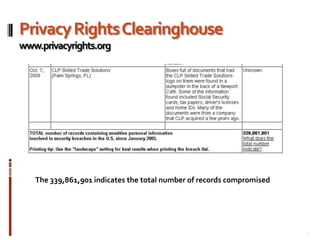
Privacy Rights Clearinghousewww.privacyrights.orgThe 339,861,901 indicates the total number of records compromised23
The components of Information Security24
The Components of Information SecurityThe Information Security Triad is the foundation for  Information Security and is based on concepts and principles known as  CIA.People
Processes

Information Security For Small Business

  • 1.
    Information Security ForSmall Businessby Julius Clark Sr., CISSP, CISA | October 13th 2009
  • 2.
    About MeJulius ClarkSr.Location: Charlotte, NCCurrent home, been residing in Charlotte, NC for over 10 yearsHometownBoston, MaProfessionInformation Security Professional.BDPA Charlotte History2010-2012 President2007-2009 President-Elect2006-2004 VP of Education & SITES2001-2003 Coordinator - High School Computer CompetitionEducationMBA in Information Security
  • 3.
  • 4.
    BS in ElectronicEngineeringCertificationsCertified Information Systems Security Professional (CISSP)
  • 5.
  • 6.
  • 7.
    Agenda Information Securityfor Small Business3
  • 8.
    Agenda (Continued)InformationSecurity for Small Business4
  • 9.
  • 10.
    Maslow’s Hierarchy ofNeedsBeing aware of one’s Wholeness keeps bad things from happening. A solid foundation must be built to advance. Understanding your environment, your health and activities helps one to continually perform a risk assessments and move to the next level.Self – Actualization – Being All You Can Be
  • 11.
    Esteem - Recognition for Good Work
  • 12.
    Love - Acceptance
  • 13.
    Safety & Security– Stability
  • 14.
    Needs – Air, Food, Water, Shelter6
  • 15.
    Maslow’s Business ComparisonMaslow’sHierarchy of Needs can be applied to building a successful business. IT Security is a foundation that businesses must build upon to lower IT Security risks and gain a competitive edge.Self – Actualization – Meeting the Mission Statement
  • 16.
    Esteem - Recognition in Market Place
  • 17.
    Love - Acceptance by Clients or Customers
  • 18.
    Safety & Security– IT Security & Insurance
  • 19.
  • 20.
  • 21.
    What Is InformationSecurity?Protecting your information, technology, property, products and people, thus protecting your business. The Information Security Triad is the foundation for Information Security and is based on concepts and principles known as CIA.Confidentiality
  • 22.
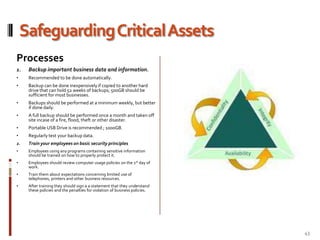
  • 23.
  • 24.
    What Is InformationSecurity?Confidentiality Concept of protecting information from improper disclosure and protecting the secrecy and privacy of sensitive data so that the intellectual property and reputation of an organization is not damaged and that data related to individuals is not released in violation of regulations or the privacy policy of the organization.- From the CISSP® CBK®10
  • 25.
    What Is InformationSecurity?Integrity Addresses two objects, which are protecting data and processes from improper modification, and the ensuring the operations of the information is reliable and performing as expected.- From the CISSP® CBK®11
  • 26.
    What Is InformationSecurity?Availability Addresses two concepts, which are protecting data and processes from improper modification, and the concept of ensuring the operations of the information system is reliable and performing as expected.- From the CISSP® CBK®:12
  • 27.
    Importance Of SmallBusinessStatistic:There are over 26 million small businesses in the U.S.Source: NIST13
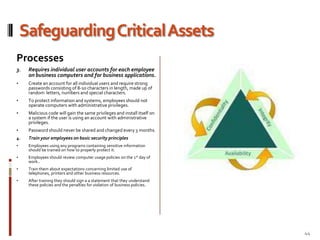
  • 28.
    What Is AtStake?Your Business! Your business is at risk of being damaged due to:Financial loss
  • 29.
  • 30.
  • 31.
  • 32.
    Theft of itstechnology , resources and products
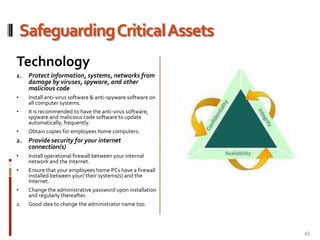
  • 33.
  • 34.
  • 35.
    Who Are TheActors?Their Roles:Experimenters
  • 36.
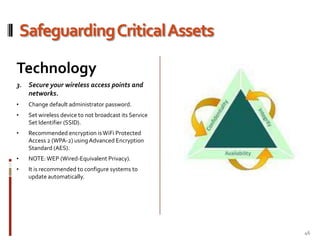
  • 37.
  • 38.
  • 39.
  • 40.
  • 41.
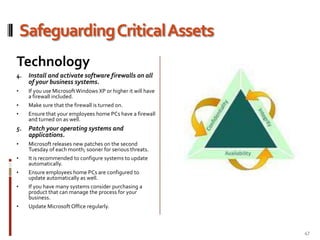
  • 42.
  • 43.
    Who Are TheActors?Malicious Code!Key loggers – Stealing your keystrokes
  • 44.
  • 45.
  • 46.
    Turning your computerinto a zombie aka “Bot”16
  • 47.
    Cyber Crime Inthe news17
  • 48.
    Cyber Crime Inthe News18
  • 49.
    Cyber Crime Statistics!Insiderthreats are responsible for over 80% of small business issues.There are over 70,000 active viruses ; and exponentially growingInformation Security threats can damage or destroy small business33% businesses with 100 employees or less had a computer incidentSource: NIST19
  • 50.
    Cyber Crime Statistics!SmallBusiness Cyber Crime Report42 % of businesses has a Laptop theft44% of businesses suffered from Insider Abuse21% of businesses reported Denial of Service50% of businesses detected a viruses20% of business systems became a “Bot”Source: Computer Security Institute Survey20
  • 51.
    Cyber Crime Statistics!ReportedData Breaches2007 - there were 445 data breaches reported 2008 – there were 656 data breaches reported2009 – approx. 392 data breaches reported so far this year.Source: October 9, 2009 USAToday21
  • 52.
  • 53.
    Privacy Rights Clearinghousewww.privacyrights.orgThe339,861,901 indicates the total number of records compromised23
  • 54.
    The components ofInformation Security24
  • 55.
    The Components ofInformation SecurityThe Information Security Triad is the foundation for Information Security and is based on concepts and principles known as CIA.People
  • 56.
  • 57.
  • 58.
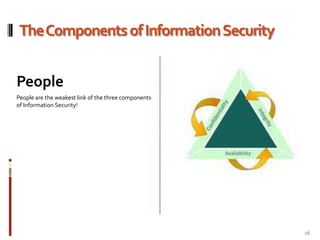
    The Components ofInformation SecurityPeoplePeople are the weakest link of the three components of Information Security!26
  • 59.
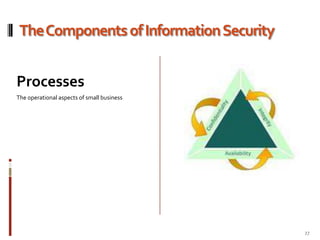
    The Components ofInformation SecurityProcessesThe operational aspects of small business27
  • 60.
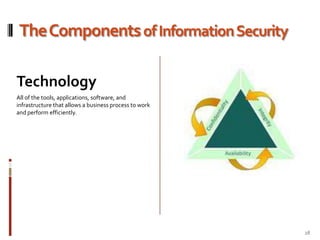
    The Components ofInformation SecurityTechnologyAll of the tools, applications, software, and infrastructure that allows a business process to work and perform efficiently. 28
  • 61.
    Business policies relatedto information security Every business needs written policies to identify acceptable practices and expectations for business operations. Some policies will be related to human resources.
  • 62.
    Some will relateto expected employee practices for using business resources, such as telephones, computers, printers, fax machines, and Internet access.
  • 63.
    Legal and regulatoryrequirements may also require certain policies to be put in place and enforced.
  • 64.
    Policies for information,computer, network, and Internet security, should communicate clearly to employees the expectations that the business management has for appropriate use. 29
  • 65.
    Business policies relatedto information security These policies should identify those information and other resources which are important to management and should clearly describe how management expects those resources to be used and protected by all employees.
  • 66.
    Policies should becommunicated clearly to each employee and all employees should sign a statement agreeing that they have read the policies, that they will follow the policies, and that they understand the possible penalties for violating those policies.
  • 67.
    This will helpmanagement to hold employees accountable for violation of the businesses policies.
  • 68.
    There should bepenalties for disregarding business policies. And, those penalties should be enforced fairly and consistently for everyone in the business that violates the policies of the business. 30
  • 69.
    Business Continuity andDisaster Recovery Planning31
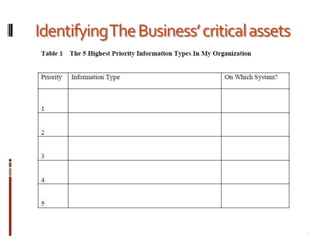
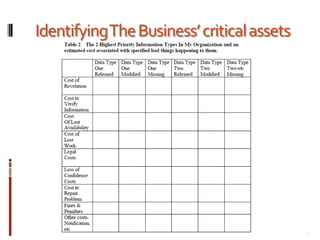
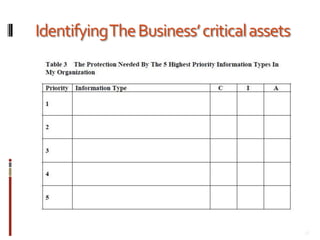
  • 70.
    Highly Recommended Practices!NISTIT Security Fundamentals For Small BusinessContingency and Disaster Recover planning considerations What happens if there is a disaster (flood, fire, tornado, etc) or a contingency (power outage, sewer backup, accidental sprinkler activation, etc)? Do you have a plan for restoring business operations during or after a disaster or a contingency? Since we all experience power outages or brownouts from time to time, do you have Uninterruptible Power Supplies (UPS) on each of your computers and critical network components? They allow you to work through short power outages and to save your data when the electricity goes off. Conduct an inventory of all information used in running your business. Do you know where each type of information is located (on which computer or server)? Have you prioritized your business information so that you know which type of information is most critical to the operation of your business – and, therefore, which type of information must be restored first in order to run your most critical operations?If you have never (or not recently) done a full inventory of your important business information, now is the time. For a very small business, this shouldn’t take longer than a few hours. For a larger small business, this might take from a day to a week or so. While you are doing this inventory, ensure that the information is prioritized relative to importance for the entire business, not necessarily for a single part of the business. When you have your prioritized information inventory (on an electronic spreadsheet), add three columns to address the kind of protection that each type of information needs. Some information will need protection for confidentiality, some for integrity, and some for availability. 32
  • 71.
  • 72.
  • 73.
  • 74.
  • 75.
    Actions for TheBusiness Owner To TakeWhat threats is a danger to your business? Many threats are found in a specific geographic area – what is common in your area?
  • 76.
    As you read/researchyour trade/professional publications, take note of the data security issues covered in these publications. Ask yourself “Is my business vulnerable to something like this? If so, what have others done that I could copy to protect my business?”
  • 77.
    As you networkwith your peers, talk cyber security issues. Give and get advice, hints, tips, etc.
  • 78.
    Make every effortto stay in touch with and on top of every threat or incident that does or could affect your business.
  • 79.
    Join InfraGard toget critical information about current threats in your local area (and to act as eyes and ears to help protect our nation!).
  • 80.
    (www.infragard.net - membershipapplication form is online – membership is free in most areas of our nation)37
  • 81.
  • 82.
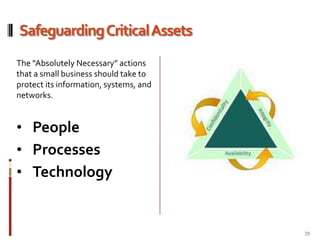
    Safeguarding Critical AssetsThe“Absolutely Necessary” actions that a small business should take to protect its information, systems, and networks. People
  • 83.
  • 84.
  • 85.
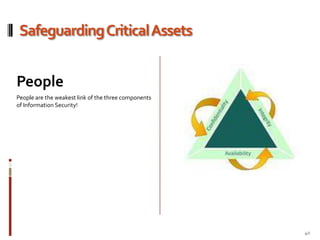
    Safeguarding Critical AssetsPeoplePeopleare the weakest link of the three components of Information Security!40
  • 86.
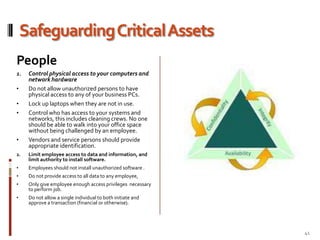
    Safeguarding Critical AssetsPeopleControlphysical access to your computers and network hardwareDo not allow unauthorized persons to have physical access to any of your business PCs.
  • 87.
    Lock up laptopswhen they are not in use.
  • 88.
    Control who hasaccess to your systems and networks, this includes cleaning crews. No one should be able to walk into your office space without being challenged by an employee.
  • 89.
    Vendors and servicepersons should provide appropriate identification.Limit employee access to data and information, and limit authority to install software.Employees should not install unauthorized software .
  • 90.
    Do not provideaccess to all data to any employee,
  • 91.
    Only give employeeenough access privileges necessary to perform job.
  • 92.
    Do not allowa single individual to both initiate and approve a transaction (financial or otherwise).41
  • 93.
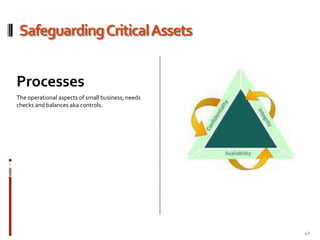
    Safeguarding Critical AssetsProcessesTheoperational aspects of small business; needs checks and balances aka controls.42
  • 94.
    Safeguarding Critical AssetsProcessesBackupimportant business data and information.Recommended to be done automatically.
  • 95.
    Backup can bedone inexpensively if copied to another hard drive that can hold 52 weeks of backups; 500GB should be sufficient for most businesses.
  • 96.
    Backups should beperformed at a minimum weekly, but better if done daily.
  • 97.
    A full backupshould be performed once a month and taken off site incase of a fire, flood, theft or other disaster.
  • 98.
    Portable USB Driveis recommended ; 1000GB.
  • 99.
    Regularly test yourbackup data.Train your employees on basic security principlesEmployees using any programs containing sensitive information should be trained on how to properly protect it.
  • 100.
    Employees should reviewcomputer usage policies on the 1st day of work.
  • 101.
    Train them aboutexpectations concerning limited use of telephones, printers and other business resources.
  • 102.
    After training theyshould sign a a statement that they understand these policies and the penalties for violation of business policies.43
  • 103.
    Safeguarding Critical AssetsProcessesRequiresindividual user accounts for each employee on business computers and for business applications.Create an account for all individual users and require strong passwords consisting of 8-10 characters in length, made up of random letters, numbers and special characters.
  • 104.
    To protect informationand systems, employees should not operate computers with administrative privileges.
  • 105.
    Malicious code willgain the same privileges and install itself on a system if the user is using an account with administrative privileges.
  • 106.
    Password should neverbe shared and changed every 3 months.Train your employees on basic security principlesEmployees using any programs containing sensitive information should be trained on how to properly protect it.
  • 107.
    Employees should reviewcomputer usage policies on the 1st day of work..
  • 108.
    Train them aboutexpectations concerning limited use of telephones, printers and other business resources.
  • 109.
    After training theyshould sign a a statement that they understand these policies and the penalties for violation of business policies. 44
  • 110.
    Safeguarding Critical AssetsTechnologyProtectinformation, systems, networks from damage by viruses, spyware, and other malicious codeInstall anti-virus software & anti-spyware software on all computer systems.
  • 111.
    It is recommendedto have the anti-virus software, spyware and malicious code software to update automatically; frequently.
  • 112.
    Obtain copies foremployees home computers.Provide security for your internet connection(s)Install operational firewall between your internal network and the Internet.
  • 113.
    Ensure that youremployees home PCs have a firewall installed between your/ their systems(s) and the Internet.
  • 114.
    Change the administrativepassword upon installation and regularly thereafter. Good idea to change the administrator name too.45
  • 115.
    Safeguarding Critical AssetsTechnologySecureyour wireless access points and networks.Change default administrator password.
  • 116.
    Set wireless deviceto not broadcast its Service Set Identifier (SSID).
  • 117.
    Recommended encryption isWiFi Protected Access 2 (WPA-2) using Advanced Encryption Standard (AES).
  • 118.
  • 119.
    It is recommendedto configure systems to update automatically. 46
  • 120.
    Safeguarding Critical AssetsTechnologyInstalland activate software firewalls on all of your business systems.If you use Microsoft Windows XP or higher it will have a firewall included.
  • 121.
    Make sure thatthe firewall is turned on.
  • 122.
    Ensure that youremployees home PCs have a firewall and turned on as well.Patch your operating systems and applications.Microsoft releases new patches on the second Tuesday of each month; sooner for serious threats.
  • 123.
    It is recommendedto configure systems to update automatically.
  • 124.
    Ensure employees homePCs are configured to update automatically as well.
  • 125.
    If you havemany systems consider purchasing a product that can manage the process for your business.
  • 126.
  • 127.
    Highly Recommended Practices!NISTIT Security Fundamentals For Small BusinessSecurity emails requesting sensitive information.  Security concerns about email attachments and emails requesting sensitive information. Do not open email attachments unless you are expecting the email with the attachment and you trust the sender. If you are not sure why someone sent you and email with attachments or links. Call them or email them back asking questions. Be cautious of emails asking for sensitive personal or financial information – regardless of who the email appears to be from. No responsible business will ask for sensitive information in an email.  Security concerns about web links in email, instant messages, social media, or other means.  Do not click on links in email messages. Recently, scams are in the form of embedded links in emails. Once a recipient clicks on the link, malicious software (for example, key stroke logging software) is installed on the user’s computer. Don’t do it unless you know what the web link connects to and you trust the person who sent the email to you. 48
  • 128.
    Highly Recommended Practices!NISTIT Security Fundamentals For Small BusinessSecurity concerns about popup windows and other hacker tricks.  When connected to and using the Internet, do not respond to popup windows requesting that you to click “ok” for anything.  If a window pops up on your screen informing you that you have a virus or spyware and suggesting that you download an antivirus or antispyware program to take care of it, close the popup window by selecting the X in the upper right corner of the popup window.  Hackers are known to scatter infected USB drives with provocative labels in public places where their target business’s employees hang out, knowing that curious individuals will pick them up and take them back to their office system to “see what’s on them.” What is on them is generally malicious code which installs a spy program or remote control program on the computer. Teach your employees to not bring USB drives into the office and plug them into your business computers (or take them home and plug into their home systems). It is a good idea to disable the “AutoRun” feature for the USB ports on your business computers to help prevent such malicious programs from running.49
  • 129.
    Highly Recommended Practices!NISTIT Security Fundamentals For Small BusinessSecurity considerations for web surfing.  No one should surf the web using a user account which has administrative privileges. It is best to set up a special account with “guest” (limited) privileges to avoid this vulnerability. Issues in downloading software from the Internet.  Do not download software from any unknown web page. Only those web pages belonging to businesses with which you have a trusted business relationship should be considered reasonably safe for downloading software. Such trusted sites would include the Microsoft Update web page where you would get patches and updates for various versions of the Windows operating system and Microsoft Office or other similar software. Most other web pages should be viewed with suspicion. Be very careful if you decide to use freeware or shareware from a source on the web. Most of these do not come with technical support and some are deliberately crippled so that you do not have the full functionality you might be led to believe will be provided. 50
  • 130.
    Highly Recommended Practices!NISTIT Security Fundamentals For Small BusinessDoing online business or banking more securely.  Online business/commerce/banking should only be done using a secure browser connection. This will normally be indicated by a small lock visible in the lower right corner of your web browser window. After any online commerce or banking session, erase your web browser cache, temporary internet files, cookies, and history so that if your system is compromised, that information will not be on your system to be stolen by the individual hacker or malware program.  Recommended personnel practices in hiring employees.  When hiring new employees, conduct a comprehensive background check before making a job offer. Ensure that you do criminal background checks on all prospective new employees. If possible, it is a good idea to do a credit check on prospective employees. This is especially true if they will be handling your business funds. Do your homework – call their references and former employers. Note: It is also an excellent idea for you the business owner to do a background check of yourself. Many people become aware that they are victims of identity theft only after they do a background check on themselves and find arrest records and unusual previous addresses where they never lived. 51
  • 131.
    Highly Recommended Practices!NISTIT Security Fundamentals For Small BusinessHow to dispose of old computers and media.  When disposing of old business computers, remove the hard disks and destroy them. The destruction can be done by taking apart the disk and beating the hard disk platters with a hammer. It is very common for small businesses to discard old computers and media without destroying the computers’ hard disks or the media. Sensitive business and personal information is regularly found on computers purchased on Ebay, thrift shops, Goodwill, etc, much to the embarrassment of the small businesses involved (and much to the annoyance of customers or employees whose sensitive data is compromised). Consider Using Full Disk Encryption if you handle sensitive data and information.52
  • 132.
    Highly Recommended Practices!NISTIT Security Fundamentals For Small BusinessHow to protect against Social Engineering. Social engineering is a personal or electronic attempt to obtain unauthorized information or access to systems/facilities or sensitive areas by manipulating people. The social engineer researches the organization to learn names, titles, responsibilities, and publically available personal identification information. Then the social engineer usually calls the organization’s receptionist or help desk with a believable, but made-up story designed to convince the person that the social engineer is someone in, or associated with, the organization and needs information or system access which the organization’s employee can provide and will feel obligated to provide.  Train employees to protect against social engineering techniques, employees must be taught to be helpful, but vigilant when someone calls in for help and asks for information or special system access. The employee must first authenticate the caller by asking for identification information that only the person who is in or associated with the organization would know.  If the individual is not able to provide such information, then the employee should politely, but firmly refuse to provide what has been requested by the social engineer. The employee should then notify management of the attempt to obtain information or system access. 53
  • 133.
    Information Security Resources forSmall BusinessSmall Business Information Security : The Fundamentals (Security Guide for Small Business)http://csrc.nist.gov/publications/drafts/ir-7621/draft-nistir-7621.pdfSmall Business C enter Documentshttp://csrc.nist.gov/groups/SMA/sbc/library.htmlInfraGardhttp://www.infragard.net54
  • 134.
    Closing RemarksRemember theIT Security Triad!The Information Security Triad is the foundation for Information Security and is based on concepts and principles known as CIA.Confidentiality
  • 135.
  • 136.
  • 137.
    References:Surviving Security SurvivingSecurity—How to Integrate People, Process and Technology, 2nd Editionhttp://www.isaca.org/Template.cfm?Section=Home&CONTENTID=27320&TEMPLATE=/ContentManagement/ContentDisplay.cfmIntroduction to the Business Model for Information Security , 2009 ISACAhttp://www.isaca.orgSmall Business Information Security : The Fundamentals (Security Guide for Small Business)http://csrc.nist.gov/publications/drafts/ir-7621/draft-nistir-7621.pdfSmall Business C enter Documentshttp://csrc.nist.gov/groups/SMA/sbc/library.htmlI nterHack,- Information Security: Friend or Foe, 2002http://web.interhack.com/publications/whatis-security.pdf       56