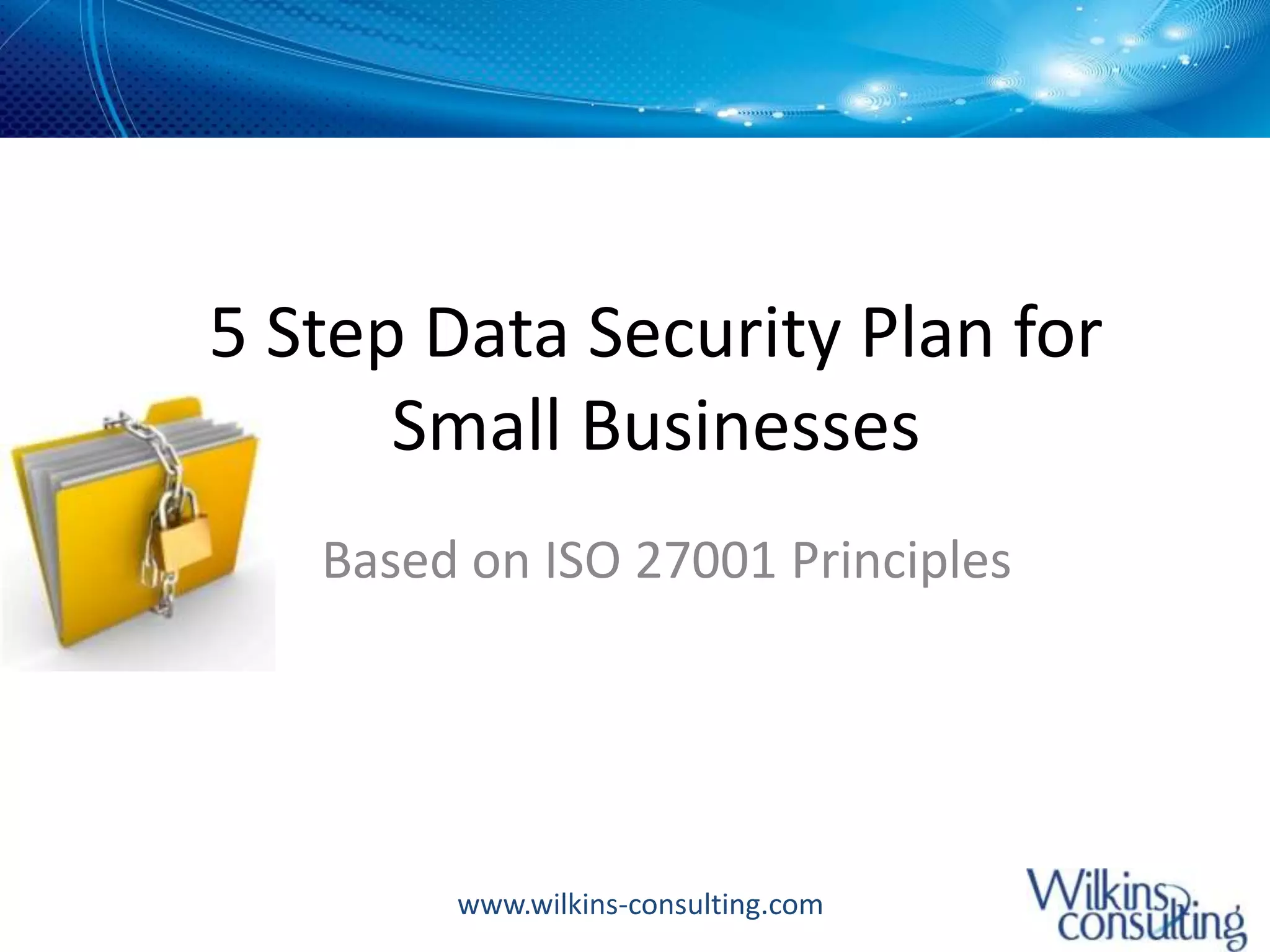
5 Step Data Security Plan for Small BusinessesBased on ISO 27001 Principles
A recent Trend Micro survey that showed that only "49% of small companies view data leakage as a serious threat, while 63% were more concerned about viruses."But here is an alarming statistic:  On November 3, 2010, the Privacy Rights Clearinghouse released a report that among other items showed that "80 percent of small businesses that experience a data breach either go bankrupt or have severe financial difficulties within two years."
Let Me Share Two Recent ExamplesIncident 1: -  4 person organization hires new sales manager to grow business	-  Employee leaves after 6 months, but created his own competing company while working there	-  Organization had no access control plan in place so ex-employee continued to receive work emails forwarded to his personal email account for several months after leaving	-  Organization was faced with spending $1000s in litigation while facing the loss of several key clientsIncident 2:-  Involved a colleague of mine	-  Her healthcare provider’s office was broken into and computers were stolen	-  There was no protection on the computers, and over 400 patient financial records were accessed.  My colleague’s bank account was compromised among many others.
Step 1 – Asset Identification and Risk AssessmentIdentify and record information assets – laptops, desktops, servers, wireless phones, etcClassify information assets – High, medium, lowRisk assessment for each asset to determine the level of risk you are willing to accept-  Threats – Theft, damage, virus, etc	-  Vulnerability – High, Medium, Low	-  Impact of the loss to your businessNow let’s look at some examples
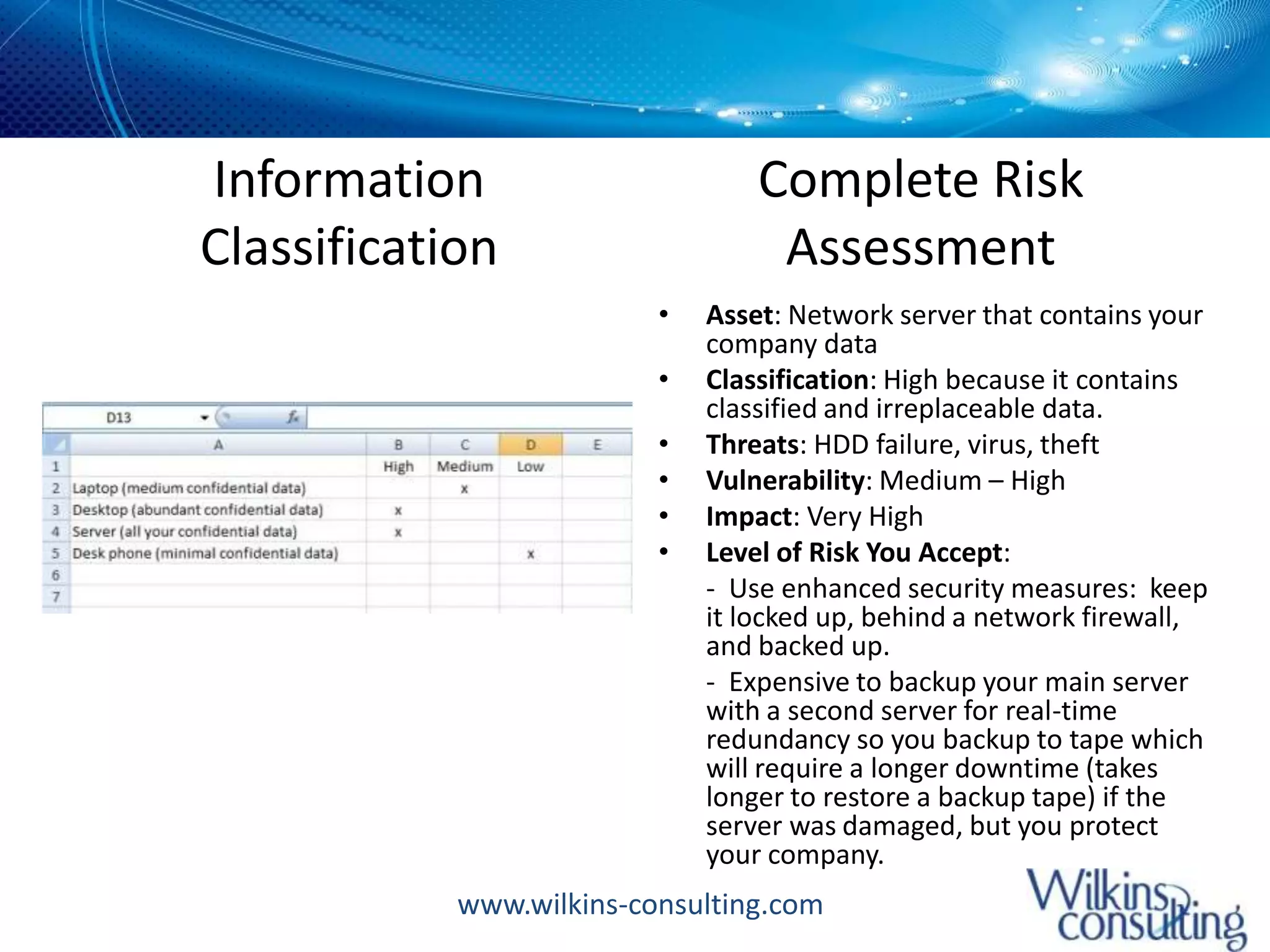
Information ClassificationComplete Risk AssessmentAsset: Network server that contains your company dataClassification: High because it contains classified and irreplaceable data.Threats: HDD failure, virus, theftVulnerability: Medium – HighImpact: Very HighLevel of Risk You Accept: 	-  Use enhanced security measures:  keep it locked up, behind a network firewall, and backed up.  	-  Expensive to backup your main server with a second server for real-time redundancy so you backup to tape which will require a longer downtime (takes longer to restore a backup tape) if the server was damaged, but you protect your company.
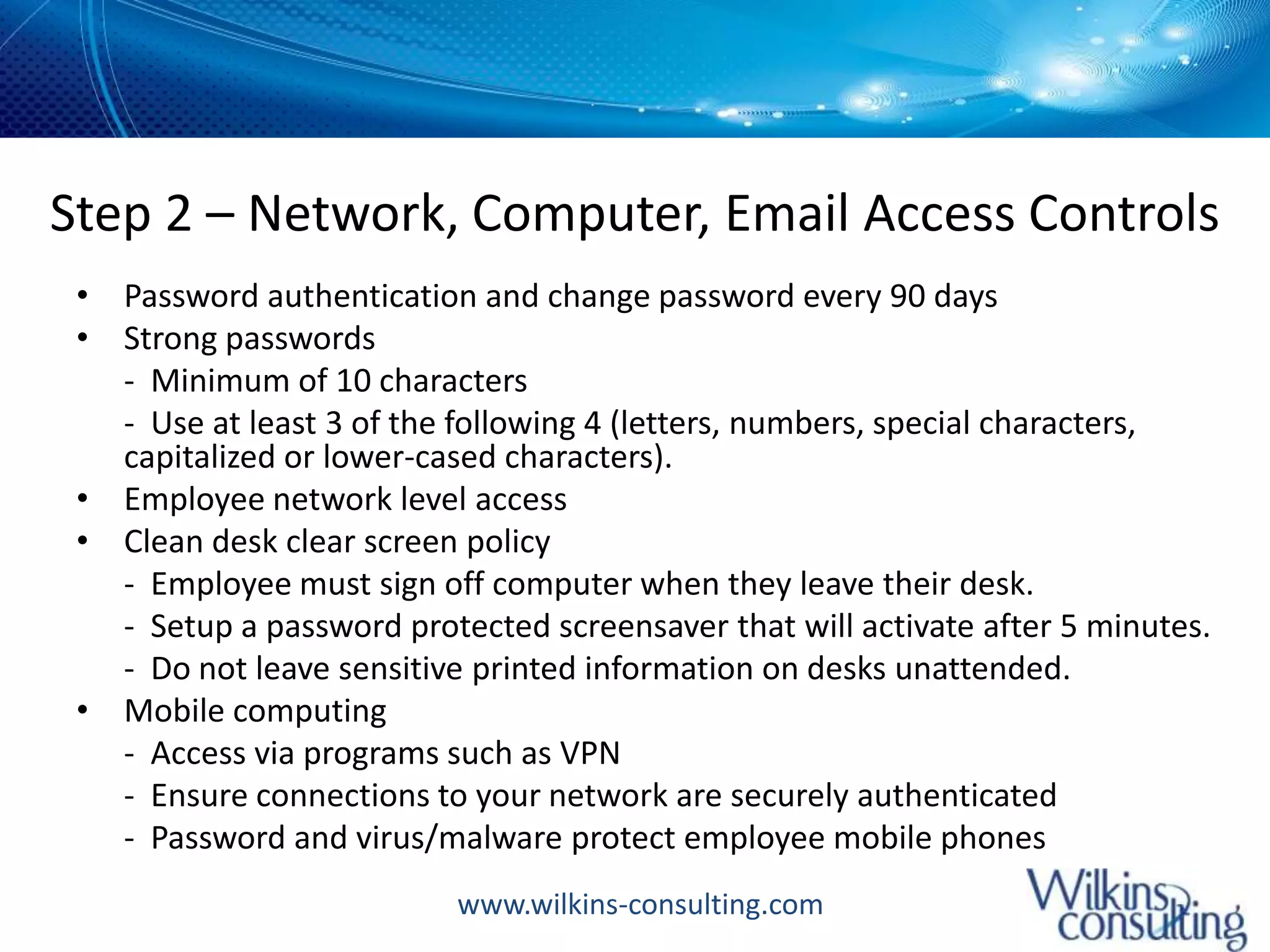
Step 2 – Network, Computer, Email Access ControlsPassword authentication and change password every 90 daysStrong passwords 	-  Minimum of 10 characters	-  Use at least 3 of the following 4 (letters, numbers, special characters, capitalized or lower-cased characters). Employee network level accessClean desk clear screen policy 	-  Employee must sign off computer when they leave their desk.  	-  Setup a password protected screensaver that will activate after 5 minutes.  	-  Do not leave sensitive printed information on desks unattended. Mobile computing 	-  Access via programs such as VPN	-  Ensure connections to your network are securely authenticated	-  Password and virus/malware protect employee mobile phones
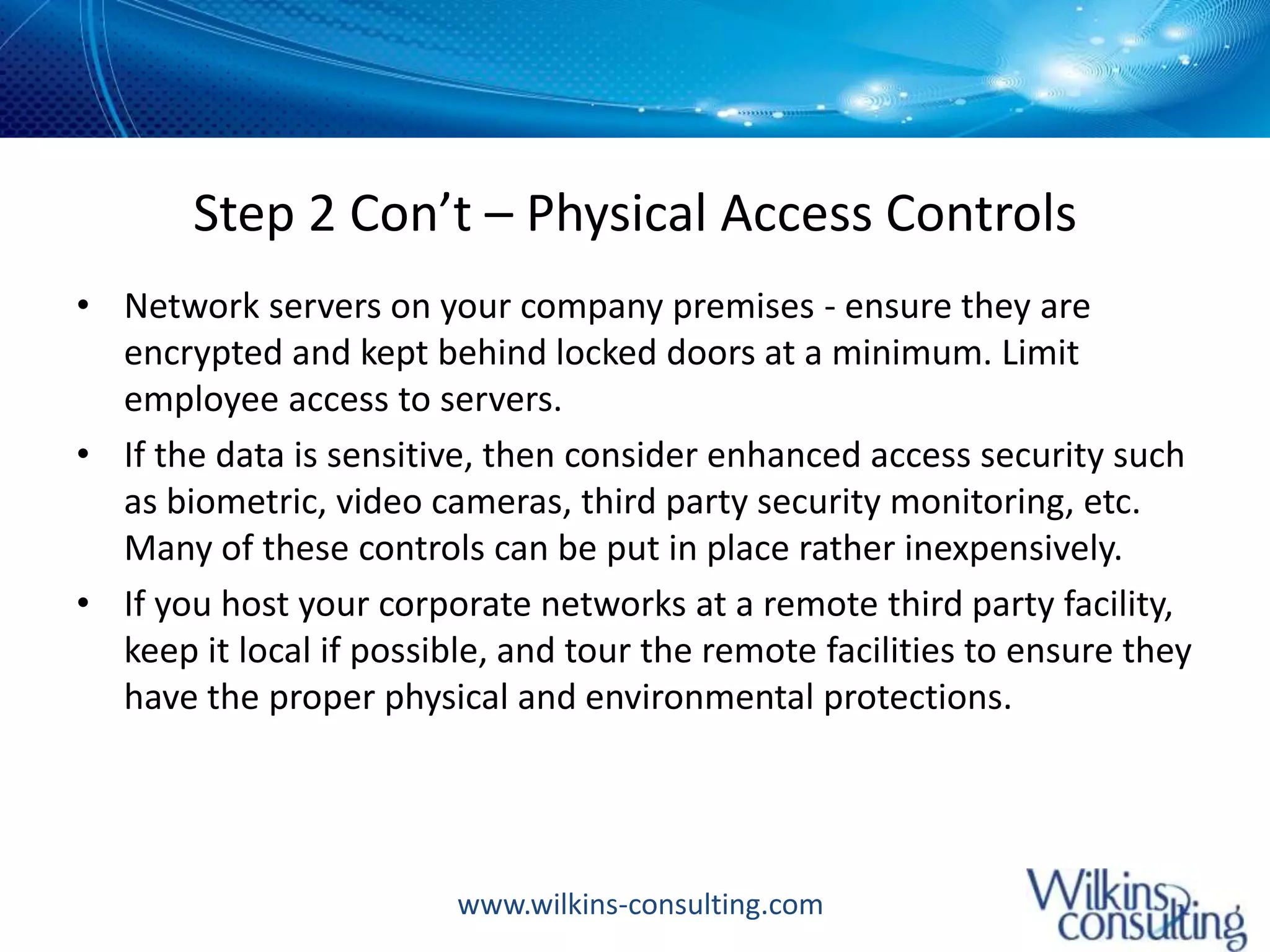
Step 2 Con’t – Physical Access ControlsNetwork servers on your company premises - ensure they are encrypted and kept behind locked doors at a minimum. Limit employee access to servers. If the data is sensitive, then consider enhanced access security such as biometric, video cameras, third party security monitoring, etc. Many of these controls can be put in place rather inexpensively. If you host your corporate networks at a remote third party facility, keep it local if possible, and tour the remote facilities to ensure they have the proper physical and environmental protections.
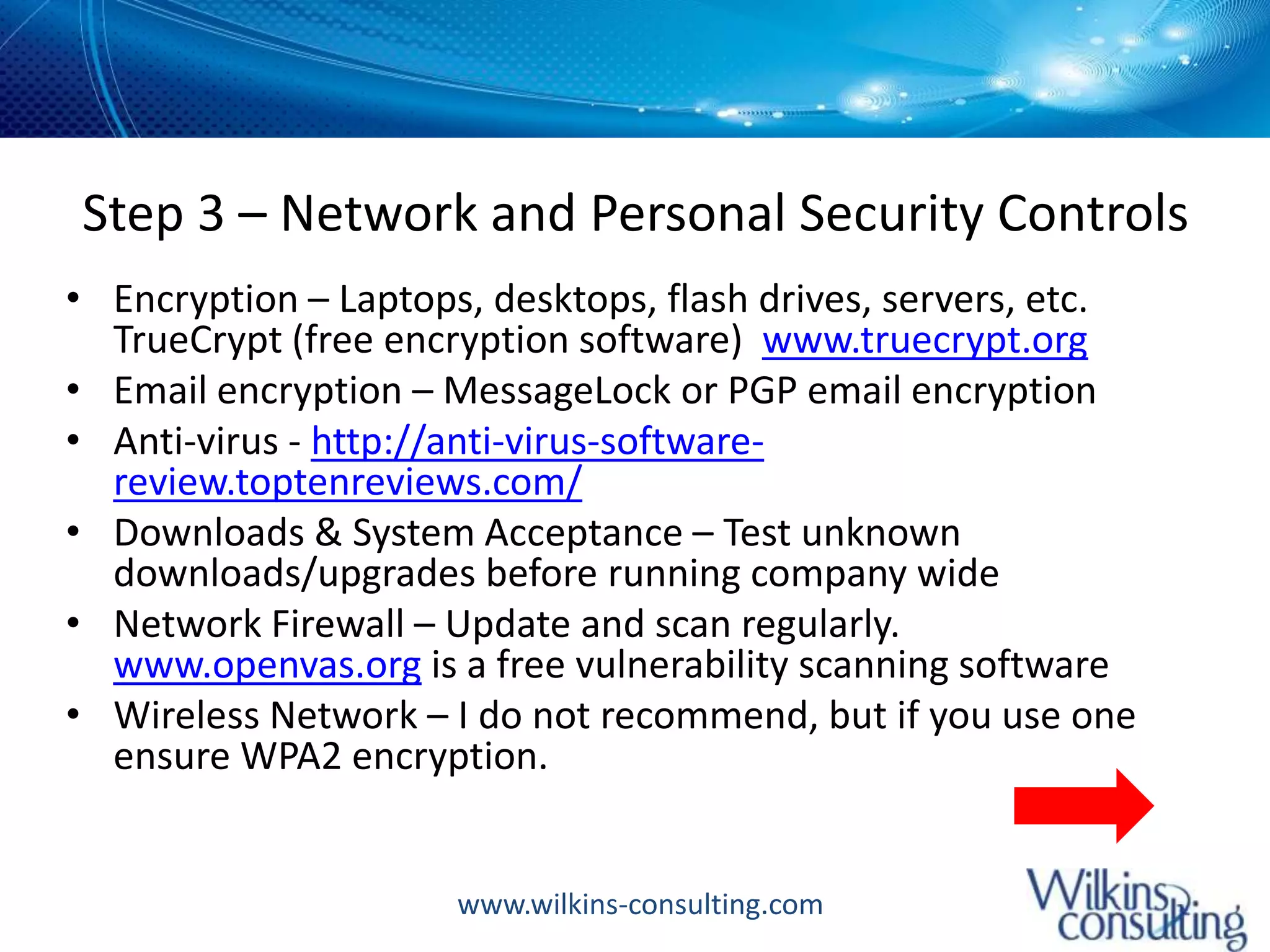
Step 3 – Network and Personal Security ControlsEncryption – Laptops, desktops, flash drives, servers, etc.  TrueCrypt (free encryption software)  www.truecrypt.orgEmail encryption – MessageLock or PGP email encryptionAnti-virus - http://anti-virus-software-review.toptenreviews.com/Downloads & System Acceptance – Test unknown downloads/upgrades before running company wideNetwork Firewall – Update and scan regularly.  www.openvas.org is a free vulnerability scanning softwareWireless Network – I do not recommend, but if you use one ensure WPA2 encryption.
Step 3 – Network and Personal Security ControlsEcommerce - Use Secure Sockets Layer (SSL) for receiving or transmitting credit card informationNetwork & Computer Backups Very small company – Flash drive, hard drive, online with sites like Mozy or Carbonite, but encrypt firstLarger – Backup to tape (inexpensive and portable)Consider a 3rd party network review at least yearly
Step 4 – Paper Document ControlsInformation Classification policyPublic – Anyone can viewProprietary  - Management approved internal/external accessClient Confidential – Management approved internal accessCompany Confidential – Management approved internal accessShred sensitive documentsLocked filing cabinets behind locked doors
Step 5 – General Security ControlsEmployee background checks and training - Review the Privacy Rights Clearinghouse  http://www.privacyrights.org/fs/fs16b-smallbus.htmThird party review/audit – at least yearlyVisitor policy	-  Sign in/sign out sheet	-  ID check	-  Name tags	-  Designated areas off limitsIncident Management System - Log any type of security incidents, how you corrected the issue, and how you will prevent it in the future.
Step 5 – General Security ControlsEmergency Response Plan (Business Continuity/Disaster Recovery Plan)	-  Who is in charge and who is responsible for each action	-  Key personnel contact information - For contact and to set in motion pre-assigned duties and responsibilities. 	-  Key contact information for service providers such as third party network administrators, security monitoring, phone, internet, etc. 	-  Key contact information for your local police in addition to your legal representation 	-  Backup communications plan – mobile phones, home phones, laptops, etc
For More InformationRead the article:  5 Step Data Security Plan for Small Businesses  http://www.wilkins-consulting.com/small-biz-security-plan.htmlConnect with me on LinkedIn and download the presentation:  http://www.linkedin.com/in/treywilkinsContact me:  trey@wilkins-consulting.com

5 Step Data Security Plan for Small Businesses

  • 1.
    5 Step DataSecurity Plan for Small BusinessesBased on ISO 27001 Principles
  • 2.
    A recent TrendMicro survey that showed that only "49% of small companies view data leakage as a serious threat, while 63% were more concerned about viruses."But here is an alarming statistic: On November 3, 2010, the Privacy Rights Clearinghouse released a report that among other items showed that "80 percent of small businesses that experience a data breach either go bankrupt or have severe financial difficulties within two years."
  • 3.
    Let Me ShareTwo Recent ExamplesIncident 1: - 4 person organization hires new sales manager to grow business - Employee leaves after 6 months, but created his own competing company while working there - Organization had no access control plan in place so ex-employee continued to receive work emails forwarded to his personal email account for several months after leaving - Organization was faced with spending $1000s in litigation while facing the loss of several key clientsIncident 2:- Involved a colleague of mine - Her healthcare provider’s office was broken into and computers were stolen - There was no protection on the computers, and over 400 patient financial records were accessed. My colleague’s bank account was compromised among many others.
  • 4.
    Step 1 –Asset Identification and Risk AssessmentIdentify and record information assets – laptops, desktops, servers, wireless phones, etcClassify information assets – High, medium, lowRisk assessment for each asset to determine the level of risk you are willing to accept- Threats – Theft, damage, virus, etc - Vulnerability – High, Medium, Low - Impact of the loss to your businessNow let’s look at some examples
  • 5.
    Information ClassificationComplete RiskAssessmentAsset: Network server that contains your company dataClassification: High because it contains classified and irreplaceable data.Threats: HDD failure, virus, theftVulnerability: Medium – HighImpact: Very HighLevel of Risk You Accept: - Use enhanced security measures: keep it locked up, behind a network firewall, and backed up. - Expensive to backup your main server with a second server for real-time redundancy so you backup to tape which will require a longer downtime (takes longer to restore a backup tape) if the server was damaged, but you protect your company.
  • 6.
    Step 2 –Network, Computer, Email Access ControlsPassword authentication and change password every 90 daysStrong passwords - Minimum of 10 characters - Use at least 3 of the following 4 (letters, numbers, special characters, capitalized or lower-cased characters). Employee network level accessClean desk clear screen policy - Employee must sign off computer when they leave their desk. - Setup a password protected screensaver that will activate after 5 minutes. - Do not leave sensitive printed information on desks unattended. Mobile computing - Access via programs such as VPN - Ensure connections to your network are securely authenticated - Password and virus/malware protect employee mobile phones
  • 7.
    Step 2 Con’t– Physical Access ControlsNetwork servers on your company premises - ensure they are encrypted and kept behind locked doors at a minimum. Limit employee access to servers. If the data is sensitive, then consider enhanced access security such as biometric, video cameras, third party security monitoring, etc. Many of these controls can be put in place rather inexpensively. If you host your corporate networks at a remote third party facility, keep it local if possible, and tour the remote facilities to ensure they have the proper physical and environmental protections.
  • 8.
    Step 3 –Network and Personal Security ControlsEncryption – Laptops, desktops, flash drives, servers, etc. TrueCrypt (free encryption software) www.truecrypt.orgEmail encryption – MessageLock or PGP email encryptionAnti-virus - http://anti-virus-software-review.toptenreviews.com/Downloads & System Acceptance – Test unknown downloads/upgrades before running company wideNetwork Firewall – Update and scan regularly. www.openvas.org is a free vulnerability scanning softwareWireless Network – I do not recommend, but if you use one ensure WPA2 encryption.
  • 9.
    Step 3 –Network and Personal Security ControlsEcommerce - Use Secure Sockets Layer (SSL) for receiving or transmitting credit card informationNetwork & Computer Backups Very small company – Flash drive, hard drive, online with sites like Mozy or Carbonite, but encrypt firstLarger – Backup to tape (inexpensive and portable)Consider a 3rd party network review at least yearly
  • 10.
    Step 4 –Paper Document ControlsInformation Classification policyPublic – Anyone can viewProprietary - Management approved internal/external accessClient Confidential – Management approved internal accessCompany Confidential – Management approved internal accessShred sensitive documentsLocked filing cabinets behind locked doors
  • 11.
    Step 5 –General Security ControlsEmployee background checks and training - Review the Privacy Rights Clearinghouse http://www.privacyrights.org/fs/fs16b-smallbus.htmThird party review/audit – at least yearlyVisitor policy - Sign in/sign out sheet - ID check - Name tags - Designated areas off limitsIncident Management System - Log any type of security incidents, how you corrected the issue, and how you will prevent it in the future.
  • 12.
    Step 5 –General Security ControlsEmergency Response Plan (Business Continuity/Disaster Recovery Plan) - Who is in charge and who is responsible for each action - Key personnel contact information - For contact and to set in motion pre-assigned duties and responsibilities. - Key contact information for service providers such as third party network administrators, security monitoring, phone, internet, etc. - Key contact information for your local police in addition to your legal representation - Backup communications plan – mobile phones, home phones, laptops, etc
  • 13.
    For More InformationReadthe article: 5 Step Data Security Plan for Small Businesses http://www.wilkins-consulting.com/small-biz-security-plan.htmlConnect with me on LinkedIn and download the presentation: http://www.linkedin.com/in/treywilkinsContact me: trey@wilkins-consulting.com