Google Maps Android API utility library
Željko Plesac
Content
• Introduction
• Setup
• Usage
• Conclusion
Introduction
• open-source library which contains classes that are
useful for a wide range of applications using the
Google Maps Android API.
• developed by Google
• current version is 0.3 (still in heavy development)
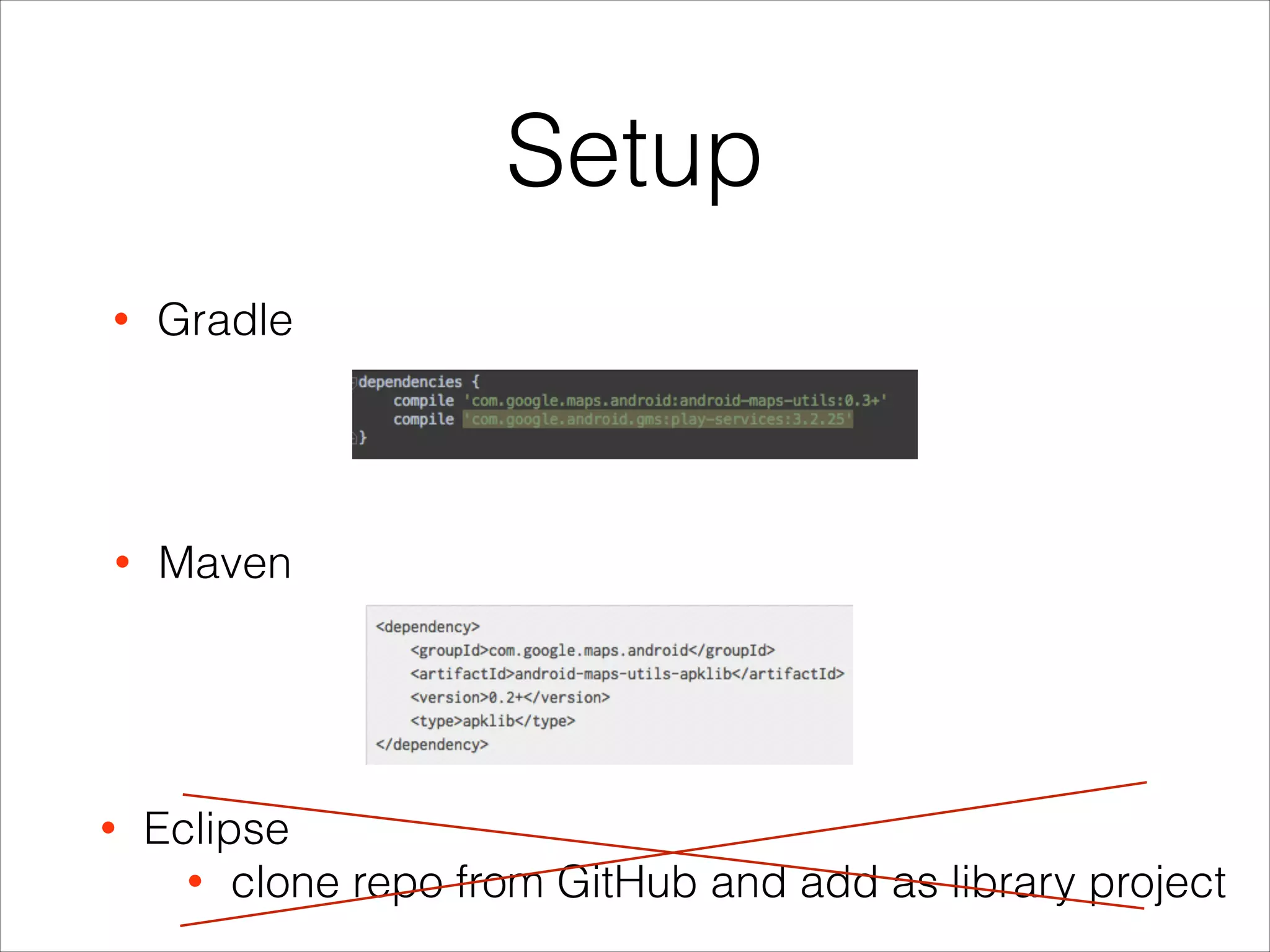
Setup
• Maven
• Gradle
• Eclipse
• clone repo from GitHub and add as library project
Usage
• Marker clustering
• Bubble icons
• Heatmaps
• Spherical geometry and algorithms
Marker clustering
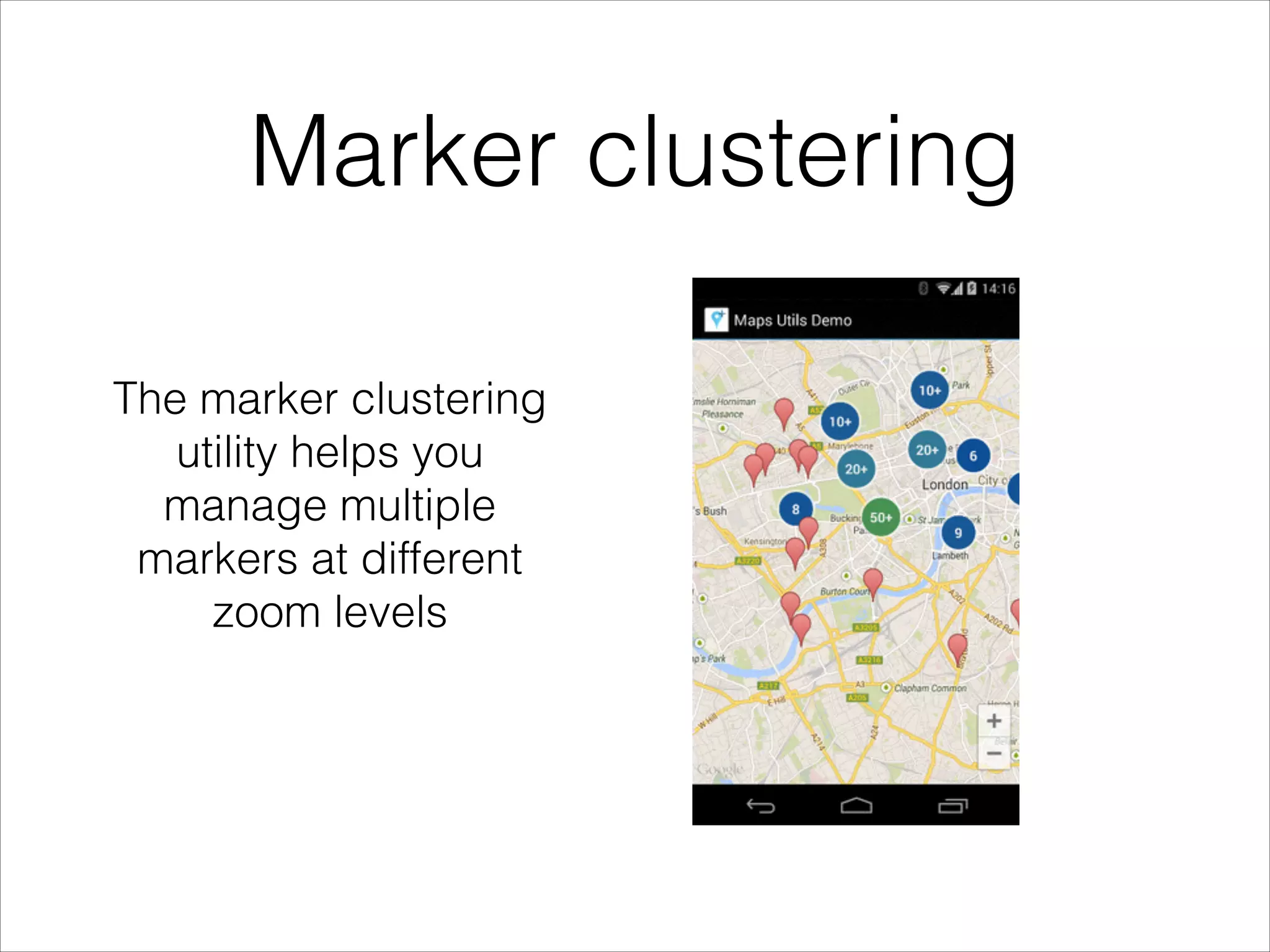
The marker clustering
utility helps you
manage multiple
markers at different
zoom levels
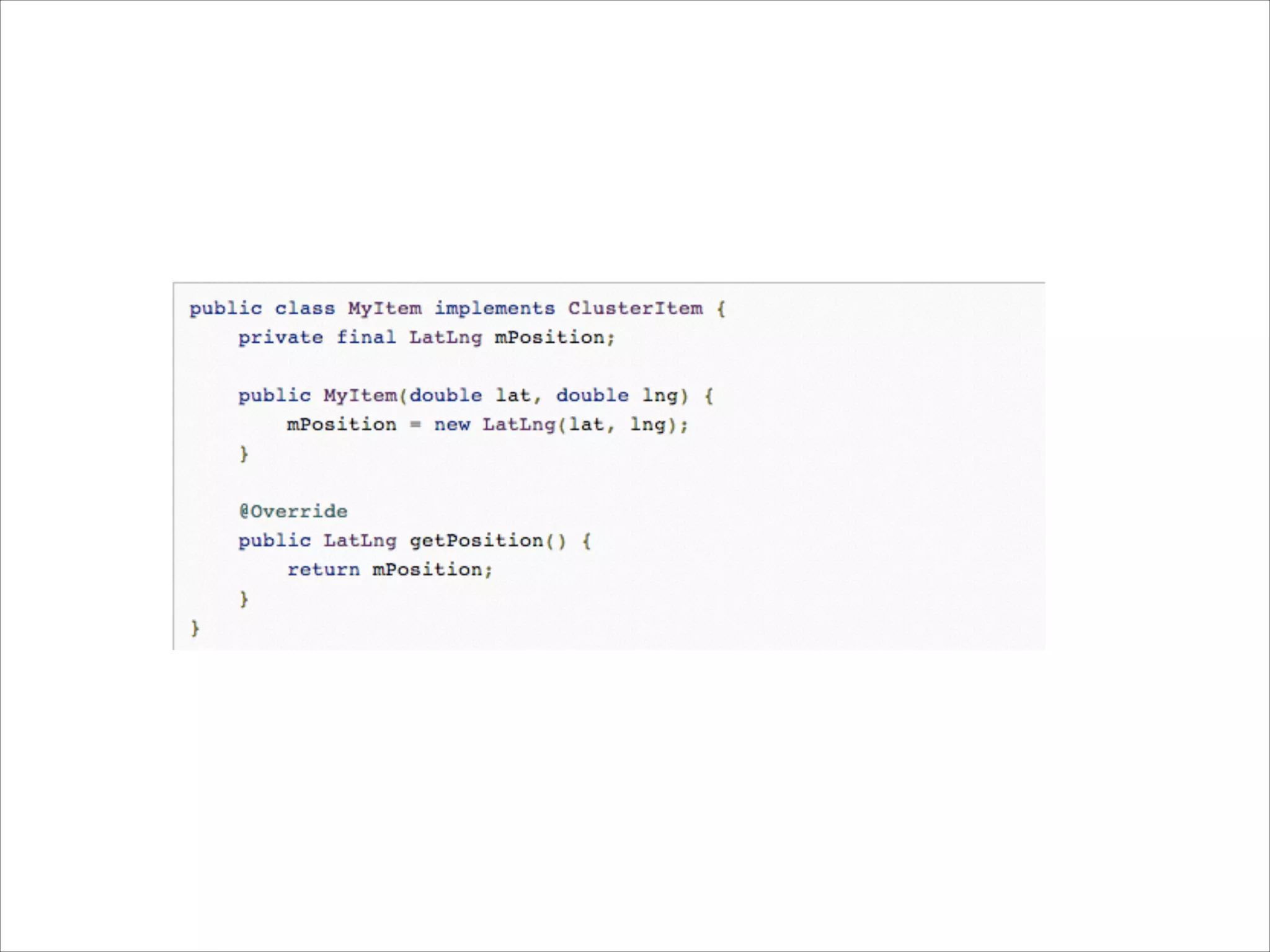
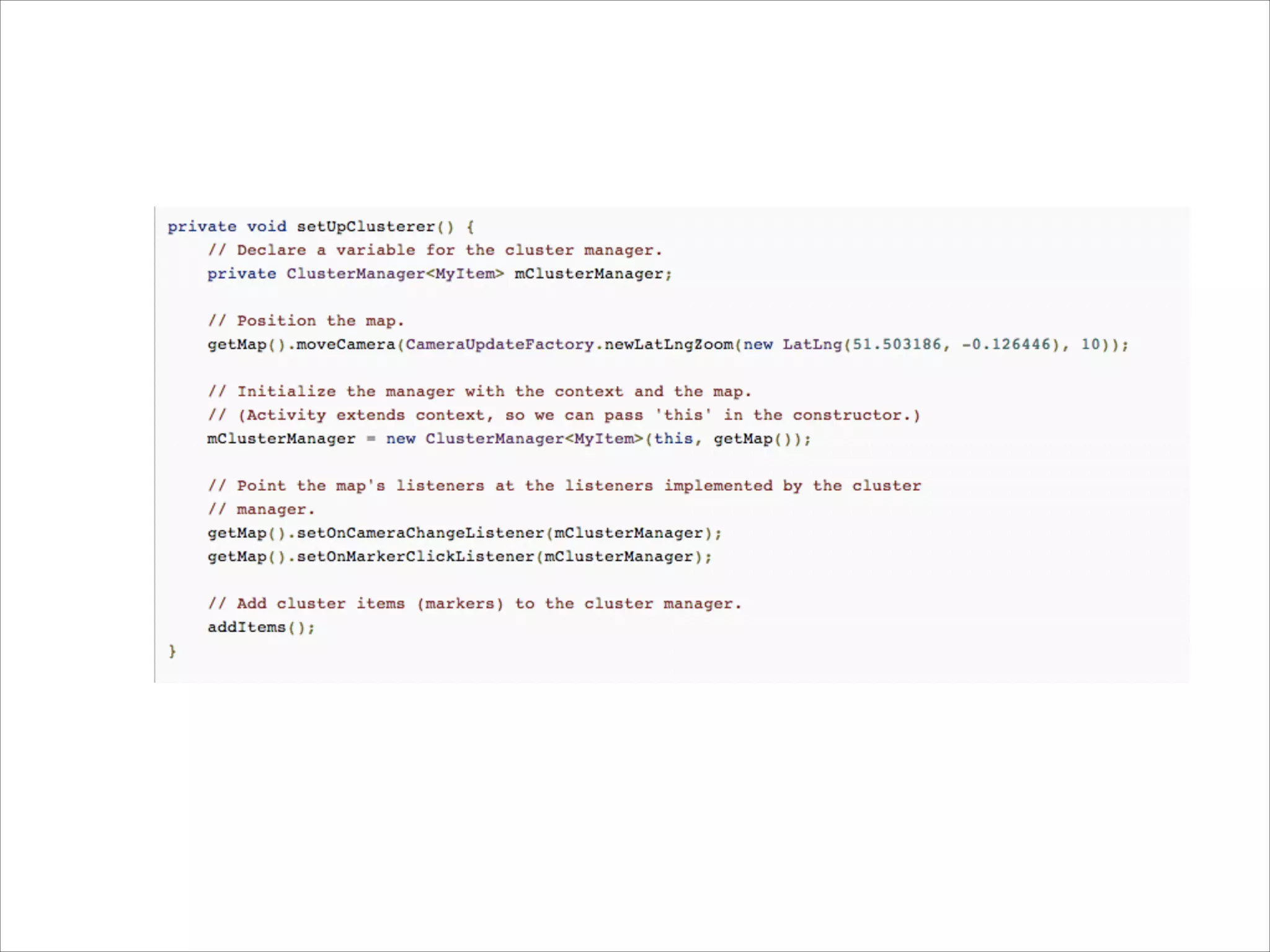
• Implement ClusterItem to represent a marker on the
map
• Add a new ClusterManager to group the cluster
items (markers) based on zoom level.
• Set the map's OnCameraChangeListener() to the
ClusterManager
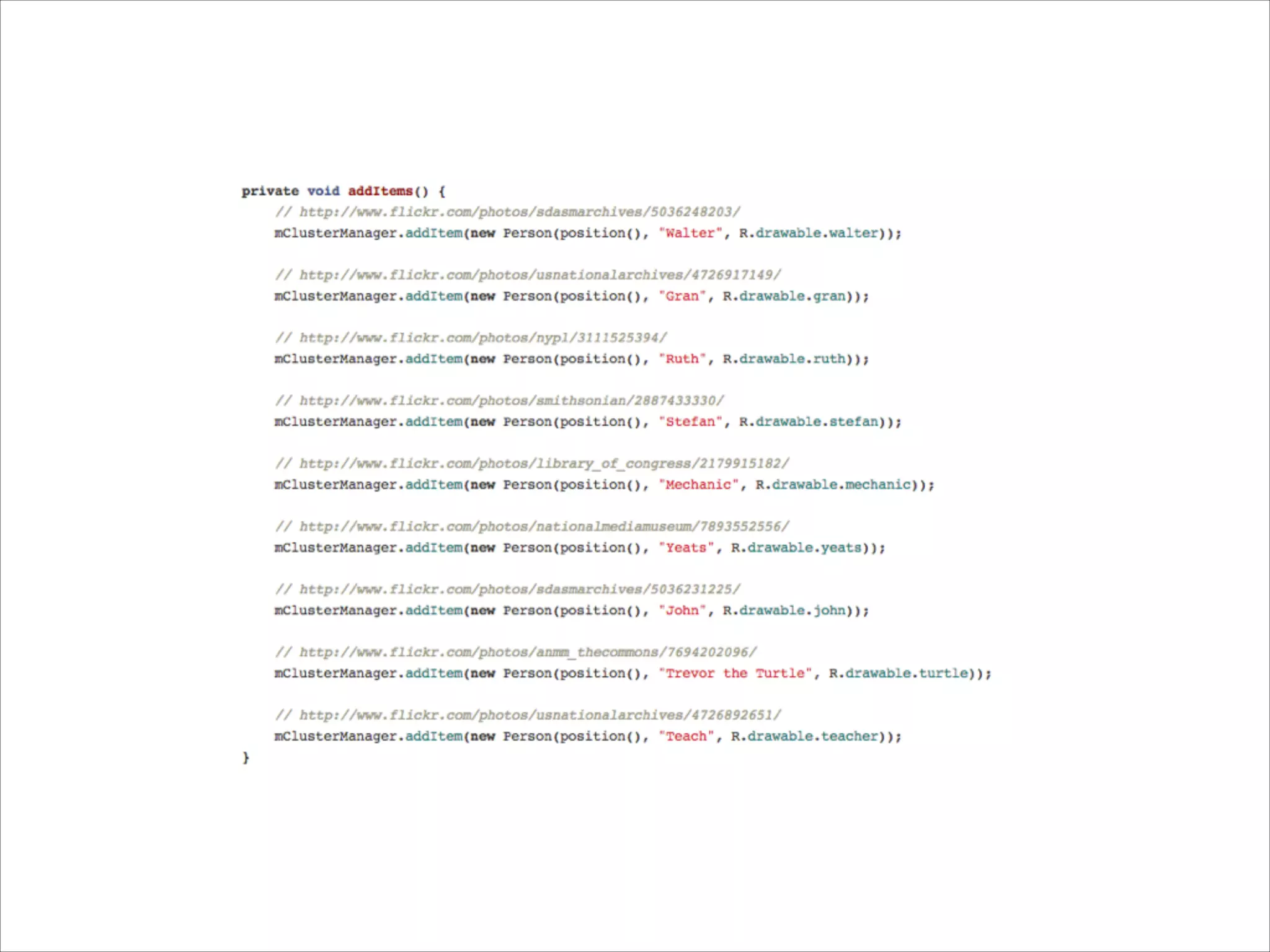
• Feed the markers into the ClusterManager
Marker clustering
Bubble icons
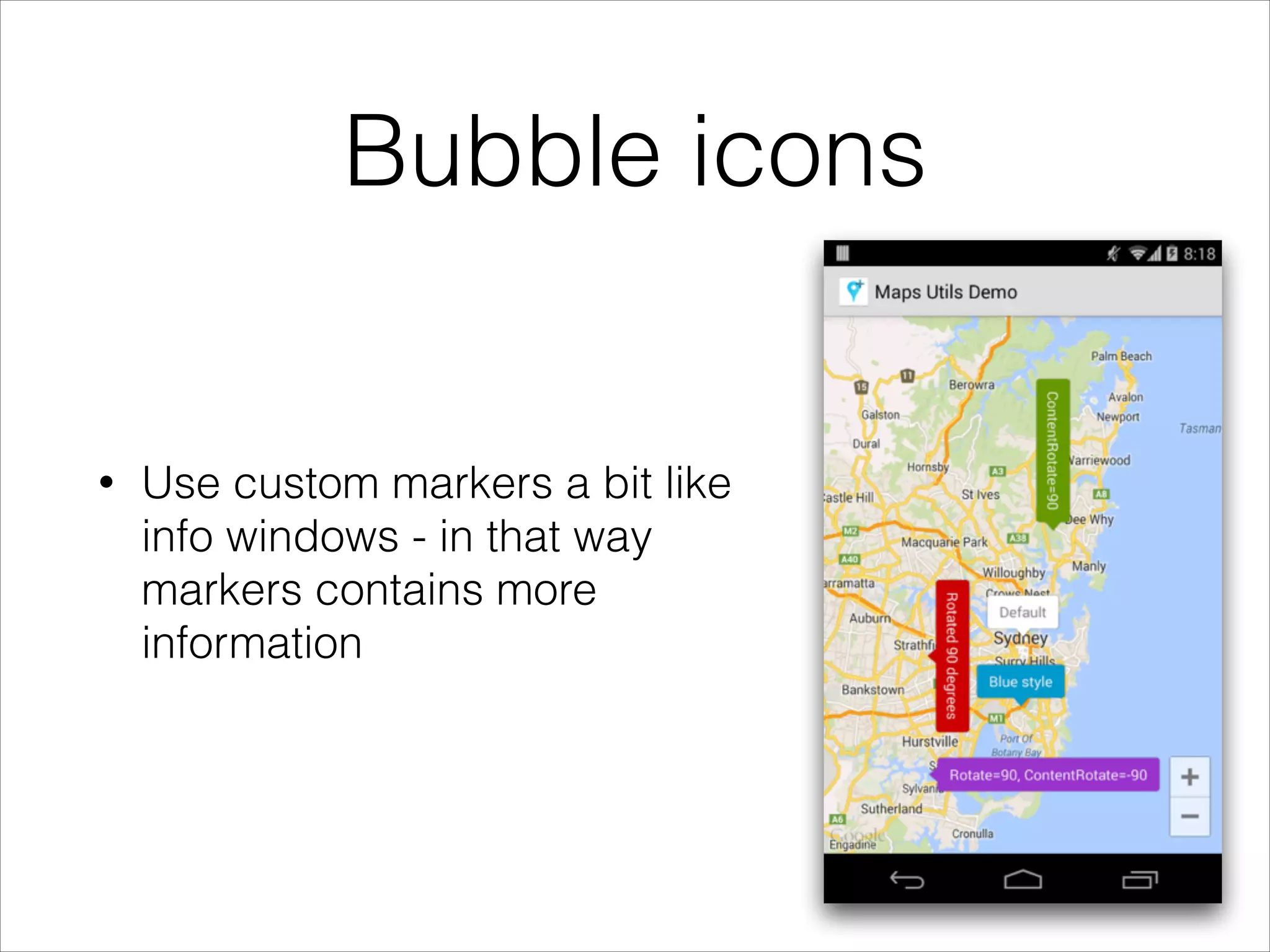
• Use custom markers a bit like
info windows - in that way
markers contains more
information
Bubble icons
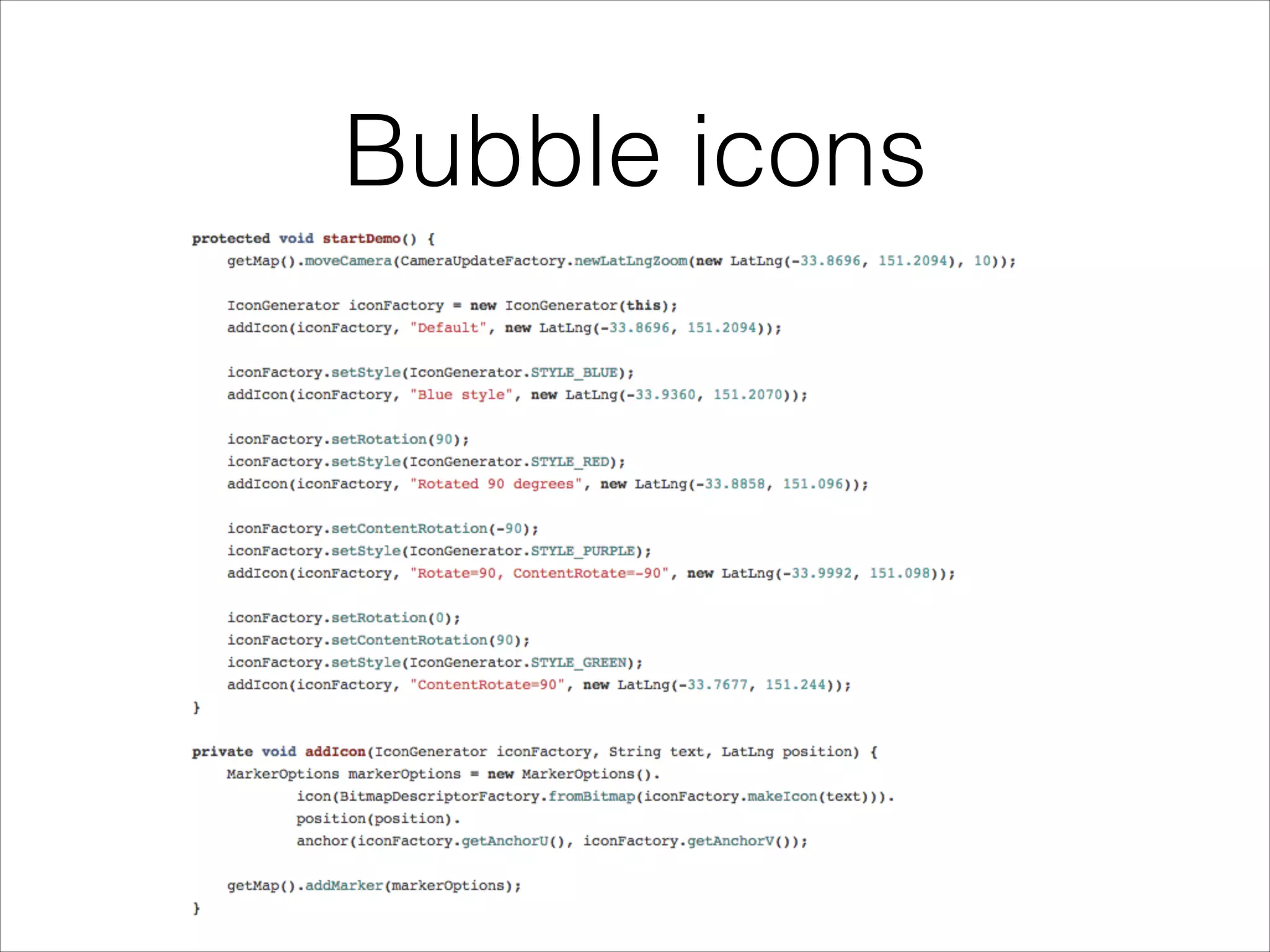
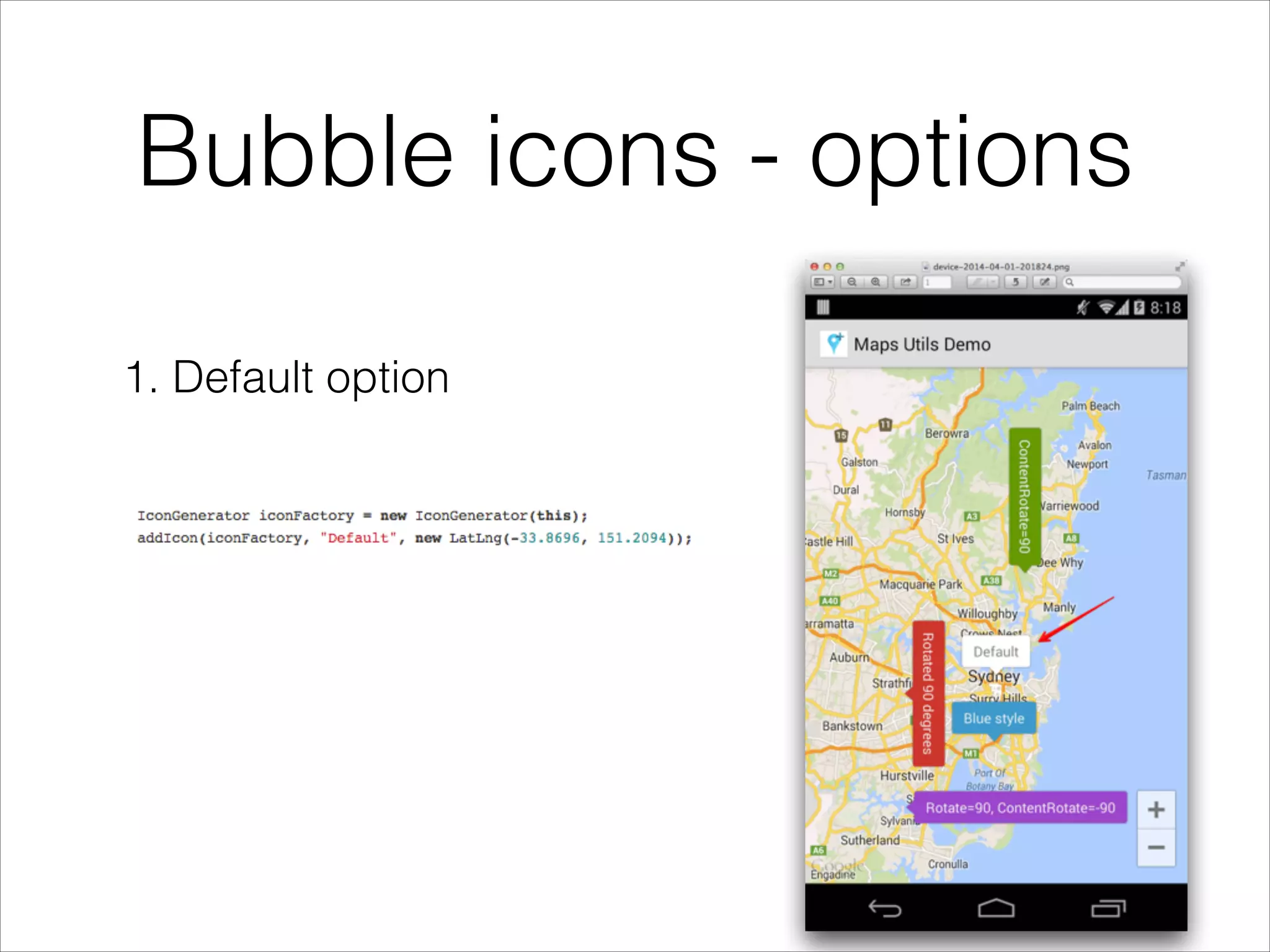
Bubble icons - options
1. Default option
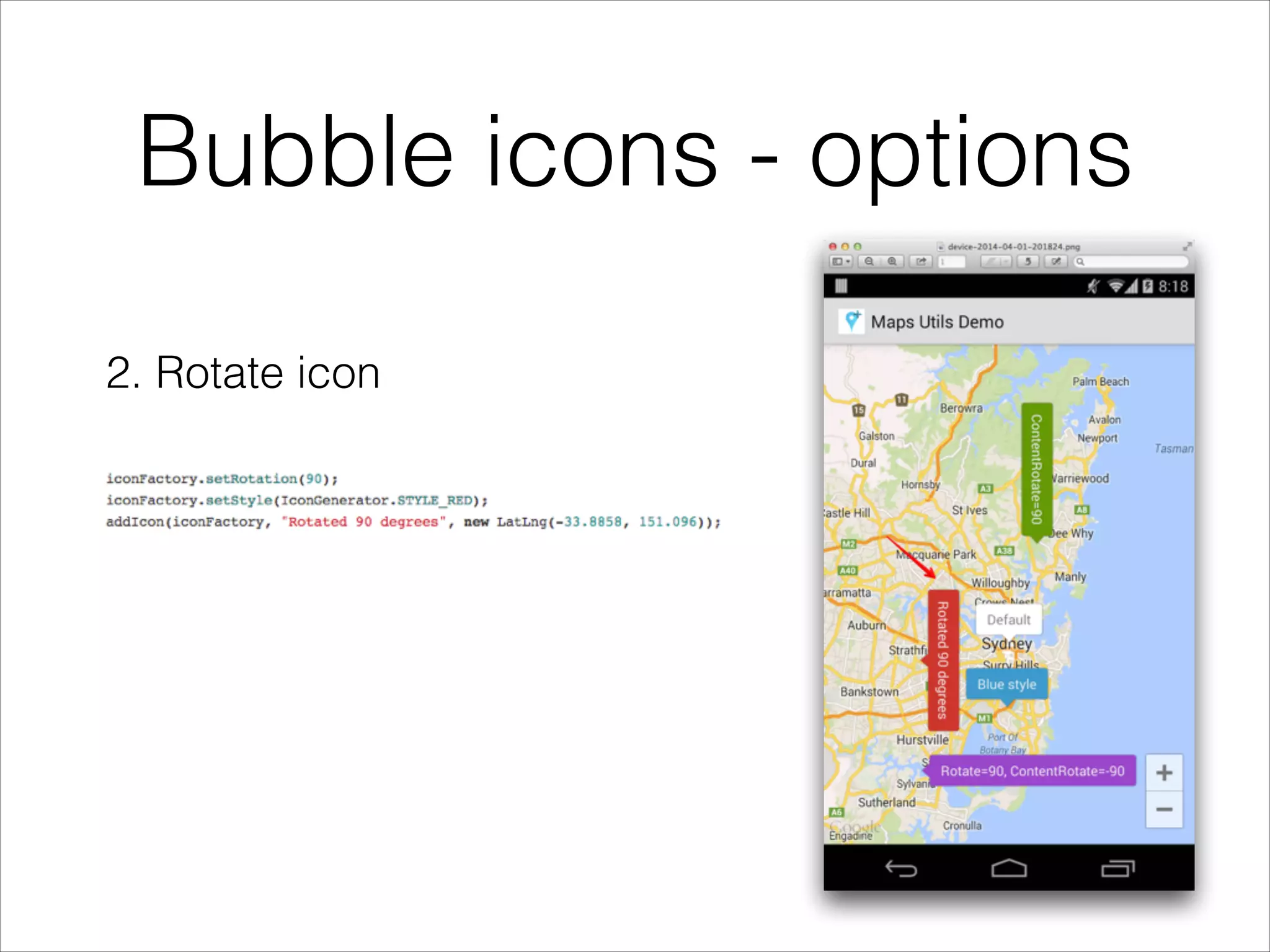
Bubble icons - options
2. Rotate icon
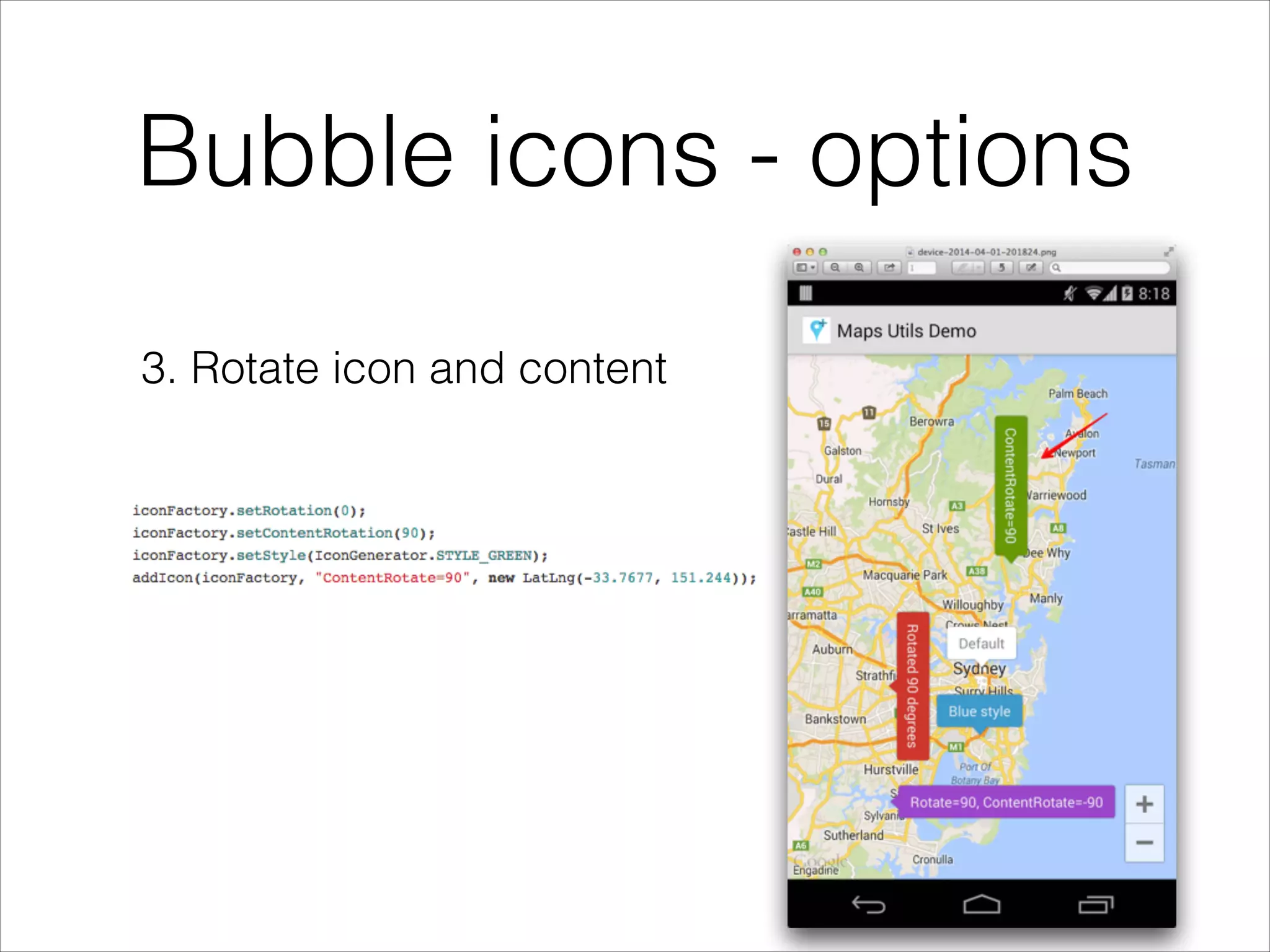
Bubble icons - options
3. Rotate icon and content
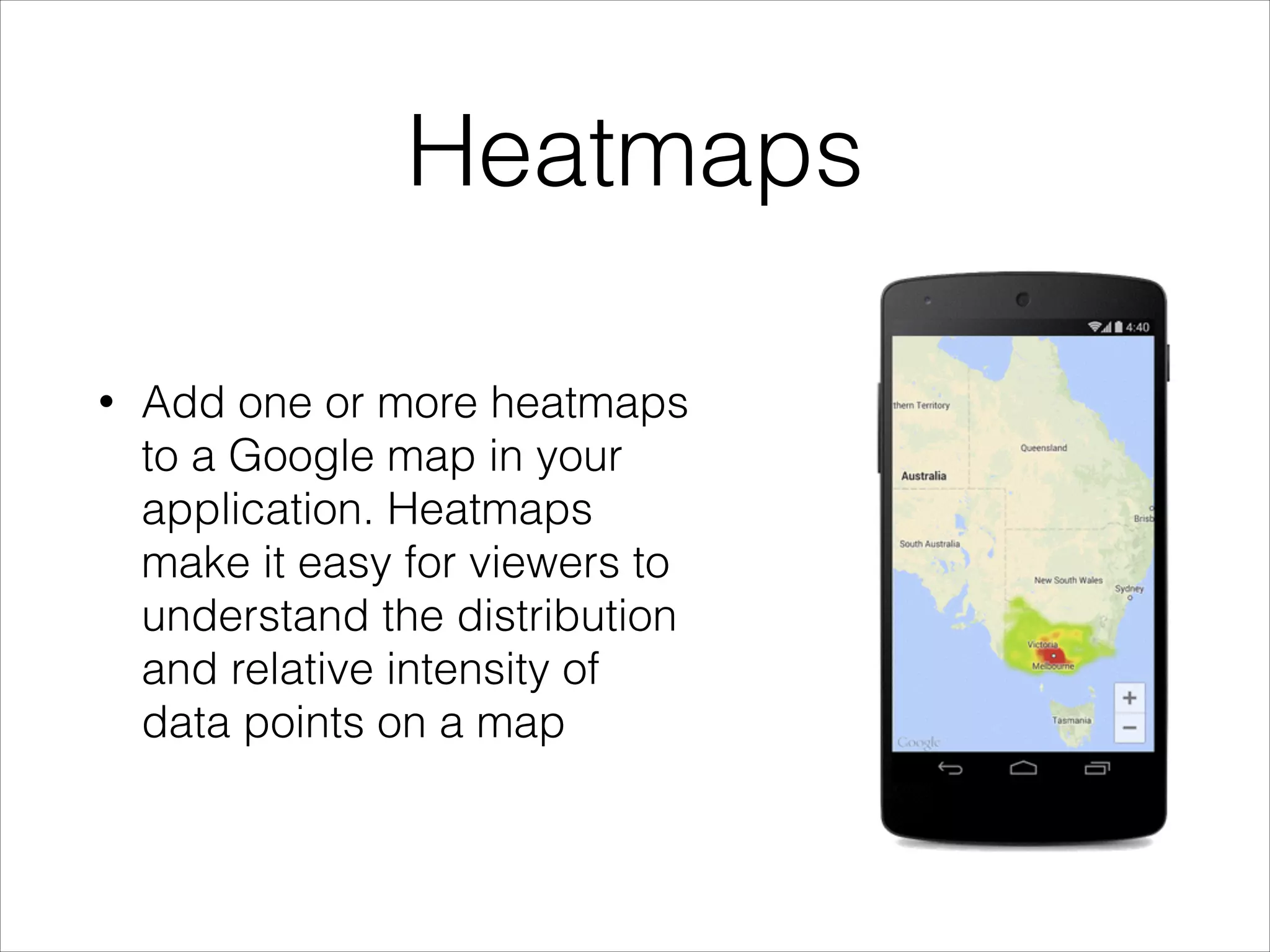
Heatmaps
• Add one or more heatmaps
to a Google map in your
application. Heatmaps
make it easy for viewers to
understand the distribution
and relative intensity of
data points on a map
Heatmaps
• Use HeatmapTileProvider.Builder(), passing it a
collection of LatLng objects, to add a new
HeatmapTileProvider.
• Create a new TileOverlayOptions object with the
relevant options, including the
HeatmapTileProvider.
• Call GoogleMap.addTileOverlay() to add the
overlay to the map.
Spherical geometry
• computeDistanceBetween() – Returns the distance, in
meters, between two latitude/longitude coordinates.
• computeHeading() – Returns the bearing, in degrees,
between two latitude/longitude coordinates.
• computeArea() – Returns the area, in square meters, of a
closed path on the Earth.
• interpolate() – Returns the latitude/longitude coordinates of
a point that lies a given fraction of the distance between
two given points. You can use this to animate a marker
between two points, for example.
Algorithms
• encode & decode polylines (i.e. obtained using
Google Directions API) with PolyUtil
Conclusion
• Android Maps Utils is a great lightweight library to
add that “extra” touch to Google maps interaction
• still in heavy development (missing few basic
functionalities)
• new utilities are already promised (new algorithms)

Infinum Android Talks #04 - Google Maps Android API utility library

  • 1.
    Google Maps AndroidAPI utility library Željko Plesac
  • 2.
  • 3.
    Introduction • open-source librarywhich contains classes that are useful for a wide range of applications using the Google Maps Android API. • developed by Google • current version is 0.3 (still in heavy development)
  • 4.
    Setup • Maven • Gradle •Eclipse • clone repo from GitHub and add as library project
  • 5.
    Usage • Marker clustering •Bubble icons • Heatmaps • Spherical geometry and algorithms
  • 6.
    Marker clustering The markerclustering utility helps you manage multiple markers at different zoom levels
  • 7.
    • Implement ClusterItemto represent a marker on the map • Add a new ClusterManager to group the cluster items (markers) based on zoom level. • Set the map's OnCameraChangeListener() to the ClusterManager • Feed the markers into the ClusterManager Marker clustering
  • 11.
    Bubble icons • Usecustom markers a bit like info windows - in that way markers contains more information
  • 12.
  • 13.
    Bubble icons -options 1. Default option
  • 14.
    Bubble icons -options 2. Rotate icon
  • 15.
    Bubble icons -options 3. Rotate icon and content
  • 16.
    Heatmaps • Add oneor more heatmaps to a Google map in your application. Heatmaps make it easy for viewers to understand the distribution and relative intensity of data points on a map
  • 17.
    Heatmaps • Use HeatmapTileProvider.Builder(),passing it a collection of LatLng objects, to add a new HeatmapTileProvider. • Create a new TileOverlayOptions object with the relevant options, including the HeatmapTileProvider. • Call GoogleMap.addTileOverlay() to add the overlay to the map.
  • 18.
    Spherical geometry • computeDistanceBetween()– Returns the distance, in meters, between two latitude/longitude coordinates. • computeHeading() – Returns the bearing, in degrees, between two latitude/longitude coordinates. • computeArea() – Returns the area, in square meters, of a closed path on the Earth. • interpolate() – Returns the latitude/longitude coordinates of a point that lies a given fraction of the distance between two given points. You can use this to animate a marker between two points, for example.
  • 19.
    Algorithms • encode &decode polylines (i.e. obtained using Google Directions API) with PolyUtil
  • 20.
    Conclusion • Android MapsUtils is a great lightweight library to add that “extra” touch to Google maps interaction • still in heavy development (missing few basic functionalities) • new utilities are already promised (new algorithms)