HTML Templating – Introduction
- Nagaraju Sangam
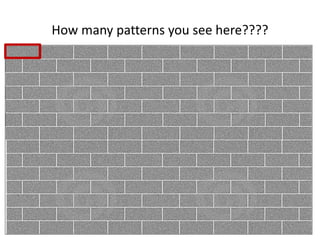
How many patterns you see here????
????
What?
• Template is a repeated markup from an html page
• Key is to identify and isolate the pattern.
• Bind the template with data and write to screen as html
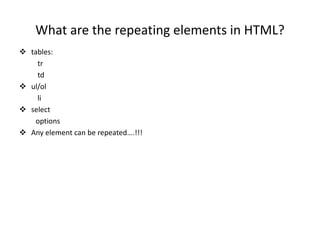
What are the repeating elements in HTML?
 tables:
tr
td
 ul/ol
li
 select
options
 Any element can be repeated….!!!
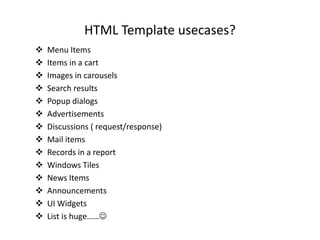
HTML Template usecases?
 Menu Items
 Items in a cart
 Images in carousels
 Search results
 Popup dialogs
 Advertisements
 Discussions ( request/response)
 Mail items
 Records in a report
 Windows Tiles
 News Items
 Announcements
 UI Widgets
 List is huge……
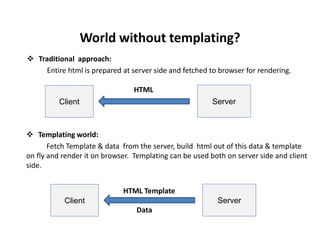
World without templating?
 Templating world:
Fetch Template & data from the server, build html out of this data & template
on fly and render it on browser. Templating can be used both on server side and client
side.
Client Server
HTML
 Traditional approach:
Entire html is prepared at server side and fetched to browser for rendering.
Client Server
HTML Template
Data
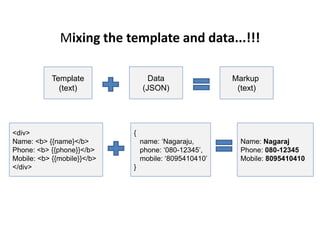
Mixing the template and data...!!!
Template
(text)
Data
(JSON)
Markup
(text)
<div>
Name: <b> {{name}</b>
Phone: <b> {{phone}}</b>
Mobile: <b> {{mobile}}</b>
</div>
{
name: ‘Nagaraju,
phone: ‘080-12345’,
mobile: ‘8095410410’
}
Name: Nagaraj
Phone: 080-12345
Mobile: 8095410410
Advantages
 Separation of concerns: UI from data
 Reduce server load: Client Side processing. Templates can be loaded from CDNs.
 Low bandwidth usage: template is loaded once and cached on client.
 User Experience: Using ajax to load data and templates
 Reusability: of templates
 Flexibility : to load temaplates from CDNs/resource servers and data from
restful/soap based web services
 Many options: Number of engines available in market
 We can build offline applications: load template & data and cache it on client
Disadvantages
 Not Search Engine friendly.
 Not History friendly
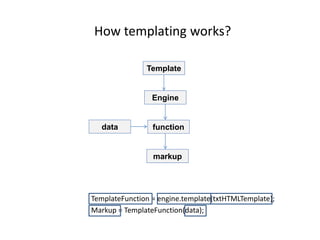
How templating works?
TemplateFunction = engine.template(txtHTMLTemplate);
Markup = TemplateFunction(data);
Template
Engine
functiondata
markup
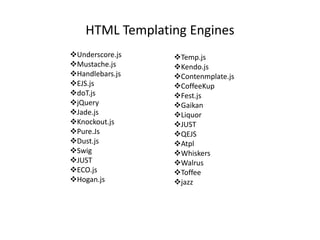
HTML Templating Engines
Underscore.js
Mustache.js
Handlebars.js
EJS.js
doT.js
jQuery
Jade.js
Knockout.js
Pure.Js
Dust.js
Swig
JUST
ECO.js
Hogan.js
Temp.js
Kendo.js
Contenmplate.js
CoffeeKup
Fest.js
Gaikan
Liquor
JUST
QEJS
Atpl
Whiskers
Walrus
Toffee
jazz
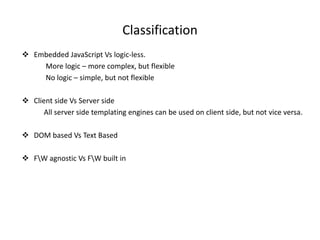
Classification
 Embedded JavaScript Vs logic-less.
More logic – more complex, but flexible
No logic – simple, but not flexible
 Client side Vs Server side
All server side templating engines can be used on client side, but not vice versa.
 DOM based Vs Text Based
 FW agnostic Vs FW built in
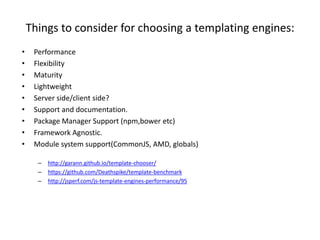
Things to consider for choosing a templating engines:
• Performance
• Flexibility
• Maturity
• Lightweight
• Server side/client side?
• Support and documentation.
• Package Manager Support (npm,bower etc)
• Framework Agnostic.
• Module system support(CommonJS, AMD, globals)
– http://garann.github.io/template-chooser/
– https://github.com/Deathspike/template-benchmark
– http://jsperf.com/js-template-engines-performance/95
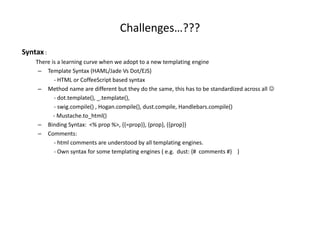
Challenges…???
Syntax :
There is a learning curve when we adopt to a new templating engine
– Template Syntax (HAML/Jade Vs Dot/EJS)
- HTML or CoffeeScript based syntax
– Method name are different but they do the same, this has to be standardized across all 
- dot.template(), _.template(),
- swig.compile() , Hogan.compile(), dust.compile, Handlebars.compile()
- Mustache.to_html()
– Binding Syntax: <% prop %>, {{=prop}}, {prop}, {{prop}}
– Comments:
- html comments are understood by all templating engines.
- Own syntax for some templating engines ( e.g. dust: {# comments #} )
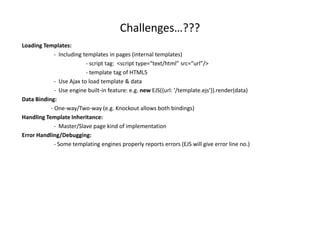
Challenges…???
Loading Templates:
- Including templates in pages (internal templates)
- script tag: <script type=“text/html” src=“url”/>
- template tag of HTML5
- Use Ajax to load template & data
- Use engine built-in feature: e.g. new EJS({url: '/template.ejs'}).render(data)
Data Binding:
- One-way/Two-way (e.g. Knockout allows both bindings)
Handling Template Inheritance:
- Master/Slave page kind of implementation
Error Handling/Debugging:
- Some templating engines properly reports errors (EJS will give error line no.)
Best Practices
• Optimize your markup for better performance.
• Separate script and styles for readability.
• Load your templates and images from CDN server.
• innerHTML can cause memory leaks, so use appendChild method.
• Use precompile templates via build system to improve performance
• Re-use DOMs instead of disposing and recreating. (cache in DomPool object)
• Manipulate Dom off the document (via document fragments)
• Preventing injections via dataContext
- Use escape() utility methods
• Do not loop thru html collections, its slower.
• Don’t leak teamplates, use CSRF token on the form to avoid XSS attacks.
• If you want to sandbox styles and dom, use WebComponents.
• Common scripts across templates should be defined outside templates under a
template utility script so the template becomes readable.
Demos…!!!
• Demo1: Client Side templating with the following engines
- EJS
- Mustache
- Handlebars
- dot.js
- dust
- Hogan
- swig
- underscore
• Demo2: Server Side Templating with Jade and Express
QA
No questions
please…???

Html templating introduction

  • 1.
    HTML Templating –Introduction - Nagaraju Sangam
  • 2.
    How many patternsyou see here????
  • 3.
  • 4.
    What? • Template isa repeated markup from an html page • Key is to identify and isolate the pattern. • Bind the template with data and write to screen as html
  • 5.
    What are therepeating elements in HTML?  tables: tr td  ul/ol li  select options  Any element can be repeated….!!!
  • 6.
    HTML Template usecases? Menu Items  Items in a cart  Images in carousels  Search results  Popup dialogs  Advertisements  Discussions ( request/response)  Mail items  Records in a report  Windows Tiles  News Items  Announcements  UI Widgets  List is huge……
  • 7.
    World without templating? Templating world: Fetch Template & data from the server, build html out of this data & template on fly and render it on browser. Templating can be used both on server side and client side. Client Server HTML  Traditional approach: Entire html is prepared at server side and fetched to browser for rendering. Client Server HTML Template Data
  • 8.
    Mixing the templateand data...!!! Template (text) Data (JSON) Markup (text) <div> Name: <b> {{name}</b> Phone: <b> {{phone}}</b> Mobile: <b> {{mobile}}</b> </div> { name: ‘Nagaraju, phone: ‘080-12345’, mobile: ‘8095410410’ } Name: Nagaraj Phone: 080-12345 Mobile: 8095410410
  • 9.
    Advantages  Separation ofconcerns: UI from data  Reduce server load: Client Side processing. Templates can be loaded from CDNs.  Low bandwidth usage: template is loaded once and cached on client.  User Experience: Using ajax to load data and templates  Reusability: of templates  Flexibility : to load temaplates from CDNs/resource servers and data from restful/soap based web services  Many options: Number of engines available in market  We can build offline applications: load template & data and cache it on client
  • 10.
    Disadvantages  Not SearchEngine friendly.  Not History friendly
  • 11.
    How templating works? TemplateFunction= engine.template(txtHTMLTemplate); Markup = TemplateFunction(data); Template Engine functiondata markup
  • 12.
  • 13.
    Classification  Embedded JavaScriptVs logic-less. More logic – more complex, but flexible No logic – simple, but not flexible  Client side Vs Server side All server side templating engines can be used on client side, but not vice versa.  DOM based Vs Text Based  FW agnostic Vs FW built in
  • 14.
    Things to considerfor choosing a templating engines: • Performance • Flexibility • Maturity • Lightweight • Server side/client side? • Support and documentation. • Package Manager Support (npm,bower etc) • Framework Agnostic. • Module system support(CommonJS, AMD, globals) – http://garann.github.io/template-chooser/ – https://github.com/Deathspike/template-benchmark – http://jsperf.com/js-template-engines-performance/95
  • 15.
    Challenges…??? Syntax : There isa learning curve when we adopt to a new templating engine – Template Syntax (HAML/Jade Vs Dot/EJS) - HTML or CoffeeScript based syntax – Method name are different but they do the same, this has to be standardized across all  - dot.template(), _.template(), - swig.compile() , Hogan.compile(), dust.compile, Handlebars.compile() - Mustache.to_html() – Binding Syntax: <% prop %>, {{=prop}}, {prop}, {{prop}} – Comments: - html comments are understood by all templating engines. - Own syntax for some templating engines ( e.g. dust: {# comments #} )
  • 16.
    Challenges…??? Loading Templates: - Includingtemplates in pages (internal templates) - script tag: <script type=“text/html” src=“url”/> - template tag of HTML5 - Use Ajax to load template & data - Use engine built-in feature: e.g. new EJS({url: '/template.ejs'}).render(data) Data Binding: - One-way/Two-way (e.g. Knockout allows both bindings) Handling Template Inheritance: - Master/Slave page kind of implementation Error Handling/Debugging: - Some templating engines properly reports errors (EJS will give error line no.)
  • 17.
    Best Practices • Optimizeyour markup for better performance. • Separate script and styles for readability. • Load your templates and images from CDN server. • innerHTML can cause memory leaks, so use appendChild method. • Use precompile templates via build system to improve performance • Re-use DOMs instead of disposing and recreating. (cache in DomPool object) • Manipulate Dom off the document (via document fragments) • Preventing injections via dataContext - Use escape() utility methods • Do not loop thru html collections, its slower. • Don’t leak teamplates, use CSRF token on the form to avoid XSS attacks. • If you want to sandbox styles and dom, use WebComponents. • Common scripts across templates should be defined outside templates under a template utility script so the template becomes readable.
  • 18.
    Demos…!!! • Demo1: ClientSide templating with the following engines - EJS - Mustache - Handlebars - dot.js - dust - Hogan - swig - underscore • Demo2: Server Side Templating with Jade and Express
  • 19.