Staying Secure While
Working From Home:
Now and in the Future!
Today’s Goals
• Set the stage for both internal &
external security measures
• Equip you with the questions and
ideas for what do next
• Give you the knowledge of the
tools that can address your
security needs
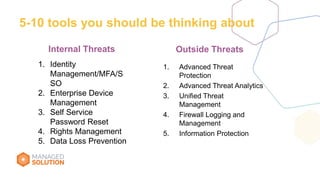
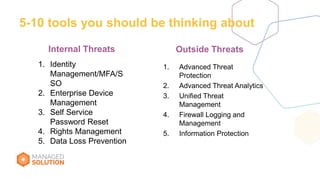
5-10 tools you should be thinking about
1. Advanced Threat
Protection
2. Advanced Threat Analytics
3. Unified Threat
Management
4. Firewall Logging and
Management
5. Information Protection
Outside ThreatsInternal Threats
1. Identity
Management/MFA/S
SO
2. Enterprise Device
Management
3. Self Service
Password Reset
4. Rights Management
5. Data Loss Prevention
We need to
protect it from
the outside
world
But what
happens
inside our
kingdom is
another set
of challenges
Questions to
Consider
around
Security
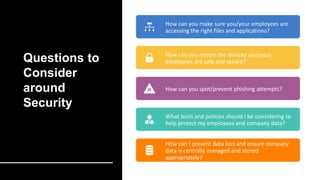
How can you make sure you/your employees are
accessing the right files and applications?
How can you ensure the devices you/your
employees are safe and secure?
How can you spot/prevent phishing attempts?
What tools and policies should I be considering to
help protect my employees and company data?
How can I prevent data loss and ensure company
data is centrally managed and stored
appropriately?
What does a
typical security
breach look
like?
PLAN ENTER TRAVERSE EXECUTE MISSION
4
Threat Actors exfiltrate PII and
other sensitive business data
Threat Actor targets employee(s)
via phishing campaign1
Workstation compromised, threat
actor gathers credentials2a
Threat Actors use stolen credentials to move laterally
3a
Employee B opens infected
email (Mobile or PC).
Attacker disables antivirus
2b Compromised credentials/
device used to access
cloud service / enterprise
environment
3bc
Credentials harvested
when employee logs into
fake website
2c
A. Enter and Navigate
Any employee opens
attack email
 Access to most/all
corporate data
B. Device Compromise
Targeted employee opens attack email
 Access to same data as employee
C. Remote Credential
Harvesting
Targeted employee(s) enter credentials in
website
 Access to same data as employee(s)
Common Attacks
Office 365 Technology
• Advanced Threat Protection
(requires E5)
EMS Technology
• Cloud App Security (CASB)
(requires E5)
Office 365 Technology
• Advanced Security Management
(basic CASB) (requires E5)
Azure Technology
• Multi-Factor Authentication
• Azure Identity Protection
Windows 10 Technology
• Smartscreen URL and App reputation
EMS Technology
• Azure Information Protection
(requires E5)
Office 365 Technology
• Data Loss Prevention
Windows 10 Technology
• Windows Information Protection
Azure Technology
• Disk, Storage, SQL Encryption
• Key Vault
• …
An
y Windows 10 Technology
• Device Guard
• Credential & App Guard
• Defender Advanced Threat Protection (requires
E5)
Published Guidance
• Securing Privileged Access Roadmap
Professional Services
• Security Foundation
• Enhanced Security Admin Environment (ESAE)
Technology
• Advanced Threat Analytics (in EMS E3)
• Azure Security Center & Operations Management Suite (OMS)
• …and more
EMS Technology
• Intune conditional access
Managed Detection and Response (MDR)
• Enterprise Threat Detection (PCs only)
Internal Threats
& Tools to
Protect
Pillars of Security
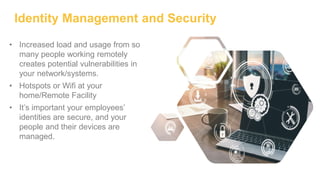
Identity Management and Security
• Increased load and usage from so
many people working remotely
creates potential vulnerabilities in
your network/systems.
• Hotspots or Wifi at your
home/Remote Facility
• It’s important your employees’
identities are secure, and your
people and their devices are
managed.
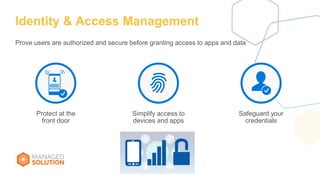
Simplify access to
devices and apps
Protect at the
front door
Safeguard your
credentials
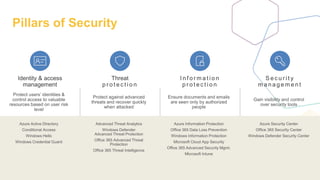
Identity & Access Management
Prove users are authorized and secure before granting access to apps and data
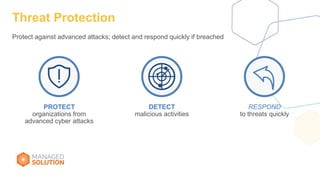
Threat Protection
Protect against advanced attacks; detect and respond quickly if breached
PROTECT
organizations from
advanced cyber attacks
RESPOND
to threats quickly
DETECT
malicious activities
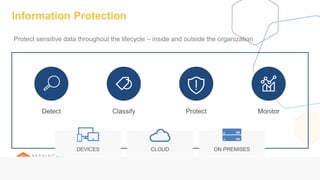
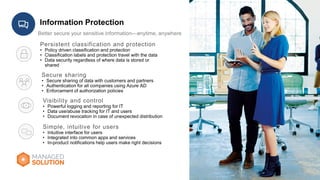
Information Protection
Detect ProtectClassify Monitor
CLOUDDEVICES ON PREMISES
Protect sensitive data throughout the lifecycle – inside and outside the organization
Information Protection
Better secure your sensitive information—anytime, anywhere
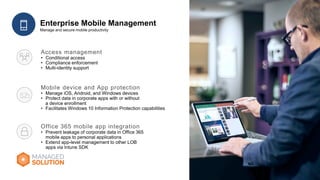
Enterprise Mobile Management
Policies can be set both at the user
and company level
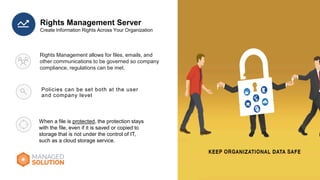
Rights Management Server
Rights Management allows for files, emails, and
other communications to be governed so company
compliance, regulations can be met.
When a file is protected, the protection stays
with the file, even if it is saved or copied to
storage that is not under the control of IT,
such as a cloud storage service.
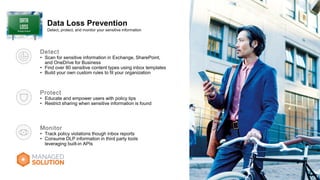
Data Loss Prevention
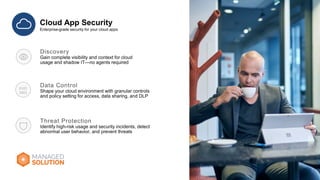
Cloud App Security
Protection
from the
Outside
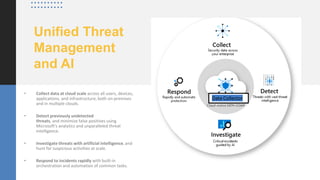
Unified Threat
Management
and AI
• Collect data at cloud scale across all users, devices,
applications, and infrastructure, both on-premises
and in multiple clouds.
• Detect previously undetected
threats, and minimize false positives using
Microsoft's analytics and unparalleled threat
intelligence.
• Investigate threats with artificial intelligence, and
hunt for suspicious activities at scale.
• Respond to incidents rapidly with built-in
orchestration and automation of common tasks.
Data Collector
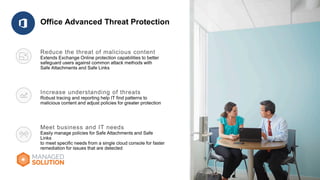
Office Advanced Threat Protection
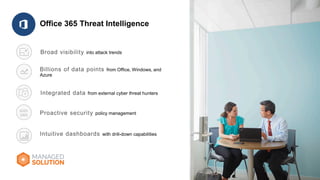
Office 365 Threat Intelligence
5-10 tools you should be thinking about
1. Advanced Threat
Protection
2. Advanced Threat Analytics
3. Unified Threat
Management
4. Firewall Logging and
Management
5. Information Protection
Outside ThreatsInternal Threats
1. Identity
Management/MFA/S
SO
2. Enterprise Device
Management
3. Self Service
Password Reset
4. Rights Management
5. Data Loss Prevention
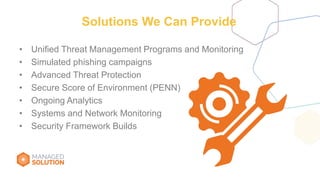
Solutions We Can Provide
• Unified Threat Management Programs and Monitoring
• Simulated phishing campaigns
• Advanced Threat Protection
• Secure Score of Environment (PENN)
• Ongoing Analytics
• Systems and Network Monitoring
• Security Framework Builds
THANK YOU
Sean Ferrel & Christi Williams
888.563.9132
Managedsolution.com
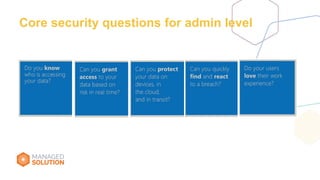
Core security questions for admin level

How You Can Keep Your Organization Secure

  • 1.
    Staying Secure While WorkingFrom Home: Now and in the Future!
  • 2.
    Today’s Goals • Setthe stage for both internal & external security measures • Equip you with the questions and ideas for what do next • Give you the knowledge of the tools that can address your security needs
  • 3.
    5-10 tools youshould be thinking about 1. Advanced Threat Protection 2. Advanced Threat Analytics 3. Unified Threat Management 4. Firewall Logging and Management 5. Information Protection Outside ThreatsInternal Threats 1. Identity Management/MFA/S SO 2. Enterprise Device Management 3. Self Service Password Reset 4. Rights Management 5. Data Loss Prevention
  • 4.
    We need to protectit from the outside world
  • 5.
    But what happens inside our kingdomis another set of challenges
  • 6.
    Questions to Consider around Security How canyou make sure you/your employees are accessing the right files and applications? How can you ensure the devices you/your employees are safe and secure? How can you spot/prevent phishing attempts? What tools and policies should I be considering to help protect my employees and company data? How can I prevent data loss and ensure company data is centrally managed and stored appropriately?
  • 7.
    What does a typicalsecurity breach look like?
  • 8.
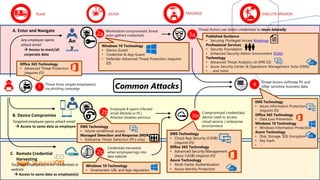
    PLAN ENTER TRAVERSEEXECUTE MISSION 4 Threat Actors exfiltrate PII and other sensitive business data Threat Actor targets employee(s) via phishing campaign1 Workstation compromised, threat actor gathers credentials2a Threat Actors use stolen credentials to move laterally 3a Employee B opens infected email (Mobile or PC). Attacker disables antivirus 2b Compromised credentials/ device used to access cloud service / enterprise environment 3bc Credentials harvested when employee logs into fake website 2c A. Enter and Navigate Any employee opens attack email  Access to most/all corporate data B. Device Compromise Targeted employee opens attack email  Access to same data as employee C. Remote Credential Harvesting Targeted employee(s) enter credentials in website  Access to same data as employee(s) Common Attacks Office 365 Technology • Advanced Threat Protection (requires E5) EMS Technology • Cloud App Security (CASB) (requires E5) Office 365 Technology • Advanced Security Management (basic CASB) (requires E5) Azure Technology • Multi-Factor Authentication • Azure Identity Protection Windows 10 Technology • Smartscreen URL and App reputation EMS Technology • Azure Information Protection (requires E5) Office 365 Technology • Data Loss Prevention Windows 10 Technology • Windows Information Protection Azure Technology • Disk, Storage, SQL Encryption • Key Vault • … An y Windows 10 Technology • Device Guard • Credential & App Guard • Defender Advanced Threat Protection (requires E5) Published Guidance • Securing Privileged Access Roadmap Professional Services • Security Foundation • Enhanced Security Admin Environment (ESAE) Technology • Advanced Threat Analytics (in EMS E3) • Azure Security Center & Operations Management Suite (OMS) • …and more EMS Technology • Intune conditional access Managed Detection and Response (MDR) • Enterprise Threat Detection (PCs only)
  • 9.
  • 10.
  • 11.
    Identity Management andSecurity • Increased load and usage from so many people working remotely creates potential vulnerabilities in your network/systems. • Hotspots or Wifi at your home/Remote Facility • It’s important your employees’ identities are secure, and your people and their devices are managed.
  • 12.
    Simplify access to devicesand apps Protect at the front door Safeguard your credentials Identity & Access Management Prove users are authorized and secure before granting access to apps and data
  • 13.
    Threat Protection Protect againstadvanced attacks; detect and respond quickly if breached PROTECT organizations from advanced cyber attacks RESPOND to threats quickly DETECT malicious activities
  • 14.
    Information Protection Detect ProtectClassifyMonitor CLOUDDEVICES ON PREMISES Protect sensitive data throughout the lifecycle – inside and outside the organization
  • 15.
    Information Protection Better secureyour sensitive information—anytime, anywhere
  • 16.
  • 17.
    Policies can beset both at the user and company level Rights Management Server Rights Management allows for files, emails, and other communications to be governed so company compliance, regulations can be met. When a file is protected, the protection stays with the file, even if it is saved or copied to storage that is not under the control of IT, such as a cloud storage service.
  • 18.
  • 19.
  • 20.
  • 21.
    Unified Threat Management and AI •Collect data at cloud scale across all users, devices, applications, and infrastructure, both on-premises and in multiple clouds. • Detect previously undetected threats, and minimize false positives using Microsoft's analytics and unparalleled threat intelligence. • Investigate threats with artificial intelligence, and hunt for suspicious activities at scale. • Respond to incidents rapidly with built-in orchestration and automation of common tasks. Data Collector
  • 23.
  • 24.
    Office 365 ThreatIntelligence
  • 25.
    5-10 tools youshould be thinking about 1. Advanced Threat Protection 2. Advanced Threat Analytics 3. Unified Threat Management 4. Firewall Logging and Management 5. Information Protection Outside ThreatsInternal Threats 1. Identity Management/MFA/S SO 2. Enterprise Device Management 3. Self Service Password Reset 4. Rights Management 5. Data Loss Prevention
  • 26.
    Solutions We CanProvide • Unified Threat Management Programs and Monitoring • Simulated phishing campaigns • Advanced Threat Protection • Secure Score of Environment (PENN) • Ongoing Analytics • Systems and Network Monitoring • Security Framework Builds
  • 27.
    THANK YOU Sean Ferrel& Christi Williams 888.563.9132 Managedsolution.com
  • 28.
    Core security questionsfor admin level