Download to read offline
![How to use SQLite with Java using NetBeans IDE
SQLite is an embedded database which will have all the tables stored in a db file. This saves the trouble of
having to setup database servers everytime we develop a new programs.Android uses SQLite as a
database.
I was browsing through the neton how to use SQLite for a small app I was developing.I came across this
page which had very good directions on how to use SQLite with Java.
1. SQLite is serverless.With SQLiteJDBC driver, we can write programs to access SQLite using JAVA.
This tutorial will have step by step description abouthow to do it.
2. We will use Netbeans,butit will work in the same manner with eclipse too.
3. Download SQLiteJDBC driver jar, ‘sqlitejdbc-v056.jar’ from website:http://www.zentus.com/sqlitejdbc/
4. Create a java projectnamed ‘SQLite’ in Netbeans.(You can give any name
5. Create a class called ‘Test’ in thatproject.
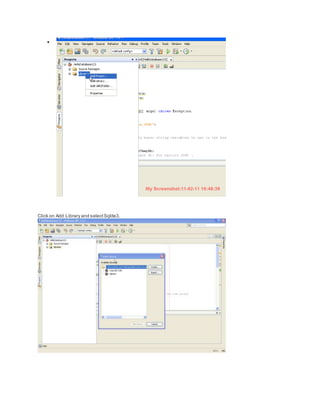
6. Add ‘sqlitejdbc-v056.jar’ in the class path of ‘SQLite’ project in Netbeans.
7. Paste following code in Test class
—>
importjava.sql.*;
public class Test{
public static void main(String[]args) throws Exception {
Class.forName("org.sqlite.JDBC");
Connection conn =
DriverManager.getConnection("jdbc:sqlite:Vinit");
Statementstat = conn.createStatement();
stat.executeUpdate("drop table if exists school;");
stat.executeUpdate("create table school (name,state);");
PreparedStatementprep = conn.prepareStatement(
"insertinto school values (?,?);");
prep.setString(1,"UTD");
prep.setString(2,"texas");
prep.addBatch();
prep.setString(1,"USC");
prep.setString(2,"california");
prep.addBatch();
prep.setString(1,"MIT");
prep.setString(2,"massachusetts");
prep.addBatch();
conn.setAutoCommit(false);
prep.executeBatch();
conn.setAutoCommit(true);
ResultSetrs = stat.executeQuery("select* from school;");
while (rs.next()) {
System.out.print("Namechool = " + rs.getString("name") + " ");
System.out.println("state+ rs.getString("state"));
}
rs.close();
conn.close();](https://image.slidesharecdn.com/howtousesqlitewithjavausingnetbeans-160123171352/85/How-to-use-sq-lite-with-java-using-net-beans-1-320.jpg)


This document provides steps for using SQLite with Java in NetBeans IDE: 1. Download the SQLiteJDBC driver jar file and add it to the project classpath in NetBeans. 2. Create a Java project and class with code to connect to a SQLite database, create tables and insert sample data. 3. Run the project to create a SQLite database file and output the inserted data.


