Android Architecture
Components
Mayank Bhatnagar
Ivy Comptech
@mayank.bhatnagar
Darshan Parikh
AYA Carpool
@activesince93
Overview
 Announced at Google IO 2017
 Provide framework to create more maintainable and robust app
 Encourage decoupled components within the app
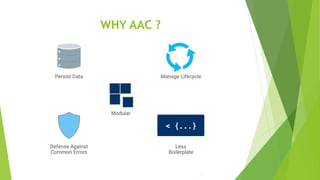
WHY AAC ?
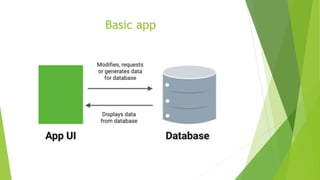
Basic app
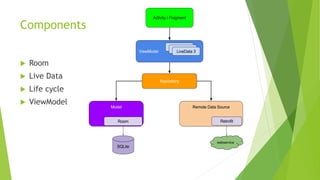
Components
 Room
 Live Data
 Life cycle
 ViewModel
 This year some more components got added to under AAC.
• Navigation
• Paging
• WorkManager
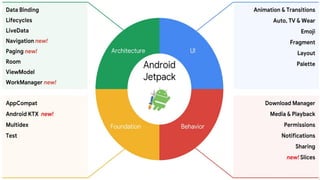
 Together all these components are now a part of Android Jetpack
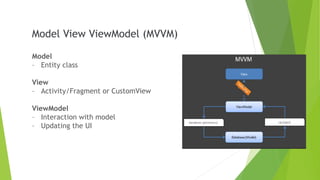
Model View ViewModel (MVVM)
Model
– Entity class
View
– Activity/Fragment or CustomView
ViewModel
– Interaction with model
– Updating the UI
Data Persistence
- Content Providers
- SharedPreferences
- SQLite
Problems with SQLite?
- Complex and confusing
11
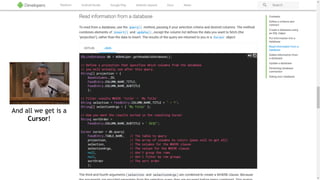
And all we get is a
Cursor!
Problems with SQLite?
- Complex and confusing
- Too much to handle for a small use case
13
Problems with SQLite?
- Complex and confusing
- Too much to handle for a small use case
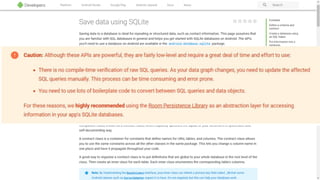
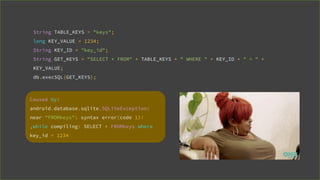
- No compile time verification
String TABLE_KEYS = "keys";
long KEY_VALUE = 1234;
String KEY_ID = "key_id";
String GET_KEYS = "SELECT * FROM" + TABLE_KEYS + " WHERE " + KEY_ID + " = " +
KEY_VALUE;
db.execSQL(GET_KEYS);
Caused by:
android.database.sqlite.SQLiteException:
near "FROMkeys": syntax error(code 1):
,while compiling: SELECT * FROMkeys where
key_id = 1234
Solution?
Room
SQLite mapping library
Room
- Boilerplate-free code
- SQLite support
- Compile time verification
- Works well with observables
Classes required to implement
database handling in SQLite
- DatabaseHandler extends SQLiteOpenHelper
- UI handler (Activity/Fragment)
- Entity class
Main components of Room
- @Entity
@Entity
class User {
@PrimaryKey
int userId;
String name;
String email;
}
Main components of Room
- @Entity
- @Dao
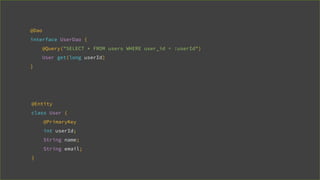
@Entity
class User {
@PrimaryKey
int userId;
String name;
String email;
}
@Dao
interface UserDao {
@Query("SELECT * FROM users WHERE user_id = :userId")
User get(long userId)
}
Main components of Room
- @Entity
- @Dao
- @Database
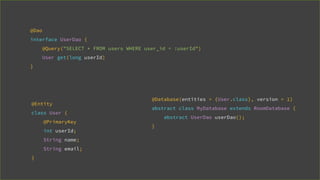
@Entity
class User {
@PrimaryKey
int userId;
String name;
String email;
}
@Dao
interface UserDao {
@Query("SELECT * FROM users WHERE user_id = :userId")
User get(long userId)
}
@Database(entities = {User.class}, version = 1)
abstract class MyDatabase extends RoomDatabase {
abstract UserDao userDao();
}
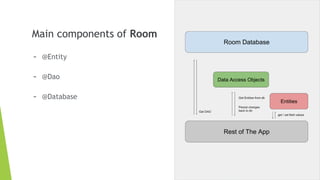
Main components of Room
- @Entity
- @Dao
- @Database
What else?
- Room understands SQLite
@Dao
interface UserDao {
@Query("SELECT * FROM userss WHERE user_id = :userId")
User get(long userId);
}
[SQLITE_ERROR] SQL error or missing database(no such table: userss)
What else?
- Room understands SQLite
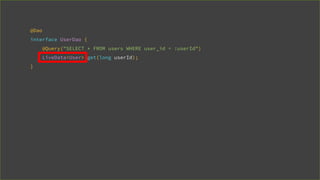
- Room perfectly works with LiveData
@Dao
interface UserDao {
@Query("SELECT * FROM users WHERE user_id = :userId")
LiveData<User> get(long userId);
}
- Supports multithreading (WAL compatibility)
Updates in I/O 2018 (Room 1.1)
What is WAL (WriteAheadLogging) compatibility?
- Enables parallel execution of queries from multiple threads
on the same database
- When enabled, write operations occur in a separate log file
which allows reads to proceed concurrently
- Maximum number of connections dependent upon the device
memory
- While write is in progress, readers on other threads will
perceive the state of the database as it was before the write
began. When the write completes, readers on other threads
will then perceive the new state of the database.
- It’s automatically taken care if device is running JB+ and not
running on low RAM (Generally means 1GB or low RAM)
How does it work?
Updates in I/O 2018 (Room 1.1)
- Supports multithreading (WAL compatibility)
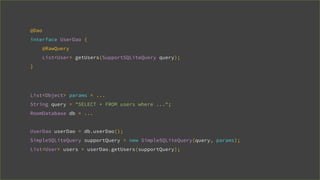
- @RawQuery annotation
Problem with @Query
- Even if dynamic implementation is written, it returns Cursor!
- Querying with multiple parameters is complex to maintain
@Dao
interface UserDao {
@RawQuery
List<User> getUsers(SupportSQLiteQuery query);
}
List<Object> params = ...
String query = "SELECT * FROM users where ...";
RoomDatabase db = ...
UserDao userDao = db.userDao();
SimpleSQLiteQuery supportQuery = new SimpleSQLiteQuery(query, params);
List<User> users = userDao.getUsers(supportQuery);
Room
- Boilerplate-free code
- SQLite support
- Compile time verification
- Works well with observables
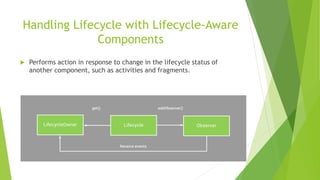
Handling Lifecycle with Lifecycle-Aware
Components
 Performs action in response to change in the lifecycle status of
another component, such as activities and fragments.
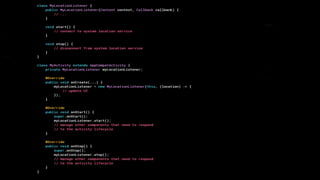
Lifecycle Problem
 LocationManager.start() LocationManager.stop()
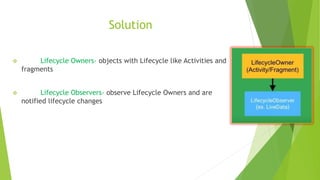
Solution
❖ Lifecycle Owners- objects with Lifecycle like Activities and
fragments
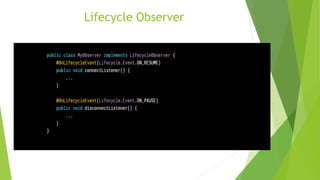
❖ Lifecycle Observers- observe Lifecycle Owners and are
notified lifecycle changes
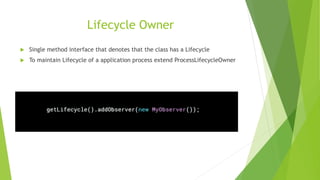
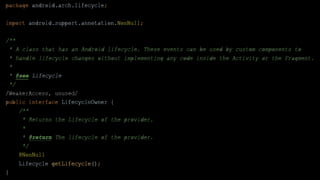
Lifecycle Owner
 Single method interface that denotes that the class has a Lifecycle
 To maintain Lifecycle of a application process extend ProcessLifecycleOwner
Lifecycle Observer
Use cases of Lifecycle-Aware
Components
 Switching between coarse and fine-grained location updates.
 Stopping and starting video buffering.
 Starting and stopping network connectivity.
 Pausing and resuming animated drawables.
BEHIND THE SCENES
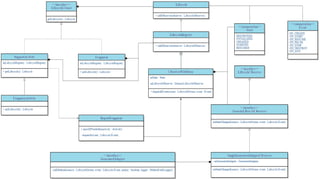
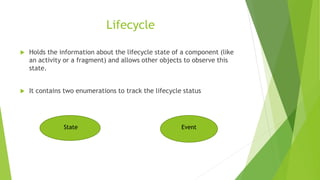
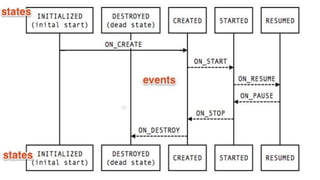
Lifecycle
 Holds the information about the lifecycle state of a component (like
an activity or a fragment) and allows other objects to observe this
state.
 It contains two enumerations to track the lifecycle status
State Event
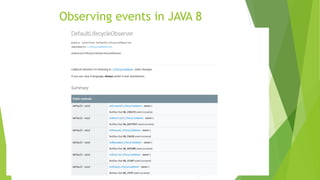
Observing events in JAVA 8
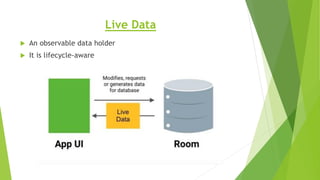
Live Data
 An observable data holder
 It is lifecycle-aware
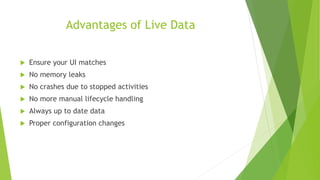
Advantages of Live Data
 Ensure your UI matches
 No memory leaks
 No crashes due to stopped activities
 No more manual lifecycle handling
 Always up to date data
 Proper configuration changes
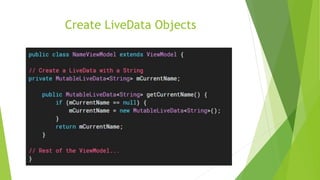
Create LiveData Objects
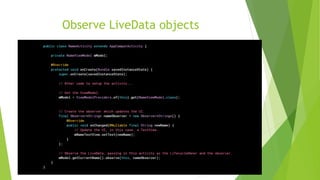
Observe LiveData objects
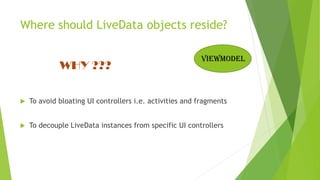
Where should LiveData objects reside?
WHY ???
 To avoid bloating UI controllers i.e. activities and fragments
 To decouple LiveData instances from specific UI controllers
viewmodel
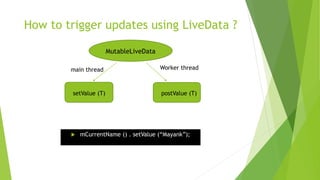
How to trigger updates using LiveData ?
 mCurrentName () . setValue (“Mayank”);
MutableLiveData
setValue (T) postValue (T)
main thread Worker thread
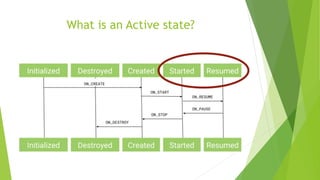
What is an Active state?
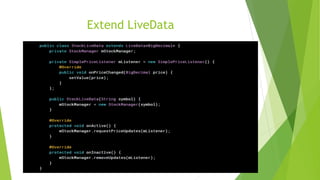
Extend LiveData
Transform LiveData
 Make changes to the value stored in a LiveData object before
dispatching it to the observers
 Helper functions
• Transformation.map()
• Transformation.switchMap()
BEHIND THE SCENES
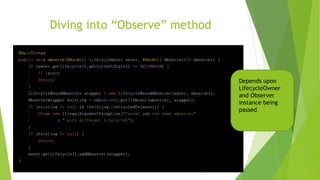
Diving into “Observe” method
Depends upon
LifecycleOwner
and Observer
instance being
passed
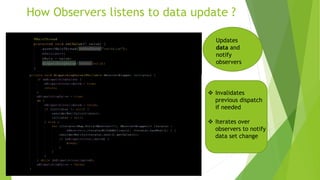
How Observers listens to data update ?
Updates
data and
notify
observers
❖ Invalidates
previous dispatch
if needed
❖ Iterates over
observers to notify
data set change
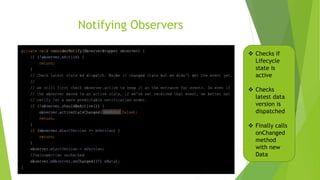
Notifying Observers
❖ Checks if
Lifecycle
state is
active
❖ Checks
latest data
version is
dispatched
❖ Finally calls
onChanged
method
with new
Data
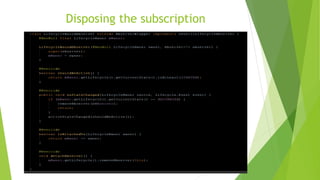
Disposing the subscription
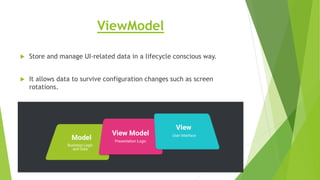
ViewModel
 Store and manage UI-related data in a lifecycle conscious way.
 It allows data to survive configuration changes such as screen
rotations.
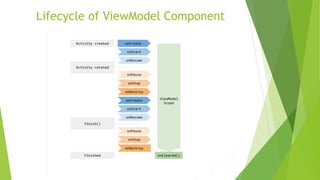
Lifecycle of ViewModel Component
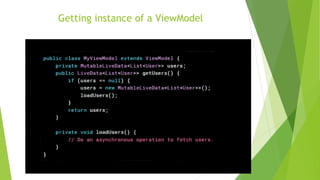
Getting instance of a ViewModel
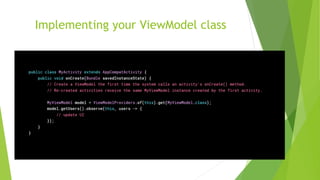
Implementing your ViewModel class
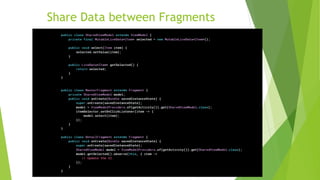
Share Data between Fragments
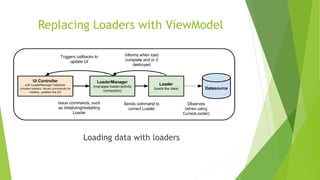
Replacing Loaders with ViewModel
Loading data with loaders
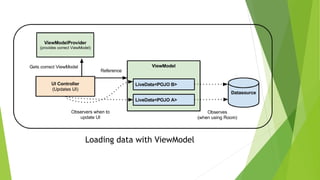
Loading data with ViewModel
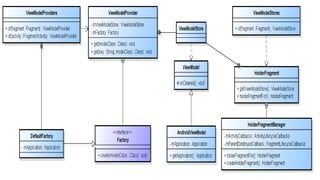
Behind the scenesBEHIND THE SCENES
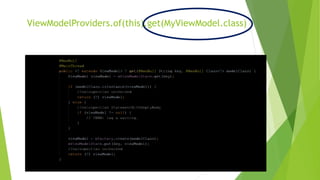
ViewModelProviders.of(this)
ViewModelProviders.of(this).get(MyViewModel.class)
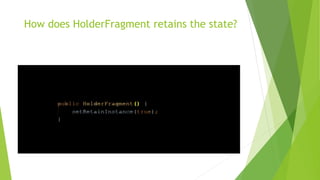
How does HolderFragment retains the state?
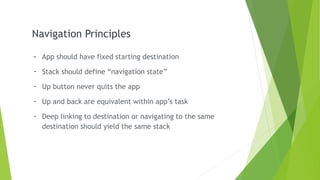
Navigation Principles
- App should have fixed starting destination
- Stack should define “navigation state”
- Up button never quits the app
- Up and back are equivalent within app’s task
- Deep linking to destination or navigating to the same
destination should yield the same stack
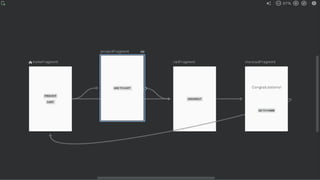
Navigation Component
- Easy in-app navigation
81
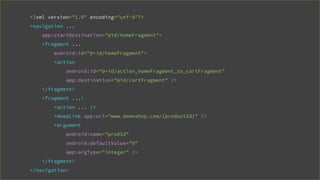
<?xml version="1.0" encoding="utf-8"?>
<navigation ...
app:startDestination="@id/homeFragment">
<fragment ...
android:id="@+id/homeFragment">
<action
android:id="@+id/action_homeFragment_to_cartFragment"
app:destination="@id/cartFragment" />
</fragment>
<fragment ...>
<action ... />
<deepLink app:uri="www.demoshop.com/{productId}" />
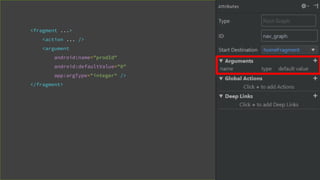
<argument
android:name="prodId"
android:defaultValue="0"
app:argType="integer" />
</fragment>
</navigation>
Navigation Component
- Easy in-app navigation
- Animations
Navigation Component
- Easy in-app navigation
- Animations
- Passing Arguments
<fragment ...>
<action ... />
<argument
android:name="prodId"
android:defaultValue="0"
app:argType="integer" />
</fragment>
Navigation Component
- Easy in-app navigation
- Animations
- Passing Arguments
- DeepLinks
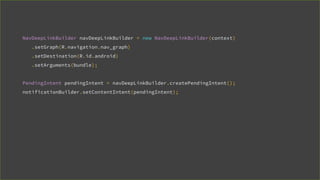
Explicit DeepLinks
- Notifications
- App Shortcuts
- App Widgets
- Actions
- Slices
NavDeepLinkBuilder navDeepLinkBuilder = new NavDeepLinkBuilder(context)
.setGraph(R.navigation.nav_graph)
.setDestination(R.id.android)
.setArguments(bundle);
PendingIntent pendingIntent = navDeepLinkBuilder.createPendingIntent();
notificationBuilder.setContentIntent(pendingIntent);
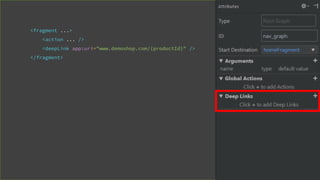
Implicit DeepLinks
- Web URLs
- Custom Scheme URLs
<fragment ...>
<action ... />
<deepLink app:uri="www.demoshop.com/{productId}" />
</fragment>
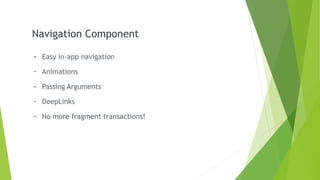
Navigation Component
- Easy in-app navigation
- Animations
- Passing Arguments
- DeepLinks
- No more fragment transactions!
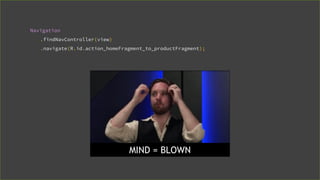
Navigation
.findNavController(view)
.navigate(R.id.action_homeFragment_to_productFragment);
MIND = BLOWN
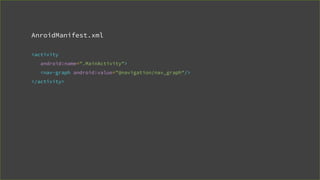
AnroidManifest.xml
<activity
android:name=".MainActivity">
<nav-graph android:value="@navigation/nav_graph"/>
</activity>
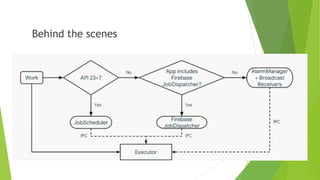
Background Jobs
- Sync data
- Uploading logs
- Data backups
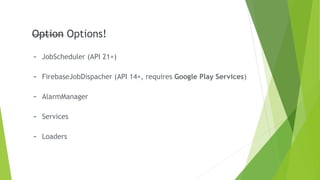
Option
- JobScheduler (API 21+)
- FirebaseJobDispacher (API 14+, requires Google Play Services)
- AlarmManager
- Services
- Loaders
Option Options!
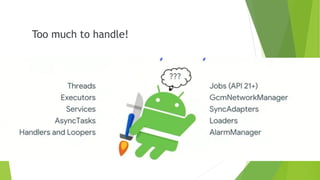
Too much to handle!
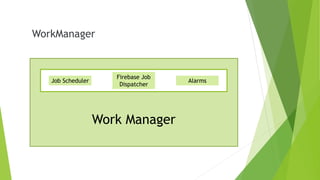
WorkManager
Job Scheduler
Firebase Job
Dispatcher
Alarms
Work Manager
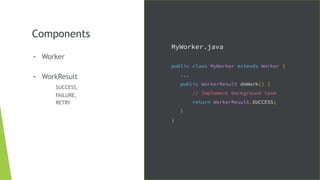
Components
- Worker
- WorkResult
SUCCESS,
FAILURE,
RETRY
MyWorker.java
public class MyWorker extends Worker {
...
public WorkerResult doWork() {
// Implement background task
return WorkerResult.SUCCESS;
}
}
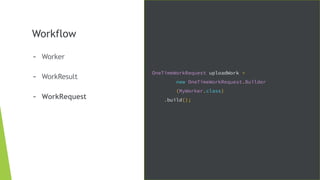
Workflow
- Worker
- WorkResult
- WorkRequest
OneTimeWorkRequest uploadWork =
new OneTimeWorkRequest.Builder
(MyWorker.class)
.build();
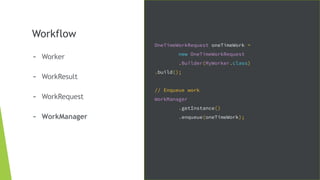
Workflow
- Worker
- WorkResult
- WorkRequest
- WorkManager
OneTimeWorkRequest oneTimeWork =
new OneTimeWorkRequest
.Builder(MyWorker.class)
.build();
// Enqueue work
WorkManager
.getInstance()
.enqueue(oneTimeWork);
Behind the scenes
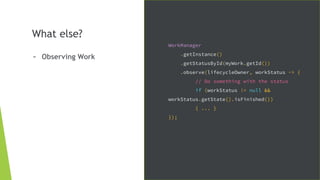
What else?
- Observing Work
WorkManager
.getInstance()
.getStatusById(myWork.getId())
.observe(lifecycleOwner, workStatus -> {
// Do something with the status
if (workStatus != null &&
workStatus.getState().isFinished())
{ ... }
});
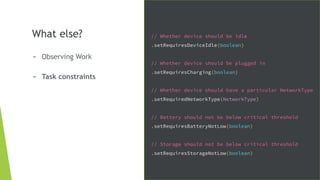
What else?
- Observing Work
- Task constraints
// Whether device should be idle
.setRequiresDeviceIdle(boolean)
// Whether device should be plugged in
.setRequiresCharging(boolean)
// Whether device should have a particular NetworkType
.setRequiredNetworkType(NetworkType)
// Battery should not be below critical threshold
.setRequiresBatteryNotLow(boolean)
// Storage should not be below critical threshold
.setRequiresStorageNotLow(boolean)
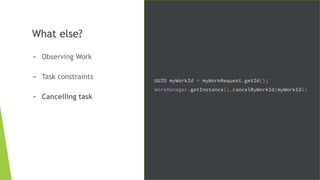
What else?
- Observing Work
- Task constraints
- Cancelling task
UUID myWorkId = myWorkRequest.getId();
WorkManager.getInstance().cancelByWorkId(myWorkId);
What else?
- Observing Work
- Task constraints
- Cancelling task
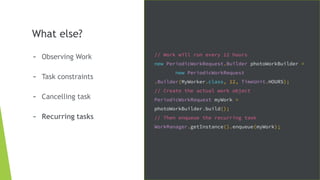
- Recurring tasks
// Work will run every 12 hours
new PeriodicWorkRequest.Builder photoWorkBuilder =
new PeriodicWorkRequest
.Builder(MyWorker.class, 12, TimeUnit.HOURS);
// Create the actual work object
PeriodicWorkRequest myWork =
photoWorkBuilder.build();
// Then enqueue the recurring task
WorkManager.getInstance().enqueue(myWork);
There’s more!
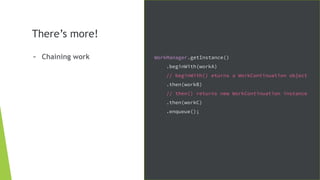
- Chaining work WorkManager.getInstance()
.beginWith(workA)
// beginWith() eturns a WorkContinuation object
.then(workB)
// then() returns new WorkContinuation instance
.then(workC)
.enqueue();
There’s more!
- Chaining work
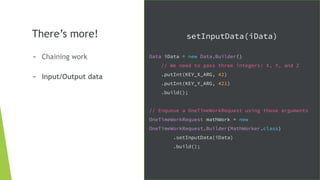
- Input/Output data
setInputData(iData)
Data iData = new Data.Builder()
// We need to pass three integers: X, Y, and Z
.putInt(KEY_X_ARG, 42)
.putInt(KEY_Y_ARG, 421)
.build();
// Enqueue a OneTimeWorkRequest using those arguments
OneTimeWorkRequest mathWork = new
OneTimeWorkRequest.Builder(MathWorker.class)
.setInputData(iData)
.build();
There’s more!
- Chaining work
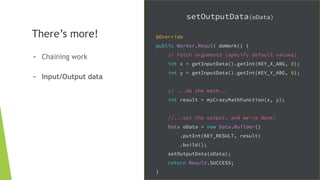
- Input/Output data
setOutputData(oData)
@Override
public Worker.Result doWork() {
// Fetch arguments (specify default values)
int x = getInputData().getInt(KEY_X_ARG, 0);
int y = getInputData().getInt(KEY_Y_ARG, 0);
// ...do the math...
int result = myCrazyMathFunction(x, y);
//...set the output, and we're done!
Data oData = new Data.Builder()
.putInt(KEY_RESULT, result)
.build();
setOutputData(oData);
return Result.SUCCESS;
}
Some more AAC are also there!
- Paging
- Data binding
Android Architecture Components

Android Architecture Components